Logic analyzer
For this assignment I used PulseView, which is available for Linux, is open source, and supports a wide range of logic analyzers and protocol decoders.
Installation
I installed it from the standard repository with:
sudo apt install pulseview
I ended needing another package for our particular analyzer:
sudo apt install sigrok-firmware-fx2lafw
I checked that lsusb reported this:
Bus 003 Device 007: ID 0925:3881 Lakeview Research Saleae Logic
I updated the rules:
sudo nano /etc/udev/rules.d/99-sigrok.rules
with this content:
SUBSYSTEM=="usb", ATTR{idVendor}=="0925", ATTR{idProduct}=="3881", MODE="0666"
Reloaded the rules:
sudo udevadm control --reload-rules && sudo udevadm trigger
And unplugged and plugged again.
Setup
Open PulseView.
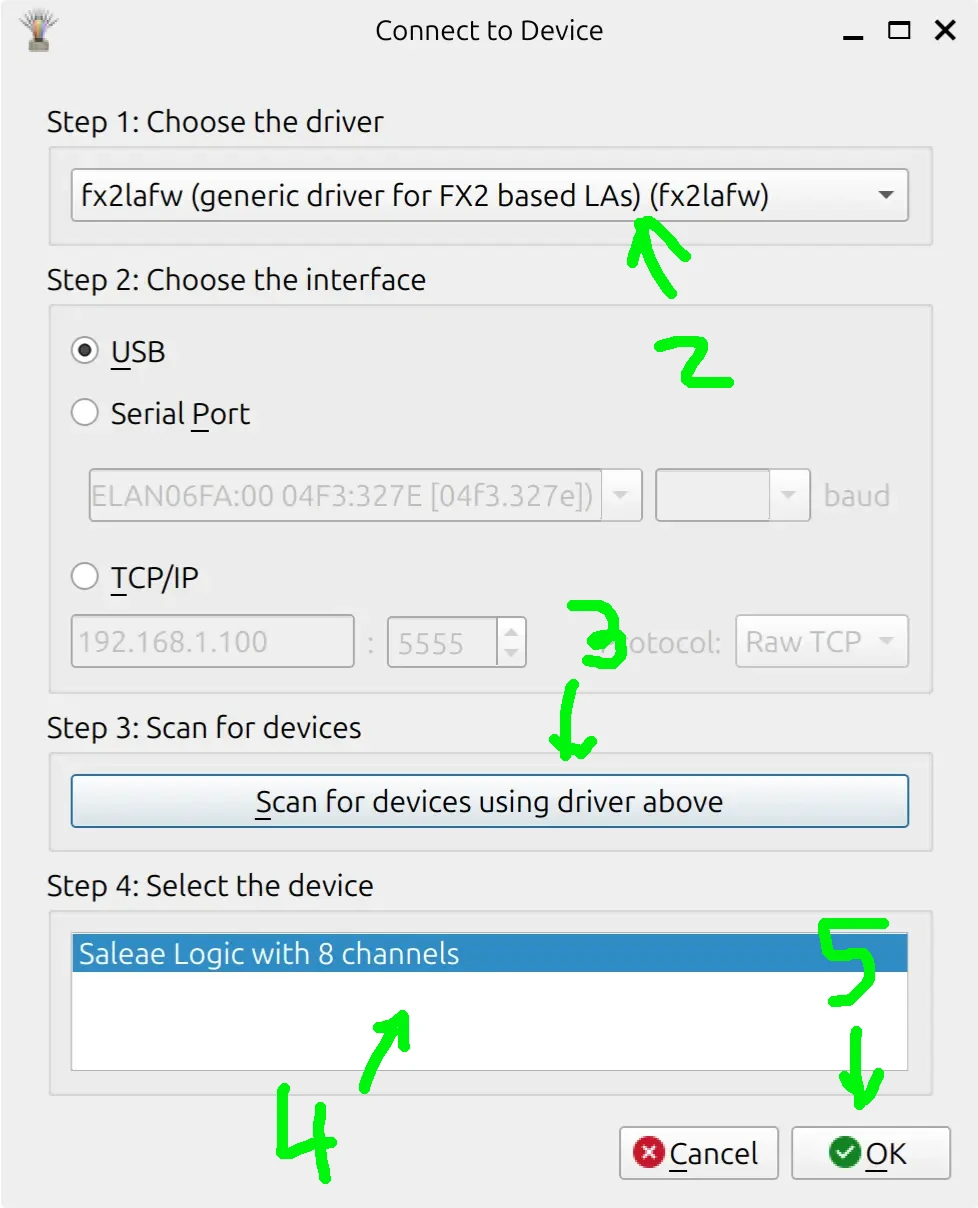
- Click the Device menu (currently says “Demo Device”).
- Select Driver:
fx2lafw (generic driver for FX2 based devices). - Click Scan for devices using driver above.
- It should find “Saleae Logic with 8 channels”. Select it and click OK.
- Click OK
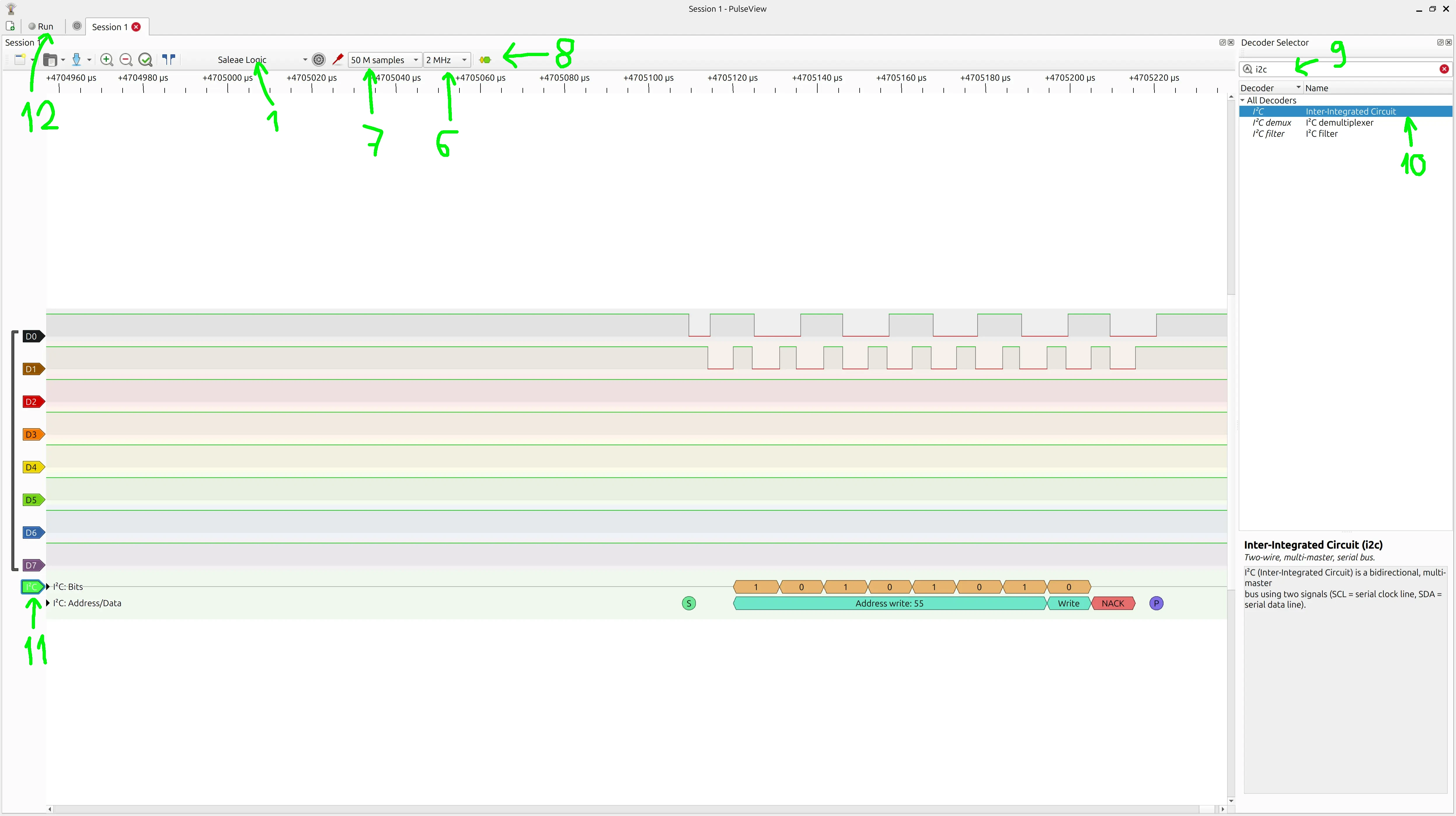
- Select 2 MHz sampling rate (very important ! needs to be at least twice the protocol frequency, which was 100 kHz)
- Select 50 M samples to have a reasonable window
- Click the button to select the protocol
- type I2C
- Double click it
- Click the I2C button to assign channels (I assigned SDA to D0 and SCL to D1. Also I connected the GND cable, but there’s no setup for that)
- Click Run to start sampling
Analyze
If all is setup correctly, you can see in D0 and D1 lanes the “raw” signals, and in the bottom I2C lane, the decoded protocol, which is what we’re after.