Week 20: Final Project Presentation
Project: OrquiWall Smart System
Student: Jenny Rojas · Fab Academy 2026 · ZOI Ecuador · Industrial FabLab UCuenca
Assignment Objective
The objective of this week is to prepare and document the final project presentation files: the summary slide and the short video clip. These files communicate the concept, fabrication processes, electronics, programming, integration, and final operation of my final project.
This page also includes clear links to the project files, the final project documentation, the bill of materials, the license, the original design files, and the acknowledgements. I added this information to make the documentation easier to review according to the Nueval evaluation criteria.
Supporting labs: This project was developed as part of Fab Academy 2026 with support from ZOI Ecuador and Industrial FabLab UCuenca. Both logos are included in the documentation header.
Presentation Slide and Video
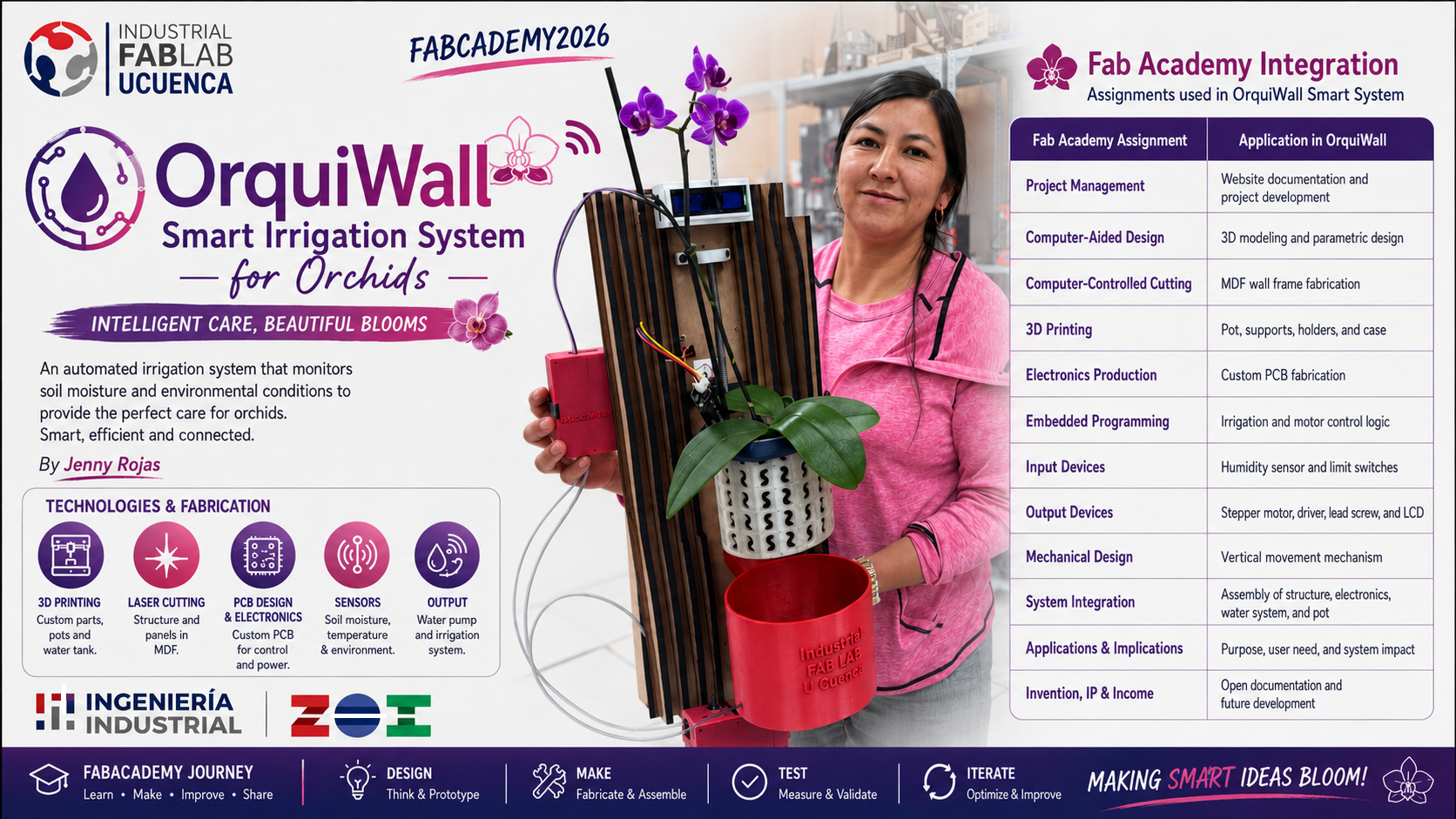
The final presentation material summarizes the OrquiWall Smart Irrigation System for orchids, including the problem, technologies, system architecture, fabrication processes, and the operating logic of the prototype.
The final slide and final video are placed in the project root directory using the required filenames presentation.png and presentation.mp4.
Separate Final Project Page
In addition to this Week 20 Final Project Presentation page, I created a separate Final Project documentation page. This page contains the complete development process of OrquiWall Smart System, including the concept, design evolution, fabrication steps, electronics, programming, system integration, testing, final files, slide, and video.
The Final Project page is linked here so reviewers can easily access the complete documentation of the project.
Where Are the Project Files Located?
To make the final project files easy to find, I organized the downloads in two places: this Final Project Presentation page and the main Final Project documentation page. The same essential files should be accessible from both pages.
| File Type | File Name / Link | Location in Website | Purpose |
|---|---|---|---|
| Final slide | presentation.png | Root directory | Required final project summary slide. |
| Final video | presentation.mp4 | Root directory | Required final project video clip. |
| Final project page | final-project.html | Root directory | Main documentation page for the final project. |
| DXF file | parametrico-jr-wall-frame.dxf | archive/fp/ | Laser-cut MDF wall frame file. |
| Slicer file | slicer-archivo-frame.3dmk | archive/fp/ | Slicer for Fusion 360 frame file. |
| KiCad project | orquiwall-kicad-project.zip | archive/fp/ | Electronics design files for the custom PCB. |
| PCB traces | orquiwall-pcb-traces.svg | archive/fp/ | Trace file used for PCB production. |
| Final code | orquiwall-irrigation-system-code.txt | archive/fp/ | Embedded code for the ESP32 XIAO C3. |
| 3D editable files | Files 3d f3d.zip | archive/fp/ | Editable Fusion 360 3D files. |
| 3D printing files | 3D FILES STL.zip | archive/fp/ | STL files for 3D printing. |
| System diagram | sistem diagram.kicad_sch | archive/fp/ | Electronic system diagram / schematic file. |
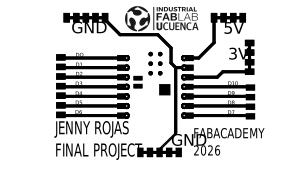
Important for evaluation: These same project files should also be linked from final-project.html, so reviewers can find them from both the Final Project page and this Final Project Presentation page.
Final Project Overview
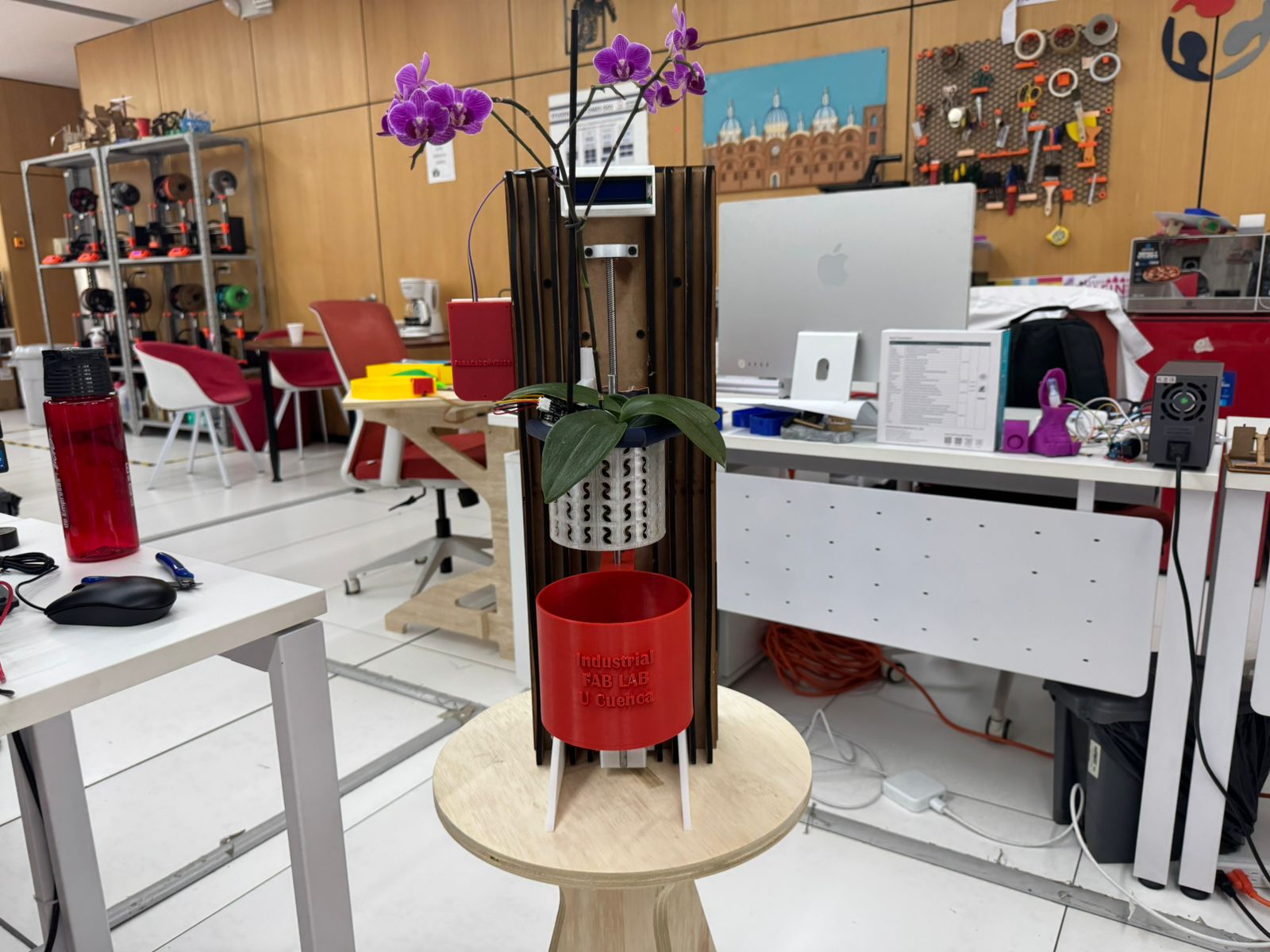
OrquiWall Smart System is a smart orchid care module that integrates a digitally fabricated wall frame, 3D printed plant and water components, a custom PCB, sensing, display, cable management, and a motorized mechanical system. The prototype demonstrates the relationship between digital fabrication and biophilic design.
The system is designed around orchid irrigation by immersion. Instead of using only a drip line or a passive pot, the project uses a mechanical movement system to position the water reservoir and validate the immersion watering concept.
What I Made
| Subsystem | Fabricated / Integrated Elements |
|---|---|
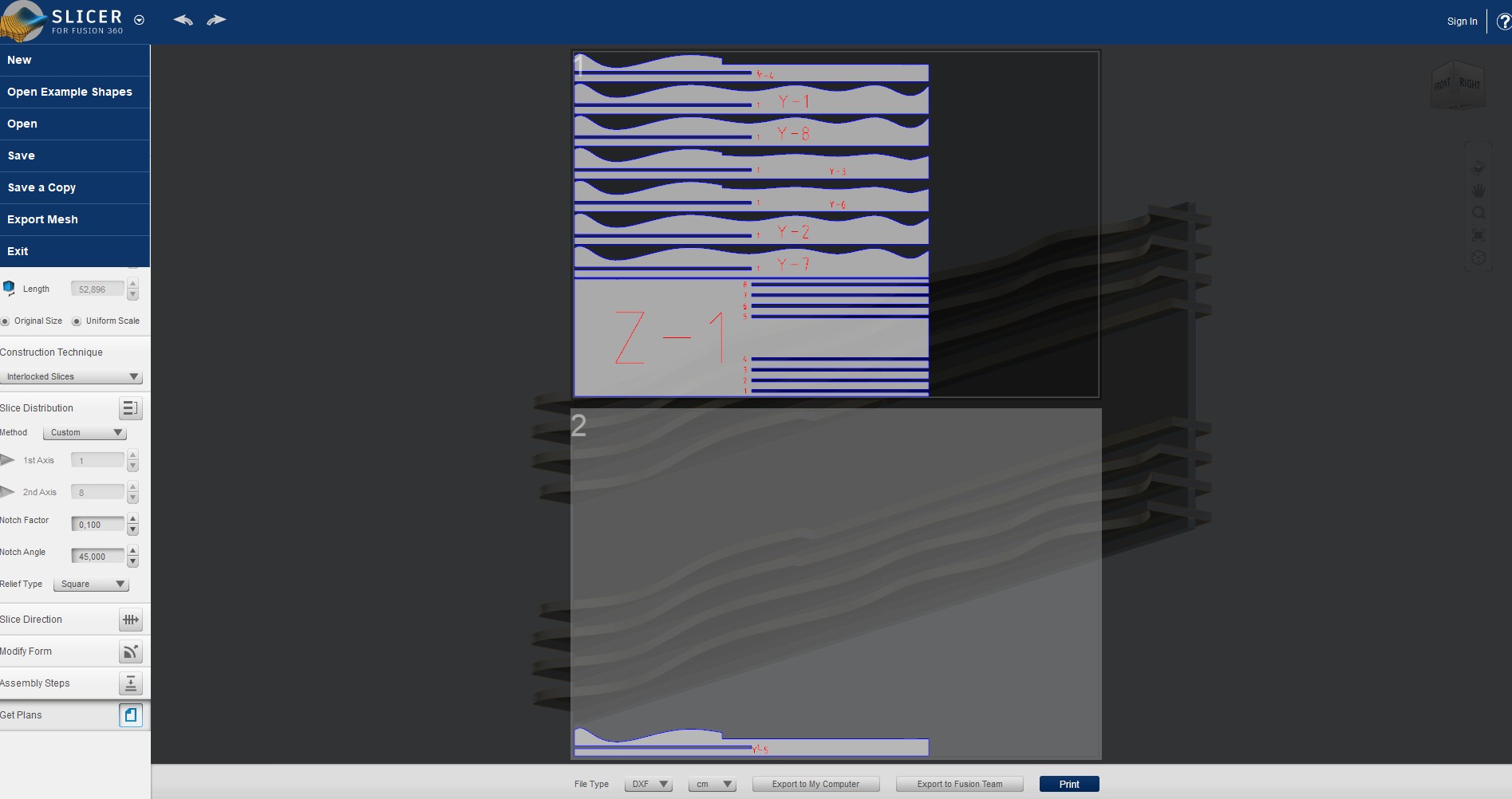
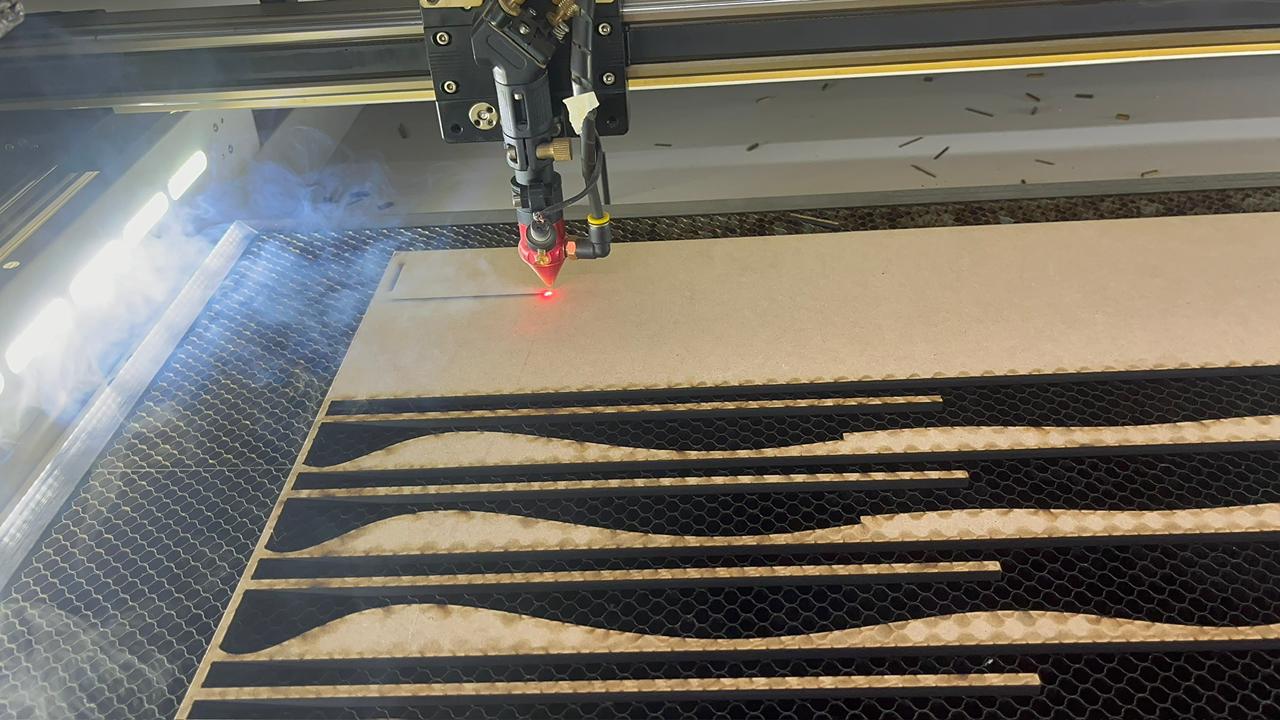
| Structure | MDF sliced wall frame generated with Slicer for Fusion 360 and cut as DXF pieces. |
| Plant interface | 3D printed orchid pot, reservoir, planter supports, and final presentation with a real orchid. |
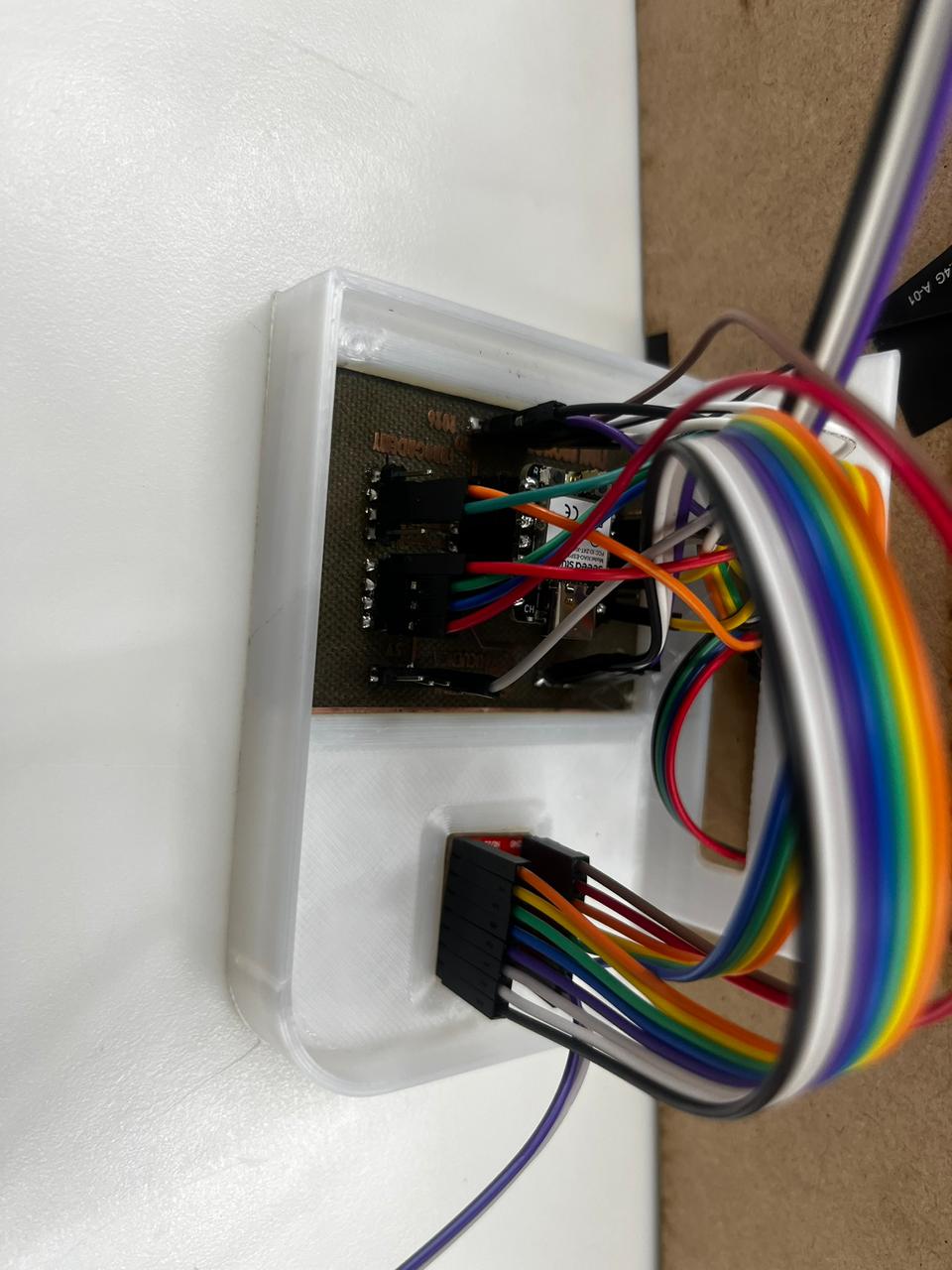
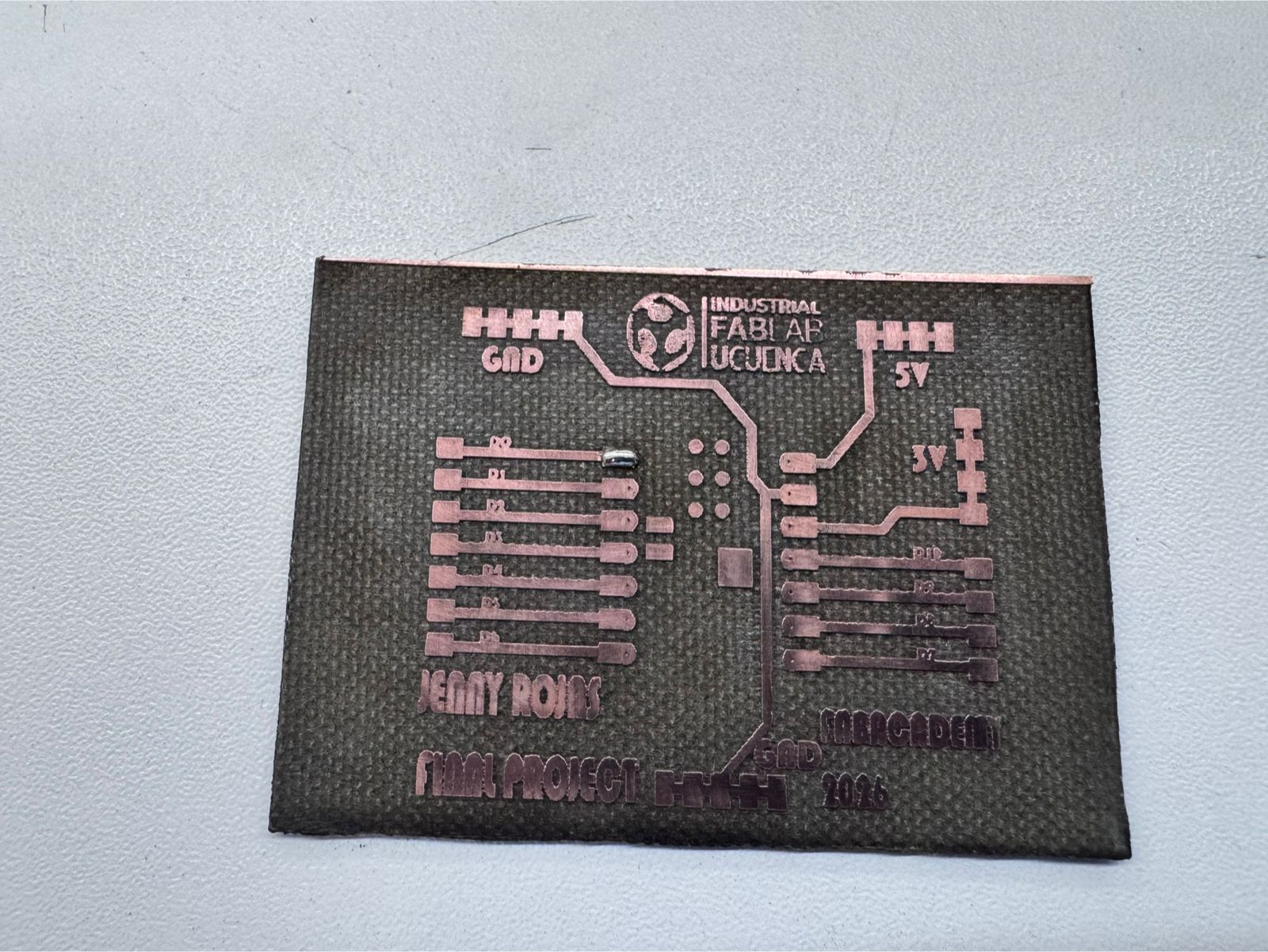
| Electronics | Custom KiCad PCB fabricated with fiber laser, ESP32 XIAO C3, A4988, sensors, LCD, switches, and wiring case. |
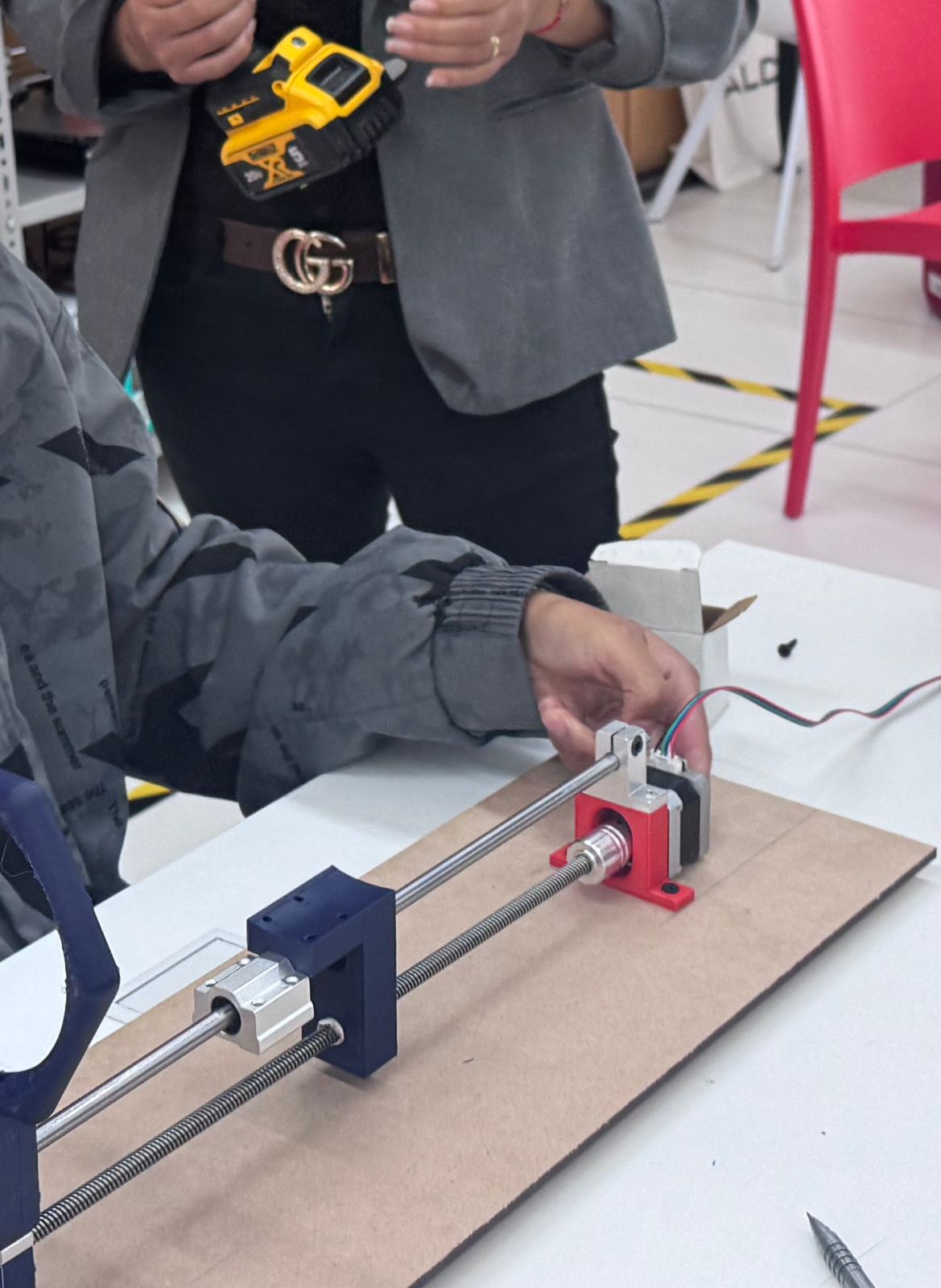
| Mechanical design | Stepper motor, lead screw, bearing, guide rods, printed supports, and movement tests. |
| System integration | Final assembly combining electronics, structure, reservoir, pot, wiring, LCD, interface, and final irrigation test. |
Bill of Materials — BOM
The following Bill of Materials summarizes the main components, fabricated parts, electronic elements, mechanical components, and support materials used to build the OrquiWall Smart System.
| Component / Material | Quantity | Function in the Project | Make / Buy |
|---|---|---|---|
| MDF sheet 5.5 mm | 1 | Laser-cut sliced wall frame. | Buy + fabricate |
| PLA filament | Partial roll | 3D printed pot, reservoir, supports, case, and holders. | Buy + fabricate |
| Custom PCB | 1 | Main board for organizing the electronics. | Made by me |
| XIAO ESP32C3 | 1 | Main microcontroller for sensors, motor control, LCD, and logic. | Buy |
| A4988 stepper motor driver | 1 | Controls the stepper motor movement. | Buy |
| Stepper motor 12–15 V | 1 | Actuator for the immersion movement system. | Buy |
| 40 cm lead screw | 1 | Converts rotary movement into vertical linear motion. | Buy |
| Lead screw bearing | 1 | Supports and stabilizes lead screw rotation. | Buy |
| Guide rods | 2 | Help align the moving system. | Buy |
| Capacitive humidity sensor | 1 | Measures orchid substrate moisture. | Buy |
| Water level / water contact sensor | 1 | Detects water presence during irrigation testing. | Buy |
| Limit switches | 2 | Upper and lower end-stop references for movement. | Buy |
| LCD I2C display | 1 | Shows humidity, status, and movement messages. | Buy |
| 220 Ω resistor | 1 | LED current protection. | Buy |
| 10 kΩ resistors | 2 | Support stable digital input readings. | Buy |
| 100 µF capacitor | 1 | Stabilizes A4988 motor power near VMOT and GND. | Buy |
| Pin headers, screw terminals, jumper wires | Several | PCB assembly and wiring connections. | Buy |
| 12 V power supply | 1 | External power for the motor driver and stepper motor. | Buy |
| Orchid and substrate | 1 | Biological validation of the irrigation concept. | Buy |
System Integration
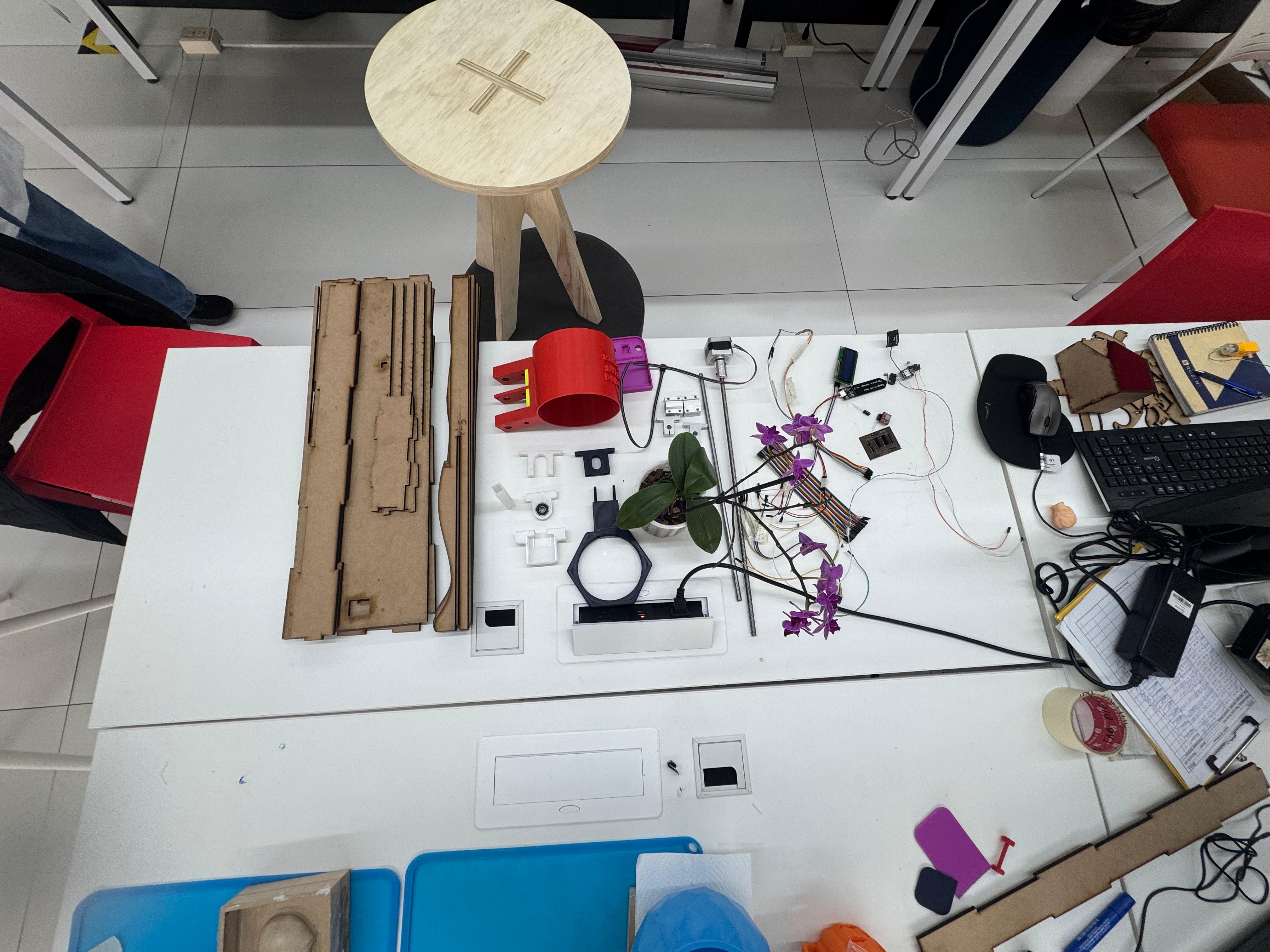
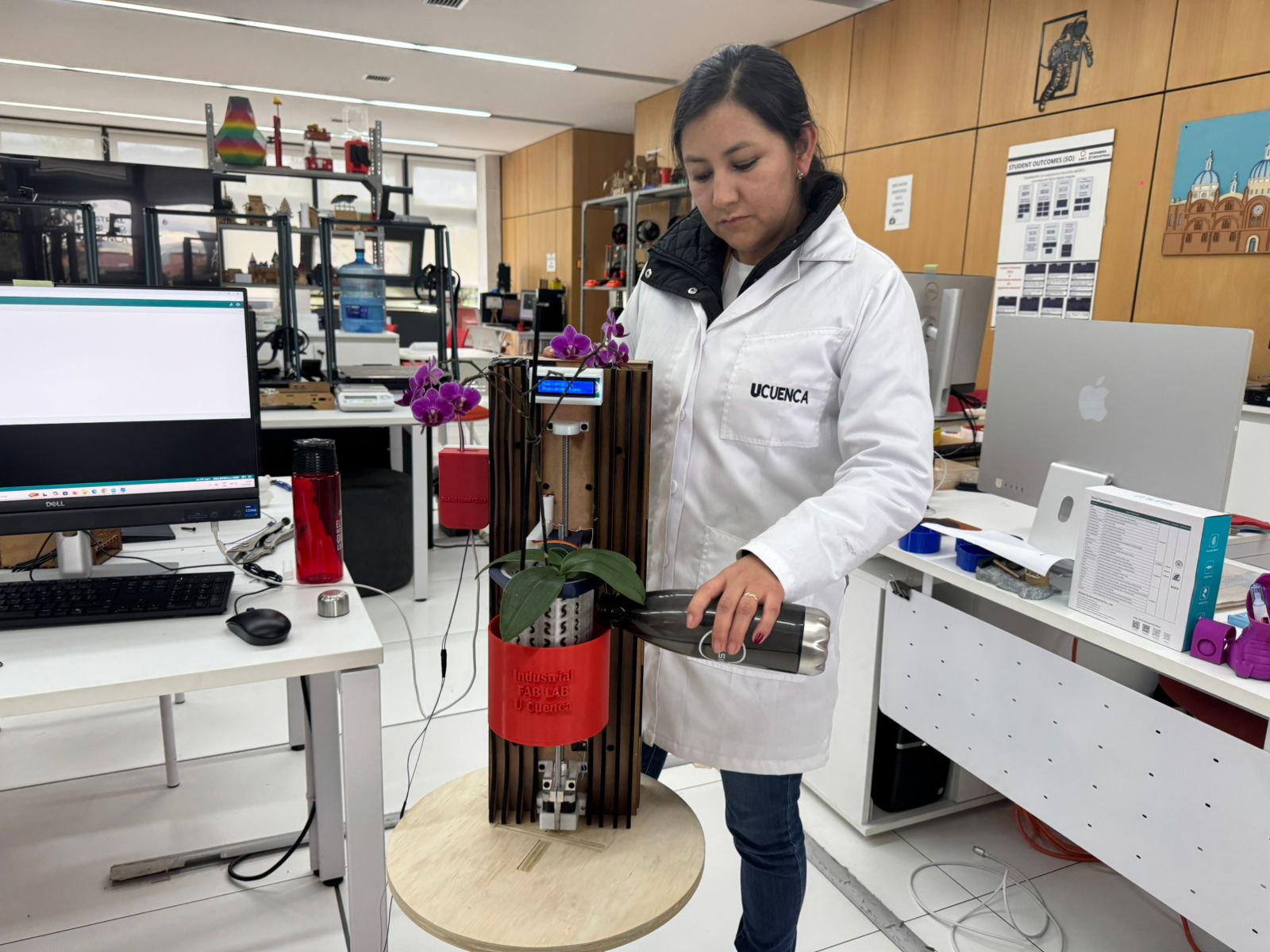
The final project was integrated as a complete system, not as isolated parts. The MDF frame, 3D printed components, custom PCB, sensors, LCD interface, stepper motor, lead screw mechanism, water reservoir, and orchid pot were assembled into one functional prototype.
The integration process was one of the most important parts of the project because each subsystem affected the others. The size of the frame defined the space for the reservoir and mechanism. The position of the pot affected the immersion height. The PCB and wiring case had to be placed away from water. The motor and lead screw needed alignment to avoid friction during movement.
| Integrated System | Elements Combined | Integration Result |
|---|---|---|
| Mechanical + Structure | MDF frame, lead screw, bearing, guide rods, motor supports. | The movement mechanism was installed inside the fabricated structure. |
| Electronics + Movement | ESP32 XIAO C3, A4988 driver, stepper motor, limit switches. | The electronics control the vertical movement and end-stop detection. |
| Sensing + Interface | Humidity sensor, water sensor, LCD display. | The final project uses a local physical interface for system feedback. |
| Plant + Reservoir | Orchid, substrate, printed pot, water reservoir. | The prototype demonstrates the immersion irrigation concept. |
| Final Assembly | Frame, plant, reservoir, mechanism, PCB, wiring, LCD, and sensors. | The final project works as an integrated orchid care prototype. |
Interface Clarification
During Fab Academy, I explored Blynk as part of Week 15 — Interface and Application Programming. That assignment helped me understand how an ESP32 can send sensor data to a cloud dashboard and how information can be visualized from a computer or mobile phone.
However, Blynk is not part of the final version of OrquiWall Smart System. For the final project, I decided to use a local physical interface based on a display connected directly to the ESP32 XIAO C3. This decision made the prototype simpler, more independent, and easier to demonstrate without requiring an internet connection or cloud configuration.
| Interface | Used in Final Project? | Purpose | Documentation |
|---|---|---|---|
| Blynk dashboard | No | Used only as a previous learning exercise to understand remote monitoring with ESP32. | Documented in Week 15 — Interface and Application Programming. |
| LCD / local display | Yes | Displays local information such as humidity state, system status, and movement messages. | Integrated into the final OrquiWall prototype. |
Clarification for evaluation: The final project does not depend on Blynk. Blynk was used in a previous assignment as an interface exploration, but the final prototype uses a local display as the main user interface.
Final Demonstration
The final test validates the assembled prototype as a complete system. The orchid is installed in the printed pot, the reservoir is positioned in the structure, the LCD interface is visible, and water is introduced to demonstrate the irrigation concept.
Fab Academy Requirements Covered
| Requirement | Evidence in Final Project |
|---|---|
| 2D and 3D design | Fusion 360 models, KiCad PCB design, Slicer framework, DXF files, and printed parts. |
| Additive fabrication | PLA pot, reservoir, motor supports, bearing holders, wiring case, and LCD support. |
| Subtractive fabrication | Laser-cut MDF frame and fiber-laser fabricated PCB. |
| Electronics design and production | Custom PCB schematic, layout, laser engraving, drilling, soldering, and testing. |
| Embedded programming | Irrigation and movement code for ESP32 XIAO C3. |
| Input devices | Humidity sensor, water sensor, and limit switches used for sensing and movement references. |
| Output devices | LCD interface, A4988 driver, stepper motor, and status feedback. |
| Mechanical design | Lead screw mechanism, motor supports, bearing alignment, guide rods, and final assembly. |
| Interface and application programming | Blynk was explored in Week 15 as a previous interface assignment. For the final project, the interface was simplified to a local display connected directly to the ESP32 XIAO C3. |
| System integration | All fabricated, mechanical, electronic, interface, and plant-care components assembled into a final prototype. |
| Linked supporting weekly assignments | The final project is connected to previous assignments: Week 02 CAD, Week 03 Computer-Controlled Cutting, Week 05 3D Printing, Week 08 Electronics Production, Week 09 Input Devices, Week 10 Output Devices, Week 15 Interface Programming, and Week 18 Applications and Implications. |
| Final slide and video | presentation.png and presentation.mp4 linked from this page and located in the root directory. |
| Project files | DXF, 3D files, KiCad project, PCB traces, code, and system diagram linked for download. |
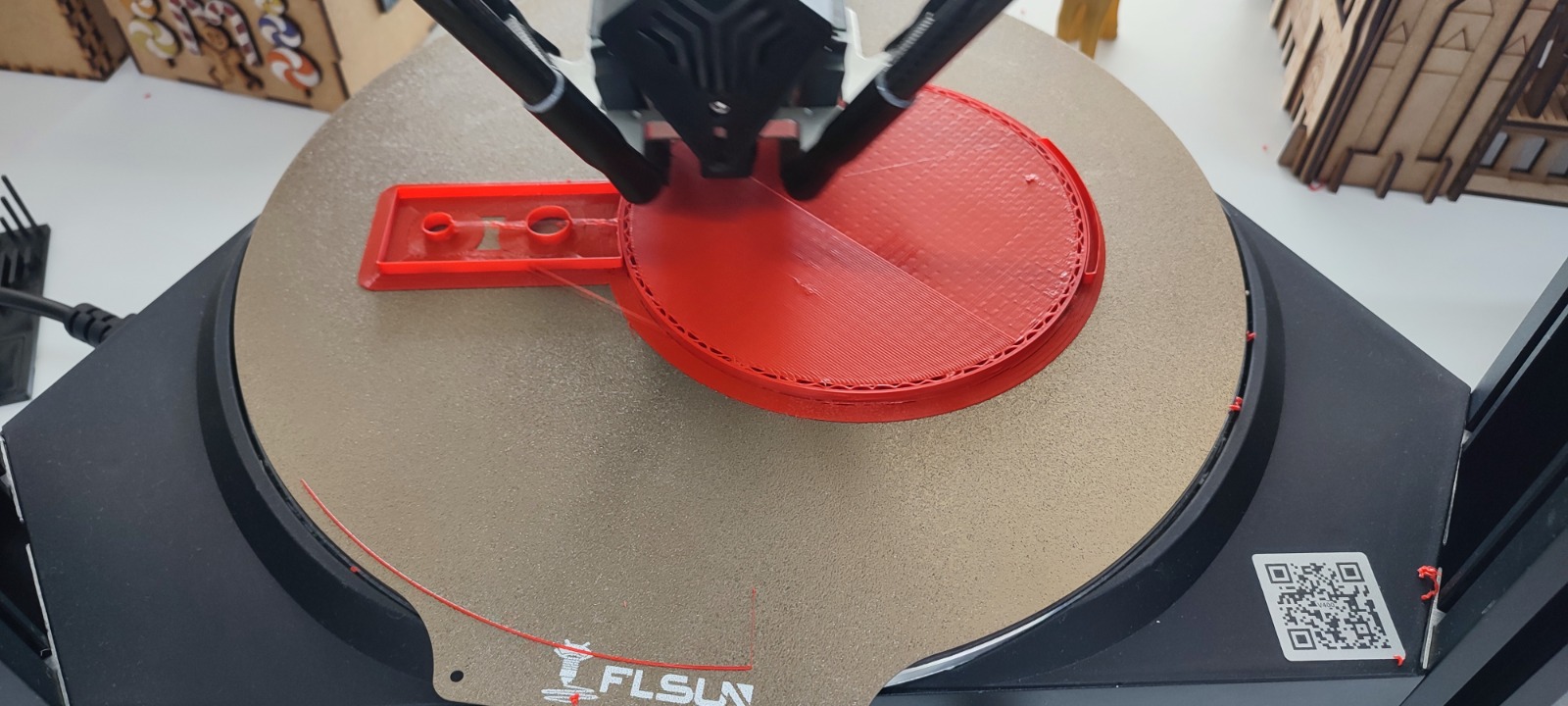
Build Process Summary
Final Result and Evaluation
The final prototype demonstrates that the fabricated structure, electronics, mechanical movement, plant pot, reservoir, local interface, and wiring can be integrated into one object. The project successfully communicates a smart biophilic module and validates the main technical layers required for a future improved version.
| Evaluation Area | Result |
|---|---|
| Visual presentation | The organic MDF frame and orchid create the intended biophilic aesthetic. |
| Mechanical integration | Stepper motor, lead screw, bearing, and supports were assembled and tested. |
| Electronic integration | PCB, LCD, driver, sensor wiring, and case were connected and organized. |
| Irrigation demonstration | Water reservoir and orchid pot were tested in the final prototype. |
| Interface operation | The final system includes local feedback through a display connected to the ESP32 XIAO C3. Remote monitoring with Blynk was tested in a previous assignment but was not included in the final prototype. |
| Documentation | Process, files, images, video, logos, interface clarification, and final integration are documented online. |
Original Design Files in the Archive
All original design files used for the final project are included in the archive folder of my website. These files allow the project to be reviewed, reproduced, modified, or fabricated again using digital fabrication tools.
| File Type | File | Purpose |
|---|---|---|
| 2D cutting file | parametrico-jr-wall-frame.dxf | Laser cutting file for the MDF wall frame. |
| Slicer file | slicer-archivo-frame.3dmk | Slicer for Fusion 360 file used to generate the frame pieces. |
| 3D editable files | Files 3d f3d.zip | Editable Fusion 360 files for printed parts. |
| 3D printing files | 3D FILES STL.zip | STL files for printing the pot, reservoir, supports, and cases. |
| Electronics design | orquiwall-kicad-project.zip | KiCad project for the custom PCB. |
| PCB traces | orquiwall-pcb-traces.svg | SVG trace file used for PCB fabrication. |
| Embedded code | orquiwall-irrigation-system-code.txt | Final ESP32 code for the irrigation and movement logic. |
| System diagram | sistem diagram.kicad_sch | Electronic system diagram for the final project. |
License
OrquiWall Smart System is documented as an academic and educational Fab Academy project. The documentation, images, design files, and fabrication files are shared for learning, study, and non-commercial reproduction.
License statement: Unless otherwise stated, the documentation and design files of OrquiWall Smart System are released under a Creative Commons Attribution-NonCommercial-ShareAlike 4.0 International License (CC BY-NC-SA 4.0).
The source code is shared for educational use and can be reused or modified with attribution to Jenny Rojas and Fab Academy 2026.
This means that other students, instructors, or makers can study, reproduce, and adapt the project for educational purposes, but they should give proper credit and should not use the work commercially without permission.
Acknowledgements and Work Done by Others
This final project was developed by Jenny Rojas as part of Fab Academy 2026. The concept, documentation, system integration, final prototype development, and project decisions were completed as my individual final project work.
I acknowledge the support of ZOI Ecuador and Industrial FabLab UCuenca during my Fab Academy journey. Their facilities, machines, technical environment, and learning community supported the fabrication, testing, and documentation of this project.
| Contribution / Reference | Source | How It Was Used |
|---|---|---|
| Fab Academy structure and evaluation criteria | Fab Academy / Nueval | Used as the framework for documenting and evaluating the final project. |
| Lab support | ZOI Ecuador and Industrial FabLab UCuenca | Supported the learning environment, machines, and fabrication process. |
| Commercial components | ESP32 XIAO C3, A4988, sensors, LCD, stepper motor, lead screw | Purchased components integrated into my custom fabricated system. |
| Software tools | Fusion 360, KiCad, Arduino IDE, slicer software | Used for design, electronics, programming, and fabrication preparation. |
| Previous project references | Automatic orchid watering and ESP32 irrigation projects | Used as inspiration and comparison, but not copied directly. |
| Blynk interface learning | Week 15 — Interface and Application Programming | Used as a previous learning exercise, but not integrated into the final project. |
All custom design decisions, integration work, documentation, and final project development were completed by me unless explicitly stated otherwise.
Final Files
The following files are provided to make the project easier to review and reproduce. These downloads are also intended to be available from the main final project documentation page.
Final Project Documentation Page
The complete final project documentation is available in the main final project page. This page should also include the same essential downloads: final slide, final video, design files, electronics files, code, license, and system diagram.
Nueval Final Project Requirements Checklist
I reviewed the Final Project Requirements checklist and updated this documentation to address each required point clearly.
| Checklist Requirement | Status | Where It Is Documented |
|---|---|---|
| Made your slide > 1920 x 1080 pixels with name, project name, Fab Lab name, image, and description. | Completed | Presentation Slide and Video |
| Made a ~1 minute video of the final project showing fabrication and functionality. | Completed | Presentation Slide and Video |
| Made a separate Final Project page that summarizes/documents the project. | Completed | Separate Final Project Page |
| Included the BOM for the project. | Completed | Bill of Materials — BOM |
| Linked from this page to weeks that supported the final project. | Completed | Fab Academy Requirements Covered |
| Documented how the system was integrated in the final project. | Completed | System Integration |
| Linked to presentation.png and presentation.mp4 in the root of the website. | Completed | Presentation Slide and Video |
| Included original design files in the archive: 2D, 3D, board files, and code. | Completed | Original Design Files in the Archive |
| Included the license chosen for the project. | Completed | License |
| Acknowledged work done by others. | Completed | Acknowledgements and Work Done by Others |
| Clarified Blynk interface status. | Completed | Blynk was used only in Week 15 and is not part of the final project. |