Week 01 — Principles and practices, presentations, introductions , project management
Fab Academy 2026 · Jenny Rojas · Industrial FabLab UCuenca
Week 01 — Principles and Practices, Presentations, Introductions, and Project Management
Introduction
This first assignment introduces the foundations of Fab Academy 2026 through the topics of principles and practices, presentations, introductions, and project management. During this week, I began understanding the structure of the program, the importance of weekly documentation, and the role of the personal website as a continuous record of the learning process.
The assignment also focuses on organizing the first ideas for the final project, creating a documentation workflow, and setting up the tools required to publish and update the website. This process is essential because every future assignment will depend on clear documentation, proper file organization, and version control through Git and FabCloud GitLab.
1. Thought Process
Overview and Motivation
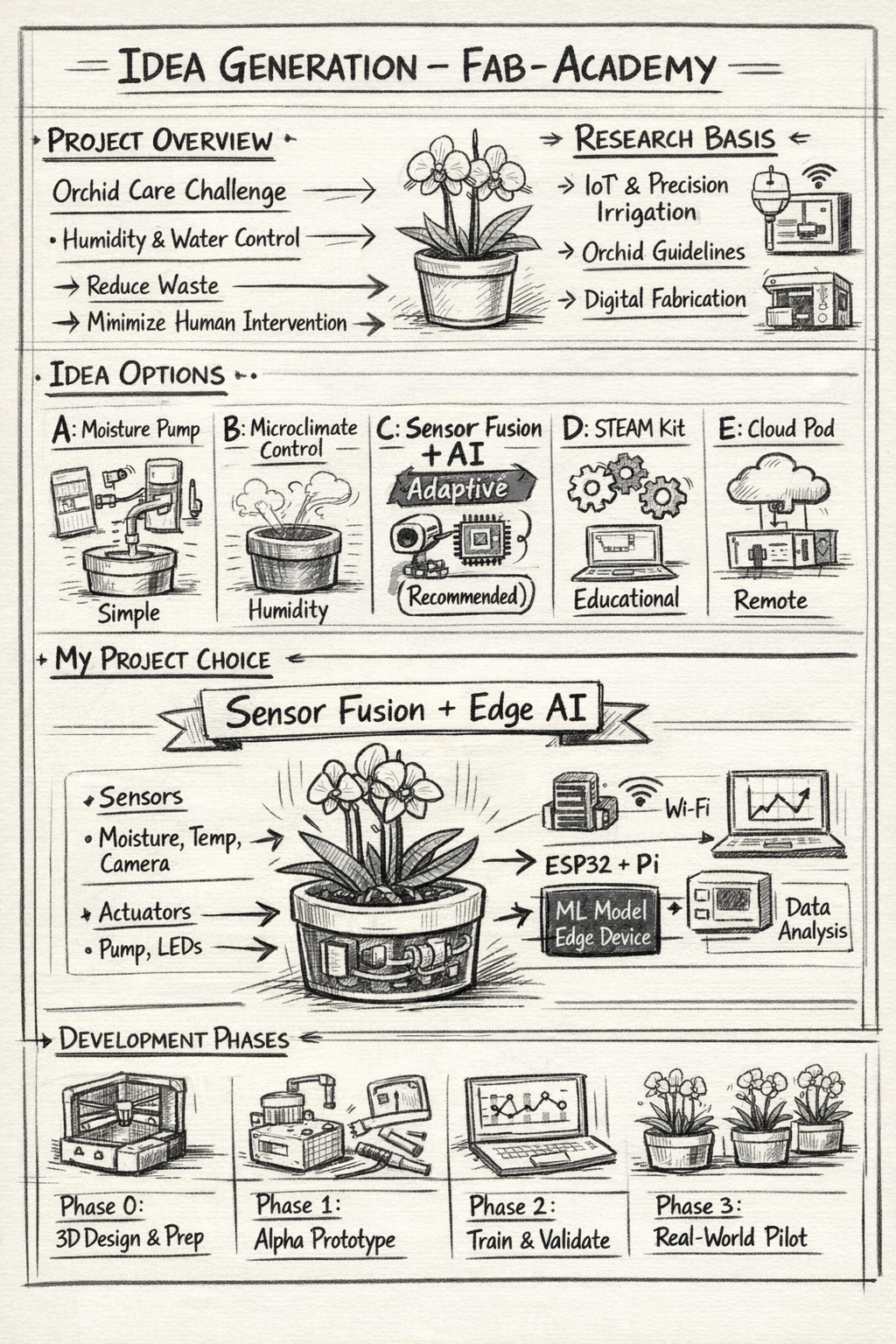
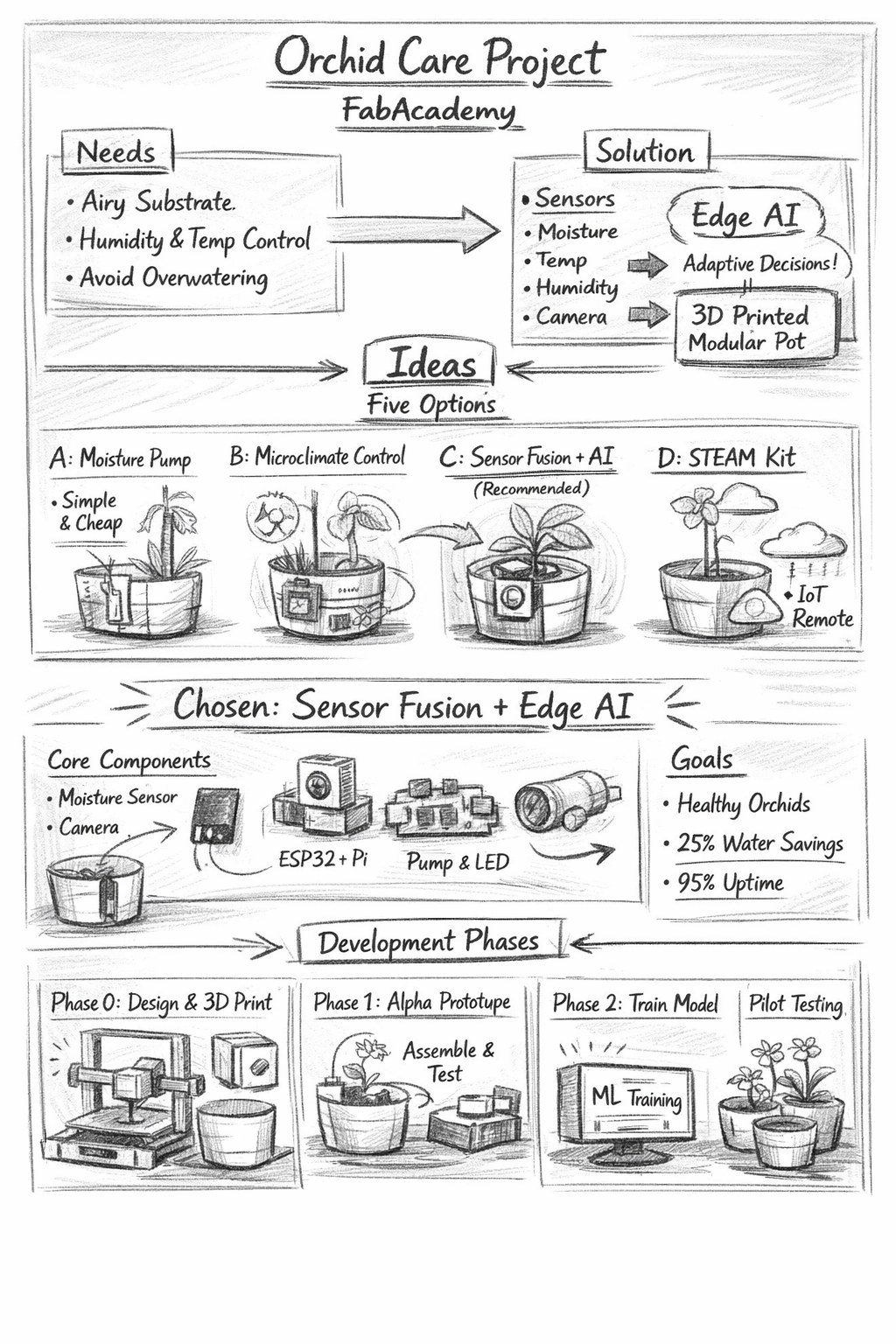
Orchids have specific cultural needs: airy substrates such as bark and sphagnum, high sensitivity to overwatering (which increases root rot risk), and a strong dependence on stable humidity and temperature cycles for healthy growth and flowering.
The central challenge is to provide water in a way that keeps both the substrate and the plant healthy while minimizing water waste and human intervention.
The proposed solution combines multiple data sources — substrate moisture, ambient humidity, temperature, and camera-based visual monitoring — with an AI decision engine that adapts watering volume and timing.
Evidence basis: Research in precision irrigation and IoT shows that sensor-driven systems using machine learning improve water efficiency and plant outcomes. Orchid horticultural guidelines provide target humidity ranges and substrate recommendations.
2. Project Ideas Exploration
Option A — Threshold-based Moisture Pump
A simple system where a substrate moisture sensor activates a micro-pump when readings fall below a fixed threshold.
Pros: Low cost, easy to build, fast to prototype.
Cons: Not adaptive; risk of overwatering.
Option B — Microclimate Controller
Controls ambient humidity using a nebulizer and fan, while watering remains manual or semi-assisted.
Pros: Good for epiphytic orchids.
Cons: Higher energy use and complexity.
Option C — Sensor Fusion + Edge AI (Selected)
Combines moisture, humidity, temperature, and camera data processed by a lightweight AI model running on an edge device.
Pros: Adaptive decisions, visual diagnostics.
Cons: Higher hardware and software complexity.
Option D — Educational STEAM Kit
Modular kit designed for classrooms where students assemble and program the system.
Pros: Educational, low cost.
Cons: Not fully autonomous.
Option E — Cloud-connected Commercial Pod
Full system with cloud analytics, dashboards, and predictive maintenance.
Pros: Advanced analytics.
Cons: Cloud dependency and higher cost.
3. Defining My Project
Chosen Option: Sensor Fusion + Edge AI
The goal is to build an autonomous orchid pot that automates watering decisions using fused sensor inputs and visual monitoring.
- Sensors: Capacitive moisture, temperature & humidity, water level, camera
- Actuators: Peristaltic pump, LEDs or buzzer
- Compute: ESP32 + Raspberry Pi or Jetson Nano
- Connectivity: Wi-Fi (MQTT), local storage
- Safety: Low-water lock, emergency stop, watchdog timer
Success criteria: Healthy orchids over a 6-week trial, at least 25% water savings, and system uptime above 95%.
4. Experimentation Plan
- Phase 0: CAD design, 3D printing, sensor calibration
- Phase 1: Alpha prototype and data collection
- Phase 2: ML training and edge inference deployment
- Phase 3: Real-world pilot and comparative analysis
5. Conclusion
Sensor fusion combined with edge AI enables a robust autonomous orchid pot that optimizes water usage, reduces root rot risk, and adapts to environmental variation. Digital fabrication ensures reproducibility and educational impact.
References
- Abioye et al. (2022). Precision irrigation management using machine learning.
- Aydın et al. (2021). AI and IoT for precision irrigation.
- American Orchid Society. Humidity and watering guidelines.
- Penn State Extension (2023). Orchids as houseplants.
Documentation & Web Setup
2. Website Development and Documentation (Main Focus)
One of the most critical requirements of Fab Academy is maintaining a personal documentation website. The website is not only a portfolio but also an engineering logbook that records weekly development in a structured and transparent manner.
During this week, significant effort was dedicated to building a solid digital foundation that can support the entire course documentation.
2.1 Planning the Website Structure
Before writing code, the structure of the site was carefully planned to ensure scalability throughout all weeks of the program.
- Homepage (general introduction)
- About Me section
- Weekly assignments section
- Final project section
- Navigation menu
- Footer with return links

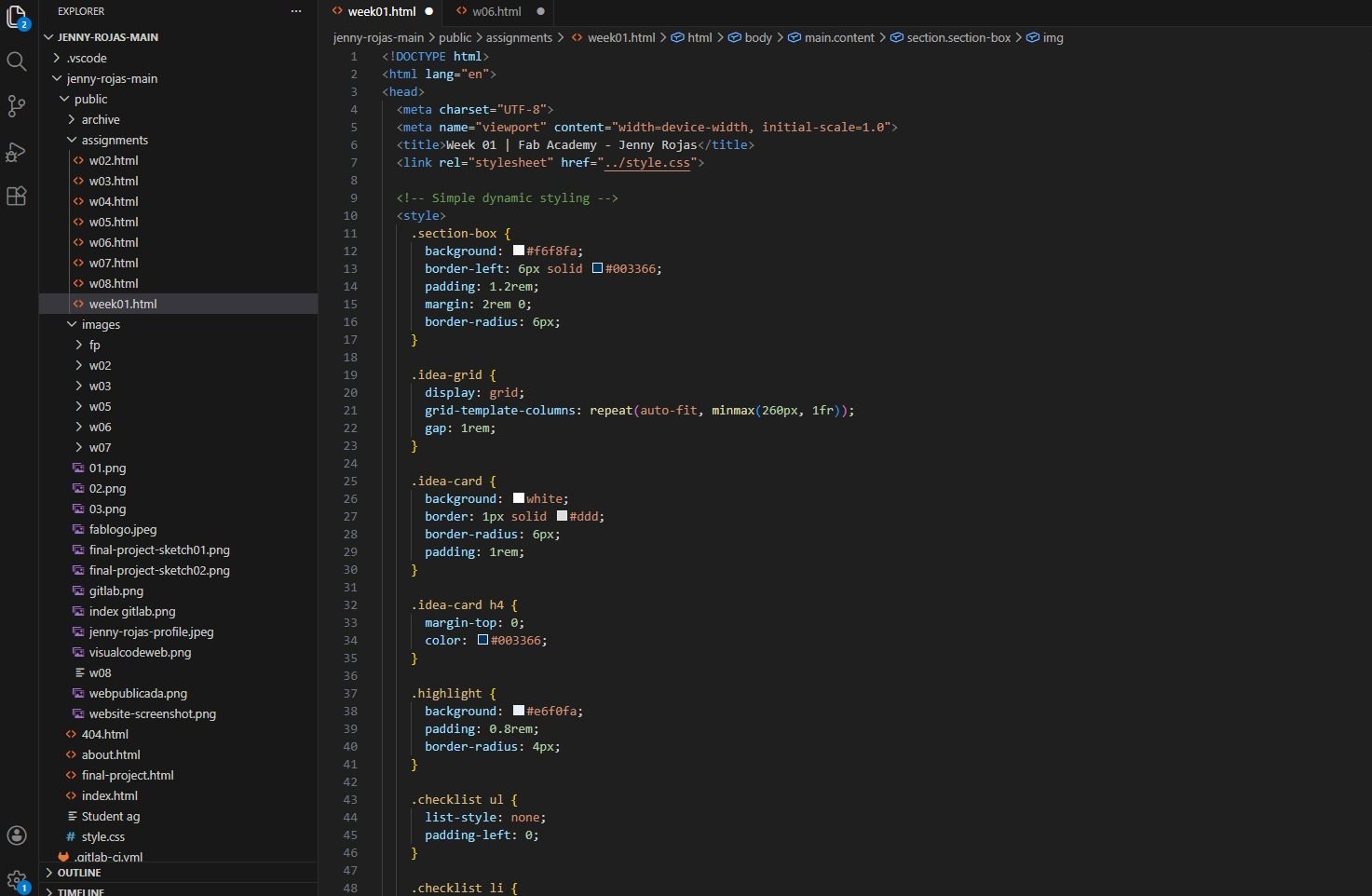
The structure was designed to allow the addition of new weekly pages without modifying the overall layout. This prevents structural inconsistencies and maintains clarity as content increases.
2.2 Folder Organization
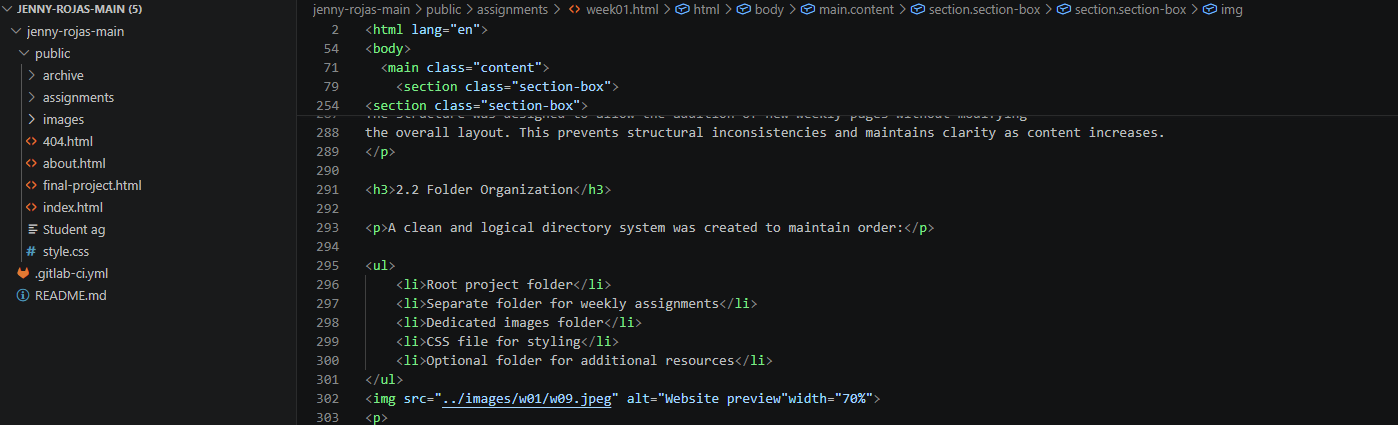
A clean and logical directory system was created to maintain order:
- Root project folder
- Separate folder for weekly assignments
- Dedicated images folder
- CSS file for styling
- Optional folder for additional resources
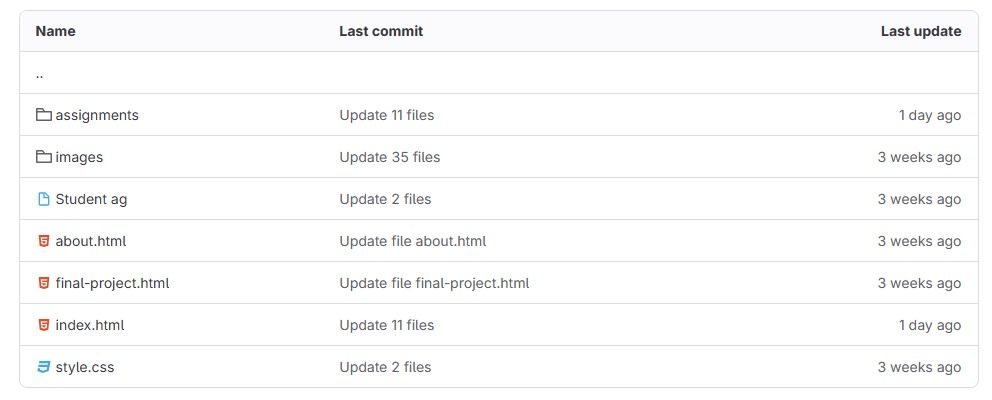
Consistent file naming conventions were applied to avoid broken links and confusion. Organizing content properly from the beginning ensures long-term maintainability and easier debugging.
2.3 Building the Base Template
To maintain visual and structural consistency across weeks, a base layout template was created. This template includes:
- Header section
- Title formatting system
- Content container
- Structured heading hierarchy
- Image formatting rules
- Navigation links
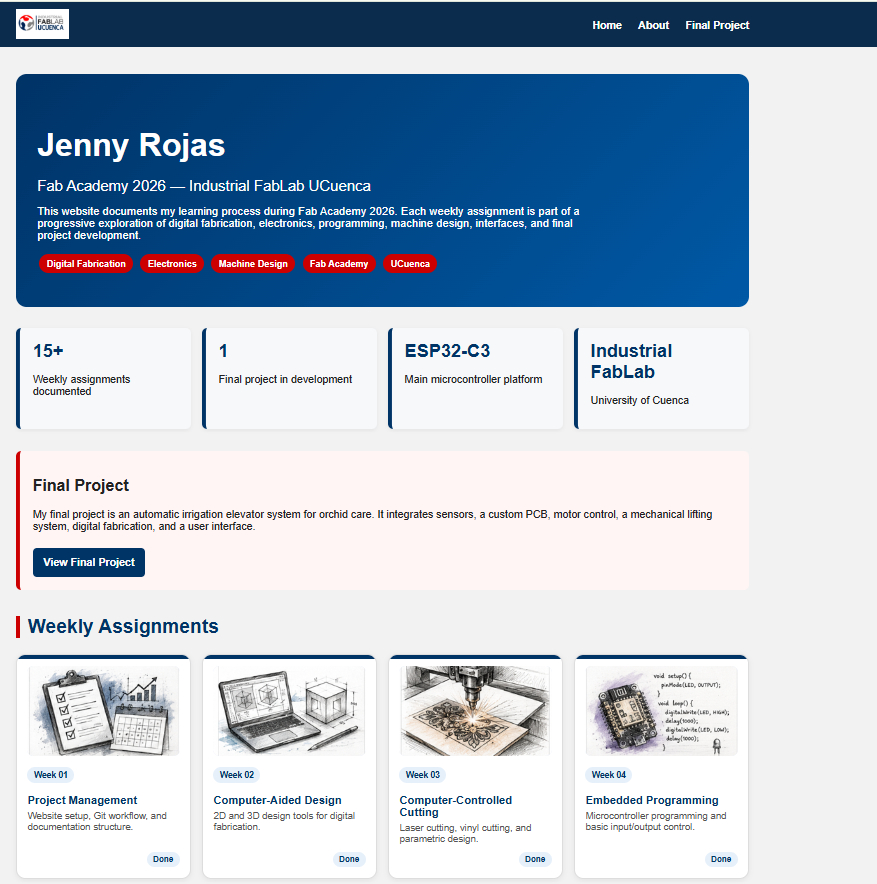
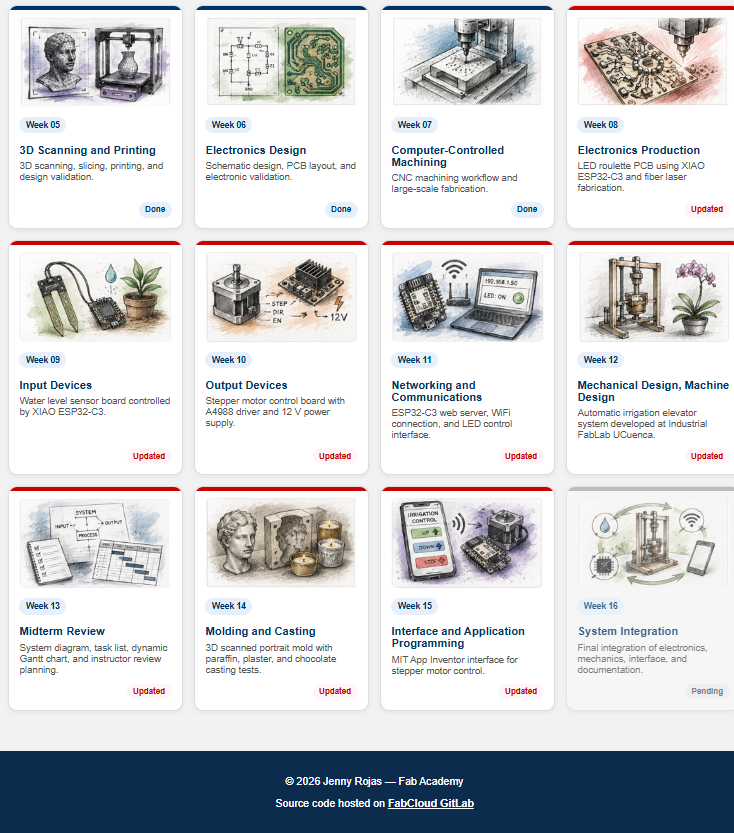
Using a base template avoids redesigning each page individually and ensures professional uniformity across the entire website.
2.4 Website Design Considerations
While developing the website, emphasis was placed on:
- Clear typography hierarchy.
- Logical content flow.
- Proper paragraph spacing.
- Section separation.
- Clean visual structure.
- Consistent formatting across pages.
The focus was clarity rather than decorative complexity. Fab Academy documentation prioritizes transparency, readability, and structured technical explanation.
2.5 Responsiveness and Testing
The website was tested across different screen sizes to ensure:
- Proper text scaling.
- Correct image alignment.
- Functional navigation.
- No structural layout issues.
Testing guarantees accessibility from laptops, tablets, and mobile devices, ensuring evaluators can review content without usability problems.
2.6 Image Management
Images are essential for demonstrating fabrication processes and results. Therefore:
- A dedicated image folder was created.
- Images were resized before uploading.
- File names were standardized.
- Relative paths were verified.
- Loading performance was tested.
Efficient image management improves loading speed and enhances professional presentation.
2.7 Continuous Documentation Strategy
Each weekly assignment will follow a structured format:
- Objective
- Tools used
- Step-by-step process
- Problems encountered
- Solutions implemented
- Final results
- Reflections
This standardized structure ensures clarity for evaluation and strengthens technical communication.
3. About Me Section
A dedicated “About Me” section was created to provide context about my academic and professional background.
- Educational profile.
- Professional interests.
- Motivation for joining Fab Academy.
- Technical interests in digital fabrication and electronics.
- Personal goals for the course.
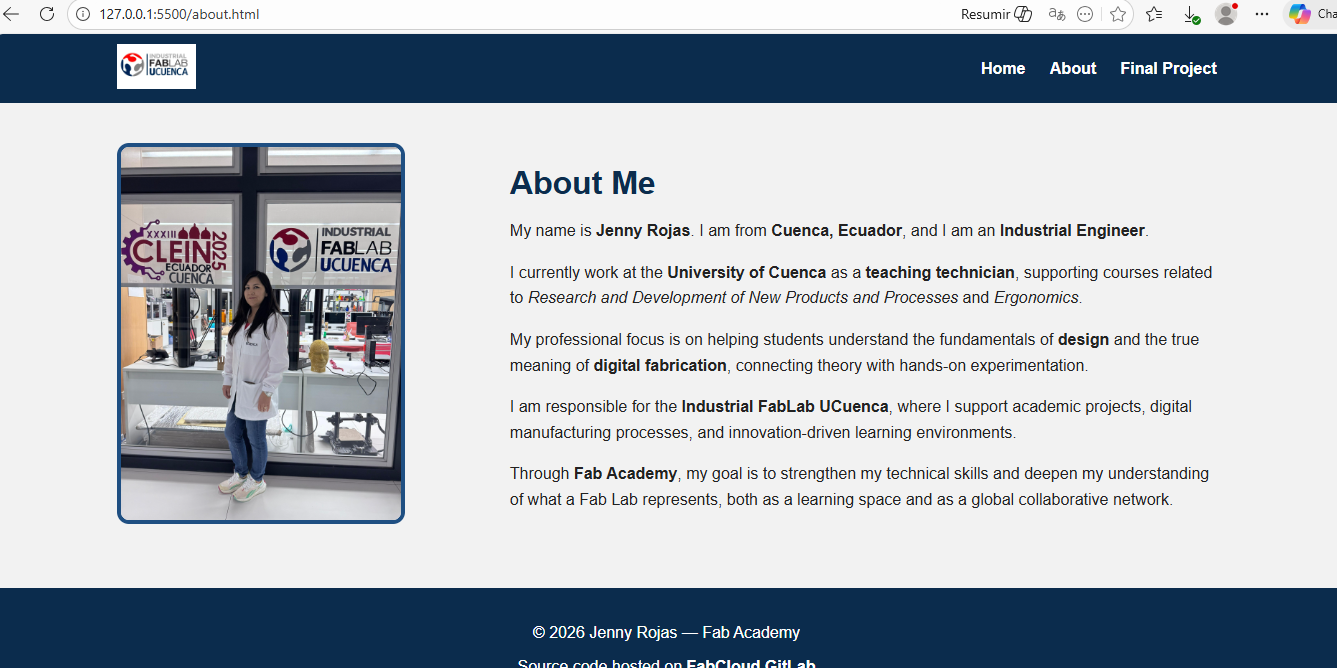
Providing this context allows evaluators to understand the learning trajectory, motivations, and intended professional growth throughout the program.
4. Git Repository Setup and Version Control
Version control ensures structured development, traceability, and security of documentation.
4.1 Local Repository Initialization
- Installed Git.
- Configured user credentials.
- Initialized a local repository inside the project folder.
- Added project files to staging.
- Created the initial commit.
- Verified repository status and tracked files.
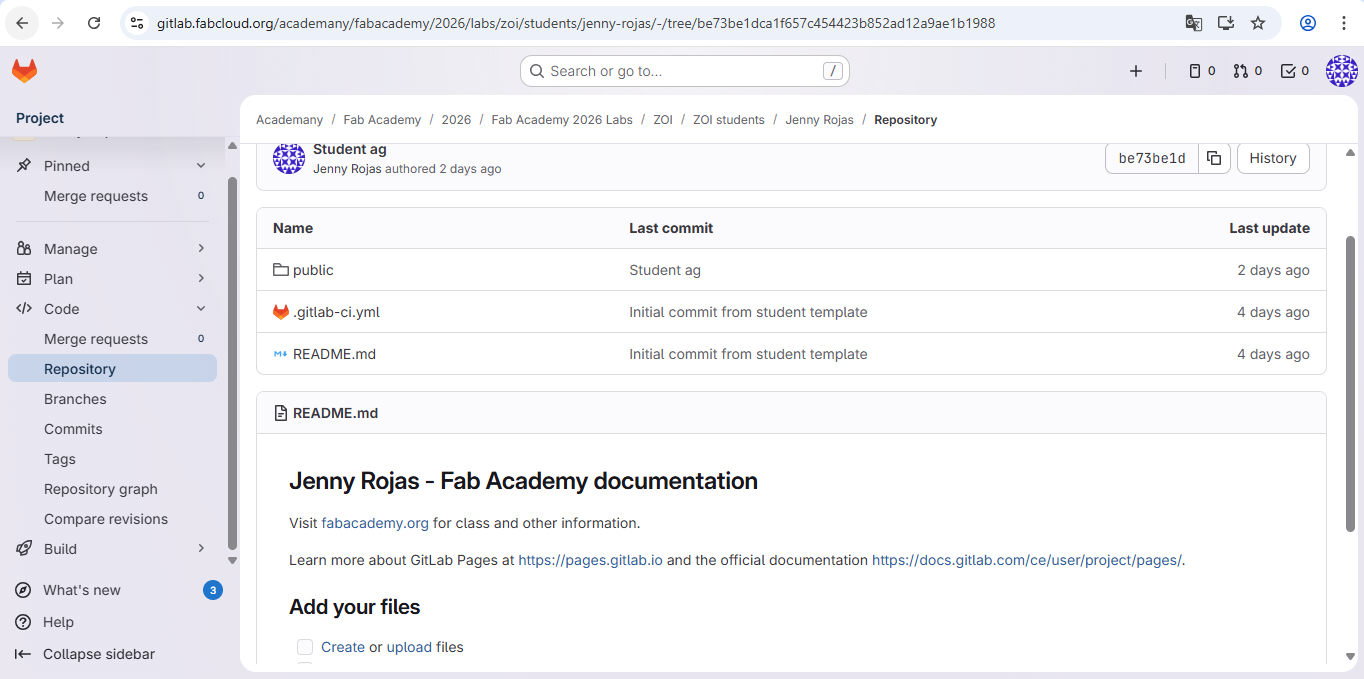
This created a version-controlled history of the website from its initial state.
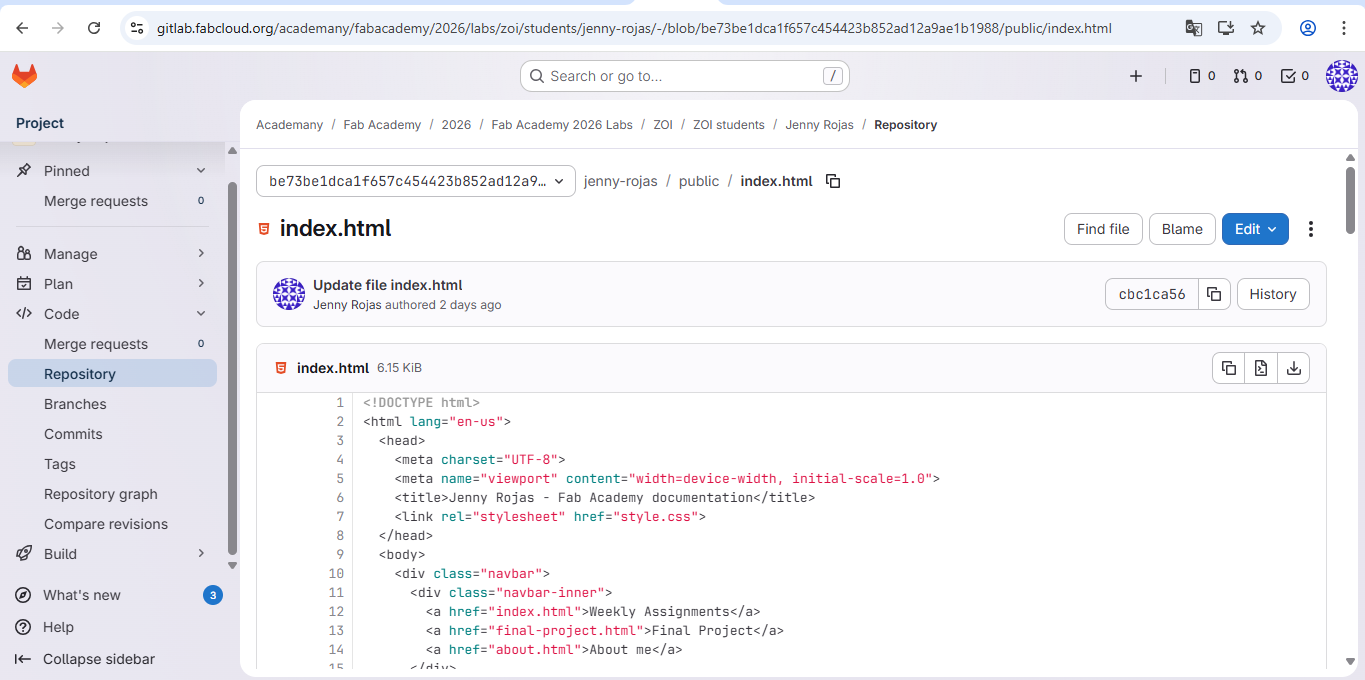
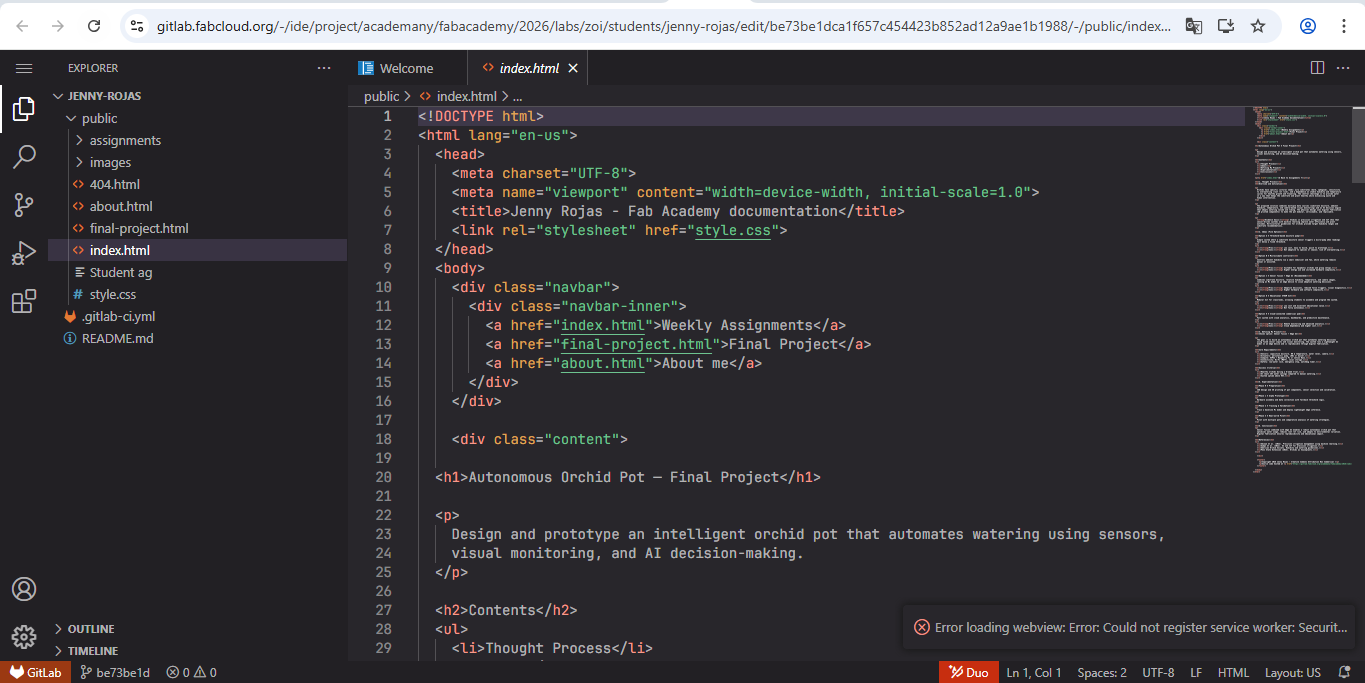
4.2 Connecting to Class GitLab
- A repository was created on the class GitLab server.
- The local repository was linked to the remote repository.
- The initial version of the website was pushed.
- Subsequent updates were synchronized after modifications.
This ensures cloud backup and transparent documentation history.
4.3 Weekly Workflow
- Editing content.
- Reviewing changes.
- Staging files.
- Writing descriptive commit messages.
- Pushing updates to the remote repository.
This process guarantees secure cloud backup, transparent development record, organized progress tracking, and the ability to revert errors if needed.
Using Git transforms documentation into a controlled engineering process rather than informal file editing.
5. Student Agreement
The Fab Academy Student Agreement was reviewed, signed, and uploaded to the repository as required.
- Understanding of course expectations.
- Commitment to academic integrity.
- Compliance with Fab Academy policies.
- Agreement with documentation and evaluation standards.
This section documents the creation of my Fab Academy website and the setup of the Git-based workflow required for publishing and version control.
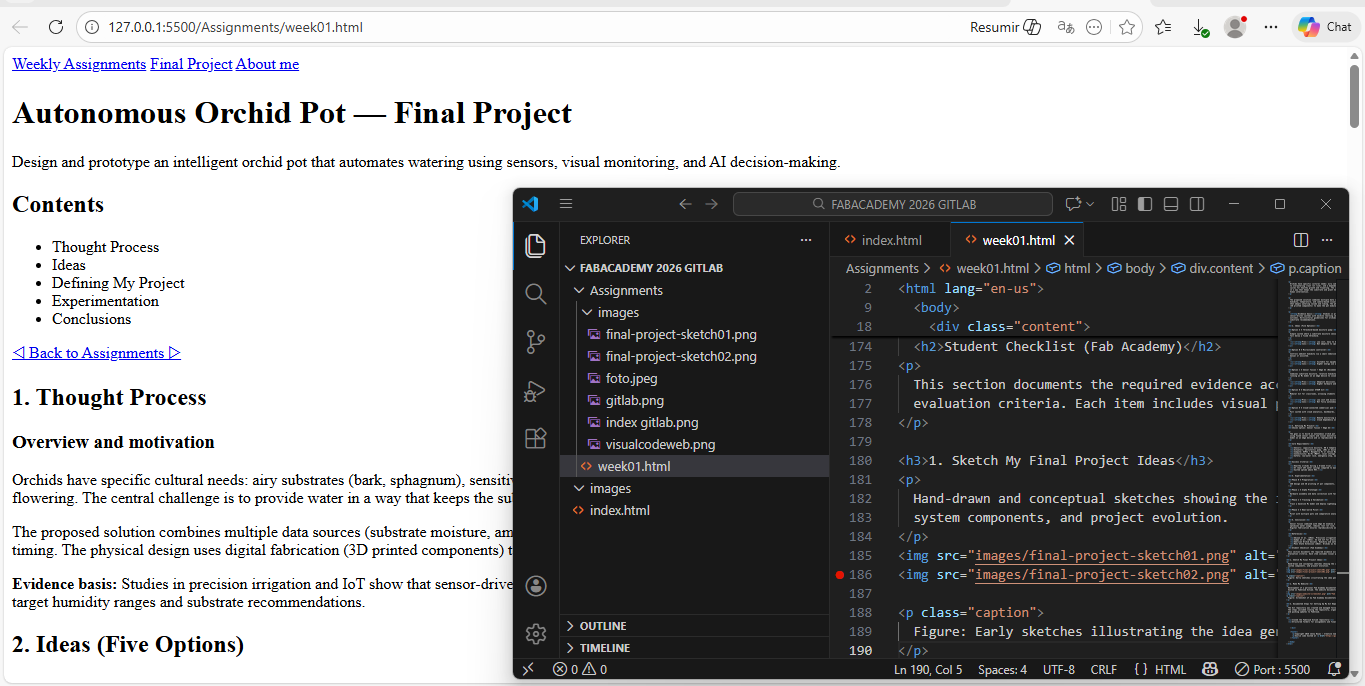
Website Creation
I created a static documentation website using HTML and CSS. The structure follows Fab Academy recommendations, with a main index page and subpages for weekly assignments. All files were edited locally using Visual Studio Code.
- Created
index.htmlas the main landing page - Created an
about.htmlpage for personal information - Organized weekly documentation inside the
assignments/folder - Applied a consistent visual identity across all pages
Git Repository Setup
Version control was managed using Git and FabCloud GitLab. The repository allows tracking changes, documenting progress, and publishing updates to the Fab Academy platform.
- Configured Git and SSH keys
- Cloned the Fab Academy GitLab repository
- Committed changes with descriptive messages
- Pushed updates to the remote repository
Student Checklist — Fab Academy
The following checklist summarizes the required tasks evaluated during this week.
- ✔ Sketched my final project ideas
- ✔ Described what the project does and who will use it
- ✔ Created a personal Fab Academy website
- ✔ Documented the website creation process
- ✔ Set up and documented a Git repository
- ✔ Pushed content to my FabCloud GitLab repository
- ✔ Signed and uploaded the Fab Academy student agreement
Reflection
This assignment was important because it established the foundation for the entire Fab Academy documentation process. Through Week 01, I understood that digital fabrication is not only about building physical objects, but also about planning, organizing, documenting, and managing each stage of a project in a clear and structured way.
Creating and organizing the website helped me understand the importance of communicating technical work properly. The website will become a living portfolio where I can document my progress, explain my decisions, show evidence of my work, and reflect on the results obtained during each assignment.
Working with Git and FabCloud GitLab also showed me the value of version control. By saving changes, writing commits, and pushing updates to the repository, I can keep a clear history of my progress and maintain a more organized workflow throughout the course.
The process of exploring final project ideas helped me connect my personal interests with technical possibilities. Defining an autonomous orchid pot as an initial project direction allowed me to start identifying possible sensors, actuators, fabrication methods, and challenges that will be developed in future weeks.
Overall, Week 01 helped me understand that documentation, project management, organization, and reflection are essential parts of Fab Academy. This assignment gives me a clear starting point and a structured methodology that will guide the development of my work during the program.