Appearance
WEEK 7 – Computer-Controlled Machining
Assignments
Group Assignment
- Do your lab's safety training
- Test runout, alignment, fixturing, speeds, feeds, materials, and toolpaths for your machine
Individual Assignment
- Make (design+mill+assemble) something big (~meter-scale)
- Extra credit: don't use fasteners or glue
- Extra credit: include curved surfaces
- Extra credit: use three-axis toolpaths
Group Work
Our group work is accessible HERE (add the link)
Individual Work / Ramp Dog House for my little Coby 😃 😃 😃
█ Designing the Ramp Dog House: from Inspiration to SolidWorks
1. Inspiration and First Sketch
I began by searching for examples of pet ramps, stairs and furniture-style access solutions. I collected these references in an inspiration document to explore different forms and ways of combining pet access with furniture. From this research, I developed my first idea sketch: a ramp for Coby with a sheltered dog-house space underneath.
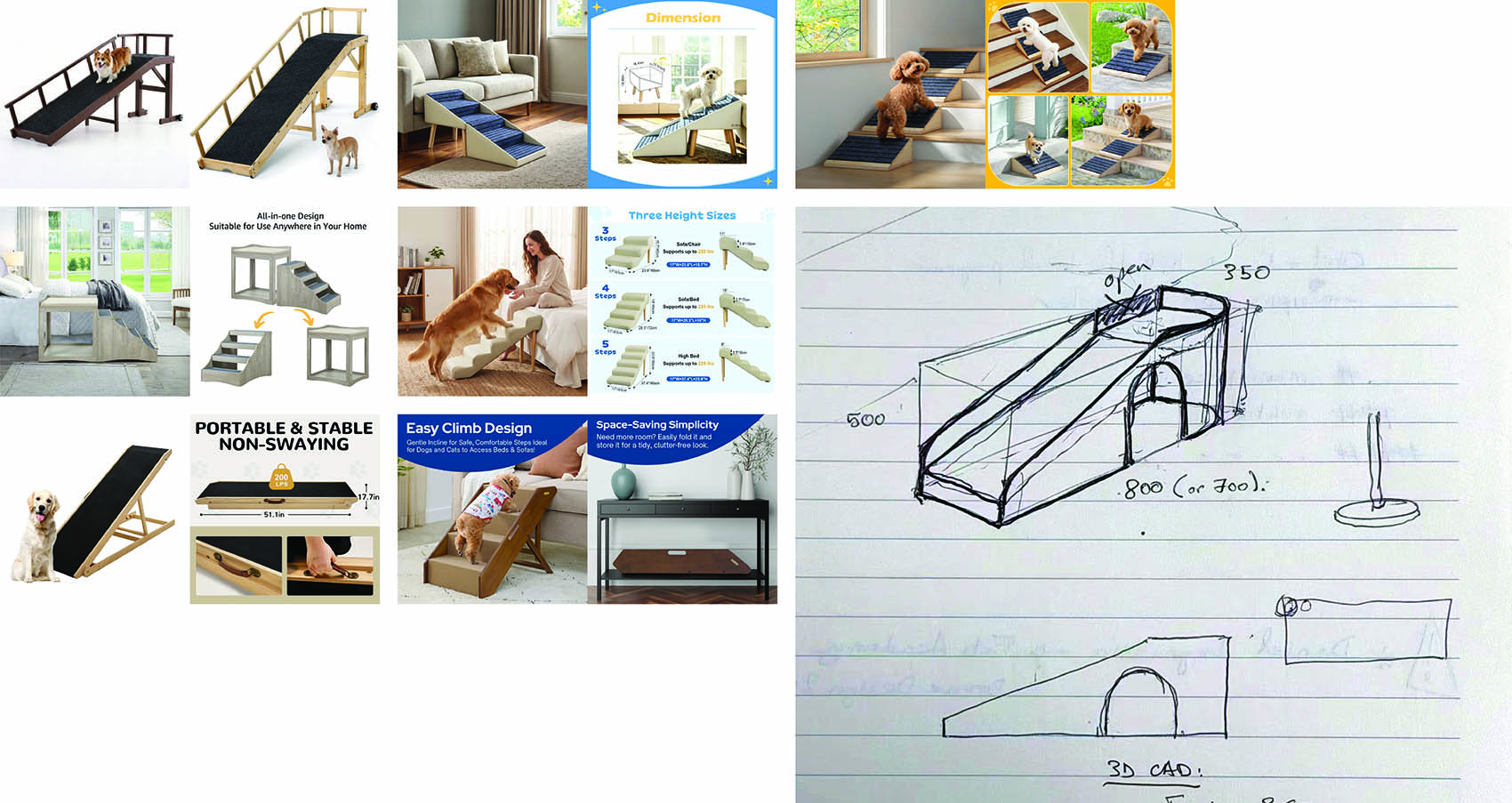
2. Exploring Three Directions with AI
I used my initial sketch as a reference for AI-generated illustrations, exploring three design directions before committing to detailed modelling. These images helped me compare possible forms and refine the relationship between the ramp, upper landing and sheltered space.
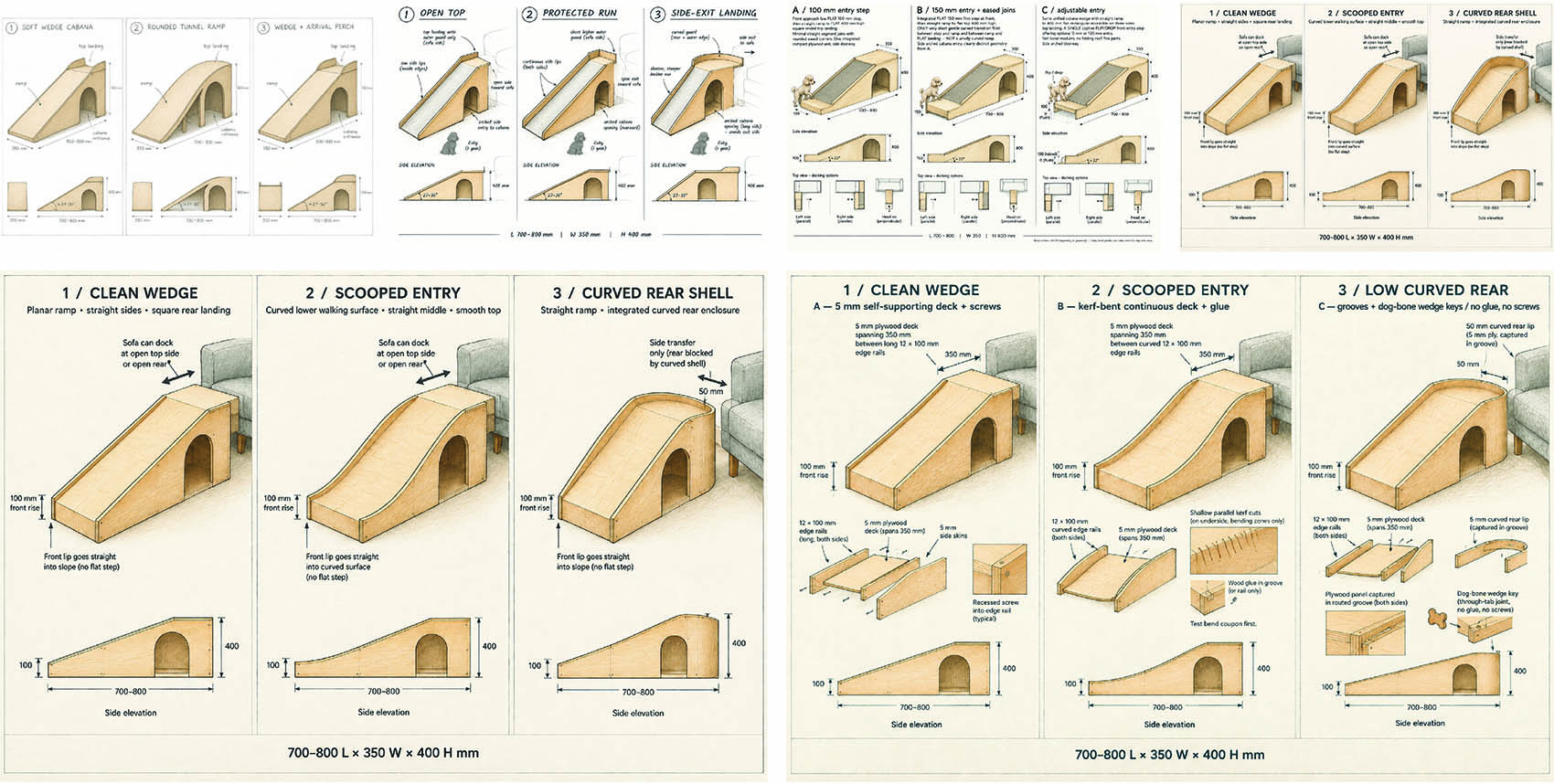
AI was useful for visual exploration, but its construction illustrations introduced changes in proportions and approximate joint details. I therefore treated the images as inspiration rather than fabrication drawings and decided to develop the geometry and connections myself in SolidWorks.
3. Defining The Overall Shape
The design combines a curved walking surface leading to a flat upper landing with a sheltered space underneath. Two matching side walls define the overall profile, while an arched opening provides access to the interior. My aim was to retain this continuous shape while developing a construction that could be assembled without glue and with as few screws as possible.
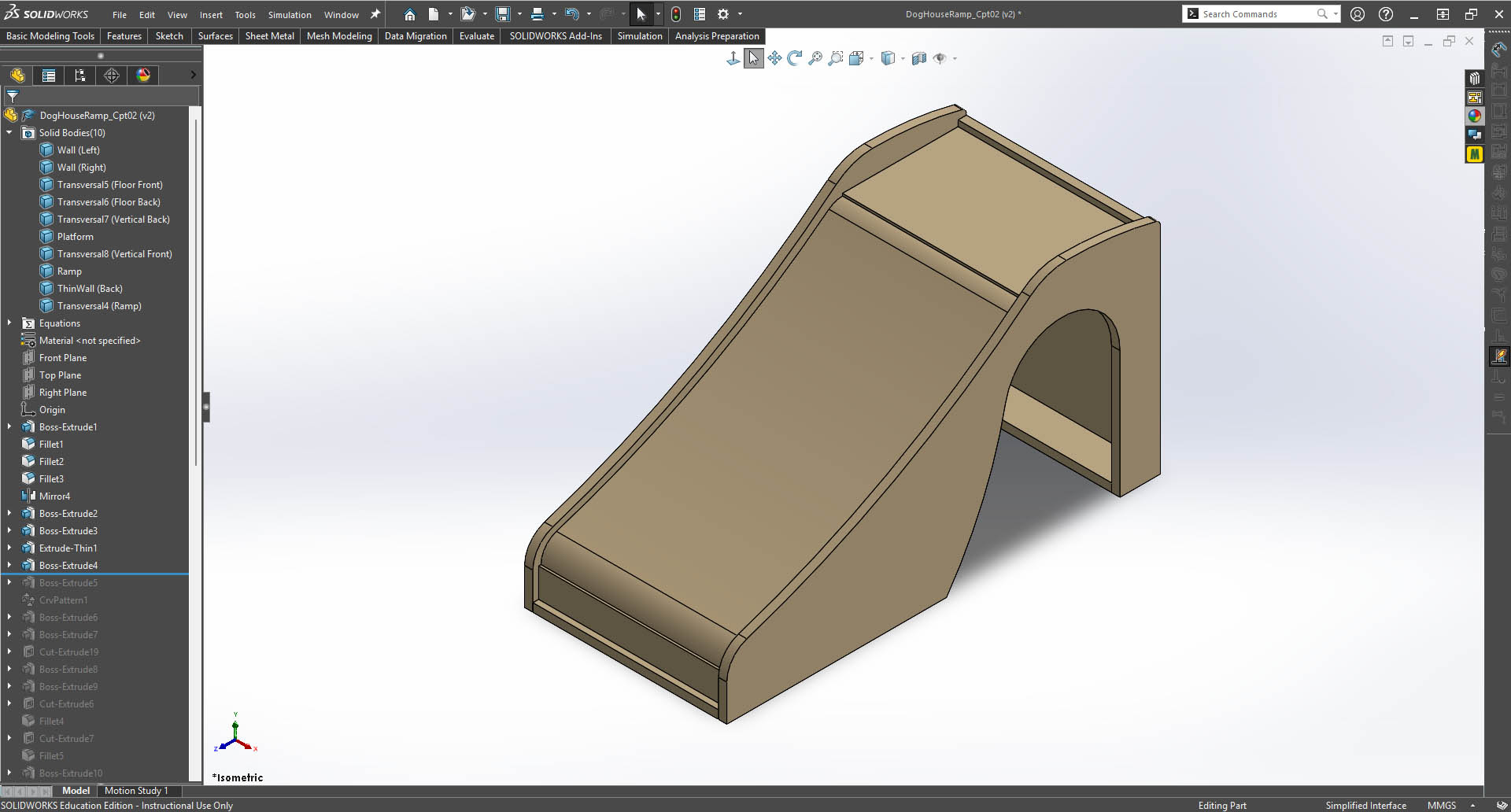
4. Building the 3D Model
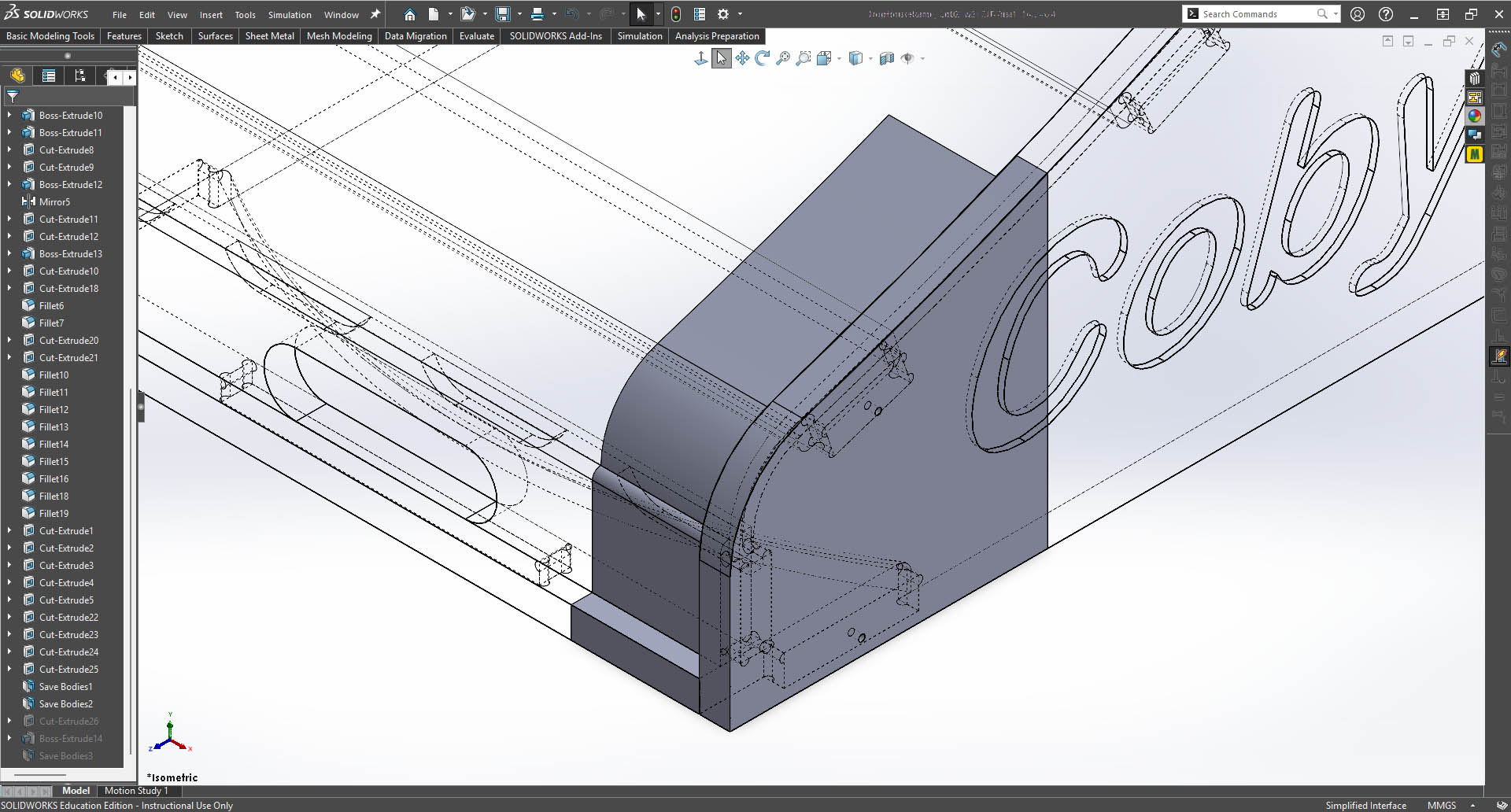
I developed the design as a parametric multi-body part in SolidWorks. I created the main side profile using sketches and extrusion features, then added fillets to soften the transitions. Mirror features reproduced matching geometry on the opposite side.
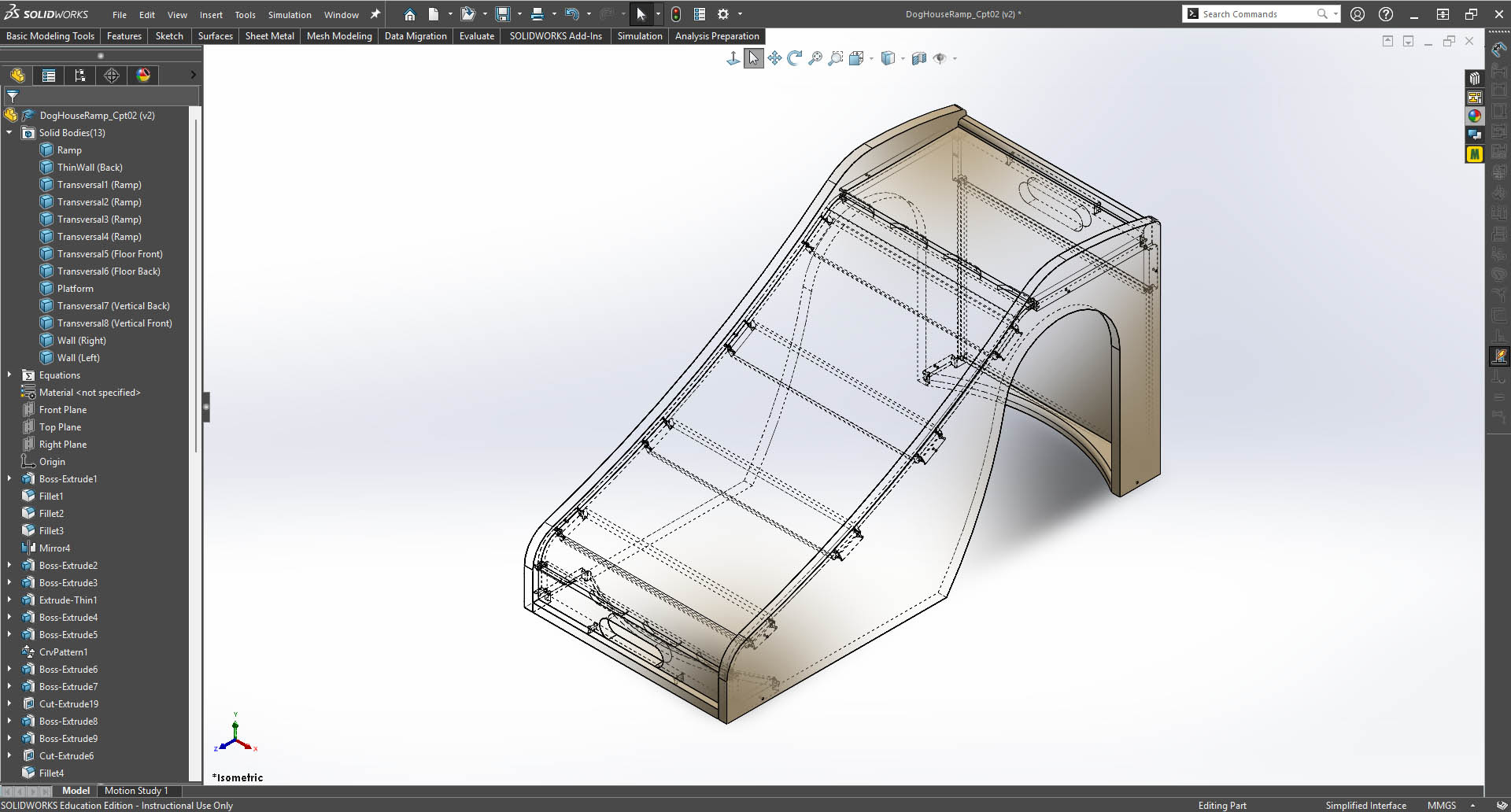
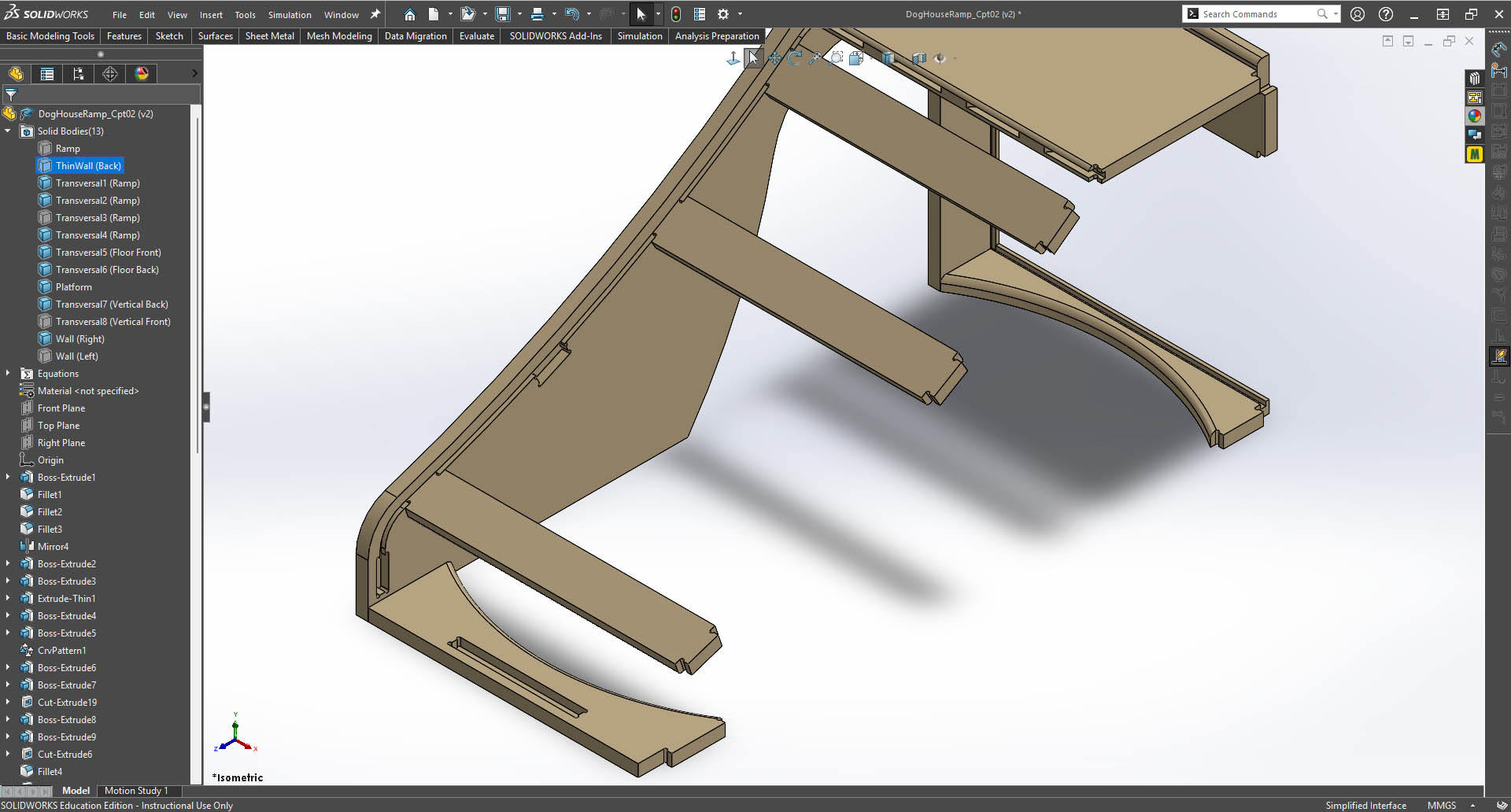
I modelled the curved ramp, landing, front panel, rear panel and transverse supports as separate solid bodies within the same file. This allowed me to develop their connections in context and check how the parts fitted together. The completed model contains 13 solid bodies.
5. Defining Material and Joint Parameters
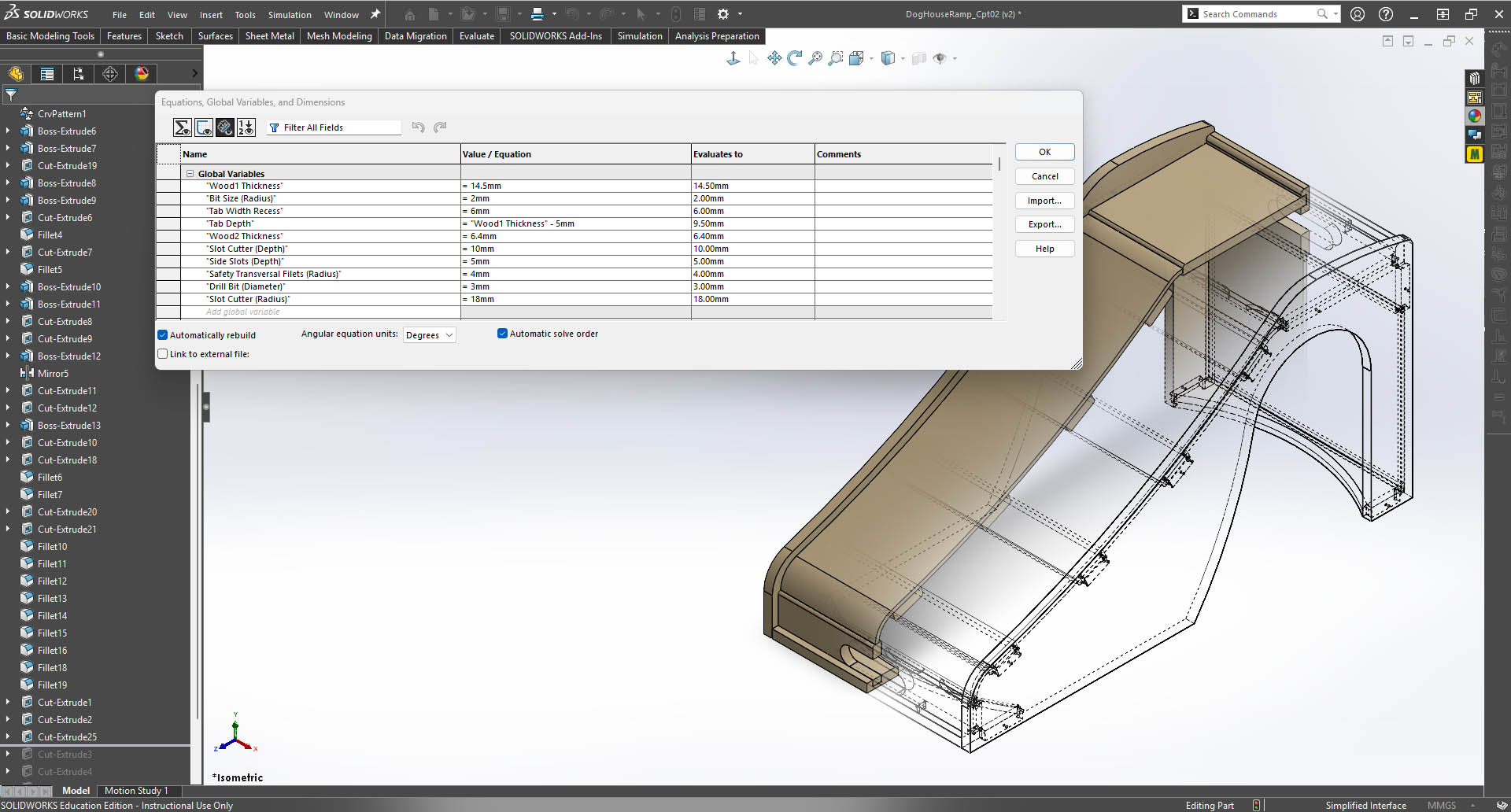
I used global variables and equations to control material thicknesses and joint dimensions, rather than entering independent values throughout the model. The main settings included:
| Parameter | Modelled Value |
|---|---|
| Main structural material thickness | 14.5 mm |
| Thin-panel thickness | 6.4 mm, with a separate 4.7 mm trial version |
| Tab depth | Main material thickness − 5 mm = 9.5 mm |
| Side-slot depth | 5 mm |
| CNC bit radius used for joint geometry | 2 mm |
| Drill-hole diameter | 3 mm |
These parameters made it possible to adapt the design to different sheet thicknesses while maintaining related features.
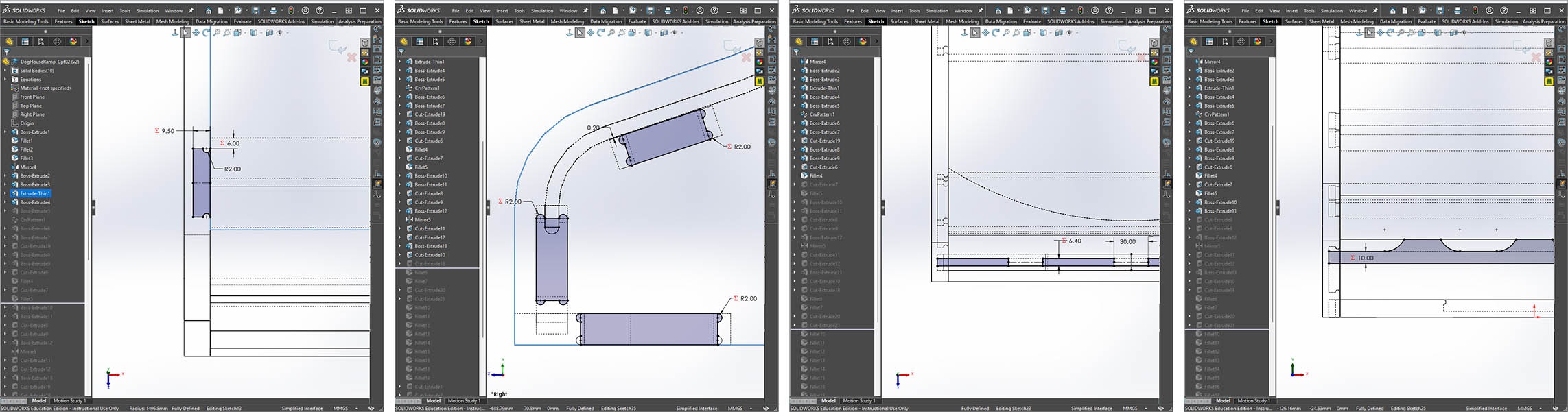
6. Developing the Connections and Details
I extended selected components to form locating tabs and added corresponding recesses in the adjoining parts. I also incorporated rounded corner reliefs around the tab-and-slot connections and modelled holes for mechanical fastening. The hidden-line view helped me inspect these internal features without changing the assembled shape.
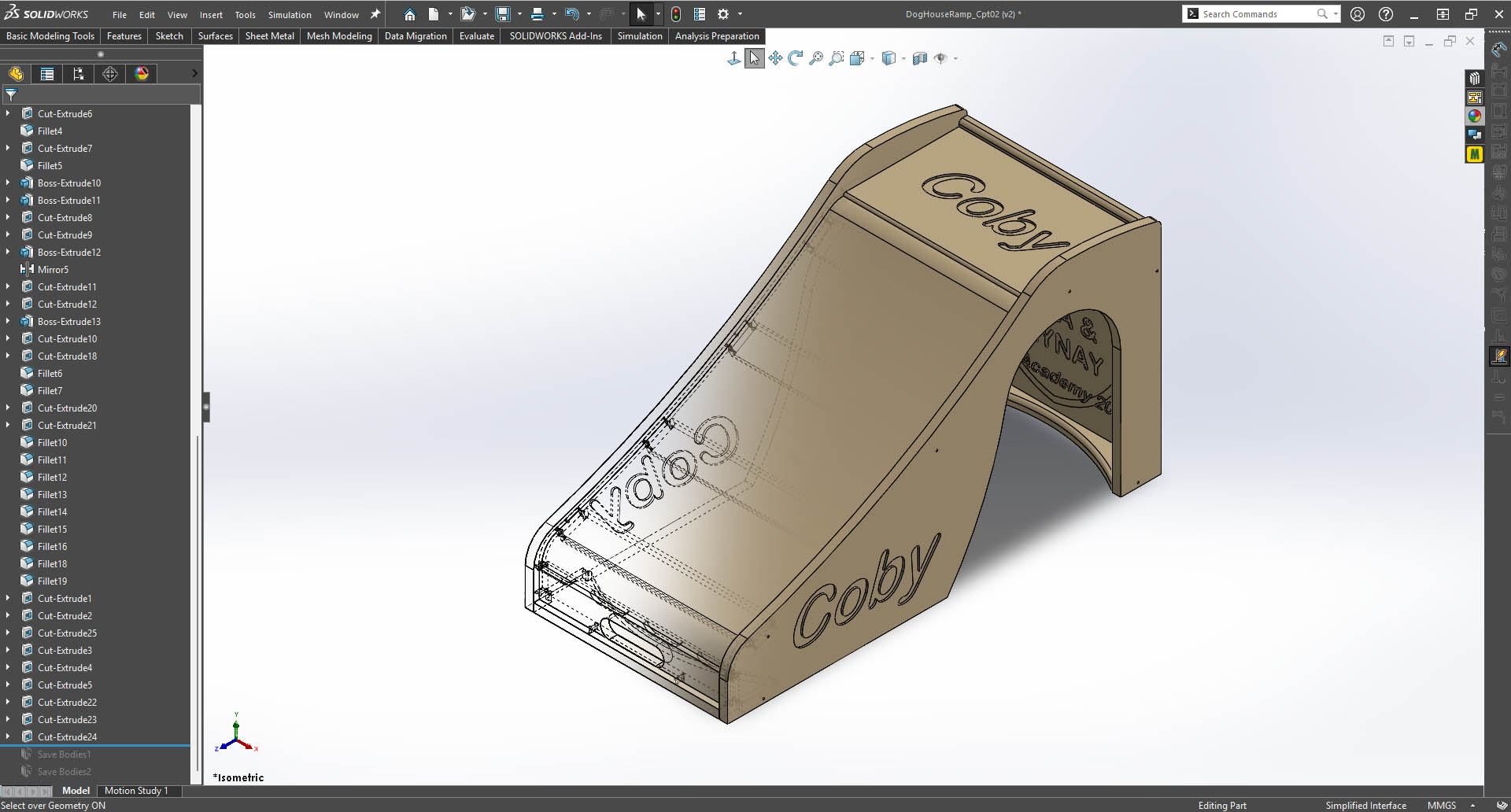
I added the “Coby” lettering to the side wall and landing, decorative lettering on the rear panel, and a rounded opening in the front panel. These details were incorporated into the CAD model alongside the structural features.
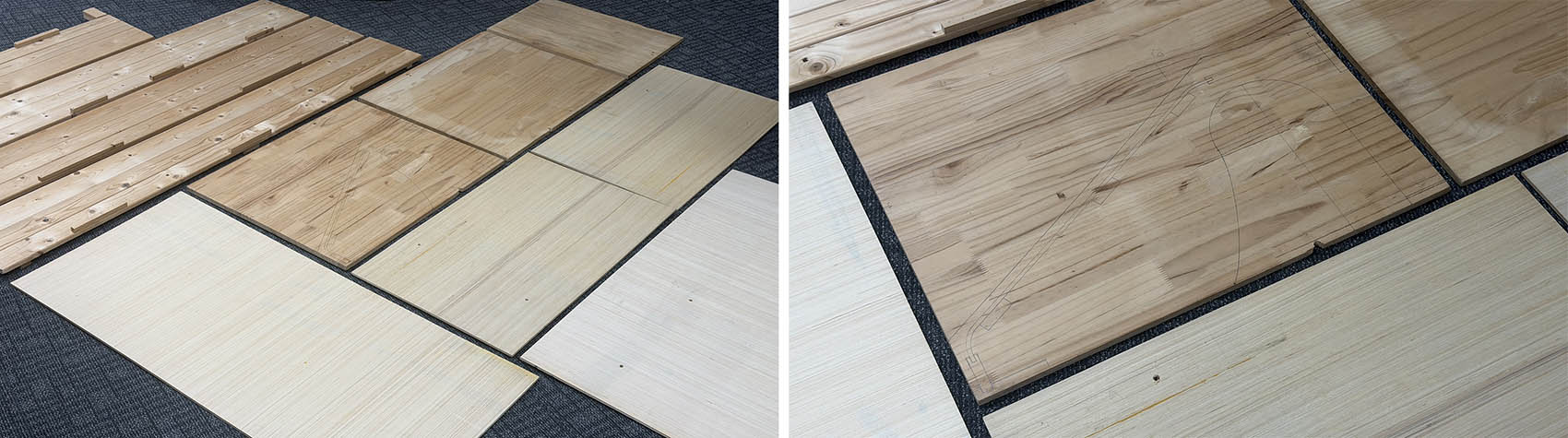
7. Selecting Reclaimed Wood and Checking the Profile
I chose reclaimed wood from a discarded bed frame, together with leftover boards from our workshop. I drew the design’s side profile in pencil on a 14.5 mm board to check that it fitted within the available material and assess the ramp’s slope at full scale, with Coby’s comfort in mind. This was an initial visual check, rather than a physical test of the ramp.
8. Preparing a Trial Model and Separate Parts
Before moving to fabrication, I created a smaller front-section trial model containing the curved ramp transition, side wall and representative connections. I prepared versions with 6.4 mm and 4.7 mm thin-panel thicknesses so that the material and joint behaviour could be evaluated before making the complete object.
I then used Save Bodies features to separate the trial model into individual parts. To make the intended machining features easier to identify, I colour-coded the relevant faces in SolidWorks, distinguishing contour cuts, rounded features, undercuts, internal slots and drilled holes. The illustration below shows this colour-coding across the trial parts.
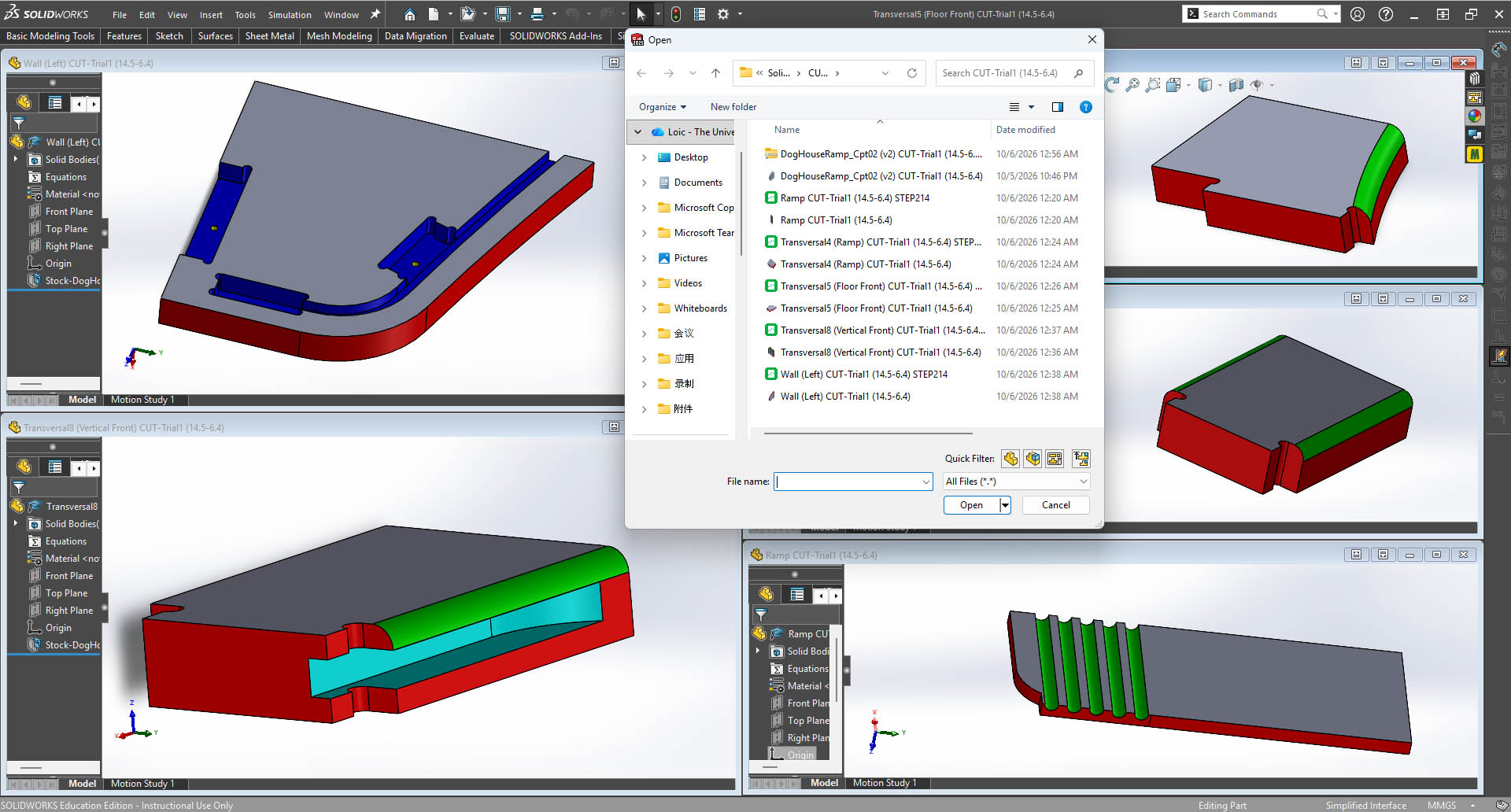
| Colour | Features identified | Proposed cutting tool |
|---|---|---|
| Red | Contour cuts defining the external part profiles | Possibly a 6 mm flat end mill |
| Green | Rounded edges and rounded engraved cuts | 6 mm ball-nose end mill |
| Sky Blue | Undercuts | 36 × 4 mm slot cutter |
| Dark Blue | T-slot inner cuts and gutters | 4 mm flat end mill |
| Yellow | 3 mm-diameter holes | 3 mm drill bit, or alternatively a 2 mm flat end mill |
These tool choices were preliminary at the design stage. The colour-coded model provided a reference for subsequent CAM preparation; final tool selection, toolpath generation, machining and physical assembly testing are documented in the following sections.
█ Preparing the CAM Toolpaths
(Two short subsections:)
1. Part Setup and Cutting Tools
- Importing and arranging the parts; defining stock and machining origins.
- My tool table, with the tools actually used.
- A compact settings table: spindle speed, feed rate, plunge rate and depth per pass.
2. Toolpaths and Verification
- Main operations and their sequence.
- Simulation, any corrections, and export of the machine files.
(Include a...) setup screenshot and a useful toolpath/simulation screenshot.
█ CNC Machining: from Trial Parts to the Final Object
(Two short subsections:)
1. Machine Setup and Safety
- Machine and material used, workholding, tool installation and zeroing.
- Link to the group assignment and briefly state what you learned from the lab’s safety training.
2. Trial Cuts and Final Machining
- Trial-part machining, joint fit and ramp-bending observations.
- Changes made after testing.
- Full-size machining, with any problems and fixes.
(Document the actual setup and cutting parameters, but avoid repeating settings already recorded in the CAM section. Machine setup, fixturing, feeds and speeds, and problem-solving are explicit assessment points.)
█ Assembly and Results
- A few numbered assembly steps with photos.
- Whether glue or screws were used.
- Fit, stability and curved-ramp observations.
(A final hero shot and a short paragraph on what worked and what I would improve.)