Appearance
WEEK 1 – Principles and Practices, Project Management
Assignments
- Download, read, and sign the student agreement, and commit the file to your repository
- Work through a git tutorial
- Build a personal site in the class archive describing you and your final project
- Plan and sketch a potential final project (...refer to the "Final Project" page)
Student Agreement
The Fab Academy is responsible for:
- Teaching principles and practices of digital fabrication
- Arranging lectures, recitations, meetings, and events for the class
- Evaluating and providing feedback on student work
- Offering clear standards for completing assignments
- Certifying and archiving student progress
- Supervising class preparation
- Reviewing prospective students, instructors, and labs
- Providing central staff and infrastructure for students, instructors, and labs
- Fund-raising for costs not covered by student tuition
- Managing and reporting on the program's finances, results, and impacts
- Publicizing the program
- Promoting a respectful environment free of harassment and discrimination
- Encourage a diverse, accessible, and equitable community
I am a Fab Academy student, responsible for:
- Attending class lectures and participating in reviews
- Developing and documenting projects assigned to introduce and demonstrate skills, in enough detail to be able to reproduce them
- Honestly reporting on my work, and appropriately attributing the work of others (both human and machine, including AI prompts)
- Being prepared to answer questions about my work
- Allowing the Fab Academy to share my work (with attribution) in the class for purposes compatible with its mission
- Working safely
- Leaving workspaces in the same (or better) condition than I found them
- Participating in the upkeep of my lab
- Ensuring that my tuition for local and central class costs is covered
- Following locally applicable health and safety guidance
- Recognizing limits on lab and staff time
- Promoting a respectful environment free of harassment and discrimination
Signed by committing this file in my repository,
Loïc Faulon
Version Control
Version control is a system that monitors file changes over time, enabling us to track history, collaborate without overwriting work, and safely revert to past versions.
Key benefits include:
- Change Tracking: Logs exactly who modified a file and when.
- Team Collaboration: Allows simultaneous editing safely.
- Branching/Merging: Isolates experimental features before merging them into the main project.
- Rollback: Restores files to earlier states to fix errors.
- Backup: Secures data against loss.
During our Fablab studies, we use Gitlab for this process.
Other Version Control Systems
Many alternatives to Git and Gitlab exist:
- Subversion (SVN): A centralized tracker for files and directories.
- Mercurial: A distributed alternative to Git, praised for its speed and straightforward commands.
- Perforce (Helix Core): Centralized and built for massive projects and binary files, frequently used in gaming.
- Bazaar: Distributed, offering both centralized and decentralized flexibility.
- CVS (Concurrent Versions System): A pioneering centralized tracker, largely replaced by Git and SVN.
- TFS/Azure DevOps: Microsoft's ecosystem suite for development and versioning.
- Visual SourceSafe: A legacy Microsoft tool that is now mostly deprecated.
Git installation and environment configuration
1. Sign-in my GitLab cloud repository
2. Install Git
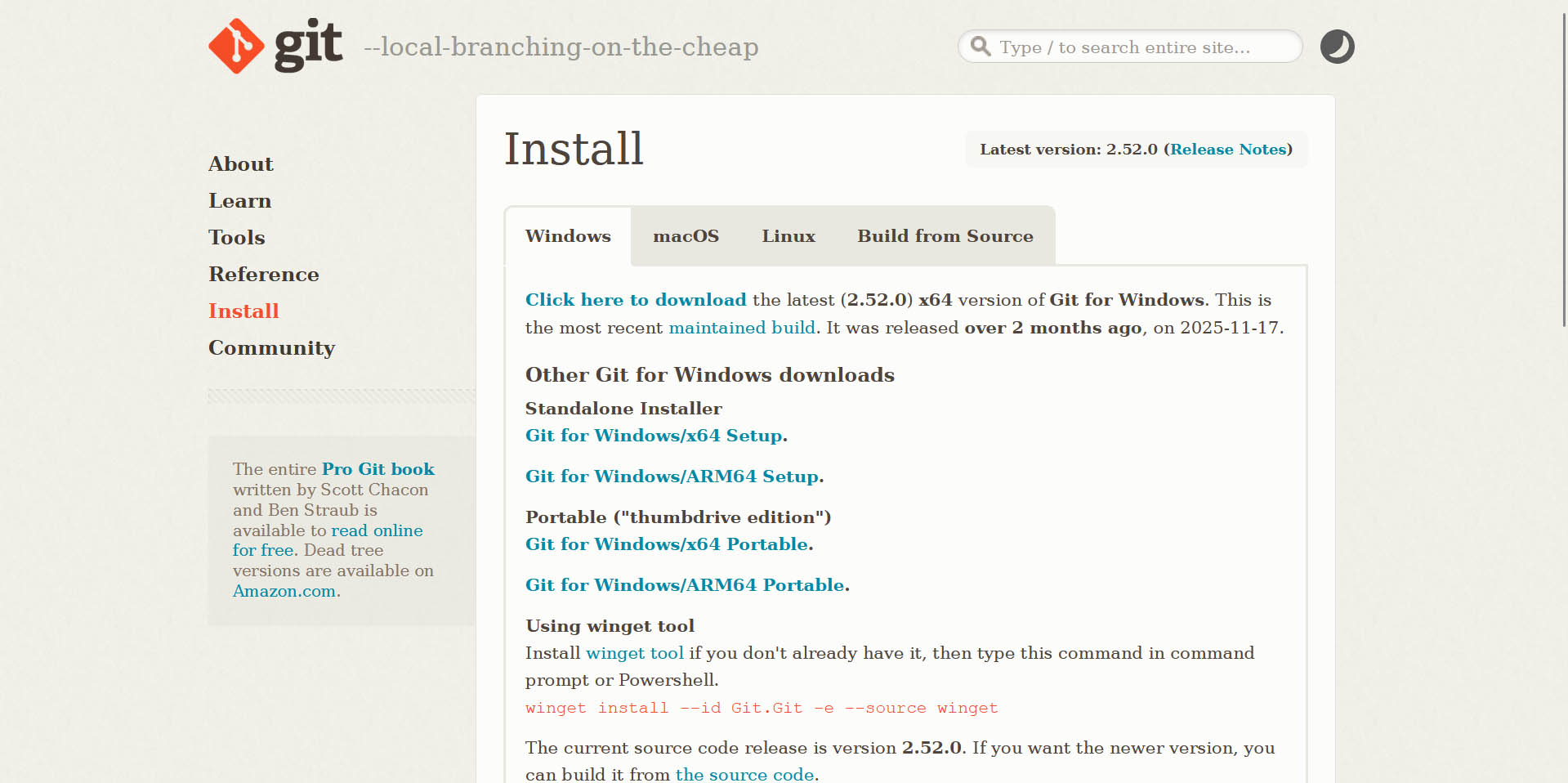
The second step is to install Git on my laptop. To do so, I went to the Git official website to download the latest (2.52.0) x64 version of Git for Windows. Available here: Git.
3. Environment Configuration
After installing Git, the essential configuration involves setting my username and email address, which are used to identify my commits. To do so, I used Git Bash which has been automatically installed on my laptop when downloading and installing Git (it is bundled with the Git installer to provide a Bash terminal emulation).
- I ran the following commands to set my username and email address:
  git config --global user.name "MyName"
git config --global user.email “MyName@nottingham.edu.cn”- Then, to check if the configuration is complete, I ran the following command:
git config --global --list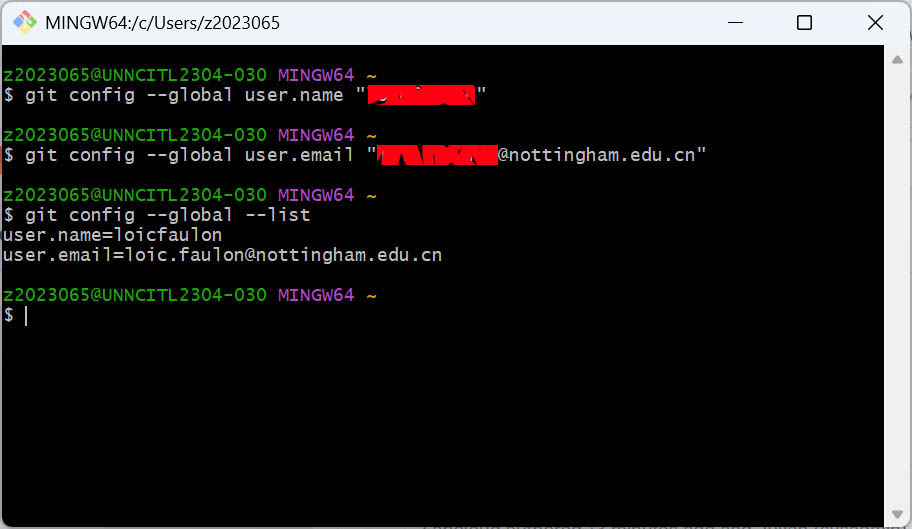
4. Nodejs
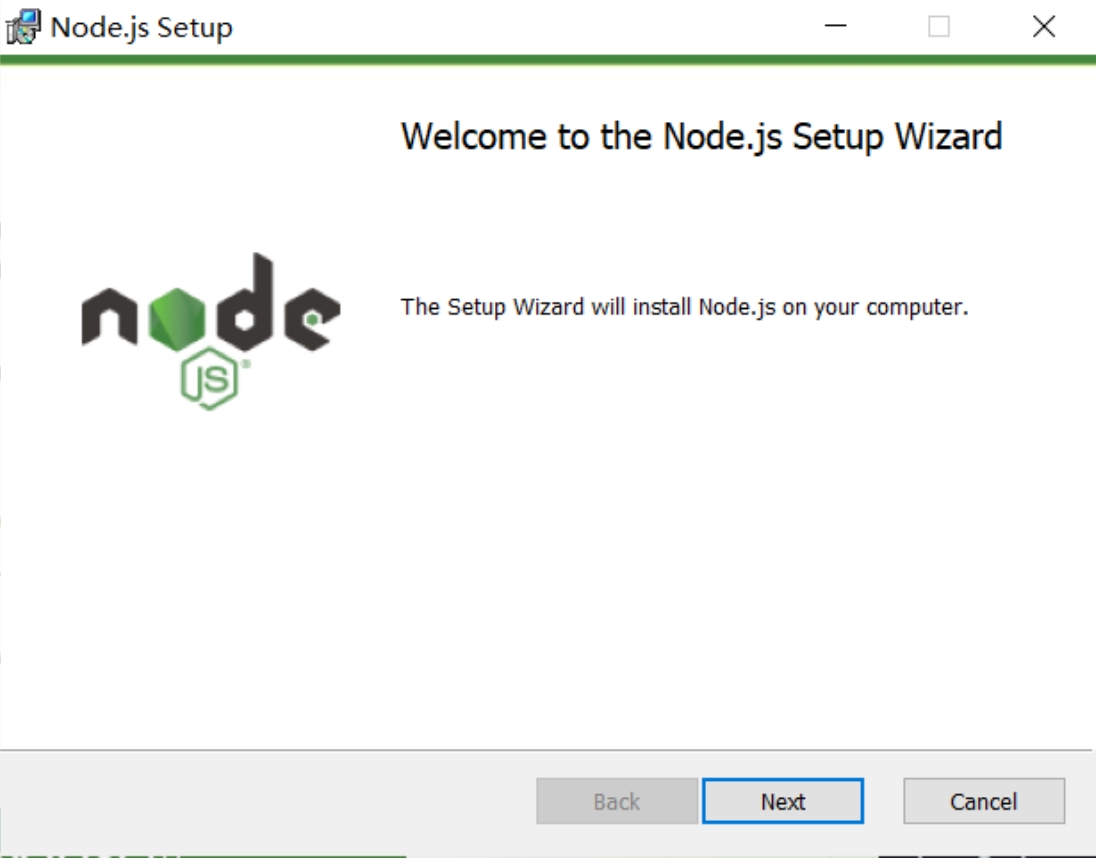
I then need to download and install Node.js from the official website. Node.js “is a free, open-source, cross-platform JavaScript runtime environment that lets developers create servers, web apps, command line tools and scripts”. Click here to access the official website Nodejs.
5. Cursor
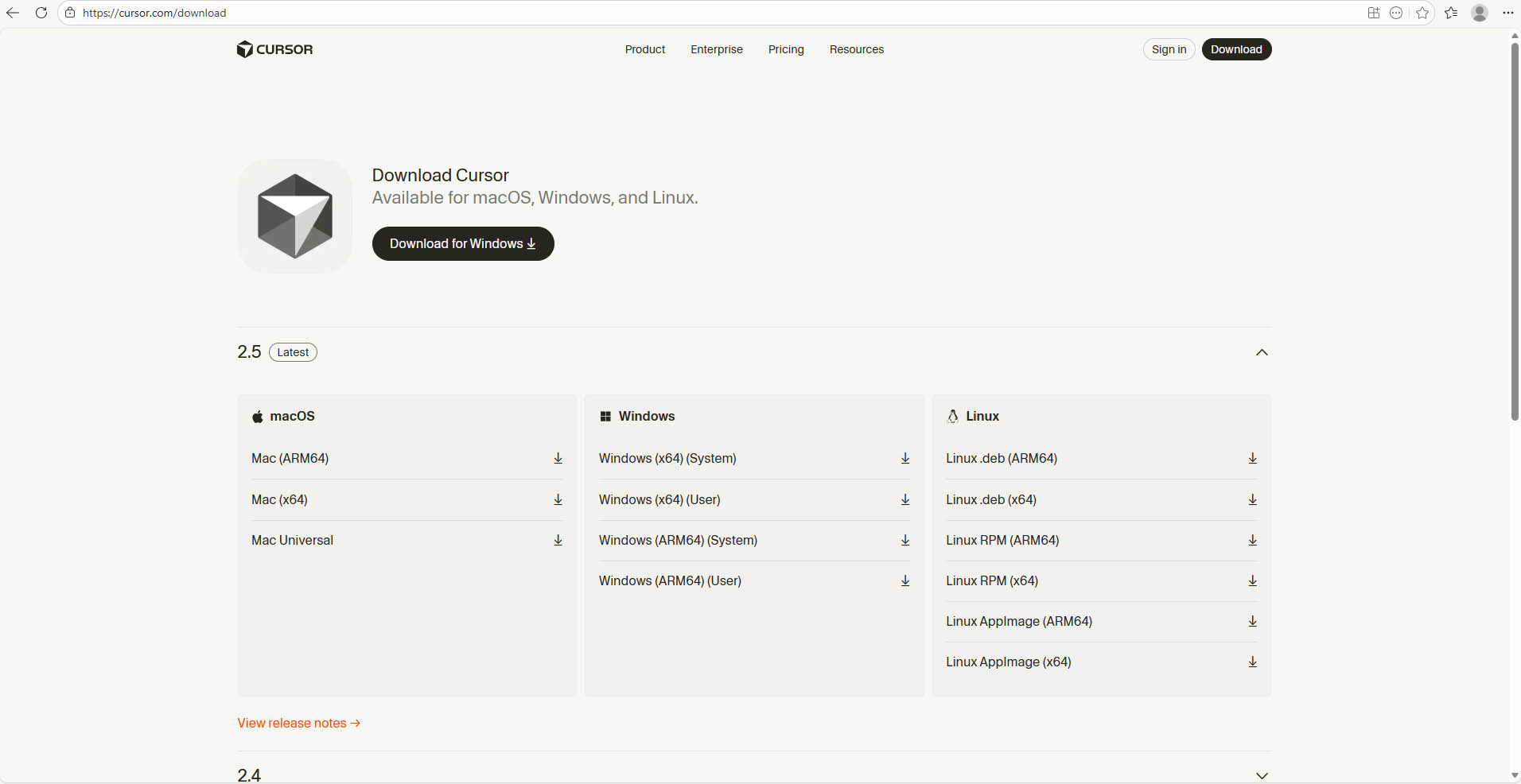
I use Cursor to code edit my website and record my work. Here is the link to the official website of Cursor where you can downlaod the software.
Website construction and development
1. Git clone repository to local
- First, I performed the following actions in my GitLab cloud repository:
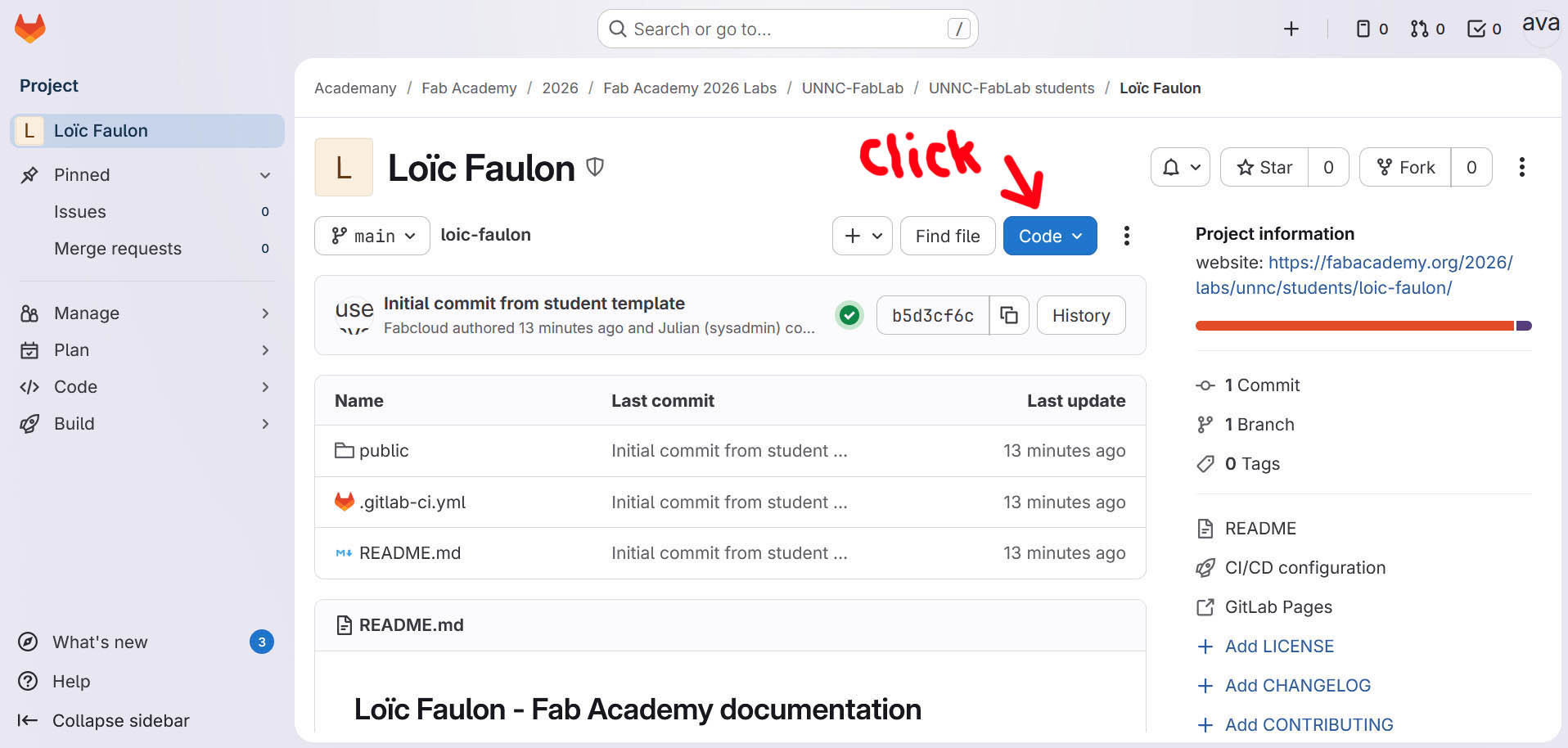
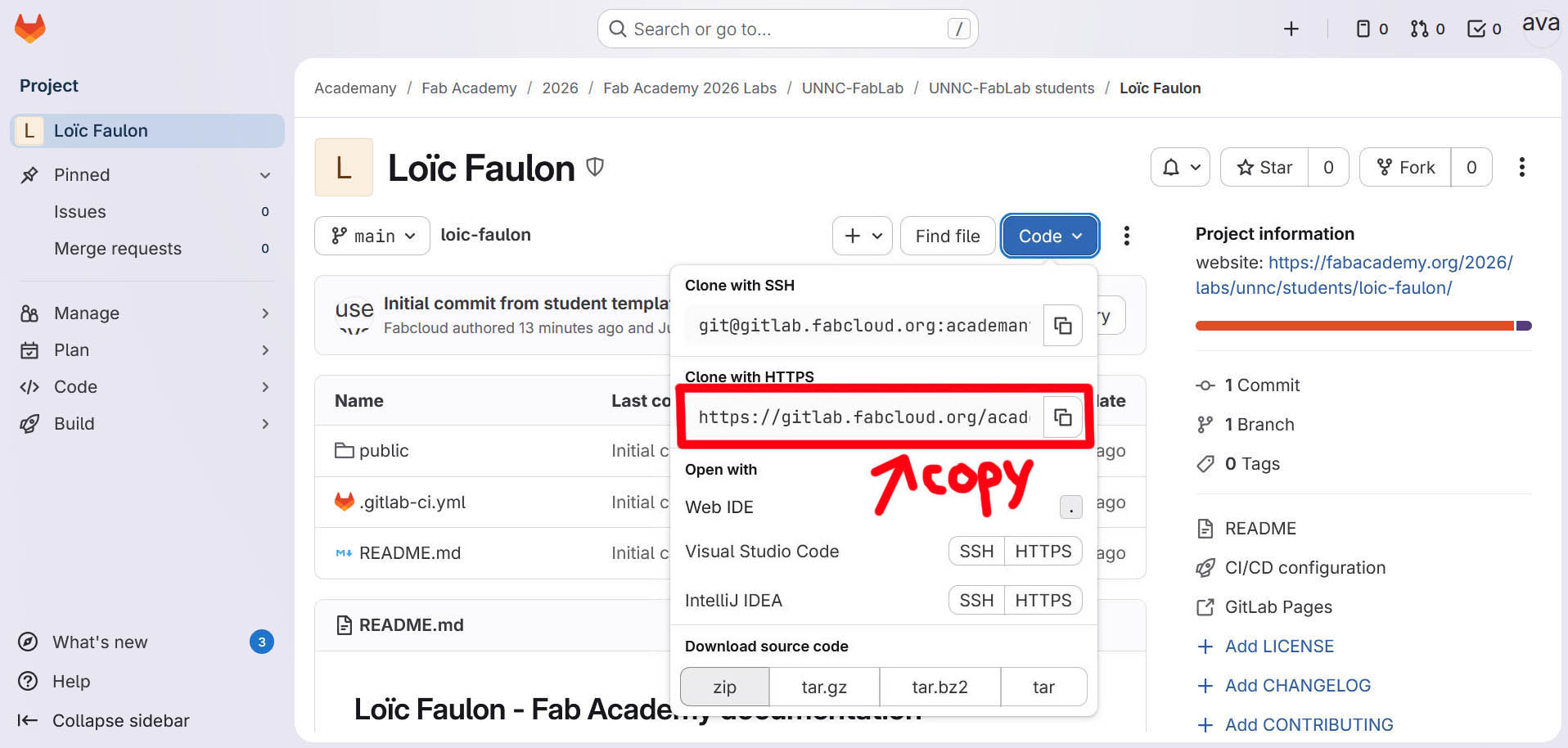
- Then, I performed the following command in the Terminal of Cursor to complete the cloning locally:

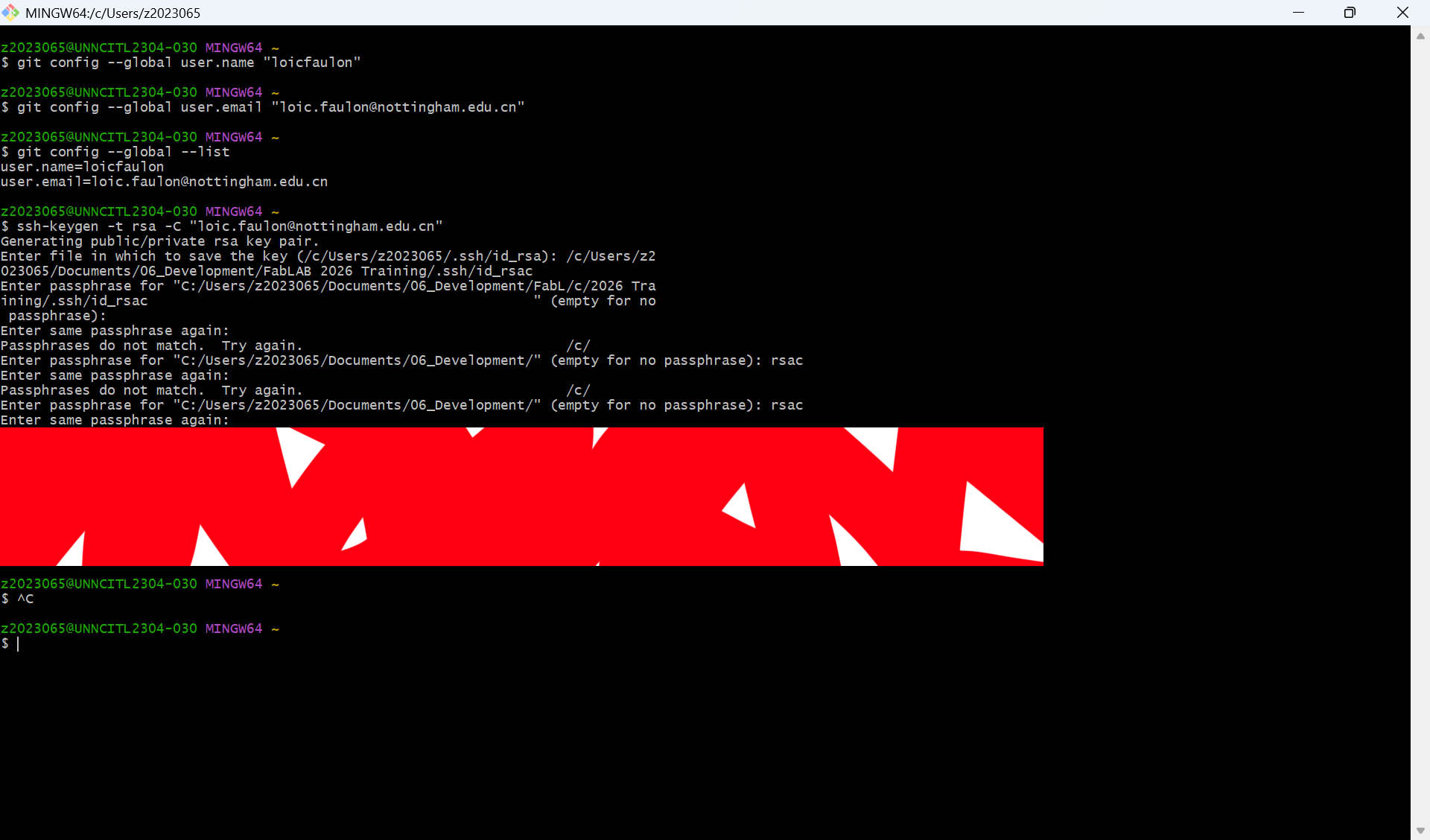
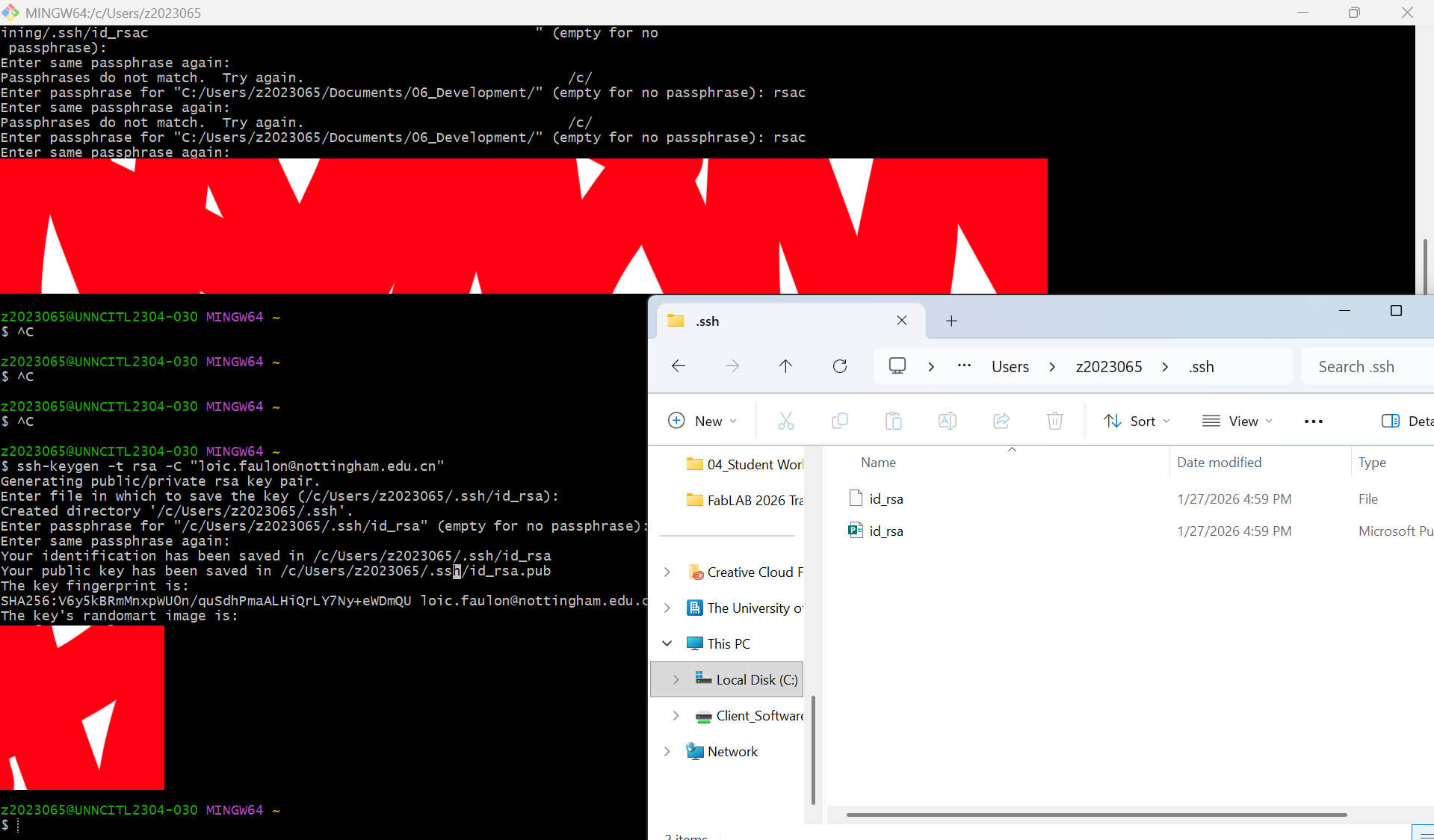
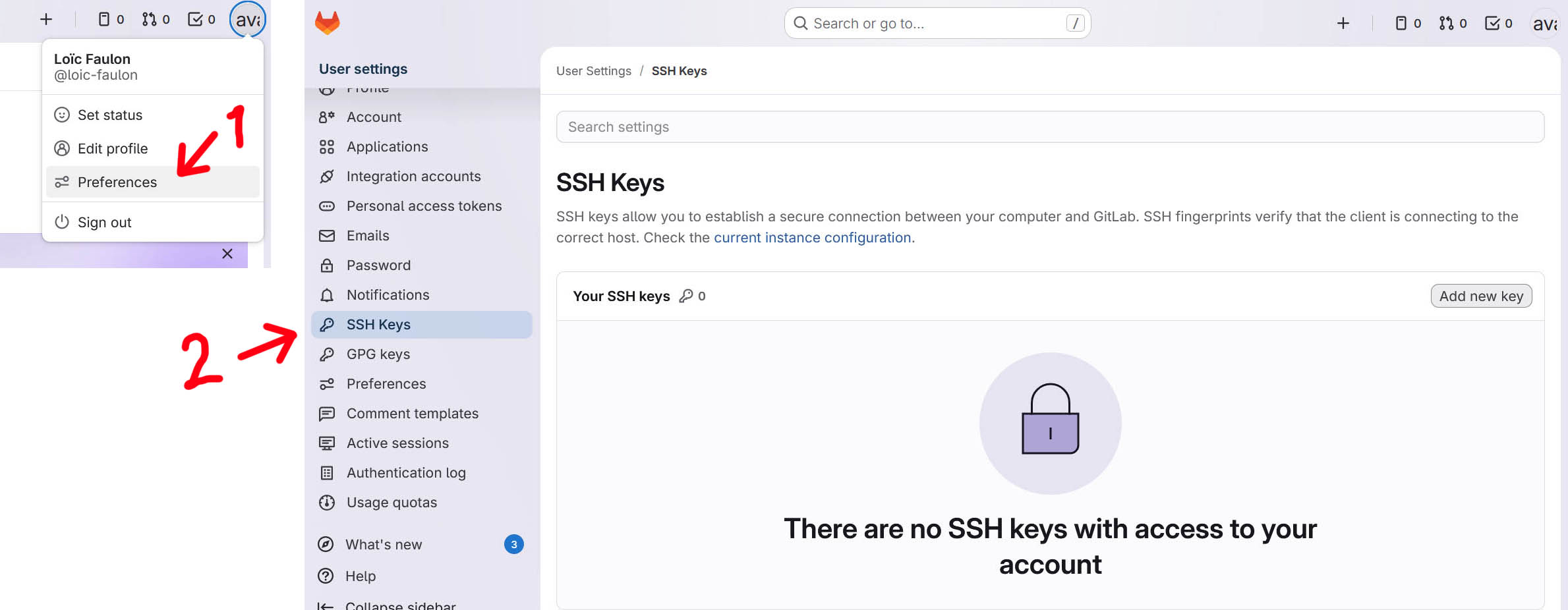
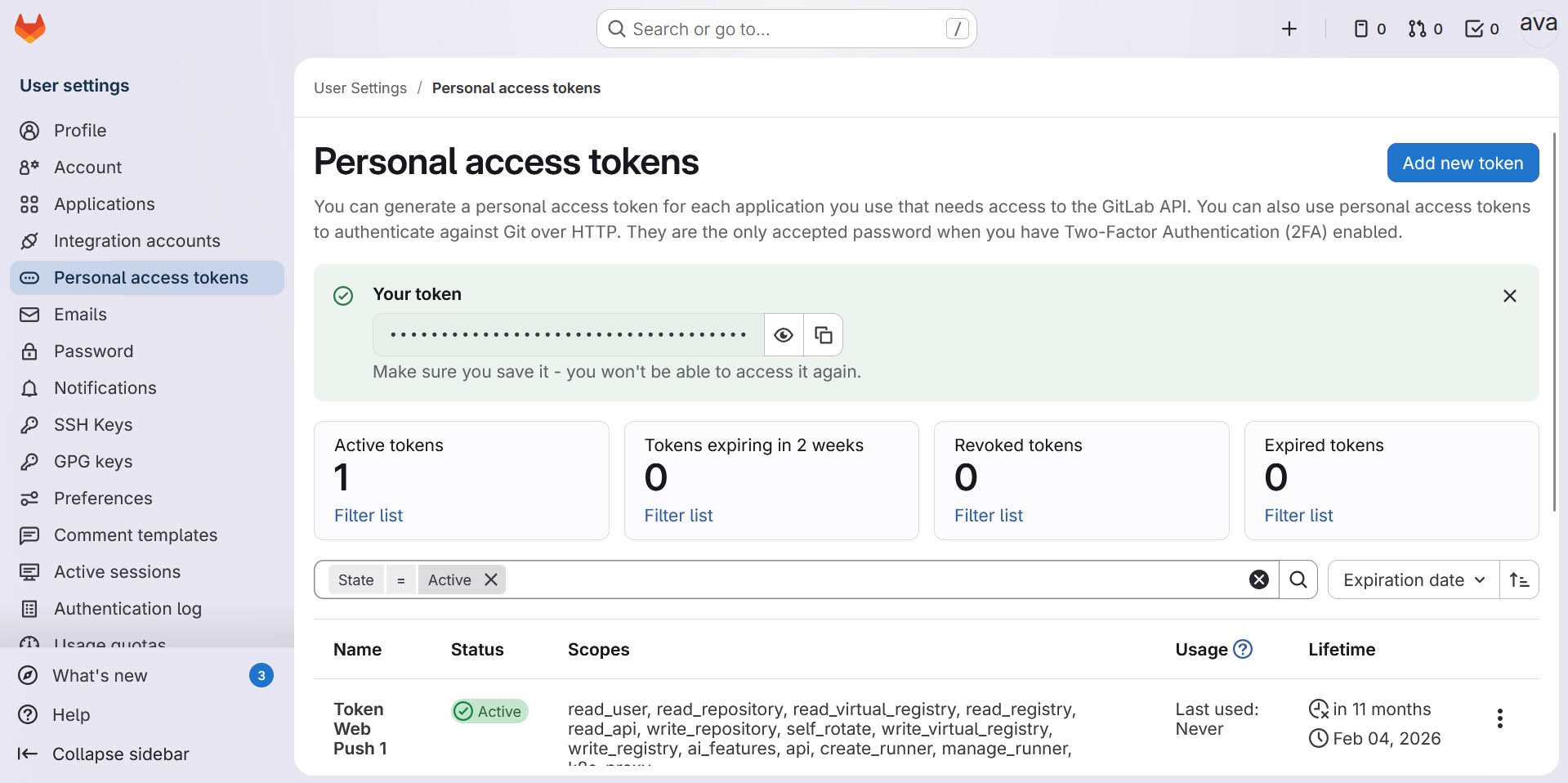
2. Deploy SSH and Copy SSH to GitLab
This is to secure safe communication between my laptop and the Git server.
- In Git Bash:
- In GitLab:
Install VitePress
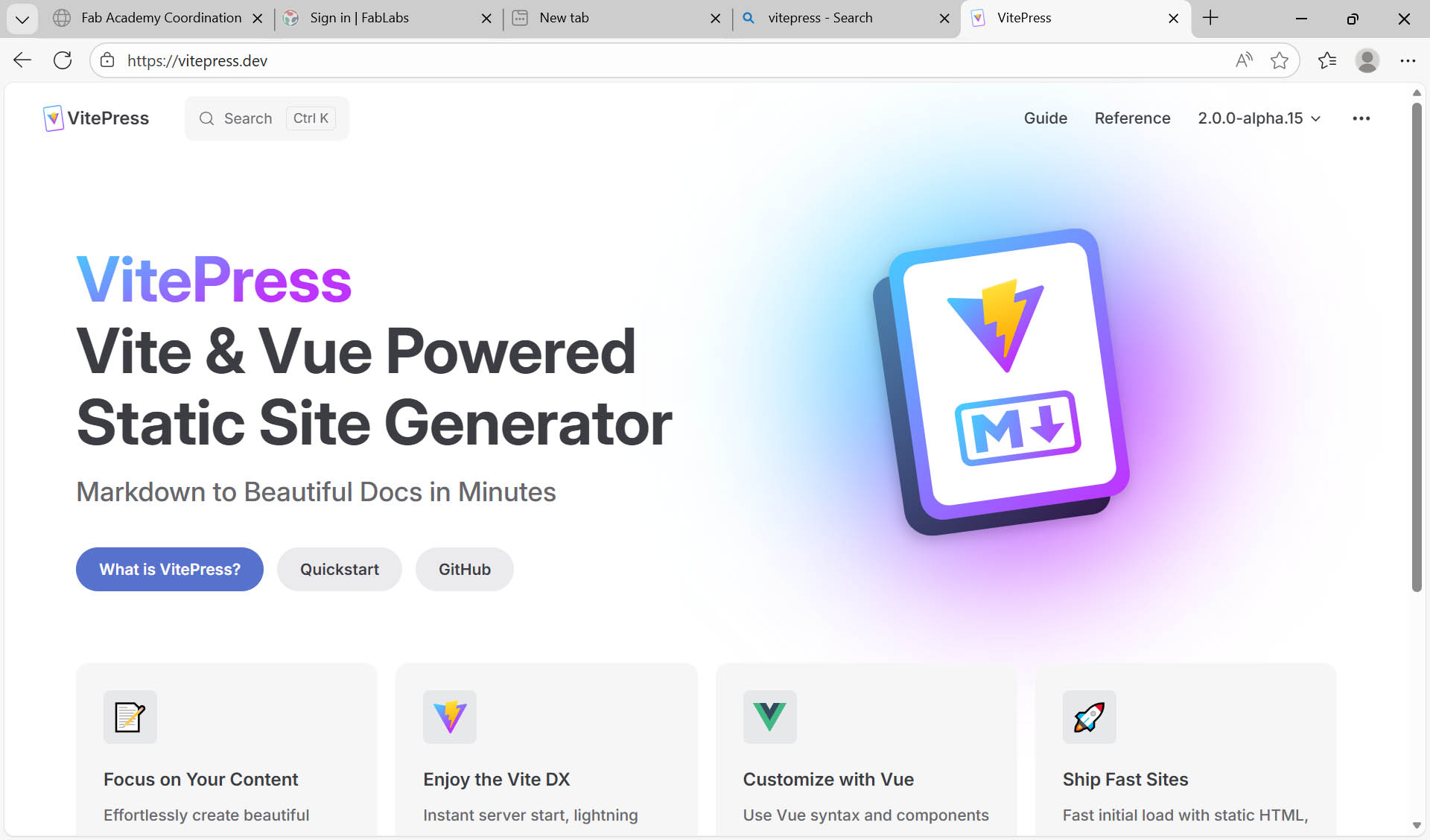
I decided to use VitePress to build my Fab Academy website. It is “a Static Site Generator (SSG) designed for building fast, content-centric websites. In a nutshell, VitePress takes your source content written in Markdown, applies a theme to it, and generates static HTML pages that can be easily deployed anywhere”. Source: VitePress / What is VitePress.
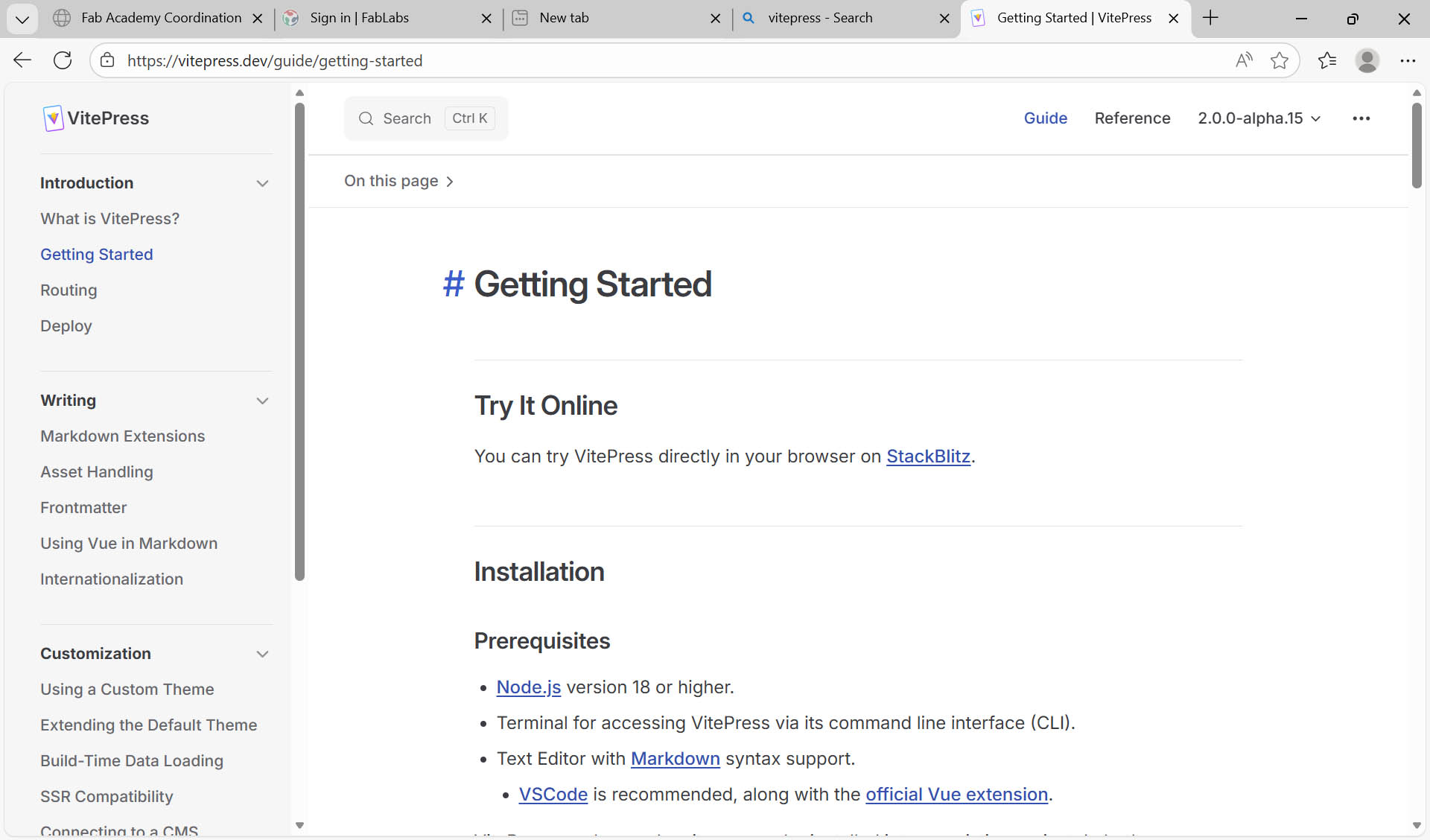
Here is the link to access the official website of VitePress. By clicking the Quickstart button, we can access the “Getting Started” page to understand the installation prerequisites and then follow the Setup Wizard step-by-step until the deployment to GitLab (as referenced further below).
1. Setting the basic information and layout
npm add -D vitepress@next
npx vitepress init
┌  Welcome to VitePress!
│
◇  Where should VitePress initialize the config?
│  ./docs
│
◇  Where should VitePress look for your markdown files?
│  ./docs
│
◇  Site title:
│  My Awesome Project
│
◇  Site description:
│  A VitePress Site
│
◇  Theme:
│  Default Theme
│
◇  Use TypeScript for config and theme files?
│  Yes
│
◇  Add VitePress npm scripts to package.json?
│  Yes
│
◇  Add a prefix for VitePress npm scripts?
│  Yes
│
◇  Prefix for VitePress npm scripts:
│  docs
│
└  Done! Now run pnpm run docs:dev and start writing.
Now, we need to preview:
npm run docs:dev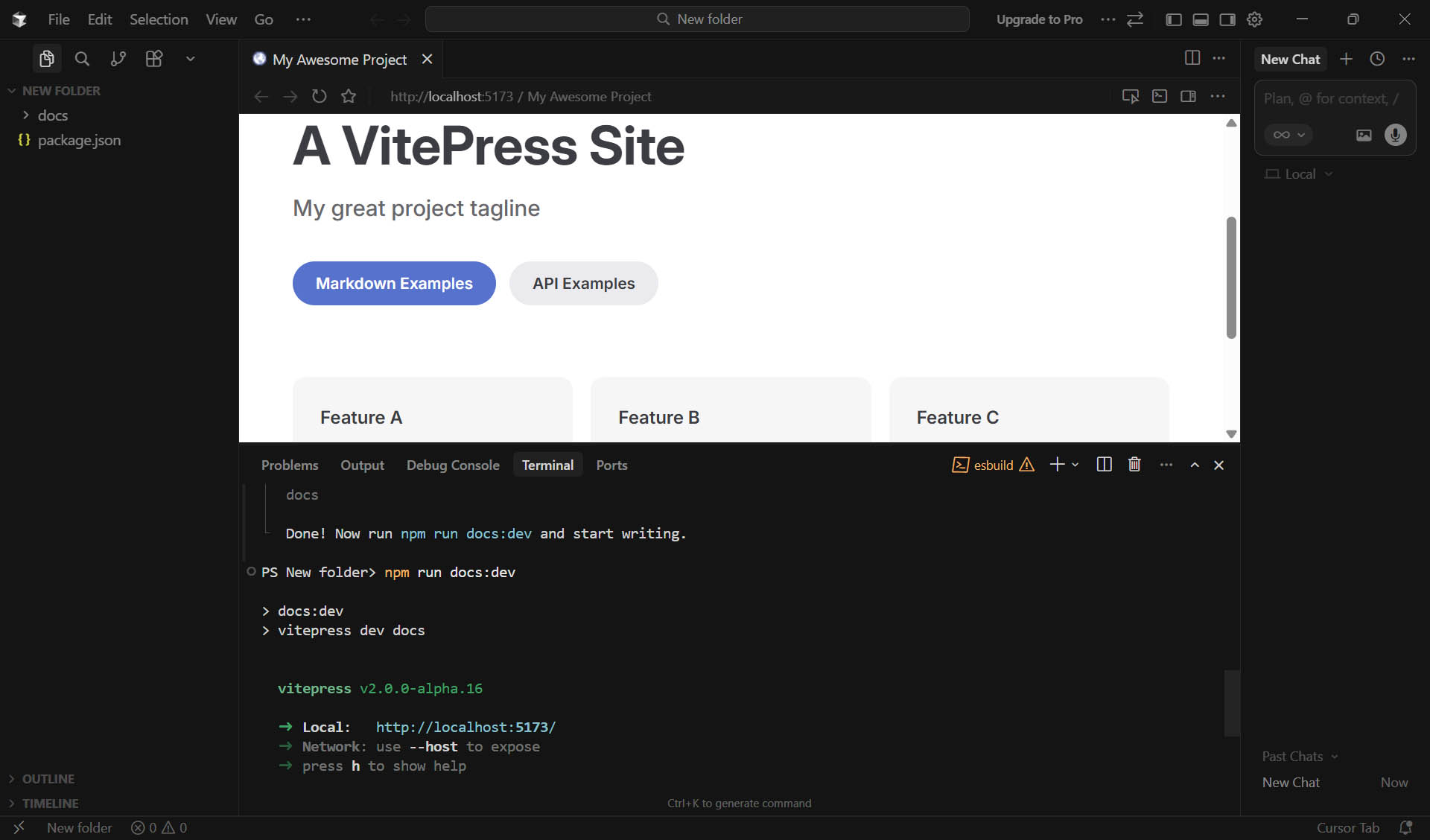
My GitLab repository is “loic-faulon” but in the picture above it is “new folder”. I built all VitePress settings and forgot the origin VitePress version ,so I build a new one to show the process.
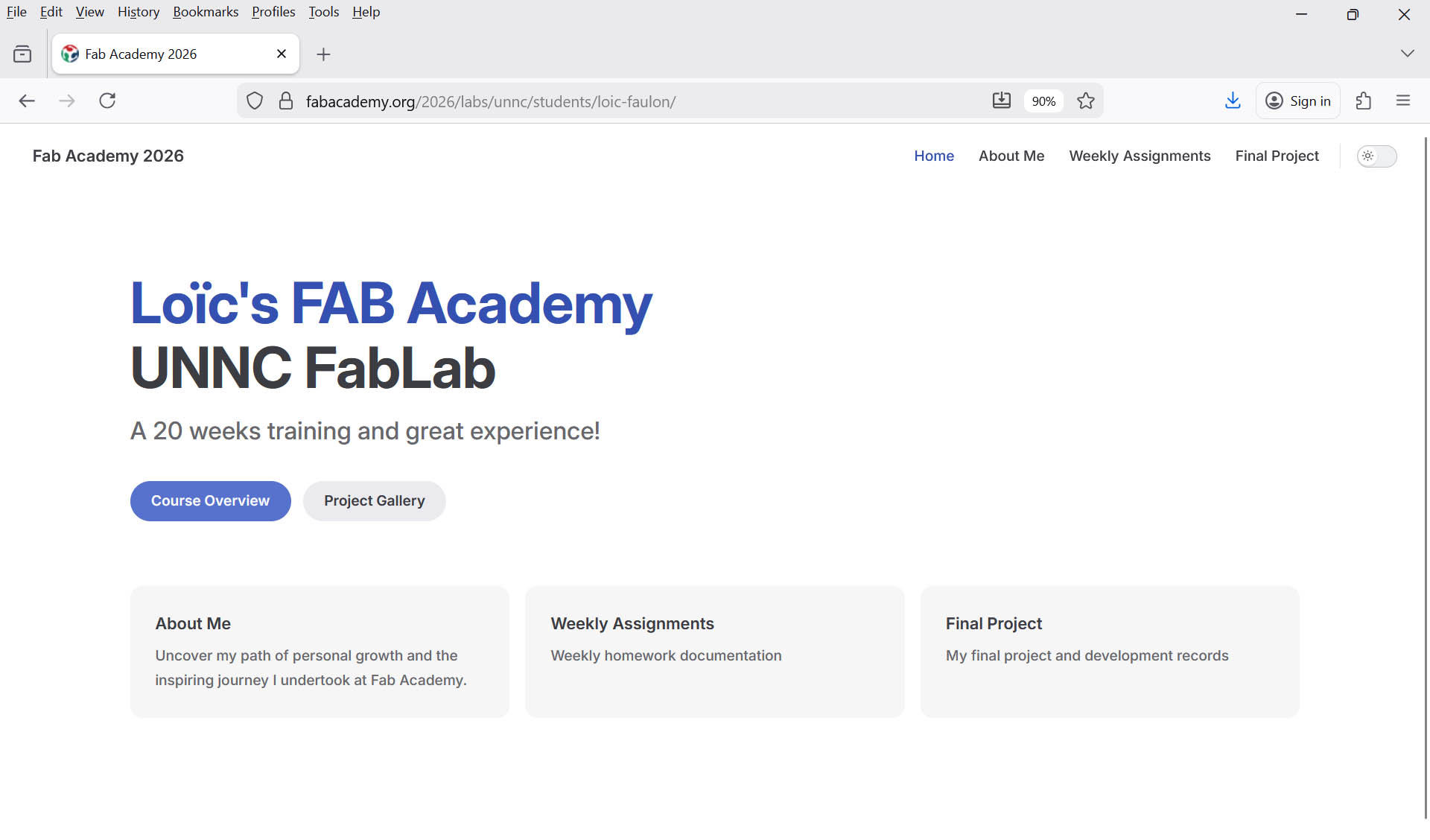
2. Setting index.md
I optimised it with my information as follow:
---
layout: home

hero:
  name: "Loïc's FAB Academy"
  text: UNNC FabLab
  tagline: A 20 weeks training and great experience!
  actions:
    - theme: brand
      text: Course Overview
      link: /assignments/week01
    - theme: alt
      text: Project Gallery
      link: /project

features:
  - title: About Me
    details: Uncover my path of personal growth and the inspiring journey I undertook at Fab Academy.
    link: /about
  - title: Weekly Assignments
    details: Weekly homework documentation
    link: /assignments/week01
  - title: Final Project
    details: My final project and development records
    link: /project
---
3. Setting config.mts
import { defineConfig } from 'vitepress'

export default defineConfig({
  title: "Fab Academy 2026",
  description: "A VitePress Site",
  outDir: "../public",
  base: '/2026/labs/unnc/students/loic-faulon/',
  themeConfig: {
    outline: [2, 4],
    nav: [
      { text: 'Home', link: '/' },
      { text: 'About Me', link: '/about' },
      { text: 'Weekly Assignments', link: '/assignments/week01' },
      { text: 'Final Project', link: '/project' },
    ],

    sidebar: {
      '/assignments/': [

        {

          text: 'Assignments',
          items: [
            { text: 'WEEK 1. Project management', link: '/assignments/week01' },
            { text: 'WEEK 2. Computer Aided design', link: '/assignments/week2/week02' },
            { text: 'WEEK 3. Computer controlled cutting', link: '/assignments/week3/week03' },
            { text: 'WEEK 4. Embedded programming', link: '/assignments/week4/week04' },
            { text: 'WEEK 5. 3D Scanning and printing', link: '/assignments/week5/week05' },
            { text: 'WEEK 6. Electronics design', link: '/assignments/week6/week06' },
            { text: 'WEEK 7. Computer controlled machining', link: '/assignments/week7/week07' },
            { text: 'WEEK 8. Electronics production', link: '/assignments/week8/week08' },
            { text: 'WEEK 9. Input devices', link: '/assignments/week9/week09' },
            { text: 'WEEK 10. Output devices', link: '/assignments/week10/week10' },
            { text: 'WEEK 11. Networking and communications', link: '/assignments/week11/week11' },
            { text: 'WEEK 12. Mechanical design, Machine design', link: '/assignments/week12/week12' },
            { text: 'WEEK 13. Break, midterm review', link: '/assignments/week13/week13' },
            { text: 'WEEK 14. Molding and casting', link: '/assignments/week14/week14' },
            { text: 'WEEK 15. Interface and application programming', link: '/assignments/week15/week15' },
            { text: 'WEEK 16. System Integration', link: '/assignments/week16/week16' },
            { text: 'WEEK 17. Wildcard week', link: '/assignments/week17/week17' },
            { text: 'WEEK 18. Applications and implications', link: '/assignments/week18/week18' },
            { text: 'WEEK 19. Invention, intellectual property and income', link: '/assignments/week19/week19' },
            { text: 'WEEK 20. Project development', link: '/assignments/week20/week20' }
          ]
        }
      ],
    },
  },

})
4. Setting gitlab-ci.yml file
The gitlab-ci.yml file is typically used to configure GitLab CI/CD, defining a CI/CD pipeline to automatically build VitePress documentation.
image: node:22
pages:
  cache:
    paths:
      - node_modules/
  script:
    - npm install
    - npm run docs:build
  artifacts:
    paths:
      - public
  only:
    - main
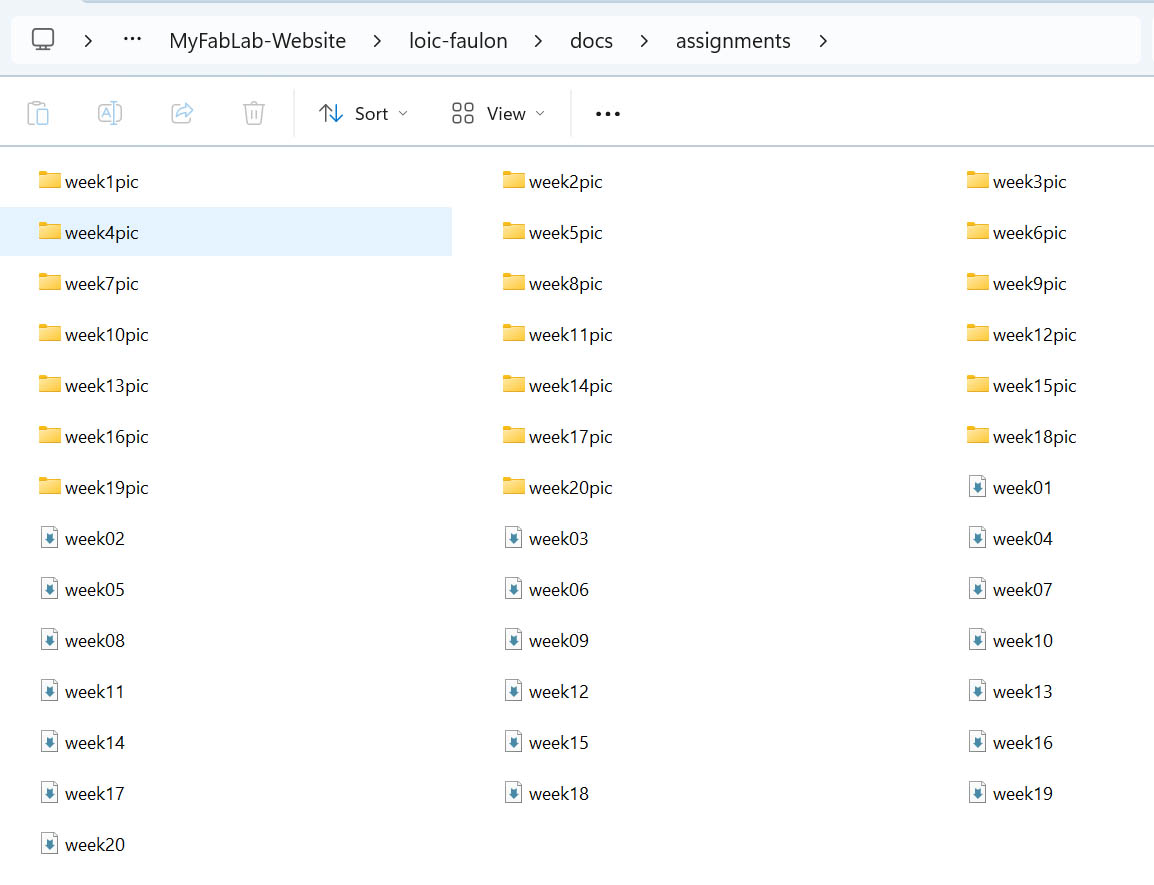
5. Picture organisation in this repository
Push to GitLab
git add –all
git commit -m “update v1”
git push origin main
This is the result of my work this week:
Plan and sketch a potential final project
Potential Final Project Focus (based on my current research projects)
- #1 Topic: AI-Based Sensing, Control, and Operations of VTOL Fixed-Wing UAVs for Agriculture
- Main issue to solve: reduce/control liquid sloshing
- #2 Topic: Sustainable Indoor Climate Solution: bridging Renewable Energy, Indoor Farming and Experiential Learning for Extreme Heat Mitigation
- Main issue to solve: not defined yet
First Concept Sketch (based on #1 topic)
(Confidential) 😉
Inspiration (based on #1 topic)
(Confidential) 😉
Initial "Constraints" (based on #1 topic)
Available Drone #1
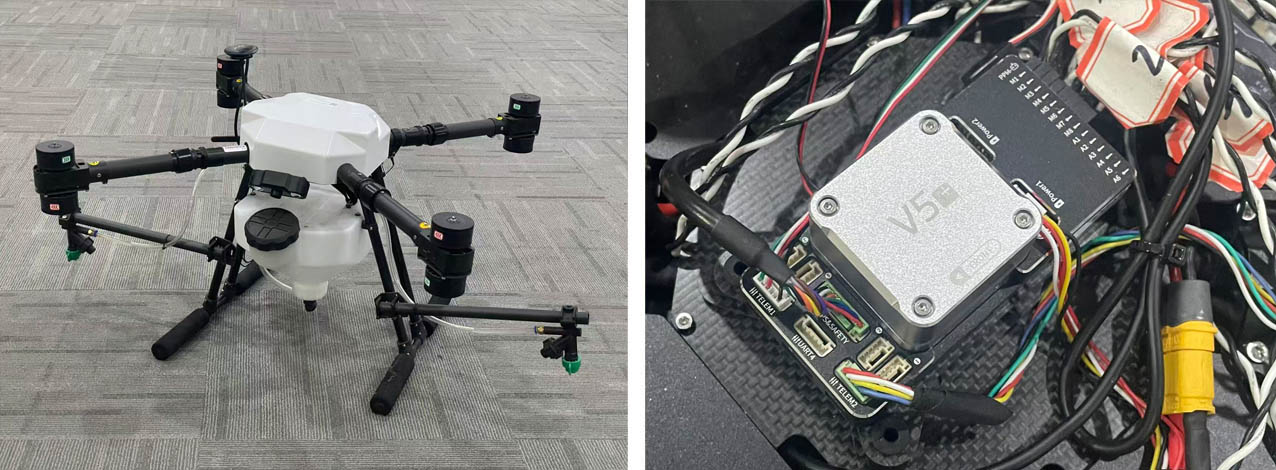
Available Drone #2
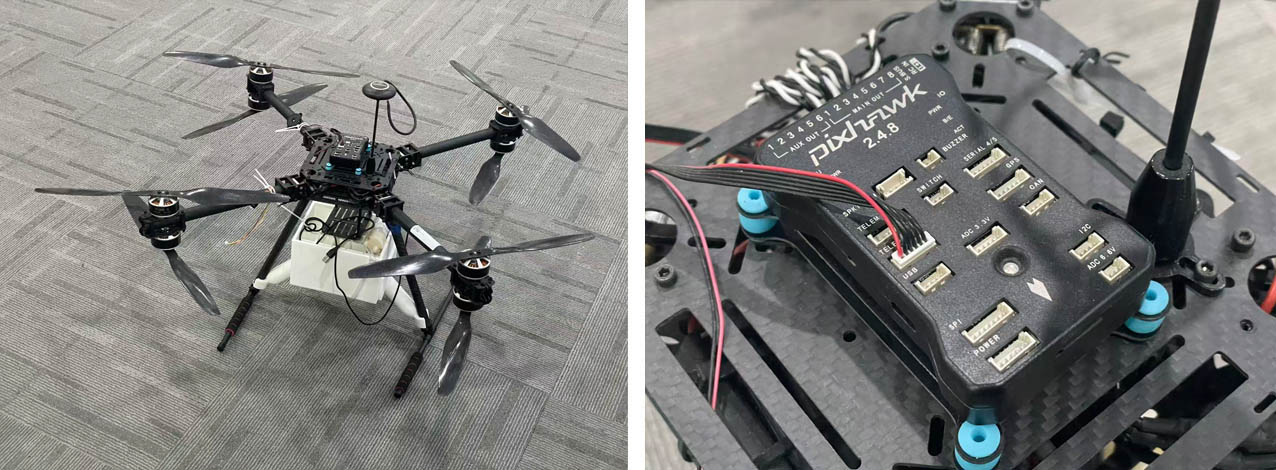
END OF WEEK 1 !!! 😦 😦 😭 😭 😉 😃
...Thank you Bob! 😃 😃 😃