Week 8: Electronic Production
Group Assignment
The group assignment was to characterise the design rules for our in-house PCB production process and understand how to prepare a PCB for fabrication.
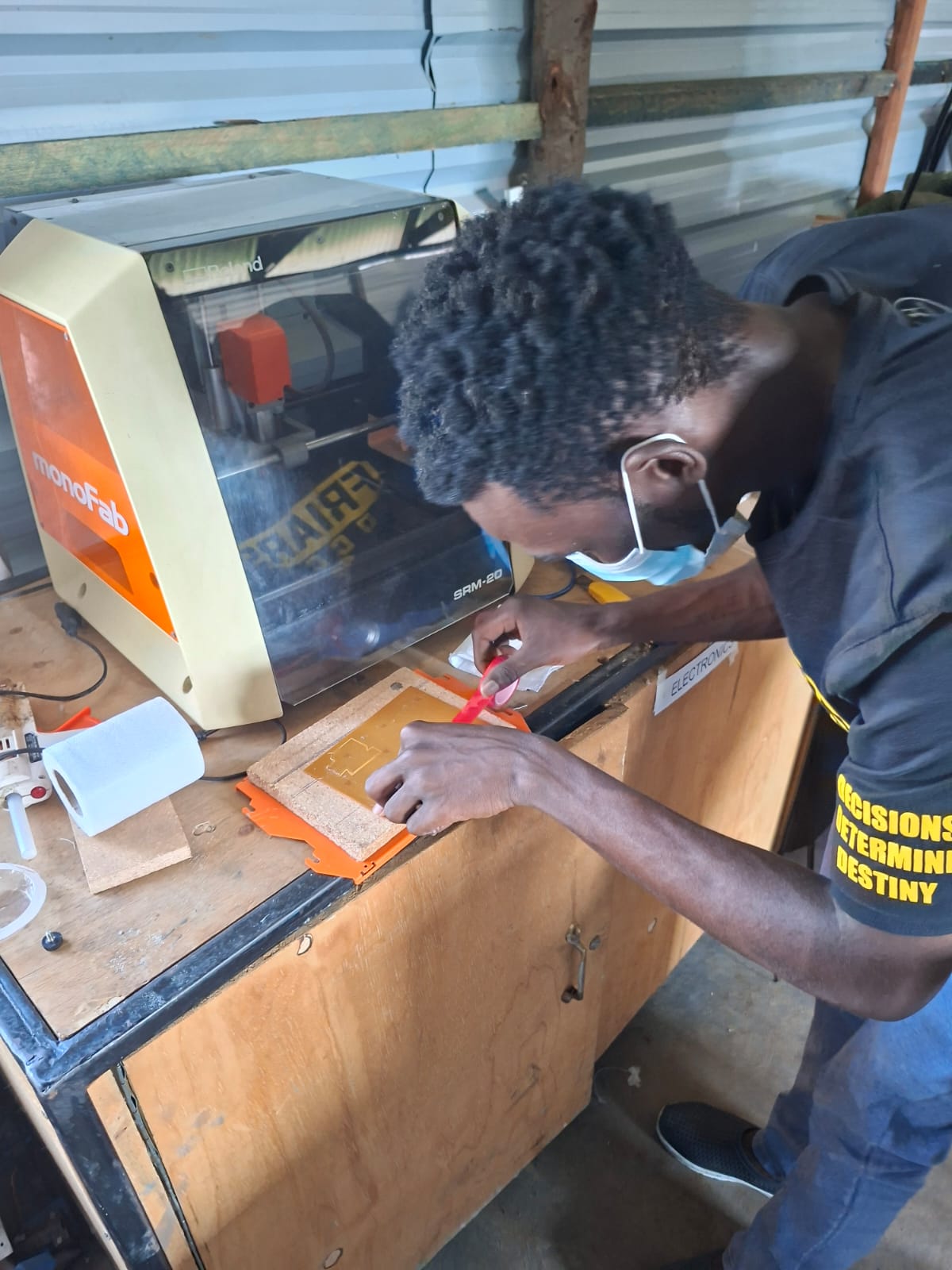
At FabLab Winam, we use the Roland MODELA Pro II? No — our machine is the Roland MonoFab SRM-20. Its spindle speed can reach 9,300 RPM.

We also explored submitting a PCB design to a board house
Individual Assignment
The individual assignment was to make and test an embedded microcontroller system that I designed. The extra credit was to fabricate the board using another process.
1. Refining My Design
I updated my MCU footprint from the through-hole XIAO ESP32 module to Module_XIAO_Generic_SocketSMD. I wanted to use an SMD socket so that I could remove and reuse the microcontroller module instead of soldering it permanently to the PCB.
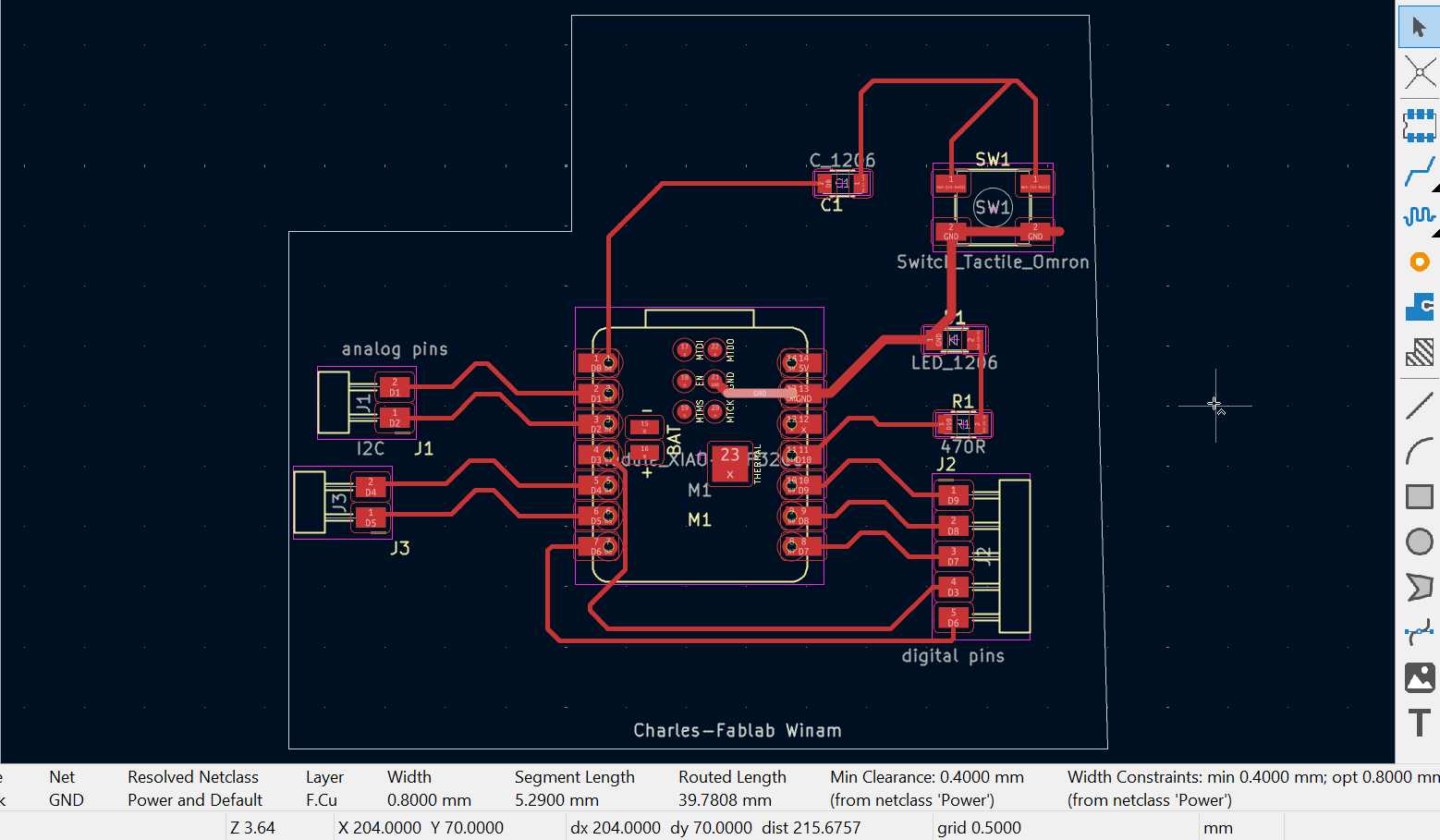
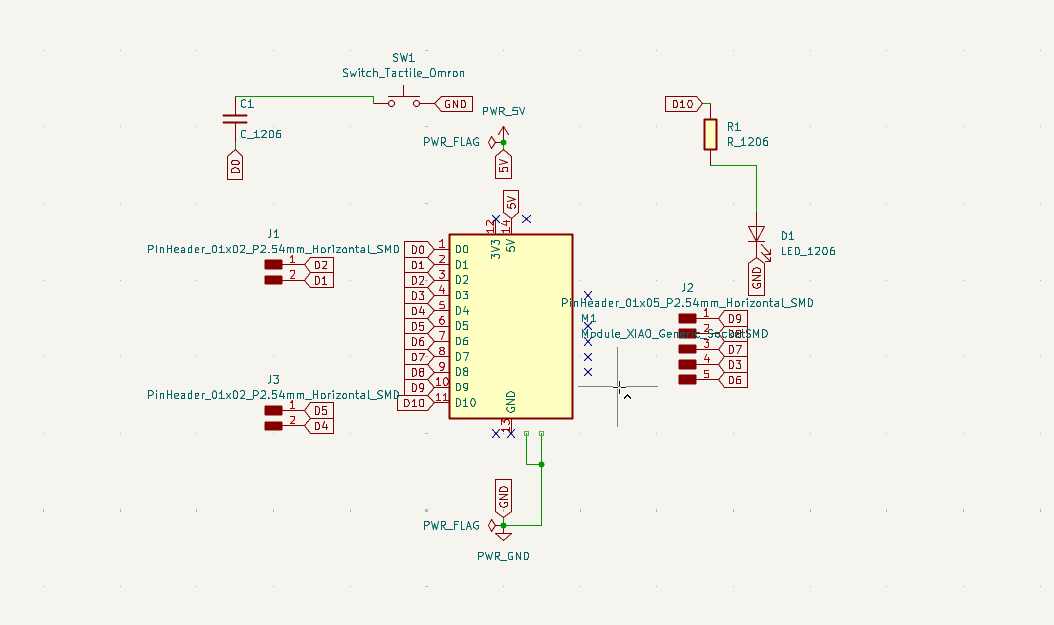
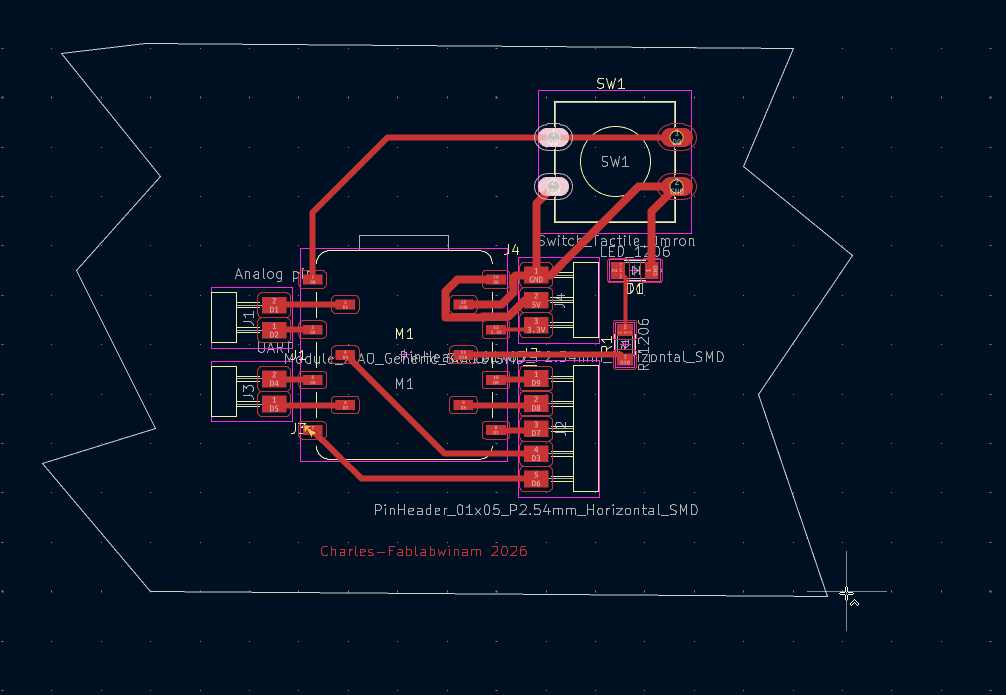
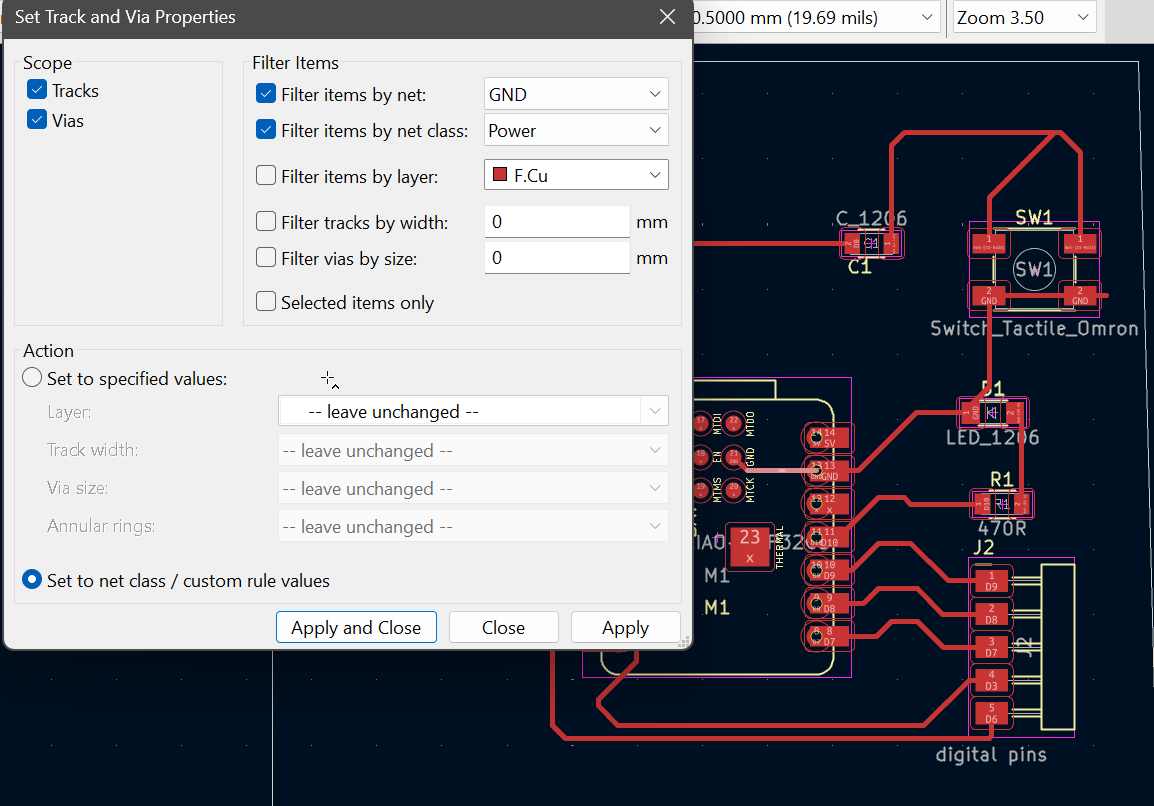
After changing the schematic, I updated the PCB layout and re-routed the tracks to match the new footprint. I also improved the power connections by increasing the GND track width to 0.8 mm. To do this, I changed the net class from Default to Power and adjusted the track width under the track and via properties.
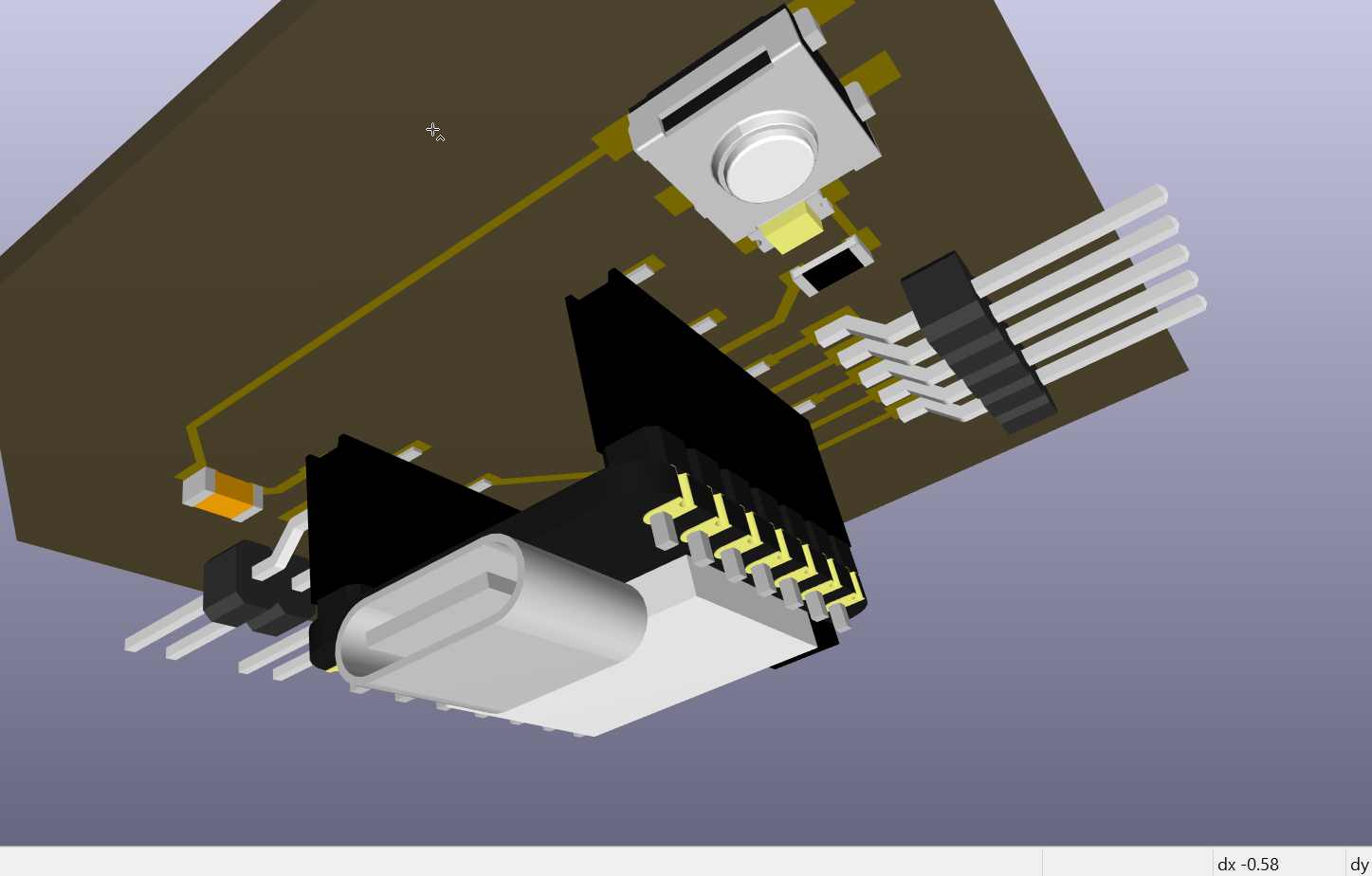
I then checked the updated design using the 3D viewer to see how the components would fit on the board.
2. Simulating the Toolpath
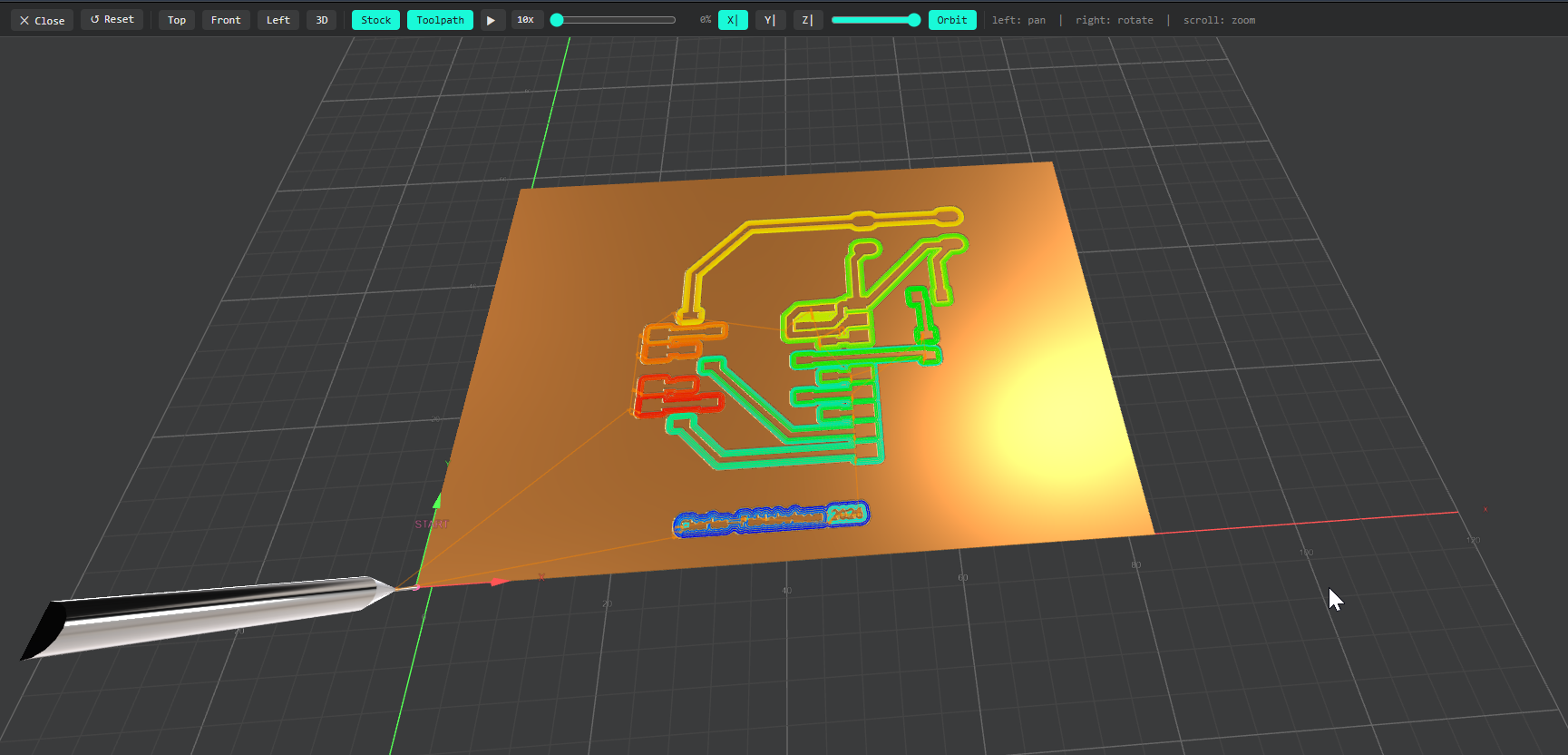
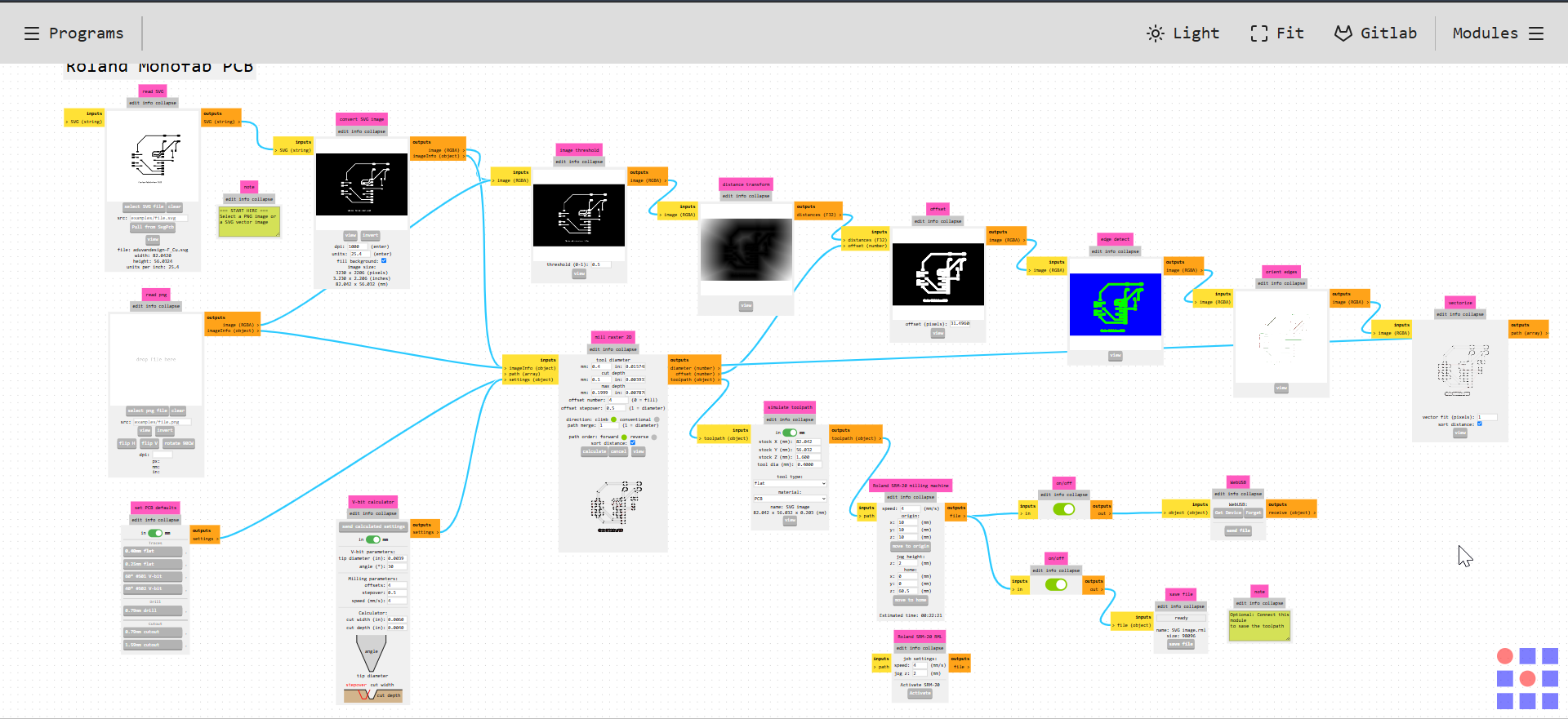
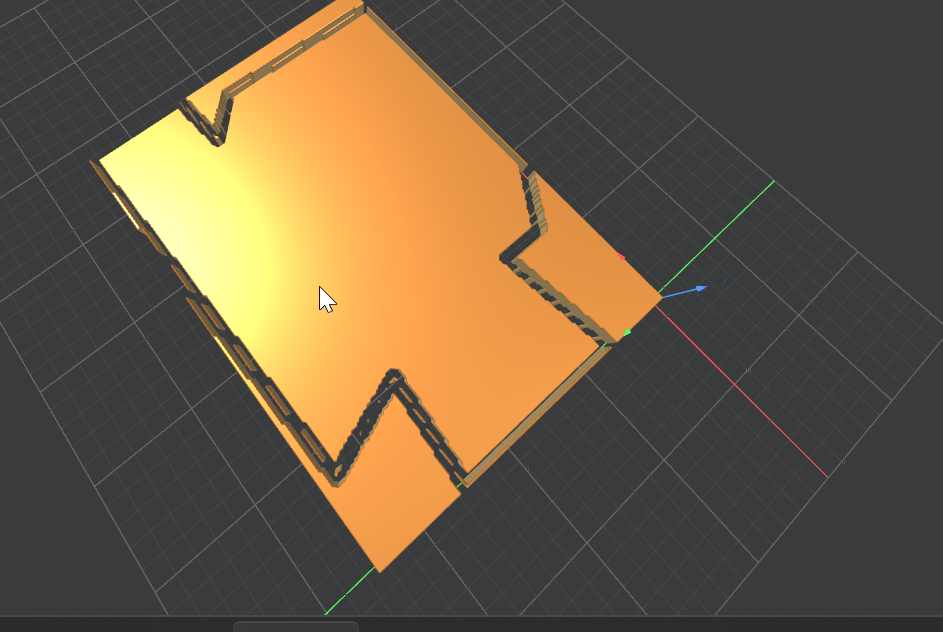
Before milling the PCB, I used the toolpath simulation in Mods to inspect how the machine would cut the traces and board outline. This helped me understand the cutting paths before sending the file to the machine.
3. Plotting and Exporting SVG Files
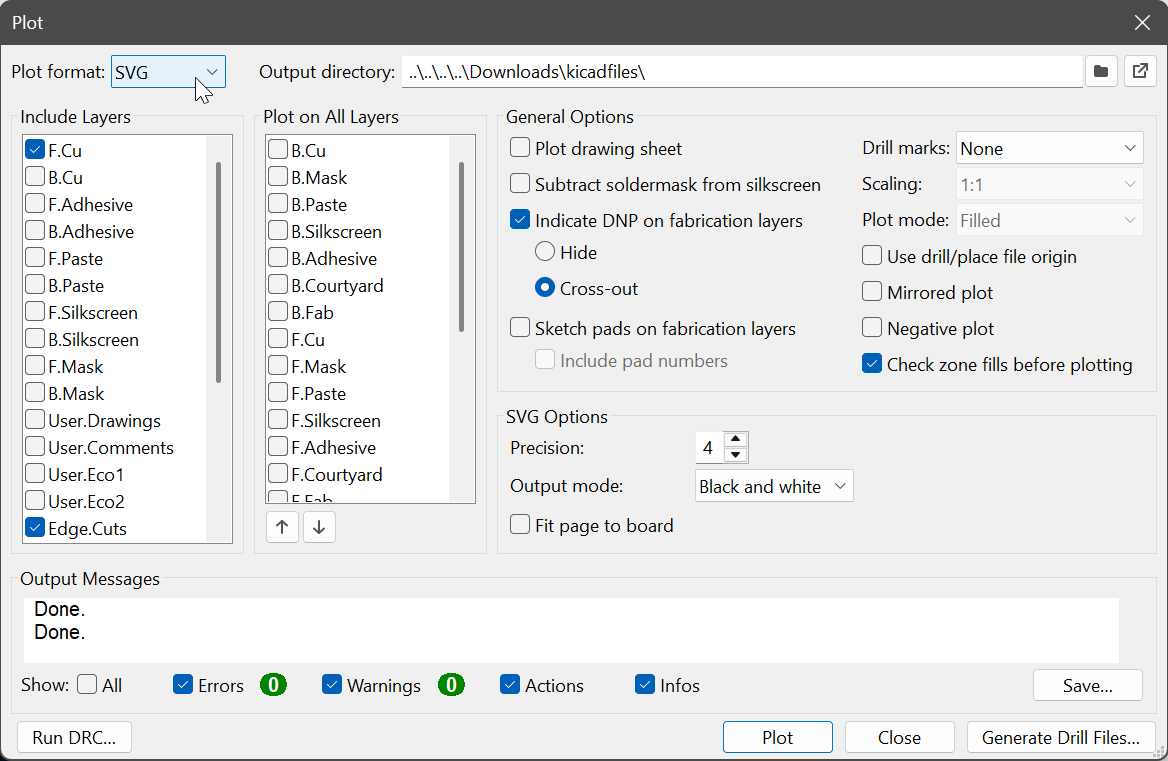
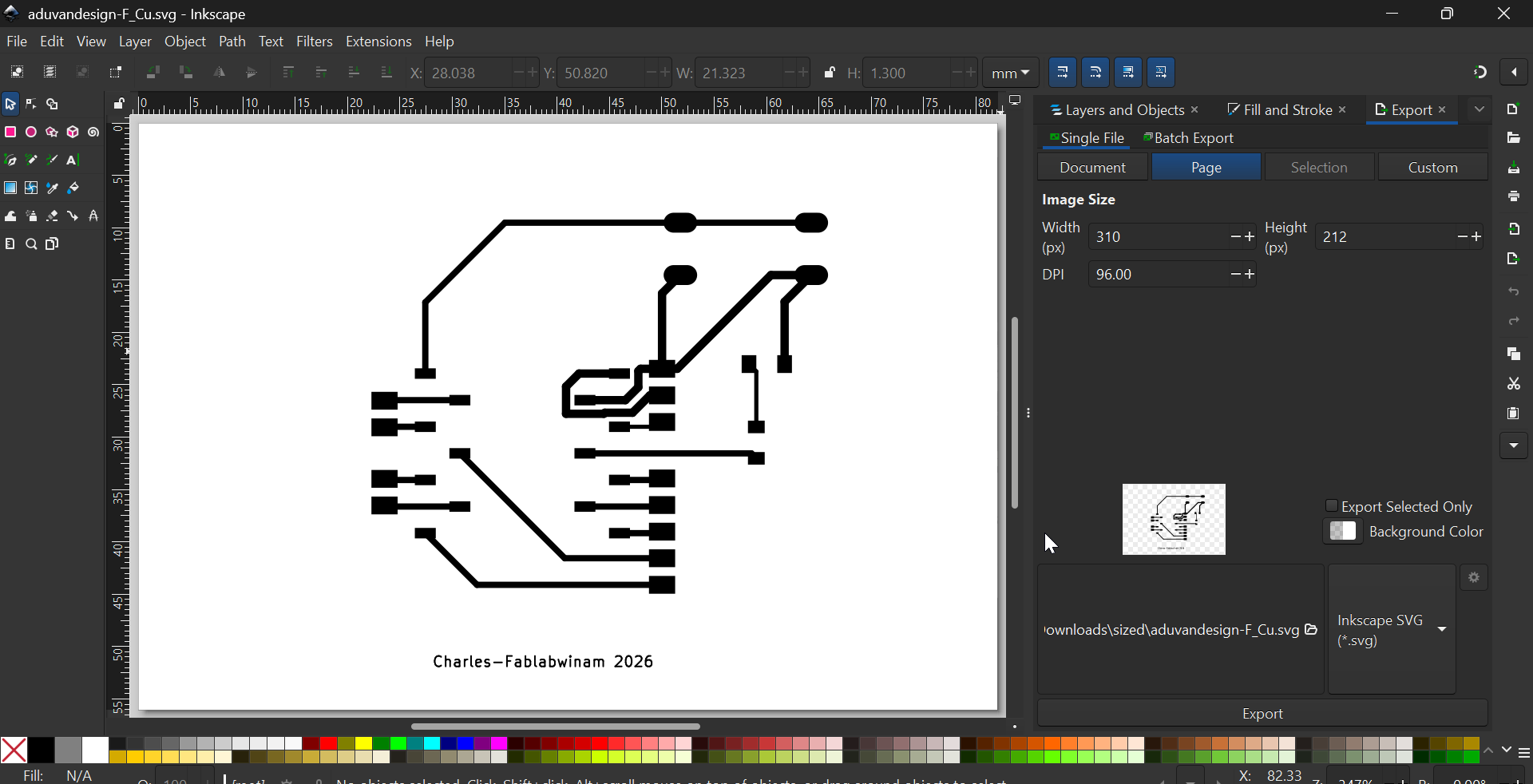
In KiCad, I went to File → Plot and selected SVG instead of Gerber. I selected the F.Cu and Edge.Cuts layers and specified an output directory to keep the exported files organised.
4. Preparing the Files in Inkscape and Mods
I opened the exported SVG files in Inkscape because the SVG output included the sheet dimensions. I adjusted the size of the board outline and traces to match the intended PCB dimensions, then exported the files as SVG for use in Mods.
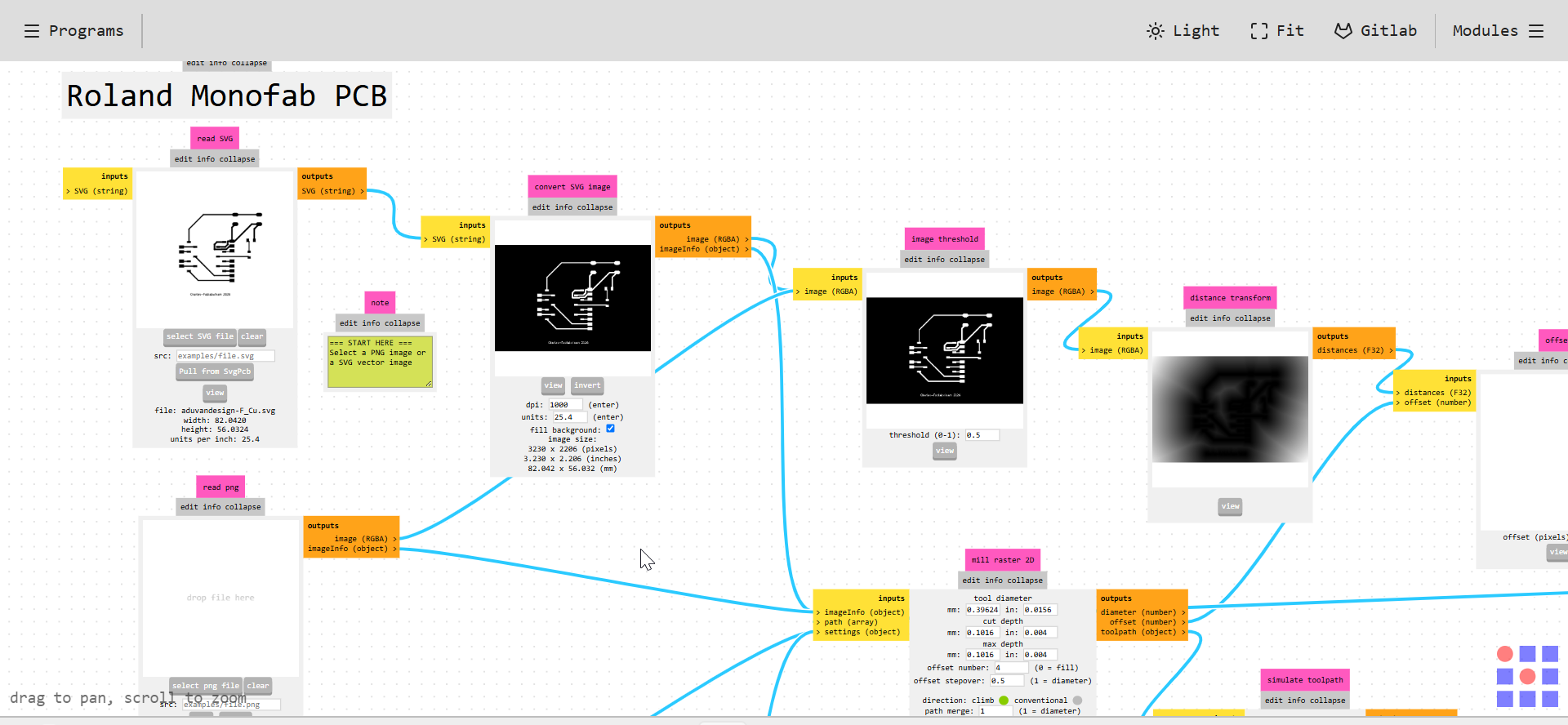
In Mods, I inverted the image so that the milling process would remove the unwanted copper and leave the required tracks.
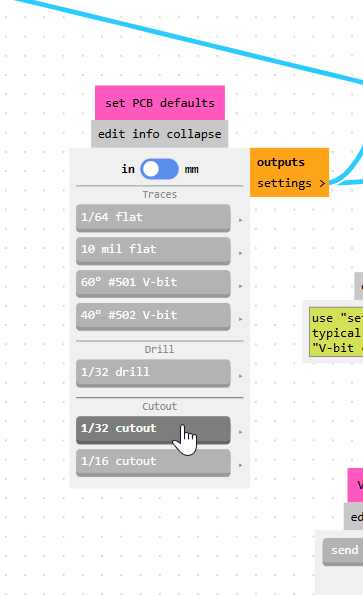
I selected a 1/64-inch end mill for the traces and a 1/32-inch end mill for the board outline. I also changed the units to millimetres to avoid unit mismatch errors.
5. Inspecting the Toolpath Settings
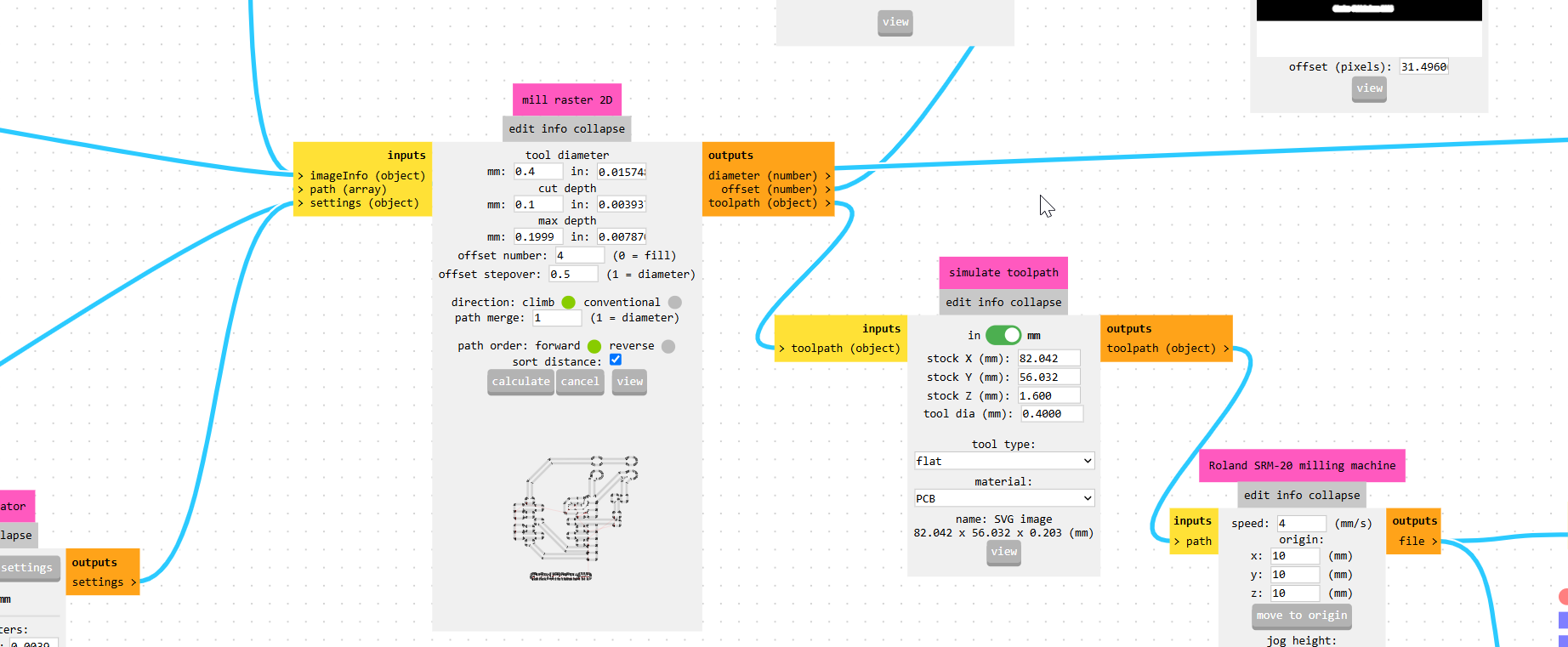
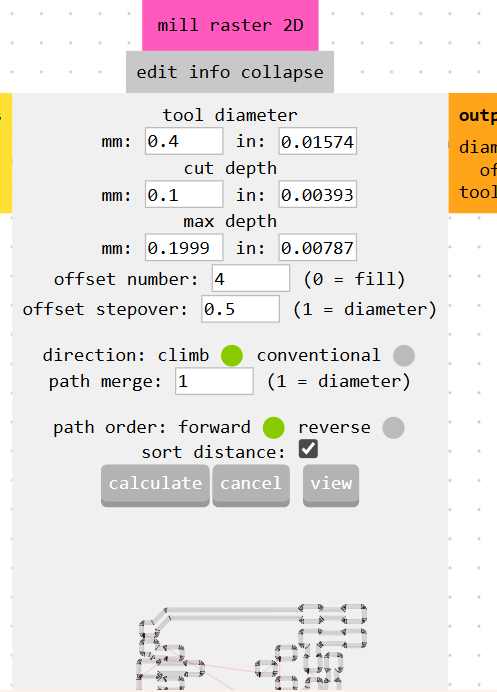
Before generating the milling file, I checked the cutting depth, tool diameter, maximum cutting depth and other toolpath settings.
For the traces, I used the settings shown below.
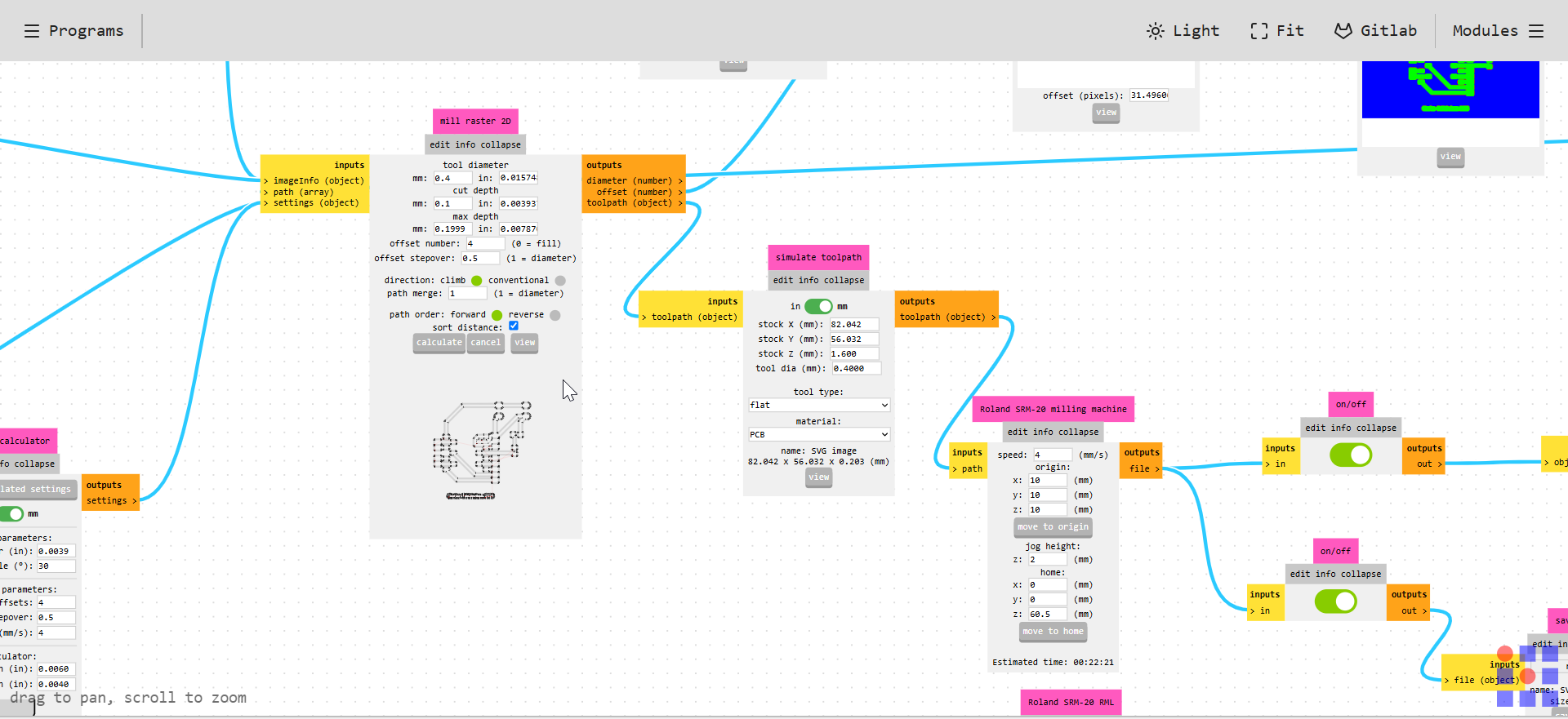
For the board outline, I used the following settings.
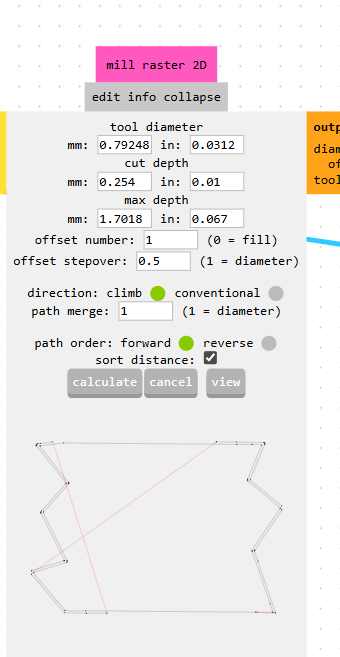
After checking the settings, I clicked Calculate and downloaded the RML file for the Roland SRM-20.
6. Setting Up the Machine Using VPanel
I used VPanel to control the Roland SRM-20. I installed the selected milling bit and used the X, Y and Z coordinates to set the origin.
I set the X and Y positions to the point where I wanted milling to begin. I then lowered the Z-axis carefully until the tool reached the surface of the PCB material.
Before moving the X and Y axes, I learned that the Z-axis must first be raised to a safe height. This prevents the tool from dragging across the material or damaging the board.
7. Surfacing the Spoilboard
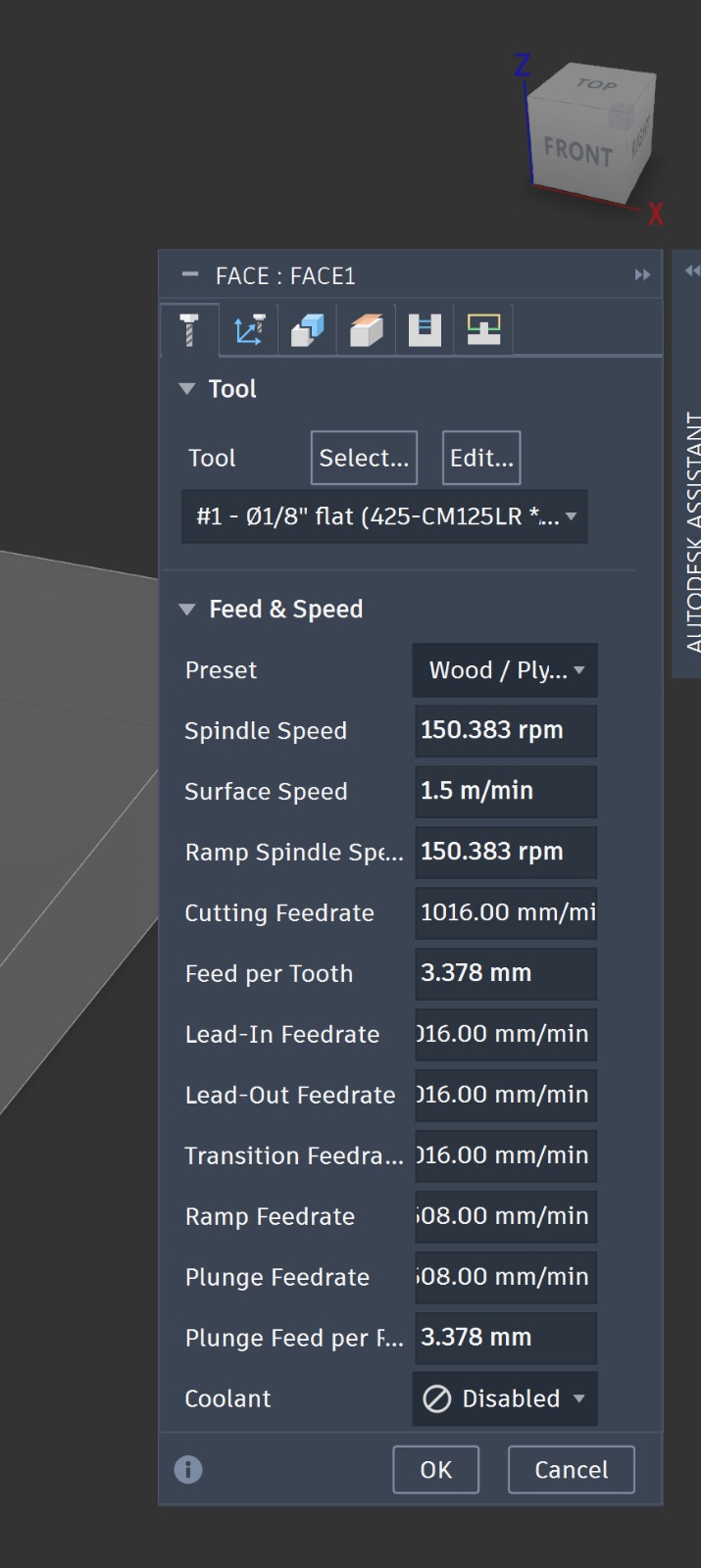
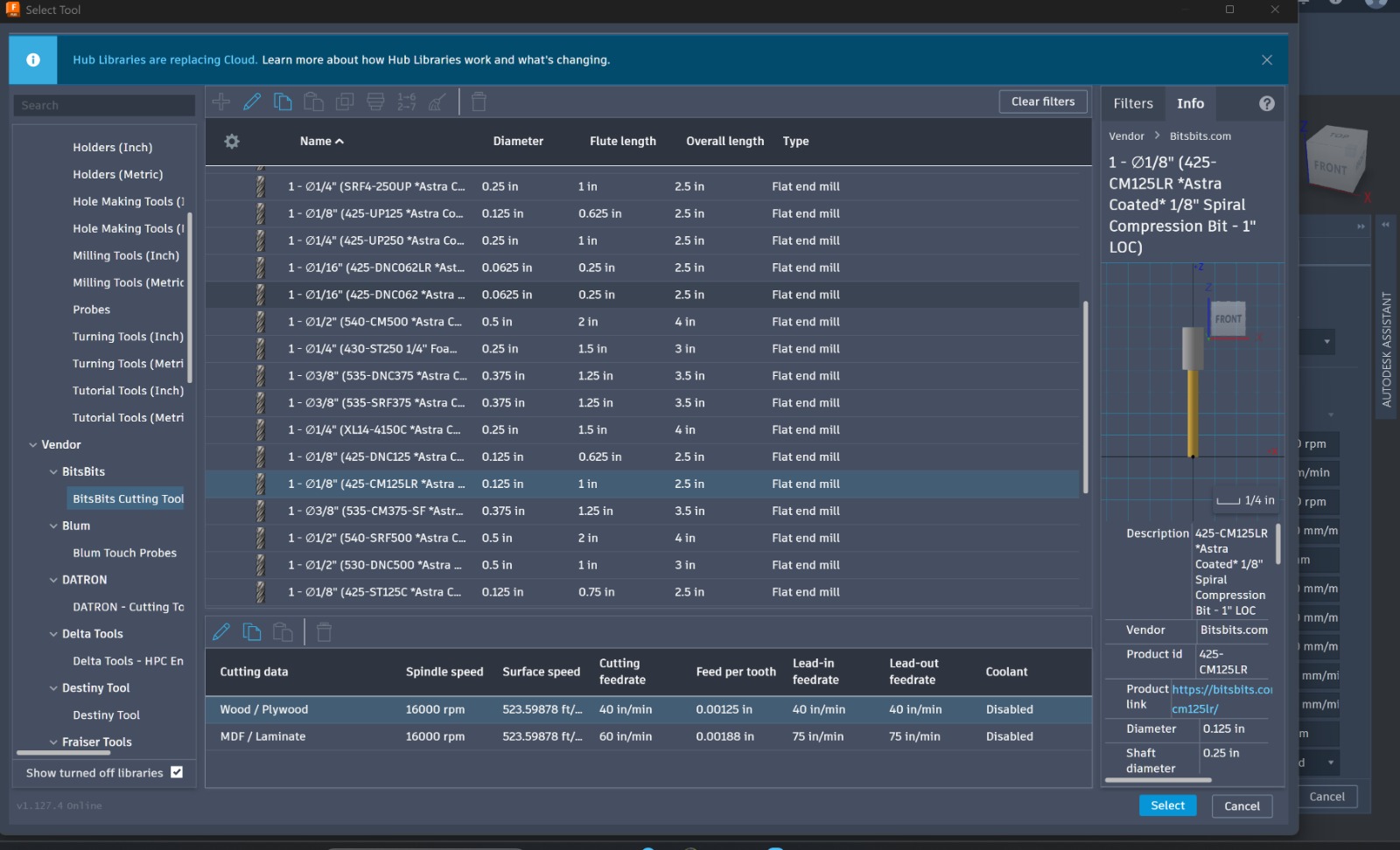
I prepared the spoilboard to create a flat surface for milling. I secured an MDF board using double-sided tape and used a 3.175 mm single-flute flat end mill.
I modelled the spoilboard in Fusion with dimensions of 200 mm × 150 mm.
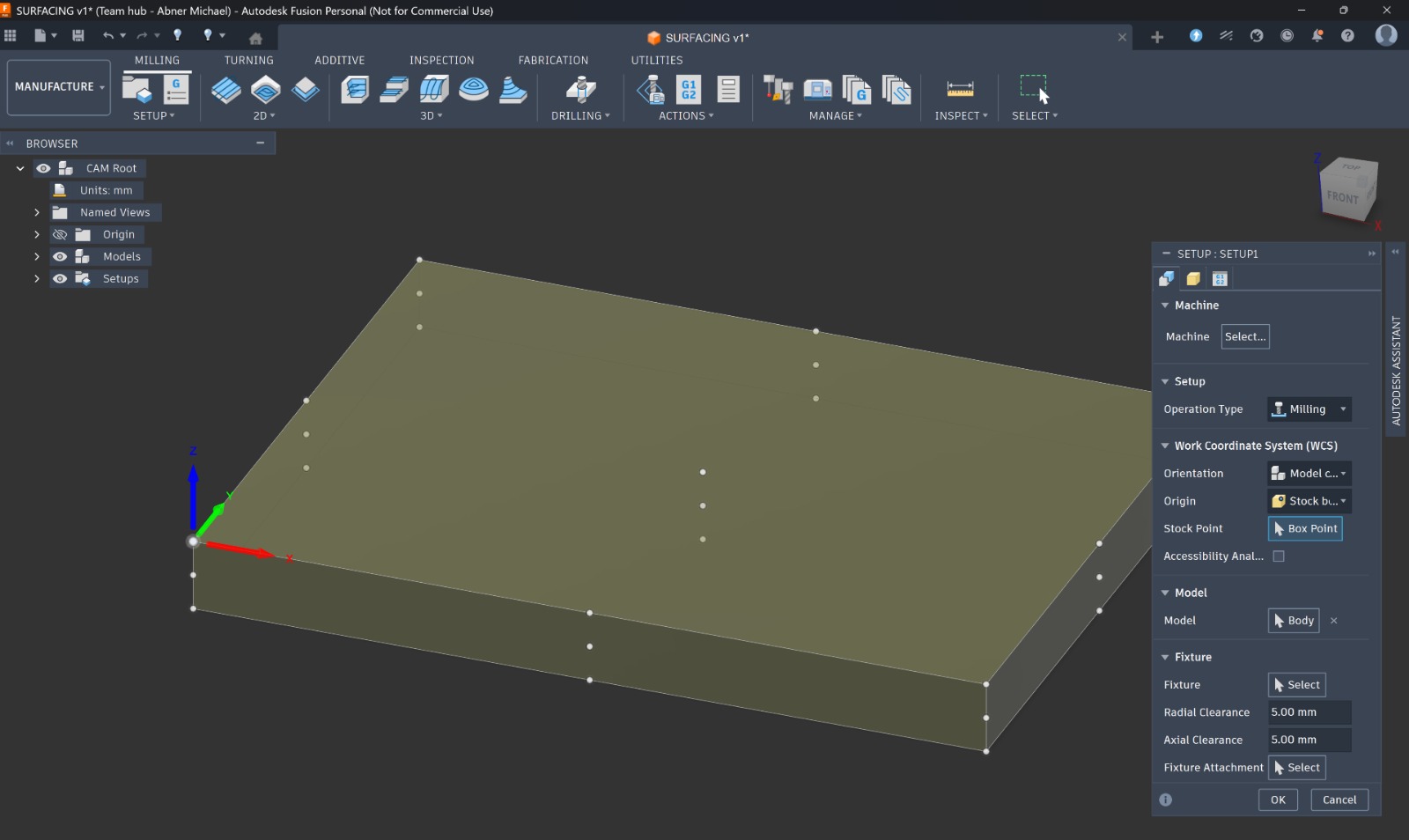
I created a surfacing toolpath in Fusion using a 1 mm depth of cut and a high stepover. I matched the toolpath dimensions to the MDF board so that the machine would mill the surface evenly.
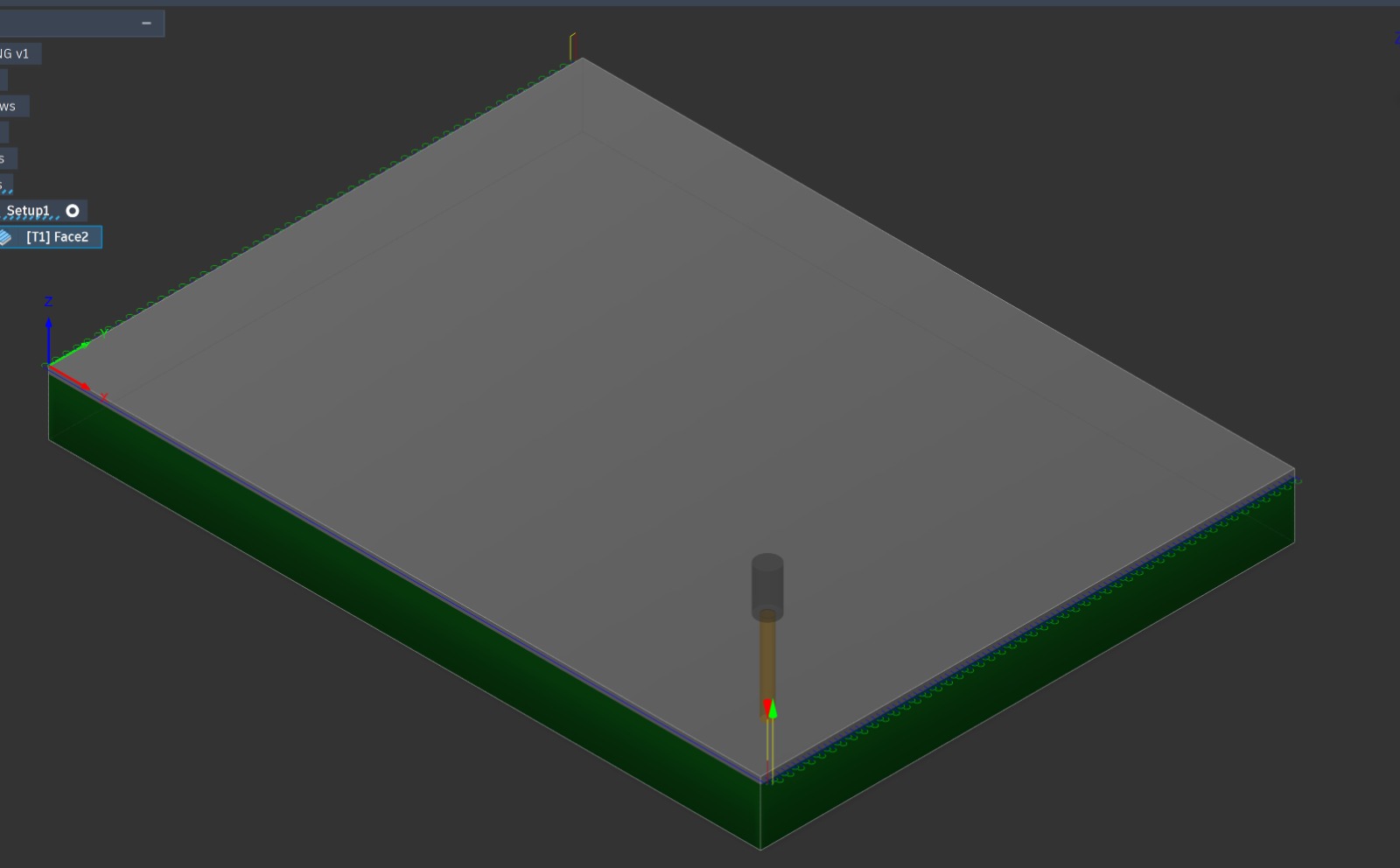
I used the following settings for the surfacing operation.
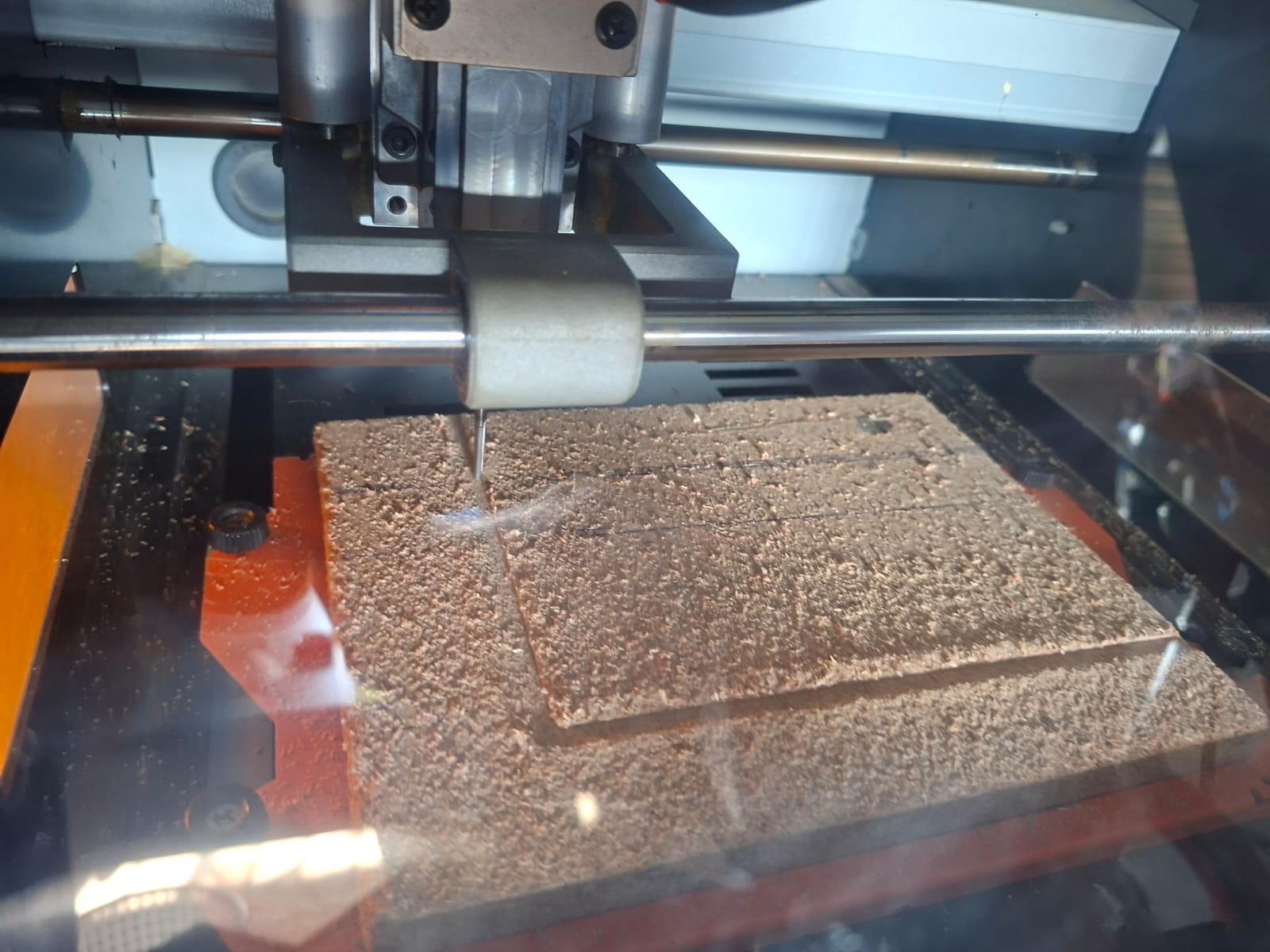
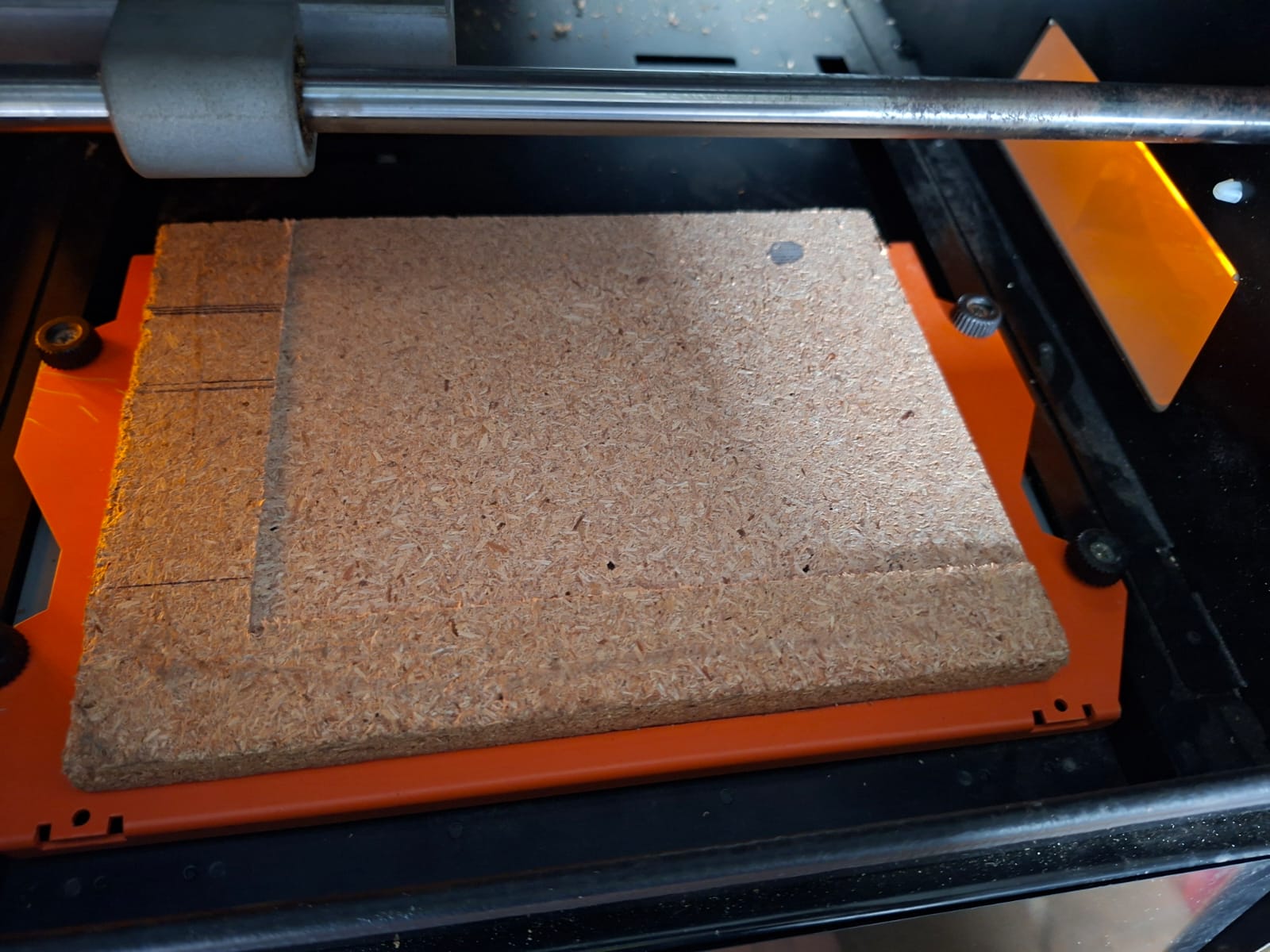
After surfacing, I attached the PCB material to the flat spoilboard using double-sided tape. This helped hold the material firmly in place during milling.
8. Milling the PCB and Troubleshooting
During my first attempt, I encountered an error when sending the file to the machine.
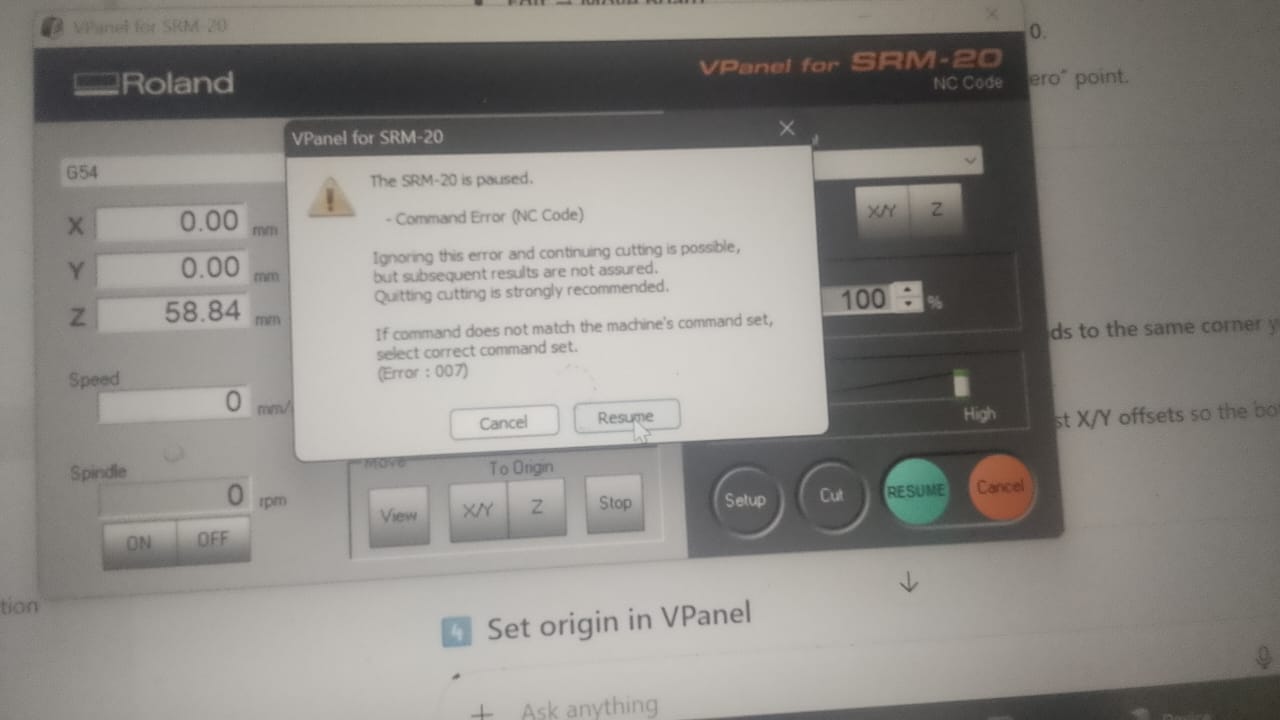
I realised that the problem was caused by a unit mismatch in Mods. This taught me to check the units before generating and sending the milling file.
I also experienced several other problems during milling.
Board outline errors
Some of my edge cuts extended beyond the intended board boundary. The outline had not been defined correctly, which caused inaccurate cuts. I learned that the board outline must be closed, correctly positioned and properly aligned with the traces.
Broken milling bit
I accidentally broke one of the milling bits. This taught me to handle the tools carefully because the bits are delicate and can break if dropped or handled roughly.
Incorrect axis movement
I learned that I must raise the Z-axis to a safe height before moving the X and Y axes. Failing to do this can cause the tool to drag across the material or damage the bit and PCB.
Incorrect home position and cutting depth
I also made mistakes with the home position and cutting depth. Mods has default home-position settings, and I repeatedly forgot to reset X and Y to zero.
I initially relied on the default cutting settings instead of checking and adjusting the values under the tool’s information and advanced settings. This resulted in incorrect cutting depths and poor milling results.
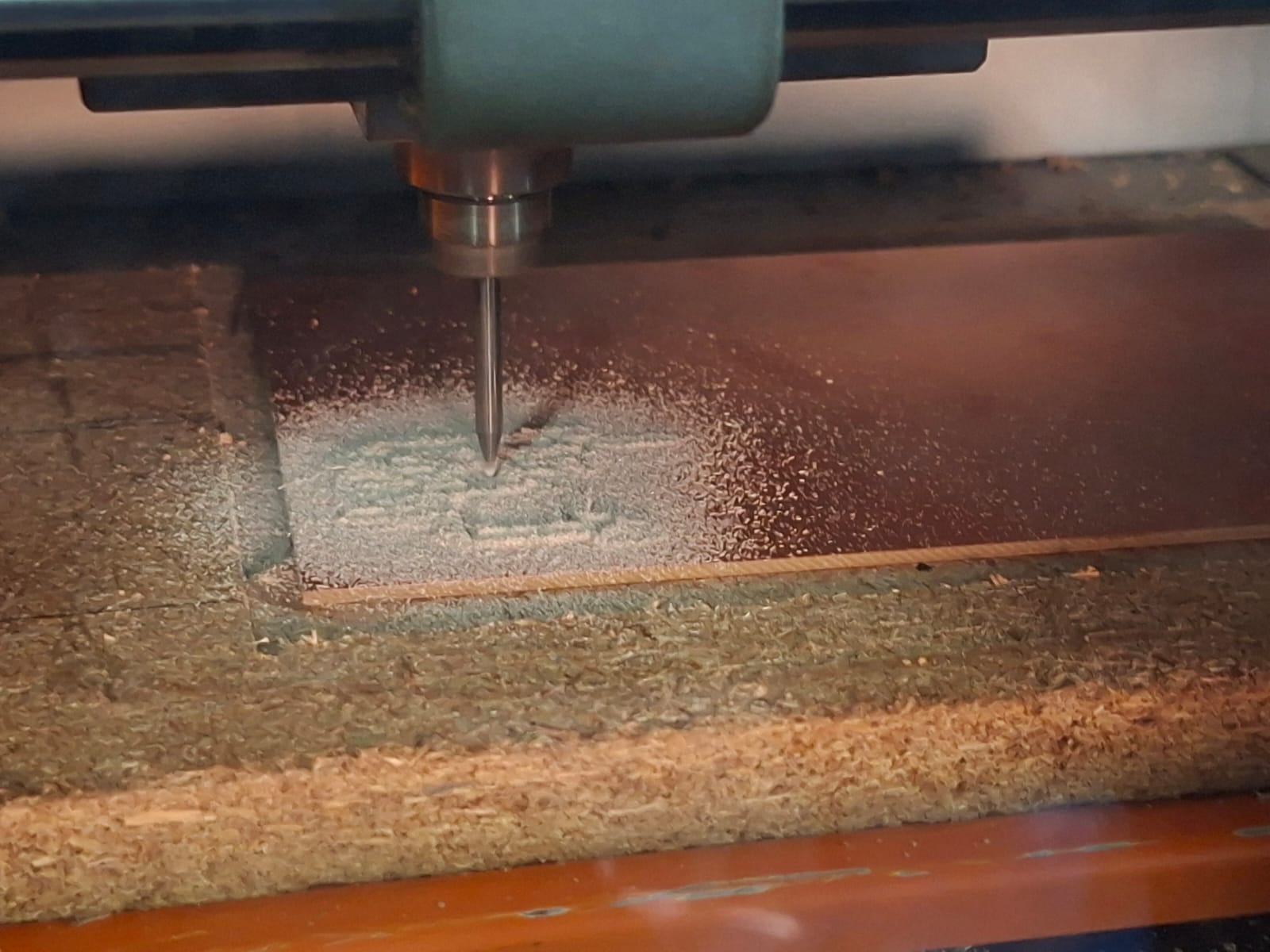
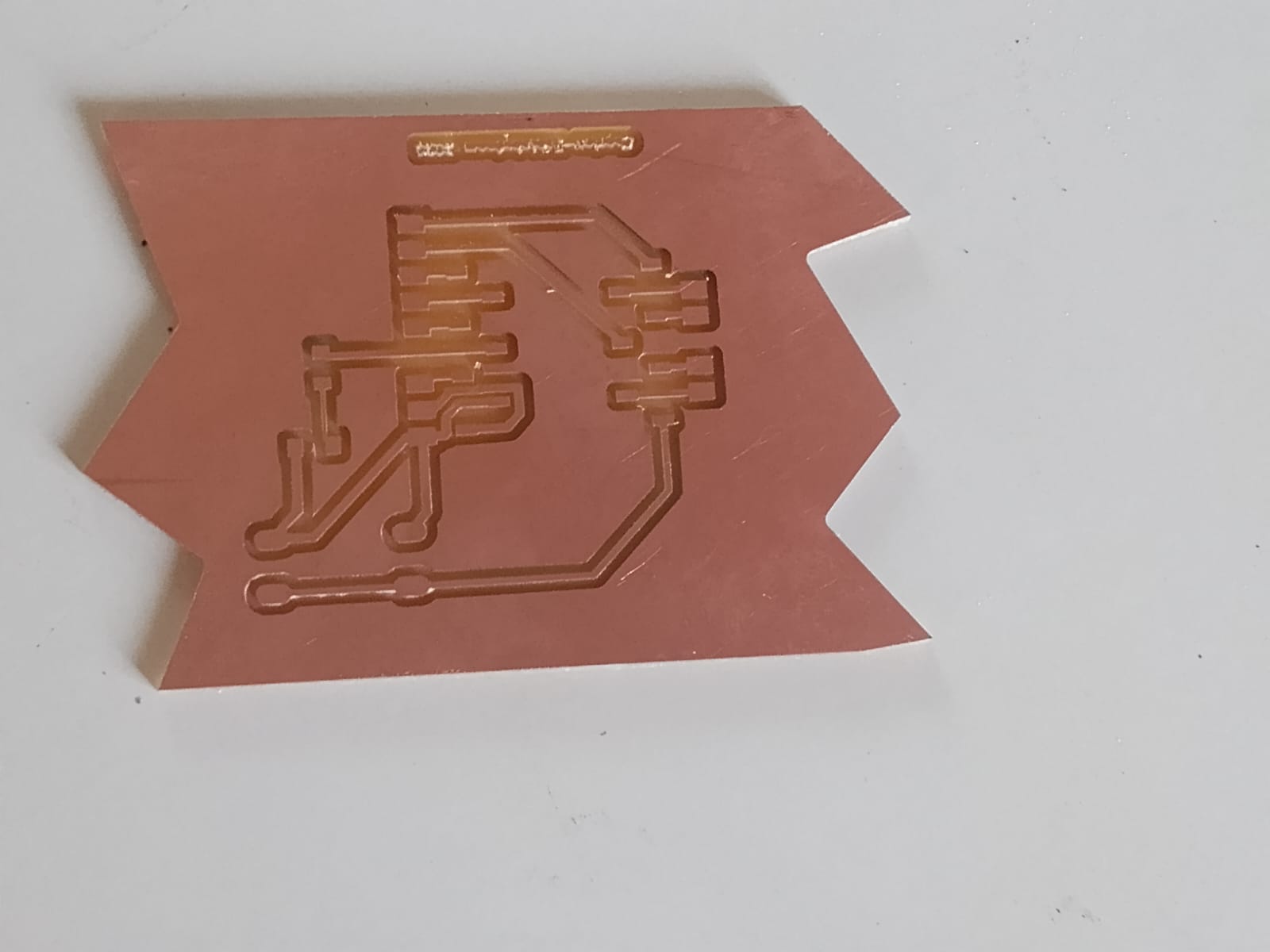
These mistakes helped me understand that successful PCB milling depends on more than having a correct design. The exported files, tool selection, cutting parameters, origin and machine setup must also be correct.
9. Soldering the Components
After milling the PCB, I prepared it for soldering. My design had alternating pins, so I bent the pins to make surface-mount soldering possible.
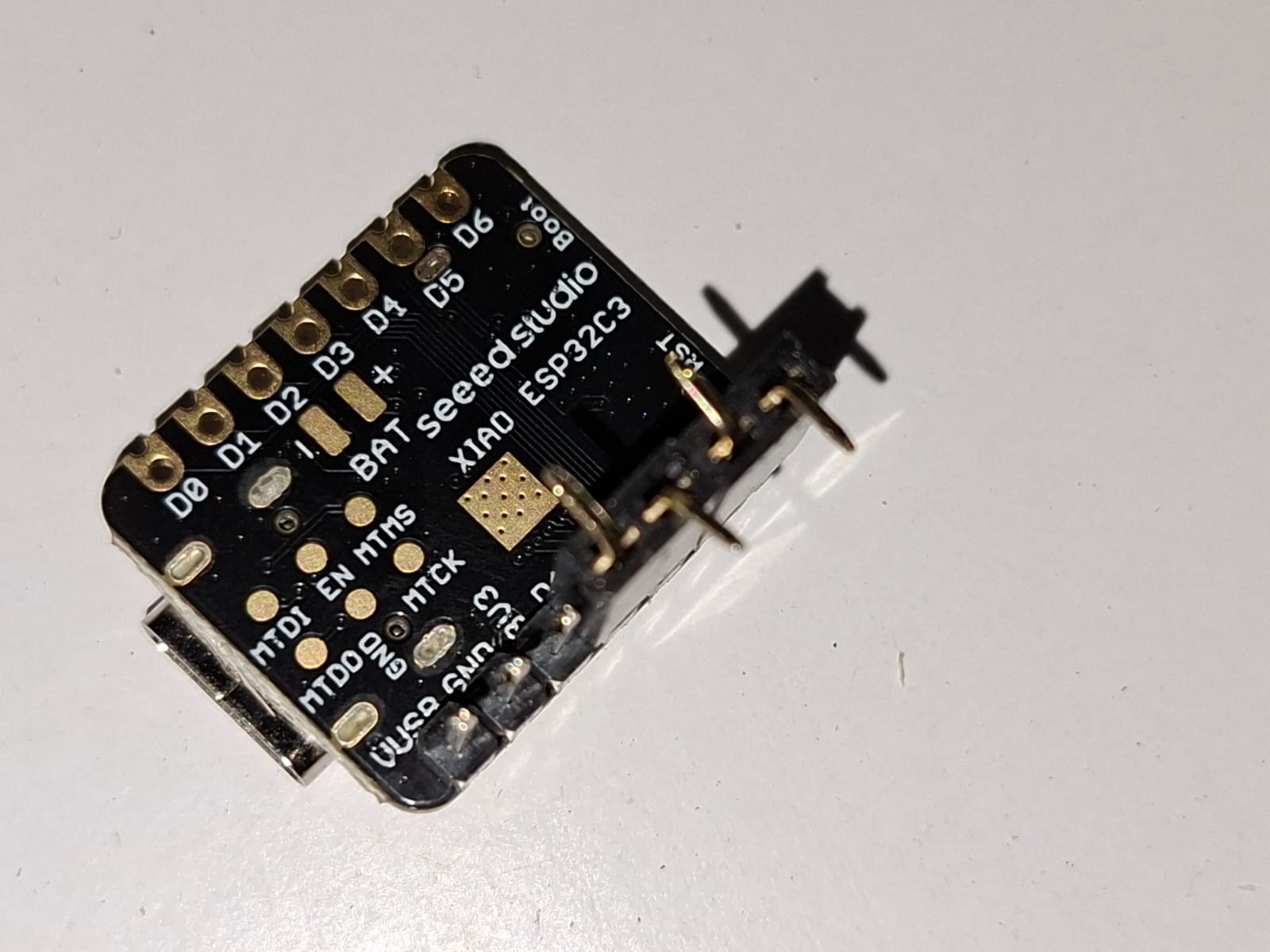
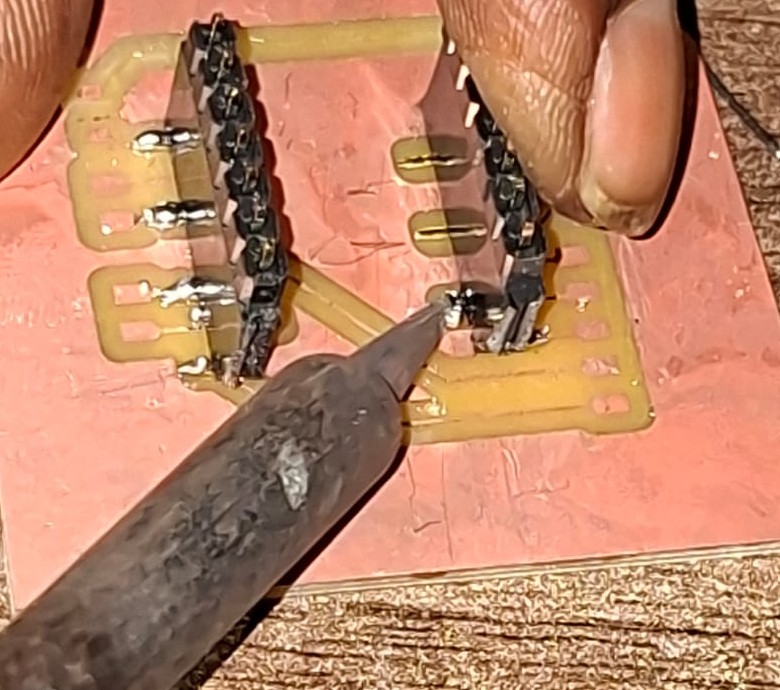
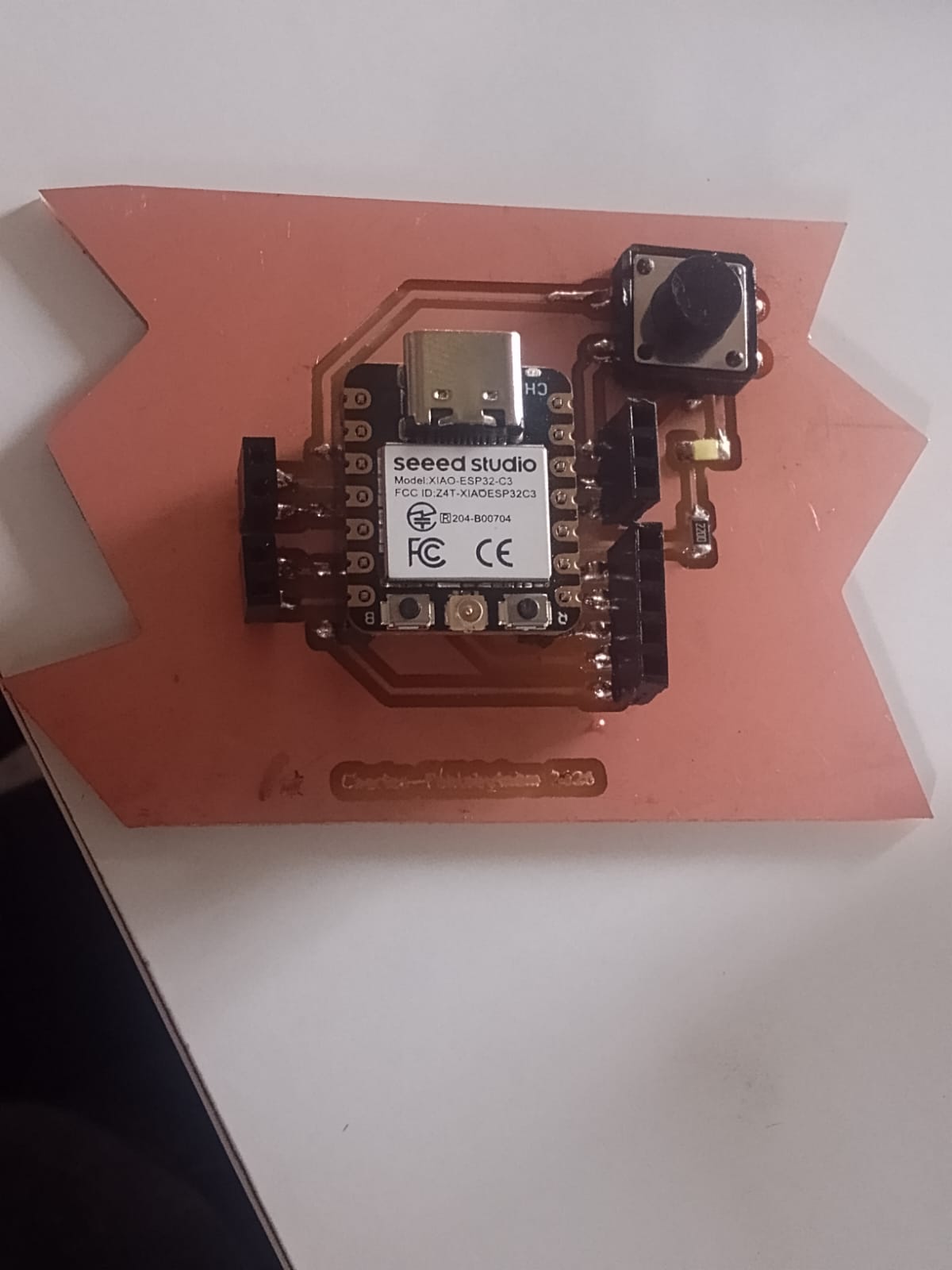
I used solder paste to help with soldering and started with the pins. I also secured the header pins using hot glue to make them stronger and reduce movement during use.
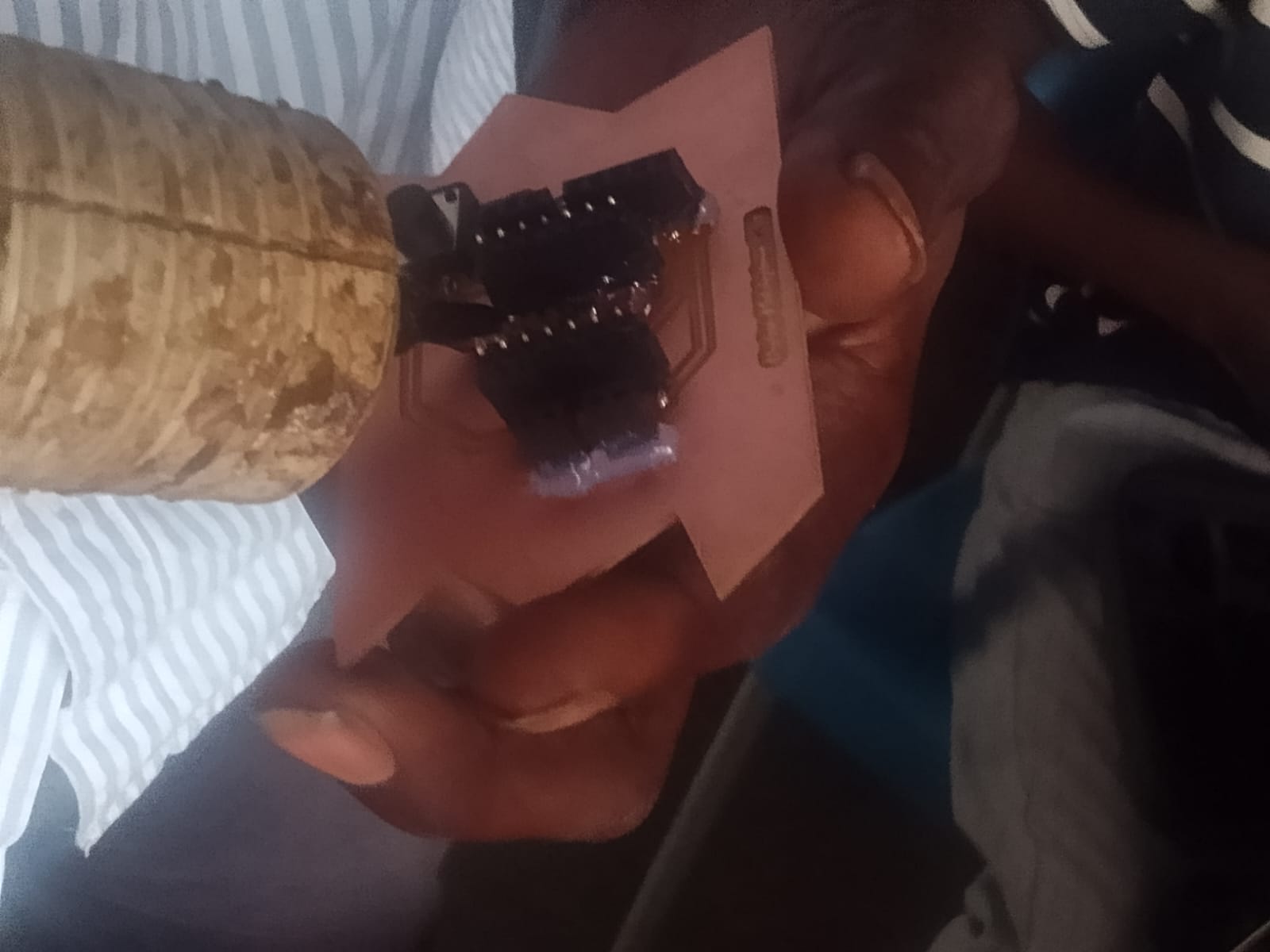
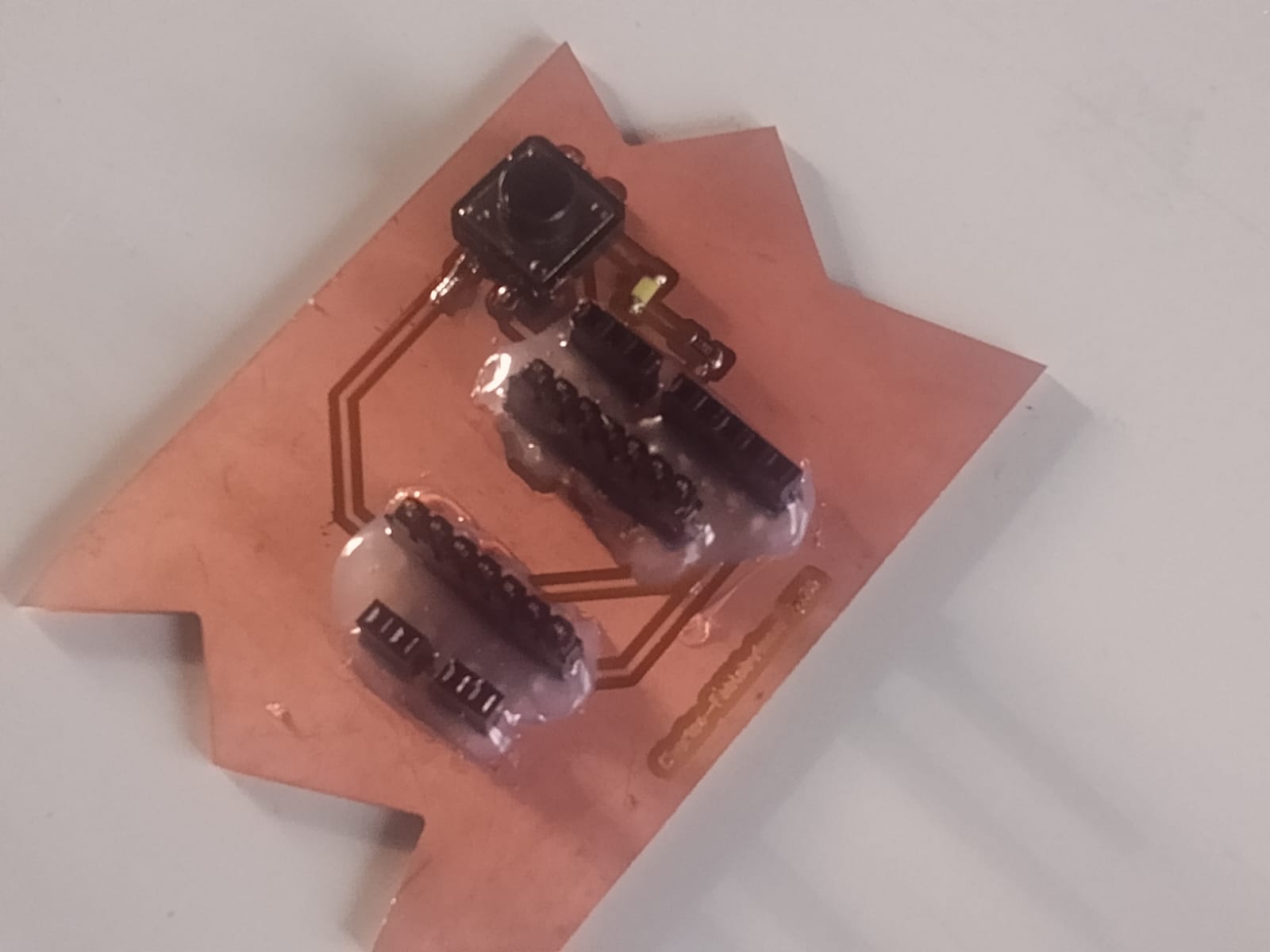
10. Testing Continuity and the Board
Before and during soldering, I repeatedly used a multimeter to test continuity. This helped me check for unwanted electrical connections between tracks and pins.
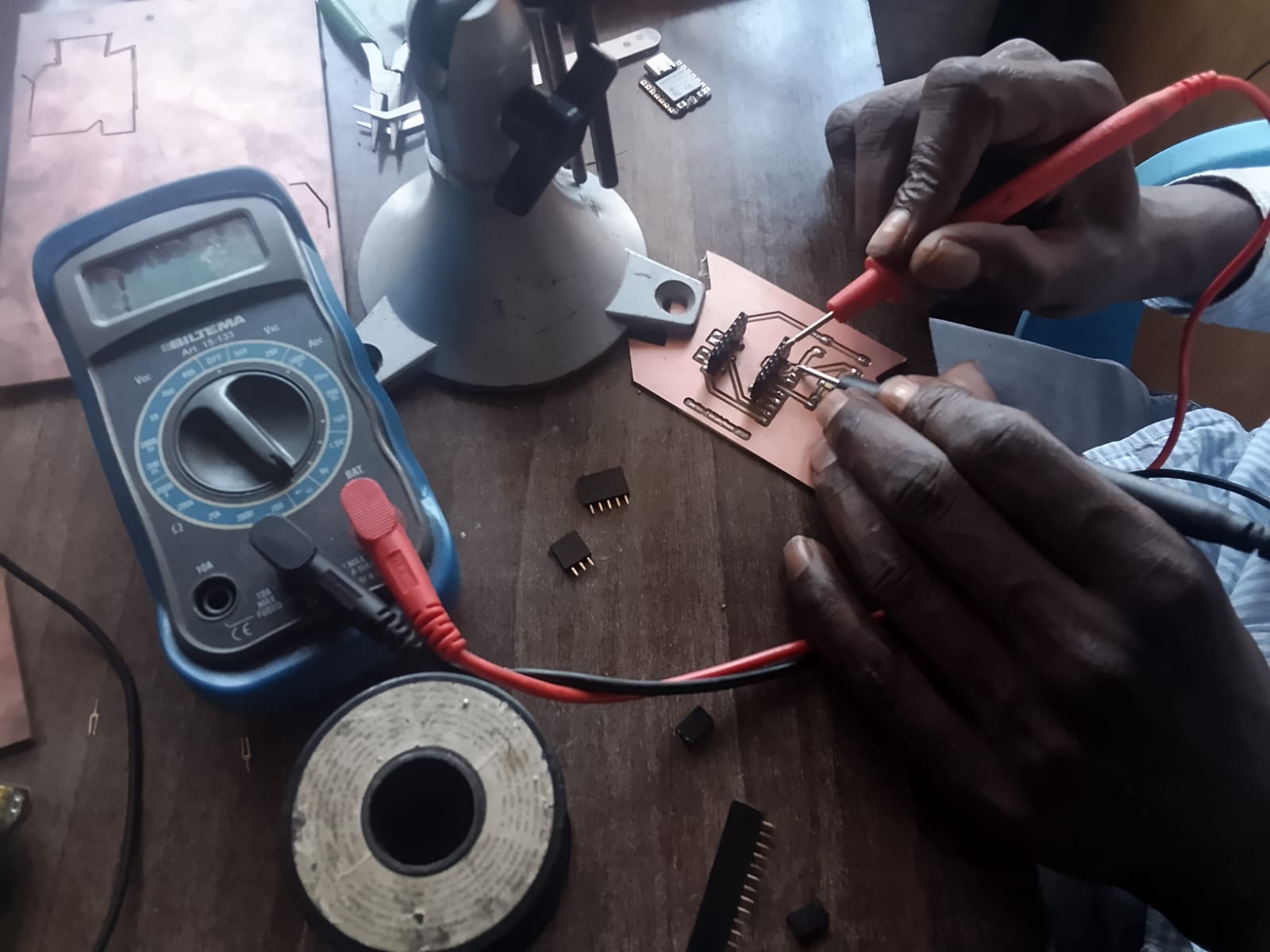
After soldering and securing the connections, I powered the board and tested the microcontroller using a blinking LED program.
The test helped me check whether the fabricated board and soldered connections could support a basic microcontroller program.
11. What I Learned
This assignment gave me practical experience in preparing, milling, soldering and testing a PCB. I also learned from the mistakes I made during the process.
The most important lessons were:
- Check the units: Always confirm that Mods is set to millimetres before generating the milling file.
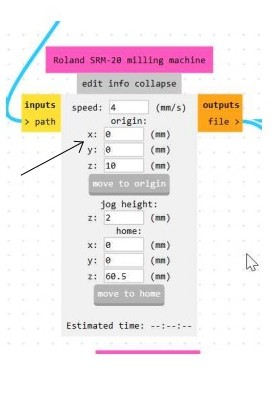
- Set the origin correctly: For the Roland SRM-20, I learned to check the home position in Mods. Under
Edit → Set Home, I set X = 0 and Y = 0. I also checked theEdit → Move to Originsettings and set X = 0 and Y = 0 while leaving Z unchanged. - Check the cutting depth: I must confirm the tool diameter, cut depth and maximum cutting depth instead of relying on default settings.
- Check the board outline: The edge cuts must match the intended PCB dimensions and remain within the correct boundary.
- Handle milling bits carefully: The tools are delicate and can break if handled roughly.
- Move the axes safely: Raise the Z-axis before moving X and Y to avoid damaging the tool or material.
- Test continuity: Using a multimeter during soldering helps identify unwanted connections before powering the board.
I learned that small mistakes in the preparation stage can affect the entire milling process. Taking time to inspect the design, check the settings and confirm the machine origin can prevent repeated failures and save both time and materials.