14. Interface and application programming
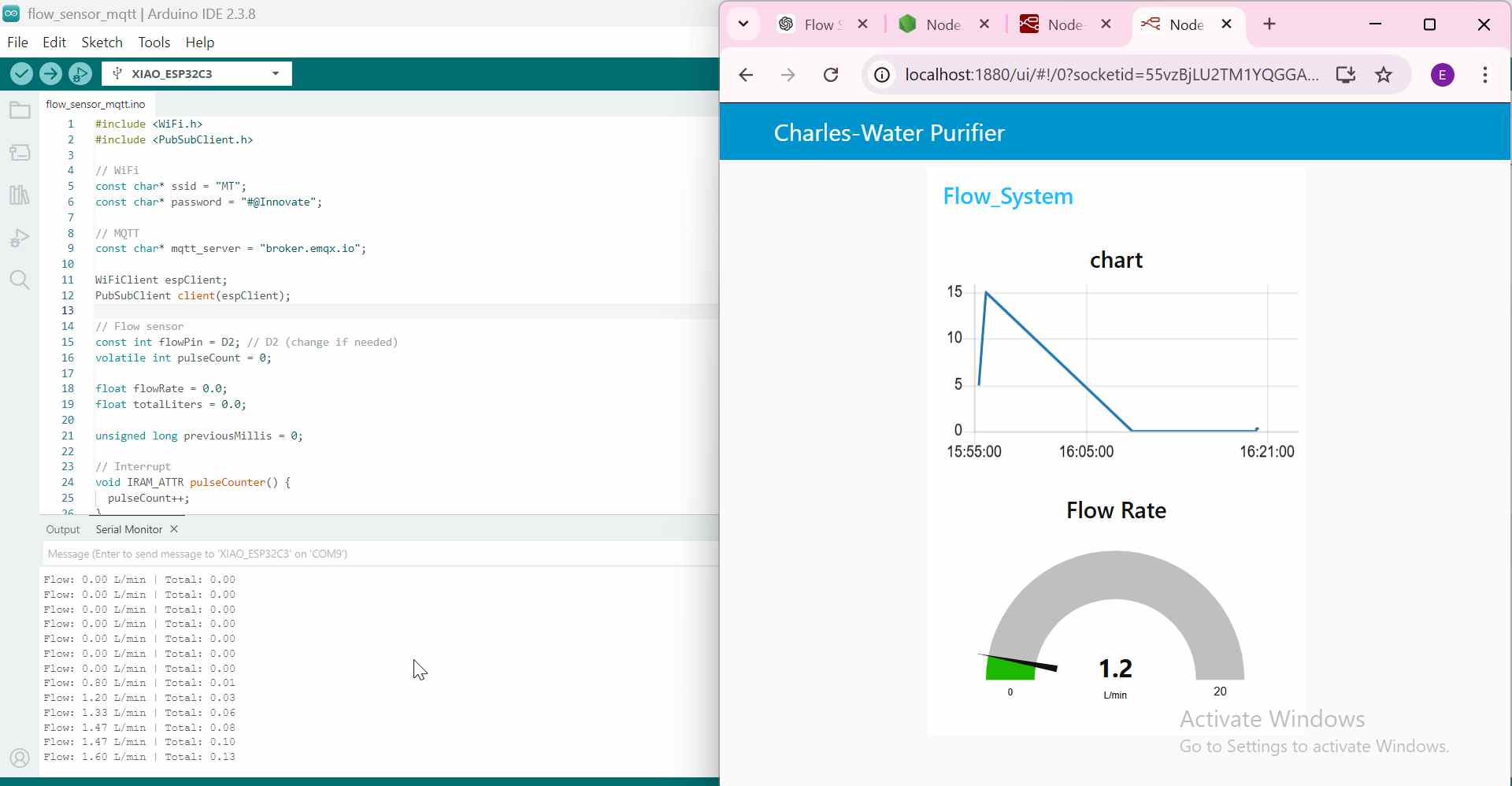
Real-Time Water Flow Monitoring System
Assignment Goal
write an application that interfaces a user with an input &/or output device that you made
Overview
I want to make a radial graphic that shows the increase and decrease of water flow rate system that reads water flow data using flow rate sensor, processes it with an seed xia-ESP32-C3, communicates via MQTT, and visualizes it on a Node-RED dashboard.
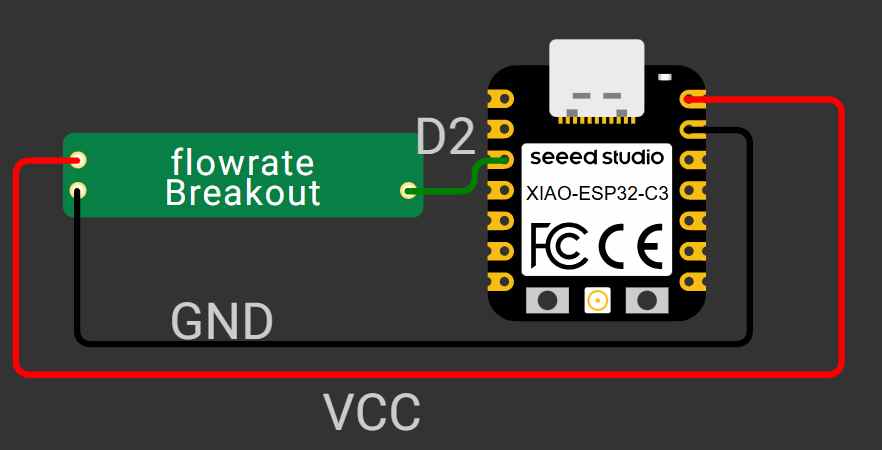
Circuit Diagram
Software Setup
Installing Node.js
Before installing Node-RED, I first installed Node.js.
Node.js is a JavaScript runtime that allows JavaScript programs to run outside a web browser. It is required to run applications such as Node-RED on a computer
Node.js is needed because Node-RED runs on it. Without Node.js, Node-RED cannot be installed or started.
I downloaded the LTS (Long-Term Support) version from the official Node.js website and completed the installation.
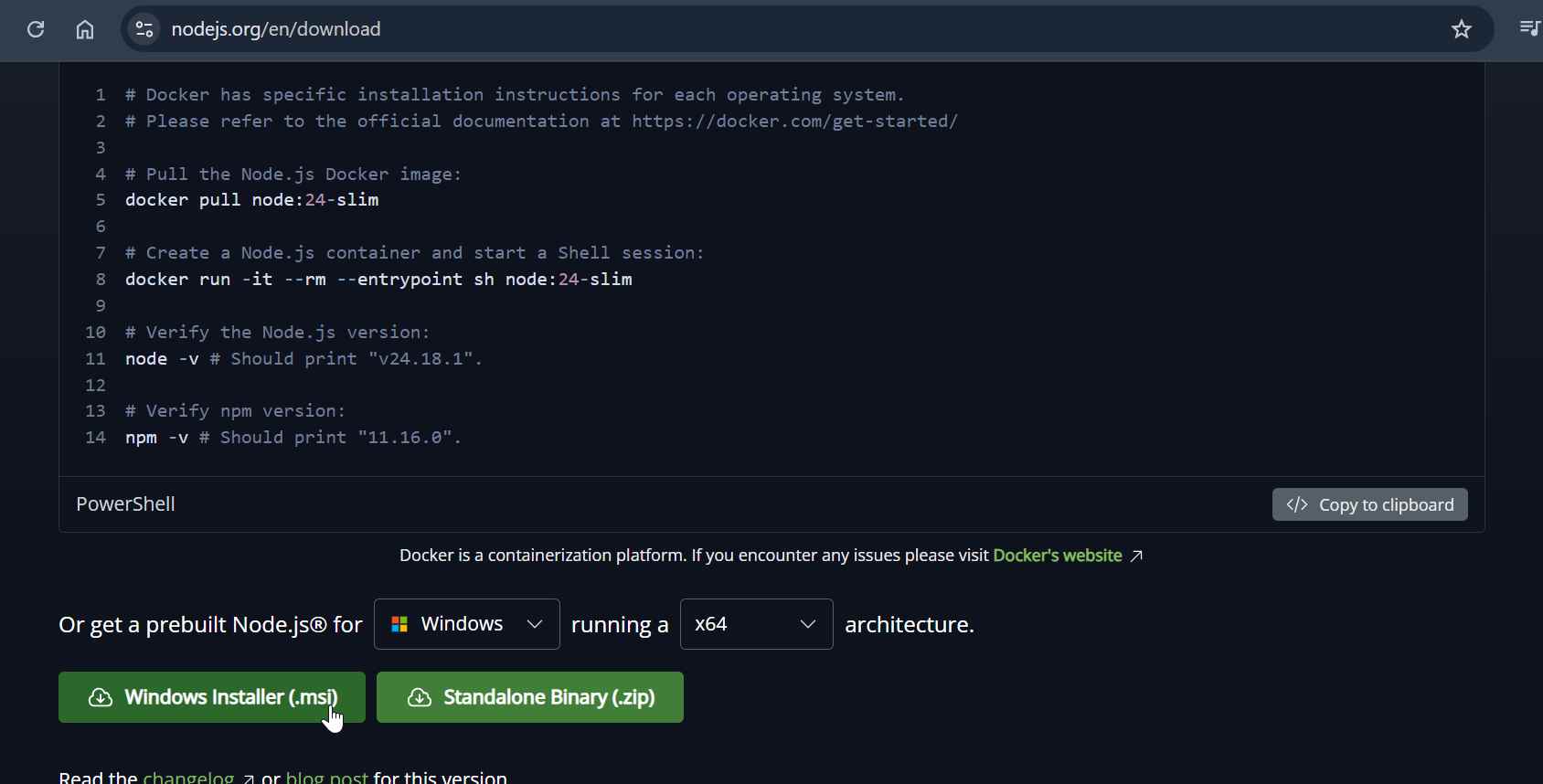
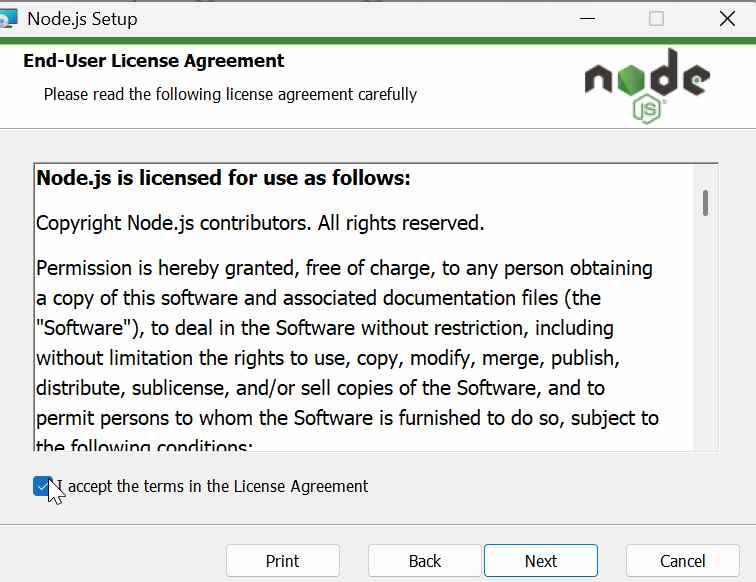
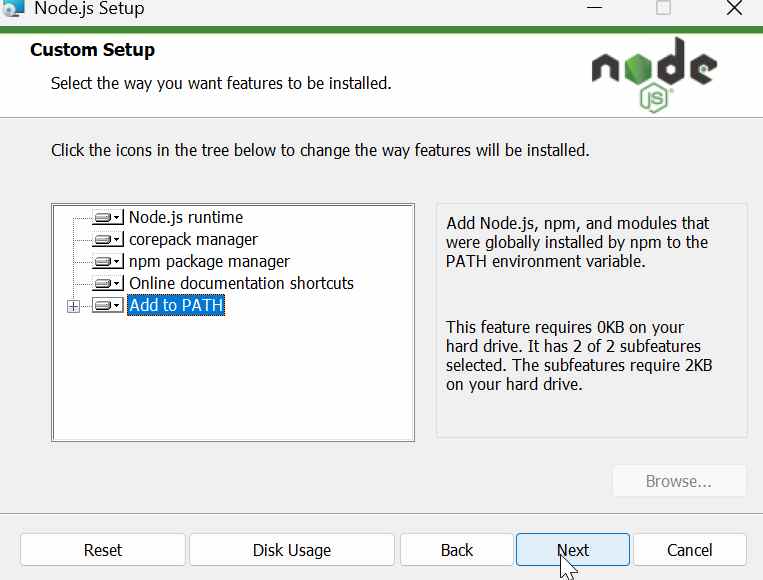
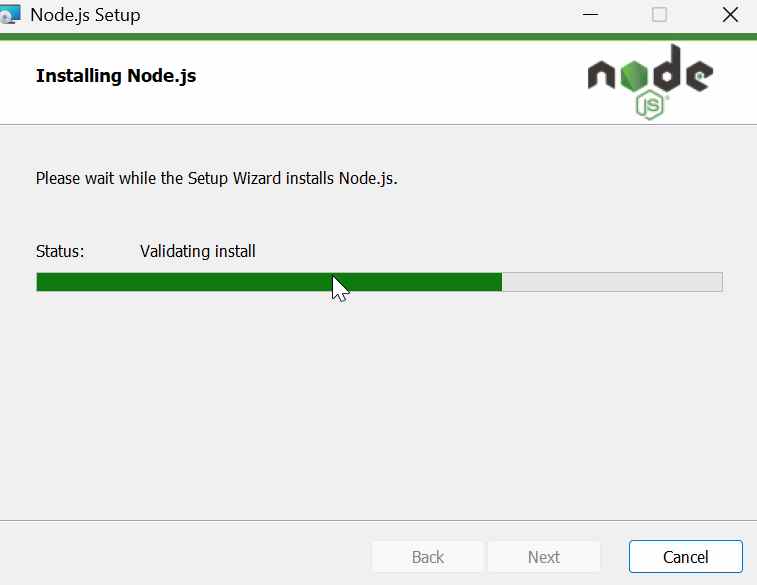
After the installation, I opened Windows Terminal and checked that Node.js had been installed correctly by running:
node -v
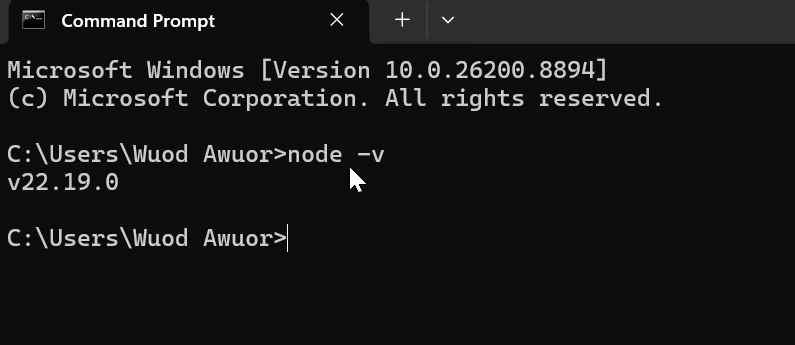
If the installation is successful, the terminal displays the installed version.
npm
npm is a package manager that comes with Node.js and is used to install and manage JavaScript packages. In this project, it was used to install Node-RED and its dashboard components.
When Node.js is installed, npm (Node Package Manager) is installed automatically. npm is used to download and install software packages. In this assignment, I used npm to install Node-RED.
To confirm that npm was installed correctly, I ran:
npm -v
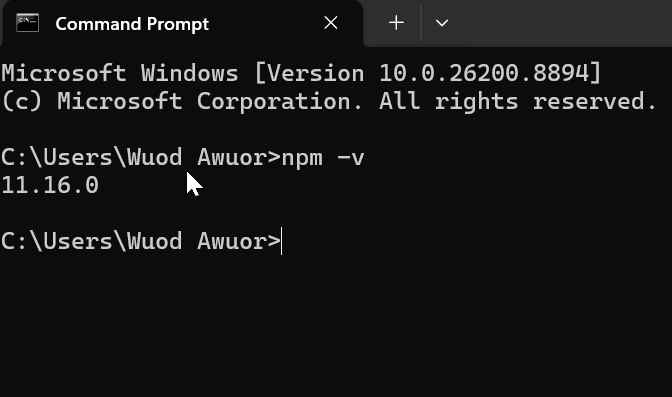
Installing Node-RED
Node-RED is a flow-based programming tool used to connect hardware devices, APIs, and online services. In this project, it was used to subscribe to MQTT data from the ESP32 and display it on a real-time dashboard.
With Node.js and **npm **installed, I installed Node-RED by running the following command in Windows Terminal:
npm install -g node-red
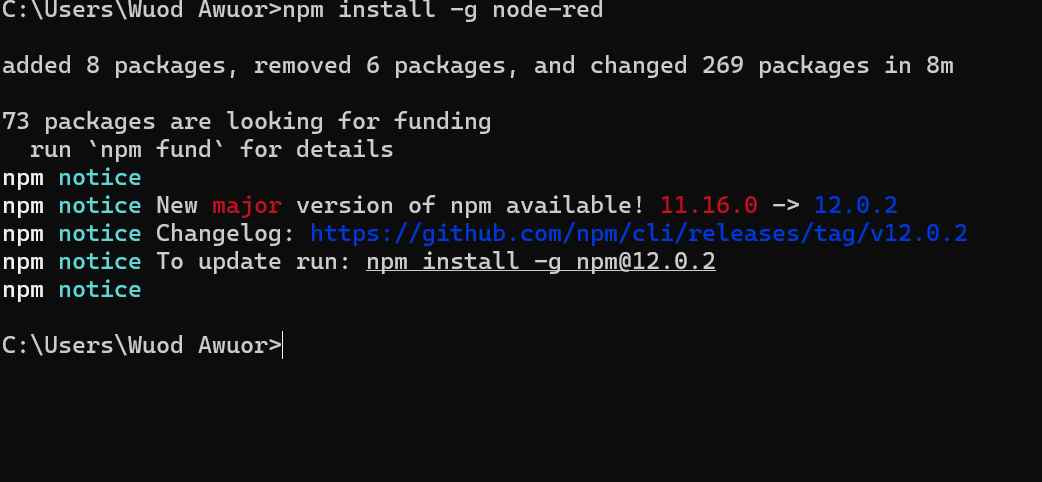
The -g option installs Node-RED globally, so it can be started from any location on the computer.
After the installation finished, I started Node-RED by running:
node-red
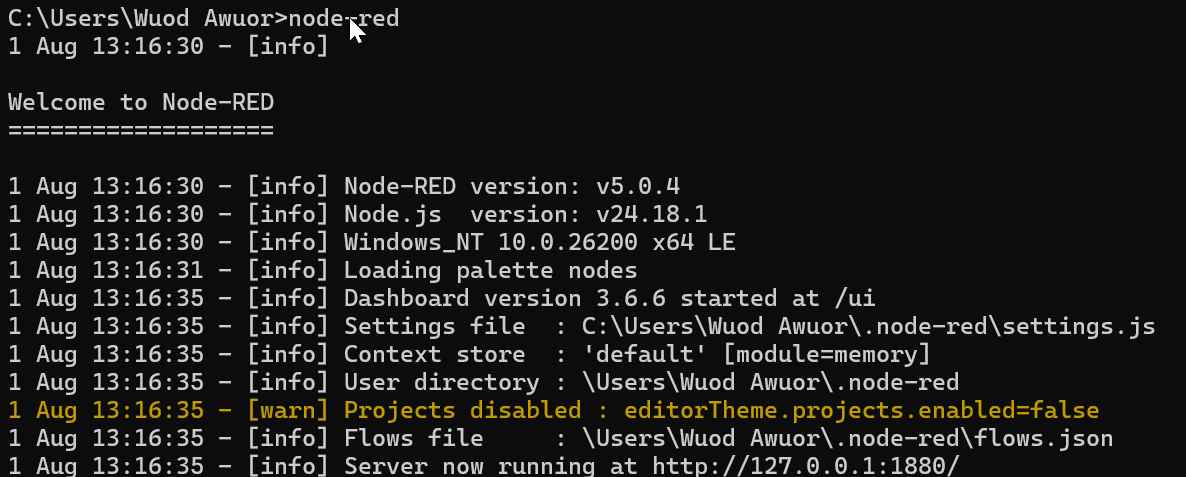
Once the server started, I opened the following address in my web browser:
http://localhost:1880
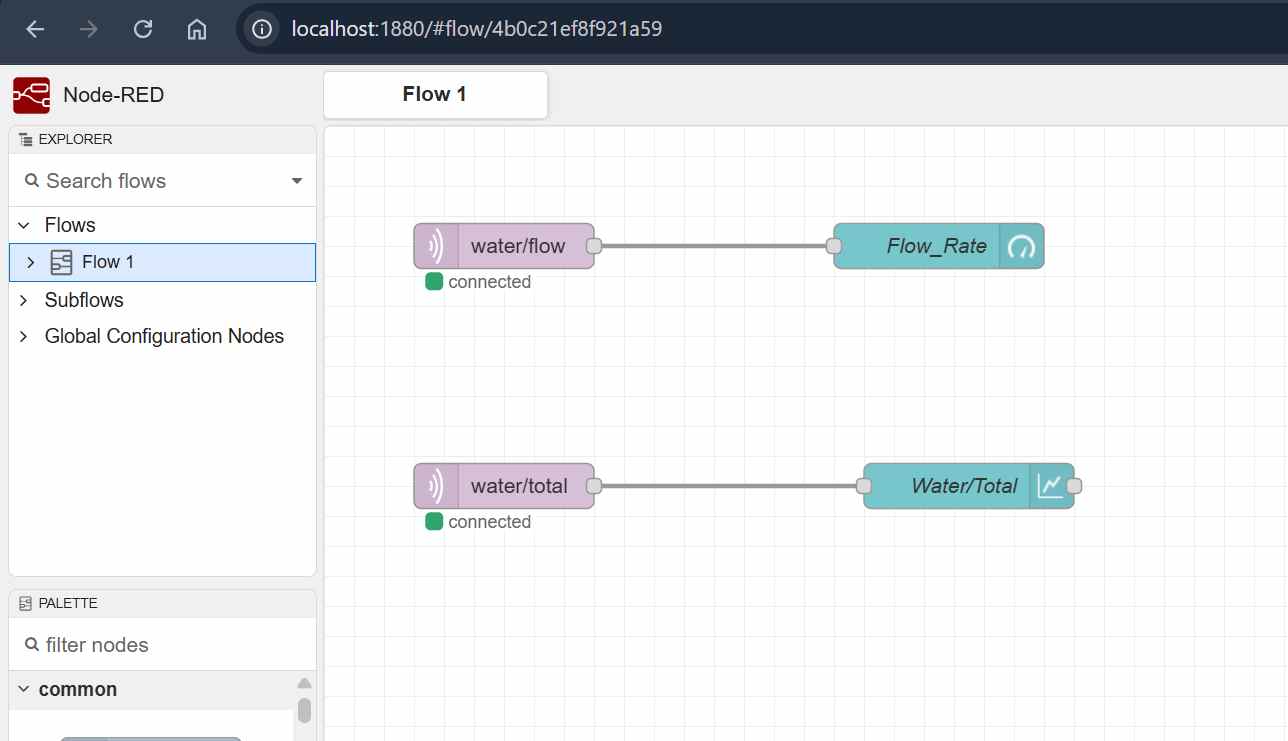
This opened the Node-RED editor, where I created the dashboard for monitoring the water flow data received from the ESP32.
MQTT Communication
mqtt protocal
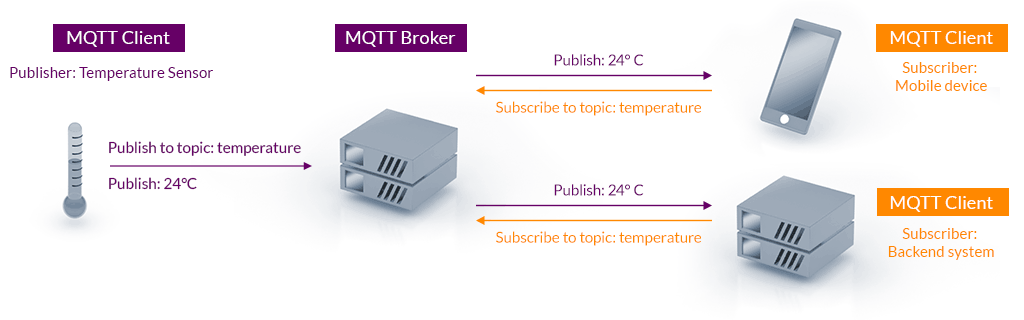
MQTT (Message Queuing Telemetry Transport) is a lightweight messaging protocol designed for communication between IoT devices. It uses a publish/subscribe model, where devices publish data to topics and other devices subscribe to receive that data.
MQTT Broker
An MQTT broker acts as a middleman that receives messages from publishers and delivers them to subscribers. For this project, I used the public MQTT broker:
Broker used: broker.emqx.io
Topics:
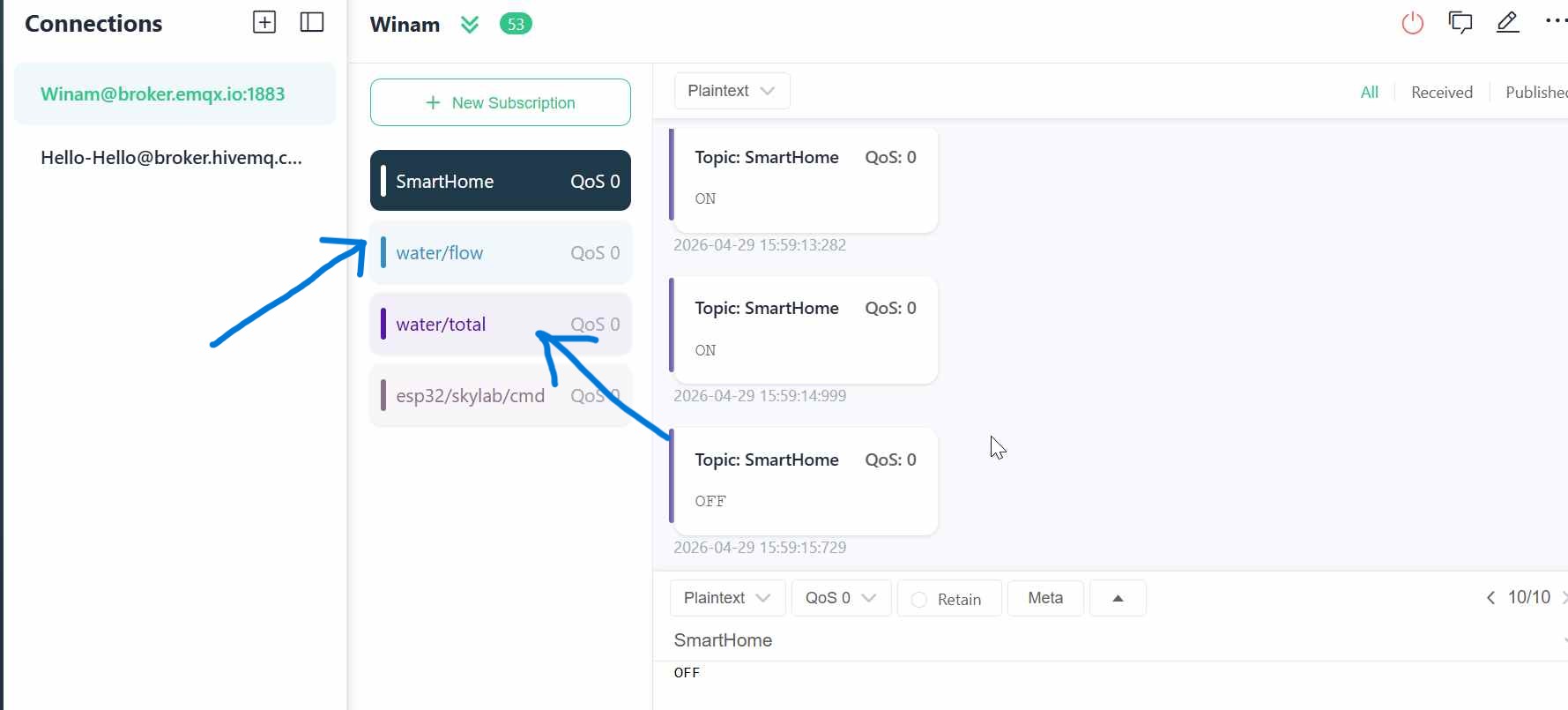
In this project, MQTT was used to send real-time water flow data from the ESP32-C3 to Node-RED. The ESP32 published the flow rate and total water usage to the topics water/flow and water/total, while Node-RED subscribed to these topics and displayed the values on the dashboard.
Why I chose MQTT
I chose MQTT because I needed a lightweight and reliable way to transmit sensor data wirelessly from the XIAO ESP32-C3 to my Node-RED application.
The water flow sensor produces data continuously, so I needed a communication method that could handle frequent small messages without requiring a heavy communication system.
MQTT uses a publish/subscribe architecture. The ESP32-C3 publishes the sensor readings to specific topics, while Node-RED subscribes to those topics and receives the data in real time.
I used two MQTT topics:
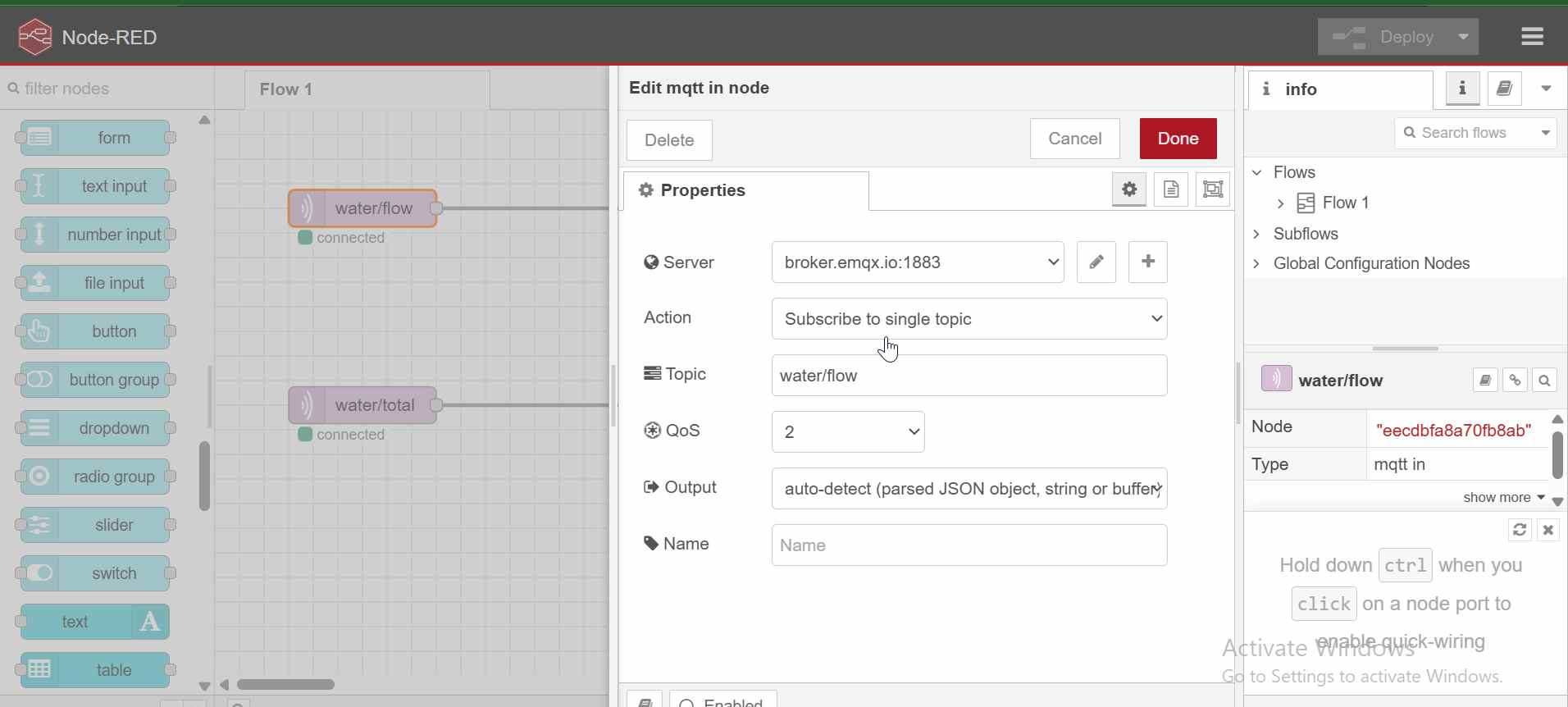
water/flow– for the current water flow rate in L/minwater/total– for the accumulated amount of water in liters
I chose MQTT because it is lightweight, commonly used in IoT systems, supports real-time communication, and allows the sensor device and user interface to operate independently. This also makes it possible to expand the system later by adding more sensors, devices, or dashboards without changing the basic communication structure.
NODE RED Configaration
- water/flow
- water/total
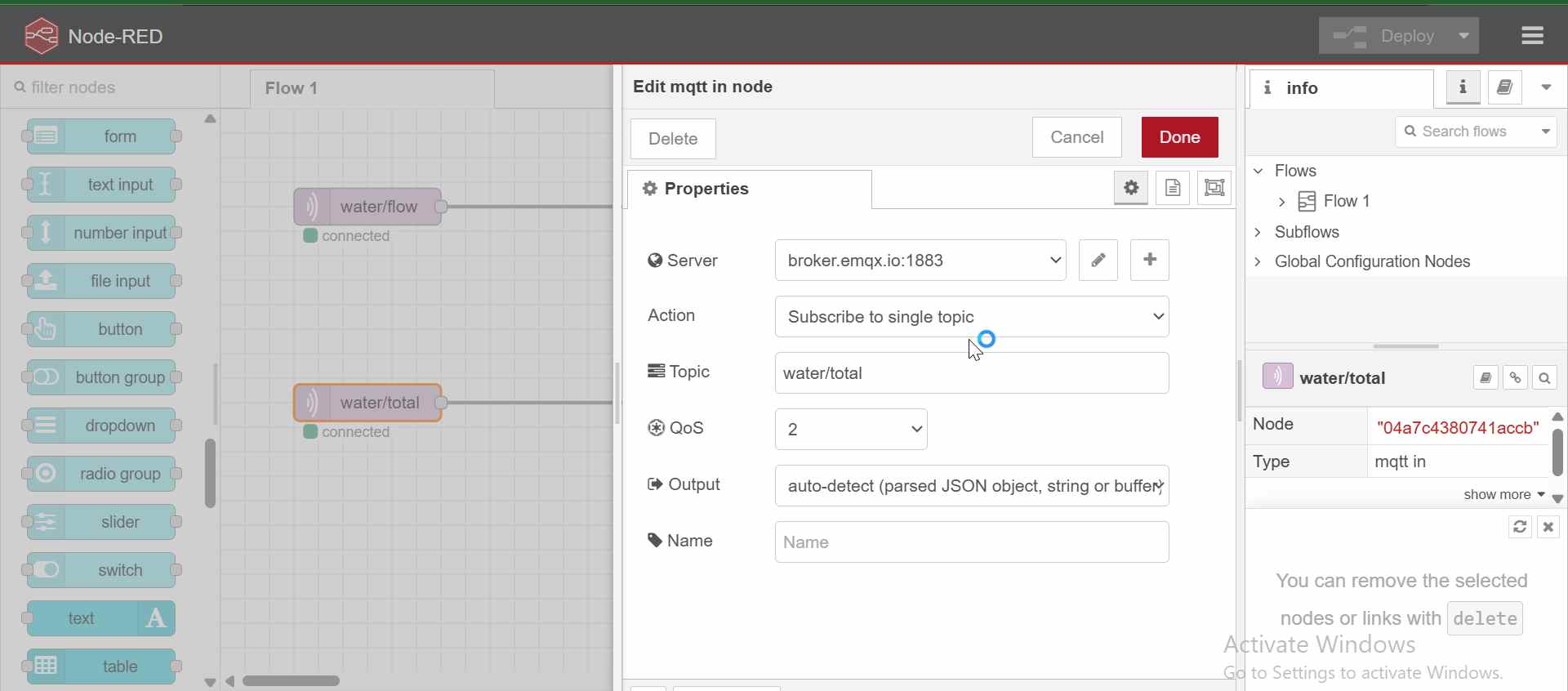
Data is sent as simple numeric values.
Node-RED Interface
Created a dashboard with:
-
Tab: Water Monitor
-
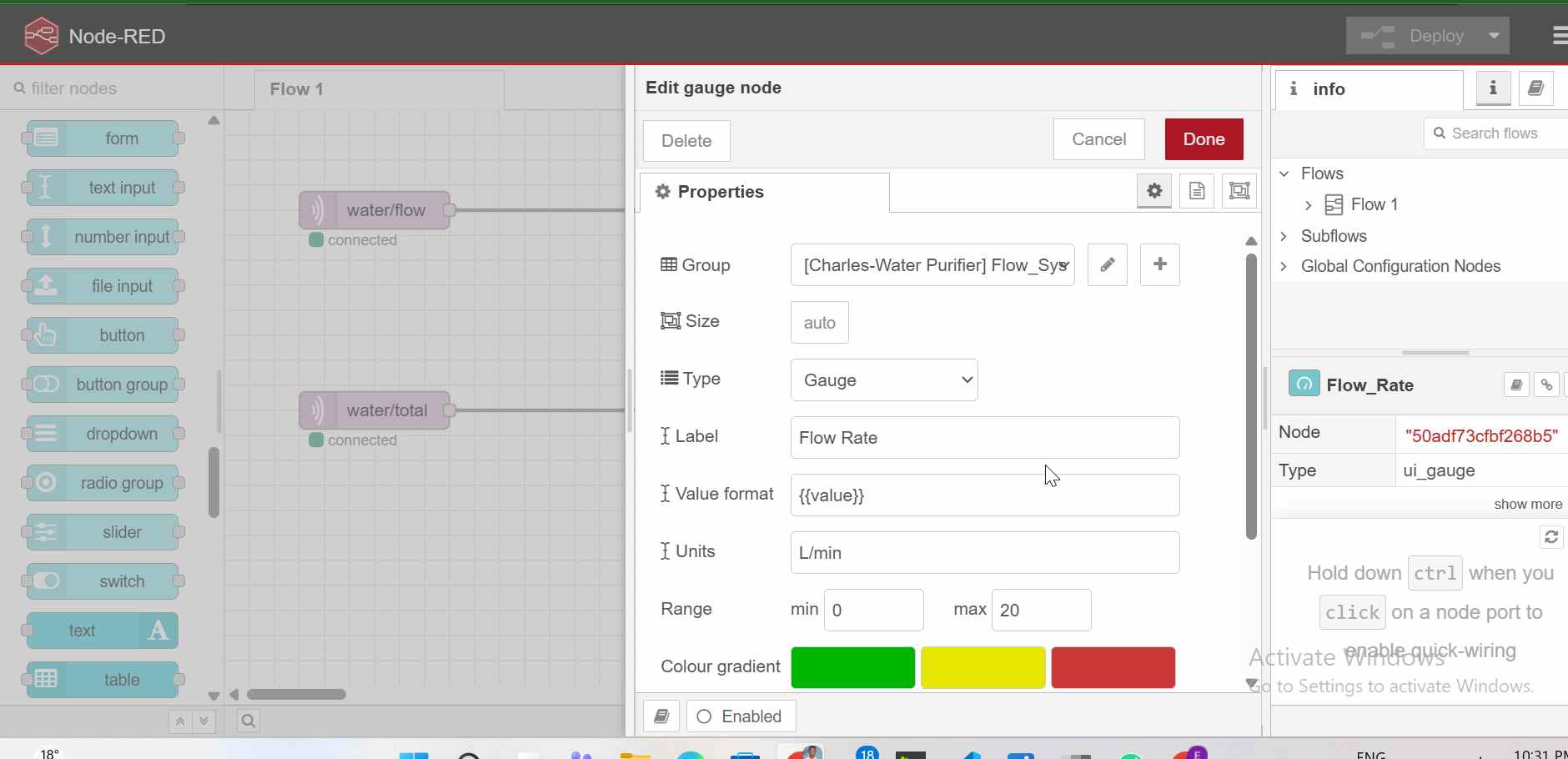
Group: Flow System - Groups were used to organize dashboard elements into logical sections. In this project, the “Flow System” group contains related data such as flow rate and total water usage
Widgets:
-
Gauge for flow rate
-
Chart for total water usage
Flow:
mqtt in (water/flow) → gauge
mqtt in (water/total) → chart
Challenges & Solutions
Sensor not working → fixed pin (D2) Chart showing JSON → used numeric values MQTT mixing → separated topics
Arduino IDE and Libraries
Installed Arduino IDE and required libraries:
-
WiFi
-
PubSubClient
ESP32 Application Code
The ESP32 reads pulses using interrupts, calculates flow rate, and sends data via MQTT.
Key logic:
Flow Rate = pulses / 7.5
Total Liters += flowRate / 60
generated the code using chatgpt prompt below
Write an ESP32-C3 (Arduino) program that reads a water flow sensor using interrupts, calculates flow rate (L/min) and total liters, connects to WiFi, and publishes real-time data to MQTT topics water/flow and water/total using broker.emqx.io
Code
#include <WiFi.h>
#include <PubSubClient.h>

// WiFi
const char* ssid = "MT";
const char* password = "#@Innovate";

// MQTT
const char* mqtt_server = "broker.emqx.io";

WiFiClient espClient;
PubSubClient client(espClient);

// Flow sensor pin
const int flowPin = D2;
volatile int pulseCount = 0;

float flowRate = 0.0;
float totalLiters = 0.0;

unsigned long previousMillis = 0;

// Interrupt function
void IRAM_ATTR pulseCounter() {
  pulseCount++;
}

// Connect WiFi
void setup_wifi() {
  WiFi.begin(ssid, password);
  while (WiFi.status() != WL_CONNECTED) {
    delay(500);
  }
}

// Reconnect MQTT
void reconnect() {
  while (!client.connected()) {
    client.connect("ESP32FlowClient");
  }
}

void setup() {
  Serial.begin(115200);

  pinMode(flowPin, INPUT_PULLUP);
  attachInterrupt(digitalPinToInterrupt(flowPin), pulseCounter, FALLING);

  setup_wifi();
  client.setServer(mqtt_server, 1883);
}

void loop() {
  if (!client.connected()) reconnect();
  client.loop();

  unsigned long currentMillis = millis();

  if (currentMillis - previousMillis >= 1000) {
    previousMillis = currentMillis;

    noInterrupts();
    int pulses = pulseCount;
    pulseCount = 0;
    interrupts();

    // Flow rate calculation
    flowRate = pulses / 7.5;

    // Total water accumulation
    totalLiters += (flowRate / 60.0);

    char flowMsg[20];
    char totalMsg[20];

    sprintf(flowMsg, "%.2f", flowRate);
    sprintf(totalMsg, "%.2f", totalLiters);

    client.publish("water/flow", flowMsg);
    client.publish("water/total", totalMsg);

    Serial.print("Flow: ");
    Serial.print(flowRate);
    Serial.print(" L/min | Total: ");
    Serial.println(totalLiters);
  }
}
- Conclusion This project demonstrates application programming, device interfacing, MQTT communication, and user interface development using Node-RED.