

Final Project — Seebscribe My Heartbeat
Wearable · Live Signal · Streaming
Final presentation
The final presentation slide and demonstration video summarize the completed Seebscribe prototype. The detailed development process continues below.
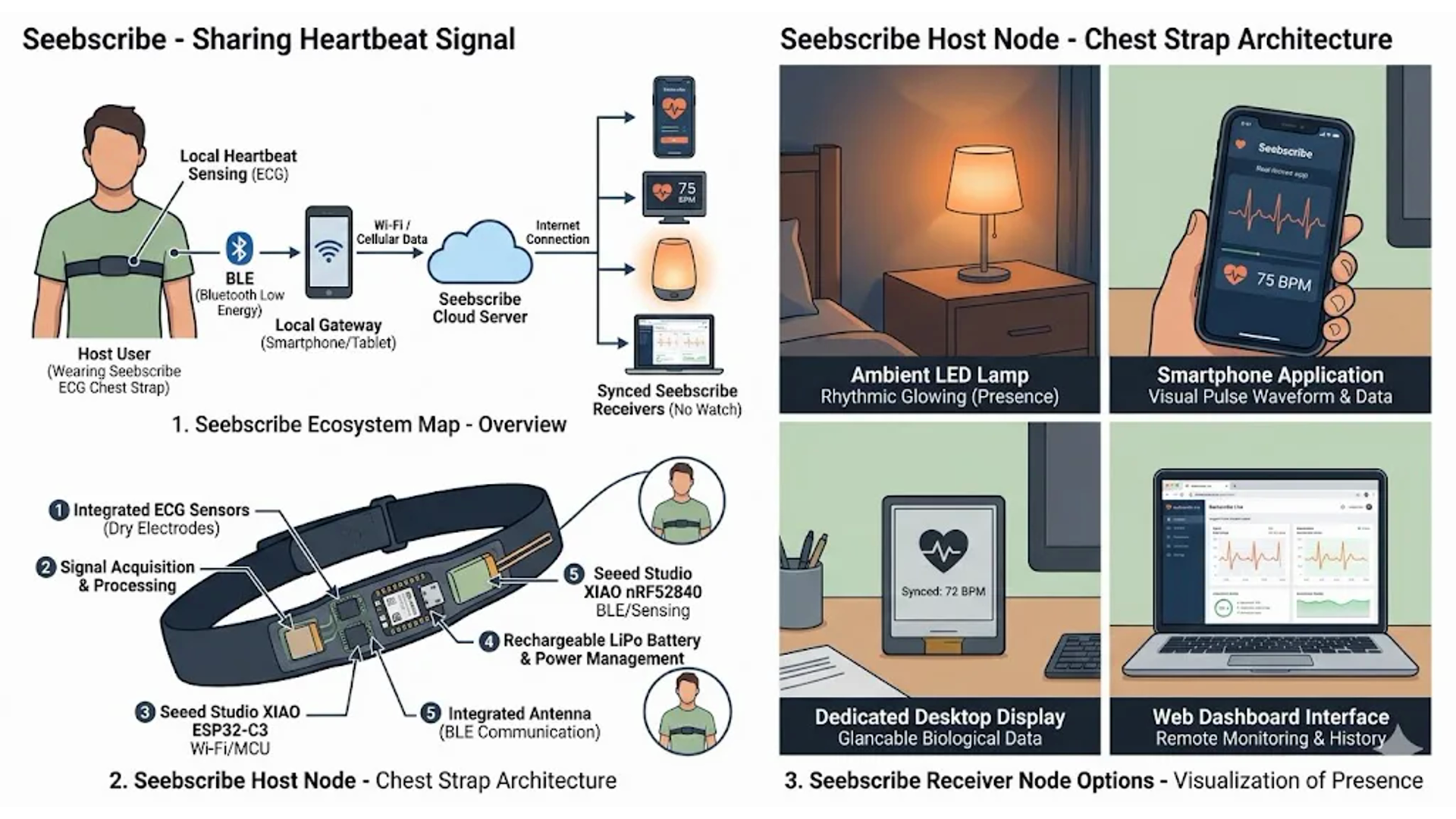
How the final project is documented
The development is presented in two connected parts. Part 1 — Signal, firmware, and dashboard proves that the AD8232 and XIAO ESP32-C3 can capture the heartbeat, calculate useful values, and display the live signal over Wi-Fi. Part 2 — System integration and final wearable turns that working electronic experiment into a battery-powered device with a custom PCB, electrode snaps, chest strap, enclosure, and reinforced internal assembly.
Part 1 answers, “Does the sensing and program work?” Part 2 answers, “Can all the components work together as a finished wearable?” Both parts are complete and together form the final Seebscribe prototype documented on this page.
Heartbeat concept notes
I started this project thinking about light — atmosphere, mood, modular control. But the more I worked with outputs, the more I wanted the light to mean something. To react to something real.
During Week 11 Networking and Communication I started experimenting with biosensors. A heartbeat turned out to be the most honest signal I could find — constant, invisible, and entirely personal. It's always there. You just can't see it.
Heartbeat Device Research
I conducted research about existing projects, competitors in the market, and potential competitors in the market to understand the direction of my Seebscribe project.
Conclusion: Closest Competitor & Seebscribe Positioning
Among all existing devices surveyed in Section 1, the closest direct competitor to Seebscribe is the Polar H10 Heart Rate Sensor. The H10 is a chest-worn ECG strap that activates automatically when the skin becomes wet during training, streams beat-by-beat heart rate and RR intervals over Bluetooth and ANT+, and retails at approximately $100 USD. It is the gold standard for consumer-grade chest ECG, trusted by athletes, researchers, and sports scientists worldwide. Its open SDK allows developers to receive raw ECG waveform data, which places it in a different category from closed fitness wearables.
Seebscribe
After experimenting with different ways to make invisible body signals visible, I came up with the idea for Seebscribe — a wearable device that captures the heartbeat and shares it as light, rhythm, or pattern. The project began from a simple thought: the heart does not only pump blood, it also produces a signal that can be sensed, translated, and shown. Rather than creating a medical device, I wanted to design a perceptual object that lets someone “subscribe” to a living rhythm — not to content, but to the body itself.
The heart doesn't just pump — it broadcasts. Every beat sends a pressure wave through the entire body, readable by an optical sensor as a flickering shadow in the fingertip. Seebscribe captures that signal and makes it visible: a wearable device that reads your heartbeat and streams it live as light, pattern, or rhythm. Not your content. Your body.
The name collapses three ideas. See — making the invisible visible. Subscribe — the internet act of following someone's output, reimagined as following someone's autonomic state. And Seebeck — Thomas Johann Seebeck, who discovered in 1821 that a temperature difference between two conductors generates voltage. For now, Seebeck is part of the name and a possible future direction for energy experiments, not the current power source.
The goal isn't medical. It's perceptual — take something you feel but never watch, and give it a form worth looking at.
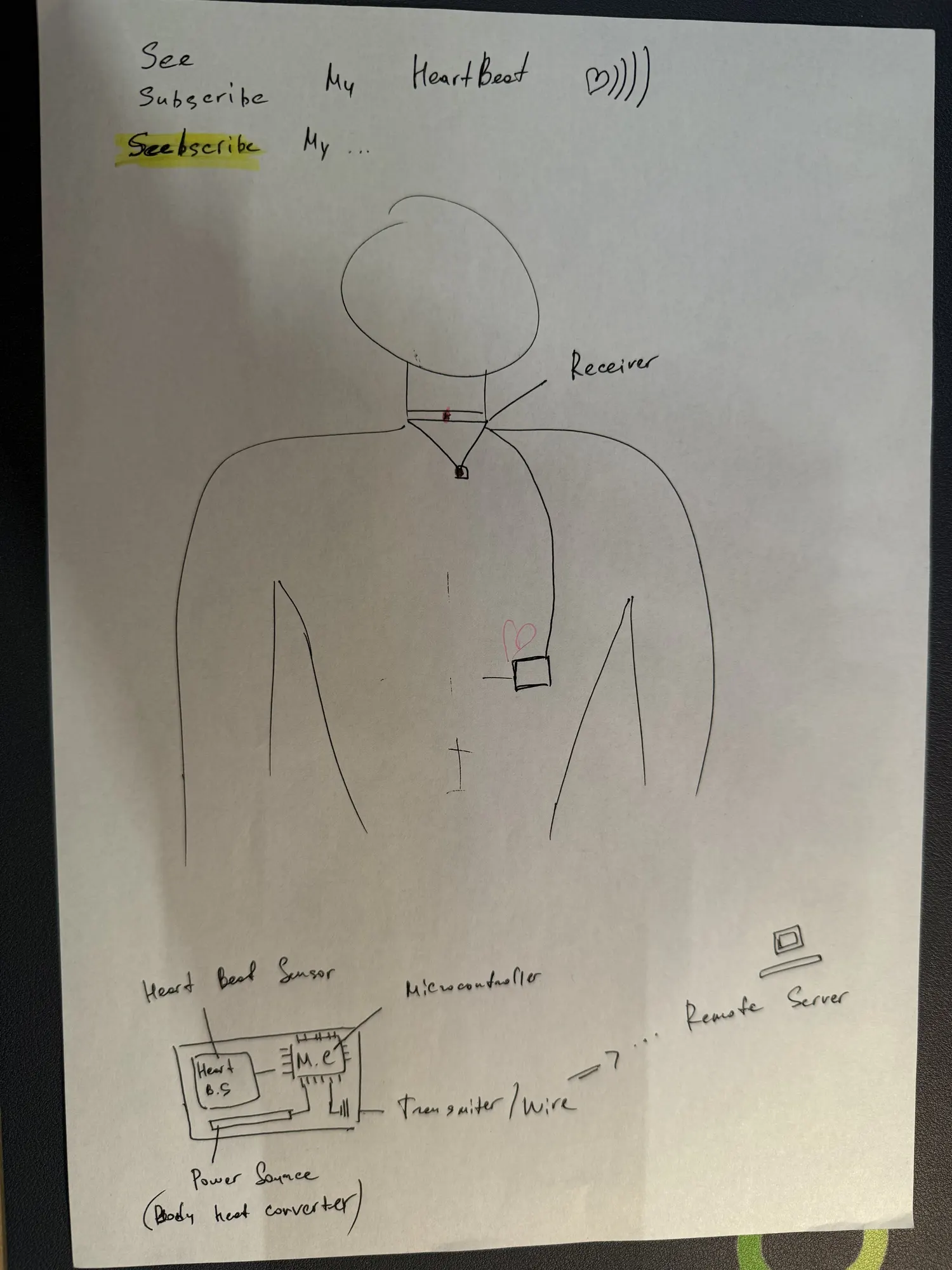
This early sketch shows the initial idea for sensing a heartbeat and transmitting the information to another device.
Concept Preview
This is an early concept page for the Seebscribe device and application. It explores how the heartbeat could become a visual output, allowing the user’s internal rhythm to be seen through light, pattern, and movement.
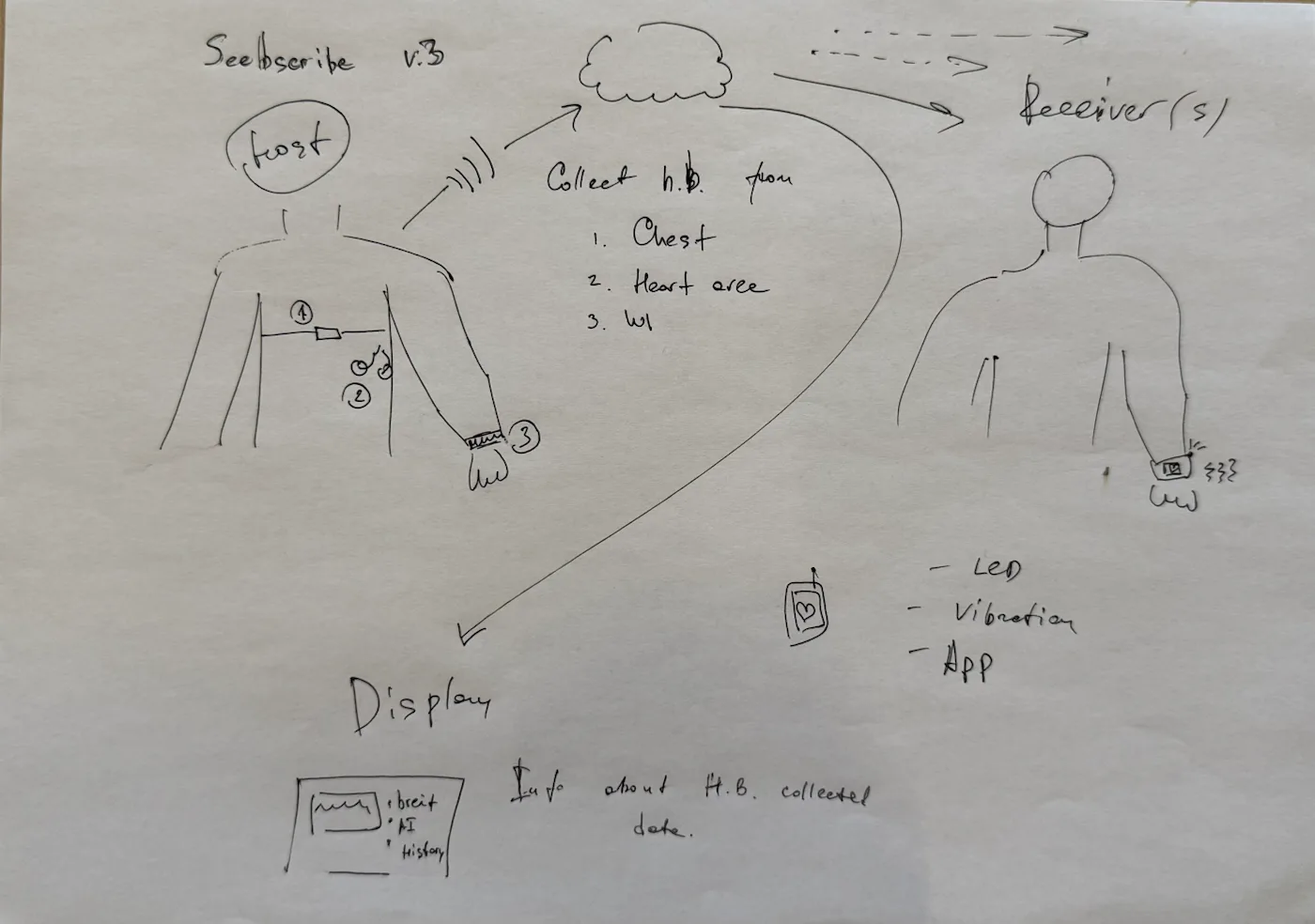
This early Seebscribe concept explored a wearable heartbeat sender connected to different receivers, displays, and physical outputs.
Open separately: seebscribe-memo.html
Seebscribe shares the same core function — capturing and transmitting a live heartbeat signal from the chest — but pursues a different direction on three axes: signal precision, sensing geometry, and openness.
Seebscribe vs. Polar H10 — Summary
The Polar H10 defines the benchmark: a closed, sport-focused ECG chest strap at about $100, with strong signal quality, long battery life, and wide app compatibility. Seebscribe starts from the same idea — reading a live heartbeat signal from the body — but moves it toward open creative use instead of only sport tracking. The goal is not just to measure the heart, but to let the signal become visible, shareable, and usable in light, screen, and media outputs.
Development Versions
The project developed through three practical versions while keeping the same controller: the XIAO ESP32-C3. The first version proved the ECG signal, the second moved the live data to Wi-Fi, and the third integrated the electronics into the wearable enclosure.
V1 — Signal validation
- Input: AD8232 ECG sensor and chest electrodes.
- Output: USB serial ECG waveform and heartbeat values.
- GUI: Python visualizer for signal testing and comparison.
- Controller: XIAO ESP32-C3 with AD8232, snap connectors, and battery power.
- Result: a stable live signal that could be compared with a Xiaomi wearable.
V2 — Wi-Fi dashboard
- Input: AD8232 ECG signal sampled by the XIAO ESP32-C3.
- Communication: Wi-Fi streaming from the wearable to a browser.
- GUI: embedded live ECG dashboard served directly by the XIAO.
- Output: raw and filtered waveform, BPM, RR interval, beat count, and signal diagnostics.
- Result: a standalone local network workflow without a permanent USB connection.
V3 — Integrated final prototype
- Electronics: custom milled carrier PCB, XIAO ESP32-C3, AD8232, LiPo battery, and electrode snaps.
- Communication: Wi-Fi connection to the embedded live dashboard.
- Body interface: adjustable elastic chest strap with removable snap contacts.
- Case: iterated 3D-printed shell and fitted cover, reinforced internally with low-temperature 3D-pen filament.
- Result: a complete battery-powered wearable that is working and ready for presentation.
An nRF52840-based version remains a possible future direction for lower-power BLE experiments. It is not part of the completed Fab Academy implementation, which uses the XIAO ESP32-C3 and Wi-Fi.
System architecture
System Overview
Seebscribe captures the body's electrical cardiac signal through two snap electrodes on an elastic chest strap. The AD8232 amplifies and conditions the small ECG signal, and the XIAO ESP32-C3 samples and processes it. The controller connects to Wi-Fi, hosts the live dashboard, and streams the ECG waveform and calculated heartbeat information directly to a browser. A custom milled carrier PCB connects the sensor, controller, battery, and electrode snaps inside the 3D-printed enclosure.
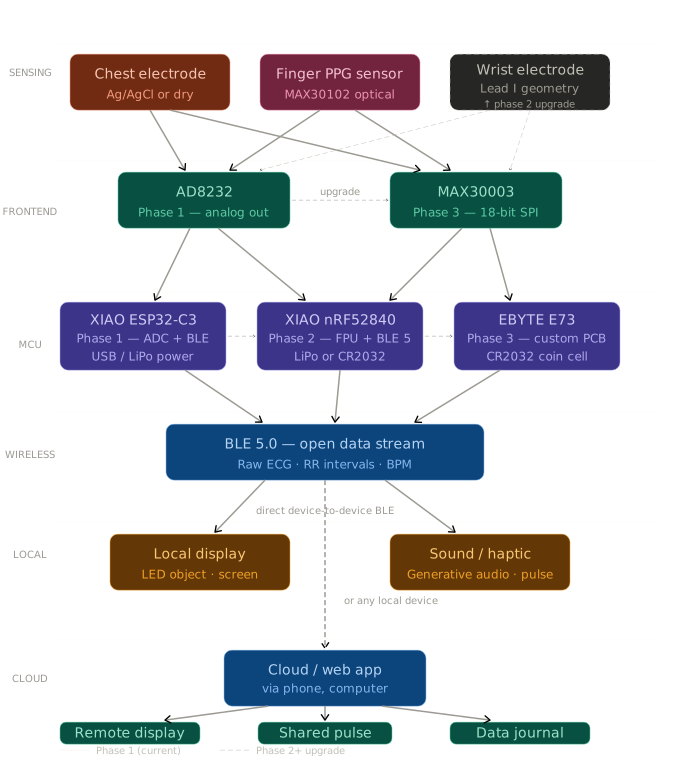
This was an early roadmap diagram. The completed implementation uses the AD8232, XIAO ESP32-C3, Wi-Fi, and the embedded browser dashboard described above.
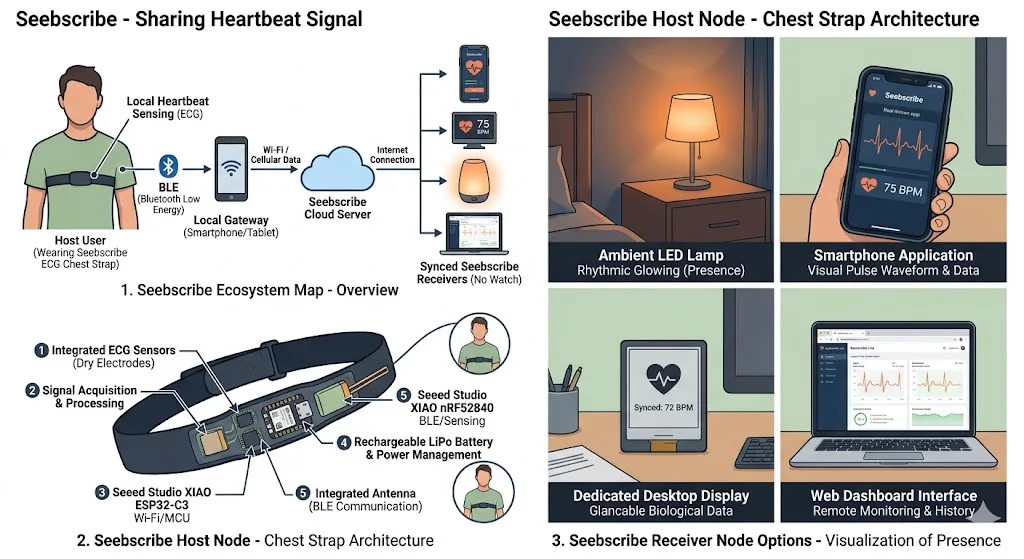
This early visualization was generated from the broader project roadmap and is retained here as part of the development history.
System integration and packaging
I integrated the heartbeat sensor, XIAO controller, LiPo battery, electrode snaps, elastic chest strap, custom carrier PCB, and 3D-printed enclosure as one wearable prototype. The complete PCB development, physical layout, measurements, enclosure CAD, packaging process, and integration tests are documented on the Week 16 page.
Sensing
The sensing layer is where the body's cardiac signal enters the device. The primary input is a chest electrode pair using Ag/AgCl gel contacts or dry metal pads, capturing the electrical activity of the heart muscle directly from the skin surface — the same fundamental approach used in the Polar H10 and clinical Holter monitors. For the final prototype, the two metal snap contacts are integrated into the strap and aligned with matching snaps in the enclosure. Earlier optical-sensor tests helped compare sensing methods, but the finished device uses the AD8232 ECG signal.
Chest strap snap electrode decision
A crucial design decision was moving from the usual disposable AD8232 ECG gel electrodes to reusable strap-mounted snap electrodes. During the first tests I used the standard AD8232 electrode leads: RA, LA, and RL wires connected to adhesive ECG pads on the body. This was useful for proving that the AD8232 and XIAO ESP32-C3 could read a heartbeat, but it was not a good final interaction: the pads are disposable, the wires move around, and the body connection does not feel like an integrated wearable object.
For the final prototype I used an adjustable elastic ECG / heart-rate chest strap with metal snap electrode pads. The strap connector is the same physical snap style used on many heart-rate monitor straps: exposed metal pads touch the skin, and matching metal snap fasteners connect the strap to the enclosure. In the BOM I list it as adjustable ECG / heart-rate chest strap with snap electrodes, with the Taobao search term 心率胸带 电极扣 心电胸带 金属按扣. I also used matching metal snap contacts, searchable as 4mm 金属按扣 电极扣 心电 扣, so another person can reproduce the mechanical and electrical interface.
Electrically, the change from gel pads to snap electrodes did not require a new sensor driver because the AD8232 still receives the same body signal on its electrode inputs. The firmware continued to read AD8232 OUTPUT on A0, and the lead-off pins LO+ and LO- on D1 and D2. What changed was the physical input device and the signal reliability: the strap had to hold the contacts firmly against the chest, the snap wiring had to be short and stable, and the code/dashboard had to make disconnected electrodes visible through the lead-off diagnostics instead of assuming the signal was always valid. This transition from disposable electrodes to a strap-mounted snap interface became one of the most important integration steps in the project.
Frontend
The analog frontend is responsible for taking the very small electrical signal from the electrodes (in the millivolt range) and preparing it for the microcontroller. In Part 1, this is the AD8232 — a dedicated single-lead ECG chip that amplifies the signal, removes baseline drift with a high-pass filter, and cuts muscle noise with a low-pass filter, outputting an analog voltage readable by the microcontroller's ADC. The completed prototype keeps the AD8232 because it produced a clear signal, was easy to integrate, and worked reliably with the ESP32-C3 dashboard. A more precise frontend such as the MAX30003 remains a future research option.
MCU
The microcontroller reads the processed signal from the frontend, runs peak detection and interval calculation in firmware, manages Wi-Fi, and serves the browser interface. The completed system uses the XIAO ESP32-C3 throughout: it is compact, Arduino-compatible, includes Wi-Fi, can run from the LiPo battery, and fits the custom carrier-board footprint. Keeping one controller reduced integration risk and allowed the electronics, enclosure, and software to be finalized together.
Wireless
The XIAO ESP32-C3 connects to the local Wi-Fi network and serves the dashboard directly. The browser receives live sample packets through Server-Sent Events and displays the waveform, BPM, RR interval, beat count, signal quality, and diagnostic information. This keeps the data stream open and avoids dependence on a proprietary application.
Local output
The main local output is the browser dashboard on a computer or phone connected to the same Wi-Fi network. It presents the ECG trace and heartbeat metrics in real time. The data can later drive lights, sound, or haptic outputs, but those are extensions beyond the completed wearable.
Cloud output
The current Fab Academy prototype operates on the local network. A future version could send the same open data to a remote server for authenticated sharing, multiple viewers, session recording, or two-person heartbeat visualization.
Two-part project roadmap
Part 1 — Signal, firmware, and dashboard
Part 1 established the electronic and software foundation: AD8232 sensing, XIAO ESP32-C3 sampling, signal processing, heartbeat detection, Wi-Fi communication, and the live browser dashboard. It ended when the measured heart rate closely matched the Xiaomi wearable during a side-by-side test.
Part 2 — System integration and final wearable
Part 2 packaged the proven system into its final physical form. This included milling custom PCB iterations, integrating battery power and electrode snaps, printing and improving the enclosure, mounting the device on the elastic strap, and using low-temperature 3D-pen filament to make the internal assembly rigid. The result is the complete version presented for Fab Academy.
List of the Project Tasks
The schedule below records the work required for the Fab Academy version. All required work in Parts 1 and 2 is complete. Additional ideas are separated into a future development list so they do not obscure the finished project scope.
| Work area | Tasks | Status | Estimated due time |
|---|---|---|---|
| Electronics & Sensing |
|
Complete | Completed |
| Firmware |
|
Complete | Completed |
| Custom PCB |
|
Complete | Completed |
| System Integration |
|
Complete | Completed |
| Documentation |
|
Complete | Completed |
After Part 2 — Future development
- Measure battery duration and improve low-power behavior.
- Improve filtering and motion-noise rejection.
- Make the enclosure thinner and more comfortable for longer use.
- Add remote sharing, saved sessions, or multiple dashboard viewers.
- Explore an nRF52840/BLE version only as a later low-power alternative.
- Investigate a higher-resolution ECG frontend for future research.
Part 1 — Signal, firmware, and dashboard
The purpose of Part 1 was to prove the complete digital signal path before designing the final package. I connected and tested the sensor, developed the firmware and visualization, improved heartbeat detection, and compared the live result with a Xiaomi wearable. At this stage the components were still accessible for experimentation and were not yet packaged as a finished product.
Wiring my custom Yaro board and AD8232
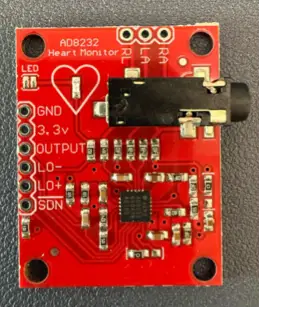
AD8232 Pin Breakdown
Power
Pin |
What it is |
Connect to |
|---|---|---|
3.3V |
Power supply |
3.3V on Yaroboard |
GND |
Ground |
GND on Yaroboard |
Signal output
Pin |
What it is |
Connect to |
|---|---|---|
OUTPUT |
Analog ECG signal |
Any ADC pin on ESP32-C3 (e.g. D0/A0) |
Leads-off detection
Pin |
What it is |
Connect to |
|---|---|---|
LO+ |
Detects if positive electrode lost contact |
Any digital input pin (e.g. D1) |
LO− |
Detects if negative electrode lost contact |
Any digital input pin (e.g. D2) |
SDN |
Shutdown — pull LOW to disable chip |
Leave unconnected or tie to 3.3V to keep active |
Electrode connections — this is the key part
Pin |
What it means |
Where to attach |
|---|---|---|
RA |
Right Arm |
Electrode on right chest / right side |
LA |
Left Arm |
Electrode on left chest / left side |
RL |
Right Leg drive (RLD) |
Third reference electrode — lower chest or abdomen |
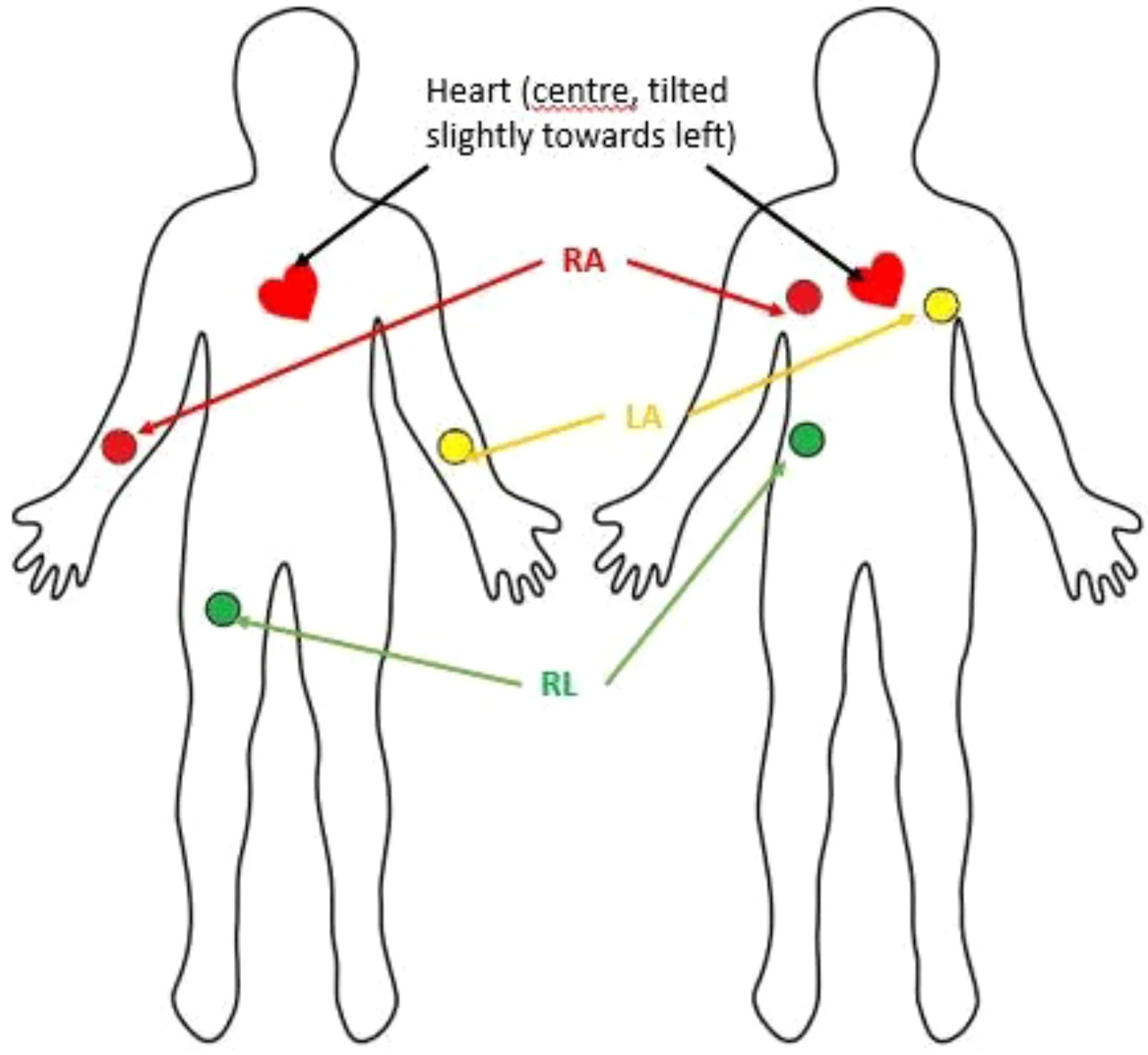
These names come from the clinical ECG convention — they don't mean you literally attach to an arm. For your chest configuration:
· RA → right chest electrode
· LA → left chest electrode
· RL → lower chest or lower left abdomen (noise reference)
Wiring to Yaroboard
AD8232          Yaroboard (ESP32-C3)
--------        ---------------------
3.3V    ----->  3V3
GND     ----->  GND
OUTPUT  ----->  D0  (ADC pin, reads analog ECG)
LO+     ----->  D1  (digital in, HIGH = electrode off)
LO-     ----->  D2  (digital in, HIGH = electrode off)
SDN     ----->  leave floating or tie to 3V3
RA      ----->  right chest electrode (snap/wire)
LA      ----->  left chest electrode (snap/wire)
RL      ----->  lower abdomen electrode (noise reference)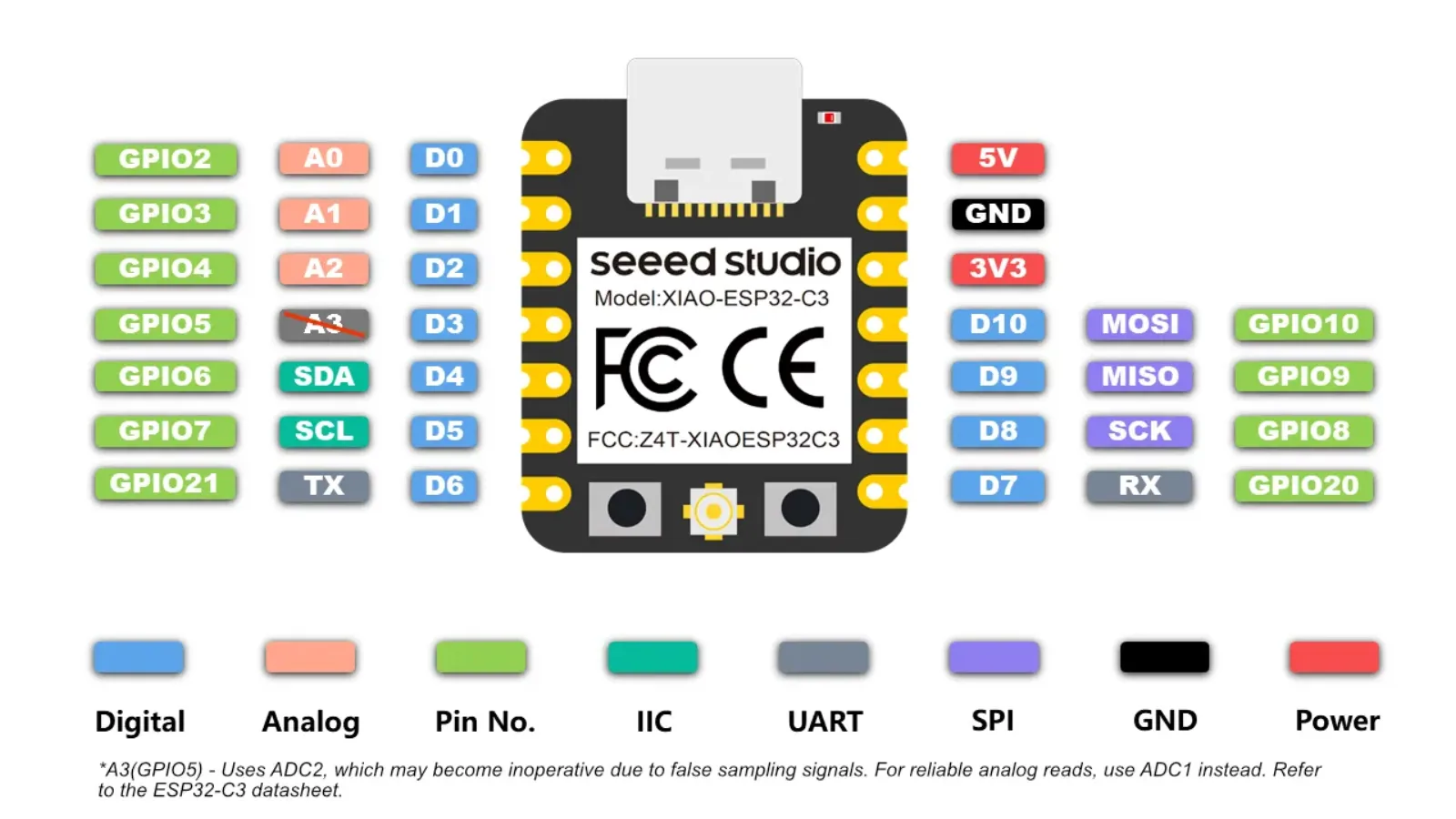
XIAO ESP32-C3 pinout reference.
For easy connection I solder Pin header to AD8232 board
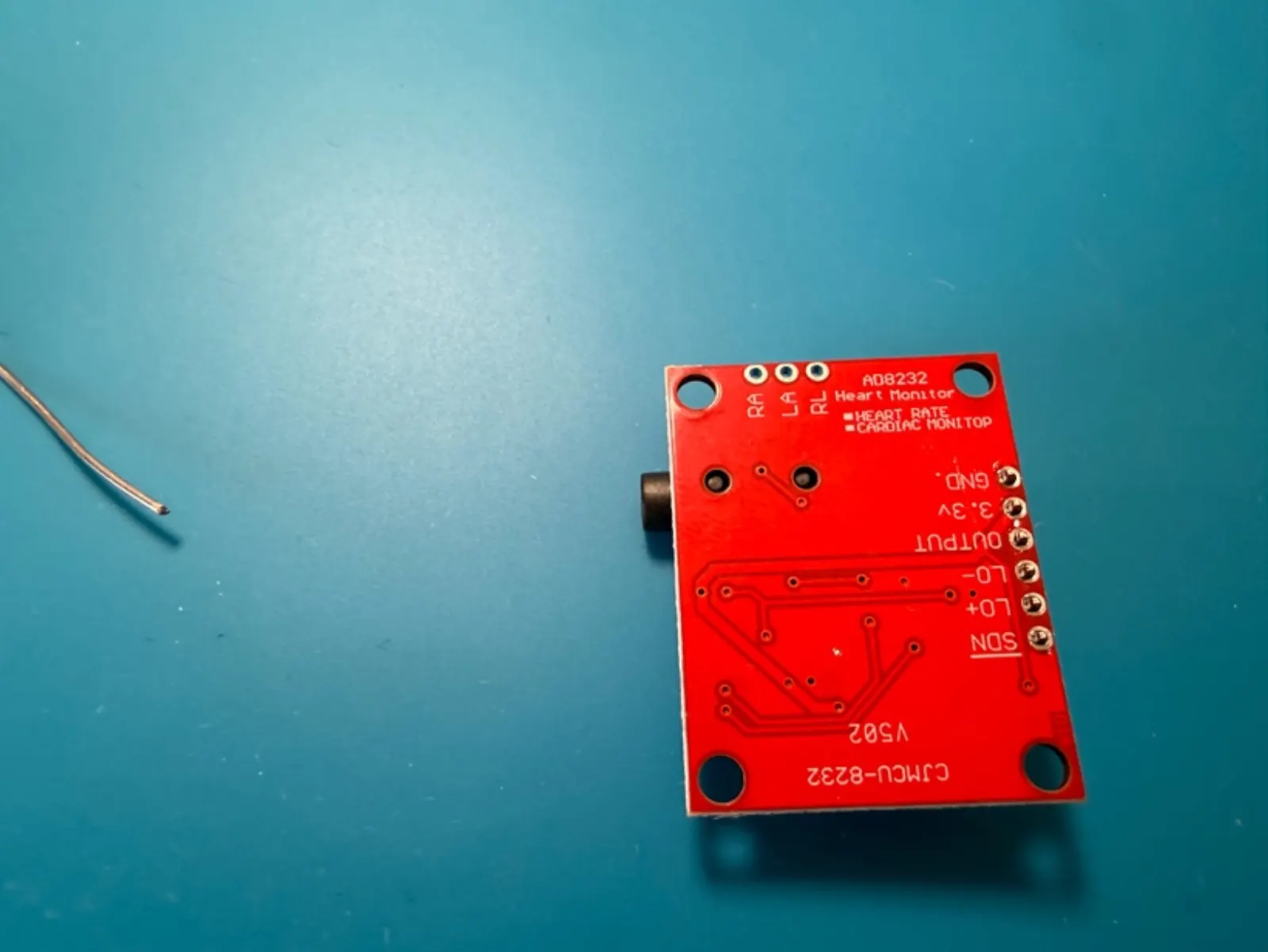
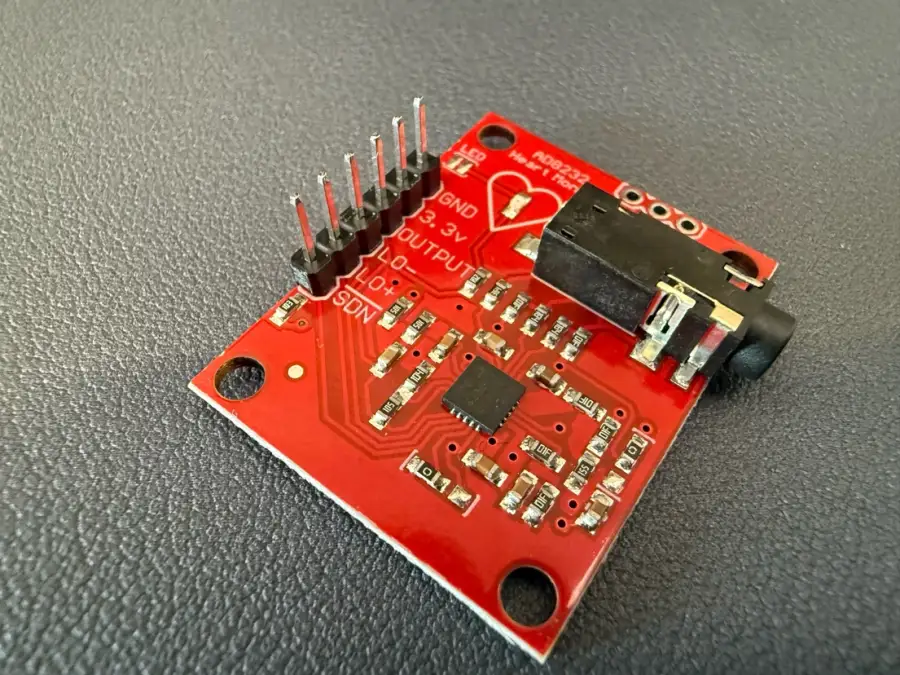
For the wiring part, this was quite easy because I used jumper wires and I have pin headers.
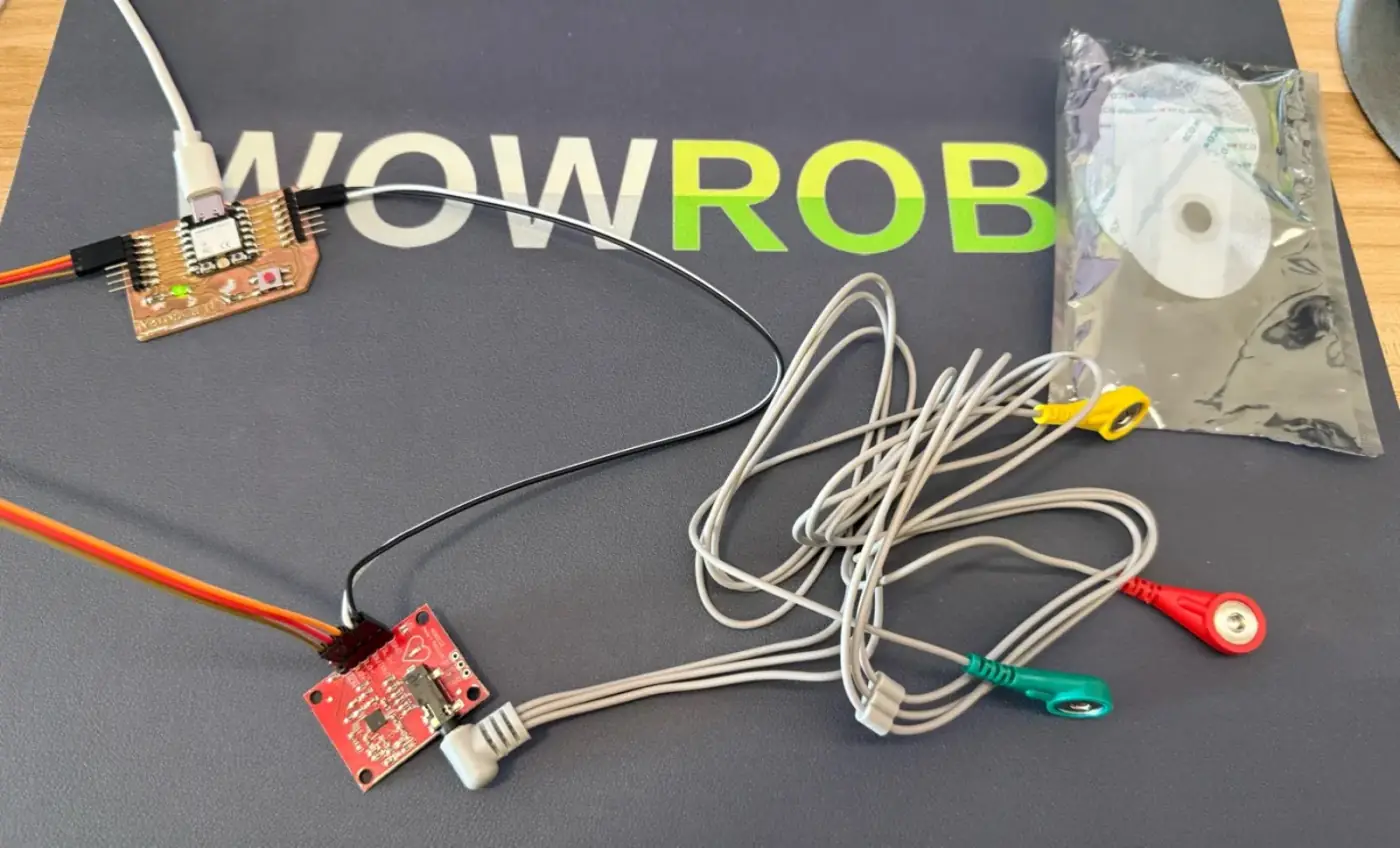
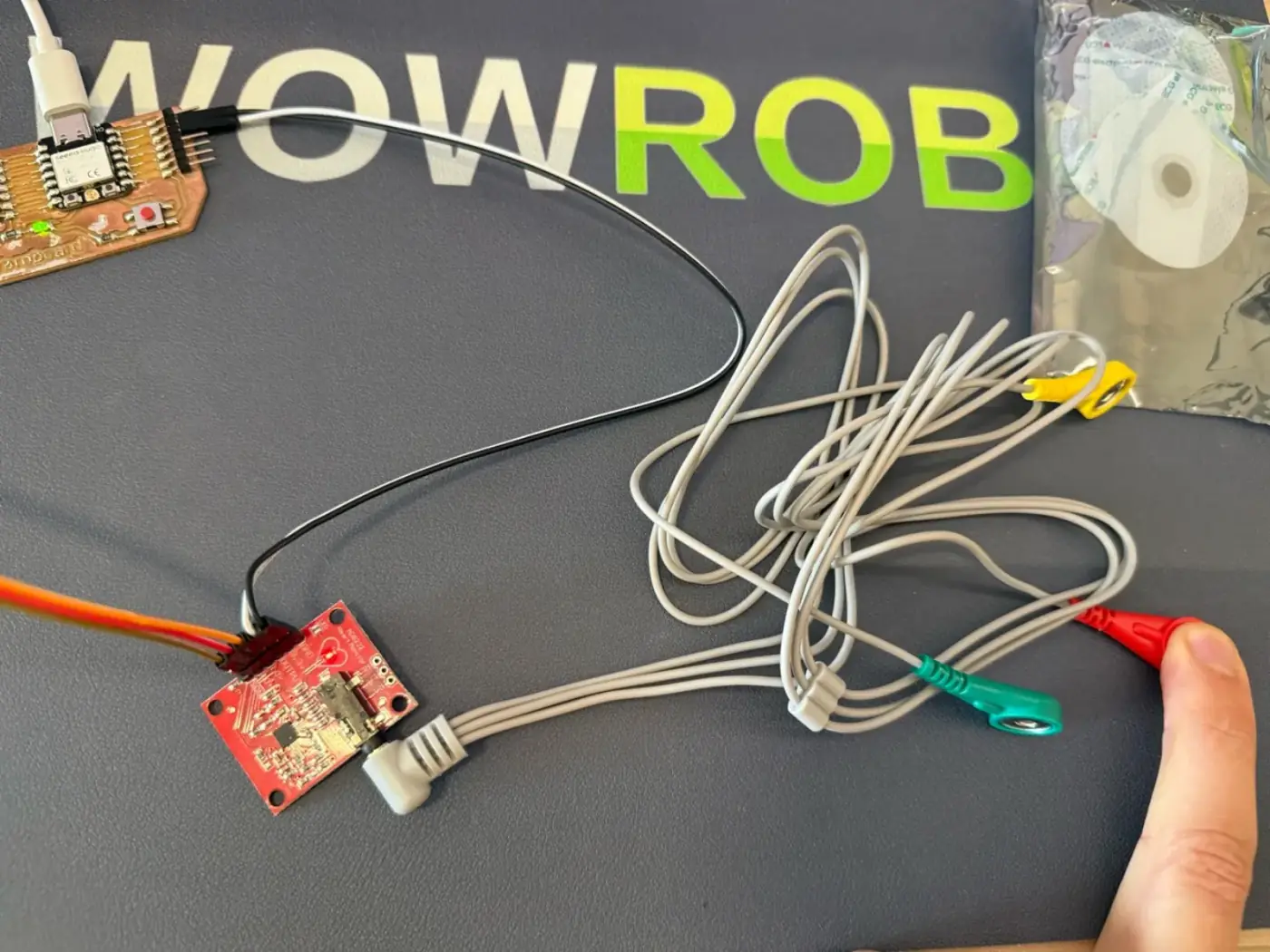
Also, when I'm connected to the power and I can touch some electrodes, I can see that the AD8232 boards start blinking
Next is positioning electrodes to harvest an accurate heartbeat signal. Here is a diagram of how to make it better.
I also found an article about how to experiment with Arduino and AD8232 board to harvest the heartbeat signal.
Connecting electrodes
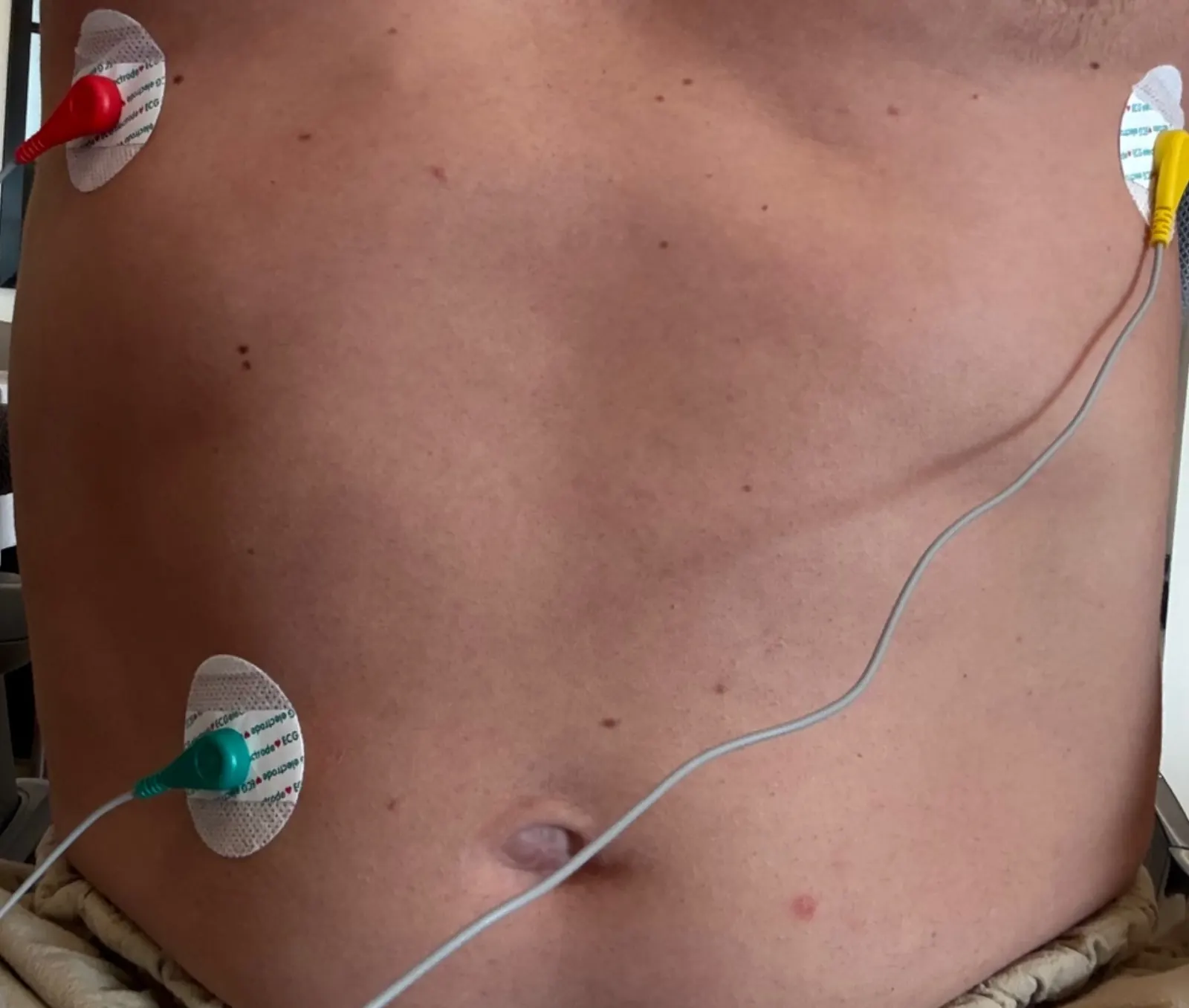
I ask AI to generate simple code to check sensor AD8232 and some heartbeat signals.
Generate a simple code for ESP32-C3 and AD8272 sensor to check the electrodes and heart beat signal:Check code:
// ─────────────────────────────────────────────
// Seebscribe — AD8232 ECG reader
// XIAO ESP32-C3 + AD8232
// View output in: Tools → Serial Plotter
// ─────────────────────────────────────────────
const int ECG_PIN  = A0;  // AD8232 OUTPUT → A0
const int LO_PLUS  = D1;  // AD8232 LO+   → D1
const int LO_MINUS = D2;  // AD8232 LO-   → D2
void setup() {
  Serial.begin(115200);
  pinMode(LO_PLUS,  INPUT);
  pinMode(LO_MINUS, INPUT);
  delay(500);
  Serial.println("Seebscribe ECG ready");
}
void loop() {
  // Check if electrodes are connected
  if (digitalRead(LO_PLUS) == HIGH ||
      digitalRead(LO_MINUS) == HIGH) {
    Serial.println(0);  // flat line when disconnected
    delay(4);
    return;
  }
  // Read and print ECG value
  int ecgValue = analogRead(ECG_PIN);
  Serial.println(ecgValue);
  delay(4);  // ~250 Hz sample rate
}
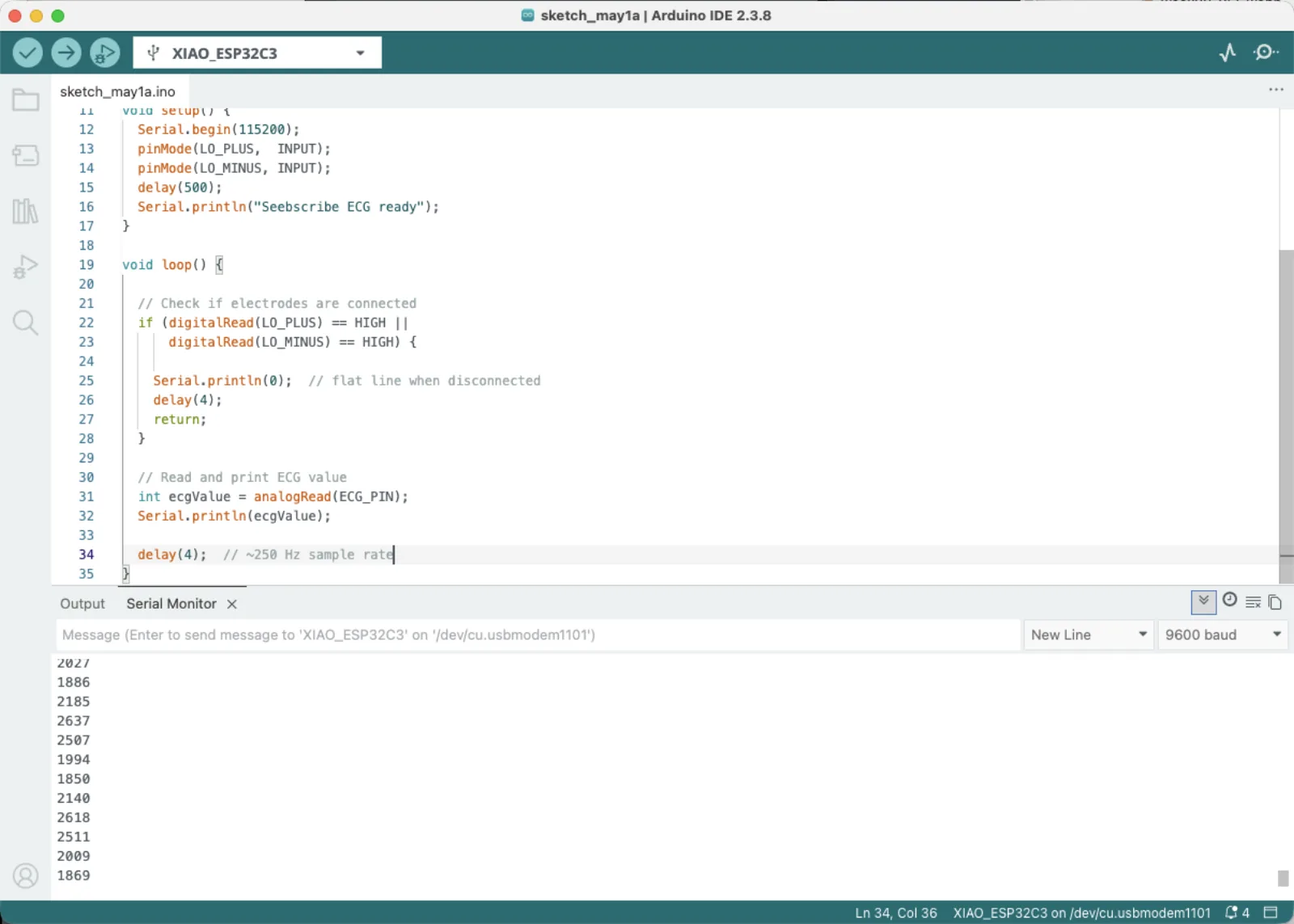
And it's working. I can see some numbers in the serial monitor.
Next step to see visual in serial plotter.
Ai request:
Okay, code is working now. Can you generate a simple code to see the actual heartbeat signal like ECG on the serial plotter?// ─────────────────────────────────────────────────────────────
// Seebscribe — ECG Serial Plotter
// Hardware: XIAO ESP32-C3 + AD8232 ECG frontend
// Output: Tools → Serial Plotter (115200 baud)
// Wiring: AD8232 OUTPUT → A0
// AD8232 LO+ → D1
// AD8232 LO- → D2
// AD8232 3.3V → 3V3
// AD8232 GND → GND
// ─────────────────────────────────────────────────────────────
// ── Pin definitions ──────────────────────────────────────────
const int ECG_PIN = A0; // Analog ECG signal from AD8232 OUTPUT pin
const int LO_PLUS = D1; // Leads-off detection: HIGH when LA electrode disconnected
const int LO_MINUS = D2; // Leads-off detection: HIGH when RA electrode disconnected
// ── Moving average filter settings ───────────────────────────
// A moving average reduces high-frequency noise from the ADC
// without blurring the sharp QRS spike we want to see clearly.
// FILTER_SIZE = 4 means we average the last 4 raw ADC readings.
// Larger values = smoother signal but slower response to peaks.
const int FILTER_SIZE = 4;
int filterBuffer[FILTER_SIZE]; // Circular buffer storing recent readings
int filterIndex = 0; // Current position in the circular buffer
long filterSum = 0; // Running total of values in the buffer
// ── smoothedRead() ───────────────────────────────────────────
// Reads a new raw value from the ADC, adds it to the circular
// buffer, removes the oldest value, and returns the average.
// Called once per loop iteration instead of analogRead() directly.
int smoothedRead() {
int raw = analogRead(ECG_PIN); // Read raw 12-bit ADC value (0–4095)
filterSum -= filterBuffer[filterIndex]; // Subtract the oldest value from the sum
filterBuffer[filterIndex] = raw; // Overwrite it with the new reading
filterSum += raw; // Add new reading to the running sum
// Advance the buffer index, wrapping back to 0 after reaching FILTER_SIZE
filterIndex = (filterIndex + 1) % FILTER_SIZE;
return filterSum / FILTER_SIZE; // Return the integer average of all buffered values
}
// ── setup() ──────────────────────────────────────────────────
// Runs once at startup. Initialises serial communication,
// configures pin modes, and pre-fills the filter buffer so
// the first readings are not distorted by zeros in the average.
void setup() {
Serial.begin(115200); // Start serial at 115200 baud — must match Serial Plotter
pinMode(LO_PLUS, INPUT); // LO+ is a digital output from AD8232, read as input here
pinMode(LO_MINUS, INPUT); // LO- same — goes HIGH if an electrode is not on the skin
// Pre-fill the filter buffer with real ADC readings
// so smoothedRead() gives a valid average from the very first call
for (int i = 0; i < FILTER_SIZE; i++) {
filterBuffer[i] = analogRead(ECG_PIN);
filterSum += filterBuffer[i];
}
}
// ── loop() ───────────────────────────────────────────────────
// Runs continuously. Each iteration reads one ECG sample and
// sends it to Serial Plotter. The 4ms delay sets the sample
// rate to ~250 Hz — fast enough to capture the sharp QRS spike
// clearly without overwhelming the serial buffer.
void loop() {
// ── Leads-off check ────────────────────────────────────────
// If either electrode is not making skin contact, the AD8232
// pulls LO+ or LO- HIGH to signal the problem.
// We print the ADC midpoint (2048) so the Serial Plotter
// stays centred on screen rather than jumping to zero.
if (digitalRead(LO_PLUS) == HIGH ||
digitalRead(LO_MINUS) == HIGH) {
Serial.println(2048); // Flat line at midpoint while electrodes are off
delayMicroseconds(4000); // Maintain consistent timing even when not reading
return; // Skip the rest of the loop
}
// ── Read and transmit ECG sample ───────────────────────────
// smoothedRead() returns the filtered ADC value (0–4095).
// Serial.println() sends it as a number followed by newline,
// which is exactly the format Serial Plotter expects to draw
// one point on the graph per line.
int ecg = smoothedRead();
Serial.println(ecg);
// ── Timing ─────────────────────────────────────────────────
// delayMicroseconds(4000) = 4 ms per sample = 250 Hz.
// More precise than delay(4) which has millisecond rounding.
// 250 Hz is well above the ~150 Hz bandwidth needed for ECG.
delayMicroseconds(4000);
}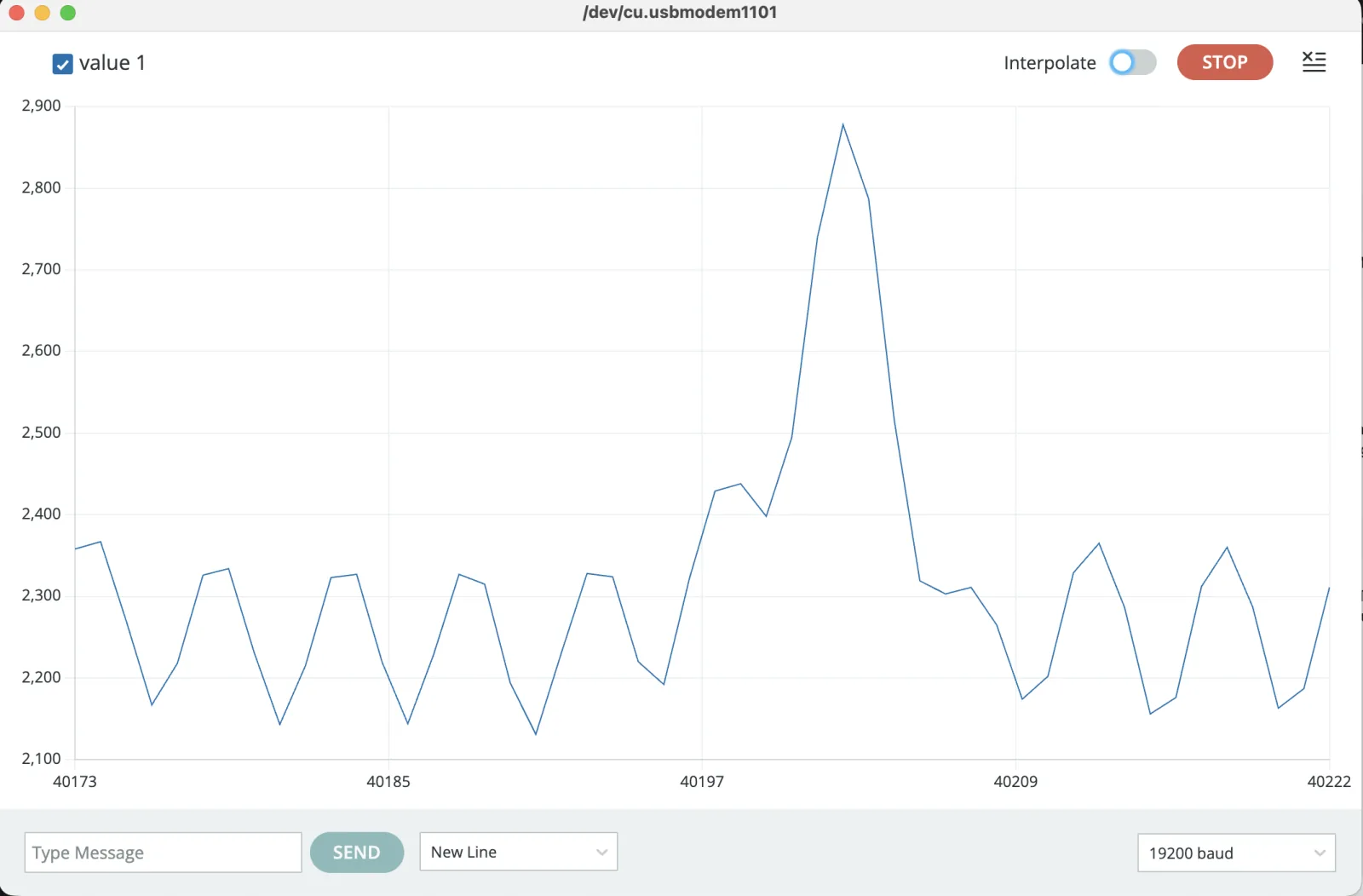
The signal is visible now. Arduino Serial Plotter auto-scales continuously and cannot lock the Y axis, making ECG baselines unstable and the waveform unreadable for documentation and visual.
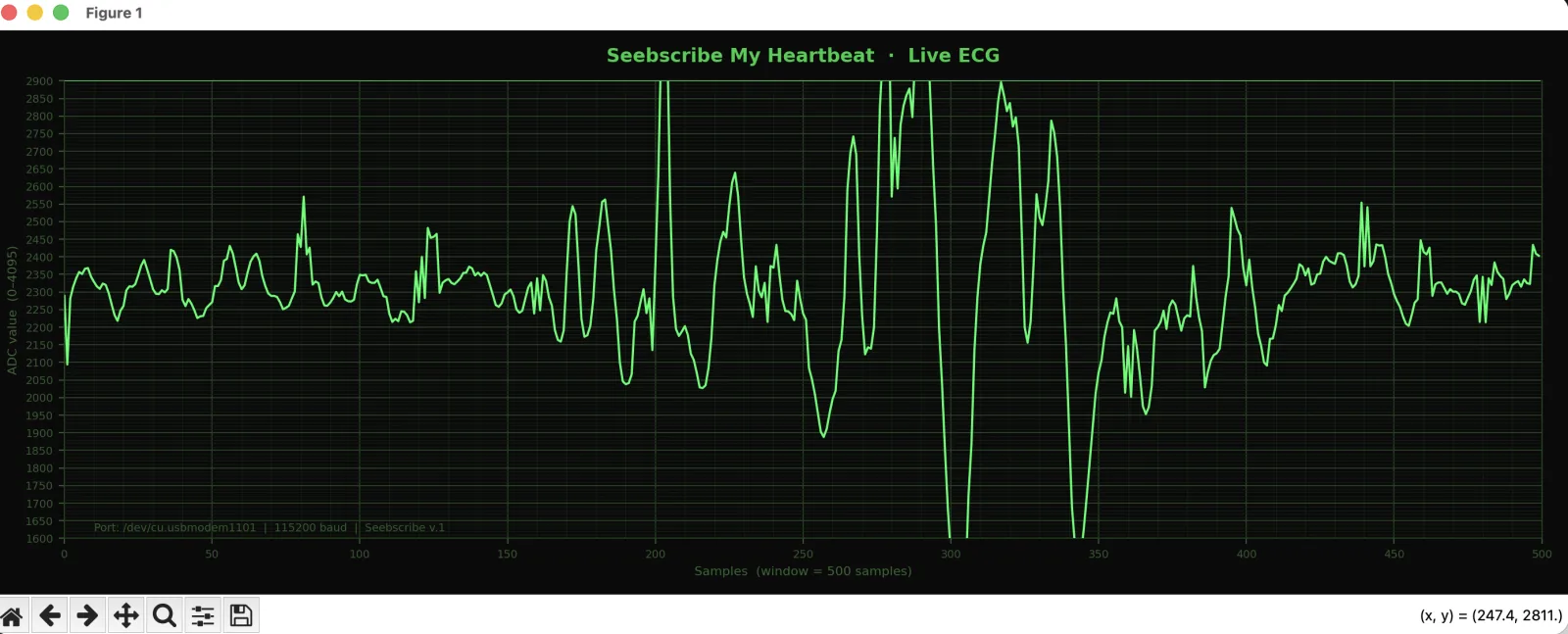
The real solution for a medical-looking display is to stop using Arduino Serial Plotter and use a Python script instead. Python can draw a proper scrolling ECG trace with a dark background, fixed scale, and grid — exactly like a medical monitor.
The Python visualiser using pyserial and matplotlib fixes the Y range, draws a clinical-style grid, and applies an additional smoothing pass — producing a stable, presentation-quality ECG trace from the same hardware.
Installing packages
pip3 install pyserial matplotlibAi request:
Write a Python visualiser for live ECG data from serial port — dark background, green trace, fixed Y axis, ECG paper grid, using pyserial and matplotlib.# ─────────────────────────────────────────────────────────────
# Seebscribe — ECG Medical Monitor Visualiser
# Hardware: XIAO ESP32-C3 + AD8232
#
# INSTALL DEPENDENCIES (run once in Terminal):
# pip3 install pyserial matplotlib
#
# BEFORE RUNNING:
# 1. Upload the Arduino ECG code to your XIAO ESP32-C3
# 2. Close Arduino Serial Plotter (only one app can use serial at a time)
# 3. Change PORT below to match your board's port
# Mac: /dev/cu.usbmodem1101 (check Arduino IDE → Tools → Port)
# Windows: COM3 (or COM4, COM5 — check Device Manager)
# Linux: /dev/ttyUSB0
#
# RUN:
# python3 ecg_monitor.py
# ─────────────────────────────────────────────────────────────
import serial
import matplotlib.pyplot as plt
import matplotlib.animation as animation
from collections import deque
import sys
# ── Configuration ─────────────────────────────────────────────
# !! CHANGE THIS to your actual port !!
PORT = "/dev/cu.usbmodem1101"
BAUD = 115200 # must match Serial.begin() in your Arduino code
# Number of samples visible on screen at once.
# At 125 Hz (8ms interval in Arduino):
# 500 samples = ~4 seconds visible
# 750 samples = ~6 seconds visible
# 1000 samples = ~8 seconds visible
WINDOW = 500
# Y axis range — based on your screenshots signal sits ~2100-2500.
# Adjust if signal is clipping at top or too small to see.
Y_MIN = 1600
Y_MAX = 2900
# ── Serial connection ─────────────────────────────────────────
try:
ser = serial.Serial(PORT, BAUD, timeout=1)
print(f"Connected: {PORT} at {BAUD} baud")
print("Close Arduino Serial Plotter before running this script.")
print("Press Ctrl+C or close the window to stop.")
except Exception as e:
print(f"\nERROR: Could not open port {PORT}")
print(f"Reason: {e}")
print("\nFix: Change the PORT variable at the top of this file.")
print(" Check Arduino IDE → Tools → Port for the correct port name.")
sys.exit(1)
# ── Data buffer ───────────────────────────────────────────────
# deque automatically drops oldest values as new ones arrive.
# Initialised with midpoint value so graph starts flat.
data = deque([2300] * WINDOW, maxlen=WINDOW)
# ── Plot setup — dark medical monitor style ───────────────────
fig, ax = plt.subplots(figsize=(14, 5))
fig.patch.set_facecolor('#0a0a0a')
ax.set_facecolor('#0a0a0a')
# Classic green ECG trace
line, = ax.plot(list(data), color='#00ff66', linewidth=1.4, antialiased=True)
# Fixed Y axis — prevents auto-scale jumping
ax.set_ylim(Y_MIN, Y_MAX)
ax.set_xlim(0, WINDOW)
# Major grid — large squares like ECG paper (every 50 samples)
ax.grid(True,
which='major',
color='#1f3d1f',
linewidth=0.8,
linestyle='-')
# Minor grid — small squares like ECG paper (every 10 samples)
ax.minorticks_on()
ax.grid(True,
which='minor',
color='#121f12',
linewidth=0.4,
linestyle='-')
ax.set_xticks(range(0, WINDOW + 1, 50))
ax.set_yticks(range(Y_MIN, Y_MAX + 1, 50))
# Title and labels
ax.set_title('Seebscribe My Heartbeat · Live ECG',
color='#00cc44',
fontsize=12,
fontweight='bold',
pad=12)
ax.set_xlabel(f'Samples (window = {WINDOW} samples)',
color='#336633', fontsize=8)
ax.set_ylabel('ADC value (0–4095)',
color='#336633', fontsize=8)
ax.tick_params(colors='#2d5c2d', labelsize=7)
for spine in ax.spines.values():
spine.set_edgecolor('#1f3d1f')
# Status text — shows connection info bottom left
status = ax.text(10, Y_MIN + 20,
f'Port: {PORT} | {BAUD} baud | Seebscribe v.1',
color='#2d5c2d', fontsize=7)
plt.tight_layout()
# ── Animation update function ─────────────────────────────────
# Called by matplotlib every few milliseconds.
# Reads all available serial lines, parses integers,
# adds valid ECG values to the scrolling buffer.
def update(frame):
"""Read new serial data and update the ECG trace."""
# Read all lines currently waiting in the serial buffer.
# in_waiting = number of bytes ready to read right now.
# We loop so we don't fall behind if data arrives in bursts.
while ser.in_waiting > 0:
try:
raw_line = ser.readline().decode('utf-8', errors='ignore').strip()
# Handle both single-value and comma-separated formats:
# "2350" — from the single-value Arduino sketch
# "2100,2350" — from the dual-value Arduino sketch (take second value)
if ',' in raw_line:
parts = raw_line.split(',')
val = int(parts[-1]) # take the ECG value (last column)
else:
val = int(raw_line)
# Only accept values in the valid 12-bit ADC range
if 0 <= val <= 4095:
data.append(val)
except (ValueError, UnicodeDecodeError):
pass # skip malformed or empty lines silently
line.set_ydata(list(data))
return line,
# ── Start animation ───────────────────────────────────────────
# interval=8 means redraw every 8ms — matches 125 Hz Arduino rate.
# blit=True only redraws the changed line, not the whole figure.
# cache_frame_data=False prevents memory growth during long sessions.
ani = animation.FuncAnimation(
fig,
update,
interval=8,
blit=True,
cache_frame_data=False
)
# ── Cleanup on close ─────────────────────────────────────────
def on_close(event):
"""Close serial port cleanly when window is closed."""
try:
ser.close()
print("Serial port closed.")
except:
pass
fig.canvas.mpl_connect('close_event', on_close)
plt.show()The result looks beautiful.
The raw ECG signal became visible in the serial plotter, confirming that the sensor, controller, and serial connection were working together.
Next, update the interface.
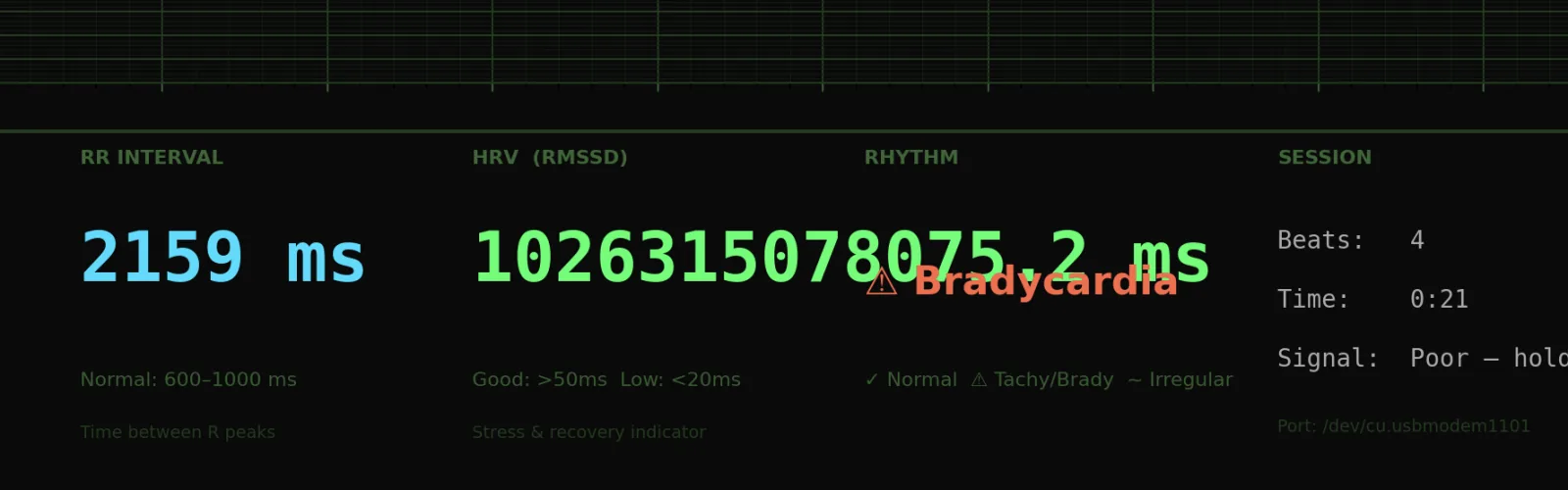
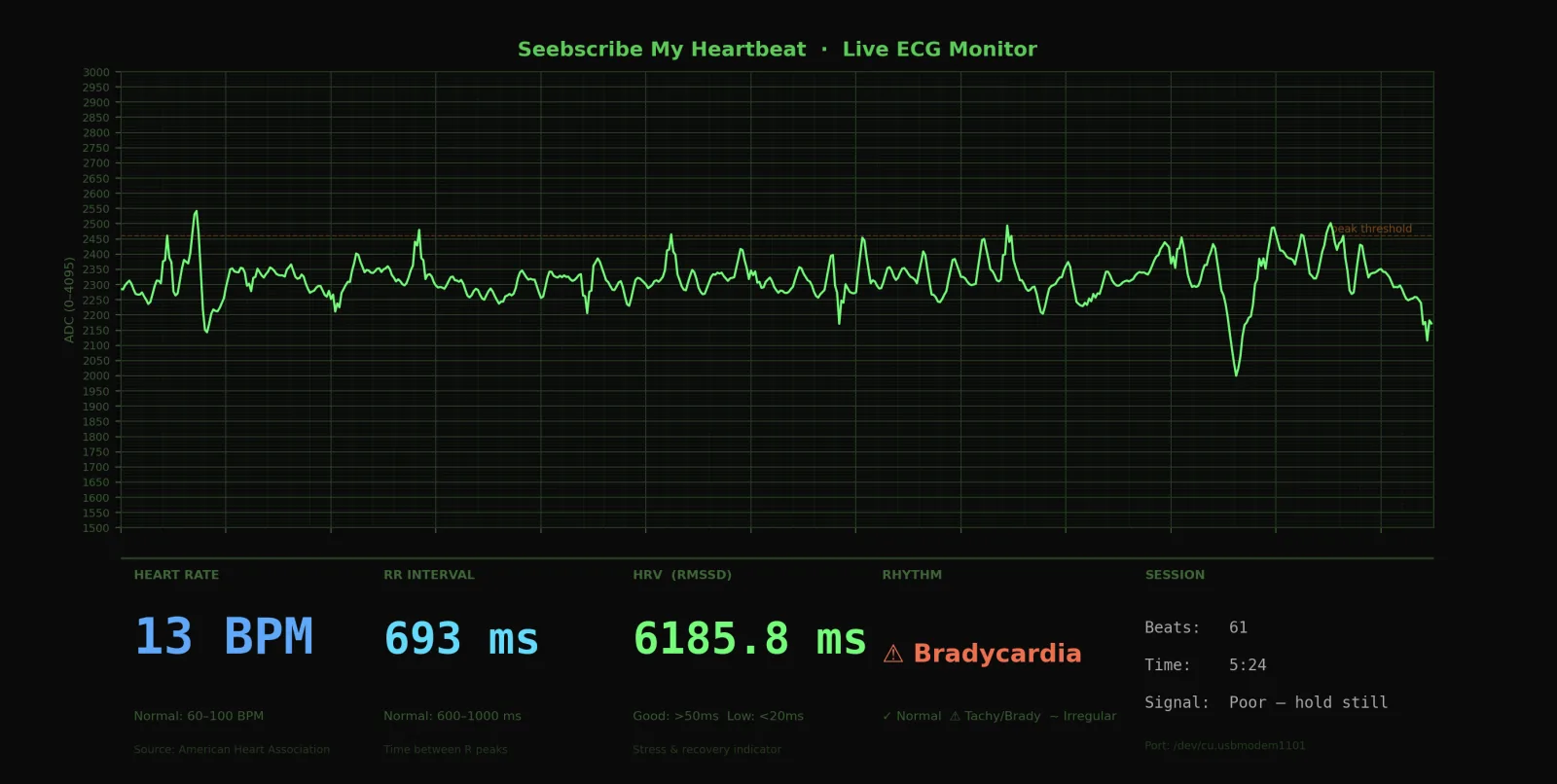
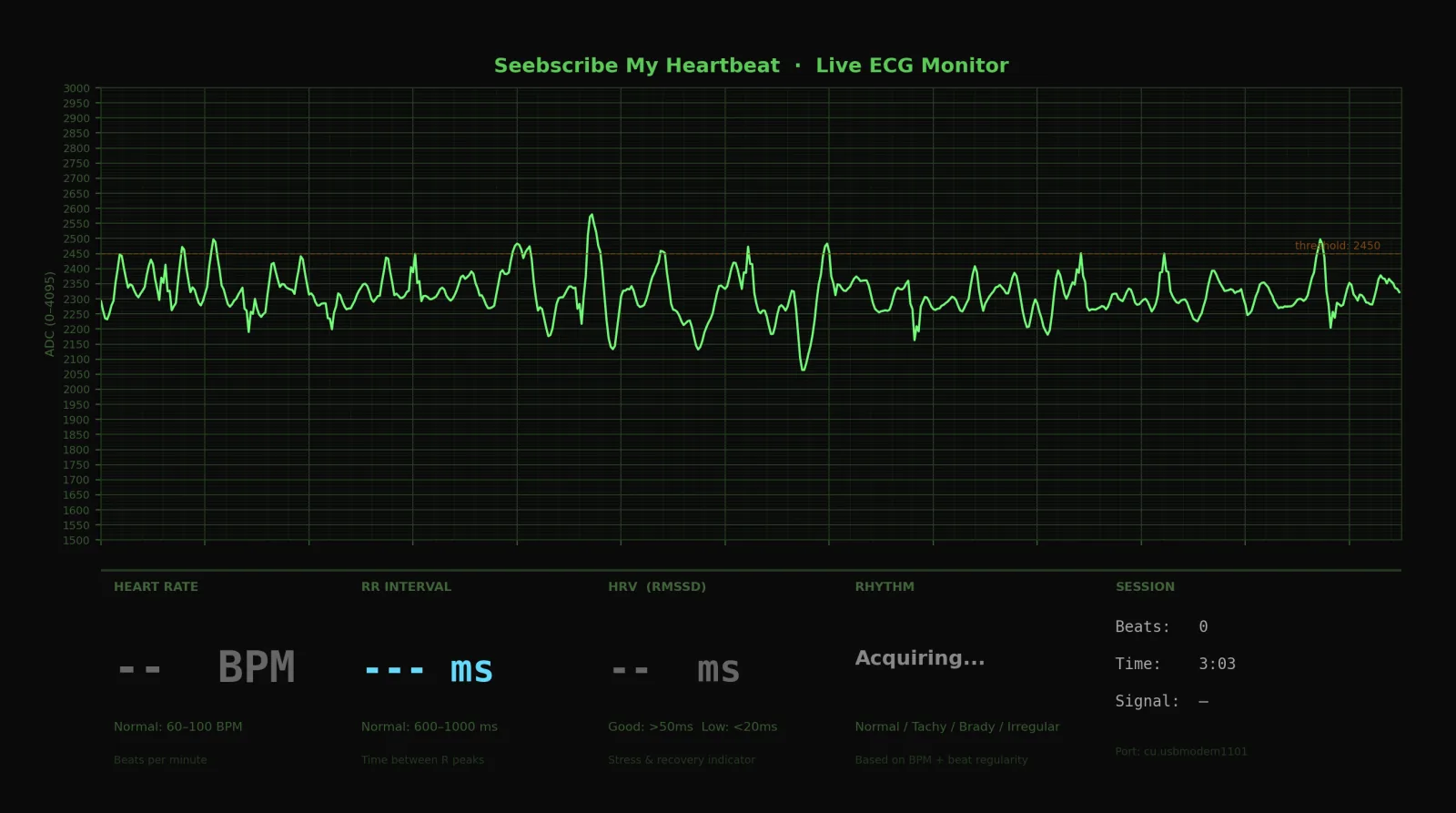
Upgrade the ECG Python visualiser to add a live dashboard below the trace showing: real-time BPM calculated from R-peak detection, RR interval in milliseconds, HRV using RMSSD, rhythm pattern classification (normal, tachycardia, bradycardia, irregular), signal quality indicator, beat counter, and session timer. Include medical reference ranges on screen. Use matplotlib gridspec for the layout.If some problem appears with displaying information, I think the recognition is not correct about my actual situation because my hardware is only 13 bits per minute and I have bradycardia. I just need to tune it.
After a series of interactions and adjustments I realized that I need a library which can process a signal from HeartBeat better.
NeuroKit2 — the best single library for current use case. Handles ECG peak detection, HRV analysis, signal quality assessment, and waveform feature extraction all in one package.
pip3 install neurokit2
BioSPPy — older but simpler, good for learning
pip3 install biosppy
HeartPy — specifically designed for wearable/PPG but works for noisy ECG too:
pip3 install heartpy
SciPy — lower level, but gives you the DSP building blocks (bandpass filter, Butterworth filter, wavelet transform) if you want to build your own pipeline:
pip3 install scipy
After using many different libraries, the accuracy became better, but I still realized that it was using different methods of sensing and decided to separate them.
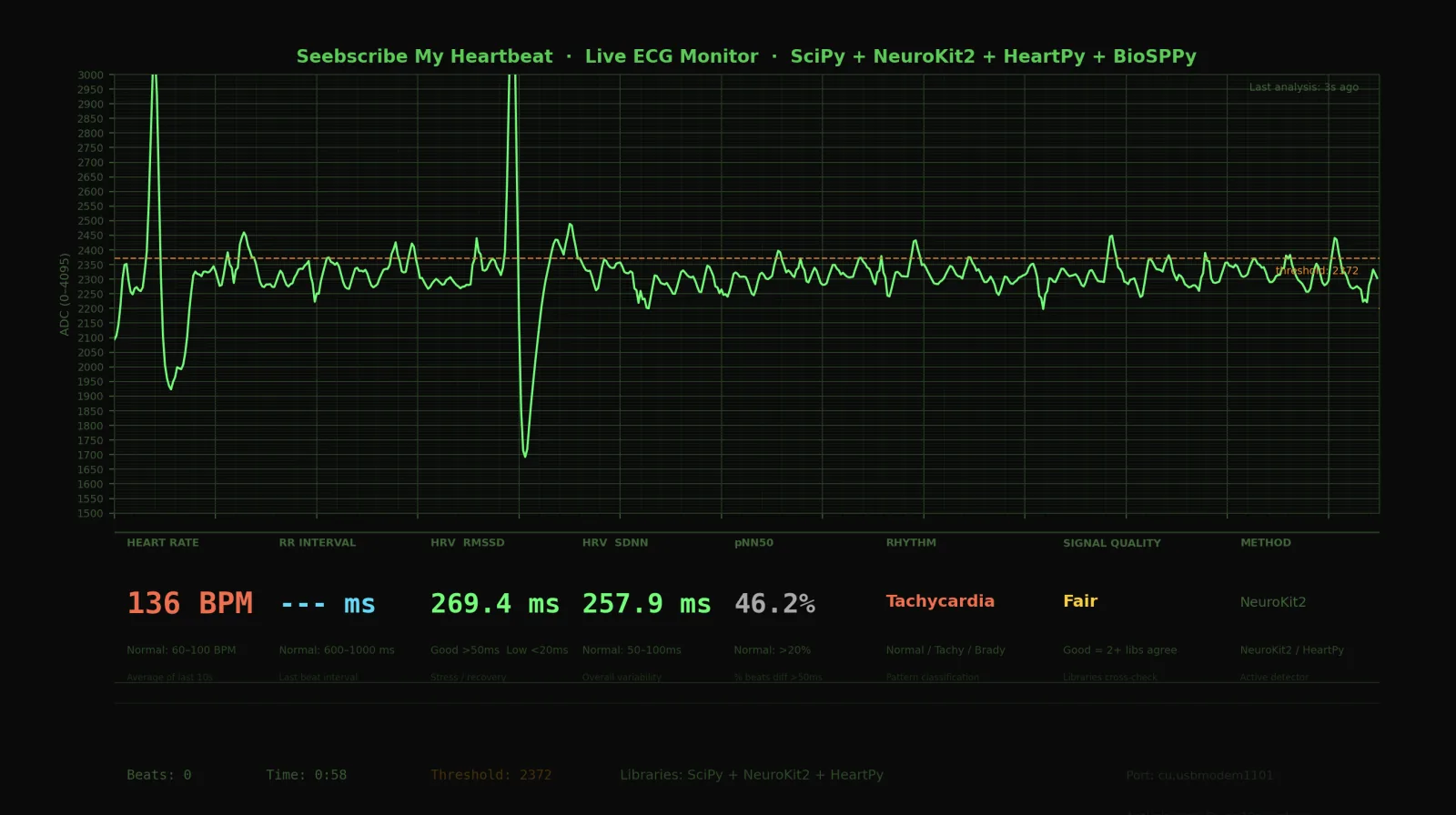
After several hours of experiments with accuracy and troubleshooting with AI, I have this dashboard which can demonstrate different listening methods. Sometimes signal it is the same, but usually it's different.
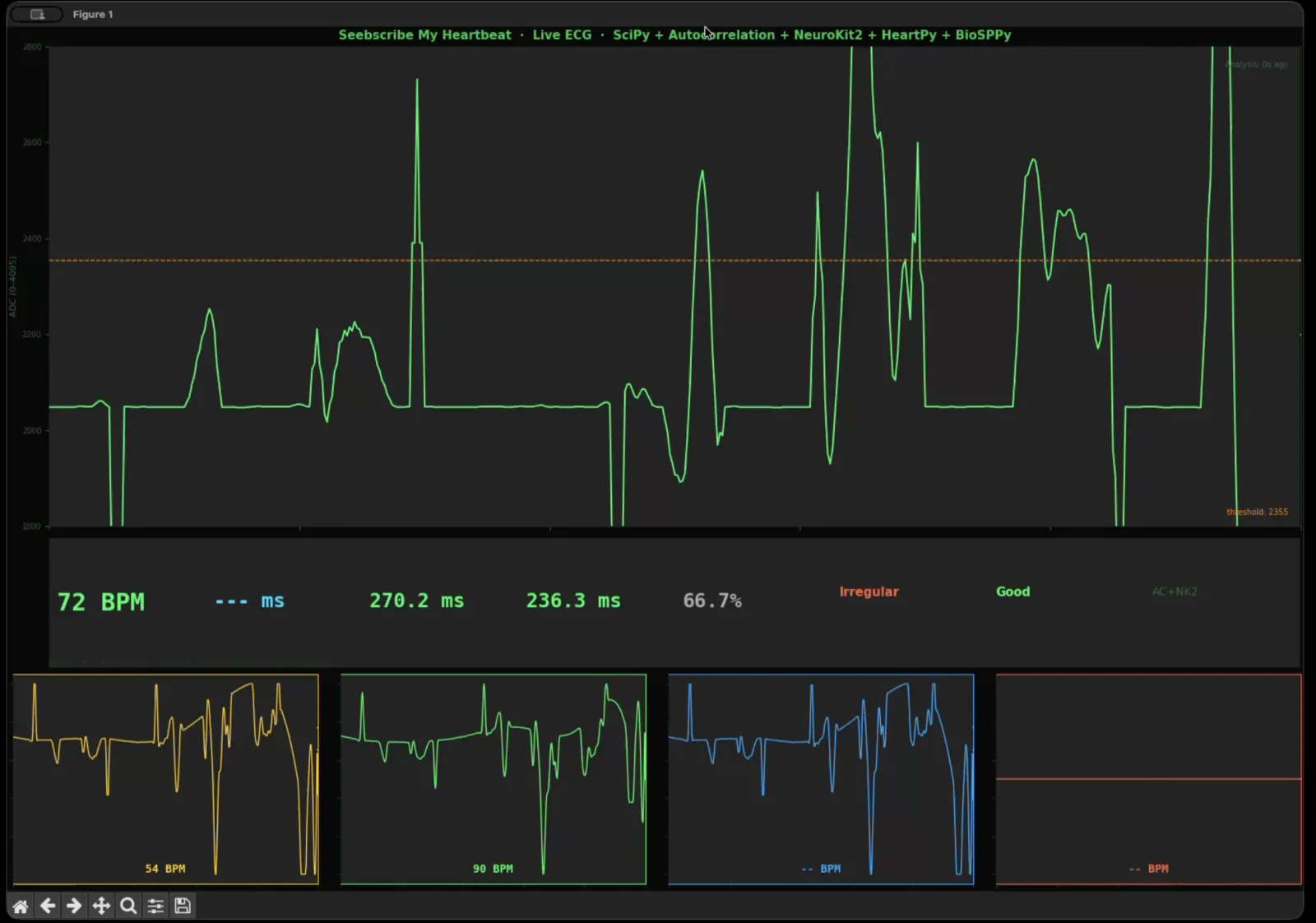
I compared several ECG-processing methods on the dashboard to understand which approach produced the clearest and most reliable heartbeat measurement.
But still, it's messy and too much information, and now I need to clear the signal. On this stage I decided to switch to Codex and apply more AI in depth on this project. Here are 15 AI requests that I sent to Codex.
Ai requests in CODEX
1.     Analyze my existing ECG/heartbeat sensor files, including Python, Arduino, and dashboard files, and explain how the current system works.
    2.     Review my Fab Academy final project page and connect the ECG heartbeat monitor work to the broader Aura/Seebscribe project concept.
    3.     List possible improvements for streaming heartbeat data, signal accuracy, interface structure, and project organization before implementation.
    4.     Create a cleaner browser-first ECG streaming service, improve signal streaming, test the interface, check basic detection accuracy, and create new files without overwriting the old work.
    5.     Check whether the current XIAO ESP32-C3 Arduino sketch is compatible with the new Python ECG streamer, and provide a new firmware file only if needed.
    6.     Diagnose why the dashboard shows live ECG signal but does not reliably show BPM, RR, RMSSD, or beat count.
    7.     Look at the live ECG screenshot and explain whether the signal looks normal, what the dashboard is showing, and how the ECG-to-BPM pipeline works.
    8.     Update the system to better diagnose AD8232 lead-off pins after correcting LO+ and LO- wiring.
    9.     Create an Arduino diagnostic sketch for XIAO ESP32-C3 + AD8232 that streams raw ECG plus LO+ and LO- states.
    10.  Improve beat detection so noisy peaks are rejected, unstable BPM is marked as tentative, and HRV is only shown when enough clean RR intervals exist.
    11.  Evaluate whether this DIY AD8232 ECG monitor can reach medical-type accuracy, and explain the gap between project-grade monitoring and validated medical ECG systems.
    12.  Create a Part 1 snapshot folder containing all related Arduino, Python, dashboard, README, and archive files for documentation and future reference.
    13.  List the minimum required files for running Part 1: the Arduino firmware to upload and the Python service to run.
    14.  Read the Edge Impulse HR/HRV article and translate the useful cardio concepts into practical next steps for this ECG project.
    15.  Summarize all AI collaboration requests that led to the current Part 1 ECG heartbeat monitor stage.
Finally, I obtained a clear and stable dashboard. During a side-by-side test, the heart-rate value from Seebscribe closely matched the value shown by my Xiaomi wearable. This practical comparison gave me confidence that the prototype was detecting the same heartbeat rhythm, although Seebscribe remains an experimental project rather than a medical instrument.
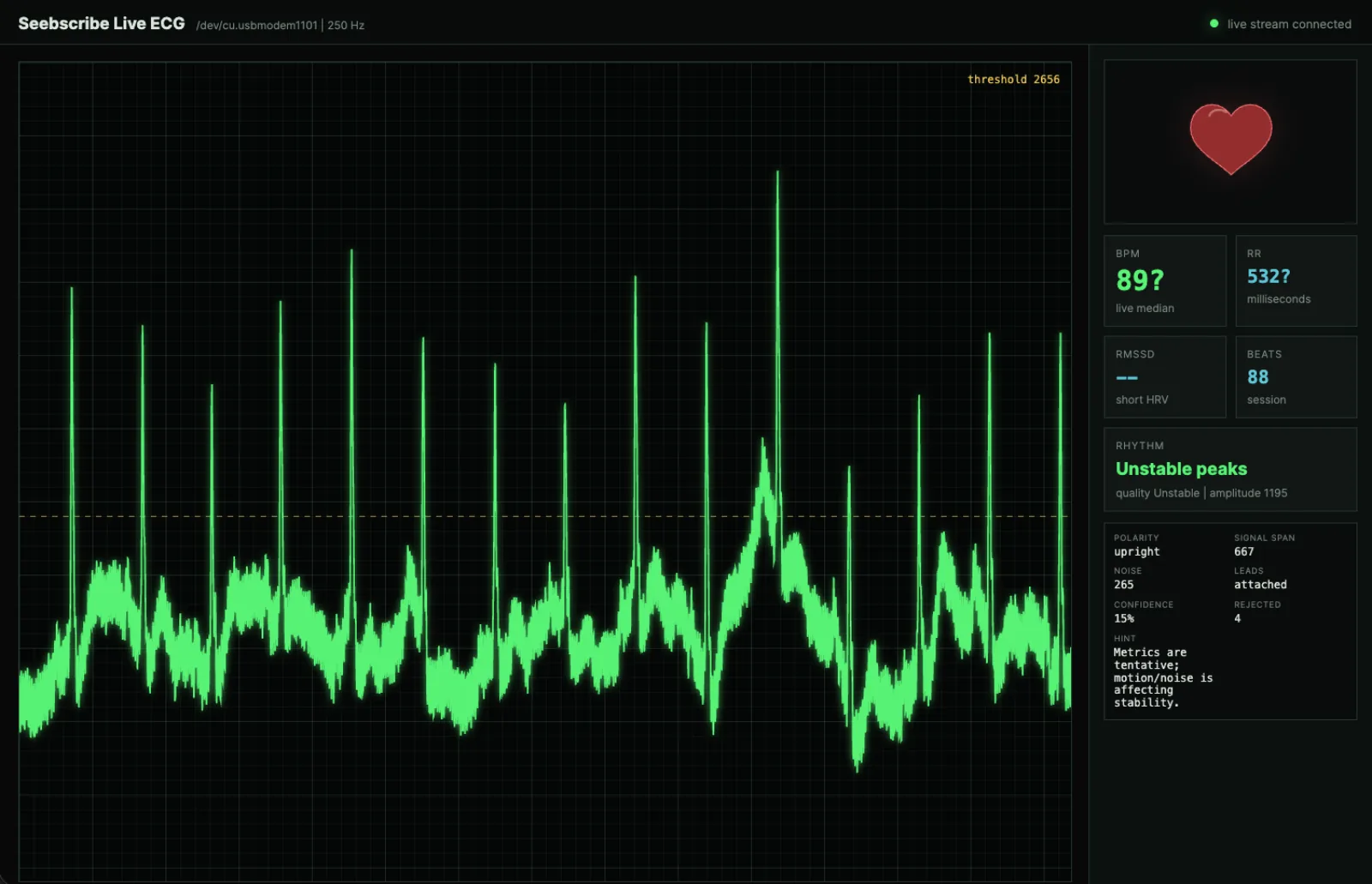
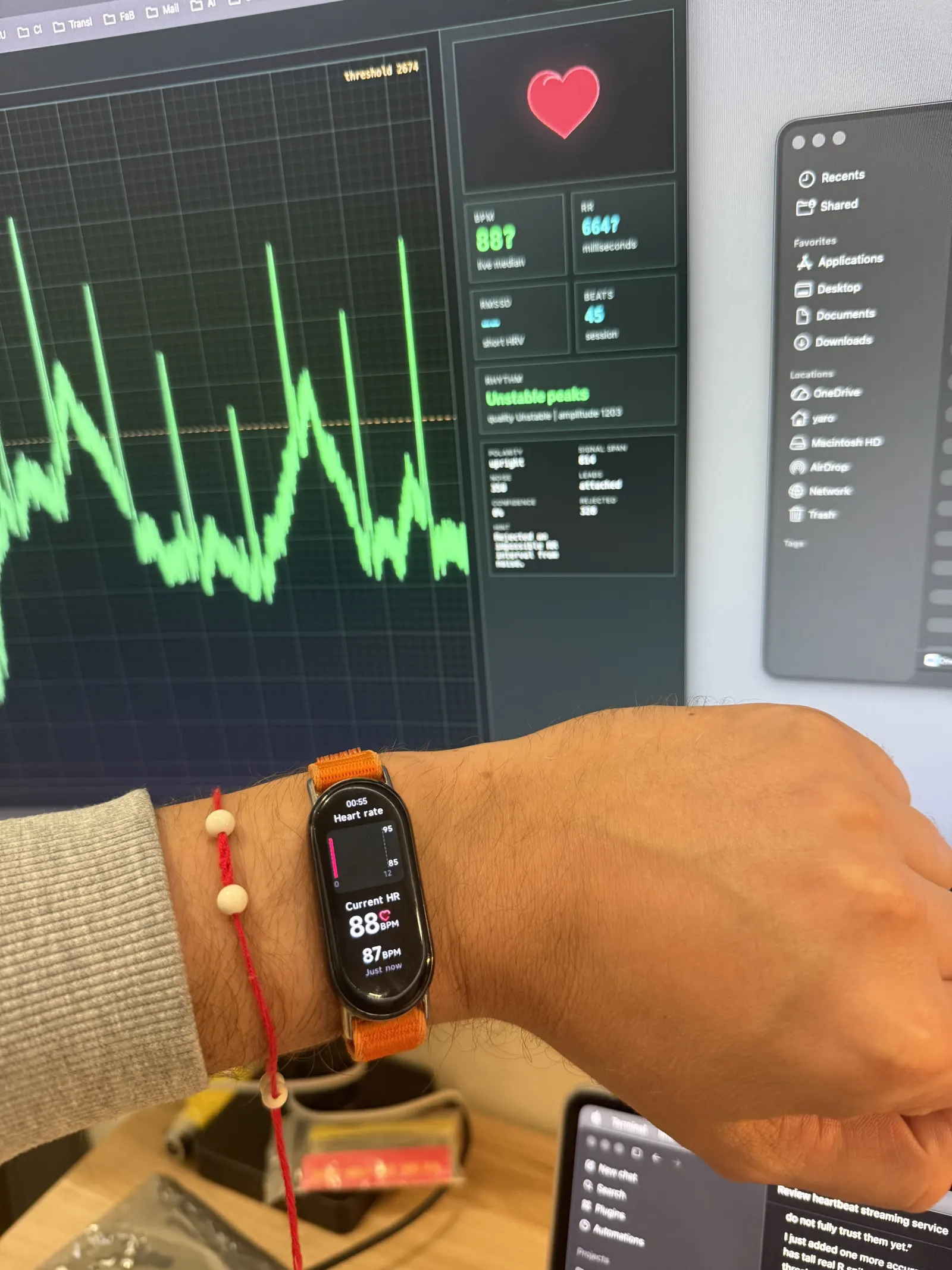
I tested the live Seebscribe dashboard beside my Xiaomi wearable. Both devices showed a similar heart-rate value, which gave me confidence to continue from signal testing to full system integration.
The final Part 1 dashboard test produced a stable heartbeat reading and demonstrated that the ECG data could be processed and displayed in real time.
Part 2 — System integration and final wearable
With Part 1 complete, I moved from testing separate modules to system integration. Part 2 focused on making the project compact, rigid, wearable, and presentable. The device had to combine the AD8232, XIAO ESP32-C3, LiPo battery, electrode snaps, custom PCB, wiring, enclosure, and elastic strap without losing access to USB or power.
The full measurements, CAD process, packaging decisions, and detailed integration evidence are documented on Week 16 — System Integration. The images below summarize the final-project progression.
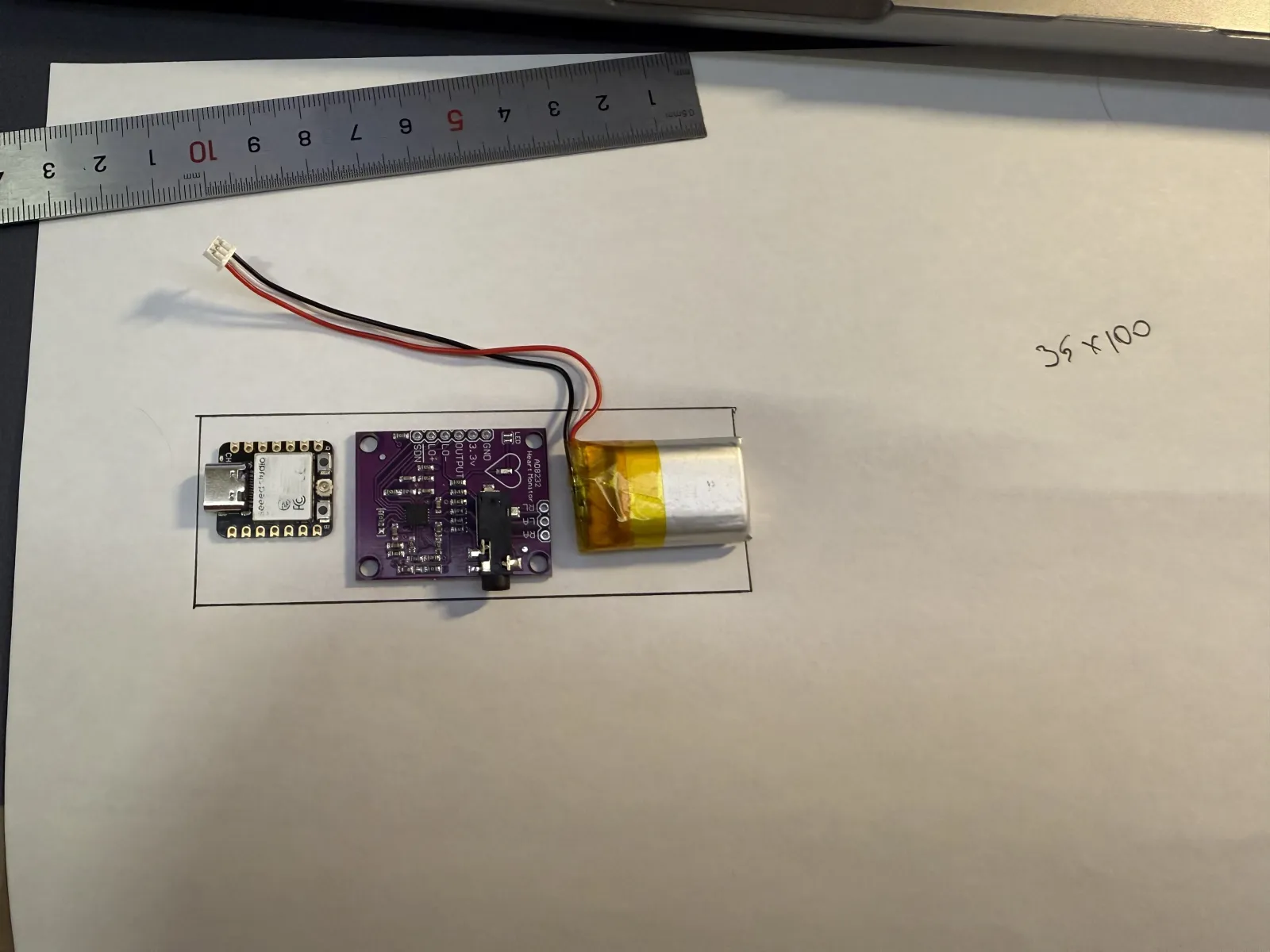
I arranged the real controller, sensor, and battery on paper first to establish the minimum board and enclosure dimensions.
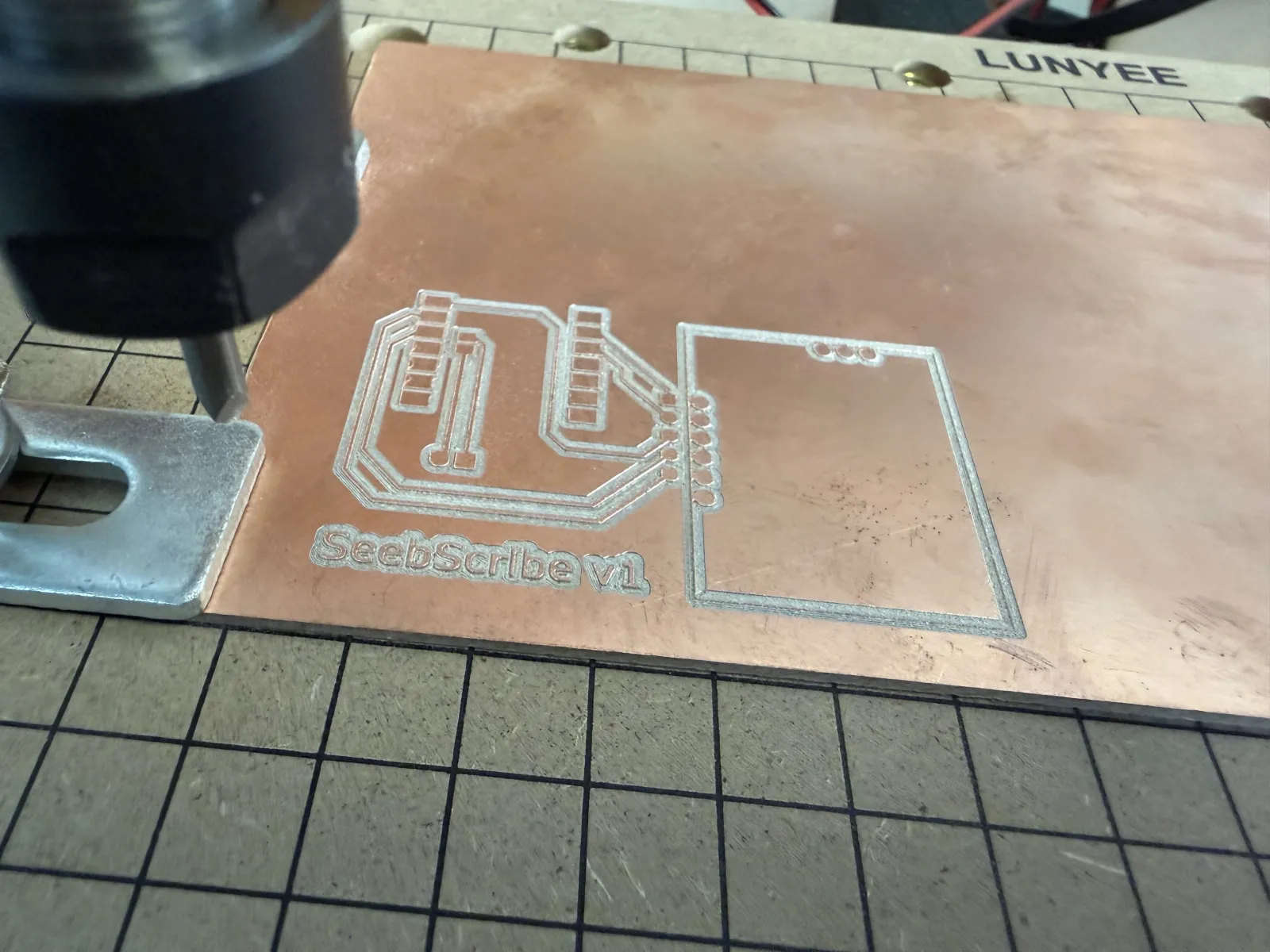
The first custom carrier PCB was milled from copper-clad board to join the XIAO, ECG sensor, power, and connectors.
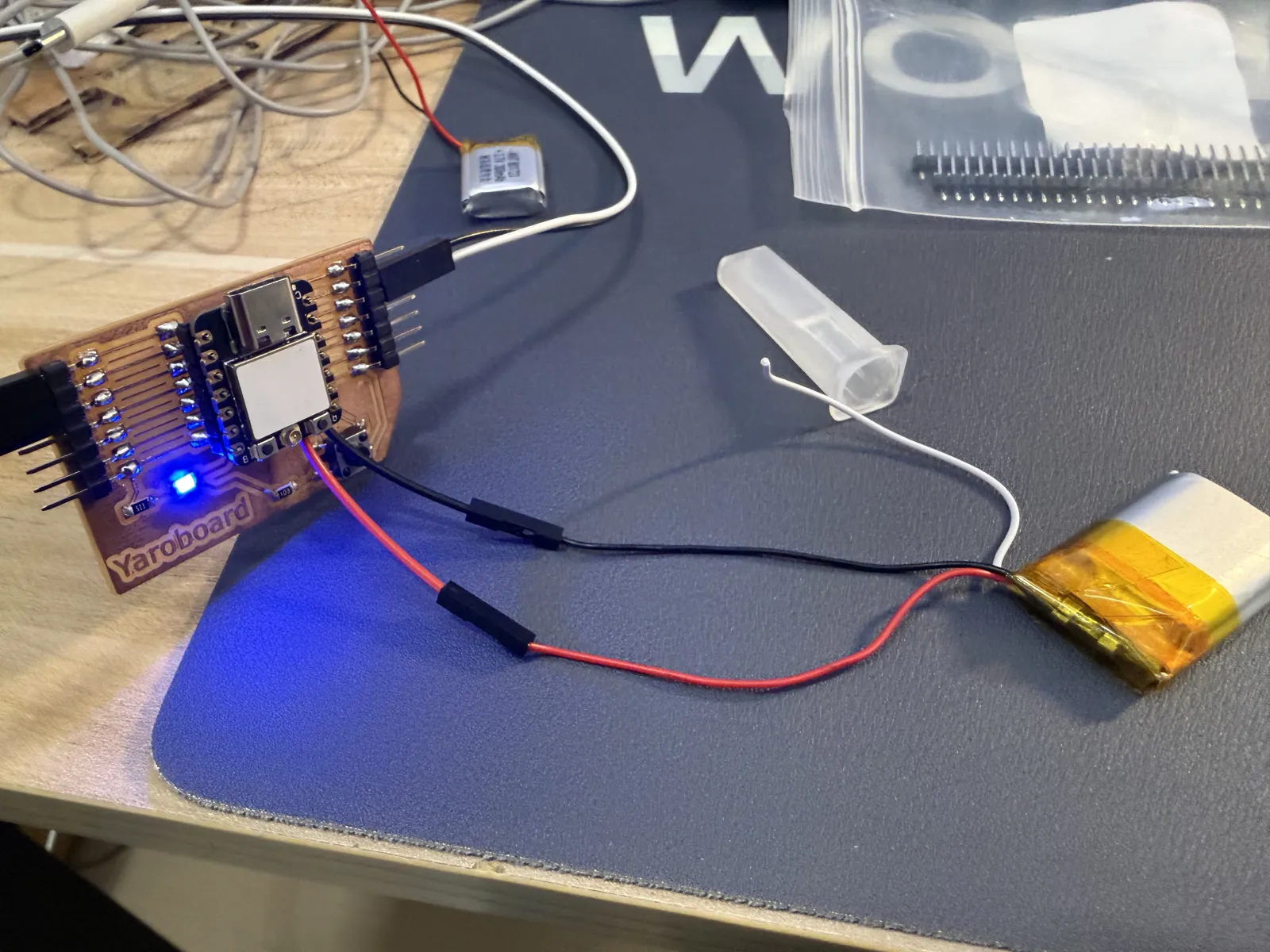
I tested the carrier board from the battery and confirmed that the controller could operate independently before wearable packaging.
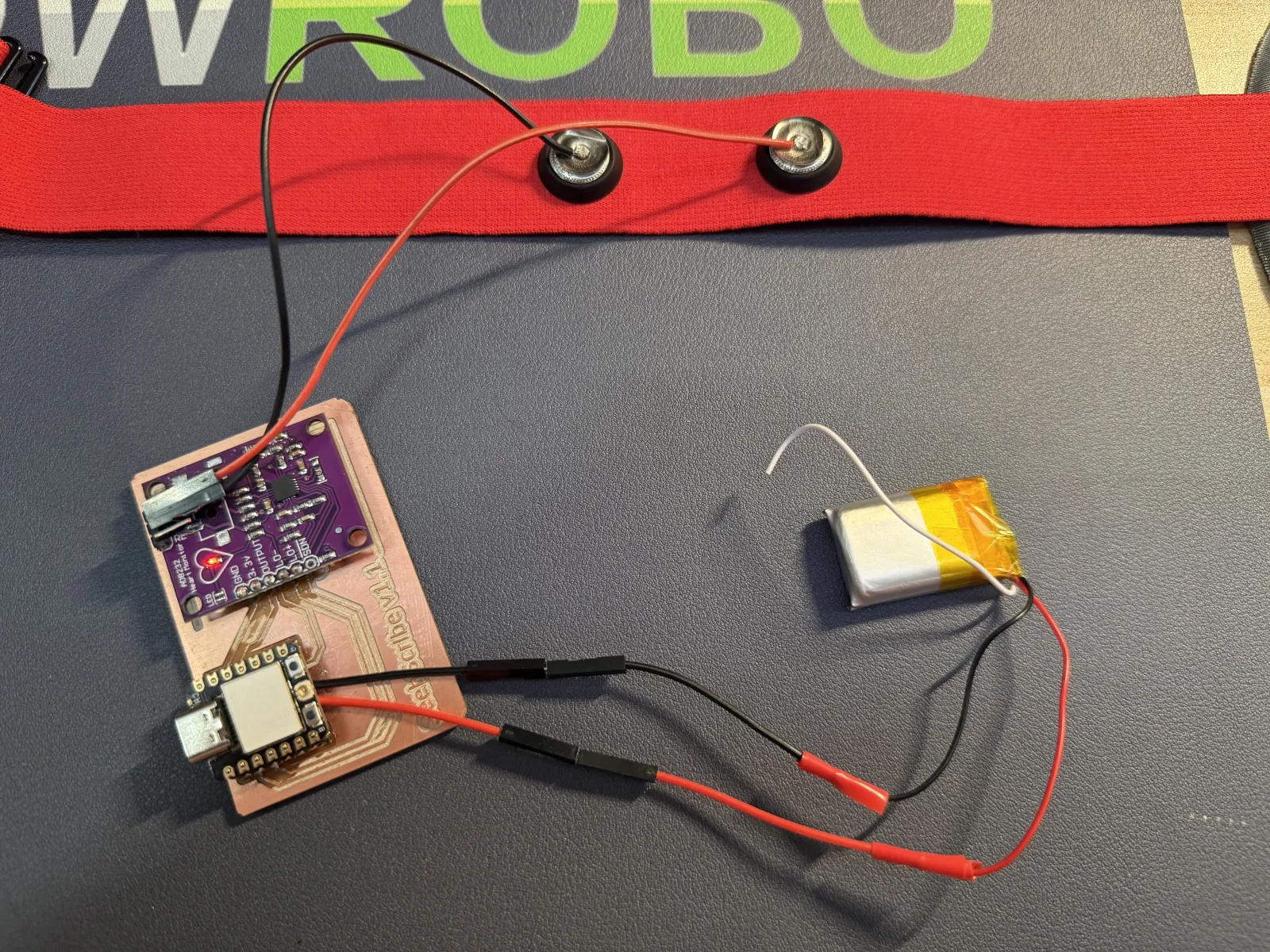
During an early body test, I connected the custom board, AD8232, battery, and strap-mounted electrodes as one complete signal chain.
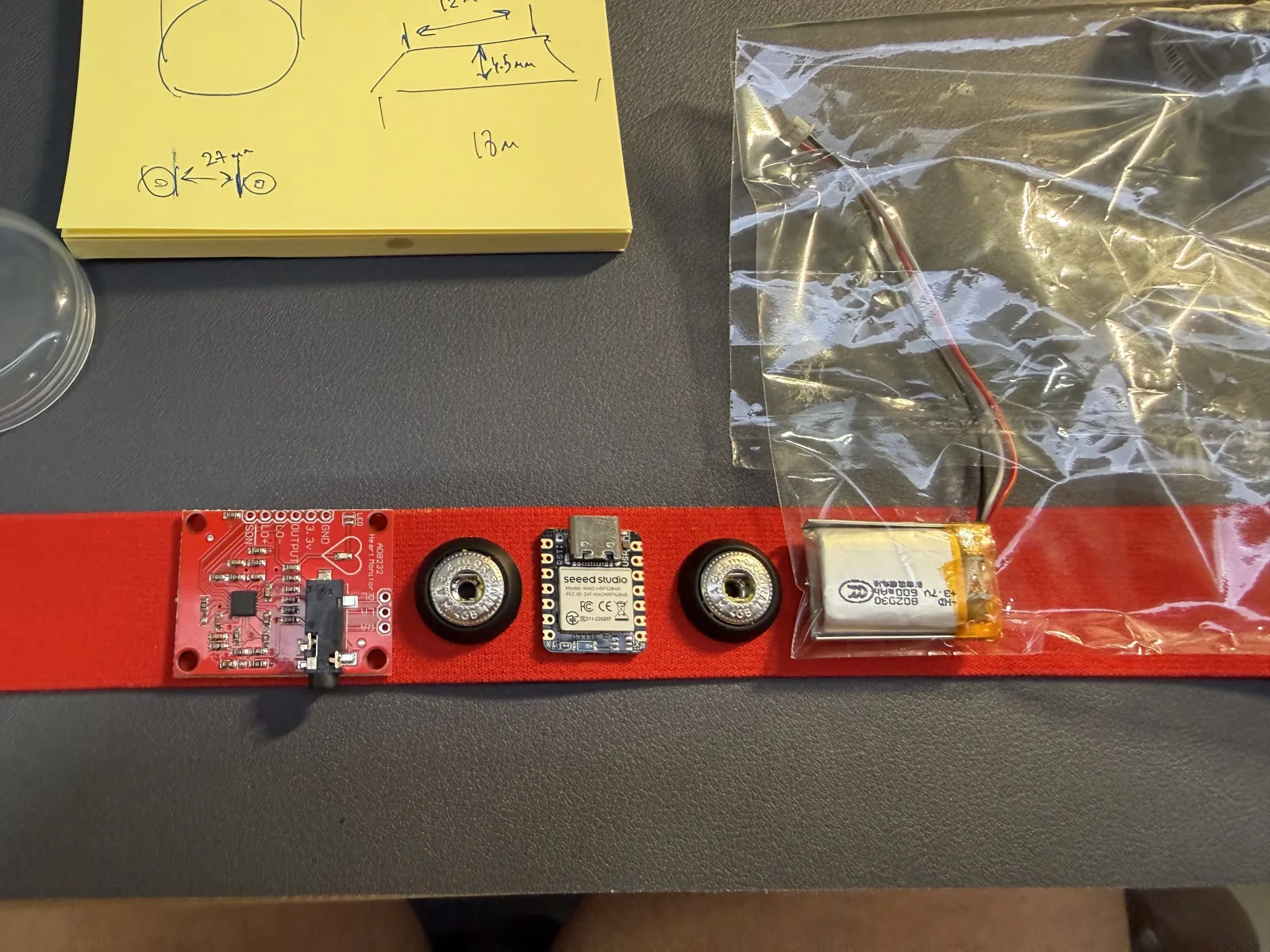
I measured the snap diameter, height, and spacing so the printed shell could retain the contacts and align with the strap.
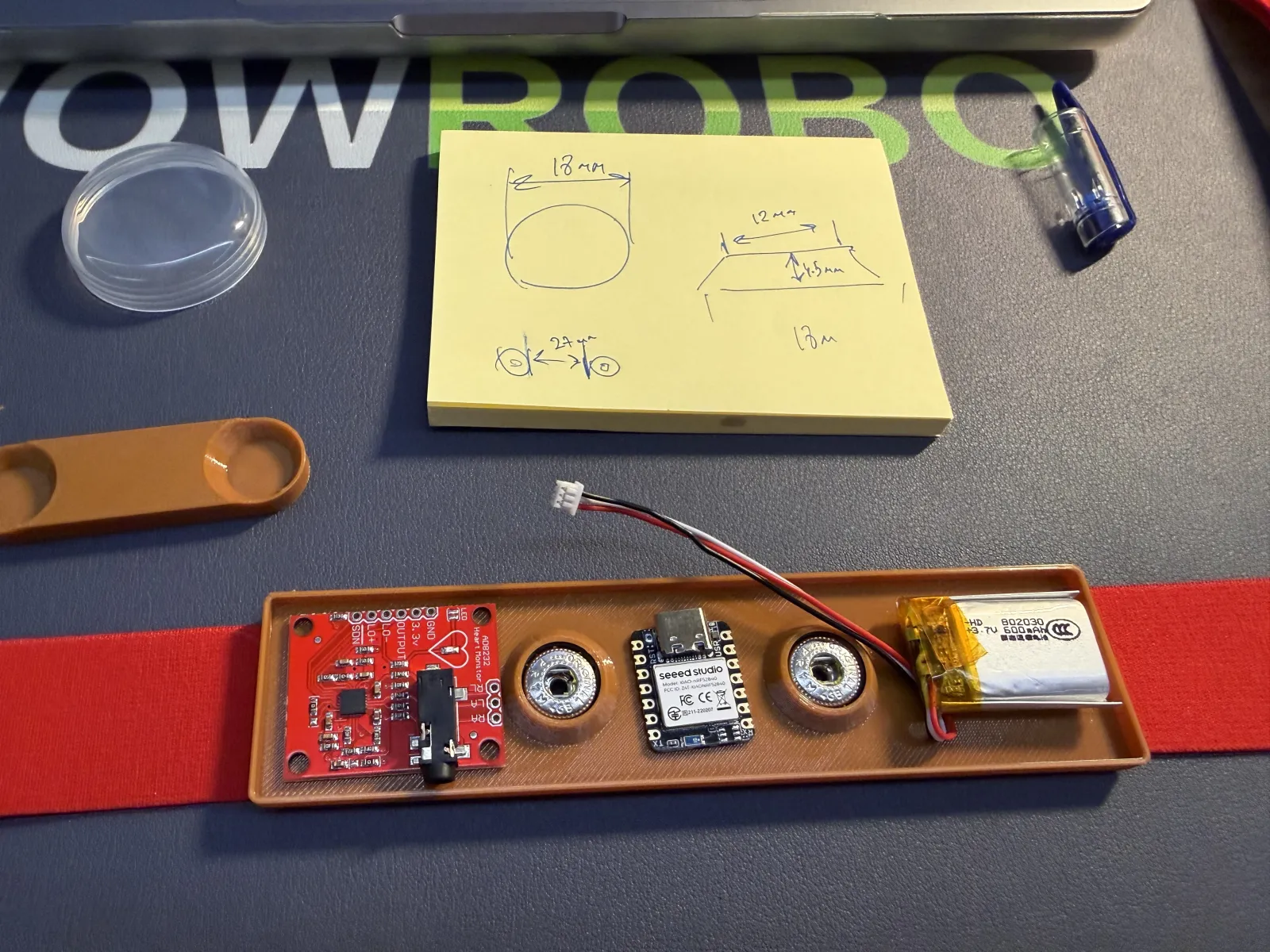
The first enclosure tray proved that the linear component arrangement could work, but its dimensions and internal support still needed refinement.
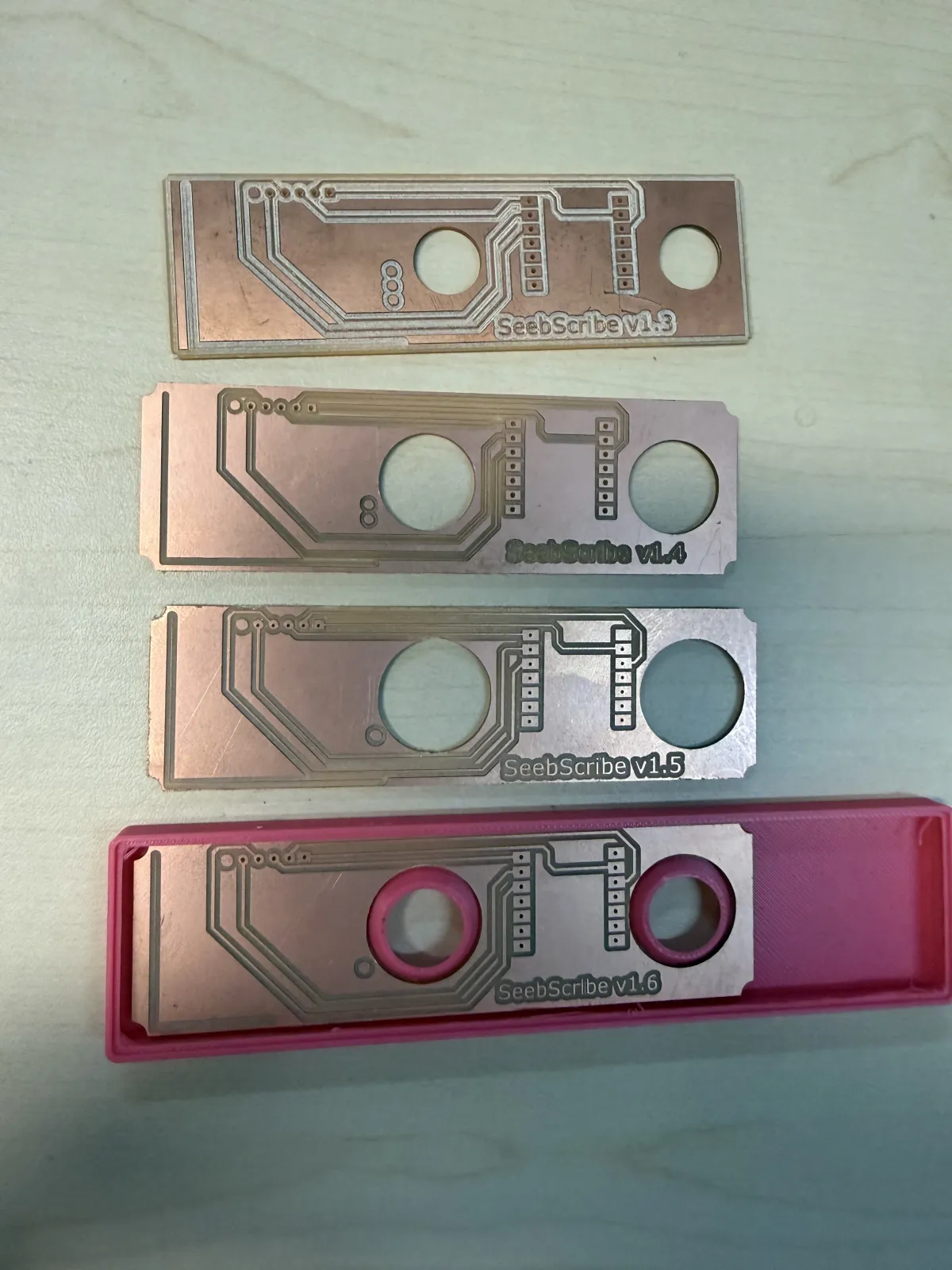
I milled several board versions and printed multiple shells. Each iteration corrected trace routing, hole placement, snap clearance, component fit, or cover geometry.
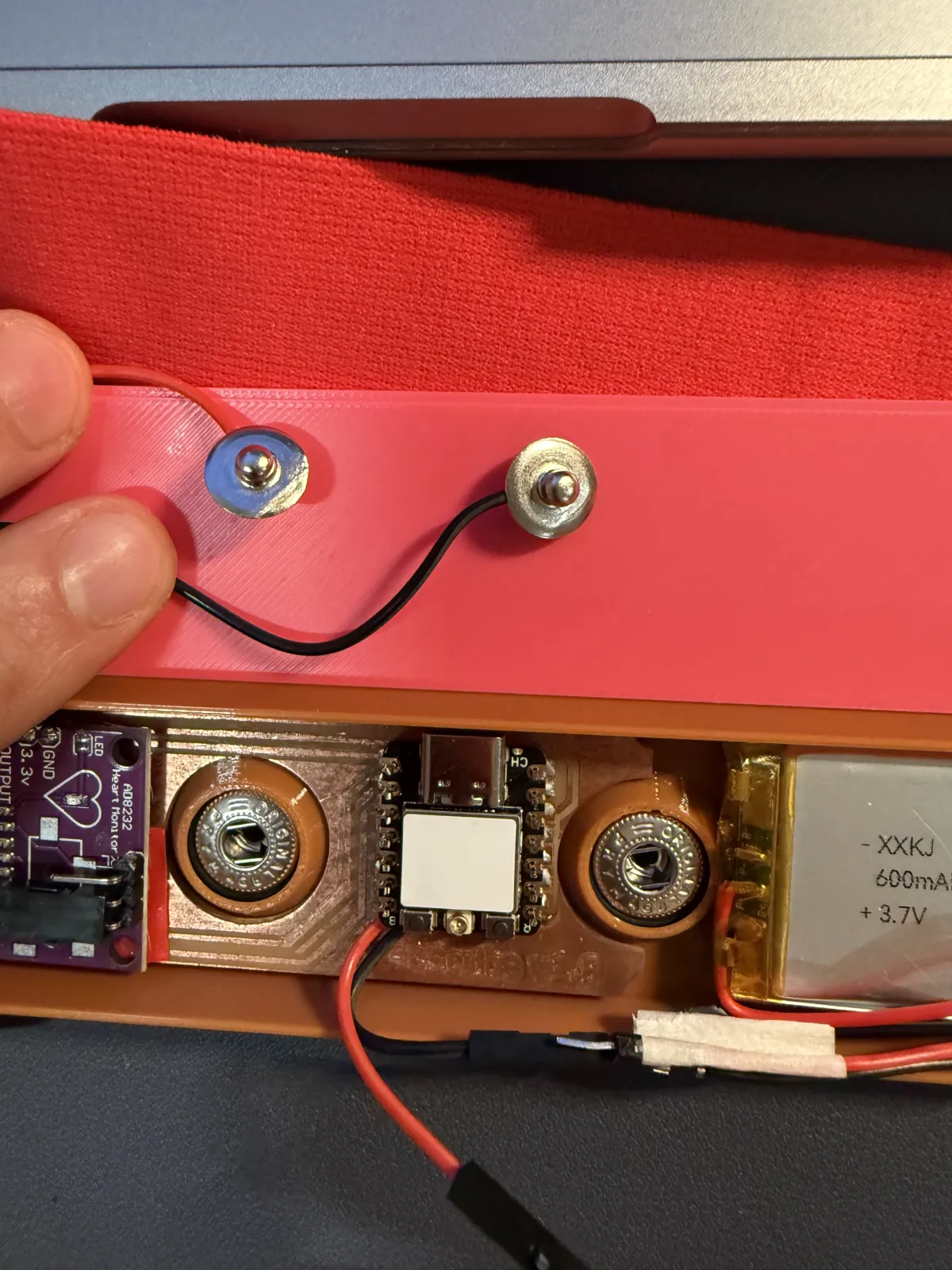
The snap contacts became both the body-signal interface and the removable mechanical connection between the enclosure and chest strap.
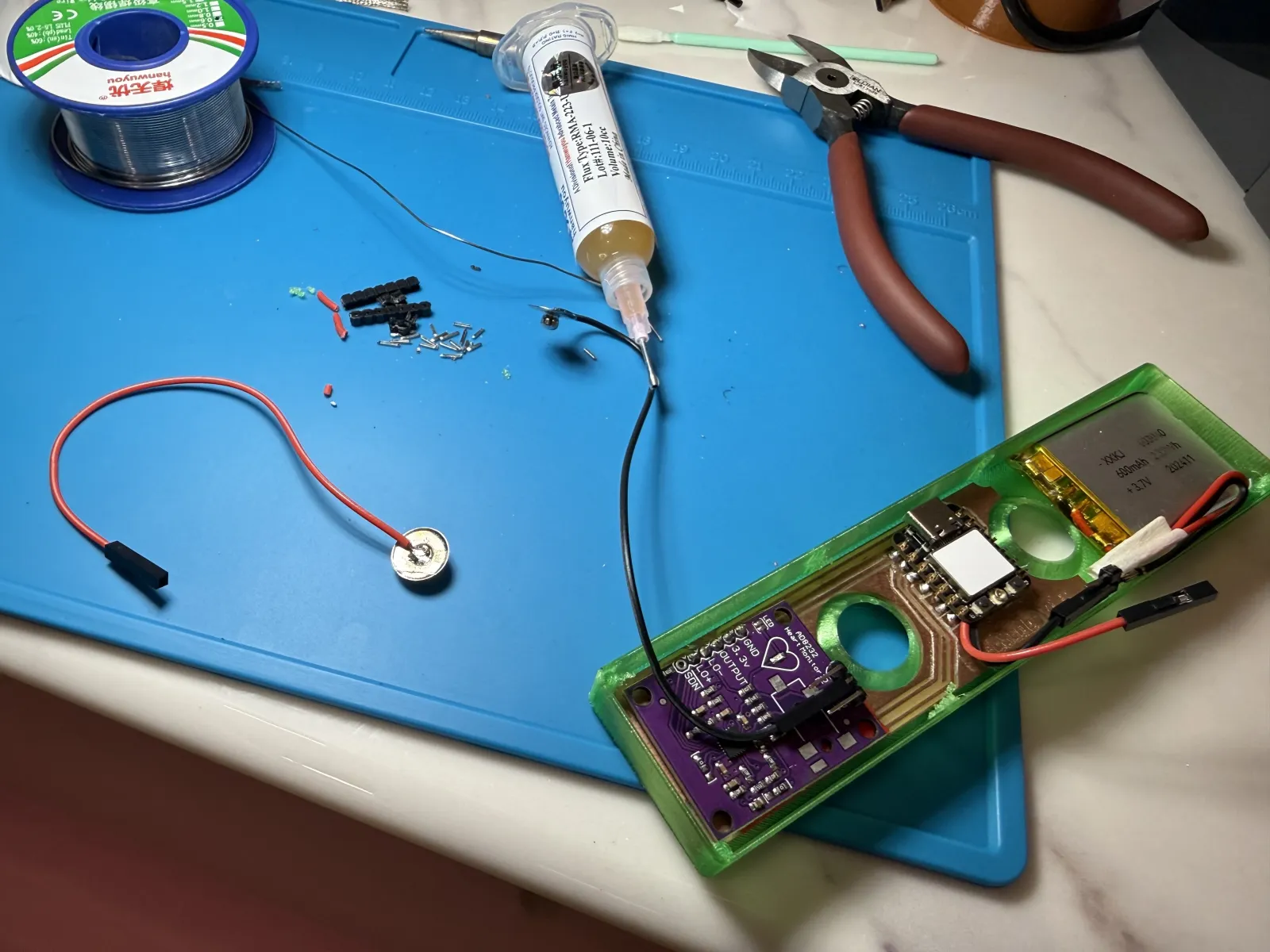
The AD8232, custom PCB, XIAO ESP32-C3, battery, and wiring fitted inside the final enclosure layout.
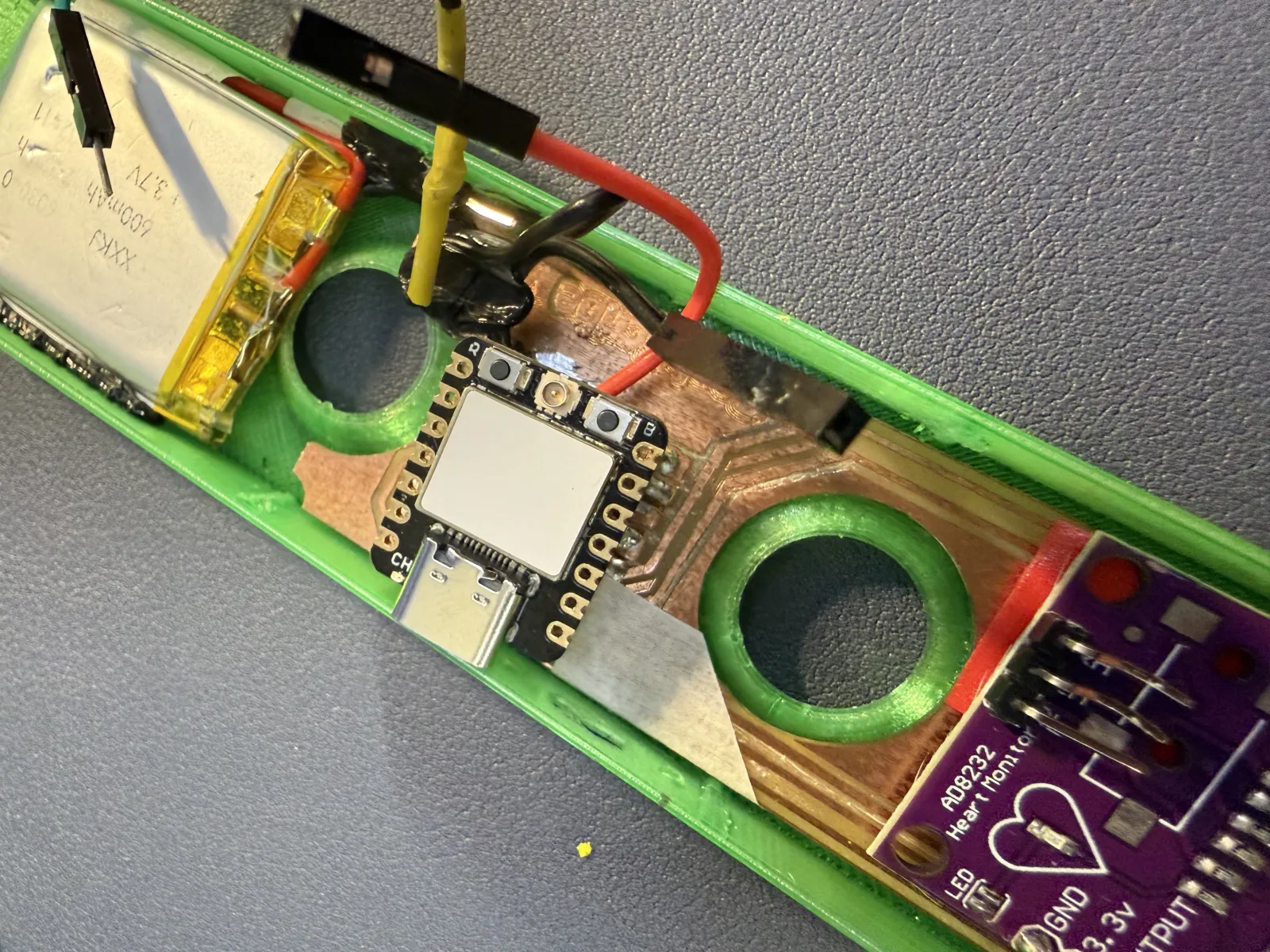
I used low-temperature 3D-pen filament to secure wires and board edges. This was faster than redesigning and printing a new support for every small mechanical adjustment.
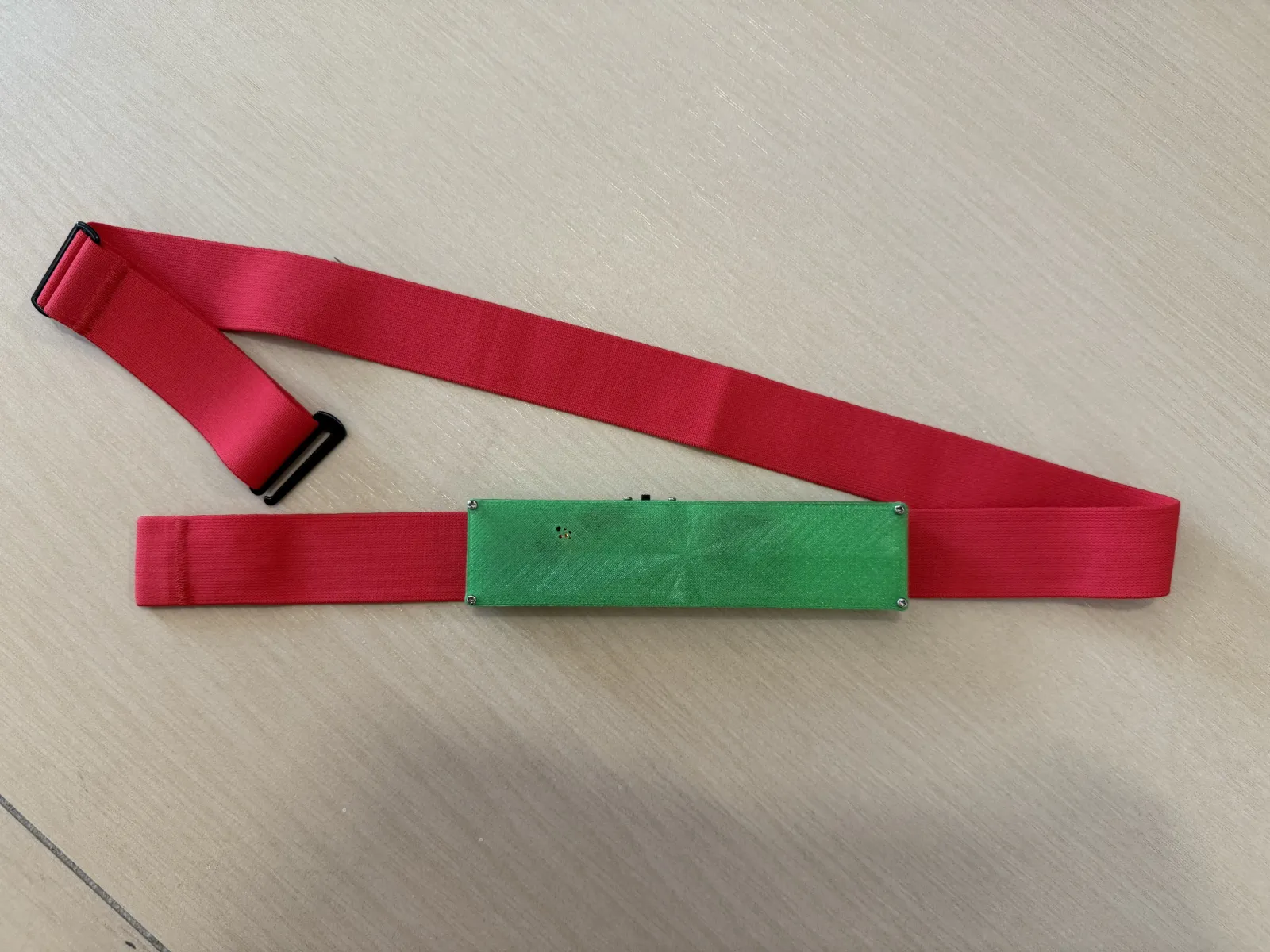
The completed Seebscribe prototype is enclosed, battery powered, attached to the adjustable strap, working over Wi-Fi, and ready for presentation.
Subtractive manufacturing — vinyl logo sticker
To include a subtractive manufacturing process in the final project, I made a small vinyl logo sticker for the final board/case surface. I did not have access to a vinyl cutter at that moment, so I used the laser cutter as a substitute. The vinyl sheet cut cleanly, and the result worked well as a simple subtractive element without redesigning the enclosure or electronics.
I prepared the text logo in LaserMaker, placed a small piece of adhesive vinyl on the laser bed, and used a low-power cutting setup so the outline and letters were cut through the vinyl layer. After cutting, I removed the unwanted vinyl and transferred the remaining Seebscribe by Yaro sticker onto the green final board/case surface.
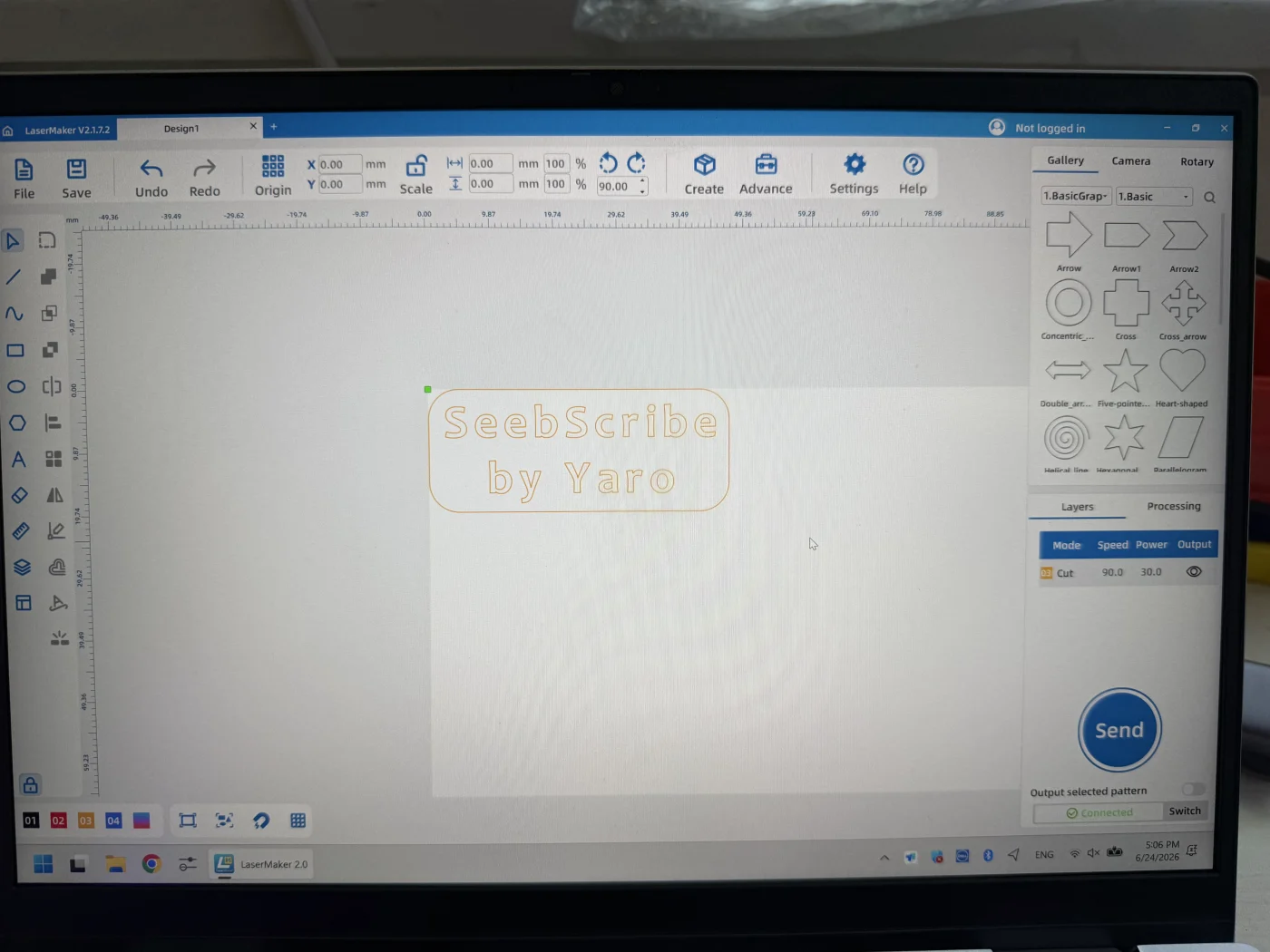
Vinyl sticker design prepared in LaserMaker.
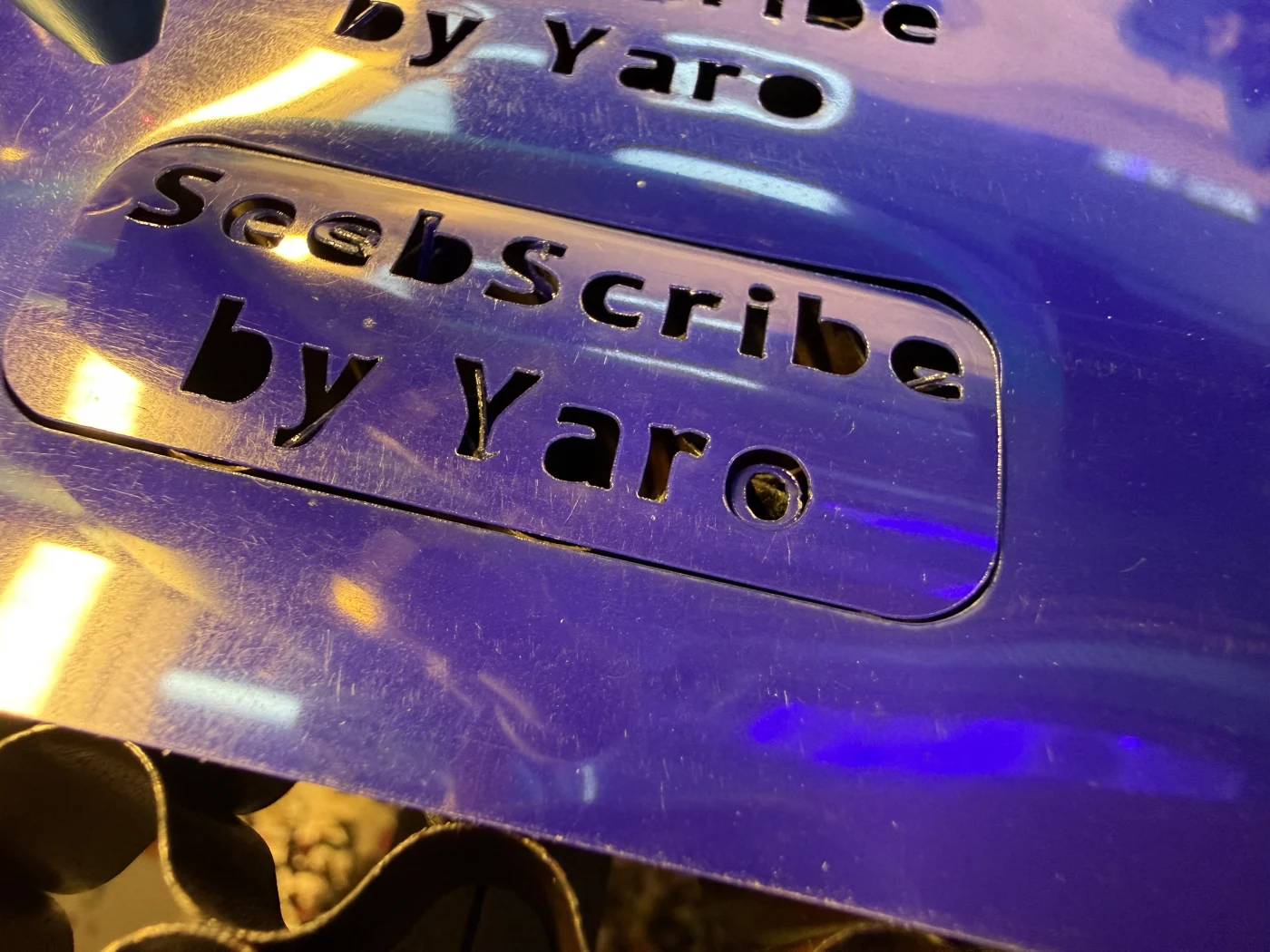
The laser cutter cut the vinyl sticker outline and letters cleanly.
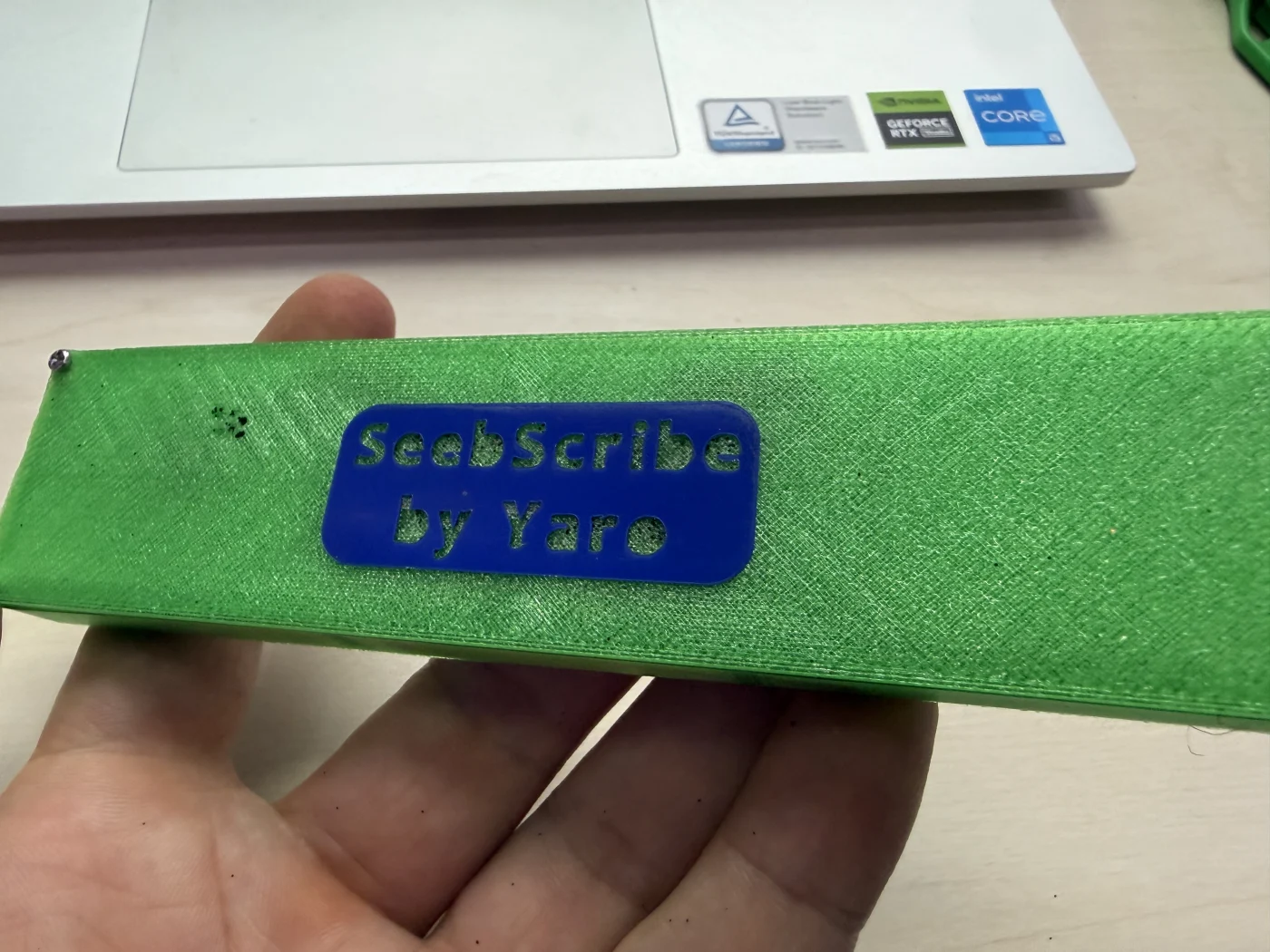
The final vinyl sticker applied to the surface of the completed project.
Final project files
These files contain the electronics, fabrication, firmware, and enclosure sources needed to reproduce or continue the project.
- Download the project source archive
- Download the final Gerber fabrication package
- Download the Arduino firmware for XIAO ESP32-C3
- Download the PCB trace image
- Download the PCB drill image
- Download the PCB outline image
- Download the trace-milling NC file
- Download the drilling NC file
- Download the board-outline NC file
- Download the PCB STEP model
- Download the printable enclosure model
- Download the final project BOM spreadsheet


.nc)
.nc)
.nc)
Final project BOM
This is the final bill of materials for the completed prototype. The links are Taobao search links using the exact terms I would use to find equivalent parts, because my original order links are not stored in the repository. The most important replicability item is the adjustable ECG / heart-rate chest strap with metal snap electrodes, because this defines the body-contact interface.
Spreadsheet version: Seebscribe_Final_BOM.xlsx.
| Item | Qty | Used in final prototype | Taobao search term / link |
|---|---|---|---|
| Seeed Studio XIAO ESP32-C3 | 1 | Main microcontroller and Wi-Fi dashboard server | XIAO ESP32-C3 开发板 Seeed Studio |
| AD8232 ECG sensor module | 1 | ECG analog front-end | AD8232 心电 ECG 传感器 模块 |
| Adjustable ECG / heart-rate chest strap with snap electrodes | 1 | Wearable body interface and reusable electrode support | 心率胸带 电极扣 心电胸带 金属按扣 |
| Metal snap fasteners / electrode snap contacts | 2 active contacts | Connection between strap electrodes and enclosure | 4mm 金属按扣 电极扣 心电 扣 |
| 3.7 V rechargeable LiPo battery | 1 | Portable power | 3.7V 锂电池 JST PH 2.0 小型 |
| Single-sided copper-clad PCB stock | 1 board | Custom milled carrier PCB | 单面覆铜板 FR1 FR4 PCB 雕刻 |
| 2.54 mm pin headers | as needed | Mounting and electrical connections | 2.54mm 排针 排母 杜邦针 |
| Flexible hookup wire | as needed | Internal signal and power wiring | 硅胶线 电子线 细软导线 |
| PLA filament for enclosure | small amount | 3D-printed case / lid | PLA 3D打印耗材 1.75mm |
| Low-temperature 3D pen filament | small amount | Internal reinforcement | 低温3D笔耗材 PCL |
| Adhesive vinyl sheet | 1 small piece | Subtractive manufacturing sticker | 不干胶刻字贴纸 乙烯基 贴膜 |
References and source links
- Seebscribe final BOM spreadsheet
- Taobao search — adjustable ECG / heart-rate chest strap with snap electrodes
- Taobao search — matching metal snap electrode contacts
- Taobao search — AD8232 ECG module
- Taobao search — XIAO ESP32-C3 development board
Final result
Seebscribe began as an idea about making an invisible body signal visible. It finished as a complete wearable system: a chest ECG input, custom electronics, battery power, Wi-Fi communication, a live browser dashboard, and a fabricated enclosure attached to an adjustable strap. The project is working and ready for presentation. Part 1 proved the sensing, firmware, Wi-Fi connection, and live dashboard. Part 2 transformed those working elements into a compact physical product. Future development can now build on this completed foundation instead of beginning again from separate experimental modules.