Week 14
Assignment - Interface And Application Programming
-
Group assignment:
- Compare as many tool options as possible.
- Document your work on the group work page and reflect on your individual page what you learned.
-
Individual assignment:
- Write an application for the embedded board that you made. that interfaces a user with an input and/or output device(s)
Individual Assignment Hero
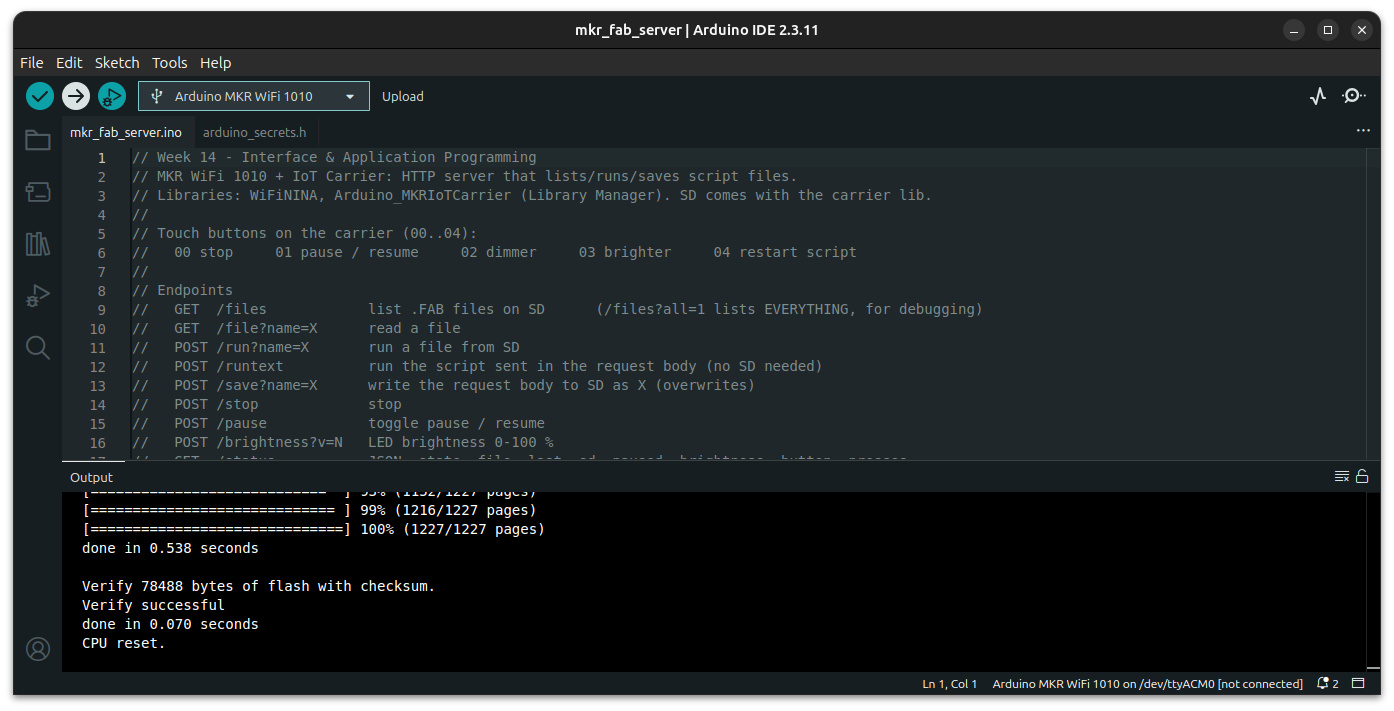
Uploading from the Arduino IDE
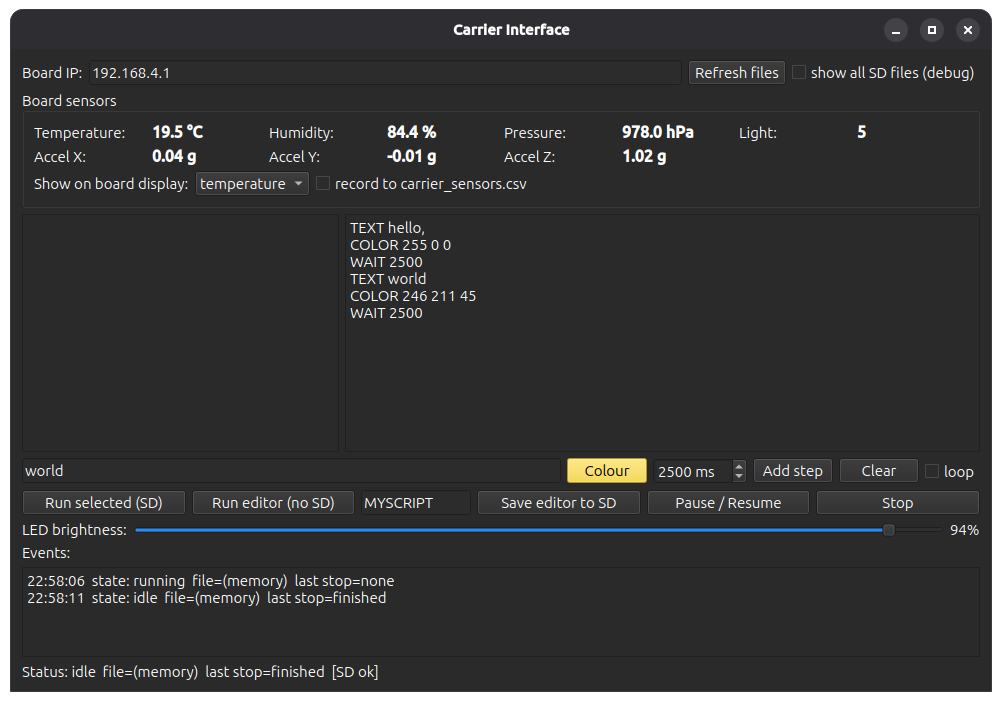
The Python interface
The firmware running on the IoT Carrier Board
Group Assignment
Comparison
- Grasshopper
- Python (first test)
- P5JS
- FreeCAD Macro
Reflection
-
Grasshopper script runs inside Rhino, which is a proprietary software, and makes the script less accessible.
- I investigated Grasshopper Player, which allows you to run a script headlessly, and I made aliases for commands, so they became like normal Rhino commands!
-
Python was able to do everything but not easy (to me) or optimised at anything without additional libraries IMO. Python needed a library (I was suggested
Trimesh) to do intersections. I was out of depth with my python experience. -
P5JS was fantastic for web interface. And I could embed directly using an iframe. It successfully works to upload a mesh file, can analyse. We can get bounding box dimensions, and report if that matches a supposed machine size, and what proportional scale to fix it. However, core P5JS didn’t have an efficient way to do the slicing, and for the preview required iterating all triangles in the mesh and renormalising. When initiating a WebGL (3D) canvas, the text becomes a 3D text object, and is affected by transforms (even within push/pop commands!). So, a library should be used that can handle this.
-
FreeCAD can run a Macro. I relied on AI to rewrite this for me, using the first script as an example. I could add a macro to the toolbar, and text very easily. Using AI was a mistake, because I didn’t understand enough of the script to tell what was going on. Apparently slicing a 3D object produced “wires” and not polylines, and I didn’t manage to convert and flatten these lines in the time allocated.
Write an application (that interfaces with an input or output device)
issue 1
I am away from the lab right now, and don’t have much access to hardware. I will build a project that can be tested on a Arduino MKR WiFi 1010 (commercial board) but can be transferred back to my own board as soon as I get access to the lab again.
The plan is to make an interface on desktop that connects by Wi-Fi to a board. The board can communicate the contents of a connected SD card, which may be read to some extent, and/or run on the board. The board has an OLED screen, LED’s and some buttons, so some feedback, or data can be shown, and the buttons can interrupt or change something about the running file.
Setup
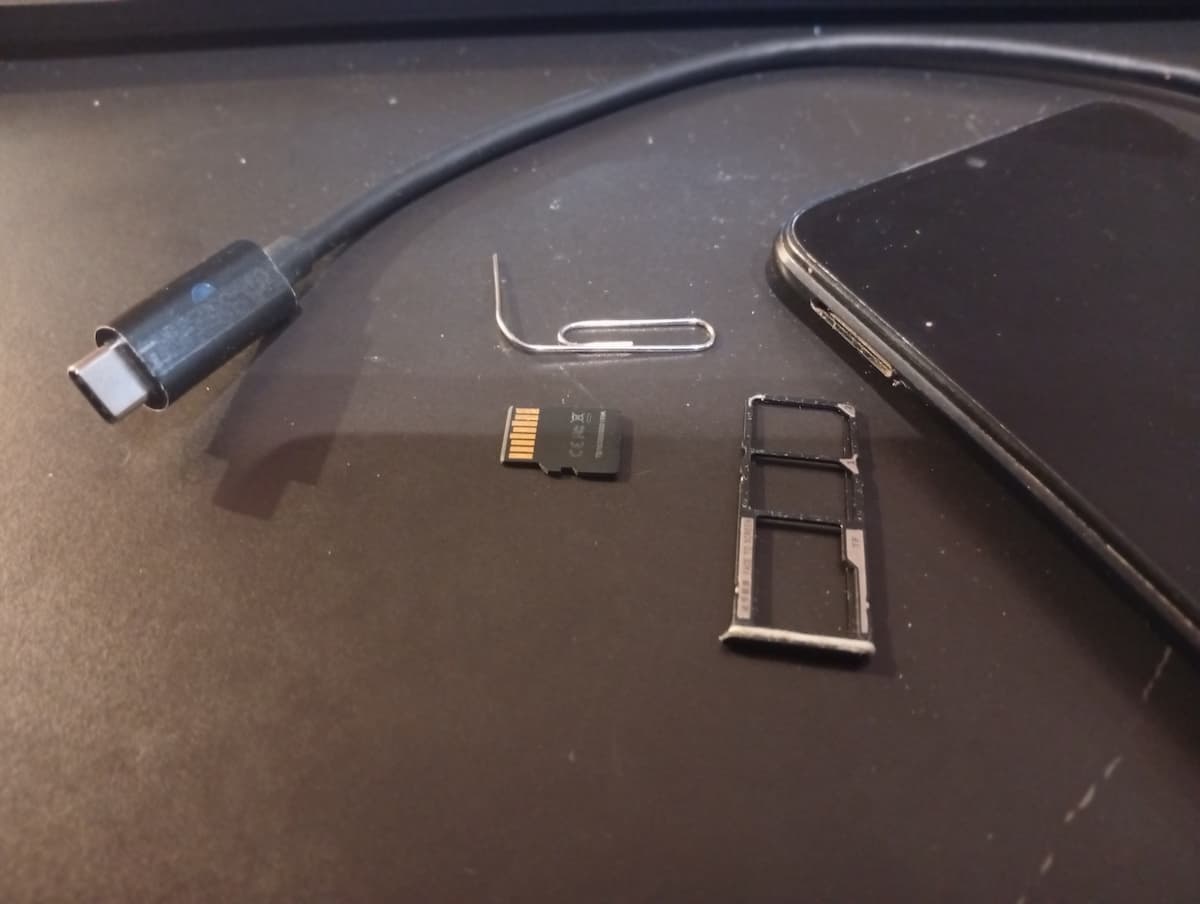
This week has been a whole lot of McGyver-ing. I did most of my work on a 14-year old HP laptop with Ubuntu and no SD card reader. To get over this hump, I used my phone’s SD slot to move the files across. It is relevant for my final project to be able to interface with a device with an SD card for storage.
The firmware is uploaded by Arduino IDE over serial, like normal. The app talks to the board over WiFi using plain HTTP. A Python Qt (PySide6) application runs to list the card contents, and to run the files. They contain basic colour and text info that is output, and buttons on the device which stop, pause, dim, brighten and restart a running script, and report back to the app.
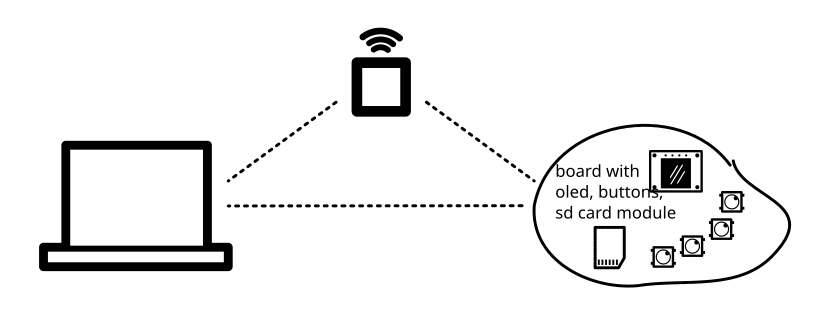
Client-side
The only dependency is PySide6, so install with the command:
pip install PySide6
python fab_client.py
In your terminal, you can run the following too:
curl http://192.168.0.25/status
To which I see:
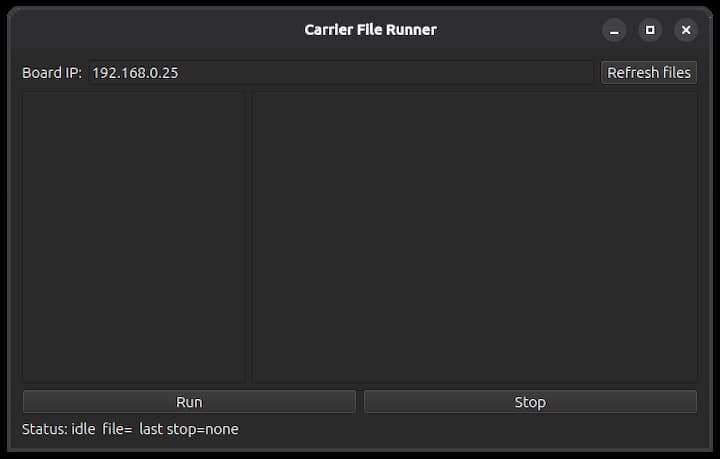
And,
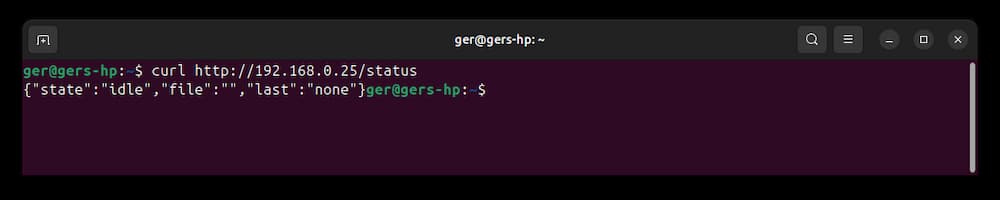
The connection with the IP address works. What I see is expected, but no files. A possible cause is that the SD card is formatted in a way that it’s not readable, for some reason. (I was only using MTP to move the files, so I couldn’t have reformatted it, and I didn’t take the time to remove all the files. There were a lot, I just thought we could filter by extensions .h etc.)
HTTP Endpoints
The board runs a small web server (port 80) and responds to HTTP requests. HTTP endpoints can be tested with curl from a terminal with curl before building any interface.
| Endpoint | Method | What it does |
|---|---|---|
| /files | GET | List .FAB script files on the SD card (?all=1 lists everything, for debugging) |
| /file?name=X | GET | Return the contents of a file |
| /run?name=X | POST | Run a script from the SD card |
| /runtext | POST | Run the script sent in the request body, from memory |
| /save?name=X | POST | Write the request body to the SD card |
| /stop | POST | Stop the running script |
| /status | GET | JSON with state, file name, last stop reason and SD status |
| /pause | POST | toggle pause/resume |
| /brightness?v=N | POST | LED brightness 0-100% |
Problems and Fixes
- The app connected but didn’t show any files. I could reach the board (
curl http://192.168.0.25/statusreturned JSON), but the file list was empty. The SD card was not empty, and I had only copied files over MTP, so I couldn’t be sure the card format was the problem. I added a debug listing (/files?all=1) and an SD status flag in/status, to tell the difference between “card not readable” and “my.hfilter excludes everything”. I also made the app able to run scripts from memory, so the project doesn’t depend on the SD card working. - The board stopped connecting to Wi-Fi, without indicating why. I changed it to print each attempt, and start its own access point (“CarrierRunner”, IP 192.168.4.1) if it still didn’t connect.
- The IP address wrapped onto two lines on the display. The text was too wide at size 3. I changed the display function to centre text and choose size 3 or 2 depending on its length.
- Blocking code. Using
delay()in the script runner would have stopped the board receiving HTTP requests and button touches during a WAIT. Usingmillis()timestamps fixed this. - I couldn’t get the touch buttons to work. Even with some example scripts from the library, and doublechecking the sensitivity, so I changed the “inputs” to come from the sensor values on the board. They can be set to show on the screen between animations, and the Python interface can even log them to a
.CSV.
Use of AI
I used Claude to help write the firmware and the Python Qt application, starting from my descriptions and the hardware I was using. I reviewed, uploaded and tested the code, and the chat log is linked in the Files section.