Week 4
Assignment - Embeded Programming
- Group assignment:
- Demonstrate and compare the toolchains and development workflows for available embedded architectures.
- Document your work on the group work page and reflect on your individual page what you learned
- Individual assignment:
- Browse through the datasheet for a microcontroller.
- Write and test a program for an embedded system using a microcontroller to interact (with local input &/or output devices) and communicate (with remote wired or wireless connections).
From Assignment Details.
Group Assignment
- Link to group assignment page.
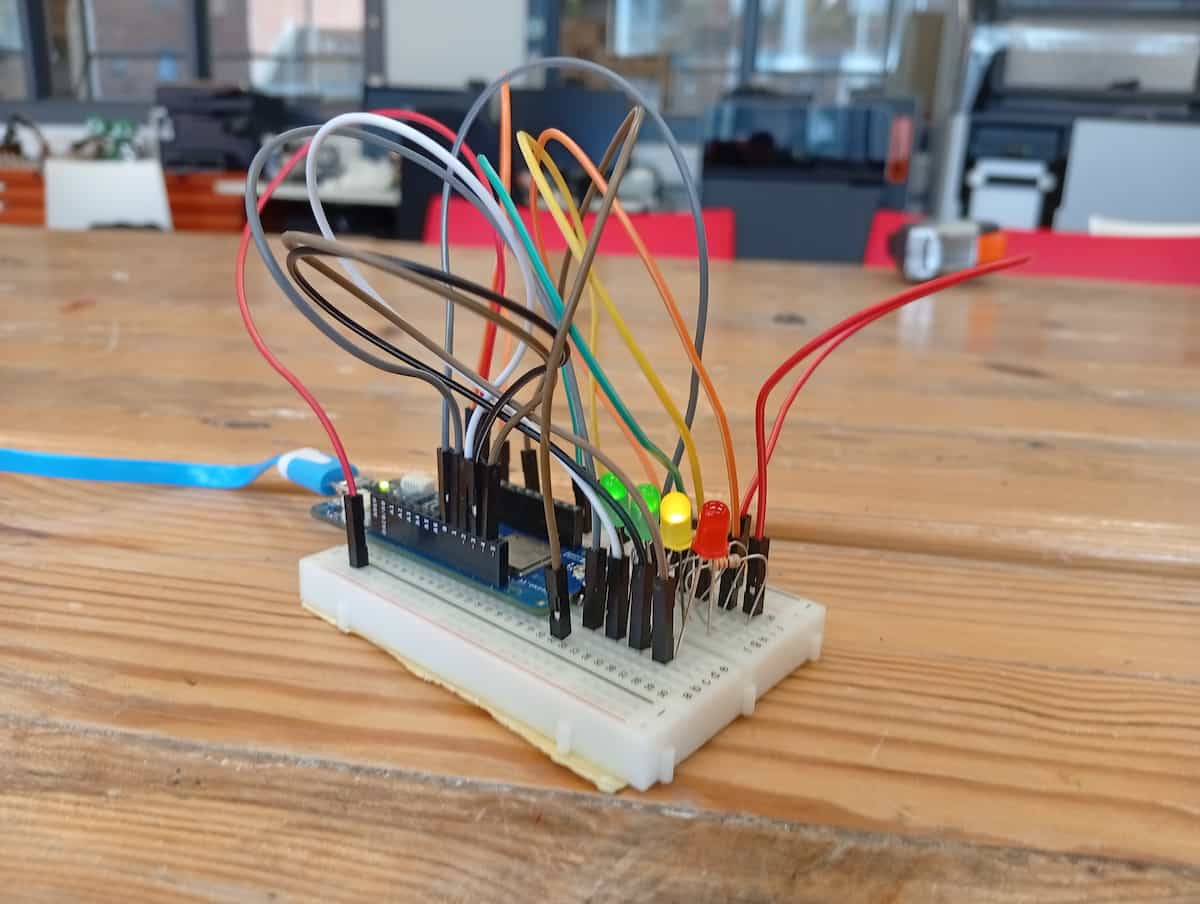
I use the Arduino IDE, the Xiao ESP32-C3. (I switch to the Arduino MKR WAN 1310 at one point, because I used the Xiao on another assignment)
Individual Assignment
Datasheets for microcontroller.
-
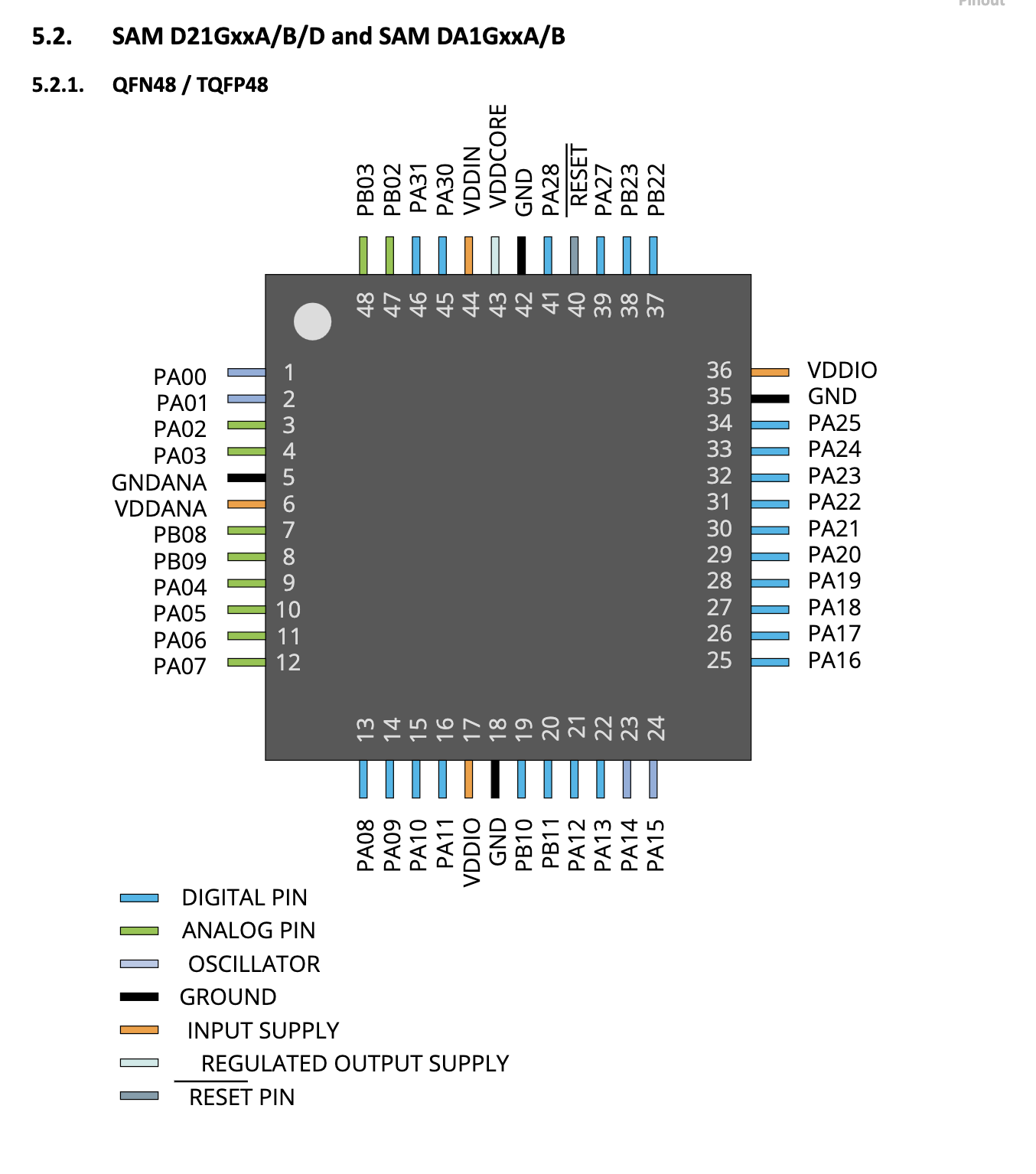
Atmel ATSAMD21-G18A (Arduino MKR WAN 1310)
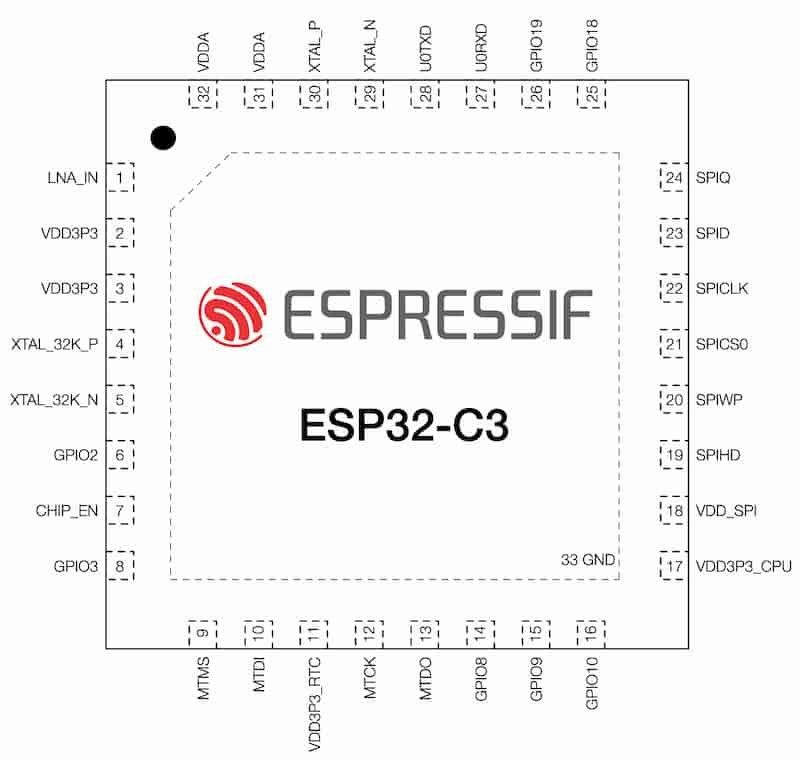
Pinout for ESP32-C3
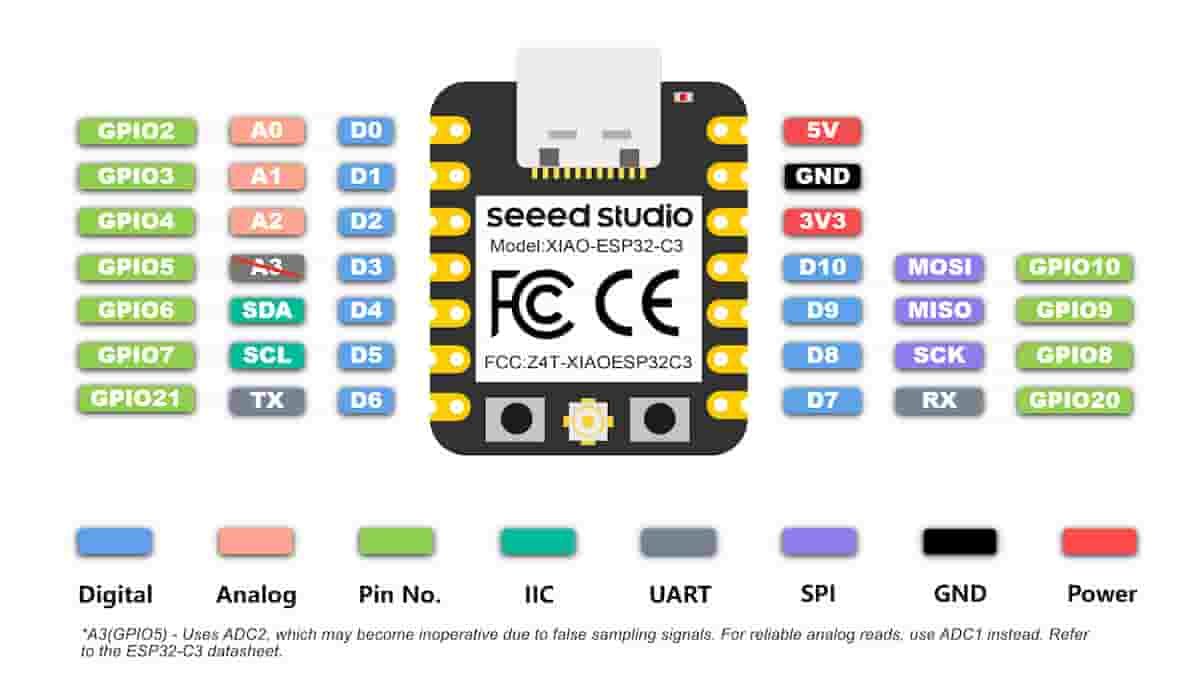
Pinout Diagram for Xiao ESP32-C3 SoC
Pinout for ATSAMD21-G18A
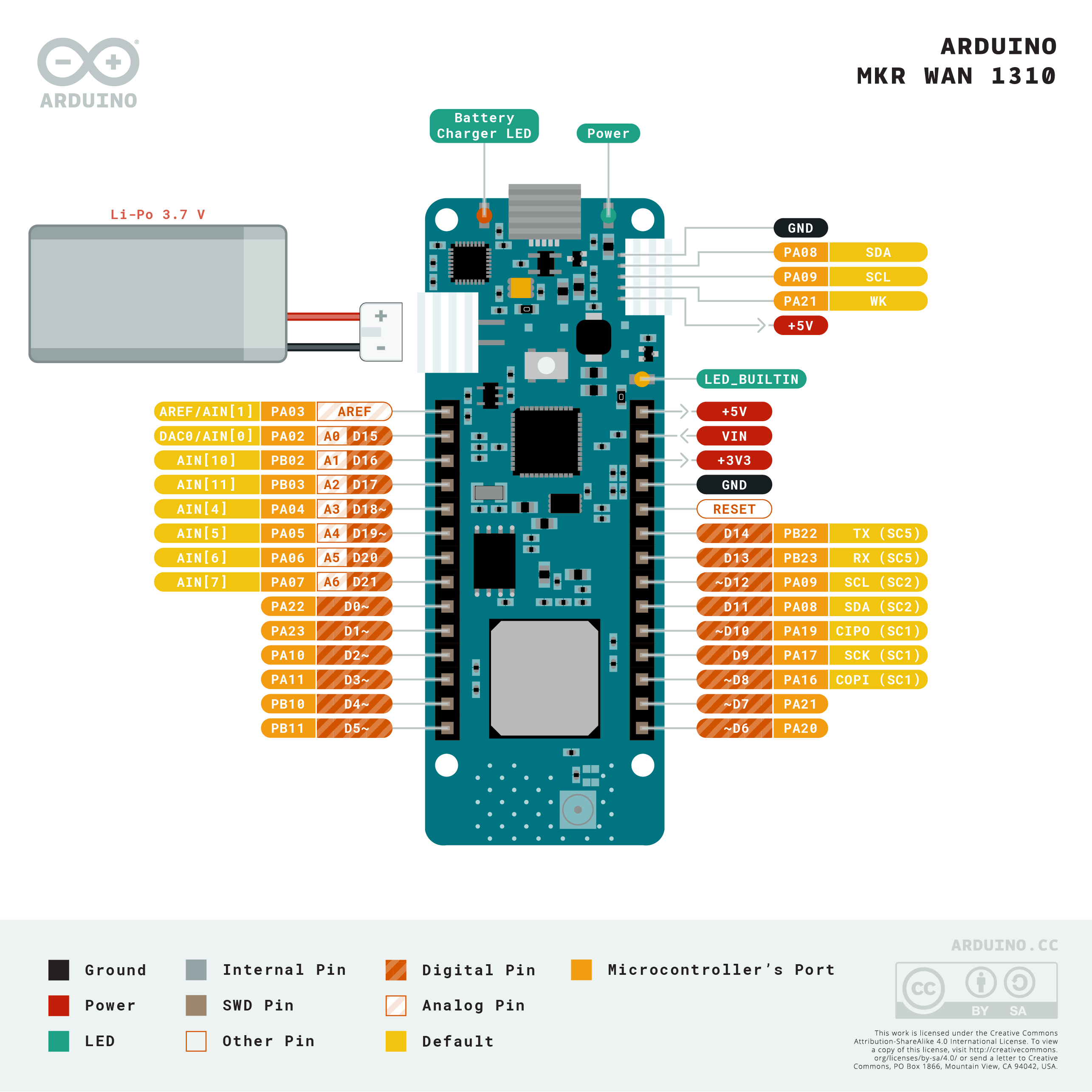
Pinout for Arduino MKR WAN 1310
Fix 1 (Additional Board Packages)
The Xiao documentation describes how to add additional board packages. It is a similar step at to what is required for many different boards (Arduino clones, various ESP8266/ESP32’s, DFRobot, and others).
So, for the Xiao ESP32-C3, the board package repository is:
https://jihulab.com/esp-mirror/espressif/arduino-esp32.git
Add this on your Arduino IDE Preferences page (File > Preferences on Windows, and Arduino IDE > Settings on MacOS), as follows:
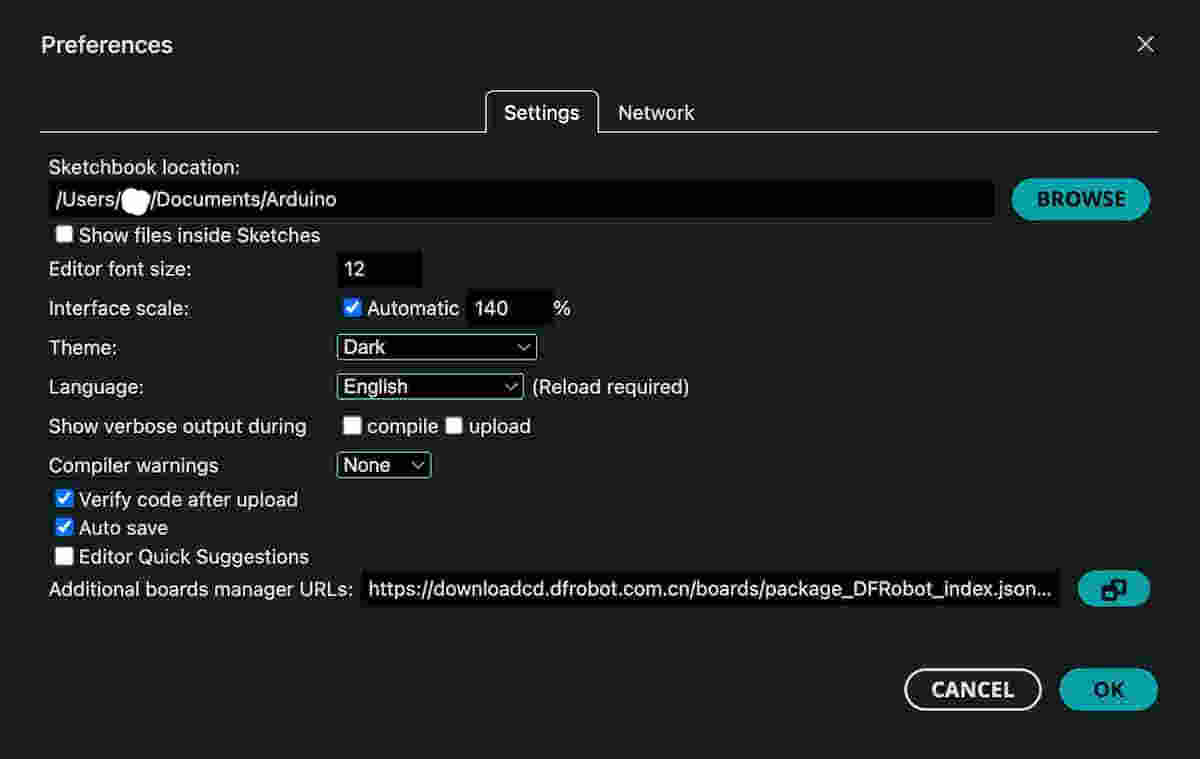 Then, the Board Manager will be able to install the respective boards as normal.
 …then search “esp32”…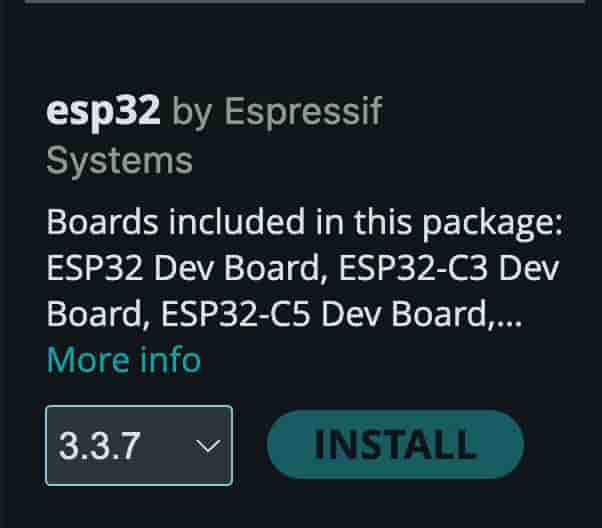
Fix 2 (Extend Board Manager Timeout)
If your IDE is hanging and timing out while installing boards…


The Custom Boards package is hosted on a CDN that wasn’t fast enough. The default timeout seems to be 300s. Based on this post by user @ptillisch, it describes how to extend the timeout and allow more time to complete.
- You need to additionally install the Arduino CLI. (Even though you have the IDE, settings that are configured for the CLI take precedence over those set in the GUI). Instructions for installation. In MacOS, that was as follows:
brew install arduino-cli - Locate and edit the config file:
nano ~/.arduinoIDE/arduino-cli.yaml - Add the following to the yaml, if these lines do not exist:
network:
connection_timeout: 1200s
Uploading! (video)
…

Refinement
-
I switched to the Arduino MKR WAN 1310, because I didn’t have the original Xiao setup. Following the pinout diagram, I moved the LED pins to
1-4, and the button pin to0. -
One of the buttons I picked out wasn’t working. To figure that out, I added the Serial library, and printed the buttonstate to the serial monitor as follows.
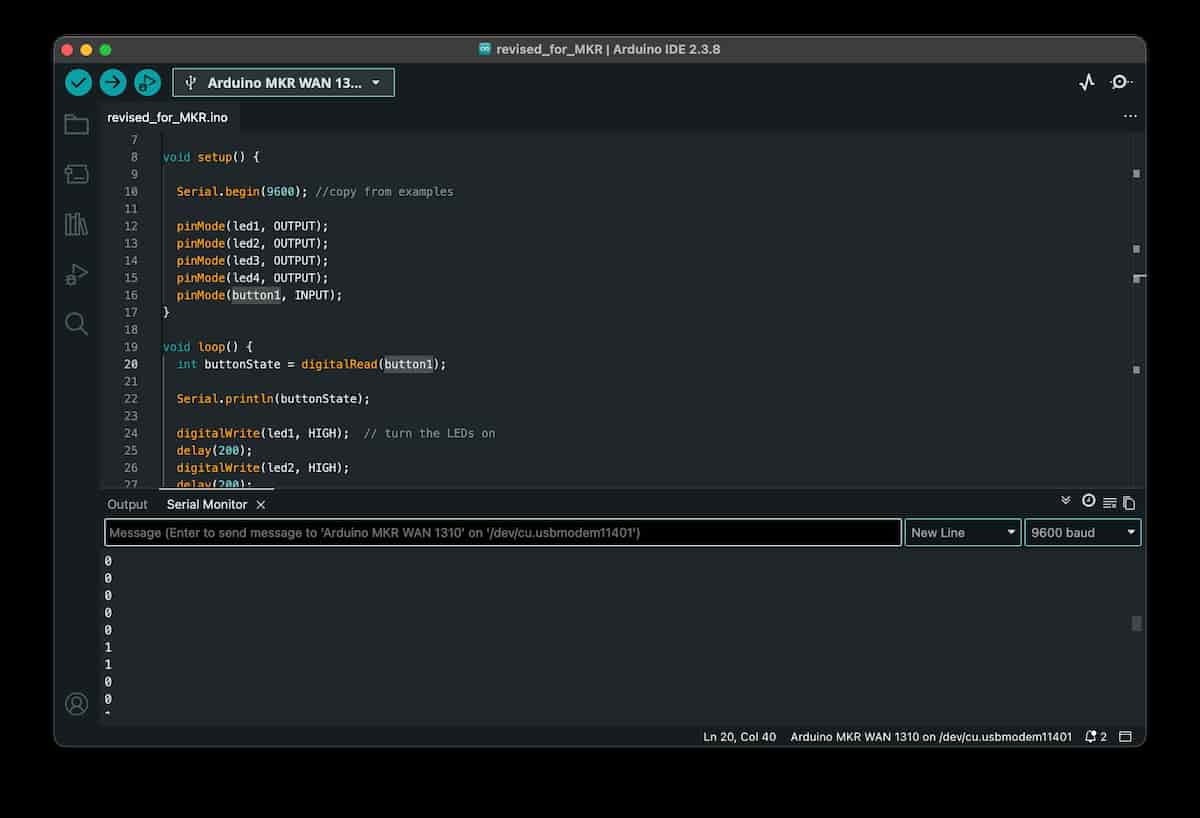
And it seems it was just a bad button!
Files
Final Reflections
- The Arduino IDE is a great workflow for beginners (I have used the Arduino-CLI and esptools too). It abstracts the bootloading and programming to make the whole process more accessible.
There is additional friction with boards that are not included in the default board manager, and adding additional packages feels a little bit fragile and advanced/outside the normal user’s capabilities. One fix involved editing CLI config files suggests the abstraction only goes so far before breaking down.
Fix 1 and Fix 2 below, and certain OS-specific differences remain. I would not be sure I could repeat the same process on Linux or Windows.
- Reading the datasheets was initially a bit overwhelming, but becomes pretty important when something doesn’t work as expected or when moving between boards!
The datasheets are a great reference document. Especially for understanding the hardware. Moving towards more SMD components and workflow, and ordering by component instead of full commercial boards, it’s much more important to understand things like the temperature resistances of different parts and the slight chip variations and how to interface with them and connect them into your project.
Documentation for the ESP32-C3 Xiao board from Seeed Studio, is available on the Seeed Studio Wiki.
- The Breadboard prototype works while on the desk, but has disadvantages in terms of connection quality (physical, and electrical). Disconnection would interrupt protocol-based connections.