Week17 - Wildcard Week
Overview
For this Wildcard Week, I decided to explore the fascinating field of TinyML (Tiny Machine Learning).
What is TinyML?
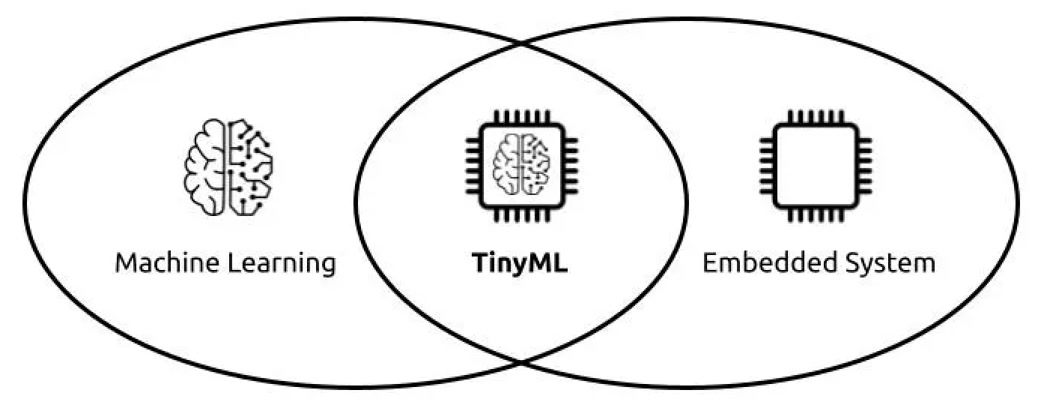
Traditionally, artificial intelligence and computer vision require massive computing power and constant internet connectivity to process data on large cloud servers. TinyML (Tiny Machine Learning) flips this concept upside down.
It is the practice of optimizing and deploying lightweight machine learning models directly onto resource-constrained edge devices, such as microcontrollers. Instead of sending raw data back and forth to the cloud, TinyML allows the device to process sensor data (like images, motion, or audio) locally and entirely offline. This approach drastically reduces latency, protects user privacy, and allows systems to operate with extremely low power consumption.
Project Overview & The AI Toolchain
To practically explore this, my project goal is to use a custom computer vision model to recognize the "Rock, Paper, Scissors" hand gestures and run it entirely on an edge device.

To achieve this without writing thousands of lines of complex machine learning code from scratch, I utilized a streamlined, modern AI toolchain. Here is a breakdown of the hardware and software ecosystem I used, and how they connect.
The Hardware: XIAO Vision AI Camera
I borrowed one unit of this XIAO Vision AI Camera from Seeed product manager.
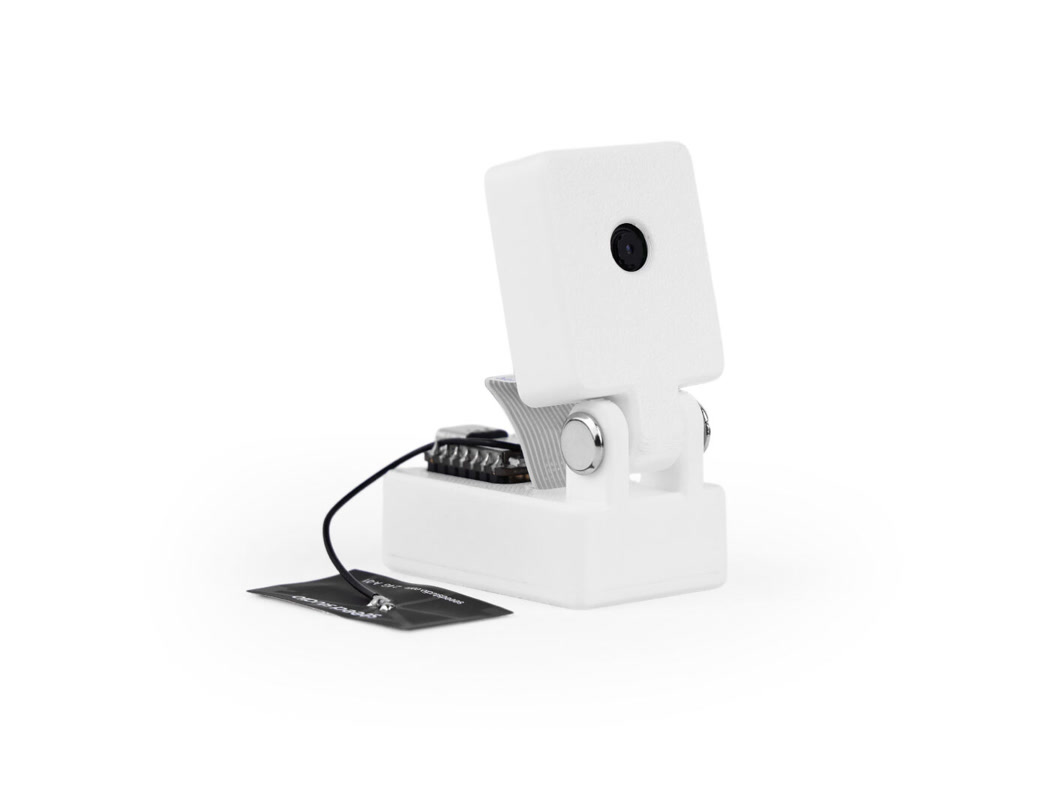
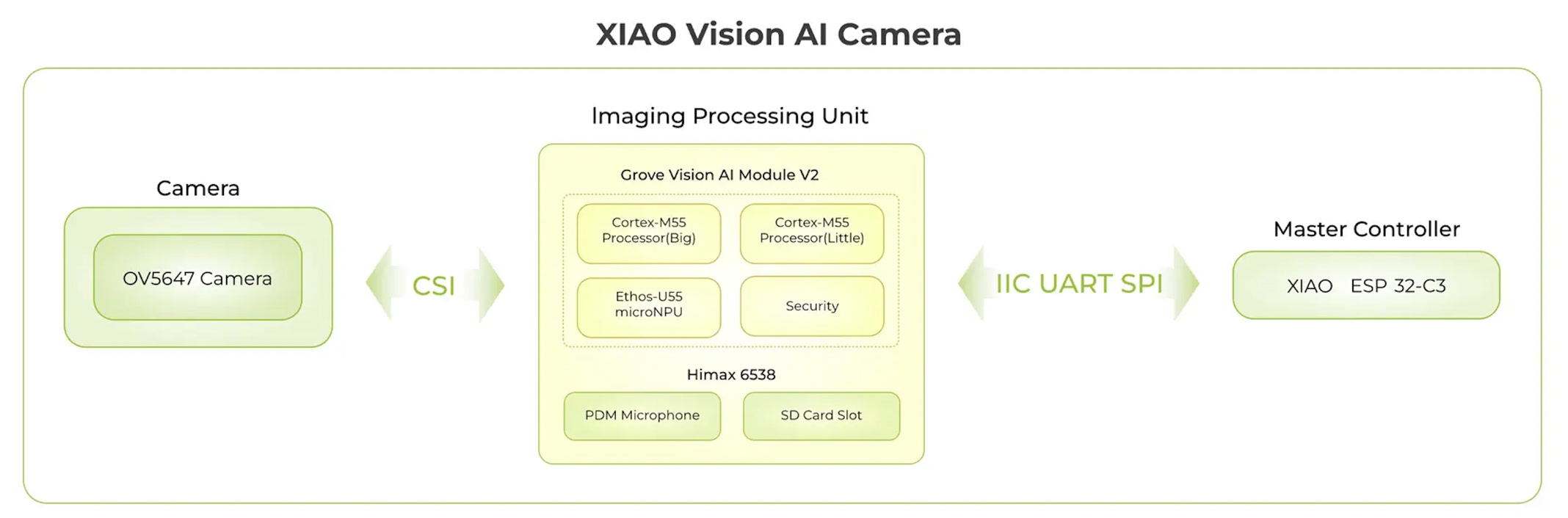
This is the physical brain and eyes of the project. It is a highly compact module that integrates a XIAO microcontroller, an OV5647 camera sensor, and crucially, a dedicated Himax vision processing chip. Unlike standard microcontrollers that would crash trying to process video feeds, this dedicated chip is explicitly designed to accelerate TinyML models, allowing for real-time offline image recognition.
The Deployment Platform: SenseCraft AI Web
SenseCraft AI Web serves as the primary deployment interface, designed to streamline the traditionally complex hardware-software bridge. It operates entirely within a Chromium-based browser and relies on three key technical mechanisms to deploy models to the edge:
-
Web Serial API Integration: Traditionally, flashing machine learning models onto microcontrollers requires installing specific local IDEs, configuring port drivers, and executing command-line scripts. SenseCraft bypasses this by leveraging the Web Serial API—a modern web standard that grants the browser secure, direct read/write access to the computer's local USB and serial ports. This allows for a zero-installation, plug-and-play connection between the cloud interface and the physical edge device.
-
The
.cvimodelBinary Format: In Edge AI, a trained neural network must be heavily compressed to fit into the restrictive SRAM and Flash memory of a microcontroller. The platform utilizes the.cvimodelformat, which is a highly optimized, compiled binary file. It contains the exact mathematical weights, biases, and structural architecture of the neural network specifically tailored for the Himax vision processing unit's instruction set. -
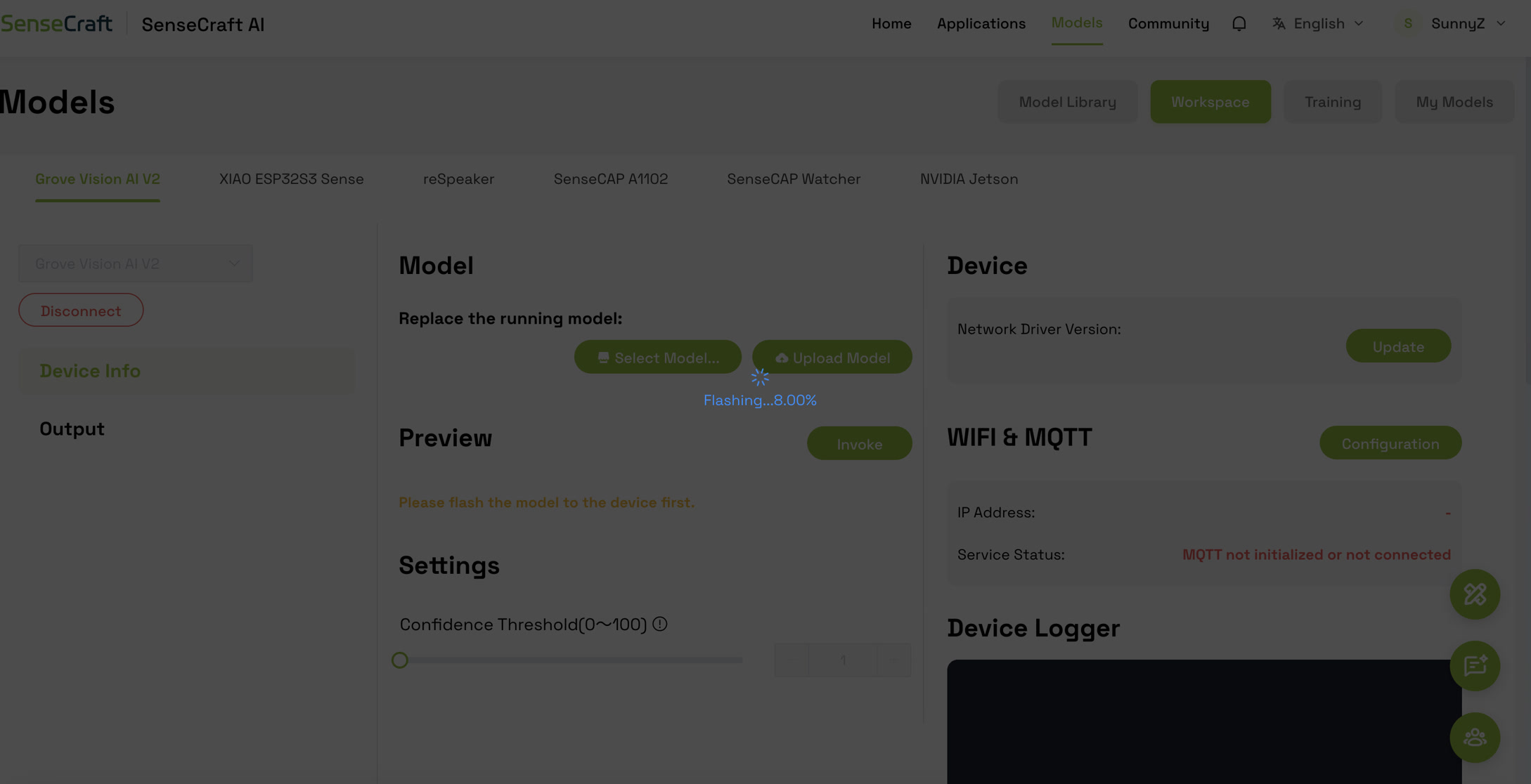
Direct-to-Flash Memory Execution: Once the hardware is connected via the browser's serial prompt, SenseCraft AI Web transmits the
.cvimodelbinary directly into the camera module's onboard flash memory. This mechanism updates the AI "brain" of the device on the fly, allowing for rapid iteration and testing of different algorithms without needing to recompile the device's underlying C++ firmware.
The Workflow Logic:
In summary, such a tiny machine learning project generally flows sequentially through these five steps:
-
Capture raw images with the camera.
-
Annotate the images in Roboflow to teach the system what a "Rock, Paper, or Scissors" gesture looks like.
-
Train the lightweight model using SenseCraft.
-
Deploy the model back onto the XIAO hardware.
-
Execute real-time, offline gesture recognition.
Step 1: Hardware Preparation
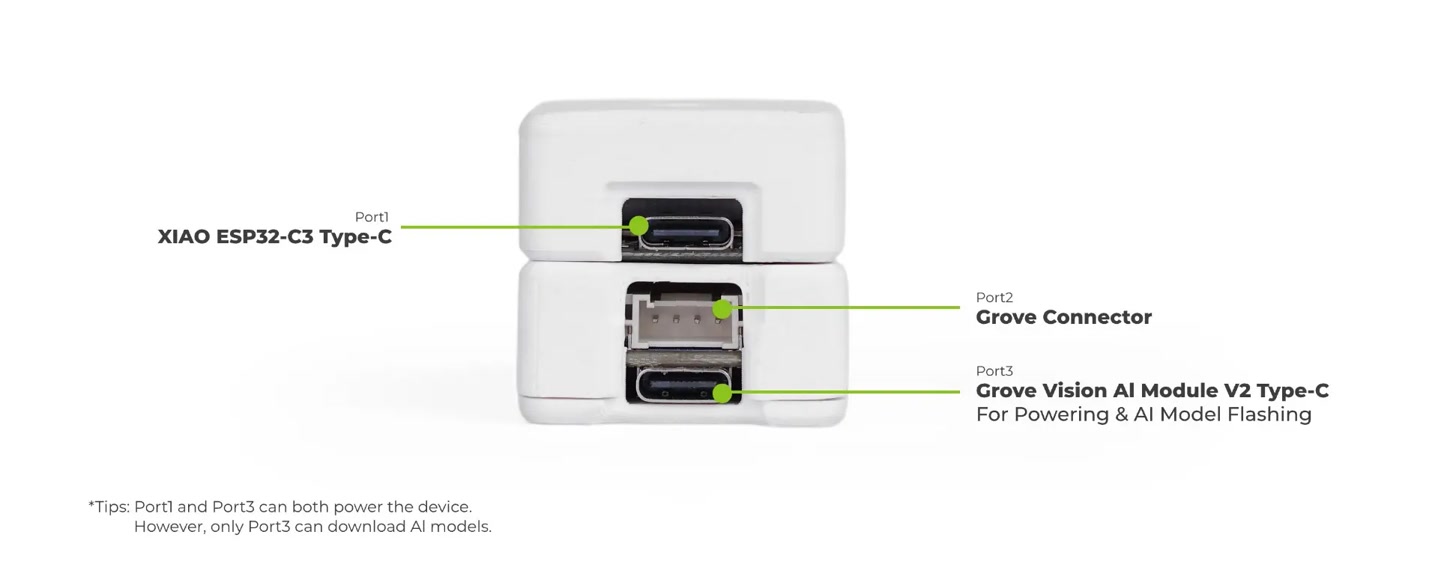
The XIAO Vision AI Camera integrates the Grove Vision AI V2 module and the camera sensor. After assembling the hardware components, I connected the device to my computer using a USB-C data cable.
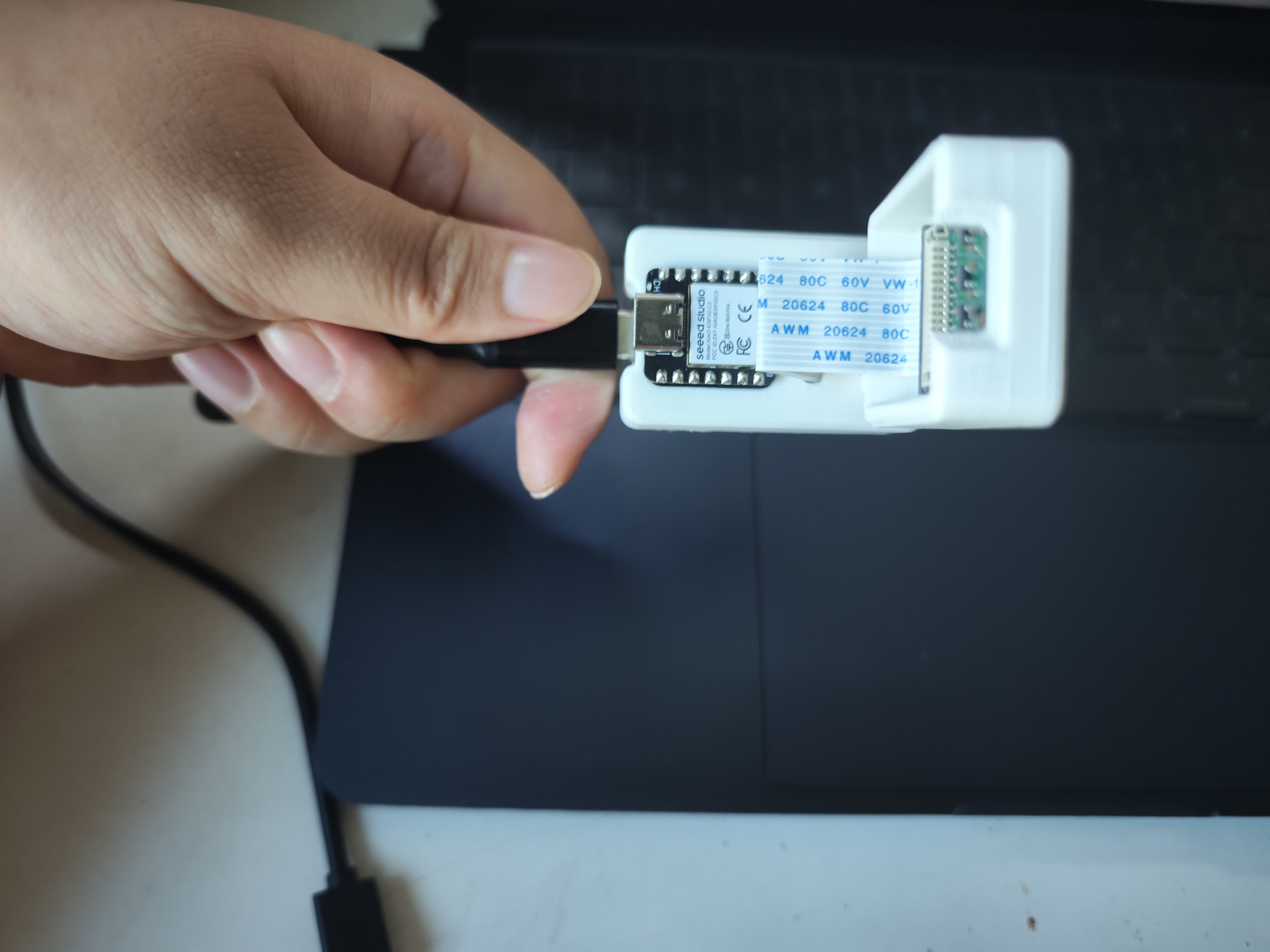
Note: It is necessary to connect the cable directly to the Grove Vision AI V2 port to ensure proper serial communication with the Himax AI chip.
Step 2: Edge Deployment via SenseCraft AI Web
To verify the hardware's edge computing capabilities, I opened the SenseCraft AI web platform in Google Chrome. https://sensecraft.seeed.cc/ai/home

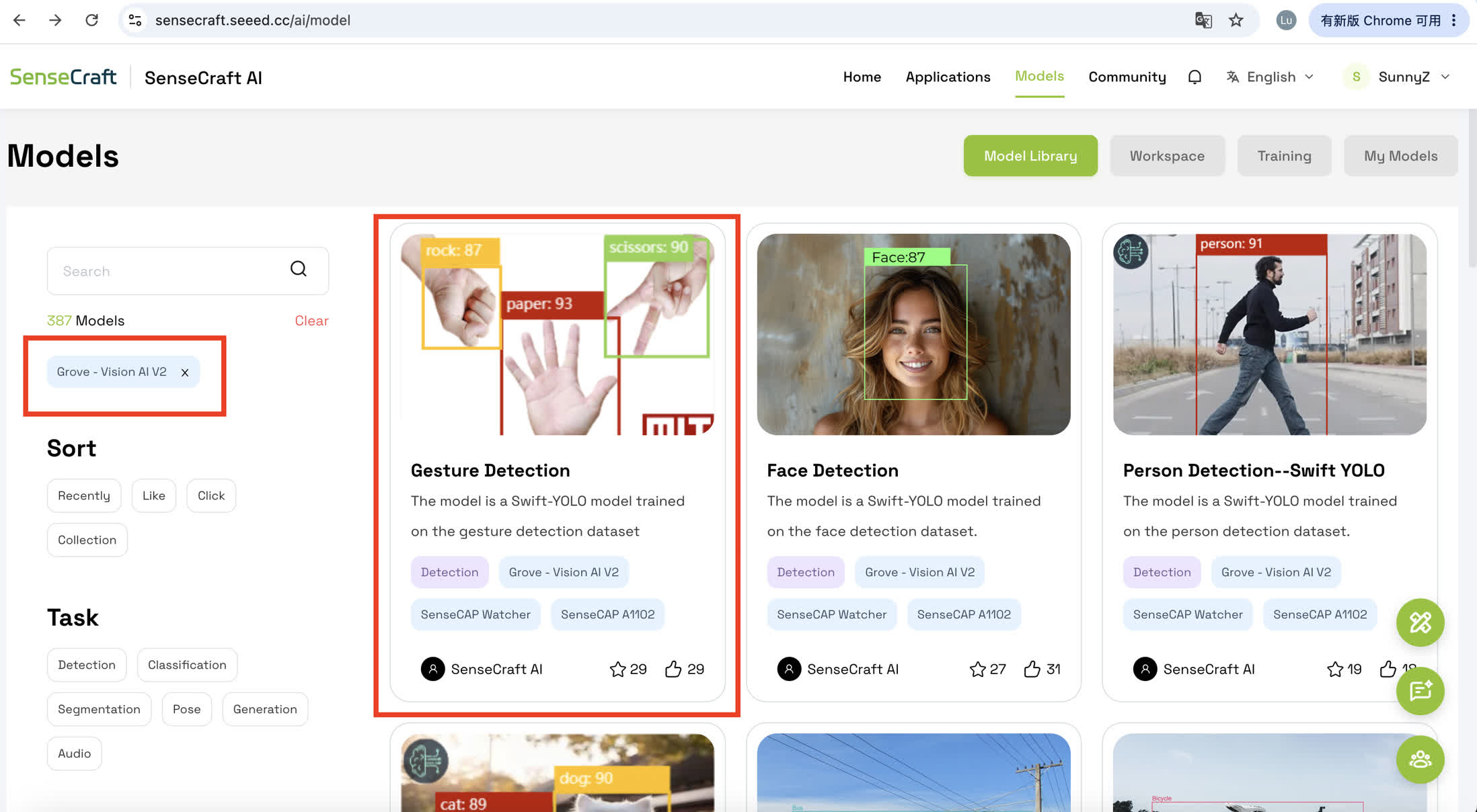
I bypassed the custom training phase for this initial validation and selected the officially provided, pre-trained "Gesture Detection" model from the registry.
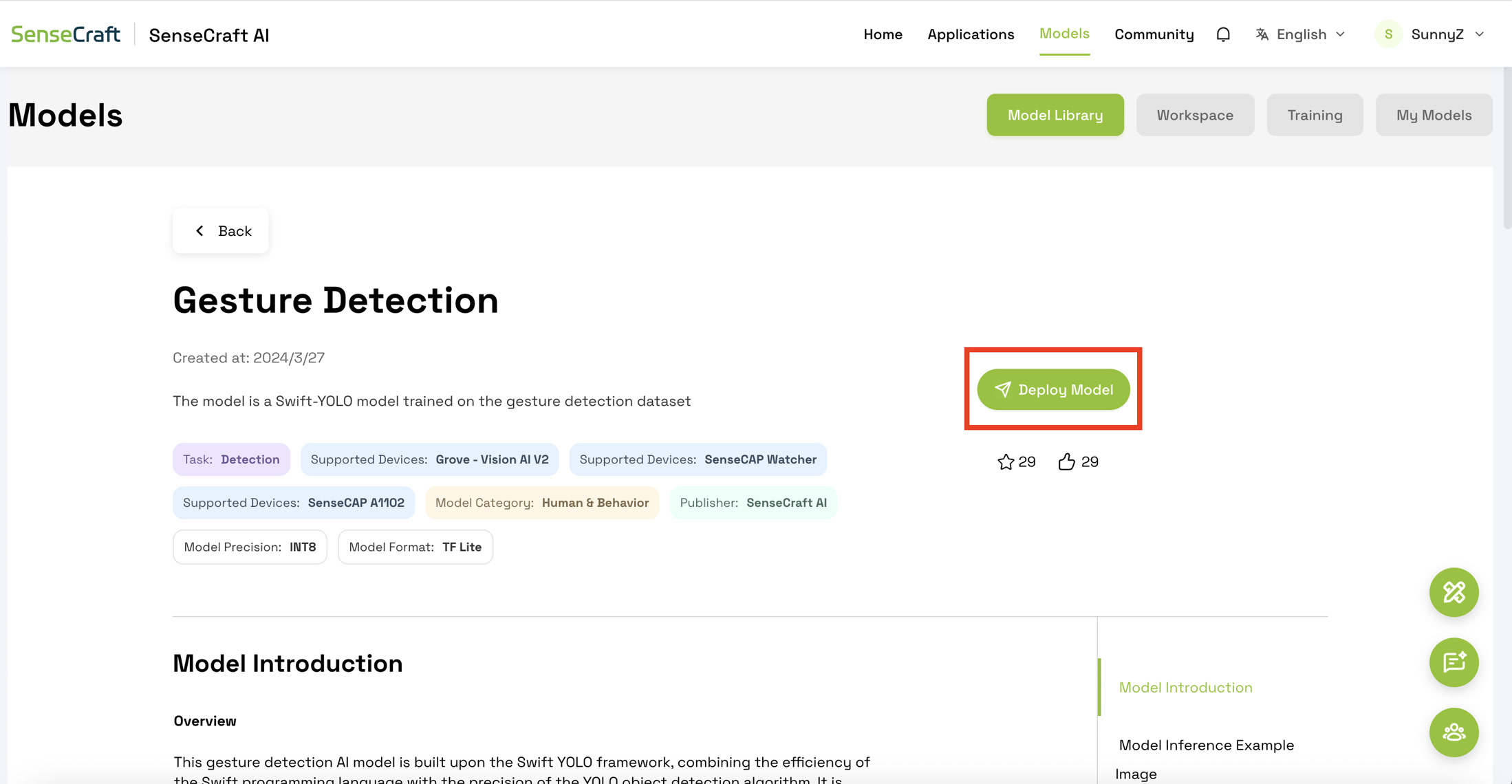
Click Deploy Model.
Then click "Connect Device".
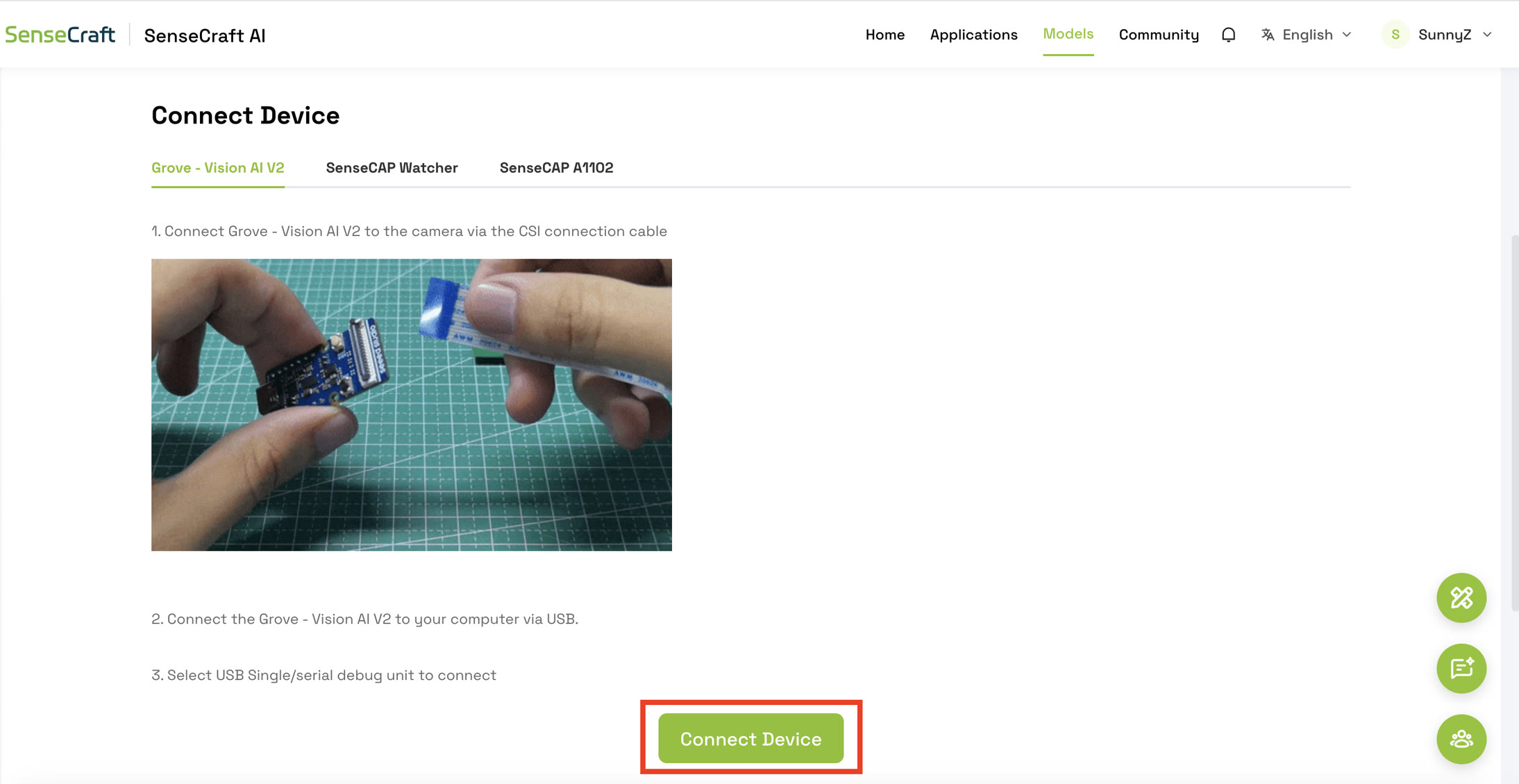
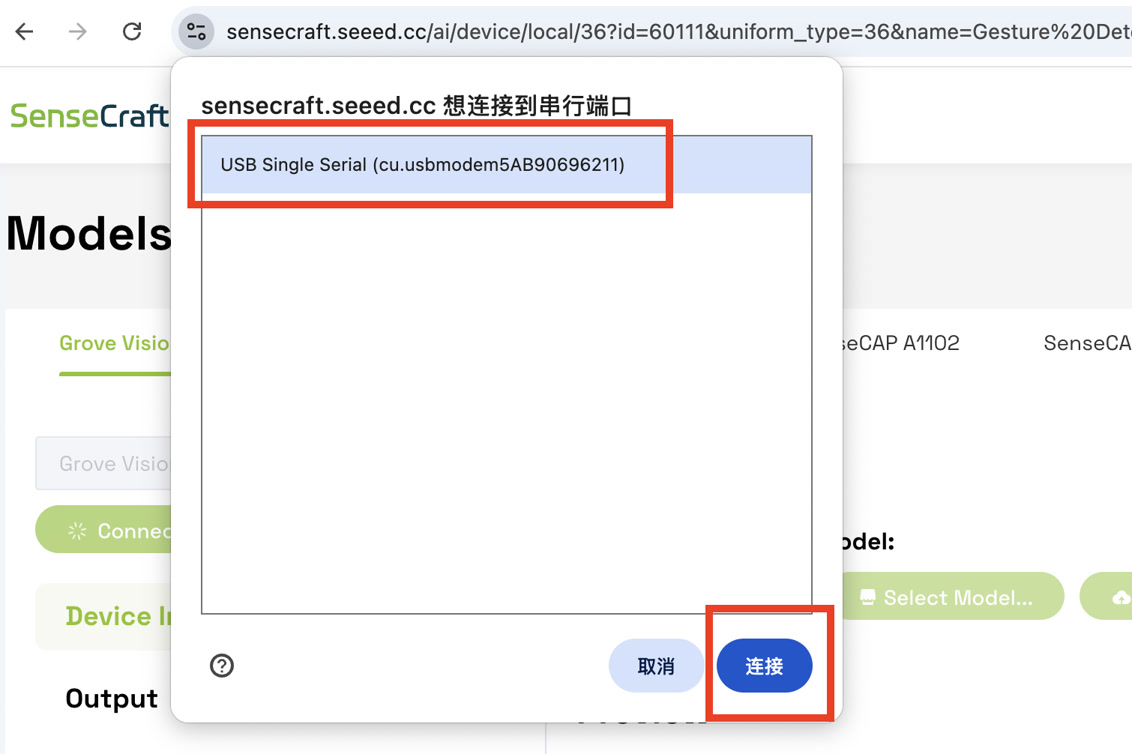
Using the platform's deployment function, I successfully flashed this compiled model directly into the device's flash memory.
Step 3: Real-time Inference and Validation
During the final testing phase, I encountered a typical edge computing bandwidth scenario. While transmitting uncompressed live video feeds through the browser's Web Serial API, the visual preview occasionally froze due to serial port bandwidth limitations.
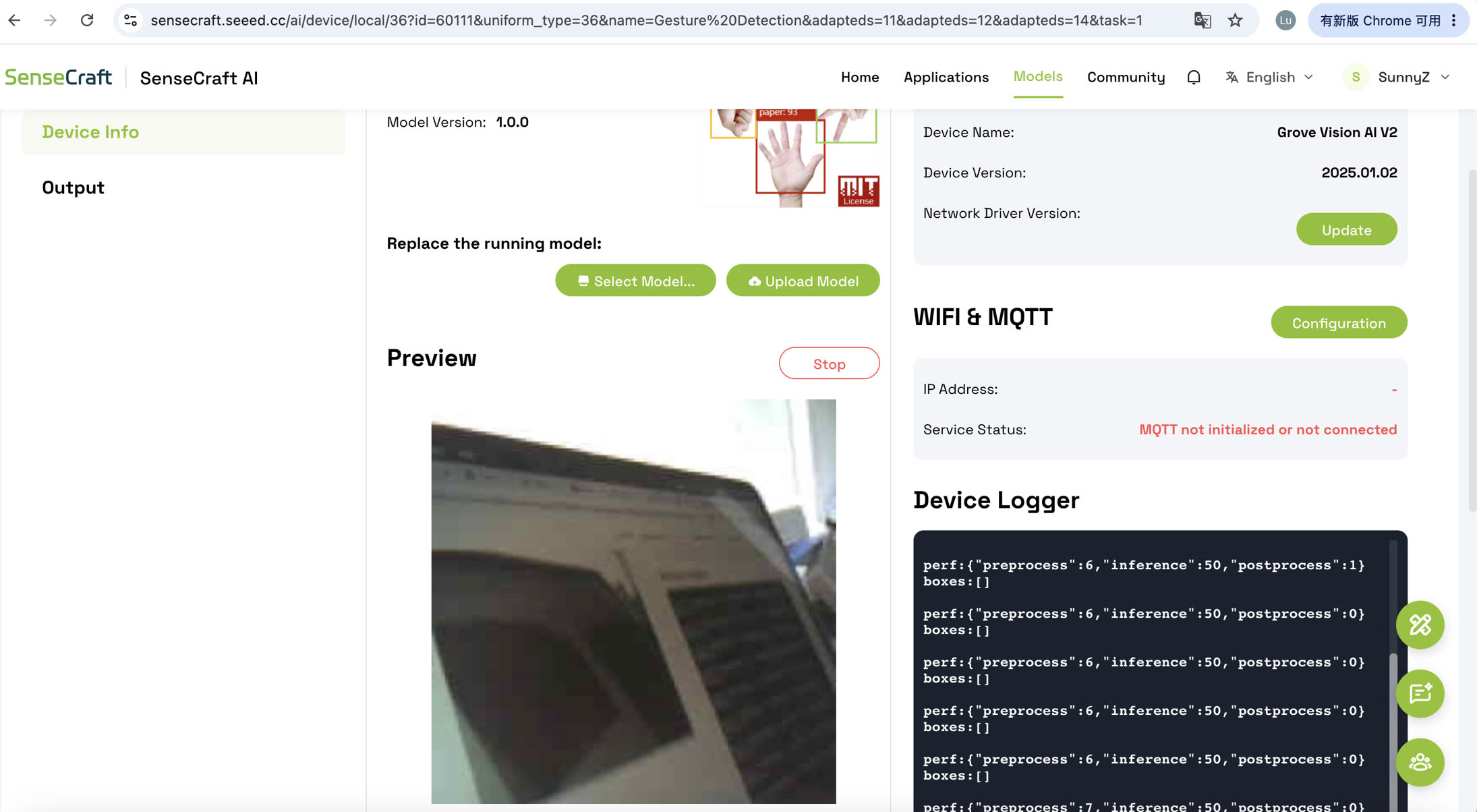
However, during the brief moments when the video stream was active, I successfully observed the model drawing precise bounding boxes around my hand, complete with correct gesture classifications and high confidence scores overlaid directly on the video feed.
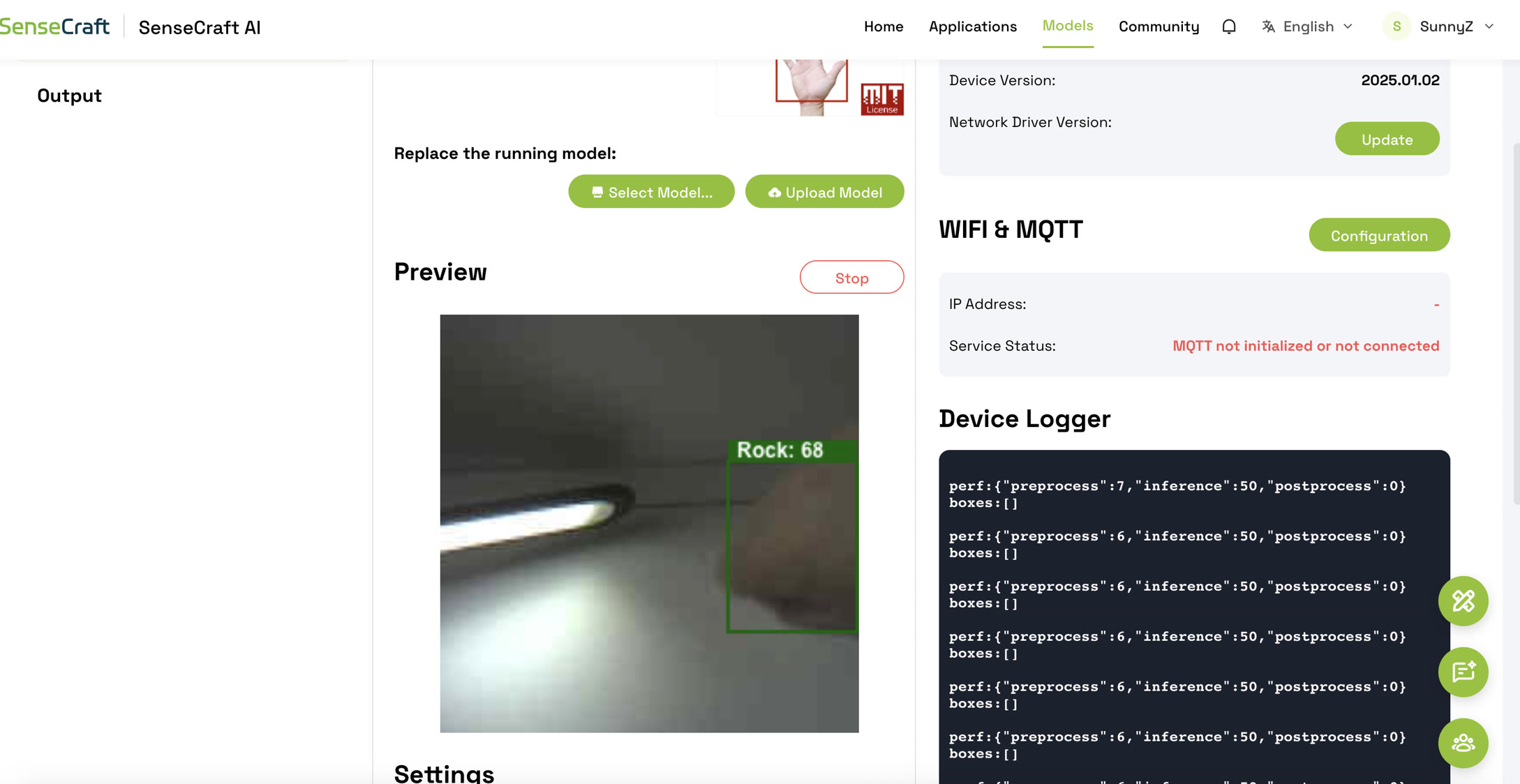
To rigorously validate the continuous real-time performance of the model without relying on the bottlenecked video stream, I shifted my focus to the Device Console/Log. The raw data output from the Himax chip provided perfect evidence of local Edge AI execution:
-
Performance Metrics (
perf): The log continuously output{"preprocess":6, "inference":50, "postprocess":0}. The crucial metric here is the inference time of just 50 milliseconds. This proves that the dedicated Himax AI chip is processing the neural network locally at approximately 20 frames per second (FPS), achieving real-time performance without any cloud reliance. -
Bounding Box Data (
boxes): Instead of sending heavy image files, the microcontroller only transmitted lightweight arrays like[[165,131,168,168,86,0]]. This raw data represents the exact spatial coordinates of the detected hand, followed by the confidence score (e.g., 86 for 86% certainty) and the class ID (e.g., 0 corresponding to a specific gesture).
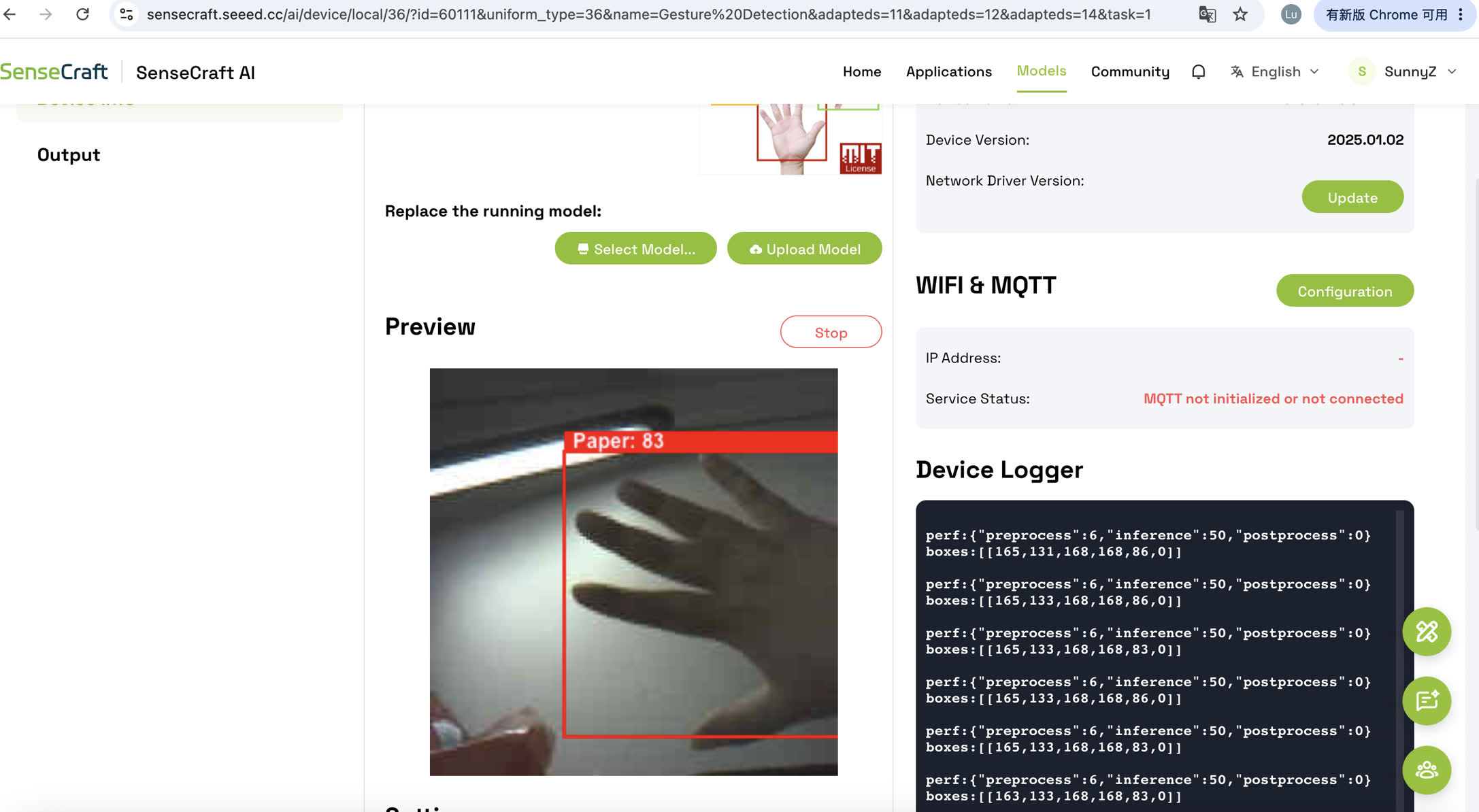
This dual validation—visual confirmation when bandwidth allowed, and continuous high-speed data output in the logs—proves that the TinyML architecture functioned perfectly. The model executed entirely on the edge, drastically reducing data transmission payloads while maintaining high accuracy and low latency.
What I Learned
This Wildcard Week was a profound hands-on lesson in the realities of Edge AI and hardware engineering. Beyond the theoretical concepts of TinyML, the actual implementation taught me several invaluable lessons:
-
The Bandwidth Revelation: The most significant learning moment occurred when the live video preview crashed due to serial bandwidth limitations. Initially, this felt like a failure. However, analyzing the
Device Logrevealed the true power of Edge AI: the Himax chip was still processing visual data at an incredibly fast 50ms inference time (20 FPS). It taught me that in Edge AI, we don't need to transmit heavy visual data; transmitting lightweight, actionable data (like the JSON bounding box coordinates) is the ultimate goal for speed and stability. -
Hardware-Hardware Synergy: I gained a deep appreciation for the architecture of the XIAO Vision AI. Offloading the heavy mathematical computations of the neural network to a dedicated vision chip (Himax) frees up the main microcontroller to handle other tasks (like triggering actuators or communicating with IoT networks) without being bottlenecked by the camera.
-
Engineering Resilience: I learned that real-world deployment rarely follows a perfect tutorial. When faced with UI restrictions in data annotation tools or broken links in cloud training repositories, the ability to pivot, isolate the core objective (validating edge inference), and find alternative pathways is an essential engineering skill.
Future Exploration: Custom Model Training Pipeline
Having successfully validated the hardware deployment and edge inference using a pre-trained model, my roadmap for the next phase of this project focuses on building a fully custom TinyML pipeline tailored for specific, real-world applications.
-
Execute the Full Custom Pipeline: I plan to return to the data annotation platform (Roboflow) and the cloud-based SenseCraft Model Assistant (SSCMA) to train my own datasets from scratch. Mastering this end-to-end process will give me complete control over what the AI can recognize.
-
Transition to Industrial Scenarios: While recognizing hand gestures is an excellent proof-of-concept, I intend to apply this custom training pipeline to more complex, industrial-grade use cases. My future plan involves training models to recognize specific hardware components, detect manufacturing defects, or monitor occupancy and equipment status within smart building environments.
-
Integration with IoT: The final step will be to connect the XIAO microcontroller's output to a local network (e.g., via MQTT or LoRaWAN). Instead of just printing the detection results to a computer serial monitor, the edge device will autonomously trigger physical actions or send critical alerts across a broader smart system based on what it "sees".