Project Development
18
Project Development
Full documentation of the MediBee pill dispenser
View Details
Plan a final project masterpiece that integrates the range of units covered, answering:
Your project should incorporate:
Where possible, you should make rather than buy the parts of your project
MediBee is a triple-disc automatic pill dispenser that dispenses medication at scheduled times. Three rotating discs, each driven by a stepper motor, hold pills in individual compartments. An ESP32 microcontroller reads and triggers the correct disc to rotate when a dose is due. A web application shows the current time, next dose schedule, and confirmation when a pill has been dispensed. The device runs on a LiPo battery and is designed for daily autonomous operation without user intervention.
I searched online and I could find a number of products that is similar to the product I had in mind.
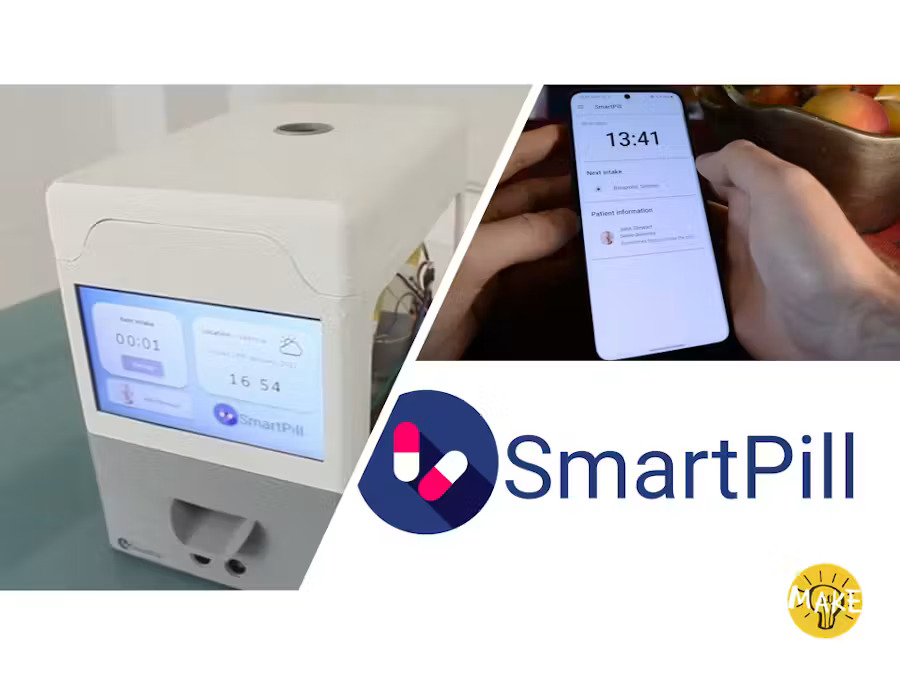
With the help of the web application with a nice friendly user interface, the doctor can configure up to 4 different pills for each Smartpill Dispenser and will select up to 3 intakes per day for each pill. This allows the doctor to change the dosage remotely whenever is needed without the intervention of the patient itself.
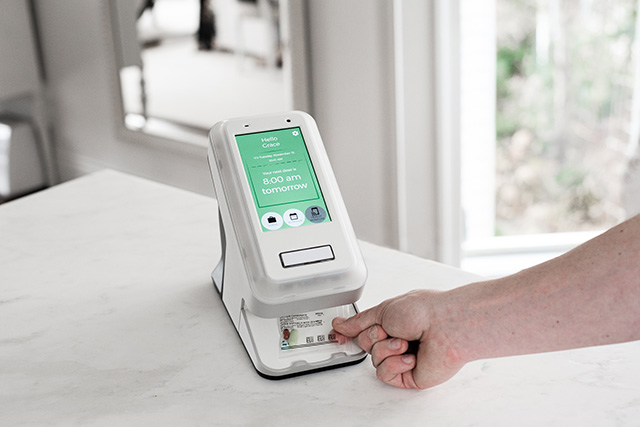
The SMART Dispenser is an automatic medication dispenser that organizes, schedules and delivers patient medication with the touch of a button.
For design references I browsed Pinterest early on to get a general feel for pill dispenser shapes and enclosure styles before sketching my own. Past Fab Academy final project archives helped me understand how other students handled dispenser mechanisms and system integration, particularly around motor-driven gates and sensor placement.
Component datasheets were essential throughout: XIAO ESP32-S3 wiki from Seeed Studio, along with the 28BYJ-48 stepper with ULN2003 driver, SG90 servo, A1324 Hall sensor, AO3400 MOSFET, SSD1306 OLED, and WS2812B NeoPixel datasheets, sourced from manufacturer PDFs and Seeed/Adafruit product pages depending on the part.
For firmware I relied on Espressif's ESP-IDF programming guide and the Arduino-ESP32 core documentation for LEDC PWM channels, NVS storage, WiFi event handling, mDNS, and SNTP time sync. Library-wise I used Adafruit NeoPixel, Adafruit SSD1306 with Adafruit-GFX, ESPAsyncWebServer, and ArduinoJson documentation.
On the app side, React Native docs covered fetch-based networking, navigation, and Android build setup for the companion app.
I designed the enclosure in Autodesk Fusion 360, the PCB in KiCad, and wrote firmware in Arduino IDE. I also used Claude, ChatGPT, and Gemini as AI helpers throughout, for debugging firmware logic, working through the REST API structure, and troubleshooting KiCad schematic issues.
Finally, my own earlier weekly assignments fed directly into this build: electronics design and production, input devices (the Hall sensor work on the ATtiny1624 board), output devices, networking, and interface/application programming all carried over into MediBee's final implementation.
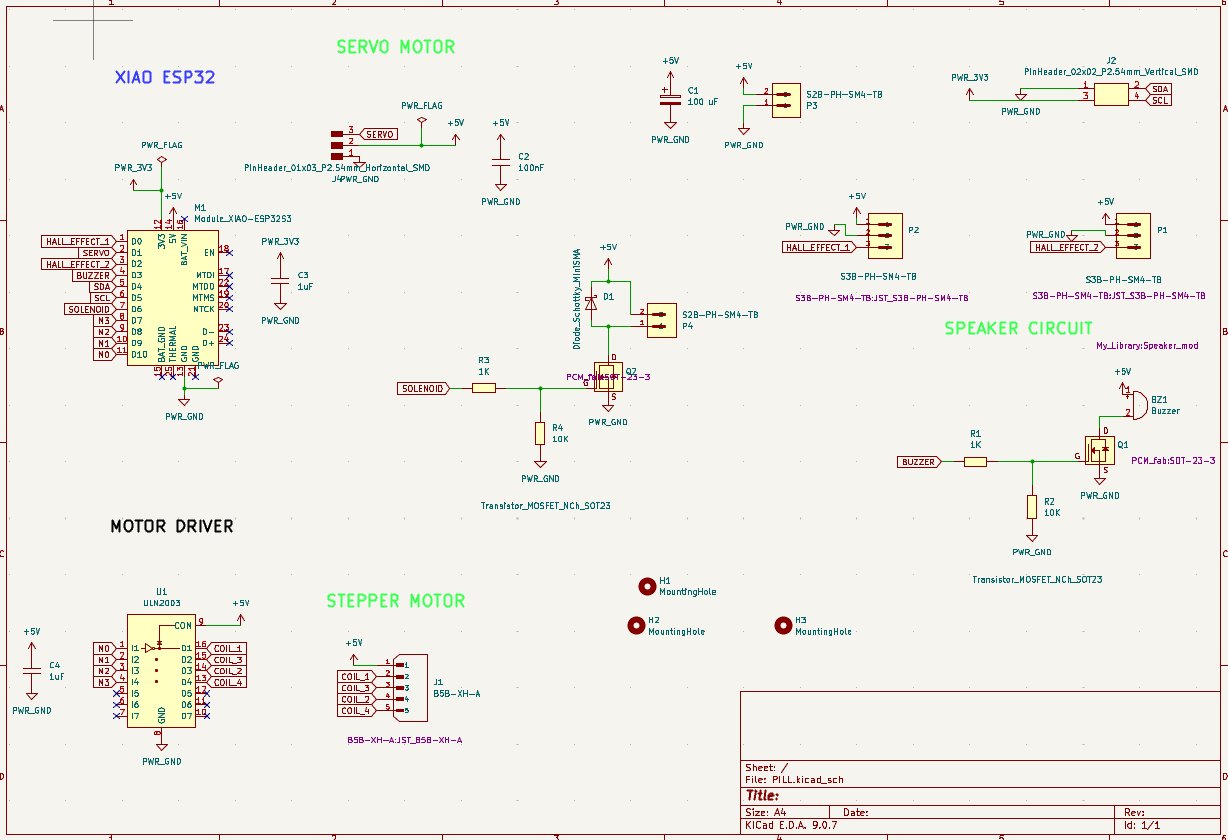
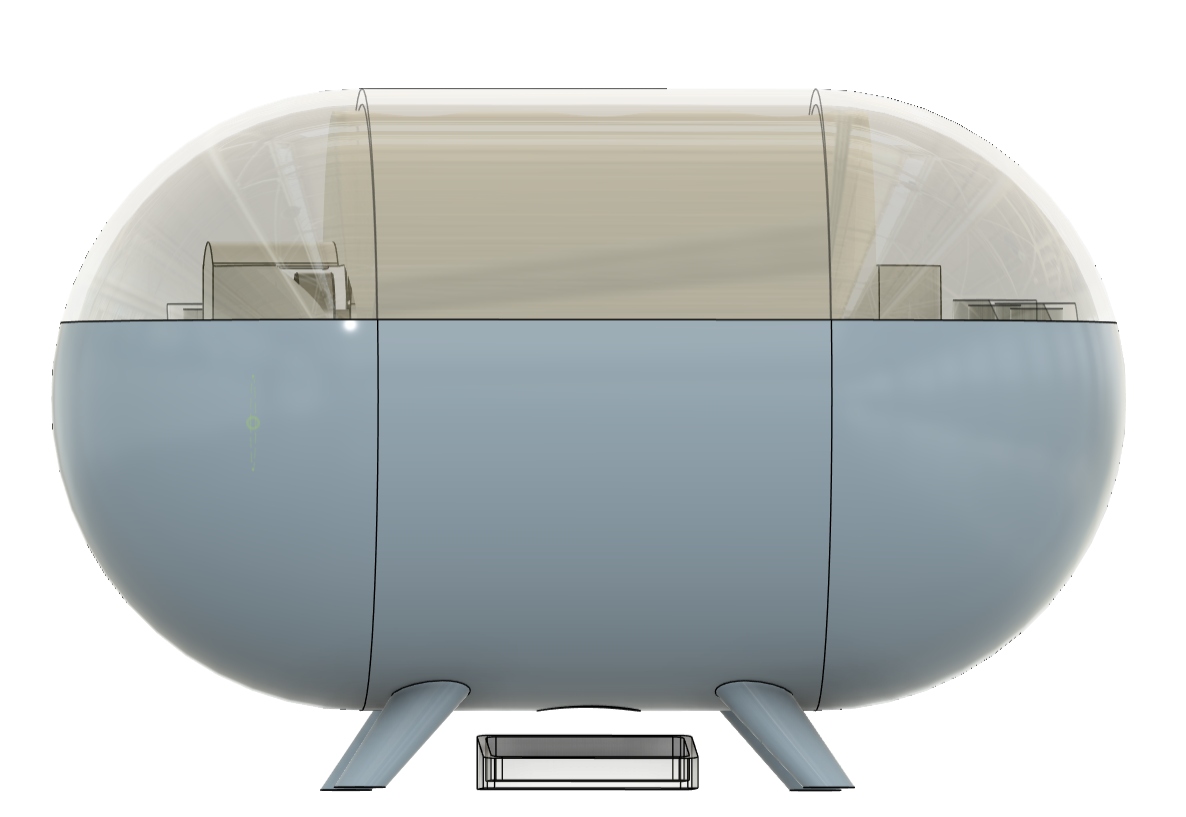
| Component | Quantity | Purpose |
|---|---|---|
| ESP32S3 | 1 | Main microcontroller |
| 28BYJ-48 stepper motor | 1 | Disc rotation |
| Servo Motor | 1 | Slot door |
| ULN2003 driver board | 1 | Motor driver |
| 0.96" I²C OLED (SSD1306) | 1 | Status display |
| A1324 Hall effect sensor | 1 | Disc position detection |
| Solenoid lock (with AO3400 MOSFET) | 1 | Dispenser gate lock |
| Buzzer | 1 | Dispense/alert notification |
| PCB (custom KiCad) | 1 | All connections |
| Material | Process | Use |
|---|---|---|
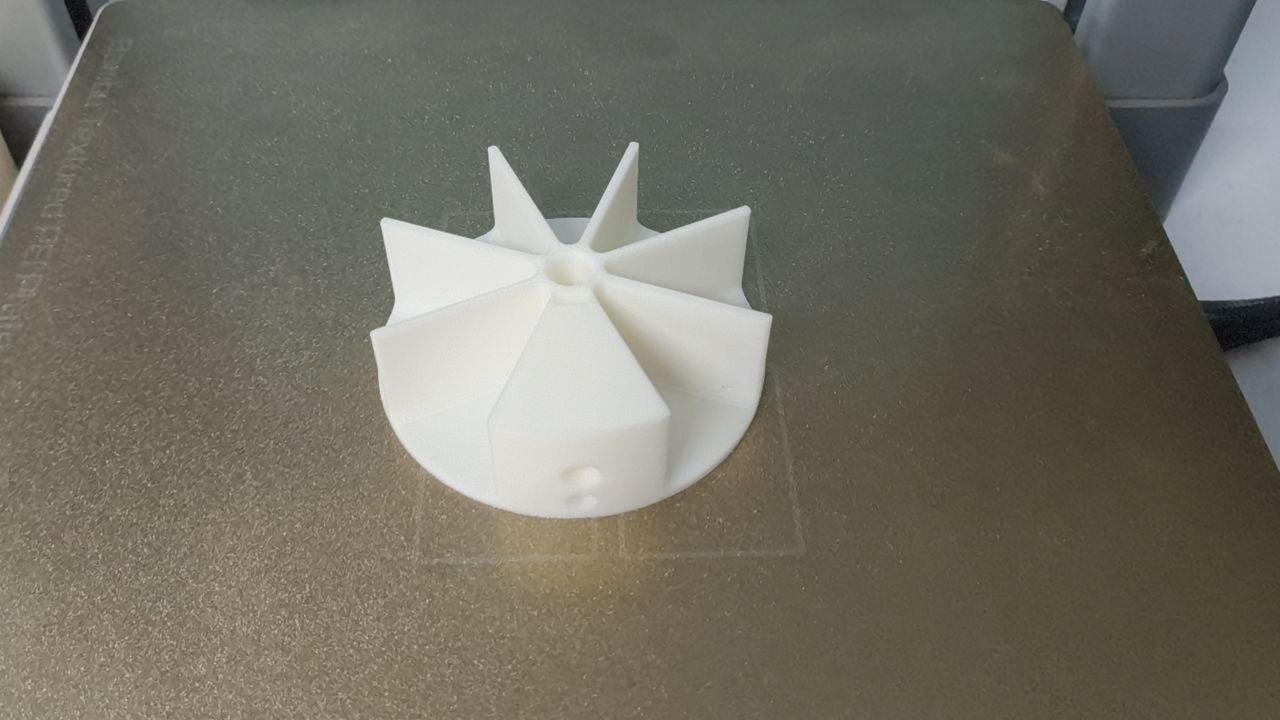
| PLA filament (white) | FDM 3D printing | Disc trays, enclosure body |
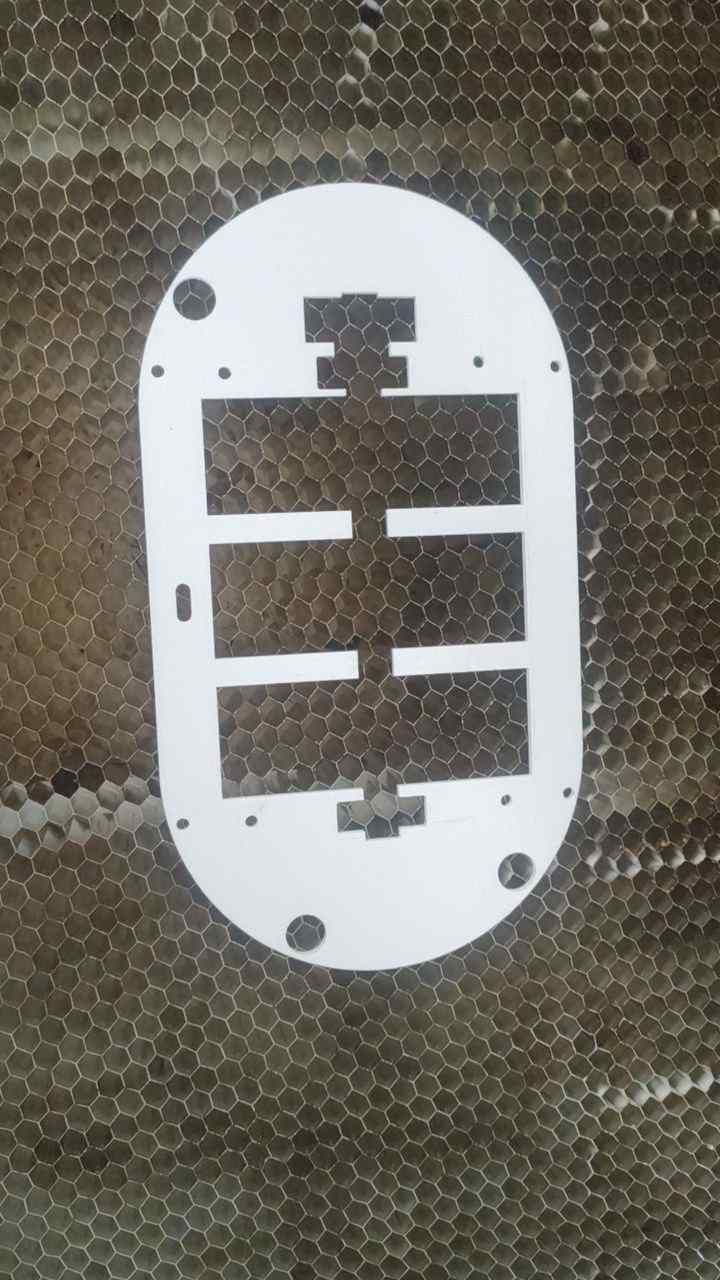
| Acrylic sheet 3mm (clear) | Laser cutting | Side panels, chute |
| FR4 PCB blank | PCB milling (Roland) | Custom circuit board |
| M3 bolts and nuts | Assembly | Structural fastening |
| # | Category | Part | Qty | Unit Cost (INR) | Subtotal (INR) | Subtotal (USD) | Source | Link |
|---|---|---|---|---|---|---|---|---|
| 1 | MCU | XIAO ESP32-S3 module | 1 | 979 | 979 | $10.14 | Lab stock | Link |
| 2 | MCU | ATtiny 1624 | 1 | 139 | 139 | $1.44 | Lab stock | Link |
| 4 | Electronics | Schottky Diode | 1 | 13 | 13 | $0.13 | Lab stock | Link |
| 5 | Electronics | MP1584EN buck converter | 1 | 15 | 15 | $0.16 | Lab stock | Link |
| 6 | Electronics | SSD1306 OLED 0.96" 128x64 I2C | 1 | 169 | 169 | $1.75 | Lab stock | Link |
| 7 | Electronics | 12mm tactile push button | 1 | 3 | 3 | $0.03 | Lab stock | Link |
| 9 | Electronics | Active piezo buzzer 3.3–5V | 1 | 16 | 16 | $0.17 | Lab stock | Link |
| 10 | Electronics | Hall Effect Sensor | 1 | 39 | 39 | $0.40 | Lab stock | Link |
| 11 | Electronics | 28BYJ-48 stepper motor (5V) | 4 | 92 | 368 | $3.81 | Lab stock | Link |
| 12 | Electronics | ULN2003 driver board | 3 | 41 | 123 | $1.27 | Lab stock | Link |
| 14 | Electronics | Resistor 1k | 5 | .66 | .66 | $0.0068 | Lab stock | Link |
| 13 | Electronics | Resistor 10k | 2 | .66 | .66 | $0.0068 | Lab stock | Link |
| 16 | Electronics | Capacitor 100nF | 4 | 5 | 20 | $0.21 | Lab stock | Link |
| 17 | Electronics | Capacitor 10µF | 1 | 16 | 16 | $0.17 | Lab stock | Link |
| Total | ₹1,488 | $15.41 | ||||||
Electronic System:
Here, I am making a custom PCB to integrate the ESP32-S3 microcontroller, stepper driver, Hall sensor, solenoid switching circuit, buzzer, and OLED display. This involves designing the schematic in KiCad, milling the board on the Roland Modela MDX-20, and hand-soldering the components.
Mechanical System:
The rotating pill disc mechanism is designed and fabricated using 3D printing. This includes the three pill discs, the enclosure mounting structure, and the servo-actuated slot door and solenoid lock that control dispensing.
Software System:
I have written firmware that handles scheduling, dispensing, and connectivity. This involves programming the ESP32-S3 to track disc position via the Hall sensor, drive the stepper and servo motors, sync time over NTP, persist schedules in NVS, and serve a REST API to the companion app.
Enclosure and Packaging:
The enclosure is designed to house all components securely while maintaining a compact form factor. This involves designing the body and lid via 3D printing, laser-cutting a middle partition to separate the electronics bay from the disc mechanism, and creating mounting points for the PCB, motors, and display.
| Unit | Application in Spindo |
|---|---|
| 2D Design | Laser-cut acrylic panels and chute |
| 3D Design & Printing | Disc trays and enclosure body |
| Electronics Design | Custom KiCad PCB |
| Electronics Production | PCB milling and soldering |
| Embedded Programming | C++ firmware on ESP32 |
| Mechanical Design | Disc mechanism, motor mounts |
| System Integration | Full assembly and packaging |
| Input Devices | Buttons for manual override |
| Output Devices | OLED display, stepper motors |
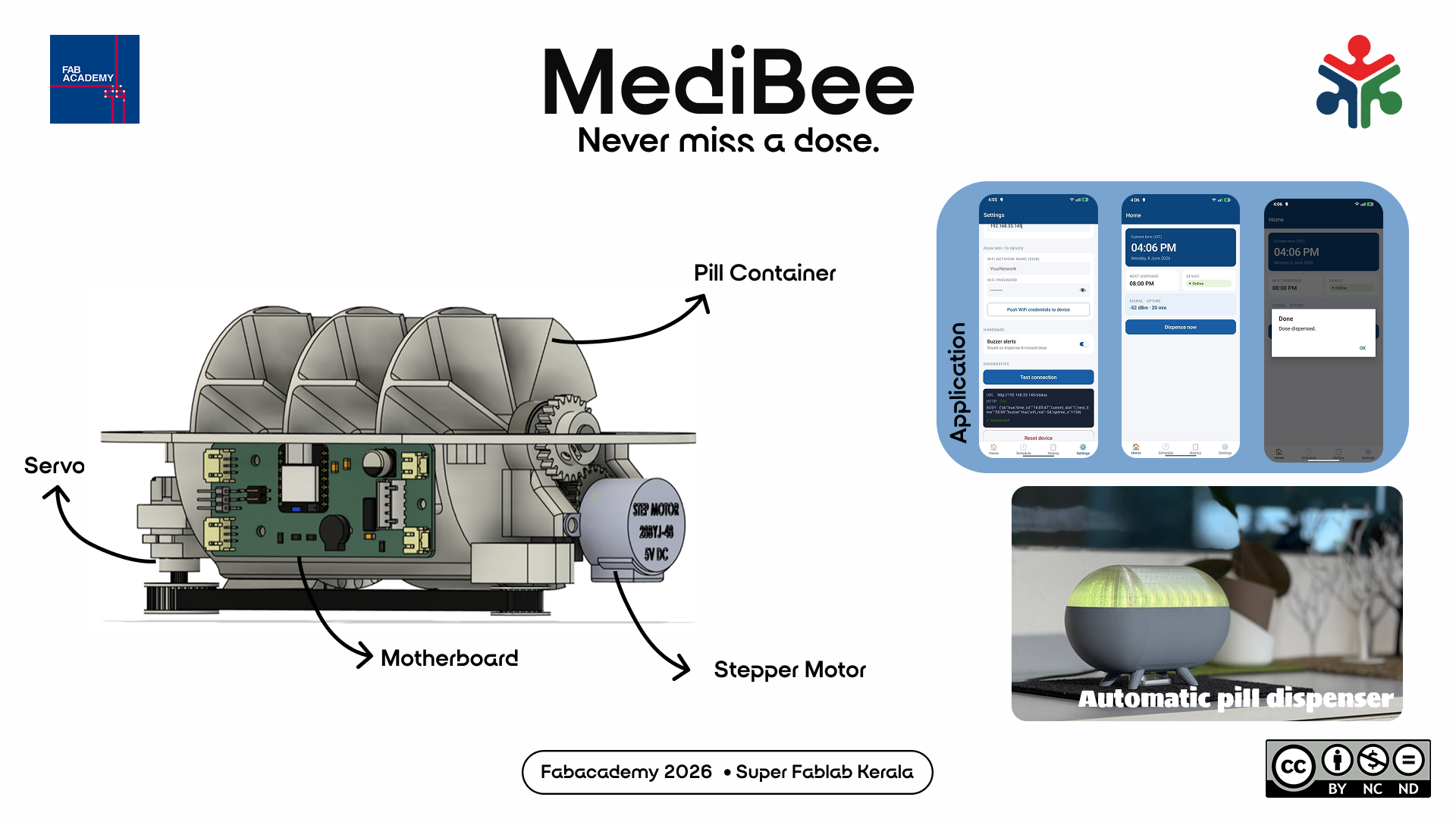
For creating the presentation slide, I used the software Figma.
I used this image as background. Our instructor had provided us with the logos of Fabacademy and Fablab Kerala. I put those in the poster.
Then I added some details about the project. The first version looked like this.
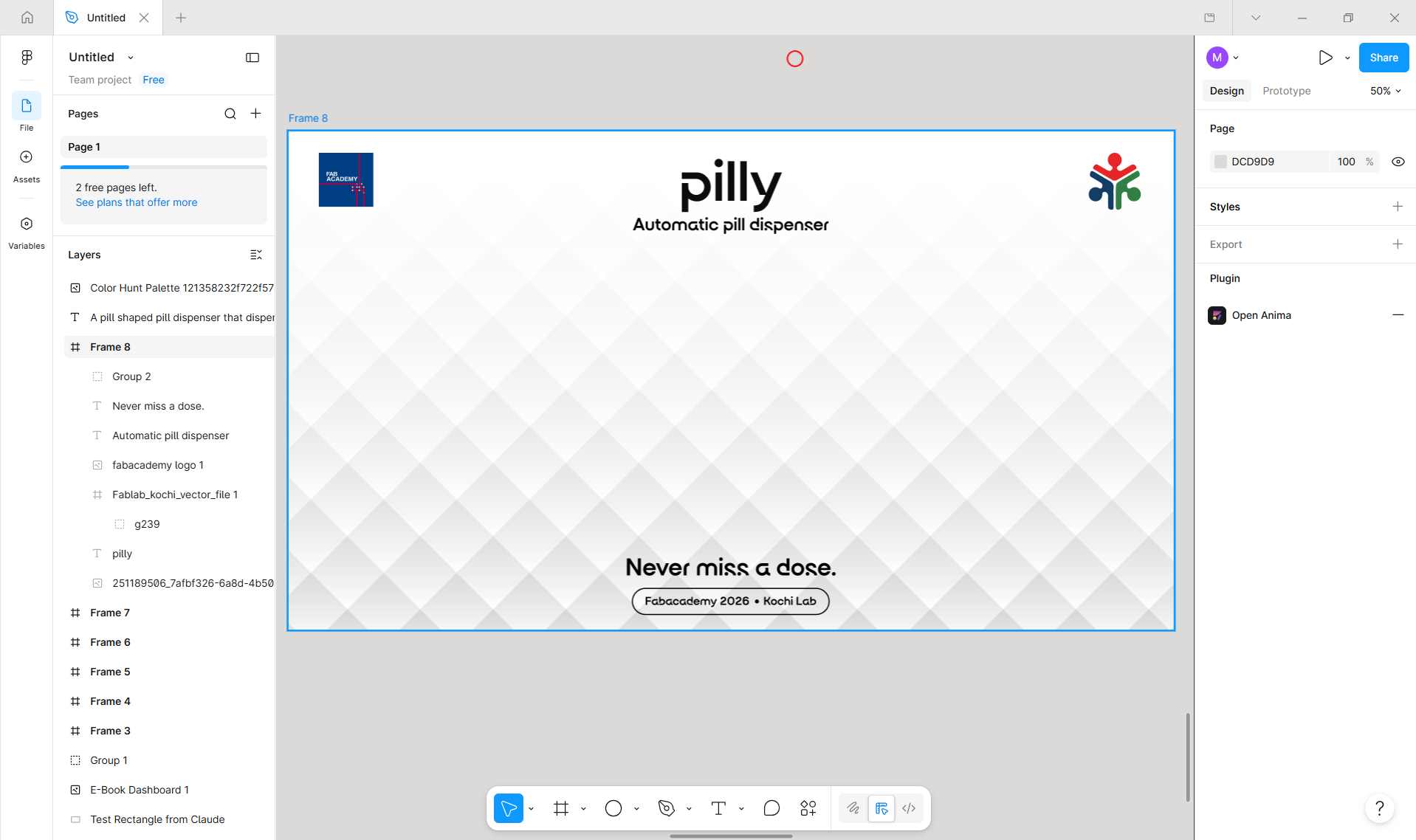
I saved the image as presentation.png in the root folder named 'public'.
I added the Fabacademy preset to the Handbrake software.
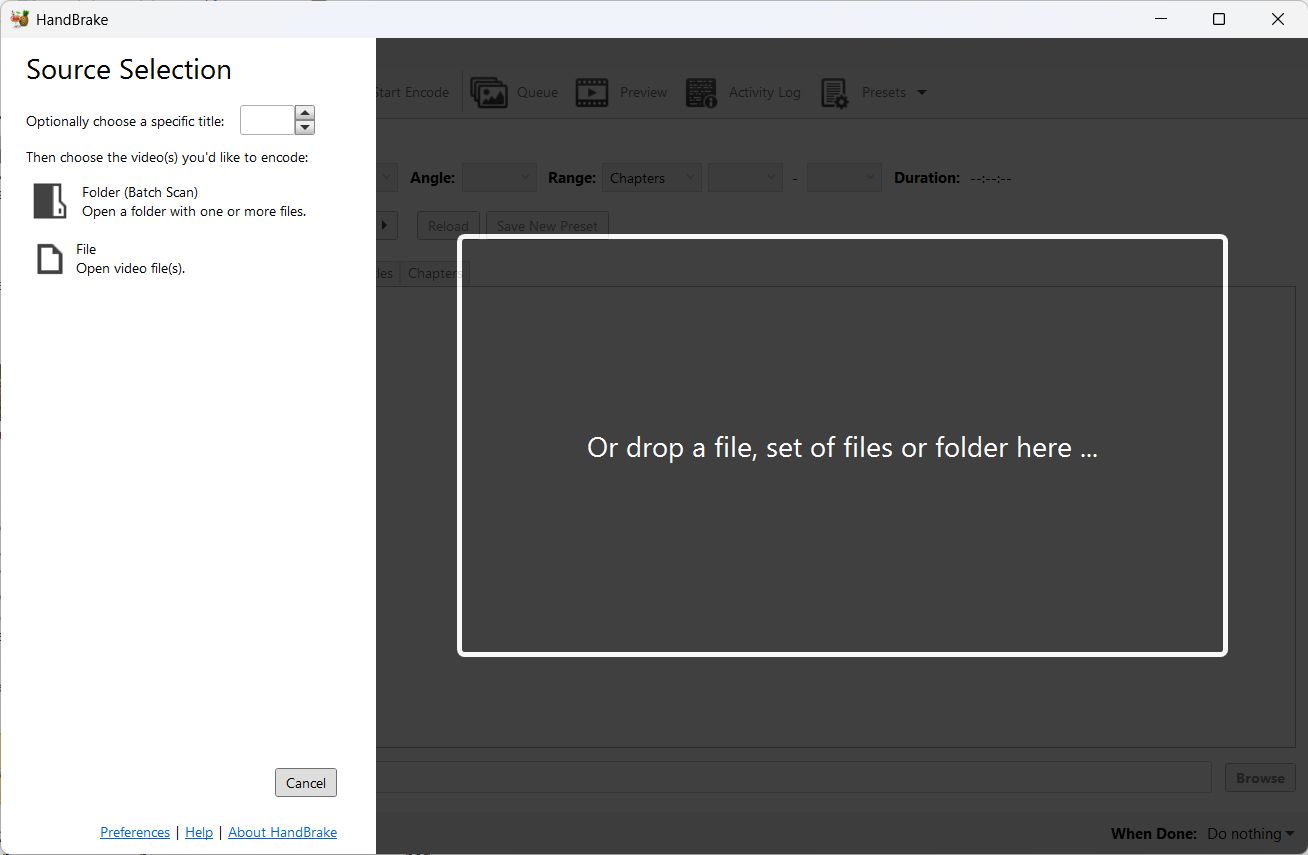
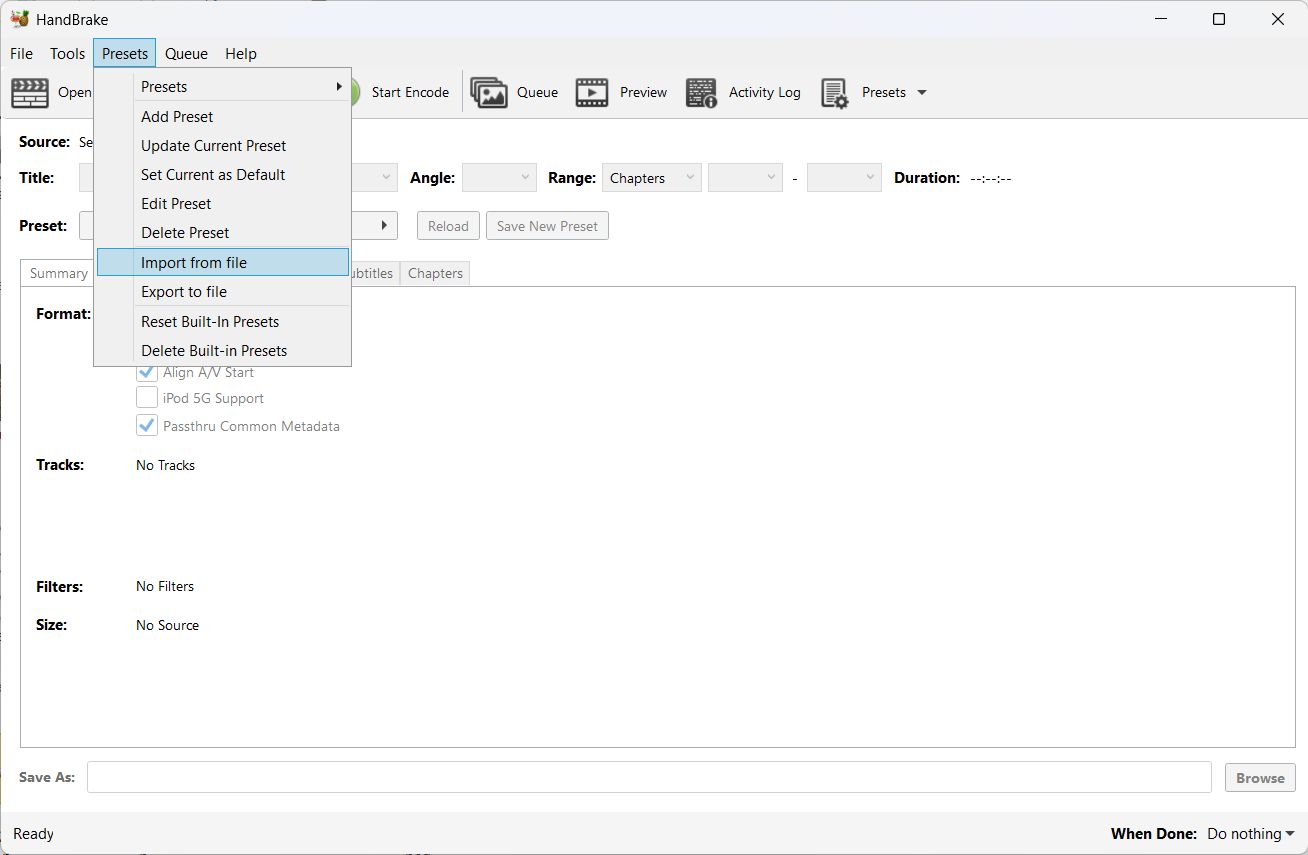
Choose the file and click ok.
You can see the Fabacademy preset under the custom presets tab.
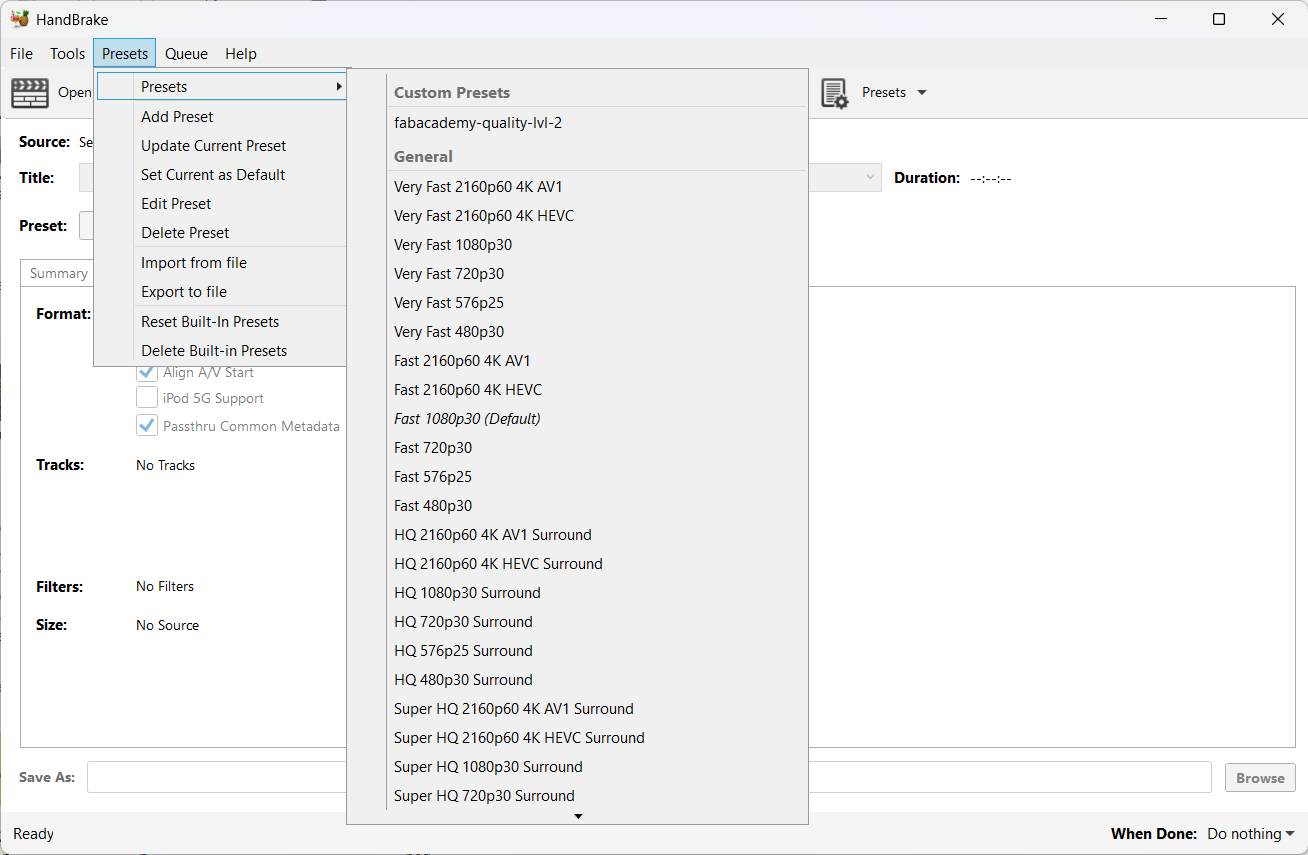
Choose it and click 'ok'.
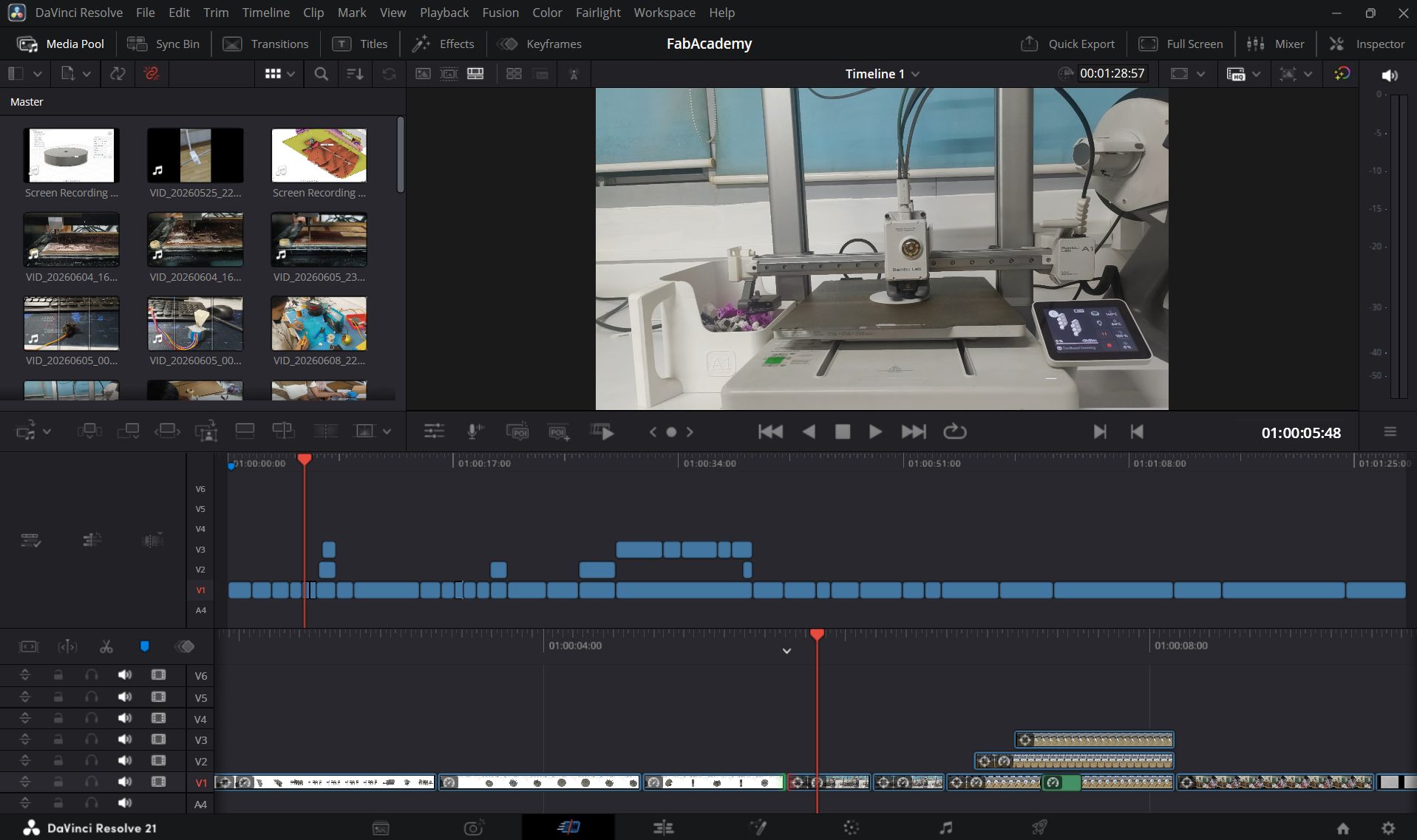
The presentation video was edited using DaVinci Resolve.
After creating the presentation slide and video, I saved them in the public folder. This automatically uploaded them to the website.
Full documentation of the MediBee pill dispenser