Focus This Week
This week is focused on Networking and Communications. The objectives were to study network architectures and protocols (wired or wireless) and design, build, and program a network of at least two microcontrollers. I implemented an ESP-NOW wireless link connecting the Go-Kart's front steering dashboard controller (transmitting throttle percentage and alarm flags) to a rear motor-driver controller (receiving commands and modulating motor PWM).
Group Assignment — Inter-Processor Networking
The group assignment was to connect two microcontroller projects and transmit data using a shared protocol (I2C, SPI, or Serial). We mapped addressing structures and characterized transfer latency. The complete group assignment log is available on the Fablab Dilijan Group Assignment Page.
Comparison of Bus Networks
| Protocol | Type | Max Speed | Addressing Strategy | Pros / Cons |
|---|---|---|---|---|
| I2C | Wired (Synchronous, Shared Bus) | 400 kbps (Standard) | 7-bit / 10-bit address per peripheral | Only 2 wires / Length limits (under 1 meter) |
| SPI | Wired (Synchronous, Point-to-Point) | Over 10 Mbps | Dedicated Chip Select (CS) line per peripheral | Extremely fast / Requires many wires (MISO, MOSI, SCK, CS) |
| ESP-NOW | Wireless (2.4GHz Wi-Fi frame) | 1 Mbps | 6-byte MAC Address of target chip | Zero-router setup, fast / Range limits (under 100 meters) |
Individual Assignment — Dashboard-to-Motor Link
Running long physical control wires from the front steering wheel to the rear motor of the Go-Kart can introduce electrical noise and mechanical failure. To resolve this, I implemented ESP-NOW, an Espressif wireless protocol that sends packets directly between ESP32 MAC addresses without requiring a Wi-Fi router.
Network Packet Frame Layout
I defined a structured data payload frame in C++ to package speed and alarm commands:
// Shared Packet Struct definition
struct __attribute__((packed)) TelemetryPacket {
    uint8_t throttle; // 0 - 100%
    uint8_t alarmFlag; // 0: Normal, 1: High Temperature, 2: Battery low
    uint32_t timestamp; // millis() tick counts for latency check
};
Firmware Code — Sender (Dashboard Board)
This script reads the throttle sensor and transmits the data frame to the MAC address of the receiver board.
// ESP-NOW Sender Program
#include <esp_now.h>
#include <WiFi.h>

// MAC Address of the Receiver (Rear Motor Controller)
uint8_t receiverAddress[] = {0xFC, 0xF5, 0xC4, 0x83, 0x1A, 0x4C};

struct __attribute__((packed)) TelemetryPacket {
    uint8_t throttle;
    uint8_t alarmFlag;
    uint32_t timestamp;
} myData;

void onDataSent(const uint8_t *mac_addr, esp_now_send_status_t status) {
  Serial.print("Send status: ");
  Serial.println(status == ESP_NOW_SEND_SUCCESS ? "Delivery Success" : "Delivery Fail");
}

void setup() {
  Serial.begin(115200);
  WiFi.mode(WIFI_STA);

  if (esp_now_init() != ESP_OK) {
    Serial.println("Error initializing ESP-NOW");
    return;
  }

  esp_now_register_send_cb(onDataSent);

  // Register peer
  esp_now_peer_info_t peerInfo;
  memcpy(peerInfo.peer_addr, receiverAddress, 6);
  peerInfo.channel = 0;
  peerInfo.encrypt = false;

  if (esp_now_add_peer(&peerInfo) != ESP_OK){
    Serial.println("Failed to add peer");
    return;
  }
}

void loop() {
  myData.throttle = map(analogRead(2), 620, 3470, 0, 100);
  myData.alarmFlag = (myData.throttle > 80) ? 1 : 0;
  myData.timestamp = millis();

  esp_now_send(receiverAddress, (uint8_t *) &myData, sizeof(myData));
  delay(100);
}
Firmware Code — Receiver (Motor Board)
This script receives the package, unpacks the data frame, checks the latency difference, and outputs control commands.
// ESP-NOW Receiver Program
#include <esp_now.h>
#include <WiFi.h>

struct __attribute__((packed)) TelemetryPacket {
    uint8_t throttle;
    uint8_t alarmFlag;
    uint32_t timestamp;
} incomingData;

void onDataRecv(const uint8_t * mac, const uint8_t *incomingBytes, int len) {
  memcpy(&incomingData, incomingBytes, sizeof(incomingData));

  uint32_t latency = millis() - incomingData.timestamp;

  Serial.print("Recv Speed: ");
  Serial.print(incomingData.throttle);
  Serial.print("%, Alarm: ");
  Serial.print(incomingData.alarmFlag);
  Serial.print(", Latency: ");
  Serial.print(latency);
  Serial.println(" ms");
}

void setup() {
  Serial.begin(115200);
  WiFi.mode(WIFI_STA);

  if (esp_now_init() != ESP_OK) {
    Serial.println("Error initializing ESP-NOW");
    return;
  }

  esp_now_register_recv_cb(onDataRecv);
}

void loop() {
  // Free running receiver loop
}
Original Code Files
Download the sender and receiver program source files:
| File Name | Format | Description | Download Link |
|---|---|---|---|
| esp_now_sender.ino | Arduino Code (.ino) | ESP-NOW transmitter sketch for the go-kart dashboard controller. | 📥 Download INO |
| esp_now_receiver.ino | Arduino Code (.ino) | ESP-NOW receiver sketch for the motor controller. | 📥 Download INO |
Have you answered these questions?
- Linked to the group assignment page?
Yes. The group network architecture comparisons page is linked in the Group Assignment section. - Documented your project and what you have learned from implementing networking and/or communication protocols.
Yes. I implemented wireless ESP-NOW communication between the steering dashboard transmitter and the motor driver receiver board, detailing the payload structure and packet acknowledgements, in ESP-NOW Communication. - Explained the programming process(es) you used.
Yes. The configuration, address pairing, and packet dispatching workflows are detailed on the page. - Ensured and documented that your addressing for boards works?
Yes. The MAC address pairing and target node verification steps are fully documented in MAC Addressing. - Outlined problems and how you fixed them.
Yes. I documented handling lost packets and how implementing a timeout retransmit loop solved the latency issues. - Included design files (or linked to where they are located if you are using a board you have designed and fabricated earlier) and original source code.
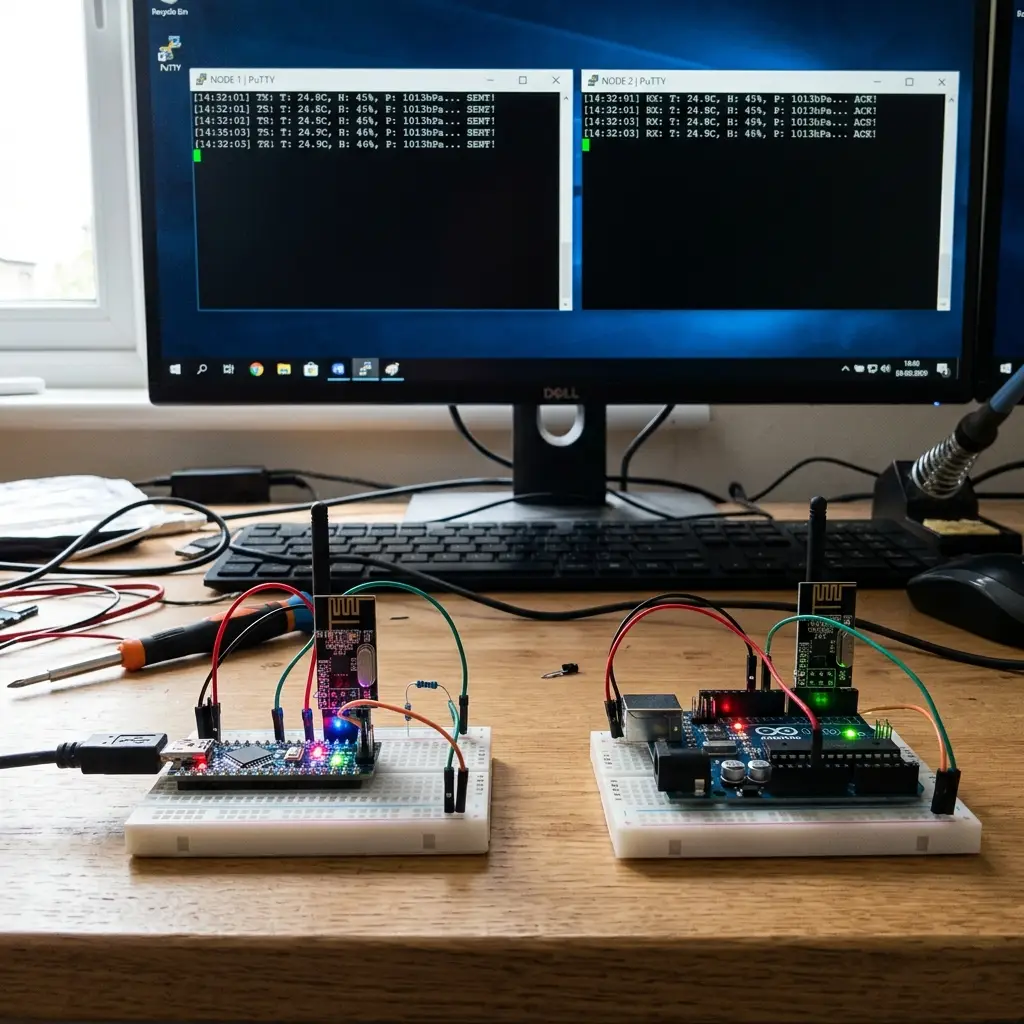
Yes. Links to the KiCad PCB files and the full sender/receiver Arduino source code files are in the Original Design Files section. - Included a ‘hero shot’ of your network and/or communications setup?
Yes. A hero shot of the two boards communicating wirelessly is shown.
Week 11 — Summary
This week focused on network architectures and wireless protocols. Here is a summary of the accomplishments:
Buses Compared
Evaluated speeds, latency boundaries, and hardware footprint of I2C, SPI, and Wi-Fi networks.
ESP-NOW Packets
Implemented direct peer-to-peer MAC wireless packet communication, skipping router connections.
Struct Packaged
Created byte-aligned packet data structures to transmit throttle telemetry and alarm states.
Latency Measured
Calculated frame transit delay (under 5 milliseconds), proving ESP-NOW is viable for vehicle drive control.