Week 18 Applications and Implications
Individual assignment
Lucky Bot — Applications and Implications
1. What will it do?
Lucky Bot is a small desktop voice companion. It listens to the user, wakes up when the user says "Hey Lucky," converts speech to text, sends the text to an LLM, and replies through a cloned voice of Lucky.
The goal is not only to make a normal voice assistant, but to create a more personal and warm interaction experience. Lucky Bot has a physical enclosure, a small display UI, a microphone, and a web dashboard. The display shows different states such as listening, thinking, speaking, and task done.
The main interaction flow is:
Wake word → ASR → LLM → TTS (cloned voice) → Speaker
The final result should be an independently operable intelligent voice buddy that combines hardware design, electronics, embedded programming, AI software, voice cloning, UI design, and system integration.
2. Who has done what beforehand?
There are many existing voice assistants, such as smart speakers and mobile assistants. These products can answer questions, control devices, and use cloud AI services. However, most of them are commercial, closed-source, and not very personal.
My project is different because I am not only assembling a software chatbot. I am designing and fabricating a complete physical object: enclosure, stand, PCB/electronics integration, display UI, voice interaction pipeline, and web dashboard. The special point is the cloned Lucky voice, which makes the assistant feel like a familiar voice buddy.
3. What will I design?
I will design the following parts and systems:
Hardware design
- 3D model of the Lucky Bot enclosure
- 2D design for stand/storage box
- Laser-cut transparent acrylic stand/base
- Internal layout for PCB and wires
- Assembly
Electronics
- XIAO ESP32C3
- Microphone input
- 1.28 inch display
- Custom PCB or prototype PCB for connecting components
Software
- Wake word "Hey Lucky"
- ASR using Whisper
- LLM conversation using local LLM or OpenAI API
- TTS / voice cloning pipeline (F5 TTS or iFlytek API)
- Display UI states: listening, thinking, speaking, task done
- Web dashboard for checking status
AI and interaction
- Clone Lucky's voice, build a warm conversational personality
- Optimize timing, response quality, and naturalness
- Test local and cloud TTS options:
- Local F5-TTS
- F5-TTS + T4 server
- iFlytek API
4. What materials and components will be used?
Components
| Category | Component |
|---|---|
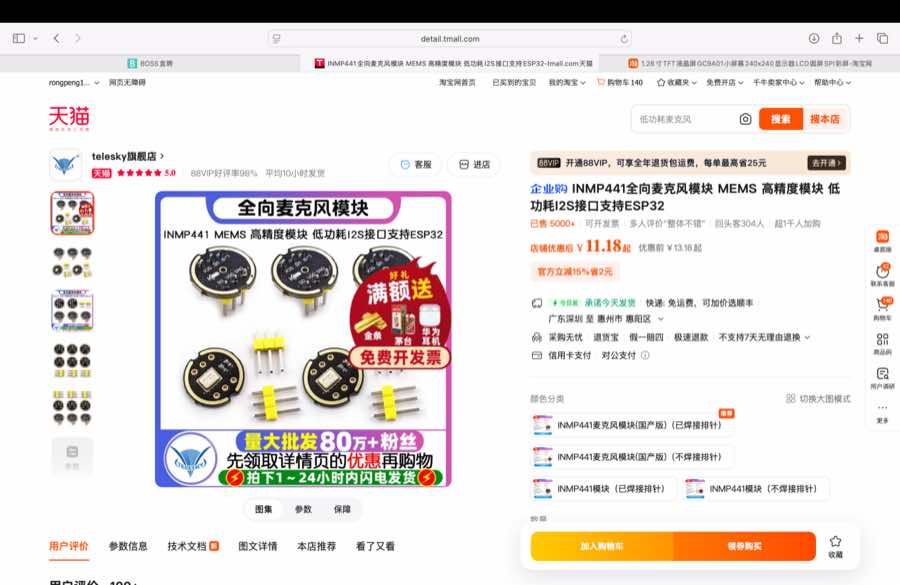
| Input | Microphone, INMP441 |
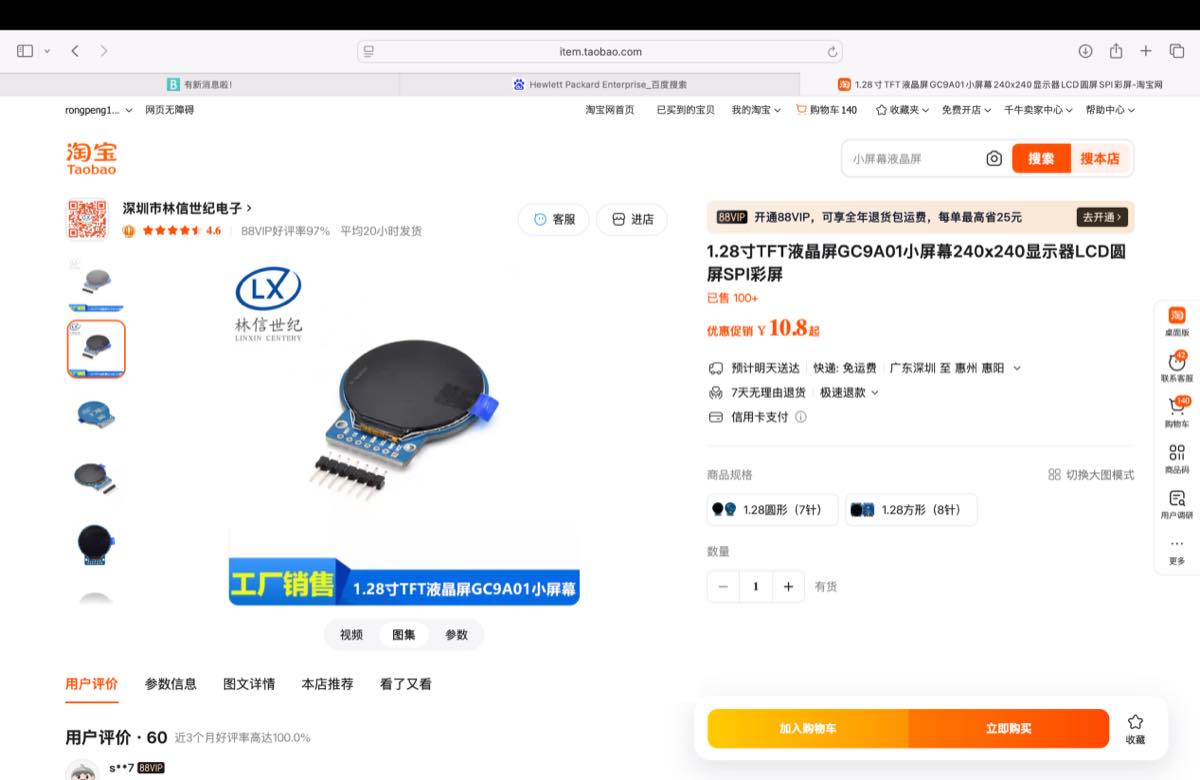
| Output | Display, GC9A01 1.28 inch LCD SPI display |
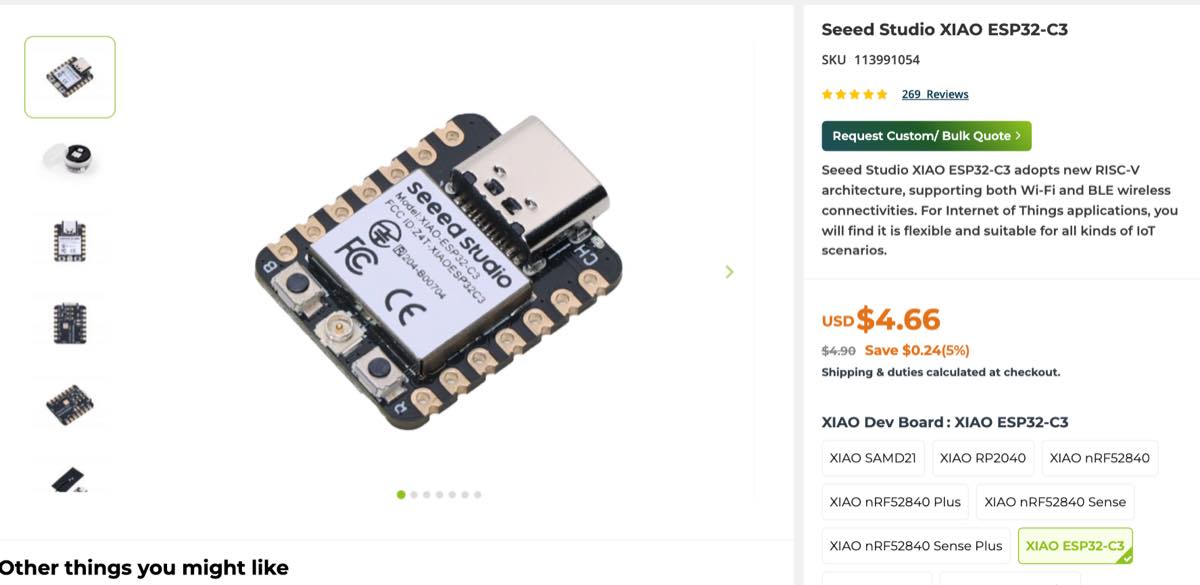
| MCU | XIAO ESP32 C3 |
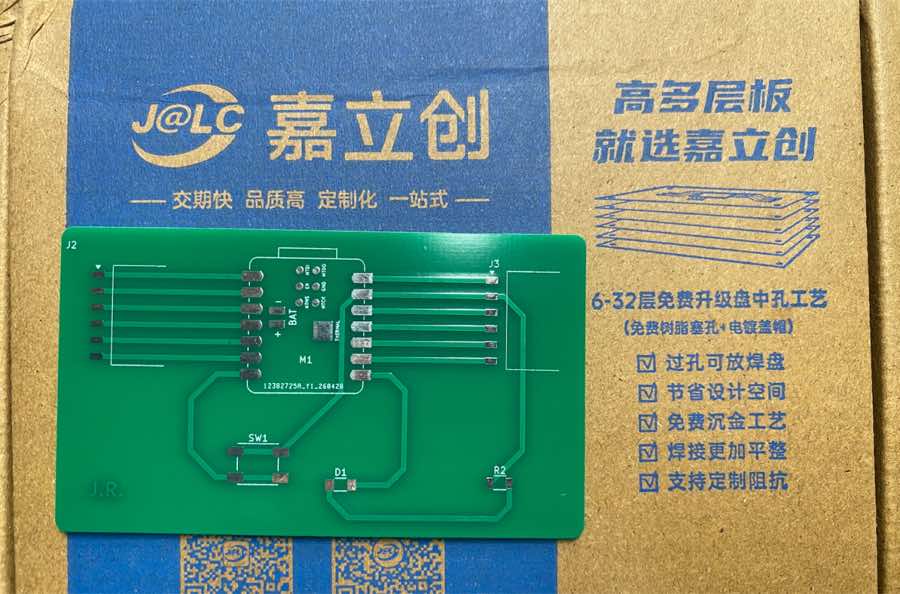
| PCB | PCB designed earlier and produced by JLC |
- Mic, INMP441 purchased from Taobao
- Display: GC9A01 1.28 inch, recommended by Gemini, purchased from Taobao
- XIAO ESP32 C3
Estimated total prototype cost: 10 USD. OpenAI API from company (free to use), and iFlytek (30 days free).
5. What parts and systems will be made?
I will make the following parts myself:
- a. 2D design for stand and laser cutting
- b. 3D design for enclosure and 3D printing
- c. PCB design and small CNC
- d. Prototyping
- e. Software development with Cursor
Software pipeline: ASR → Wake word → LLM → Clone the voice → TTS → UI of display and web
6. What processes will be used?
This project integrates many Fab Academy skills:
| Fab Academy Skill | How I use it in Lucky Bot |
|---|---|
| 2D design | Stand, laser-cut acrylic base |
| 3D design | Enclosure |
| Additive fabrication | 3D printing the enclosure |
| Subtractive fabrication | Laser cutting the transparent stand/base |
| Electronics design | PCB/prototype board for connecting microcontroller, mic, display |
| Electronics production | Soldering, wiring, PCB assembly |
| Embedded programming | XIAO ESP32C3 control, display states, communication |
| Input device | Microphone / wake word input |
| Output device | Display and speaker |
| Networking / communication | Device-to-server or device-to-web-dashboard communication |
| Interface/application programming | Web dashboard and display UI |
| System integration | Combining enclosure, electronics, AI software, and voice output |
| Project development | BOM, schedule, testing, documentation, final slide/video |
7. What questions need to be answered?
The main open questions are:
- Voice latency: Which TTS solution gives the best balance between voice quality and speed?
- Local vs cloud: Should the final demo use local TTS/LLM, cloud API, or a hybrid solution?
- Wake word sensitivity: Can "Hey Lucky" be detected reliably and smoothly?
- UI synchronization: Can the display state match the real software state accurately?
- Thermal and space design: Can all electronics fit inside the enclosure safely?
- User experience: Latency and LLM quality
8. How will it be evaluated?
Basic: All parts will be completed on time, and all functional parts are running correctly.
Excellent:
- 3D design looks nice
- Voice interactive experience is good
- Latency has been optimized to a good status, such as:
- Wake up: Easy to wake up, and generally within 1–2 s
- Thinking: Within 1–3 s
- UI sync with the related status
9. Timeline
| Date | Work | Remark |
|---|---|---|
| 9 May | Finalize the idea and materials for the final project; get display dimensions | Material: XIAO, display, mic |
| 10 May | Finish 3D design and 3D printing | Enclosure and top cover plate, 3D printing |
| 11–12 May | Build prototype on breadboard | Wiring and debug |
| 13–14 May | Finalize 2D design and laser cutting | |
| 15 May | Receive PCB from JLC, solder components, make prototype | Testing the PCB |
| 16–17 May | Wi-Fi connection | Cursor |
| 17–18 May | ASR testing | Cursor, ASR Whisper, local or cloud testing |
| 18–19 May | Connect with LLM | Cursor, testing and compare Qwen 2.5 3B and OpenAI API |
| 20–21 May | Wake word and voice interaction testing | Cursor |
| 21–23 May | Clone the voice and TTS | Cursor, testing and compare F5-TTS and iFlytek API and Local + server, find the best approach |
| 24–25 May | Web UI and display UI | Cursor, logic and status |
| 25–28 May | Optimizing voice interaction | Cursor, improve the interaction experience |
| 29–31 May | Make video and slide for final presentation |