Week 02: Computer-Aided Design
Assignment: model a possible final project, and compress and post the images, videos and design files.
This week I worked in two tools: surface modelling of a car body in Rhino, and parametric modelling of a chair wheelbase in Fusion 360.
Part 1: Surface modelling a car in Rhino
Step 01 — Setting up reference blueprints
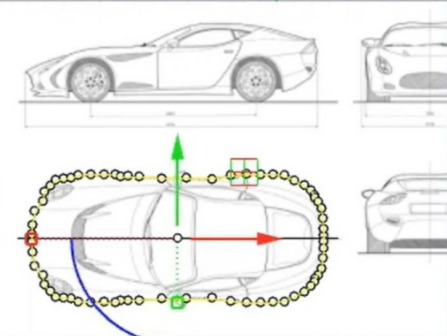
In this step, the base outline of the car is constructed using reference images placed in the background. Control points are created around the top view to trace the overall silhouette of the car. These points are carefully adjusted to match proportions, ensuring symmetry along the central axis. This forms the foundational curve network that defines the plan view of the vehicle
This acts as the guide for all further modeling.
Step 02 — Creating primary profiles using curves
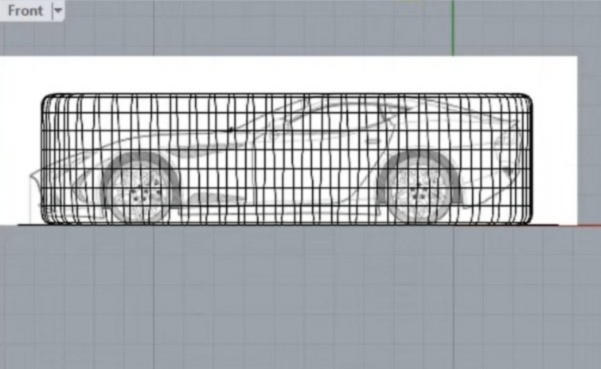
Here, the side profile is developed by aligning a grid-like wireframe structure over the reference image. This involves creating multiple curves and sections to capture the height, roofline, and wheel positioning accurately. The grid helps in maintaining surface continuity and ensures that the model remains proportionally correct across different views
Goal here:
Not detail — only proportions.
Step 03 — Building the base SubD cage
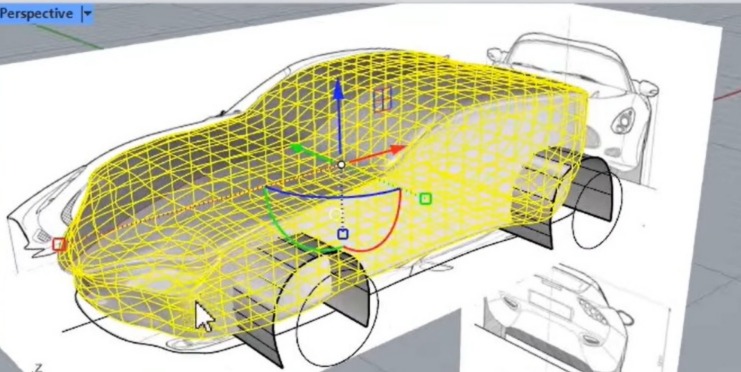
In this stage, the 3D form is generated by connecting the curves into a surface using a mesh or surface modeling approach. The yellow control mesh represents the editable surface, where each point influences the curvature of the car body. Adjustments are made in perspective view to refine the volume, smooth transitions, and achieve a realistic automotive form.
Unfortunately, this file was lost due to a Rhino crash, and these images are the only record of the work.
Part 2: Parametric chair wheelbase in Fusion 360
This step begins with creating the base sketch in Fusion 360, where a central circle is drawn and multiple construction lines are extended outward at specific angles to define the structure. These lines act as guides for positioning the legs symmetrically. Dimensional constraints are applied to control distances and angles, ensuring that the geometry remains fully constrained and precise.
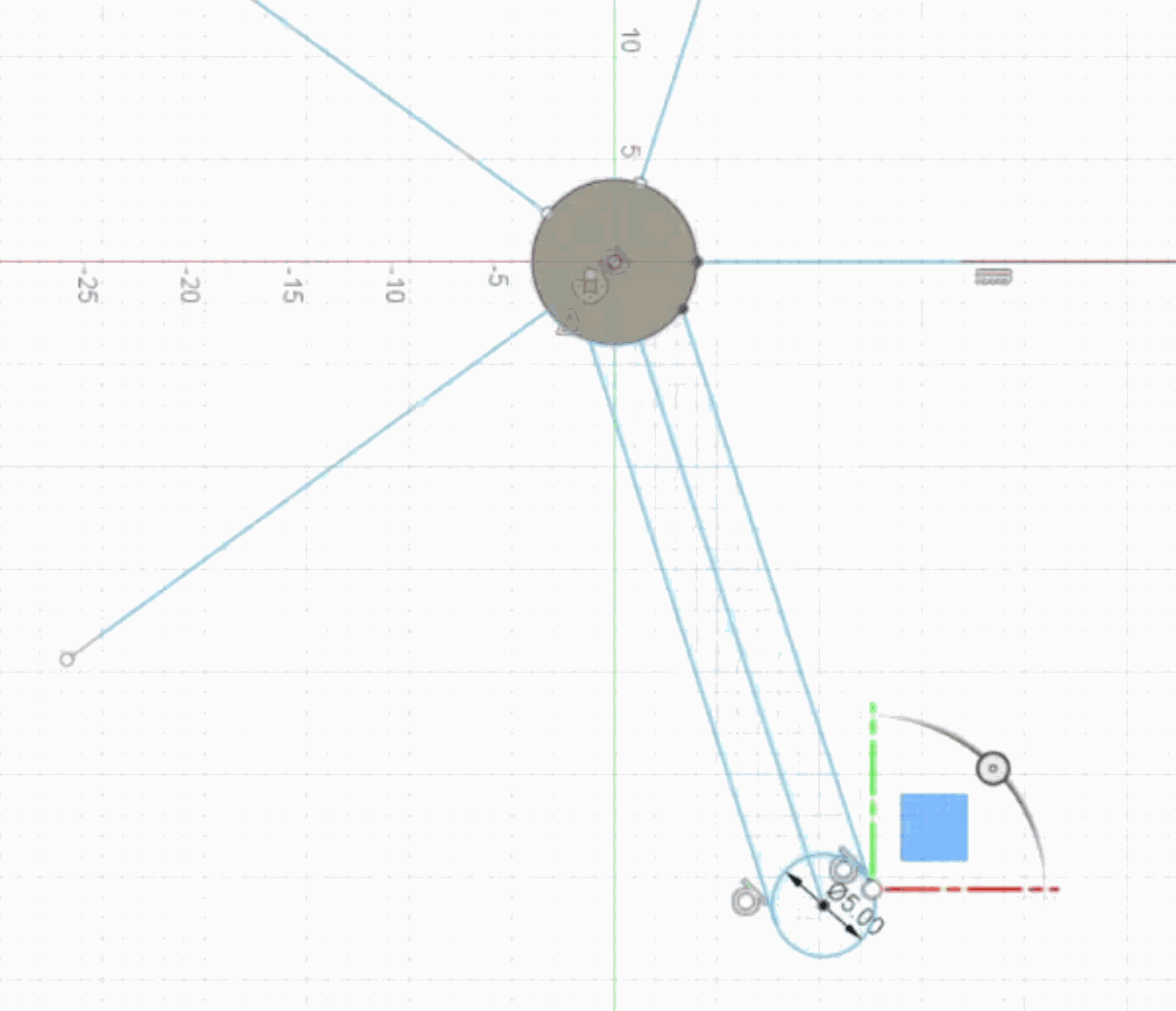
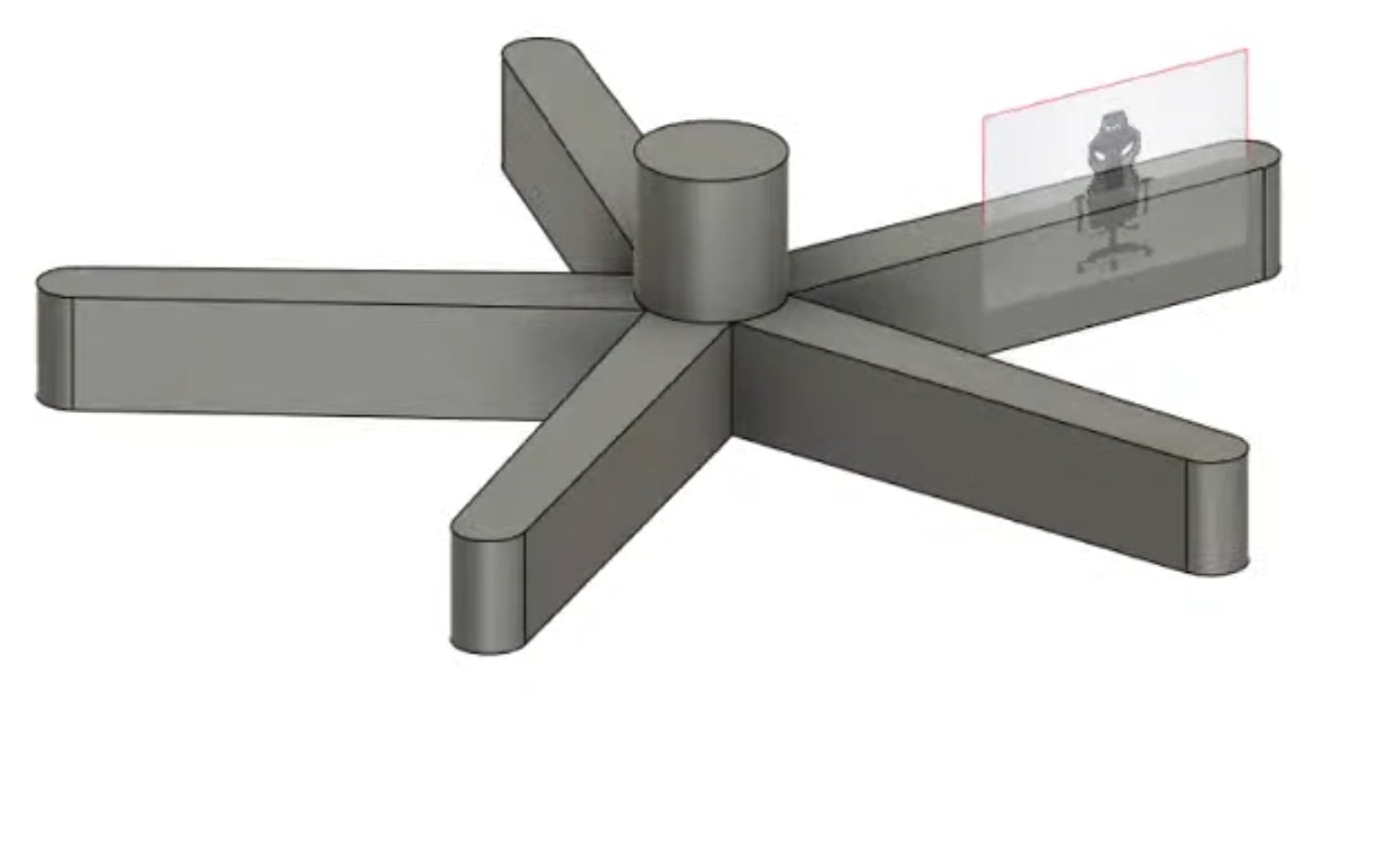
Using the defined sketch, the 3D base is created by extruding one arm and the central cylindrical hub. The arms are designed with rounded edges to avoid sharp transitions, improving both aesthetics and manufacturability. This forms the fundamental structure of the model, which will later be replicated using pattern tools.
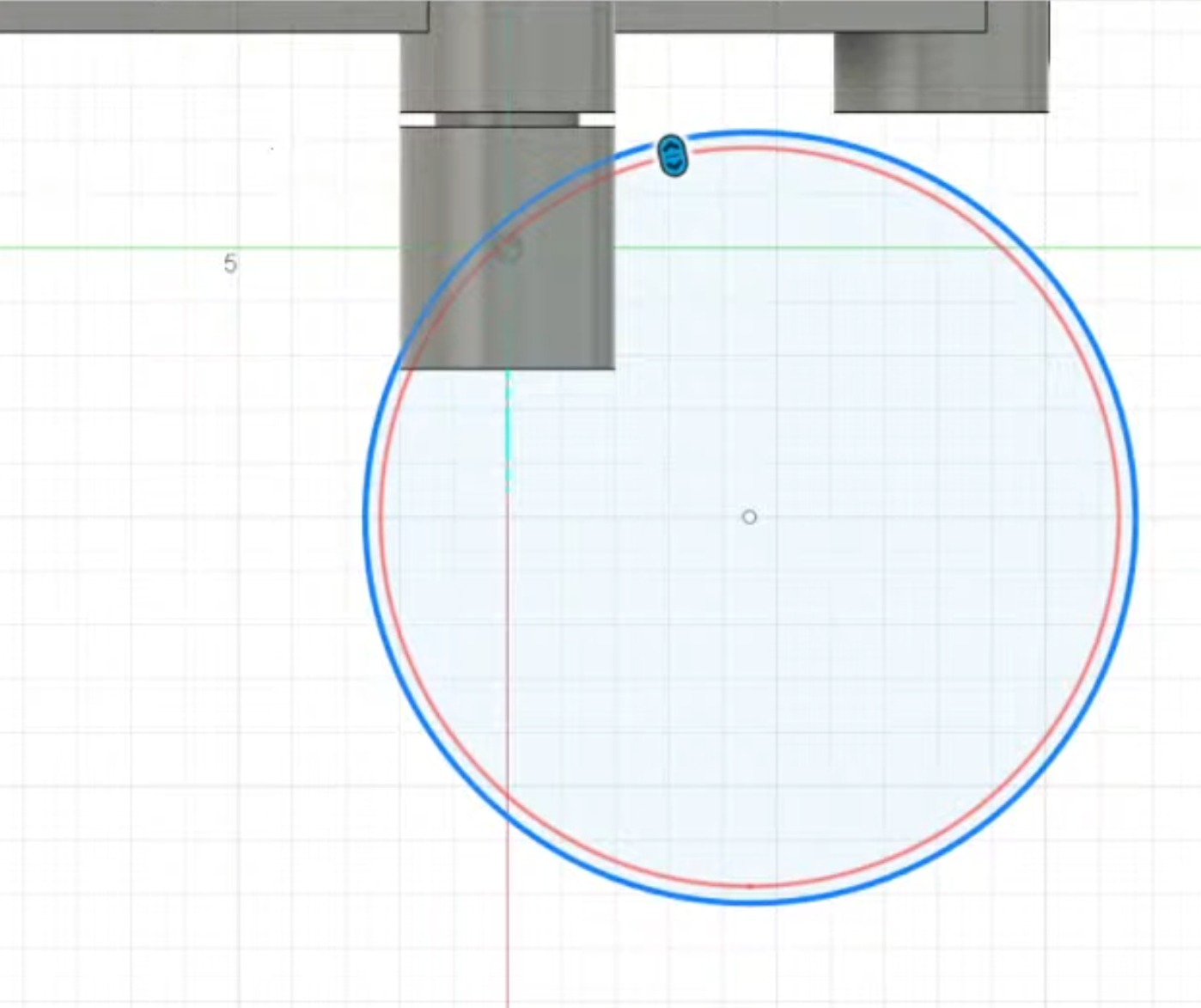
A detailed circular sketch is created for the wheel, where concentric circles define the outer diameter and inner hub. Proper constraints and dimensions are applied to maintain uniform thickness and alignment. This sketch acts as the profile for generating the wheel geometry.
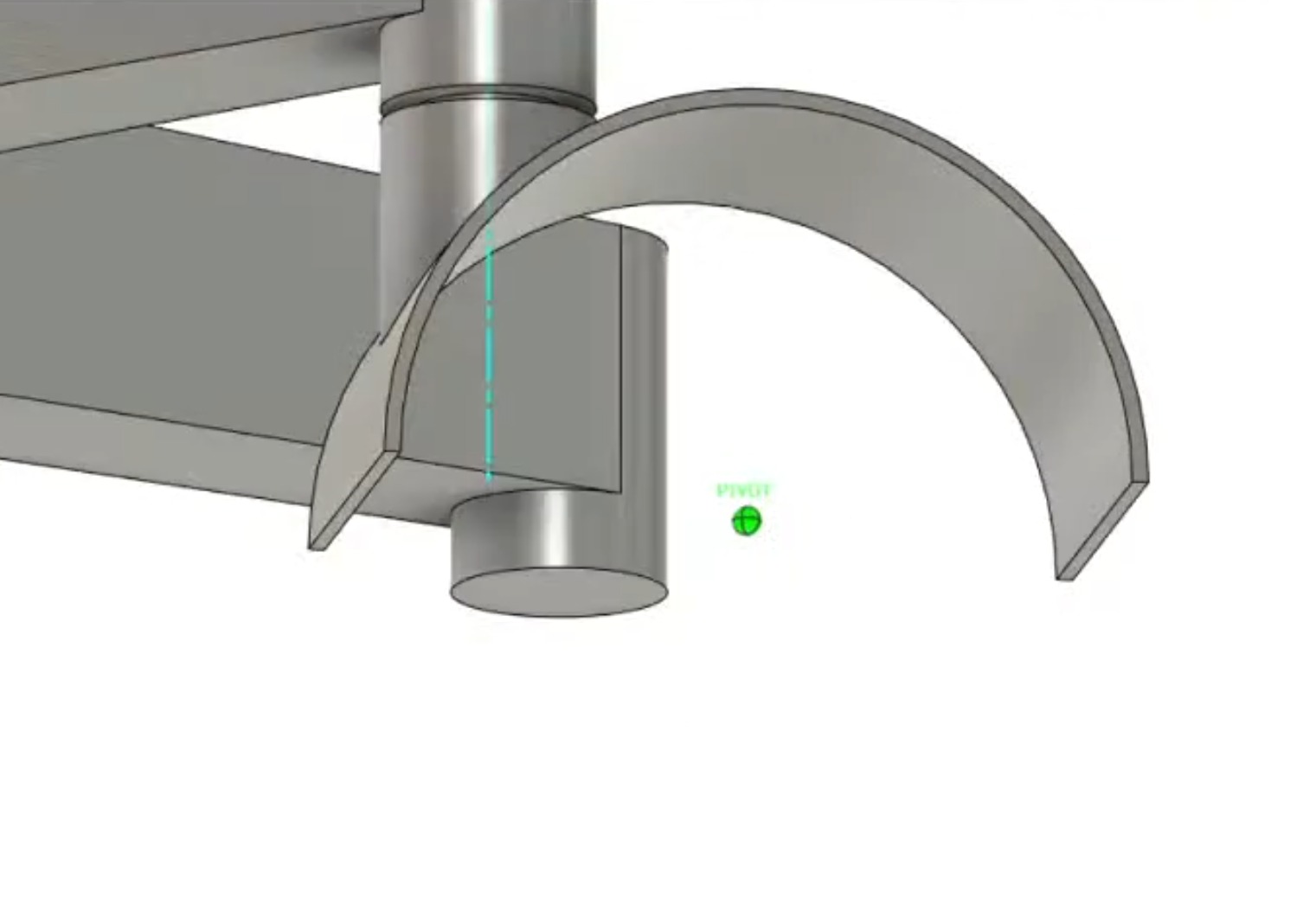
The wheel support structure is modeled by creating a curved bracket that connects the main body to the wheel assembly. This involves using arcs and extrusions to follow a smooth curvature, ensuring structural strength and realistic motion alignment. The pivot point is clearly defined for rotational behavior.
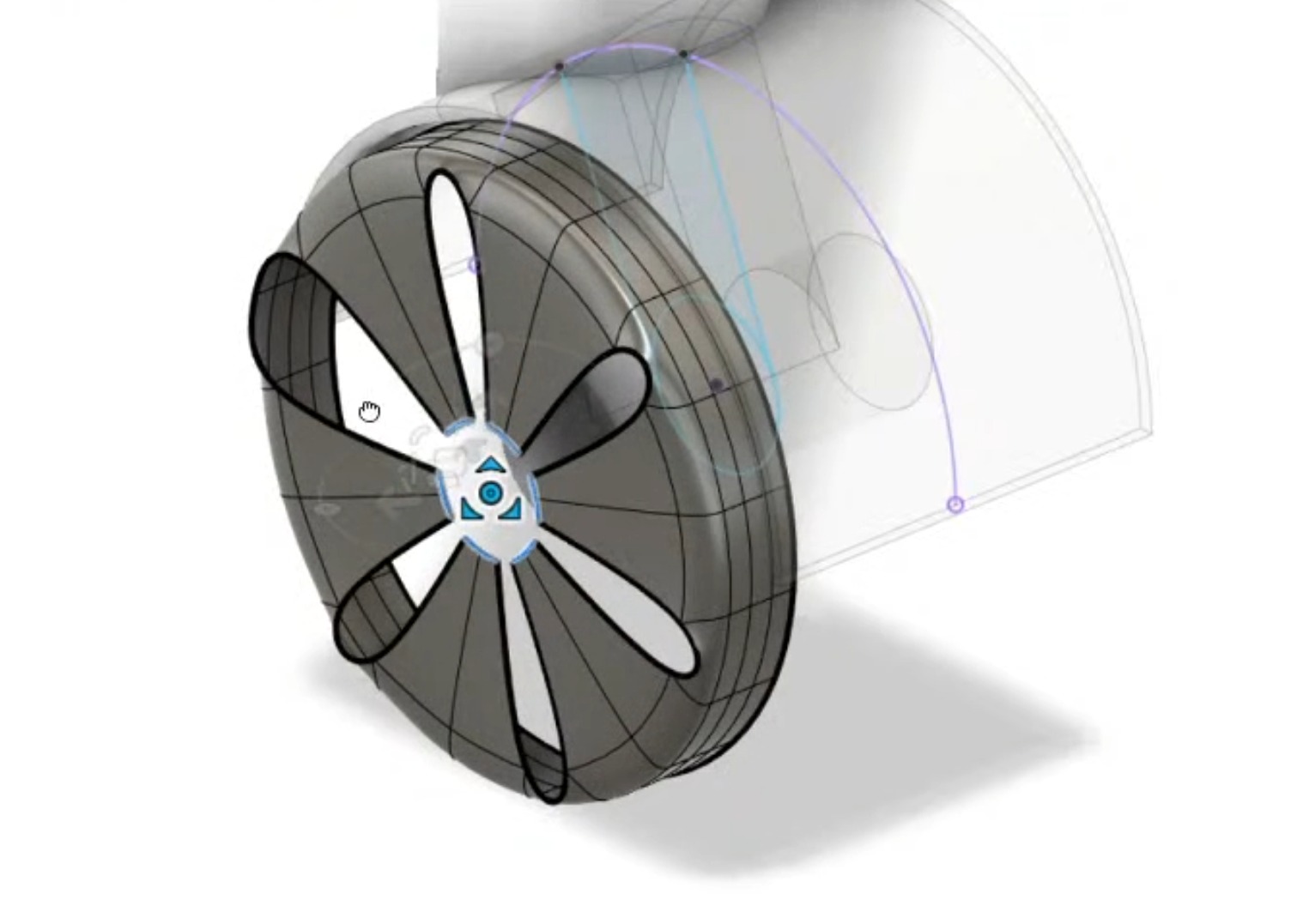
A supporting arm connecting the wheel to the base is created using angled sketches and extrusions. The geometry is aligned with the pivot and wheel center to ensure proper movement. This step is crucial for maintaining mechanical accuracy in the assembly.
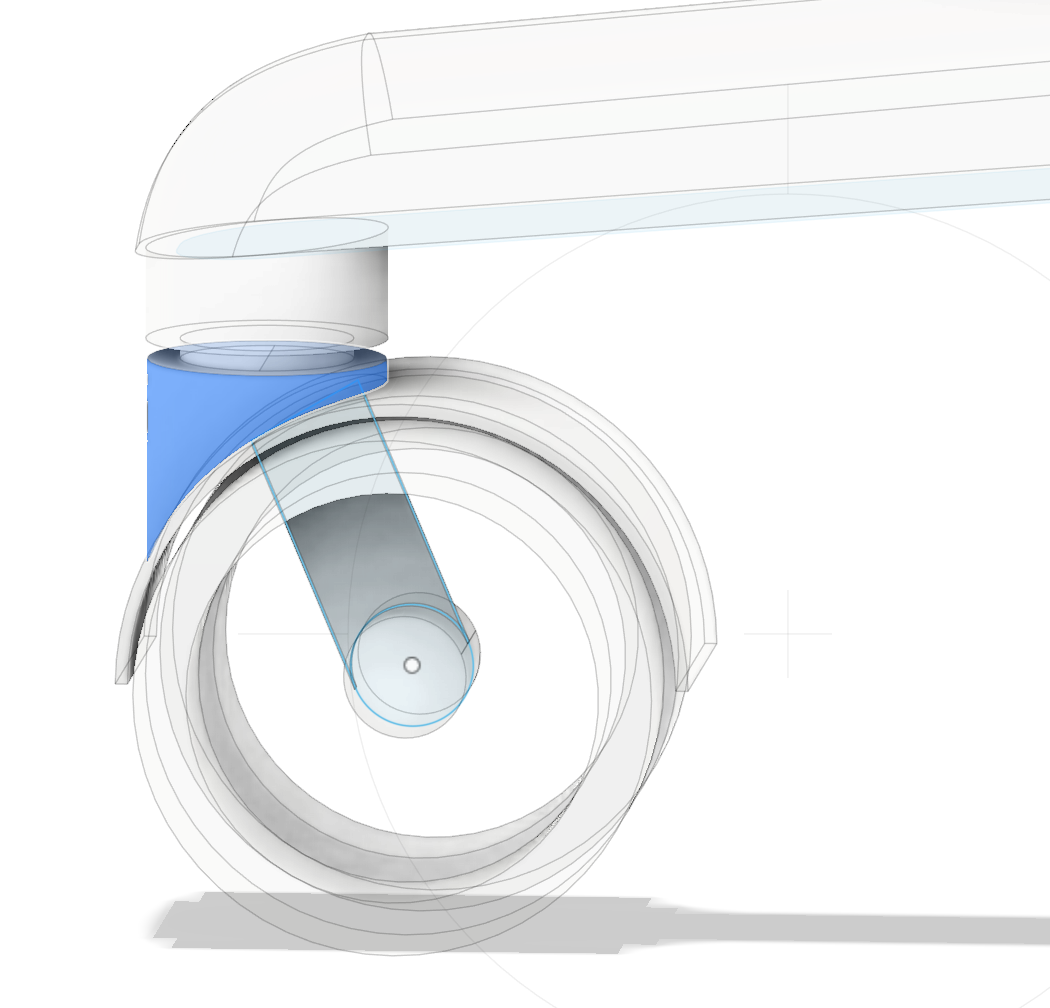
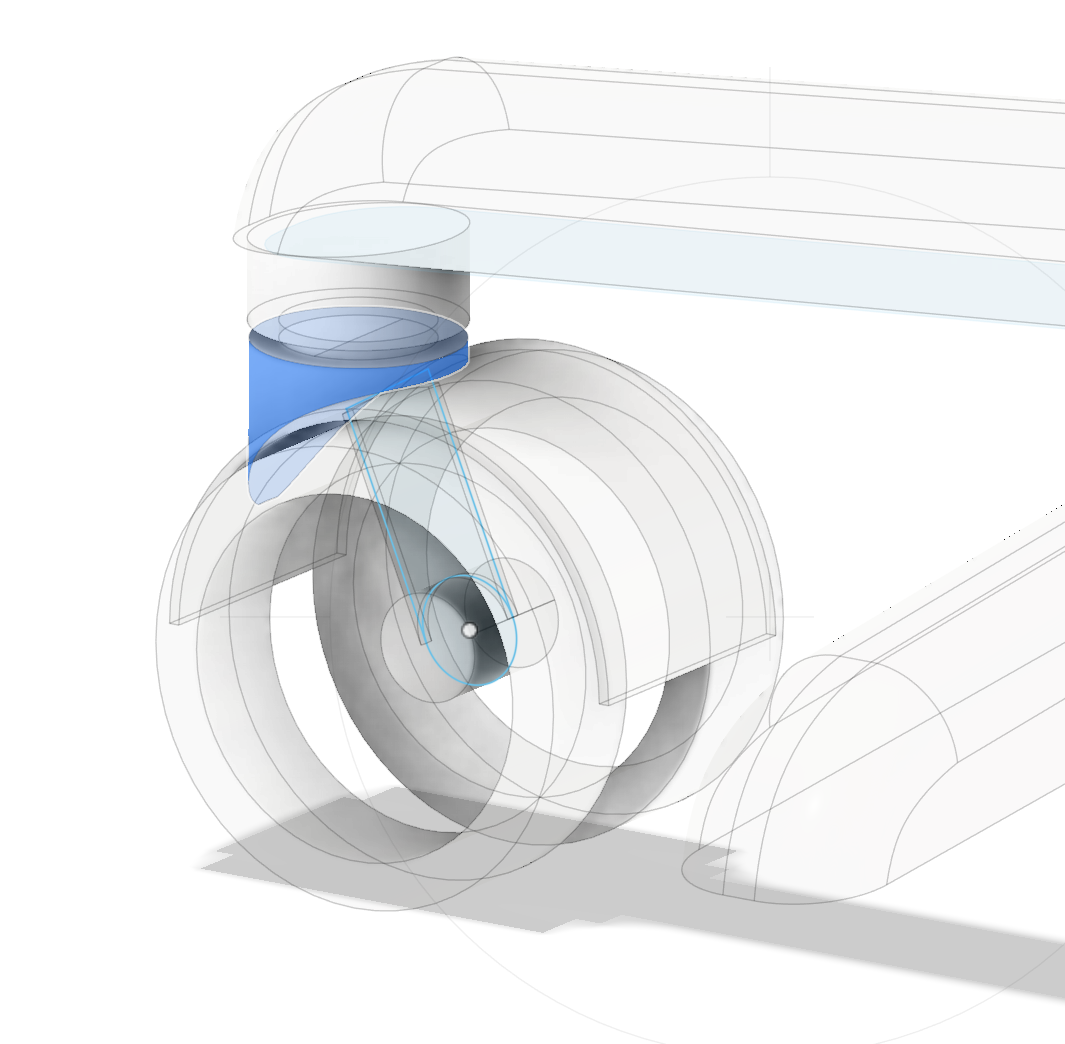
Additional refinement is done by shaping the housing around the wheel using curved profiles and extrusions. This creates a protective cover-like structure while maintaining clearance for rotation. Smooth transitions are maintained to avoid stress points.
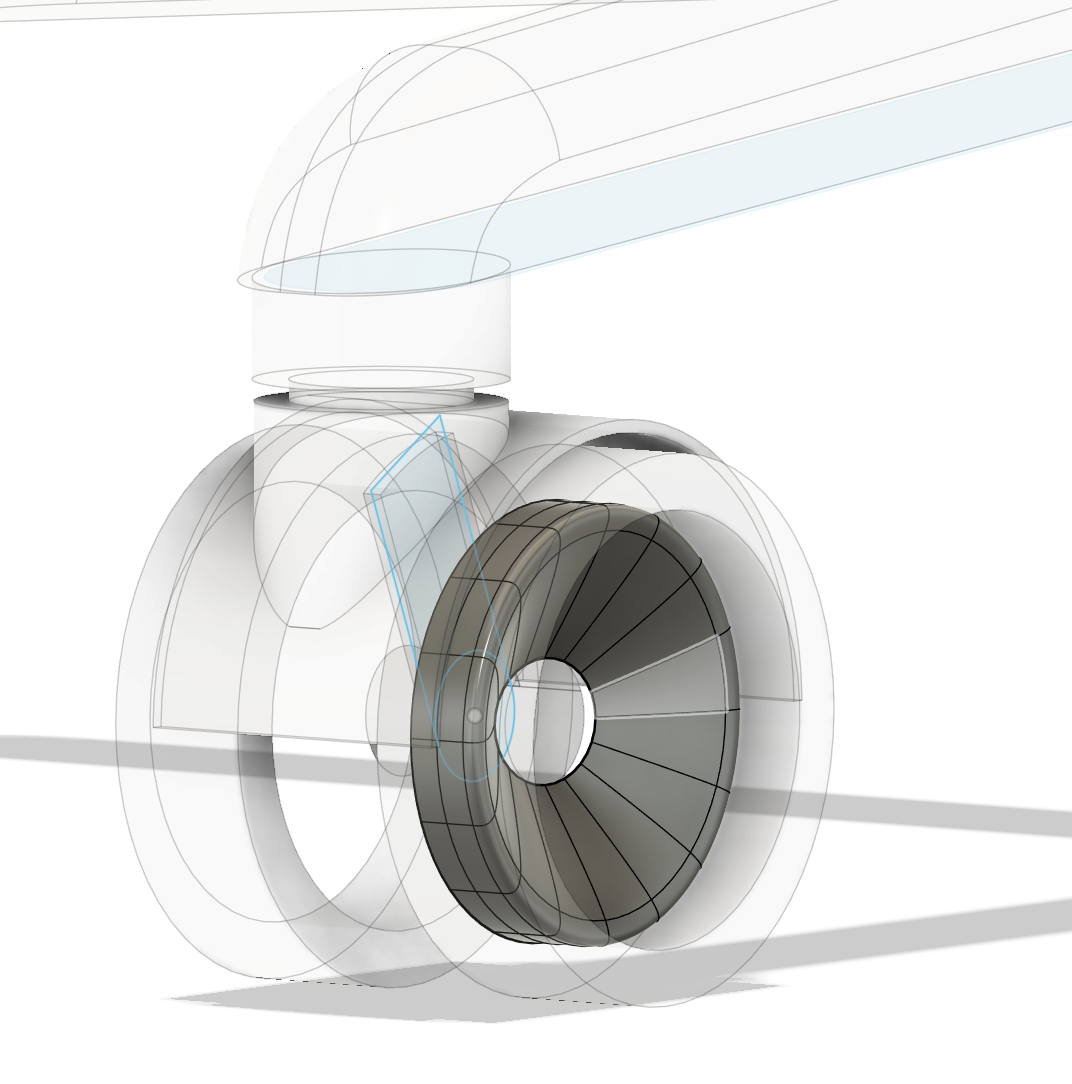
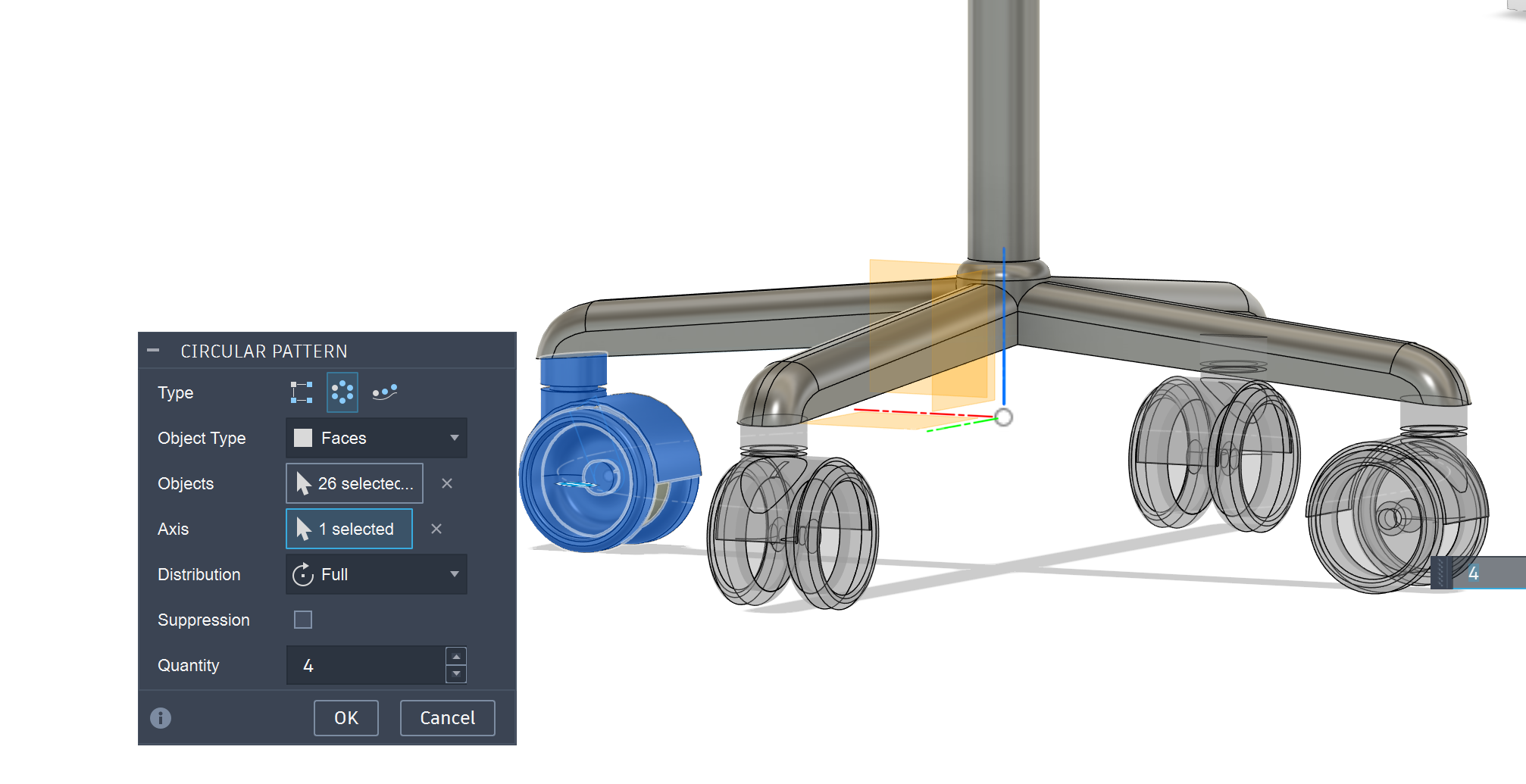
Finally, a circular pattern tool is used to replicate the wheel assembly across all arms of the base. By selecting the central axis and defining the quantity, identical components are distributed evenly, completing the full model. This demonstrates efficient parametric design and reduces repetitive manual work.
Compressing images and videos
Fab Academy sites are archived for years, so every file I upload has to stay small. Large screenshots and phone photos also make pages slow to load and can push my repository over GitLab's size limits.
Images
My rule of thumb is about 100 KB per image. For each photo or screenshot I:
- Resize it so the longest side is about 1000 px. That's large enough to read on screen, and far smaller than a phone photo (often 3000–4000 px).
- Convert it to JPEG at around 70–80 % quality. PNG is lossless, so photos saved as PNG are often 1–3 MB; JPEG brings the same image down to roughly 80–150 KB with no visible difference.
- Check the result, and lower the quality slightly if it's still over 100 KB.
For example, the two hero shots in Week 04 went from 200 KB and 167 KB phone images down to 87 KB and 94 KB.
I keep screenshots with small text as PNG only when JPEG makes the text blurry.
Videos
For videos I keep clips short and at 1080p or lower, so each file stays under 10 MB. My final presentation video, for example, is 1920×1080, about 1 minute long, and 8.5 MB.
Design files
The Rhino car model was lost in a software crash, so only the screenshots above remain.