Week 07: Computer-Controlled Machining
Assignment:
- Group: do the lab safety training, and test runout, alignment, fixturing, speeds, feeds, materials and toolpaths for the machine.
- Individual: make (design + mill + assemble) something big (~metre scale).
Part 1: Setting up the CNC router
1. Measuring the Plywood Thickness
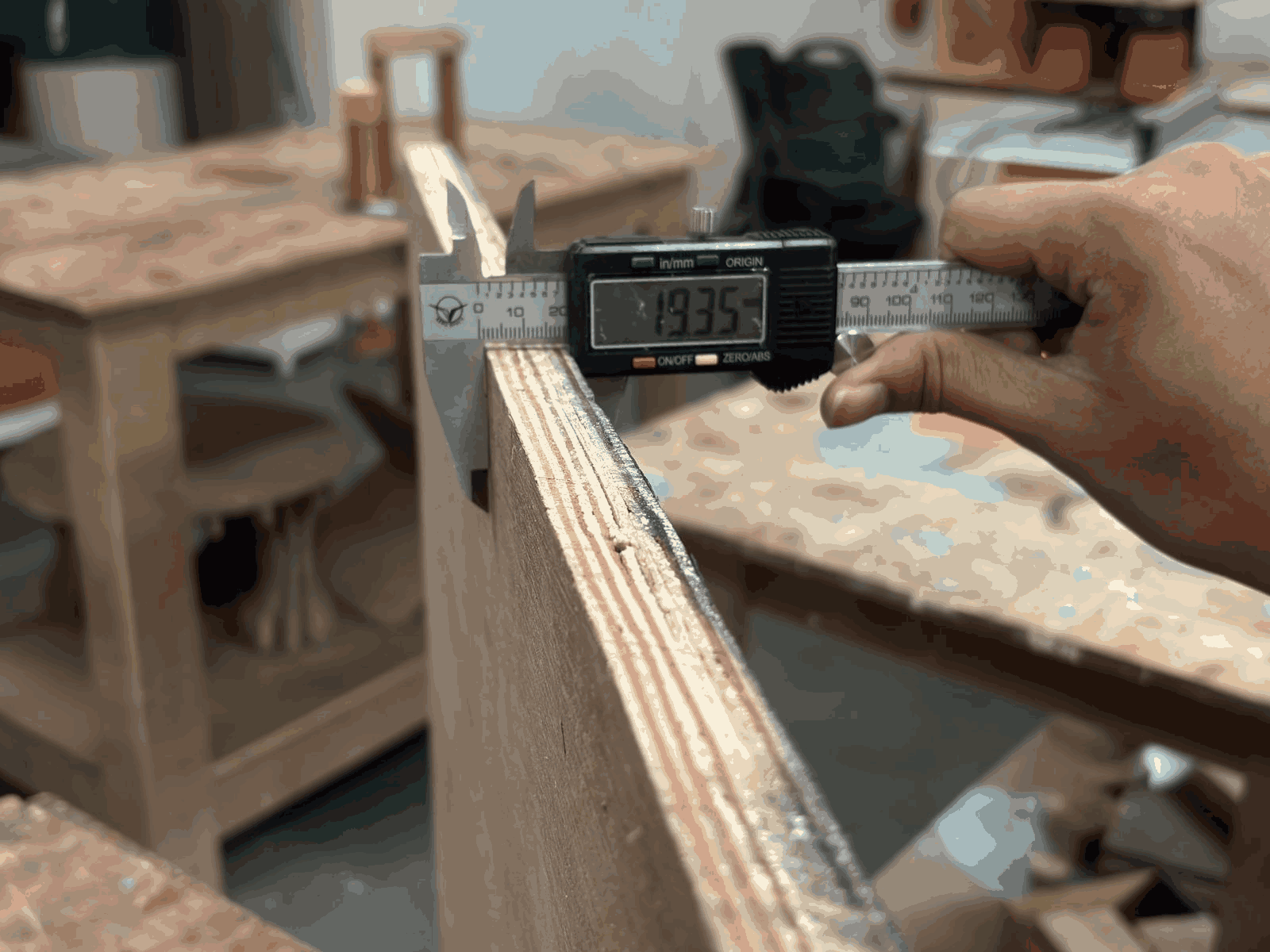
Before starting the machining process, the plywood sheet thickness was measured using a digital vernier caliper to ensure accurate cutting parameters. The measured thickness was approximately 19.35 mm, which helped in deciding the tool depth and cutting strategy. This step was important to avoid overcutting or incomplete engraving during CNC machining. Accurate material measurement also ensured proper fitting and consistency in the final output.
2. Preparing the CNC Bed
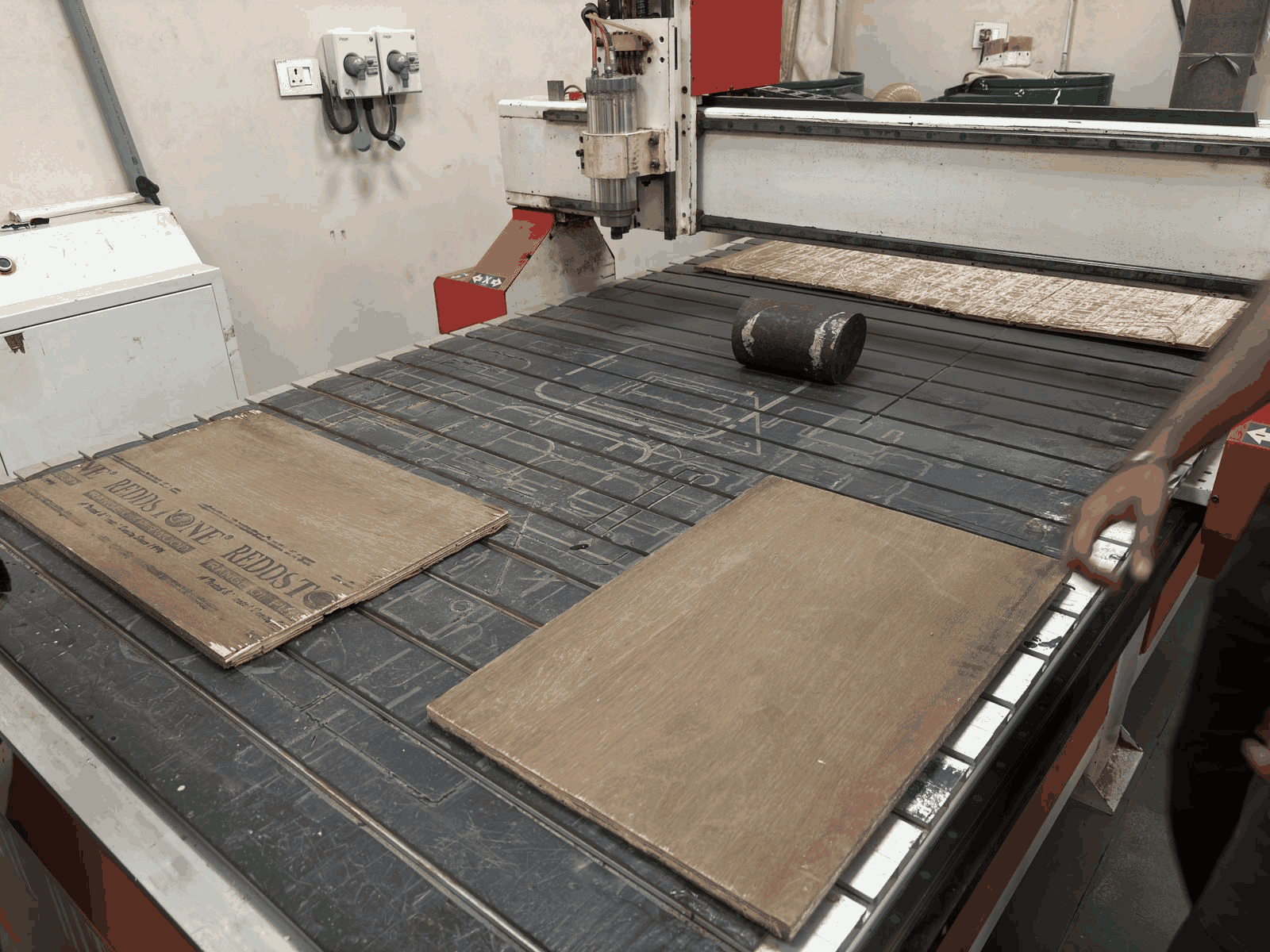
The plywood sheets were arranged properly on the CNC router bed before machining. Positioning the material correctly is essential to maximize workspace utilization and maintain alignment during the cutting process. The surface was checked for flatness to prevent uneven cuts and vibration while machining. Proper setup at this stage reduces errors later in the workflow.
3. Dust Collection System Setup
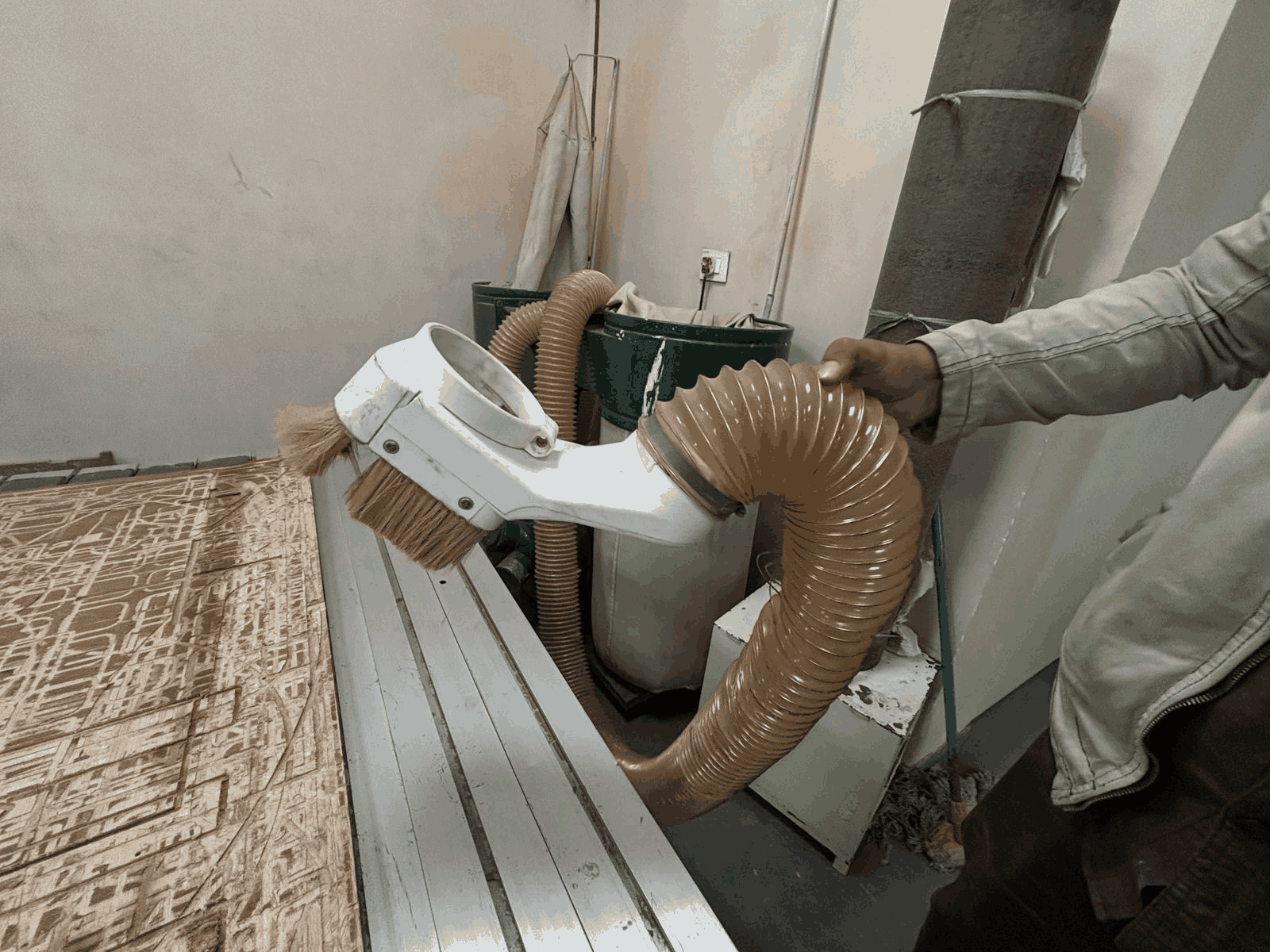
The CNC machine was equipped with a dust collection system connected through a flexible vacuum hose. This setup helps in continuously removing wood dust and debris generated during cutting and engraving. Maintaining a clean workspace improves visibility of the machining process and increases safety. It also prevents dust accumulation around the spindle and moving components.
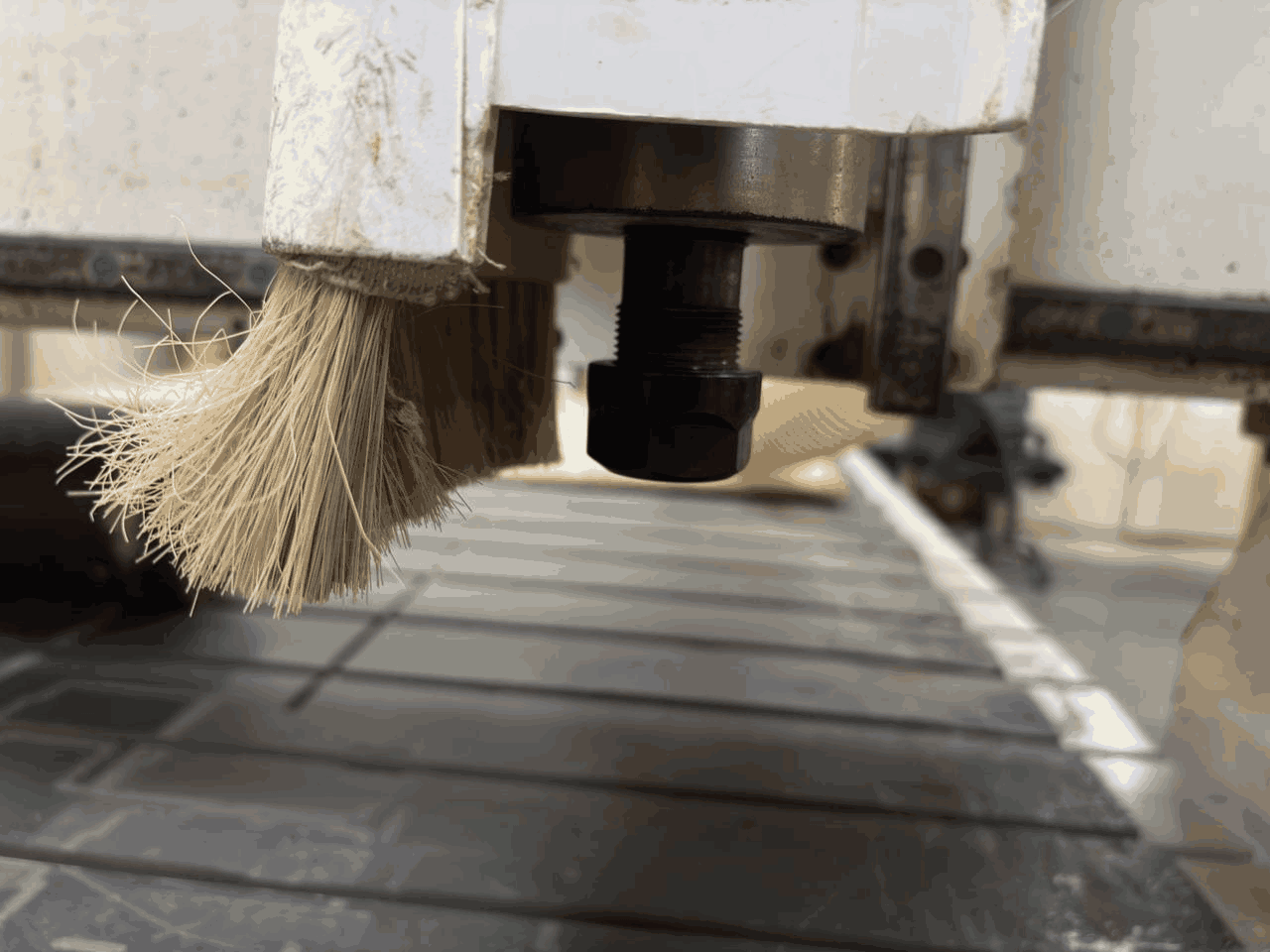
4. CNC Spindle and Dust Brush Assembly
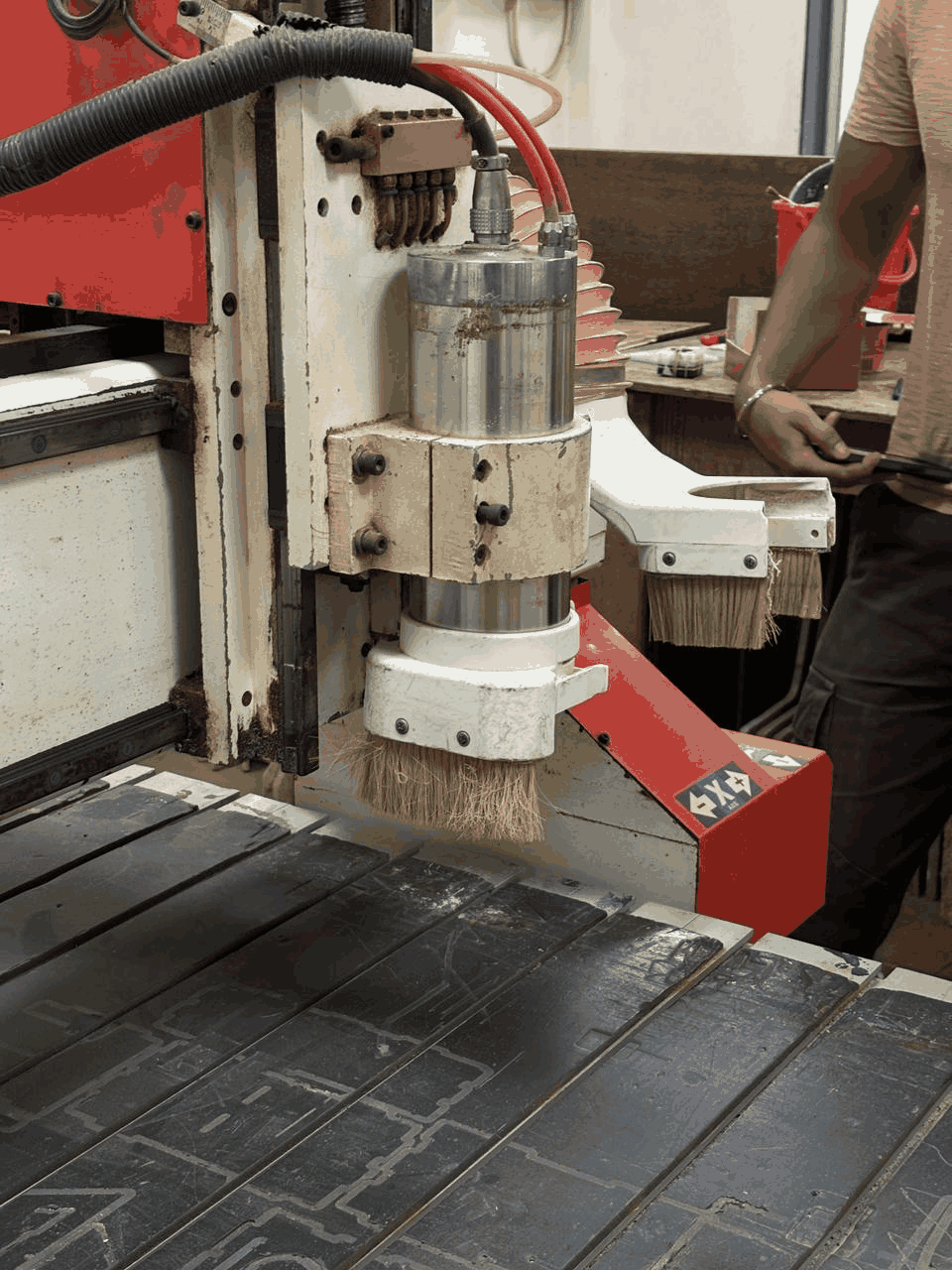
The spindle assembly of the CNC machine contains the cutting tool used for engraving and milling operations. Around the spindle, a dust brush attachment helps contain and direct debris toward the vacuum extraction system during machining. This combination improves machining cleanliness and protects the operator from airborne particles. The spindle setup also ensures stable and precise tool movement.
5. Collet and Tool Holding Mechanism
The cutting tool is mounted securely inside the spindle using a collet nut mechanism. This component is critical because it firmly holds the milling bit during high-speed rotation. A properly tightened collet reduces vibration and improves machining accuracy. Incorrect tool holding could lead to poor surface finish or tool slippage during operation.
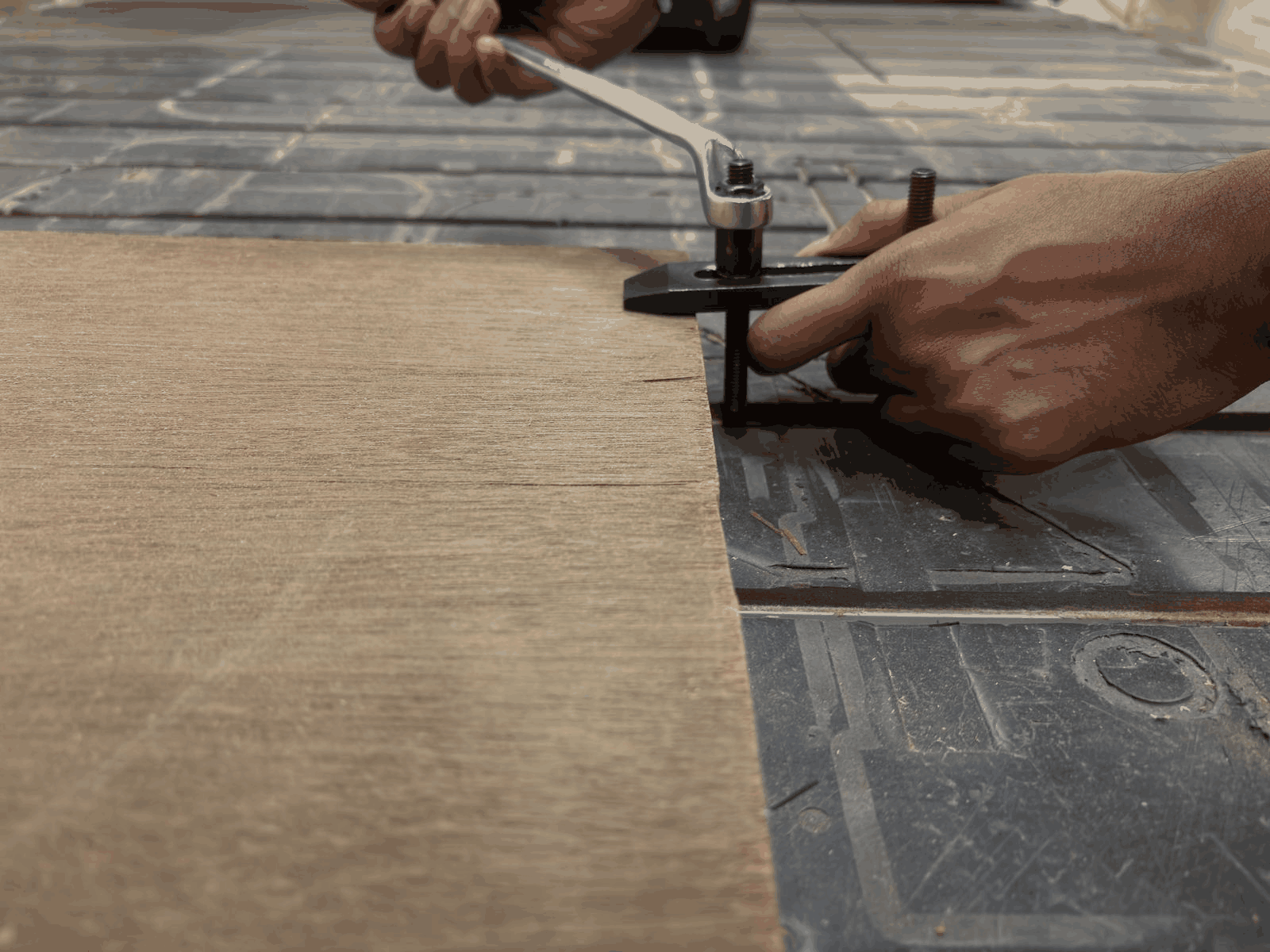
6. Securing the Material on the CNC Bed
Clamps were used to firmly hold the plywood sheet onto the CNC machine bed before machining began. Proper clamping prevents material movement caused by cutting forces and spindle vibration. The positioning of clamps was carefully planned to avoid collision with the toolpath. Stable material fixation is essential for precise and safe CNC operation.
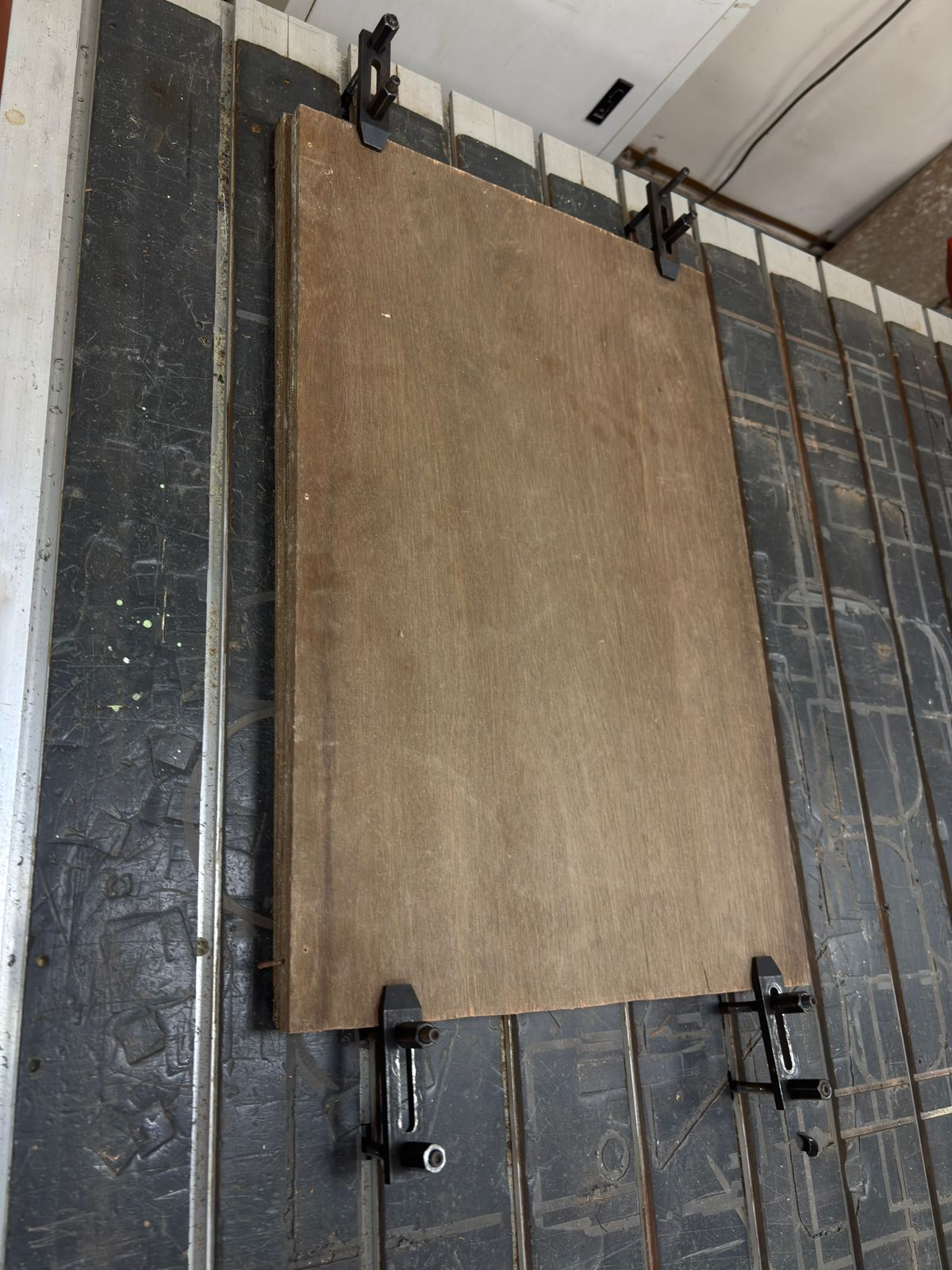
7. Final Material Positioning
After clamping, the plywood sheet was checked again to ensure it remained flat and properly aligned with the machine axes. Correct positioning is important for maintaining dimensional accuracy throughout the machining process. The setup stage also included verifying that sufficient clearance existed around the workpiece for tool movement. This prepared the material for accurate engraving and cutting.
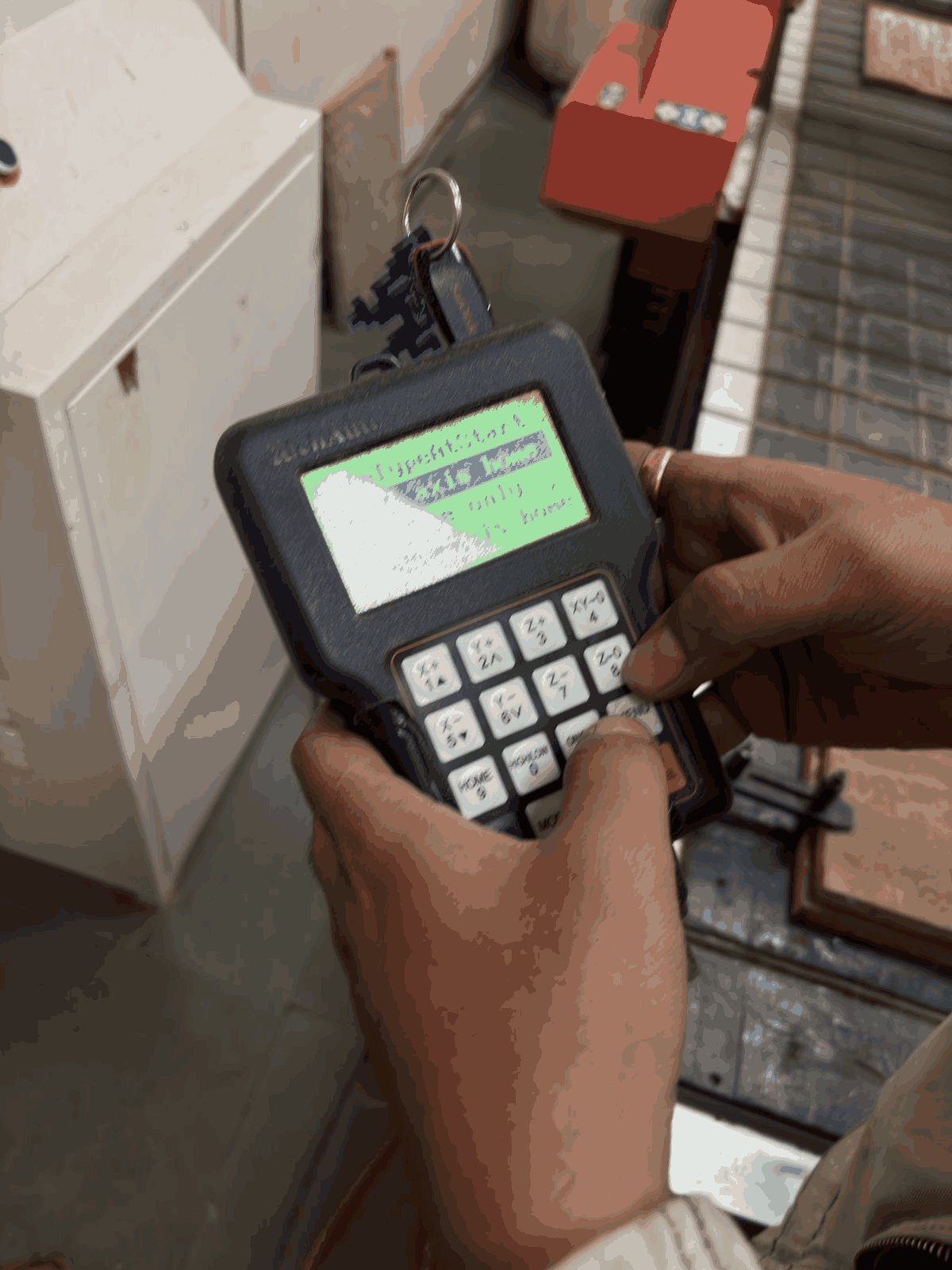
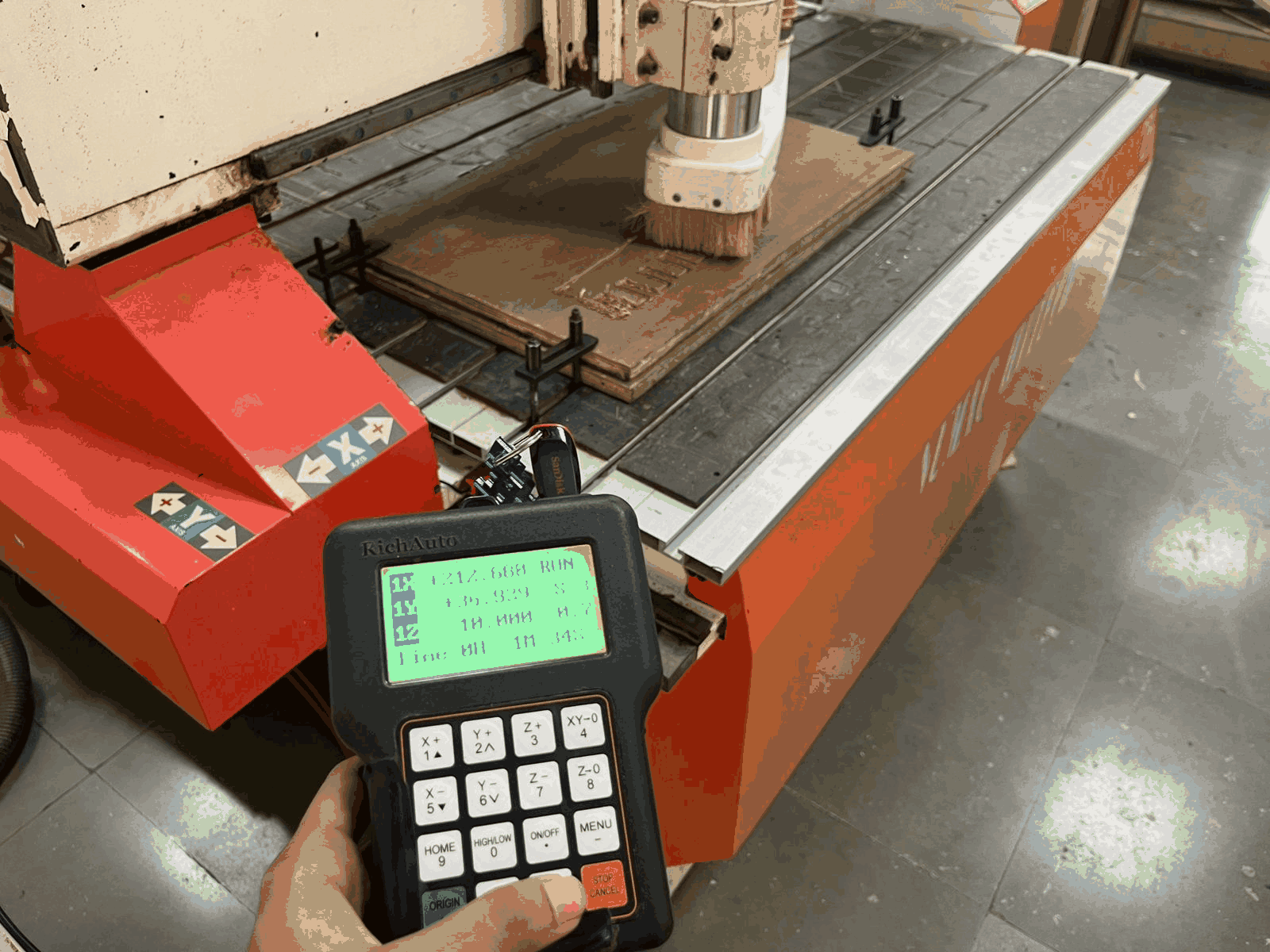
8. Setting the Machine Origin
The machine origin and axis positions were configured using the CNC controller interface before starting the machining process. Defining the correct home position allows the CNC machine to interpret the toolpath accurately. This step ensures the design is engraved in the intended location on the material surface. Proper origin setup is one of the most critical stages before running the final job.
9. Beginning the Machining Process
Once the origin and tool settings were verified, the CNC machine began engraving the design onto the plywood surface. The spindle moved according to the programmed toolpath while removing material layer by layer. During this stage, the cutting parameters such as spindle speed and feed rate played an important role in surface quality. Continuous monitoring was done to ensure smooth machining.
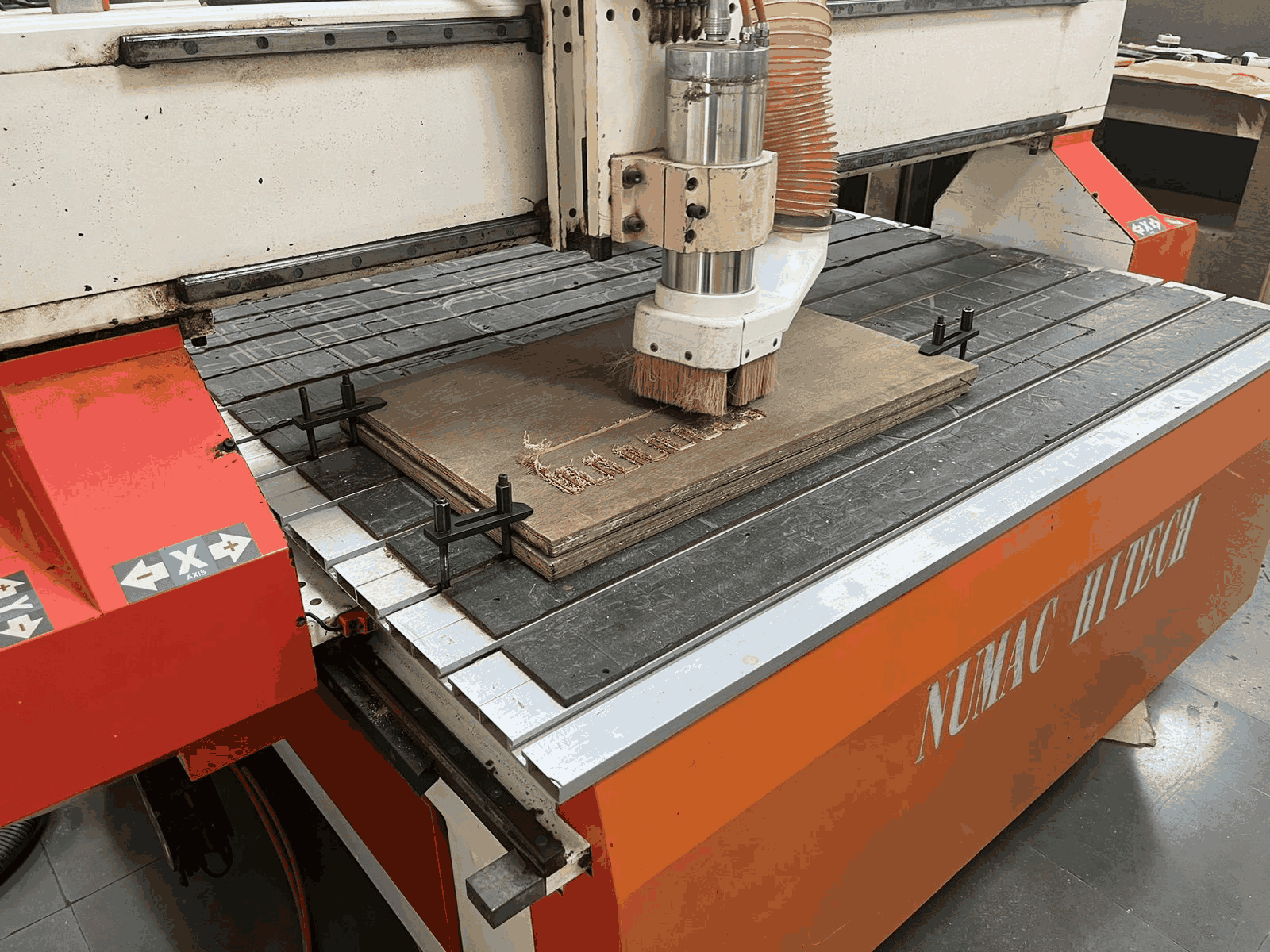
10. CNC Engraving in Progress
The CNC router continued carving the design with controlled and repeatable movements. The dust extraction system operated simultaneously to keep the machining area clean and visible. The engraved regions gradually revealed the final pattern on the plywood surface. This stage demonstrated the precision and automation capability of the CNC machining workflow.
Part 2: Designing a big object: a plywood boat structure
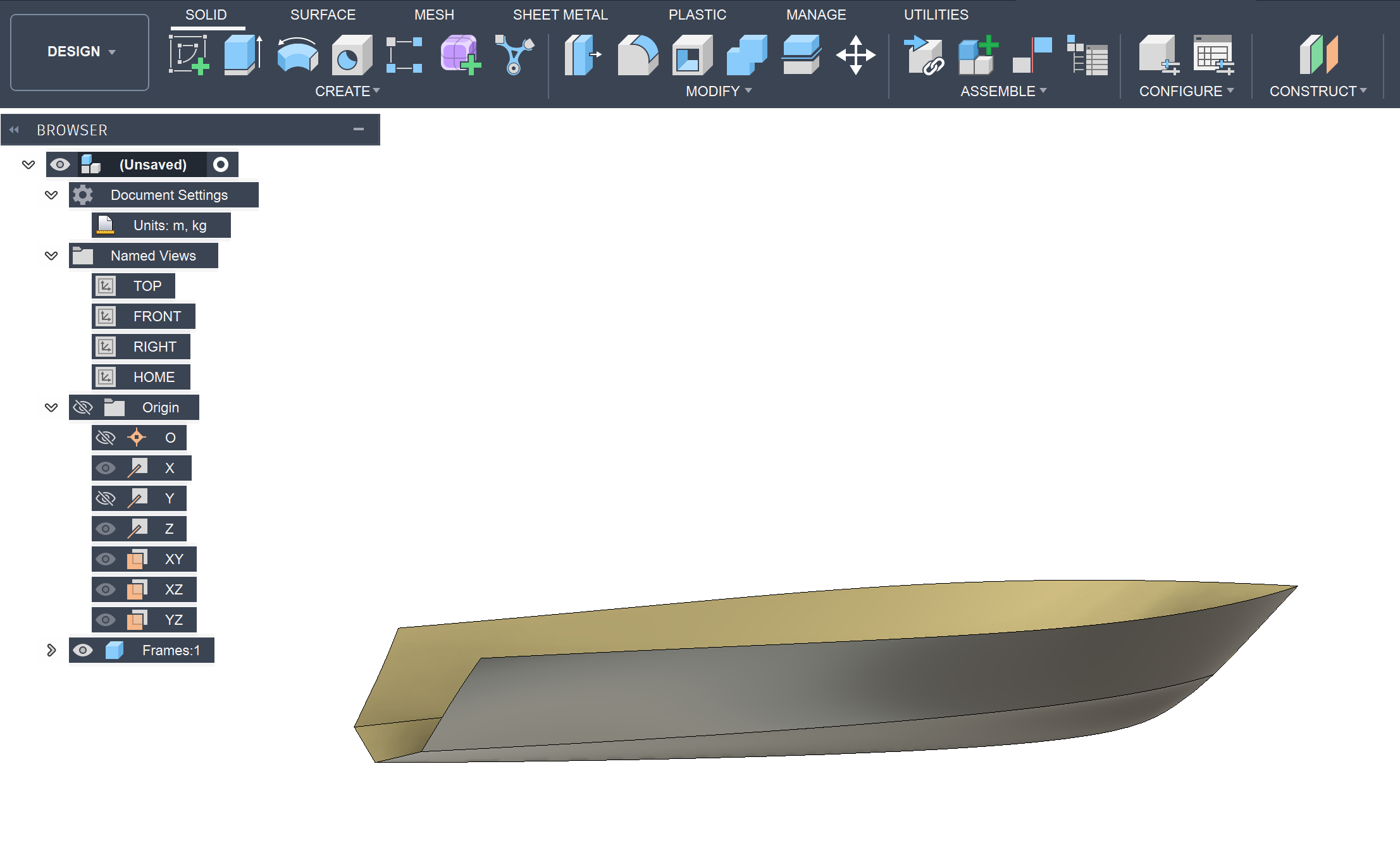
11. Initial Boat Hull Surface Design
The initial boat hull form was modeled in Fusion 360 to explore the outer geometry and proportions of the structure. Basic surfaces and side profiles were created to understand the overall shape and curvature of the boat. This stage focused mainly on form development rather than fabrication constraints. The model provided a starting point for further structural refinement.
12. Refined Hull Geometry Development
The hull geometry was further refined by improving the smoothness and continuity of the surfaces. The updated design achieved a cleaner aerodynamic and hydrodynamic form while maintaining structural balance. Additional edge profiles and transitions were adjusted to create a more realistic boat structure. This helped in improving both appearance and manufacturability.
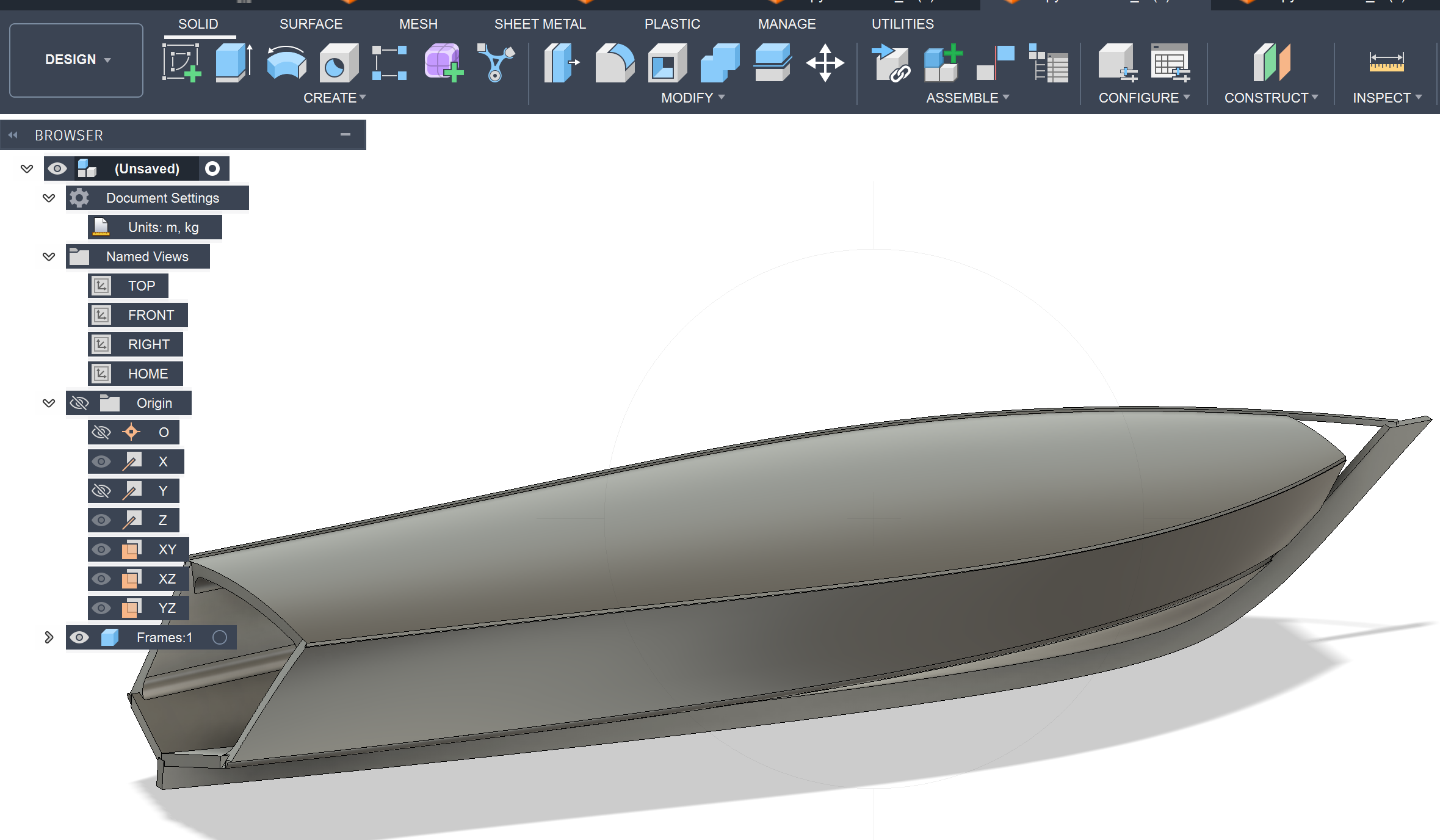
13. Internal Rib Structure Creation
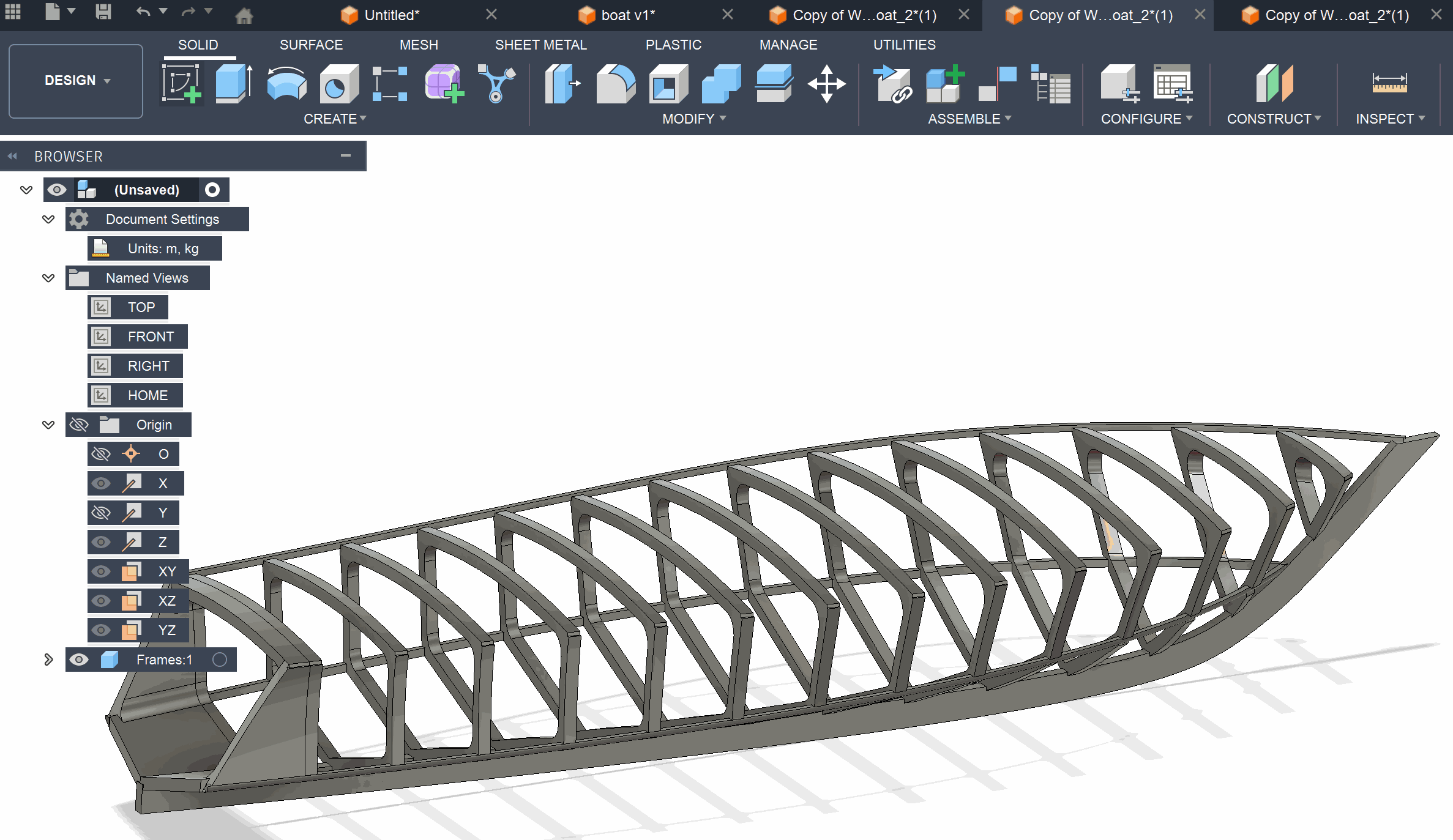
After finalizing the outer form, internal ribs were added to create the structural framework of the boat. These ribs act as support members that maintain the shape and rigidity of the hull. The rib spacing was designed uniformly to distribute load and reduce deformation. This stage transformed the design from a surface model into a fabrication-oriented structure.
14. Design Optimization for Material Reduction
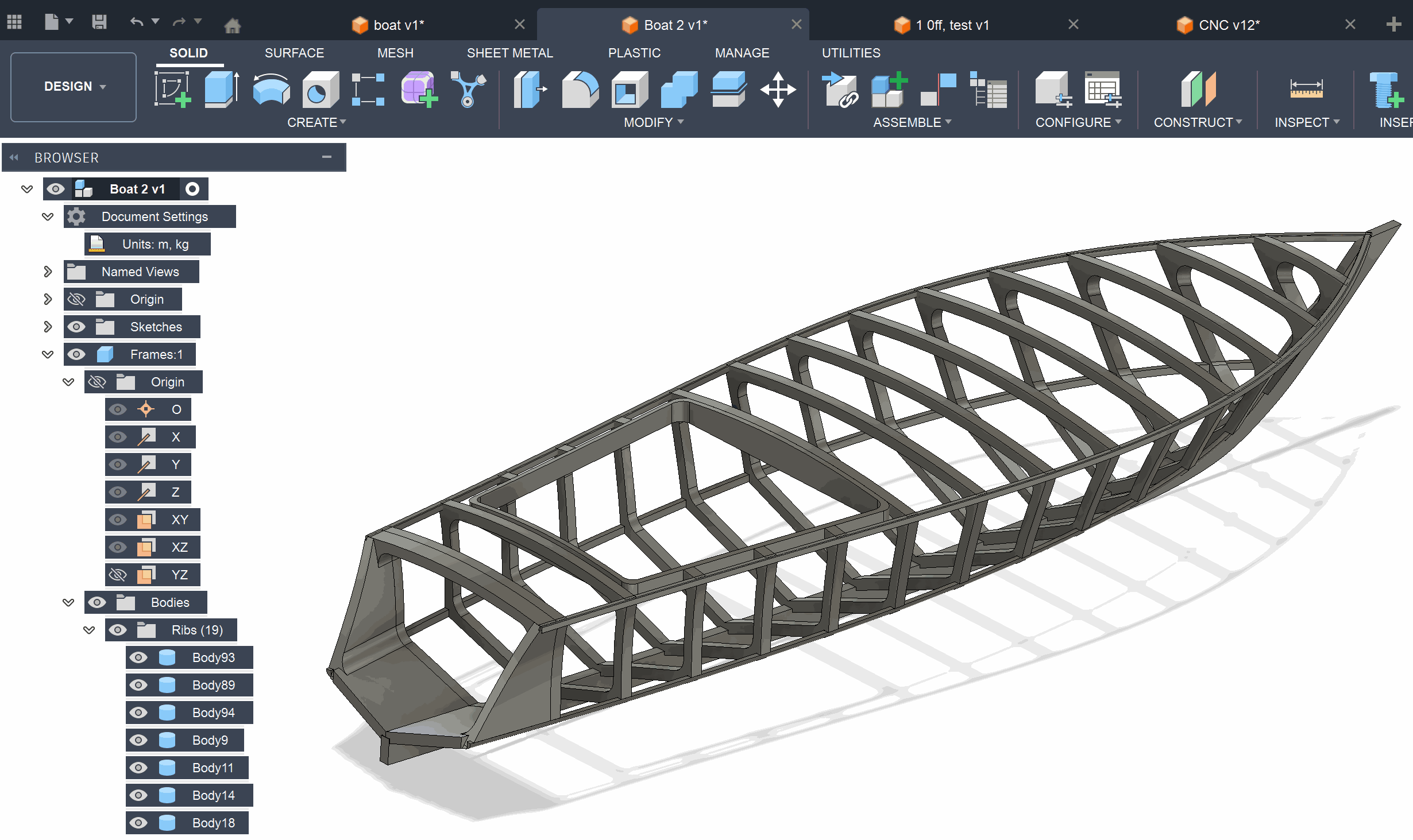
During further iterations, the boat structure was redesigned to reduce unnecessary material usage and simplify manufacturing. Certain sections of the original model were modified to create a lighter and more efficient framework. The updated rib arrangement improved structural efficiency while minimizing waste during CNC cutting. This optimization made the design more suitable for fabrication.
15. Creating CNC Machining Toolpaths
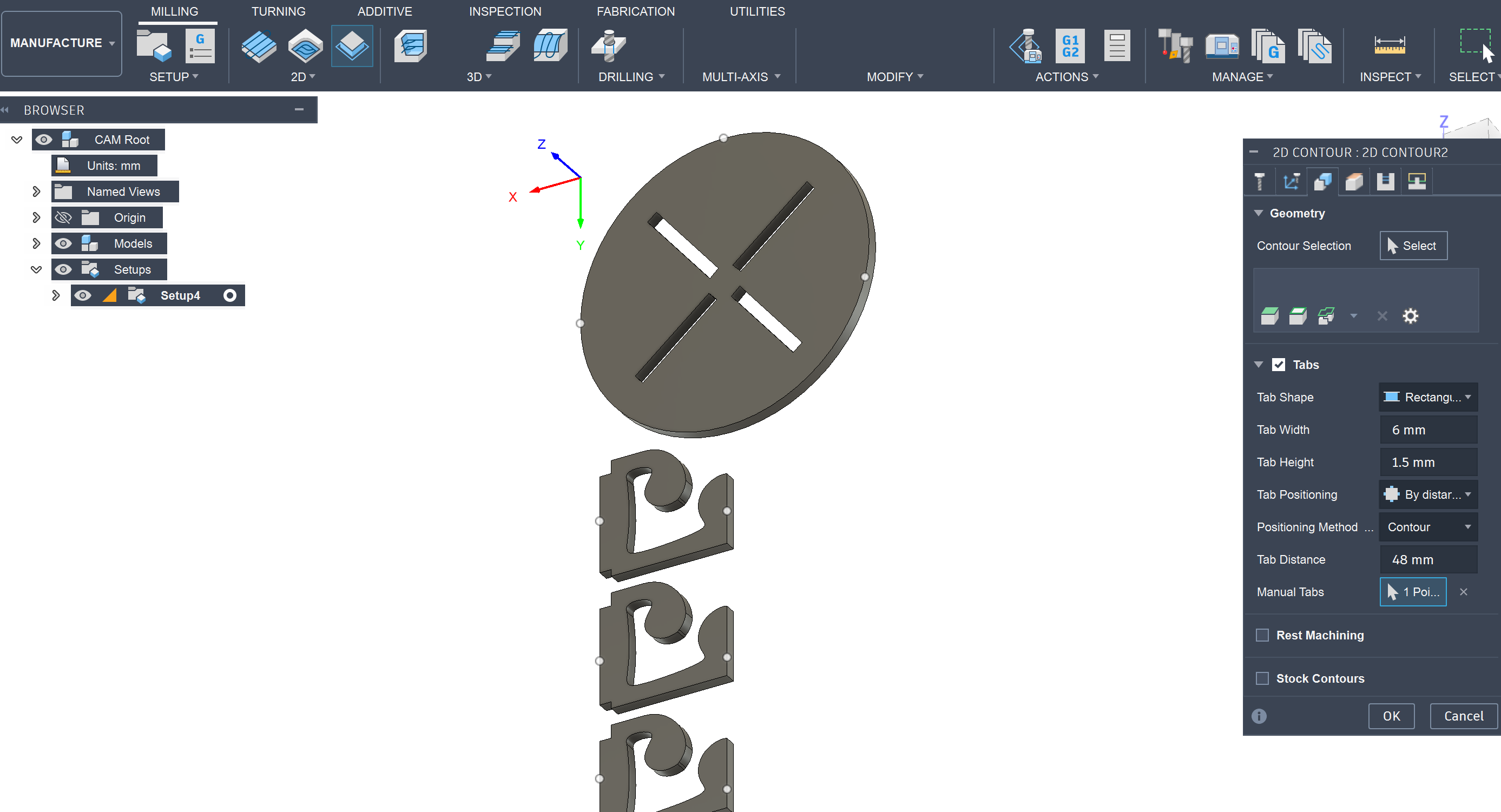
The optimized components were imported into the Manufacturing workspace in Fusion 360 for CNC preparation. Contour operations and tabs were added to ensure the parts remained fixed during machining. Toolpaths were configured carefully to maintain dimensional accuracy and clean edge quality. This step converted the CAD geometry into machinable operations.
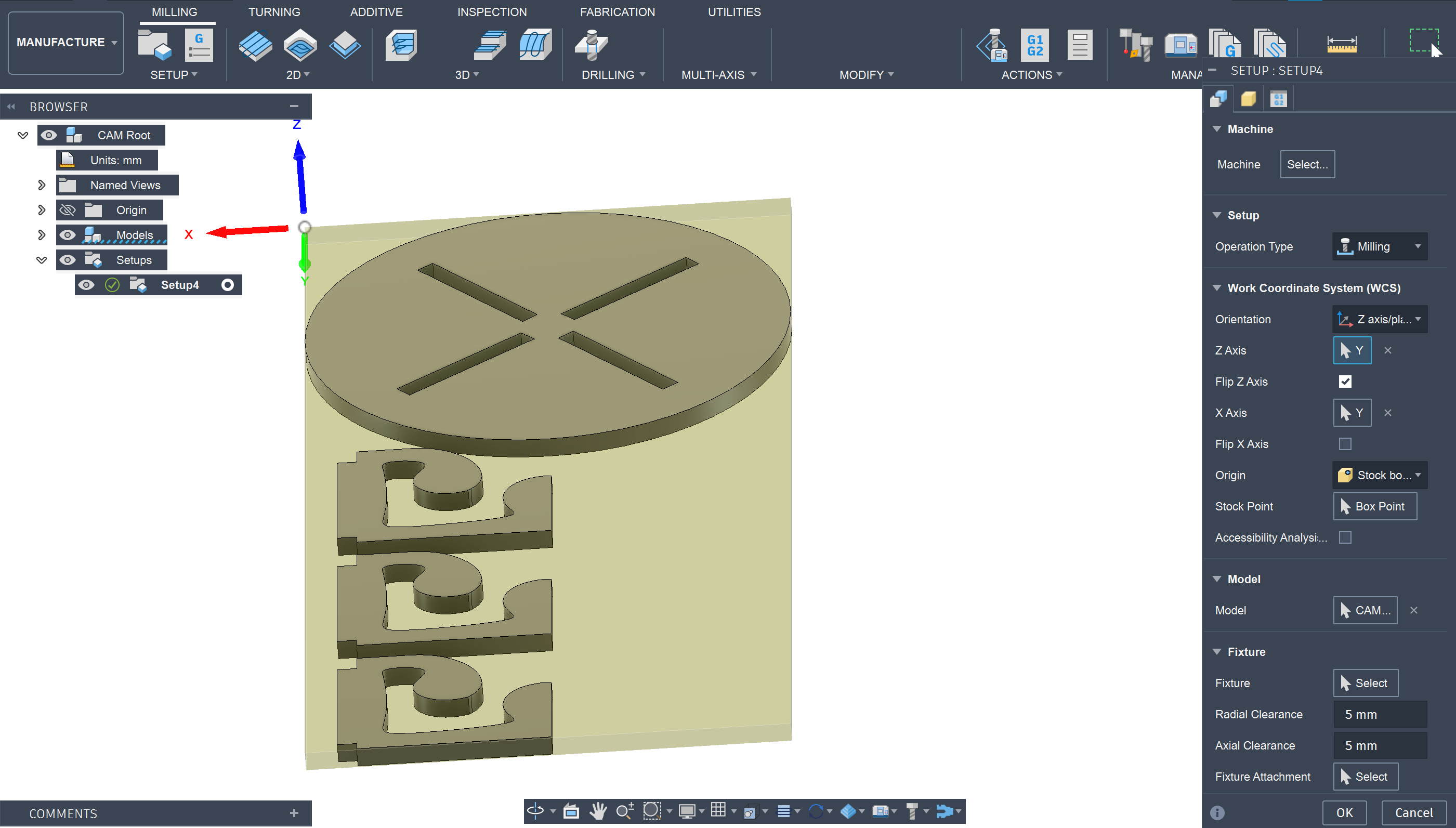
16. Defining CNC Setup and Work Coordinates
The machining setup was configured by defining the stock size, work coordinate system, and machining origin. Correct axis orientation and stock positioning are essential for accurate CNC operation. The setup also ensured that all components fit properly within the available material dimensions. This stage established the reference system required for machining.
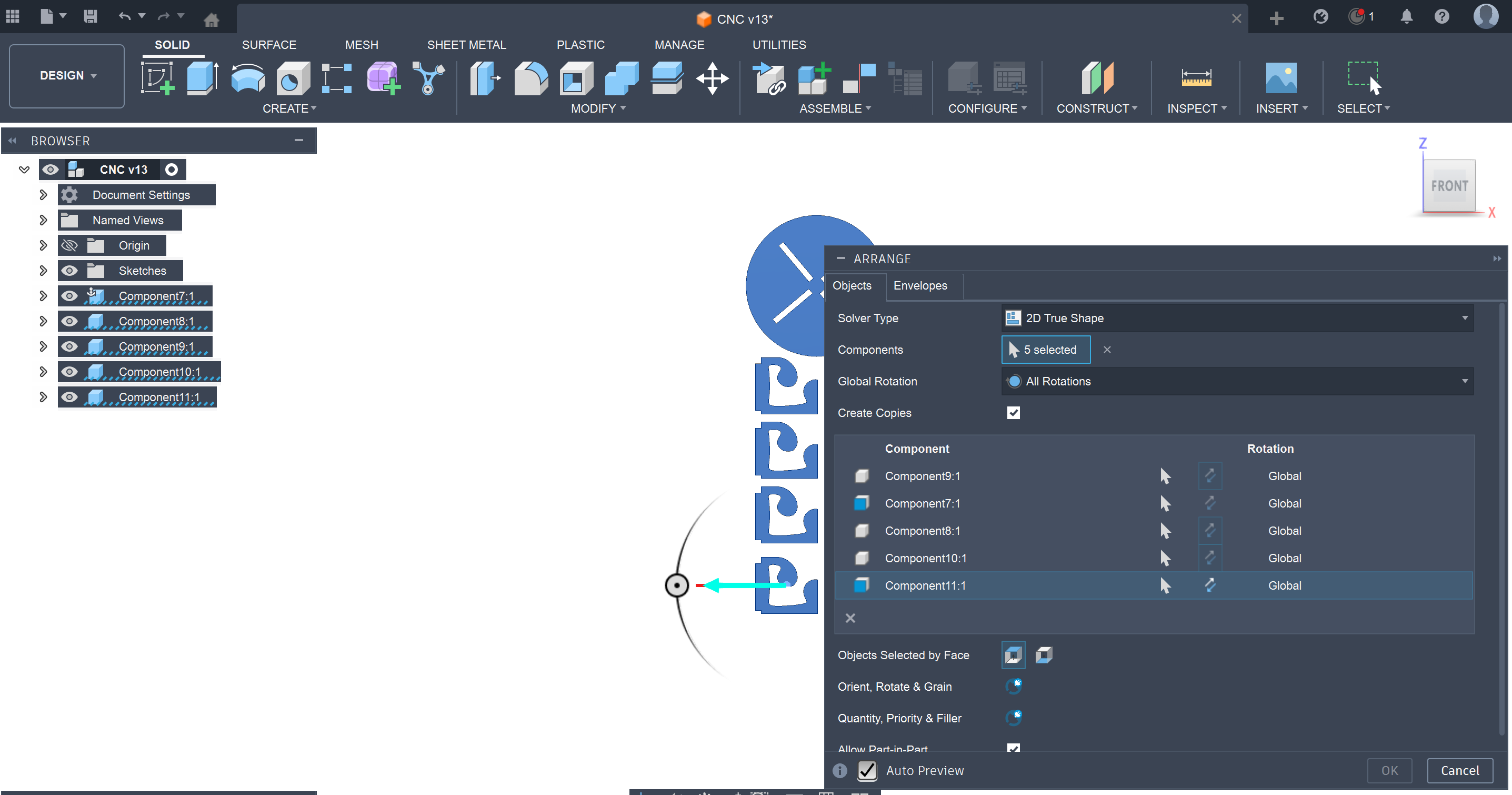
17. Arranging Components for Sheet Optimization
The individual boat components were arranged efficiently on the virtual material sheet using the Arrange feature in Fusion 360. This nesting process helped reduce unused space and improve material utilization. Different orientations were tested to achieve a compact layout while maintaining machining clearance. Proper arrangement directly contributes to reducing production cost and material waste.
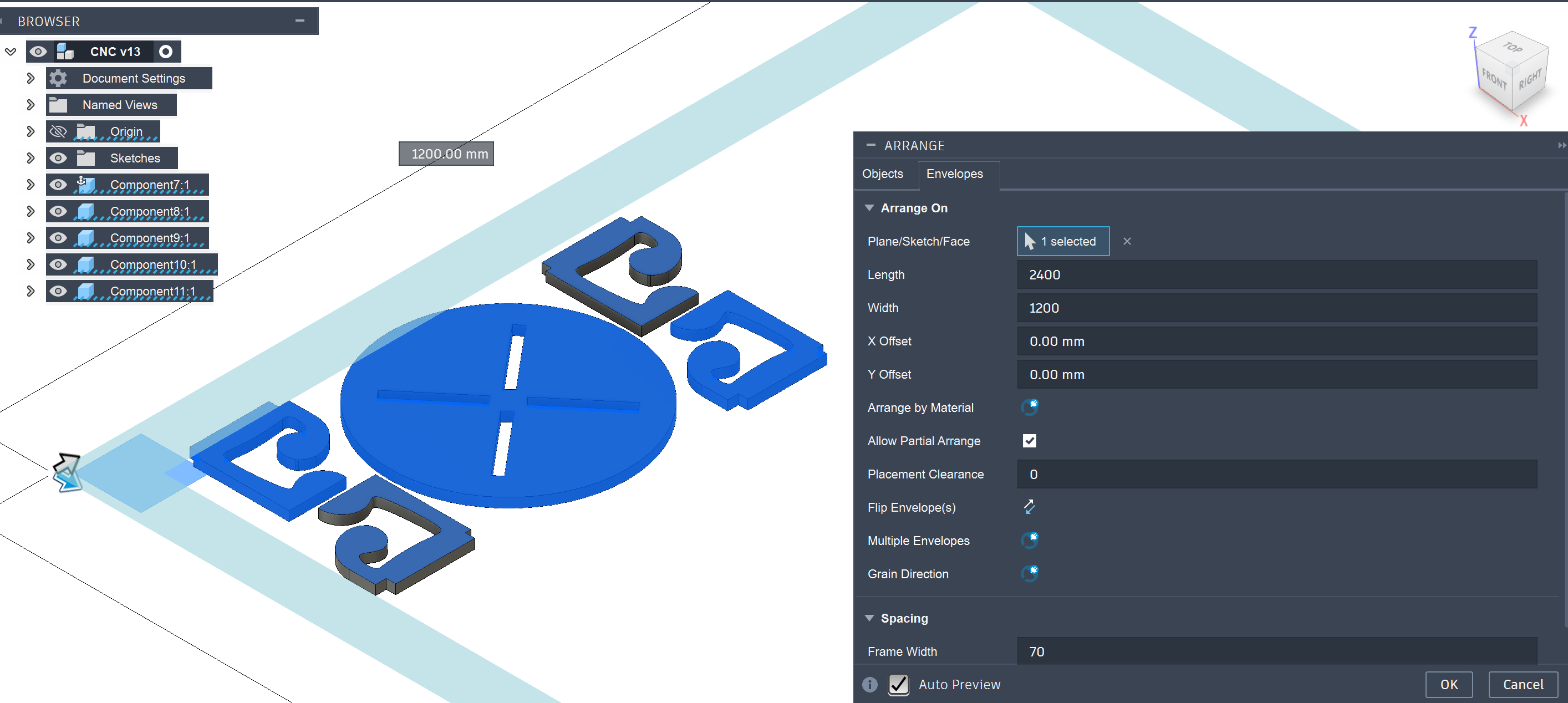
18. Final Nesting Layout Preparation
The optimized arrangement of components was finalized within the defined sheet dimensions. Adequate spacing was maintained between parts to avoid tool collision and ensure safe cutting operations. The layout was checked for manufacturability before generating final machining toolpaths. This stage prepared the complete design for CNC fabrication.
19. Selecting the CNC Cutting Tool
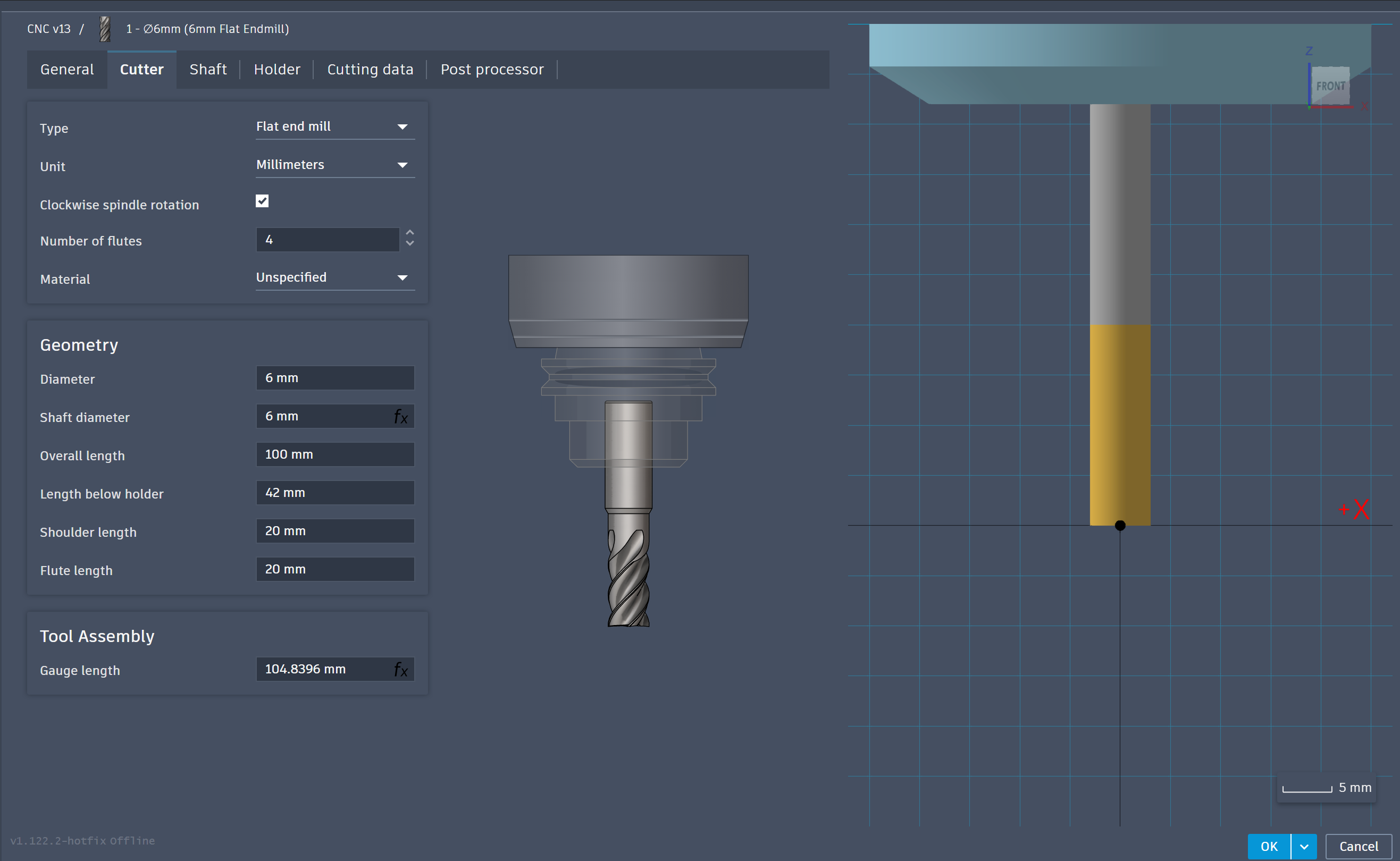
An appropriate flat end mill cutter was selected from the Fusion 360 tool library for machining the plywood components. Tool parameters such as diameter, flute length, and spindle settings were reviewed before machining. Selecting the correct cutting tool is critical for achieving clean edges and accurate cuts. The chosen tool was suitable for plywood milling operations.
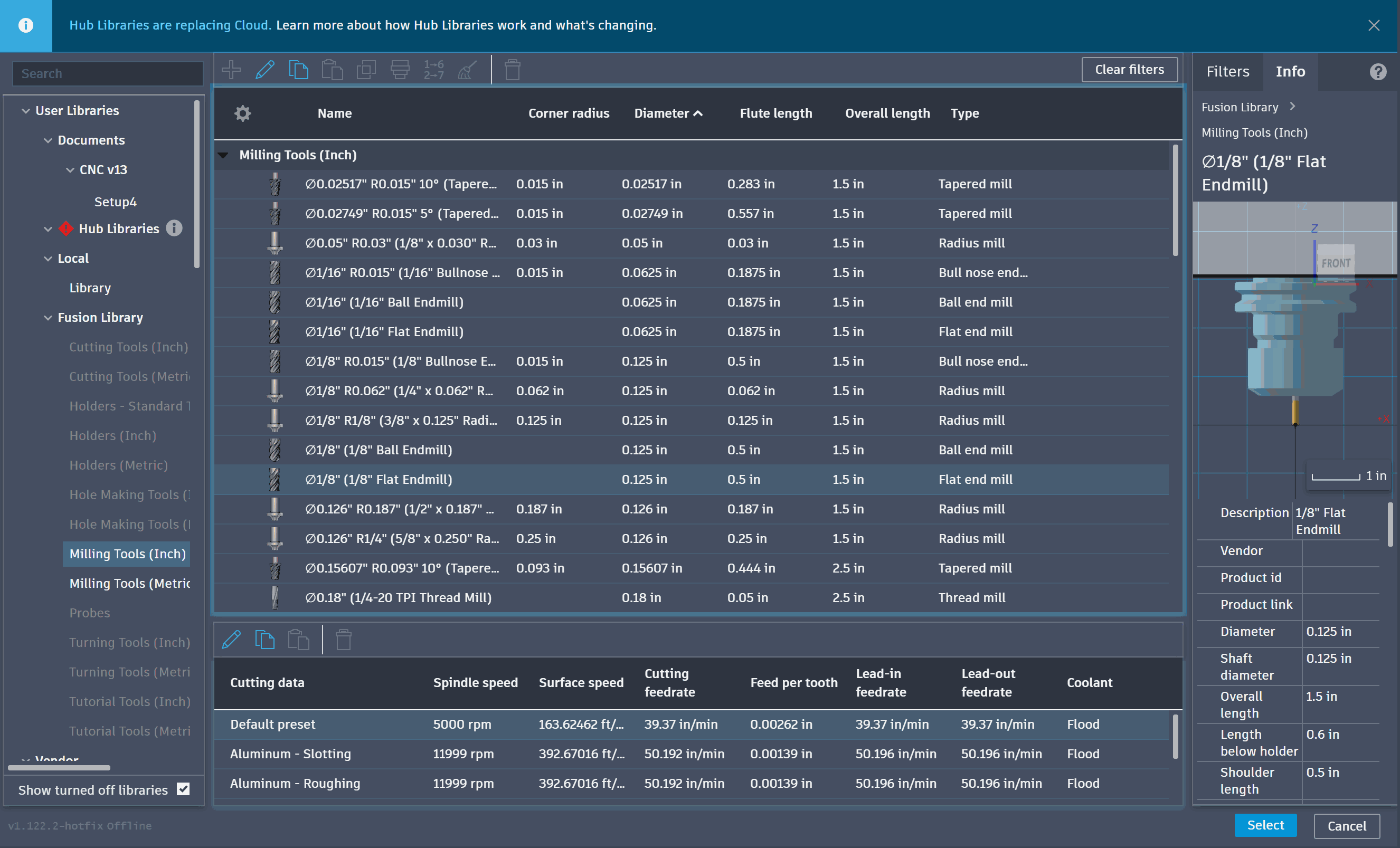
20. Configuring Tool Geometry Parameters
Detailed cutter settings including diameter, flute length, shaft dimensions, and tool assembly parameters were configured in Fusion 360. These values help simulate accurate machining behavior and prevent tool collisions during operation. Proper tool definition also improves toolpath accuracy and machining reliability. This finalized the CNC preparation process before generating the G-code.
Part 3: CNC-routed gripper plates for my final project
The process began by creating a 2D sketch in AutoCAD, where the overall geometry of the wooden gripper components was finalized. The sketch included the two gripper side plates and the circular base plate, with all critical dimensions such as the overall width, height, internal cut-outs, and slot widths defined to ensure proper assembly after machining. Once the profile was completed and verified, the drawing was exported in DXF format for CAM preparation.
The DXF file was then imported into Fusion 360 Manufacture Workspace, where the machining operations for the CNC router were prepared. A new setup was created by defining the stock dimensions according to the plywood sheet being used. The work coordinate system (WCS) was positioned at the stock corner, and the stock thickness was set to match the material. This allowed the machining paths to be generated with respect to the actual workpiece.
Before creating the machining operations, a 6 mm flat end mill was selected from the tool library and its parameters were verified. The cutter diameter, flute length, overall tool length, gauge length, spindle rotation, and tool assembly dimensions were checked to ensure they matched the physical cutter that would be mounted on the CNC machine. Feed rate, plunge rate, spindle speed, lead-in, lead-out, and ramp feed values were also configured based on the machining requirements of plywood to obtain a clean cut while preventing excessive tool load.
The first machining operation created was a 2D Pocket operation. This was used to machine the internal slots present in the circular base plate as well as the long slots provided in both side plates. During the pocket setup, the internal closed-chain geometries were selected, the machining depth was defined from the stock surface to the required pocket depth, and the clearance height, retract height, feed height, top height, and bottom height were configured to ensure safe tool movement throughout the operation. These slots were designed to provide proper interlocking between the wooden components during assembly.
After completing the pocket operation, a 2D Contour toolpath was created to cut the external profile of each component. The outer closed-chain boundaries of the circular plate and both side plates were selected as contour geometries. The machining depth was set to cut completely through the material thickness, extending slightly beyond the stock bottom to ensure full separation of the parts. Since the components would otherwise become loose during machining, manual holding tabs were added along the outer profiles. These tabs kept the parts securely attached to the stock until machining was complete, preventing movement, vibration, or damage caused by the cutter.
Once both the pocketing and contour operations were generated successfully, the toolpaths were simulated within Fusion 360. The simulation was used to verify the machining sequence, confirm that the cutter removed material only from the intended regions, check for collisions, and ensure that all internal slots and external profiles were machined correctly. After confirming that the simulation produced the expected result, both machining operations were selected and post-processed using the machine-specific post processor to generate the G-code required for CNC machining.
The resulting G-code was then transferred to the CNC router for fabrication. Since all tool parameters, stock dimensions, cutting depths, and machining operations had already been verified during the CAM stage, the generated program accurately produced the required wooden components, which were later assembled into the gripper structure of the final project.