Week 11 - Networking
Group Assignment
- Send a message between two projects
Thursday April 1: Wired connections
Serial Example
Serial, explained super basically, is a known patterns of high and lows that result in communication. The known pattern is the "protocol"
Our class experimented with wired connections between boards by sending a message from a Barduino to a XIAO and visa versa.
Becuase our class was remote this day we started by using a simulator called WokWi. This allowed everyone to follow along. We used a logic analyser to see the intial pin configuration.
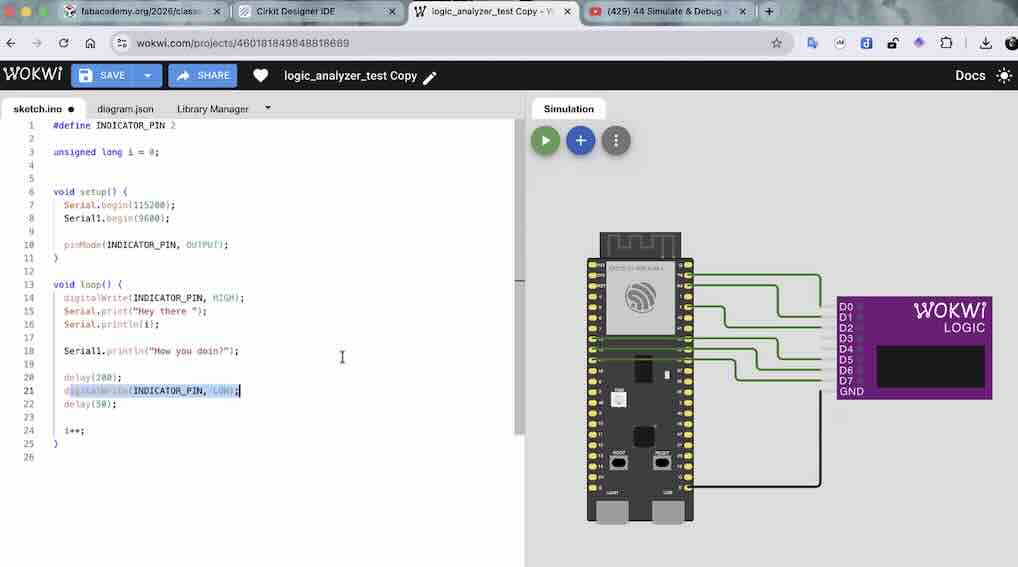
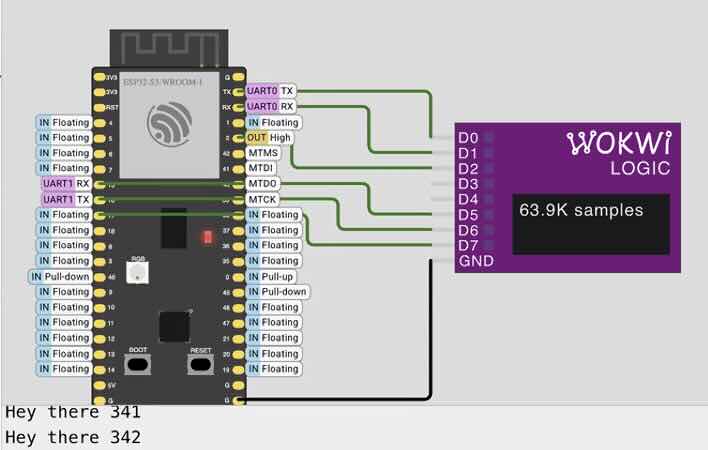 

Set RX and TX pins using syntax for Barduino
One important aspect of using serial is making sure the correct pins are set as the RX and TX pins. These pins are like the voice and ears of the boards
Serial1.begin(9600, SERIAL_8N1, 3, 8) // RX is 3, TX is 8
Serial1.setRX(D2)
Serial1.setTX(D3)
Esentially what this code is doing is writing highs and lows to serial1. How do we translate the highs and lows to “how you doin”? : Patterns of zeros and ones correspond to caracters
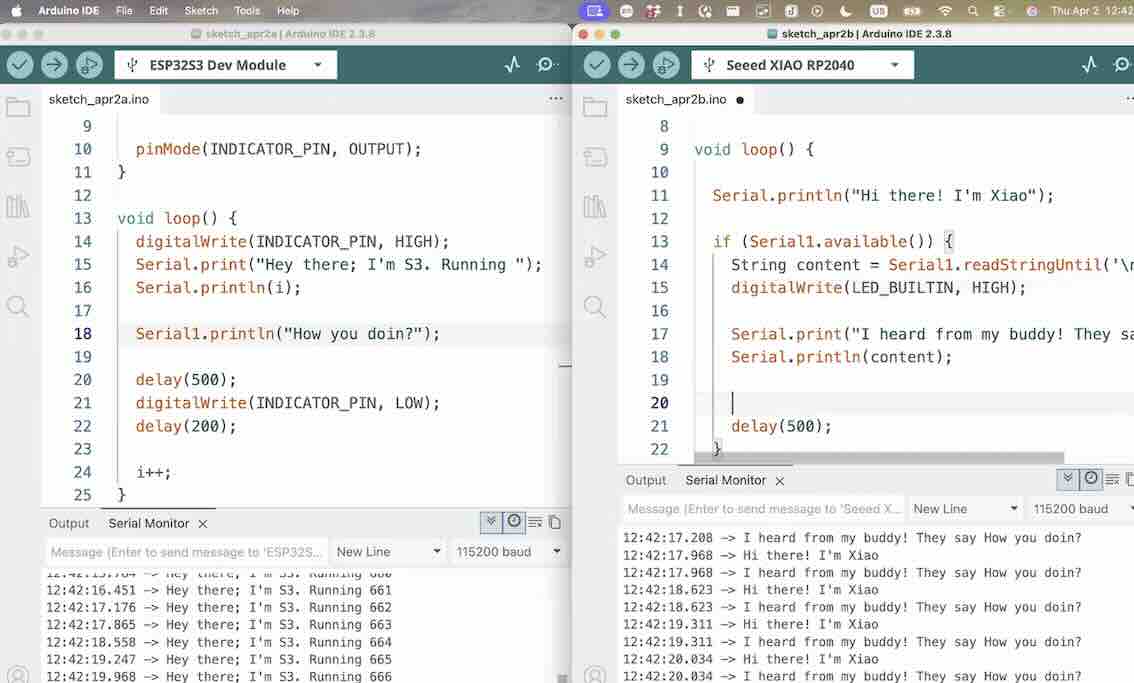 

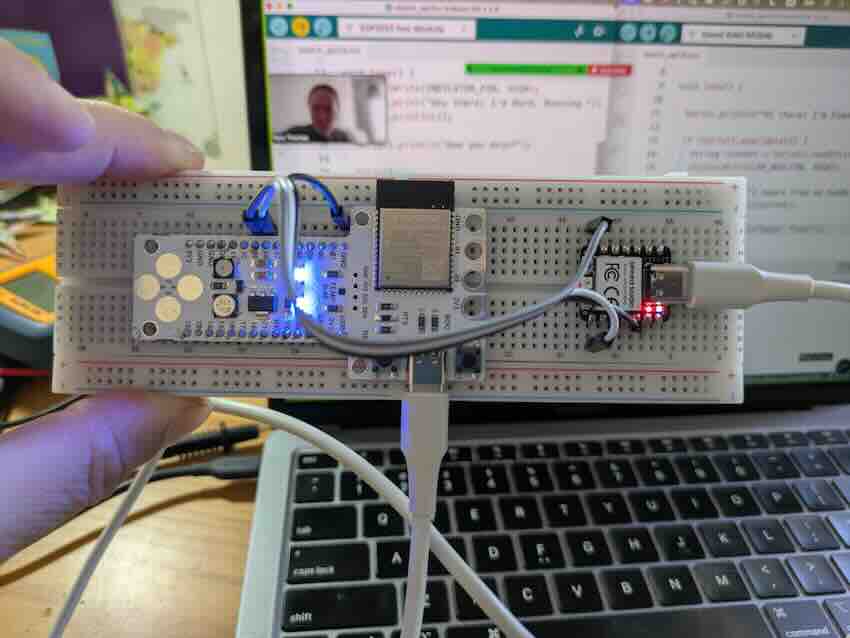
Full Code - Serial Example
Barduino Code
    #define INDICATOR_PIN 48

    unsigned long i = 0;


    void setup() {
    Serial.begin(115200);
    Serial1.begin(9600, SERIAL_8N1, 9, 8);  // Rx is 3 and Tx is 8

    pinMode(INDICATOR_PIN, OUTPUT);
    }

    void loop() {
    digitalWrite(INDICATOR_PIN, HIGH);
    Serial.print("Hey there; I'm Bard. Running ");
    Serial.println(i);

    Serial1.println("How you doin?");

    delay(500);

    if (Serial1.available()) {
        String content = Serial1.readStringUntil('\n');
        Serial.print("My buddy replied! They said ");
        Serial.println(content);

        if (content.equals("Beep!")) {
        Serial.println("So I beep!");
        tone(46, 400, 300);
        }
    }


    digitalWrite(INDICATOR_PIN, LOW);
    delay(200);

    i++;
    }
XIAO Code
    void setup() {
    Serial.begin(115200);

    Serial1.begin(9600);  // Is Rx 00?

    pinMode(LED_BUILTIN, OUTPUT);
    }

    void loop() {

    Serial.println("Hi there! I'm Xiao");

    if (Serial1.available()) {
        String content = Serial1.readStringUntil('\n');
        digitalWrite(LED_BUILTIN, HIGH);

        Serial.print("I heard from my buddy! They say ");
        Serial.println(content);

        Serial1.println("Beep!");


        delay(500);
    }

    digitalWrite(LED_BUILTIN, LOW);
    delay(200);
    }