15. Interface and Application Programming
Assignments and Assessment this week
Group assignment
- Compare as many tool options as possible.
- Document your work on the group work page and reflect on your individual page what you learned.
Individual assignment
- Write an application for the embedded board that you made. that interfaces a user with an input and/or output device(s)
Learning outcomes
- Implement a User Interface (UI) using programming and explore protocols to communicate with a microcontroller board that you designed and made.
Have you answered these questions?
- Linked to the group assignment page.
- Documented your process.
- Explained the UI that you made and how you did it.
- Explained how your application communicates with your embedded microcontroller board.
- Explained any problems you encountered and how you fixed them.
- Included original source code (or a screenshot of the app code if that’s not possible).
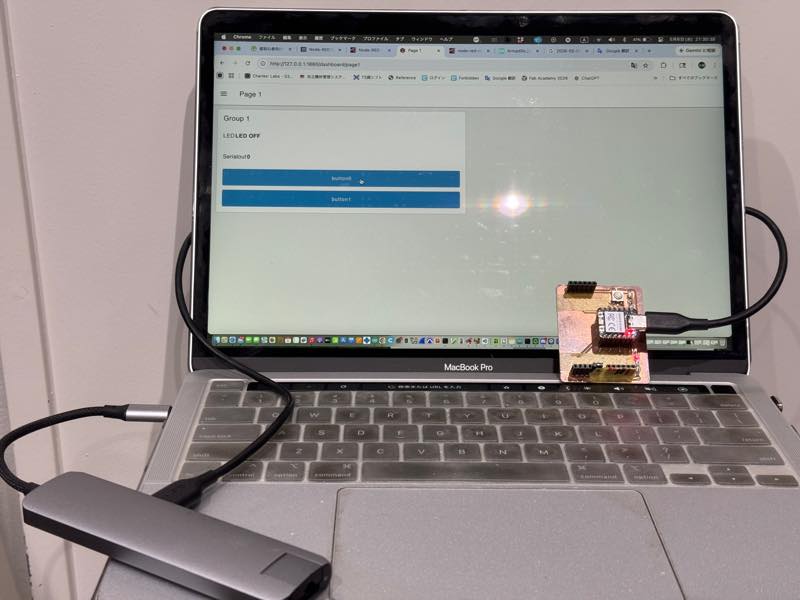
- Included a ‘hero shot’ of your application running & communicating with your board.
Group Assignment
Here is a group assignment page
Research
This week, we learned how to program applications using Node-Red and tested a program that can change the board’s operation using serial communication. Environment setup instructions are available on the group page.
 By MattTavares
The reason I chose Node-Red, which I had never used before, is that a program that could potentially run my old Roland PNC-3000 milling machine was written in Node-Red, and I wanted to try it out someday, partly for testing purposes.
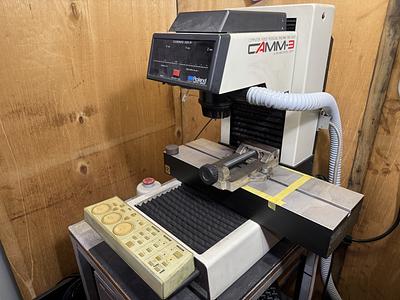
Node-Red
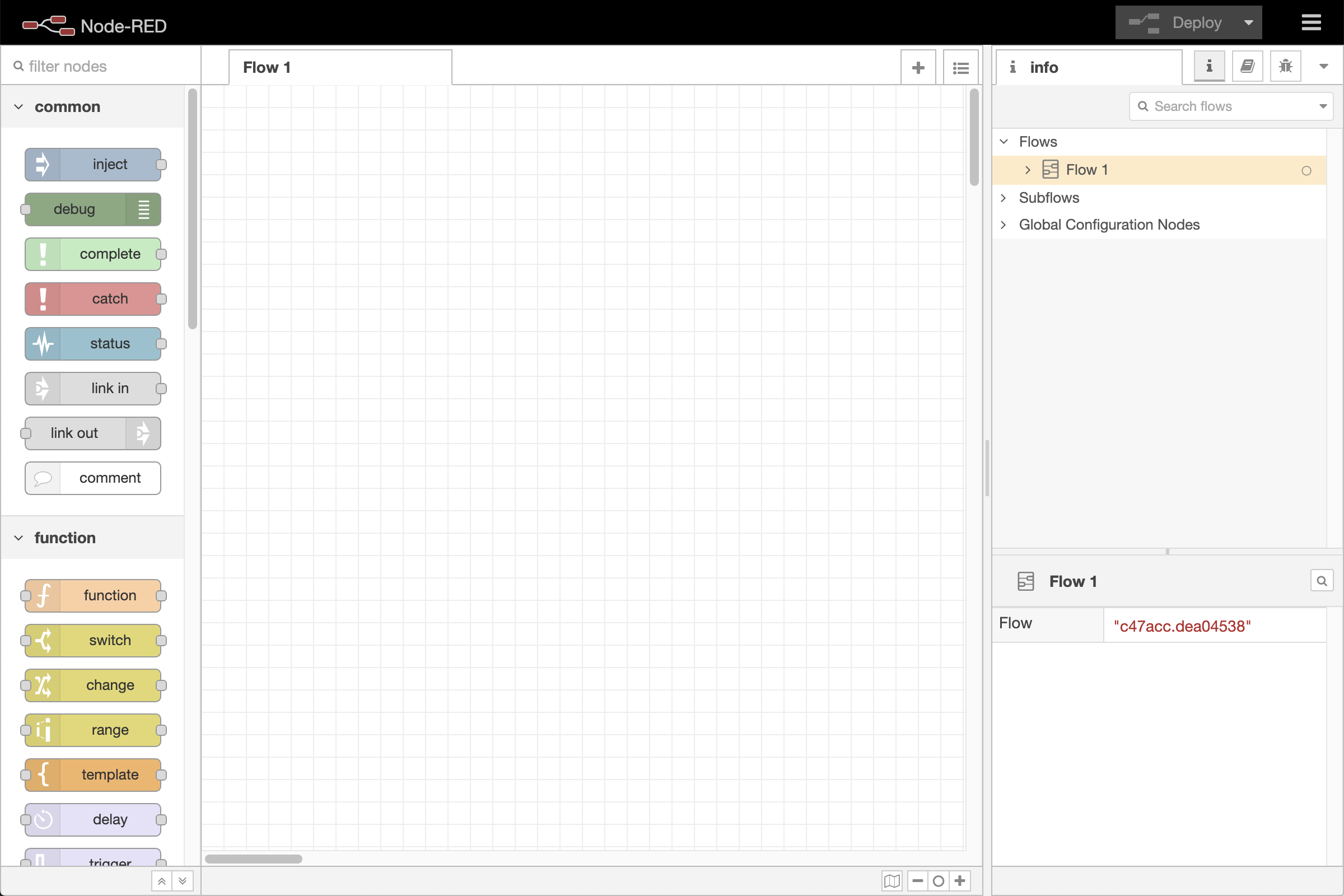 By OpenJS Foundation and Node-Red contributors
Node-Red is a browser-based block-based program development tool that allows you to create execution procedures for flows by connecting nodes, and then link hardware and online services. MQTT, HTTP, and serial communication are also supported.
 By OpenJS Foundation and Node-Red contributors
Introduction Youtube
By OpenJS Foundation and Node-Red contributors
How to Start
Installation and other steps are required, but these are explained on the group page, so we will omit them here.
First, to start it, enter the following command line:
node-red
By OpenJS Foundation and Node-Red contributors
Hello World
First, I tried assembling the nodes according to the tutorial.
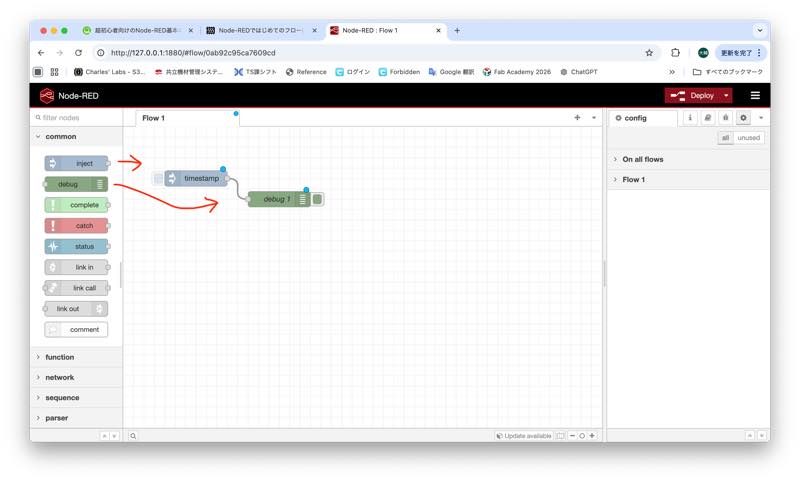
I did it.
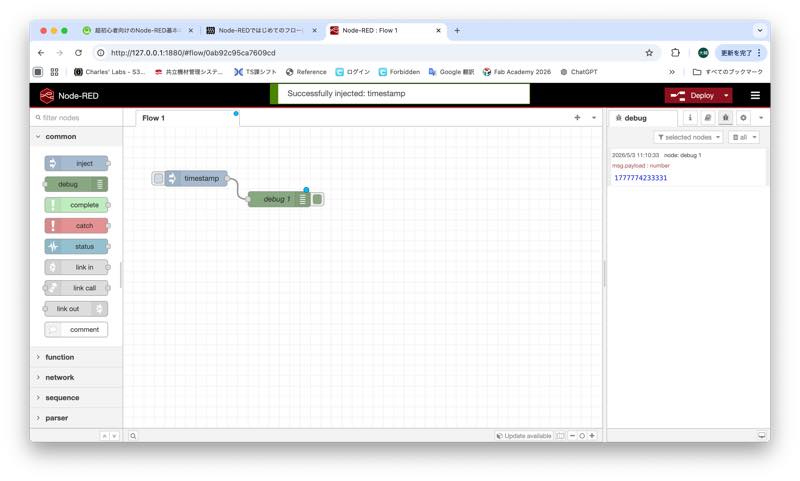
Creating a flow - Node-Red Essentials
By OpenJS Foundation and Node-Red contributors
Serial communication
Serial communication is not available by default, so you need to add a palette.
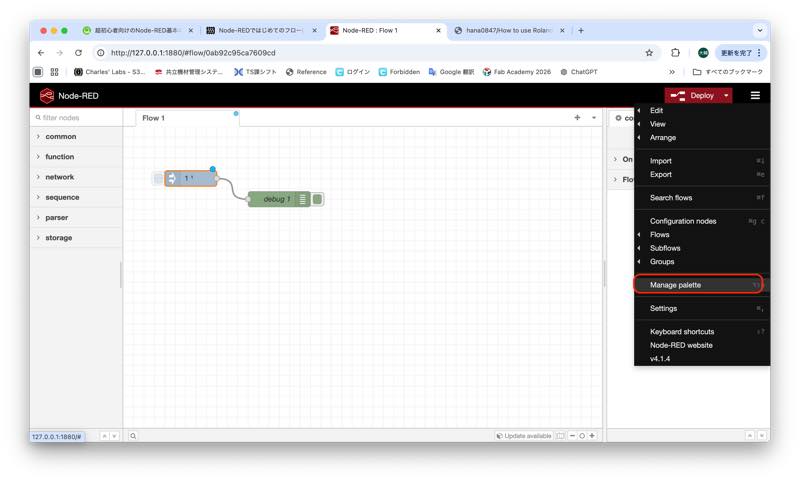
Search for the palette using the following keyword:
node-red-node-serialport
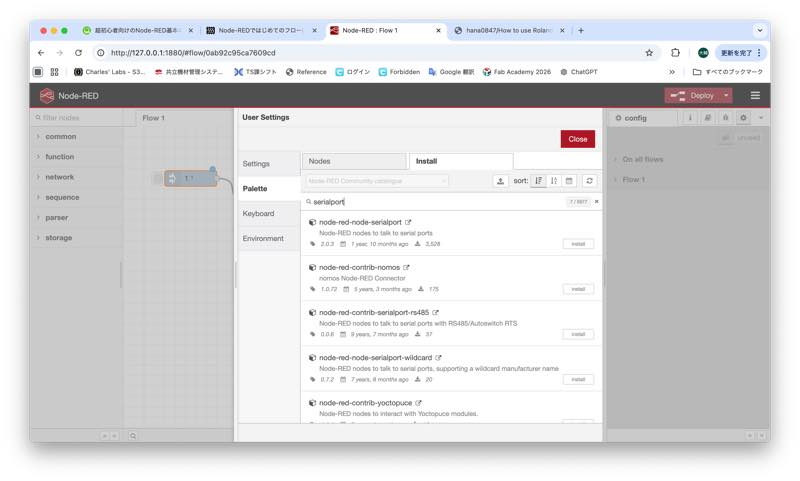
Initially, an error was returned. This can also be confirmed in the terminal.
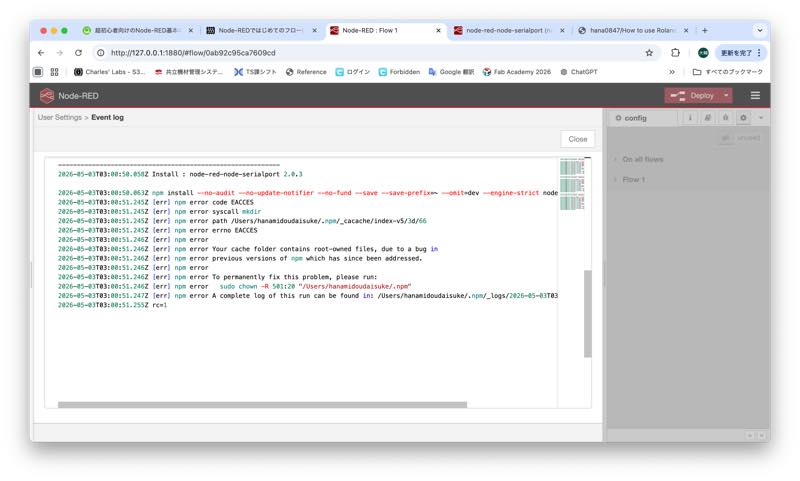
2026-05-03T03:02:07.434Z Install : node-red-node-serialport 2.0.3

2026-05-03T03:02:07.441Z npm install --no-audit --no-update-notifier --no-fund --save --save-prefix=~ --omit=dev --engine-strict node-red-node-serialport@2.0.3
2026-05-03T03:02:08.612Z [err] npm error code EACCES
2026-05-03T03:02:08.612Z [err] npm error syscall mkdir
2026-05-03T03:02:08.612Z [err] npm error path /Users/hanamidoudaisuke/.npm/_cacache/index-v5/3d/66
2026-05-03T03:02:08.612Z [err] npm error errno EACCES
2026-05-03T03:02:08.613Z [err] npm error
2026-05-03T03:02:08.613Z [err] npm error Your cache folder contains root-owned files, due to a bug in
2026-05-03T03:02:08.613Z [err] npm error previous versions of npm which has since been addressed.
2026-05-03T03:02:08.613Z [err] npm error
2026-05-03T03:02:08.613Z [err] npm error To permanently fix this problem, please run:
2026-05-03T03:02:08.613Z [err] npm error sudo chown -R 501:20 "/Users/hanamidoudaisuke/.npm"
2026-05-03T03:02:08.614Z [err] npm error A complete log of this run can be found in: /Users/hanamidoudaisuke/.npm/_logs/2026-05-03T03_02_07_652Z-debug-0.log
2026-05-03T03:02:08.623Z rc=1
When I asked Chat GPT how to resolve the above error, I received the answer to enter the following code in the terminal.
The error is caused by a file created with administrator privileges (root) being mixed in with the npm cache folder (~/.npm). This prevents the current user (hanamidoudaisuke) from writing to the folder, causing the installation to fail. As indicated in the log, the issue can be resolved by running the following command in the terminal to revert ownership back to yourself.
sudo chown -R 501:20 "/Users/hanamidoudaisuke/.npm"
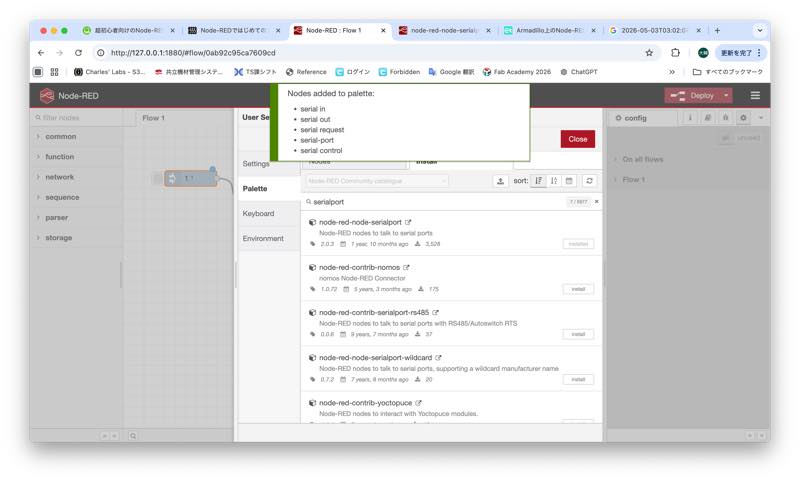
With this, I was able to successfully install the serial communication block palette.
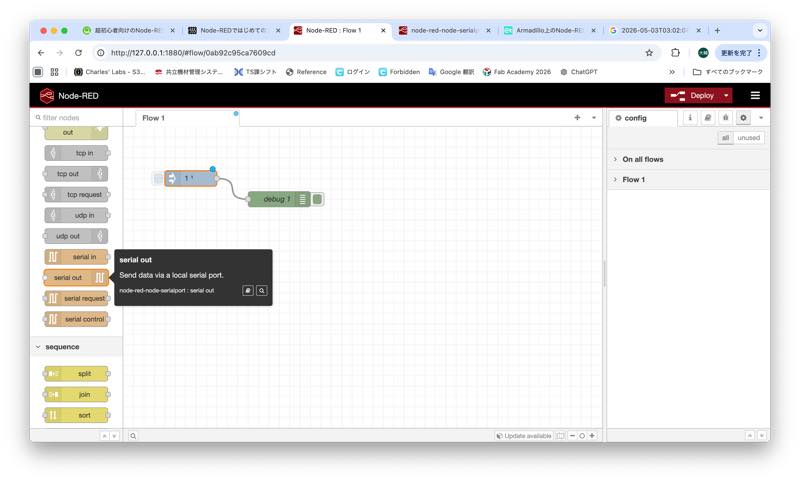
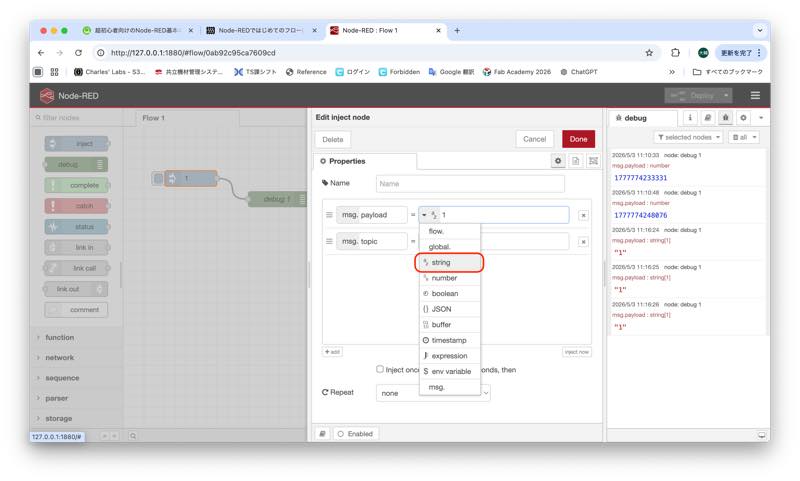
set injectnode string “1”
into serialout node setting
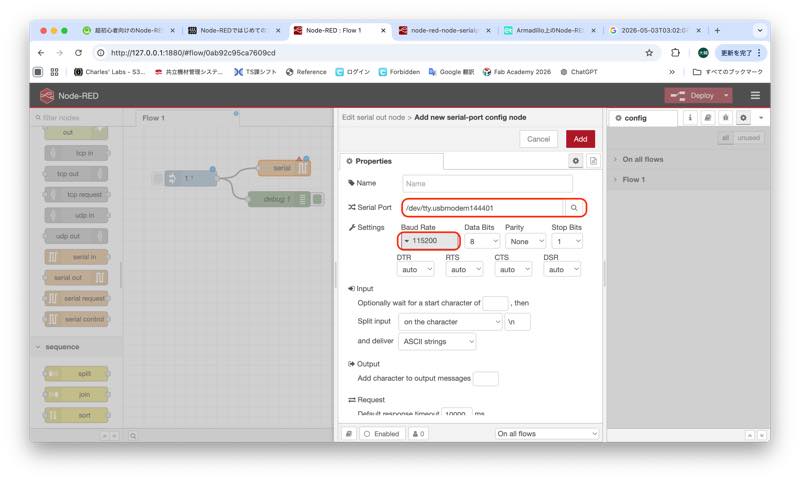
here is serial test program1
Serial communication Xiao Code
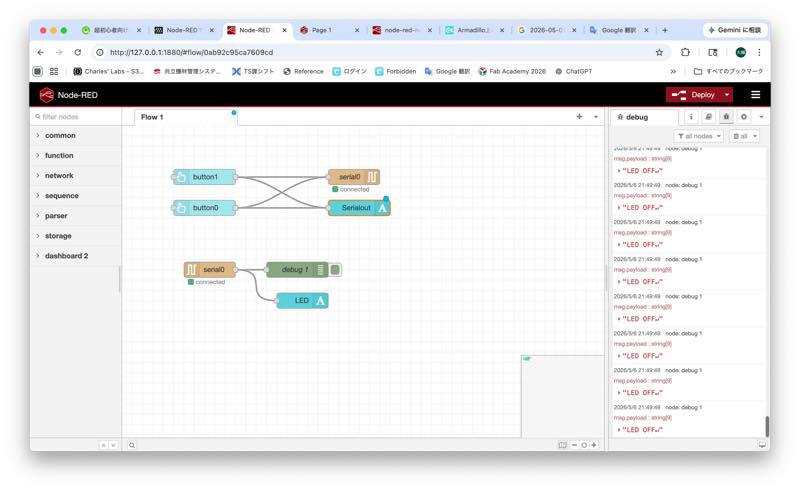
The Xiao rp2040 code is listed here. This program turns the LED on and off based on the 1s and 0s sent via serial communication. For testing purposes, the same operation can be performed by turning the switch on the board ON or OFF. It also allows the current LED status (ON or OFF) to be returned via serial communication.
int SW_PIN = D0;
int LED_PIN = D10;

bool serialState = false;

void setup() {
  Serial.begin(115200);
  pinMode(SW_PIN, INPUT_PULLUP);
  pinMode(LED_PIN, OUTPUT);
  delay(100);
}

void loop() {
  if (Serial.available() > 0) {
    char incomingByte = Serial.read();

    if (incomingByte == '1') {
      serialState = true;
      Serial.println("ON");
    } else if (incomingByte == '0') {
      serialState = false;
      Serial.println("OFF");
    }
  }


  if (digitalRead(SW_PIN) == LOW || serialState == true) {
    digitalWrite(LED_PIN, HIGH);
    Serial.println("LED ON");
  } else {
    digitalWrite(LED_PIN, LOW);
    Serial.println("LED OFF");
  }

  delay(50);
}
Operate via the dashboard
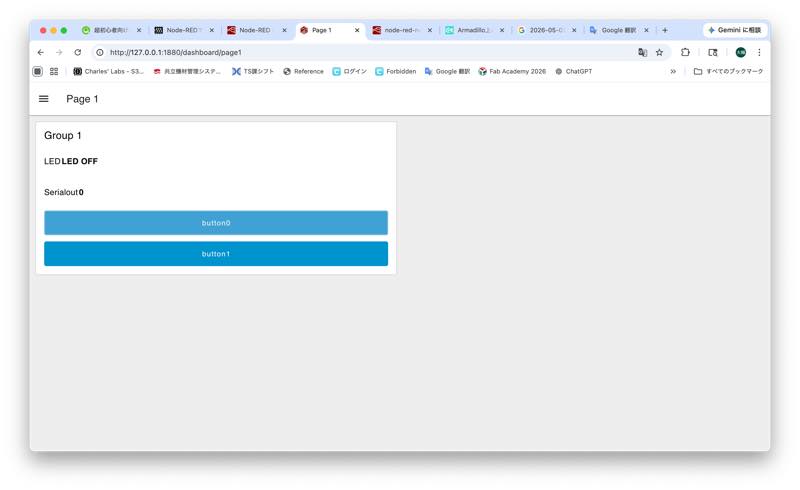
Operating via the dashboard prevents unintended node changes, and the increased button area makes it easier to use.
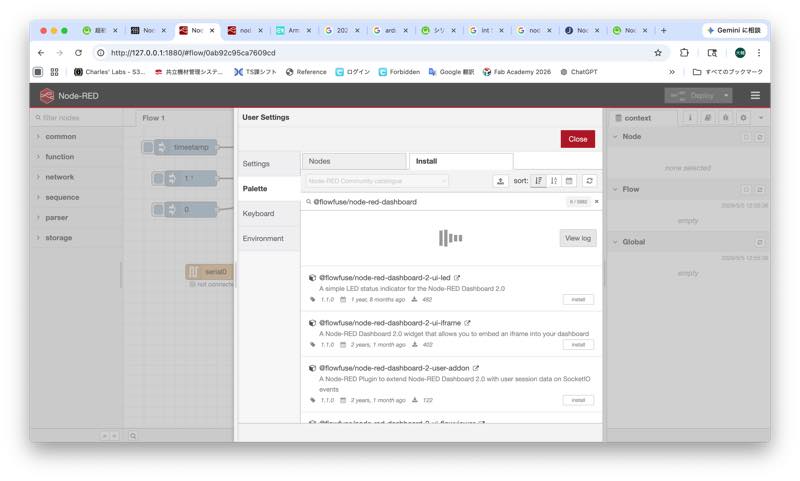
Search for the palette using the following keyword:
@flowfuse/node-red-dashboard
I can install the Dashboarde block palette.
Dashboarde conect node 2
Dashboarde Web UI
I did it
hero shot
other week