6. Electronics design
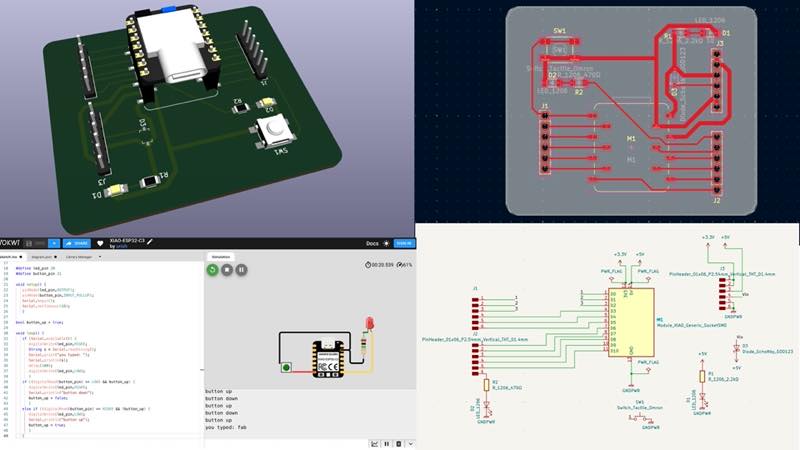
Assignments and Assessment this week
Group assignment
- Use the test equipment in your lab to observe the operation of a microcontroller circuit board (as a minimum, you should demonstrate the use of a logic analyzer)
- Document your work on the group work page and reflect what you learned on your individual page
Individual assignment
- Simulate a circuit
- Use an EDA tool to design a development board that uses parts from the inventory to interact and communicate with an embedded microcontroller
- extra credit: try another design workflow
- extra credit: design a case
Learning outcomes
- Select and use software for circuit board design
- Demonstrate workflows used in circuit board design
Have you answered these questions?
- Linked to the group assignment page
- Documented what you have learned in electronics design
- Checked your board can be fabricated Explained problems and how you fixed them.
- Included original design files (Eagle, KiCad, etc.)
- Included a ‘hero shot’
Group Assignment
Here is a group assignment page
Research
Functions of Each Component Discrete Components You Should Know Roughly
Resistor Capacitor Inductor Diode Transistor Operational Amplifiers
Useful link
Explains the foundation of electric circuits by @qwer123123
Resister
Generates voltage by preventing the flow of electrons (current). $$ R=\dfrac{V}{I} $$
Example of a 4-Band Resistor
10kΩ (10,000 Ω) ±5%
-
Visual: ─── BrownBlackOrangeGold ───
-
Colors: Brown → Black → Orange → Gold
- Read Value: 1 → 0 → 10³ (1k) → ±5%
- Calculation: 1 & 0 = 10 → 10 × 10³ (1k) = 10kΩ ±5%
- Label: (1st & 2nd Value) × (Multiplier) = (Value) (Tolerance)
| Color | 1st Value | 2nd Value | Multiplier | Tolerance | (Temp. Coefficient) |
|---|---|---|---|---|---|
| Black | 0 | 0 | 10⁰ (× 1) | ± 20%(M) | ±250 ppm/K |
| Brown | 1 | 1 | 10¹ (× 10) | ± 1%(F) | ±100 ppm/K |
| Red | 2 | 2 | 10² (× 100) | ± 2%(G) | ±50 ppm/K |
| Orange | 3 | 3 | 10³ (× 1k) | ± 0.05%(A) | ±15 ppm/K |
| Yellow | 4 | 4 | 10⁴ (× 10k) | ± 0.02%() | ±25 ppm/K |
| Green | 5 | 5 | 10⁵ (× 100k) | ± 0.5%(D) | ±20 ppm/K |
| Blue | 6 | 6 | 10⁶ (× 1M) | ± 0.25%(C) | ±10 ppm/K |
| Violet | 7 | 7 | 10⁷ (× 10M) | ± 0.1%(B) | ±5 ppm/K |
| Gray | 8 | 8 | 10⁸ (× 100M) | ± 0.01%() | ±1 ppm/K |
| White | 9 | 9 | 10⁹ (× 1G) | — | — |
| Gold | — | — | 10⁻¹ (× 0.1) | ± 5%(J) | — |
| Silver | — | — | 10⁻² (× 0.01) | ± 10%(K) | — |
When a resistor has five color codes, the meaning changes depending on what the fifth code represents. If the fifth code is brown, red, green, blue, purple, or gray, it’s a precision resistor, and the fifth code is often separated or written in thicker letters. In this case, the first three colors represent the significant values, the fourth code is the multiplier, and the fifth code represents the error rate.
Fusible Resistor If the fifth code is white, it’s a fuse resistor, which acts as a fuse to protect the circuit by burning out when an overcurrent flows through it.
Furthermore, when there are six codes, a sixth band representing a temperature coefficient is added. The smaller the temperature coefficient, the less the resistance changes with temperature. ppm/K is an abbreviation for parts per million, and K is the Kelvin temperature. For example, 100 ppm/K means that the resistance changes by 1% when the temperature changes by 100K.
1/16W:1J , 1/10W:2A , 1/8W:2B , 1/6W: , 1/4W:2E, 1/2W: , 1W:, 2W:, 3W:, 5W:, 10W:
E series
The E series is the number of the equal ratio series determined including the tolerance, and no matter which number is selected, the adjacent numbers within the tolerance range overlap without gaps.
In resistance, the E24 series with a 5% error is generally used, but when it is actually sold, it is often sold in the E6 and E12 series.
Core Formula for E-series $\text{Value} = 10^{\frac{n}{N}}$
Common Ratio $\text{Common Ratio} = 10^{\frac{1}{N}}= \sqrt[N]{10}$
Example: E24 Series (N=24) Calculations
n = 0 (1st value) $10^{\frac{0}{24}} = 10^0 = 1.0$
n = 1 (2nd value) $10^{\frac{1}{24}} = 10^{0.04167} \approx 1.1006 \rightarrow 1.1$
n = 2 (3rd value) $10^{\frac{2}{24}} = 10^{0.08333} \approx 1.2115 \rightarrow 1.2$
| Series | Number of Steps | Standard Tolerance | Significant Digits | Main Applications / Components |
|---|---|---|---|---|
| E3 | 3 | ±40% (or >±20%) | 2 digits | Electrolytic capacitors, Obsolete resistors |
| E6 | 6 | ±20% | 2 digits | Capacitors, Inductors, General resistors |
| E12 | 12 | ±10% | 2 digits | Common resistors, Capacitors, Zener diodes |
| E24 | 24 | ±5% (sometimes ±2%) | 2 digits | Standard general-purpose resistors (5% Carbon film) |
| E48 | 48 | ±2% | 3 digits | Precision metal film resistors |
| E96 | 96 | ±1% | 3 digits | Standard precision resistors (1% Metal film) |
| E192 | 192 | ±0.5%, ±0.25%, ±0.1% | 3 digits | Ultra-precision circuits, Medical, Aerospace electronics |
E series and tolerance rate
| E1 (±82%) | E2 (±50%) | E3 (±40%) | E6 (±20%) | E12 (±10%) | E24 (±5%) |
|---|---|---|---|---|---|
| 1.0 | 1.0 | 1.0 | 1.0 | 1.0 | 1.0 |
| - | - | - | - | - | 1.1 |
| - | - | - | - | 1.2 | 1.2 |
| - | - | - | - | - | 1.3 |
| - | - | - | 1.5 | 1.5 | 1.5 |
| - | - | - | - | - | 1.6 |
| - | - | - | - | 1.8 | 1.8 |
| - | - | - | - | - | 2.0 |
| - | - | 2.2 | 2.2 | 2.2 | 2.2 |
| - | - | - | - | - | 2.4 |
| - | - | - | - | 2.7 | 2.7 |
| - | - | - | - | - | 3.0 |
| - | 3.3 | - | 3.3 | 3.3 | 3.3 |
| - | - | - | - | - | 3.6 |
| - | - | - | - | 3.9 | 3.9 |
| - | - | - | - | - | 4.3 |
| - | - | 4.7 | 4.7 | 4.7 | 4.7 |
| - | - | - | - | - | 5.1 |
| - | - | - | - | 5.6 | 5.6 |
| - | - | - | - | - | 6.2 |
| - | - | - | 6.8 | 6.8 | 6.8 |
| - | - | - | - | - | 7.5 |
| - | - | - | - | 8.2 | 8.2 |
| - | - | - | - | - | 9.1 |
Chip Resistor
How to read the value 102 → 10×10² = 1000Ω(1kΩ)± 5% 1002 → 100×10² = 10000Ω(10.0kΩ)± 1% 4702 → 470×10² = 47000Ω(47.0kΩ)± 1% R022 → Read R to a few points → 0.022Ω(22mΩ) 10L0 → Read L to the decimal point of mΩ → 10mΩ
Chip Component Sizes and Size Names
| Length [mm] | Width [mm] | Hight [mm] | JIS Metric Code | EIA Imperial Code | Rated power [W] |
|---|---|---|---|---|---|
| 0.40 | 0.20 | 0.13 | 0402 | 01005 | 1/32 |
| 0.60 | 0.30 | 0.25 | 0603 | 0201 | 1/20 |
| 1.00 | 0.50 | 0.35 | 1005 | 0402 | 1/16 |
| 1.60 | 0.80 | 0.45 | 1608 | 0603 | 1/10 |
| 2.00 | 1.20 | 0.45 | 2012 | 0805 | 1/8 |
| 3.20 | 1.60 | 0.55 | 3216 | 1206 | 1/4 |
| 3.20 | 2.50 | 0.55 | 3225 | 1210 | 1/2 |
| 4.50 | 3.20 | 0.60 | 4532 | 1812 | 3/4 |
| 5.00 | 2.50 | 0.60 | 5025 | 2010 | 3/4 |
| 6.30 | 3.20 | 0.60 | 6332 | 2512 | 1 |
Capacitor
Stores charge (electrical energy). Resists sudden changes in voltage. Direct current stores electricity without passing it. Active current discharges the previously stored electricity as the direction of the current changes.
The capacitors that are usually sold are the E6 series (10, 15, 22, 33, 47, 68) or E3 series (10, 22, 47).
Capacitance Code & Conversion Table (1.0 pF to 10 F)
| Part Code | Picofarad (pF) | Nanofarad (nF) | Microfarad (μF) | Farad (F) |
|---|---|---|---|---|
| 1R0 (1) | 1.0 pF (1.0e0 pF) | 0.001 nF (1.0e-3 nF) | 0.000001 μF (1.0e-6 μF) | 0.000000001 F (1.0e-9 F) |
| 1R5 (1.5) | 1.5 pF (1.5e0 pF) | 0.0015 nF (1.5e-3 nF) | 0.0000015 μF (1.5e-6 μF) | 0.0000000015 F (1.5e-9 F) |
| 2R2 (2.2) | 2.2 pF (2.2e0 pF) | 0.0022 nF (2.2e-3 nF) | 0.0000022 μF (2.2e-6 μF) | 0.0000000022 F (2.2e-9 F) |
| 3R3 (3.3) | 3.3 pF (3.3e0 pF) | 0.0033 nF (3.3e-3 nF) | 0.0000033 μF (3.3e-6 μF) | 0.0000000033 F (3.3e-9 F) |
| 4R7 (4.7) | 4.7 pF (4.7e0 pF) | 0.0047 nF (4.7e-3 nF) | 0.0000047 μF (4.7e-6 μF) | 0.0000000047 F (4.7e-9 F) |
| 6R8 (6.8) | 6.8 pF (6.8e0 pF) | 0.0068 nF (6.8e-3 nF) | 0.0000068 μF (6.8e-6 μF) | 0.0000000068 F (6.8e-9 F) |
| 100 (10) | 10 pF (1.0e1 pF) | 0.01 nF (1.0e-2 nF) | 0.00001 μF (1.0e-5 μF) | 0.00000001 F (1.0e-8 F) |
| 150 (15) | 15 pF (1.5e1 pF) | 0.015 nF (1.5e-2 nF) | 0.000015 μF (1.5e-5 μF) | 0.000000015 F (1.5e-8 F) |
| 220 (22) | 22 pF (2.2e1 pF) | 0.022 nF (2.2e-2 nF) | 0.000022 μF (2.2e-5 μF) | 0.000000022 F (2.2e-8 F) |
| 330 (33) | 33 pF (3.3e1 pF) | 0.033 nF (3.3e-2 nF) | 0.000033 μF (3.3e-5 μF) | 0.000000033 F (3.3e-8 F) |
| 470 (47) | 47 pF (4.7e1 pF) | 0.047 nF (4.7e-2 nF) | 0.000047 μF (4.7e-5 μF) | 0.000000047 F (4.7e-8 F) |
| 680 (68) | 68 pF (6.8e1 pF) | 0.068 nF (6.8e-2 nF) | 0.000068 μF (6.8e-5 μF) | 0.000000068 F (6.8e-8 F) |
| 101 | 100 pF (1.0e2 pF) | 0.1 nF (1.0e-1 nF) | 0.0001 μF (1.0e-4 μF) | 0.0000001 F (1.0e-7 F) |
| 151 | 150 pF (1.5e2 pF) | 0.15 nF (1.5e-1 nF) | 0.00015 μF (1.5e-4 μF) | 0.00000015 F (1.5e-7 F) |
| 221 | 220 pF (2.2e2 pF) | 0.22 nF (2.2e-1 nF) | 0.00022 μF (2.2e-4 μF) | 0.00000022 F (2.2e-7 F) |
| 331 | 330 pF (3.3e2 pF) | 0.33 nF (3.3e-1 nF) | 0.00033 μF (3.3e-4 μF) | 0.00000033 F (3.3e-7 F) |
| 471 | 470 pF (4.7e2 pF) | 0.47 nF (4.7e-1 nF) | 0.00047 μF (4.7e-4 μF) | 0.00000047 F (4.7e-7 F) |
| 681 | 680 pF (6.8e2 pF) | 0.68 nF (6.8e-1 nF) | 0.00068 μF (6.8e-4 μF) | 0.00000068 F (6.8e-7 F) |
| 102 | 1,000 pF (1.0e3 pF) | 1.0 nF (1.0e0 nF) | 0.001 μF (1.0e-3 μF) | 0.000001 F (1.0e-6 F) |
| 152 | 1,500 pF (1.5e3 pF) | 1.5 nF (1.5e0 nF) | 0.0015 μF (1.5e-3 μF) | 0.0000015 F (1.5e-6 F) |
| 222 | 2,200 pF (2.2e3 pF) | 2.2 nF (2.2e0 nF) | 0.0022 μF (2.2e-3 μF) | 0.0000022 F (2.2e-6 F) |
| 332 | 3,300 pF (3.3e3 pF) | 3.3 nF (3.3e0 nF) | 0.0033 μF (3.3e-3 μF) | 0.00000033 F (3.3e-6 F) |
| 472 | 4,700 pF (4.7e3 pF) | 4.7 nF (4.7e0 nF) | 0.0047 μF (4.7e-3 μF) | 0.0000047 F (4.7e-6 F) |
| 682 | 6,800 pF (6.8e3 pF) | 6.8 nF (6.8e0 nF) | 0.0068 μF (6.8e-3 μF) | 0.0000068 F (6.8e-6 F) |
| 103 | 10,000 pF (1.0e4 pF) | 10 nF (1.0e1 nF) | 0.01 μF (1.0e-2 μF) | 0.00001 F (1.0e-5 F) |
| 153 | 15,000 pF (1.5e4 pF) | 15 nF (1.5e1 nF) | 0.015 μF (1.5e-2 μF) | 0.000015 F (1.5e-5 F) |
| 223 | 22,000 pF (2.2e4 pF) | 22 nF (2.2e1 nF) | 0.022 μF (2.2e-2 μF) | 0.000022 F (2.2e-5 F) |
| 333 | 33,000 pF (3.3e4 pF) | 33 nF (3.3e1 nF) | 0.033 μF (3.3e-2 μF) | 0.000033 F (3.3e-5 F) |
| 473 | 47,000 pF (4.7e4 pF) | 47 nF (4.7e1 nF) | 0.047 μF (4.7e-2 μF) | 0.000047 F (4.7e-5 F) |
| 683 | 68,000 pF (6.8e4 pF) | 68 nF (6.8e1 nF) | 0.068 μF (6.8e-2 μF) | 0.000068 F (6.8e-5 F) |
| 104 | 100,000 pF (1.0e5 pF) | 100 nF (1.0e2 nF) | 0.1 μF (1.0e-1 μF) | 0.0001 F (1.0e-4 F) |
| 154 | 150,000 pF (1.5e5 pF) | 150 nF (1.5e2 nF) | 0.15 μF (1.5e-1 μF) | 0.00015 F (1.5e-4 F) |
| 224 | 220,000 pF (2.2e5 pF) | 220 nF (2.2e2 nF) | 0.22 μF (2.2e-1 μF) | 0.00022 F (2.2e-4 F) |
| 334 | 330,000 pF (3.3e5 pF) | 330 nF (3.3e2 nF) | 0.33 μF (3.3e-1 μF) | 0.00033 F (3.3e-4 F) |
| 474 | 470,000 pF (4.7e5 pF) | 470 nF (4.7e2 nF) | 0.47 μF (4.7e-1 μF) | 0.00047 F (4.7e-4 F) |
| 684 | 680,000 pF (6.8e5 pF) | 680 nF (6.8e2 nF) | 0.68 μF (6.8e-1 μF) | 0.00068 F (6.8e-4 F) |
| 105 | 1,000,000 pF (1.0e6 pF) | 1,000 nF (1.0e3 nF) | 1.0 μF (1.0e0 μF) | 0.001 F (1.0e-3 F) |
| 155 | 1,500,000 pF (1.5e6 pF) | 1,500 nF (1.5e3 nF) | 1.5 μF (1.5e0 μF) | 0.0015 F (1.5e-3 F) |
| 225 | 2,200,000 pF (2.2e6 pF) | 2,200 nF (2.2e3 nF) | 2.2 μF (2.2e0 μF) | 0.0022 F (2.2e-3 F) |
| 335 | 3,300,000 pF (3.3e6 pF) | 3,300 nF (3.3e3 nF) | 3.3 μF (3.3e0 μF) | 0.0033 F (3.3e-3 F) |
| 475 | 4,700,000 pF (4.7e6 pF) | 4,700 nF (4.7e3 nF) | 4.7 μF (4.7e0 μF) | 0.0047 F (4.7e-3 F) |
| 685 | 6,800,000 pF (6.8e6 pF) | 6.8 nF (6.8e3 nF) | 6.8 μF (6.8e0 μF) | 0.0068 F (6.8e-3 F) |
| 106 | 10,000,000 pF (1.0e7 pF) | 10,000 nF (1.0e4 nF) | 10 μF (1.0e1 μF) | 0.01 F (1.0e-2 F) |
| 156 | 15,000,000 pF (1.5e7 pF) | 15,000 nF (1.5e4 nF) | 15 μF (1.5e1 μF) | 0.015 F (1.5e-2 F) |
| 226 | 22,000,000 pF (2.2e7 pF) | 22,000 nF (2.2e4 nF) | 22 μF (2.2e1 μF) | 0.022 F (2.2e-2 F) |
| 336 | 33,000,000 pF (3.3e7 pF) | 33,000 nF (3.3e4 nF) | 33 μF (3.3e1 μF) | 0.033 F (3.3e-2 F) |
| 476 | 47,000,000 pF (4.7e7 pF) | 47,000 nF (4.7e4 nF) | 47 μF (4.7e1 μF) | 0.047 F (4.7e-2 F) |
| 686 | 68,000,000 pF (6.8e7 pF) | 68,000 nF (6.8e4 nF) | 68 μF (6.8e1 μF) | 0.068 F (6.8e-2 F) |
| 107 | 100,000,000 pF (1.0e8 pF) | 100,000 nF (1.0e5 nF) | 100 μF (1.0e2 μF) | 0.1 F (1.0e-1 F) |
| 157 | 150,000,000 pF (1.5e8 pF) | 150,000 nF (1.5e5 nF) | 150 μF (1.5e2 μF) | 0.15 F (1.5e-1 F) |
| 227 | 220,000,000 pF (2.2e8 pF) | 220,000 nF (2.2e5 nF) | 220 μF (2.2e2 μF) | 0.22 F (2.2e-1 F) |
| 337 | 330,000,000 pF (3.3e8 pF) | 330,000 nF (3.3e5 nF) | 330 μF (3.3e2 μF) | 0.33 F (3.3e-1 F) |
| 477 | 470,000,000 pF (4.7e8 pF) | 470,000 nF (4.7e5 nF) | 470 μF (4.7e2 μF) | 0.47 F (4.7e-1 F) |
| 687 | 680,000,000 pF (6.8e8 pF) | 680,000 nF (6.8e5 nF) | 680 μF (6.8e2 μF) | 0.68 F (6.8e-1 F) |
| 108 | 1,000,000,000 pF (1.0e9 pF) | 1,000,000 nF (1.0e6 nF) | 1,000 μF (1.0e3 μF) | 1.0 F (1.0e0 F) |
| 158 | 1,500,000,000 pF (1.5e9 pF) | 1,500,000 nF (1.5e6 nF) | 1,500 μF (1.5e3 μF) | 1.5 F (1.5e0 F) |
| 228 | 2,200,000,000 pF (2.2e9 pF) | 2,200,000 nF (2.2e6 nF) | 2,200 μF (2.2e3 μF) | 2.2 F (2.2e0 F) |
| 338 | 3,300,000,000 pF (3.3e9 pF) | 3,300,000 nF (3.3e6 nF) | 3,300 μF (3.3e3 μF) | 3.3 F (3.3e0 F) |
| 478 | 4,700,000,000 pF (4.7e9 pF) | 4,700,000 nF (4.7e6 nF) | 4,700 μF (4.7e3 μF) | 4.7 F (4.7e0 F) |
| 688 | 6,800,000,000 pF (6.8e9 pF) | 6,800,000 nF (6.8e6 nF) | 6.8 μF (6.8e3 μF) | 6.8 F (6.8e0 F) |
| 109 | 10,000,000,000 pF (1.0e10 pF) | 10,000,000 nF (1.0e7 nF) | 10,000 μF (1.0e4 μF) | 10 F (1.0e1 F) |
Inductor
Stores electricity by converting it to magnetism. An element that does not like change. It resists sudden changes in current. For this reason, unlike capacitors, it passes DC but not AC. Also used in motors and transformers.
(Vacuum tube)
An element that functions similarly to semiconductors, used before semiconductors became mainstream. Utilizes electrons emitted from a heated filament in a vacuum. Requires a high voltage of over 100V. Large, heat-generating, and power-hungry.
Rectifier Tubes (2-Element Tubes or Diode)
These tubes handle the power supply side, converting AC power from the wall into DC power for the amp.
Diodes (2-Element Tubes)
They contain only two electrodes: a cathode (or filament) that emits electrons, and a plate (anode) that collects them. Because they only allow electricity to flow in one direction, they are used to convert AC power into DC power (rectification).
-
5AR4 / GZ34, 5U4G, While many modern amps use solid-state diodes because they are cheaper and more reliable, tube rectifiers introduce a natural “sag” (a slight compression or soft squish when you hit a note hard) that vintage enthusiasts absolutely love.
-
274B
Preamp Tubes (Voltage Amplifiers)
These are small, thumb-sized tubes that take the weak signal from your instrument or player and boost it. They define the gain, distortion characteristics, and overall voice of your amp.
Triodes (3-Element Tubes)
Preamp tubes like the 12AX7 actually house two separate triodes inside a single glass bulb, making them “Dual Triodes.”
-
12AX7 EH(ECC83) The most popular preamp tube in history. It has a very high gain (amplification factor) and is the backbone of almost all guitar amplifiers, delivering rich harmonics and classic overdrive.
-
12AU7 EH(ECC82) Has the same physical shape as the 12AX7 but with a much lower gain. It offers high headroom, meaning it won’t distort easily. It is highly favored in high-fidelity audio equipment and for crystal-clean tones.
-
12AT7 EH Sits right between the 12AX7 and 12AU7 in terms of gain. It is commonly used in secondary positions, such as driving reverb tanks (especially in Fender amps) or acting as a phase inverter.
-
6SL7GT TUNG-SOL
-
6SN7GT TUNG-SOL
-
Nutube A modern, tiny, low-power vacuum tube alternative developed by KORG. It uses vacuum fluorescent display technology and is found in modern mini-amps and overdrive pedals.
Power Tubes (Output Tubes)
These are larger tubes responsible for taking the signal from the preamp and boosting it to a level that can physically drive the speakers. They dictate the wattage, volume, and low-end punch.
Pentodes (5-Element Tubes) / Beam Power Tubes
To achieve higher power and efficiency for driving speakers, extra grids are added to create 4-element (Tetrode) or 5-element (Pentode) structures. These are almost exclusively used as power tubes.
-
EL34 Pentodes (5-Element Tubes)
-
EL84 Pentodes (5-Element Tubes)
-
6L6GC Beam Power Tubes
-
6V6
Beam Power Tubes
- KT88
Beam Power Tubes
-
300B / 845 Triodes (3-Element Tubes) Celebrated “directly heated triodes” used in ultra-high-end audiophile stereo systems. They offer incredibly transparent, natural, and lifelike audio reproduction.
-
2A3 Triodes (3-Element Tubes)
Semiconductors
Compared to vacuum tubes, semiconductors are smaller, lighter, and more energy-efficient, allowing for the integration of a larger number of elements. They utilize the electrons and holes inside semiconductors such as silicon. They operate at low voltages of just a few volts and do not need to heat up.
Diodes
Limit the direction of current flow. They are also used to generate constant voltages. LEDs Zener diodes Schottky diodes
Transistors
Amplify current; perform electrical switching. The ATMEGA328p, ESP32C3, and RP2040 are made up of a collection of small transistors. Crystals (quartz crystal oscillators) Power semiconductors Bipolar transistors, Power MOSFETs, IGBTs
Operational amplifier
Amplifies voltage
simulate a circuit
There are several ways to do this, but this time I tested two web-based methods. First, I tried Wokwi, which I used in Week 4.

select ESP32 C3 XIAO
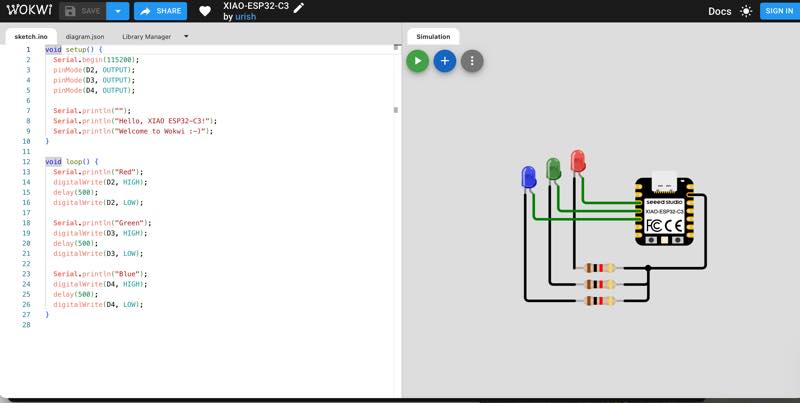
By the way, the previous simulation can be found here: Simulate with Wokwi Online The advantages of this method are that it’s web-based, so no dedicated software is required. You can also check the program you’ll be putting into the microcontroller, so you can see how the circuit will behave.
put the Components
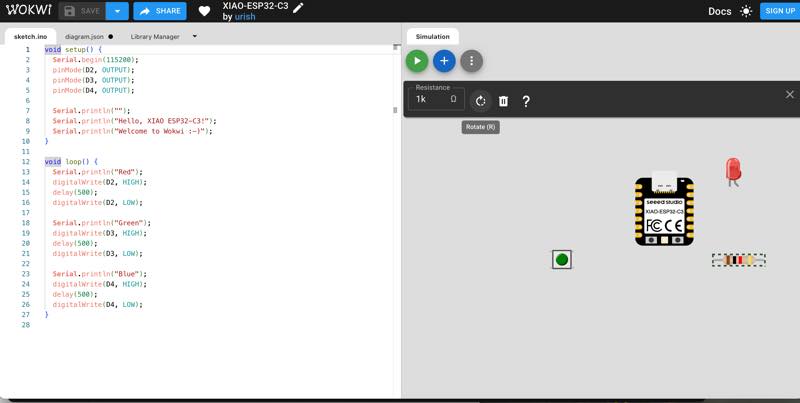
Wire ring
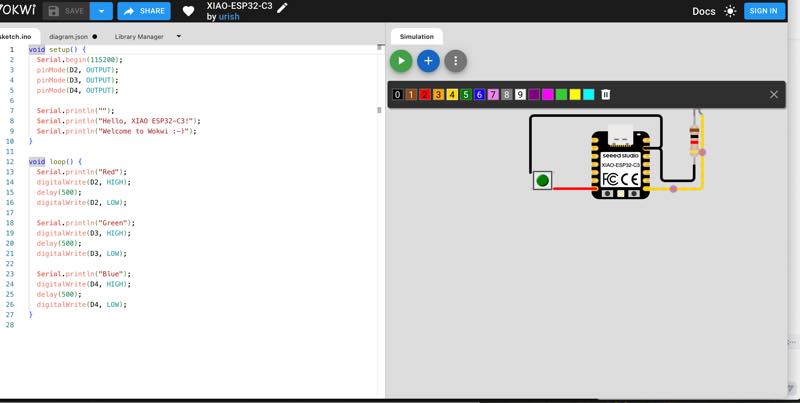
set Programing and lunning the program writn by Neil Gershenfeld hello.button-blink.C3.ino
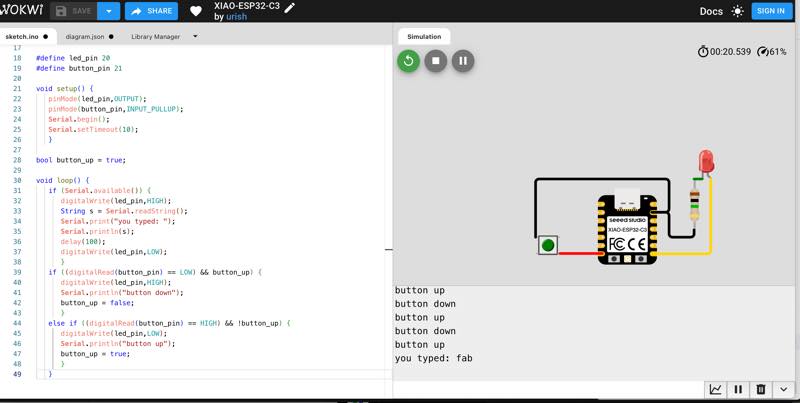
The disadvantage is that it can’t simulate analog behavior (such as the current flow), so adding a resistor won’t simulate properly. Even connecting a 1MΩ resistor, which is impossible in reality, will cause the LED to light up. This week used Wokwi data
In contrast, Electronic Circuit Simulator Applet by Paul Falstad even reproduces analog signal behavior. It can also simulate AVR programs. However, since the ESP32 and RP2040 are not in the lineup, it’s not possible to experiment with them. It also requires a certain level of prior knowledge of the components, making it difficult for beginners to use alone. However, once you’ve mastered it, it becomes an extremely powerful tool. LCR Simulate
By using these simulation software and prototyping on a breadboard, we can confirm the behavior and actually write out the circuit. It’s possible to create a circuit board by etching a handwritten design as a mask and melting the copper foil, as in the old days, but because disposing of the waste liquid is difficult, we decided to create data that would allow us to burn off the copper foil with a laser or use CNC milling to remove it from the board.
another simulate diode Build, program, and simulate hardware in the browser. diode project
Circuit Board Fabrication (ECAD)
The software used for this project is free circuit design software called Kicad.
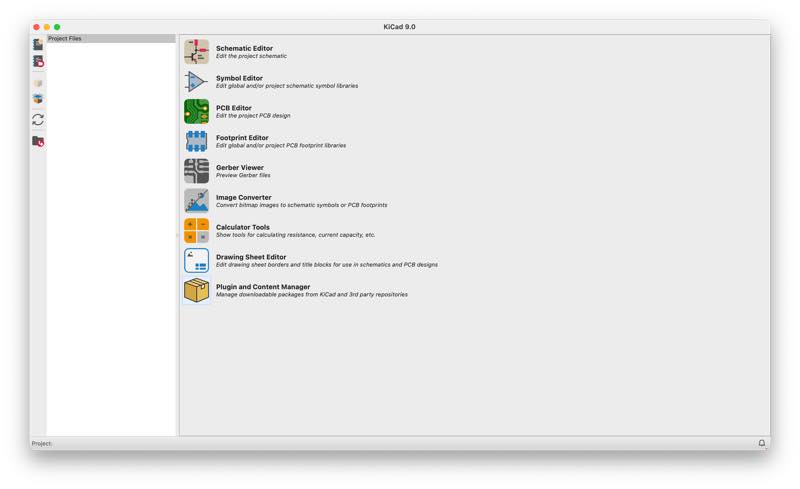
Like many other electrical CAD programs, the process involves creating a circuit board by creating a component connection diagram, checking the connections, arranging the components, and verifying the circuit rules.
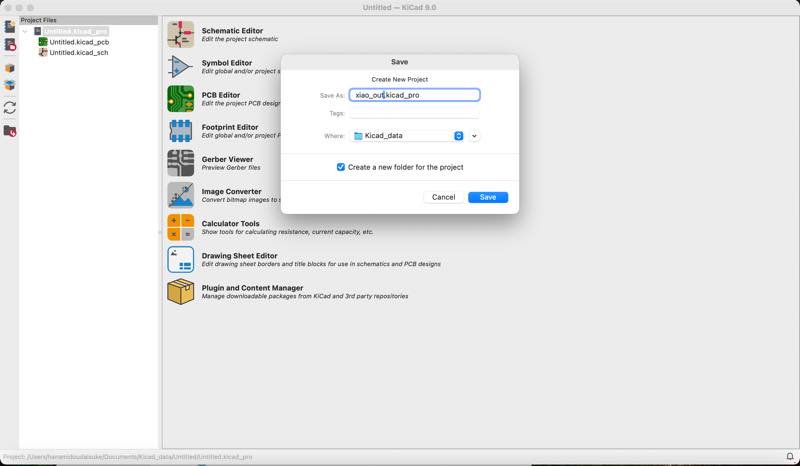
Open new project
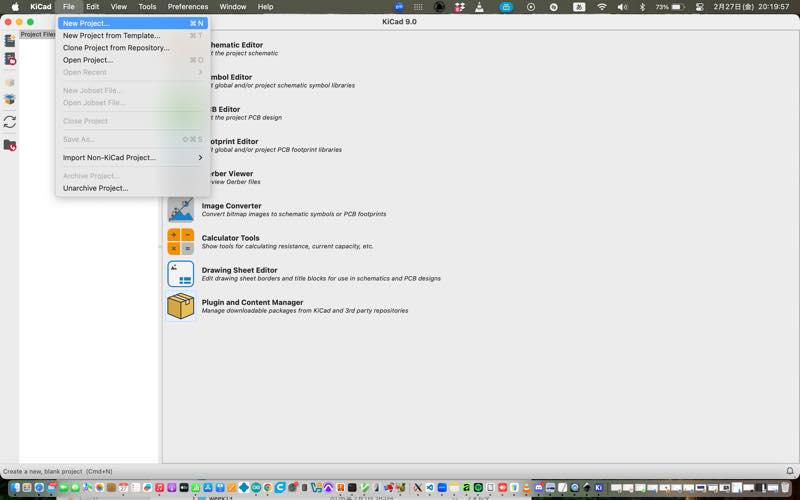
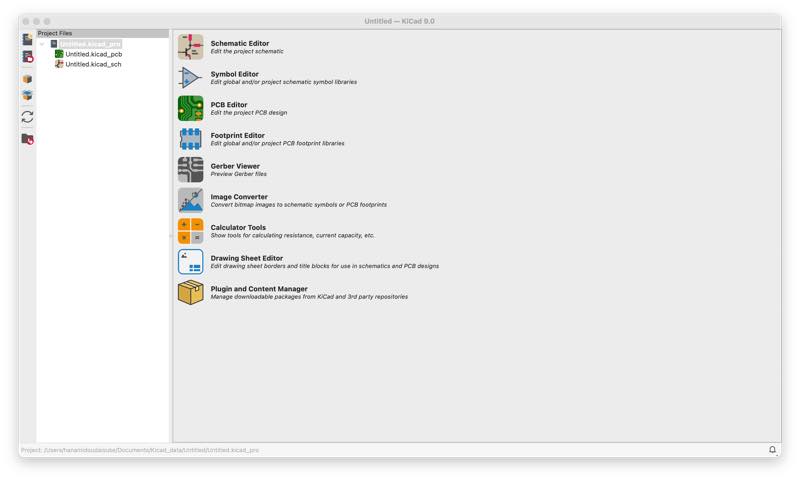
And save as Give it a name
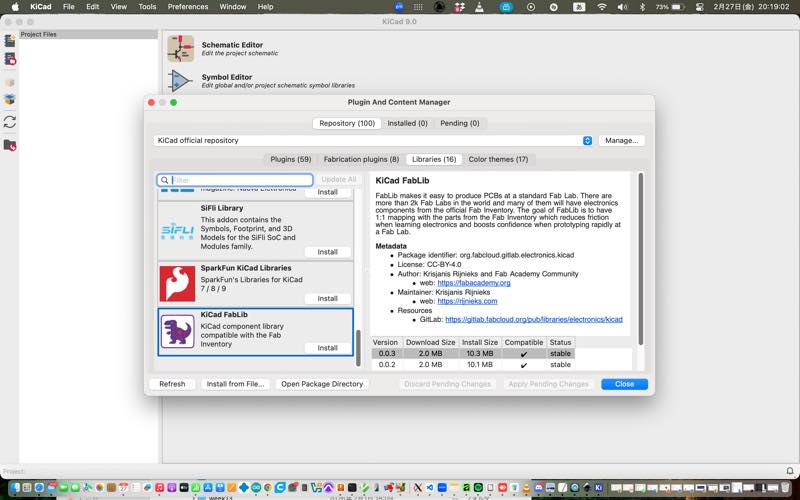
Download Plugin
KiCad FabLib Components plugin This plugin adds electronic components to the default state.
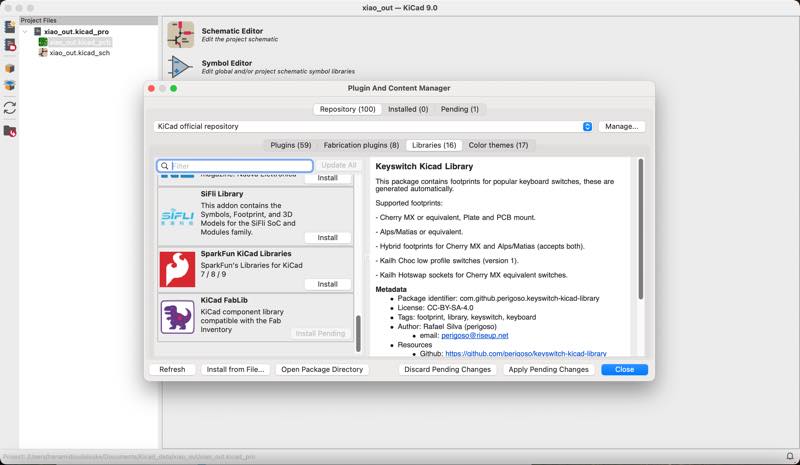
The plugin will not be activated unless you install and apply it.
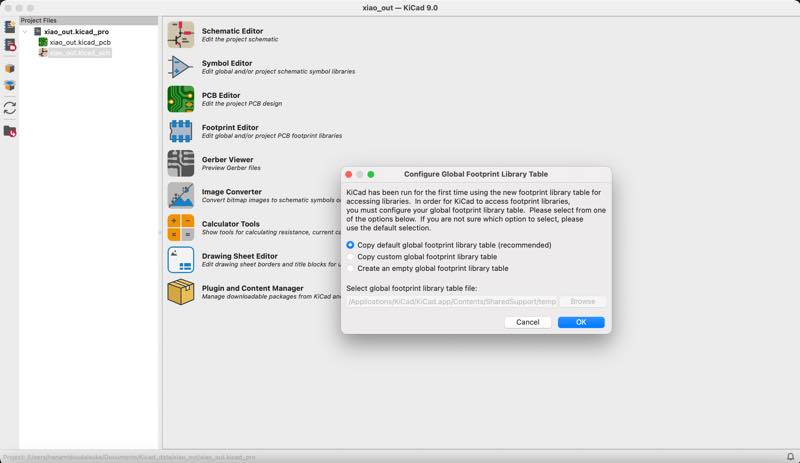
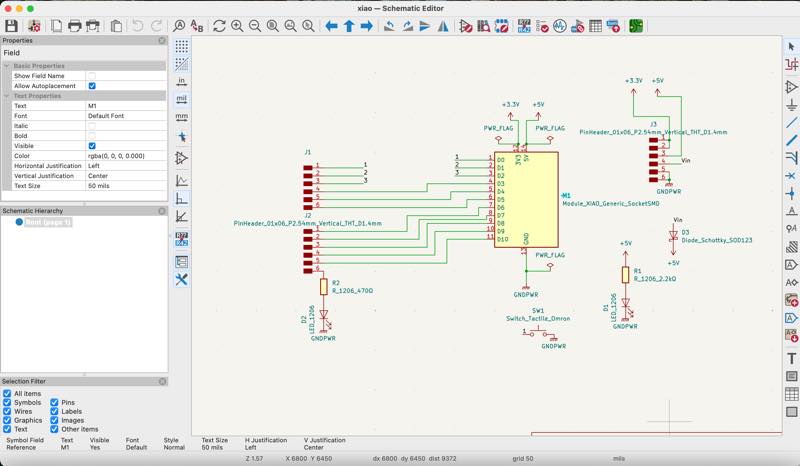
Schenatic Editor
Edit the Project Schematic check OK to the default
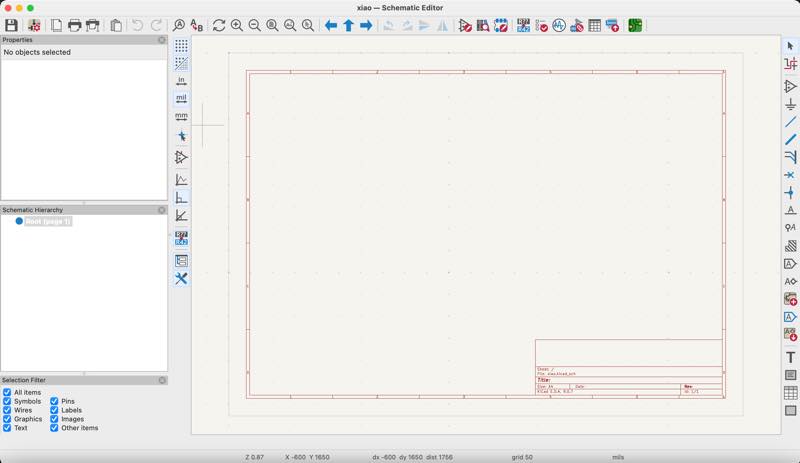
Select the Schematic symbols
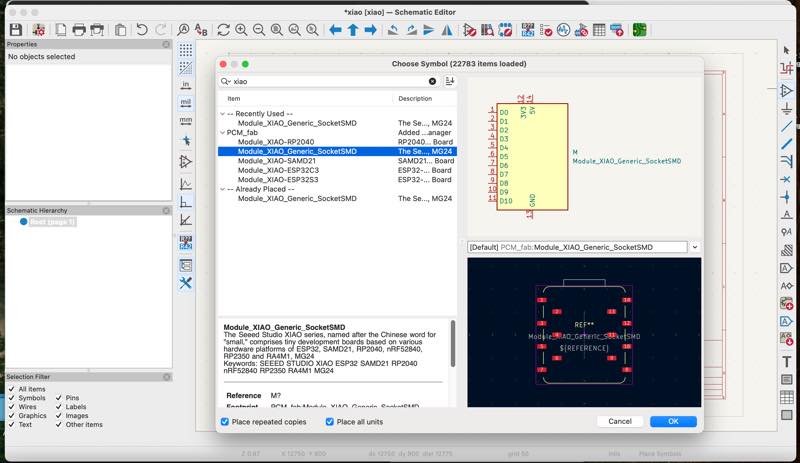
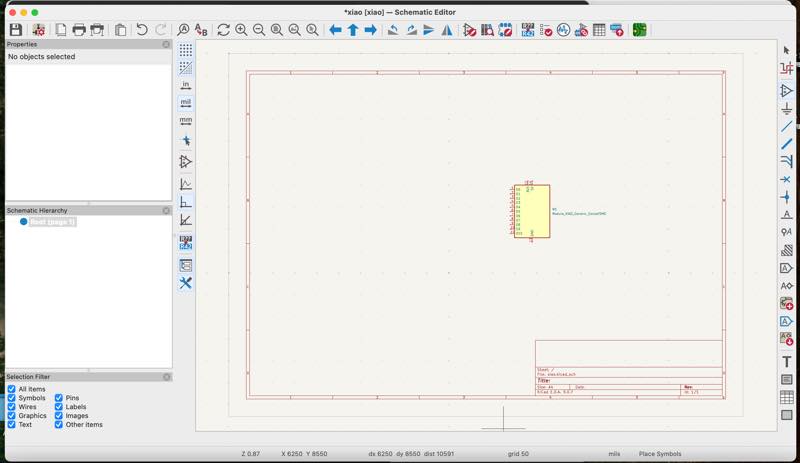
Select the xiao put it
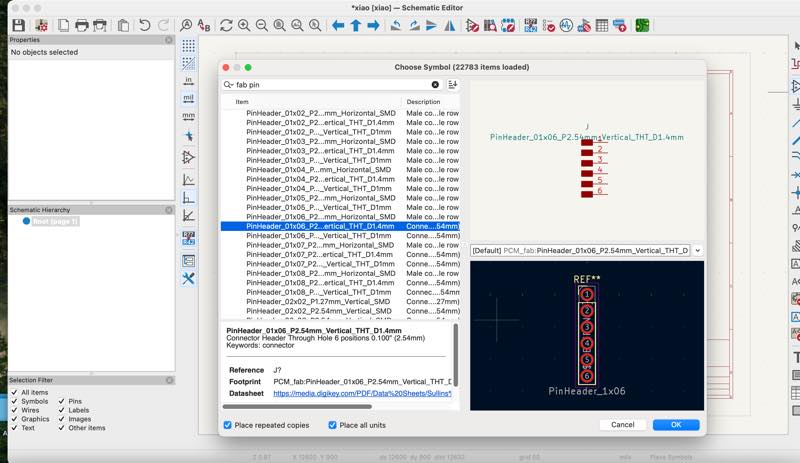
Select pin header 1X6
Select push switch
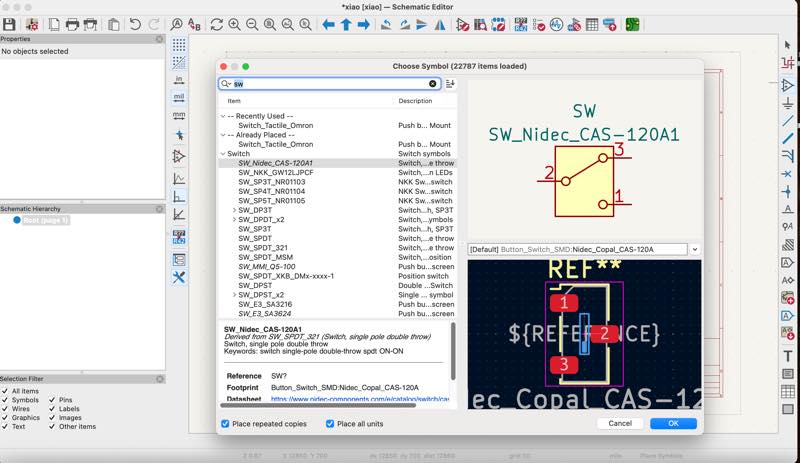
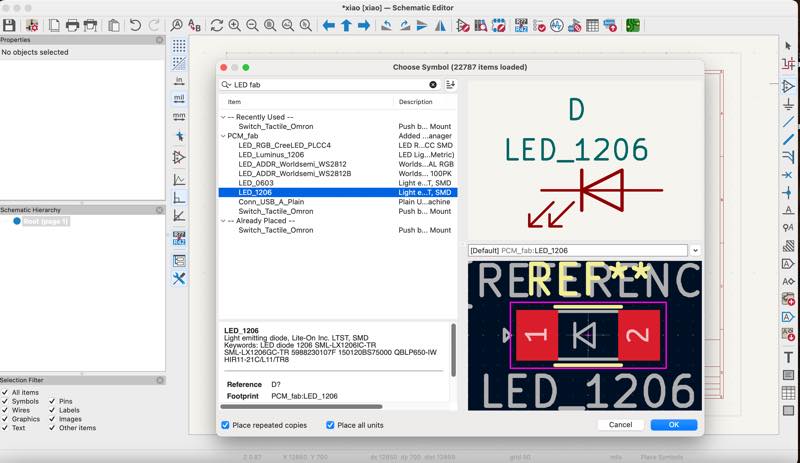
Select 1206 LED
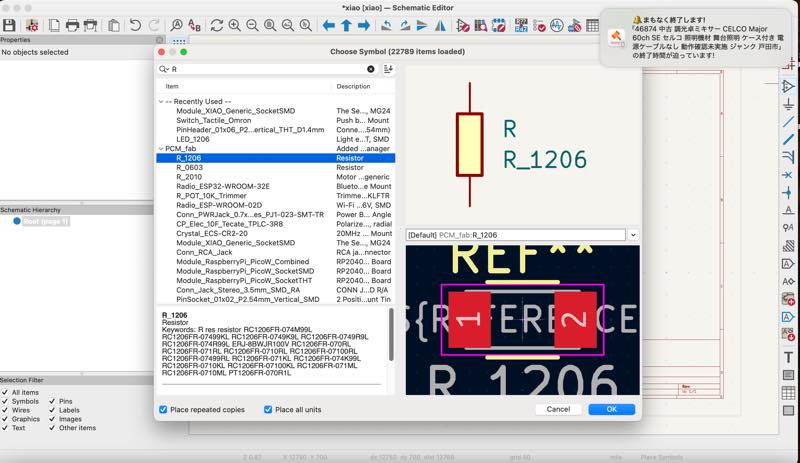
Select 1206 Register
Connect the circuit
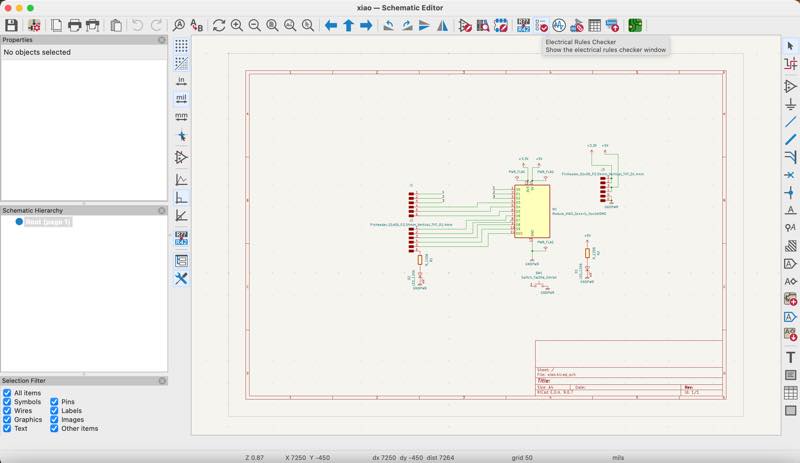
Checing ERC
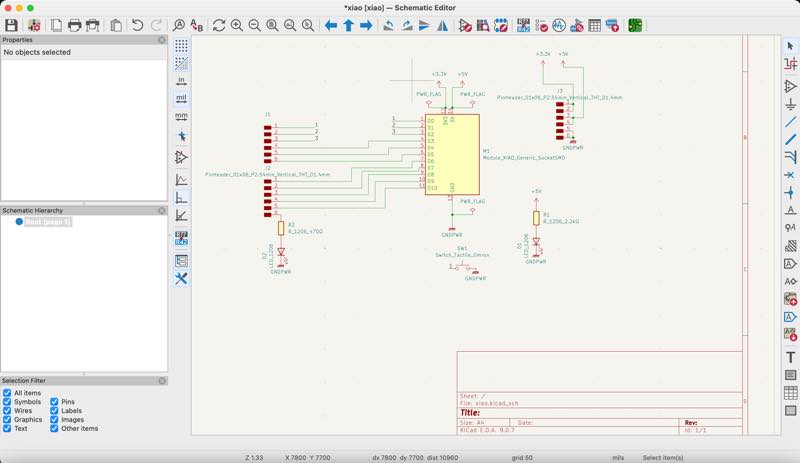
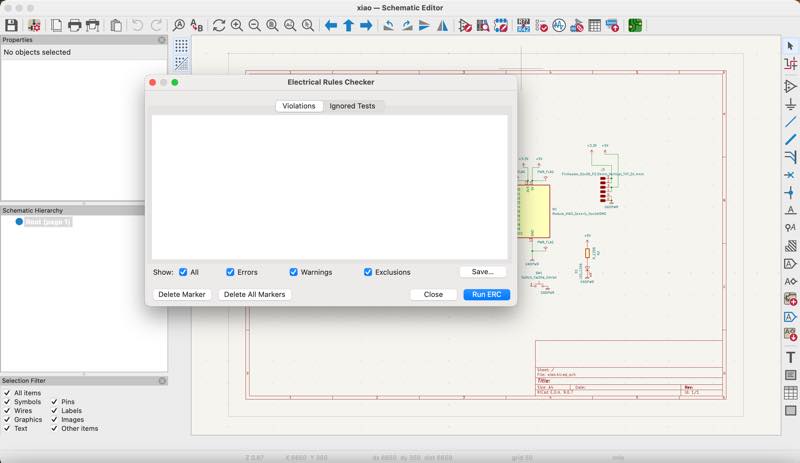
Press RUN ERC
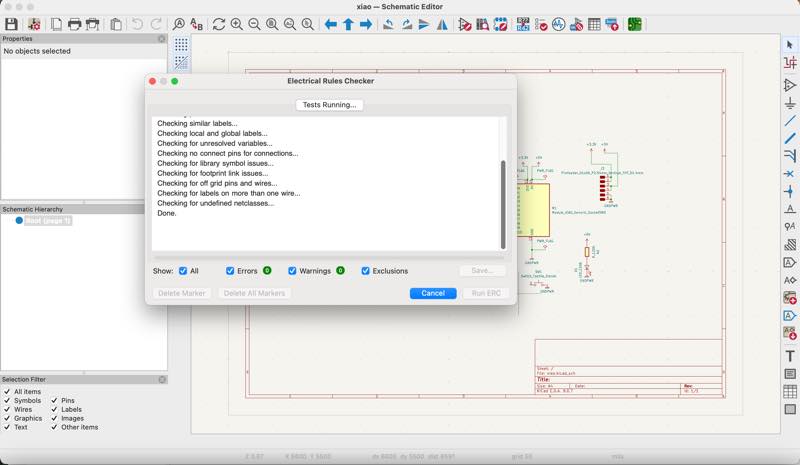
An error occurred.
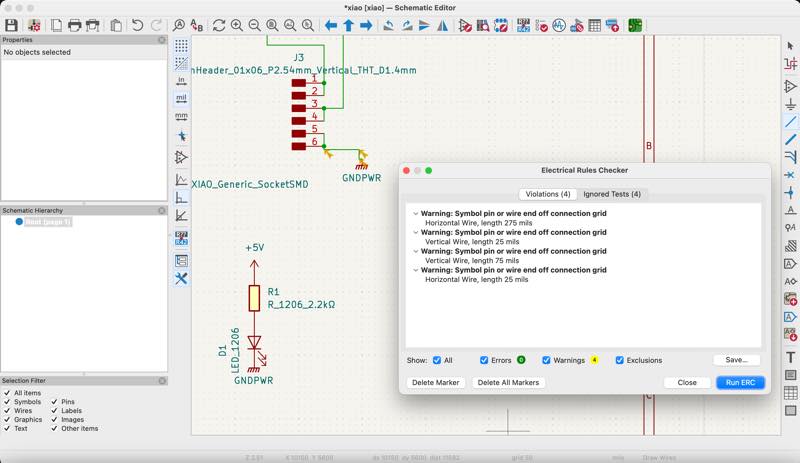
There is an error in the area indicated by the arrow.
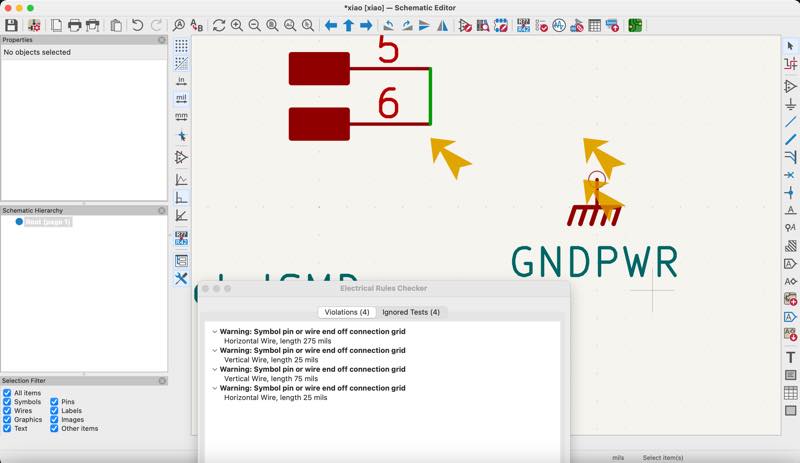
It seemed like the connection wasn’t working properly, so I moved the parts and reconnected them.
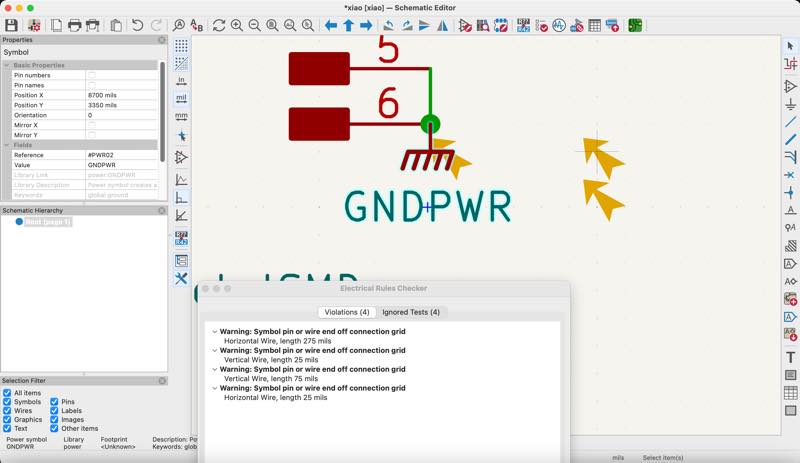
Trying again the ERC
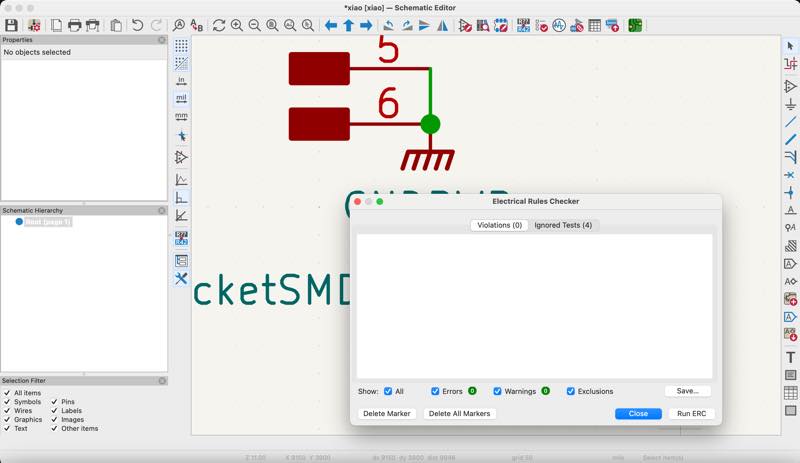
ERC completed.
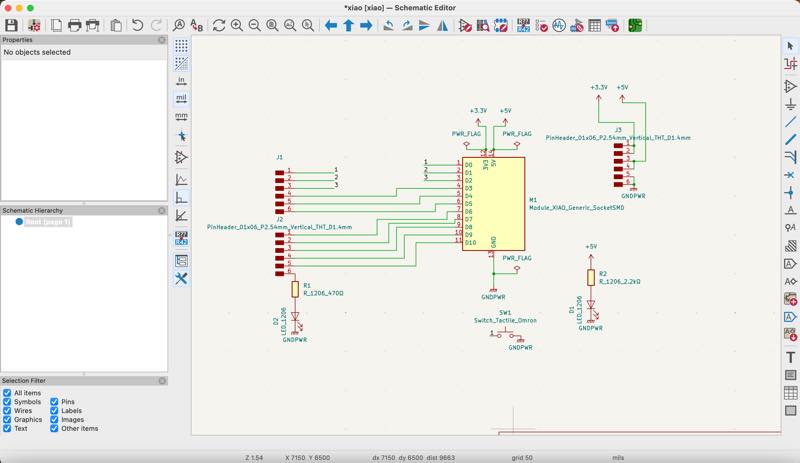
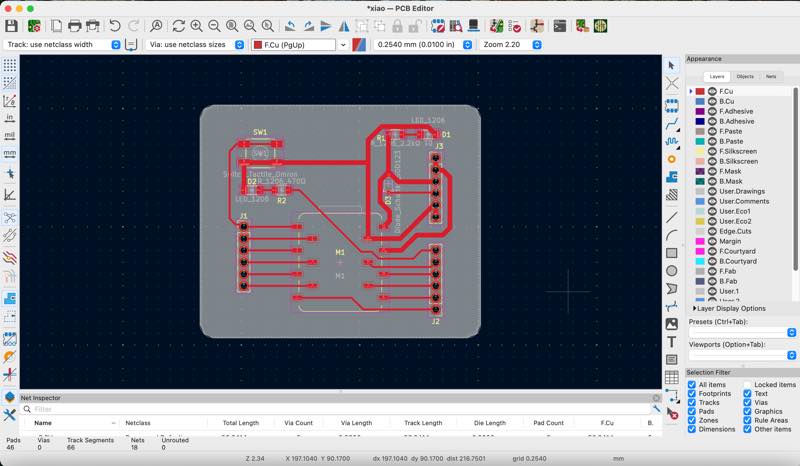
Switch to the PCB editor
PCB Editor
Edit the project PCB design
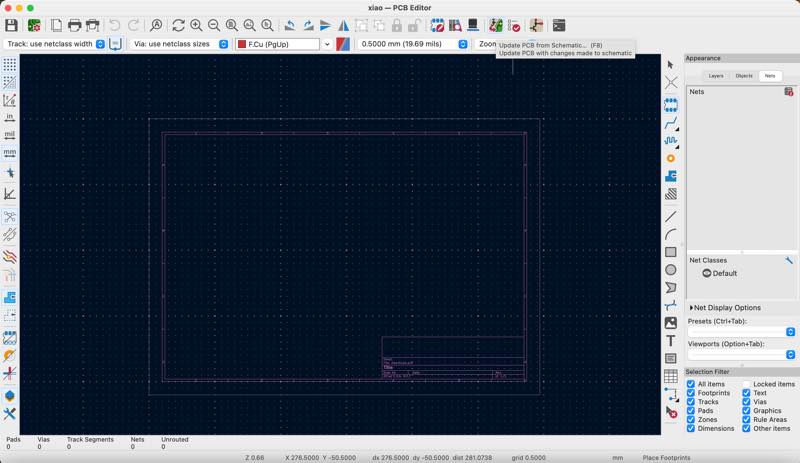
Update fo PCB from schematic
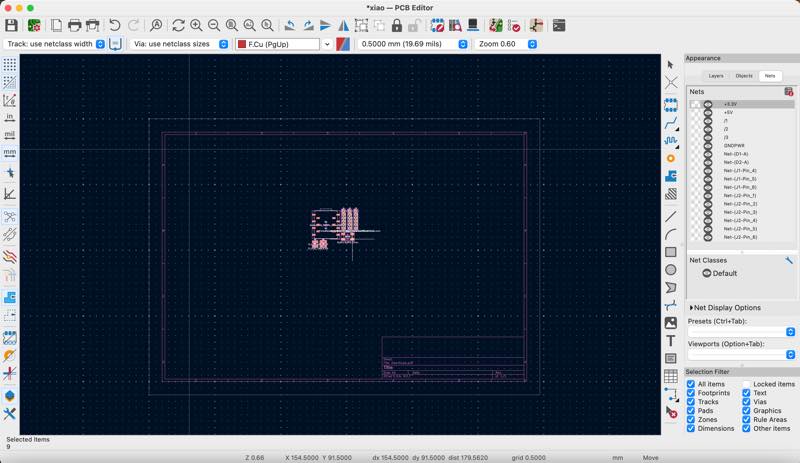
Place the parts
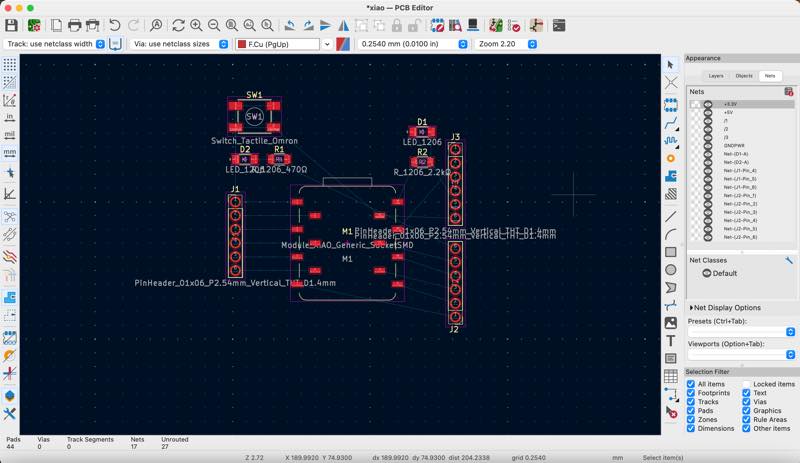
Rearrange the parts
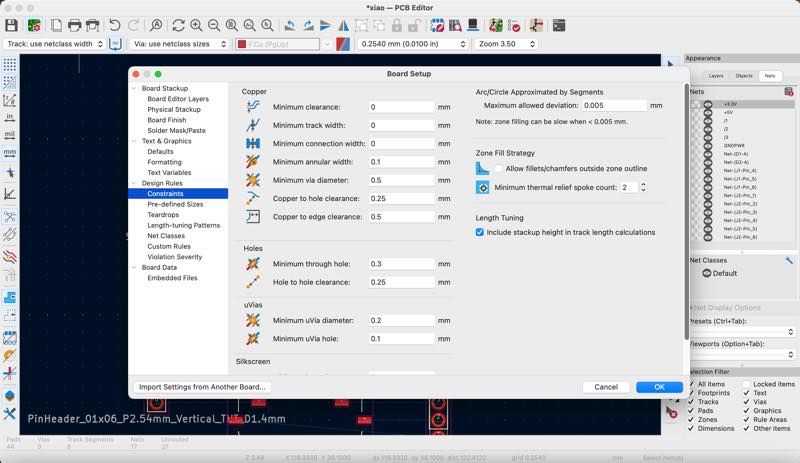
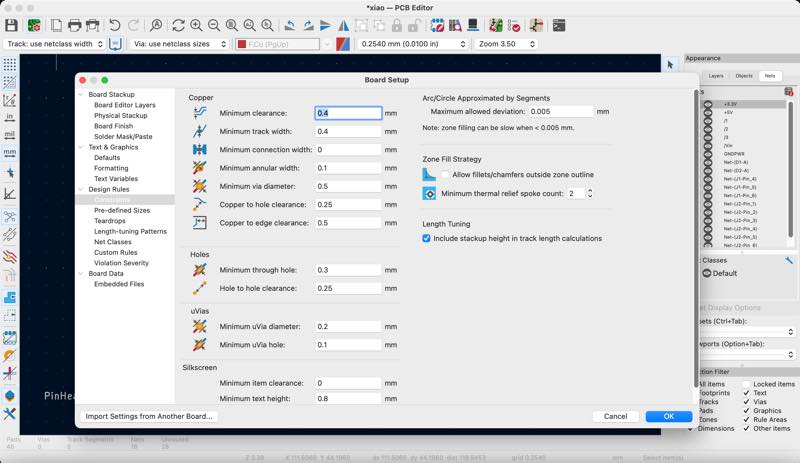
Select “Constraints” and set the clearance and minimum track width.
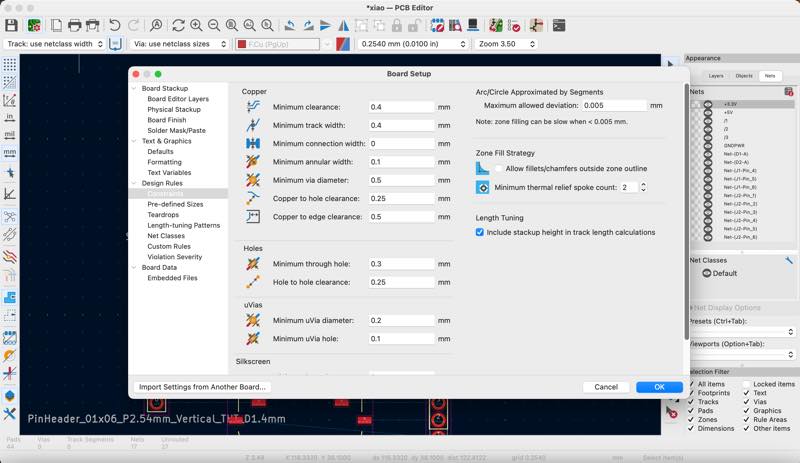
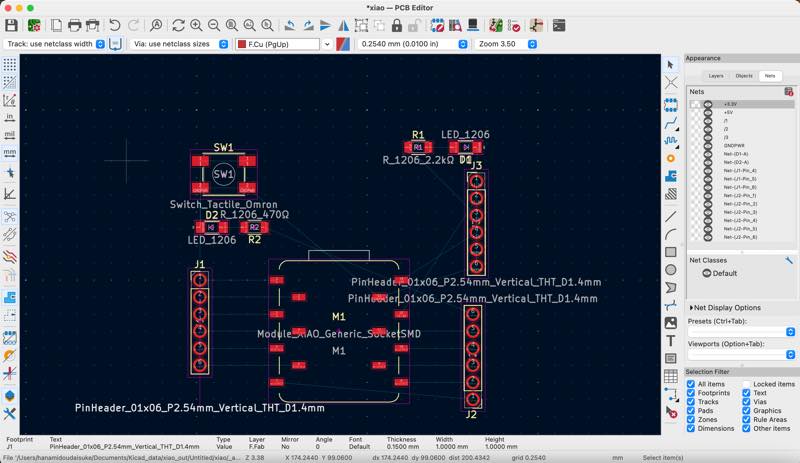
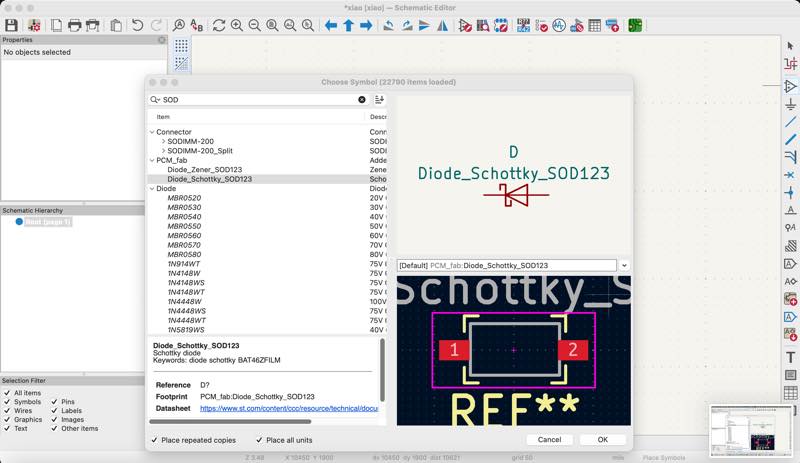
I was told that it would be better to add a diode to the 5V input, so I will add one.
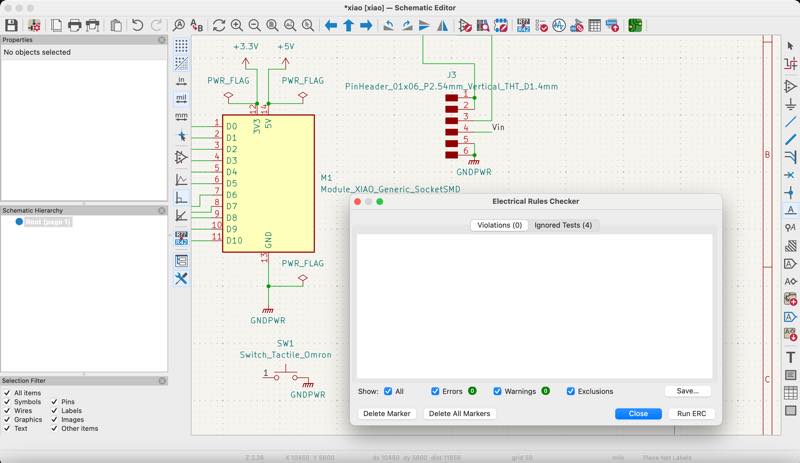
The wiring was done and the ERC was OK.
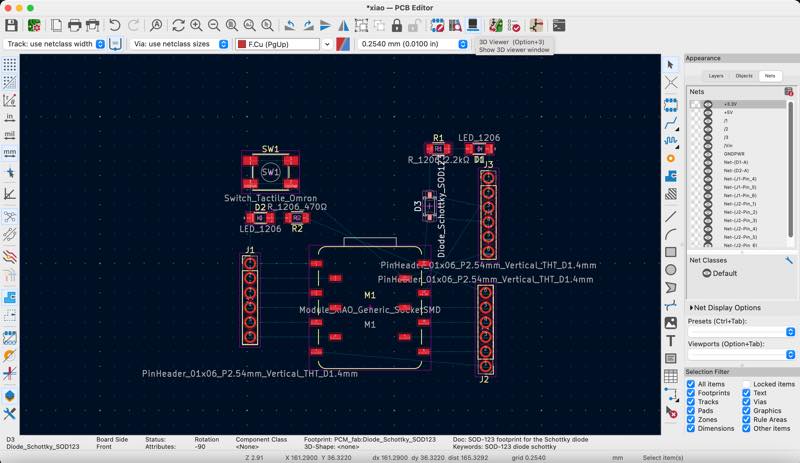
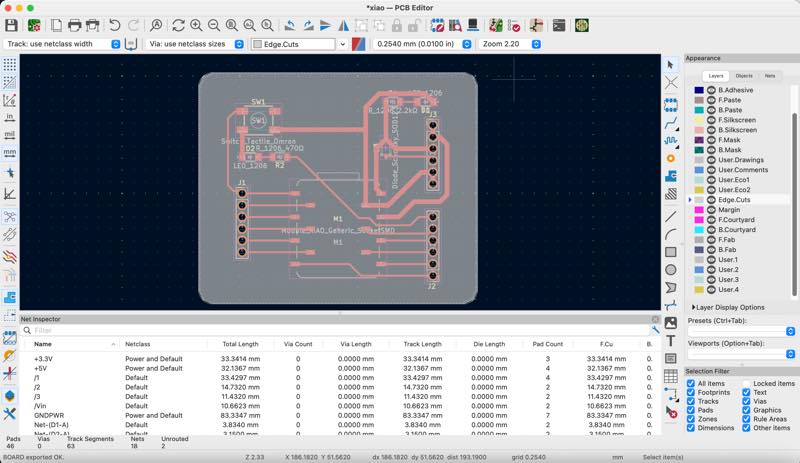
Parts placement complete
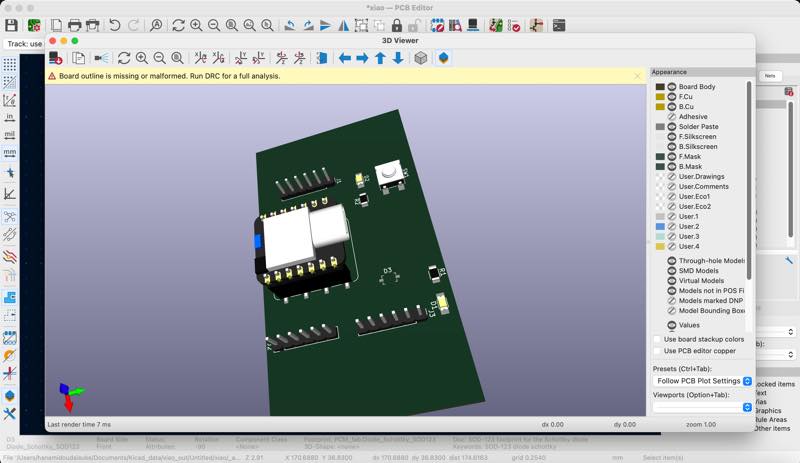
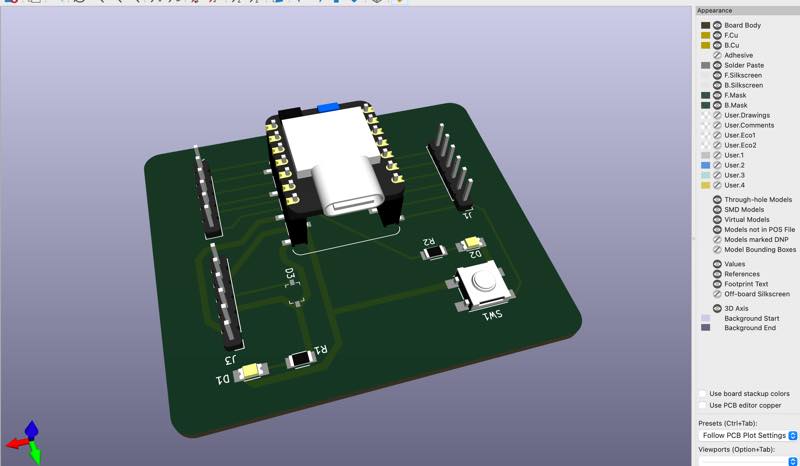
3D
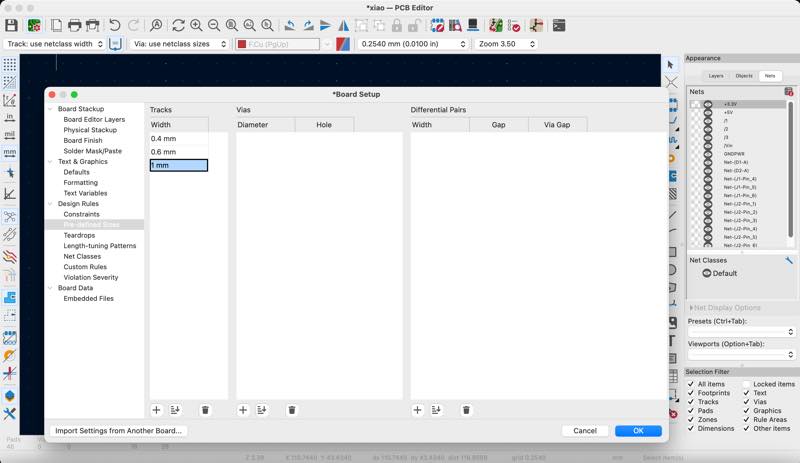
Open the settings again and this time set the wiring width.
After doing some basic wiring, I learned how to create the outer casing.
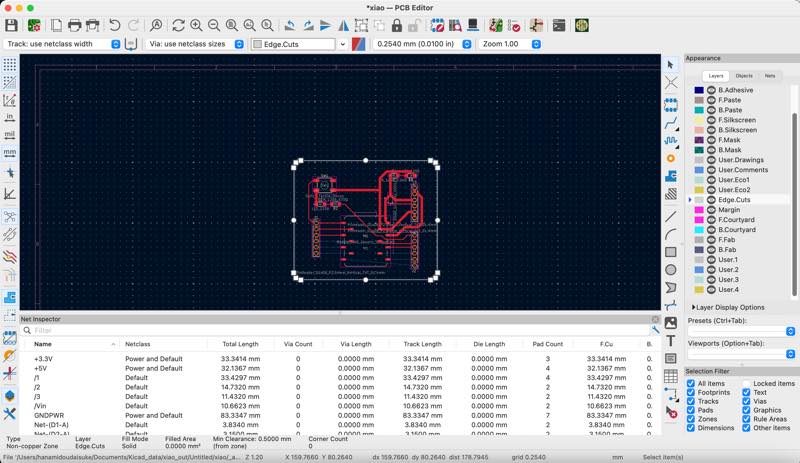
Field zone set
DRC
Perform a Design Rule Check (DRC).
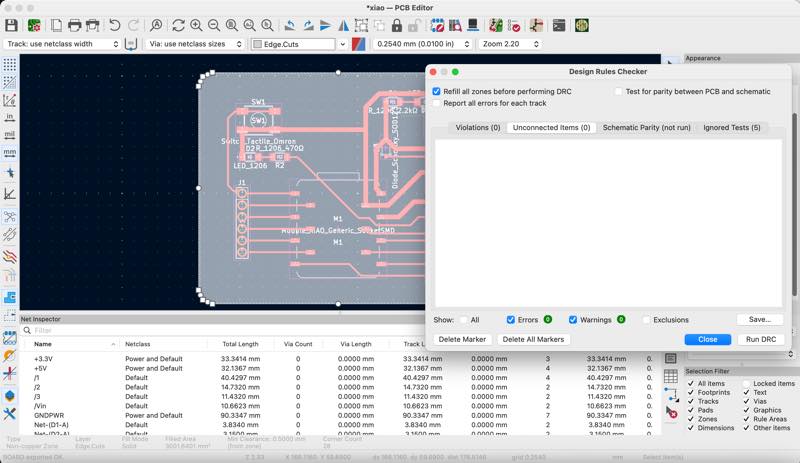
No problem
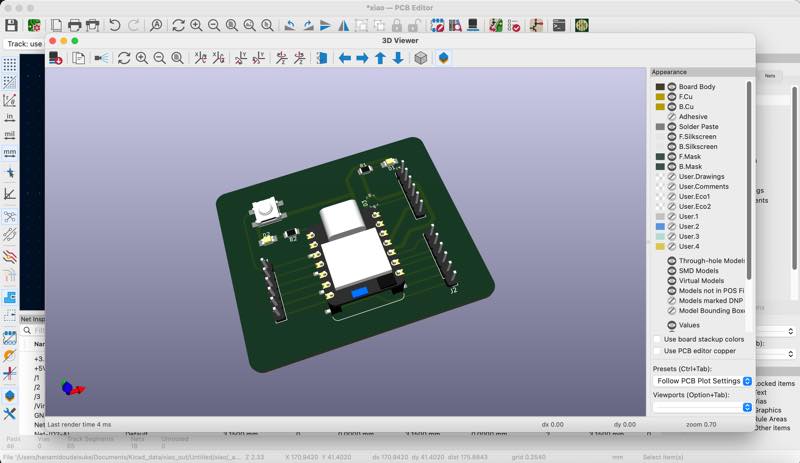
Final 3D design
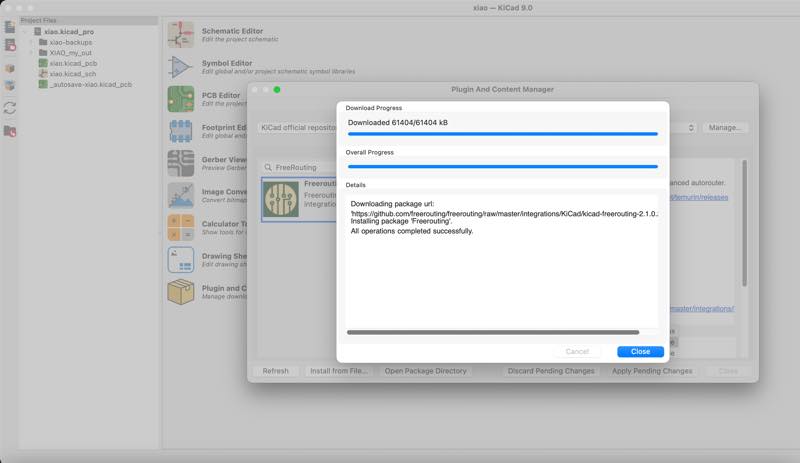
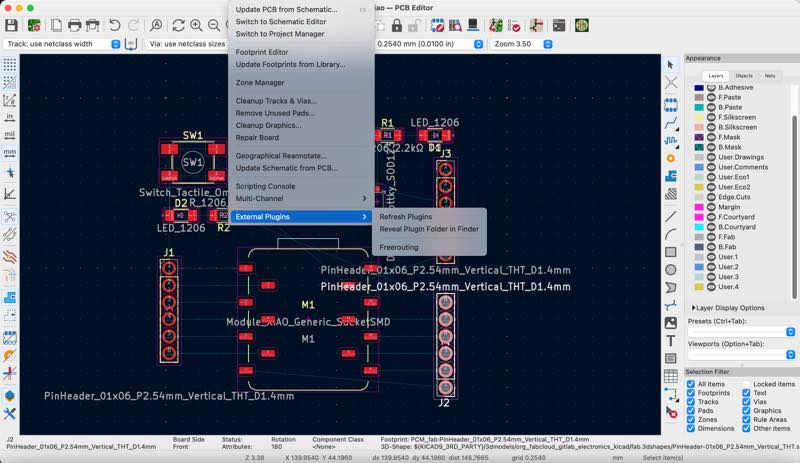
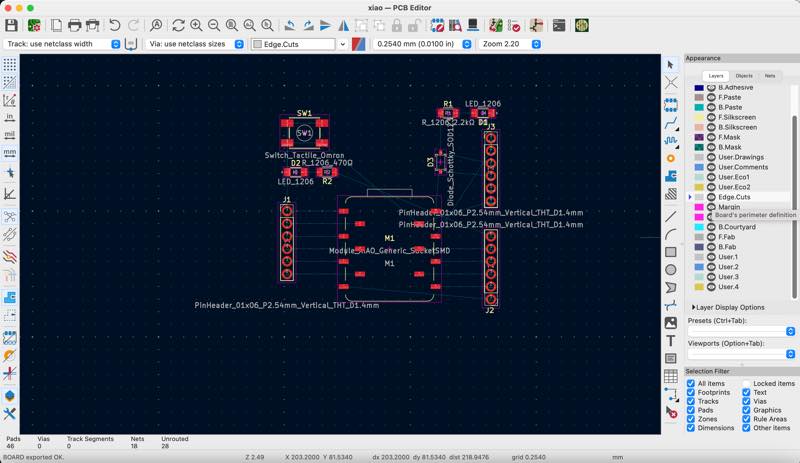
I try aut root conecting by Freerouting
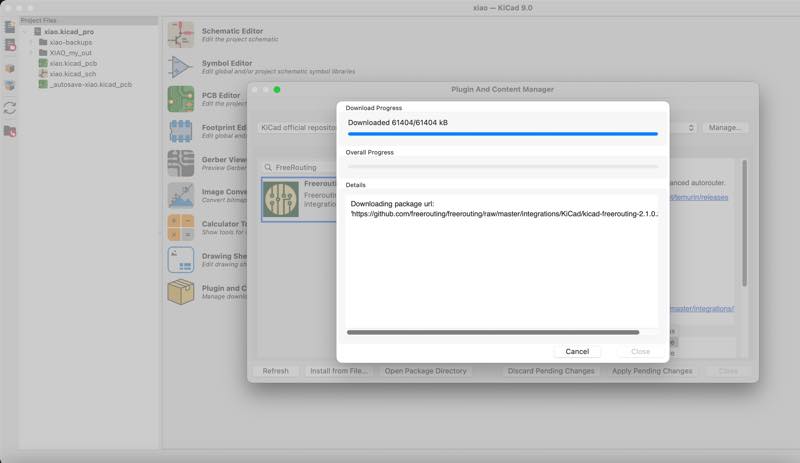
Installing plugin Freerouting
select Freerouting
not working
installing java 8
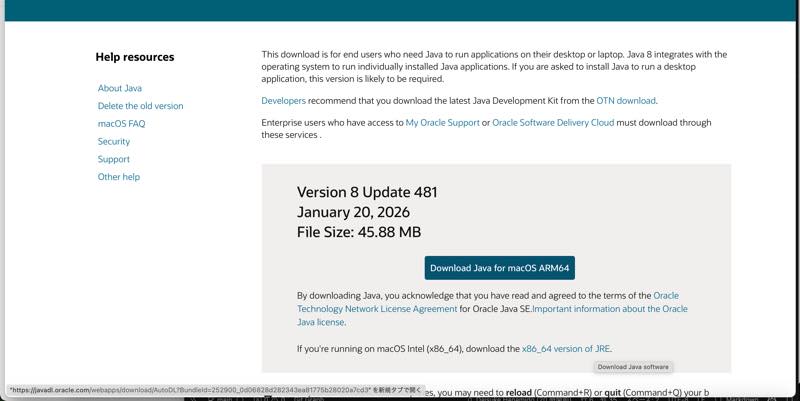
makeing icon

installing finished java 8

Nothing happened this week in the end.
Not working Freerouting becouse I have a lot of java
Uninstall Oracle Java using Terminal
- Click on the Finder icon on the Dock
- Click on the “Utilities” folder
- Double-click the “Terminal” icon
- Copy and paste the following command into the terminal window:
nextsudo rm -fr /Library/Internet\ Plug-Ins/ JavaAppletPlugin.plugin sudo rm -fr /Library/PreferencePanes/JavaControlPanel.prefPane sudo rm -fr ~/Library/Application\ Support/Oracle/Javarm -r ~/"Library/Application Support/Oracle/Java"
Installing JDK
Java SE Development Kit 25.0.2
I can use Freerouting at week11!
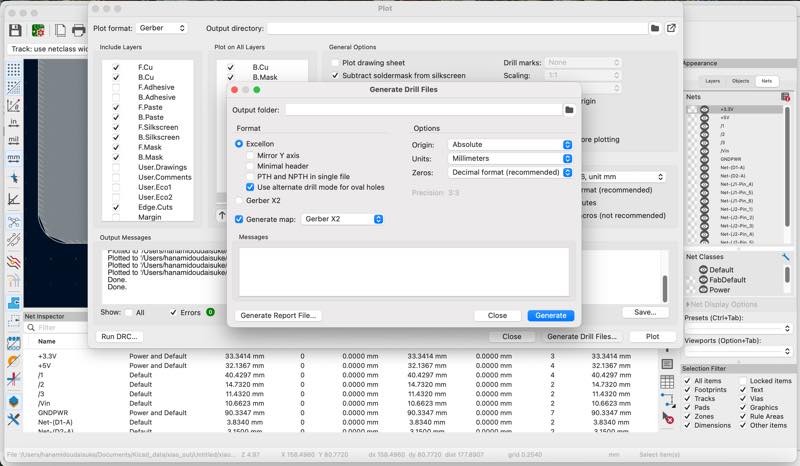
How to jlcPCB settings
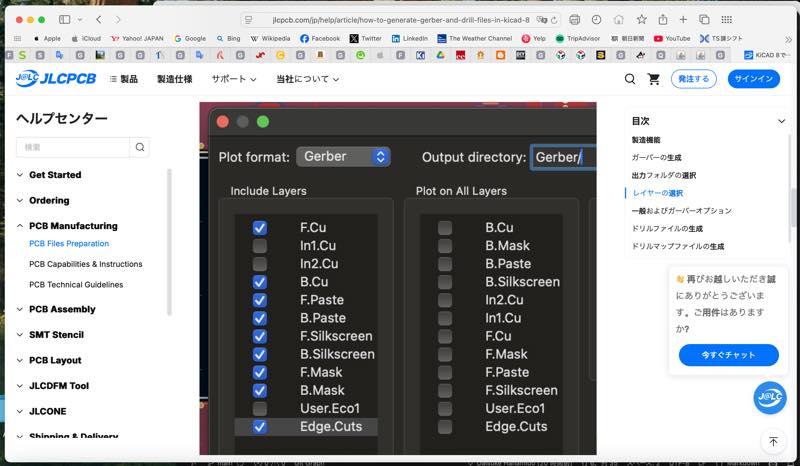
Out put .gbr
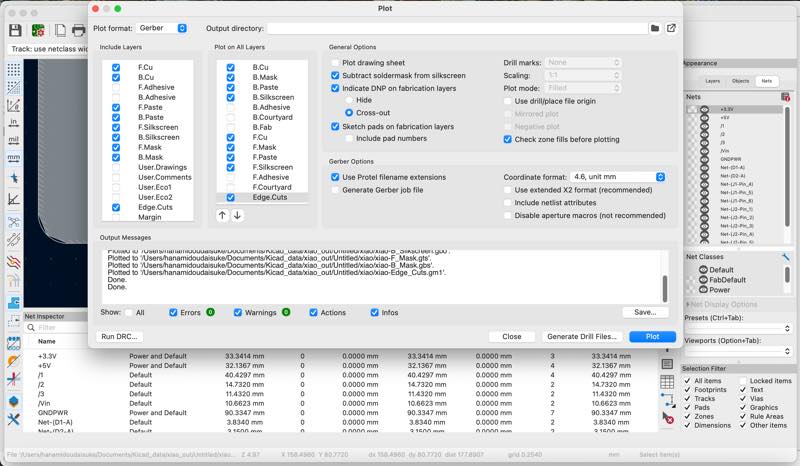
Out put .drl
I have plugin of jlcpcb
Fablication tool kit is one push output .gbr and .drl in to .zip file
install plugin
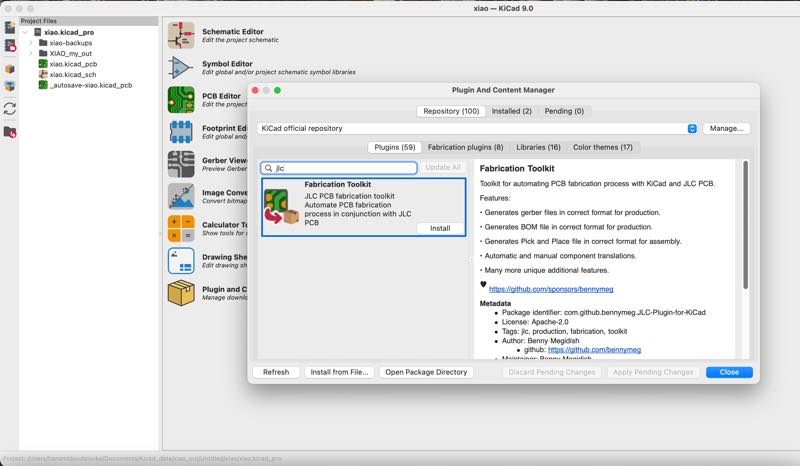
out put to .zipfile in the production folder
in jlcpcb fab
A walk through a giant printed circuit board factory in China by Robert Ferane
out put .png file by gerber2png
Out put GerBer by Fablication tool kit
gerber2png With Safari, the zip file was unzipped and downloaded, preventing me from successfully installing it into KIcad. With Chrome, the zip file downloaded correctly and the installation worked properly.
2026/3/24 in to kicad plugin
schematic
PCB
3D
Useful links
Introduction of KiCAD9 japanese
Other ECAD
Fusion360(Eagle)
The old Eagle CAD was integrated into Fusion and ended support in 2026. After that, the design will be carried out with Fusion’s electronic design.
PCBE
A free, lightweight Windows CAD software created by Takashi Todotani used for drawing and designing printed circuit boards