Week 9 - Input Devices #
Hero Shot: #
TL;DR #
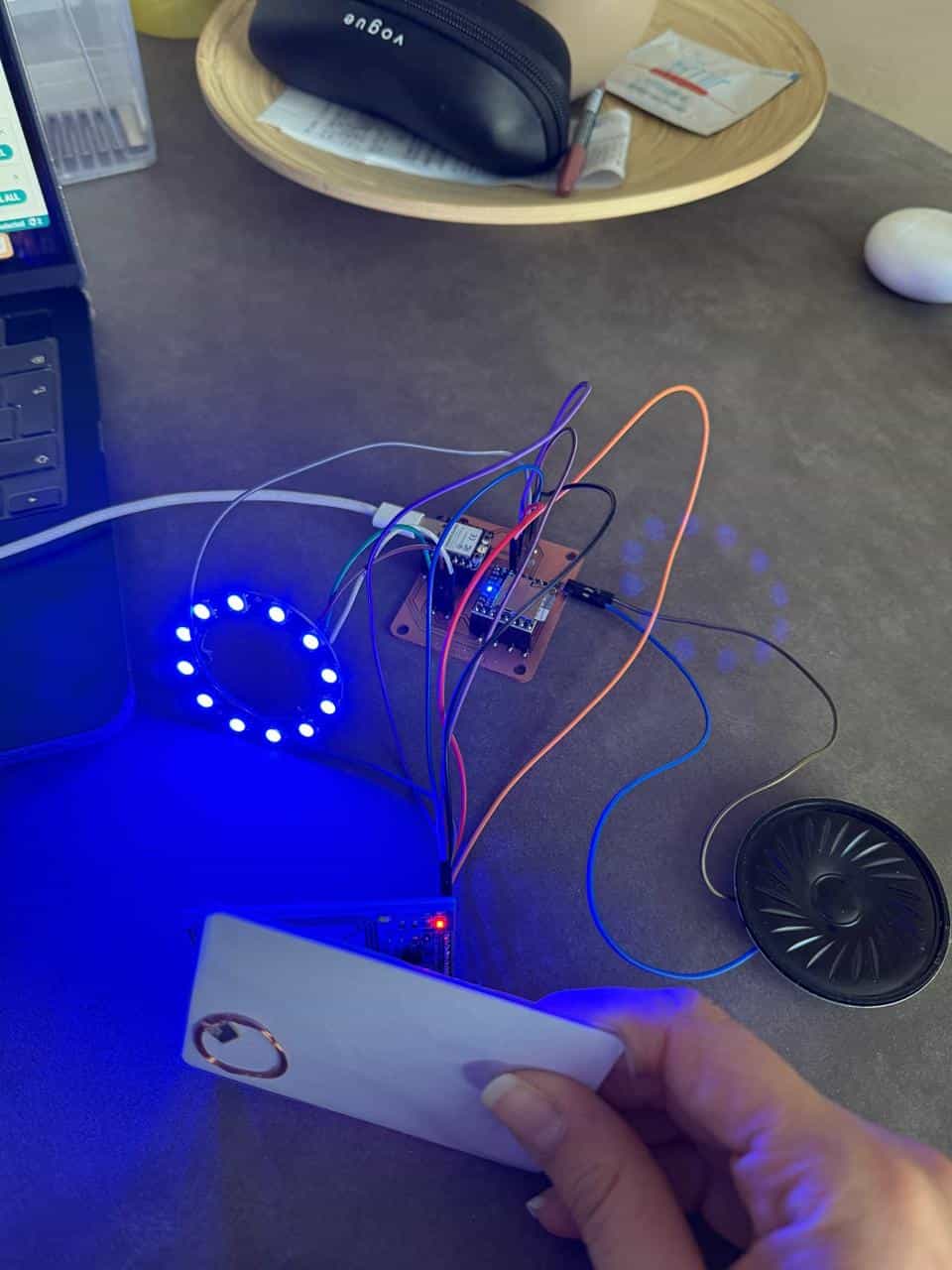
Used my custom PCB from Week 8 and connected an RFID RC522 sensor using SPI communication. Programmed the board to detect RFID tags, read their UID.
Group Assignment #
Link to this week’s group assignment
Using an RFID Reader as Input #
For this assignment, I used the custom microcontroller board that I designed and milled during Week 8, then soldered the connections needed to interface an RFID RC522 module. The RC522 is a 13.56 MHz RFID reader/writer that communicates with a microcontroller using the SPI protocol. It can detect RFID cards or tags and read their unique identification numbers (UIDs).
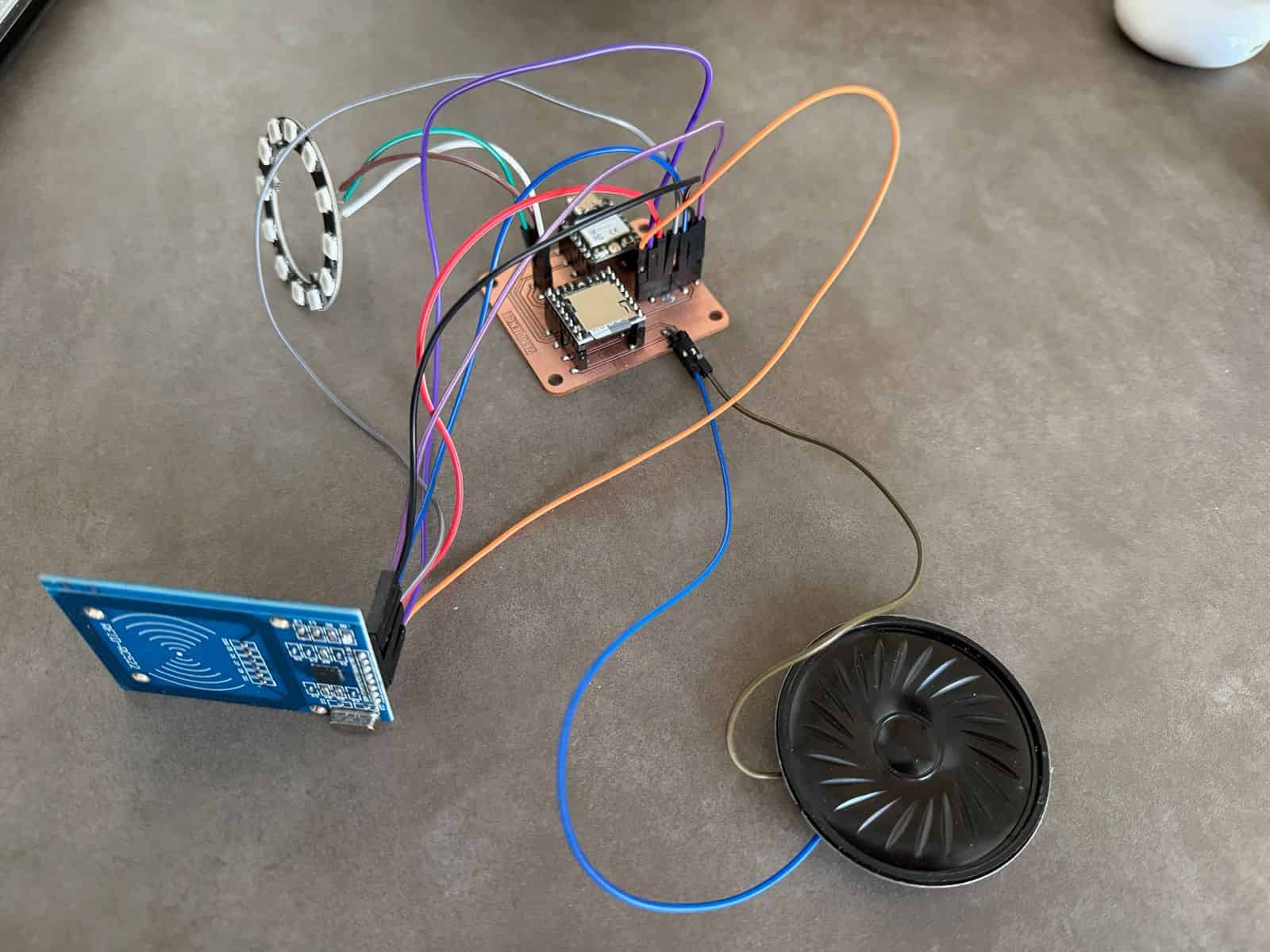
After soldering the module to the board, I uploaded test code to the microcontroller and verified communication between the RC522 and the board. For the functions (like mfrc522.uid.uidByte[i]) to be used in the test code, I got help from ChatGPT. I programmed the RFID RC522 using the MFRC522 library and SPI communication. The code initializes the RFID reader in the setup() function, then continuously checks for RFID cards in the loop(). When a card is detected, the reader reads its UID and prints it to the Serial Monitor.
/ ---------- RFID ----------
  if (!mfrc522.PICC_IsNewCardPresent()) {
    return;
  }

  if (!mfrc522.PICC_ReadCardSerial()) {
    return;
  }

  Serial.print("UID: ");
  for (byte i = 0; i < mfrc522.uid.size; i++) {
    Serial.print(mfrc522.uid.uidByte[i], HEX);
    Serial.print(" ");
  }
  Serial.println();
When an RFID tag was brought near the reader, the microcontroller successfully detected and read the card’s UID, confirming that the sensor and PCB were functioning correctly. This demonstrated the integration of a sensor with a designed microcontroller board and the ability to read data from it.
Files: