Week 14 - Interface and Application Programming #
Hero Shot: #
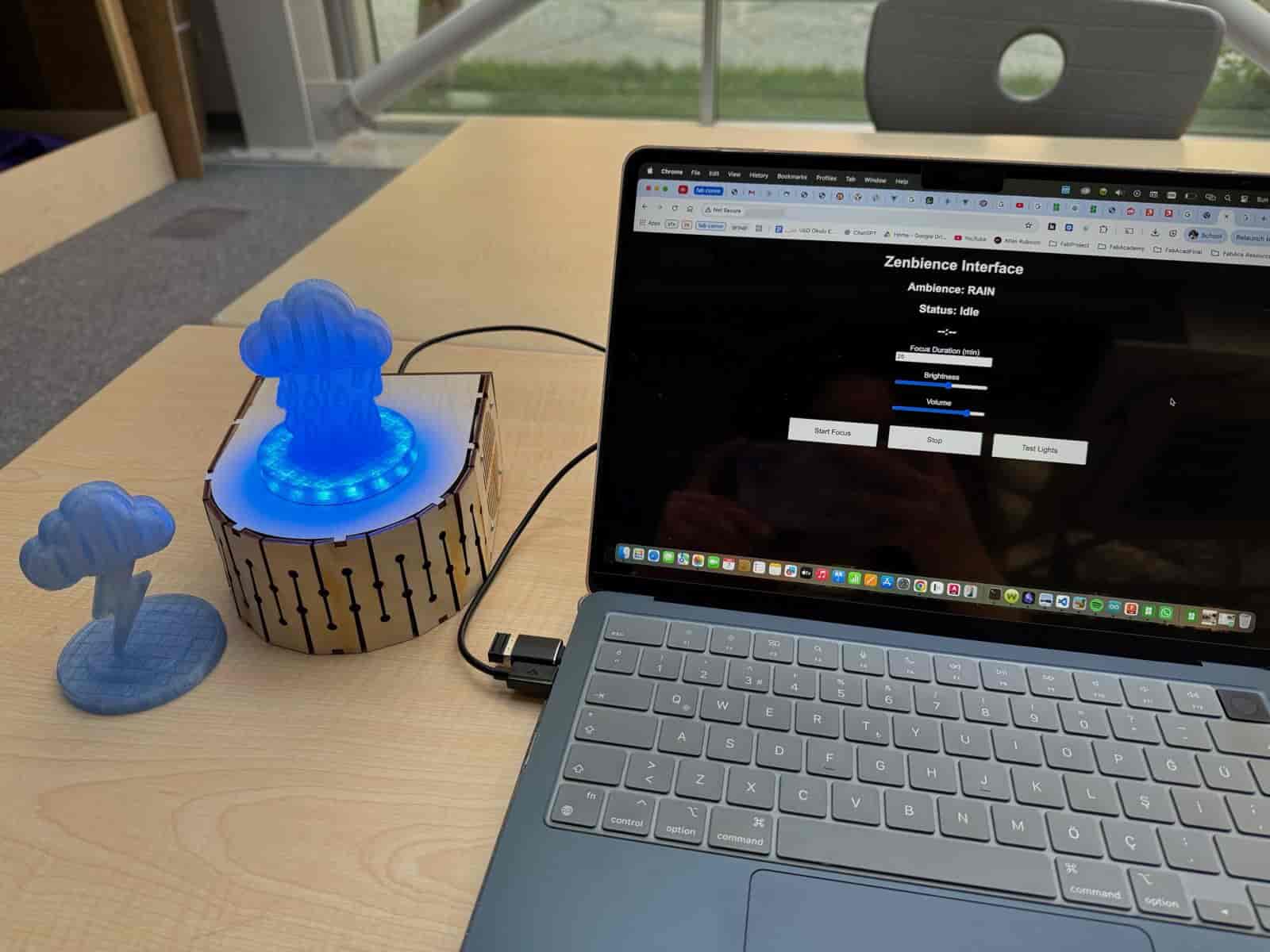
TL;DR #
For this week’s assignment, I developed a web-based user interface for Zenbience using the XIAO ESP32-C3. The interface allows users to control focus sessions, adjust brightness and volume levels, monitor the current ambience mode, and view a countdown timer. The ESP32 hosts the webpage directly and communicates with the user through WiFi without requiring a USB connection after startup.
The interface integrates with the RFID-based ambience selection system and the NeoPixel and DFPlayer outputs, creating a complete interaction layer between the user and the embedded device.
- Application: HTML + CSS + JavaScript
- Embedded firmware: C++ (Arduino)
- Communication: Wi-Fi + HTTP requests
- Inputs: RFID reader and web interface controls
- Outputs: NeoPixels, DFPlayer audio, countdown/status display
Group Assignment #
Link to this week’s group assignment
Goal #
The purpose of Zenbience is to create a focus-oriented ambient environment. During previous weeks, I developed the hardware required to read RFID figurines, play ambient sounds through a speaker, and display matching lighting effects using NeoPixels.
For this assignment, I wanted to create an application that allows the user to:
- Start and stop focus sessions
- Set a custom Pomodoro duration
- Adjust light brightness
- Adjust sound volume
- Monitor the current ambience mode
- View a live countdown timer
- Receive a visual notification when a focus session ends
System Architecture #
The application consists of two parts:
Embedded Side #
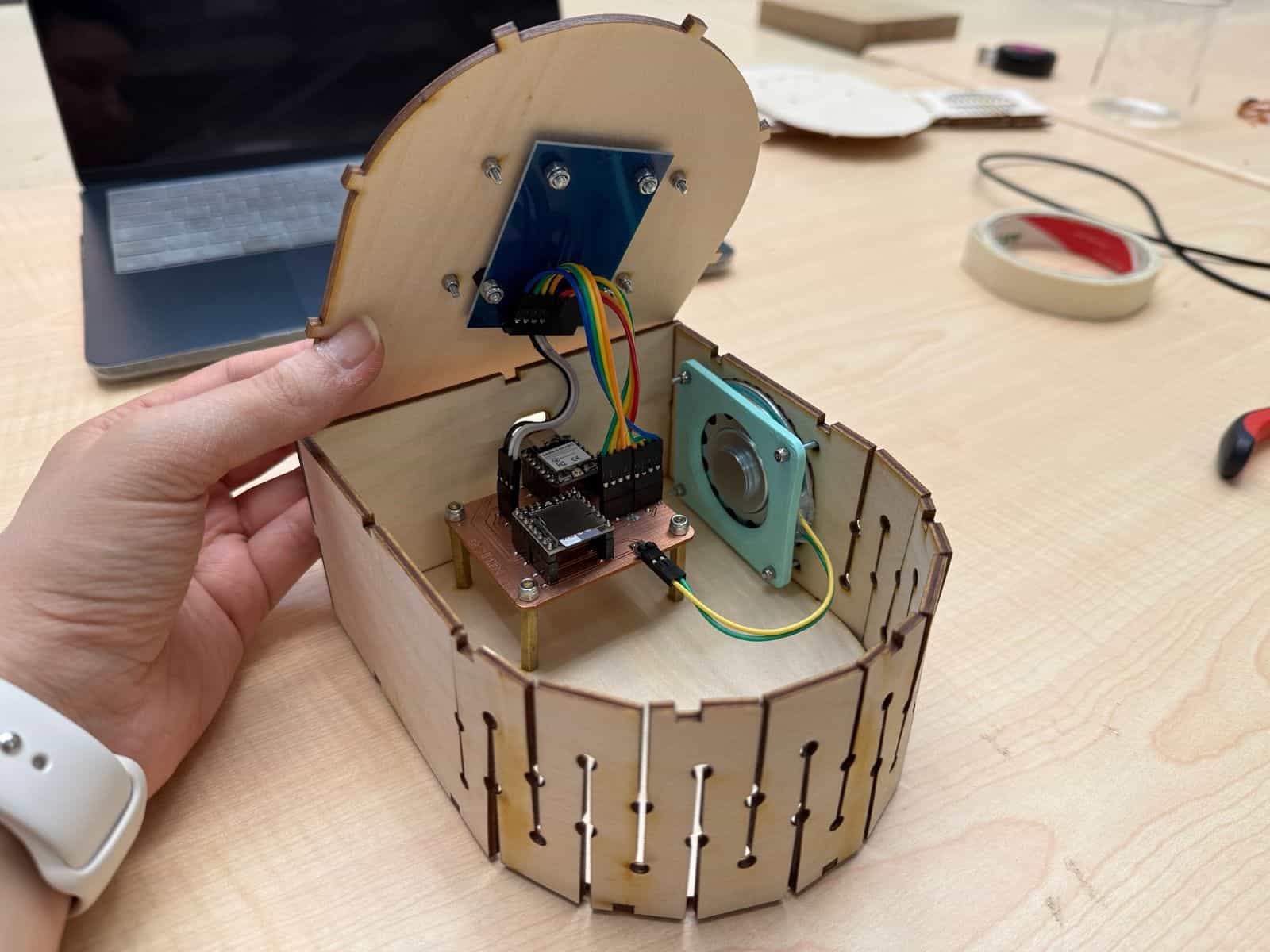
The XIAO ESP32-C3 runs:
- RFID reader (MFRC522)
- DFPlayer Mini audio module
- NeoPixel LED ring
- WiFi web server
The ESP32 hosts a webpage internally and serves it to any device connected to the same WiFi network.
User Side #
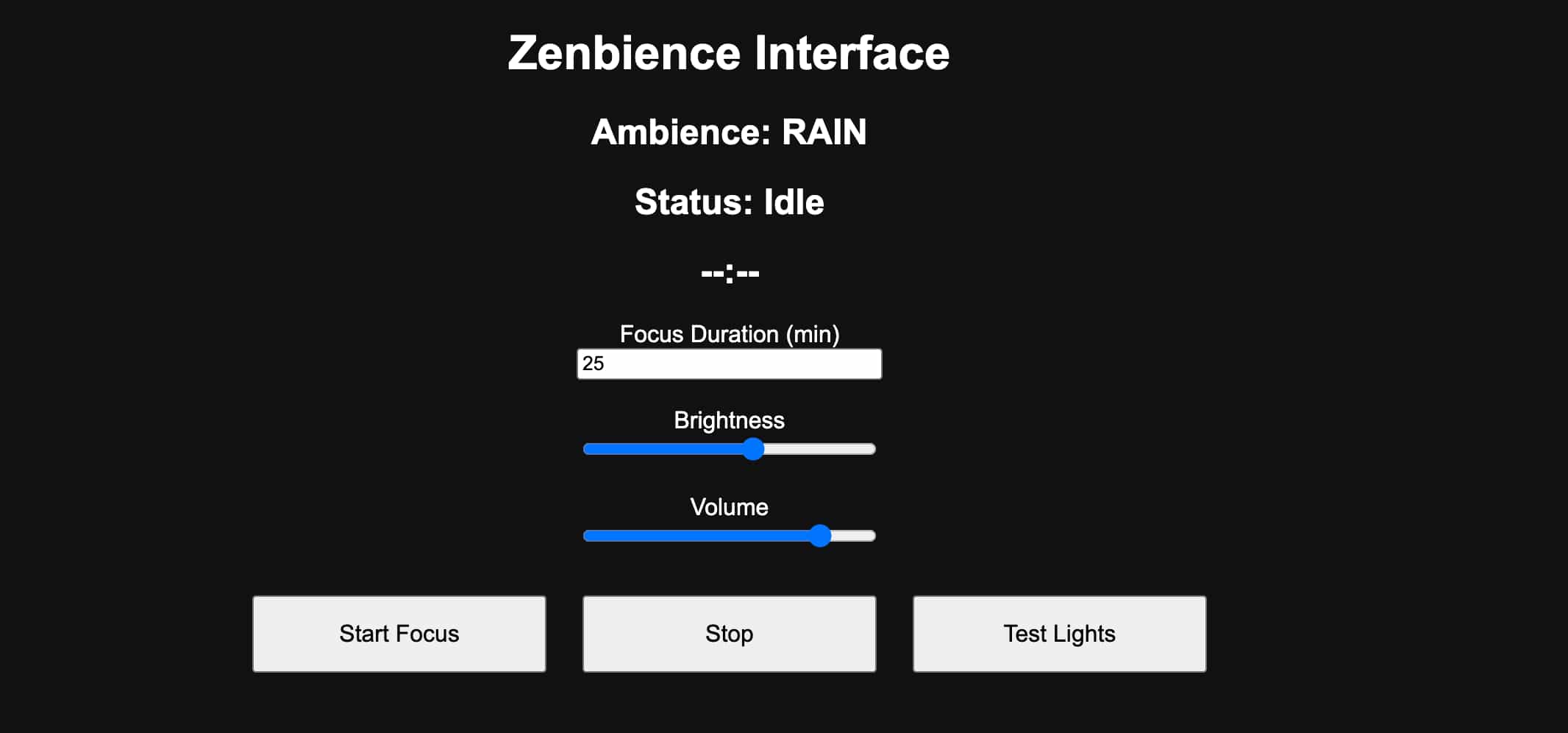
The user opens a web browser and enters the ESP32’s IP address.
The webpage provides controls for:
- Focus Duration
- Brightness
- Volume
- Start Focus Session
- Stop Session
- Test Lights
The interface updates every second using JavaScript to request status information from the ESP32.
function startFocus() {
  let duration = document.getElementById("duration").value;
  fetch('/start?minutes=' + duration);
}

setInterval(() => {

  fetch('/status')
  .then(r => r.text())
  .then(t => {

    let parts = t.split('|');
    document.getElementById('ambience').innerText =
      "Ambience: " + parts[0];
    document.getElementById('status').innerText =
      "Status: " + parts[1];
    document.getElementById('timer').innerText =
      parts[2];
  });
}, 1000);
Creating the Web Interface #
The interface was written using HTML, CSS, and JavaScript and stored directly inside the ESP32 firmware.
The webpage contains:
Status Display #
The user can view:
- Current ambience mode
- Session status
- Countdown timer
Examples:
- Ambience: FIRE
- Status: Focus Running
- Timer: 18:42
Focus Duration #
The user can define a Pomodoro session duration in minutes.
When the Start Focus button is pressed, the selected duration is sent to the ESP32 using an HTTP request.
Brightness Control #
A slider allows the brightness of the NeoPixel ring to be adjusted in real time.
The slider sends the selected value directly to the ESP32, which updates the NeoPixel brightness without restarting the current ambience.
Volume Control #
A second slider controls the DFPlayer Mini volume.
The volume can be adjusted between 0 and 30 and updates immediately while audio is playing.
Testing Outputs #
A Test Lights button was implemented to verify that the NeoPixels and notification sequence work correctly.
WiFi Communication #
The ESP32 connects to the local WiFi network during startup.
After obtaining an IP address, the web server becomes accessible through a browser. The communication uses simple HTTP requests.
Examples include:
- /start
- /stop
- /status
- /brightness
- /volume
The webpage continuously requests status information every second, allowing the countdown timer and ambience information to update live.
RFID Ambience Selection #
The physical interaction of Zenbience is based on RFID figurines. Each figurine contains a unique RFID tag. When a figurine is placed on the device, the ESP32 reads its UID and selects the corresponding ambience mode.
The mappings are:
| RFID Figurine | Ambience |
|---|---|
| Fire | FIRE |
| Rain | RAIN |
| Thunder | THUNDER |
| Wave | WAVE |
When a new figurine is detected:
- The ambience mode changes.
- The previous audio track stops.
- The new ambience track begins looping.
- The NeoPixel ring changes color.
To prevent repeated triggering while the figurine remains on the reader, the software stores the last detected UID and ignores duplicate readings.
NeoPixel Feedback #
The NeoPixel ring provides visual feedback for each ambience.
| Mode | Color |
|---|---|
| Fire | Red |
| Rain | Blue |
| Thunder | Purple |
| Wave | Cyan |
During a focus session, slightly dimmed colors are displayed to create a less distracting environment.
Pomodoro Functionality #
The most significant addition for this assignment was the Pomodoro timer.
The workflow is:
- User selects a focus duration.
- User presses Start Focus.
- Countdown begins.
- Ambience continues normally during the session.
- Timer reaches zero.
- Focus session ends.
- NeoPixels blink green five times.
A separate notification sound is also played through the DFPlayer Mini when the session finishes. This allows the user to remain focused without constantly checking the timer.
Conclusion #
The final interface successfully communicates with the ESP32-C3 over WiFi and allows real-time interaction with the embedded system. The application integrates multiple inputs and outputs:
Inputs #
- RFID reader
- Web interface controls
Outputs #
- NeoPixel ring
- DFPlayer Mini and speaker
- Browser status display
The result is a complete user interface for Zenbience that combines physical interaction through RFID figurines with wireless control through a browser-based application.
Files #
- Interface (.ino) (replace WiFi information)