Steps below: Fusion CAM (facing, then STL) · Modela Player 4 (toolpath and cut).
CAM in Fusion is a facing pass on the copper. The electronics design is pushed to a 3D PCB, extra bodies are removed, a face is created on the top, and a facing operation levels that surface. The result is exported as STL for Modela Player 4.
Step 1: Copper layer only — export STEP
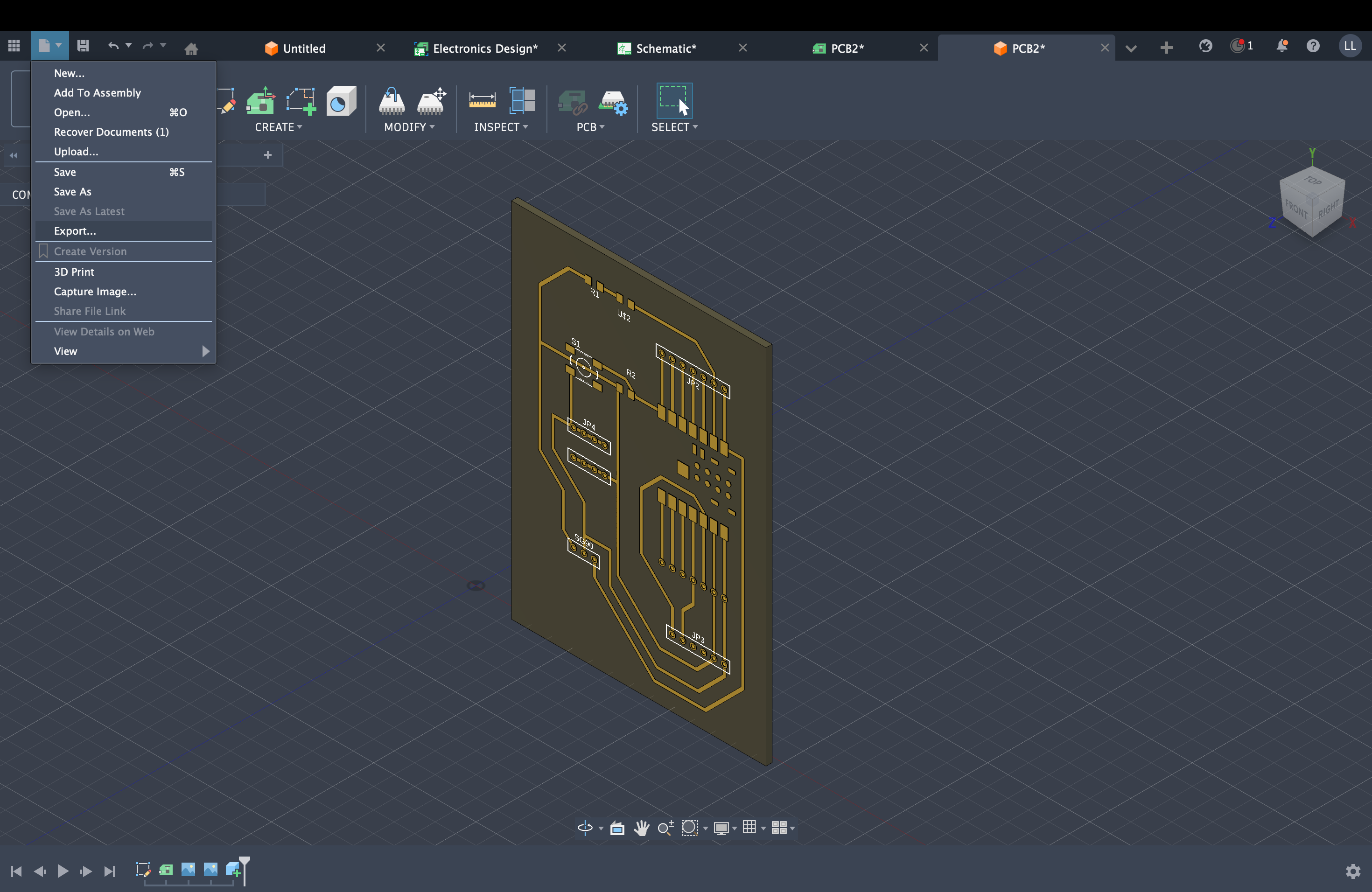
After finishing the 3D PCB output, remove the other unnecessary bodies and keep only the copper layer, then export in STEP format.
After 3D PCB output: strip extra geometry, keep copper layer, export STEPCopper layer only, ready for STEP export
Step 2: Create a face at the top level
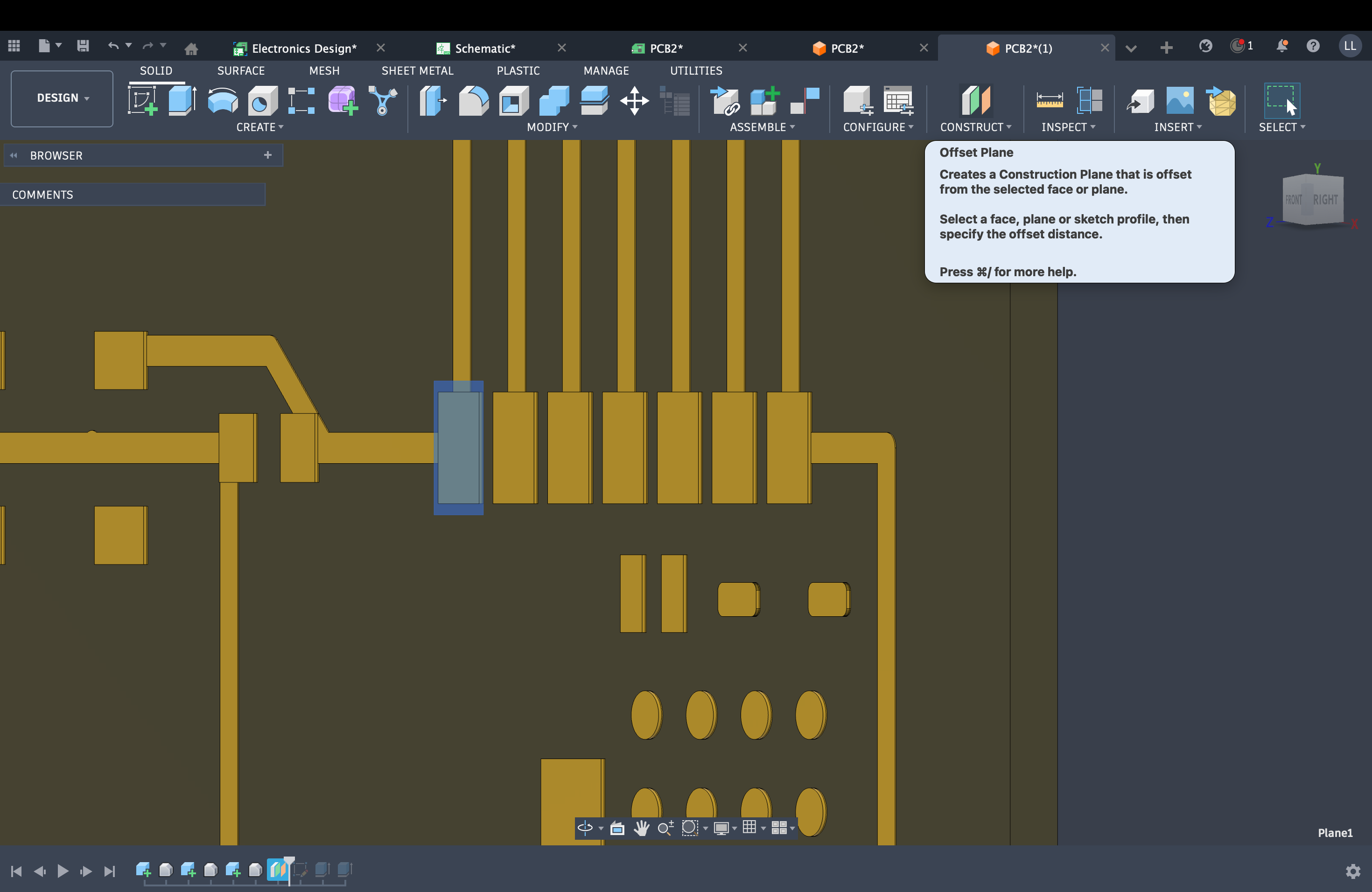
At the top level of the design, create a new face (construction surface or sketch plane) as shown.
Create a face at the top level
Step 3: Sketch on the face — level the surface
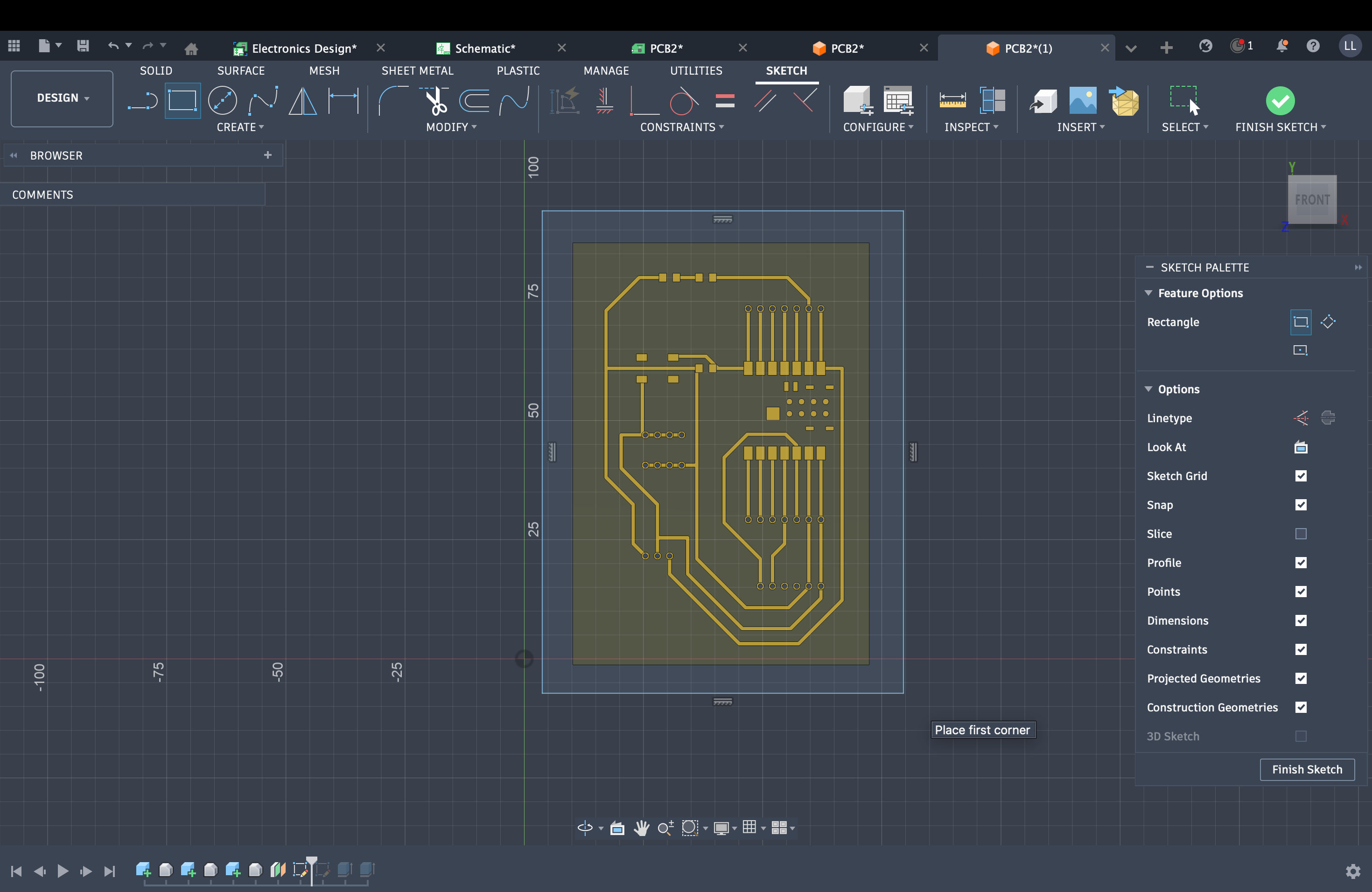
Create a sketch on that face, then run a facing operation to remove one layer so the top stays flat with no steps or ridges.
Sketch on the face, then face the stock to a flat top
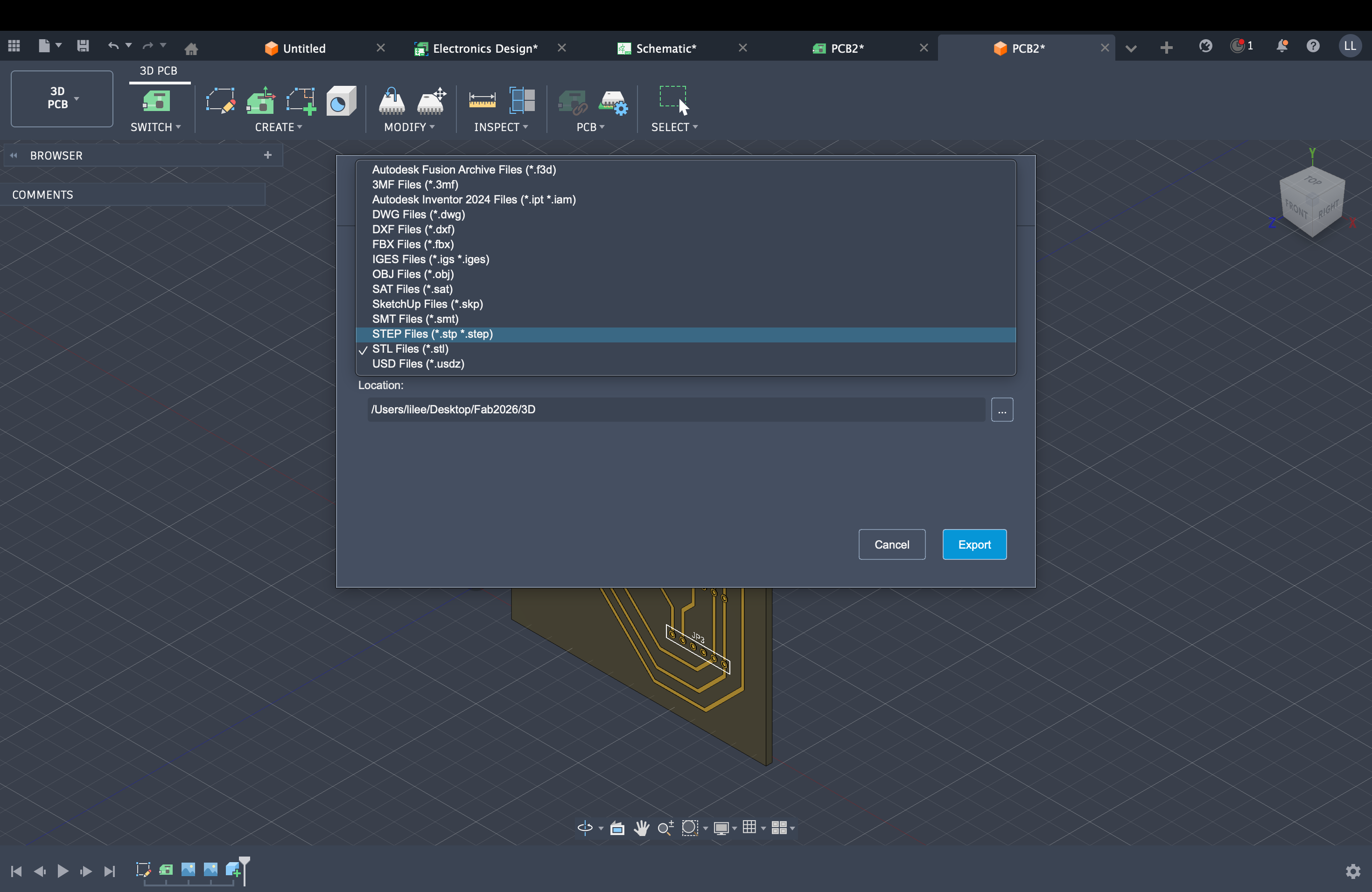
Step 4: Export STL
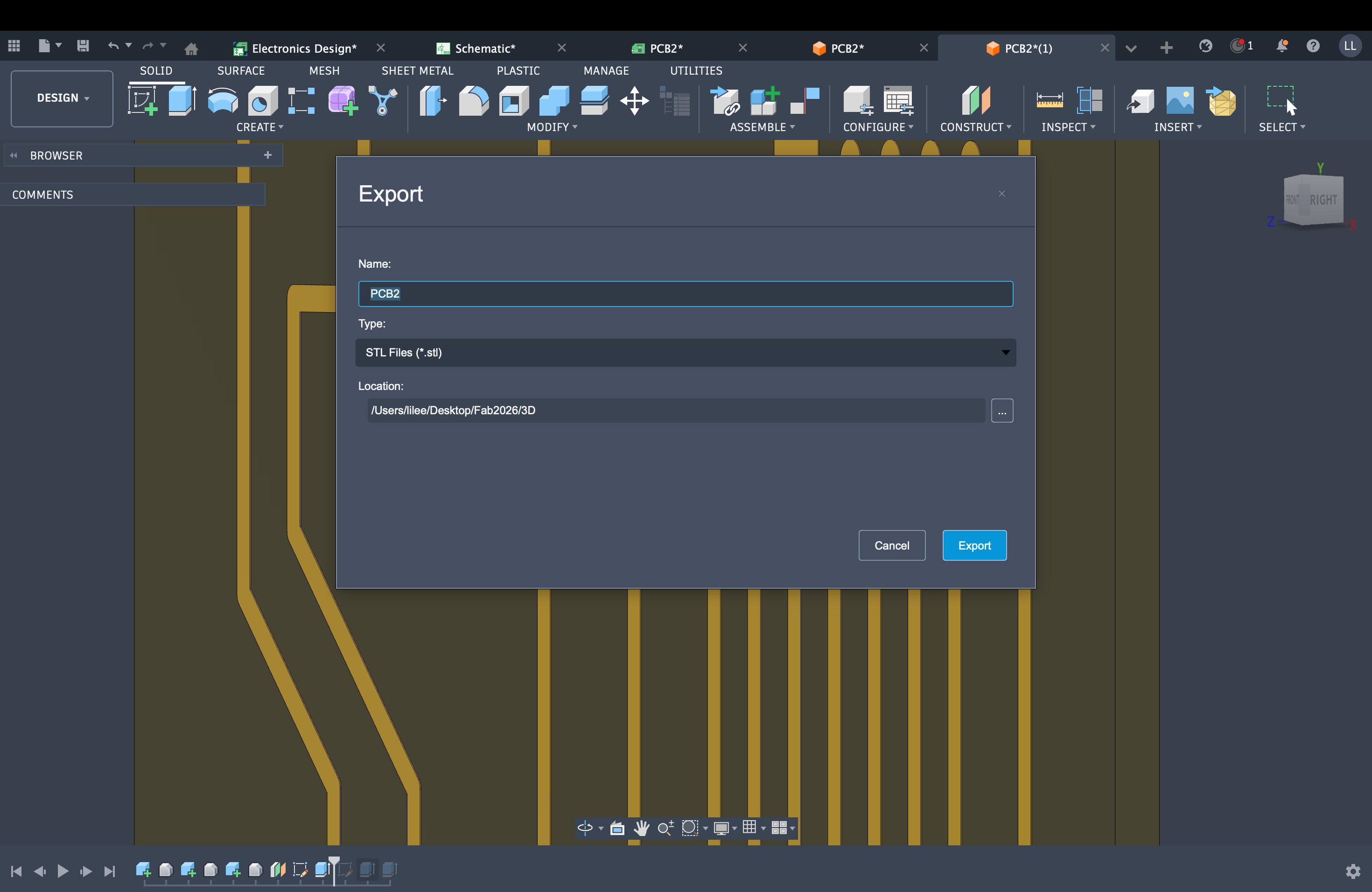
After facing, export STL from Fusion and set mesh resolution / units as needed.
STL export from Fusion
Step 1: Power on, View, and align the tool
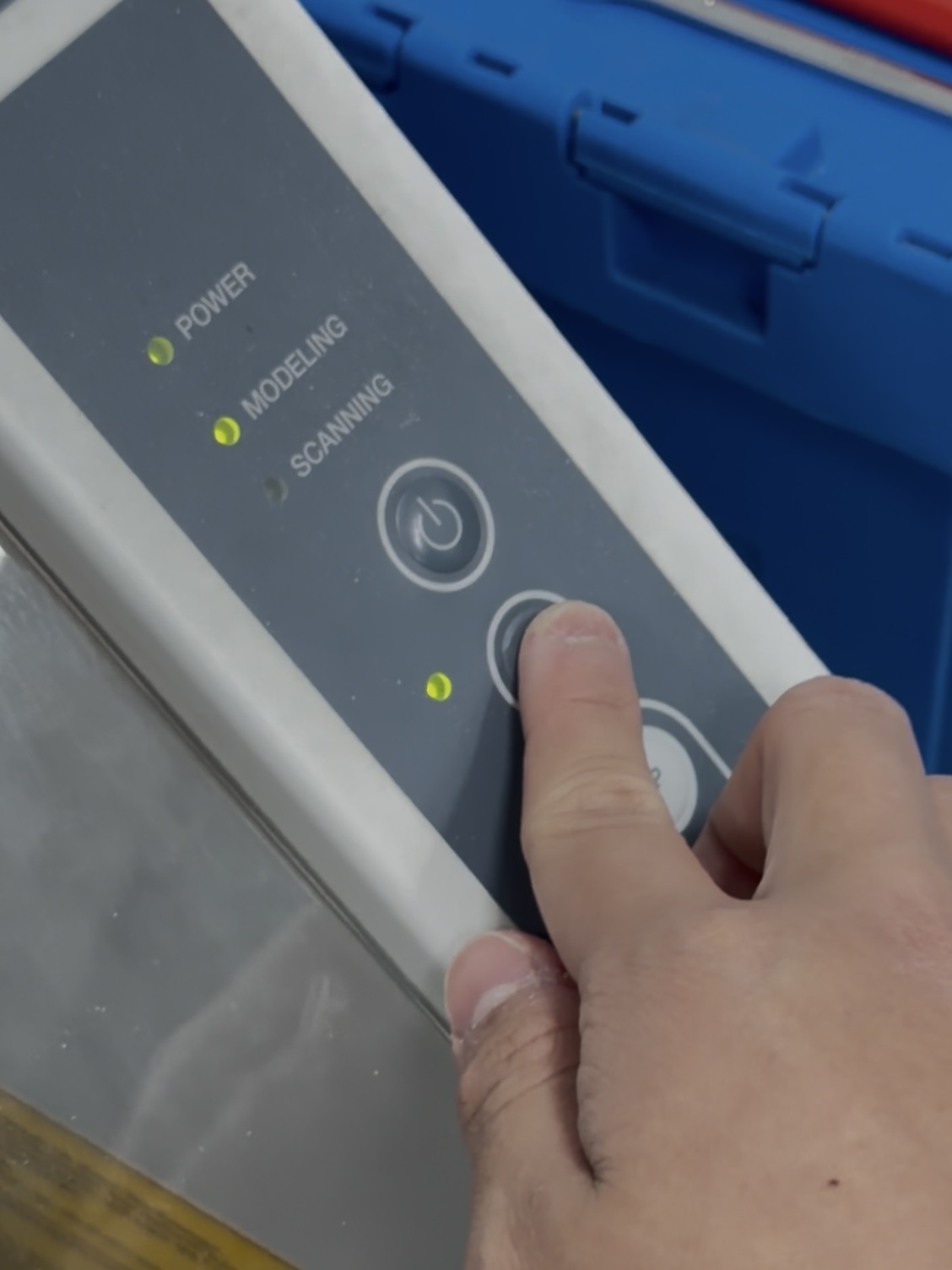
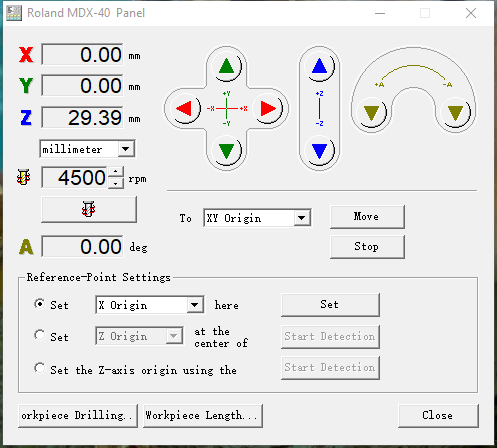
After switching the machine on, click View, then open Roland MDX-40 Panel. Use the software to jog the drill to the top-left corner of the prepared copper board.
Machine on: use View and Roland MDX-40 Panel to prepare for alignmentMDX-40 Panel: position the drill over the top-left corner of the copper board
Step 2: Spindle on and touch off Z
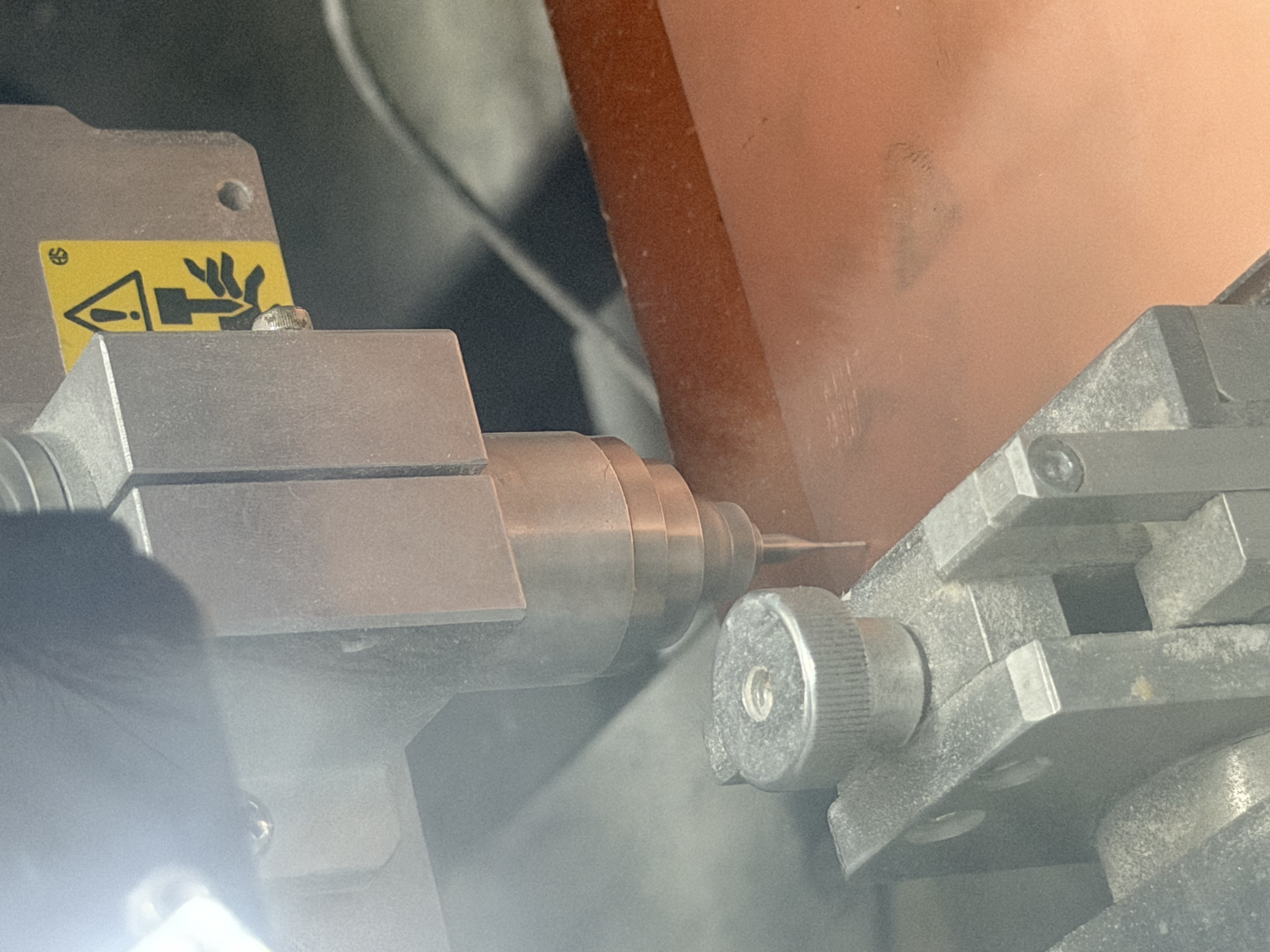
In the same panel, start spindle rotation, then adjust Z until the bit lightly touches the copper—just a kiss, not deep—to avoid snapping the tool.
Enable rotation; lower Z until light contact with the board (avoid excessive depth)
Step 3: Machining sequence
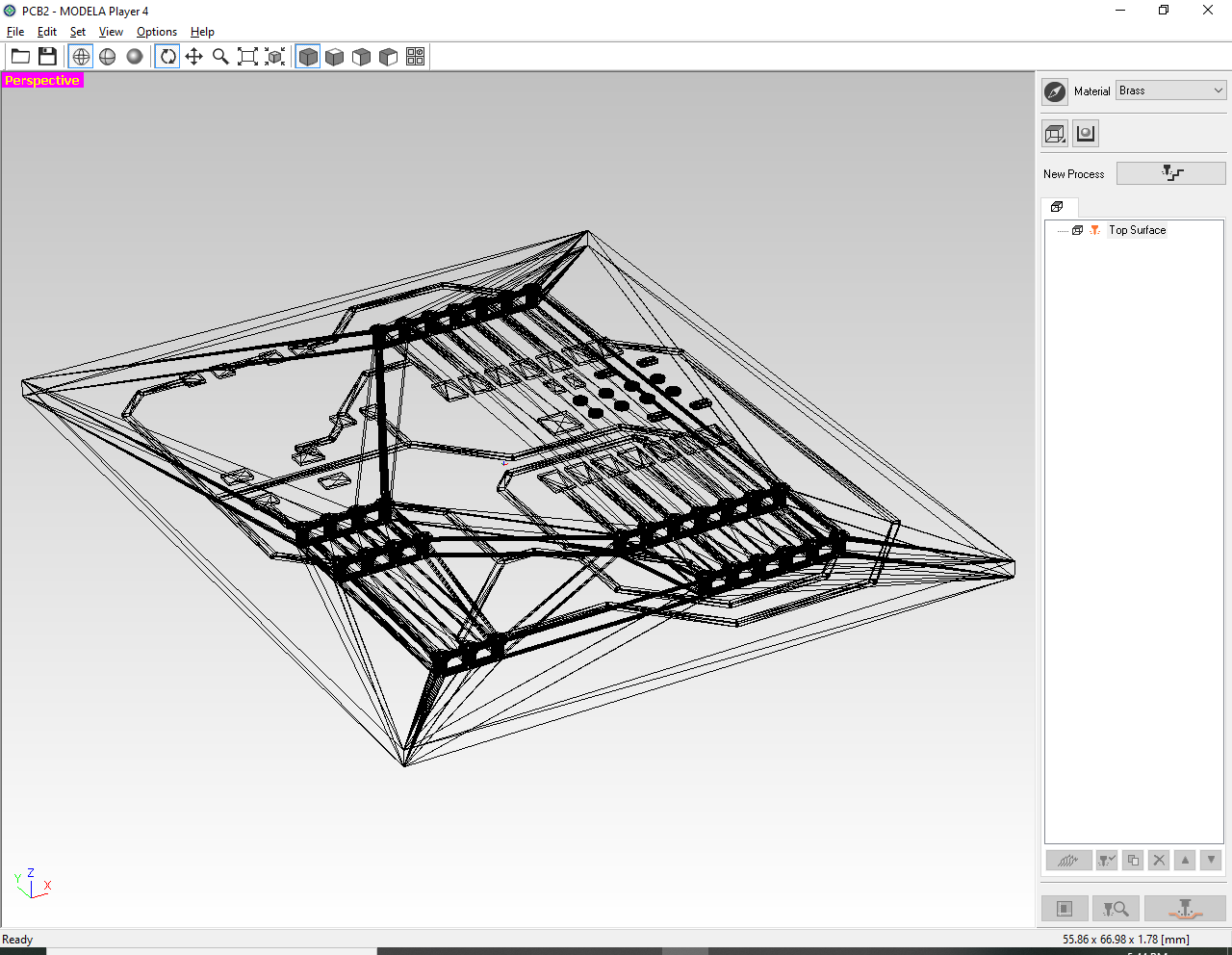
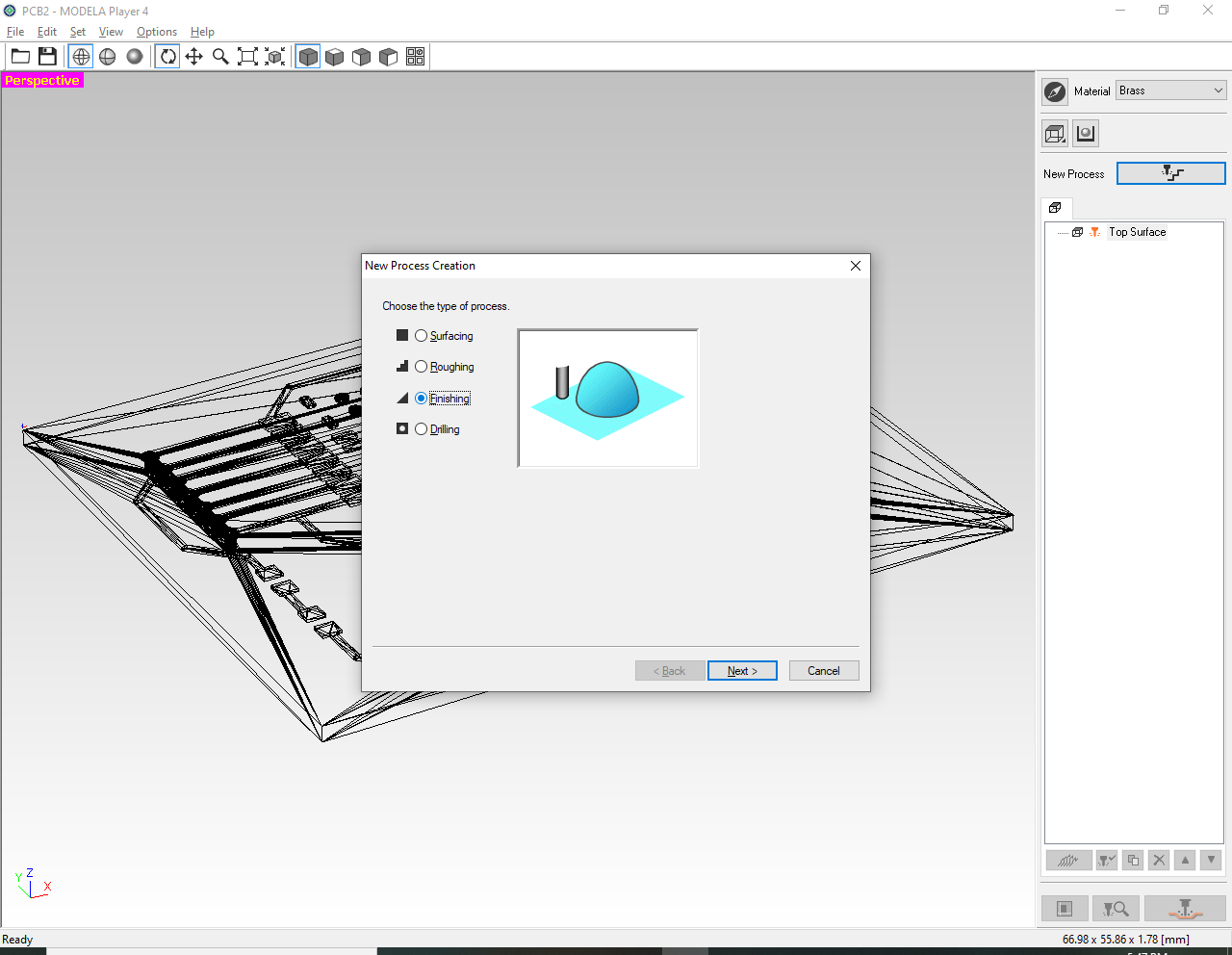
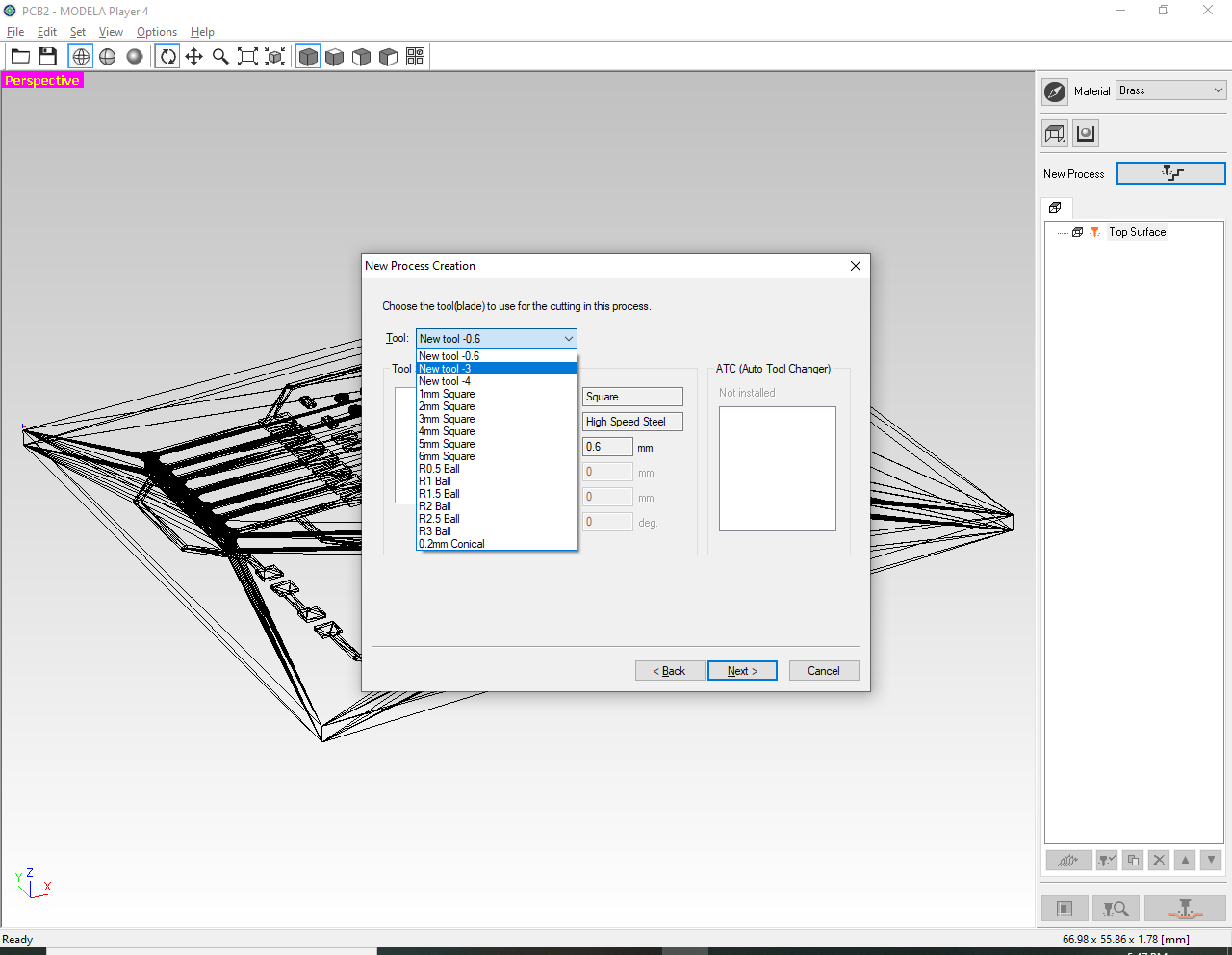
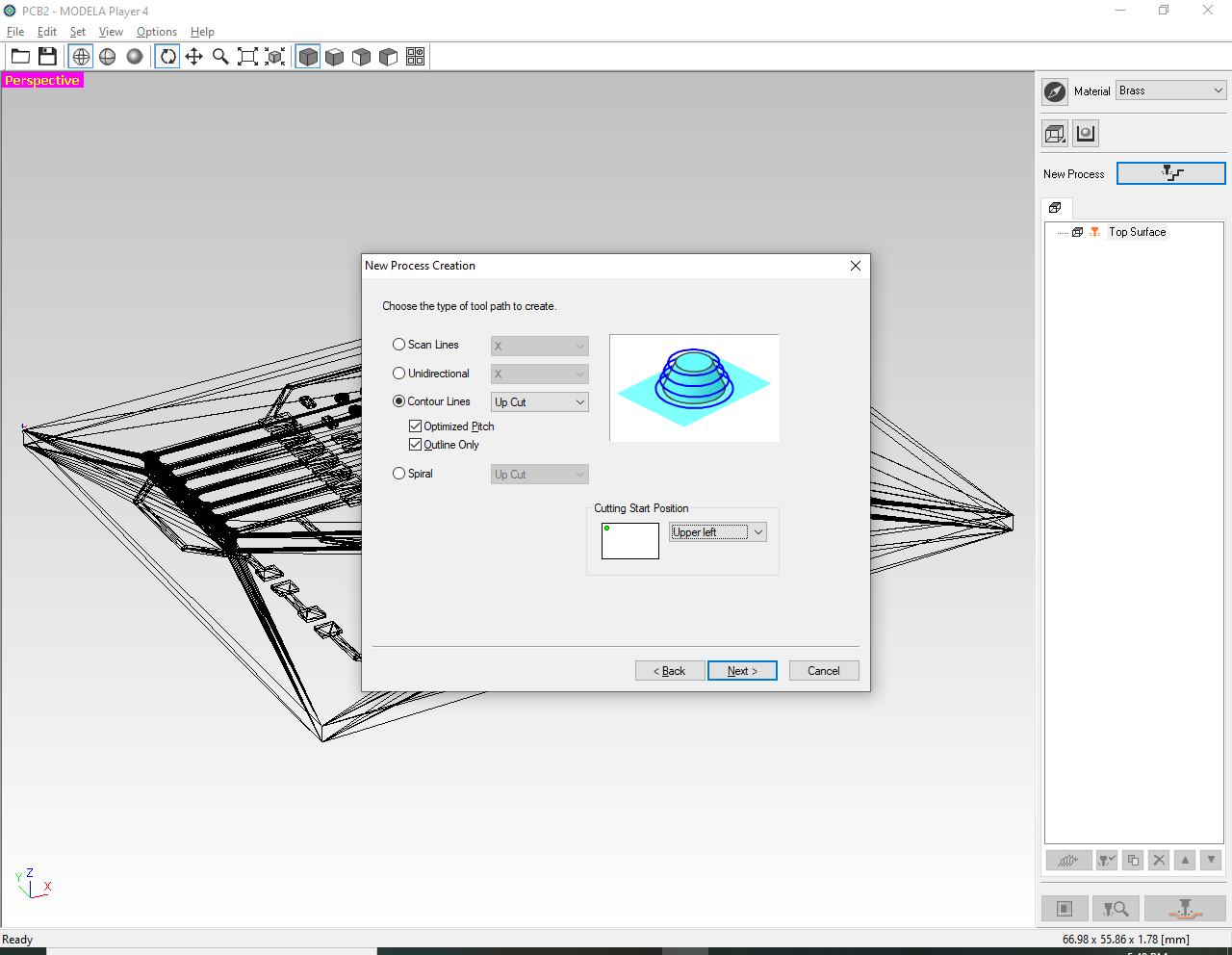
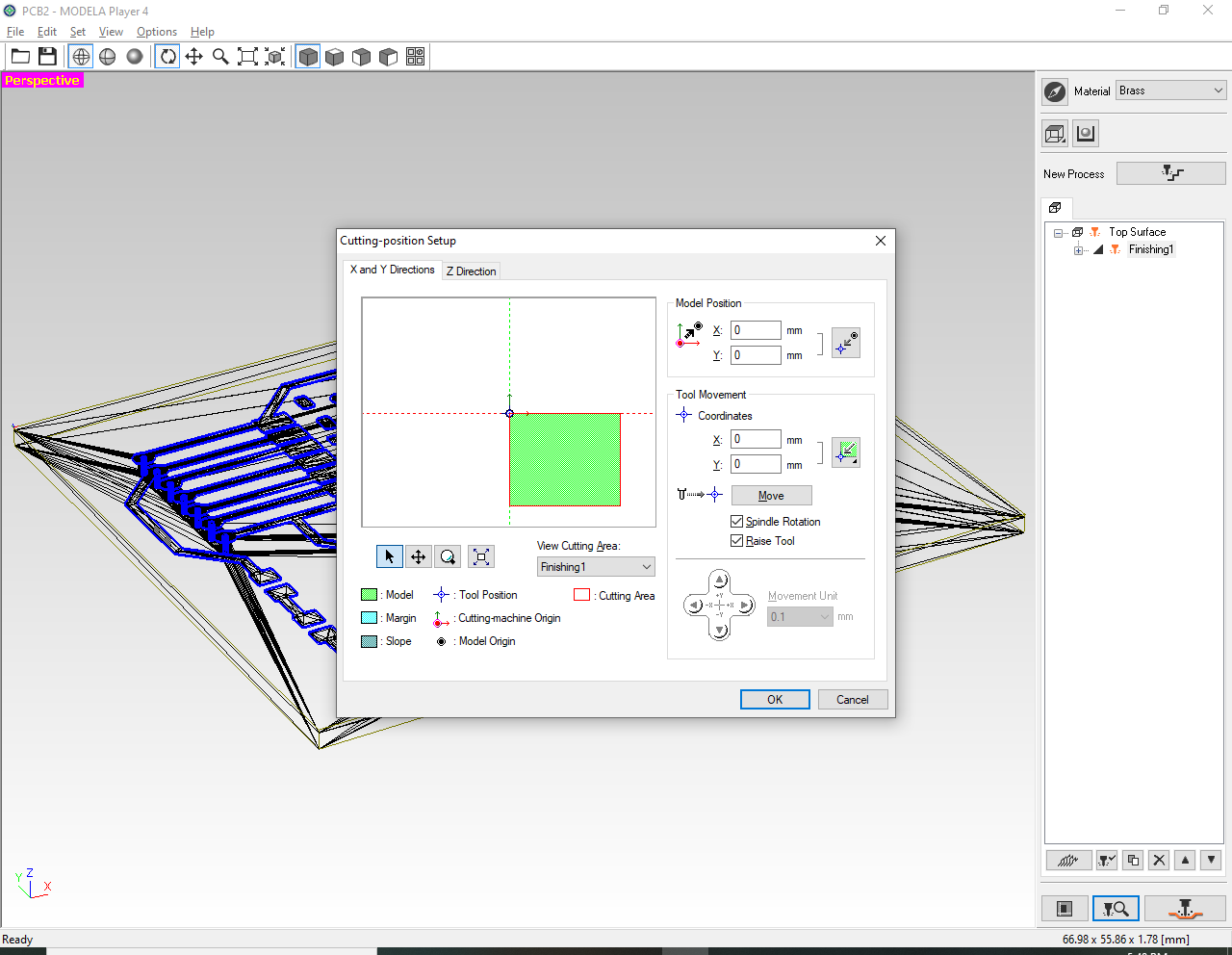
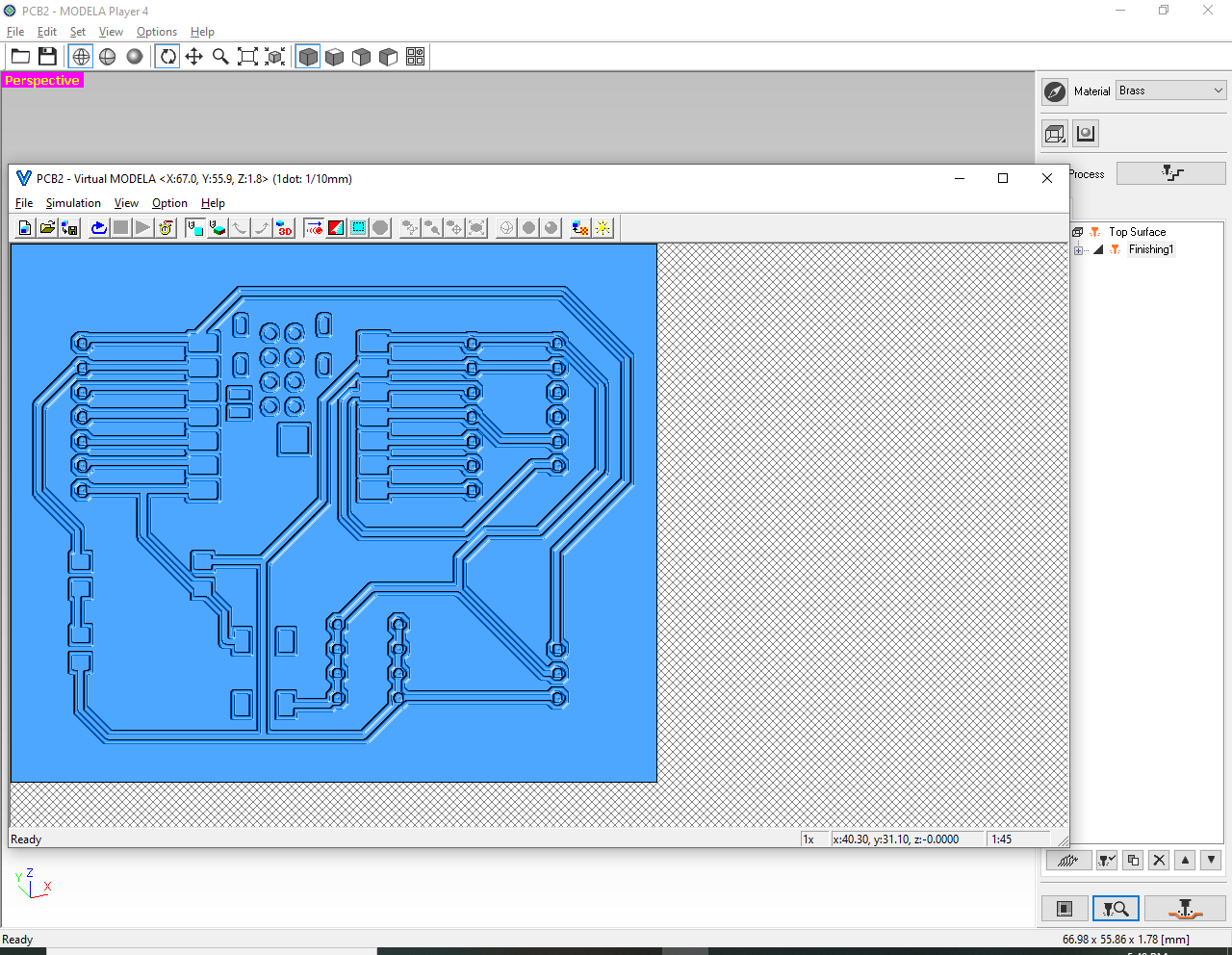
From this step on, the toolpath is in Modela Player 4 (job name PCB2). Installer: Modela Player 4 download. Settings used for this job:
Setting
Value
Material
Brass
Tool
New tool -0.6 — square, high-speed steel, 0.6 mm
Model size
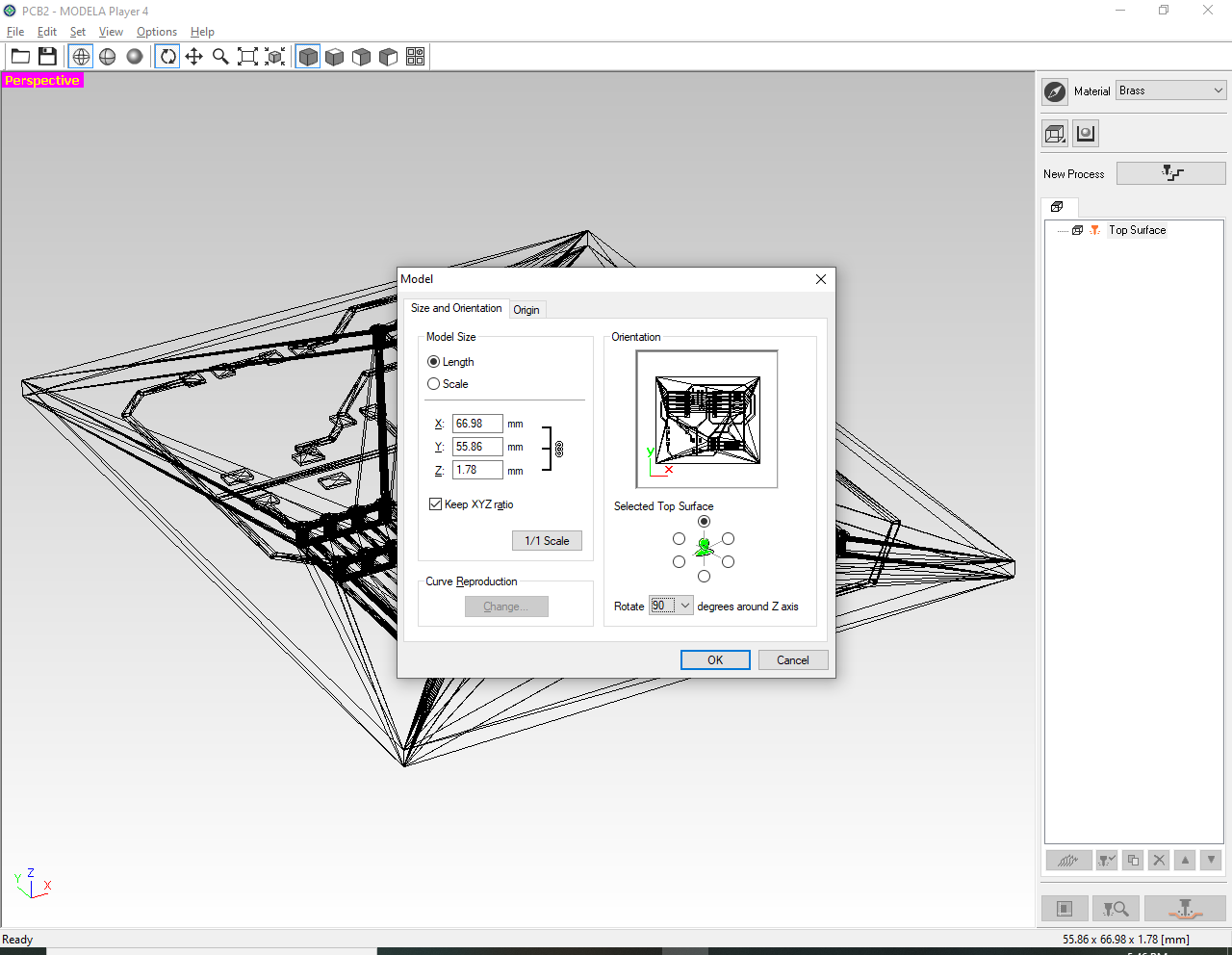
66.98 × 55.86 × 1.78 mm
Process
Top Surface → Finishing (Finishing1)
Tool path
Contour lines, Up Cut
Contour options
Optimized Pitch and Outline Only, both on
Cutting start
Upper left
Model position
X 0 mm, Y 0 mm
Jog step
0.1 mm, spindle rotation and raise tool on
The screenshots below are the same dialogs. Click a thumbnail to enlarge it.
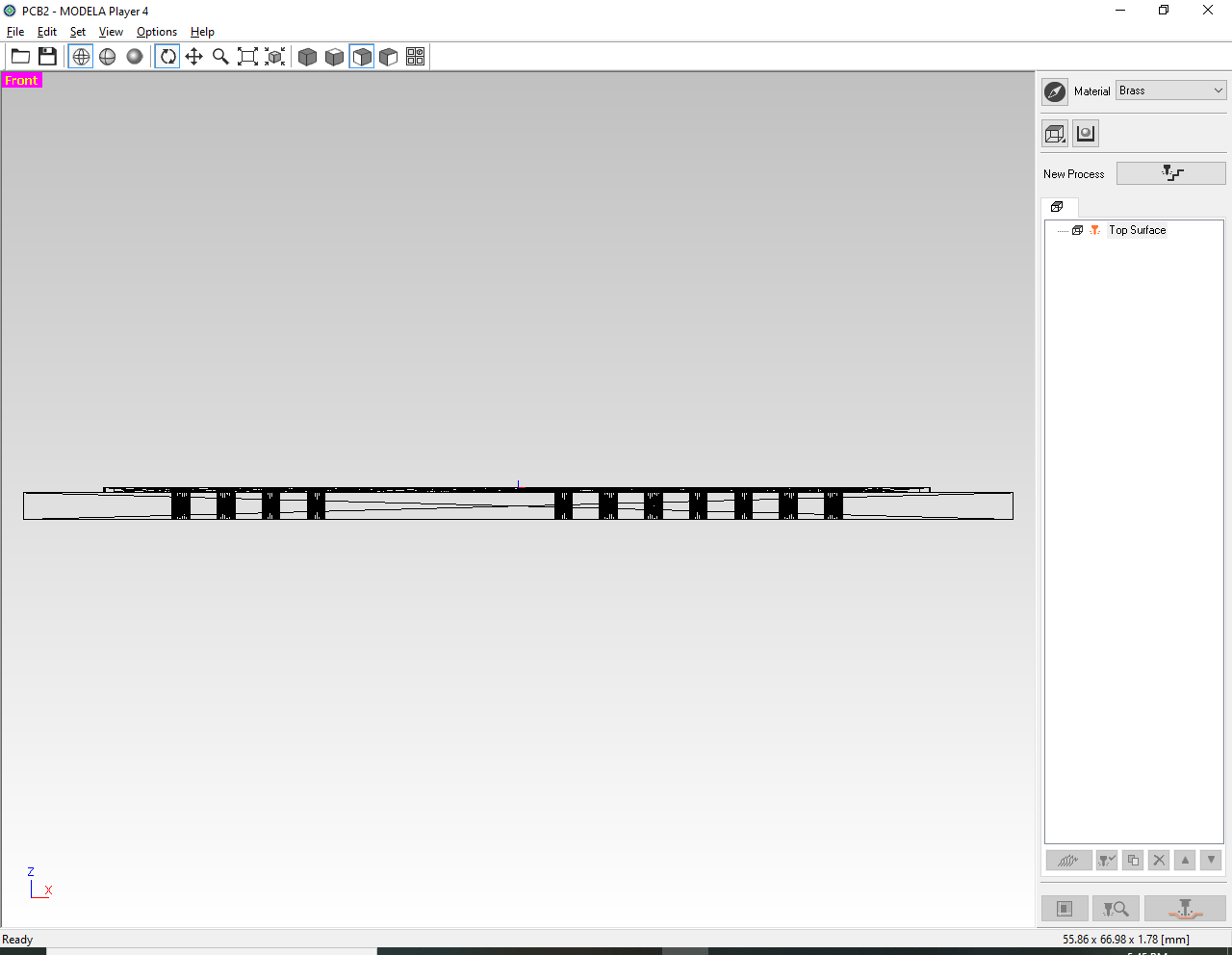
Change the view and verify model thickness.
Set → Model size and orientation; rotate 90°.
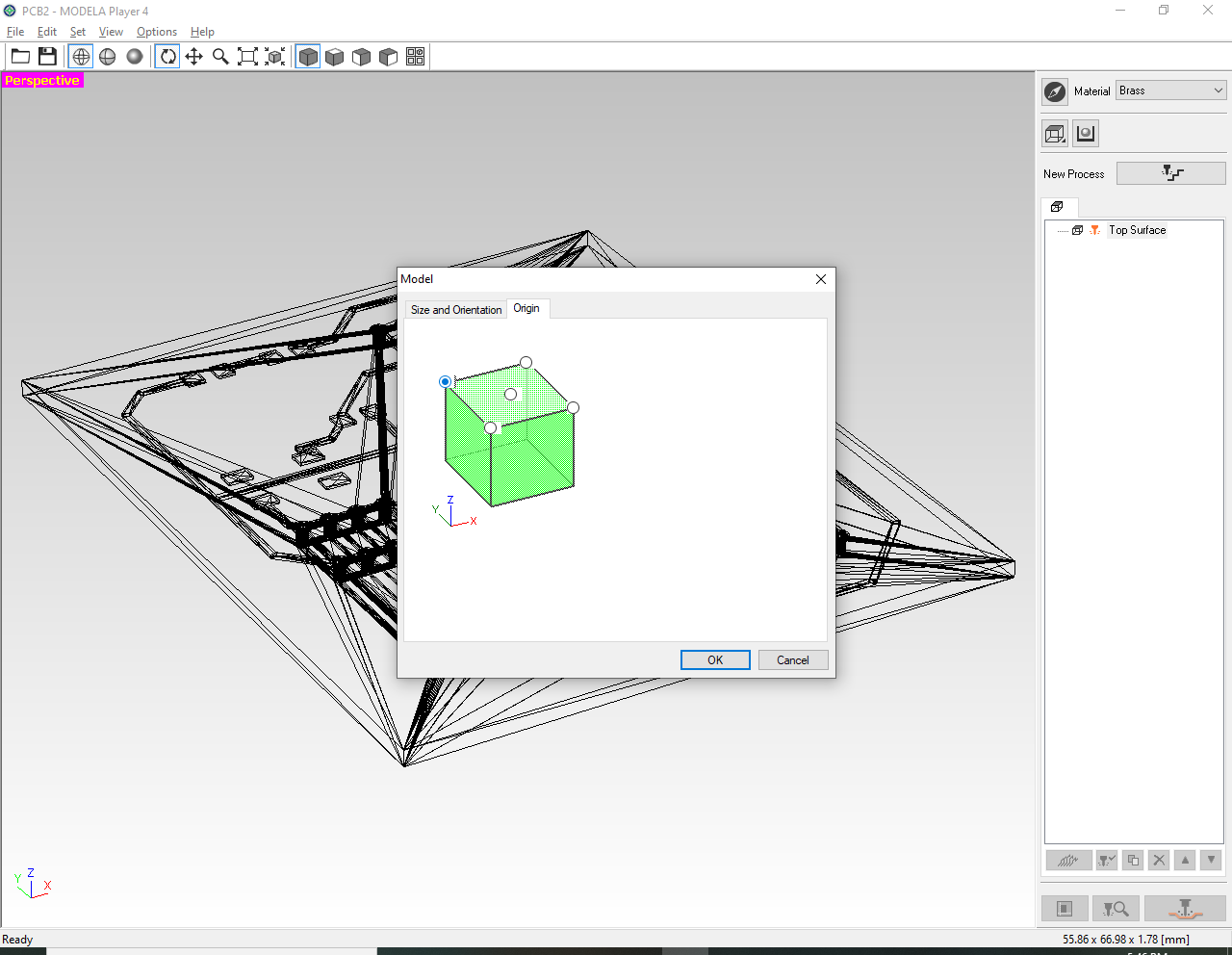
Origin: click the top-left corner as the cut start.
Click New process on the right.
Choose Finishing.
Select your prepared tool / bit data.
Select Contour lines.
Enable both options below.
×
Step 4: Preview toolpath and start cutting
Click Preview in the bottom-right corner to check that the toolpath looks correct. If everything is OK, click Cut (or the equivalent start command) to run the job.
Preview the path, then confirm and cut
Step 5: Cutting process
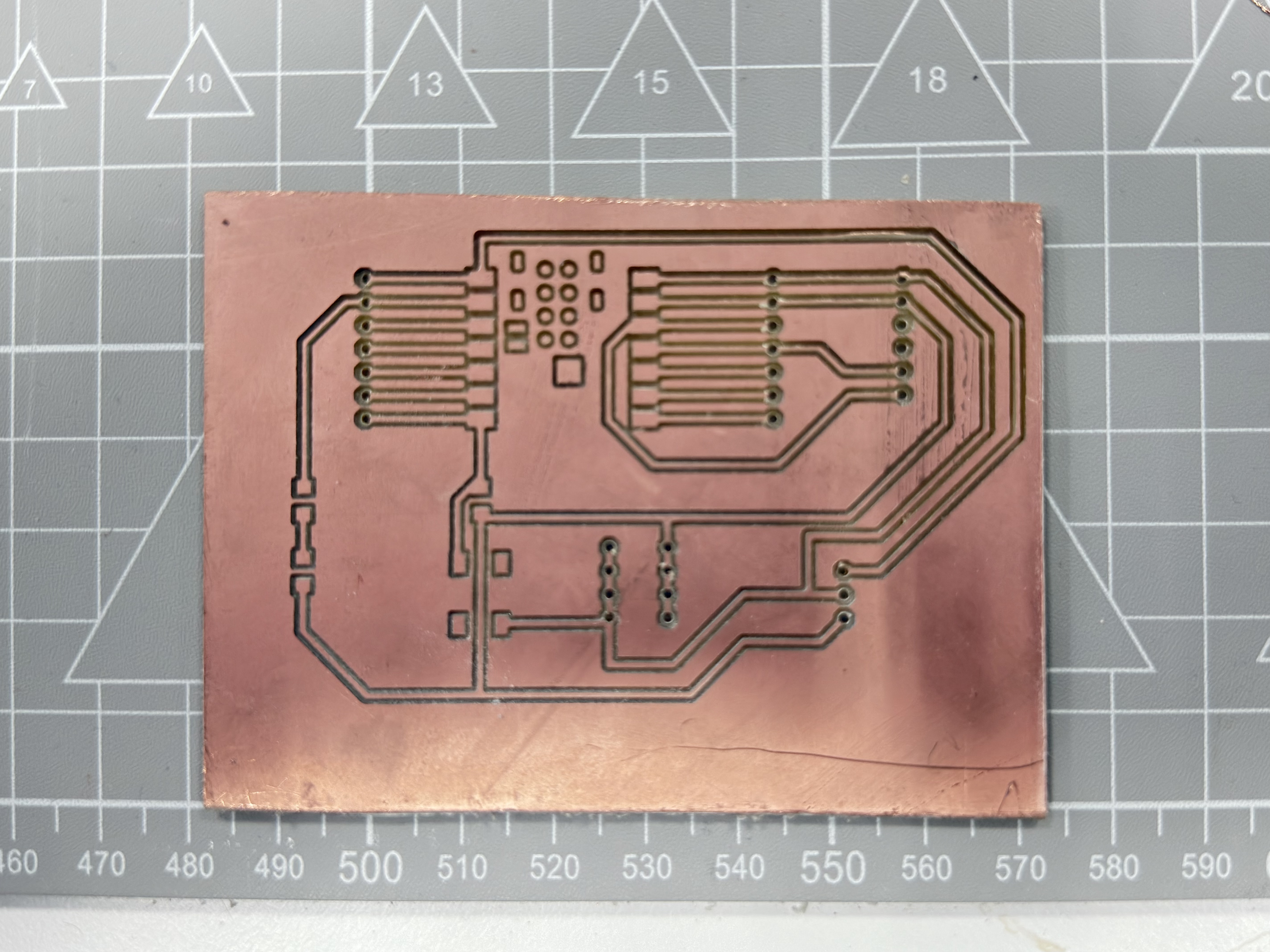
The Virtual MODELA preview of PCB2 shows isolation grooves, a row of pads along one side, and a small header footprint in the middle. The milled board is the same job: about 67 × 56 mm, 1.78 mm stock, copper left as traces and pads. This first board is V1. The pads were too weak to solder reliably, which is why V3 switches to pin-header footprints. The photo is the board straight off the machine, before that rework.
Cutting processV1 finished board — isolation-milled copper, about 67 × 56 mm, before soldering
2. PCB design iterations
The first milled board failed because the pads were too weak. Three revisions follow: what went wrong, the pictures, and what changed. The pad issue is resolved in V3. The final CAD is in Week 6 — Final PCB Design (Revision V3).
V1 — First prototype
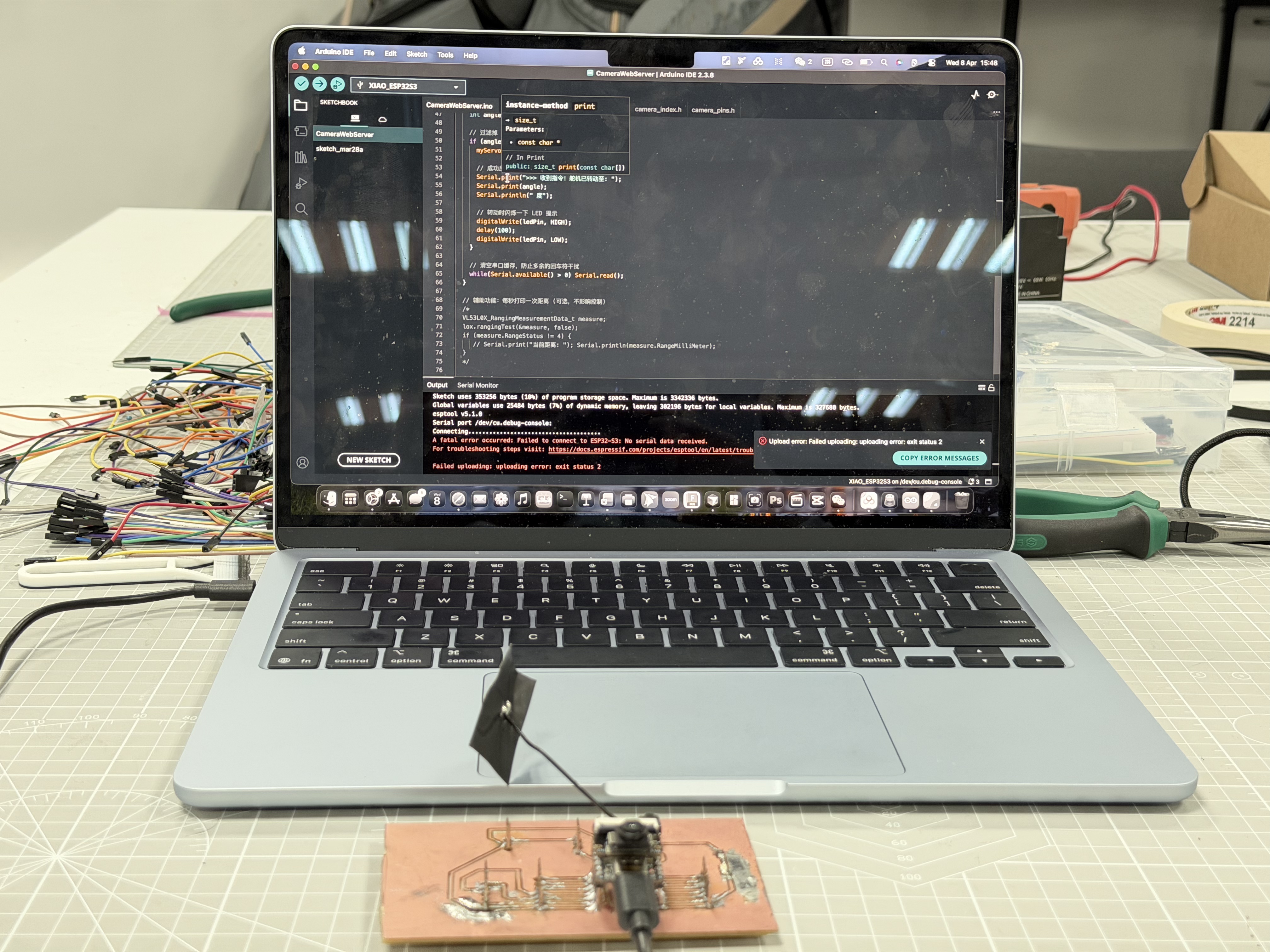
Design Rules (DRC) in Fusion 360 were wrong. Solder pads were missing or too weak in the CAM output, so joints were intermittent. During servo and LED testing, an overcurrent damaged the XIAO ESP32-C3. The sketch compiled, but esptool reported no serial data, so the firmware never uploaded.
esptool v5.1.0
A fatal error occurred: Failed to connect to ESP32-C3: No serial data received.
First milled board (before rework)Upload failed — no serial from ESP32-C3
Next: trace the failure to DRC and pad generation, then revise the rules before milling again.
V2 — DRC-only fix
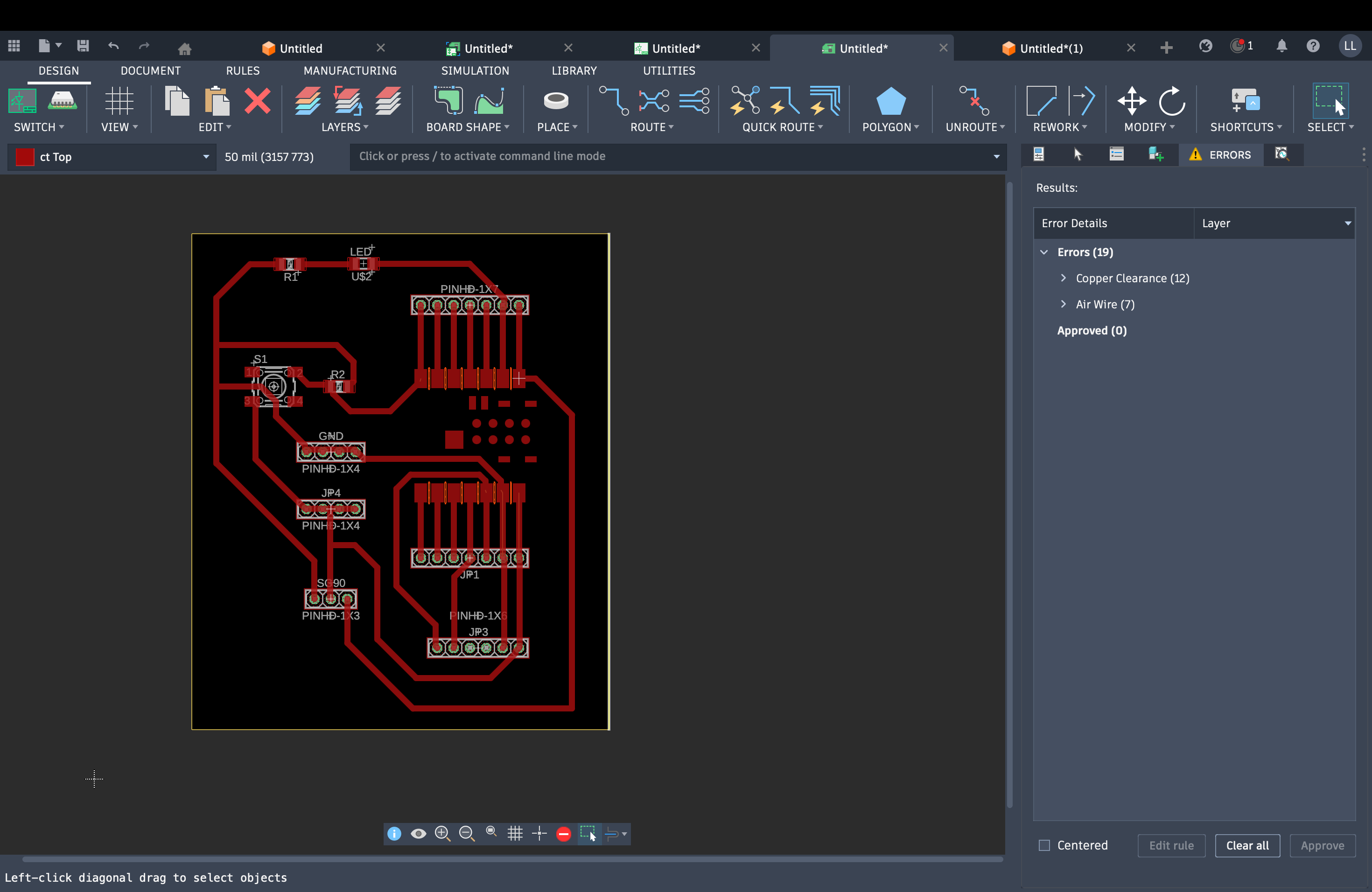
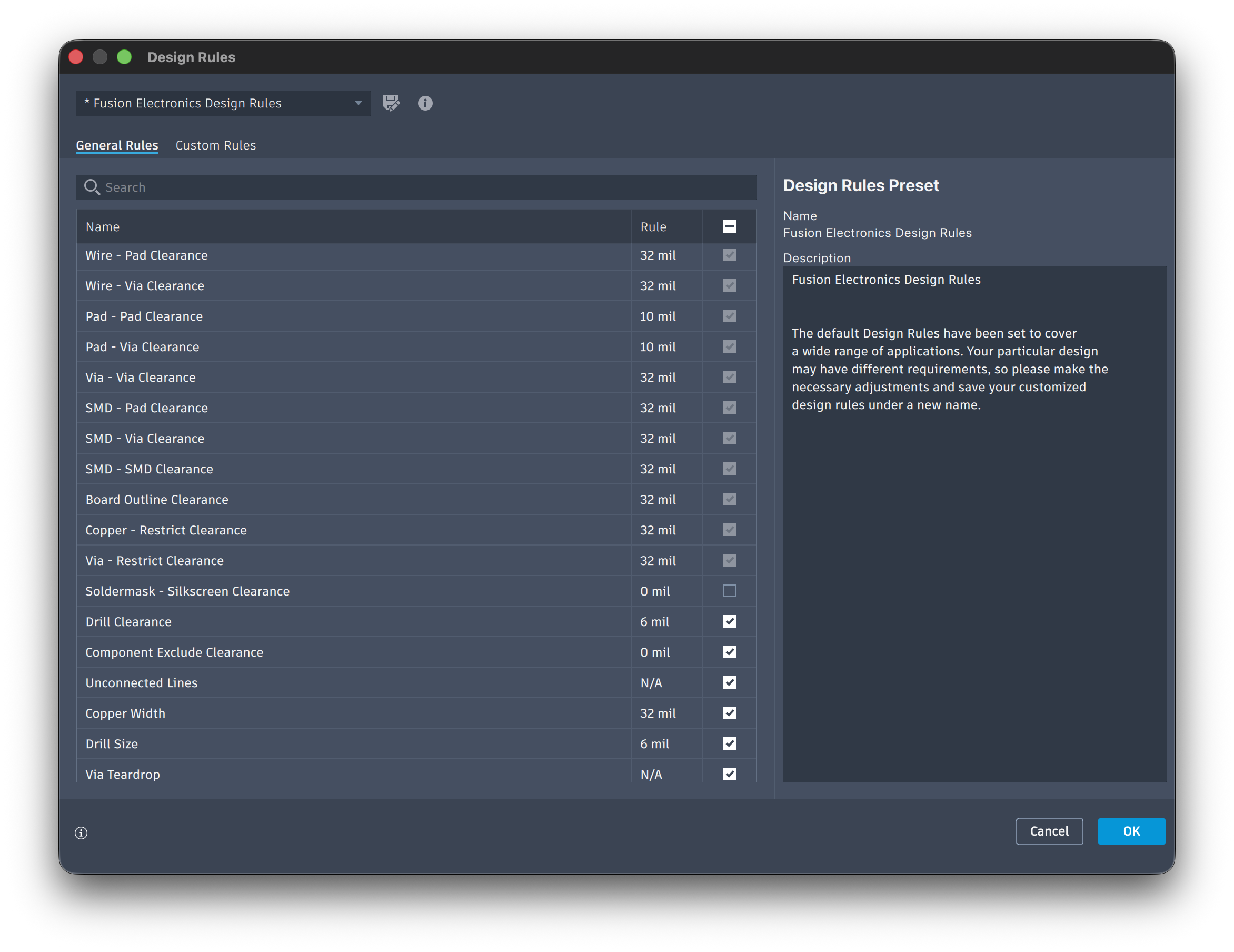
Updated the Design Rules and re-exported the layout. Some settings improved. The pads were still too small for hand soldering on a single-sided milled board, so the mechanical connection stayed unreliable.
Revised layout and rulesDesign Rules dialog
Next: clearance and pad rules alone were not enough. Change the footprints (V3).
V3 — Pin headers
Small pads on milled copper were hard to solder. The connectors were replaced with 2.54 mm pin-header footprints: solder the headers first, then plug in the module. Resolved
V1 pads on the milled copper were too small to solder by hand. On V3 the connectors are 2.54 mm pin headers. Solder the headers to the through-hole pads first, then plug the XIAO ESP32-C3 onto the headers. The photo is the board after that assembly.
V3 after soldering the pin headers and fitting the module
4. Code and source files
The electronics design for V3 is on Week 6. The mill job in Modela Player 4 is PCB2. The STL from the Fusion facing pass is the file that job cuts.
The first program test was an upload to the XIAO ESP32-C3. The sketch compiled. esptool then stopped with no serial data, so the board never ran the program:
esptool v5.1.0
A fatal error occurred: Failed to connect to ESP32-C3: No serial data received.