Computer-Aided Design
2D · 3D · Video Compression
Assignment Overview
Model a possible final project (6-axis robotic arm draft) in 2D and 3D, document the process with commands and screenshots, and compress the motion video for the class site.
- Evaluate and select 2D and 3D software (Photoshop, Fusion 360)
- Model a 2D raster concept of the final-project robotic arm
- Model all 6 arm components in Fusion 360 with parametric parameters
- Demonstrate video compression with before/after sizes
- Post the original full-assembly design file (.f3d) on this page
1. Evaluate 2D and 3D Software
| Software | Type | Why I used it |
|---|---|---|
| Adobe Photoshop | 2D raster | Concept sketch, layer annotations, quick visual communication of the 6-link arm before CAD. |
| Autodesk Fusion 360 | 3D CAD / assembly | Parametric solid modeling, components, revolute joints, and the downloadable .f3d source. |
OS: macOS · AI help: Gemini (constraints, joint alignment, parameter naming)
2. 2D Design
Photoshop (raster)
I drafted a labeled concept of the robotic arm as a raster illustration before building solids in Fusion.
- File → New — create a document (e.g. 1400×900 px, RGB).
- Layers — add separate layers: Background, Shoulder, Base, Link2–3, Wrist, EndEffector, Labels.
- Brush / Pen — draw the silhouette of each link; keep joints readable.
- Type tool — label components 1–6 for the later Fusion browser structure.
- File → Export → Export As… → PNG — export for documentation.
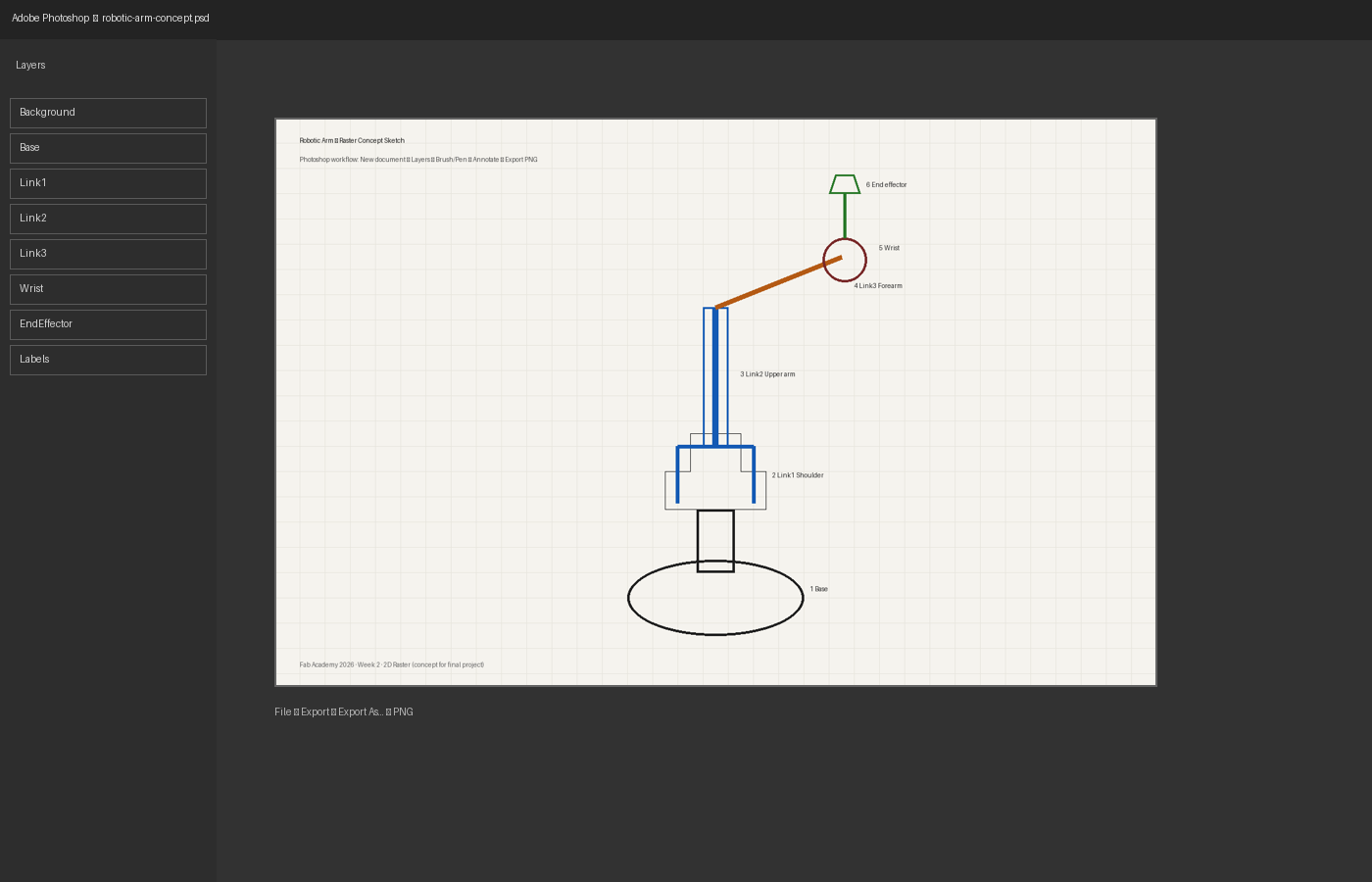
Photoshop workspace — layered concept
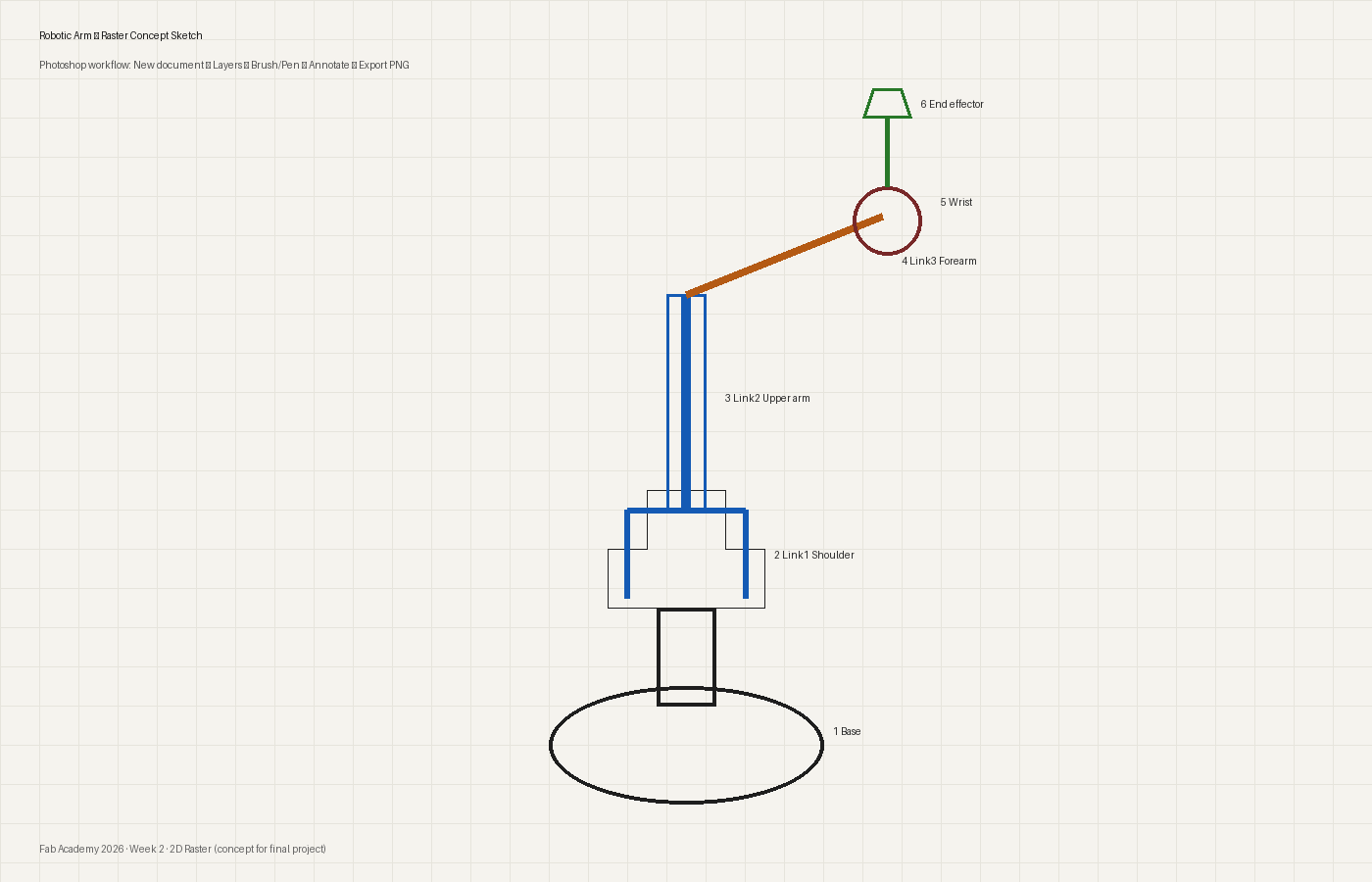
Result — labeled 6-component concept
3. 3D Parametric Robotic Arm (Fusion 360)
Built as a Hybrid Design: one component per link, parameters drive sketches and extrudes, then Revolute Joints connect the assembly.
Global parameters
All user parameters live in Modify → Change Parameters. Linked values (e.g. diameter2 = 5 * diameter1 / 6, height2 = 1.2 * height1) keep components synchronized when a master size changes.
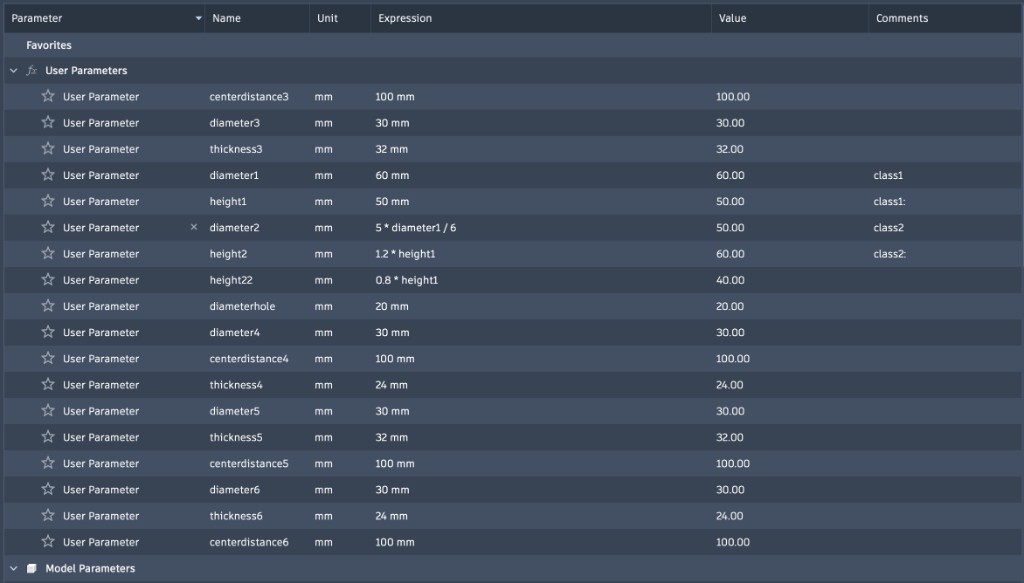
3.0 Shared modeling commands (every component)
- File → New Design → Hybrid Design
- Assemble → New Component — name it (Shoulder / Link1, Base, …)
- Activate the component (double-click in browser)
- Create Sketch → pick a plane → draw profile (Line, Circle, Dimension, Constraint)
- Modify → Change Parameters →
+add parameters / formulas - Create → Extrude — distance = parameter name
- Assemble → Joint → Revolute — set axis and motion limits
Create Hybrid Design
Start a new Hybrid Design so solid modeling and assembly components live in one file.
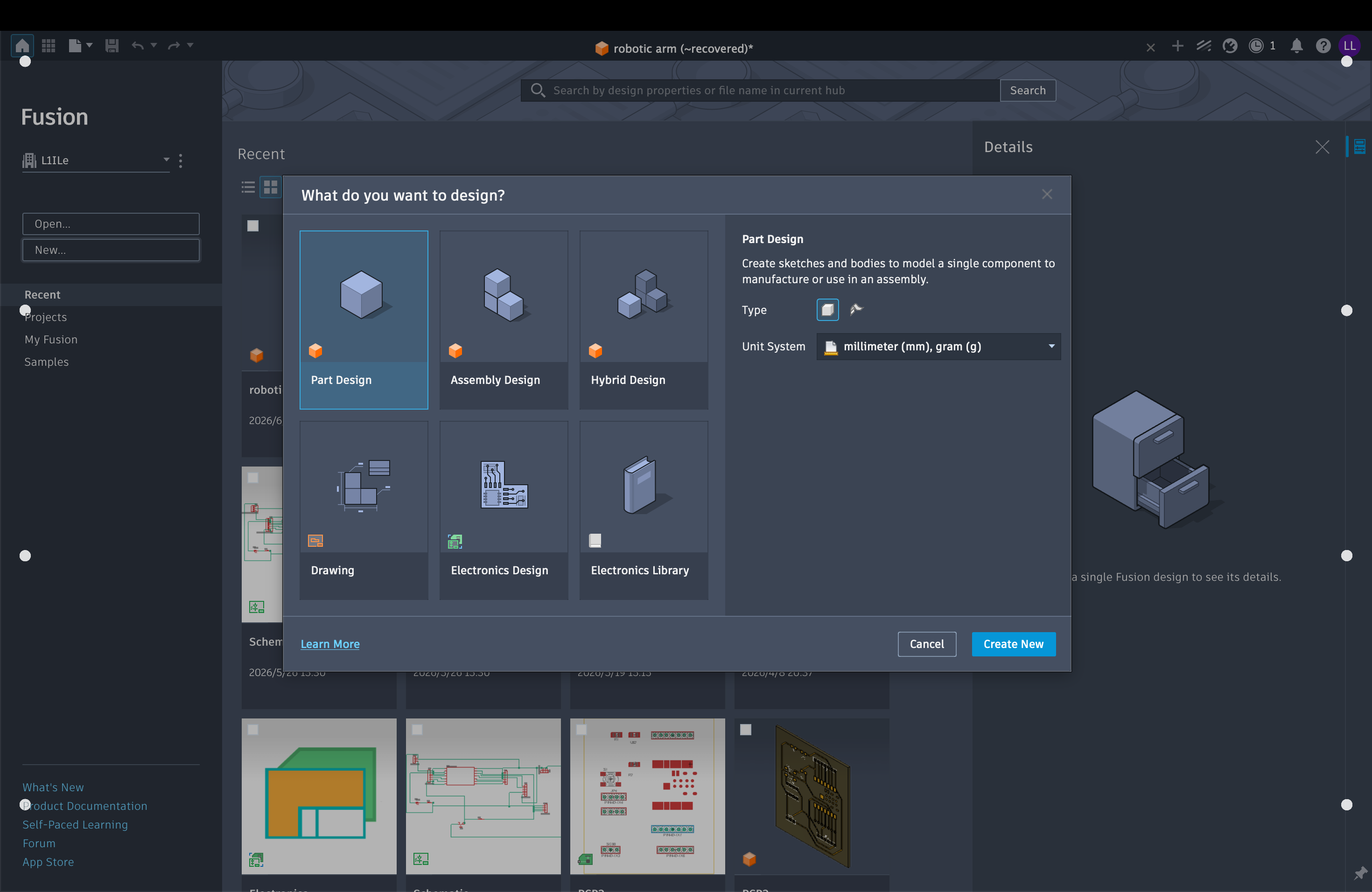
Create / activate component + sketch tools
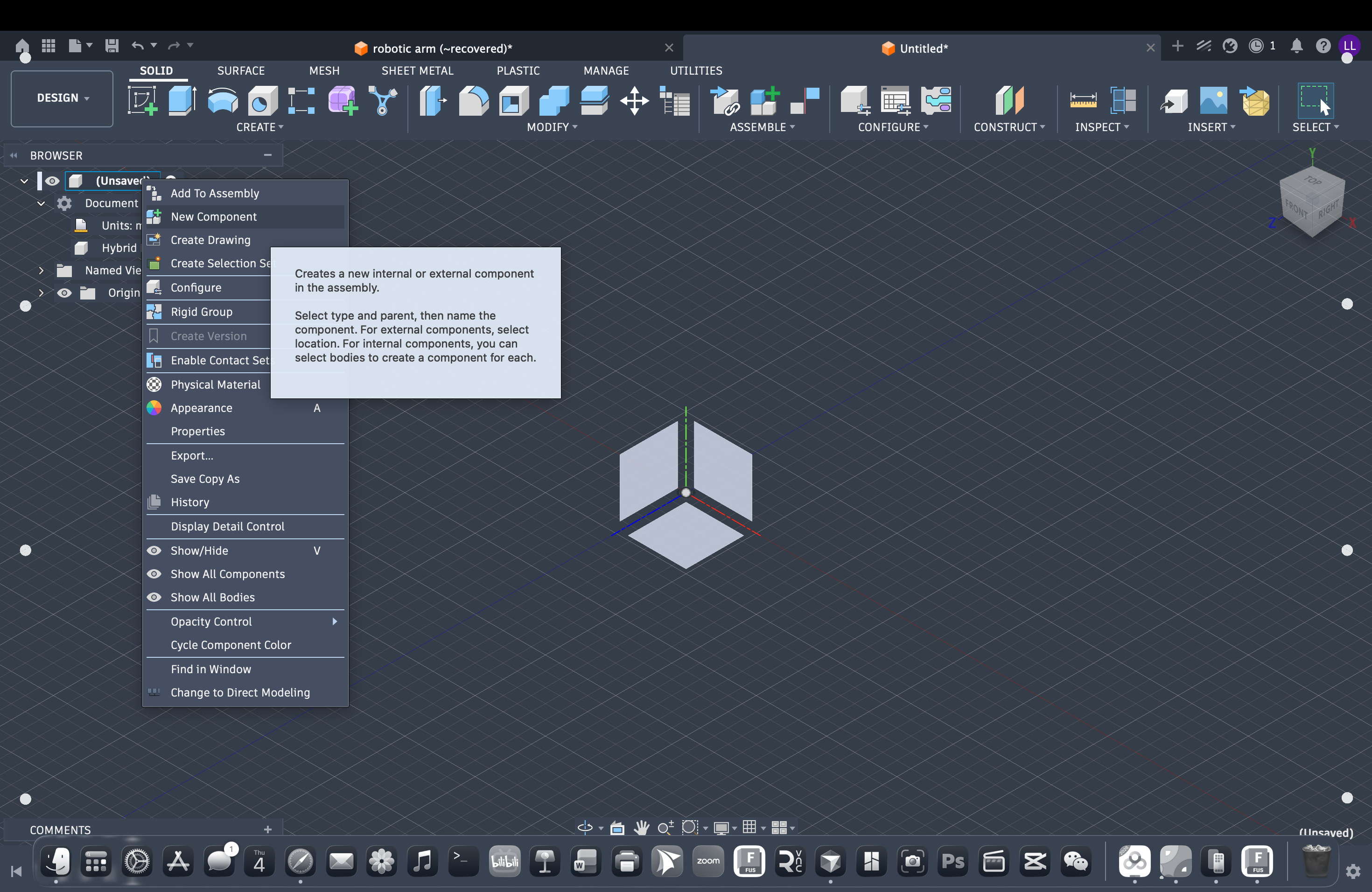
New Component
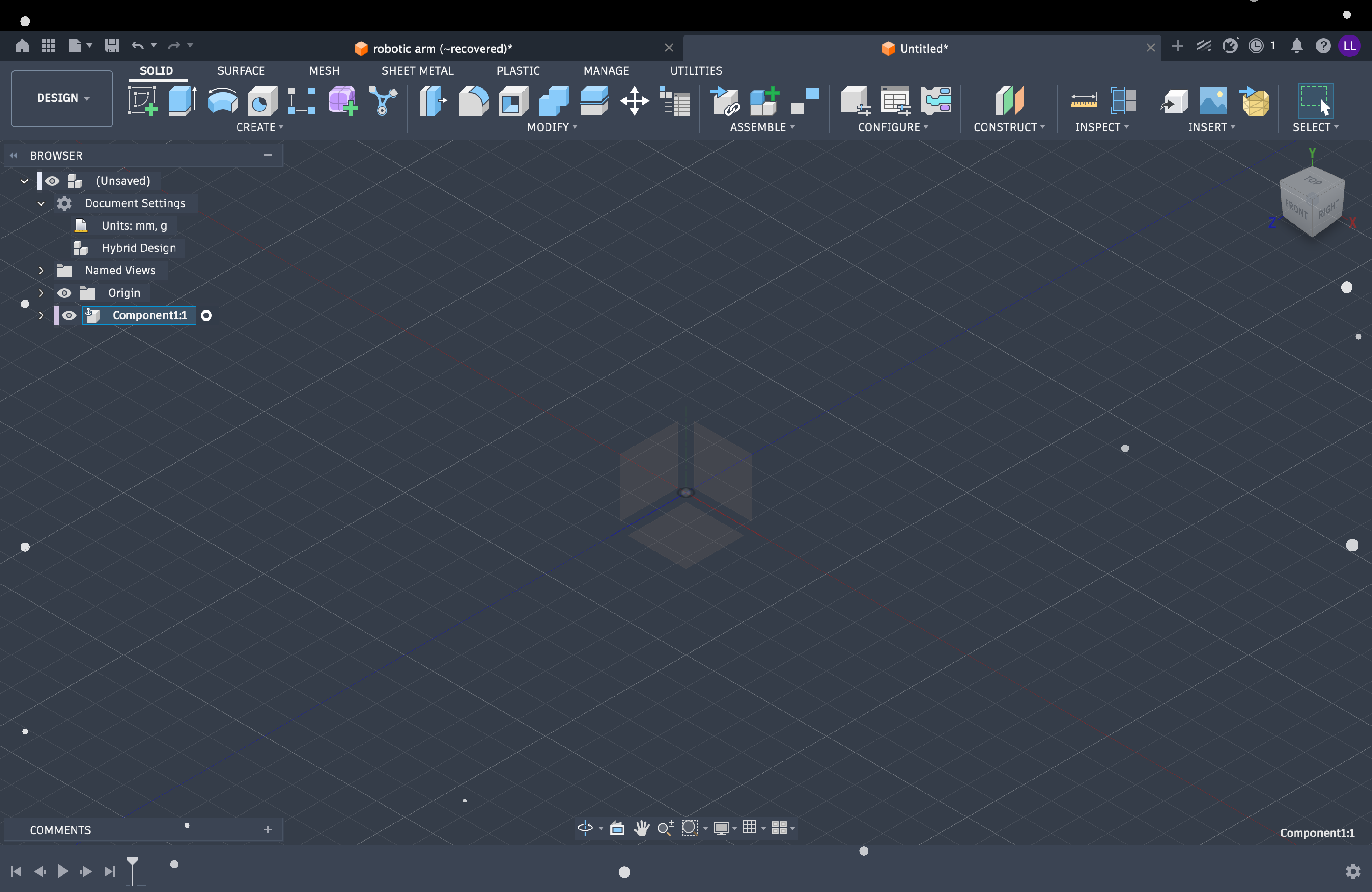
Activate component
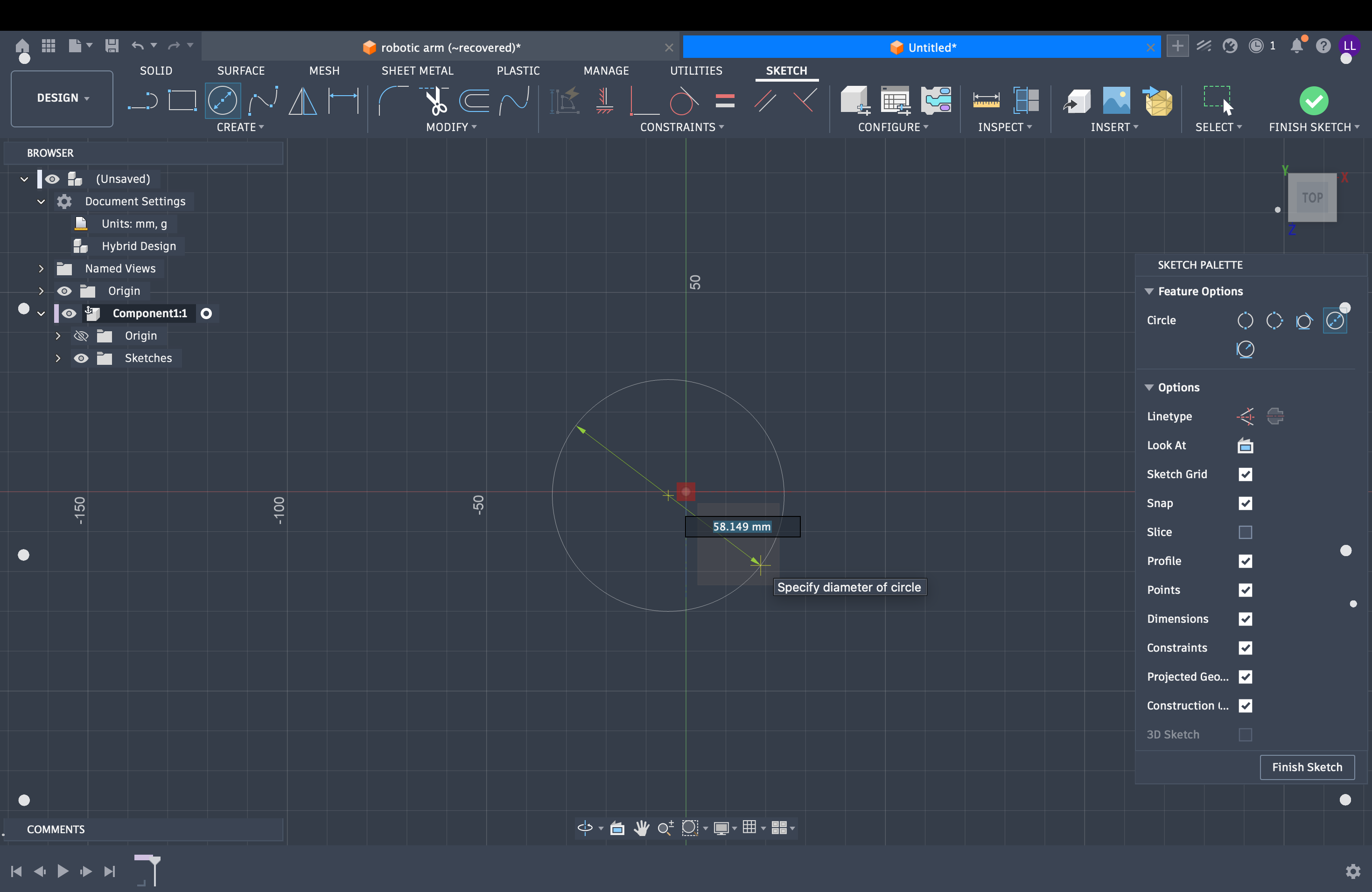
Sketch tools
Parameters + Extrude
Drive dimensions from Modify → Change Parameters. Example formula: hole spacing = Base_Diameter / 4.
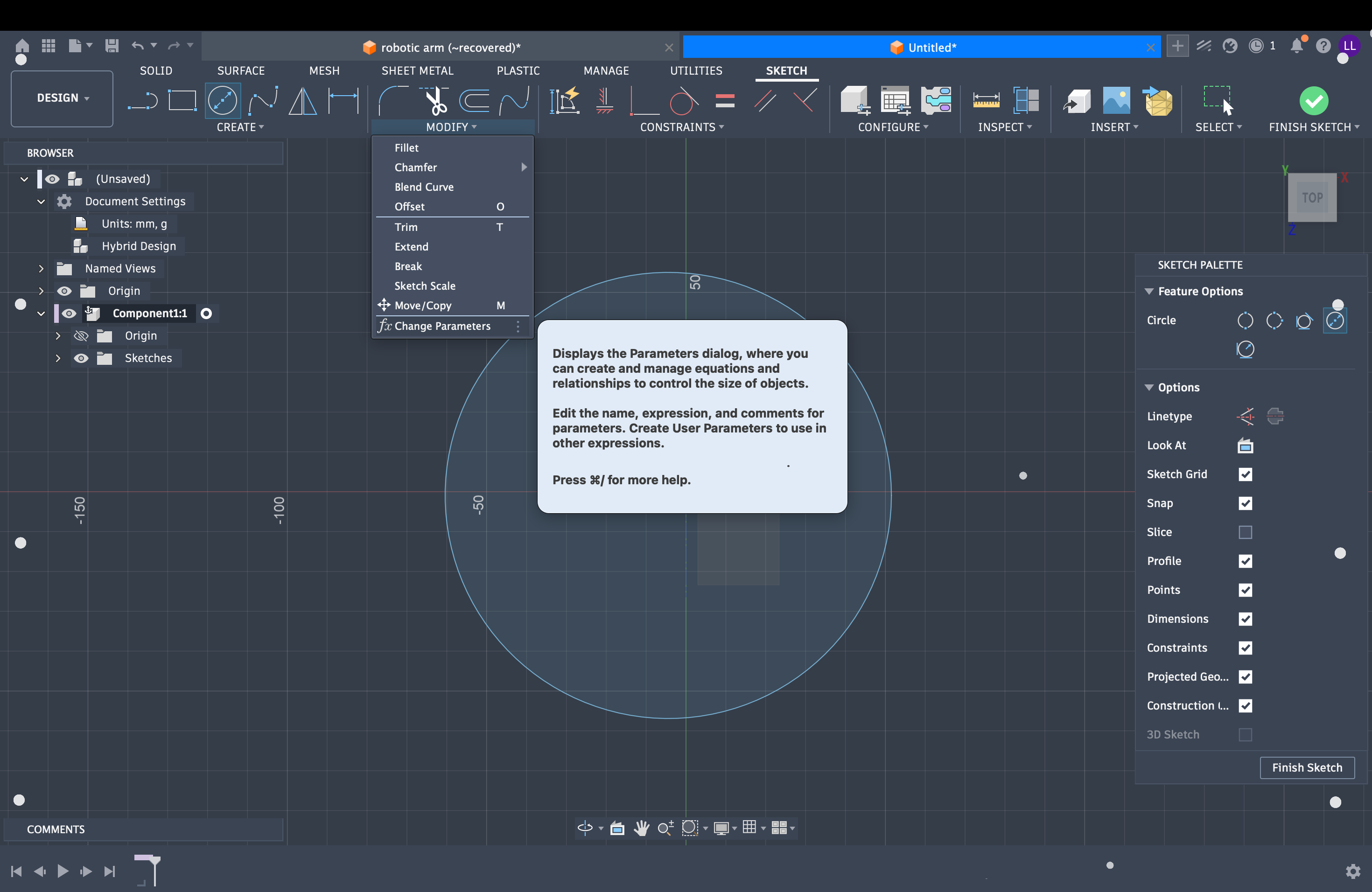
Change Parameters
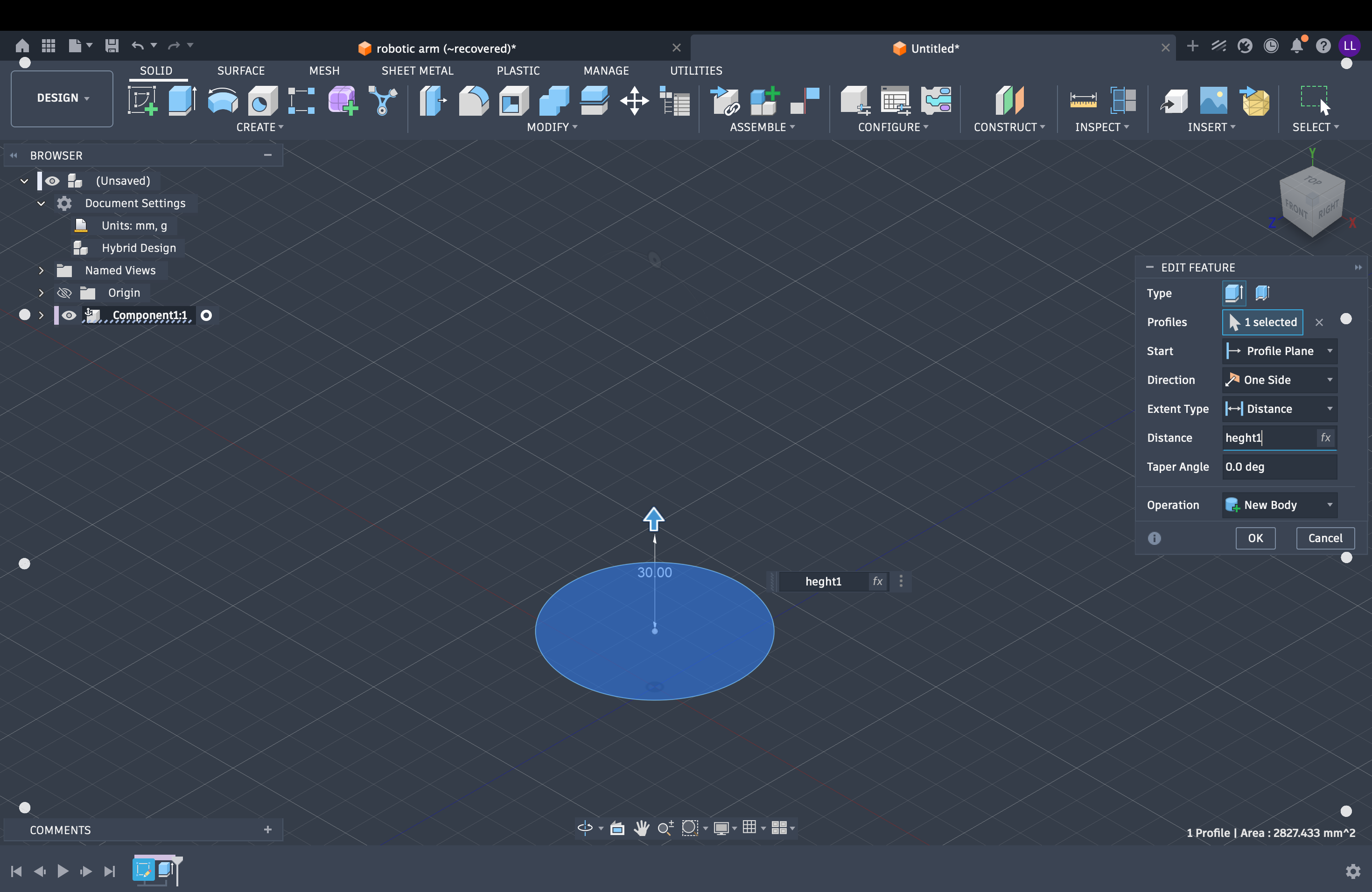
Extrude distance = parameter
3.1 Component 1 — Shoulder (Link 1)
Reuse the Base sketch circle: extrude it upward into a vertical cylinder, then add a second horizontal cylinder and Join it onto the first — forming the T-shaped shoulder.
- New Component →
Link1(Shoulder) → Activate - Reuse / project the Base sketch circle as the profile
- Extrude upward — create the vertical cylinder (
height1) - Create Sketch on a vertical plane → draw a circle for the horizontal cylinder (
diameter1) - Extrude the horizontal cylinder → operation Join to the vertical body
- Cut the central yoke / pivot hole as needed for the next link
- Joint → Revolute ×2: Base↔Link1 (yaw), Link1↔Link2 (pitch)
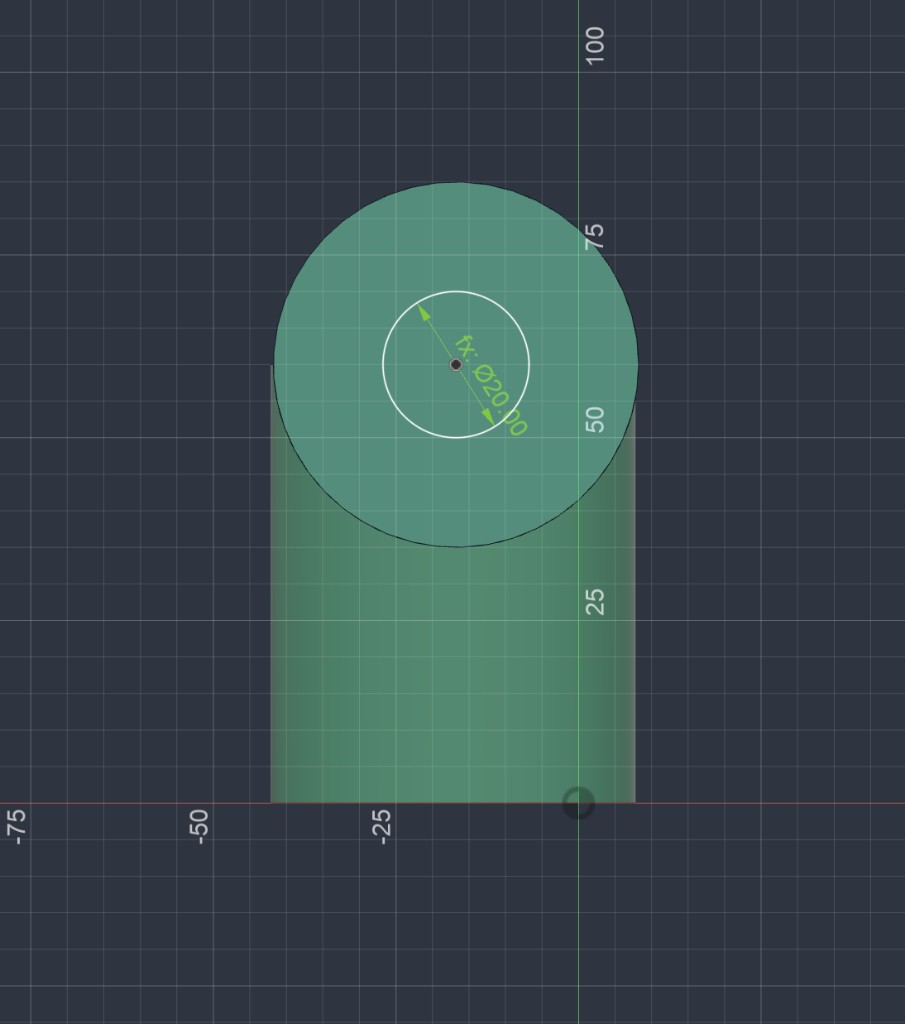
Sketch — cylinder profile + hole
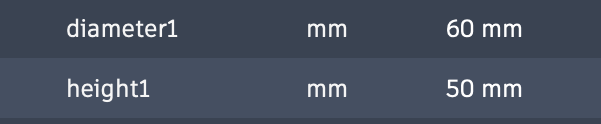
Parameters — diameter1 / height1
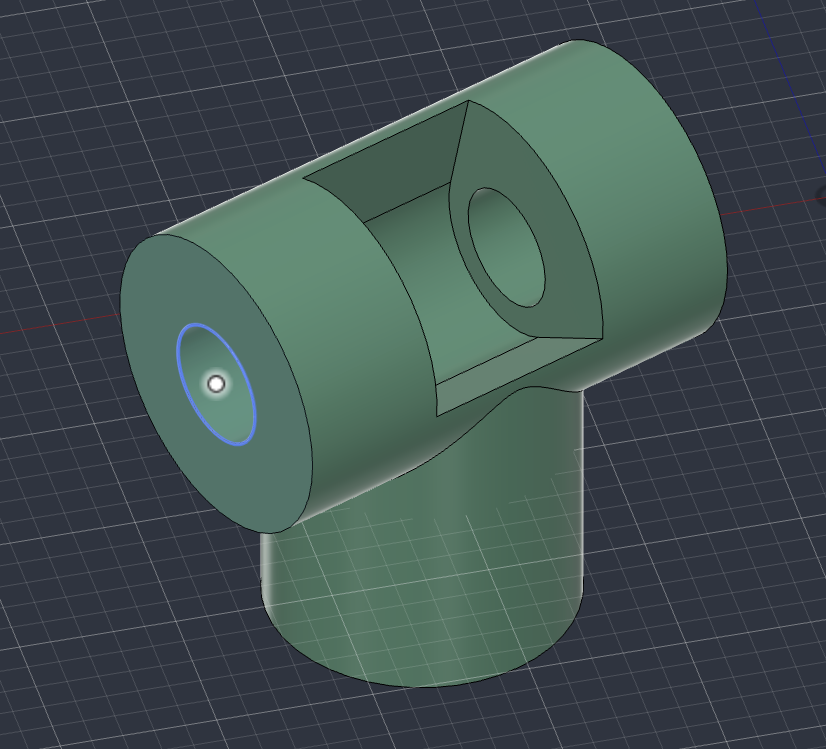
Result — shoulder solid
3.2 Component 2 — Base
Sketch a Ø60 mm circle and extrude it upward 50 mm into a solid cylinder. On the top face, sketch a concentric Ø50 mm circle and extrude-Cut downward 45 mm to hollow the cup.
- New Component → name
Base→ Activate - Create Sketch on XY → Circle
Ø60.00 - Extrude → distance 50 mm (up) → solid cylinder
- Create Sketch on the top face → Circle
Ø50.00(concentric) - Extrude → Cut → distance 45 mm (down from top)
- Joint → Revolute Base ↔ Link1 (vertical axis, 360°)
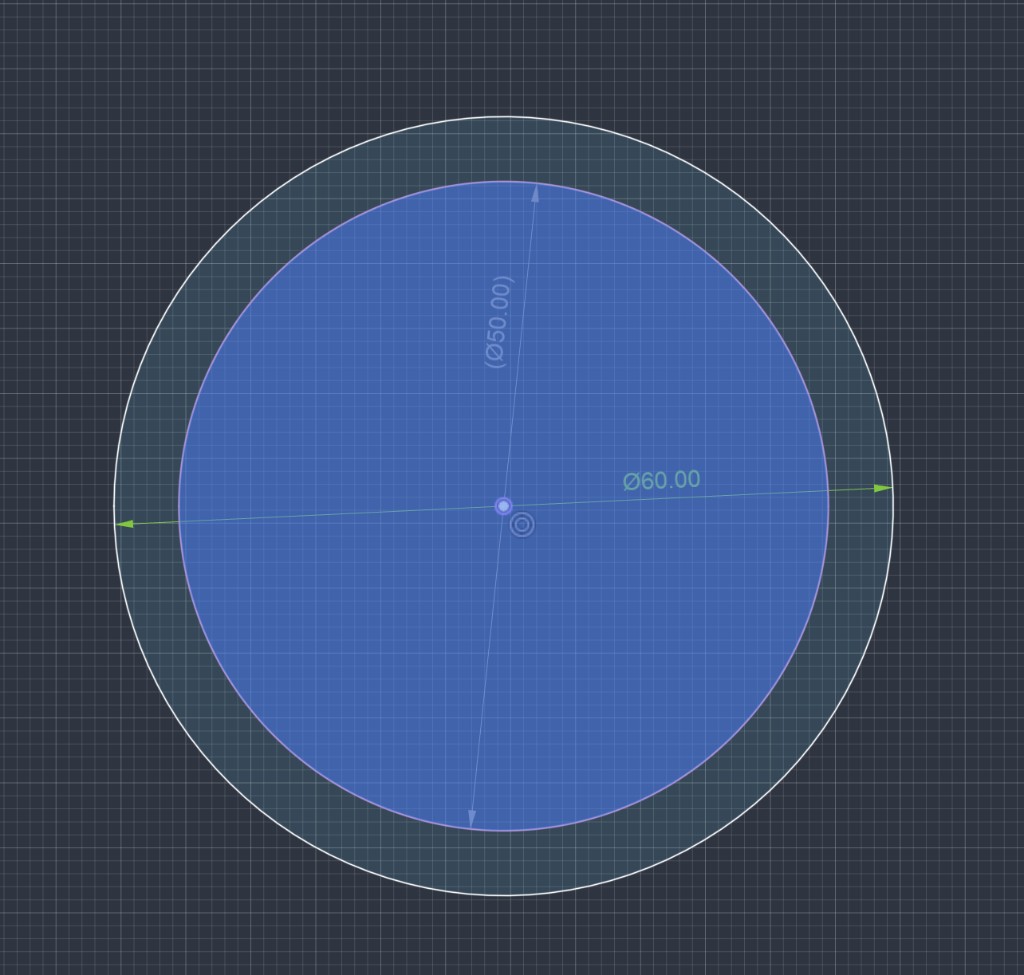
Sketch — Ø60 outer / Ø50 inner
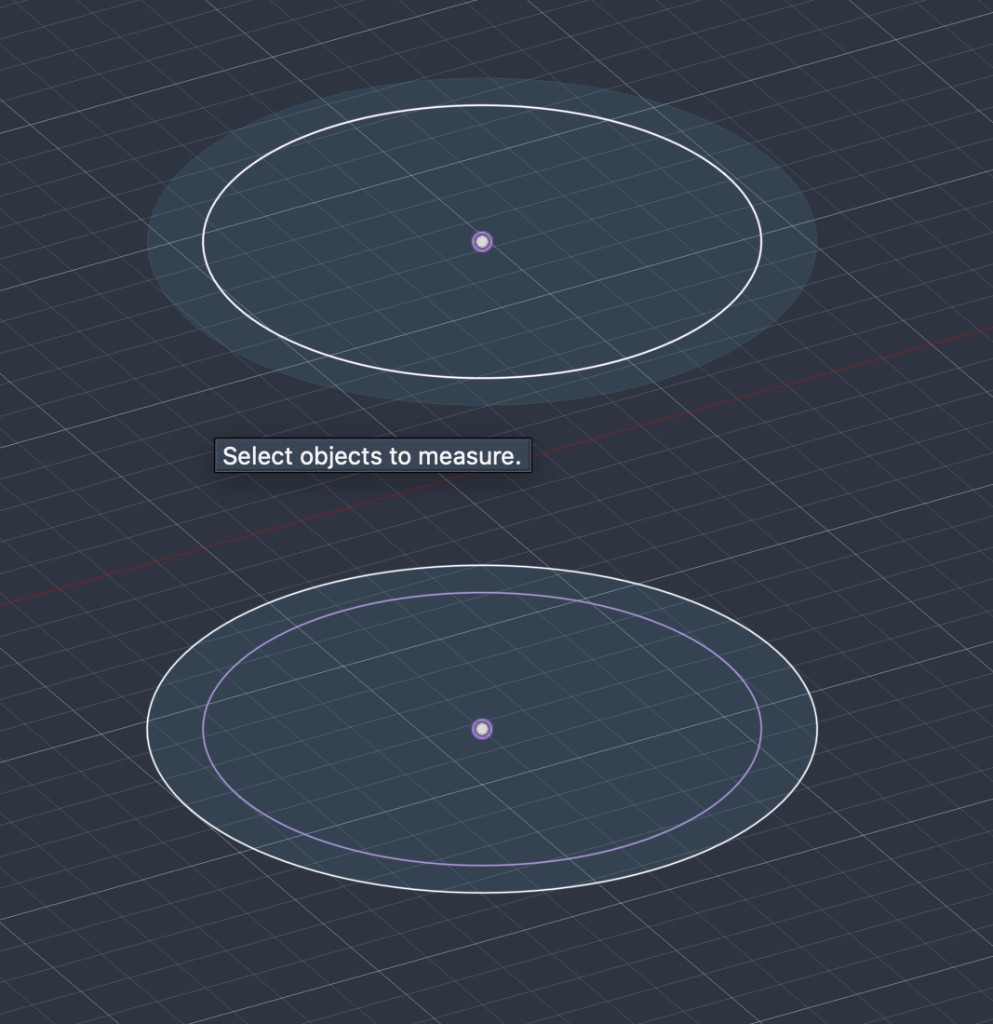
Sketch — 3D view of circles
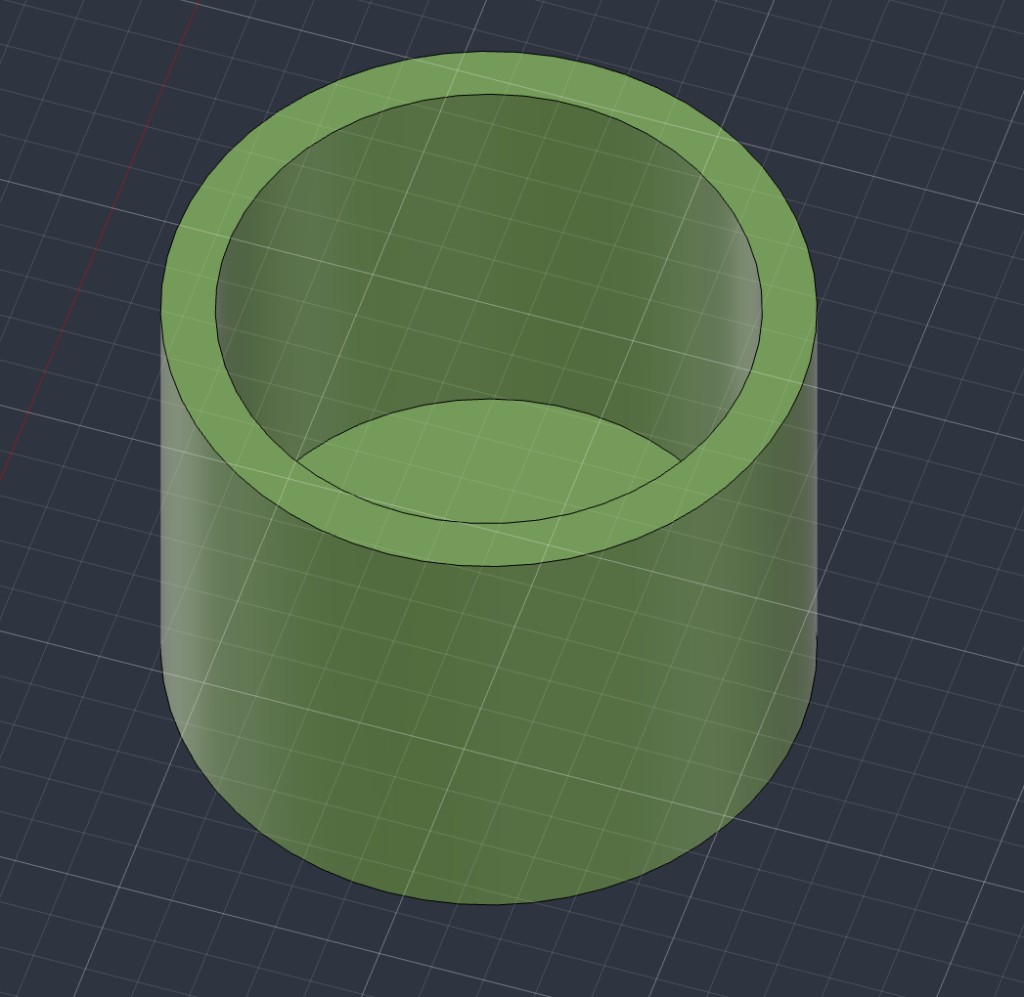
Result — base cup
3.3–3.6 Components 3–6 — shared link part, then assemble by joints
For the remaining links (upper arm, forearm, wrist, end effector), the workflow is the same: first model this link part (obround plate with a hole at each end), copy / parameterize it as needed, then assemble by connection with Revolute Joints at the holes.
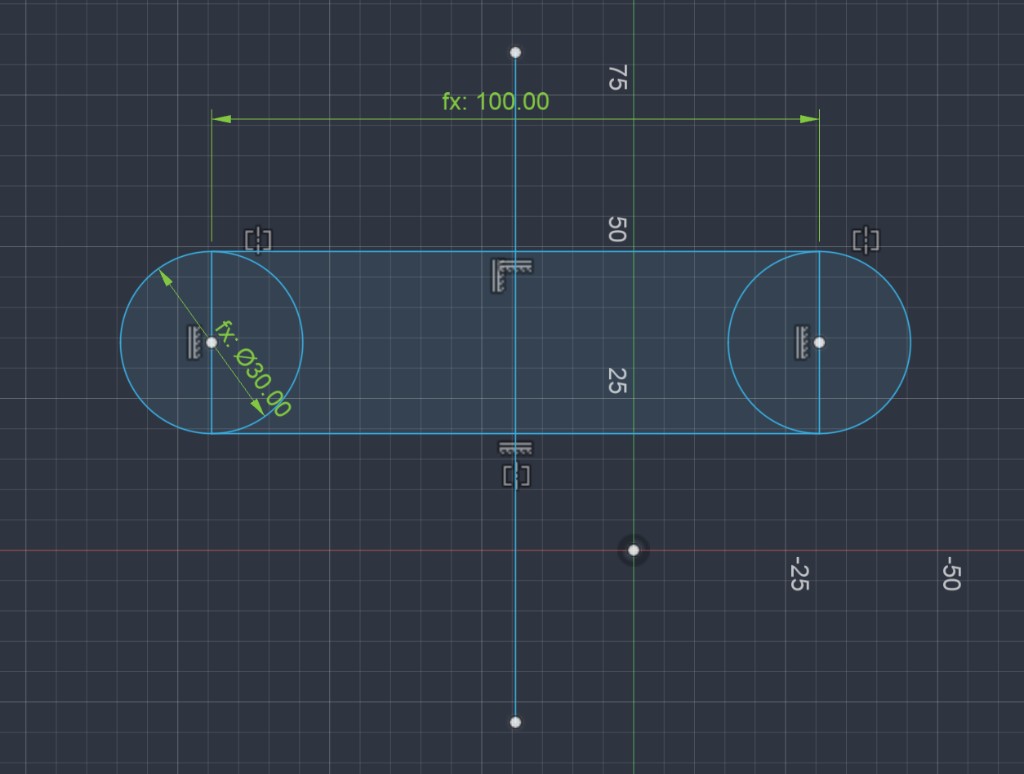
Sketch — fx: 100.00 center distance, fx: ø30.00
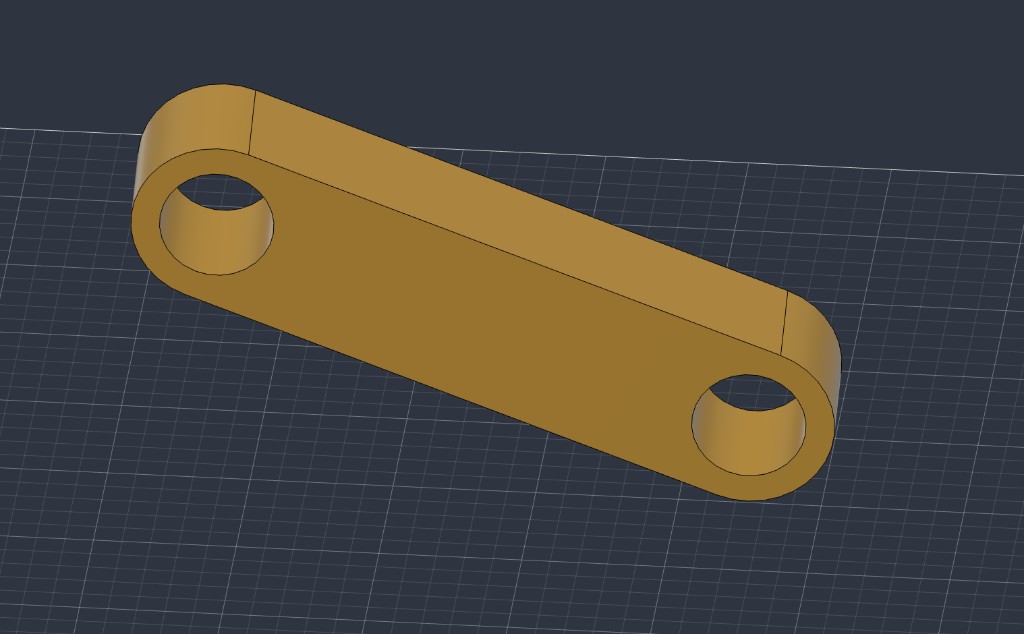
Result — shared link part
- New Component → Create Sketch — stadium / obround profile (two circles + tangent lines), constrained symmetric
- Dimension with parameters: center distance
fx: 100.00, diameterfx: ø30.00 - Add a circle hole centered in each rounded end (pin / joint holes)
- Extrude to the link thickness → finish one solid link part
- Duplicate / create more instances for Component 3 (Link2), 4 (Link3), 5 (Wrist), 6 (End effector) — size driven by parameters (
diameter3,centerdistance3,thickness3, …) - Assemble by connection: align hole centers → Joint → Revolute
Connection order:
- Component 3 — Link2 (upper arm): Shoulder ↔ Link2
- Component 4 — Link3 (forearm): Link2 ↔ Link3
- Component 5 — Wrist: Link3 ↔ Wrist (pitch / roll as needed)
- Component 6 — End effector: Wrist ↔ End effector
4. Video Compression
The arm motion video was compressed with the media steps in Week 1 — Media. Output for this week: Robotic Arm.mp4.
5. Design Files
Full parametric assembly — one Fusion 360 source file with all components and joints.
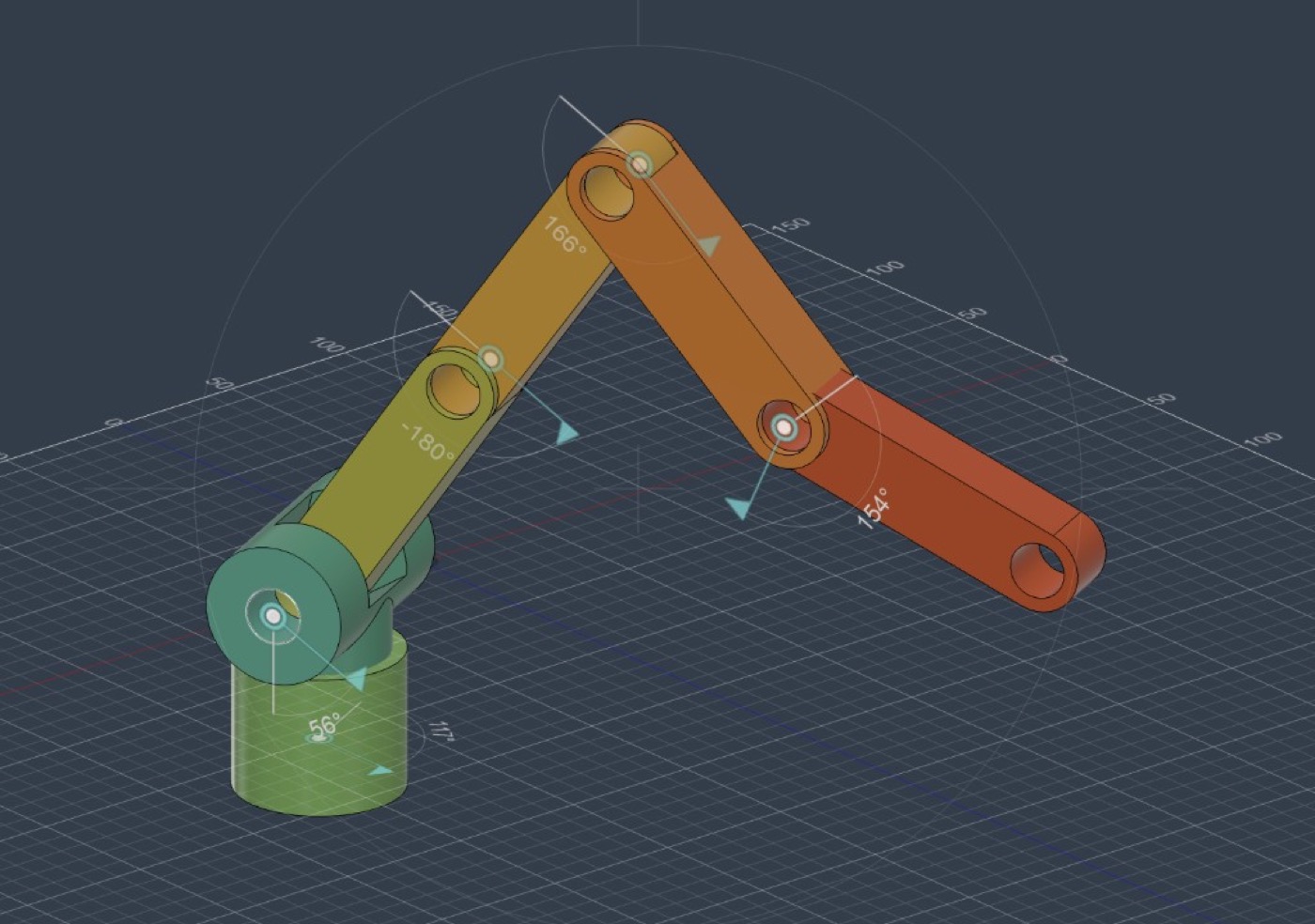
Robotic Arm — complete Fusion 360 assembly (final-project draft)
Download Robotic Arm.f3d6. Notes
- 2D first: Photoshop clarified the 6-link structure before Fusion modeling.
- Parametric 3D: changing one parameter updates related sketches, extrudes, and joint spacing.
- Compression: motion video via the Week 1 Media steps (avconvert.app).