11. Networking and Communications
This week i worked on Network Communications.
For the individual assignment, I used the pcb I designed with my ESP32-C3. Here you can read about my PCB DESIGN and here you can read about its production PCB PRODUCTION.
Group assignment
For the group assignment, using ESP-NOW communication we wirelessly sent stuff to the ESP32-C3 boards, one of us was the sender and the others receivers. It also has a weird naming thing with senders being masters and recievers being slaves.
Individual assignment
Sor for my individual assignment I modified my output weeks code to include internet access.
Adding libraries
#include <WiFi.h>
#include <WebServer.h>
Configuring the wifi and setting up the network
const char* ssid = "ESP32_Servo";
const char* password = "12345678";

WebServer server(80);
Adding the webpage
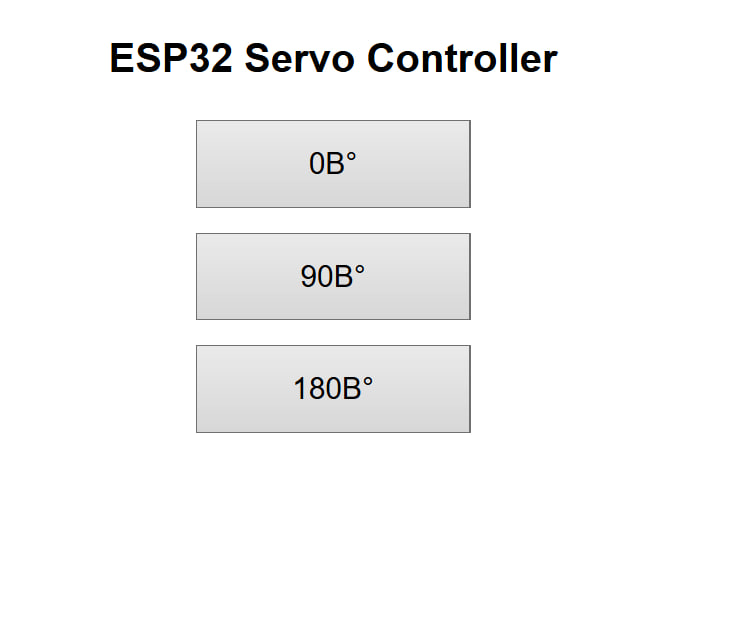
So for the webpage I attached my code from the output week to chat gpt, and these settings and with the prompt “Combine both of these to make a web page for my board that i want to run on my wifi”
This is a snippet of what i got
void handleRoot() {

  String page = R"rawliteral(
  <!DOCTYPE html>
  <html>

  <head>
    <meta name="viewport" content="width=device-width, initial-scale=1">
    <title>ESP32 Servo Control</title>

    <style>
      body {
        font-family: Arial;
        text-align: center;
        margin-top: 40px;
      }

      button {
        width: 220px;
        height: 70px;
        font-size: 24px;
        margin: 10px;
      }
    </style>
  </head>

  <body>

    <h1>ESP32 Servo Controller</h1>

    <form action="/left">
      <button type="submit">0°</button>
    </form>

    <form action="/center">
      <button type="submit">90°</button>
    </form>

    <form action="/right">
      <button type="submit">180°</button>
    </form>

  </body>
  </html>
  )rawliteral";

  server.send(200, "text/html", page);
}
Here you can see the wifi that i connected to, it connects without intenet so you can only use that website while you are connected to the board.
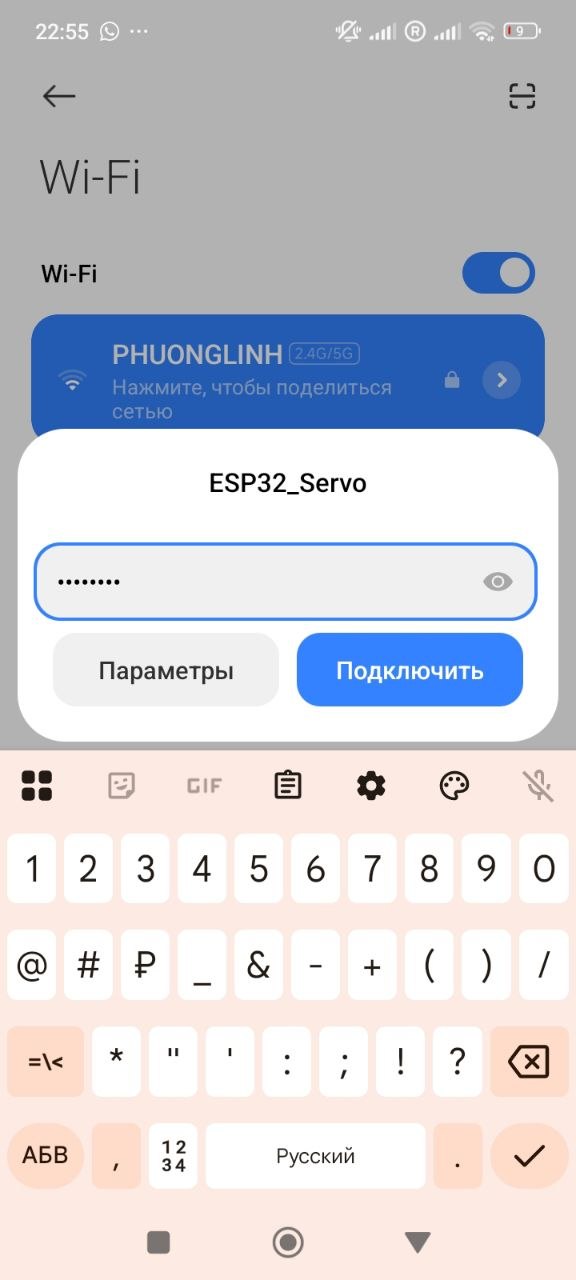
And here is the wifi