9. Input Devices
This week
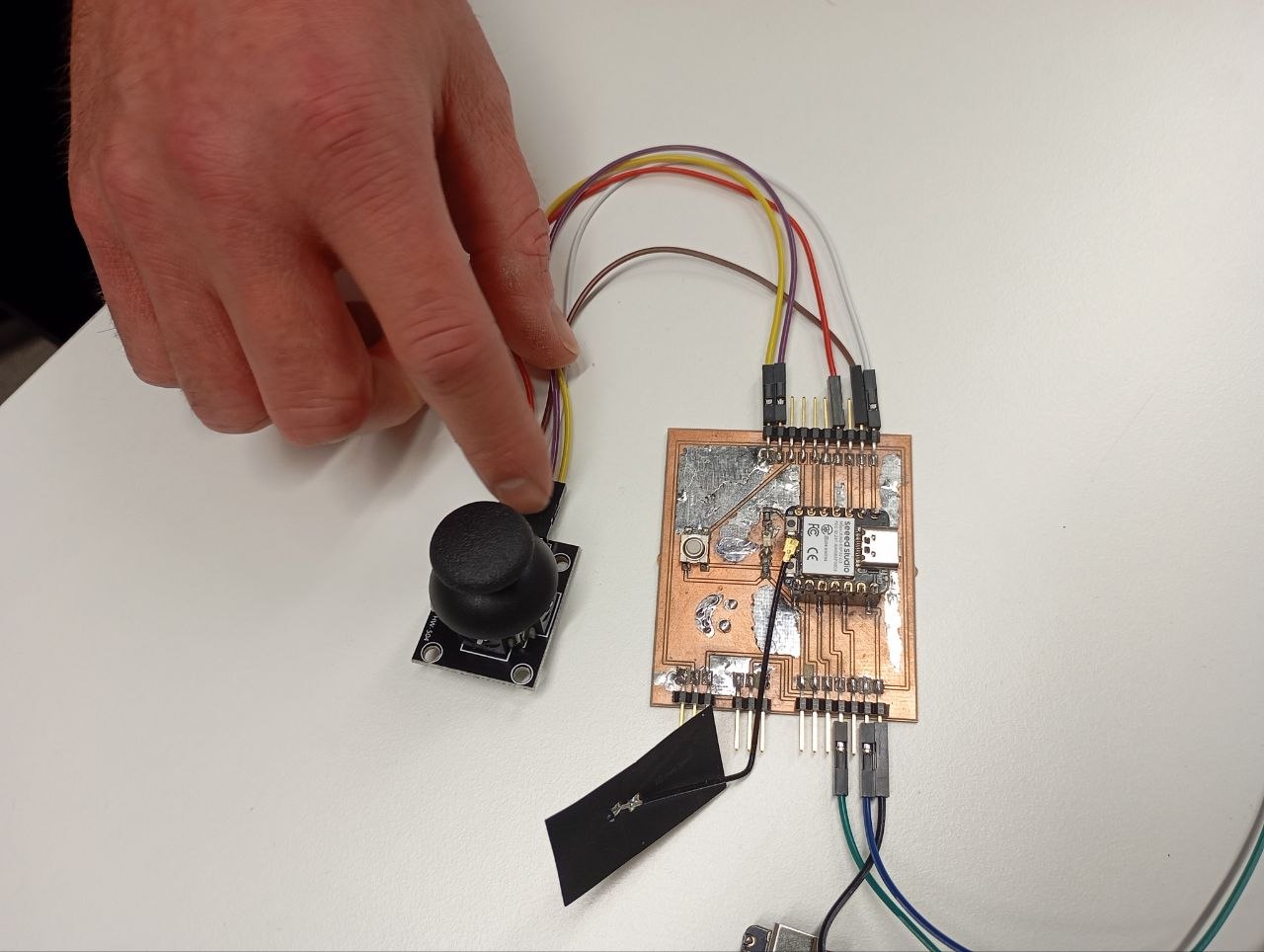
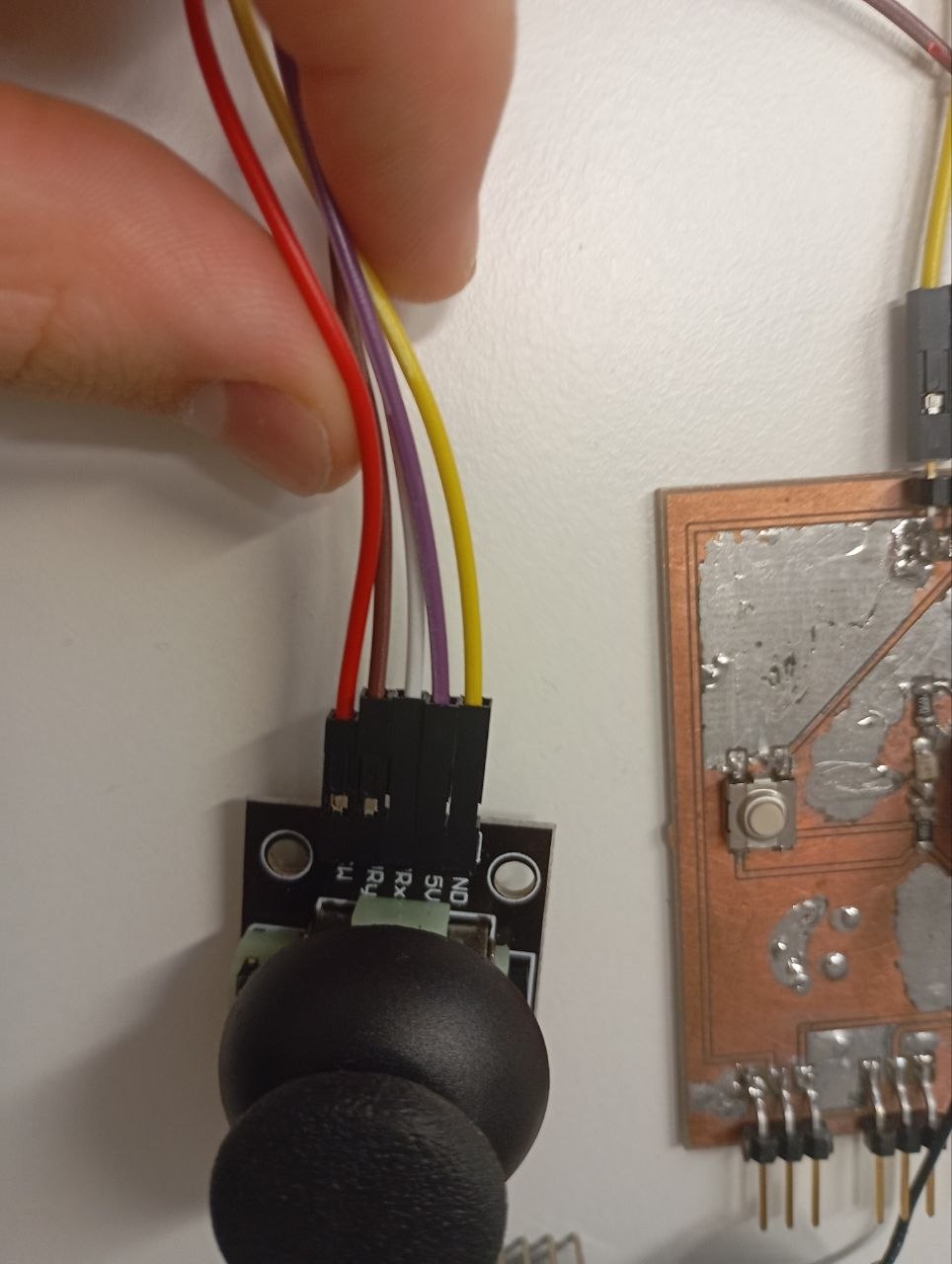
I experimented with a variety of input devices this week and discovered how to connect different sensors to my own PCB. To get a better understanding of how to collect and analyze real-world data for embedded applications, I experimented with a joystick arduino controller. I used my own board for that. Here you can read about my PCB DESIGN and here you can read about its production PCB PRODUCTION.
Group work
In the group work we we analyzed how different input devices behave. We measured analog signals from components like phototransistors , potentiometers and NTC thermistor using both a multimeter and an oscilloscope.
Individual assignment
So for this wee I used a joystick arduino controller as my input device so using this code which i wrote.
#define VRXP A0
#define VRYP A1
#define SWP D4

void setup() {
  Serial.begin(115200);
}

void loop(){
  int swstate = digitalRead(SWP);
  Serial.print(" x: ");


  Serial.print(analogRead(VRXP));
  Serial.print(" y: ");
  Serial.print(analogRead(VRYP));
  Serial.print("Button:");
  if(swstate == LOW)
  {
    Serial.println("On");
  }
  else
  {
    Serial.println("Off");
  }
  delay(100);
}
This program takes inputs from the Arduno board and returns the coordinates of the direction where the controller is looking. I am going to use this part in my final project so I will try to connect a servo to it too and I could operate the servo with it as well.
23:24:28.124 ->  x: 5 y: 3659Button:Off
23:24:29.153 ->  x: 20 y: 3662Button:Off
23:24:30.150 ->  x: 1613 y: 3582Button:Off
23:24:31.114 ->  x: 3691 y: 2Button:Off
23:24:32.120 ->  x: 3679 y: 3641Button:Off
23:24:33.149 ->  x: 3708 y: 3611Button:On
23:24:34.148 ->  x: 4095 y: 3661Button:On
23:24:35.164 ->  x: 4095 y: 3624Button:On
23:24:36.123 ->  x: 4095 y: 4095Button:On
23:24:37.128 ->  x: 3694 y: 3612Button:On
23:24:38.164 ->  x: 3692 y: 3758Button:On
23:24:39.177 ->  x: 4095 y: 3613Button:On
23:24:40.160 ->  x: 3688 y: 4095Button:Off
23:24:41.137 ->  x: 3720 y: 3676Button:Off
23:24:42.170 ->  x: 3709 y: 3677Button:Off
Some of the outputs now im going to use this to controll my servo motor in the future.
One of the problems was that I didnt put it in the analog ports at the start but i did later and it started working properly.
There were some problems but they might be a faulty port since changing it helped, I also added the in the #define VRXP A0 D before the port so that it would know it is analog.
So now I know how to use input devices and I will use this one on my final project.
RESULTS