7. Cnc week
Group
For the group assignment, we completed safety training and evaluated the CNC machine available at the Fab Lab. The goal was to understand how the machine behaves during machining operations and to learn how to prepare and operate it safely and correctly.
Safety Training
In an emergency, a number of safety precautions are in place. The CNC machine has an emergency stop button that may be used to stop the machine instantly. The NC Studio control software also has an emergency stop option. In order to react swiftly to mishaps, a first aid kit and a fire extinguisher are also placed close to the lab’s door. The lab adheres to a buddy system policy, which states that the CNC machine should never be used alone in order to preserve a safe working environment. Antti Mäntyniemi served as our instructor this week; a qualified supervisor must always be present.
Individual assignment
So for the table i used Fusion 3d to model my idea. This week i really wanted to make a table for table top games. So i used this picture referance.
So for the table, I used Fusion 3D to model my idea. This week I really wanted to make a table for tabletop games. So I used this picture reference.
So we get started with the model.
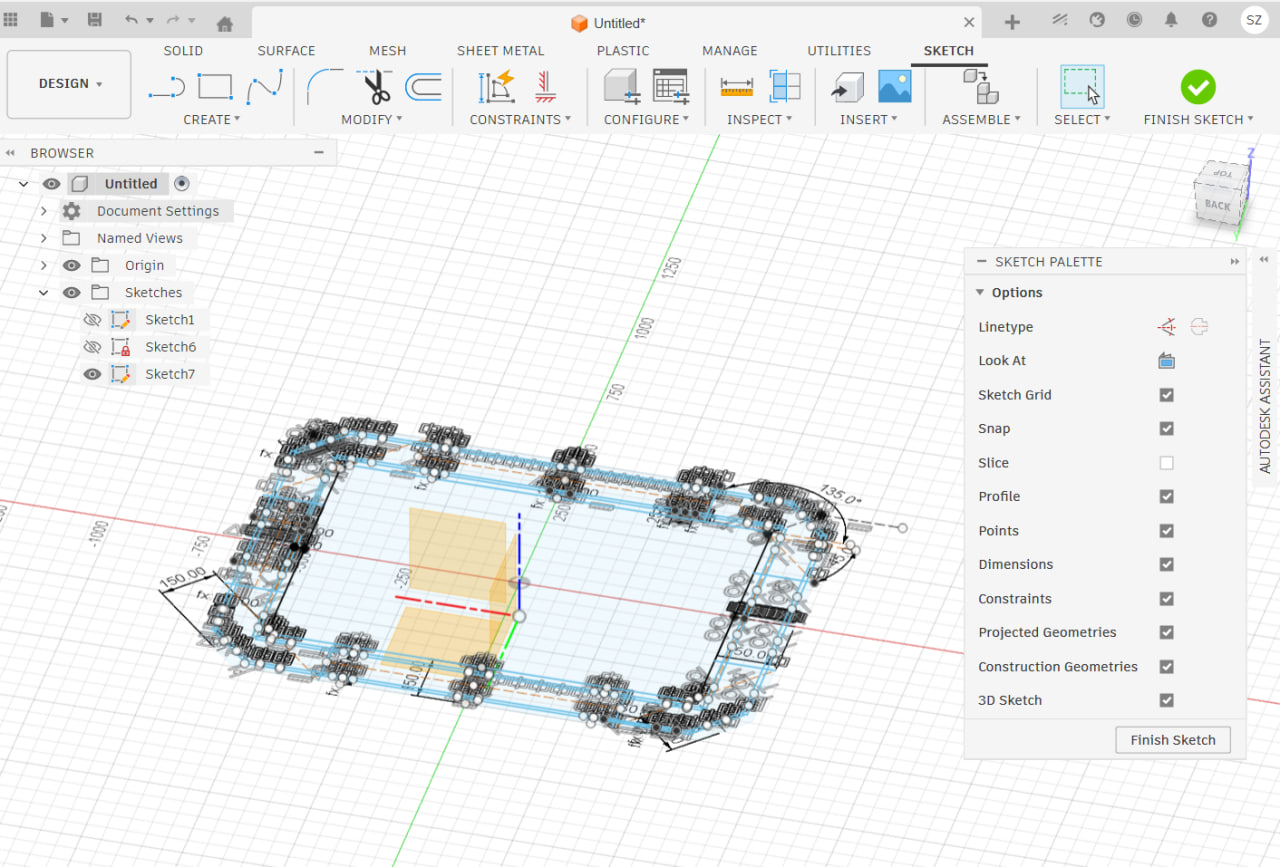
Made the sketch then extrude
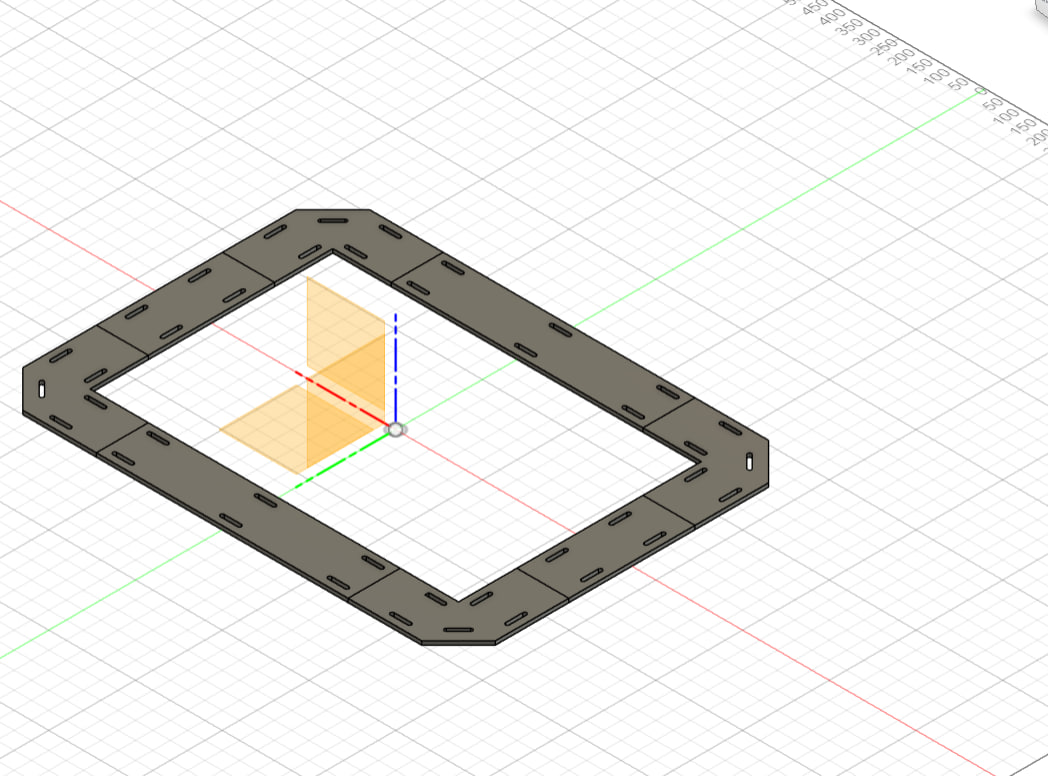
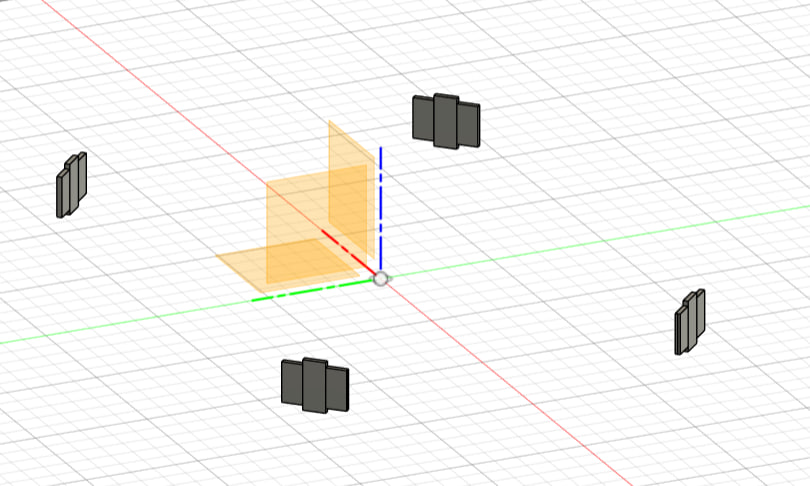
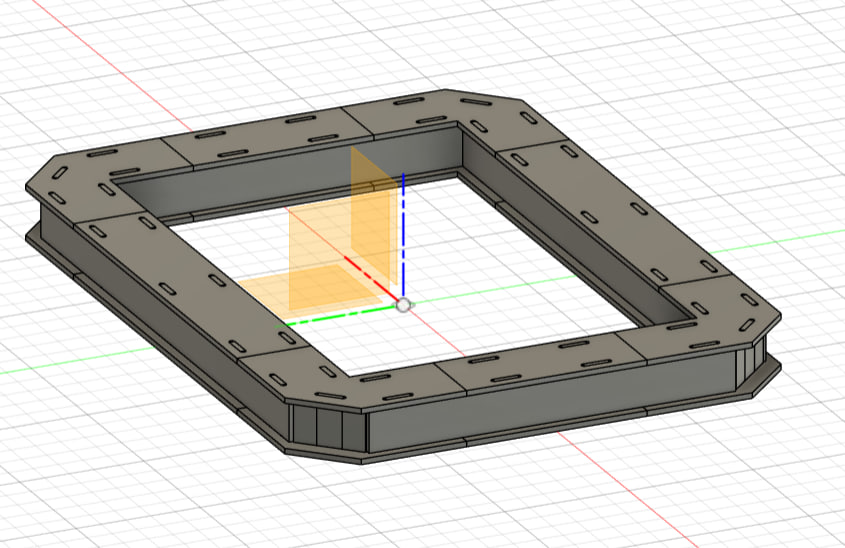
Here I made the manufacturing model.
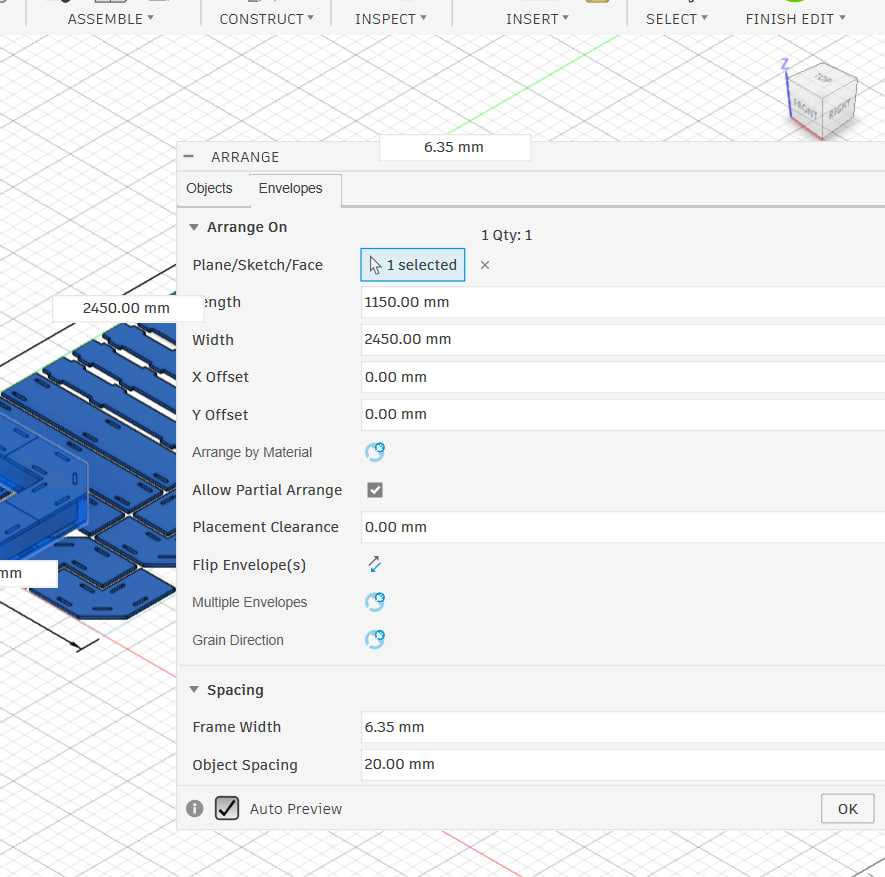
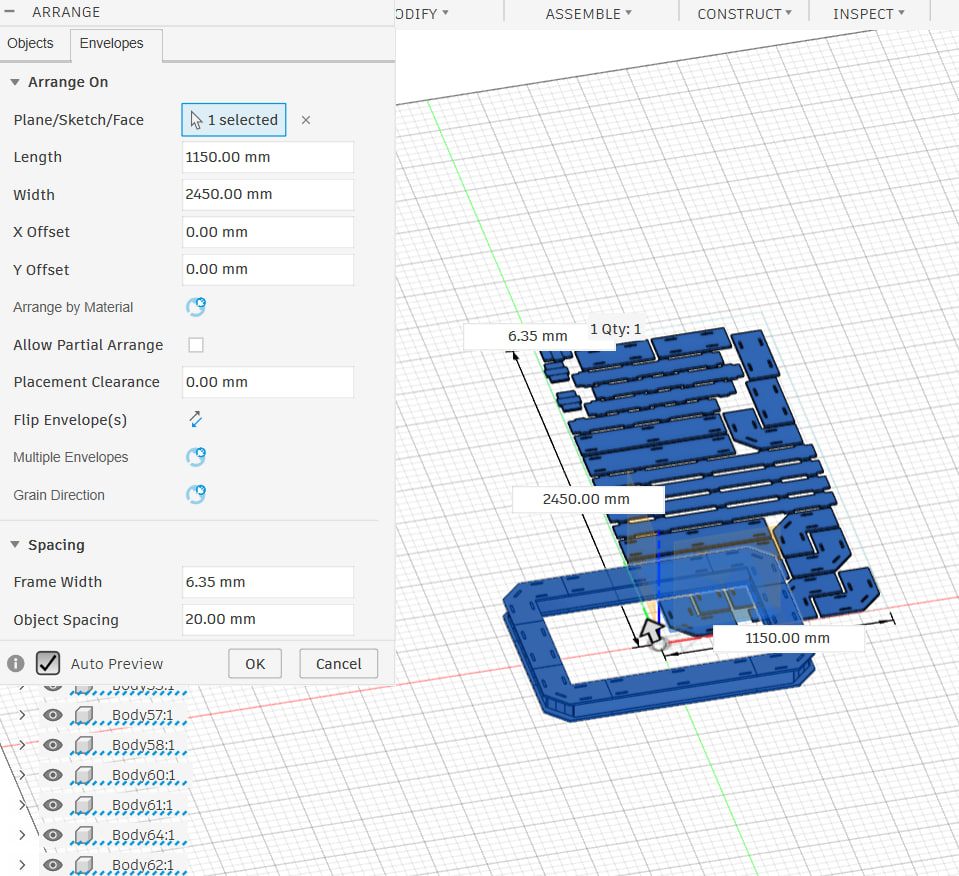
you can click off the create coppy button to delete the first one or delete the first model yourself.
Create the manufacturing model
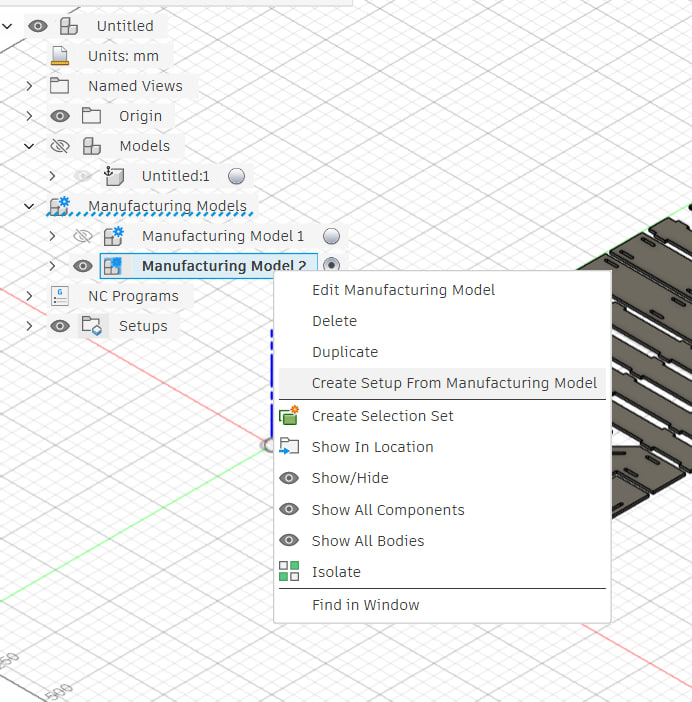
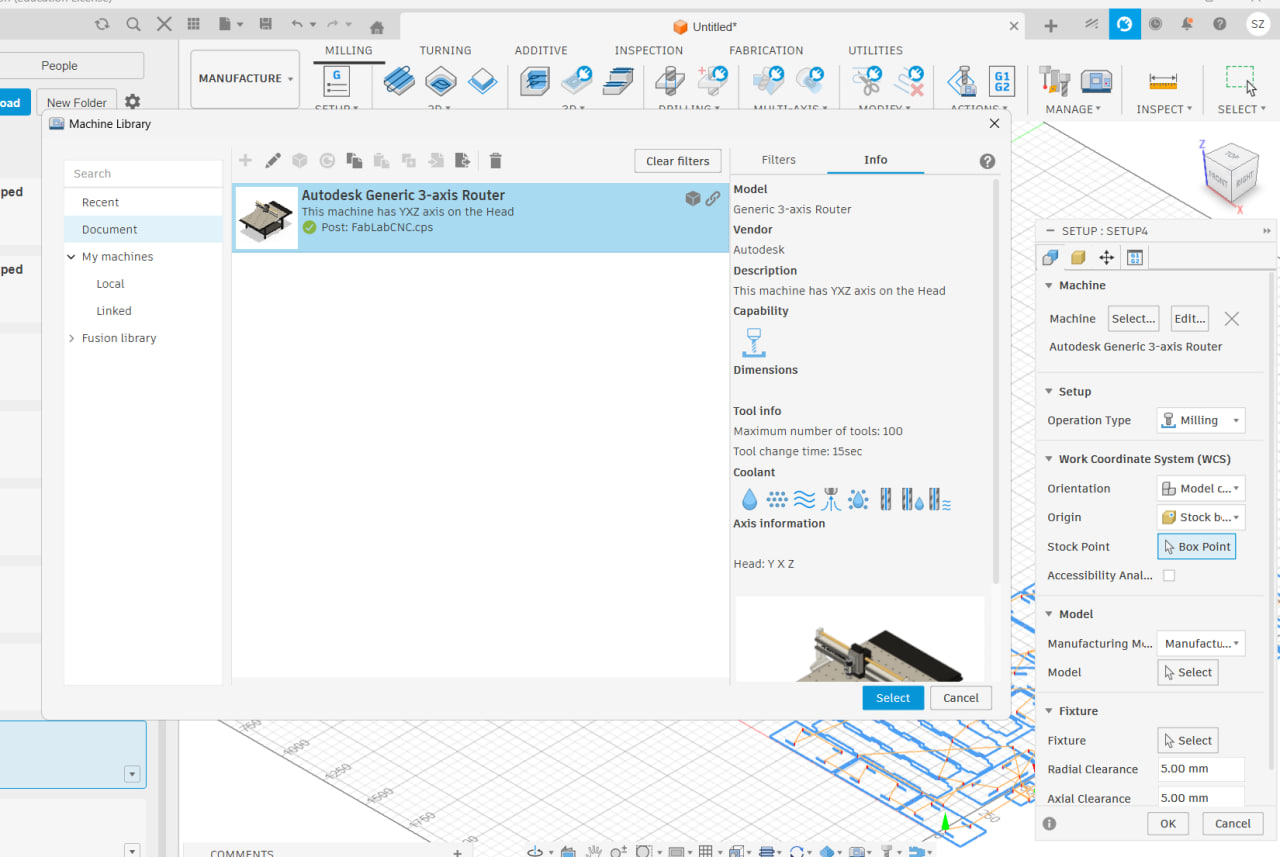
Now im selecting the machine
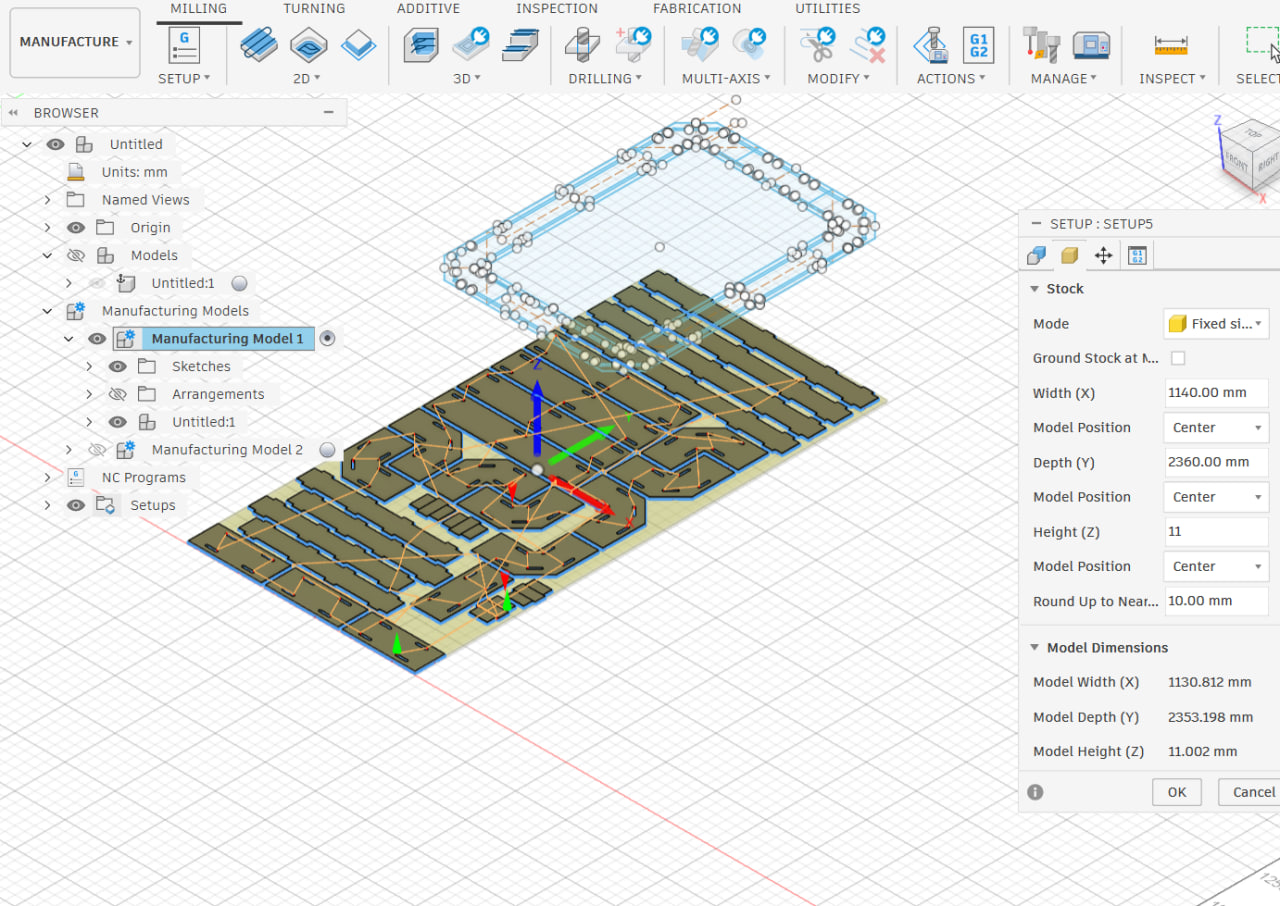
Now I will make the stock size
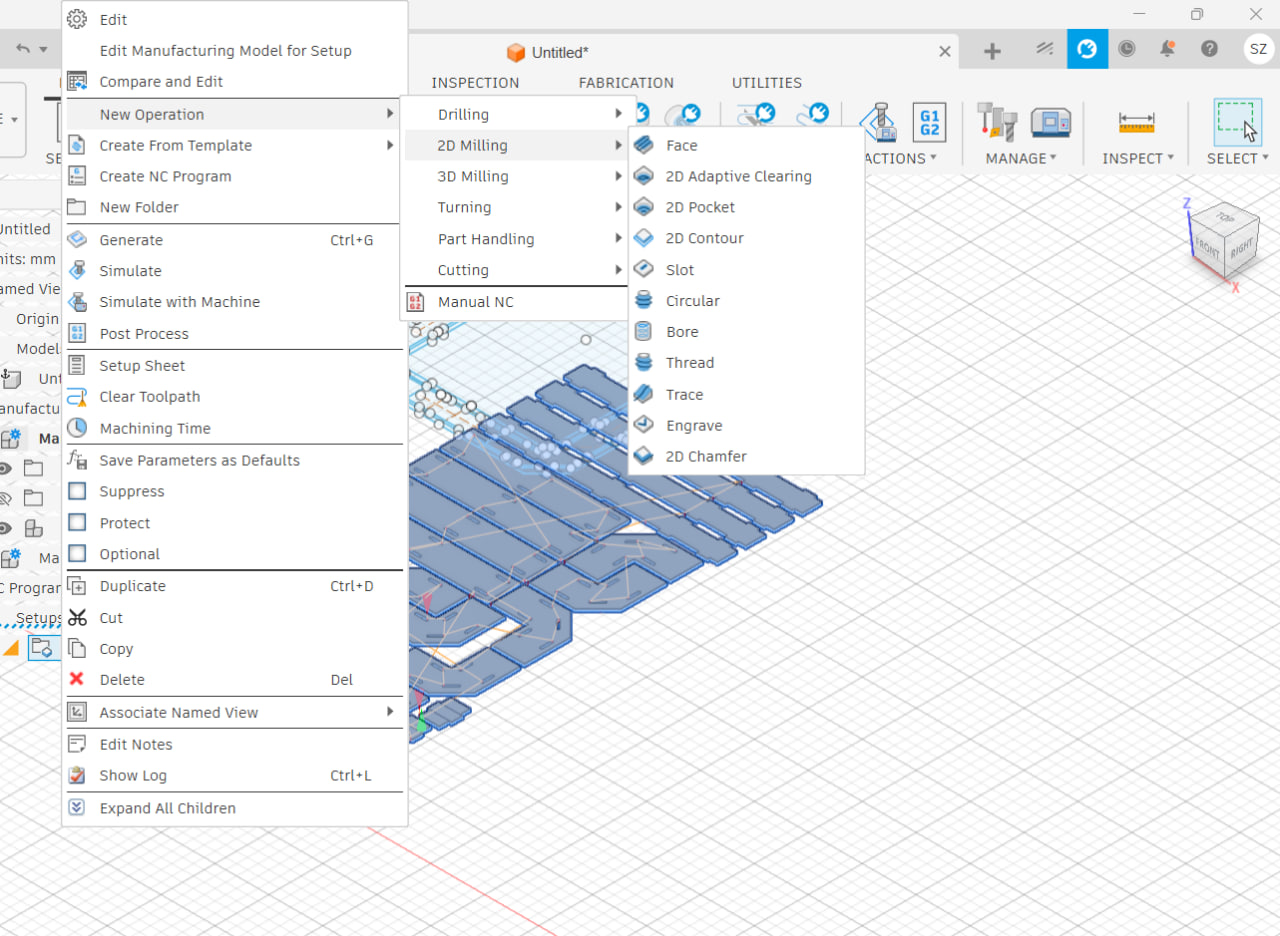
So now from setups we can make the operations.
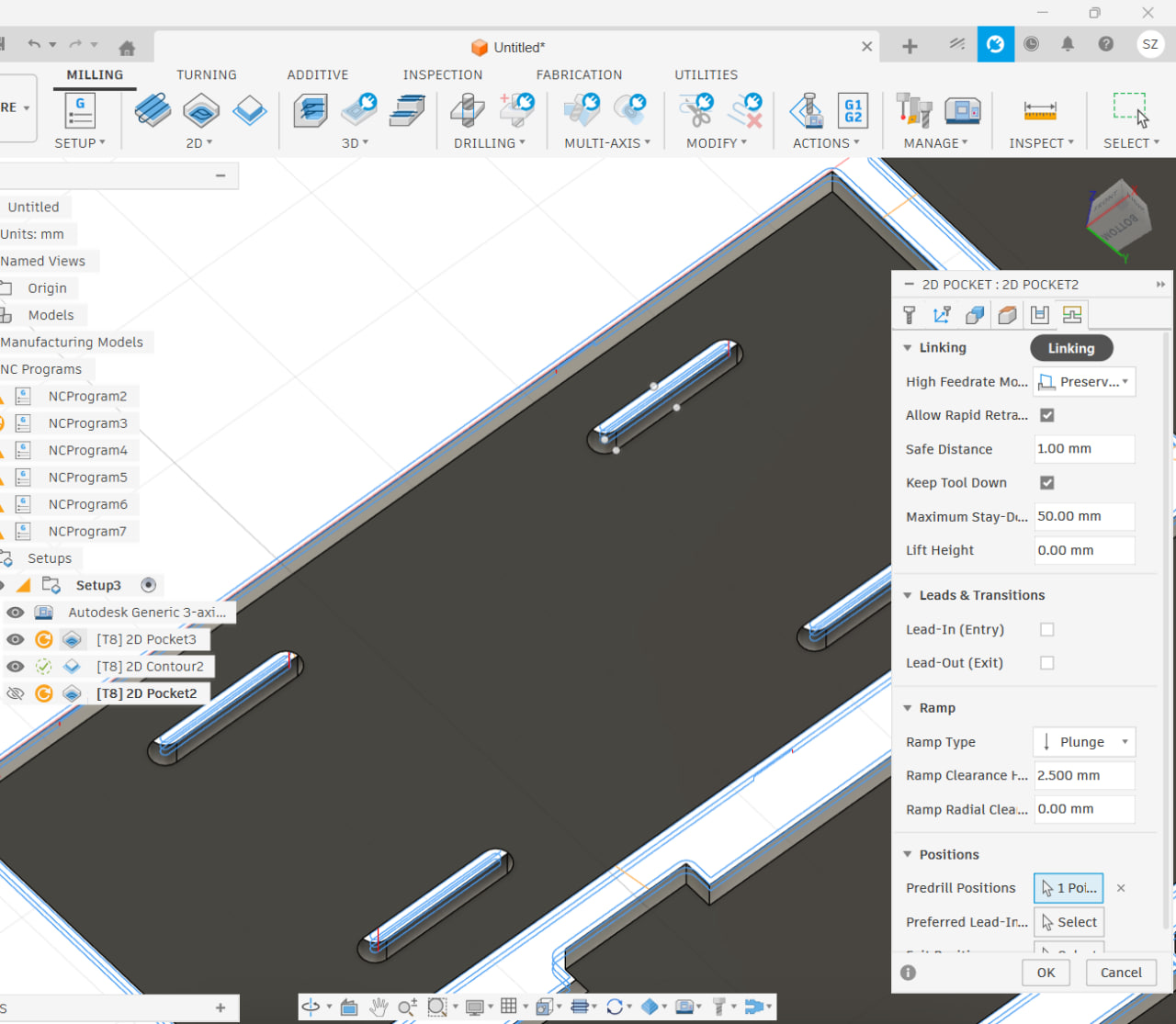
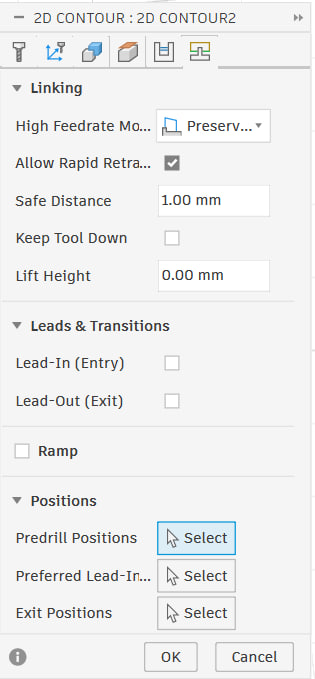
Make sure to select plunge and deselect lead in lead out.
We can click on the use even stepdowns.
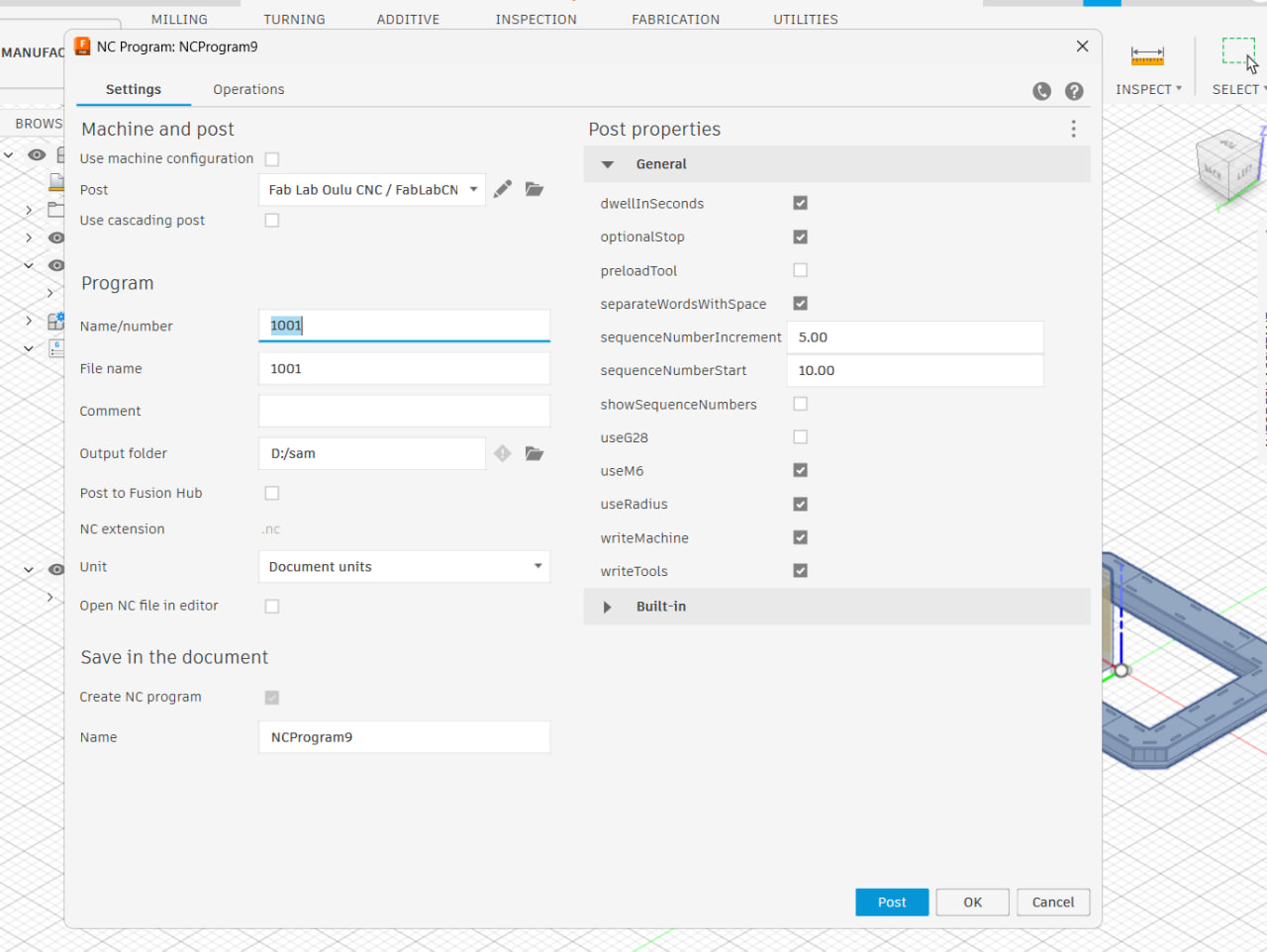
Now when we select all the areas for which this is true we can export the files by doing what im doing in the next screenshot and going to the machine.
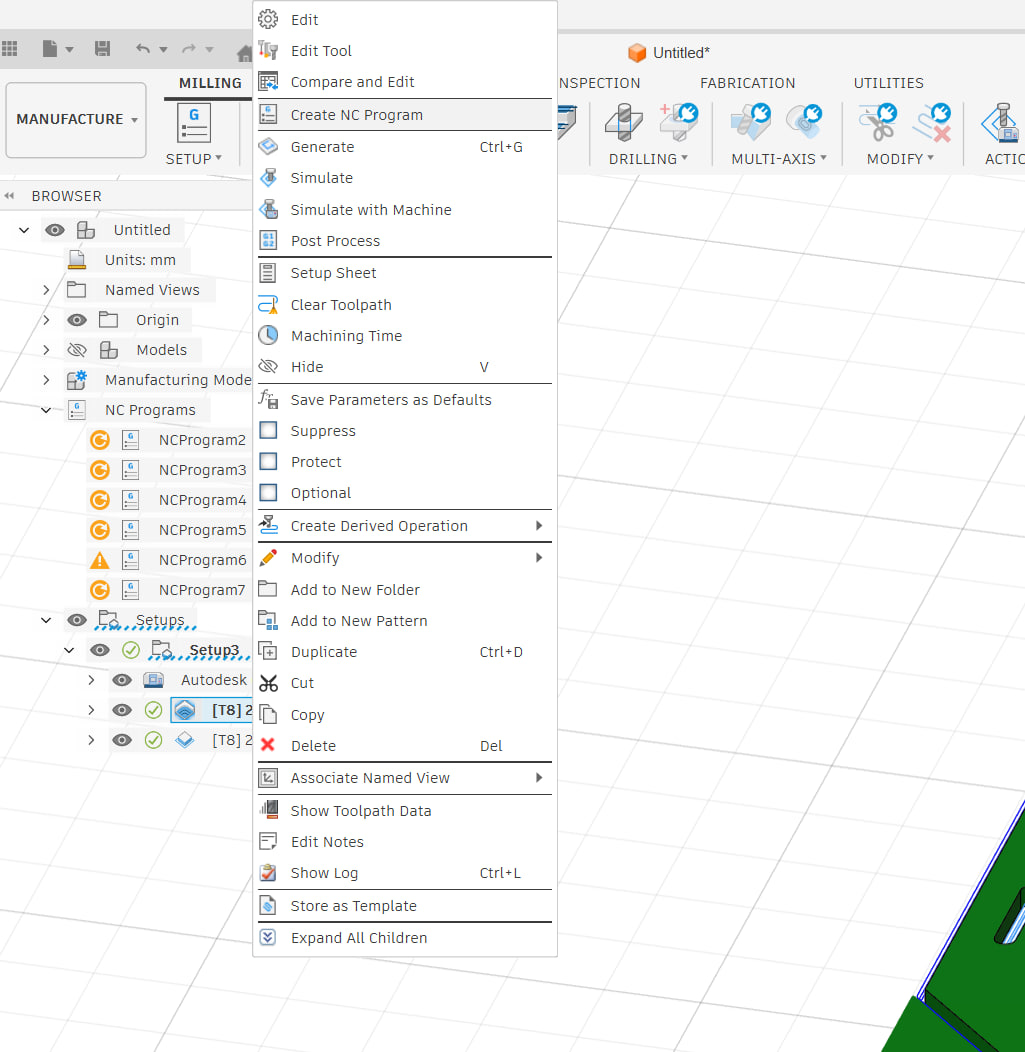
Testing the machine.
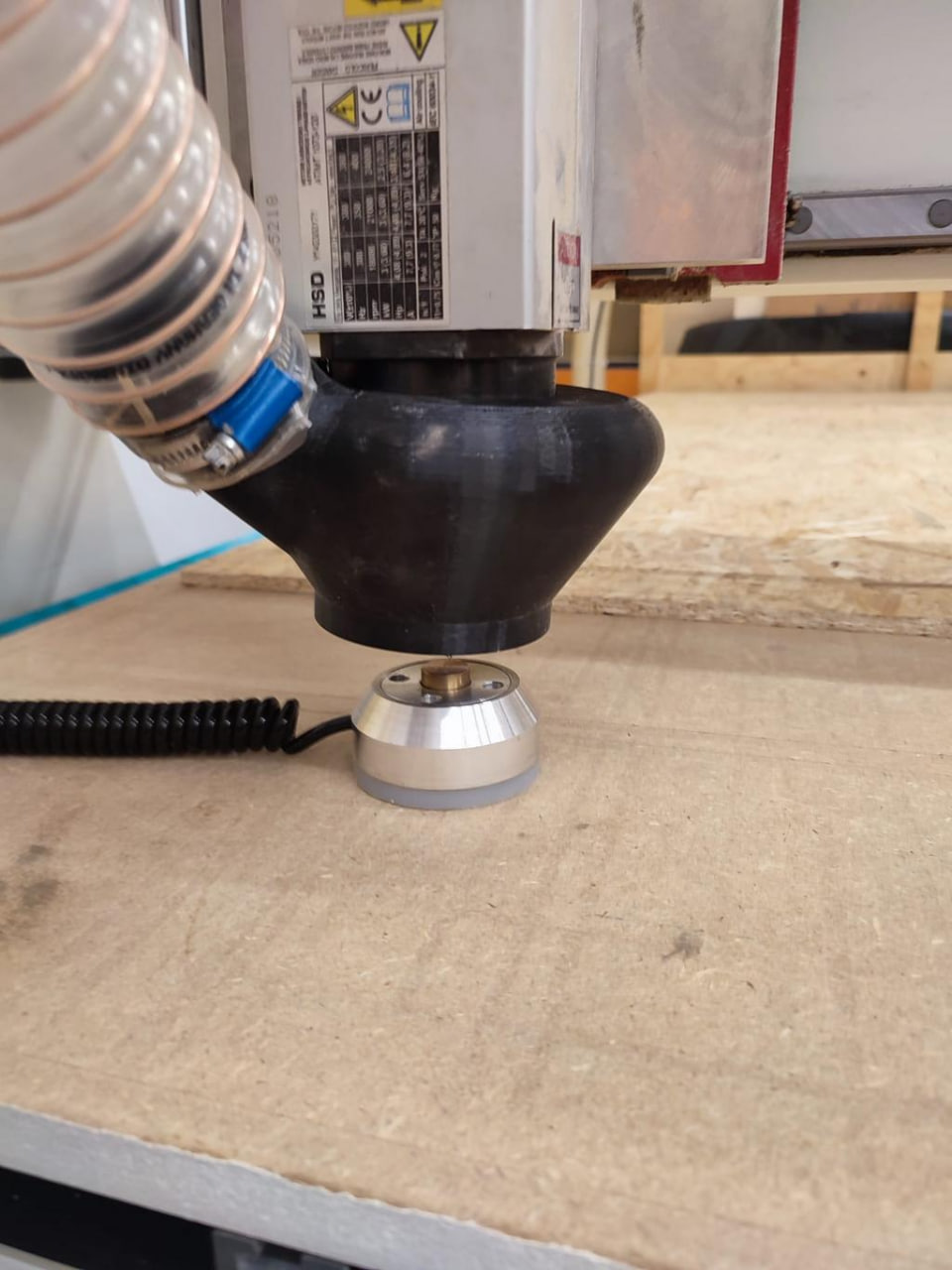
On the macine we use the manual mode of movement to move to where we want the origin to be. then we press the coordinate box with numbers to zero it.
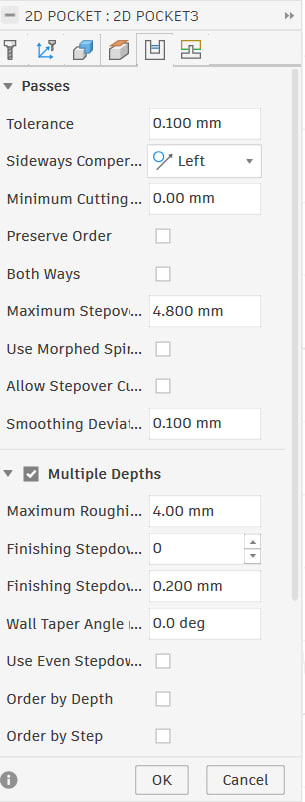
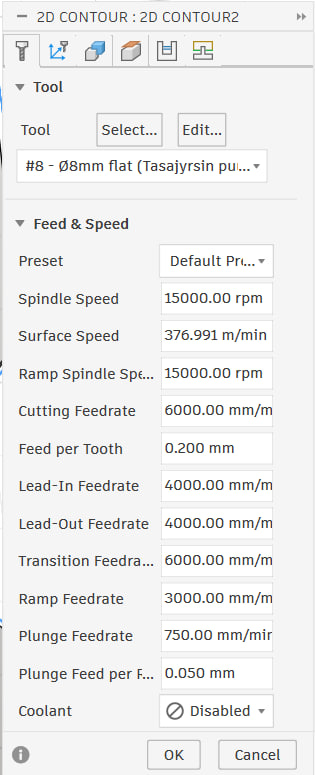
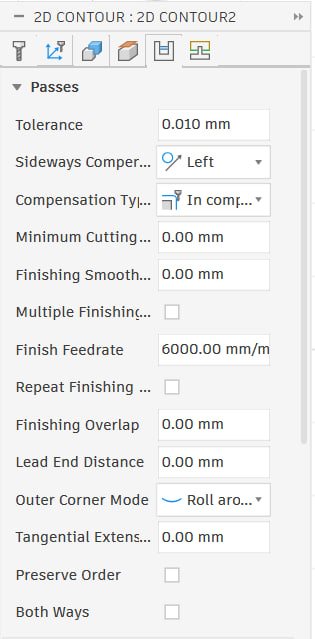
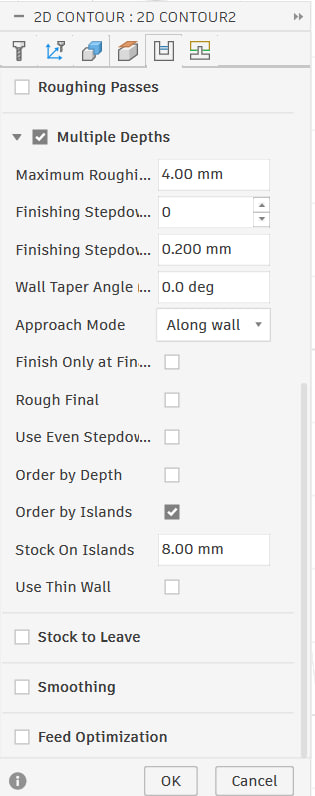
Settings for Cam
For pocket its this
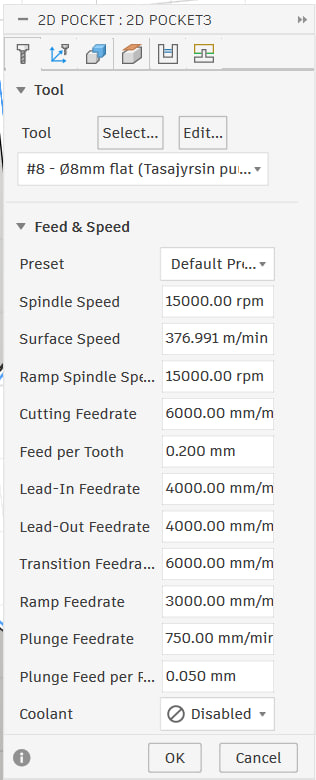
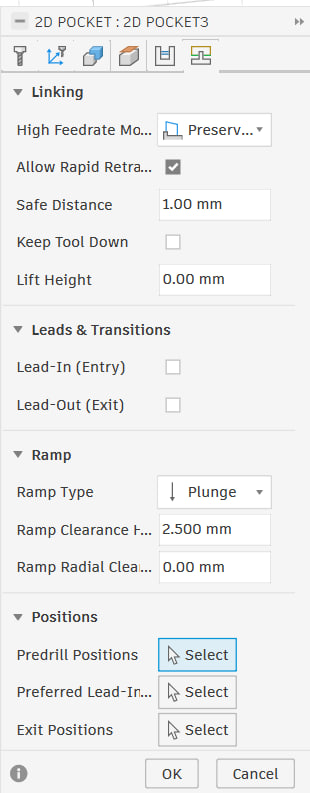
For Contour its this
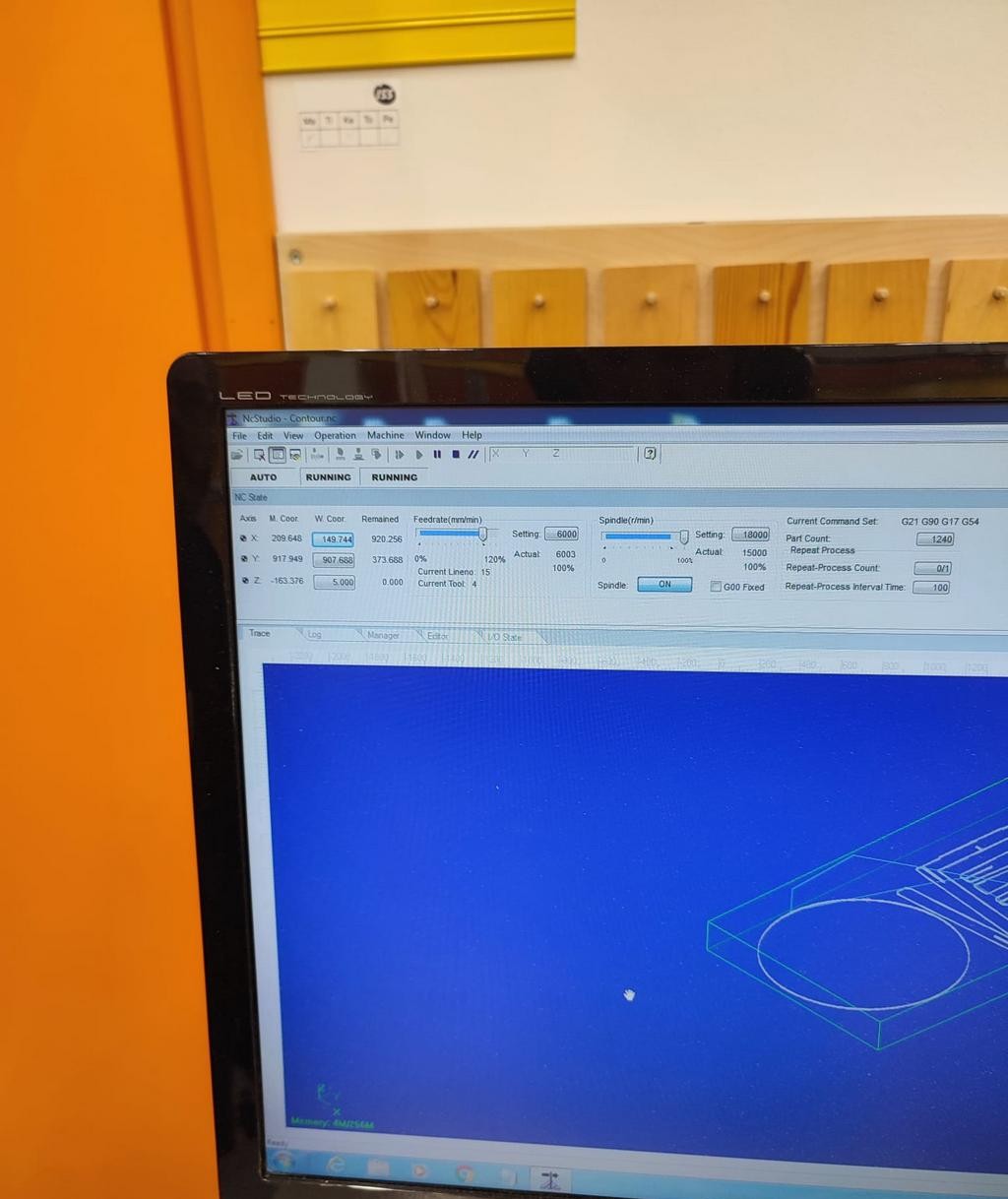
We open the file in the program and then simulate it to see if it has any errors.Mine didnt have any. Then we press the play button to make it operate.
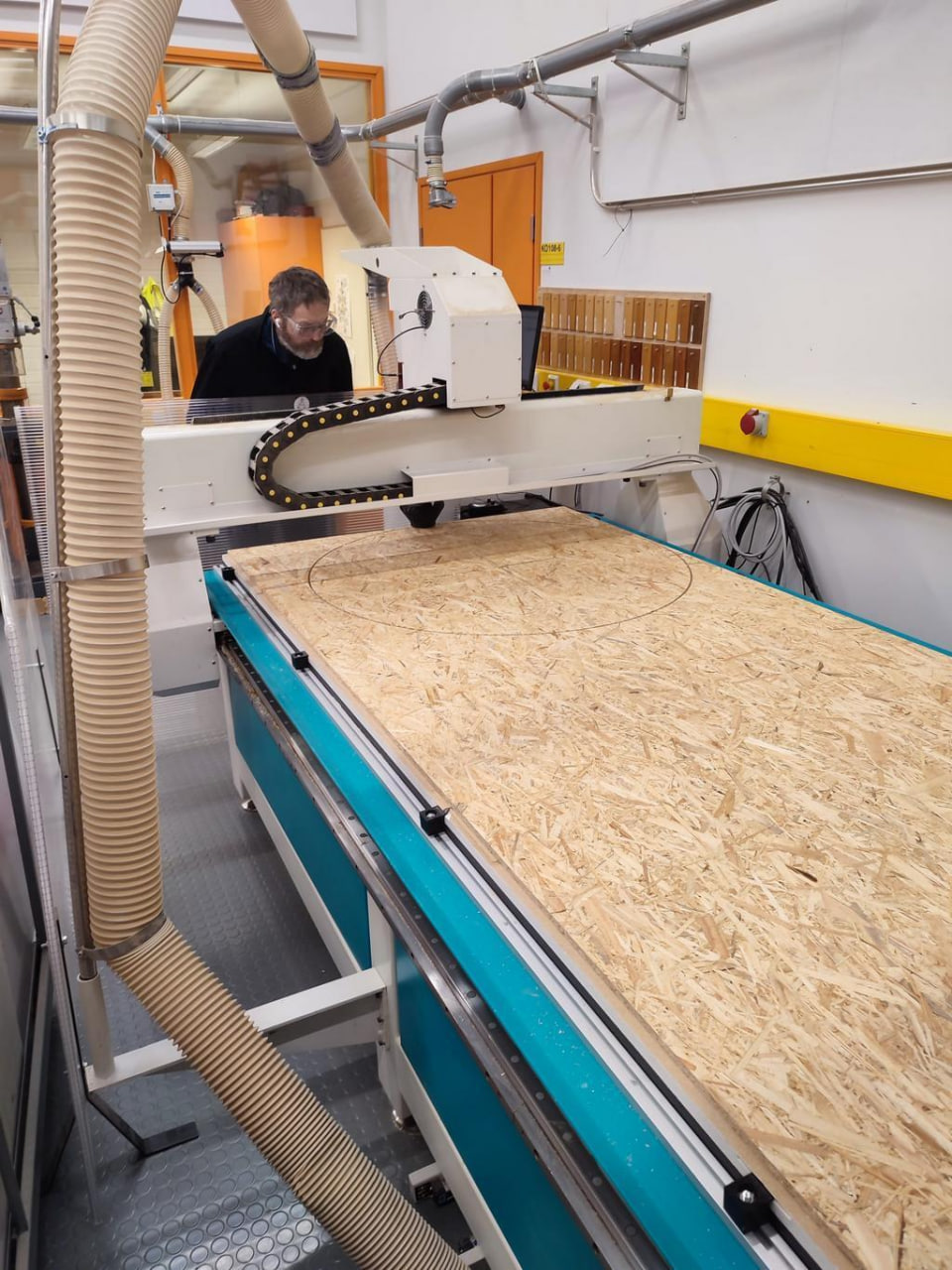
There was a problem during cutting, because i didnt add the (holding tabs or bridges) and so it was not safe and it didnt cut how i wanted, could have went flying.
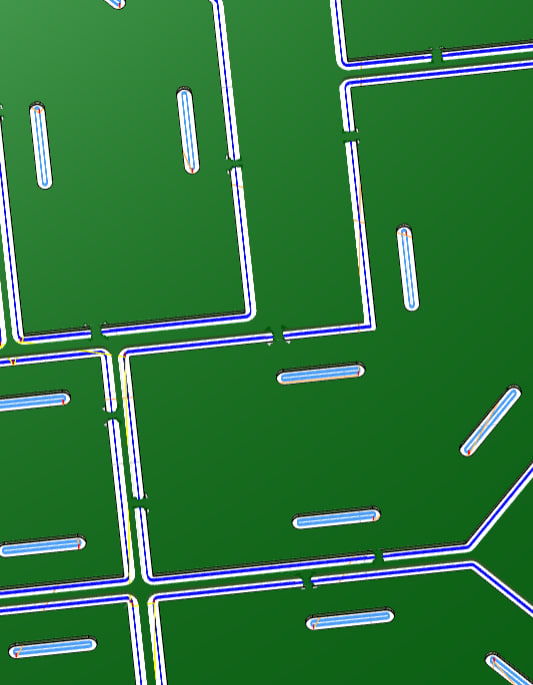
After adding tabs it got fixed and during cutting there were no problems, im actually happy with how it went. I used up all of the material in the end except for a bit.
Results.
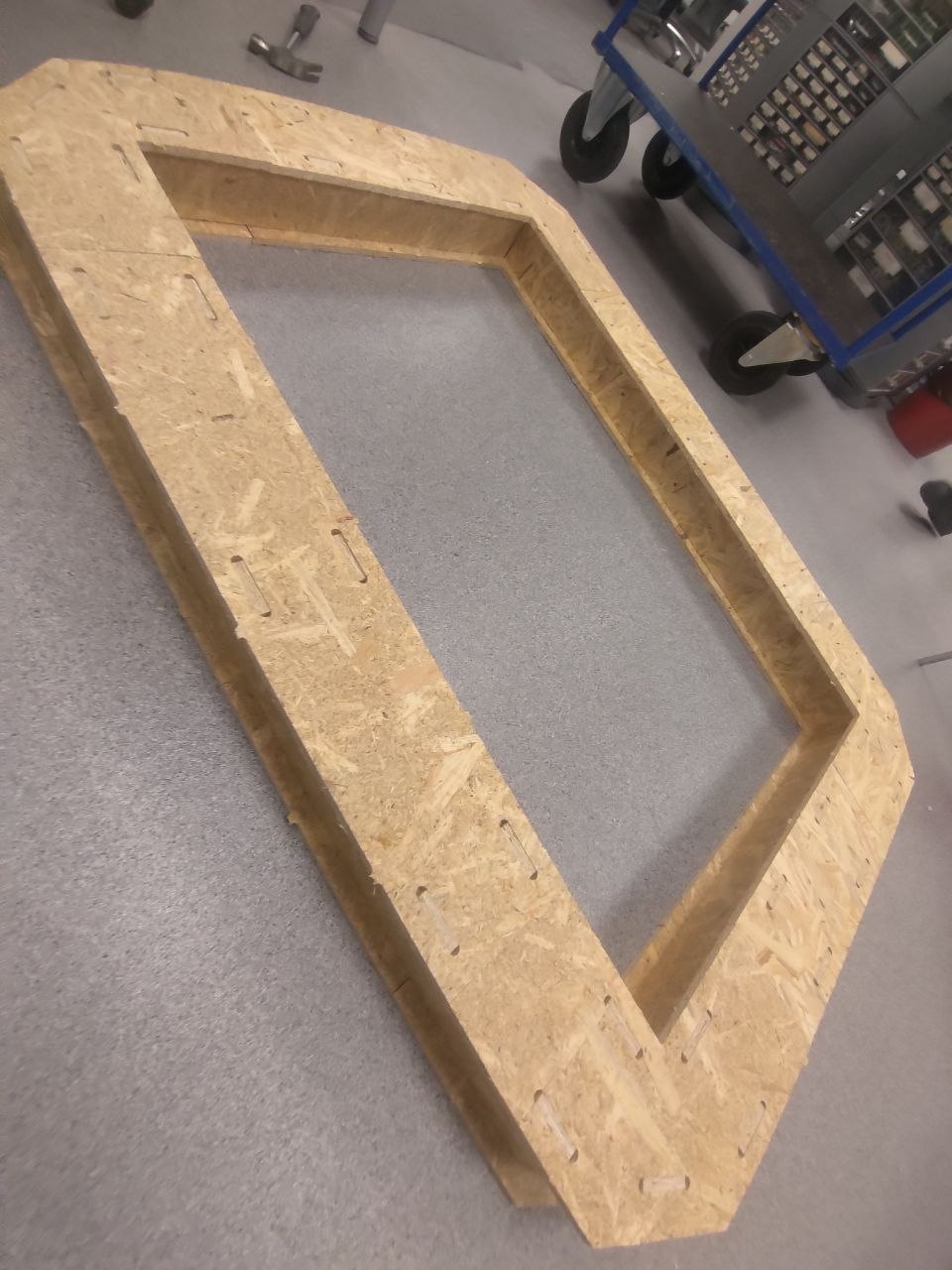
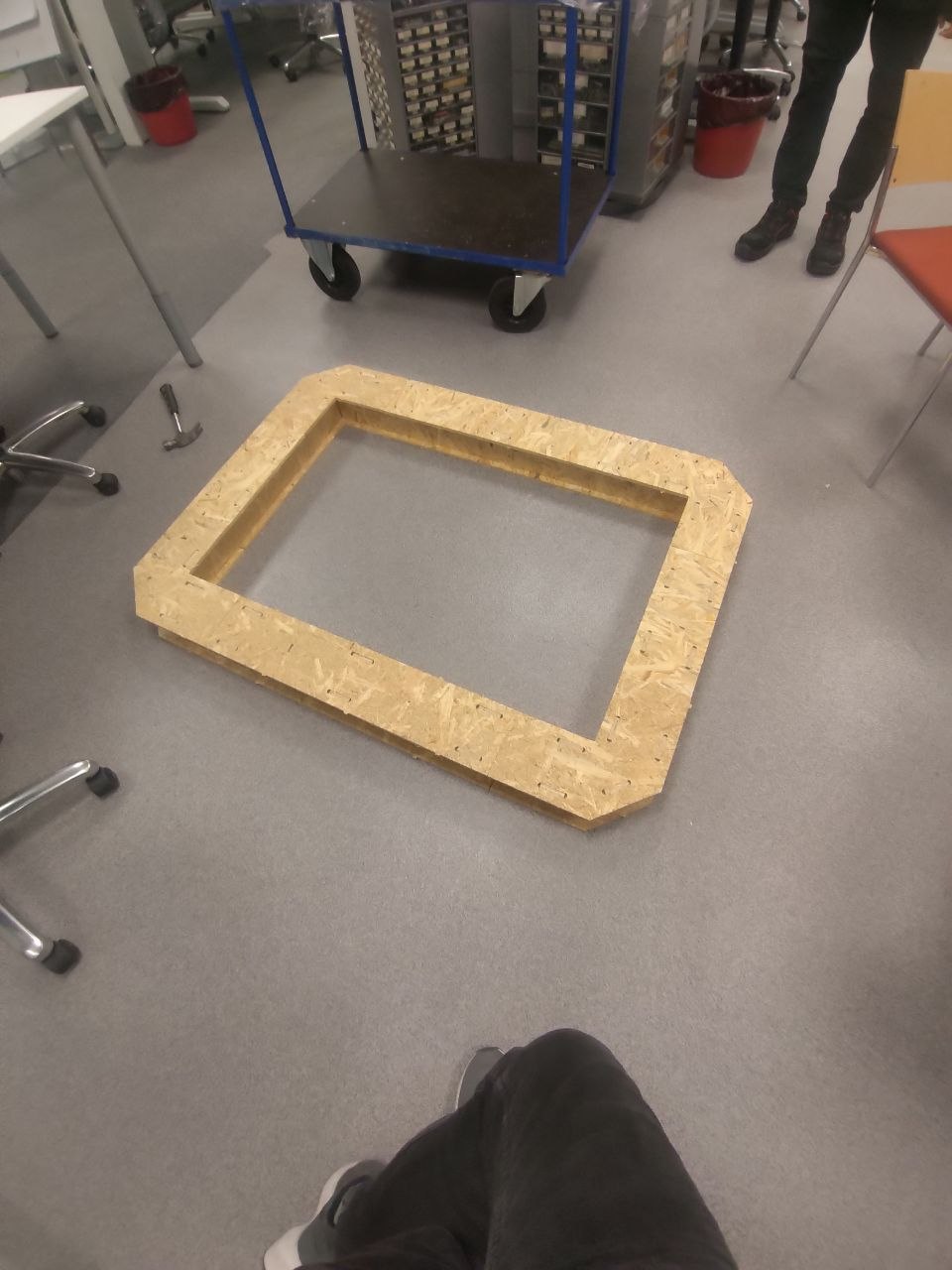
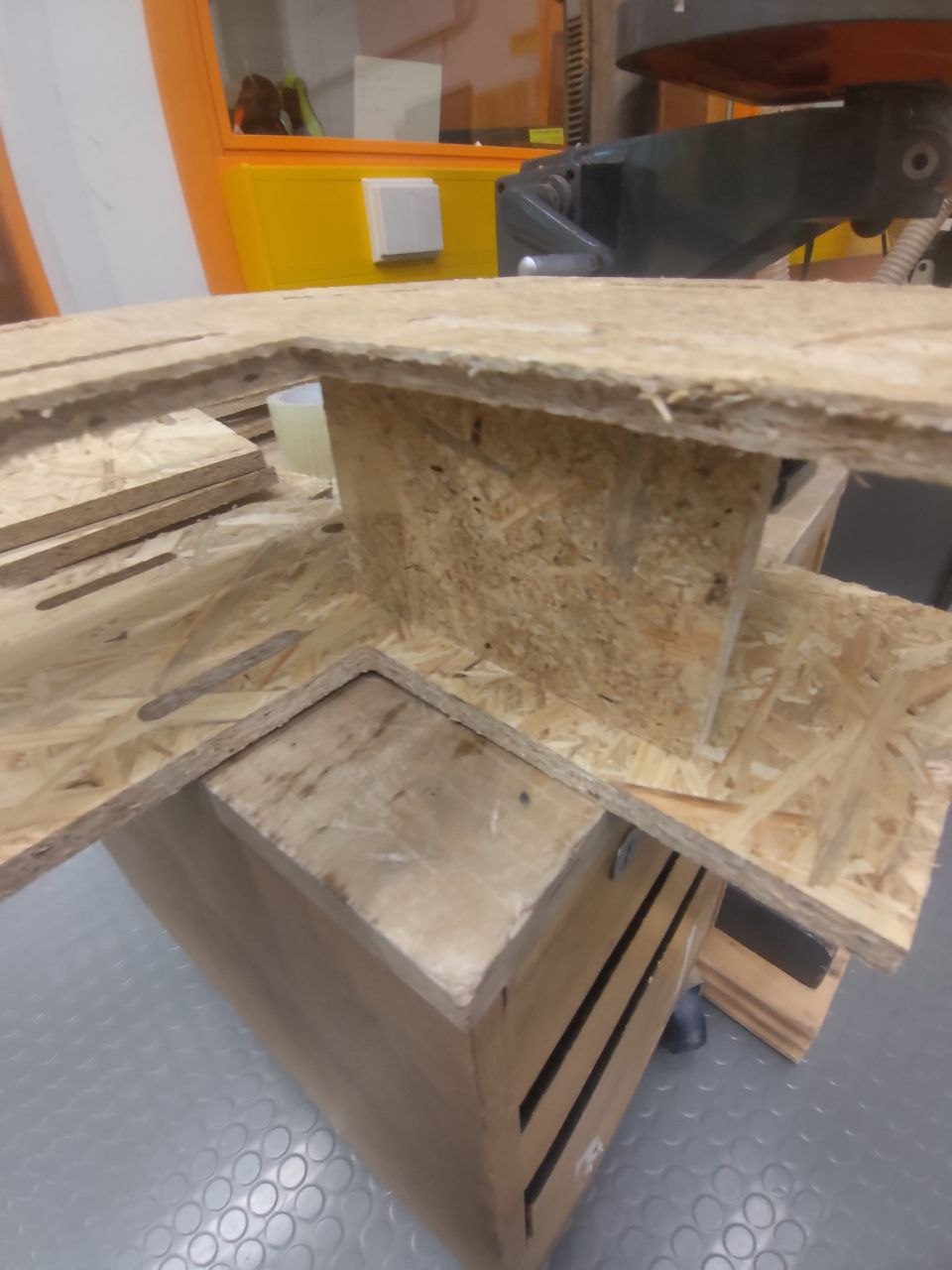
Honestly way more fun than i thought and hopefully ill make it from better material so i can use it in my real home.
Reflection
Reflecting on the week, it was a week of solid progress.I feel that I can make any furniture I want now.Honestly always wanted to make a dnd table. I explored new Fusion 360 tools which was fun, digging into CAM toolpaths, CNC machining preparations, and confirming simulations and settings. I have also imported libraries and put them to use in a practical application. This project has made me feel stronger about my parametric and manufacturing-driven design skills . I’ve learnt that even small design choices impact the final product’s fit, the machining process, and assembly.