Week 15 — Interface and application programming
Global Class
This week focused on how digital fabrication projects communicate with users through software interfaces and applications. The lecture explored the relationship between embedded systems and higher-level applications that visualize, control or exchange data with physical devices.
A major topic was the comparison between different programming environments and languages such as C/C++, Python, Processing and JavaScript. Python was presented as a particularly flexible and accessible language for interfacing hardware with applications, while Processing was highlighted as a natural extension of the Arduino workflow for graphical interfaces.
The class also introduced low-code and visual programming environments such as App Inventor, Mods and Node-RED, showing how interfaces can be developed through data-flow programming instead of traditional coding.
Another important concept was the use of WebSockets for communication between web applications and embedded devices, allowing real-time interaction between browsers and microcontrollers.
One of the most interesting aspects of the lecture was understanding that interface programming is not only about creating graphical interfaces, but about designing meaningful communication between humans, software and machines.
The lecture reinforced the importance of selecting tools and programming environments according to the specific goals of the project, balancing performance, accessibility and development complexity.
Weekly Assignment: Asfalt UI
I focused on developing the operator interface for ASFALT. The objective was to create a simple and robust control system that could allow an operator to interact with the heating system quickly during service conditions.
Rather than relying on multiple buttons and menus, ASFALT aims to reduce interaction to a single physical control:
- rotate to adjust temperature
- press to confirm actions
- receive immediate feedback
- reduce attention demands during cooking
This led to the development of a rotary encoder based interface using the M5Dial platform.
Selecting the Hardware Platform
Several interface options were explored during development.
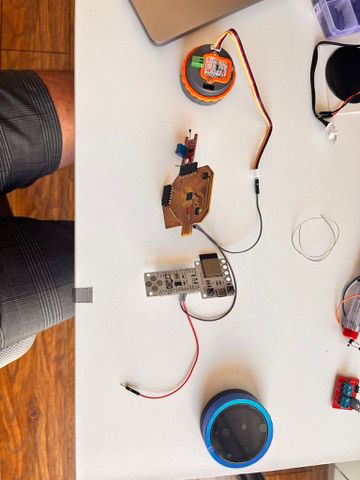
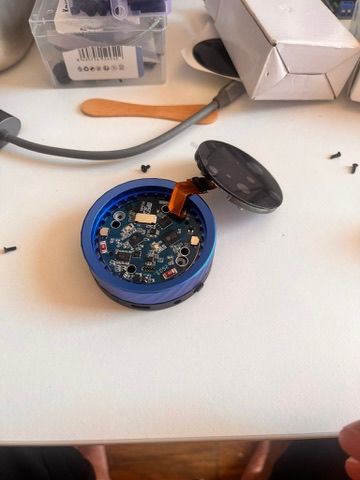
The first candidate was the Waveshare SmartKnob evaluated during Networking week. Although technically capable, the platform introduced several problems:
- difficult access to GPIO pins
- unstable USB behavior
- limited documentation
- slower development workflow
It comes with 2 ESP32s that were very hard to program since it depended on which side of the USBC was plugged into the computer, creating a confusing workflow with Arduino IDE. I had to open it up to make sure it was connected properly.
After several tries, it stopped working. I had to drop it eventhough the outside of the product and encnder wheel was outstanding.
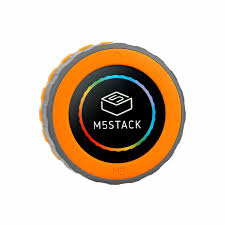
The M5Dial eventually became the preferred platform because it integrated:
- ESP32-S3 microcontroller
- rotary encoder
- circular display
- touch screen
- WiFi and Bluetooth connectivity
- Grove connector for expansion
Most importantly, it allowed rapid iteration and deployment.
First Interface Prototype
The first software prototype focused on validating the interaction model.
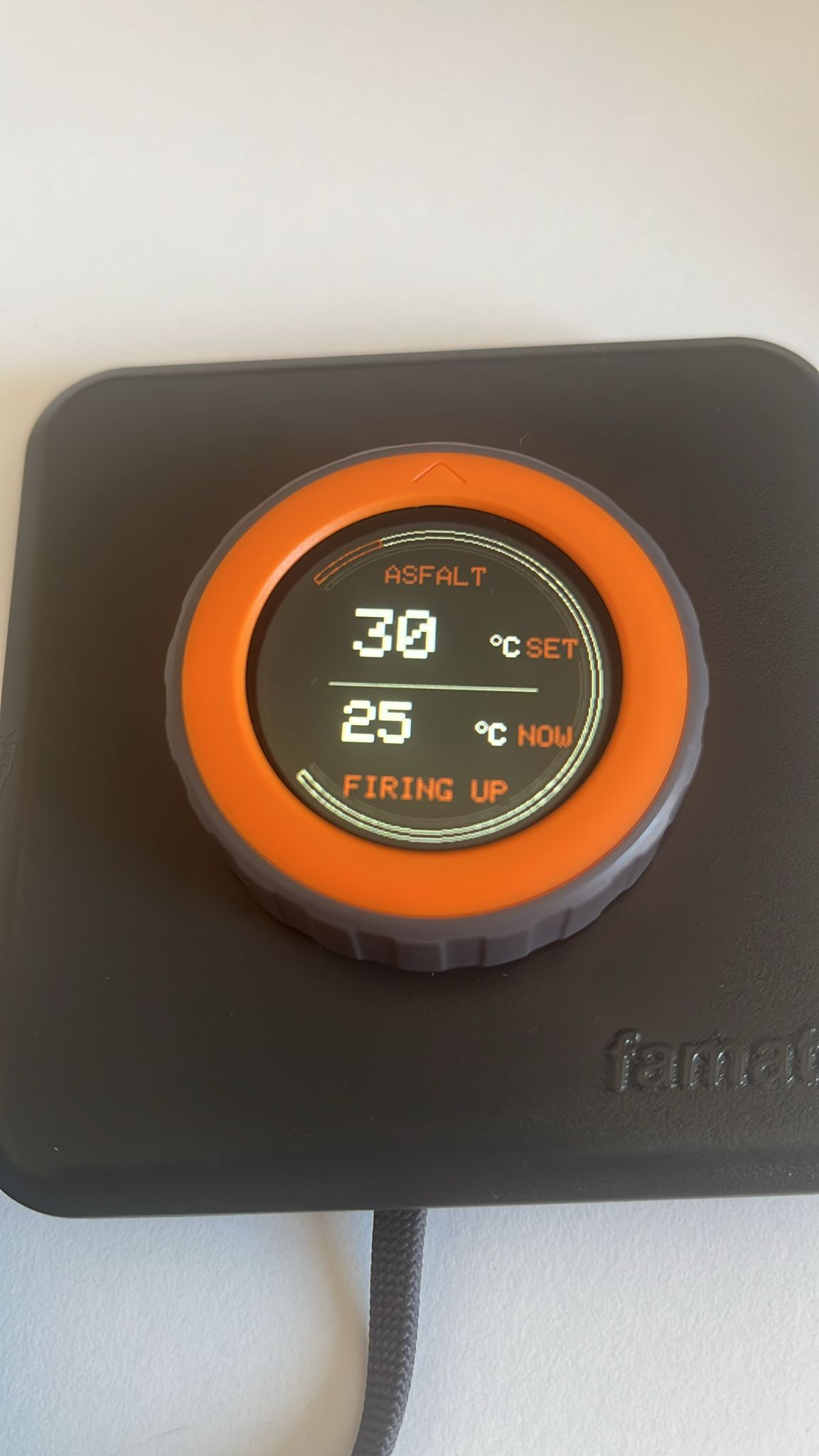
The encoder controlled a target temperature value while the display showed:
- target temperature
- current measured temperature
- SSR state
This allowed testing the complete control loop before connecting the heating system.
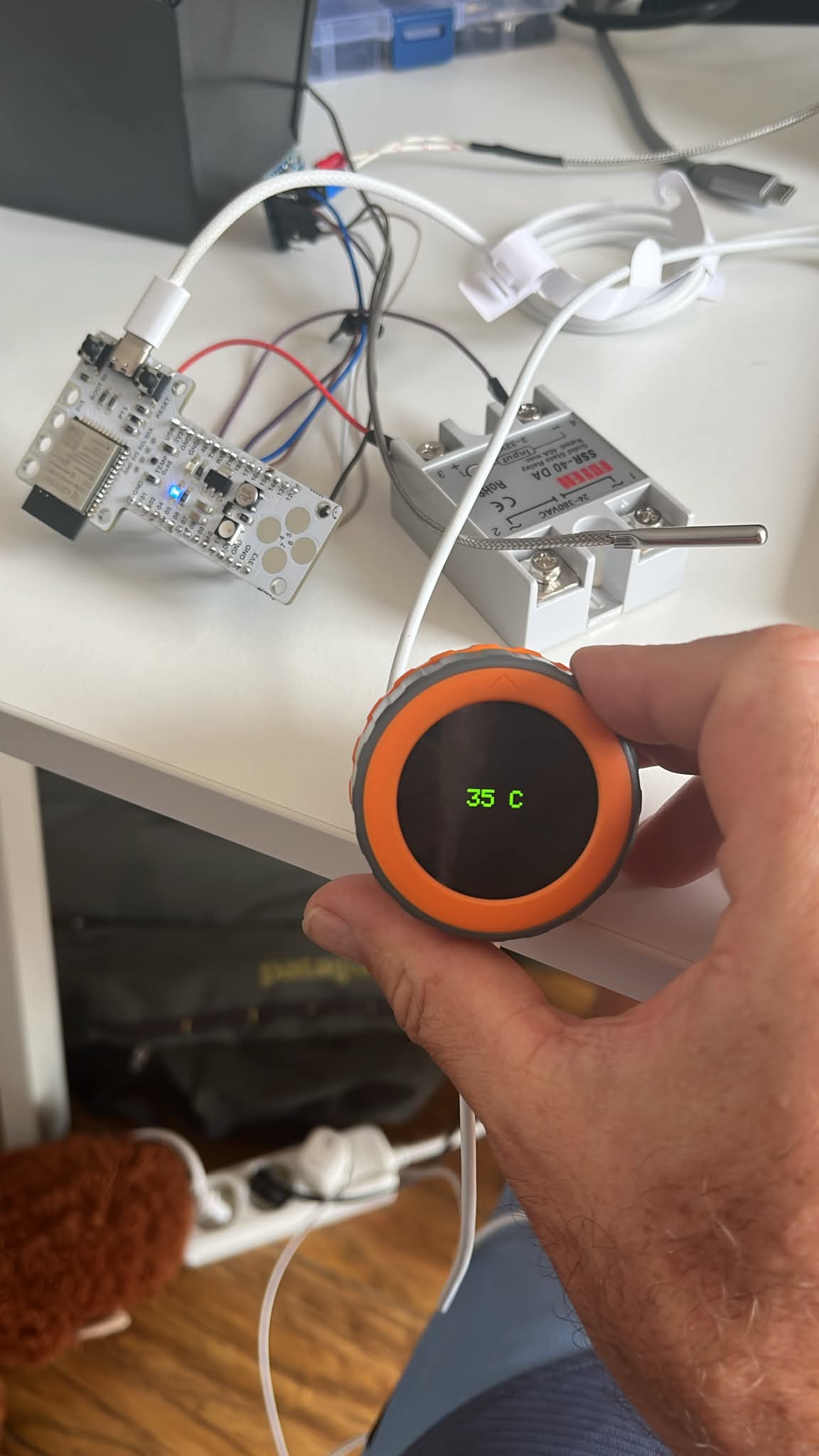
The interface was intentionally minimal:
SET 43°C
NOW 0°C
SSR OFF
At this stage functionality was prioritized over appearance.
Connecting the Interface to the Thermal System
Once the interaction model worked, the interface was connected to the thermal controller.
The system architecture became:
Operator
   ↓
M5Dial interface
   ↓
Temperature setpoint
   ↓
Controller board
   ↓
SSR relay
   ↓
Heating element
The interface could now display:
- selected temperature
- measured temperature
- heater status
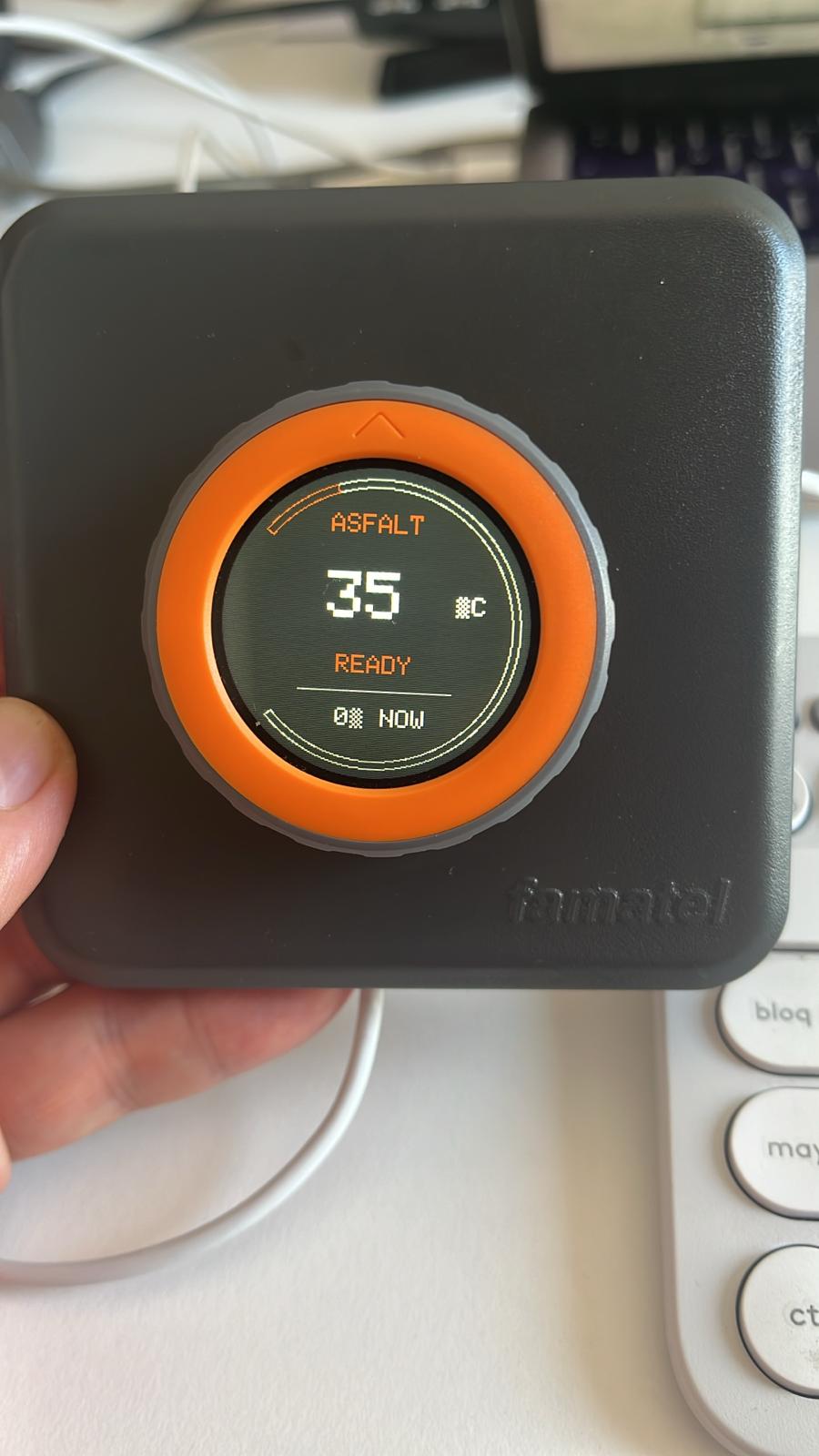
This transformed the M5Dial from an isolated demo into the front-end of the ASFALT system.
Communication Validation
The next step was validating communication between the interface and the controller node.
Temperature values generated by the encoder were transmitted to the controller using UART and ESP-NOW experiments developed during Networking week.
Successful communication confirmed that the operator interface could become physically separated from the heating controller while preserving a simple user experience.
Developing the ASFALT Interface Language
Once the technical functionality worked, attention shifted toward usability and visual identity.
The design objectives became:
- readability from a distance
- visibility under outdoor conditions
- minimal information density
- clear system states
- operation with gloves or greasy hands
The interface adopted:
- high contrast typography
- large temperature values
- minimal navigation depth
- state-based feedback
The interface evolved from an engineering tool toward a product interface.
Introducing the ASFALT Visual Identity
The interface gradually evolved into a branded operator display inspired by industrial kitchen equipment and street environments.
The design language focused on:
- dark backgrounds
- high contrast information
- industrial color palette
- minimal distractions
- immediate state recognition
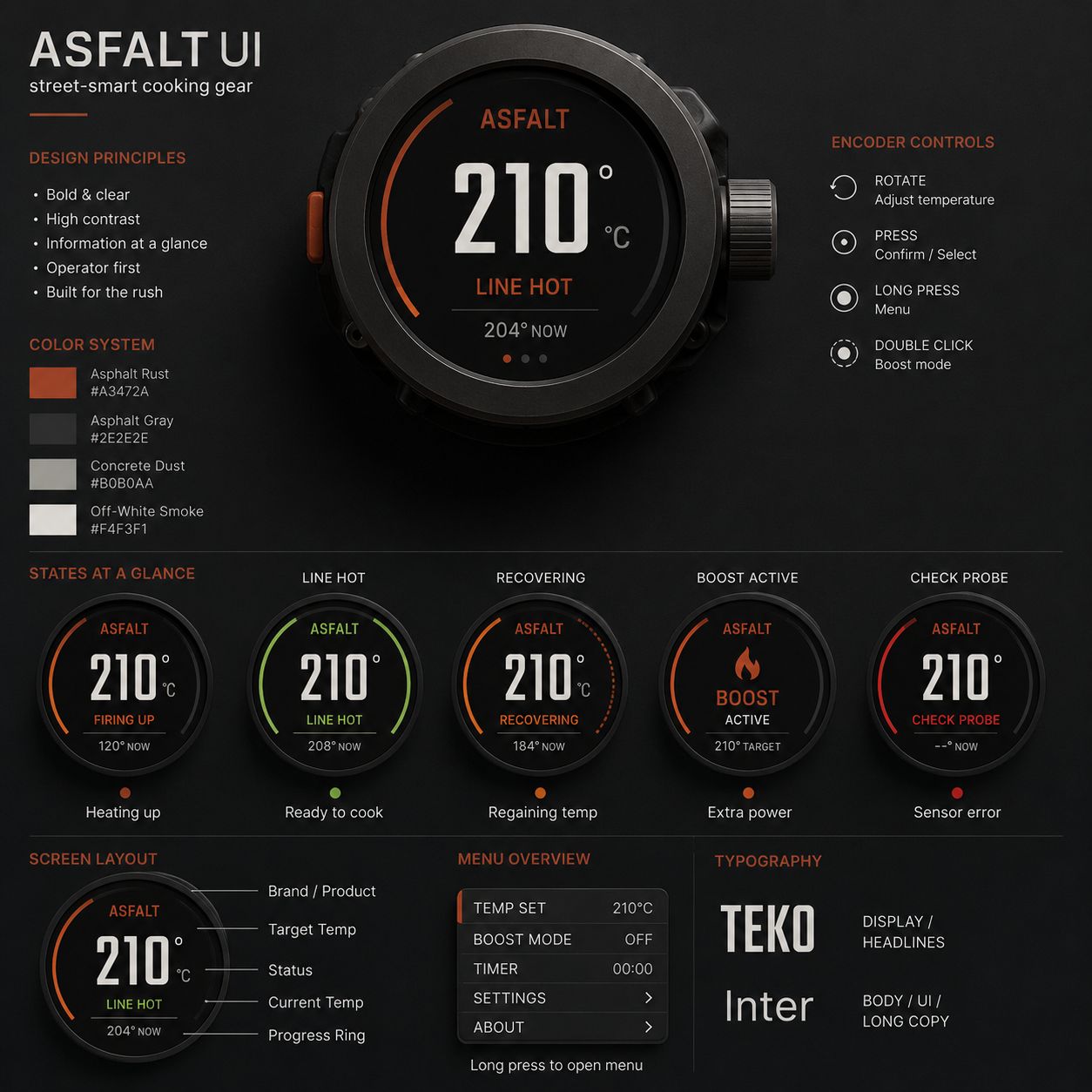
The circular display naturally supported a radial information layout using:
- target temperature
- current temperature
- status message
- progress arc
Defining System States
Rather than continuously exposing technical information, the interface communicates through operational states.
Examples include:
- HEATING UP
- LINE HOT
- RECOVERING
- BOOST ACTIVE
- CHECK PROBE
These states communicate machine behavior rather than internal electronics.
This approach was inspired by professional kitchen workflows where operators need decisions rather than diagnostics.
Interaction Logic
The final interaction model became intentionally simple:
| Action | Function |
|---|---|
| Rotate | Adjust target temperature |
| Press | Confirm selection |
| Long press | Open menu |
| Double click | Activate boost mode |
This interaction model allows operation with a single hand while cooking.
Current Status
The interface prototype is now fully operational and capable of:
- reading encoder position
- displaying temperature values
- communicating with the controller
- displaying heating states
- supporting future menu navigation
The M5Dial has effectively become the operator face of ASFALT.
ASFALT Translation
- validated rotary encoder interaction as the primary input method
- established the visual language of the product
- created a complete operator interface prototype
- demonstrated communication between interface and controller
- reduced the interaction model to a single physical control
This week transformed ASFALT from a thermal machine into a product that can be operated intuitively by a human.