Final Project | Sleep Monitoring
A compact wearable that detects snoring, tracks sleep position, and monitors temperature and humidity. The data are processed on the device and shown on the OLED and a live web dashboard.
| Author | Mohammadreza Omidali |
| FabLab | Oulu Super FabLab, University of Oulu |
| Microcontroller | Seeed XIAO ESP32-S3 |
| Sensors | ICM-20948 IMU, DHT22 temperature and humidity sensor, and ICS-43434 I2S microphone |
| Output | 0.96-inch I2C OLED and WiFi web dashboard |
| Power | 3.7 V, 600 mAh LiPo battery |
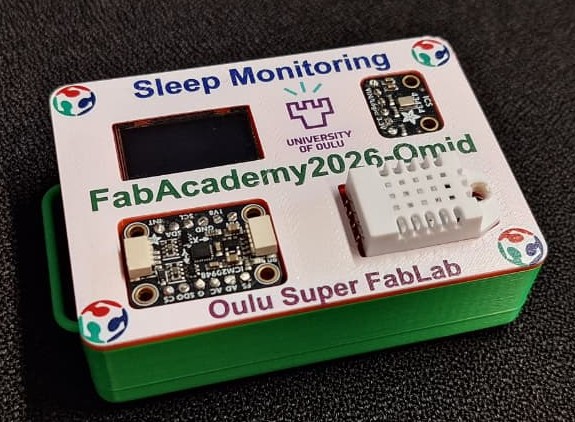
| Enclosure and mounting | Two-part snap-fit PLA enclosure, UV-printed lid, and elastic chest band |
| License | CC BY-NC-ND 4.0 |
| Repository | Fab Academy 2026, Oulu Super FabLab, Mohammadreza Omidali |
Presentation
Slide
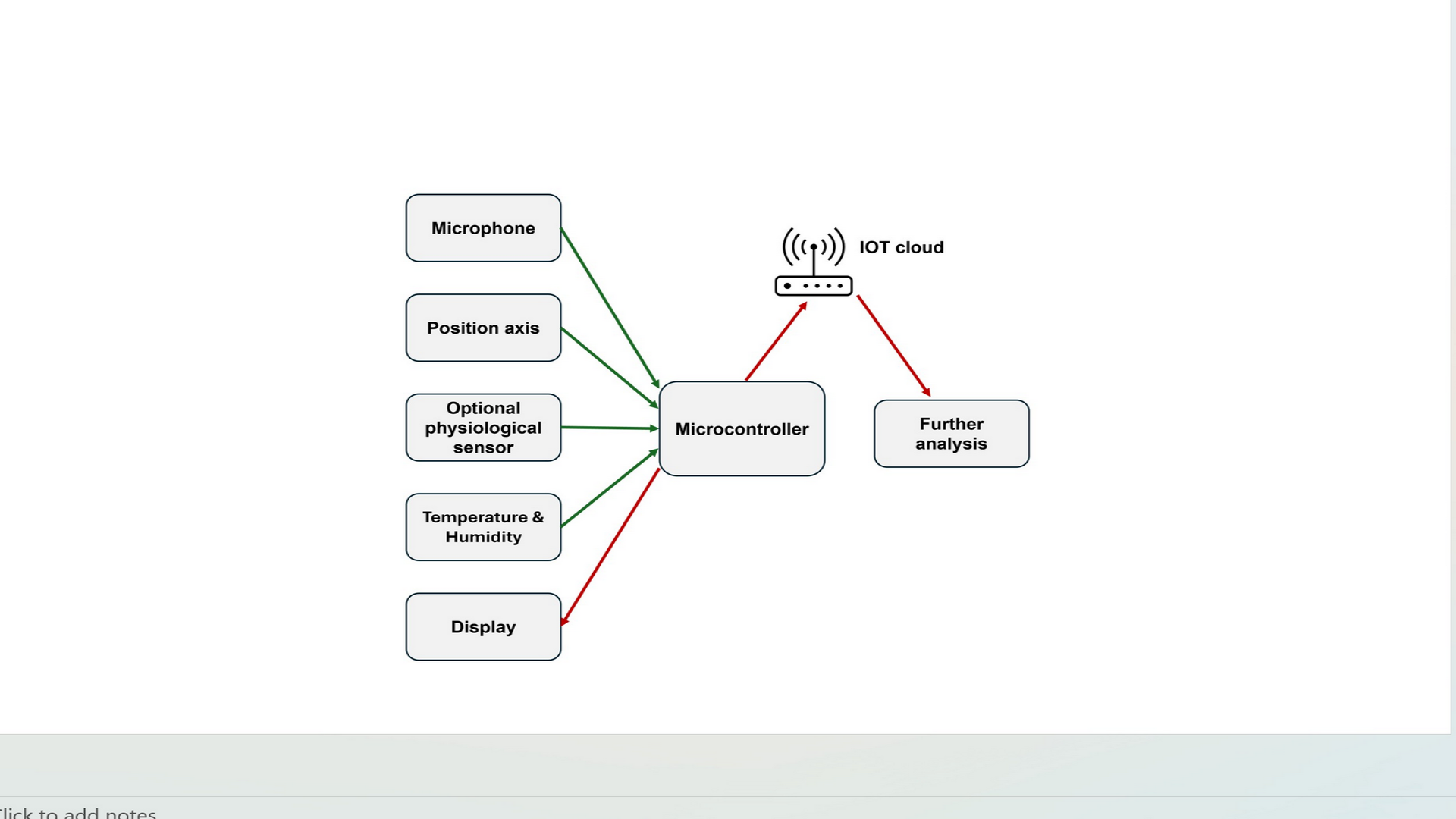
Download slide: presentation.png
Video
Watch the final presentation video:
1. The Idea
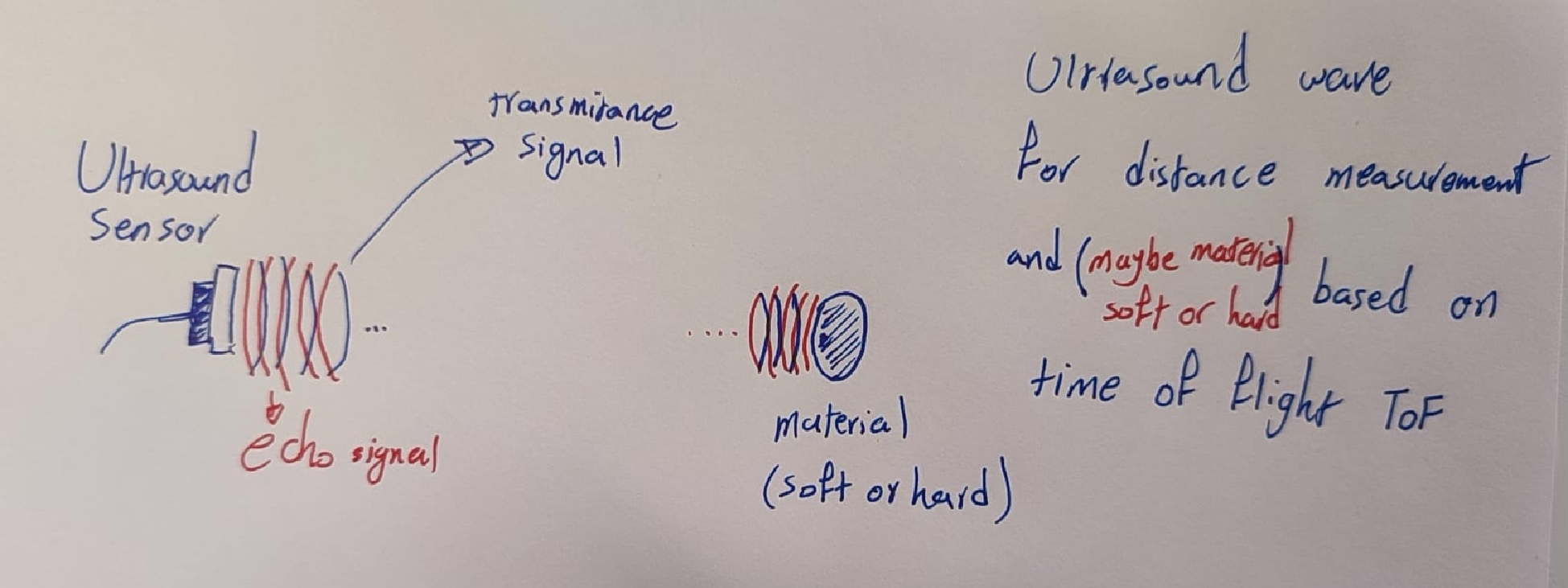
My first idea was to work with a high frequency time-of-flight ultrasound sensor for biomedical applications. Because a suitable sensor was not available, I changed the project plan.
Then I decided to make a small sleep-monitoring device with low-cost that could monitor snoring, sleeping position, temperature, and humidity during sleep.
Prior work and inspiration
I reviewed some related projects in Week 17.
2. Answering the Official Questions
I answered the official final project questions in more detail in Week 17.
3. System Overview
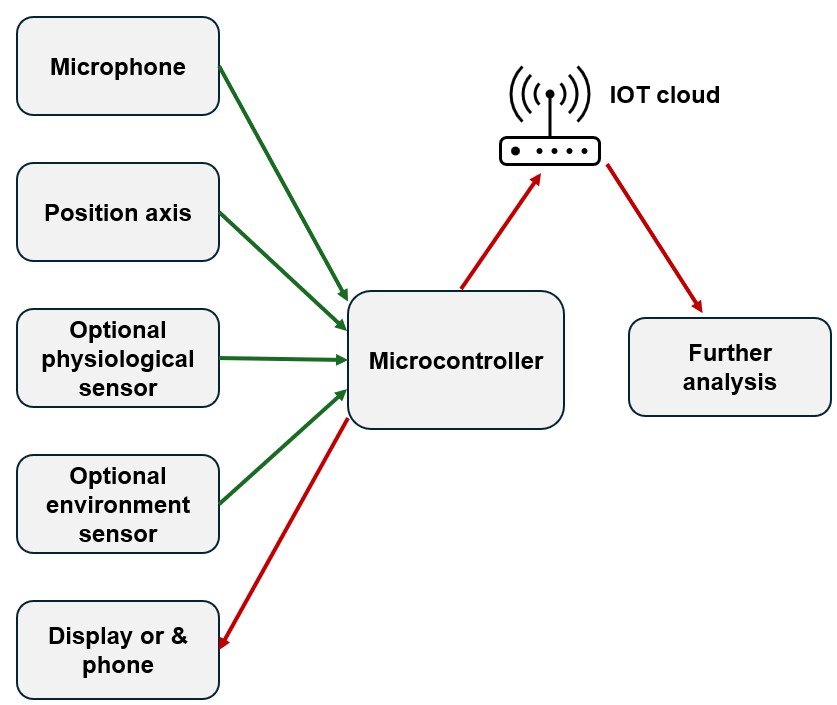
The main part of the device is a XIAO ESP32-S3. It reads the three sensors, updates the OLED, and sends the data to a web dashboard through WiFi. The system does not need an app, cloud service, or external server.
I showed and explained the block diagram in Week 15.
| Layer | Protocol | Components |
|---|---|---|
| Motion sensing | I2C | ICM-20948 |
| Environmental sensing | Digital single-wire | DHT22 |
| Audio sensing | I2S | ICS-43434 microphone |
| Local output | I2C | SSD1306 OLED |
| Connectivity | WiFi and WebSocket | Browser dashboard |
4. Designs: 2D & 3D
The enclosure was designed and improved over several weeks:
-
The first sketches and 3D model were created in Week 02.
-
The component layout and system integration were developed in Week 15.
-
The lid graphics were prepared in Inkscape and UV printed in Week 16.
Enclosure
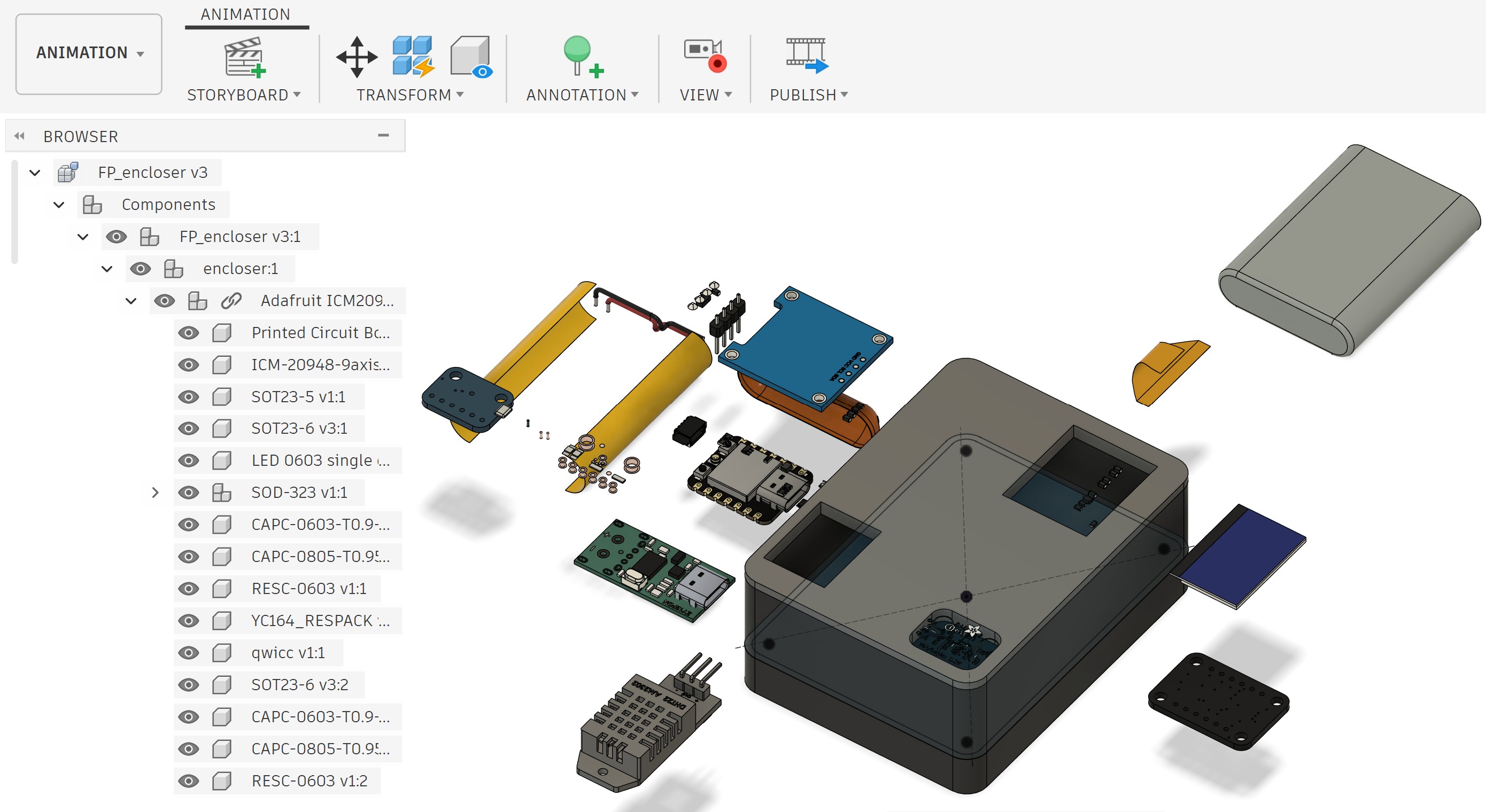
I designed the enclosure in Fusion 360 after measuring the real components. I first made a larger box and then reduced its size after placing the PCB, battery, sensors, and display in the model.
The enclosure has:
-
a two-part snap-fit body and lid
-
internal supports for the PCB
-
a space under the PCB for the LiPo battery
-
openings for the OLED, microphone, and sensors
-
an attachment point for the chest band
-
a UV-printed lid with the project name and logos
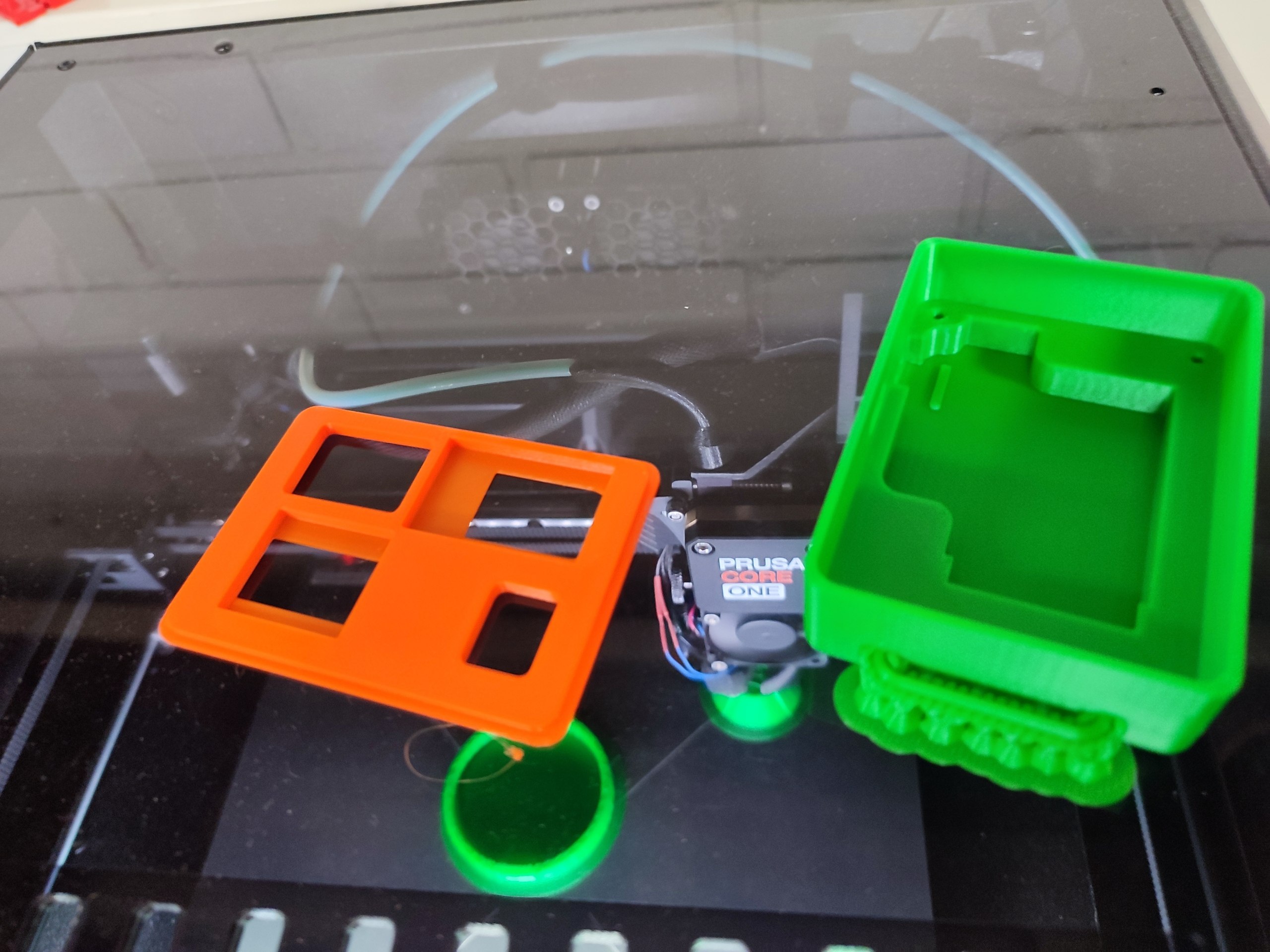
The enclosure was printed from PLA on a Prusa CORE One L.
5. Fabrication
5.1 3D Printing
The enclosure body and lid were sliced in PrusaSlicer and printed on a Prusa CORE One L.
| Setting | Value |
|---|---|
| Material | PLA |
| Layer height | 0.15 mm |
| Infill | 20% |
| Supports | No |
5.2 Laser Cutting
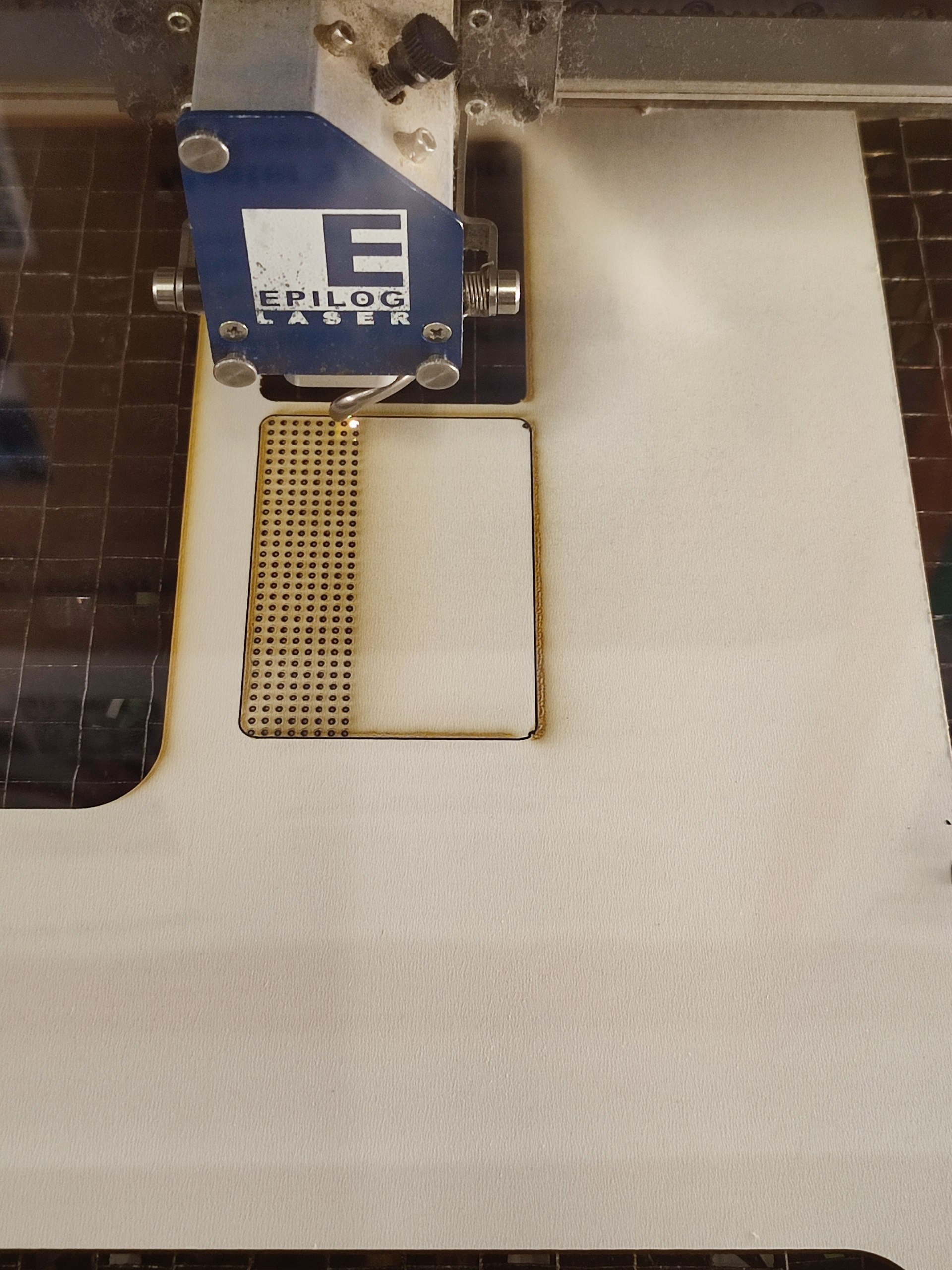
Before making the final PCB, I made a temporary holder from plywood with the laser cutter. I used it to place the components and check their arrangement inside the enclosure.
I used the tested plywood preset available at Oulu Super FabLab. I checked the focus and position before cutting. I did not save the exact power and speed values because this holder was used only during development. I do not want to add values that I did not record.
| Item | Details |
|---|---|
| Material | Plywood |
| Purpose | Temporary component holder |
| Design software | Fusion 360 and Inkscape |
| Cutting settings | Material preset available at Oulu Super FabLab |
The exact numerical power and speed settings were not saved. The general laser characterization, including power, speed, focus, and kerf tests, is documented in Week 03.
5.3 UV Printing
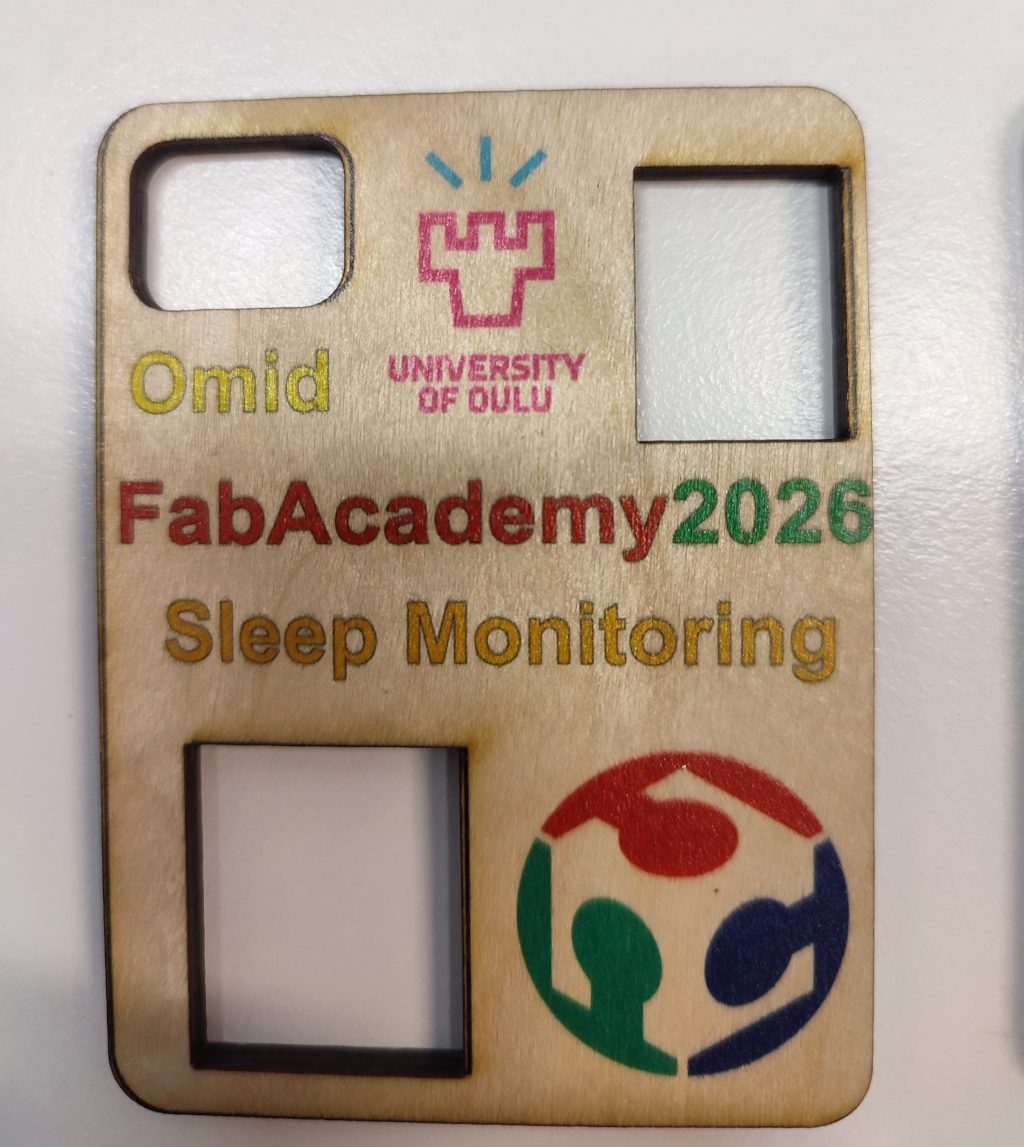
The lid was 3D printed from PLA. It was not cut with a UV laser. I used the Mimaki UJF-3042MkII e flatbed UV inkjet printer to print the project name and logos on its surface. Because this machine prints UV-curable ink, laser power, cutting speed, and number of passes do not apply.
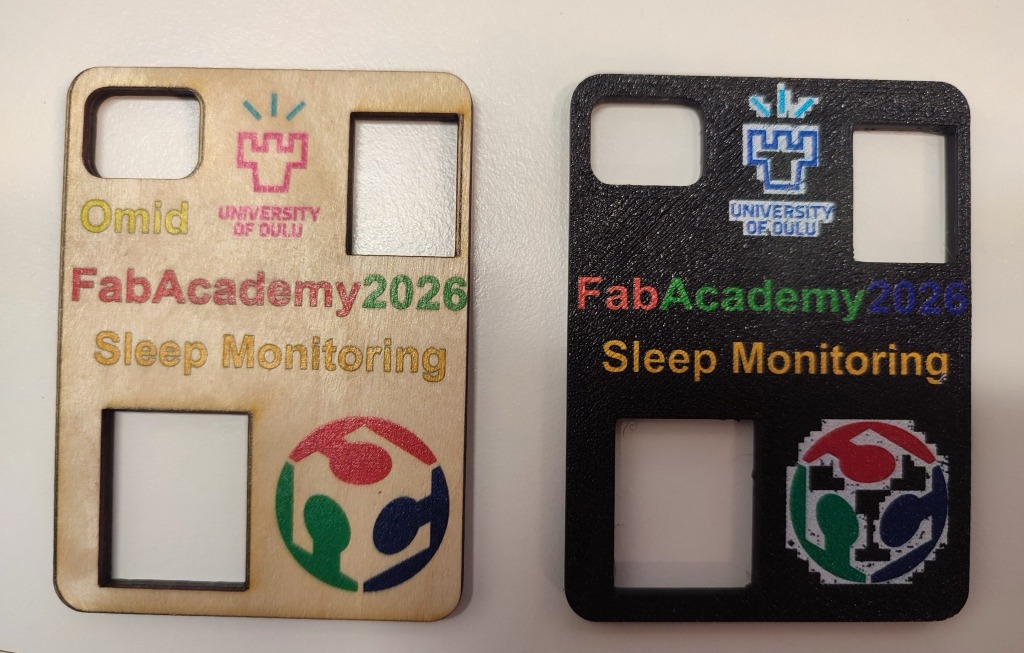
First, I printed an outline to find the correct position of the lid. Then I placed the lid inside the outline and printed the logos and text.
The first print did not have good quality because the logo files had unwanted backgrounds. I downloaded the original logo files, edited them in Inkscape, and printed them again. The second result was much clearer.
| Item | Details |
|---|---|
| Machine | Mimaki UJF-3042MkII e |
| Object | 3D-printed PLA enclosure lid |
| Lid height | 4 mm |
| Media thickness setting | 5 mm |
| Software | Mimaki RasterLink7 |
| Printing method | Direct UV inkjet printing |
The photos below show the first and final UV-printing results. The complete process is documented in Week 16.
6. Electronics
6.1 Design
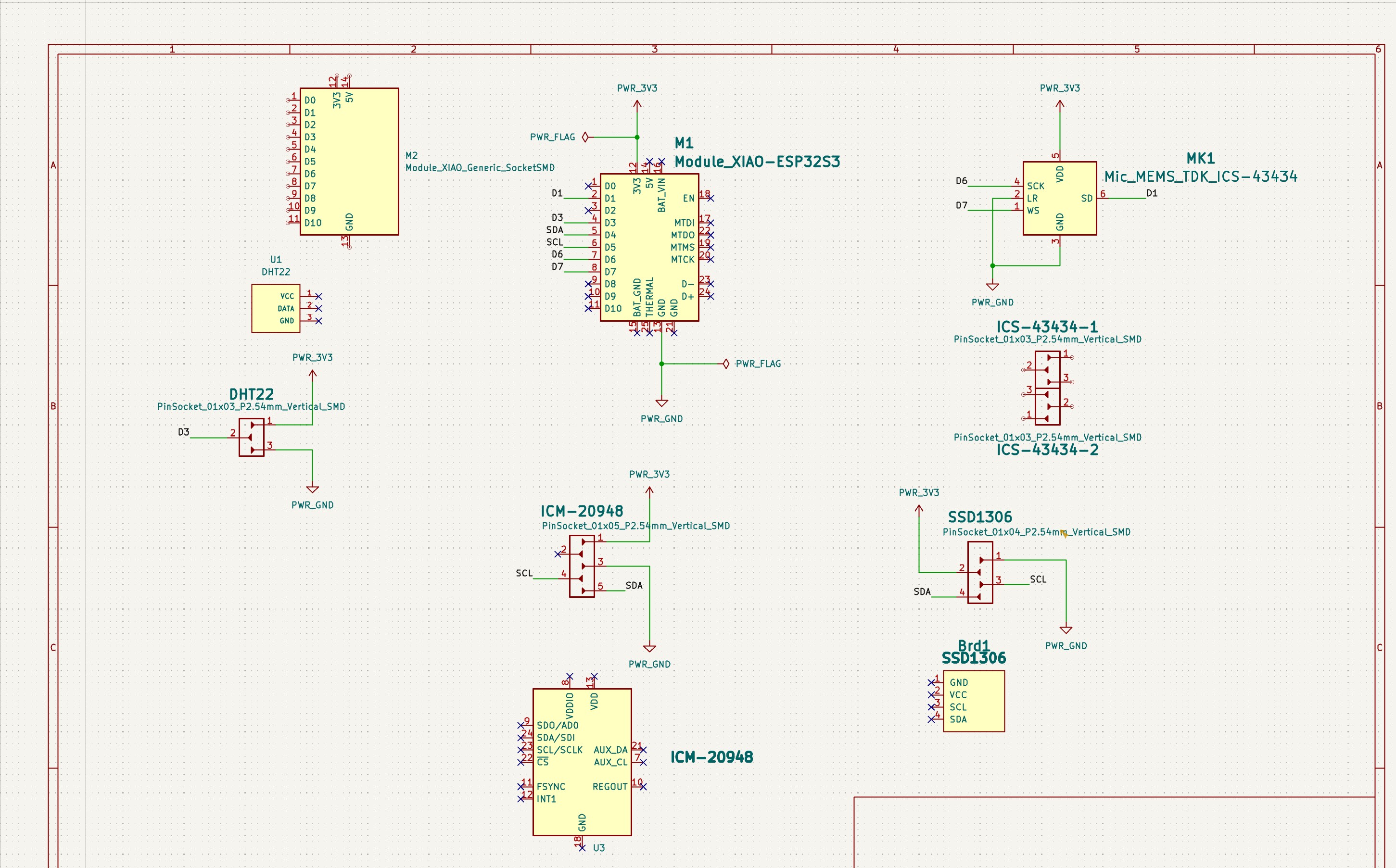
I designed the schematic and PCB in KiCad. I added and connected the components one by one.
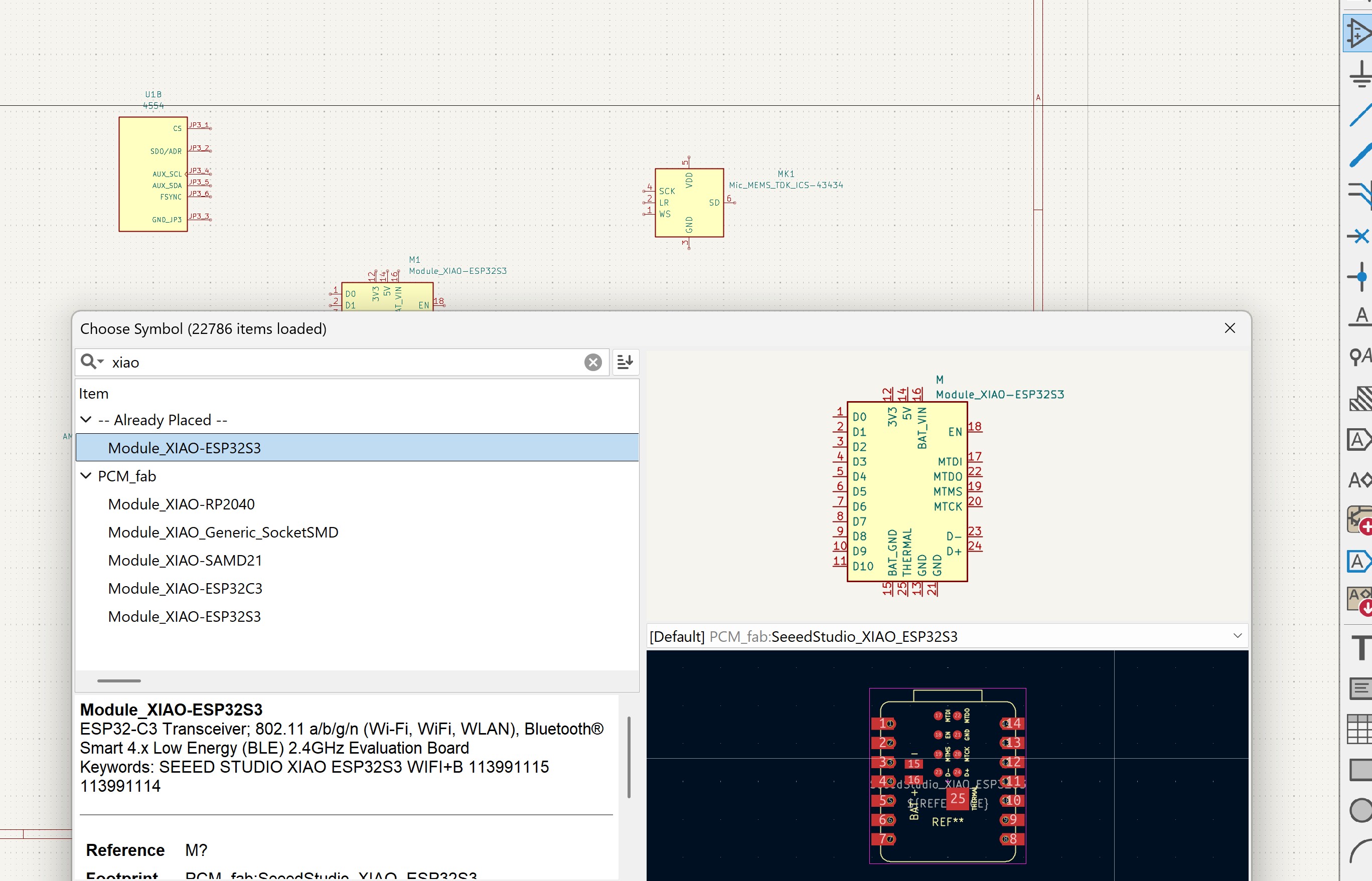
First, I selected the symbols for the XIAO ESP32-S3 and the sensors. I then connected the components in the schematic. The images below show the component selection and the completed schematic.
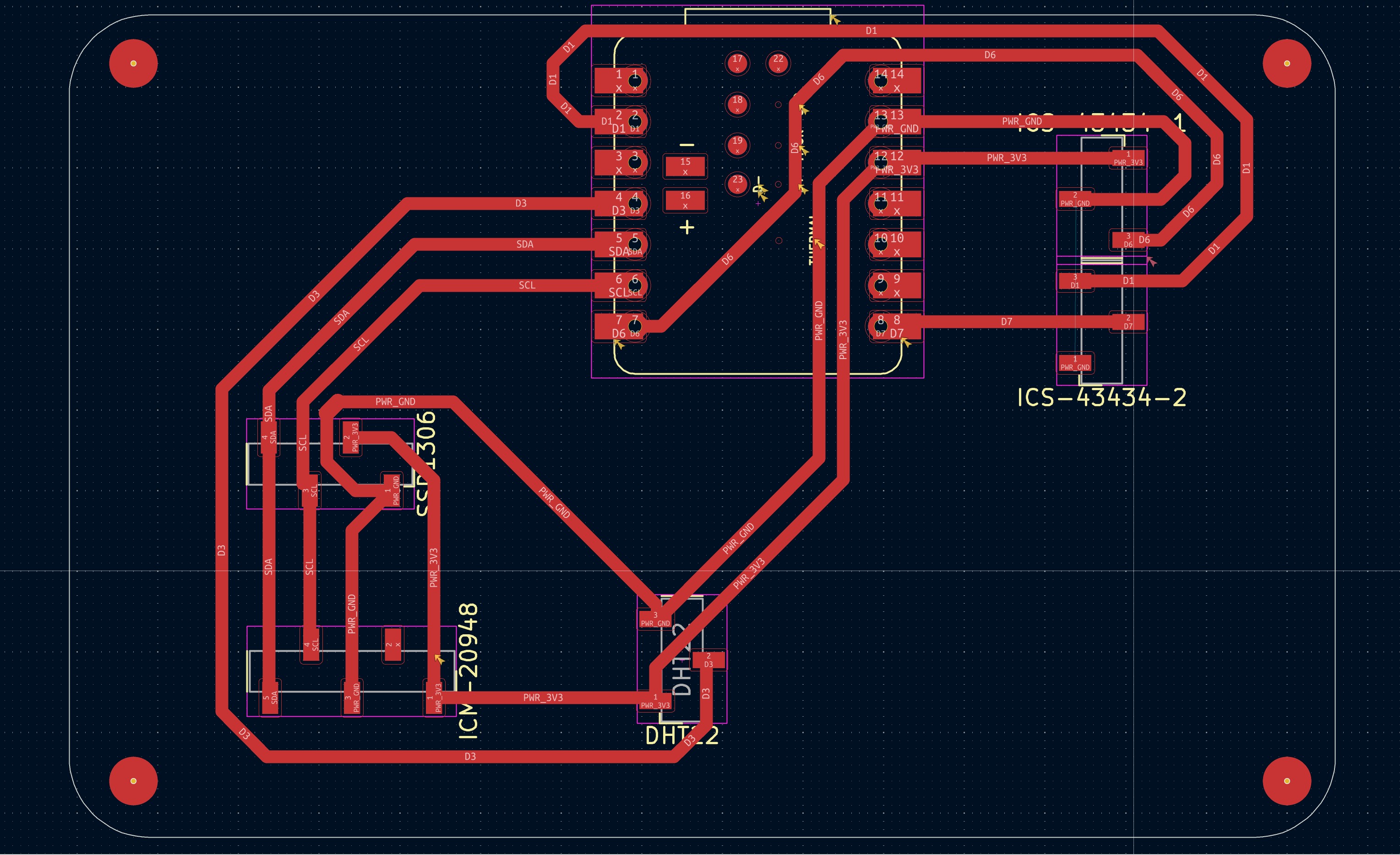
After finishing the schematic, I moved the components to the PCB Editor and routed the tracks. I designed a one-layer PCB and added a ground plane. I checked the schematic with ERC and the PCB with DRC before fabrication.
The OLED footprint was not available in the default KiCad libraries, so I added a footprint from this repository.
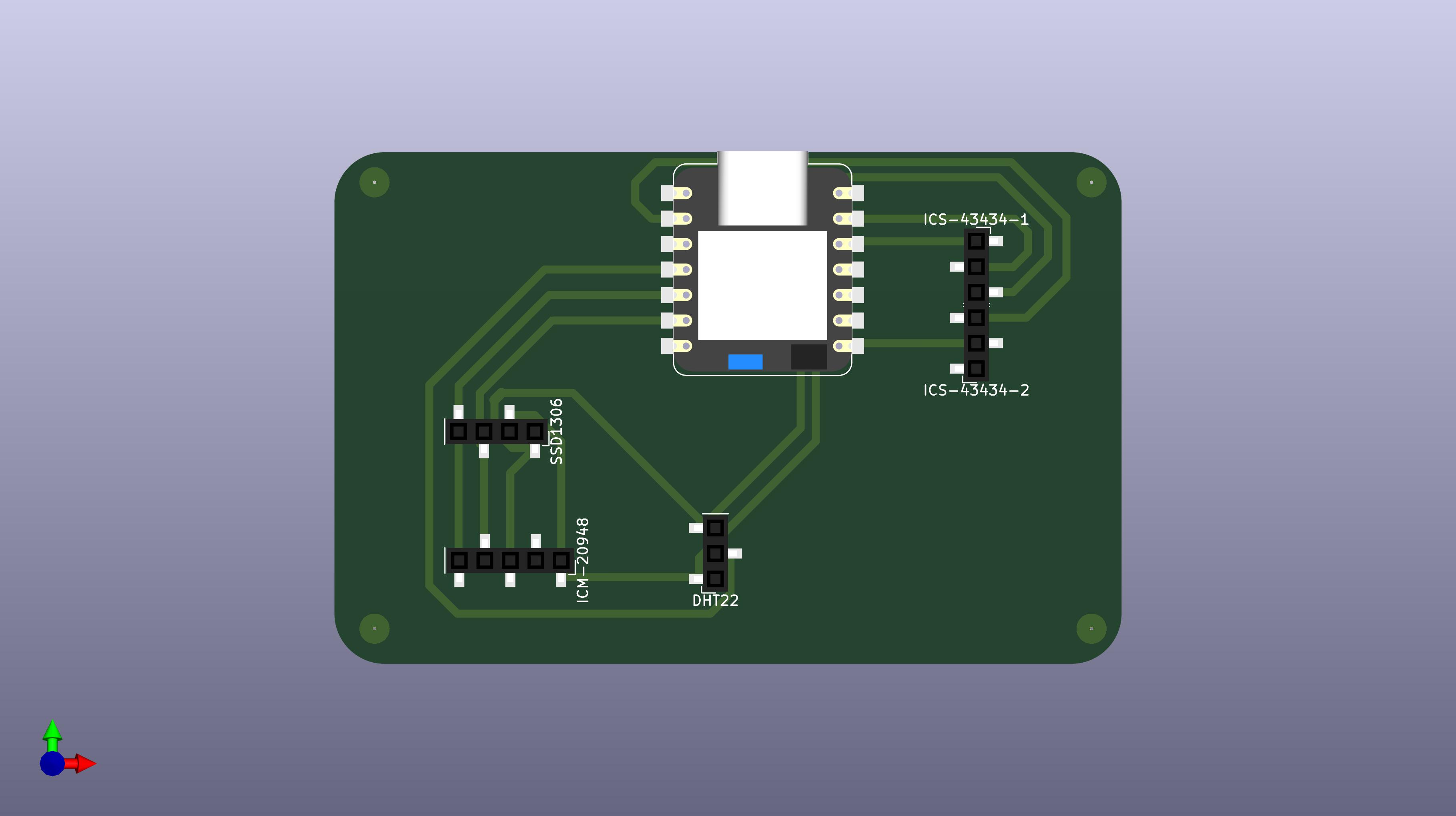
The next images show the final PCB layout and its 3D view. The 3D view helped me check the component positions before milling the board.
6.2 Production
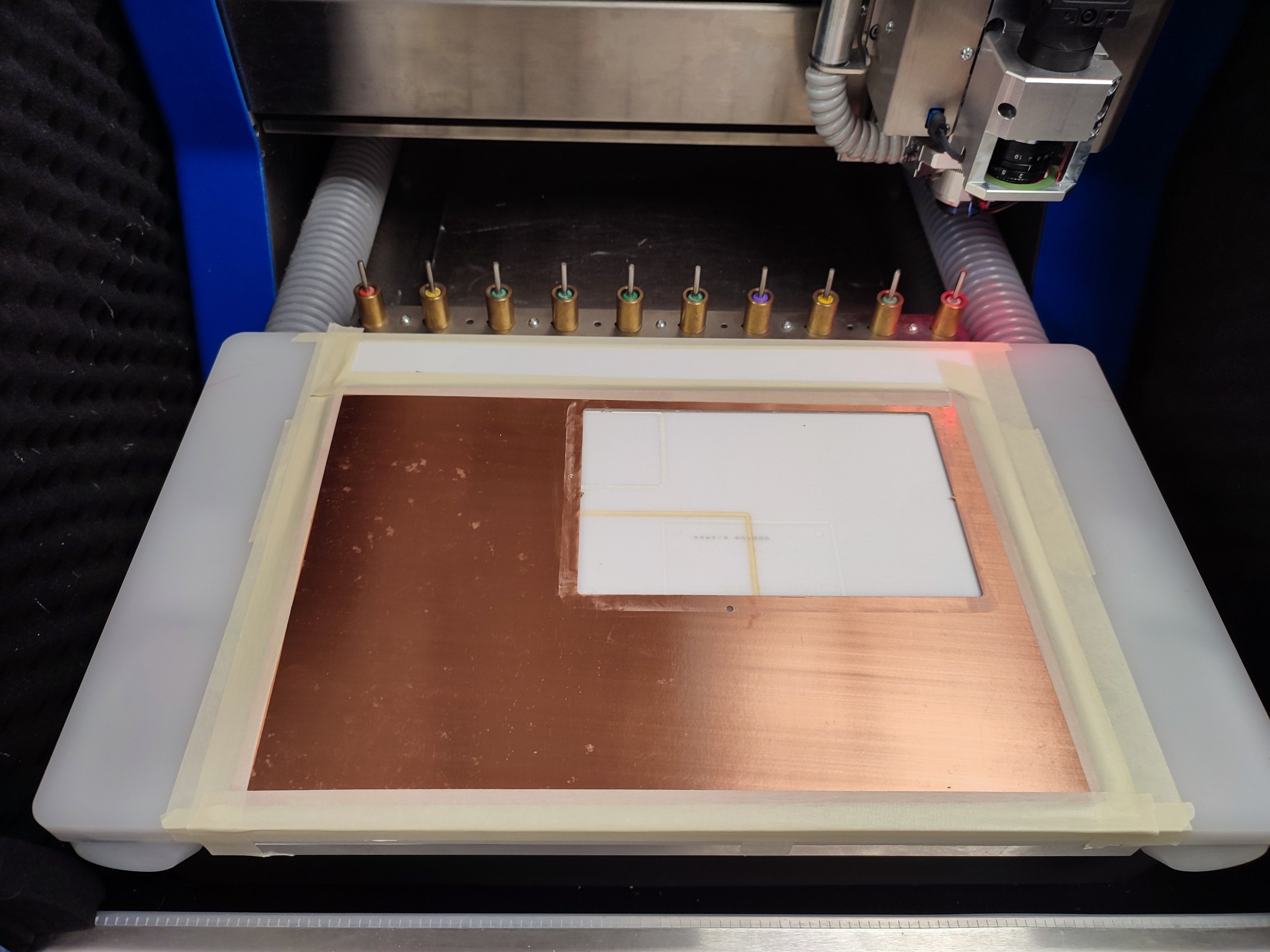
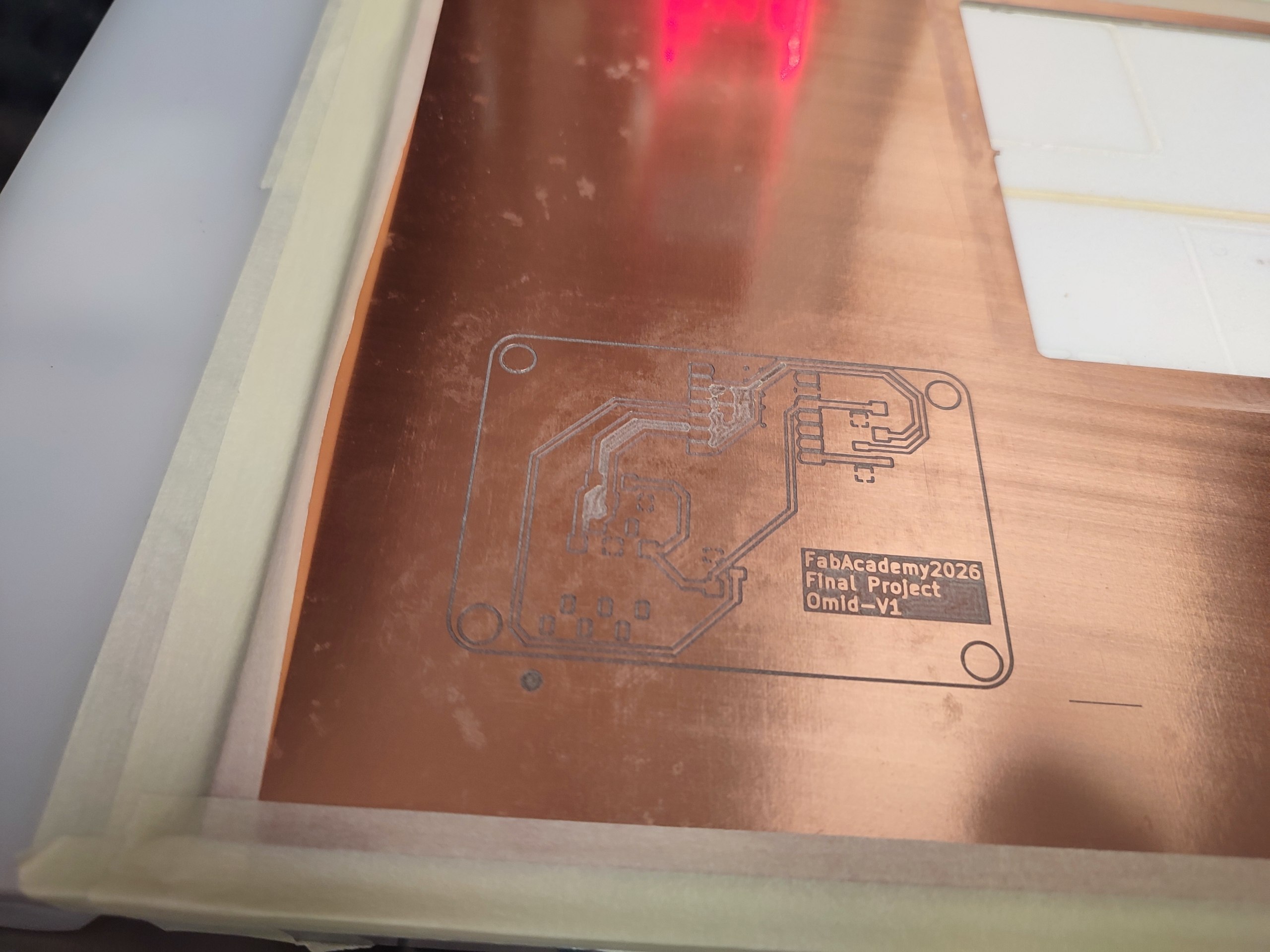
I exported the copper and board-outline files from KiCad and checked them in Gerber Viewer. I then placed an FR4 copper board in the LPKF milling machine. The first two images show the board during milling and the copper tracks after milling.
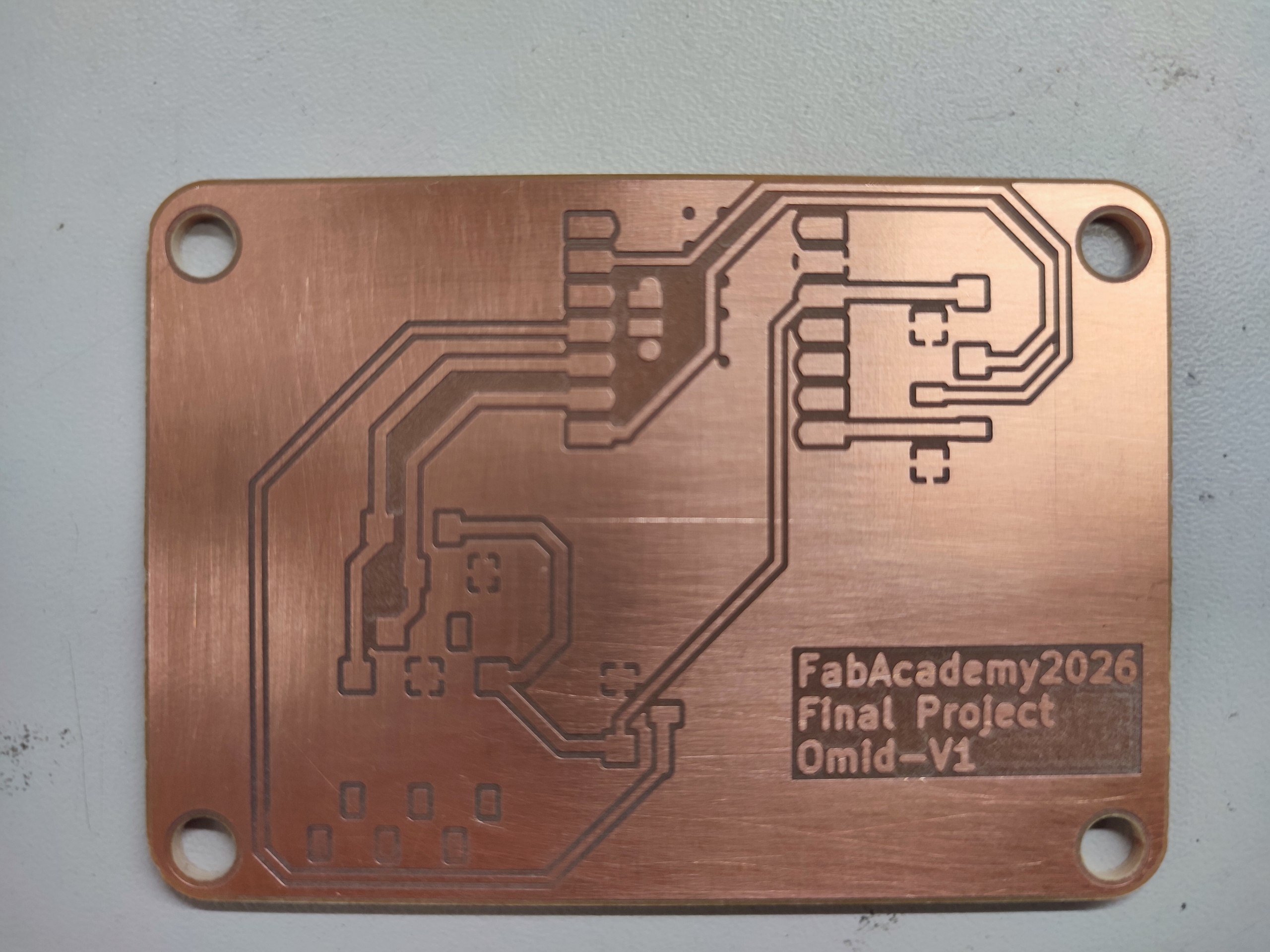
After milling, I removed the board and checked the tracks and board outline. I also used the microscope to see the small details more clearly.
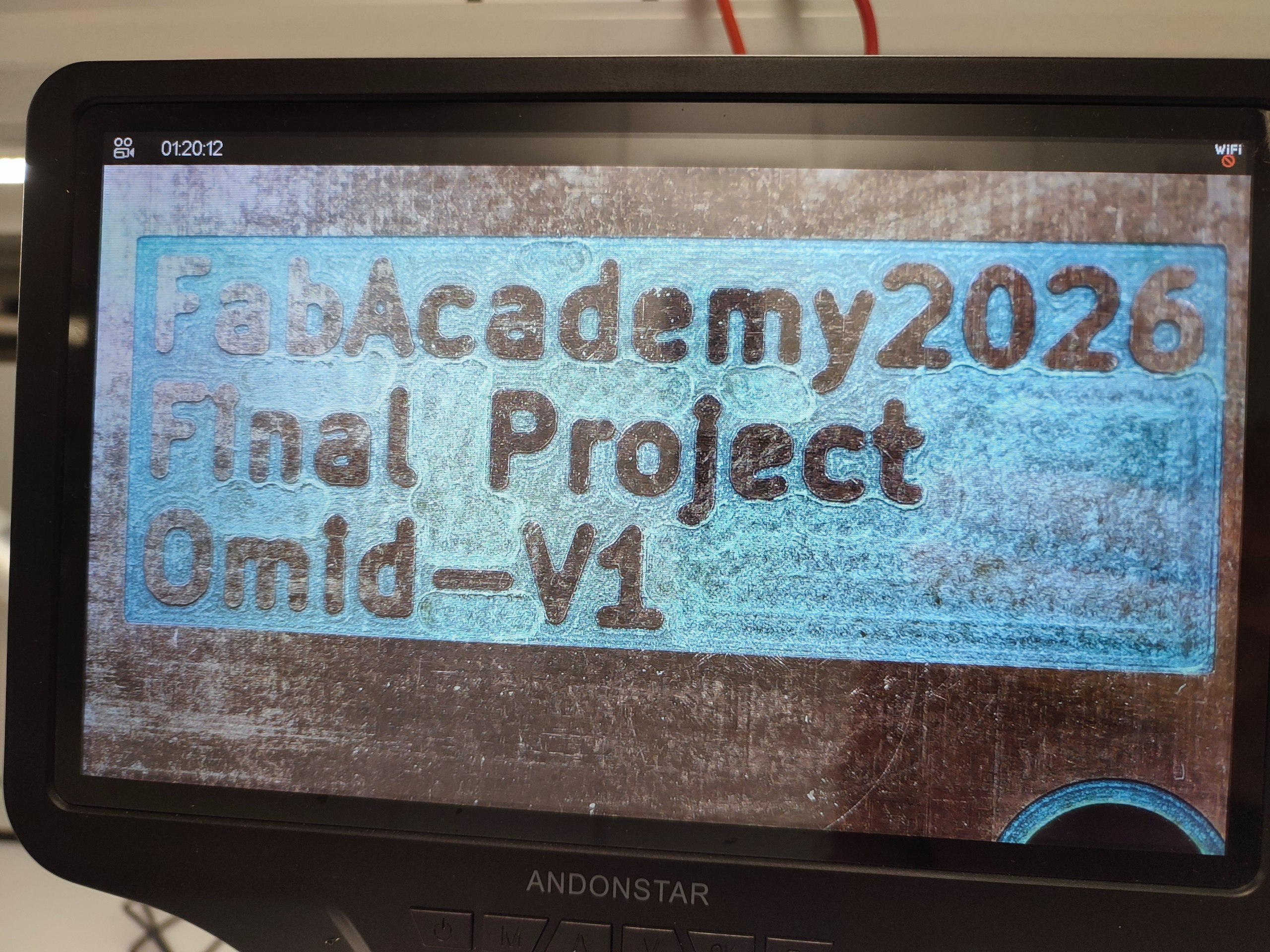
Next, I cleaned the board and started soldering the components. I used the microscope during soldering because the XIAO pins and sensor connections were small.
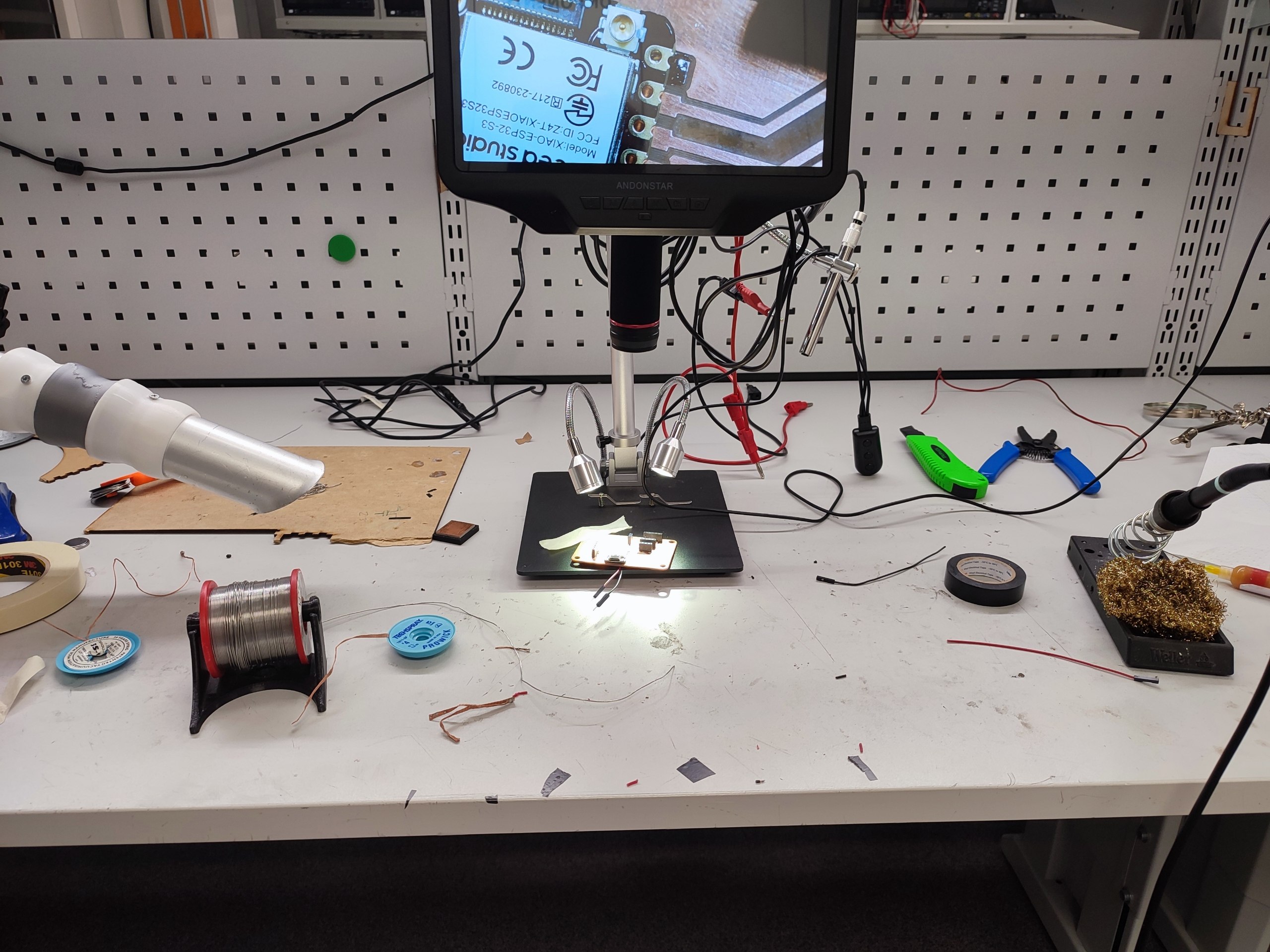
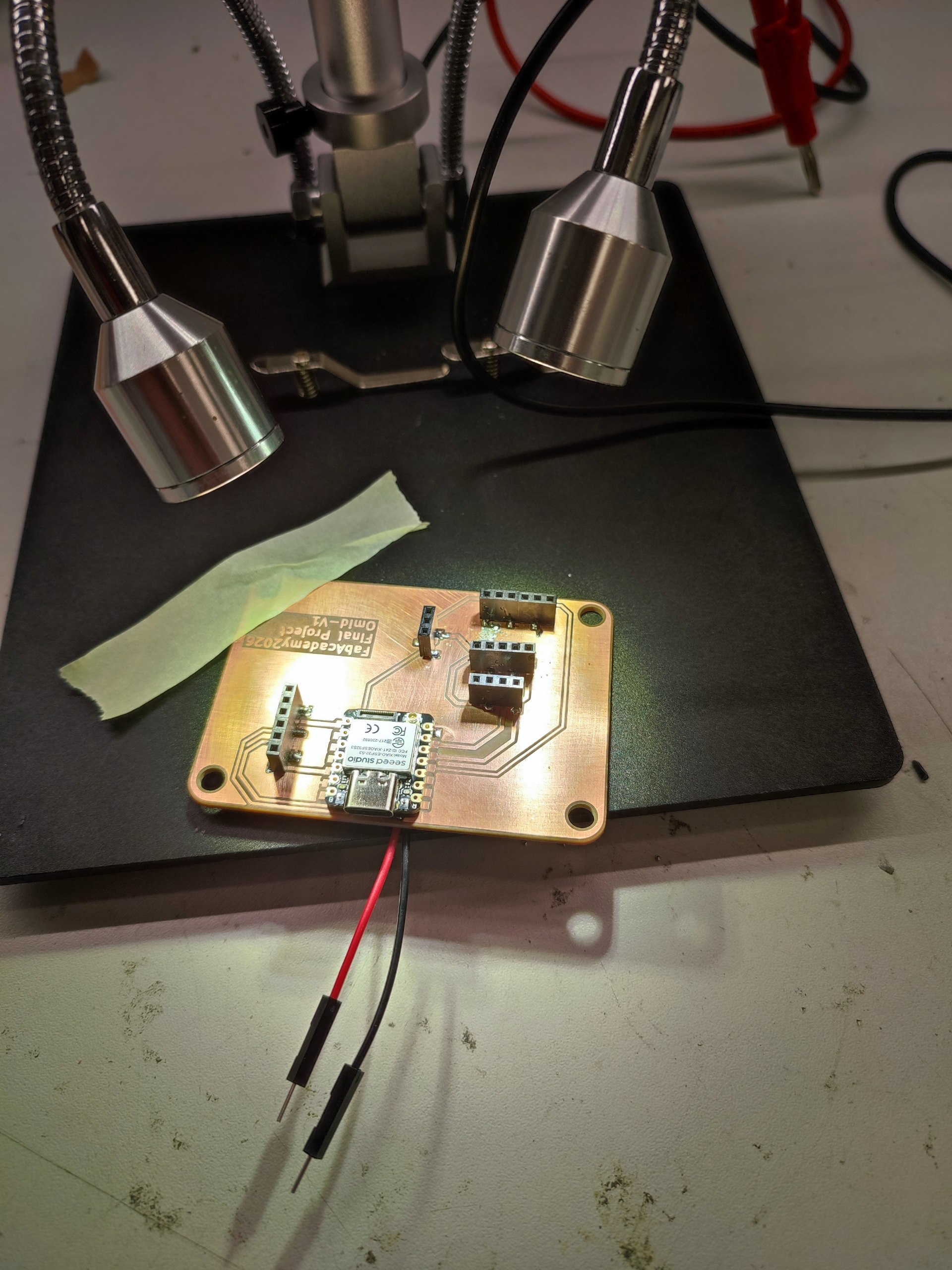
I prepared the required openings and checked the connections around the board. I inspected the soldered areas closely before continuing.
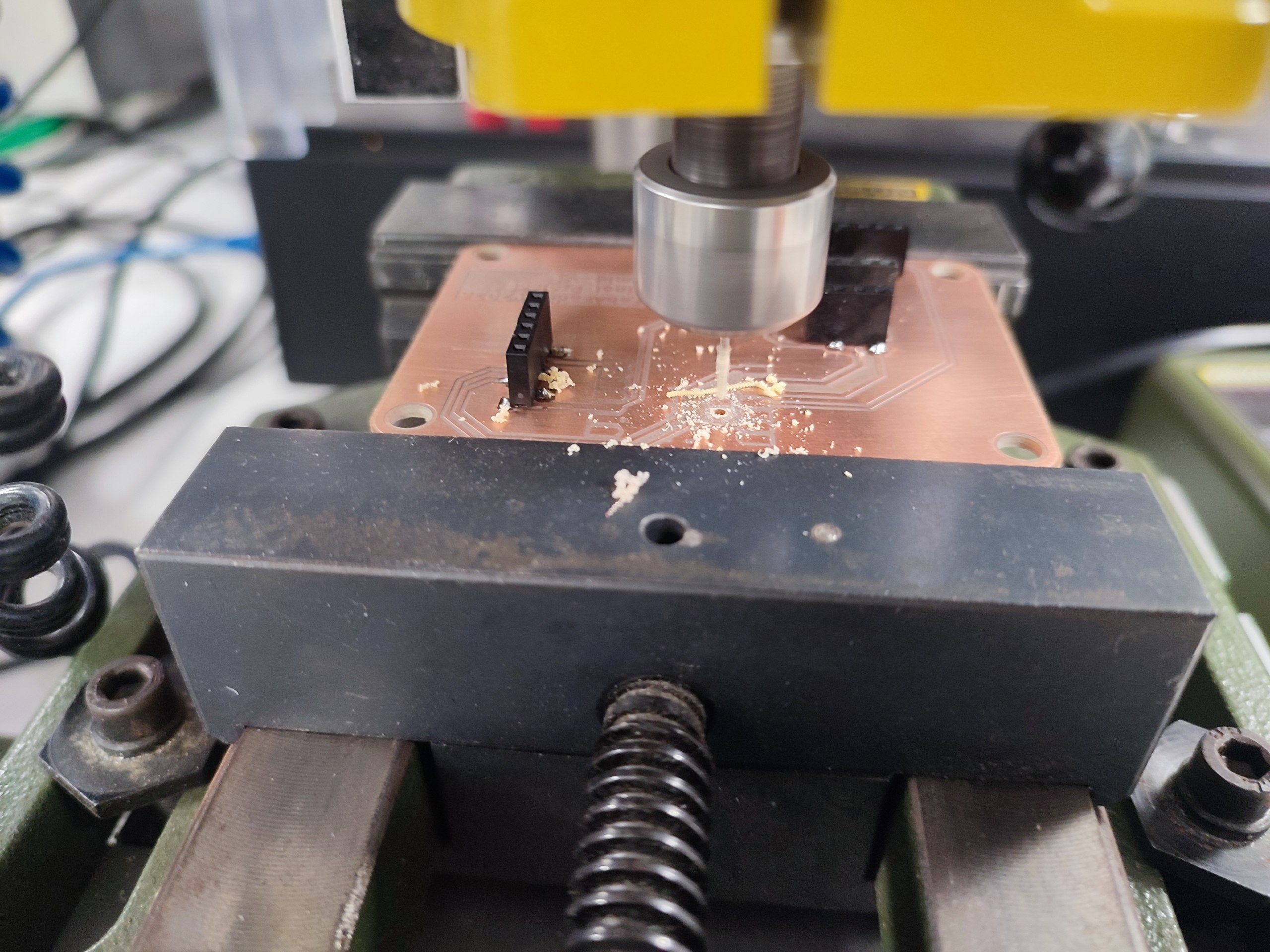
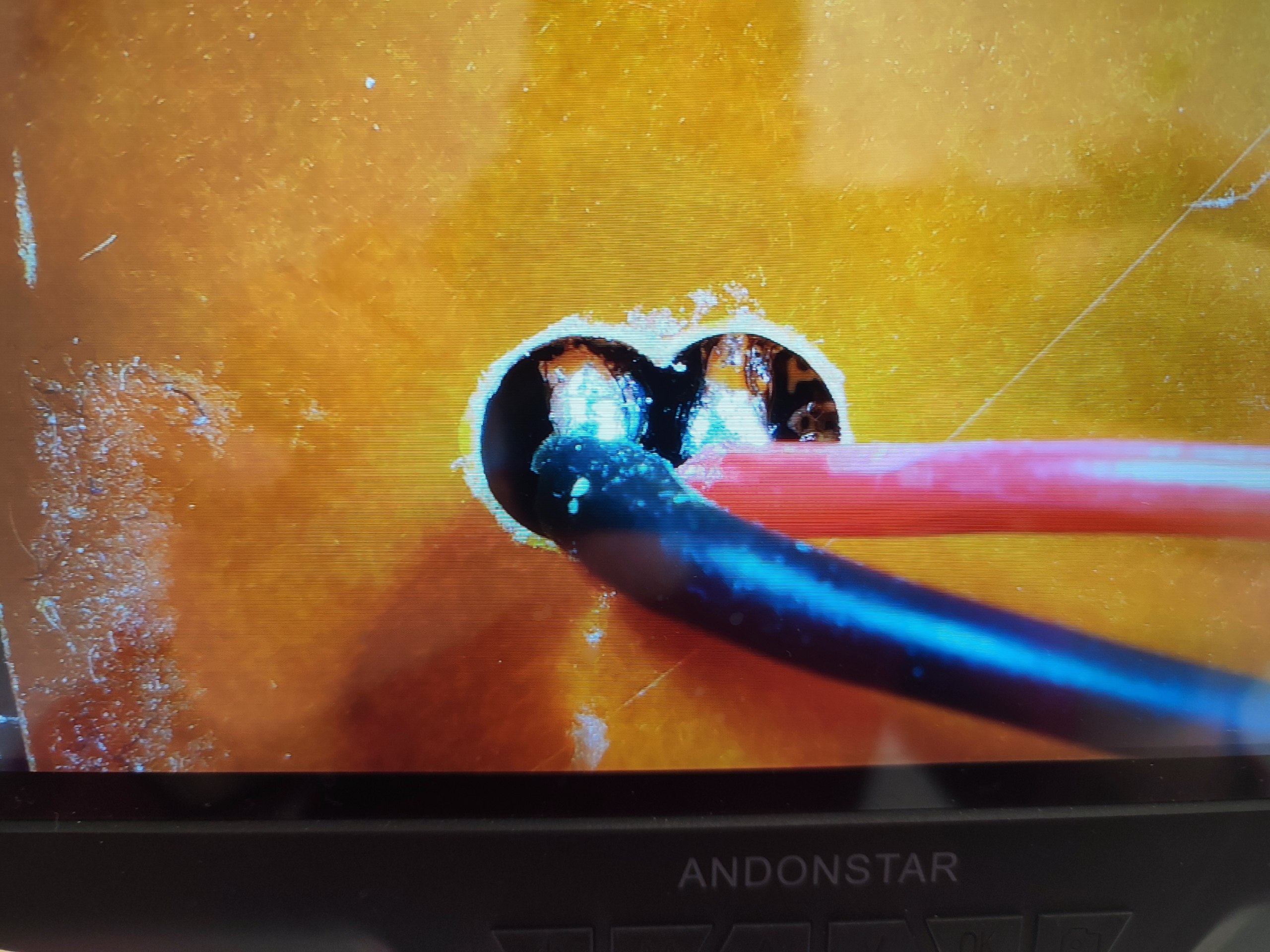
I soldered the XIAO ESP32-S3 and connected the battery wires. I checked that the pins were connected correctly and that there were no solder bridges.
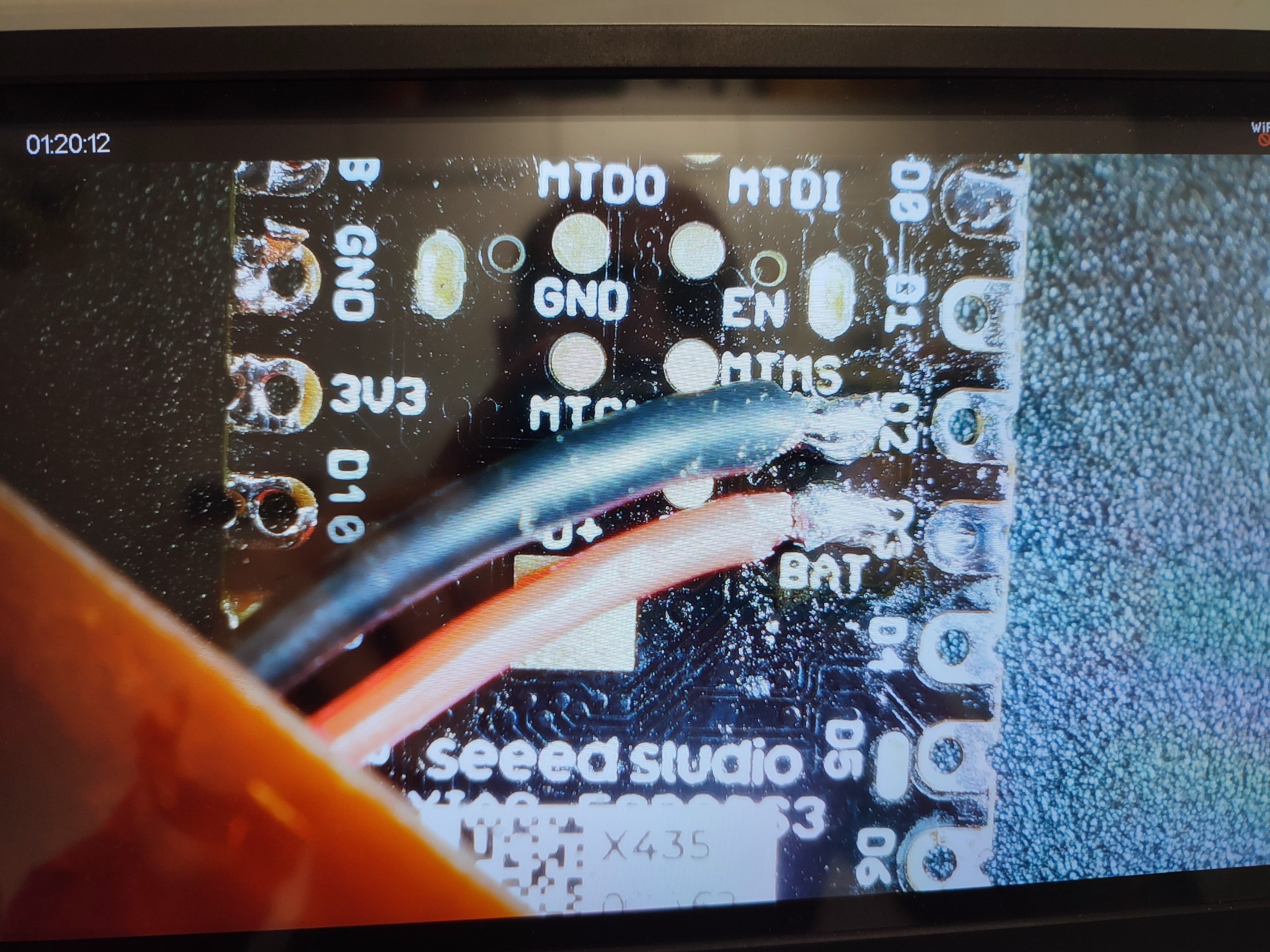
After the main soldering was finished, I added the remaining connectors and prepared the board for installation inside the enclosure.
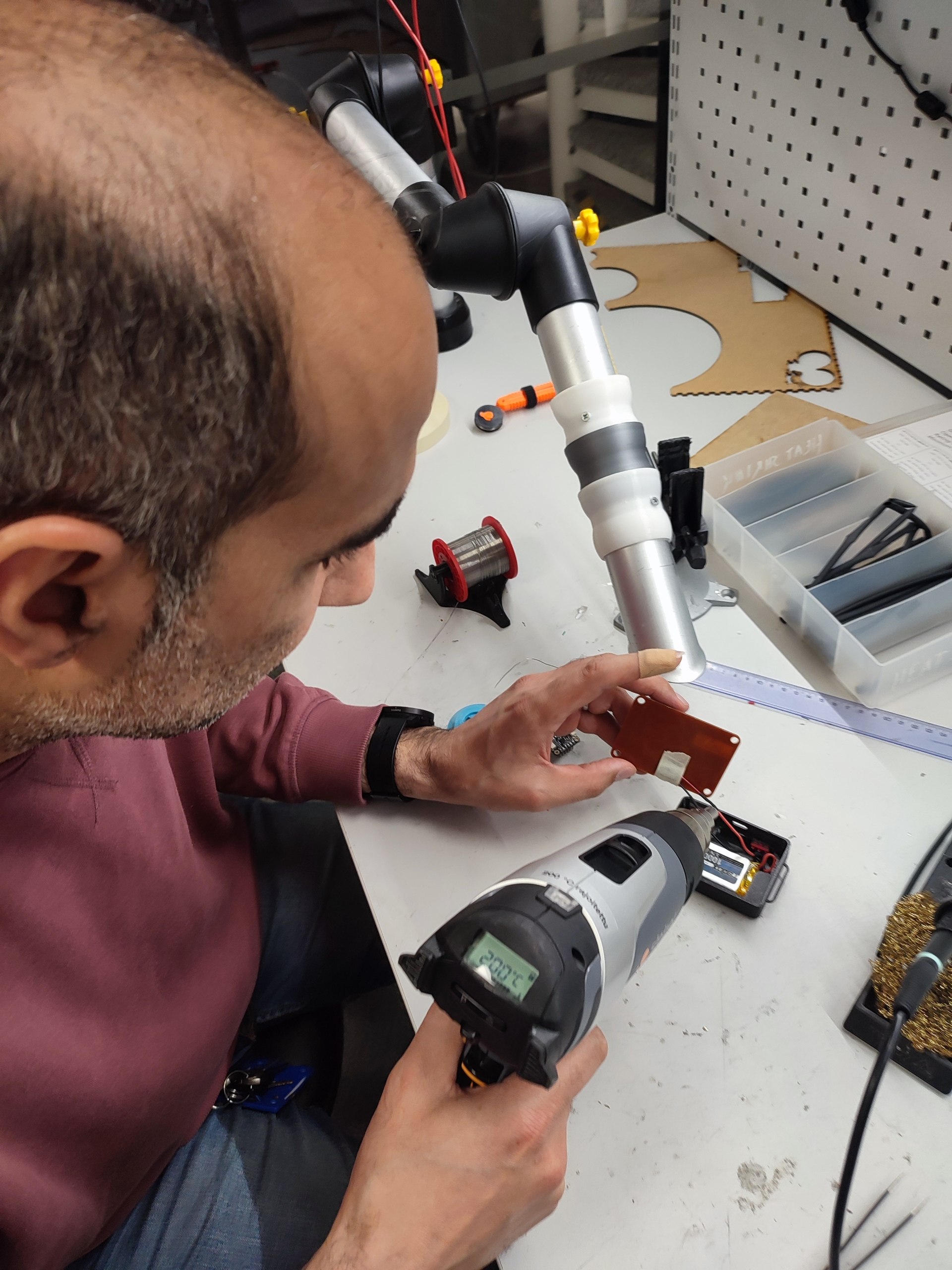
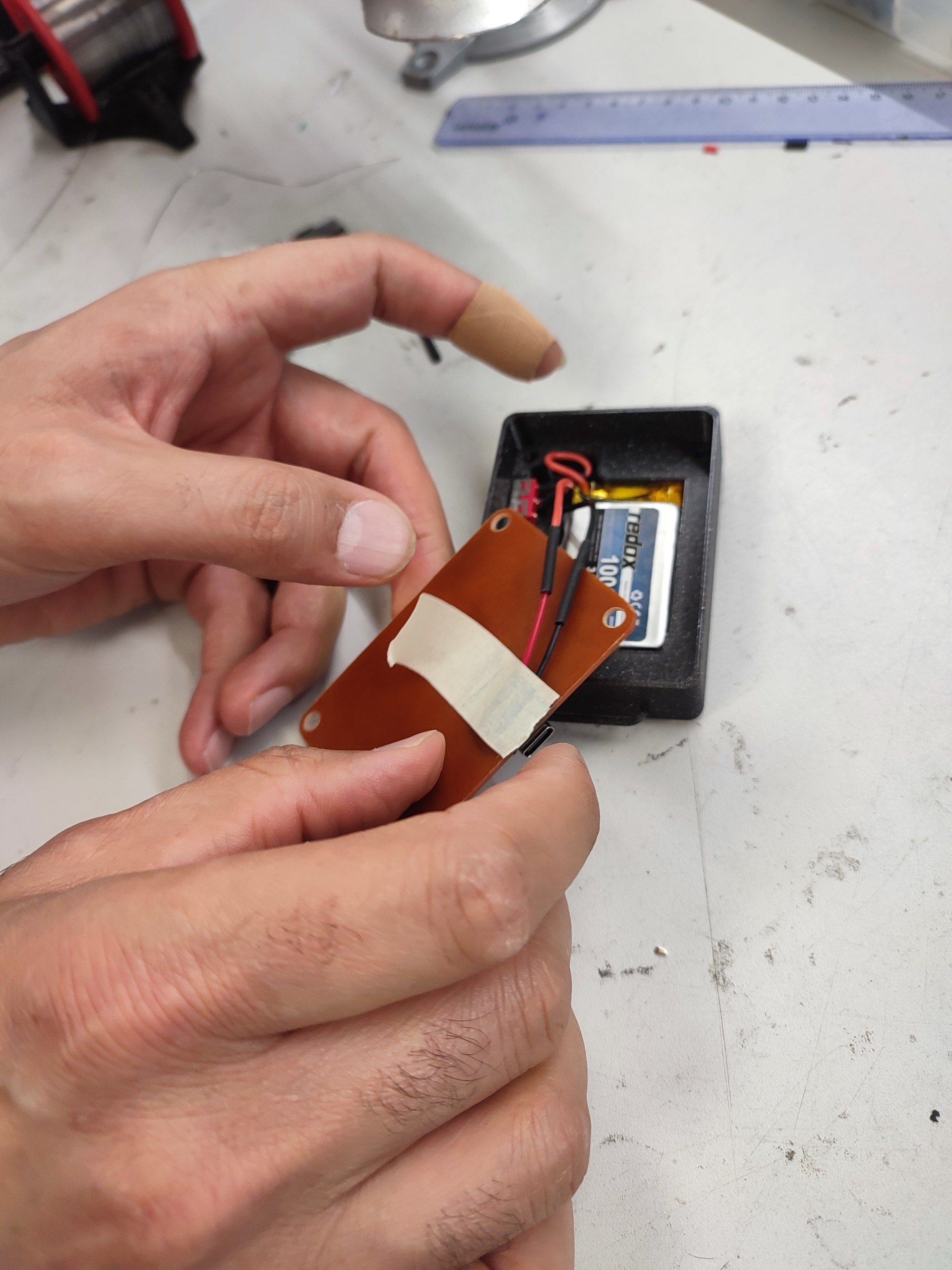
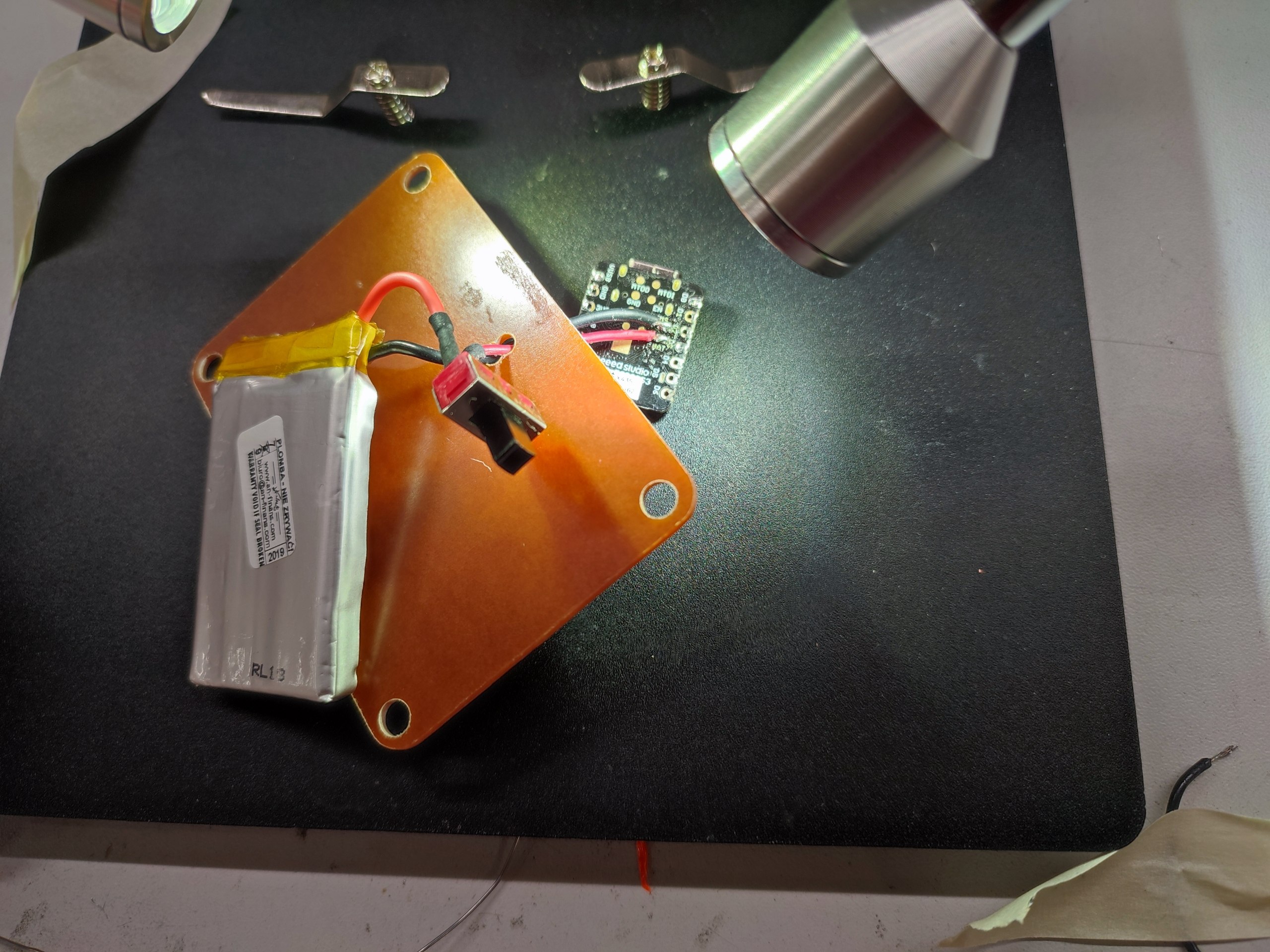
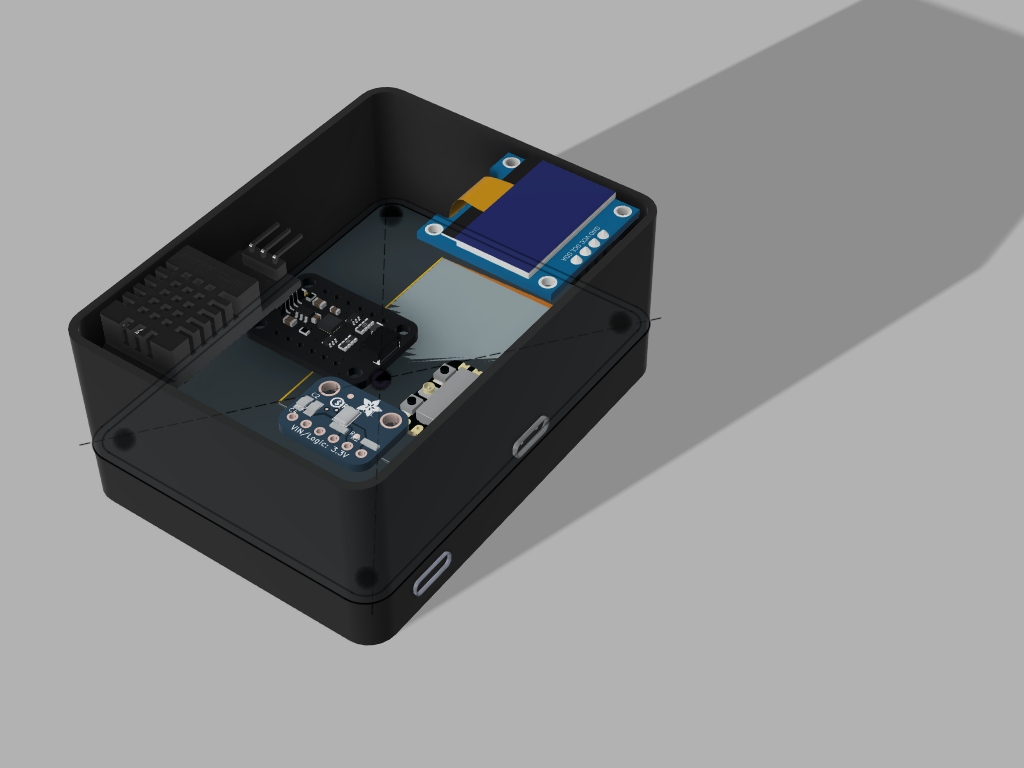
Finally, I mounted the PCB inside the enclosure and connected the sensors, OLED, and battery. The last images show the board fixed inside the enclosure and the main components placed together.
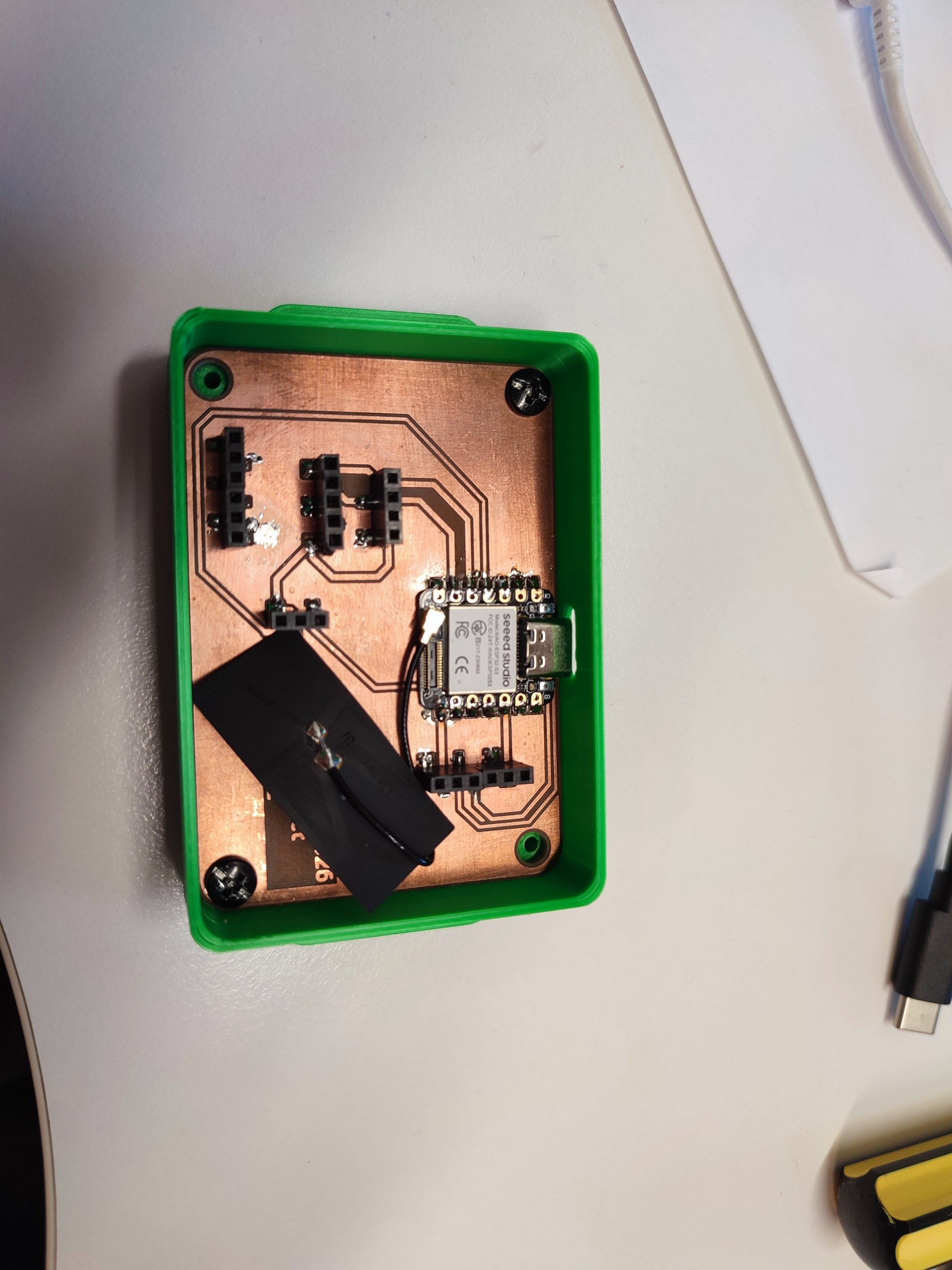

6.3 Wiring Reference
I used following datasheets during wiring:
| Component | Signal | GPIO | XIAO pin | Notes |
|---|---|---|---|---|
| DHT22 | DATA | GPIO4 | D3 | Digital input |
| ICM-20948 | SDA | GPIO5 | SDA / D4 | Shared I2C bus |
| ICM-20948 | SCL | GPIO6 | SCL / D5 | Shared I2C bus |
| OLED | SDA | GPIO5 | SDA / D4 | Address 0x3C |
| OLED | SCL | GPIO6 | SCL / D5 | Shared I2C bus |
| ICS-43434 | BCLK | GPIO43 | TX / D6 | I2S clock |
| ICS-43434 | WS | GPIO44 | RX / D7 | I2S word select |
| ICS-43434 | DOUT | GPIO2 | D1 | I2S data |
| ICS-43434 | L/R | GND | GND | Left channel |
| All components | VCC | 3.3 V | 3.3 V | Do not connect to 5 V |
| All components | GND | GND | GND | Common ground |
The temporary holder was tested before the final PCB was produced.
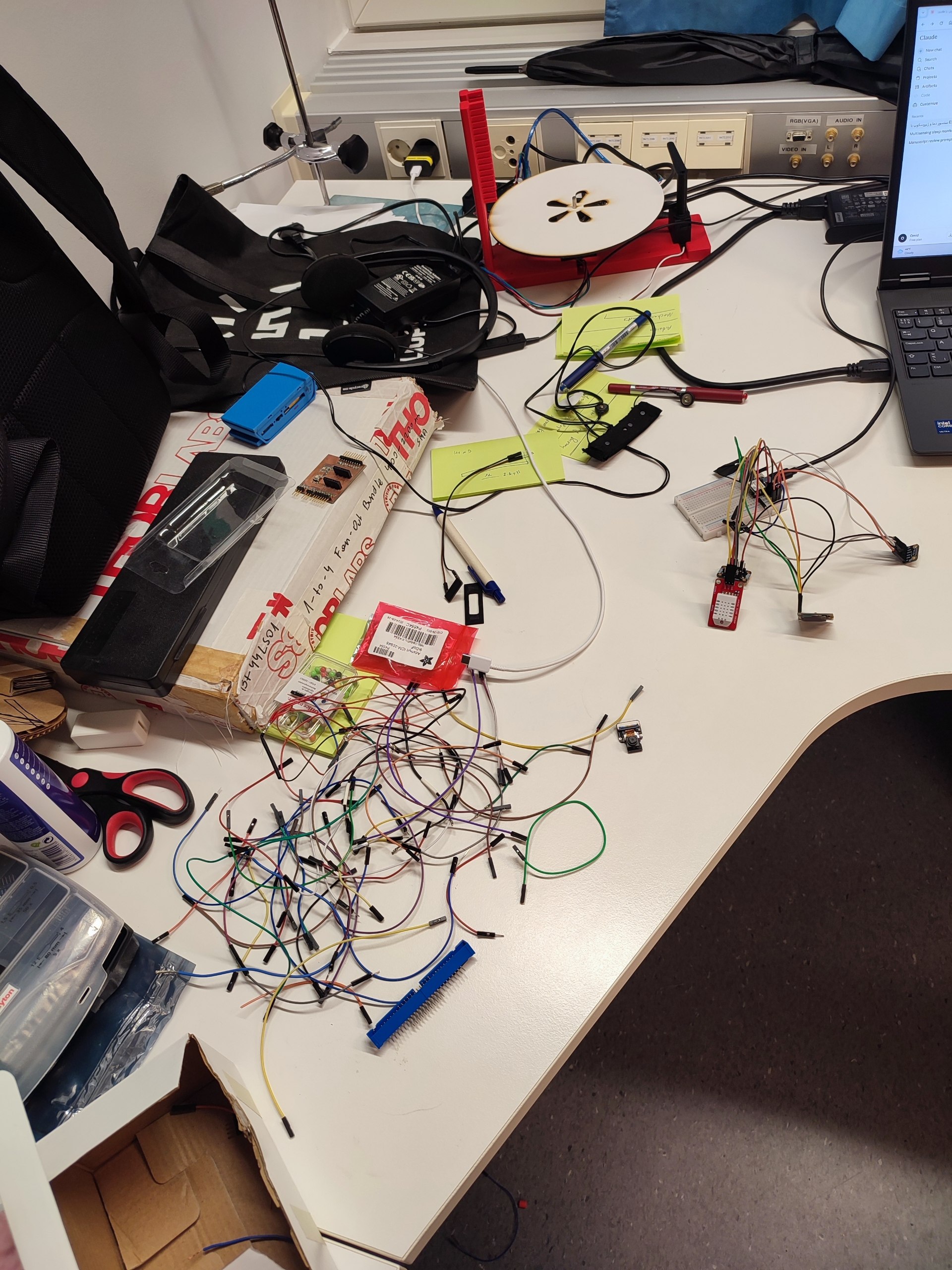
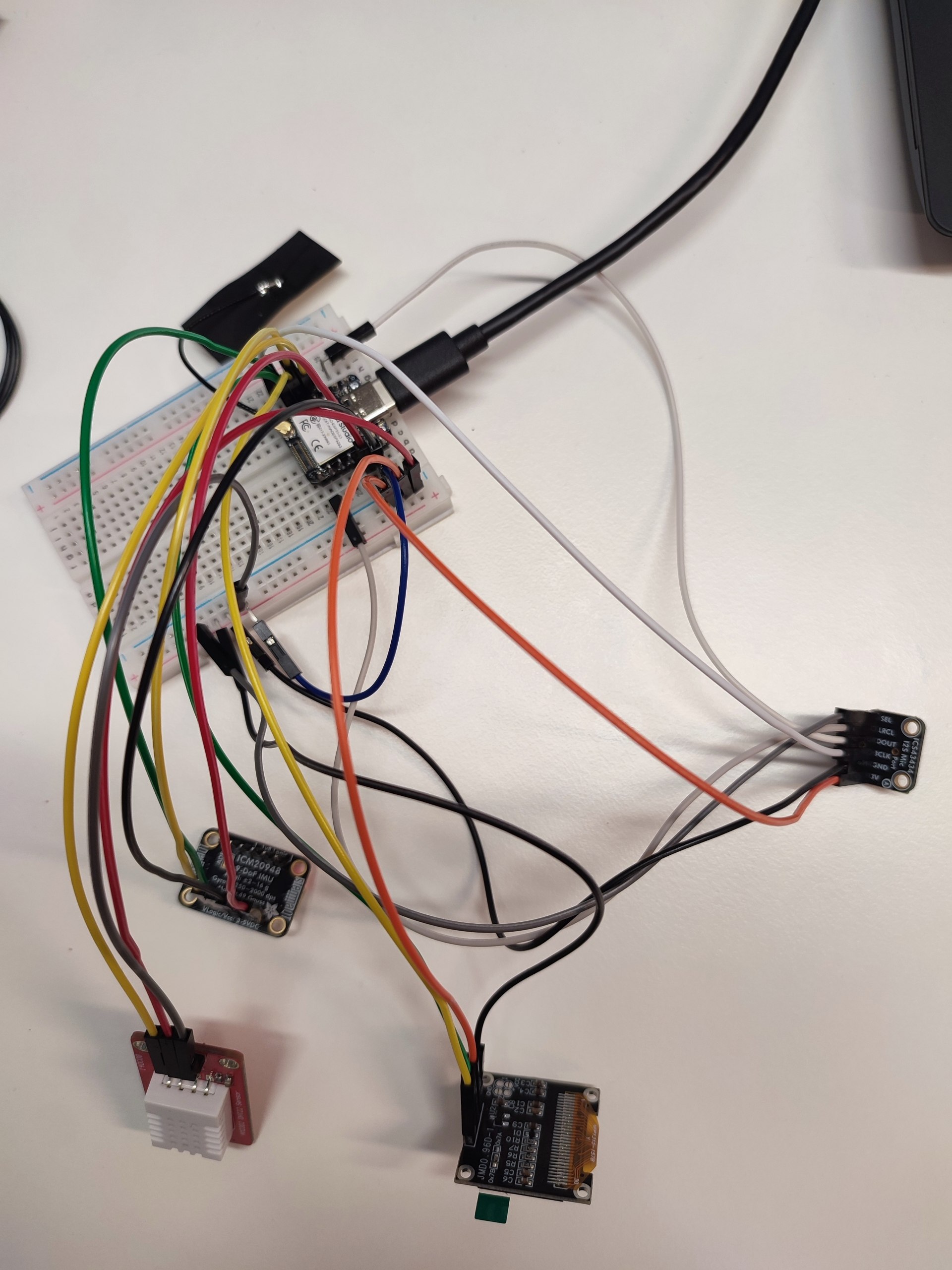
7. Embedded Programming
The XIAO ESP32-S3 reads all three sensors and updates the OLED and web dashboard.
Sleep position
The ICM-20948 provides accelerometer and gyroscope data. Roll and pitch are calculated with a complementary filter that combines 96% gyroscope data and 4% accelerometer data. This reduces the drift that happens when only the gyroscope is used. The final position is shown as back, left side, or right side.
Snore detection
The ICS-43434 microphone sends digital audio samples to the ESP32-S3 through I2S. The program processes the sound level on the device and uses a threshold to mark a possible snoring event. Raw audio is not sent to the dashboard.
Temperature and humidity
The DHT22 provides room temperature and relative humidity. These values are shown on the OLED and sent to the dashboard.
8. Networking & Interface
The ESP32-S3 provides the web page directly. After connecting to the device through WiFi, the user opens the local address in a browser. No application installation is needed.
The dashboard uses WebSocket communication, so new readings can be displayed without refreshing the page. The interface shows temperature, humidity, sleep position, and snore status. Start and Stop controls allow the user to control the data stream. In the interface test, sensor values were sent every two seconds.
The dashboard code combines:
-
HTML for the page structure
-
CSS for the layout and colours
-
JavaScript for live updates and controls
-
C++ code on the ESP32-S3 for sensor reading and WebSocket communication
The interface development is documented in Week 14.
9. System Integration & Assembly
The battery is placed below the PCB holder, while the PCB, sensors, and OLED are placed in the main enclosure. The OLED and sensors are aligned with their openings in the lid. Vertical sockets were used to keep the inside organized.
The complete integration process is documented in Week 15.
10. Testing and Results
I tested each main part during development and again after integration. The current project is a functional engineering prototype. It is not a medical device and has not been clinically validated.
| Test | Method | Result | Status |
|---|---|---|---|
| PCB operation | Uploaded simple test programs after milling and soldering | The microcontroller and connected components operated correctly | Completed |
| DHT22 response | Moved the sensor near a warm laptop fan and observed the output | The reported temperature increased and the dashboard updated | Functional test completed; accuracy not calibrated |
| IMU response | Moved the sensor through different orientations and observed roll and pitch | The values changed with sensor orientation and supported basic position classification | Functional test completed; classification accuracy not quantified |
| Snore detection | Tested microphone input with sound and silence | The microphone input and threshold-based event output responded | Functional test completed; detection accuracy not quantified |
| OLED output | Displayed device and sensor information | The OLED showed the programmed output | Completed |
| WiFi and WebSocket | Opened the local dashboard and streamed readings to a browser | The browser received live updates without page refresh | Short functional test completed; overnight stability not measured |
| Battery operation | Powered the assembled device with the 600 mAh LiPo battery | Portable battery operation was confirmed | Full-night runtime not measured |
| Enclosure fit | Installed the PCB, sensors, display, and battery and closed the lid | The components fitted inside and the snap-fit lid closed | Completed |
| Chest-band attachment | Attached the enclosure to the band | The device could be worn on the chest | Completed; comfort not studied overnight |
| UV-printed lid | Inspected the second print after replacing low-quality logos | The vector logos and text printed clearly | Completed |
Current limitations
-
The device has not been compared with a clinical sleep monitor.
-
Snore-detection accuracy has not been measured over several nights.
-
Sleep-position classification has not been compared with annotated video.
-
Full-night battery life and WiFi stability have not been measured.
-
Comfort and usability have not been studied with participants.
These tests are planned for the next development stage and are not claimed as completed results in this project.
11. Bill of Materials
The table below lists the main materials and components used in the final project.
| Item | Quantity | Use in the project |
|---|---|---|
| XIAO ESP32-S3 | 1 | Main microcontroller and WiFi connection |
| ICM-20948 | 1 | Motion and sleep-position sensing |
| DHT22 | 1 | Temperature and humidity measurement |
| ICS-43434 I2S microphone | 1 | Sound and snoring input |
| SSD1306 0.96-inch OLED | 1 | Local display |
| 3.7 V, 600 mAh LiPo battery | 1 | Portable power supply |
| FR4 copper board | 1 | Milled custom PCB |
| Pin headers, connectors, and wires | As needed | Electrical connections |
| PLA filament | About 50 g | 3D-printed enclosure and lid |
| Plywood | 1 small piece | Temporary laser-cut component holder, not in the final device but during the process |
| UV-curable ink | As needed | Logos and text printed on the lid |
Most of the materials and components were available at Oulu Super FabLab. The component costs are listed in Week 17.
12. Fab Academy Skills Map
| Fab Academy week | Application in this project |
|---|---|
| Week 02: Computer-aided design | Enclosure sketches and 3D design |
| Week 03: Computer-controlled cutting | Laser-cut temporary holder |
| Week 04: Embedded programming | Microcontroller programming |
| Week 05: 3D scanning and printing | PLA enclosure and lid |
| Week 06: Electronics design | KiCad schematic and PCB layout |
| Week 08: Electronics production | PCB milling, soldering, and testing |
| Week 09: Input devices | IMU, microphone, and DHT22 |
| Week 10: Output devices | OLED display |
| Week 11: Networking and communications | WiFi and data communication |
| Week 13: Molding and casting | Not used in the final project BUT I do use it in my current work a lot |
| Week 14: Interface programming | Browser dashboard |
| Week 15: System integration | Packaging and assembly |
| Week 16: Wildcard | UV printing on the lid |
13. Dissemination and Future Opportunities
The files and documentation for this Fab Academy prototype are shared under the license stated below. The next development stage is separate from this project.
For the next step, I would like to add a physiological sensor, such as an SpO2 or heart-rate sensor, and compare the device with a reference sleep monitor.
Before publishing new PCB designs, sensor combinations, or algorithms, I plan to discuss them with the University of Oulu Innovation Centre and an IP expert.
The dissemination and development plan is described in Week 18.
14. License
The current Fab Academy documentation is published under the Creative Commons Attribution-NonCommercial-NoDerivatives 4.0 license.
This license allows people to copy and share the published material for non-commercial purposes with attribution, but it does not allow distribution of modified versions. Because of these restrictions, I describe the current project as source-available, not fully open-source.
The license and IP plan for future PoC development will be reviewed separately with the University of Oulu Innovation Centre before new technical details are published.
15. Reflection
This final project brought together almost everything I learned during Fab Academy. I worked with 2D and 3D design, laser cutting, 3D printing, UV printing, PCB design and production, sensors, embedded programming, networking, system integration, and a web interface. At the beginning, these were separate skills, but during this project I learned how they work together in one system.
One of the most difficult parts was fitting all the components inside a small enclosure. I first designed a temporary holder and cut it from plywood with the laser cutter. I used it to check the position of the real components. I also had problems during PCB production, soldering, sensor wiring, and UV printing. Small mistakes, such as a wrong pin number or a low-quality logo file, caused delays. These problems taught me to test each part separately before putting everything together.
Overall, I am happy with the final result. I built the project from the first sketch to an assembled prototype with a custom PCB, enclosure, sensors, and browser dashboard. I also learned that making a working prototype is only the first step and that more testing is needed before it can become a reliable product.
16. Acknowledgements
I would like to express my sincere gratitude to:
-
Jani Ylioja, the director of Oulu super FabLab, for his support and guidance during my FabAcademy journey.
-
Antti Mäntyniemi, the manager of Oulu super FabLab, everyday available and helping.
-
The all instructors at Oulu Super FabLab for their valuable assistance and expertise. Thank you so much to all of them.
-
Neil Gershenfeld for creating this exceptional course and fostering a global network community.
-
The FabAcademy program for providing the opportunity, resources, and collaborative environment that made this work possible.
17. Files I Created
I collected the main design and code files here so they can be downloaded directly.