Week 16: Wildcard Week: Learning to Loom
Assignment
Design and produce something with a digital process (incorporating computer aided design and manufacturing) not covered in another assignment, documenting the requirements that your assignment meets, and including everything necessary to reproduce it. Possibilities include but are not limited to wildcard week examples.
Self Assignment: Digitally design a pixel pattern for weaving. Use the pattern to generate physical keys to program each row of the loom.Then design and fabricate a loom.
Project


How I did it
This week, I designed a custom weaving loom that translates a digital pattern into physical pieces. By sliding these custom ‘keys’ into the loom, the correct yarn threads lift automatically to create the design. This is inspired by the Jacquard Loom, which used a series of punch cards to determine a weaves pattern. cards being punched or unpunched in a certain spot represents a 0 or 1, and would determine if that pixel in that spot is the color of the warp or the weft.
** Fun Fact: many historians argue that the Jacquard Loom is the first automated, programmable manufacturing machine, with the cards being the program! **

First, I made different patterns on Flosscross..

I decided to use this one! This pattern represents a string of instructions. Very white square is a 0 (yarn pushed down), and every green square is a 1(yarn pushed up).

Next I had to make the loom. First I made a small example.
Goals:
- decide spacing for the yarn based on the yarn thickness (my yarn was weight 5, bulky)
- create holes for the alignment tool
- create holes for my pattern key

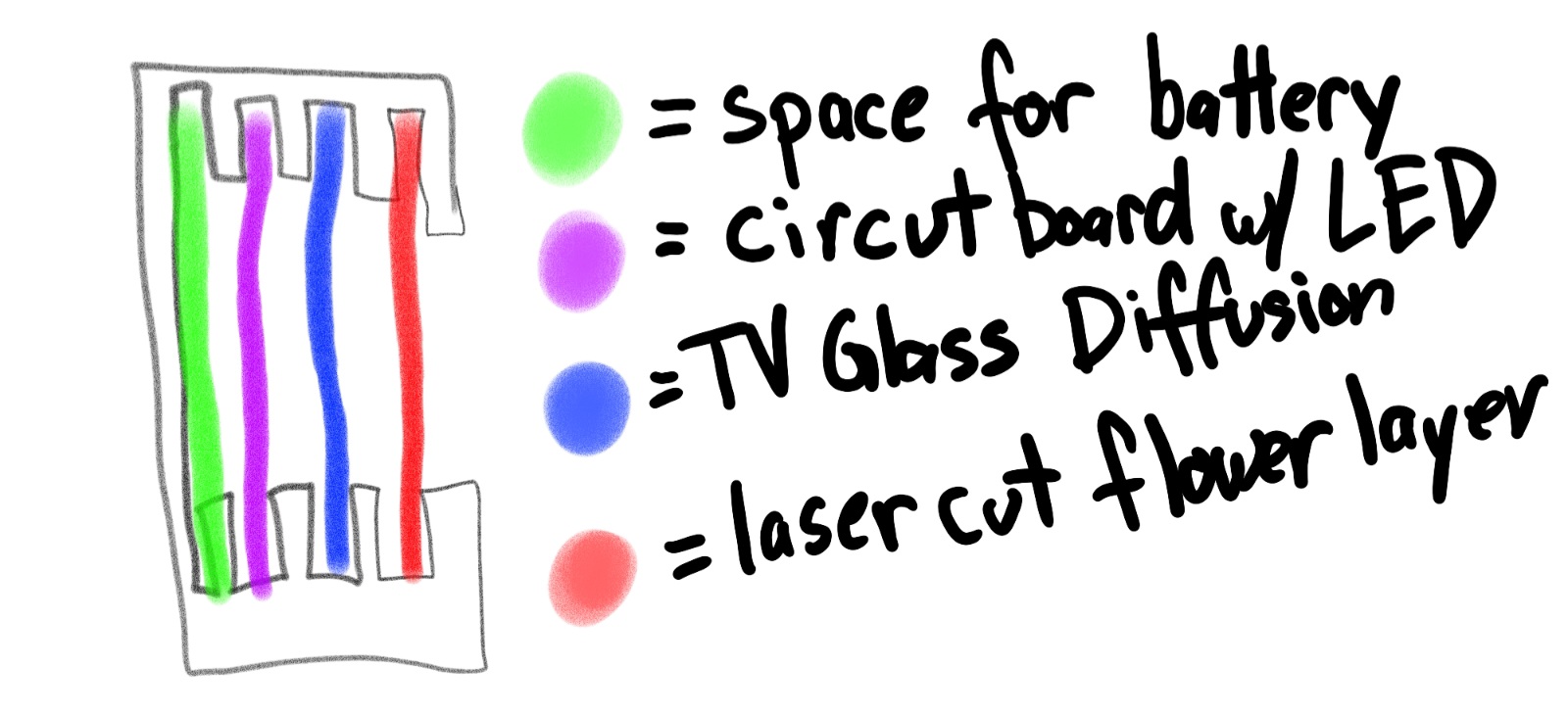
My loom needs 2 main pieces, one to keep the different yarn strings separate and aligned, then a series of “keys” that push different sections up, making it easy to feed the yarn under to make my pattern.

The base of all of my keys have a master template. By removing of keeping certain tines, I control which parts of the warp get pushed up. This is actually the same binary logic used to make the first programmable machines! If the warp yarn is white, the keys being up or down (1 or 0) determines the color of the next pixel. It’s my version of the [Jacquard punch cards]. I used the pattern I made digitally to generate each key.


I’ve got everything cut out, which means it’s time to start weaving! Here is an SVG of all the final pieces, and how the pattern keys look cut out!
** Settings: 15 speed, 100 Power, 5000 Frequency, Cut 3 times. **

First I make the warp, that’s the vertical lines of yarn that I will be weaving around.

Next I make 3 base layers, this is to set the tension for the rest of the tapestry.

This is what the first 4 layers look like! the pattern for rows 2 and 4 are the same, so we can use the same key for it. If you would like to reduce confusion, you can print a separate 2 and 4 key. It is VERY important that you make each line have 2 lines of yarn, have 13 vertical lines (the board allows for 14), and that your keys are facing the correct direction. They are NOT reversible!

The comb is to help you evenly push down each row, but don’t push it down too hard, you will squish the layers beneath.

I ended the pattern with 3 repeats of the simple up and down pattern to match the bottom

Then I slip off the weave!


What a beautiful tapestry!!
Troubleshooting

I made about 7 iterations of this loom. There are a few key differences from how I got from the left photo to the right.

First I changed the pattern I used. The left side is the original, on the right I added an alternating pattern so that the edge would always be the opposite of the row before
Next I added a foundation row to the start and the end of the weave. This helped me understand the correct tension and it evenly spaced out the yarn. It was also easier to see if I pulled too tight.

A HUGE difference was how I fed the yarn. The shuttle is more convenient when it comes to managing the yarn, but it was too bulky to comfortably slid under the warp. A needle was much better.
Setting & Materials
-
1/8th in thick clear acrylic (I recommend using a solid piece)
-
2 skeins of yarn, weight/thickness 5
-
Laser settings are 15 speed, 100 power, 5000 frequency. Run it 3 times.
Reflection
This week was super fun and super challenging! There were many quality of life considerations I made for the loom, and more I would add given more time. First, the clear acrylic I used was very brittle, but I also have many long and thin parts. The pieces that push up the warp have little cradles so that the yarn is pushed towards the center. The guides on both ends are slightly higher so you only have to align 2 things and the rest will slip into place.
I used acrylic because it was what we had on hand, and I felt that laser cutting my design would be easier and faster. The clear color looks cool but is a nightmare to deal with as someone with reduced vision.
Technically the assignment was done at my first go, but I was not satisfied with the quality of my tapestry so I spent 1 more day to make it beautiful.
If I had more time and materials I would go back and make a pattern that requires 9 or 12 pieces. But it is more important to work on my final project. I think people who use this tool will find it fun and meditative. Overall a successful week!
Cats

Each looking at the yarn! Lately I have gotten into the habit of showing the cats what I’m working on. He comes close to sniff. Even if I am showing him food he will not eat it, except for today! I learned that Echo likes fries.

This week Shadow hissed at me for the first time. I was showing him the green yarn. I dangled it in front of him and he hissed, I thought he would like playing with it, but he might have thought it was a snake. At least now he comes forward to sniff my projects instead of running away.
Files
Copyright 2026
Source code hosted at gitlab.fabcloud.org