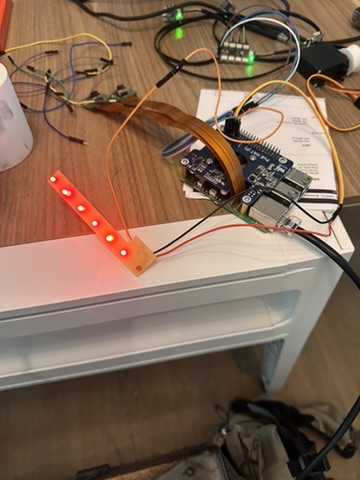
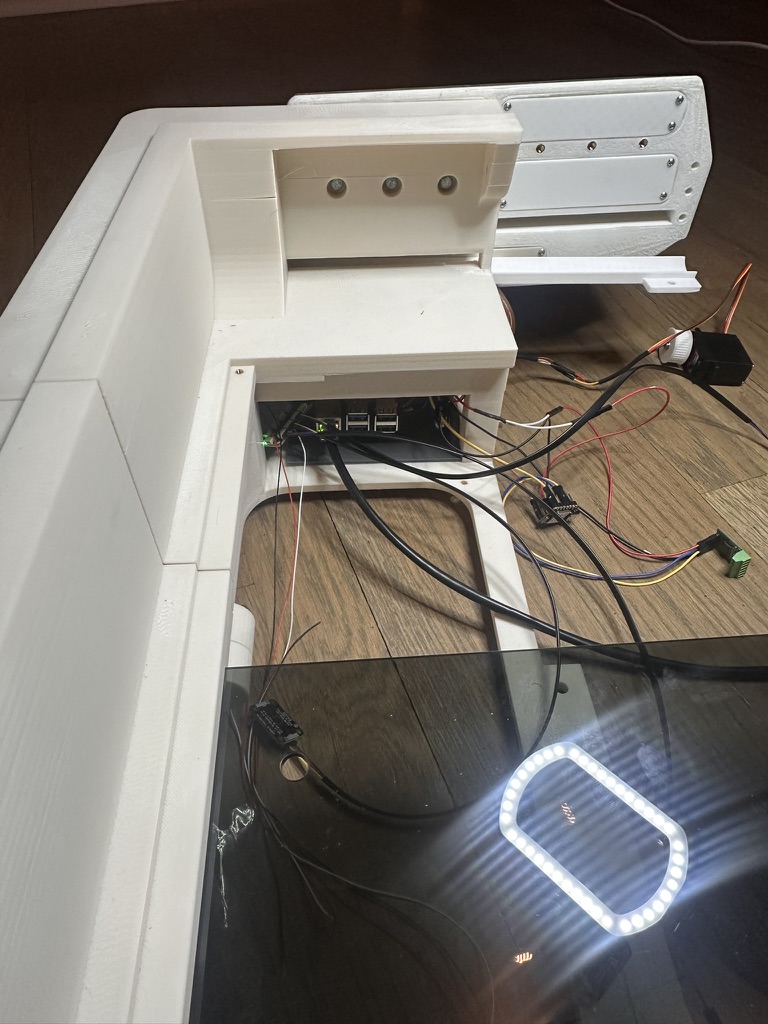
Overview
How a Hive Monitor Pi talks to the cloud, from first boot through steady-state telemetry. This documents the device-side networking — every outbound flow is initiated by the Pi. The backend never connects in; there's no inbound port open on the device.
For this week I successfully connected to all my sensors (3× SHT45 temperature/humidity via I²C multiplexer), both cameras (Pi Camera Module 3 Wide on CSI ports), and my custom sensor extension board (designed in Week 9) — all communicating over the network to the cloud backend via MQTT and HTTPS.
Results
I got a reading of 23°C from all three SHT45 sensors and successfully connected to both cameras over the network. The sensor data is flowing through the I²C multiplexer to the Pi and publishing correctly. The cameras are streaming — I just need to get the video hosting integrated into the web dashboard, which I'll finish in Systems Integration week.
I'm using the same custom sensor extension board from Input Devices week — the pass-through PCB with STEMMA QT connectors that extends the I²C cable reach from the multiplexer to the SHT45 sensors in each hive box.
End-to-End Latency — Button Click to LED
From the Pi, the network path is: Pi → MQTT → AWS IoT → AWS Cloud. Here's the full round-trip when a user clicks a button on the website and an LED lights up on the hive:
| Hop | Latency |
|---|---|
| Browser → API (HTTPS) | ~50–150 ms |
| API → AWS IoT publish (HTTPS) | ~20–80 ms |
| IoT → Pi (MQTT push) | ~30–100 ms |
| Pi GPIO ramp (intentional slow movement) | 200 ms |
| Pi → IoT state echo | ~30–100 ms |
| IoT → backend → WebSocket → UI | ~50–200 ms |
| Total round-trip | ~380–830 ms |
The 200 ms GPIO ramp is intentional — the servo and LEDs ramp slowly to avoid current spikes that could brownout the Pi. Under normal conditions, a user clicks a button and sees the state update in under a second.
Hero Shot — Network Working
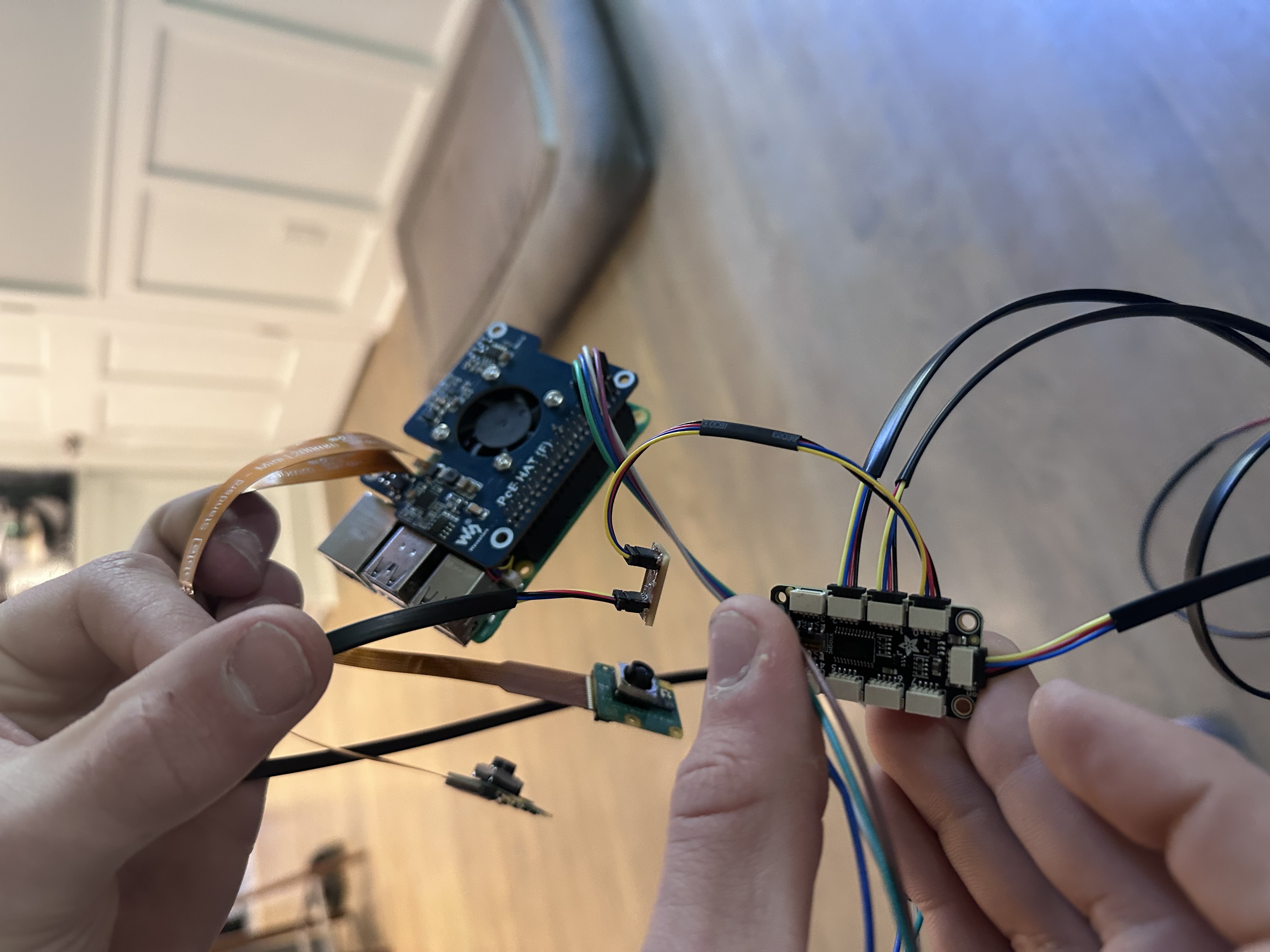
Custom sensor extension board plugged in and connected to the Pi via the I²C multiplexer
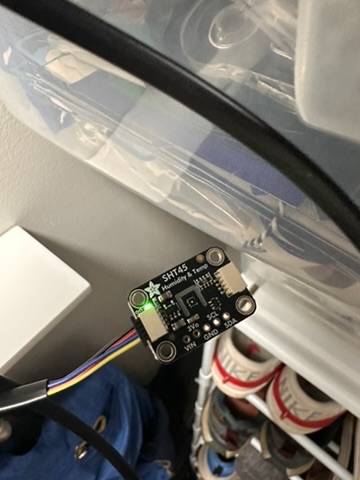
Successful test — all three SHT45 sensors reading 23°C over the network
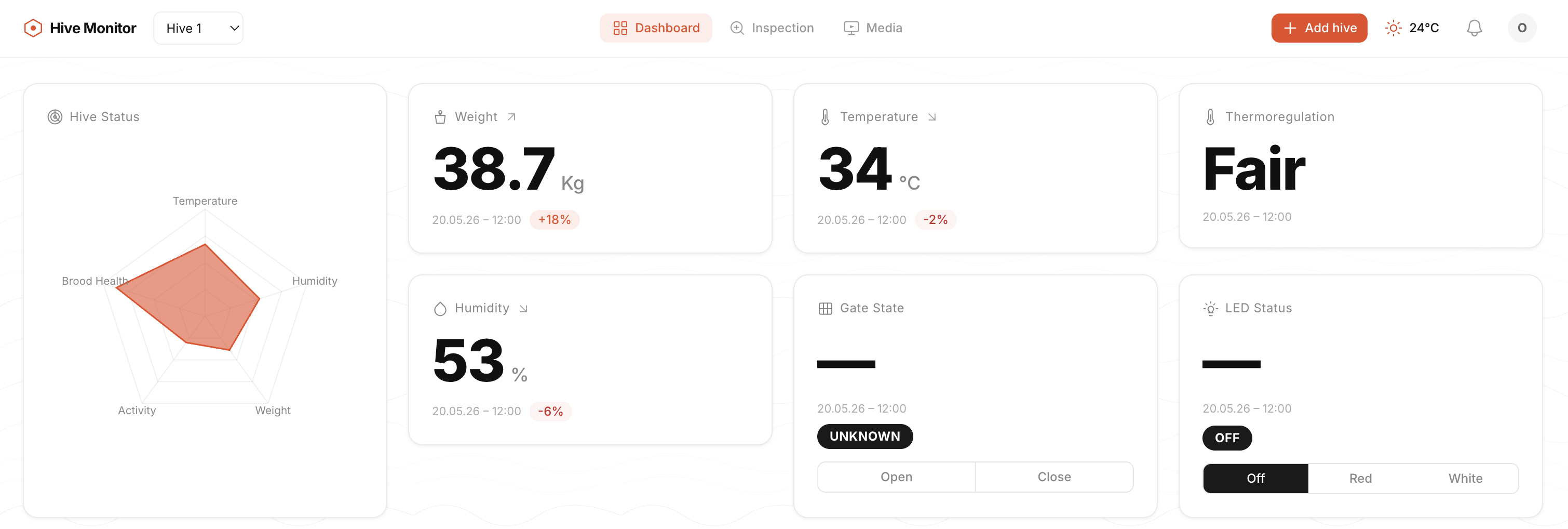
System running — sensors and cameras connected over PoE network
30-Second Picture
Pi (admin LAN, NAT'd)                      hive-monitor.com (AWS, us-east-1)
─────────────────────                      ─────────────────────────────────
hive-monitor-bootstrap.service ──HTTPS──▶  api.{dev.,}hive-monitor.com
(one-shot, until bound)               GET  /devices/{serial}/bind-packet
                                       POST /hives/bind        (manual path)

hive-monitor-agent.service ─────MQTT───▶  <account>-ats.iot.<region>.amazonaws.com
(steady-state)                        mTLS on 8883
                                      pub/sub on hive-monitor/hives/{hiveId}/*
                                      and $aws/things/hive-monitor-{hiveId}/shadow/*

hive-monitor-ota.timer ─────────HTTPS──▶  ota.{dev.,}hive-monitor.com   (planned)
(every 6h, hourly during retry)       GET signed release artifacts

hive-monitor-camera.service ────MQTT───▶  (same IoT endpoint, distinct MQTT session)
(only while a viewing session is active)
Channels at a Glance
| Flow | When | Protocol | Port | Auth |
|---|---|---|---|---|
| Fleet bootstrap poll | Boot, until /etc/hive-monitor/bound exists | HTTPS | 443 | None (backend gates on operator claim) |
| Manual bind | One-time, running bind.sh | HTTPS | 443 | One-time Binding_Token |
| Telemetry / health / events | Steady-state, every 60s or on change | MQTT 5 over TLS | 8883 | mTLS with per-device X.509 cert |
| Commands / shadow | On demand | MQTT 5 over TLS | 8883 | Same cert |
| Camera feed | Active viewing session only | MQTT 5 over TLS | 8883 | Same cert (QoS 0) |
| OTA fetch | Every 6h (planned) | HTTPS | 443 | Ed25519 signed payload |
| Time | Continuous | NTP | 123 | None |
| DNS | Continuous | DNS | 53 | None |
That's the full allow-list. Anything else is blocked by ufw.
Domains and DNS
The device picks its environment from the image, not at runtime:
| Image channel | Built from | Bootstrap URL |
|---|---|---|
dev | develop branch + feature branch CI builds | https://api.dev.hive-monitor.com |
prod | main + v* tags | https://api.hive-monitor.com |
pi/image/stage-hive-monitor/03-image-version/00-run.sh writes this at image-build time from IMAGE_API_BASE, which the CI workflow derives from the git ref. Operators don't pick the environment — they pick the image. Self-hosted backends override by editing /etc/hive-monitor/bootstrap.conf post-flash.
The IoT endpoint hostname (<account>-ats.iot.<region>.amazonaws.com) is not baked in — it's returned by the bind packet alongside the device cert, so the device only learns where to MQTT-connect after binding.
Phase 1 — Bootstrap (Unbound)
hive-monitor-bootstrap.service runs at every boot while /etc/hive-monitor/bound is missing (systemd ConditionPathExists=!/etc/hive-monitor/bound). It does two things:
- Renames the host to
hive-monitor-<last-6-hex-of-cpu-serial>. Reads/proc/cpuinfo, runshostnamectl set-hostname, rewrites/etc/hosts, restartsavahi-daemon. Idempotent — no-op if hostname already matches. A fleet of 100 Pis flashed from the same image each advertise themselves at a uniquehive-monitor-<id>.localinstead of all colliding onhive-monitor.local. - Polls
GET https://api.{dev.,}hive-monitor.com/devices/<cpu_serial>/bind-packetevery 5 seconds:- 404 — "device not claimed yet, keep polling" — quiet, no error, resets the failure streak.
- 200 — bind packet (cert, key, root CA, hive metadata). Install atomically, exit.
- Anything else (DNS fail, TLS error, 5xx) — exponential backoff 10 → 20 → 40 → 80 → 160 → 300 s (capped).
The endpoint is unauthenticated: anyone can ask for any serial's bind packet. The security gate is on the backend — it returns 404 until an operator explicitly claims that serial in the dashboard, and the resulting cert is bound to that specific hive.
Once a bind packet is installed, the service creates /etc/hive-monitor/bound and exits 0. On next boot the ConditionPathExists skips it entirely.
Phase 2 — Binding (The Moment of Transition)
Two ways to bind a device:
- Fleet path (default): the bootstrap loop above. Operator claims the device in the dashboard, next poll returns 200 with the bind packet, bootstrap installs everything atomically and exits. Zero operator action at the Pi.
- Manual path: operator SSHes in and runs
pi/installer/bind.sh --token <token> --region <region>. This POSTs the token to${API_BASE}/hives/bind, gets the same bind packet schema in response, installs it the same way.
Either way, the file layout after bind is identical:
/etc/hive-monitor/
├── bound                 # marker — its existence gates everything else
├── bootstrap.conf        # baked at image build
├── image-version         # version, commit_sha, build_ref, env
├── config.json           # Hive_Metadata: hive_name, gps, timezone, hive_id, iot_endpoint
├── cert.pem              # device X.509 cert (mode 0600, owner hive-monitor)
├── private.key           # device private key (mode 0600, owner hive-monitor)
├── root-ca.pem           # AWS IoT root CA
├── peripherals.json      # Peripheral_Manifest
├── sensors.json          # Sensor_Config
└── sampling_config.json  # Sampling_Config (cadences)
bind.sh writes every one of these through a staging dir (mktemp → install) so a failure mid-install leaves the device unbound — never half-bound.
Phase 3 — Steady-State (Bound)
hive-monitor-agent.service starts once /etc/hive-monitor/bound exists. On startup:
- Reads every file in
/etc/hive-monitor/. Refuses to start if anything is missing or invalid. - Connects to
<iot_endpoint>(fromconfig.json) on TCP 8883, mTLS usingcert.pem+private.key+root-ca.pem. - Client ID =
hive-monitor-<hive_id>. AWS IoT policy restricts pub/sub to topics matching its own{hiveId}— one cert can't see another device's traffic. - Subscribes to its downlink topics. Publishes a
provisionedevent on first connect; an LWT oneventswill publish adisconnectedevent if the TCP session drops. - Starts the driver scheduler, telemetry publisher, health reporter, autonomous controllers (door schedule, fan, LEDs), and shadow client.
Connection retry is 1 s → 60 s exponential backoff with ±20% jitter, forever. Publishes that fail land in the Offline_Buffer (SQLite at /var/lib/hive-monitor/buffer.db, capped at 7 days / 500 MB FIFO) and replay on reconnect.
MQTT Topic Schema
All topics are scoped to one hive via {hiveId} (the cert's IoT policy enforces this).
Uplink (Pi → Backend)
| Topic | QoS | Cadence | Payload |
|---|---|---|---|
.../telemetry | 1 | 60 s | Sensor map + weight, door/fan/led state, gps, timestamp, seq |
.../health | 1 | 60 s | CPU temp, throttling, RAM, disk, load |
.../events | 1 | on change | provisioned, disconnected (LWT), power_warning, etc. |
.../door/state | 1 | on change | {state, timestamp, request_id} |
.../camera/{channel}/feed | 0 | per frame | H.264 NALU bytes — transient, no retry |
Downlink (Backend → Pi)
| Topic | QoS | Purpose |
|---|---|---|
.../door/command | 1 | Open/close with request_id for idempotent dedup |
.../door/schedule | 1 | Replace Door_Schedule |
.../led/command | 1 | LED override |
.../camera/{channel}/control | 1 | start/stop camera streaming |
.../ota/notification | 1 | New release announcement |
.../recover/limp | 1 | Admin-signed Limp_Mode recovery |
Device Shadow
| Topic | Purpose |
|---|---|
$aws/things/hive-monitor-{hiveId}/shadow/update | Pi writes reported state |
.../shadow/update/delta | Pi receives desired deltas |
.../shadow/get / .../get/accepted | Initial sync on boot |
Auth Model
Three trust boundaries:
- Bootstrap endpoint — unauthenticated. The backend decides whether to return a bind packet for a given CPU serial based on operator action in the dashboard. Effectively trust-on-claim.
- Bind endpoint (manual path) — token-authenticated. The Binding_Token is 32 random bytes minted by the backend at hive creation, one-shot, scoped to one hive.
- MQTT (steady-state) — mTLS with per-device X.509 cert issued by AWS IoT during bind. The cert is bound to one Thing (
hive-monitor-<hive_id>) and one IoT policy that scopes publish/subscribe to that hive's topic prefix. Compromising one device's cert exposes only that device's data.
Firewall
ufw rules baked into the image:
- Inbound: default-deny. SSH is enabled only when the operator passes
--enable-sshat bind time; otherwise port 22 is closed. - Outbound: allow 443 (HTTPS — bootstrap, bind, OTA), 8883 (MQTT TLS — IoT Core), 123 (NTP), 53 (DNS). Everything else denied.
There is no inbound path from the backend to the device. Commands ride the downlink MQTT topics — AWS IoT holds the device's mTLS session open and pushes when it has something to deliver.
Offline Behavior
The Pi is designed to keep operating while disconnected:
- Sensor reads, autonomous controllers, camera capture — all continue normally. Fan control uses Pi CPU temperature, so it works regardless of cloud reachability.
- Outbound publishes — telemetry, health, events, state changes are enqueued in
/var/lib/hive-monitor/buffer.db(SQLite, FIFO, 7 day / 500 MB caps). Camera feeds are NOT buffered — live video is transient. - On reconnect — buffered payloads replay to their original topics at ≤50 publishes/s with original timestamps preserved.
- OTA —
hive-monitor-ota.timerpolls every 6 h. Misses are caught up on the next successful run.
The Pi's MQTT client retries connect forever with bounded exponential backoff. No outage scenario causes the device to "give up" and require operator intervention.
Troubleshooting
| Symptom | First Check |
|---|---|
Name or service not known | DNS not resolving. Check Route53 record. |
HTTP Error 503 | No healthy targets behind ALB. Wait for API CI to complete. |
HTTP Error 4xx (non-404) | Backend rejected request. Check CPU serial format. |
| Polling indefinitely with 404 | Expected — device not claimed in dashboard yet. |
mqtt connect attempt N failed | Wrong cert/key/CA, cert not ACTIVE in IoT console, or policy not attached. |
| Bound but no telemetry | Check journalctl -u hive-monitor-agent for peripheral_init_failed. |
| Service flapping exit 78 | /etc/hive-monitor/bound missing or config.json invalid. |
How This Meets the Assignment Requirements
| Requirement | How It's Met |
|---|---|
| Wireless node with network address | Pi 5 on WiFi with DHCP IP + mDNS hostname hive-monitor-<id>.local |
| Local input/output devices | SHT45 sensors, cameras (input); door servo, fan, LEDs (output) |
| Networking protocol | MQTT 5 over mTLS (8883) + HTTPS (443) for bootstrap/bind/OTA |
| Communication between nodes | Pi ↔ AWS IoT Core — bidirectional via MQTT pub/sub + device shadow |
| Network design workflow | Three-phase lifecycle (bootstrap → bind → steady-state) with firewall, offline buffer, exponential backoff |