Networking and Communication
I want my XIAO ESP32-C6 Teacher board to be able to connect wirelessly to my computer. We were able to do this in week 11's group work.
I can use wifi + Telnet on the ESP32-C6 works by entering my WIFI_SSID and WIFI_PASS. This creates a private channel of communication, just like using SSID to connect with GitLab.
"Serial.print" is replaced in the code by "tprint"
To read the sent tprint, I need to set my computer to recieve it. To do this I first open the serial monitor after uploading the program. It will print the ip address. I will then open my terminal, and enter "nc ip address with port number".
Then change the ip address in the processing code.
I must unplug the usb cord! I can not have usb and supplied power going through the ESP32-C6
I used an image of my magic table that I simplified in CorelDraw for the background of my processing interface. I wasn't sure how much detail it could handle, so I went very simple.

The Processing display:
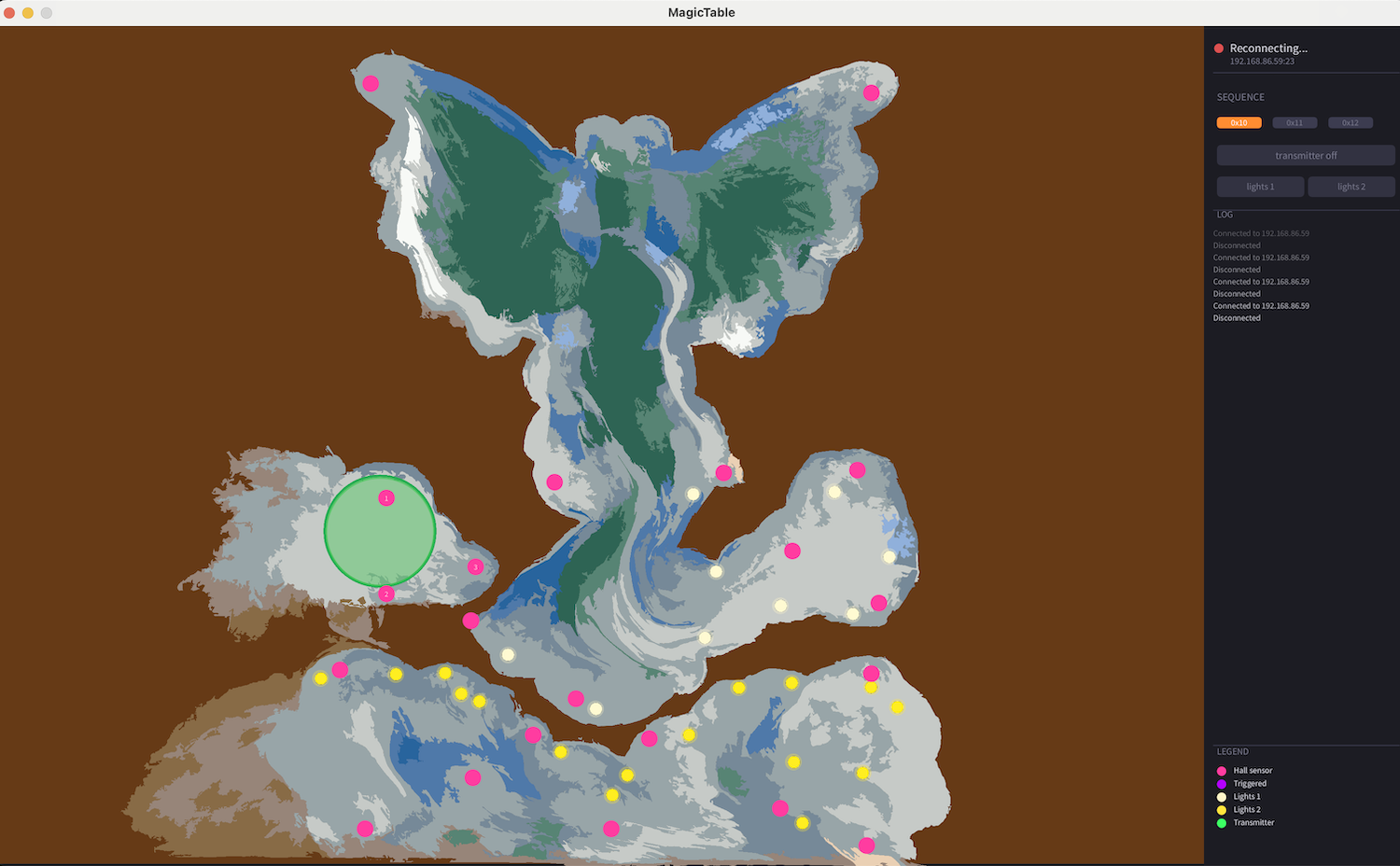
Click here for the processing code
The background image must be the folder "data", which is on the same folder level as the .pde file.