1. Group Assignment Toolchain Comparison and Selection Analysis
To evaluate the suitability of different development approaches for TFT driving and AI voice applications, our group conducted a systematic comparison of the following three toolchains:
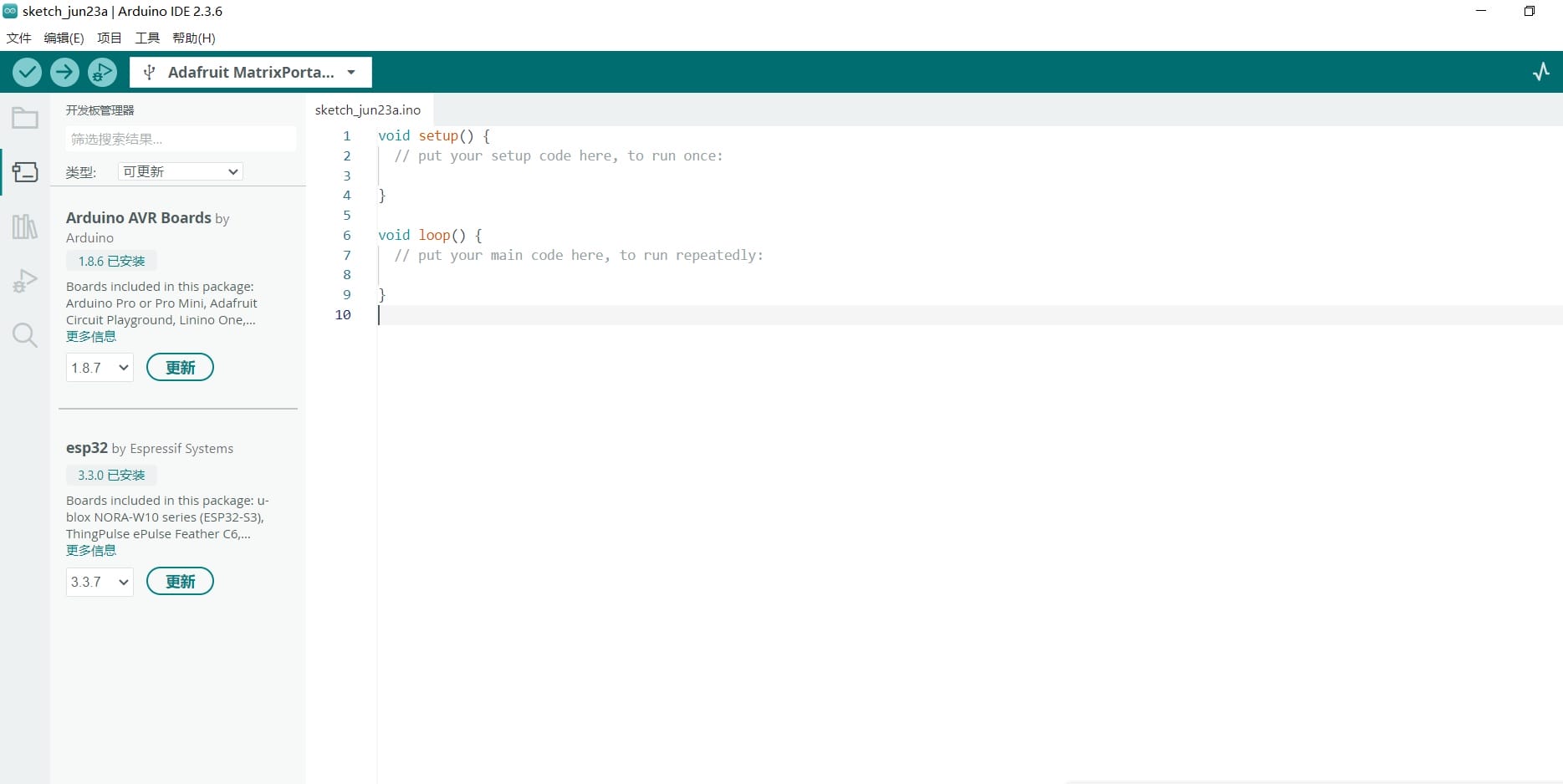
Arduino IDE
Description: Integrated development environment for programming Arduino microcontrollers.
Typical Use: Useful for interfacing with sensors, motors, and displays in Arduino-based projects.
URL: Arduino IDE
It is known for its simplicity and effectiveness in getting hardware prototypes up and running quickly. Great community support and extensive libraries make it a staple in competitions.
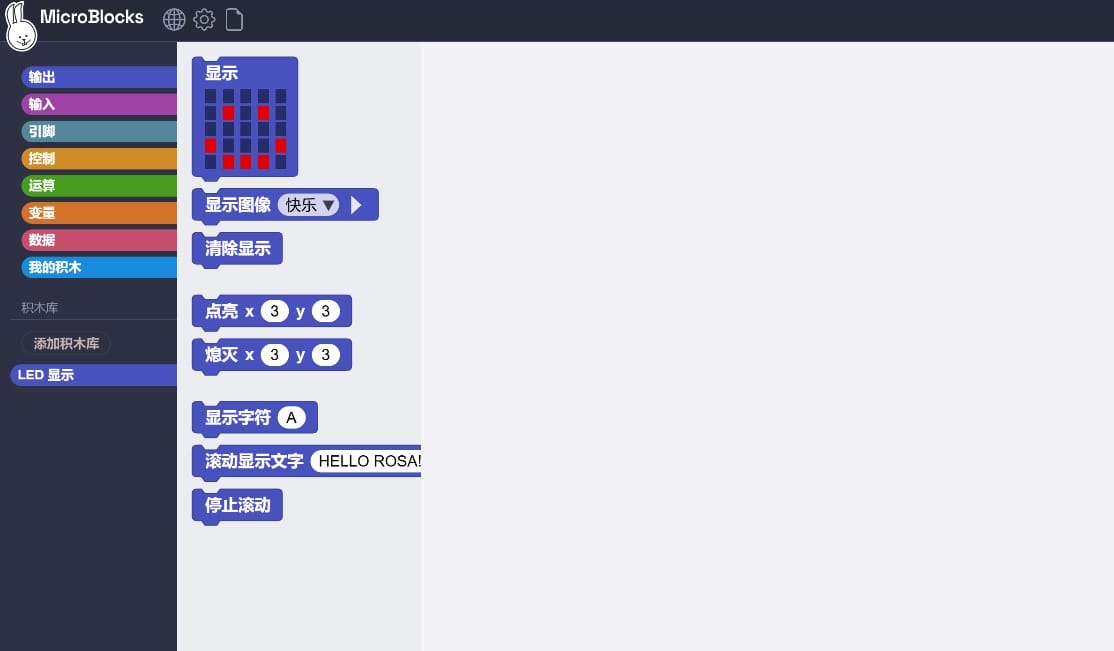
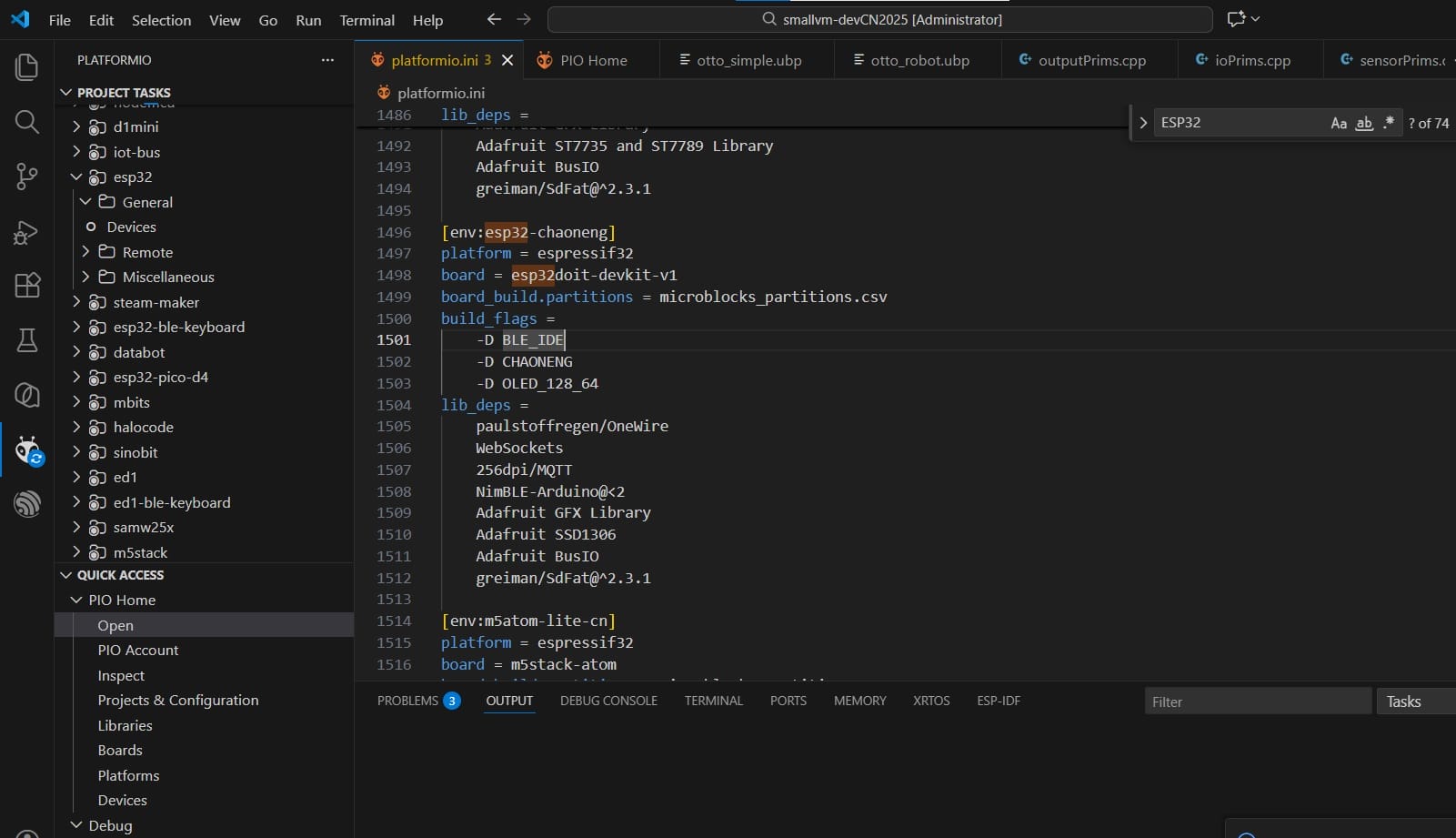
MicroBlocks (VS Code + PlatformIO)
Combines the intuitiveness of graphical programming with the engineering flexibility of VS Code, making it ideal for educational scenarios and rapid prototyping. PlatformIO's dependency management and build system effectively enhance team collaboration efficiency. Nevertheless, it underperforms in scenarios requiring low-level register manipulation or stringent real-time responsiveness compared to native SDKs.
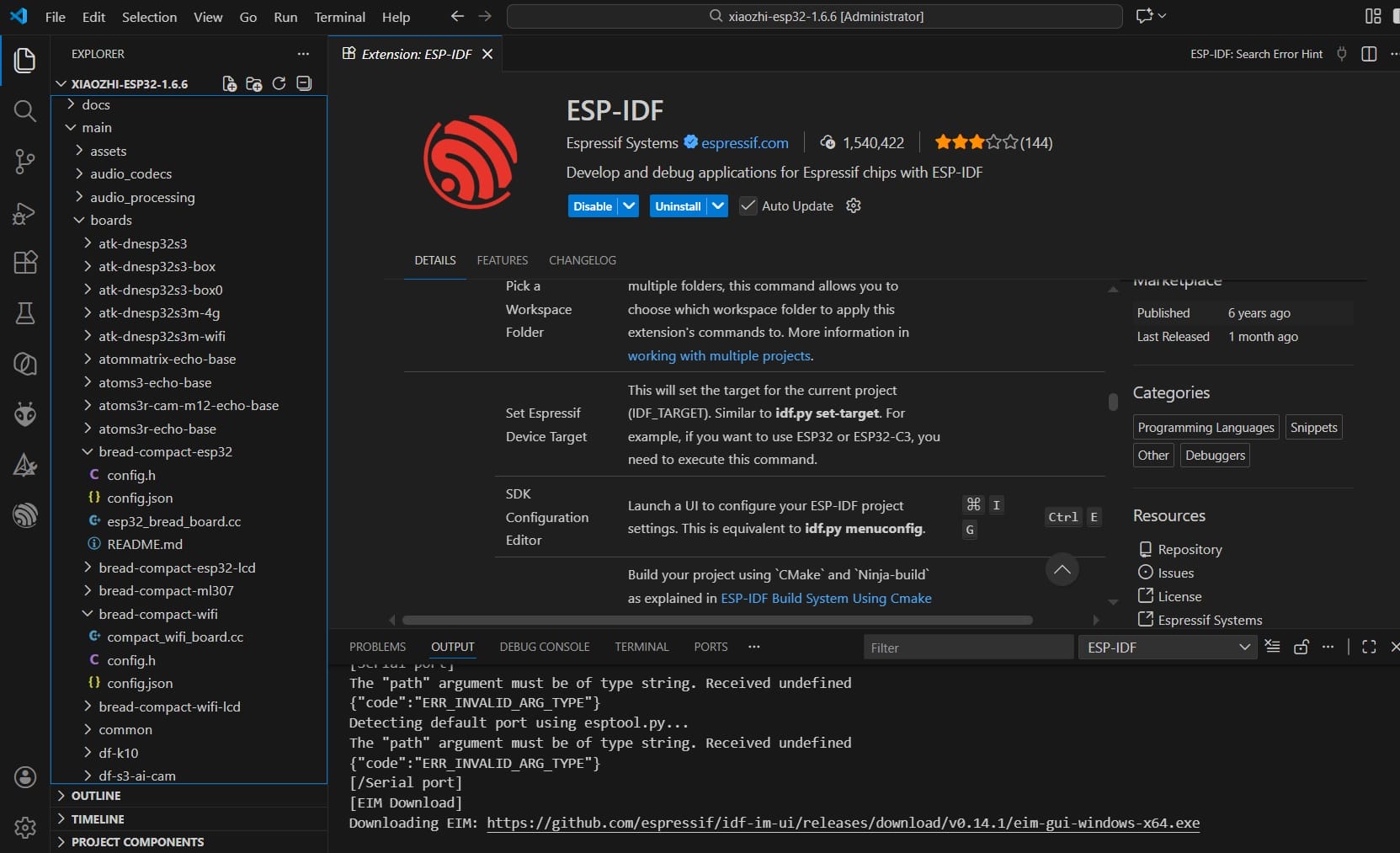
ESP-IDF
Provides the most comprehensive feature set, including a rich component library and native FreeRTOS support. It is the preferred choice for complex projects such as the XiaoZhi AI voice dialogue system. The build system is flexible, and debugging tools are robust. However, the learning curve is steeper, and it demands a higher level of embedded systems expertise from developers.
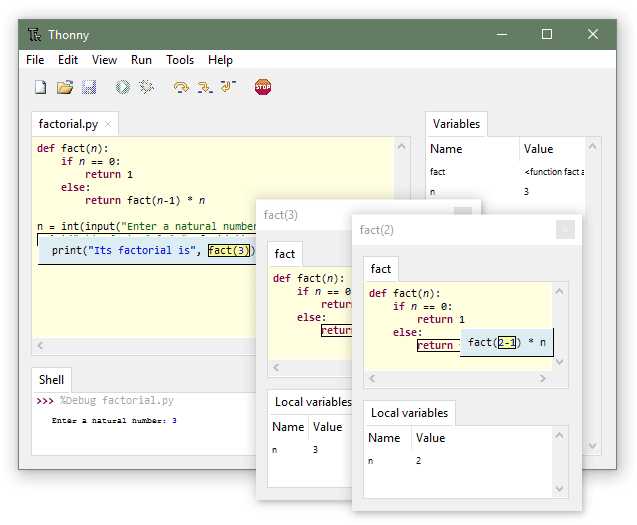
Thonny(MicroPython and CircuitPython)
Description: Thonny is an integrated development environment (IDE) specifically designed for beginners learning Python. It offers a simple and user-friendly interface, highlighting syntax errors, and allowing step-by-step execution. Typical Use: Often used in educational settings for teaching Python basics and for small Python projects. URL: Thonny Great for beginners due to its clear syntax errors, easy variable viewing, and simple debugger. Ideal in educational competitions for its simplicity.
VS Code
Description: Visual Studio Code (VS Code) is a lightweight but powerful source code editor which runs on your desktop and is available for Windows, macOS, and Linux. Typical Use: It comes with built-in support for JavaScript, TypeScript, and Node.js, and has a rich ecosystem of extensions for other languages (such as C++, C#, Java, Python, PHP, Go) and runtimes. URL: VS Code Appreciated for its versatility, extensive plugin system, and strong community support, making it ideal for almost any programming task in competitive coding.
Postman
Description: Postman is a collaboration platform for API development. It simplifies each step of building an API and streamlines collaboration so you can create better APIs—faster. Typical Use: Used for building and testing APIs, automating testing processes, and collaborating on API development. URL: Postman It is valued in competitions for its user-friendly interface and powerful features for API testing and debugging.
Node-RED
Description: A programming tool for wiring together hardware devices, APIs, and online services. Typical Use: Suitable for home automation and Internet of Things (IoT) applications. URL: Node-RED Its flow-based programming model is intuitive, making it easy for newcomers to integrate various services and devices. Highly effective in IoT competitions.
MATLAB with Simulink
Description: A platform for numeric computing and model-based design, combined with Simulink for system simulation. Typical Use: Research, complex mathematical computations, system modeling. URL: MATLAB Highly regarded in academia and industry for its powerful analysis tools. Best suited for data-intensive and algorithmic competitions.
Qt Creator
Description: A cross-platform C++ development environment for creating connected devices and UIs. Typical Use: Applications needing graphical user interfaces that interact with hardware devices. URL: Qt Creator It is well known for its robust toolset for building complex user interfaces, preferred in projects where performance and customization are key.
Horizontal Comparison of Tool Interfaces and Options
To provide a clearer selection guide, we directly compared the tools from four aspects: Interface Type, Core Interaction Method, Key Configurable Options (UI-related) , and Debugging/Monitoring Tools.
| Toolchain | Interface Type | Core Interaction | Key Interface Options | Debugging/Monitoring Tools |
|---|---|---|---|---|
| Arduino IDE | Traditional Desktop IDE | Menu + Toolbar Buttons | Board selection, Port selection, Library Manager | Serial Monitor (Basic) |
| MicroBlocks (VS Code+PlatformIO) | Modern Extensible IDE | Command Palette + Graphical Config UI | Project config (platformio.ini), Graphical library search | Built-in Serial Monitor, Tasks panel, Debugger (configurable) |
| ESP-IDF | CLI + VS Code Plugin | Command-line + idf.py menuconfig | idf.py menuconfig (Graphical config system), sdkconfig | Monitor (idf.py monitor), Profiling tools |
| Thonny | Minimalist Educational IDE | Toolbar Buttons + Interactive Shell | Interpreter selection, Port selection | Simple variable viewer, Step-by-step debugger, Object inspector |
| VS Code | Modern Extensible IDE | Command Palette + Settings UI | User/Workspace settings (JSON/GUI), Extension management | Integrated terminal, Debug console, Variable watch, Breakpoint management |
| Postman | Standalone GUI App | Request Builder + Visual Workflow | Environment variables, Global settings, Certificate management | Request/Response viewer, Console logs, Test runner |
| Node-RED | Browser-based Flow Editor | Drag-and-drop nodes + Wires | Node property panels, Flow configuration, Environment variables | Debug sidebar, Inject node, Function node logs |
| MATLAB+Simulink | Professional Math & Modeling Env | Command-line + Visual Block Diagram Editor | Toolbox management, Model config parameters, Solver settings | Workspace browser, Variable editor, Simulink Scope |
| Qt Creator | Modern C++/QML IDE | Visual UI Designer + Code Editor | Build Kit selection, QML/UI file designer | Application output, Debugger (GDB/CDB), QML Profiler |
Analysis:
-
For rapid functional verification and beginners, Arduino IDE and Thonny are most efficient due to their simple interfaces and intuitive options.
-
For graphical UI design (e.g., TFT display layout), Qt Creator's visual designer offers a clear advantage.
-
For complex system configuration (e.g., audio pipelines for AI voice), ESP-IDF's menuconfig provides the most detailed low-level tuning options.
-
MicroBlocks (VS Code+PlatformIO) and VS Code itself are the most extensible in terms of interface, capable of adapting to multiple workflows via plugins.
Summary:
In conclusion, Arduino IDE is best suited for functional verification, MicroBlocks excels in rapid prototyping and educational demonstrations, while ESP-IDF remains the go-to solution for production-grade products and high-performance applications. In this project, the TFT display module was primarily developed and verified using MicroBlocks, whereas the voice dialogue subsystem was deeply customized with ESP-IDF, thereby leveraging the distinct strengths of each toolchain.
https://fabacademy.org/2026/labs/chaihuo/docs/week15/week15_group_assignment/