Week 17 - Wildcard Week (Hands-On AI: TensorFlow and Teachable Machine )
1. TensorFlow
For this Wildcard Week, I decided to explore the fascinating field of machine learning with TensorFlow.
1.1. AI's "Brain": TensorFlow
TensorFlow is a powerful open-source machine learning framework developed by Google.
Think of it as a highly intelligent, self-learning "brain architecture." It can process vast amounts of data—images, audio, text—and uncover hidden patterns and structures within. By learning these patterns, TensorFlow enables computers to recognize objects, understand language, forecast trends, and even generate art.
As the driving force behind many modern AI systems, it offers a robust foundation for building intelligent applications.
TensorFlow.js is a library for machine learning in JavaScript Develop ML models in JavaScript, and use ML directly in the browser or in Node.js.
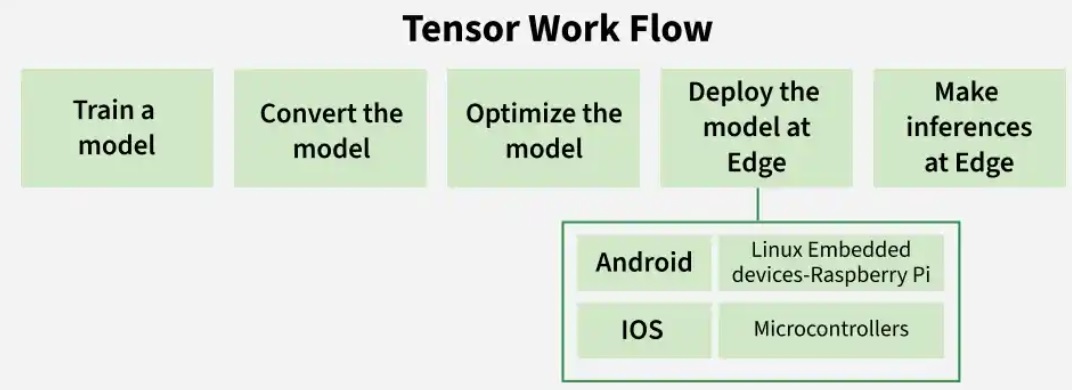
1.2. A No-Code AI Training Tool: Teachable Machine
Teachable Machine, also from Google, is an innovative online tool that makes machine learning accessible and fun for everyone.
Its standout features are its zero-barrier entry and visual, code-free interface.
With just a few clicks, you can use your computer’s camera or microphone to gather training data and build your own AI model—all without writing a single line of code. Powered by TensorFlow.js, the model runs directly in your web browser, requiring no complex setup. Supporting image, sound, and pose recognition, Teachable Machine is an ideal entry point for beginners and young learners to grasp AI concepts through hands-on practice.
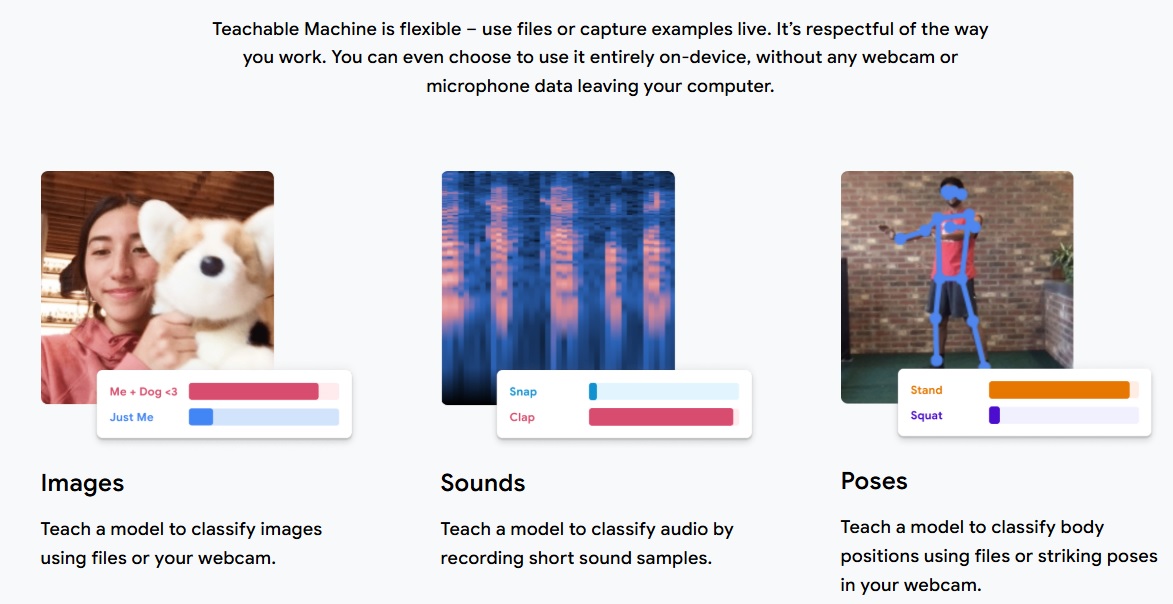
The Teachable Machine website is : https://teachablemachine.withgoogle.com/
1.3. The Three Steps of Machine Learning
Machine learning can be broken down into three essential steps, much like teaching a student:
1.3.1 Collect Data
This is the foundation of AI training. You supply the system with ample learning material. For instance, to train an AI to recognize a cup, you'd capture photos of cups in various colors, shapes, and sizes, from multiple angles (front, side, top, bottom), and under diverse lighting conditions. The more varied and plentiful the data, the better the model will perform.
1.3.2 Train the Model
This is the AI's "learning" phase. The computer analyzes the data you've provided, identifying common features and patterns—such as edges, textures, and color distributions. It's akin to a teacher guiding a student through repeated observation and practice until the student becomes proficient at recognition. Once training is complete, the AI has built a model capable of identifying specific objects.
1.3.1 Apply
With the model trained, it's ready for action. You can feed it a new, unseen image, and it will predict what's in it based on what it has learned—for example, determining whether the image contains a cup. In our project, this trained model will communicate with MicroBlocks via the browser, allowing your robot to react intelligently to real-time visuals—like performing a specific action whenever it detects a cup.
2. Collect Data
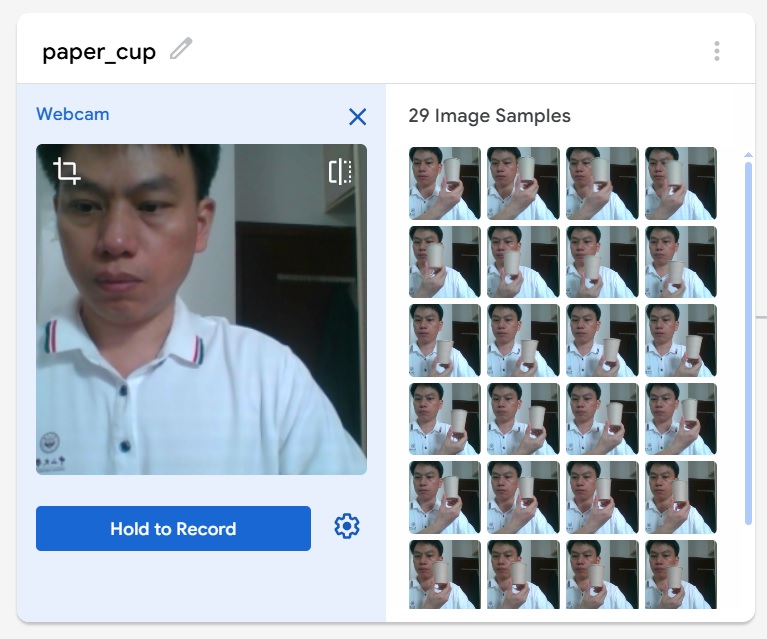
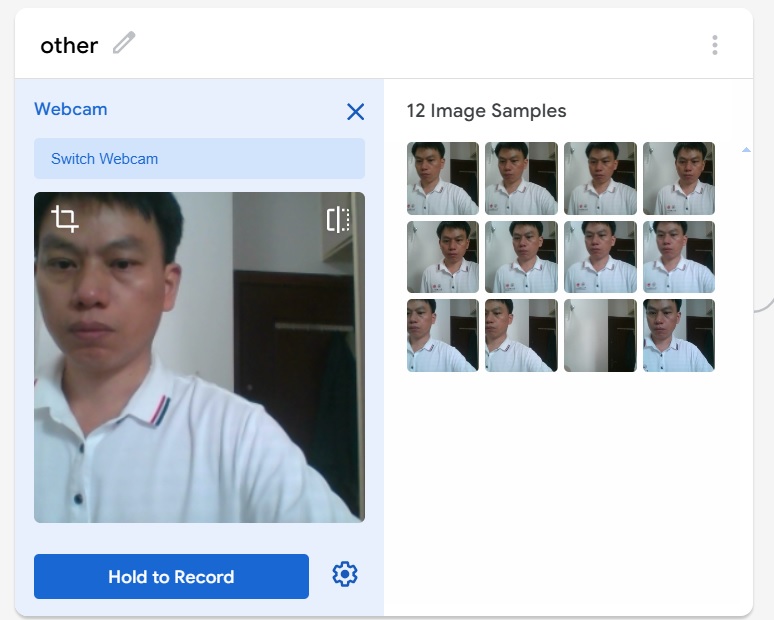
Following the guidelines of Teachable Machine, I take photos of a paper cup and collect image data from various angles.
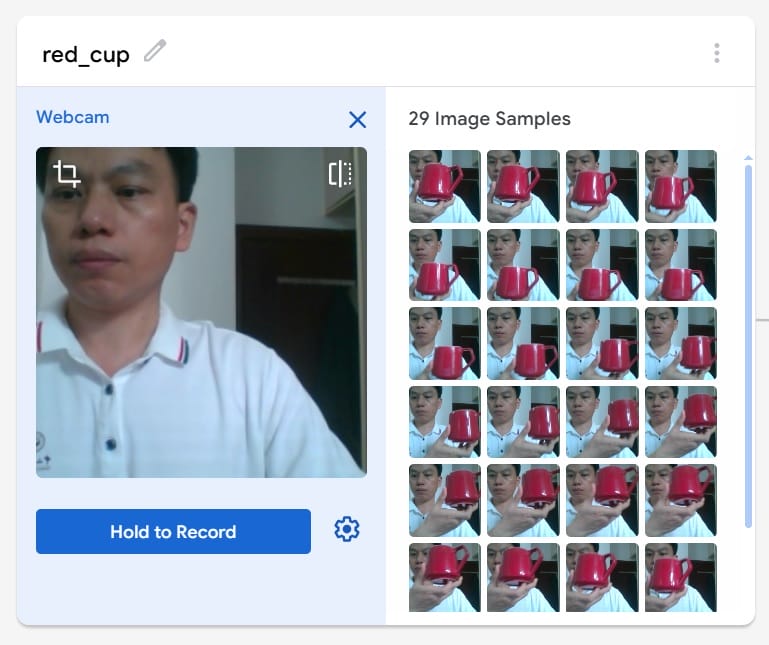
I take photos of a red cup and collect image data from various angles.
I also took photos for the "other" category, capturing images of my hand holding no object at all.
3. Train the Model
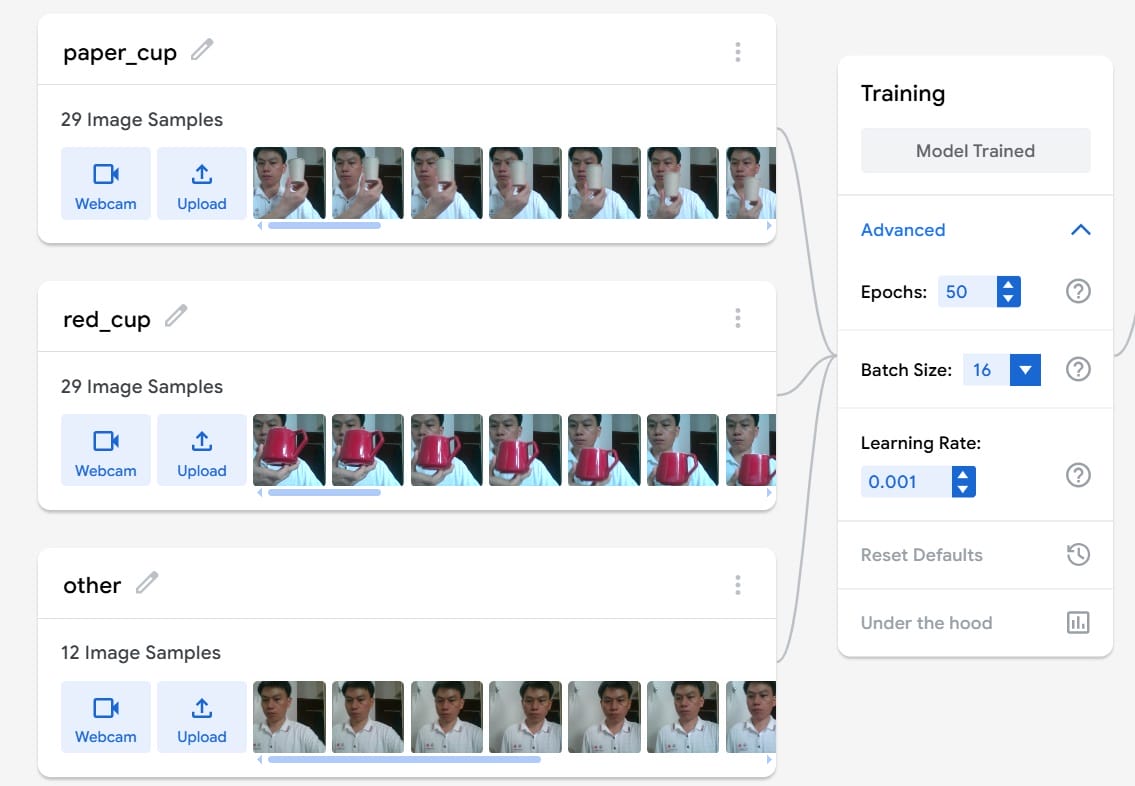
I trained the model using the three sets of image data I gathered in the previous step.
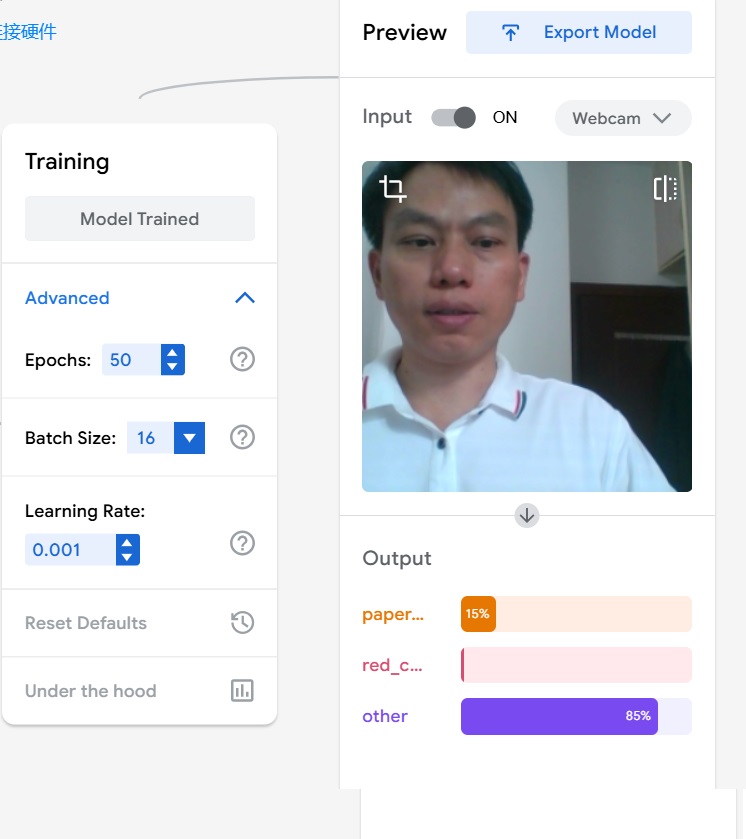
Once training is complete, the teachable machine will enter the preview interface. If I am not holding any cup in my hand, the recognition result will be classified as "other."
4. Apply
4.1 Display Result in PCB Board
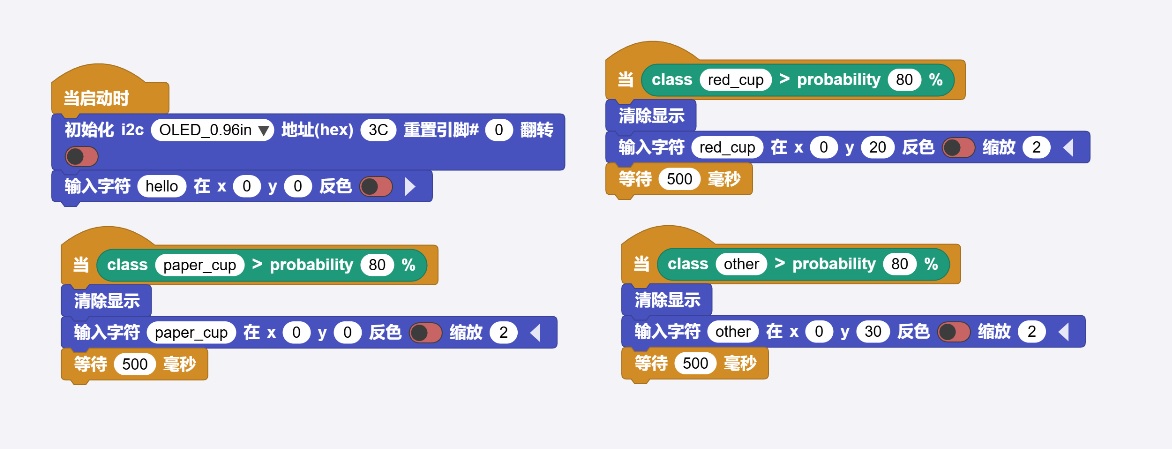
To make the image recognition results more vivid and intuitive, I designed my own PCB development board and programmed it to receive the results from Teachable Machine and display them on an OLED screen. I used MicroBlocks to implement this program.
4.2 Recogonize the cup
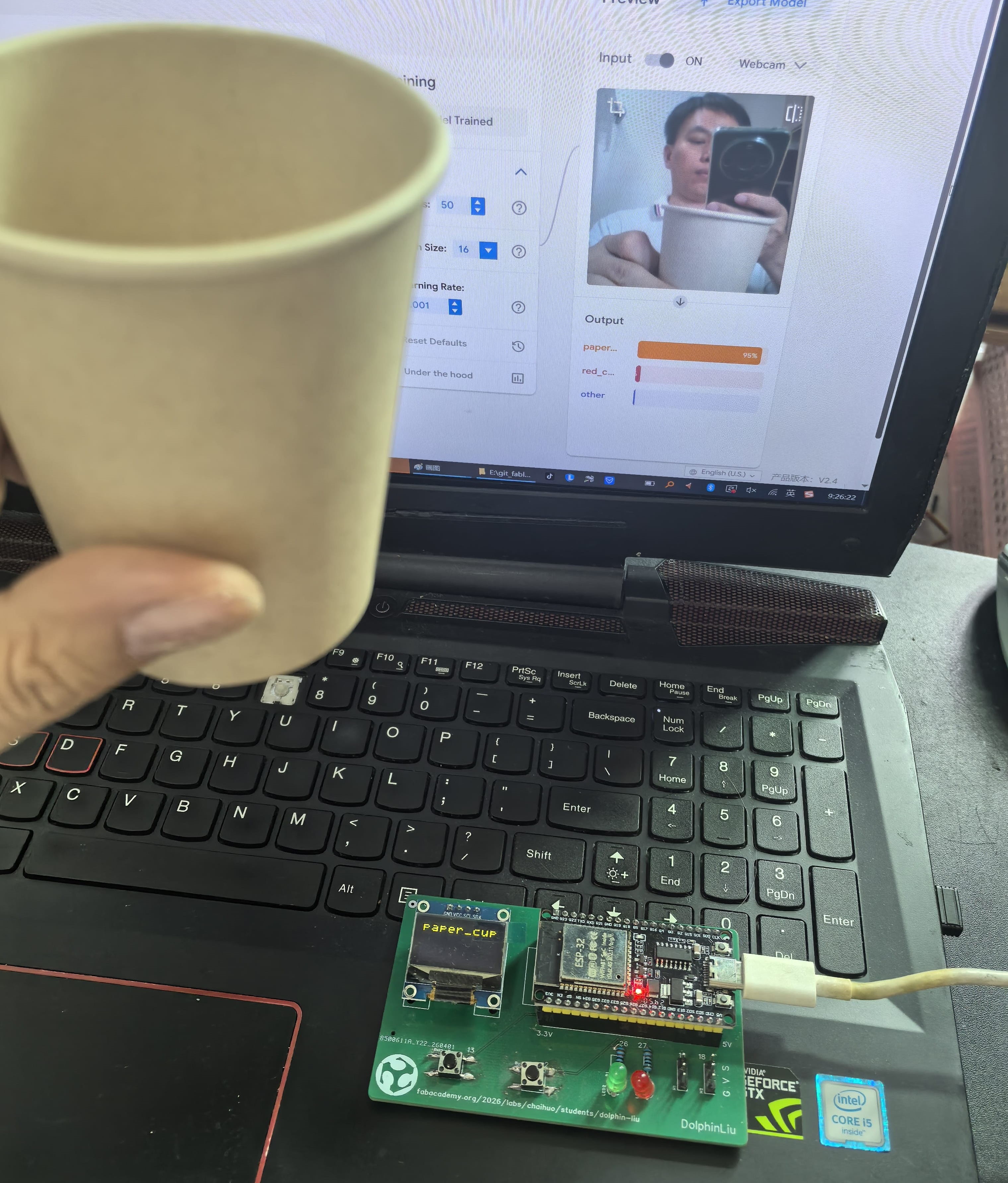
First, I hold a paper cup in front of my computer's camera. Teachable Machine successfully recognizes it as "paper_cup" and then sends the result to my PCB board, where the label "paper_cup" is displayed on the OLED screen.
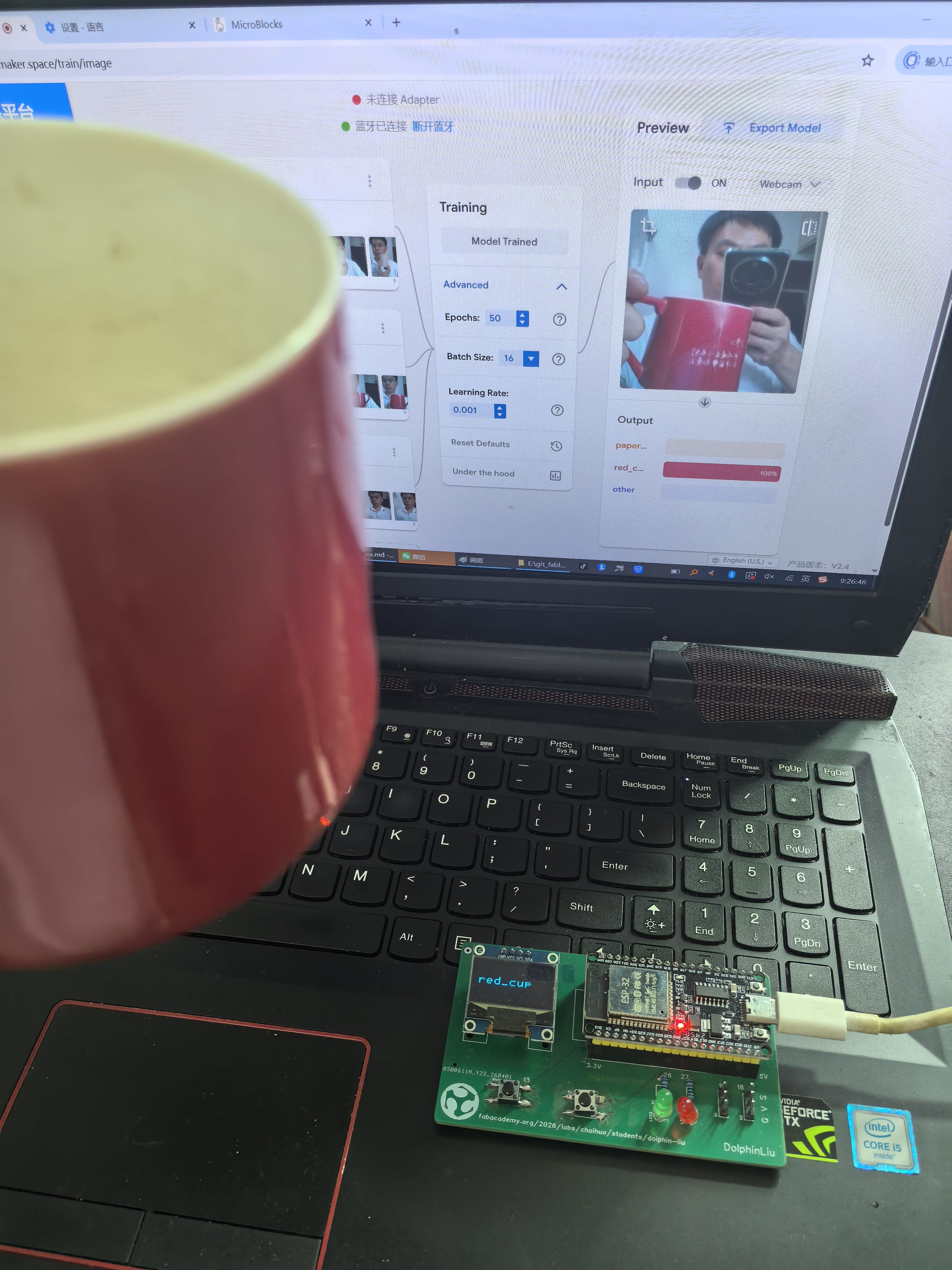
Next, I pick up a red cup and hold it in front of the computer's webcam. Teachable Machine recognizes it as "red_cup" and sends the result to my PCB board, where the OLED screen displays the label "red_cup."
5. What I Learned
This Wildcard Week gave me a practical, end-to-end understanding of machine learning—from data collection to hardware integration.
Accessibility of AI – Teachable Machine proved that powerful AI tools are no longer confined to experts. With zero coding, I built a functional image classifier and saw real-time results, making core ML concepts tangible and approachable.
Data Quality is Key – Collecting diverse images from multiple angles and lighting conditions taught me that dataset quality directly determines model performance. A well-structured dataset with representative samples matters more than sheer volume.
Hardware Bridges the Virtual and Physical – Integrating Teachable Machine's browser-based recognition with my PCB board and OLED display brought AI predictions into the real world. This connection—from software output to physical display—demonstrated the practical value of AI beyond the screen.
End-to-End Workflow Matters – Following the complete cycle (Collect → Train → Apply) gave me a holistic view. Each step is interdependent; rushing data collection or skipping thorough testing undermines the final application.
6. Future Exploration
Building on this foundation, I plan to advance my skills and apply AI to more complex, real-world challenges:
-
Custom Model Training – Transition from no-code tools to writing custom TensorFlow/Keras scripts, giving me full control over architecture, hyperparameters, and optimization for higher accuracy and flexibility.
-
Edge Deployment – Deploy trained models directly onto microcontrollers (e.g., ESP32-CAM, Raspberry Pi Pico) for standalone, battery-powered applications that operate without a computer.
-
Expanded Datasets – Scale up data collection to include multiple object categories under diverse conditions, incorporating data augmentation to improve model robustness.
-
Real-World Applications – Develop practical solutions such as smart recycling sorters, inventory trackers, or gesture-based access control systems.
-
Model Optimization – Explore quantization and pruning techniques to balance accuracy with memory and processing constraints for embedded deployment.
-
IoT Integration – Connect AI recognition systems to broader IoT networks via MQTT or APIs, enabling automated alerts, cloud logging, and smart device coordination.
-
Multimodal AI – Experiment with combining visual recognition with audio or sensor inputs for more sophisticated, context-aware decision-making.