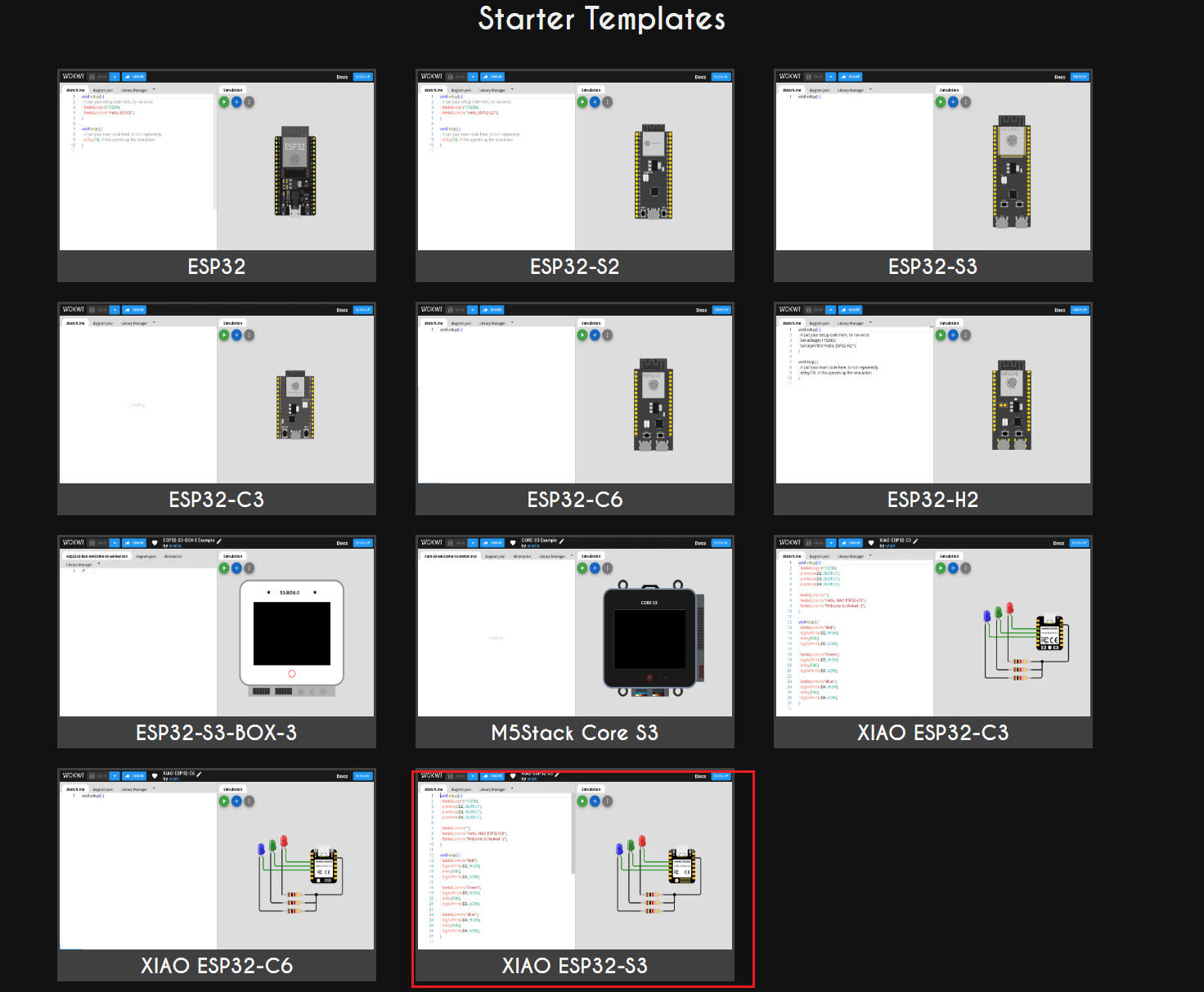
1. Simulation
Simulation is a process where you can test your code without having to actually build it. You can use Wokwi to simulate your code. Wokwi is a web-based simulator for Arduino, ESP32, and other microcontrollers. You can use Wokwi to simulate your code and see how it works.
1.1. Blink LED
Write a program that will blink the LED.
1.1.1. Create a new project
Create a new project in Wokwi.
- Choose the
XIAO ESP32S3development board. - Add a
LEDcomponent. - Add a
Buttoncomponent.
1.1.2 Write a program
#define  LED_PIN D2
#define  BTN_PIN D3

void setup() {
  Serial.begin(115200);
  pinMode(LED_PIN, OUTPUT);
  pinMode(BTN_PIN, INPUT);
}

void loop() {
  if(!digitalRead(BTN_PIN)){
    digitalWrite(LED_PIN, HIGH);
  }else{
    digitalWrite(LED_PIN,LOW);
  }
}
1.1.3 Run the program
Run the program and see how it works.
While you press the button, the LED will On, while you release the button, the LED will Off.
1.2. OLED
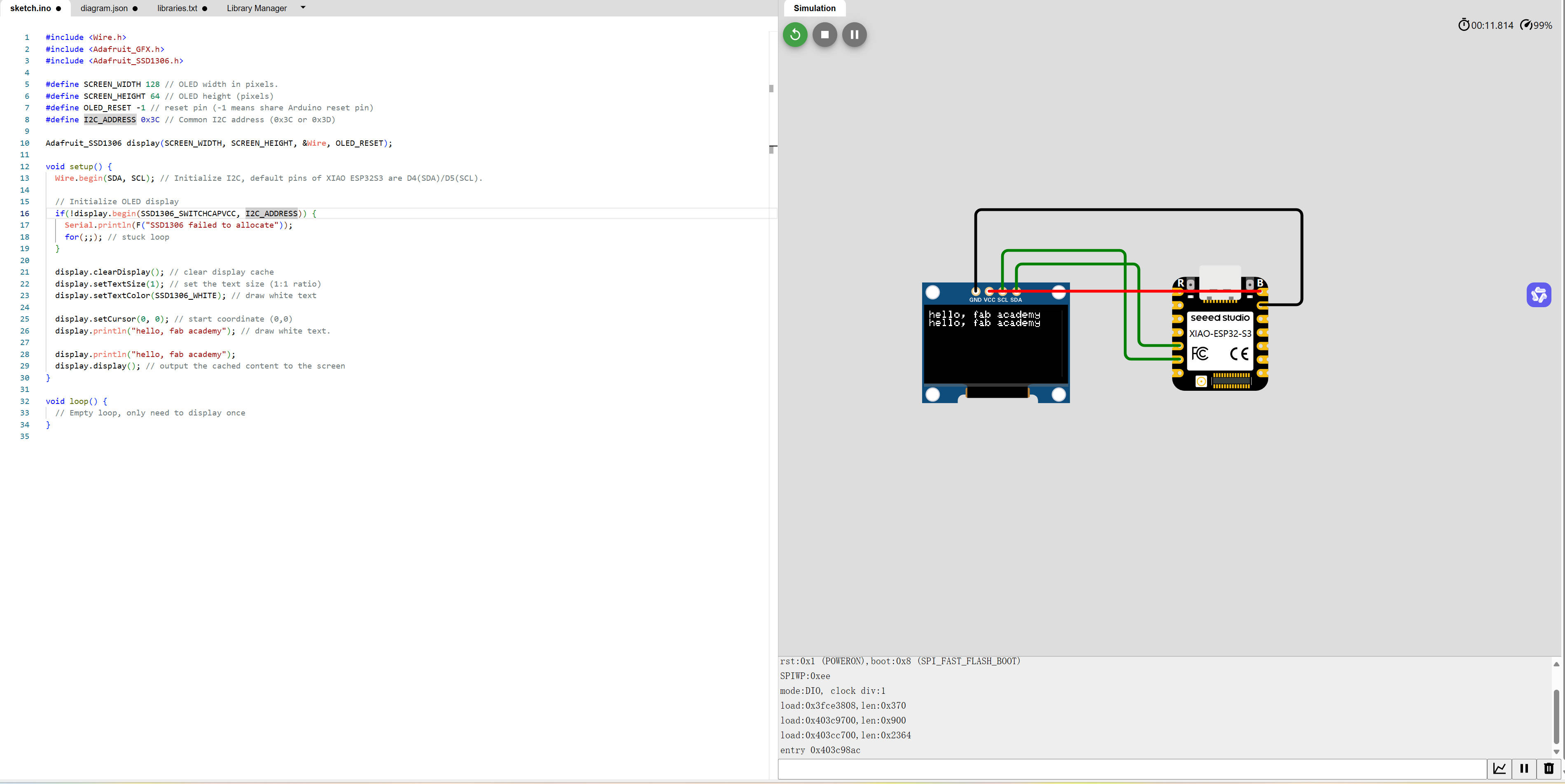
write a program that will display hello, fab academy! on the OLED screen.
1.2.1. Create a new project
Create a new project in Wokwi.
- Choose the
XIAO ESP32S3development board. - Add a
OLEDcomponent.
1.2.2 Write a program
#include <Wire.h>
#include <Adafruit_GFX.h>
#include <Adafruit_SSD1306.h>

#define SCREEN_WIDTH 128 // OLED width in pixels.
#define SCREEN_HEIGHT 64 // OLED height (pixels)
#define OLED_RESET -1 // reset pin (-1 means share Arduino reset pin)
#define I2C_ADDRESS 0x3C // Common I2C address (0x3C or 0x3D)

Adafruit_SSD1306 display(SCREEN_WIDTH, SCREEN_HEIGHT, &Wire, OLED_RESET);

void setup() {
  Wire.begin(SDA, SCL); // Initialize I2C, default pins of XIAO ESP32S3 are D4(SDA)/D5(SCL).

  // Initialize OLED display
  if(!display.begin(SSD1306_SWITCHCAPVCC, I2C_ADDRESS)) {
    Serial.println(F("SSD1306 failed to allocate"));
    for(;;); // stuck loop
  }

  display.clearDisplay(); // clear display cache
  display.setTextSize(1); // set the text size (1:1 ratio)
  display.setTextColor(SSD1306_WHITE); // draw white text

  display.setCursor(0, 0); // start coordinate (0,0)
  display.println("hello, fab academy"); // draw white text.

  display.println("hello, fab academy");
  display.display(); // output the cached content to the screen
}

void loop() {
  // Empty loop, only need to display once
}
1.2.3 Run the program
Run the program and see how it works.