 gabriel stacey-chartrand
gabriel stacey-chartrand
gabriel stacey-chartrand
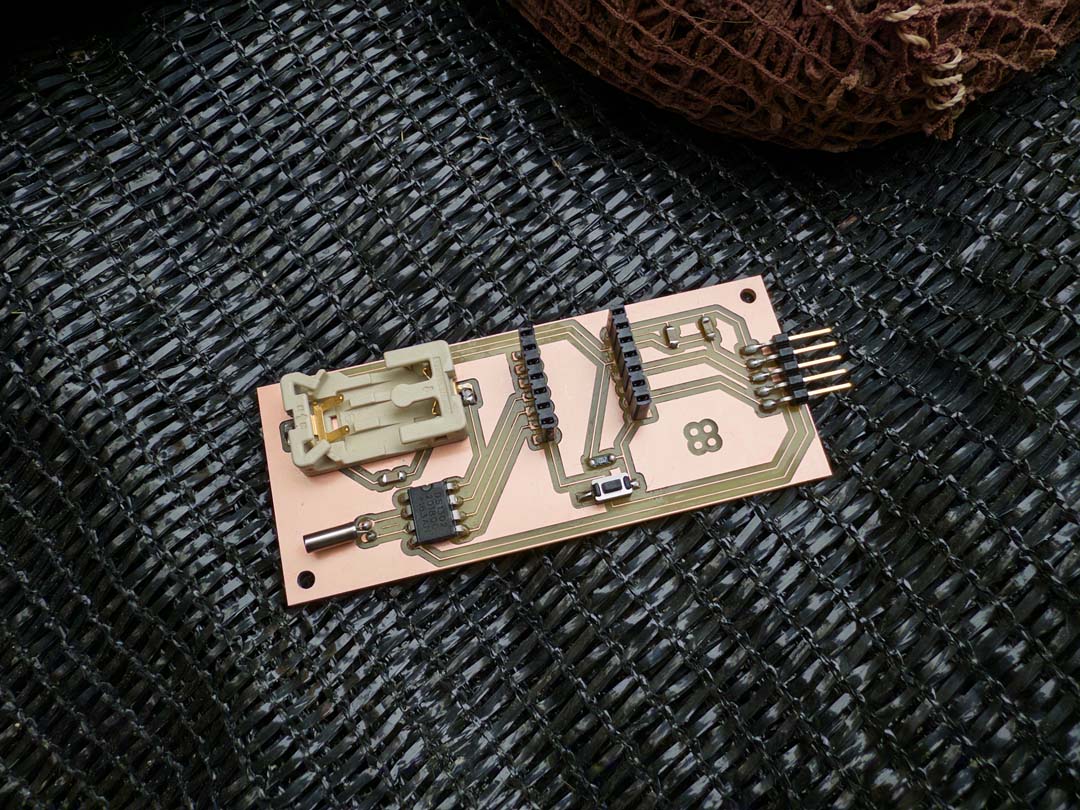
This week's assignment is to design, build and connect a node with a network or bus address and a local input and/or output device. I used it to get MQTT working on the PCB I designed for week 06: electronics design, an alarm clock board using a XIAO ESP32S3.
I milled and produced this board specifically for this week, since I had produced a different board for week 08: electronics production week.
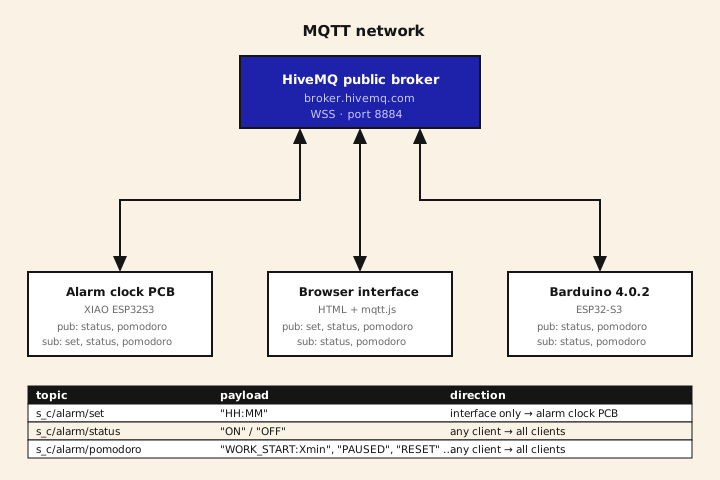
I started by getting MQTT working with just the alarm clock board, since it already needed to talk to a browser interface for week 14. I later added a Barduino as a second physical node on the same network. The interface itself is documented separately on the week 14 page.
MQTT has three components: a broker, clients, and topics.
The broker is a server that all clients connect to. Its only job is routing messages.
A topic is a named string, like s_c/alarm/status, used to categorize messages.
A client connects to the broker and can do two things: publish a message to a topic or subscribe to a topic. When a client publishes a message, the broker sends a copy of it to every client currently subscribed to that exact topic. All traffic passes through the broker.
Each client needs a unique client ID when it connects. The broker uses this ID to identify the connection.
I chose MQTT because it's designed for IoT: minimal protocol overhead, which matters on constrained devices and unreliable connections.
It also scales cleanly. Adding a new client requires no changes to existing firmware or code. It just connects and subscribes to the relevant topics. Adding the Barduino later without touching the alarm clock firmware or the interface is a direct example of that.
Before getting the second board involved, I just needed my own PCB to publish over MQTT and react to messages coming back.
I didn't want to host my own broker so I used HiveMQ's free public broker. Anyone can publish or subscribe to it.
The standard MQTT ports (1883 and 8883) seemed to be blocked on the lab network. I also tried port 8000 but it just timed out. The combination that worked was port 8884 using MQTT over WebSockets.
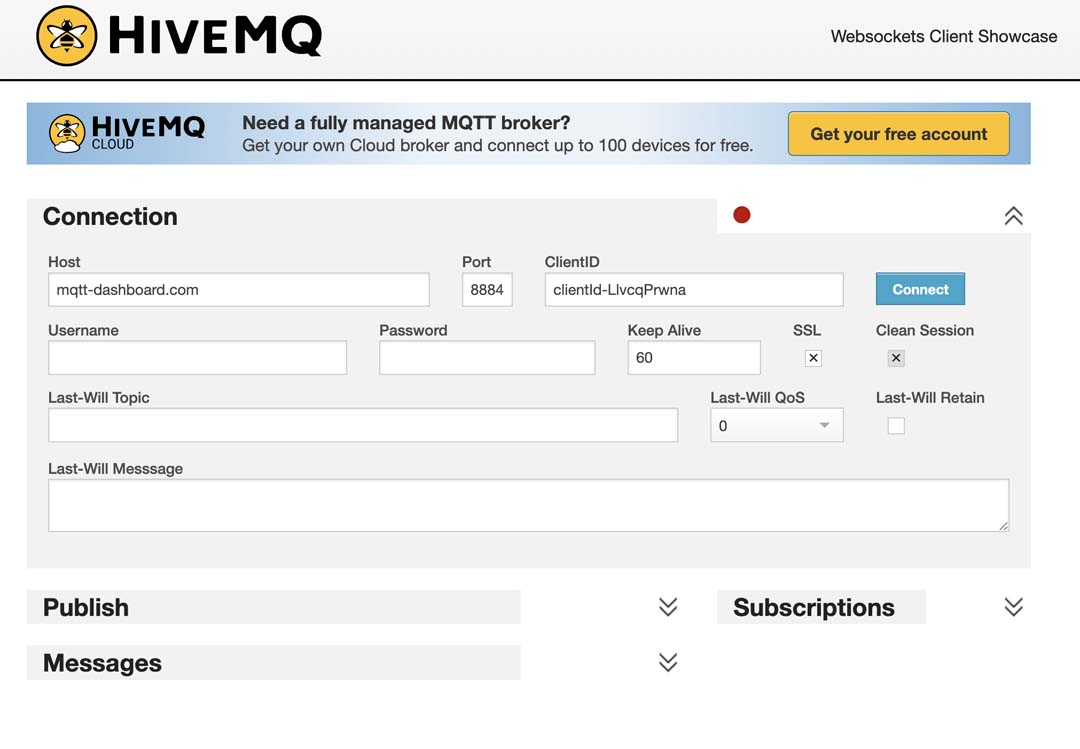
Each MQTT client needs a unique client ID when it connects, otherwise the broker kicks one of them off. I set this in the firmware:
const char* MQTT_CLIENT = "gsc_alarm_esp32s3_7x3q"; // alarm clock PCB
wsClient.beginSSL(MQTT_BROKER, MQTT_PORT, "/mqtt");
wsClient.setReconnectInterval(2000);
mqtt.begin(wsClient);
connectMQTT();
Where connectMQTT() calls mqtt.connect(MQTT_CLIENT) with the board's own ID, and subscribes to whichever topics it cares about.
This is where I got stuck for a while. HiveMQ's public broker doesn't retain messages, so I kept thinking nothing was working when I checked MQTT Explorer's topic tree and saw nothing there. The tree only shows retained messages. The fix was to watch the history panel in MQTT Explorer instead, which logs every message as it passes through.
To validate publish and subscribe were both actually working before I had a second board, I ran MQTT Explorer publishing on one side and HiveMQ's own Free MQTT Browser Client subscribed to s_c/# on the other in two separate windows.
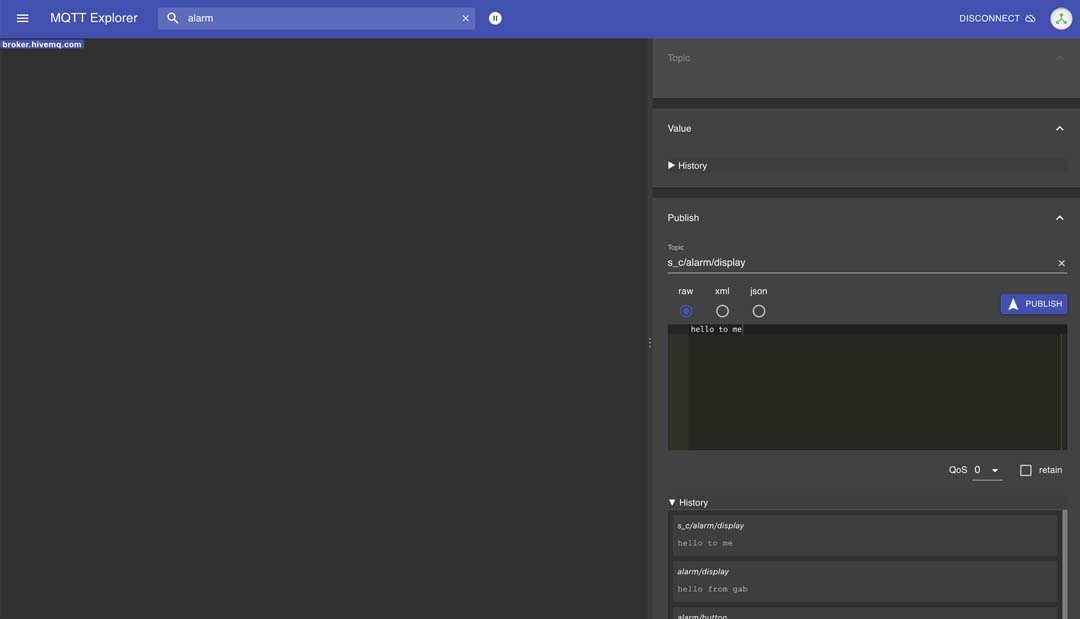
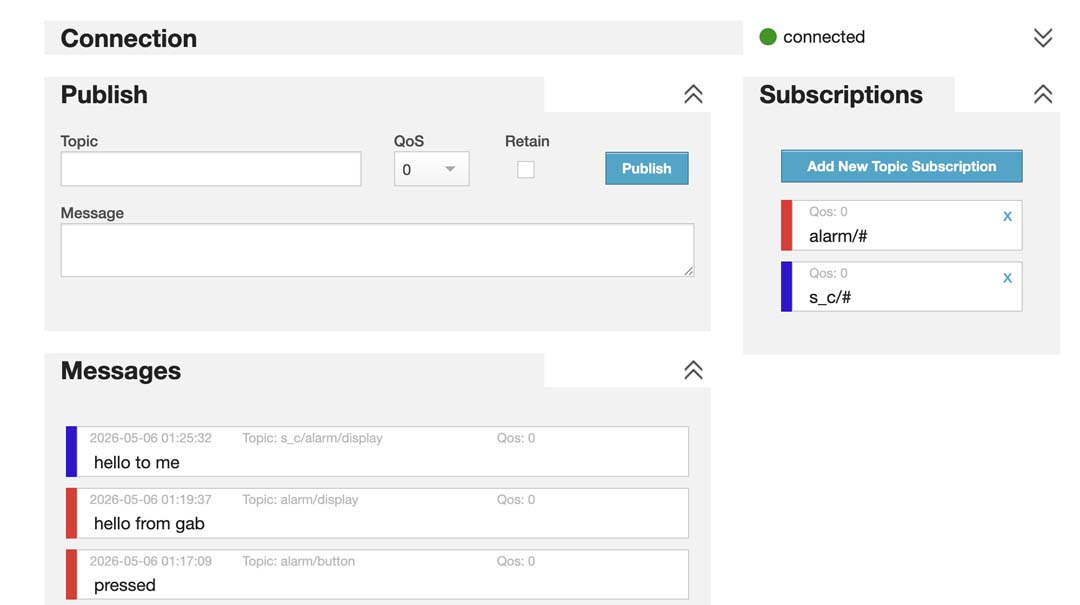
I also sent some hello gabriel messages to my board by publishing to the s_c/alarm topic to test that it was properly subscribed.
Everything lives under the prefix s_c/alarm/, with three subtopics, shared with the week 14 web interface:
| Topic | Payload examples | Published by | Subscribed by |
|---|---|---|---|
s_c/alarm/set |
"HH:MM" |
web interface | alarm clock PCB |
s_c/alarm/status |
"ON" / "OFF" |
alarm clock PCB, web interface | alarm clock PCB, web interface |
s_c/alarm/pomodoro |
"WORK_START:Xmin", "BREAK_START:Xmin", "WORK_END", "BREAK_END", "PAUSED", "RESUMED", "RESET" |
alarm clock PCB, web interface | alarm clock PCB, web interface |
s_c/alarm/set is the only one-way topic. Only the interface sends new alarm times, only the clock board needs to listen for them. The other two are two-way: any client can both cause a state change and react to one, which is what makes pressing the board's button update the interface in real time.
With the alarm clock PCB talking to MQTT on its own, I added a Barduino 4.0.2 as a second physical client on the same network. One of its touchpads is mapped to do exactly the same thing as the physical button on my alarm clock PCB: a short tap pauses/resumes the pomodoro timer or dismisses an alarm, and a hold resets the pomodoro or toggles the alarm on/off. Press either board's input and the other one reacts.
Adding it didn't require any new topics. The Barduino just connects with its own client ID and publishes/subscribes to the exact same three topics already in use.
const char* MQTT_CLIENT = "gsc_barduino_node_4b9k"; // Barduino, must differ from the alarm clock's ID
Its only job is to read a capacitive touchpad and publish to the same topics the alarm clock's button does. I used touchRead() on the touch-capable GPIO 4 pad and compared it against a threshold to detect a touch:
uint32_t val = touchRead(TOUCH_PIN);
bool isTouched = (val > TOUCH_THRESHOLD);
The Barduino also subscribes to status and pomodoro so it keeps a local copy of the current state. I wanted it to know whether a pomodoro is currently running, paused, or idle.
To prove the two boards have distinct addresses and aren't fighting over the same identity, I had both running at once and watched the broker's connection log. Each board shows up separately with its own client ID, and toggling the touchpad on the Barduino shows up in MQTT Explorer's History panel as a message coming from a different client than the alarm clock board, on the same topic.
Most of the code in this firmware was written by Claude. What I did was define the system: the MQTT topic structure, the states the board can be in, and how the button and display should behave in each one. I'd describe a state, test what came back, report what broke or what looked wrong. The code is AI-generated but the system design and the debugging direction came from me.
This was the result of a lot of back and forth. Here's roughly the spec I'd converged on by the time the firmware was working:
ALARM CLOCK, SYSTEM SPEC

MQTT topics (prefix s_c/alarm/):
  set        "HH:MM"               set the alarm time
  status     "ON" / "OFF"          alarm enabled state
  pomodoro   "WORK_START:Xmin" / "BREAK_START:Xmin" /
             "WORK_END" / "BREAK_END" /
             "PAUSED" / "RESUMED" / "RESET"

States:
  Alarm:     IDLE -> SET -> FIRING -> IDLE
  Pomodoro:  IDLE -> WORK -> BREAK -> WORK -> ...
             WORK/BREAK -> PAUSED -> WORK/BREAK (resume)
             any state -> IDLE (reset)

Display behaviour per state:
  Clock           HH:MM, dot separator blinking once a second
  Alarm set       alarm time, gentle pulse, 10s then back to clock
  Alarm firing    current time pulsing in/out until dismissed
  Pomodoro work   32-column bar shrinking left to right, dims when paused
  Pomodoro break  full display pulsing slowly, dims when paused

Button behaviour (meaning depends on current state):
  Short press
    idle              show alarm time for 3s
    pomodoro running   pause
    pomodoro paused     resume
    alarm firing       dismiss (also turns alarm off)
  Hold 2s
    pomodoro active (any)   reset to idle
    idle                    toggle alarm on/off

Rule: every state change triggered by the physical button has to be
published back over MQTT, not just state changes sent by the interface.
Otherwise the interface and the board fall out of sync.
This came out of fixing problems as they showed up: the display flickering because two display libraries were fighting over the same pins, the board going out of sync with the interface because button presses weren't being published back to MQTT, a freshly started break getting immediately paused because of a PAUSED message echoing back right after a phase change, and the display needing characters drawn in reverse because it's physically mounted mirrored. Each of those came from me running the board, noticing it was wrong, and describing exactly what was wrong and Claude diagnosing the cause and rewriting the relevant section.
The custom PCB used for the alarm clock board is documented on my electronics design week page (KiCad files there). Below are the two sketches relevant to this week, the alarm clock firmware and the Barduino node firmware.