Input Devices: Measuring Analog Levels and Digital Signals with an Oscilloscope
Group Assignment
Probe an input device’s analog levels and digital signals.
1. Introduction
This week, my personal goal was to learn how to use an oscilloscope and apply it to testing the turbidity sensor.
An oscilloscope is an electronic instrument that displays electrical signals as waveforms. The vertical (Y) axis represents voltage, while the horizontal (X) axis represents time. This allows us to observe how a signal changes and measure important properties such as voltage, frequency, period, amplitude and noise.
According to the XYZs of Oscilloscopes primer, an oscilloscope can help us identify signal distortion, examine electrical behaviour and distinguish between DC levels and changing signals. These features are useful when testing sensors because they allow us to investigate the actual electrical output rather than relying only on the values displayed by a microcontroller.
In this assignment, I used a GW Instek GDS-820C digital storage oscilloscope (DSO) to learn the basic controls, examine a test signal and investigate the analog output of my turbidity sensor.
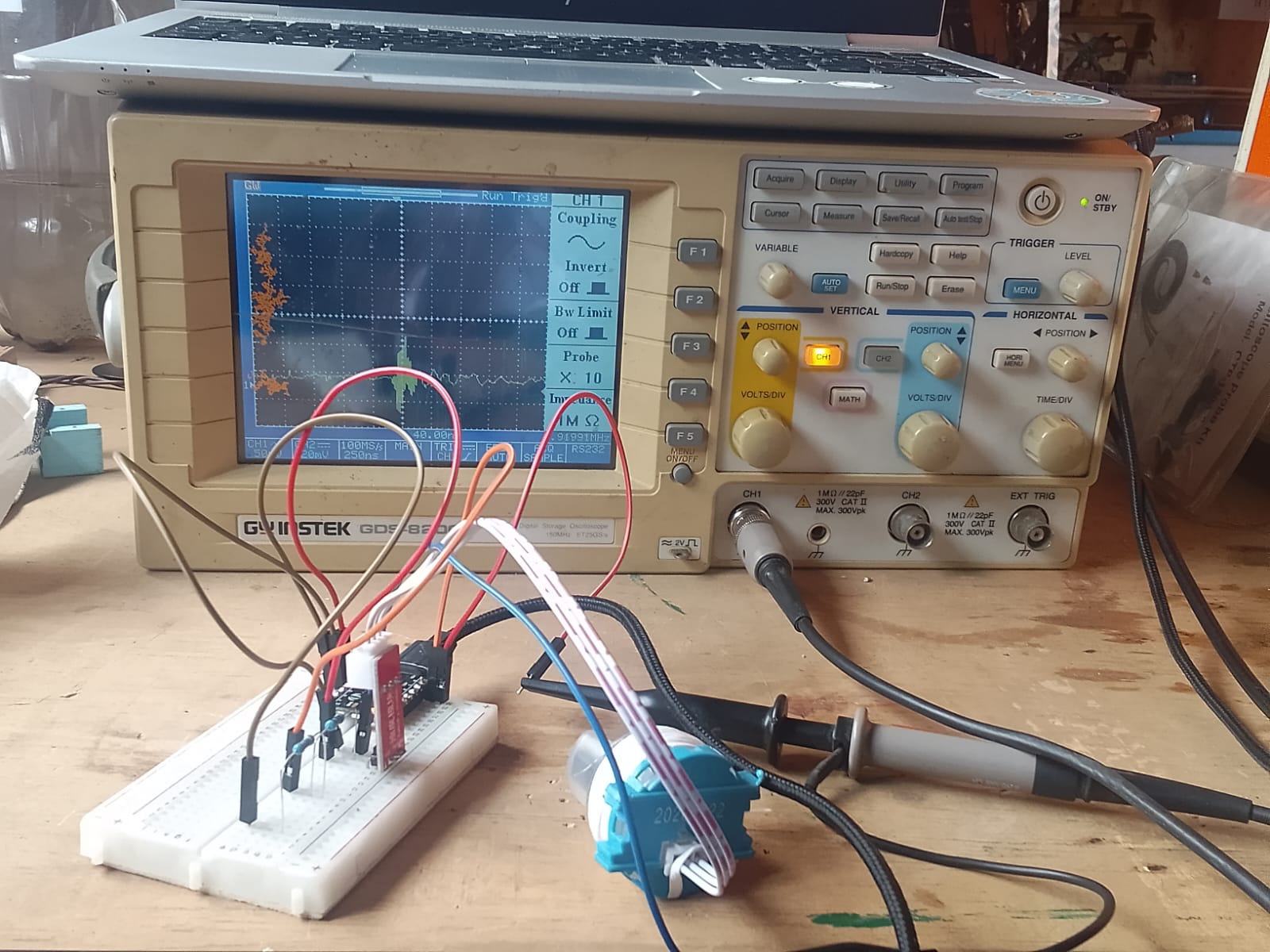
2. Understanding the Oscilloscope
Before connecting the turbidity sensor, I familiarised myself with the main functions of the oscilloscope.
Probes
A probe connects the circuit under investigation to the oscilloscope. The probe tip measures the signal, while the ground clip provides the reference point.
I learned that probes may have different attenuation settings, such as ×1 and ×10. A ×10 probe reduces the signal reaching the oscilloscope by a factor of ten. Therefore, the attenuation setting on the probe must match the corresponding channel setting on the oscilloscope to obtain accurate voltage readings.
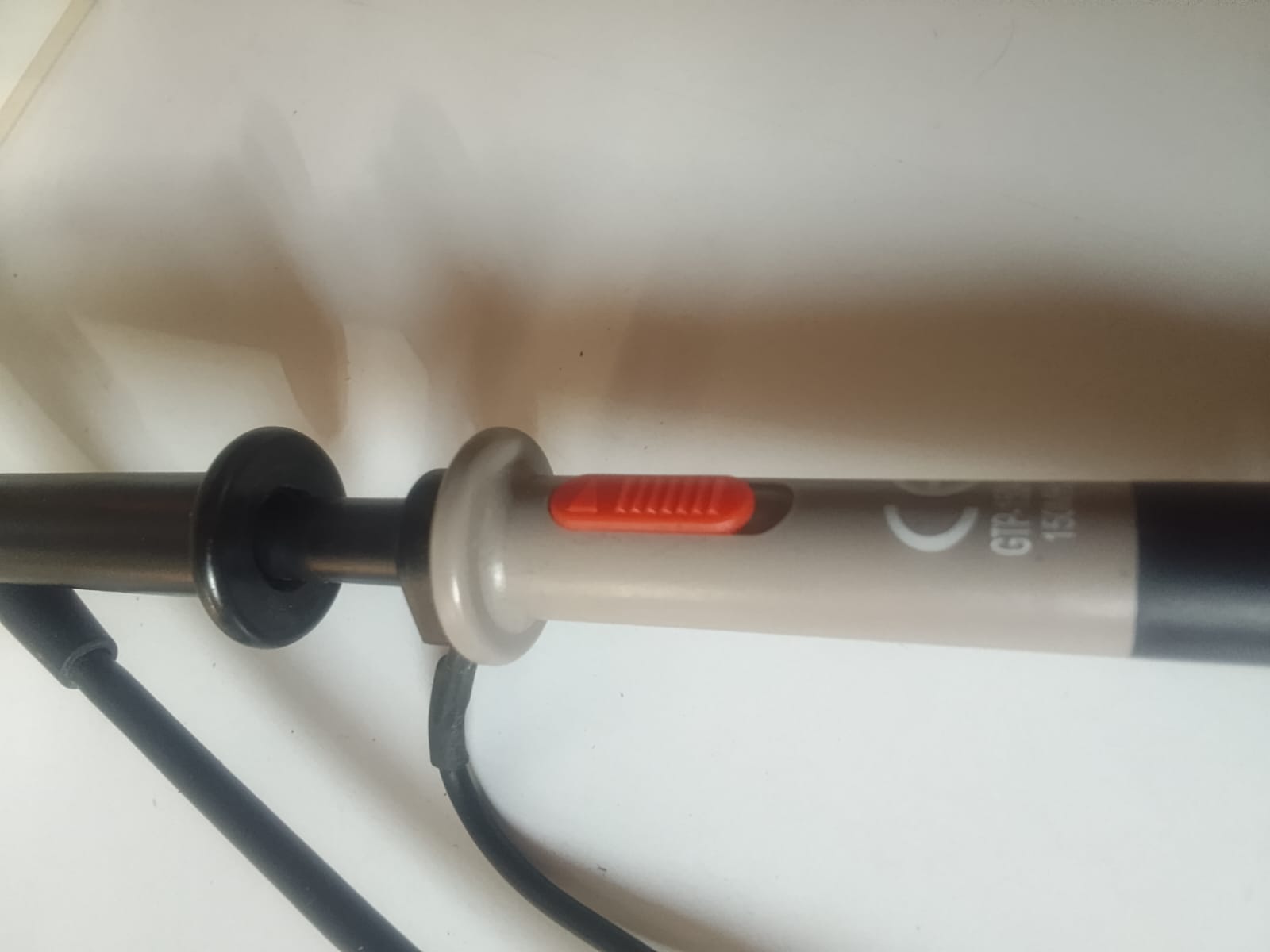
Calibration
Before measuring my input devices, I first calibrated the probes to ensure accurate readings. I connected the probe tip to the 2 V calibration output on the oscilloscope’s screen and left the ground clip disconnected.
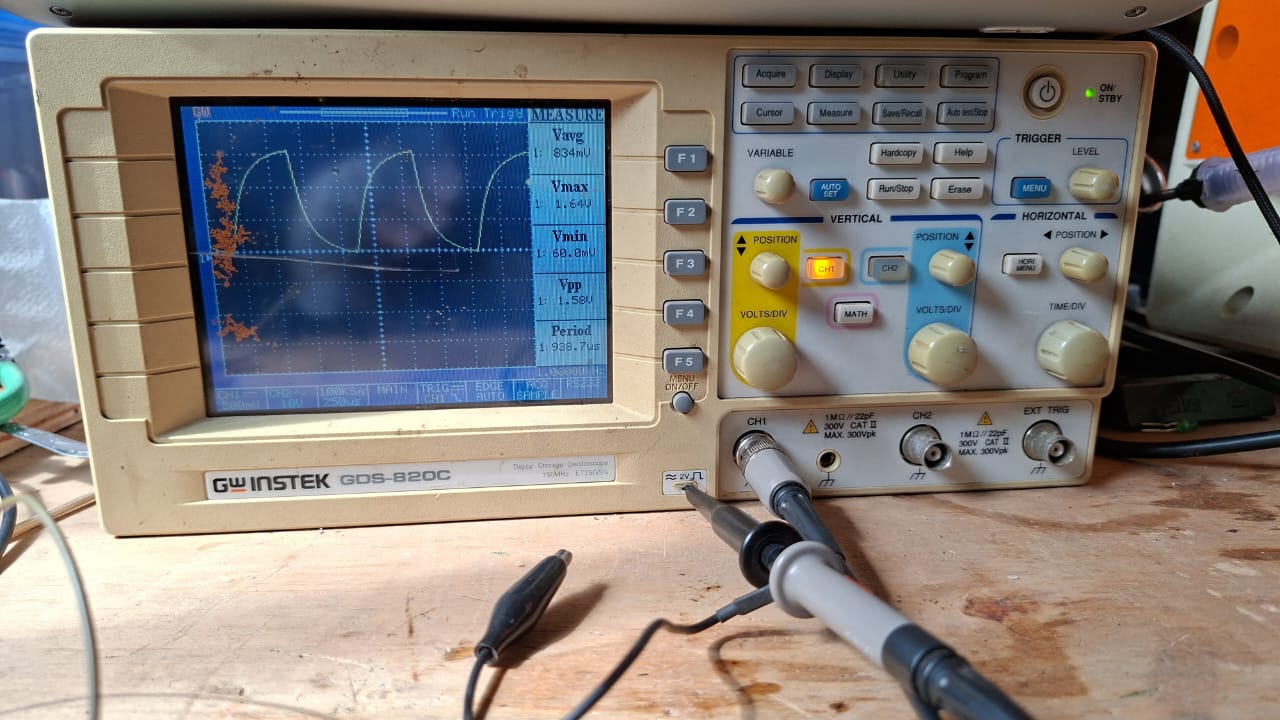
This setup should produce a clear square wave. However, my initial waveform was not square, so I adjusted the compensation knob on the probe until the waveform displayed a clear square shape.
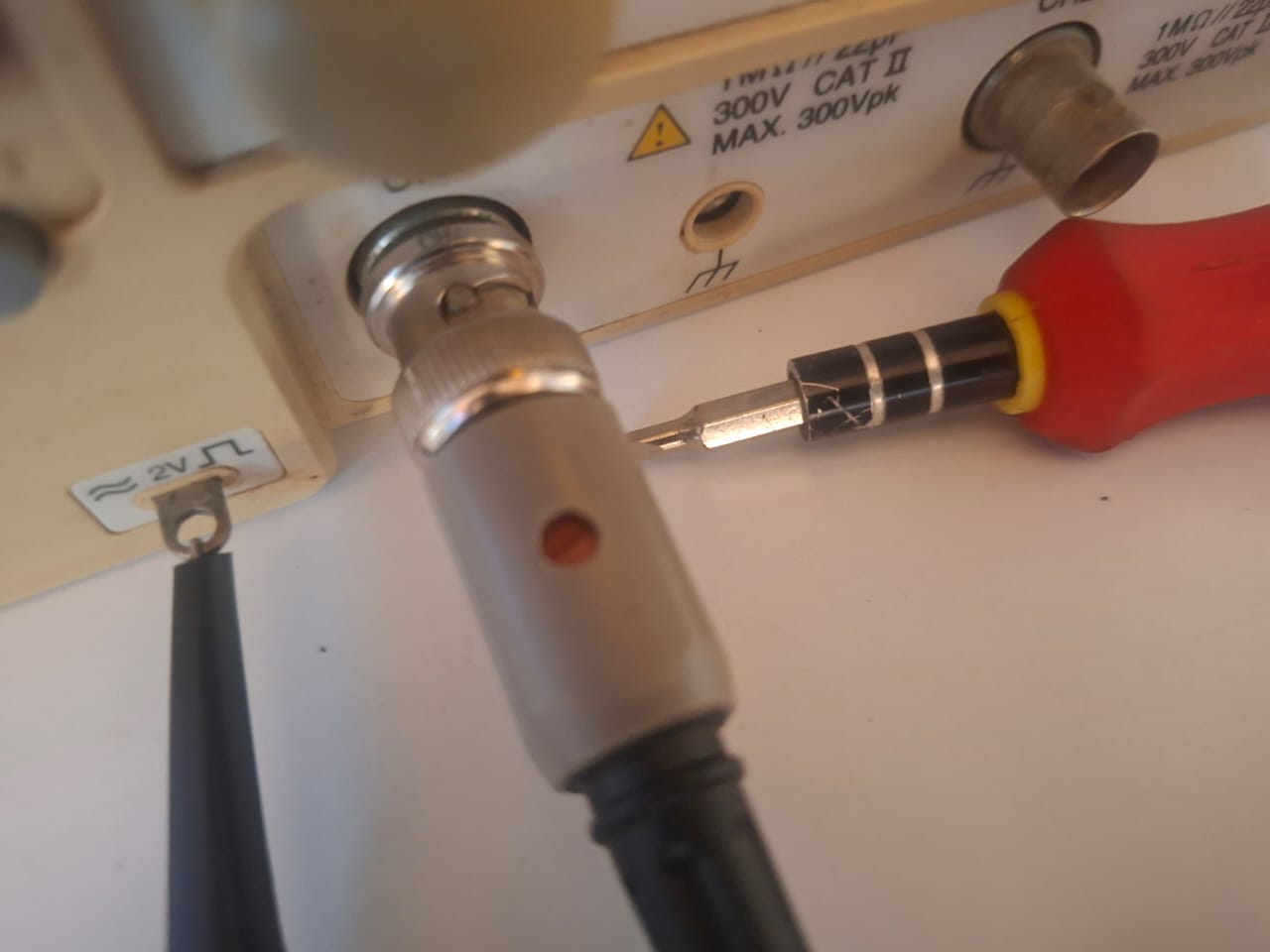
The waveform is now square, confirming that the probes are properly calibrated. I can now proceed with measuring my input devices.
PIR Motion Sensor
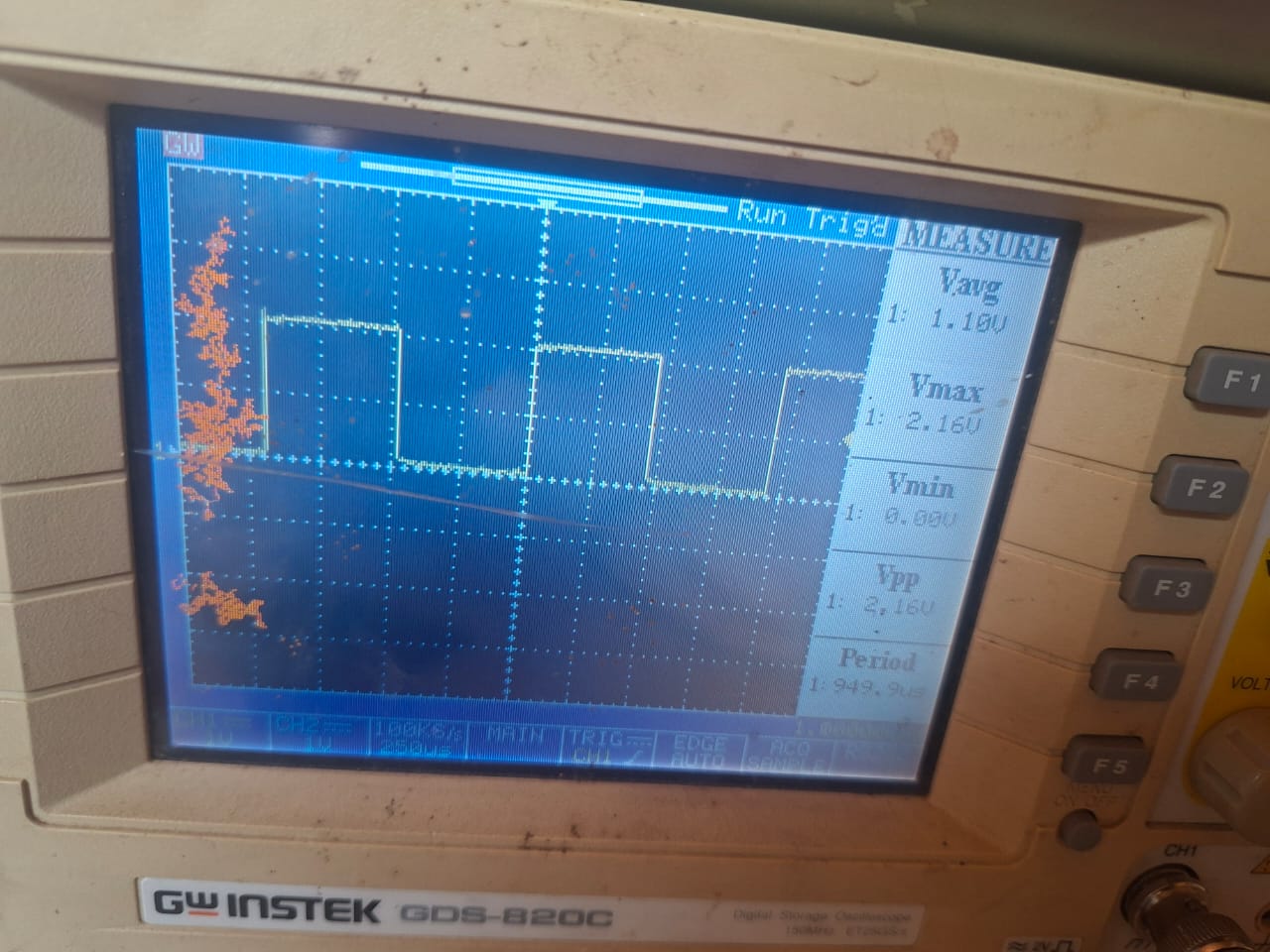
I tested my PIR sensor connected to my controller to understand how the sensor’s electrical signal changes when someone approaches, moves, or leaves its detection area.
Sensor Readings (Oscilloscope)
volt/div= 200mv time/div = 5Ks Frequency = 50Hz Period = 19.63 Vpp = 616mV Vavg = 249mv
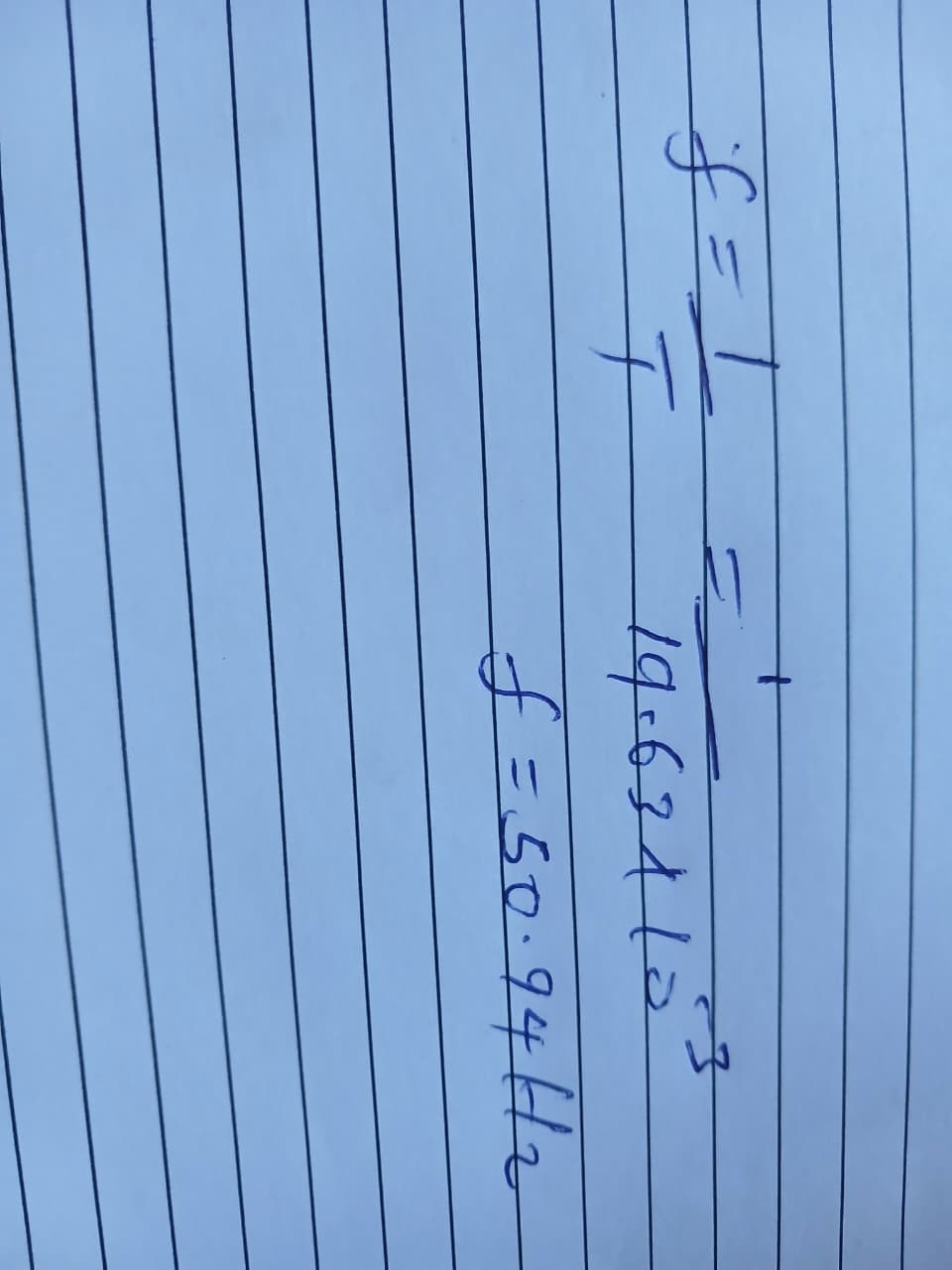
I Calculated the period using the automatic frequcn reading
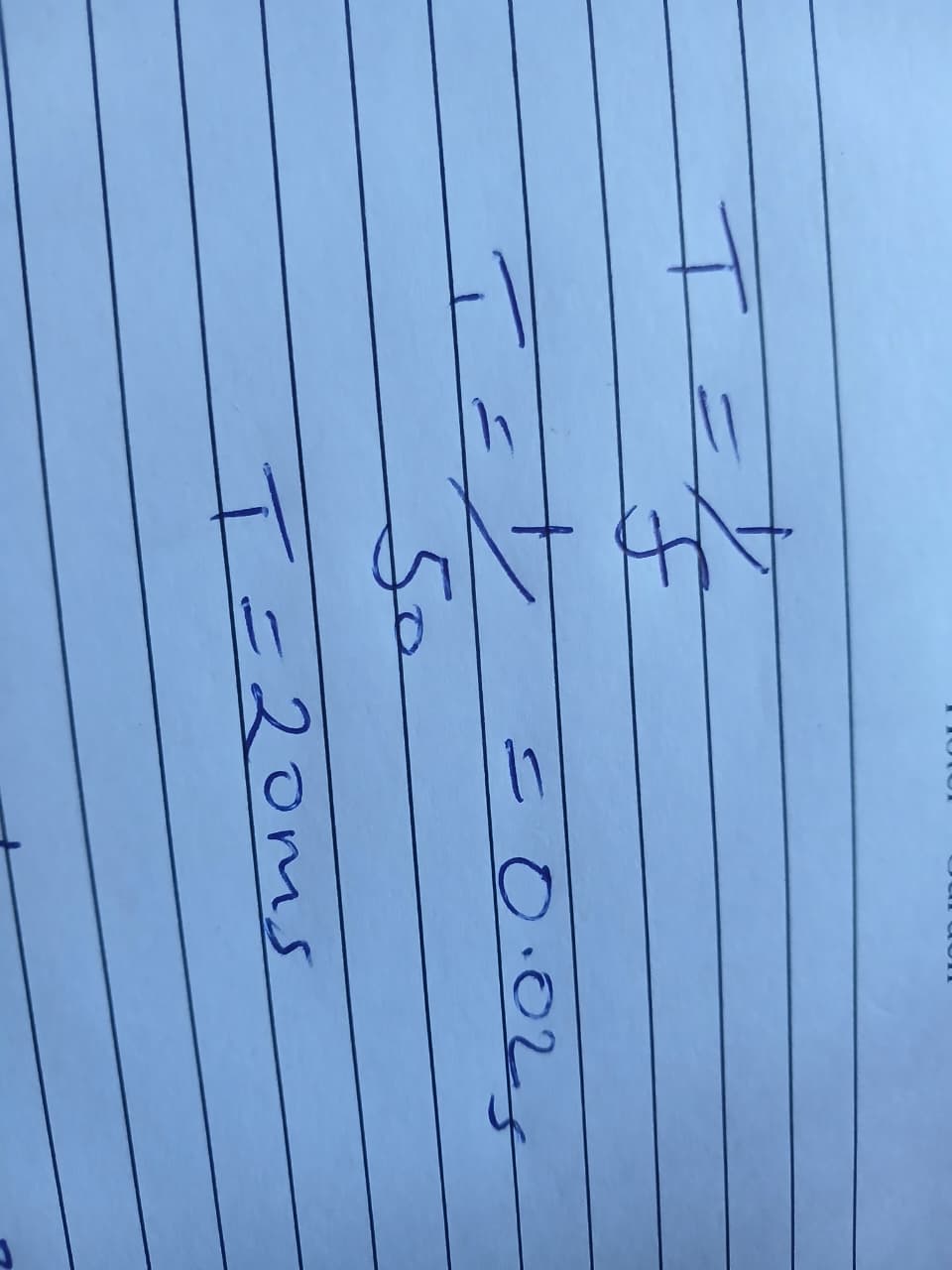
Frquency calculated from the period
Interface and controls
I explored the oscilloscope interface to understand how to adjust the signal display and access automatic measurements.

The main controls I used were:
-
Volts/div: Adjusts the voltage represented by each vertical division.
-
Time/div: Adjusts the time represented by each horizontal division.
-
Measure: Provides automatic measurements such as average voltage, maximum voltage, minimum voltage, peak-to-peak voltage, frequency and period, depending on the available measurement options.
-
Trigger: Controls when the oscilloscope begins acquiring or displaying a waveform. A suitable trigger level helps to keep repetitive waveforms stable on the screen.
-
Channel controls: Allow me to configure the input channel, including its coupling and probe attenuation settings.
3. Testing the Oscilloscope
Before testing the turbidity sensor, I used the oscilloscope’s test signal to become familiar with the instrument and check the probe connection.
4. Understanding Voltage and Time Divisions
An oscilloscope displays voltage and time using a grid. Each square on the grid is called a division.
Voltage division
The vertical scale is expressed in volts per division (V/div). For example, if the scale is set to 2 V/div, a vertical distance of three divisions represents a voltage difference of 6 V.
I initially selected a higher voltage scale to accommodate the expected sensor output. I later reduced the setting to 2 V/div so that I could examine the waveform more clearly.
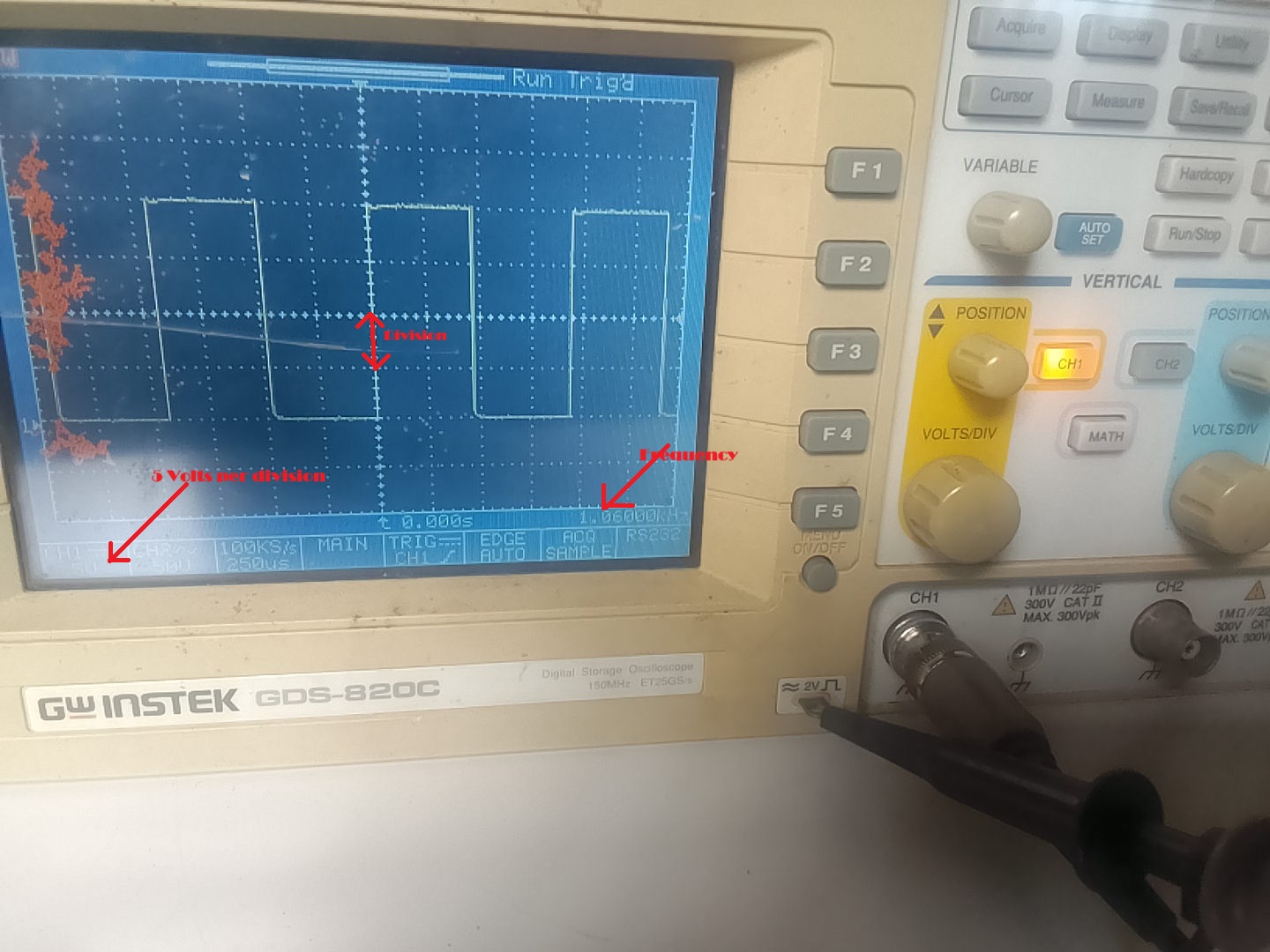
The voltage scale must be selected according to the expected signal. A scale that is too large can make small changes difficult to see, while a scale that is too small can cause the waveform to extend beyond the screen.
Time division
The horizontal scale is expressed in seconds per division, such as milliseconds per division (ms/div). It determines how much time is displayed across the screen.
For example, at 1 ms/div, each horizontal division represents one millisecond. If a complete waveform cycle occupies two divisions, its period is approximately 2 ms.
The period and frequency are related by:
Frequency = 1 / Period
A shorter period corresponds to a higher frequency, while a longer period corresponds to a lower frequency.
Frequency helps us understand how fast an electrical signal repeats, it tells us how many complete cycles occur in one second.
5. Probe Attenuation
One of the challenges I encountered was obtaining an unstable-looking waveform during the initial setup. I realised that the probe attenuation setting needed to match the setting configured on the oscilloscope.
For accurate measurements, the physical probe setting and the oscilloscope channel setting must agree. A mismatch can cause the displayed voltage to be incorrectly scaled, although it does not necessarily explain every form of waveform instability.
This taught me that checking the measurement setup is an important first step before concluding that a sensor or circuit is faulty.
6. Using Automatic Measurements
The oscilloscope’s measurement menu allows me to select specific properties of a signal.
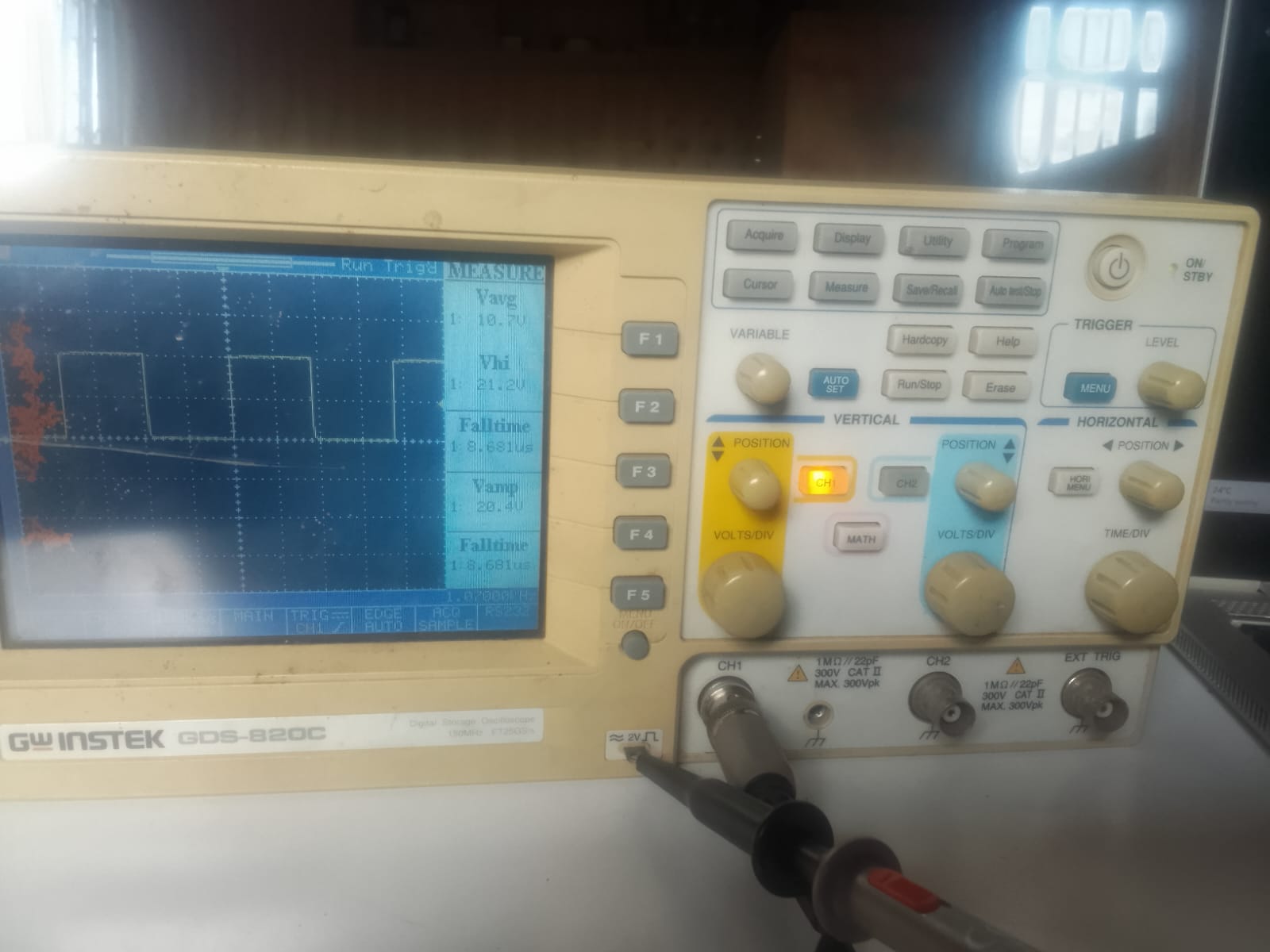
For the turbidity sensor experiment, I focused on the following measurements:
- Vavg: The average voltage over the measurement interval.
- Vmax: The maximum measured voltage.
- Vmin: The minimum measured voltage.
- Vpp: The peak-to-peak voltage, calculated as the maximum voltage minus the minimum voltage.
- Frequency: The number of complete cycles per second, measured in hertz (Hz).
- Period: The time taken to complete one cycle.
7. Understanding the Trigger
The trigger function determines the point at which the oscilloscope starts acquiring or displaying a waveform. For repetitive signals, the trigger can help align successive cycles so that the waveform remains stable on the screen.
During my initial testing, I learned that a waveform that appears unstable may require further investigation of the trigger settings, time scale, probe configuration and signal itself. These settings must be checked before deciding whether the instability originates from the circuit.
8. Testing the Turbidity Sensor
Objective
The objective was to observe the analog output of my turbidity sensor under different conditions and determine whether the output changed between clean water, dirty water and air.
Experimental procedure
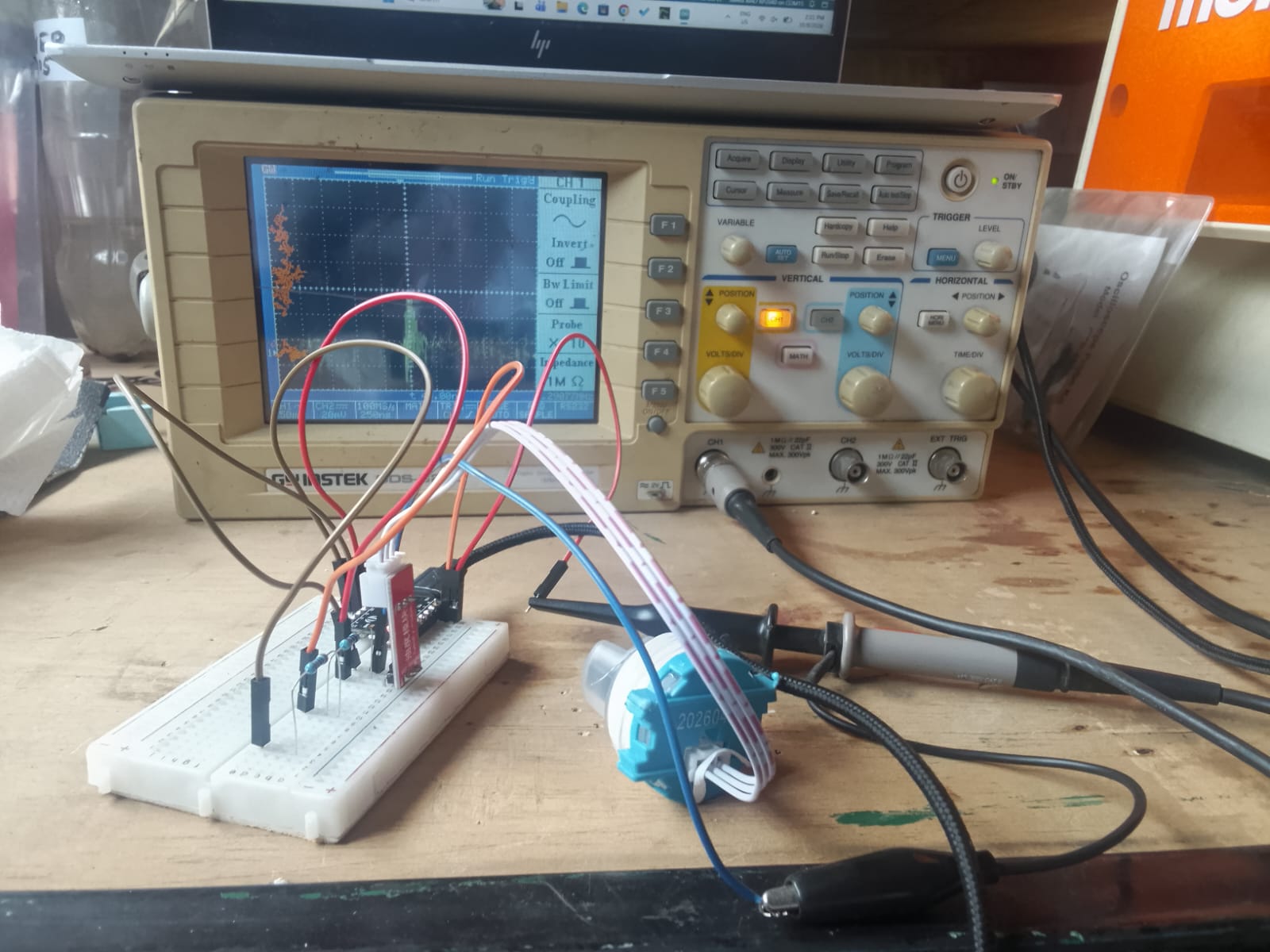

- I connected the oscilloscope probe tip to the sensor’s analog output and the ground clip to the sensor’s ground.
- I powered the sensor according to its operating requirements.
- I observed the output with the sensor immersed in clean water.
- I repeated the observation using dirty water.
- I removed the sensor from the water and observed how the voltage changed.
- I used the oscilloscope’s automatic measurement function to examine the average output voltage.
For a fair comparison, the sensor should be held at the same depth and orientation in both water samples, with the same power supply and oscilloscope settings.
Clean water
When I placed the turbidity sensor in clean water, the average voltage rose to approximately 3.9–4.0 V.
This observation was consistent with the relatively high output expected from a DFRobot SEN0189 sensor in clear water. However, the voltage alone does not establish the actual turbidity of the sample.
Dirty water
I repeated the experiment using dirty water. The average voltage also rose to approximately 3.9–4.0 V.
I expected the output to differ between the two samples. However, the similar average readings meant that I could not yet confirm whether the sensor was responding correctly to the difference in suspended particles.
I also observed that the voltage decreased when I removed the sensor from either water sample. This suggested that the sensor output changed with the surrounding conditions, but I needed further tests to establish the cause.
Results
| Test condition | Observed average voltage (Vavg) |
|---|---|
| Clean water | Approximately 3.9–4.0 V |
| Dirty water | Approximately 3.9–4.0 V |
| Sensor removed from water | Voltage decreased; exact value not recorded |
10. What I Learned
This exercise improved my understanding of how an oscilloscope can be used to investigate sensor behaviour. I learned how to connect a probe, adjust voltage and time divisions, configure probe attenuation and access automatic measurements.
I also learned that the average voltage is only one property of an electrical signal. Examining the waveform and comparing several measurements can provide more information about its behaviour.
Most importantly, I learned not to conclude that a sensor is faulty simply because its readings do not match my expectations. I need to verify the instrument settings, repeat the measurements and compare the results under controlled conditions.
References
Gw-Instek-Gds-800-Series Manual
Tektronix. XYZs of Oscilloscopes Primer, document number 03W-8605-8. This primer informed my understanding of waveform measurements, frequency, period, voltage, amplitude and digital storage oscilloscopes.