Week 11 > Communication and Networking
My Application
publisher
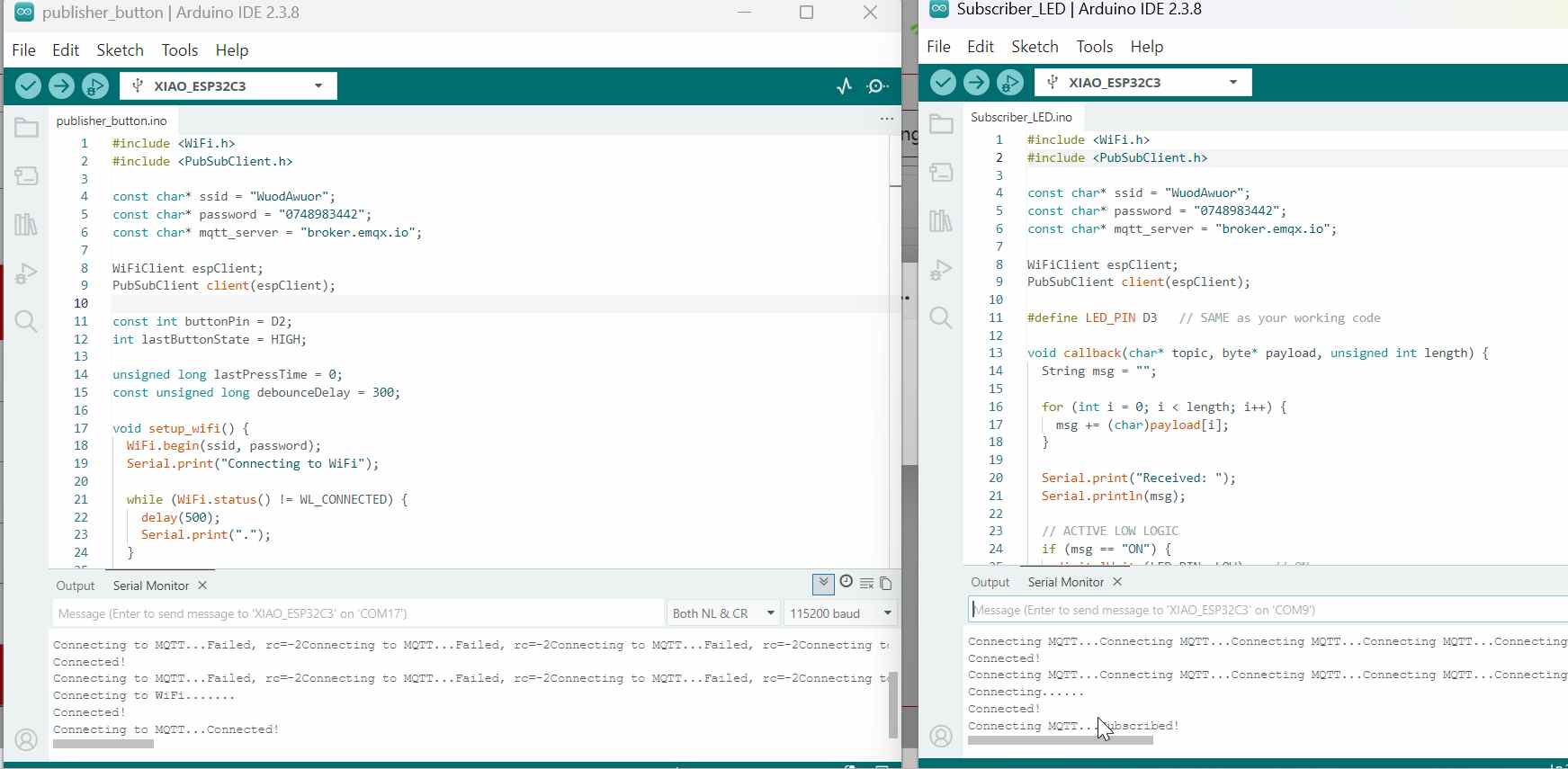
The first code is the button code, which acts as the MQTT publisher. Its main role is to read the state of the button and send messages to the MQTT broker. The ESP board connects to the WiFi network using the provided SSID and password, then connects to the MQTT broker (broker.emqx.io). Whenever the button is pressed, the code publishes the message “ON” to the topic “SmartHome”. When the button is released, it publishes “OFF” to the same topic. In MQTT terms, the ESP board here is the publisher, the messages “ON” and “OFF” are the payload, and “SmartHome” is the topic, which acts like a channel for the messages.
#include <WiFi.h>
#include <PubSubClient.h>

const char* ssid = "WuodAwuor";
const char* password = "0748983442";
const char* mqtt_server = "broker.emqx.io";

WiFiClient espClient;
PubSubClient client(espClient);

const int buttonPin = D2;
int lastButtonState = HIGH;

unsigned long lastPressTime = 0;
const unsigned long debounceDelay = 300;

void setup_wifi() {
  WiFi.begin(ssid, password);
  Serial.print("Connecting to WiFi");

  while (WiFi.status() != WL_CONNECTED) {
    delay(500);
    Serial.print(".");
  }

  Serial.println("\nConnected!");
}

void reconnect() {
  while (!client.connected()) {
    Serial.print("Connecting to MQTT...");
    if (client.connect("XIAO_Button")) {
      Serial.println("Connected!");
    } else {
      Serial.print("Failed, rc=");
      Serial.print(client.state());
      delay(2000);
    }
  }
}

void setup() {
  Serial.begin(115200);
  pinMode(buttonPin, INPUT_PULLUP);

  setup_wifi();
  client.setServer(mqtt_server, 1883);
}

void loop() {
  if (!client.connected()) reconnect();
  client.loop();

  int buttonState = digitalRead(buttonPin);
  unsigned long now = millis();

  if (lastButtonState == HIGH && buttonState == LOW && (now - lastPressTime) > debounceDelay) {

    Serial.println("Button pressed → Sending MQTT");

    client.publish("SmartHome", "ON");

    lastPressTime = now;
  }

  if (lastButtonState == LOW && buttonState == HIGH && (now - lastPressTime) > debounceDelay) {

    Serial.println("Button released → Sending MQTT");

    client.publish("SmartHome", "OFF");

    lastPressTime = now;
  }

  lastButtonState = buttonState;
}
Subscriber The second code is the LED code, which acts as the MQTT subscriber. This board also connects to the same WiFi network and the same MQTT broker. Instead of sending messages, it subscribes to the topic “SmartHome”. This means it tells the broker, “Send me all messages that are published to this topic.” When a message arrives, the callback function is executed: if the message is “ON”, the LED turns on (using active-low logic, LOW = on), and if the message is “OFF”, the LED turns off. In MQTT terms, this board is a subscriber, the LED reacts based on the payload received, and the broker acts as the central server delivering messages from publishers to subscribers.
#include <WiFi.h>
#include <PubSubClient.h>

const char* ssid = "WuodAwuor";
const char* password = "0748983442";
const char* mqtt_server = "broker.emqx.io";

WiFiClient espClient;
PubSubClient client(espClient);

#define LED_PIN D3   // SAME as your working code

void callback(char* topic, byte* payload, unsigned int length) {
  String msg = "";

  for (int i = 0; i < length; i++) {
    msg += (char)payload[i];
  }

  Serial.print("Received: ");
  Serial.println(msg);

  // ACTIVE LOW LOGIC
  if (msg == "ON") {
    digitalWrite(LED_PIN, LOW);   // ON
  } else if (msg == "OFF") {
    digitalWrite(LED_PIN, HIGH);  // OFF
  }
}

void setup_wifi() {
  WiFi.begin(ssid, password);
  Serial.print("Connecting");

  while (WiFi.status() != WL_CONNECTED) {
    delay(500);
    Serial.print(".");
  }

  Serial.println("\nConnected!");
}

void reconnect() {
  while (!client.connected()) {
    Serial.print("Connecting MQTT...");
    if (client.connect("XIAO_LED")) {
      client.subscribe("SmartHome");
      Serial.println("Subscribed!");
    } else {
      delay(2000);
    }
  }
}

void setup() {
  Serial.begin(115200);
  pinMode(LED_PIN, OUTPUT);

  digitalWrite(LED_PIN, HIGH); // OFF initially

  setup_wifi();
  client.setServer(mqtt_server, 1883);
  client.setCallback(callback);
}

void loop() {
  if (!client.connected()) reconnect();
  client.loop();
}
I created broker @ broker.emqx.io and gave it a name Winam this name is not a must you use it as Winam@broker.emqx.io ESP recognizes cpp **broker.emqx.io**.
Now i used my mobile phone hotspot to connect and ensured it is 2G/3G since wit 5Git challenges to connect.
Ensure both boards are connected to both wifi and mqttx