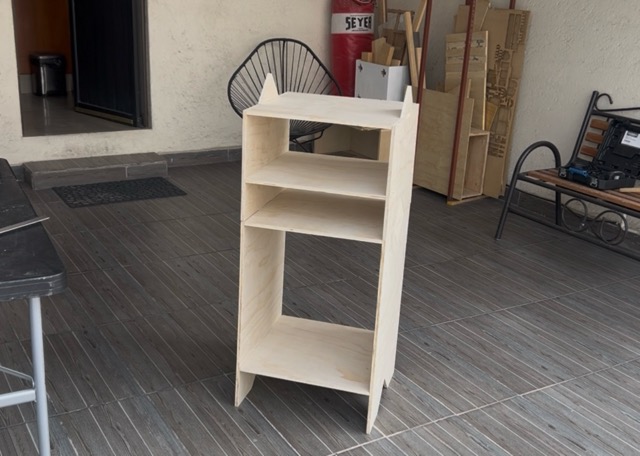
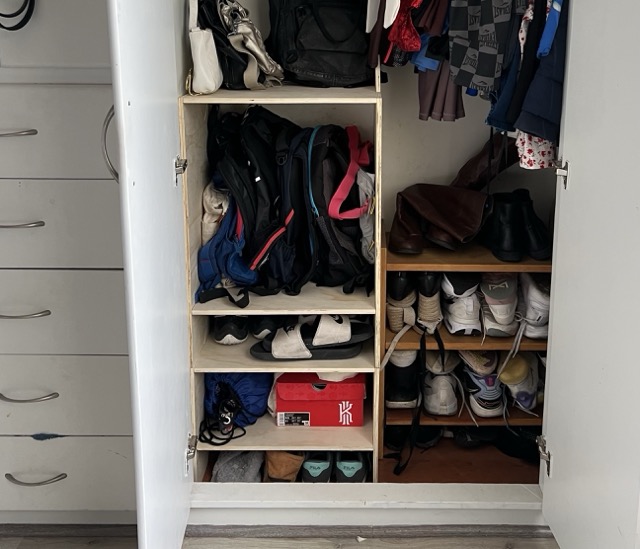
Idea
Modular furniture
This week I made a modular cabinet for my closet, which can be configured in different ways. I also experimented with router joints. I had previously used a CNC machine, but I had to use a chisel because I didn't leave any dogbones for the joints.
First sketches
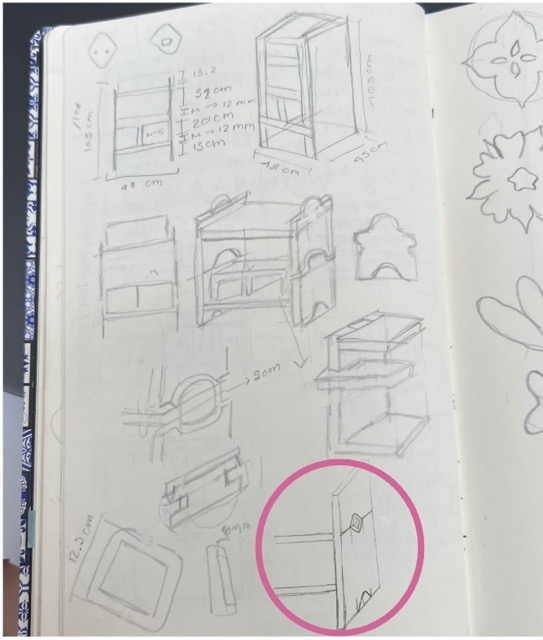
I struggled to come up with an idea for the piece of furniture. At first, I wanted to make a piece to store my desk supplies, but then I realized I needed a piece of furniture in my closet to properly organize my backpacks and bags. I was looking for something I could use in my closet but also use for other things in the future. I started by sketching out different ideas.
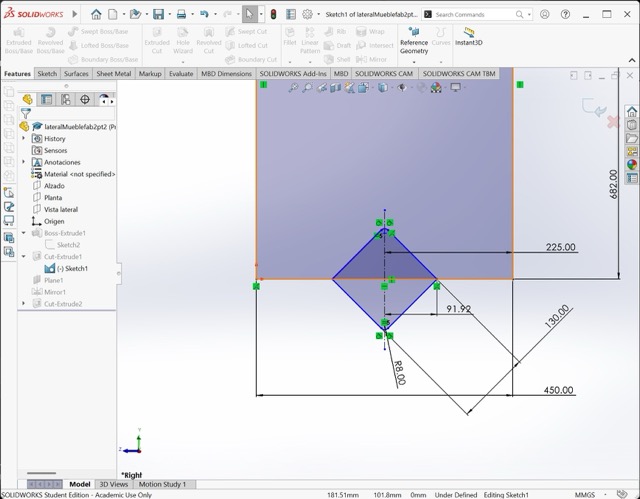
After exploring, the idea I liked best was using a shape to fit the pieces together. I chose a diamond, since I'd like to add a tile for decoration in the future.
3D design
Assembly
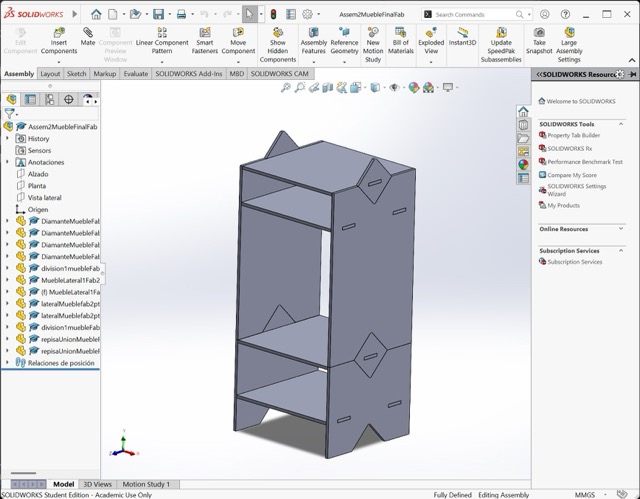
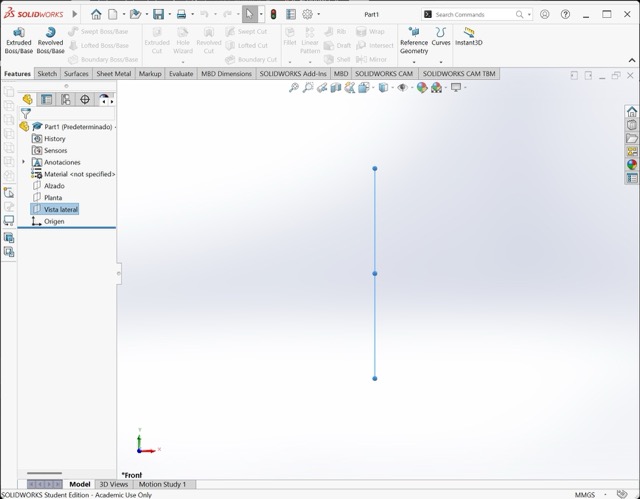
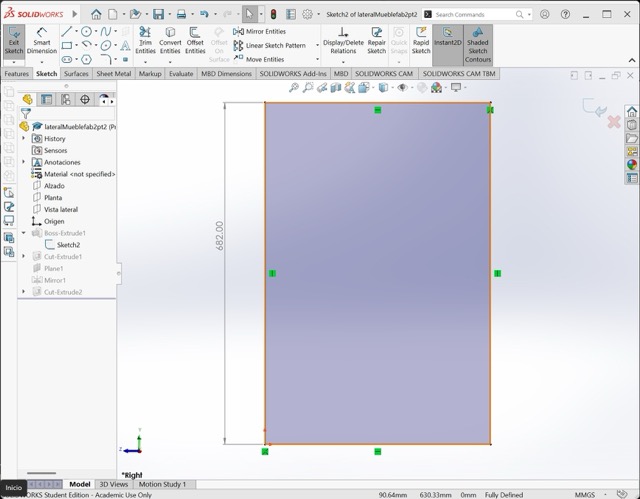
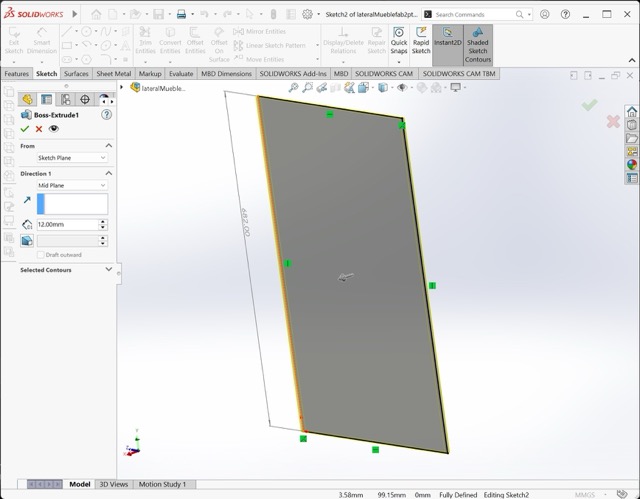
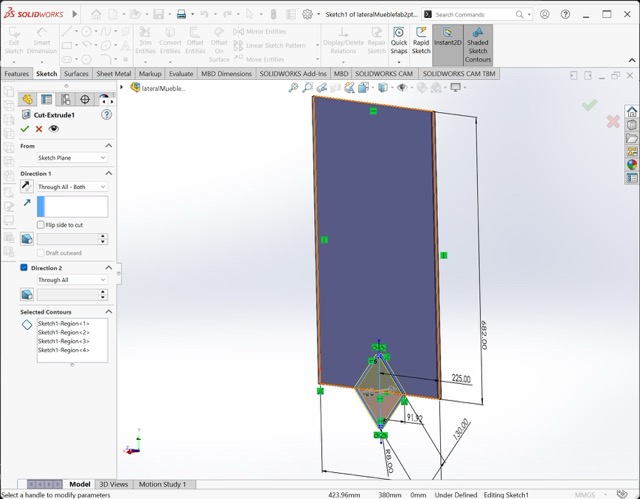
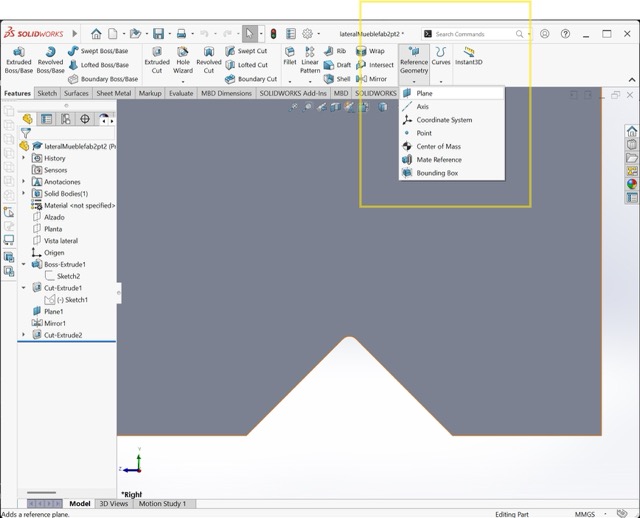
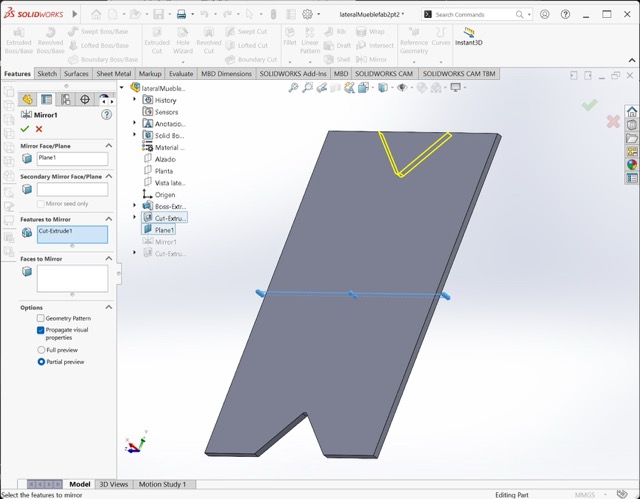
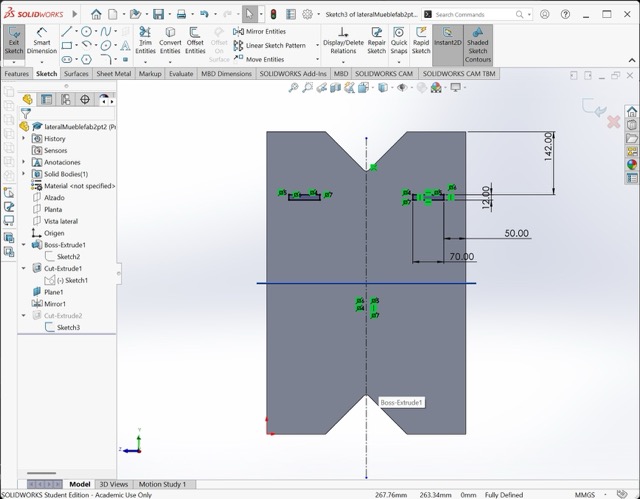
After developing the idea and taking measurements, I moved on to modeling the furniture in SolidWorks. This week I created the pieces separately and then assembled them to ensure everything fit together correctly.
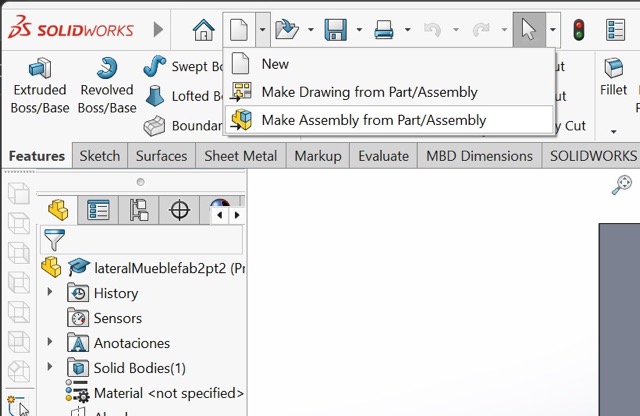
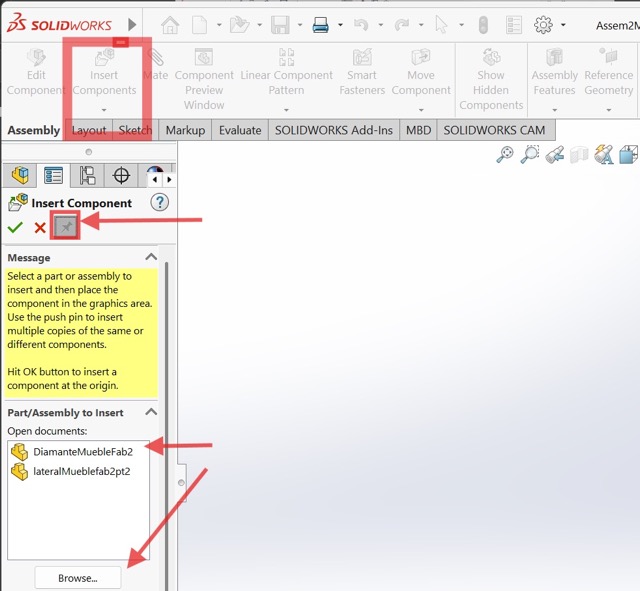
CNC-CUT
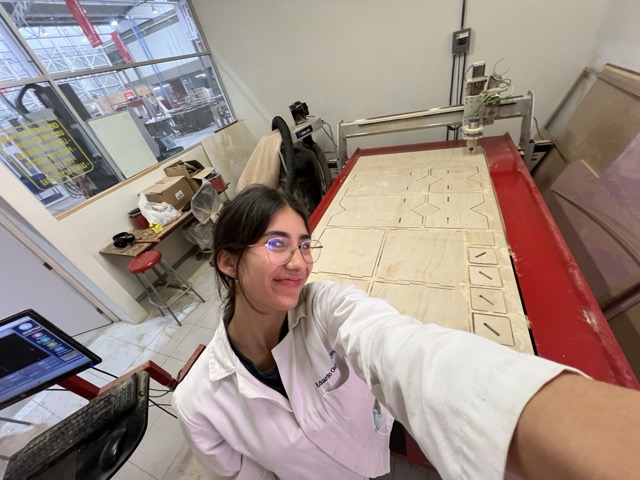
After making sure all the pieces were correct, I proceeded to cut the pieces in the router CNC. For this, I used a single sheet of plywood measuring 122 x 244 cm with a thickness of 12 mm.
What I Learned in the Safety Training
What I learned in this week’s safety training was similar to the laser cutting training: you must always stay alert for any emergency in order to stop the machine if necessary. In addition, when you are working in the CNC area, you must wear special safety equipment: safety boots and a lab coat or coveralls. Personally, I also wore a face mask, safety glasses, and hearing protection.
CNC cutting: Slide to find out how i did this:
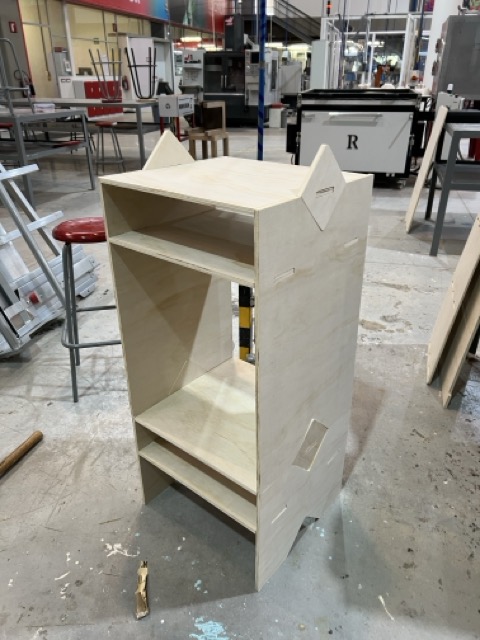
CNC cutting: First I did a sketch of what i wanted my weekly proyect to be.
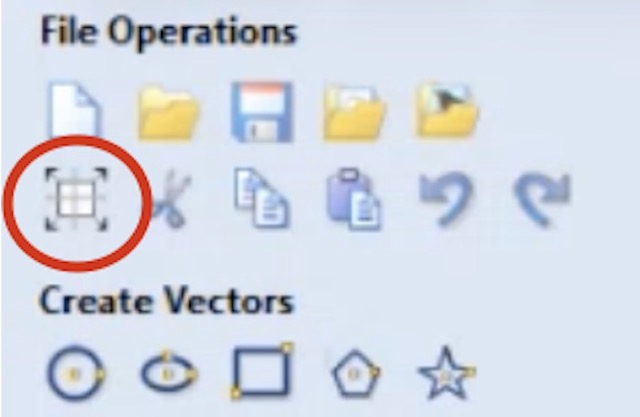
CNC cutting: Then I did a 3d model in solidworks.
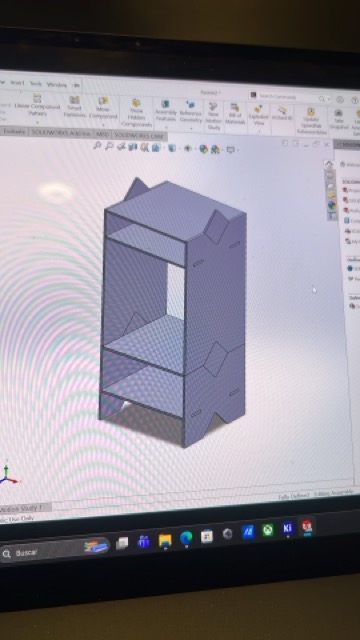
CNC cutting: I exported it a dxf and arranged it in AutoCad.
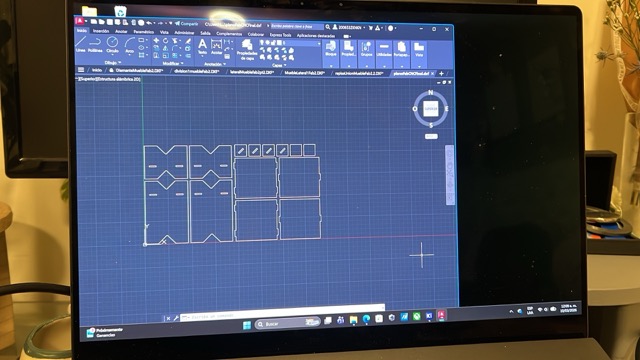
CNC cutting: Open your file in VCarve. File → Import
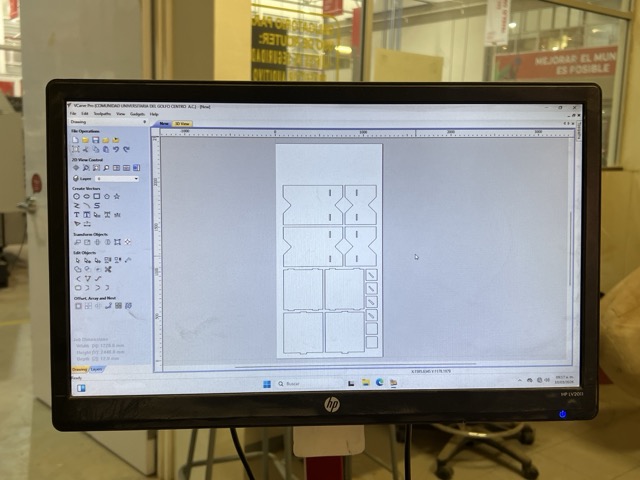
How to use the router: Open the drawing options here.
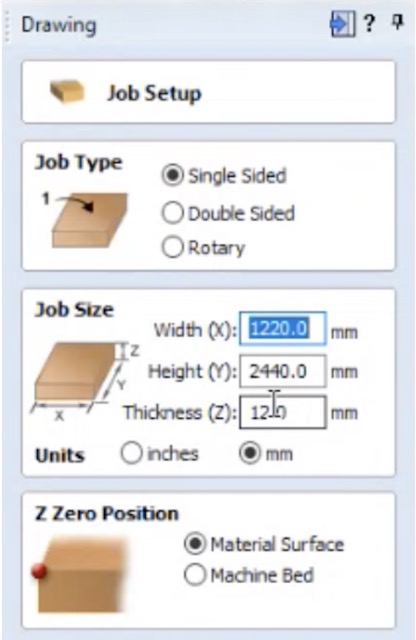
How to use the router: Select the object type – we will use single sided. Then set the size of your material. In this case, since it was plywood, it was 2440 mm × 1220 mm.
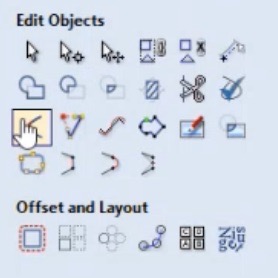
How to use the router: Add dog bones: modifications to the corners so the joints fit together (for assemblies). Fillet → Dogbones → select the type you want.
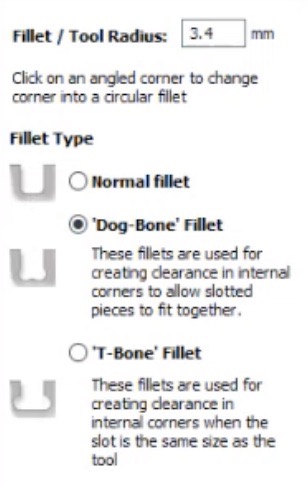
How to use the router: Change the dogbone radius: Minimum separation should be 3 times the cutter diameter.
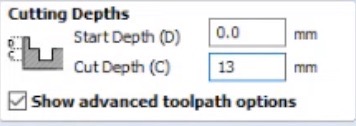
How to use the router: Create the toolpath. Change the cutting depths. Add 0.5 mm to 1 mm more than the thickness of the material.
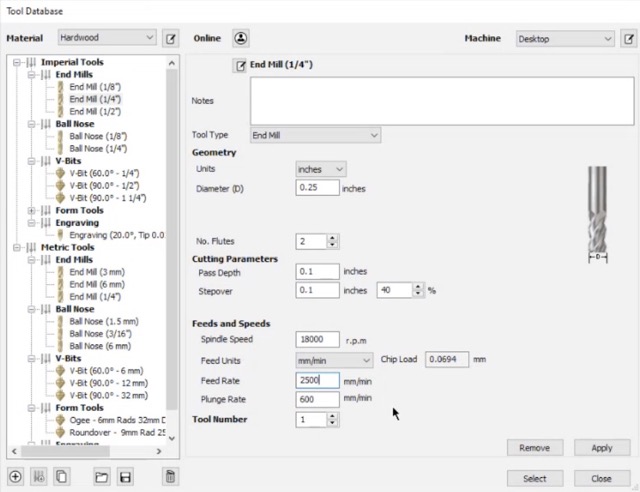
How to use the router: Select the cutter:
• End Mill ¼” – specified by the manufacturer.
• Chip load: amount of material the cutter removes per revolution
• Speed: between 16000–18000
• Feed rate: 2500 mm/min
• Plunge rate: 600 mm/min (speed at which the cutter enters the material)
• Cut depth: half of the cutter diameter (0.1 is fine).
• Stepover: how close the toolpaths will be to each other (important if you are making pockets).
• Inside the tool settings, add the passes (you can change it to 5 passes).
How to use the router: Choose where the cut will be made (Outside the line, Inside the line or On the line) And put the tabs: Material left so the piece does not fly off: 5 mm length × 4 mm thickness
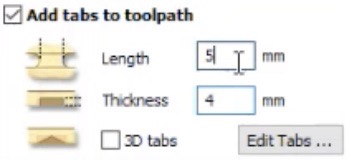
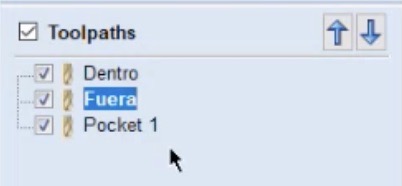
How to use the router: Label the cuts: Change the order of the toolpaths if necessary (pocketing goes first).
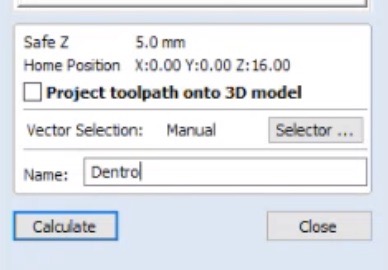
How to use the router: Arrange the order of the cuts.
How to use the router: Save the toolpath.
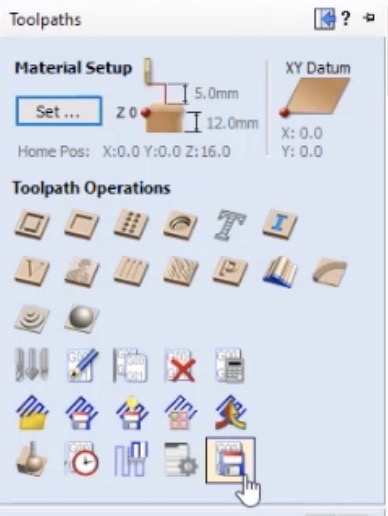
How to use the router:
Mach ⅔ arcs mm – for the red machine → .txt
Asia Robótica nk75.3 arcs – for the black machine → .enc
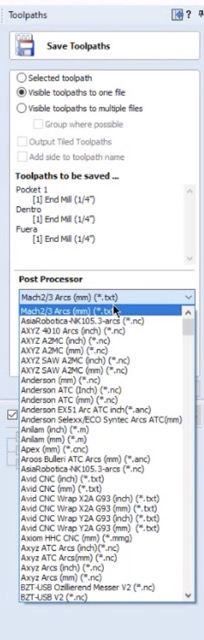
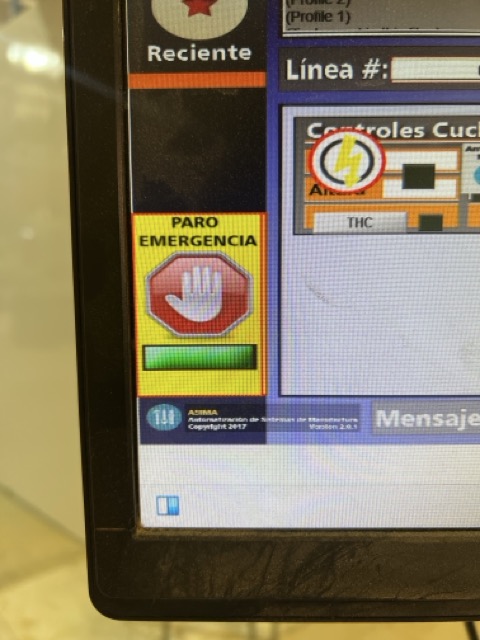
How to use the router: Place your material in the machine bed, to secure it I used nails, because the machine doesn't have clamps. Open the app AR2400 and import your file. To be able to move the router be sure that the emergency stop is off. You need to set the origin in the desire point and calibrate the x, y and z axis, to do this use the jog controls in the keyboard. In the software, set the X, Y and Z in zero positions by clicking in the yellow icons of each axis. This defines the reference point from which the machine will start cutting.
How to use the router: Here is the final cutting result.
Assembly
After cutting the pieces, I started to assemble it.
Assembly process
Problem:
When I assembled it, I realized it was unstable. This happened for two reasons: the pieces didn't fit together properly (I miscalculated the kerf), and I forgot to add another piece horizontally to the larger cabinet for extra support. This is a video showing how unstable it was.
How I fixed it:
To avoid wasting more material and gluing things, my solution was to screw the furniture together. In the end, it really helped with the stability. This is a video of me putting them in with my dad's help.
Final result
At the end, I was able to make a custom piece of furniture made up of 2 modular pieces, which fit perfectly in my closet.