Week 07 — Computer-Controlled Machining

This week focused on large-scale CNC machining. I designed, prepared, milled, and assembled a curved wooden rib chair from sheet material.

Tools used

Key outputs


Overview

This week was about computer-controlled machining, especially CNC milling at a larger scale. Unlike laser cutting, CNC machining removes material with a rotating cutting tool. This makes it possible to cut thicker and stronger materials, but it also requires more attention to tool diameter, cutting depth, feed speed, fixturing, safety, and toolpath strategy.

The assignment required us to make something big. For my individual work, I designed and fabricated a curved wooden rib chair. The object was made from flat sheet material, but the final assembly created a three-dimensional curved structure.


Assignment

Group Assignment

The group assignment was to complete the lab safety training and test the CNC machine. We needed to understand the machine behavior by testing runout, alignment, fixturing, speeds, feeds, materials, and toolpaths.

Individual Assignment

The individual assignment was to design, mill, and assemble something big, approximately meter-scale. Extra credit options included avoiding fasteners and glue, including curved surfaces, and using three-axis toolpaths.


Group Assignment

CNC safety training and machine test

For the group assignment, we first reviewed the safety rules for using the CNC router. CNC machining can be dangerous because the spindle rotates at high speed and the machine moves with strong cutting force. Before operating the machine, it is important to understand the emergency stop button, machine boundary, material fixation, tool installation, dust collection, and safe body position.
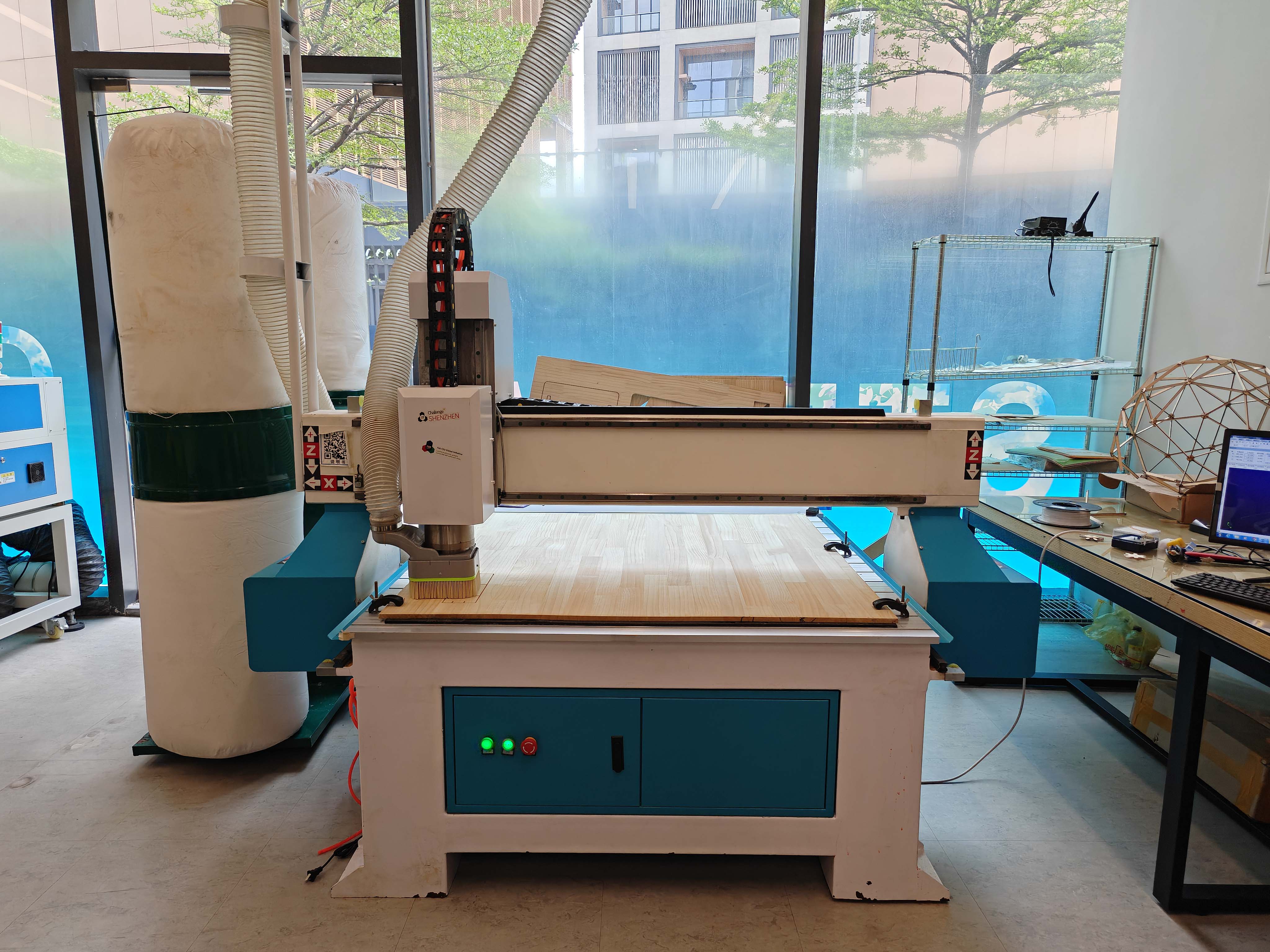
CNC router used for computer-controlled machining
CNC router used for this week's computer-controlled machining assignment.

We checked the control area of the machine before starting the job. The emergency stop button is one of the most important safety controls. I needed to know where it was and make sure I could stop the machine quickly if anything went wrong.
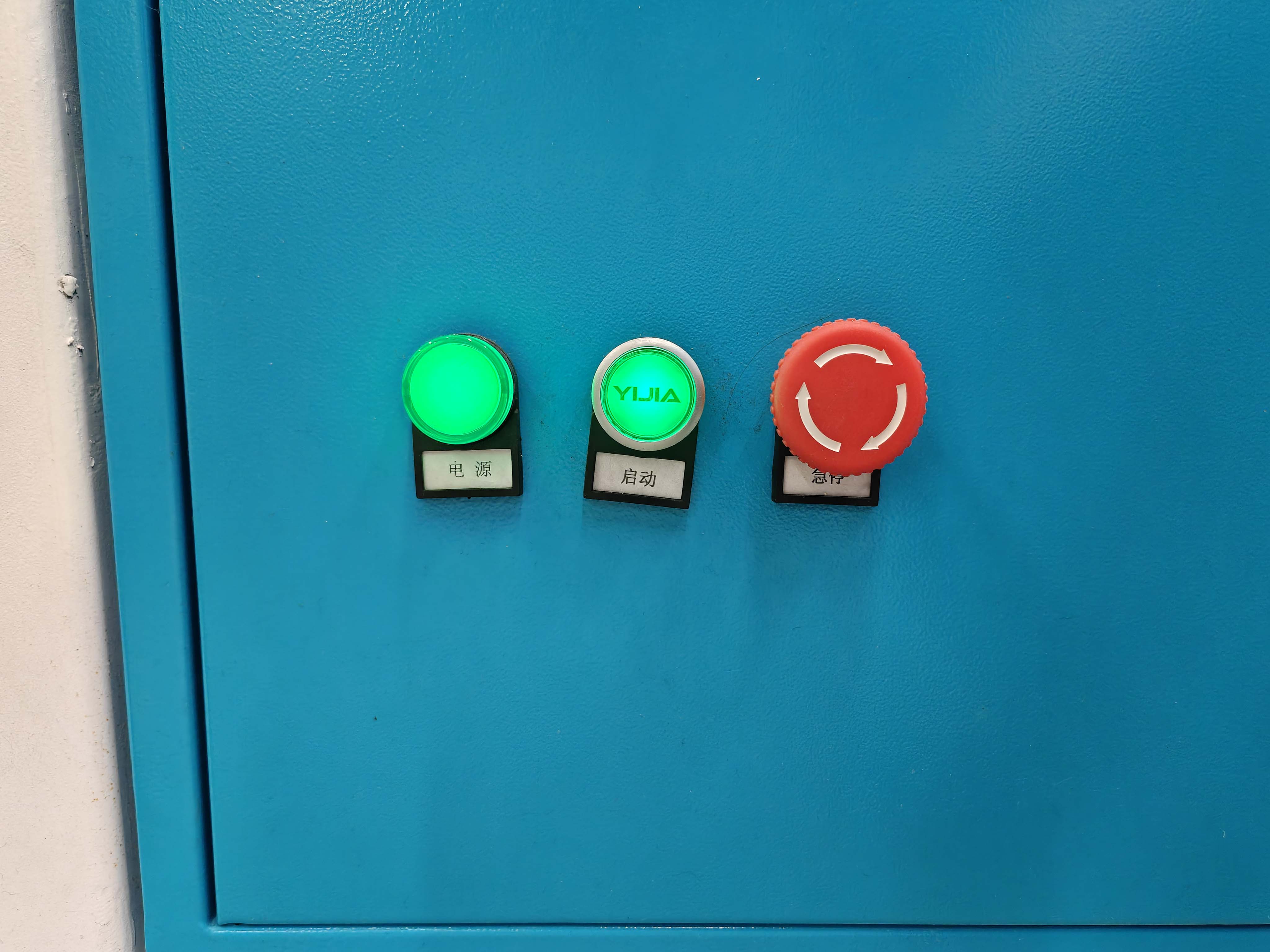
Power start and emergency stop buttons on the CNC machine
Control buttons on the CNC machine. The red button is the emergency stop button.

The CNC router was connected to a dust collection system. This is very important when cutting wood-based materials because the process produces a large amount of chips and dust.
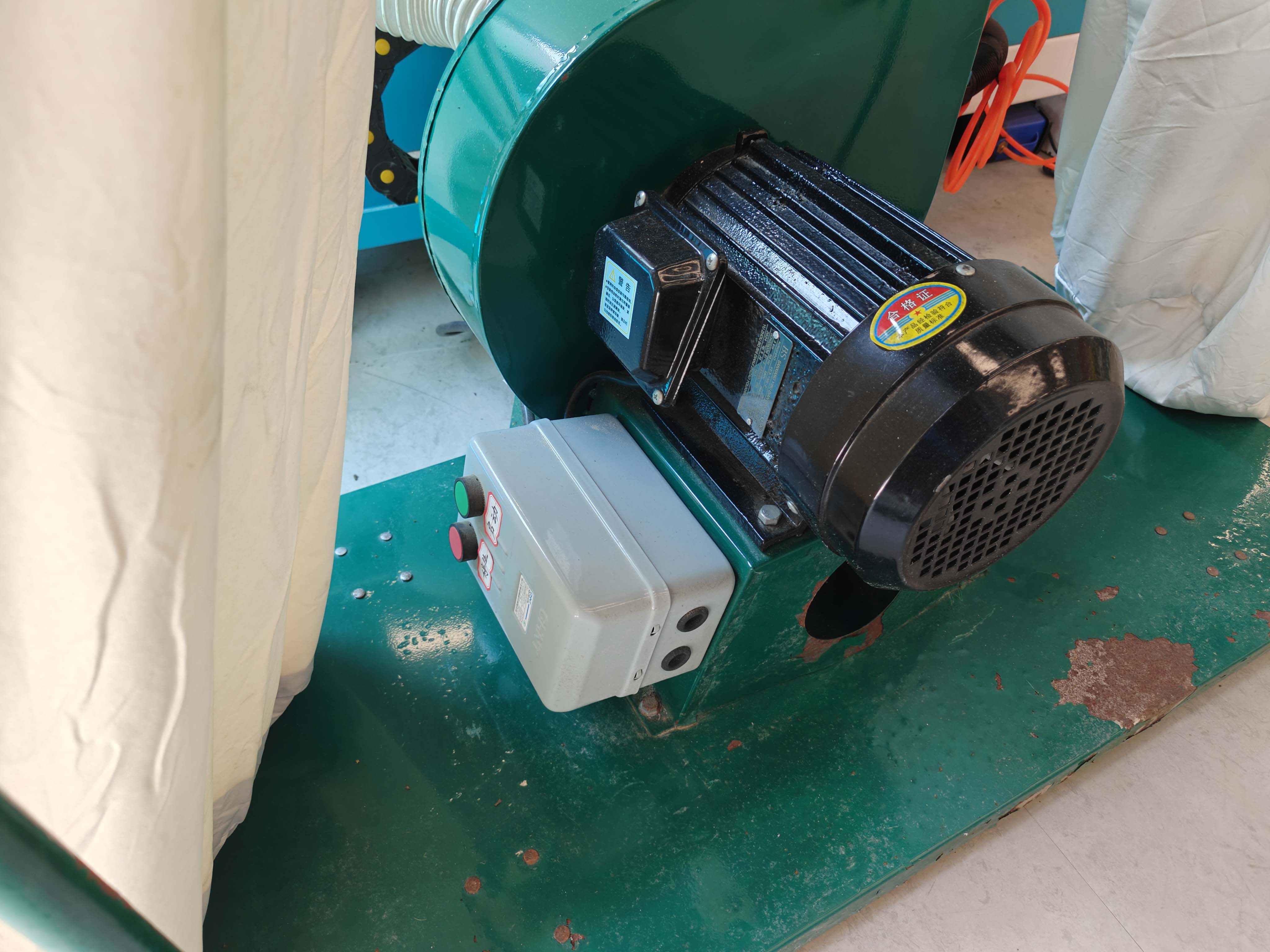
Dust collection system for CNC machining
Dust collection system used during CNC machining.

Safety checklist

  • Wear safety glasses during machine operation.
  • Keep loose clothes, long hair, and accessories away from the machine.
  • Do not wear gloves near a rotating spindle.
  • Check the emergency stop button before starting.
  • Fix the material firmly to the machine bed.
  • Check that the tool is properly installed.
  • Turn on dust collection when cutting wood-based material.
  • Never leave the CNC machine unattended while it is cutting.
  • Look, listen, and smell during machining to detect problems early.

Machine test

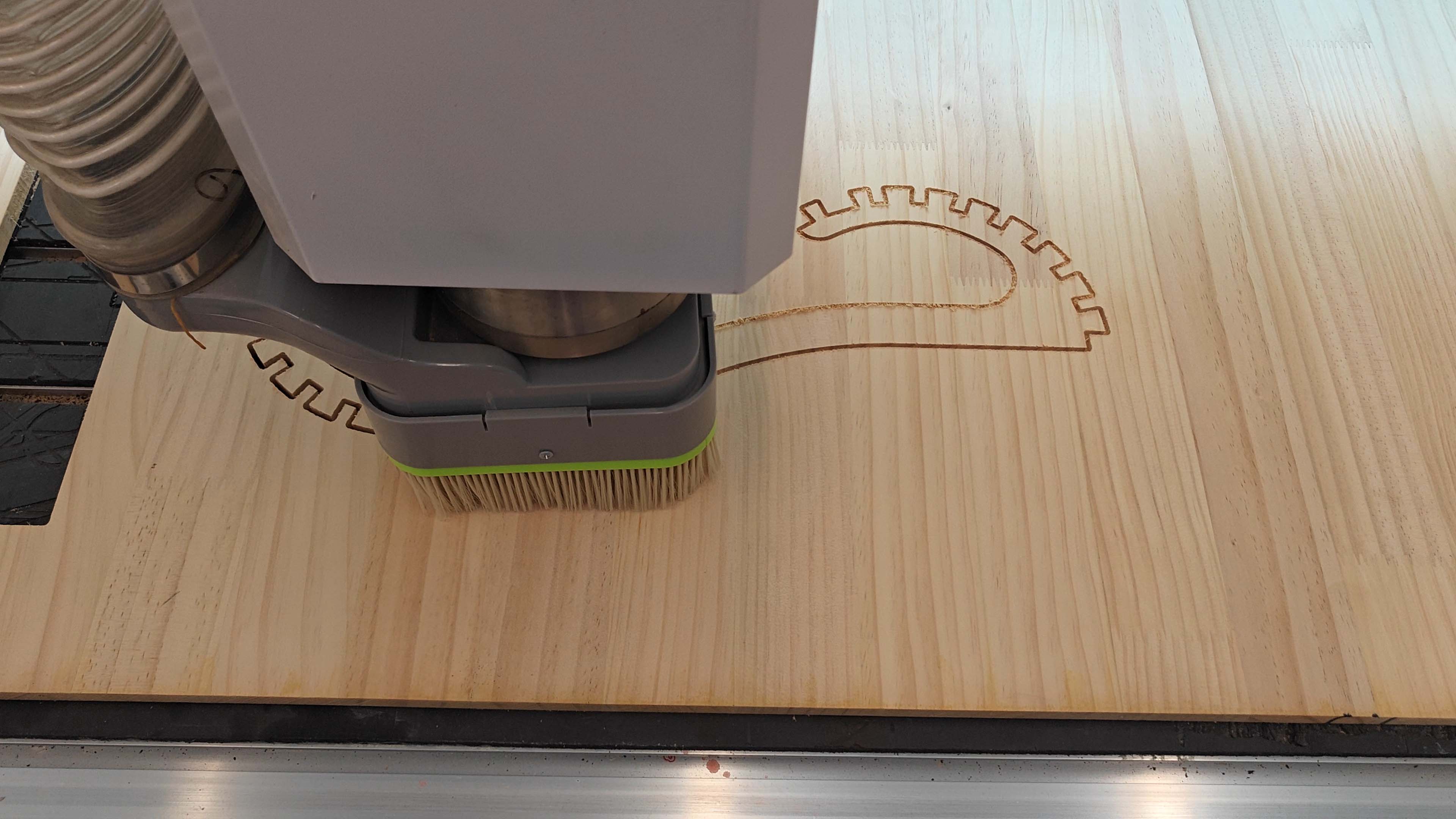
Before cutting the final design, I first made a small test cut on the wooden sheet. This test helped me check whether the material was fixed properly, whether the toolpath direction was correct, and whether the CNC machine could cut the board cleanly.

This step was important because CNC machining is not only about the digital file. The actual result also depends on the tool, the material, the cutting depth, the feed speed, and the fixation of the board.
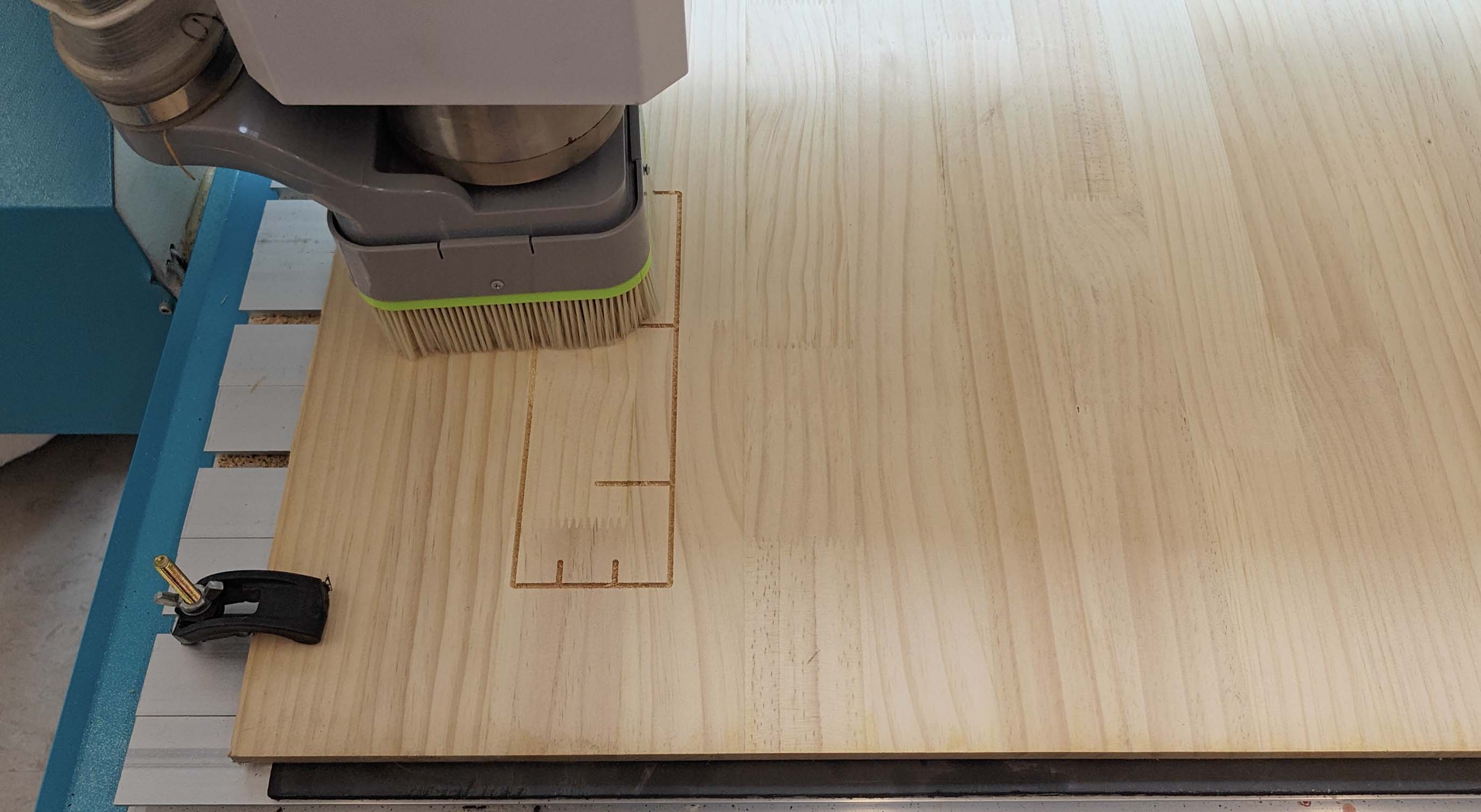
Test cut on wooden sheet before the final CNC job
Test cut on the wooden sheet. I used this step to check the machine setup, material fixation, and cutting quality before machining the final chair parts.
Video of the test cut. I used this test to check the toolpath, material fixation, and cutting quality before starting the final job.
Test item Purpose Observation
Runout To check whether the rotating tool is centered and stable. A stable tool rotation helps improve cutting accuracy.
Alignment To check the relationship between machine axes and the material. The material must be squared and aligned before cutting.
Fixturing To prevent the material from moving during machining. The sheet must be fixed firmly before starting the job.
Speeds and feeds To test the cutting quality and machine stability. Incorrect settings can cause chatter, burning, or poor edge quality.
Toolpaths To compare inside cuts, outside cuts, and cutting order. Toolpath order and offset direction directly affect the final fit.

Individual Assignment

Designing and making a CNC-milled rib chair

For the individual assignment, I designed and fabricated a curved wooden chair structure using CNC machining. The assignment required us to make something big, so I chose to make a chair-like structure from a large wooden sheet. My goal was to explore how flat CNC-cut parts could be assembled into a three-dimensional curved form.

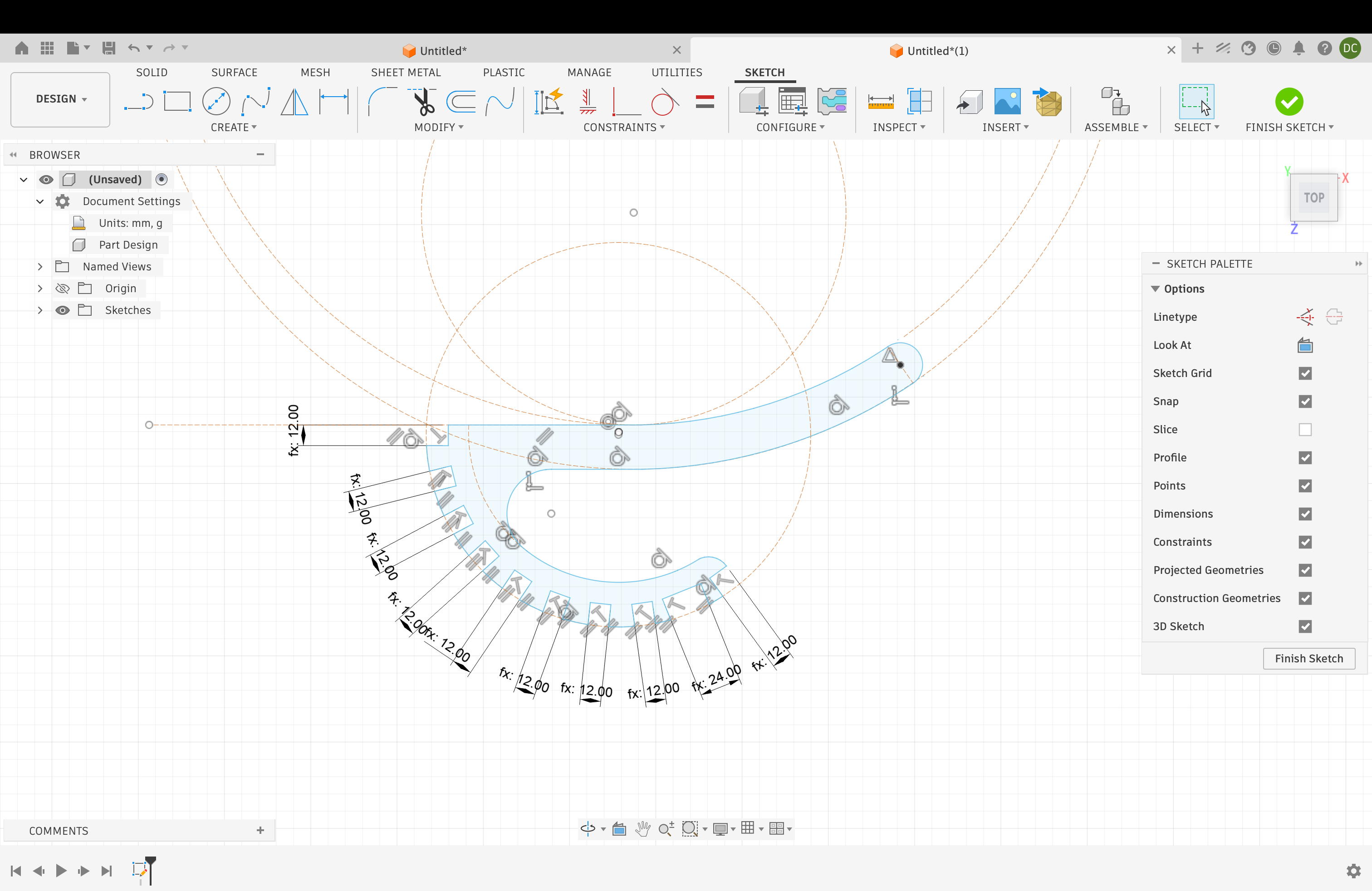
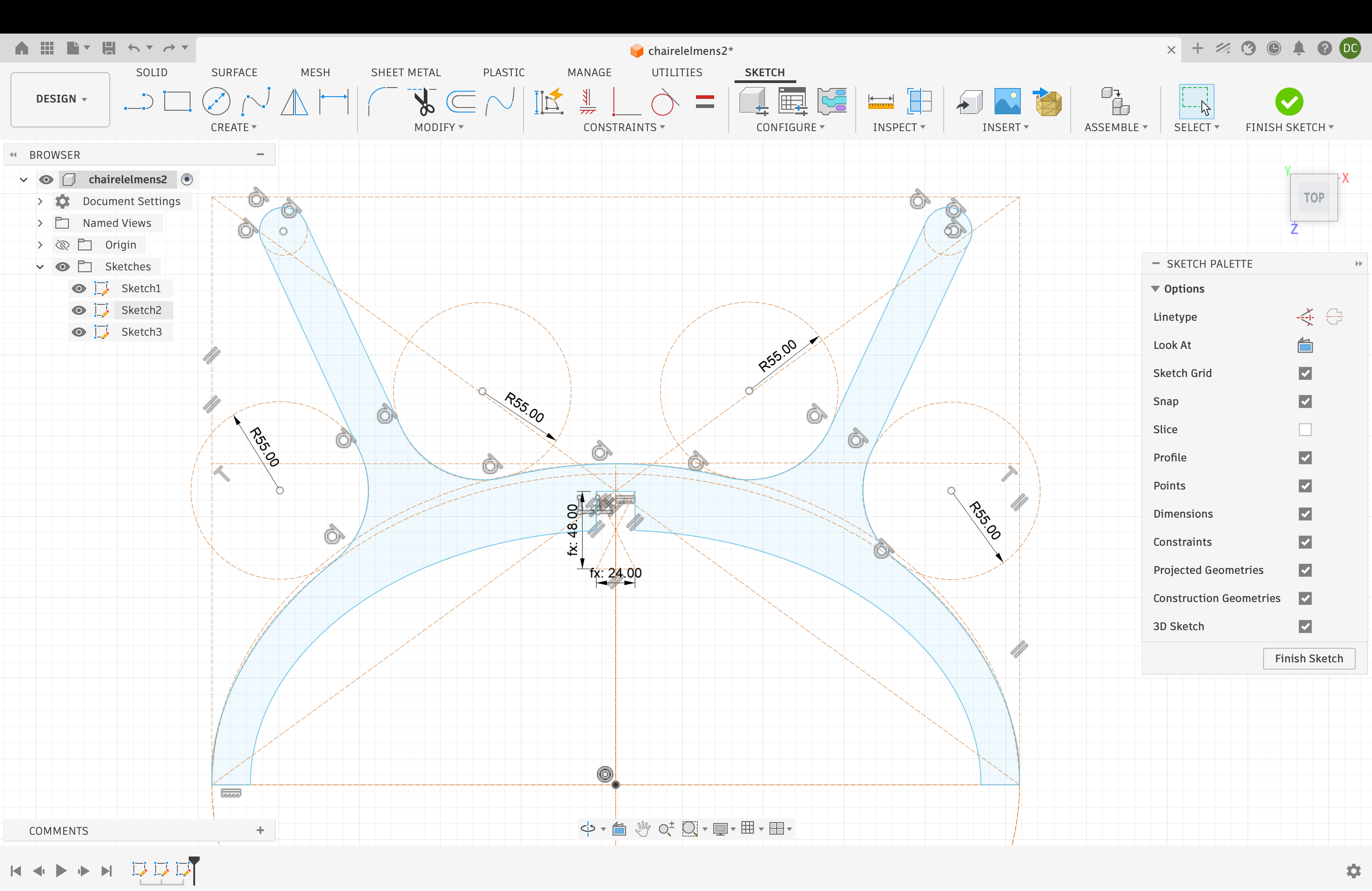
The final design is a rib chair. It is made from repeated curved wooden ribs, side frames, and interlocking slots. Although every part was cut from flat sheet material, the assembled object creates a curved seat and backrest structure.

Design idea

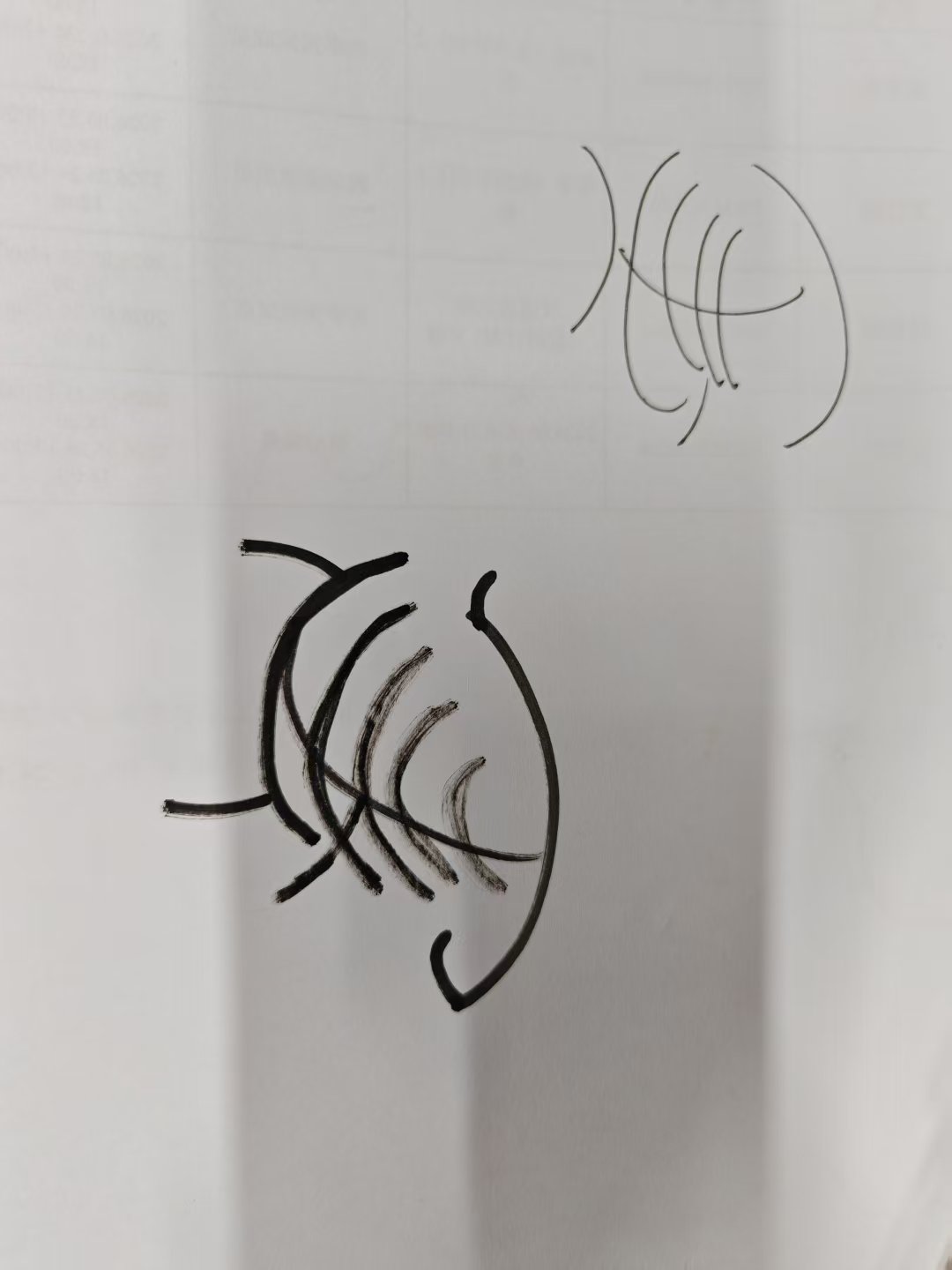
The idea for this project started from exploring how CNC machining could be used to create a chair with a curved and lightweight structure. Instead of making a solid chair body, I wanted to construct the form by combining repeated rib-like components with side frames, so that the final object would feel both structural and visually open.

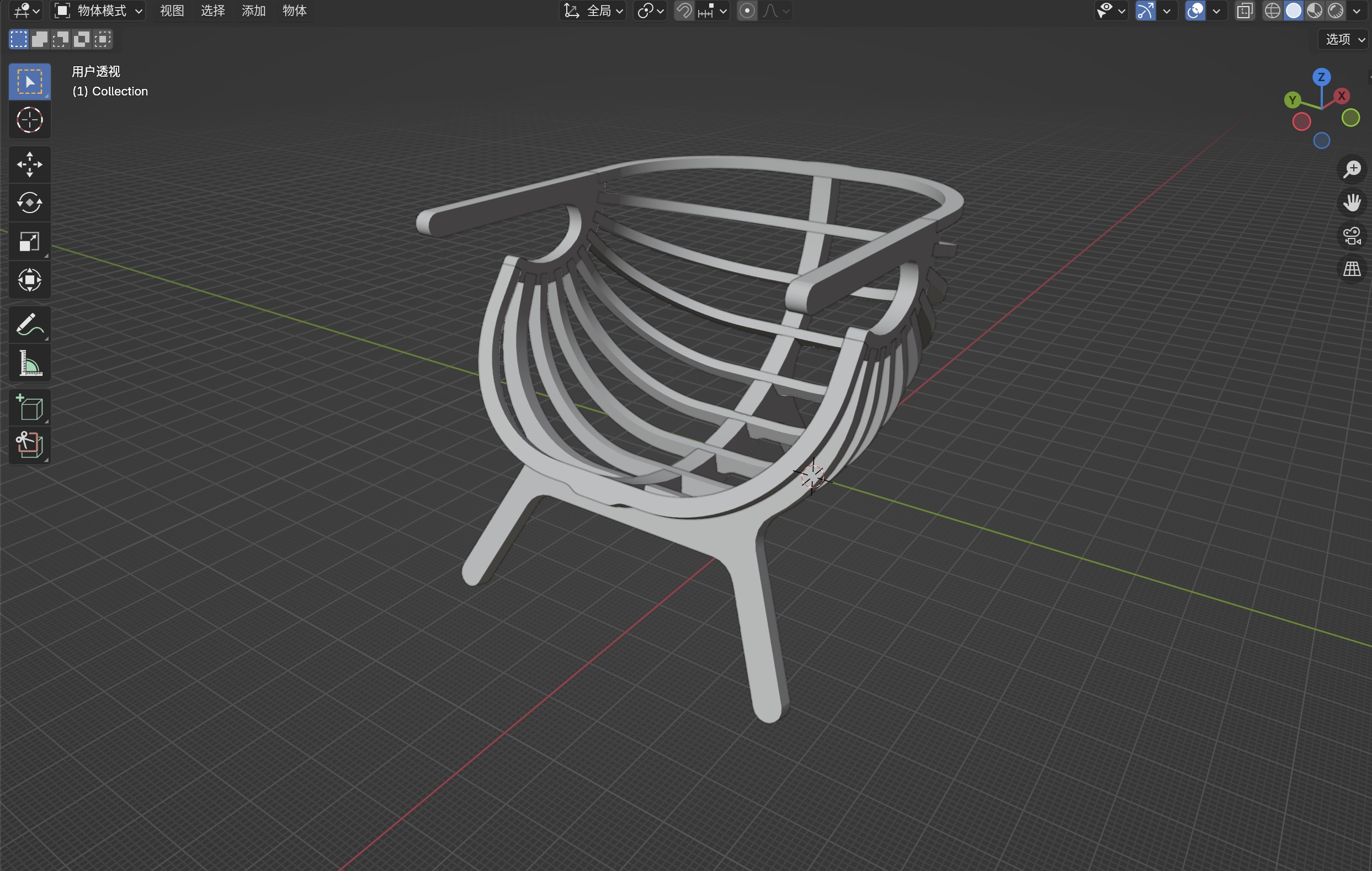
I first developed the chair in Blender to test the overall form, proportion, and the relationship between the curved ribs and the side frames. This helped me understand how the chair could be assembled from individual CNC-milled parts while still maintaining a cohesive shape.

Blender model of the chair design
Initial 3D model of the chair in Blender. This model helped me define the curved structure, the repeated rib components, and the overall proportion before fabrication.

Before fabrication, I also visualized the design as a finished furniture product. These renderings helped me imagine how the chair could appear in a real interior setting and as a standalone product object.

Lifestyle rendering of the chair in an interior
Lifestyle rendering of the chair in an interior space. This image helped me imagine the atmosphere and furniture character of the final design.
Studio product rendering of the chair
Studio product rendering of the chair. This view highlights the curved geometry, side frames, and repeated structural ribs more clearly.

This design direction allowed me to explore one of the strengths of CNC machining: transforming a flat wooden sheet into a precise set of parts that can be assembled into a much more spatial and expressive object.

Toolpath design software

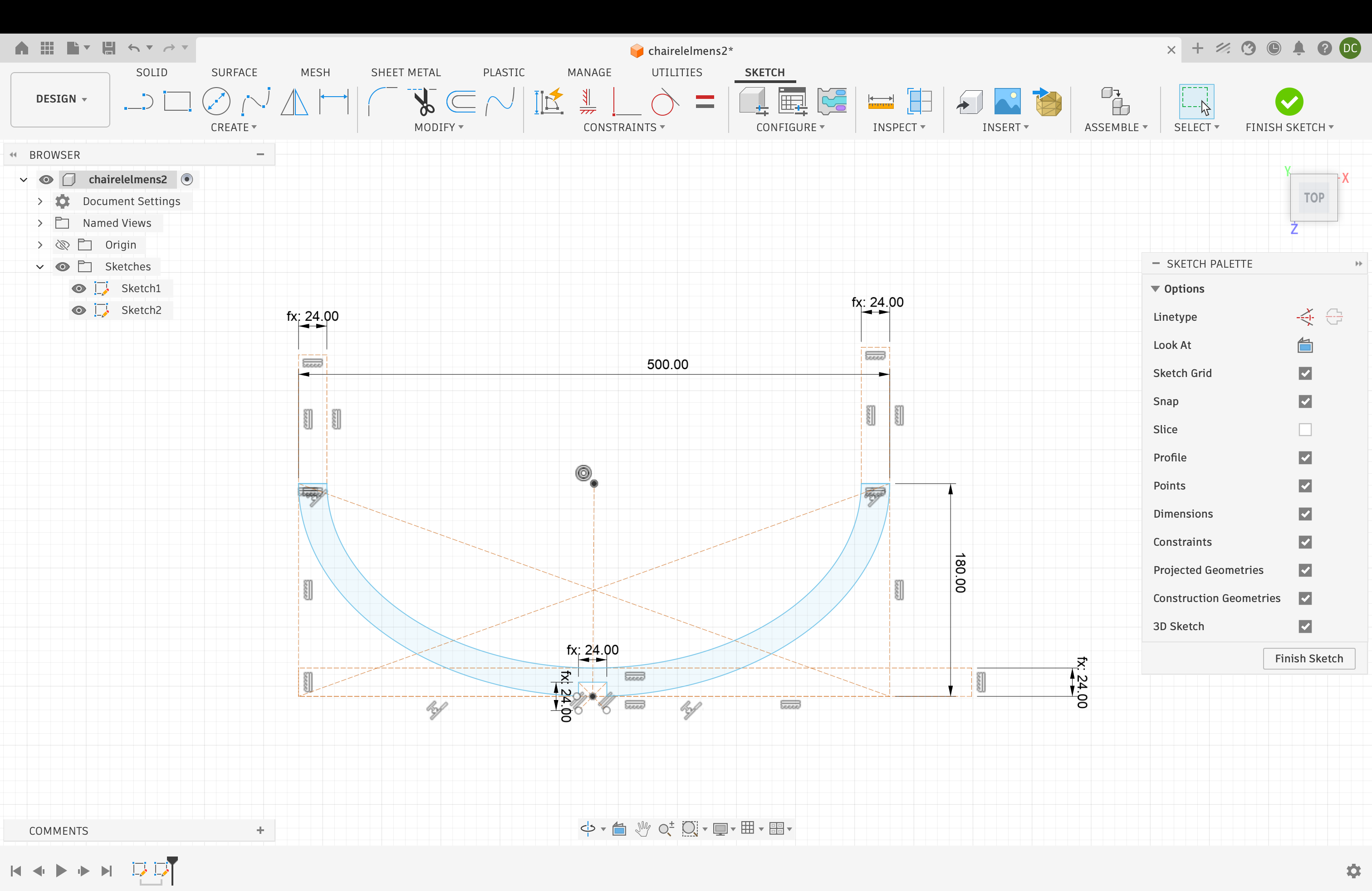
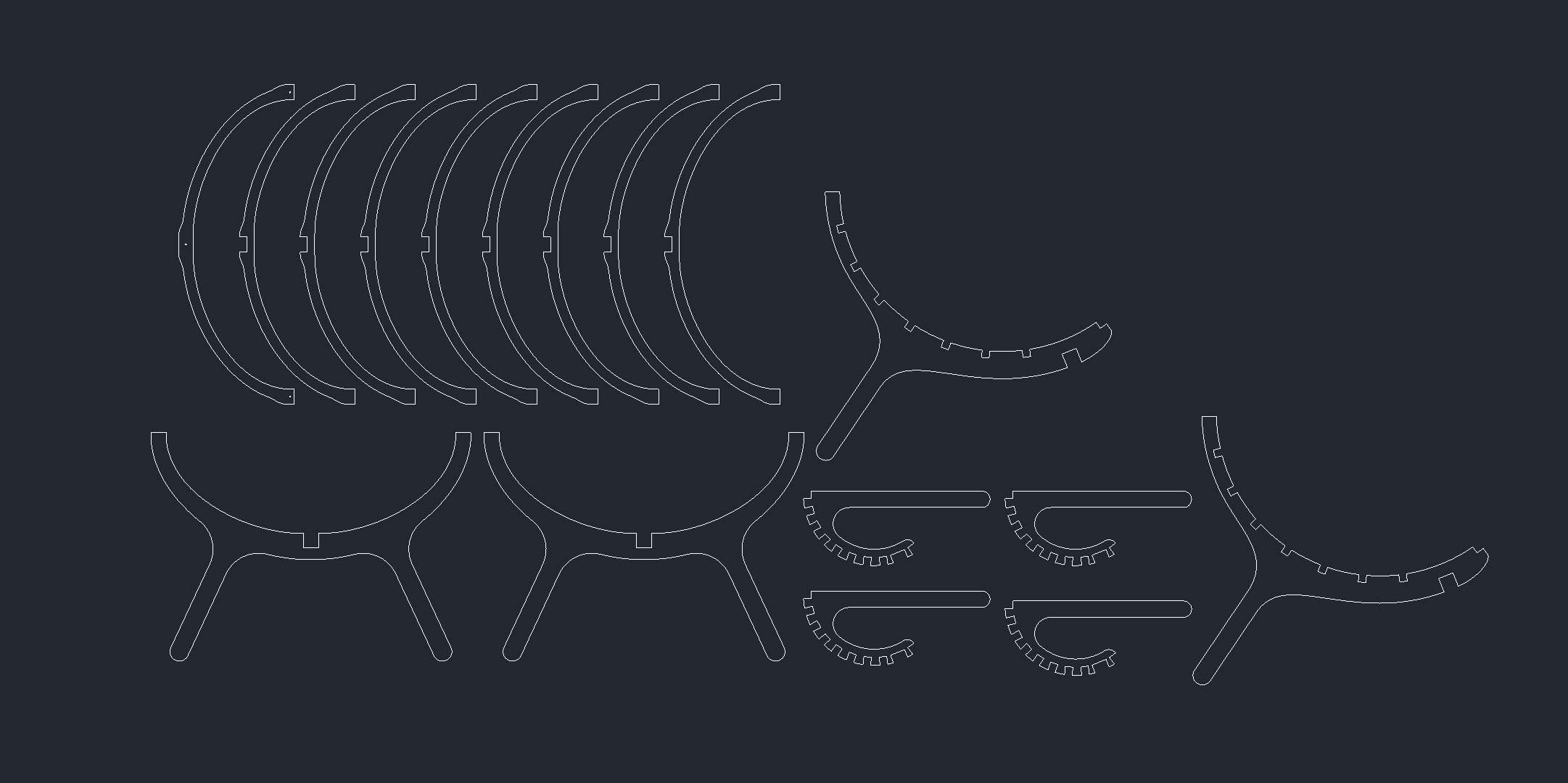
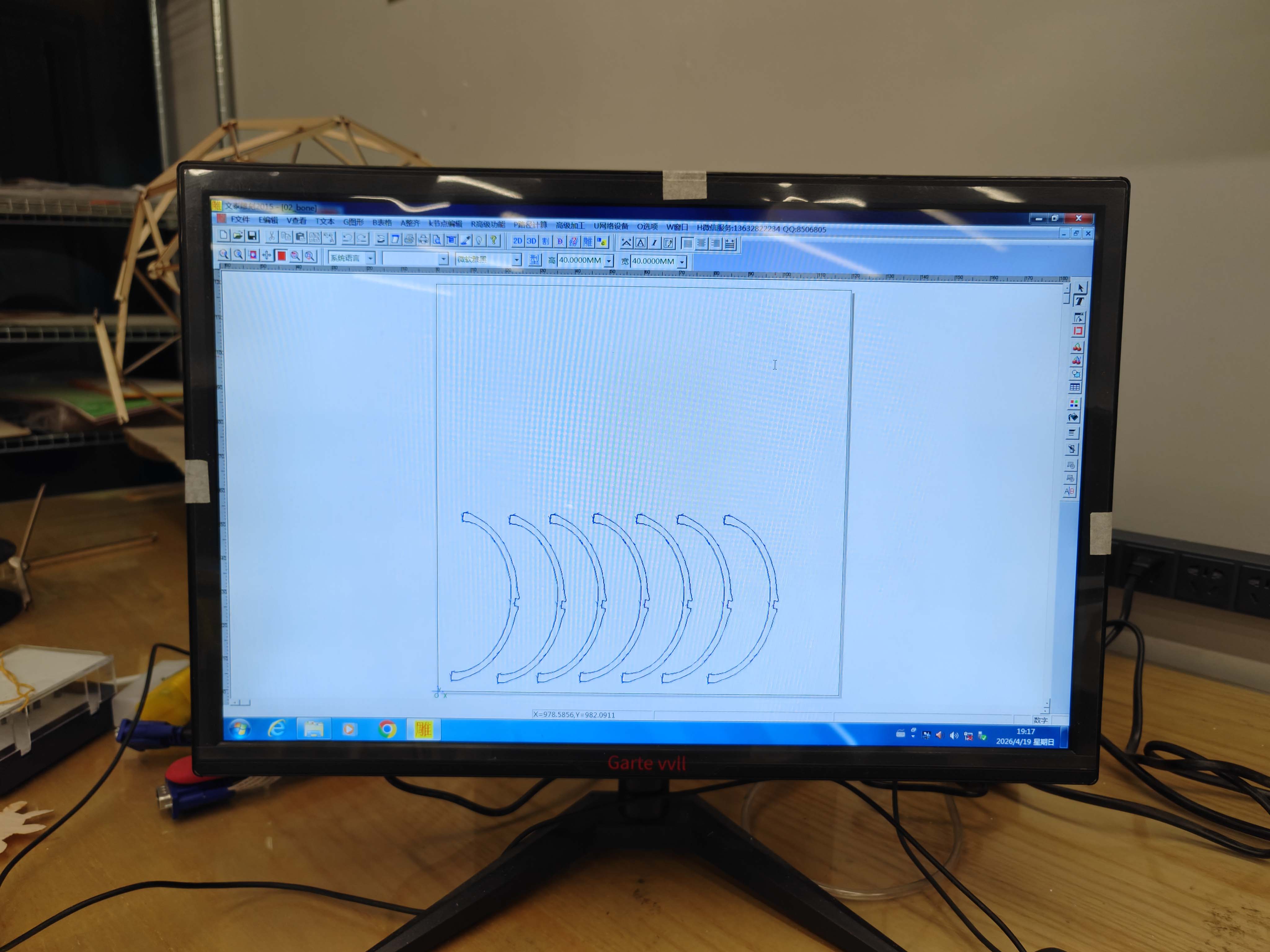
After preparing the 2D layout, I imported the file into the toolpath design software. In this step, I checked the outline of each part and prepared the cutting paths. The software was used to define how the CNC tool should follow the geometry.

This stage was especially important because the CNC end mill has a real diameter. The toolpath needs to compensate for the tool width. Internal slots and external profiles must use the correct cutting side.

Toolpath design software for CNC machining
Toolpath design software. I used this step to check the curves and prepare the cutting paths before sending the job to the CNC machine.

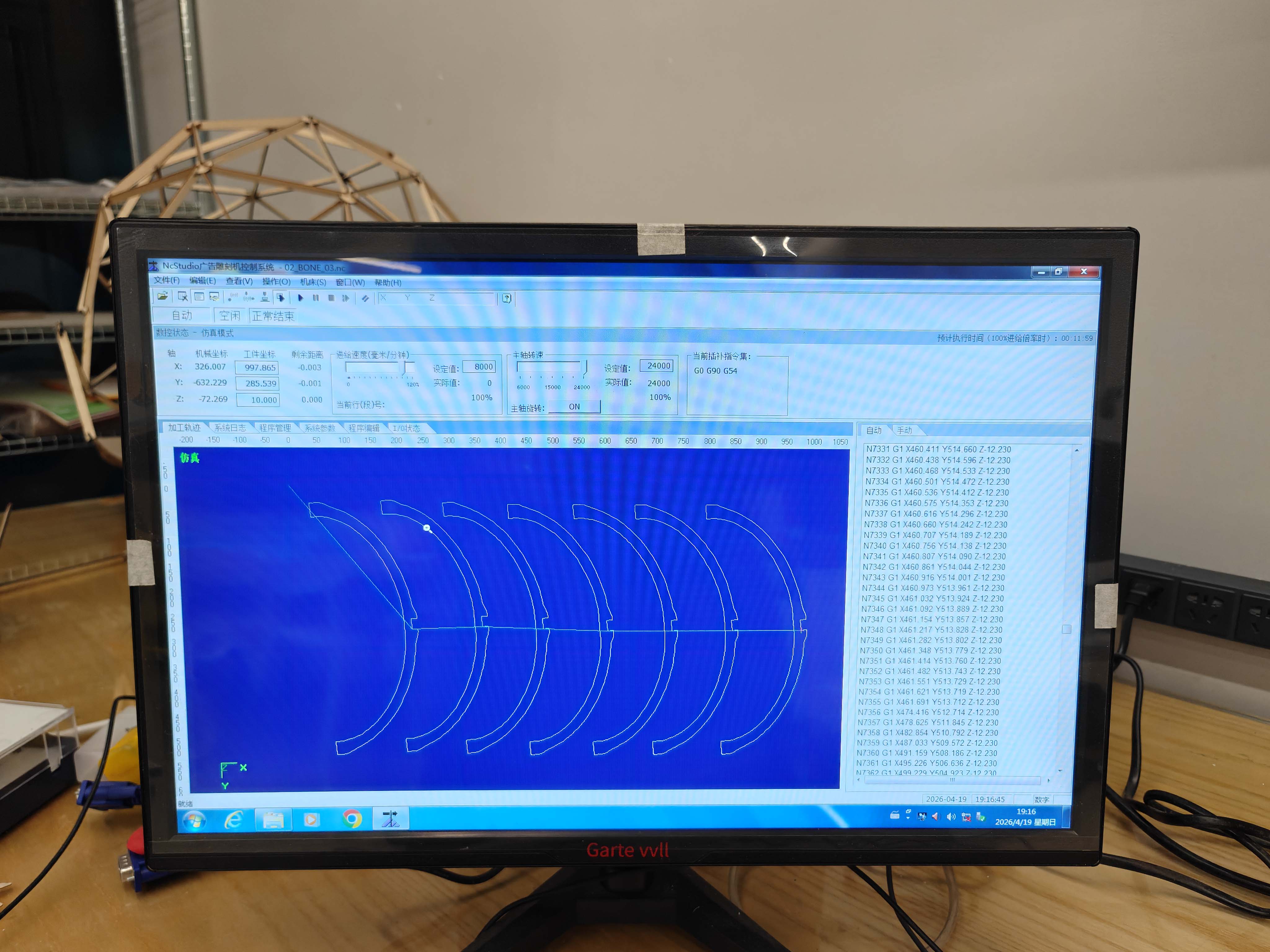
CNC working software

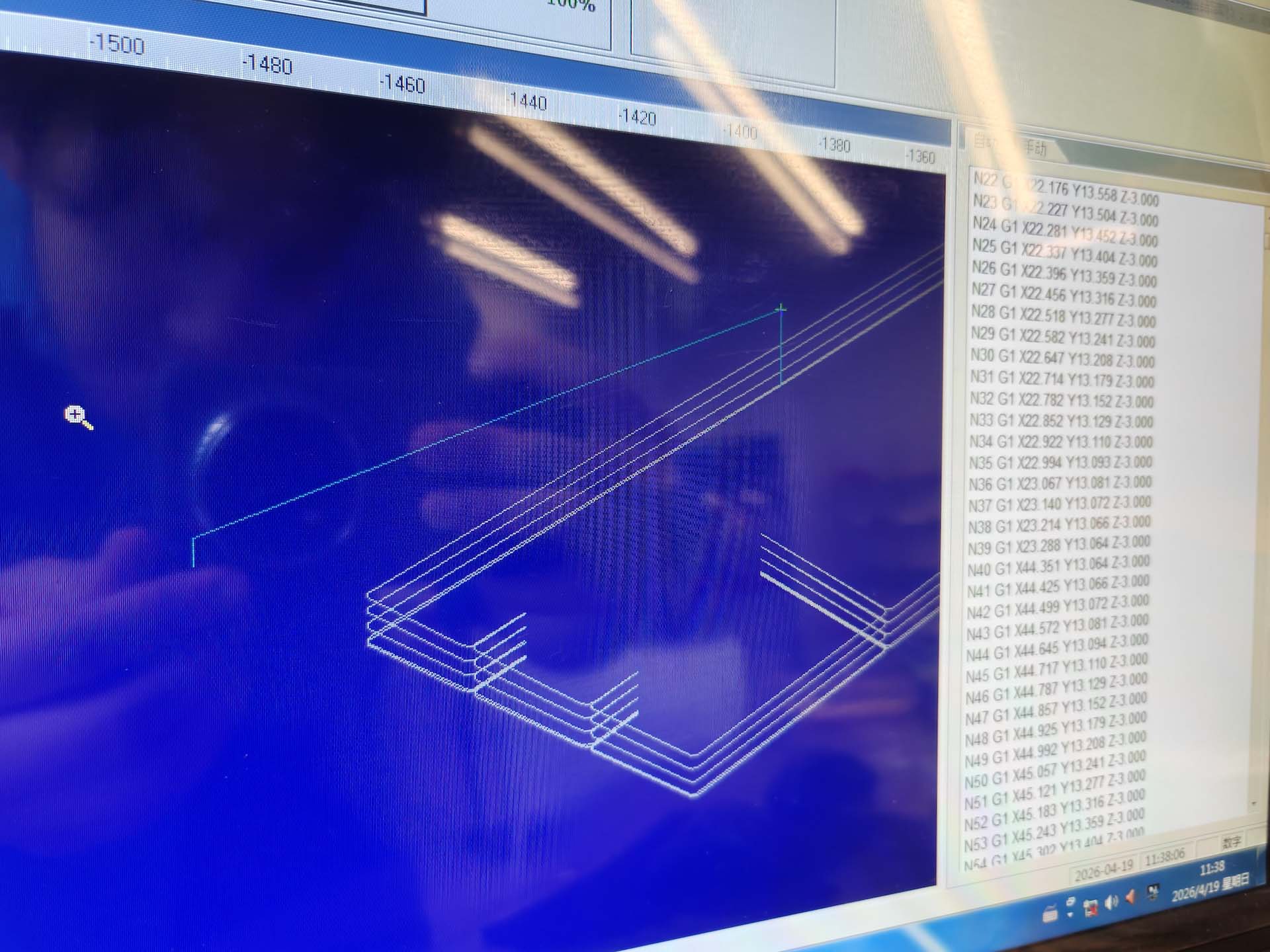
After the toolpaths were prepared, I opened the job in the CNC working software. This software shows the machine path, coordinates, and generated G-code. I used this interface to check whether the file was correctly loaded and whether the machine movement matched the expected cutting layout.

CNC working software showing toolpath and G-code
CNC working software showing the toolpath, coordinates, and G-code. This was the final software check before machining.
CNC toolpath preview and G-code interface
Another toolpath preview showing the machine path and generated code.

Cutting parameters

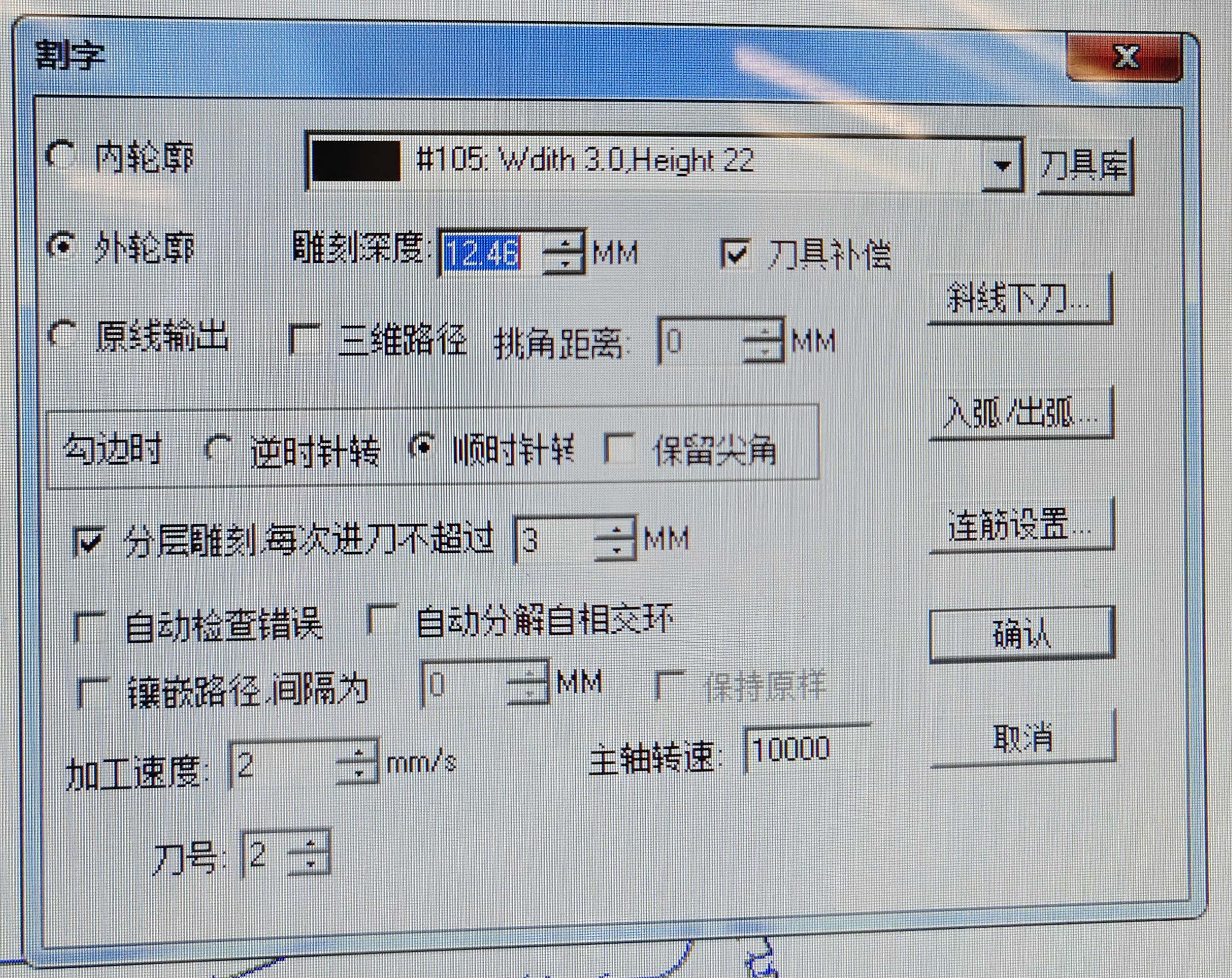
Before machining, I set the cutting parameters in the CNC software. The visible settings included a 3.0 mm tool width, 22 mm material height, 12.46 mm cutting depth, 3 mm maximum step-down per pass, 2 mm/s machining speed, and 10000 RPM spindle speed.

CNC cutting parameter window
Cutting parameter window. The job used a 3.0 mm tool width, 12.46 mm cutting depth, 3 mm step-down, 2 mm/s machining speed, and 10000 RPM spindle speed.
Parameter Value used Purpose
Tool width 3.0 mm Defines the cutter diameter for toolpath compensation.
Material height 22 mm Sets the stock height in the software.
Cutting depth 12.46 mm Total cutting depth used for the job.
Step-down 3 mm per pass Limits the cutting depth of each layer.
Machining speed 2 mm/s Controls how fast the tool moves through the material.
Spindle speed 10000 RPM Controls the rotation speed of the cutting tool.

Machine and material setup

The wooden sheet was placed on the CNC machine bed and fixed before machining. Good fixturing is necessary because any movement of the board during cutting can damage the material, the tool, or the machine.

I also checked the tool bit before starting. The cutting tool had to be installed properly, and the tool position had to match the material surface and the machine origin.
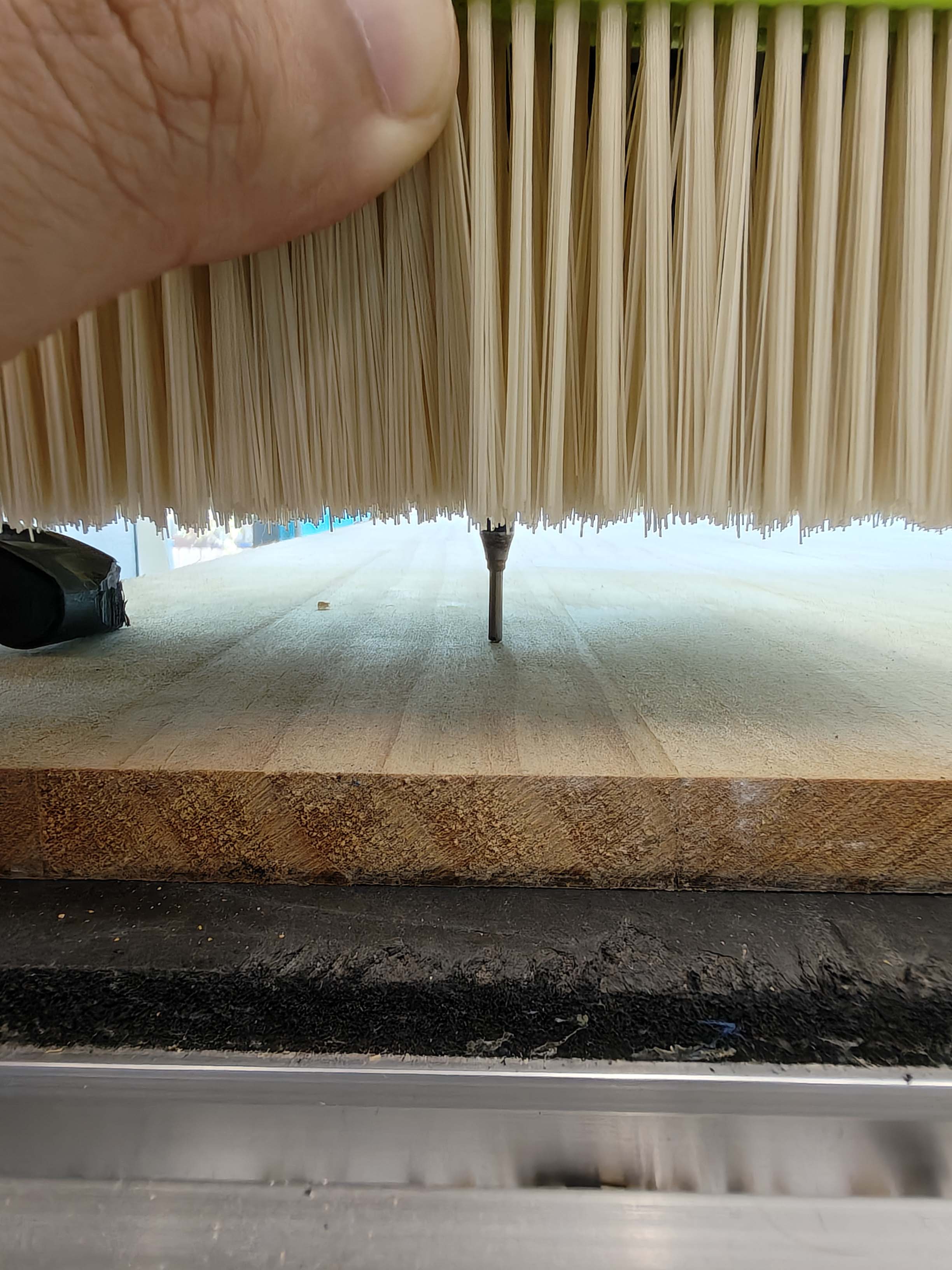
Checking the CNC tool bit before machining
Checking the CNC tool bit before machining. I confirmed the tool position and made sure the bit was properly installed before starting the cutting job.

CNC milling process

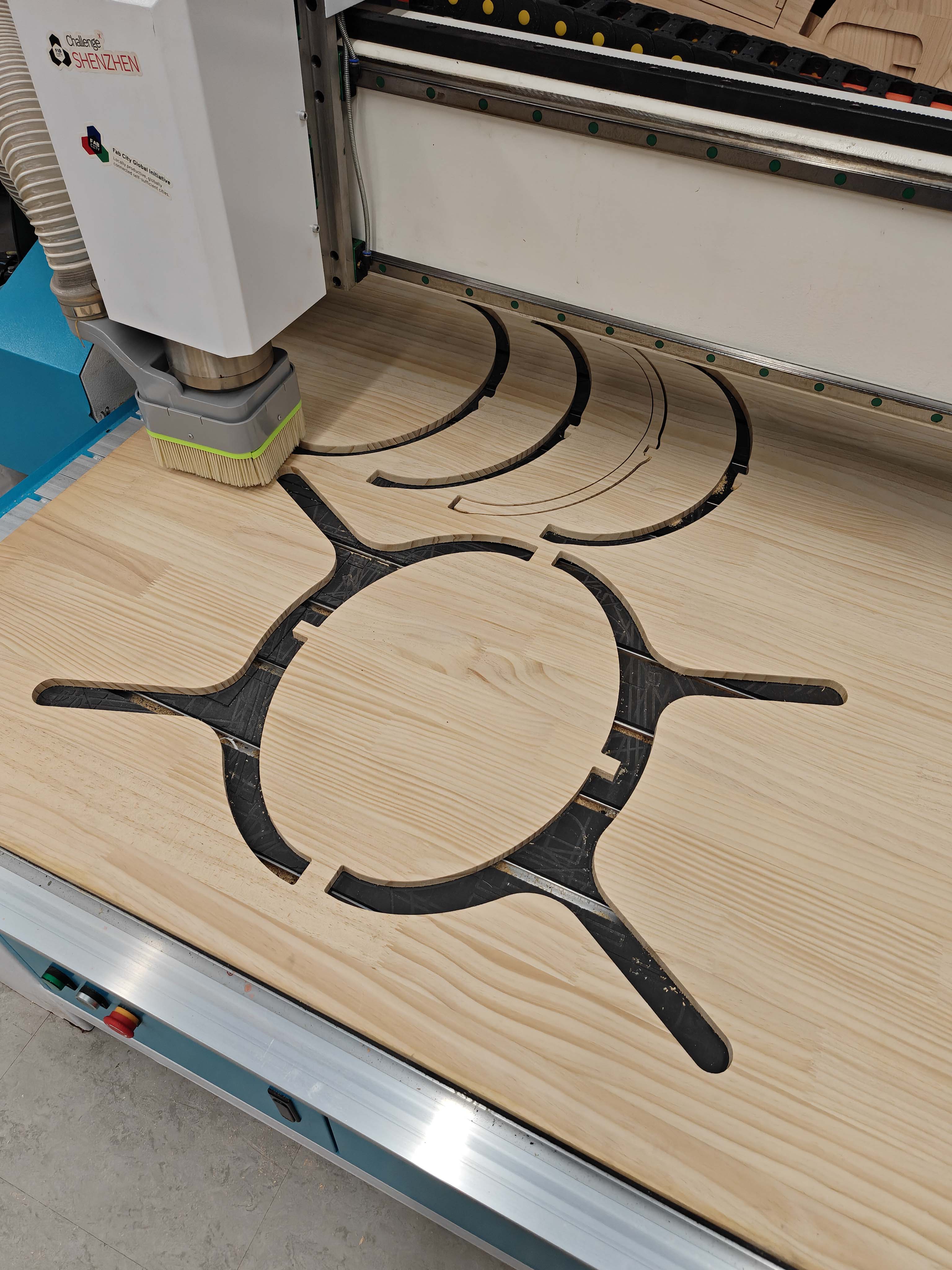
During machining, the CNC router followed the generated toolpath and cut the chair parts from the wooden sheet. The dust shoe covered the cutting area and helped collect wood chips while the end mill moved along the designed curves.

I monitored the cutting process carefully. I checked the sound of the spindle, the movement of the gantry, the dust collection, and the quality of the cut. If the material moved or the toolpath was wrong, the whole job could fail.

Close-up of CNC cutting curved component
Close-up of cutting a curved component with interlocking details.
Video of the final cutting process. The CNC router followed the generated toolpath and cut the curved chair components from the wooden sheet.

CNC milling result

After the CNC cutting process finished, the chair components were still located inside the wooden sheet. At this stage, I could clearly see the curved ribs, side frames, and slot details cut by the machine. Before removing the parts, I checked whether the main outlines and connection details were complete.

CNC-cut chair parts still on the machine bed after cutting
The CNC cutting job after completion. The chair parts were cut out but still remained in the wooden sheet on the machine bed.

Removing the parts

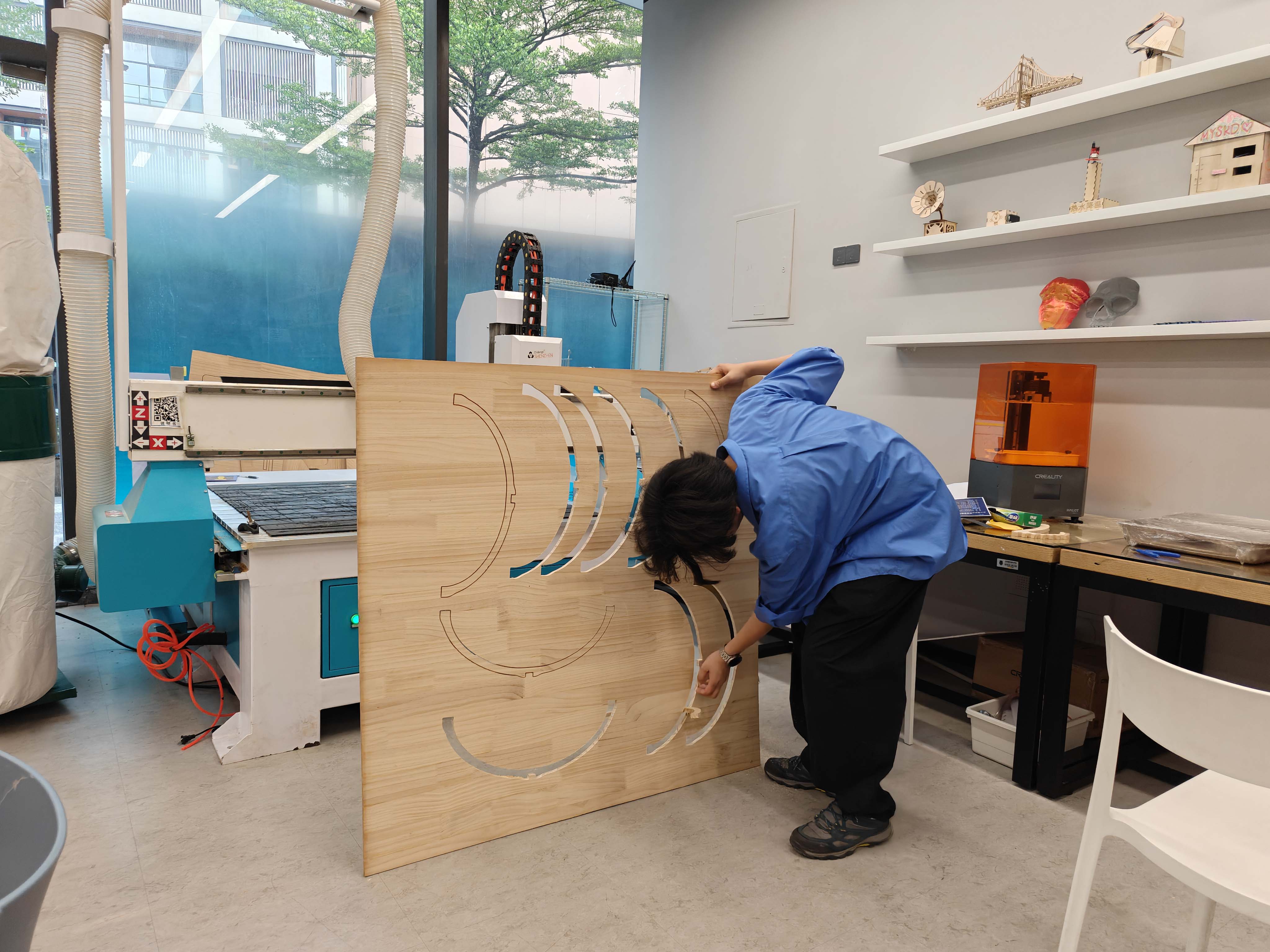
After checking the cutting result, I removed the parts from the wooden sheet. This step needed to be done carefully because the ribs and side frames were long and curved. I separated the parts from the remaining board and checked whether the slots and edges were usable for assembly.

Removing CNC-cut chair parts from the wooden sheet
Removing the CNC-cut chair parts from the wooden sheet after machining.
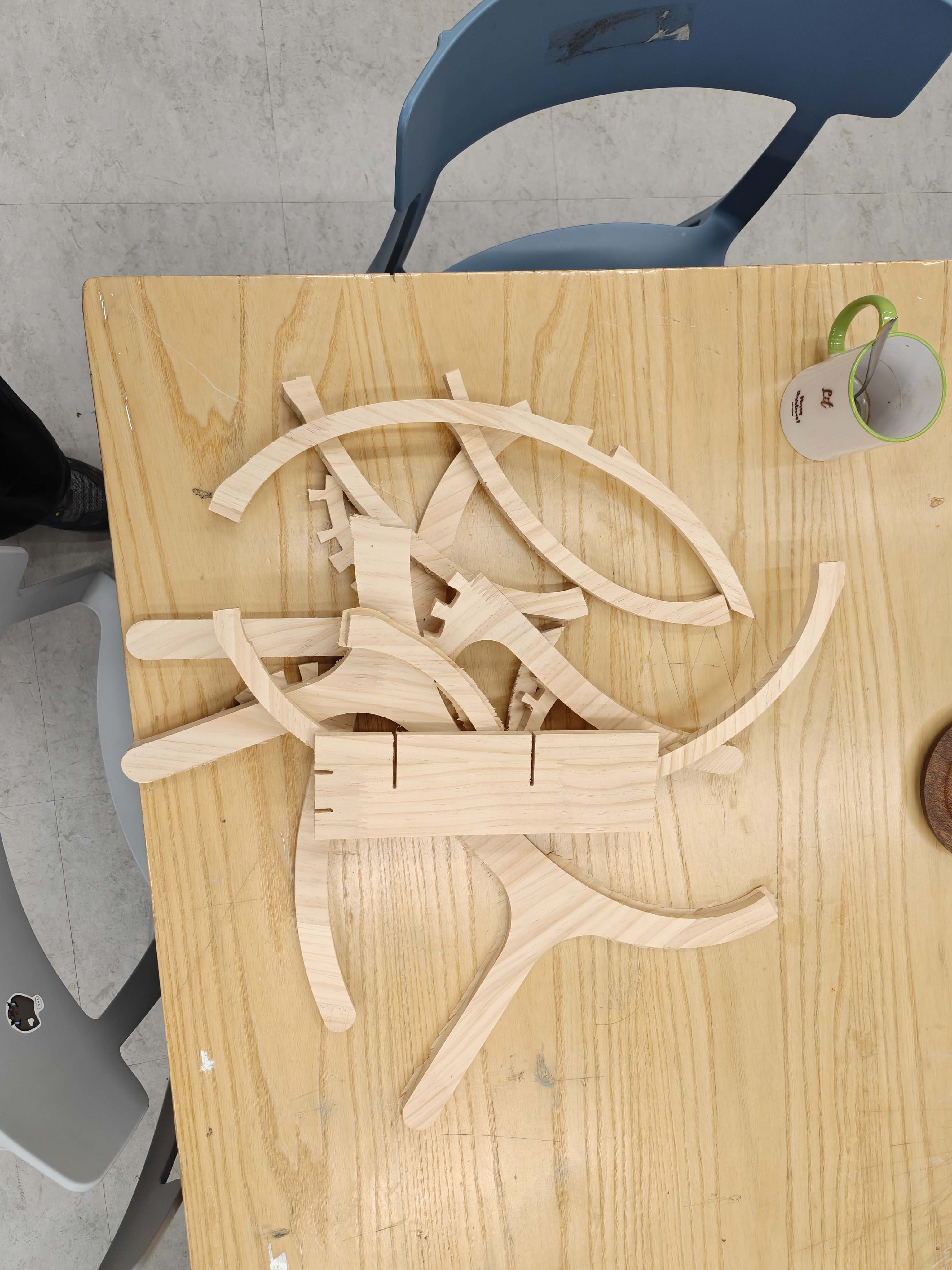
CNC-cut parts prepared for assembly
CNC-cut parts prepared for assembly. At this stage, I organized the curved ribs and side frames before putting the chair together.

Assembly

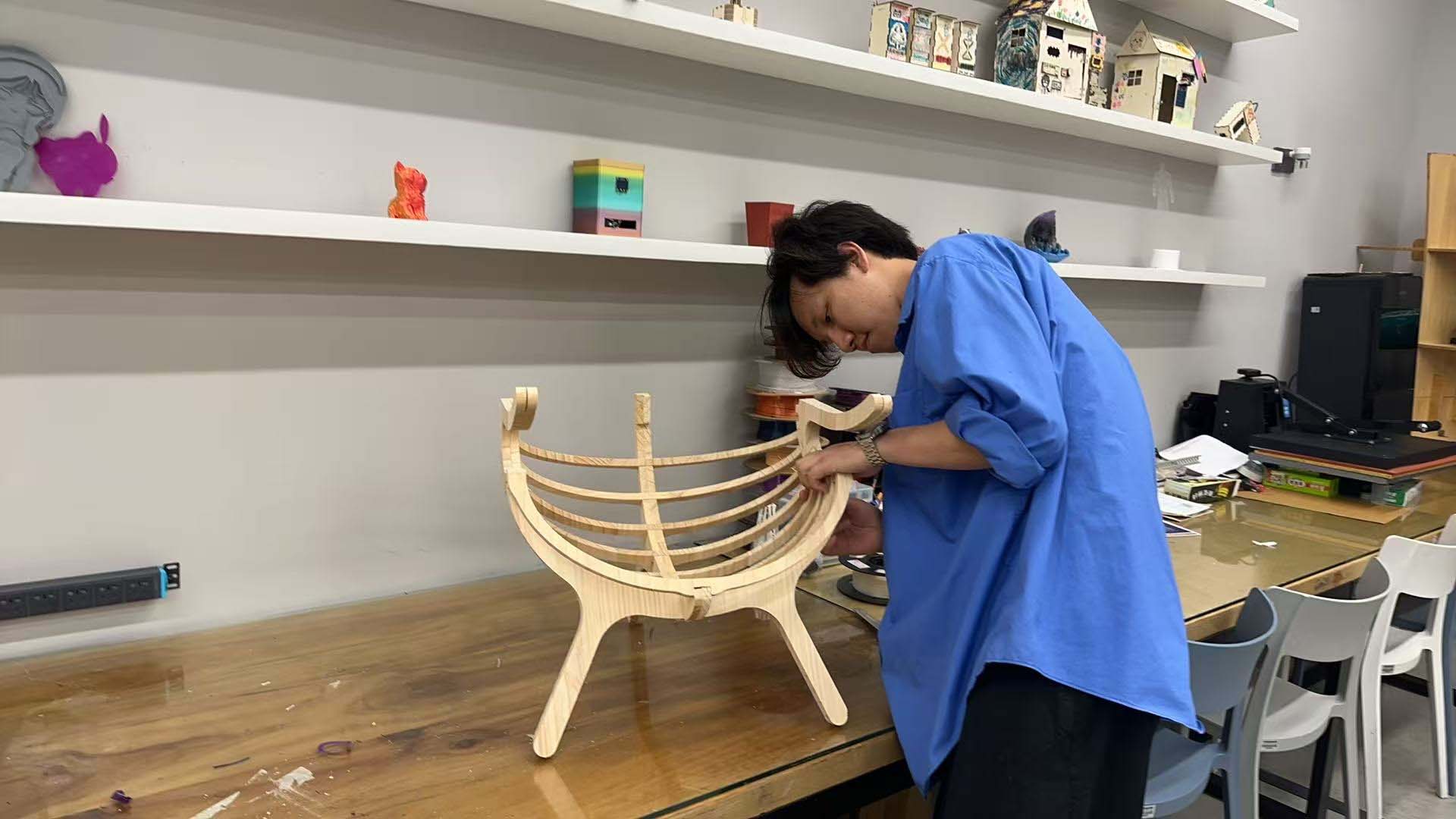
The final chair was assembled from the CNC-cut wooden parts. The repeated ribs were inserted into the side structures through slots. Because the design used many curved strips, the assembly process required careful alignment and patience.

The most important part of assembly was the fit between the ribs and the slots. If the slots were too tight, the parts were difficult to insert. If they were too loose, the structure would not be stable. This made me understand how important tolerance is in CNC furniture design.

Assembling the CNC-milled rib chair
Assembly process of the CNC-milled rib chair. The curved ribs were inserted into the side frames one by one.

Final result

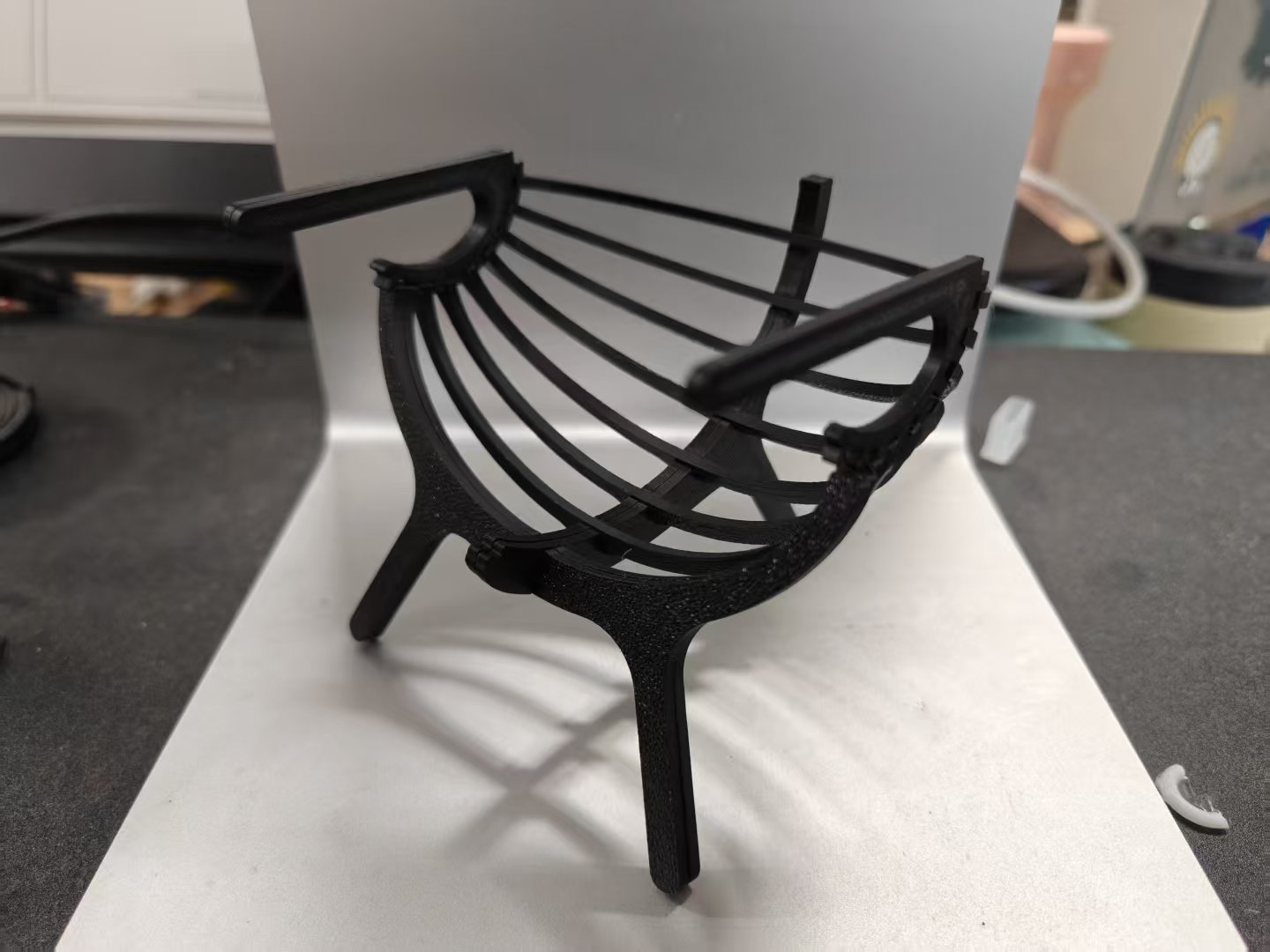
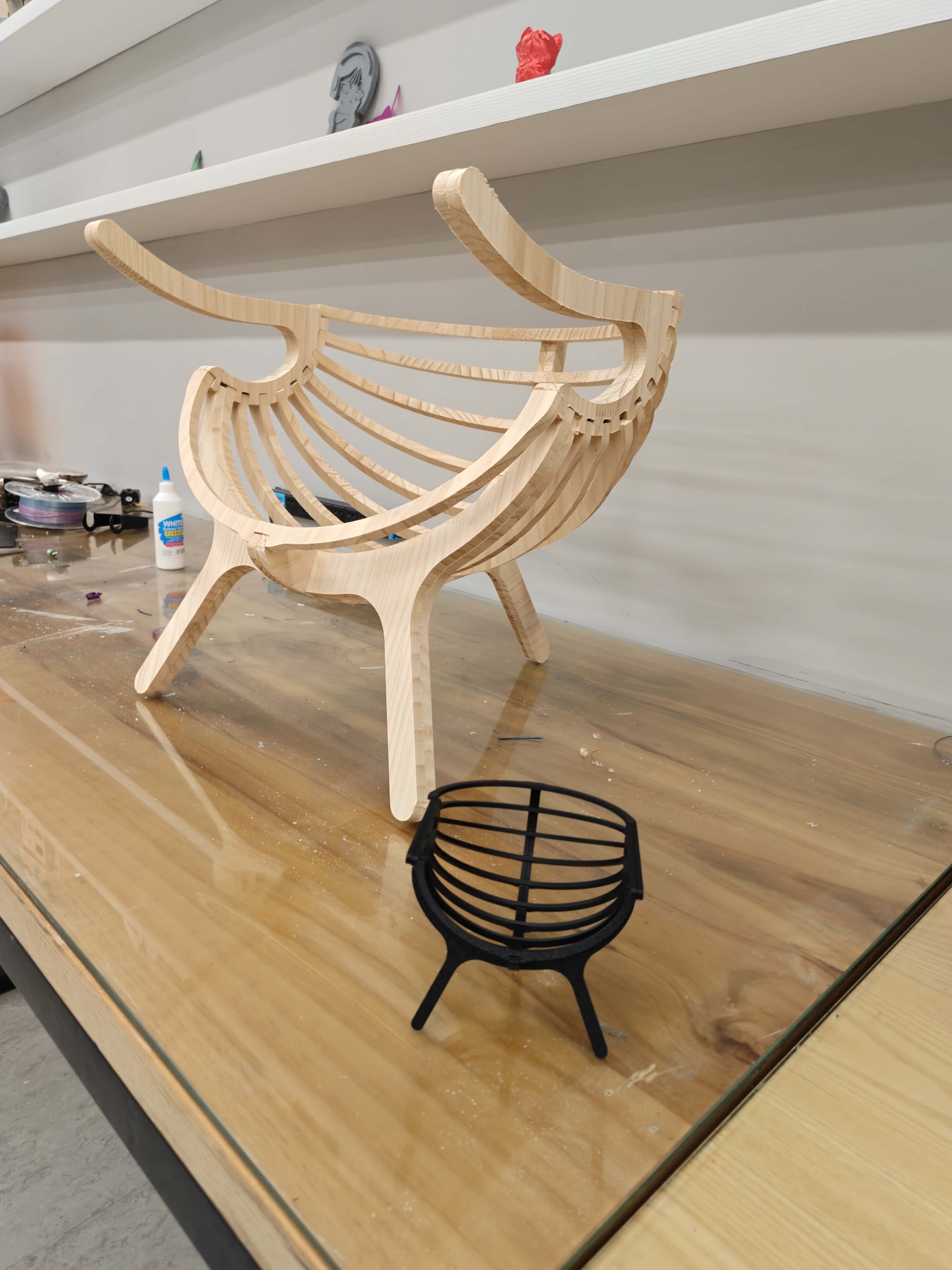
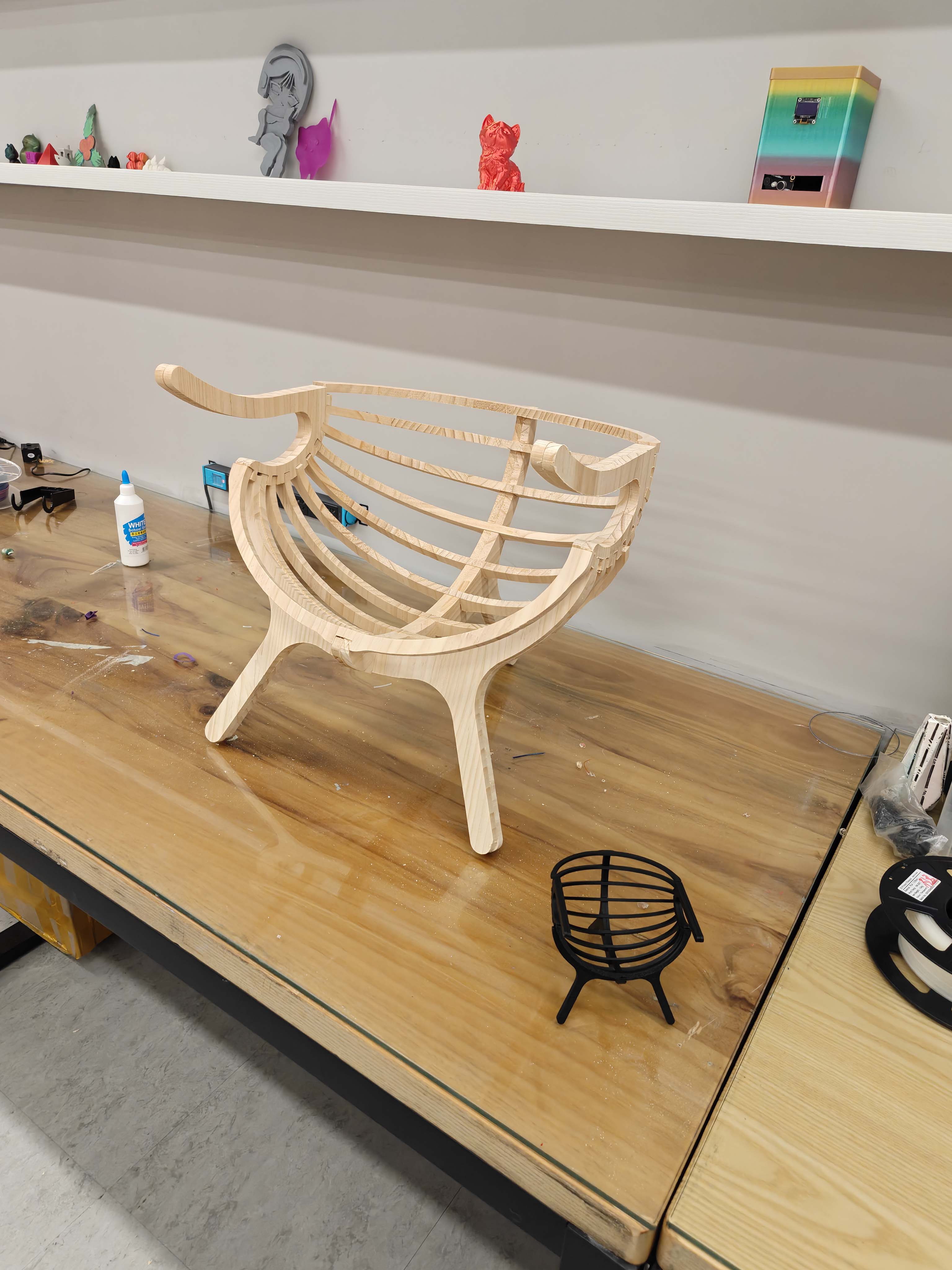
The final result is a curved rib chair structure made from CNC-cut wooden sheet material. The chair shows how flat sheet material can become a three-dimensional object through repeated ribs, interlocking joints, and careful assembly.

The final object still needs further refinement in edge finishing and tolerance control, but the overall structure was successfully fabricated and assembled. This project helped me understand the full workflow of CNC machining, from digital layout and toolpath preparation to machine setup, cutting, part removal, and assembly.

Final assembled CNC-milled wooden rib chair
Final assembled CNC-milled wooden rib chair.
Final assembled CNC-milled rib chair from another angle
Final assembled result from another angle, showing the curved ribs and side frame structure.

Problems and Solutions

Problem Reason Solution
The chair had many curved parts. The design was not a simple rectangular press-fit object, so the parts were harder to organize and assemble. I separated the structure into repeated ribs and side frames, then checked the assembly logic before cutting.
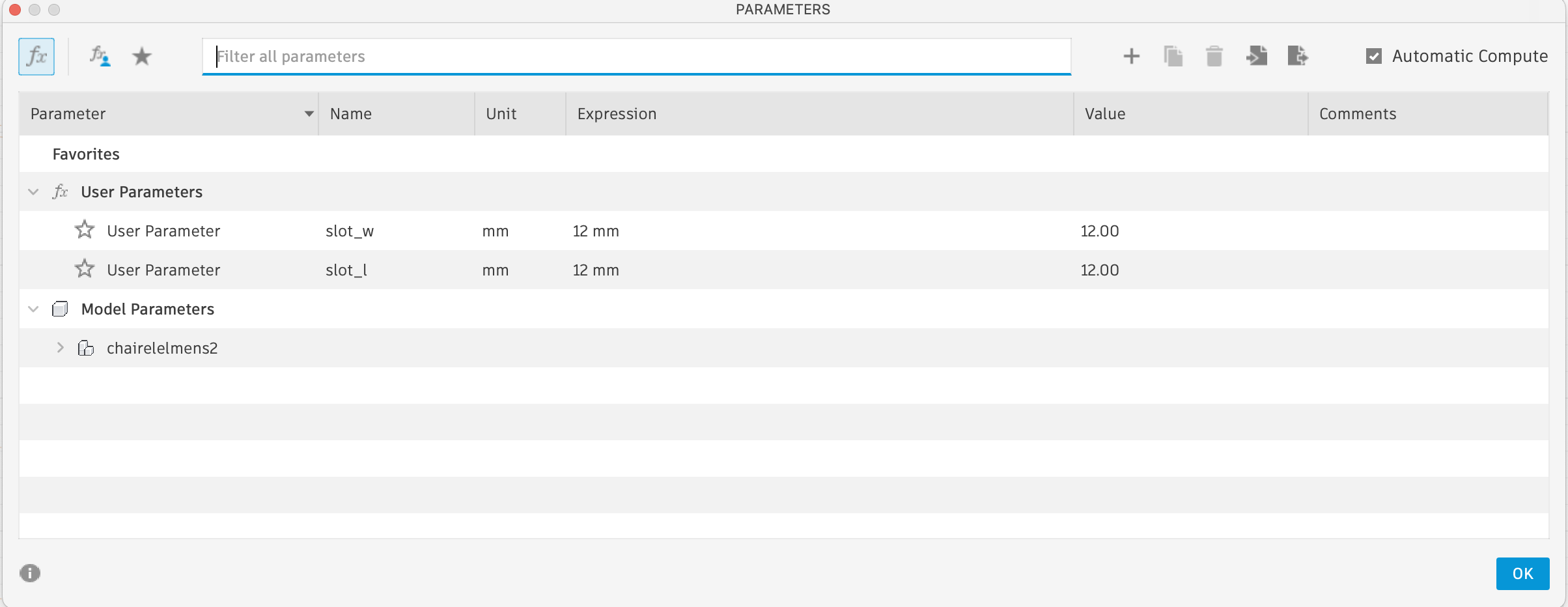
The slots needed accurate tolerance. If the slots were too tight, the parts could not be inserted; if they were too loose, the structure would become unstable. I adjusted the slot size according to the material thickness and tested the fit during assembly.
The cutting file needed correct offset direction. Inside and outside contours require different toolpath compensation. I checked the toolpath preview before machining and confirmed which lines should be cut inside or outside.
The wooden parts had rough edges after cutting. CNC machining removes material mechanically, so small burrs can remain on the edges. I cleaned the parts manually after cutting and before assembly.
The material sheet had to stay fixed during cutting. Large sheet material can move if it is not held securely. I fixed the sheet on the machine bed and monitored the cutting process carefully.

What I Learned

This week helped me understand the difference between designing for a screen and designing for a machine. In CNC machining, the tool has a real diameter, the material has real thickness, and the machine has physical limitations. Therefore, every small design decision can affect the final result.

I also learned that fixturing and safety are not secondary steps. They are part of the fabrication process. A well-prepared design can still fail if the material is not fixed properly or if the toolpath is not checked carefully.

The most important lesson was that CNC machining requires a complete workflow: design, material measurement, joint design, toolpath preparation, machine setup, cutting, post-processing, and assembly.


Reflection

This week helped me understand CNC machining as a complete workflow, not just a cutting process. I had to think about the design, the material, the tool diameter, the cutting parameters, the toolpath, the machine setup, and the final assembly at the same time.

My biggest learning was that a CNC object must be designed for the machine. The shape can be creative, but it still has to respect the real limitations of the cutting tool and the material. The round end mill, the cutting depth, the slot tolerance, and the assembly order all affected the final result.

I also learned that curved structures can be made from flat sheet material by using repeated rib components. This was very useful for me because it connected digital modeling with physical fabrication. The final chair was not simply a flat-pack object; it used flat parts to create a curved spatial form.

Compared with laser cutting, CNC machining felt more powerful and more demanding. It can produce larger and stronger objects, but it requires more safety awareness, more preparation, and more careful checking before cutting.


Design Files