 FAB ACADEMY
FAB ACADEMY
FAB ACADEMY
This week, we worked as a team to design and build a 2-axis Water Marbling CNC machine. For a detailed overview of the entire process visit our group documentation page.
My primary contribution to the team project was to design the machine's structure using SOLIDWORKS. I created special 3D-printed connectors to hold all the aluminum parts together. I designed the base with legs to lift the machine, including 20mm slots where the profiles fit perfectly and holes to bolt everything down securely.
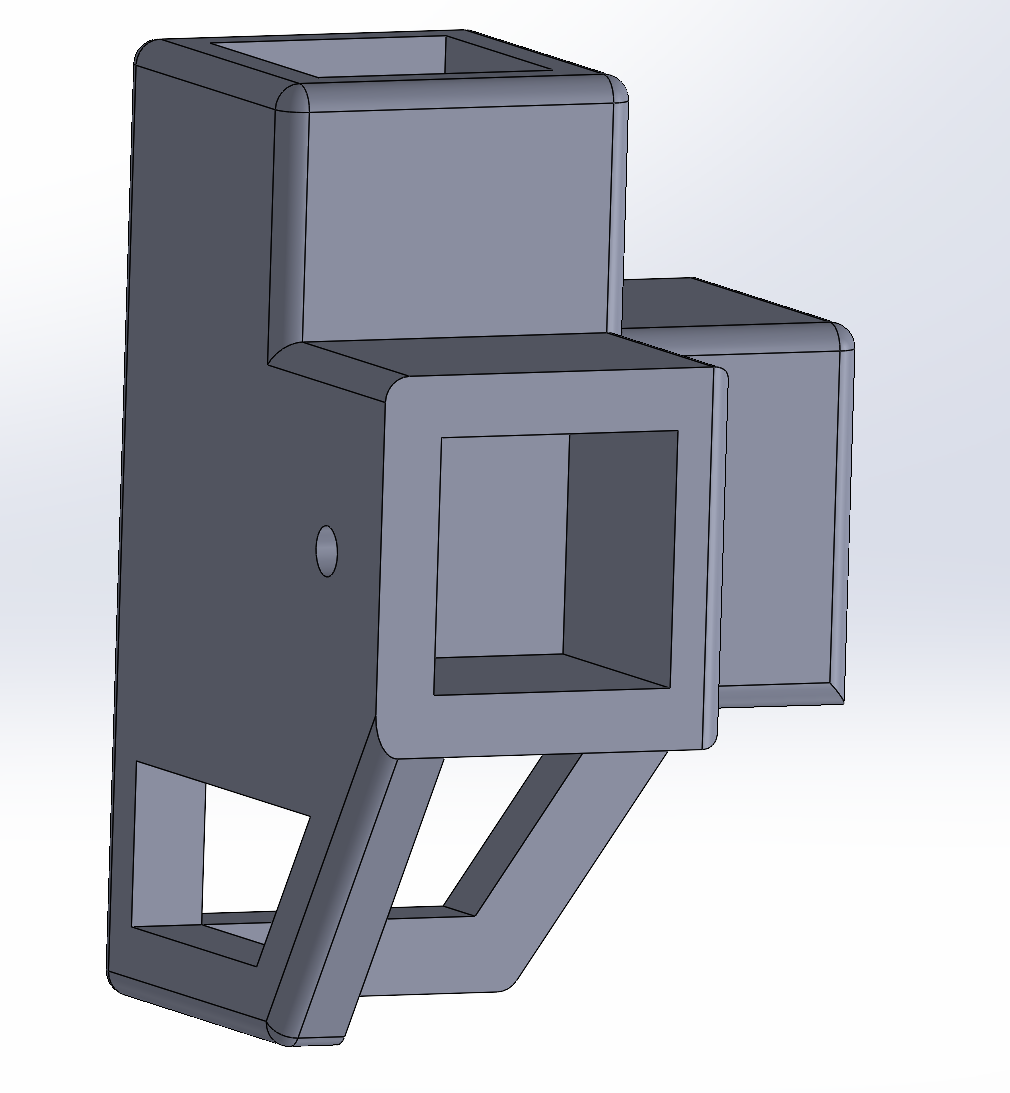
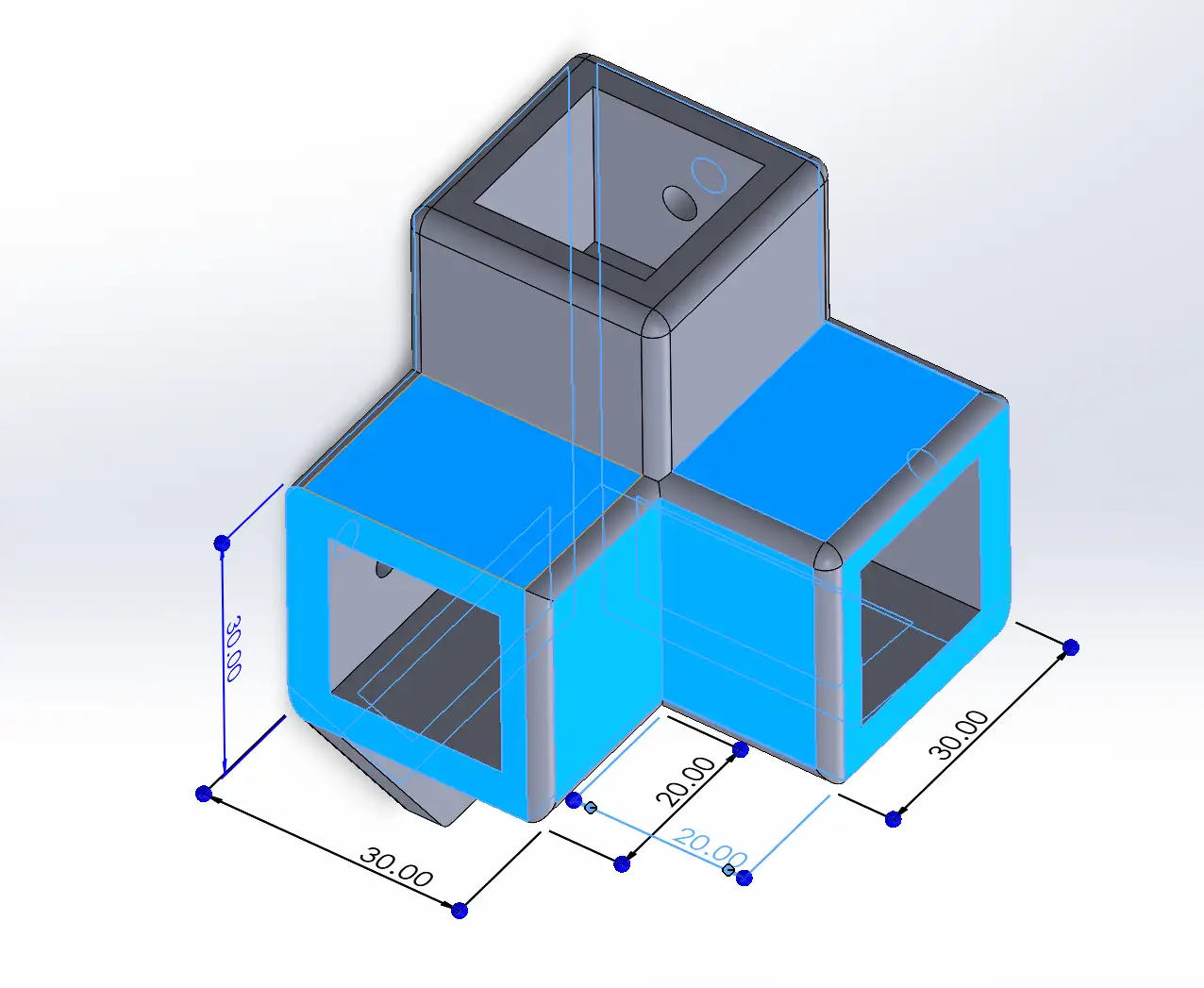
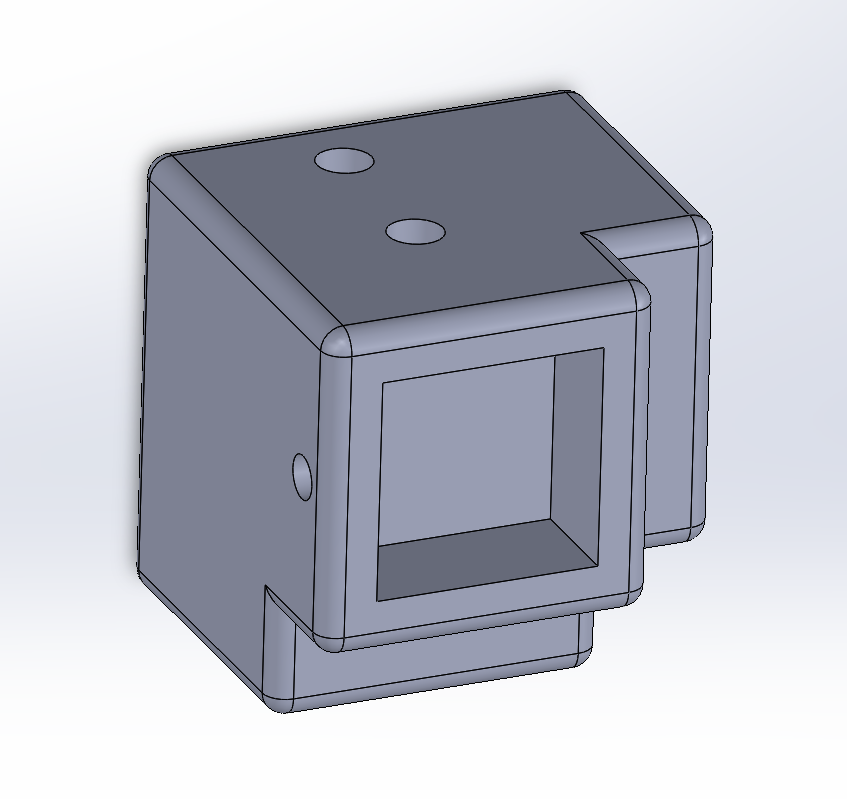
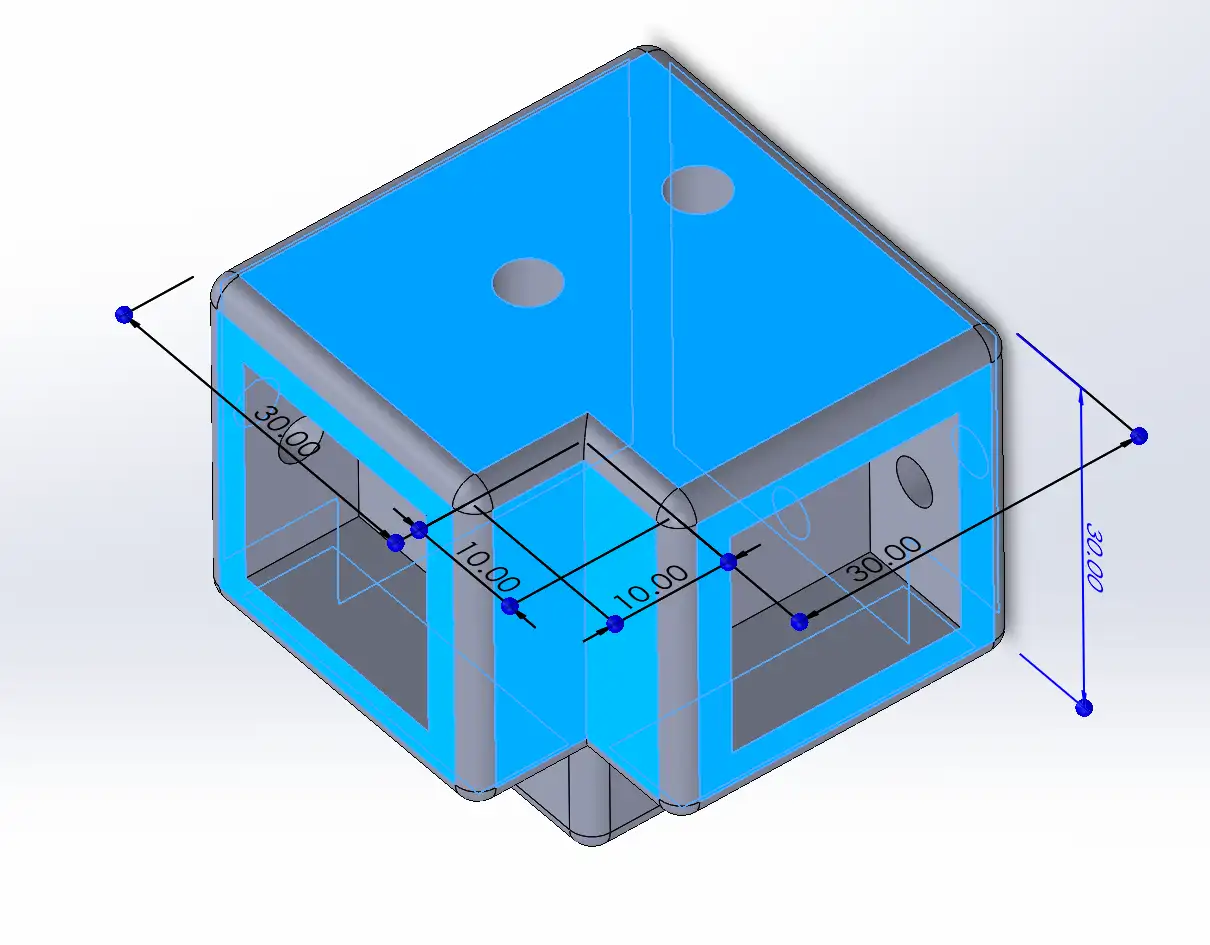
The top connectors follow the same design, but they also include extra holes to insert and mount the mechanism modules.
The rest of the 3D-printed parts for the mechanical assembly were taken from the Urumbot 2022 repository. I modified some of these parts to make sure they fit our machine perfectly.
I completed a full assembly of the machine to check for any potential issues and to make the final building process much clearer.
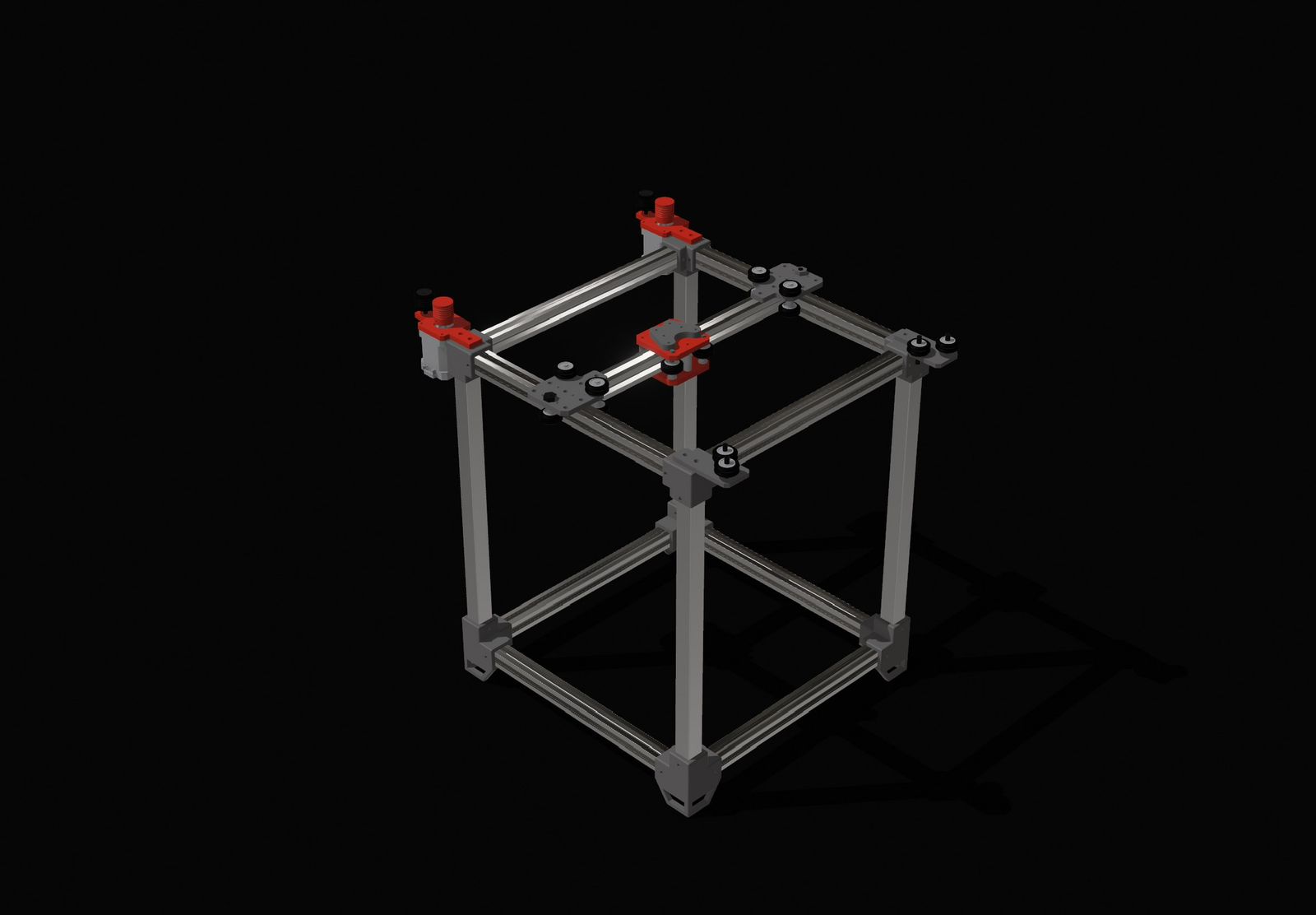
I designed the complete mechanics by adapting the Urumbu 3D model to our specific requirements. The design features a two-axis motion system and a custom toolhead for the color-changing mechanism. We integrated the dual-axis logic from the Urumbu 2022 and Urumbu ULB architectures. This system uses a support tube parallel to the work surface that houses an internal X-axis rail, while the entire tube assembly moves across the workspace along two Y-axis rails. The synchronized movement of these three rails enables full XY motion.
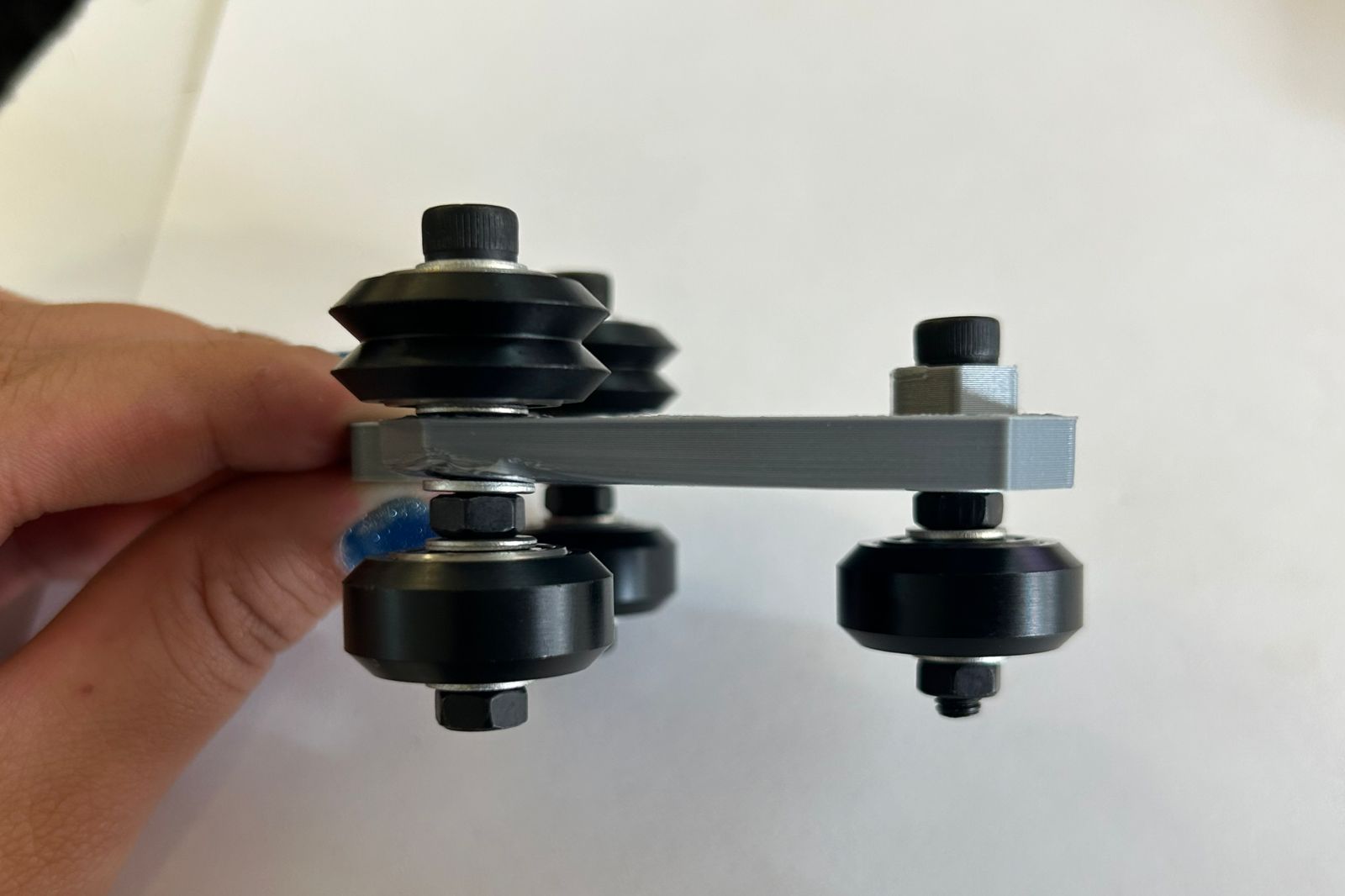
I built the mechanical system based on the CoreXY motion architecture. First, I assembled the Y-plates, which act as modules attached to the central rail, allowing it to slide across the workspace for Y-axis movement. Each unit features three Delrin V-wheels at the bottom to ensure structural stability along the tube. On top, two double V-wheels serve as pulleys to drive the movement using the string system. This component was duplicated, as one is required for each side of the central rail.
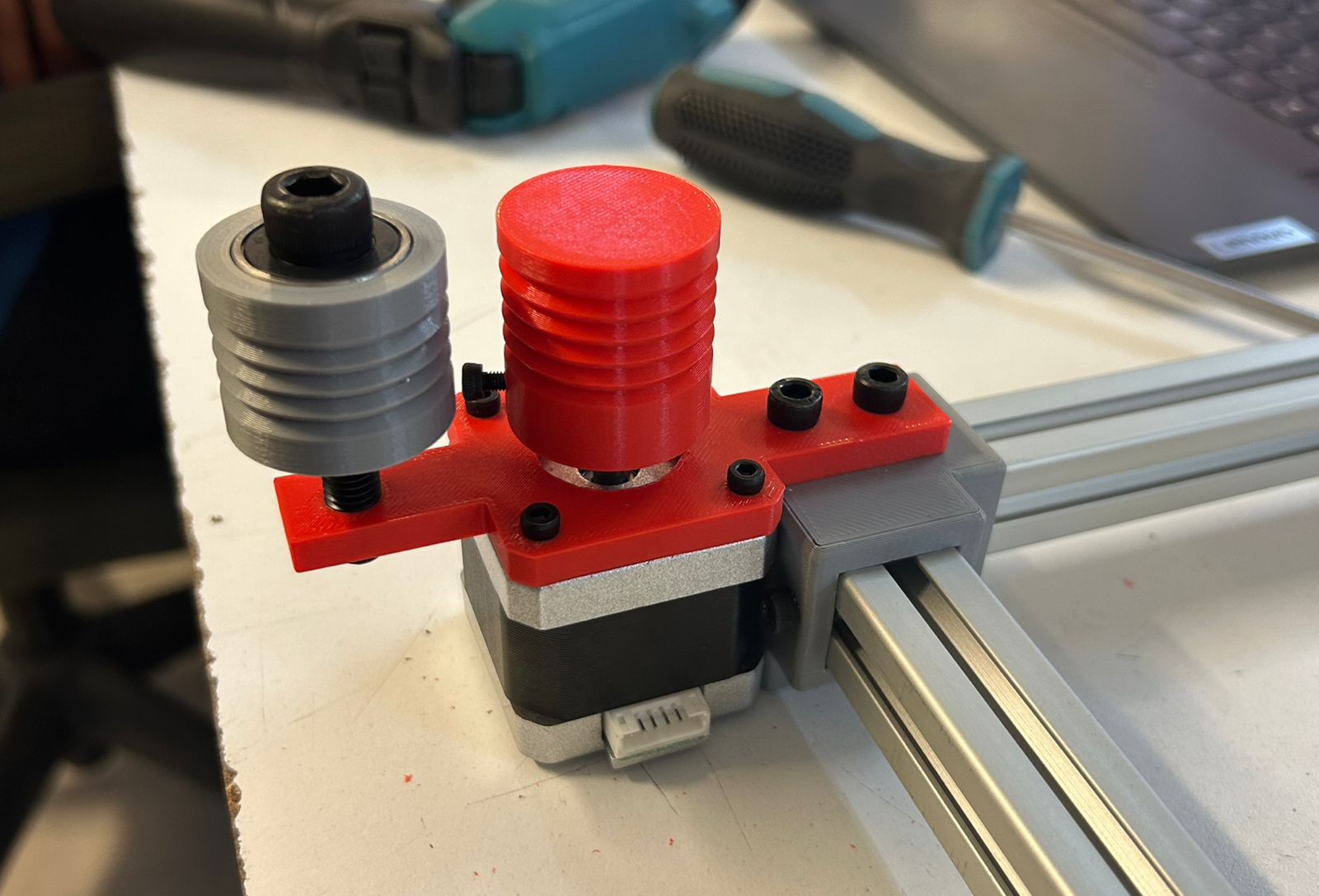
Next, I assembled the motor module, which is fixed to two corners of the frame. It features two pulleys: one mounted directly onto the motor shaft and another aligned with it. These pulleys work together to wind and store the cable as it accumulates during operation.
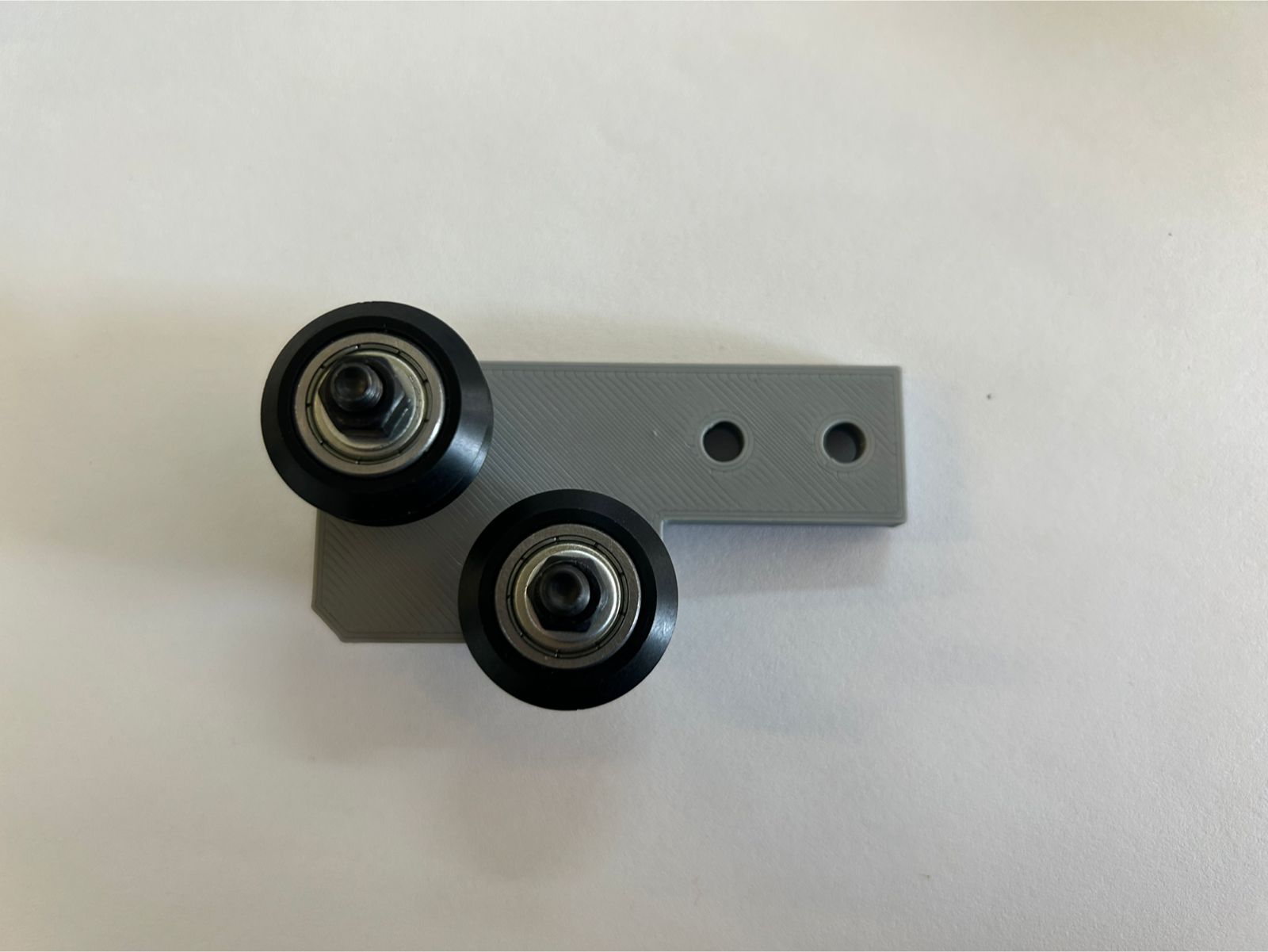
The corner pulley assembly contains two dual V-wheels that act as pulleys to guide the string system. I also duplicated this part to create two identical modules for the corners.
Finally, I assembled the carriage module, which will hold the toolhead. It consists of three V-wheels and a double-plate assembly. This is the point where both the start and the end of the string system are secured.
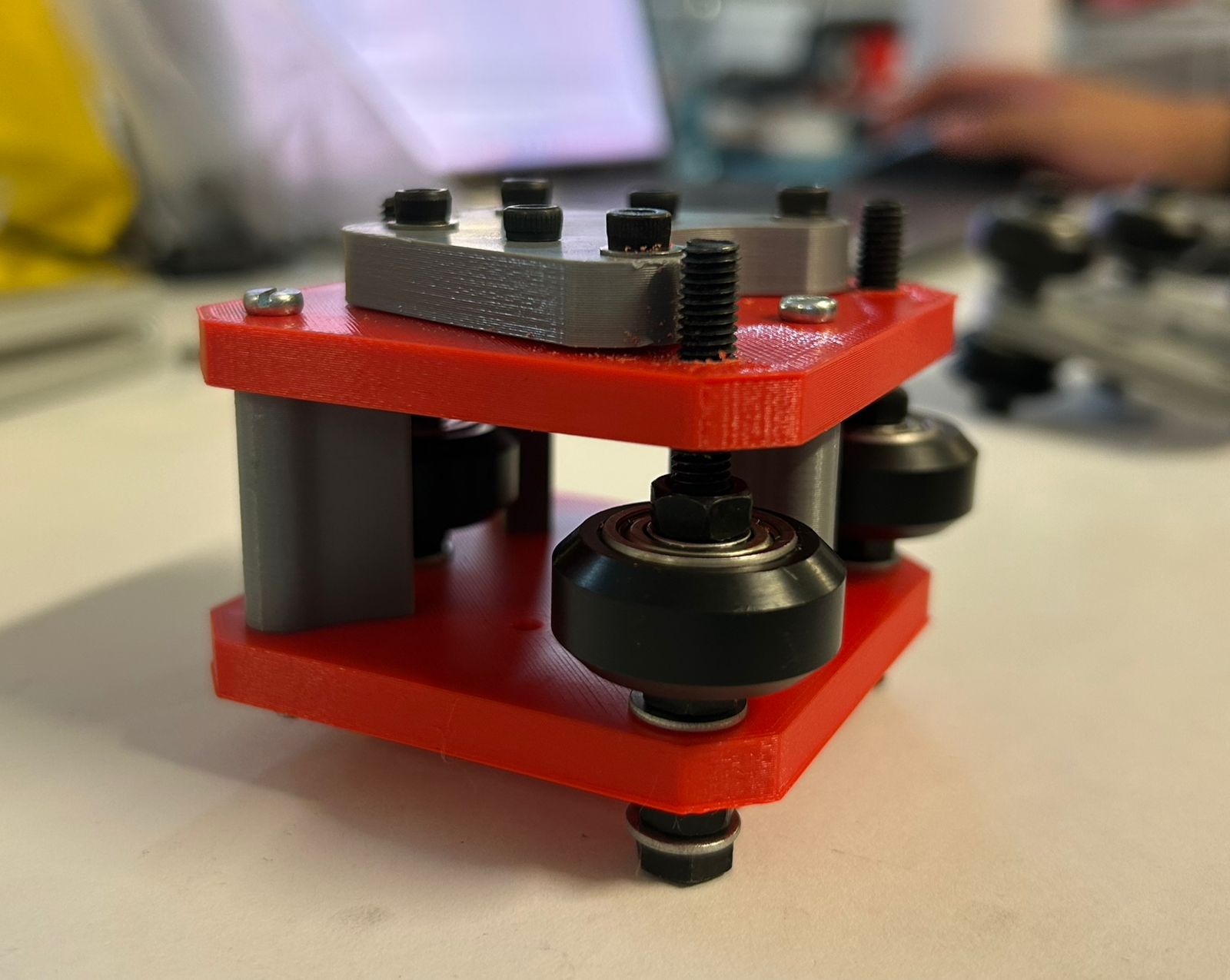
I began the assembly process of the entire machine by building the base frame. This structure consists of four aluminum profiles joined together using the custom connectors I designed.
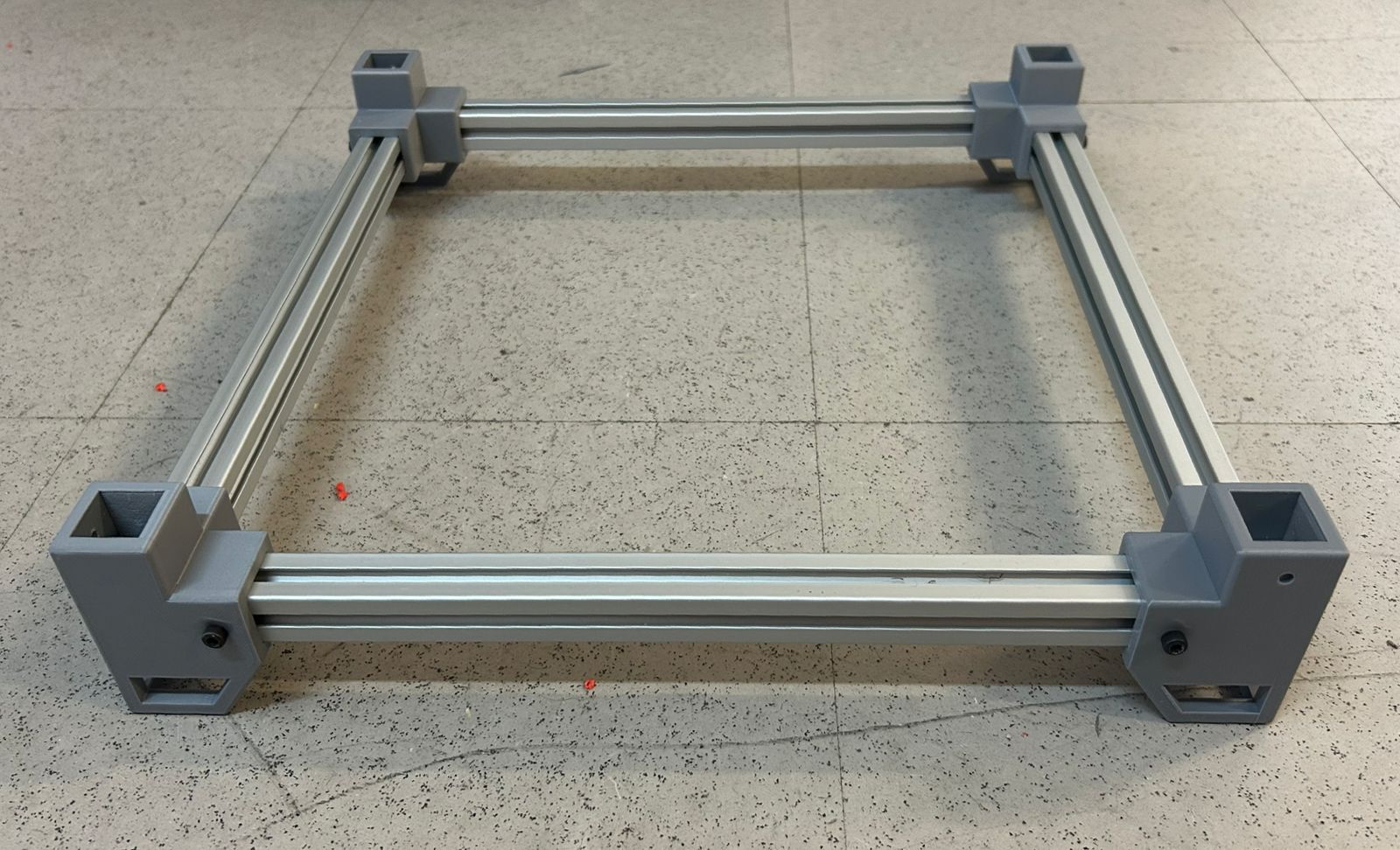
For the assembly of the top frame, I started with three profiles and two connectors. This setup was designed to allow the central rail to slide more smoothly and easily across the structure.
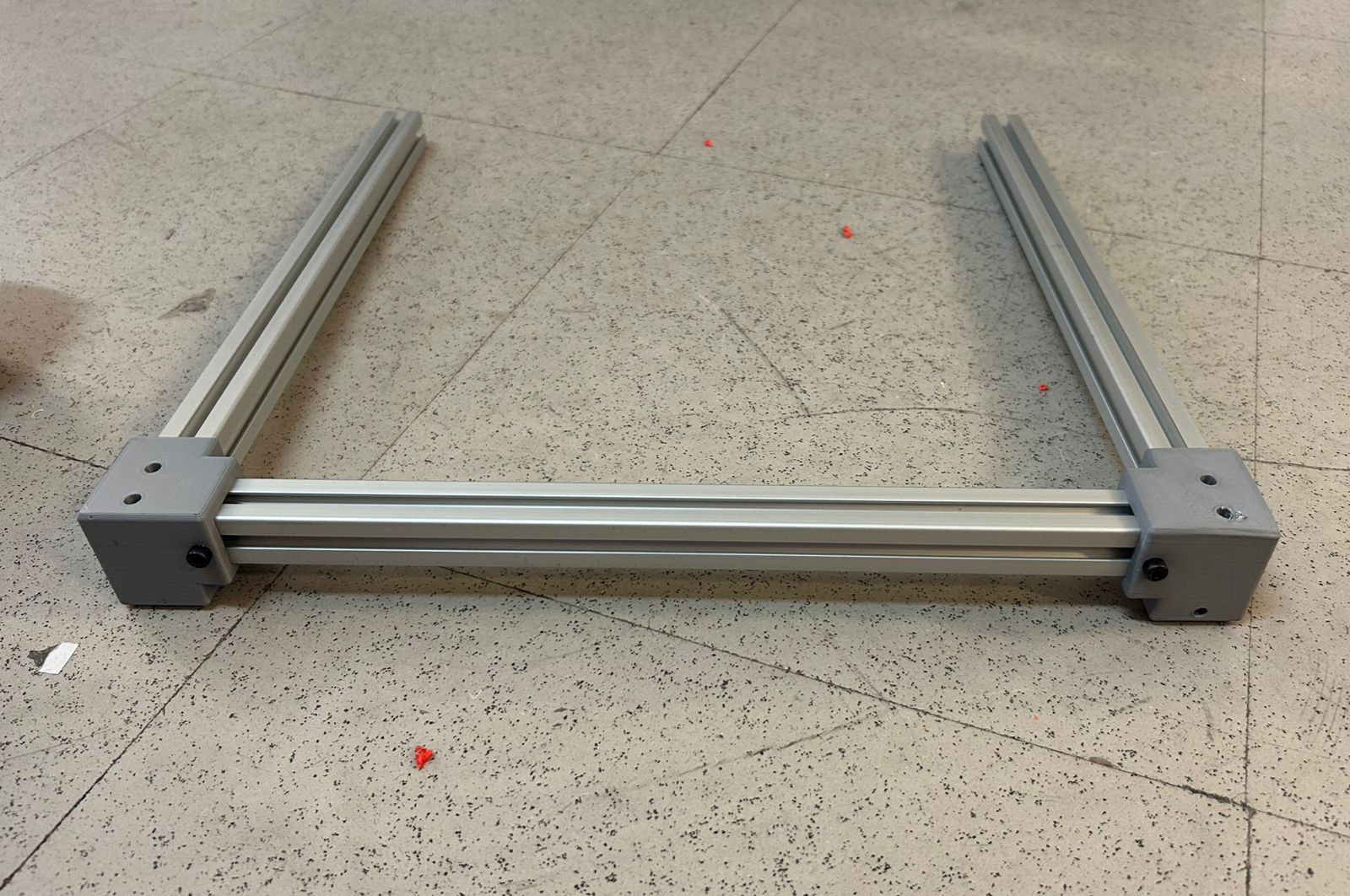
Next, I assembled the central rail. I started by mounting the first Y-plate, followed by the carriage plate, and finally secured everything with the second Y-plate.
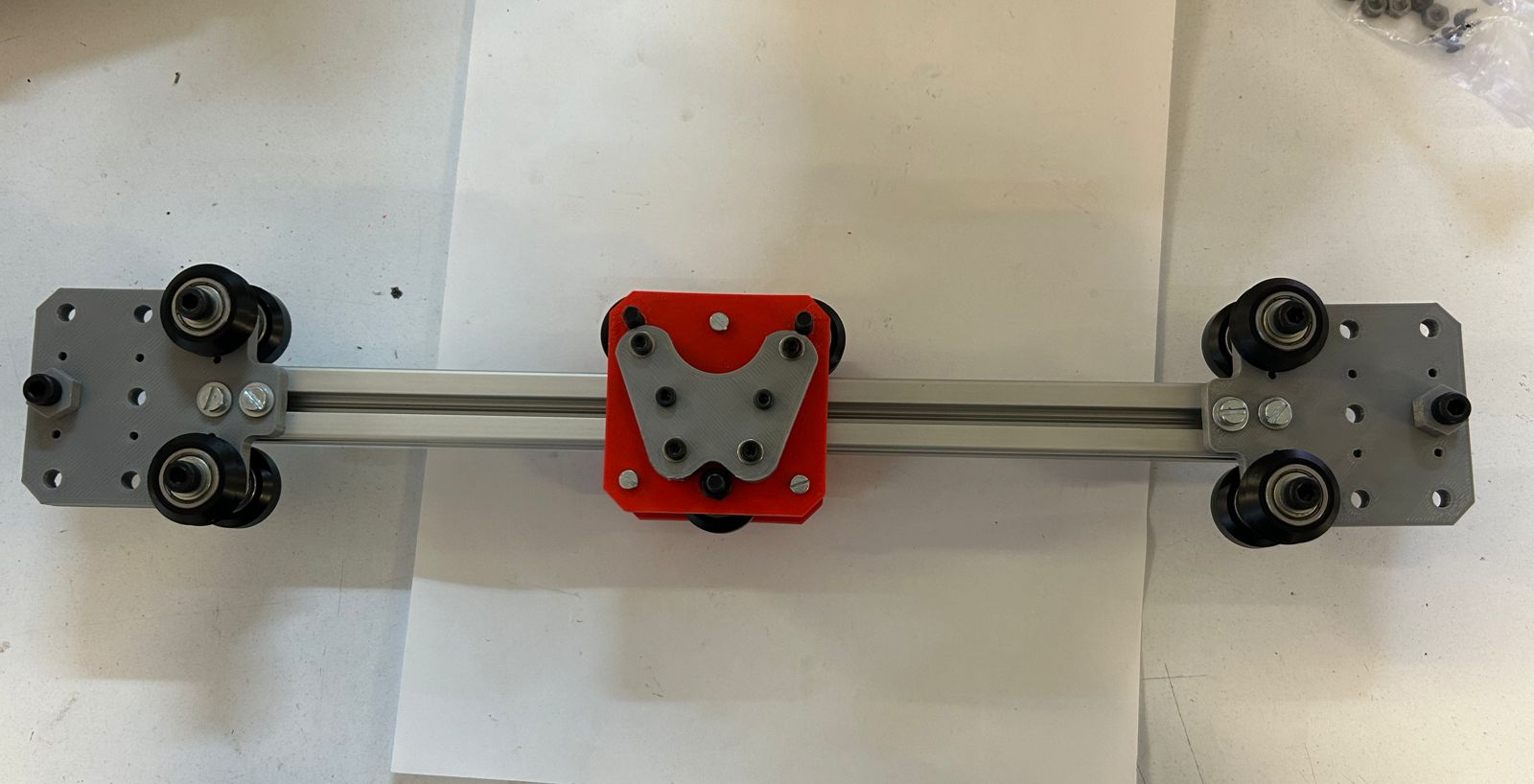
The final assembly was completed by joining the motor modules and the corner modules to the main structure.
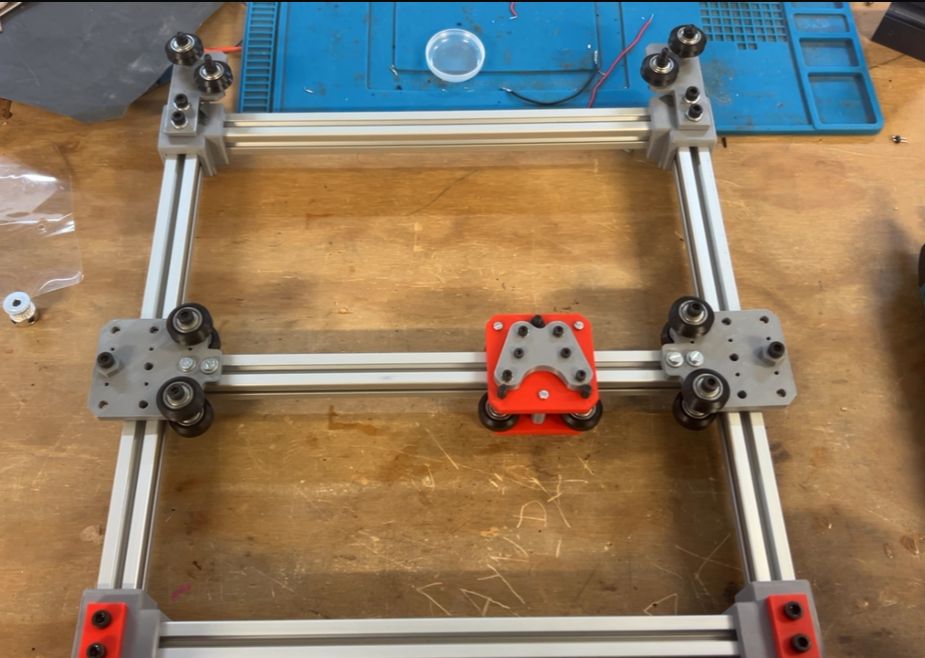
I added the drive strings, which provide the full XY motion for the machine.
During the assembly of the thread system for the XY motion, I encountered one of my first issues of the week. After testing the movement a few times, the wire snapped. After analyzing what went wrong, I realized that the wire was not running straight between points, even a slight angle can create tension and cause it to break. I also noticed that when wires run too close to each other, the friction between them adds extra stress. From this experience I learned that keeping the wires straight and well separated is essential for smooth, reliable movement.
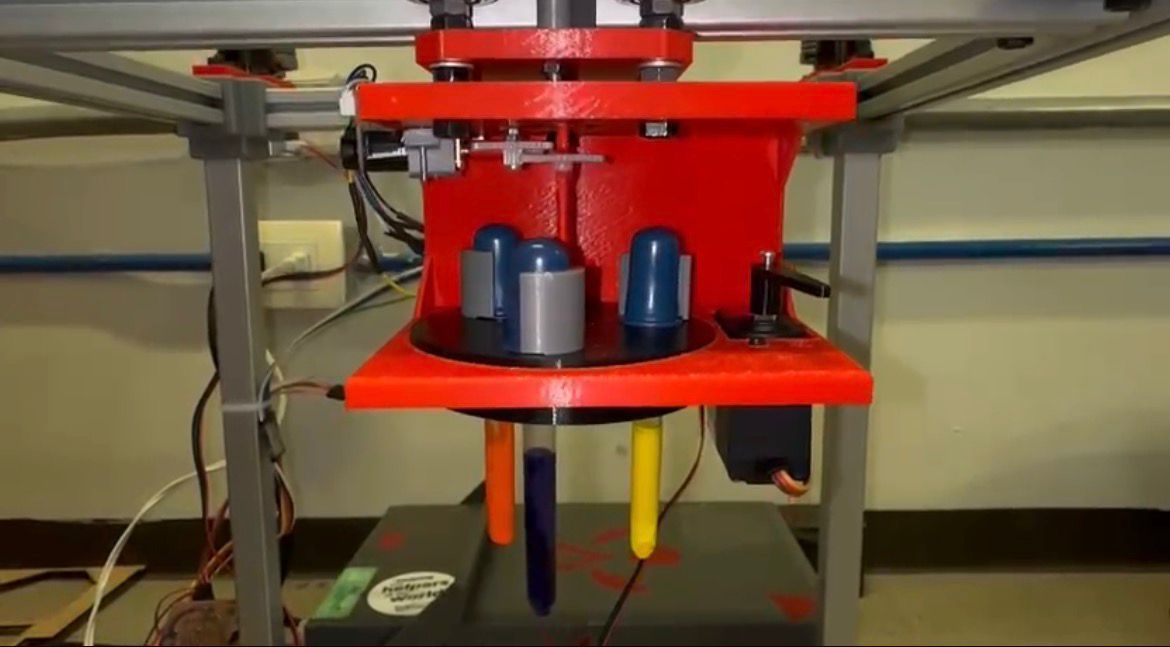
I designed the toolhead, which features a rotary mechanism for three pipettes driven by a DC motor and a small gear system. To dispense the droplets, I selected a servomotor to provide the necessary control.
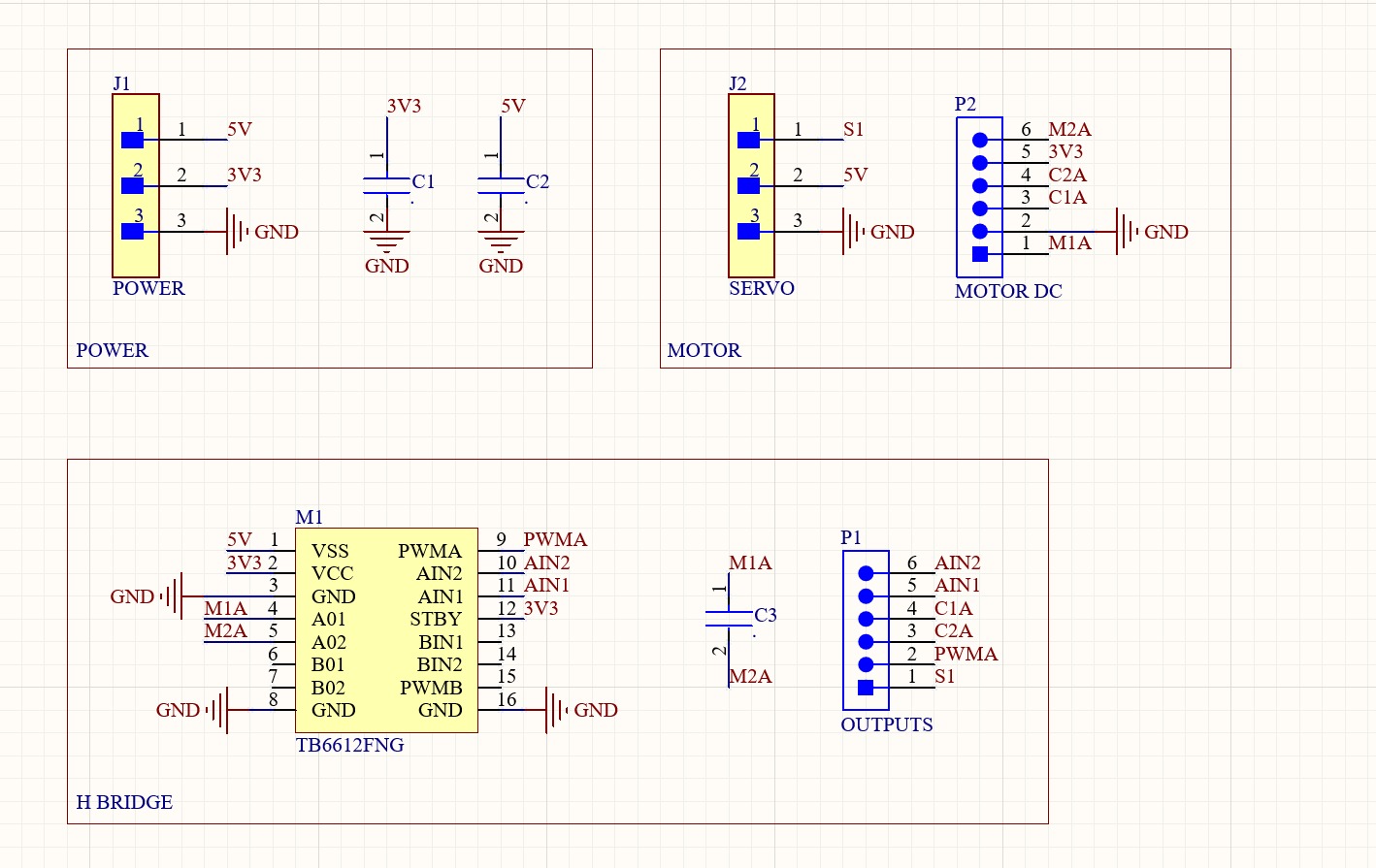
I designed a custom H-bridge board in Altium to drive the motors. This board connects directly to a Raspberry Pi Pico 2, which acts as the main controller for the whole system
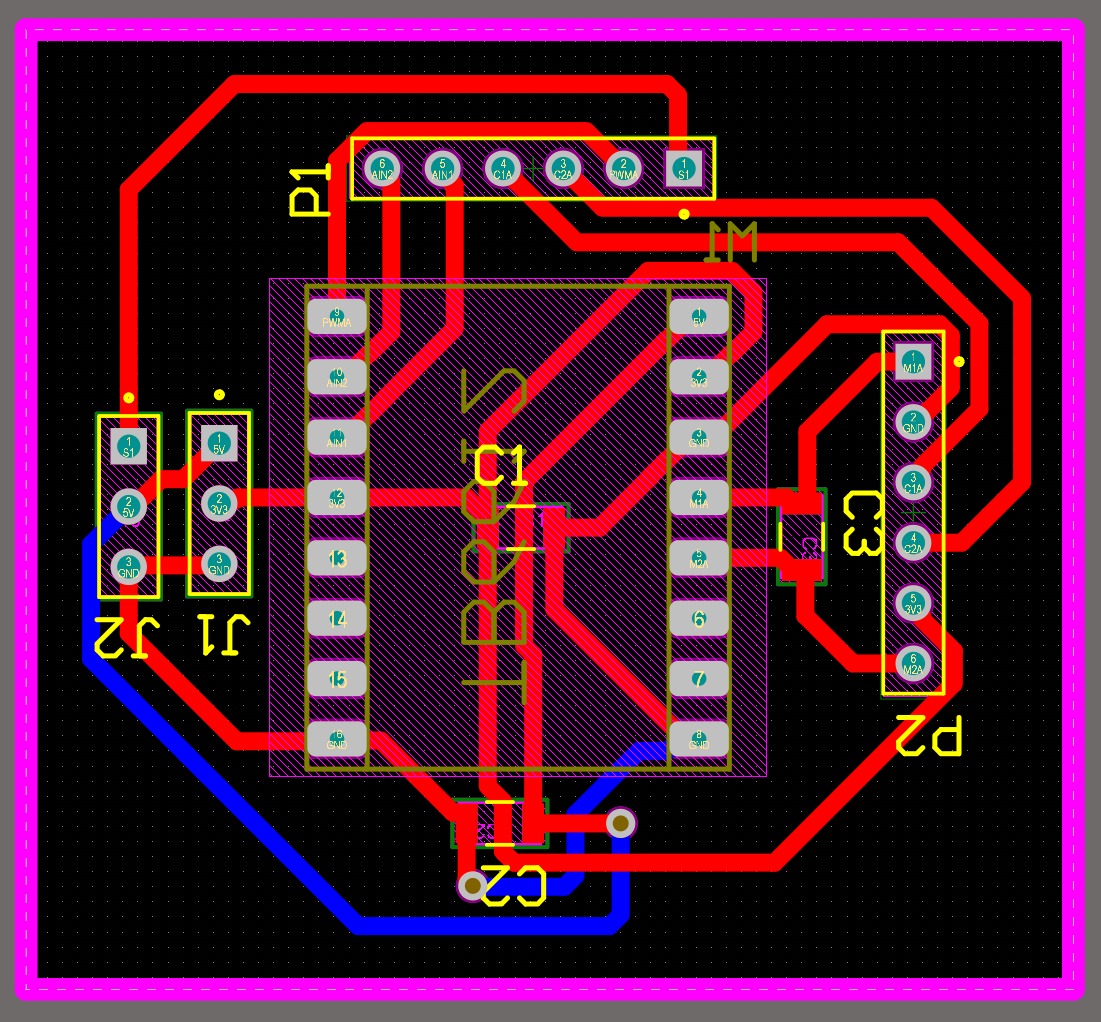
I milled the board using the Roland SRM-20 and then soldered all the components.
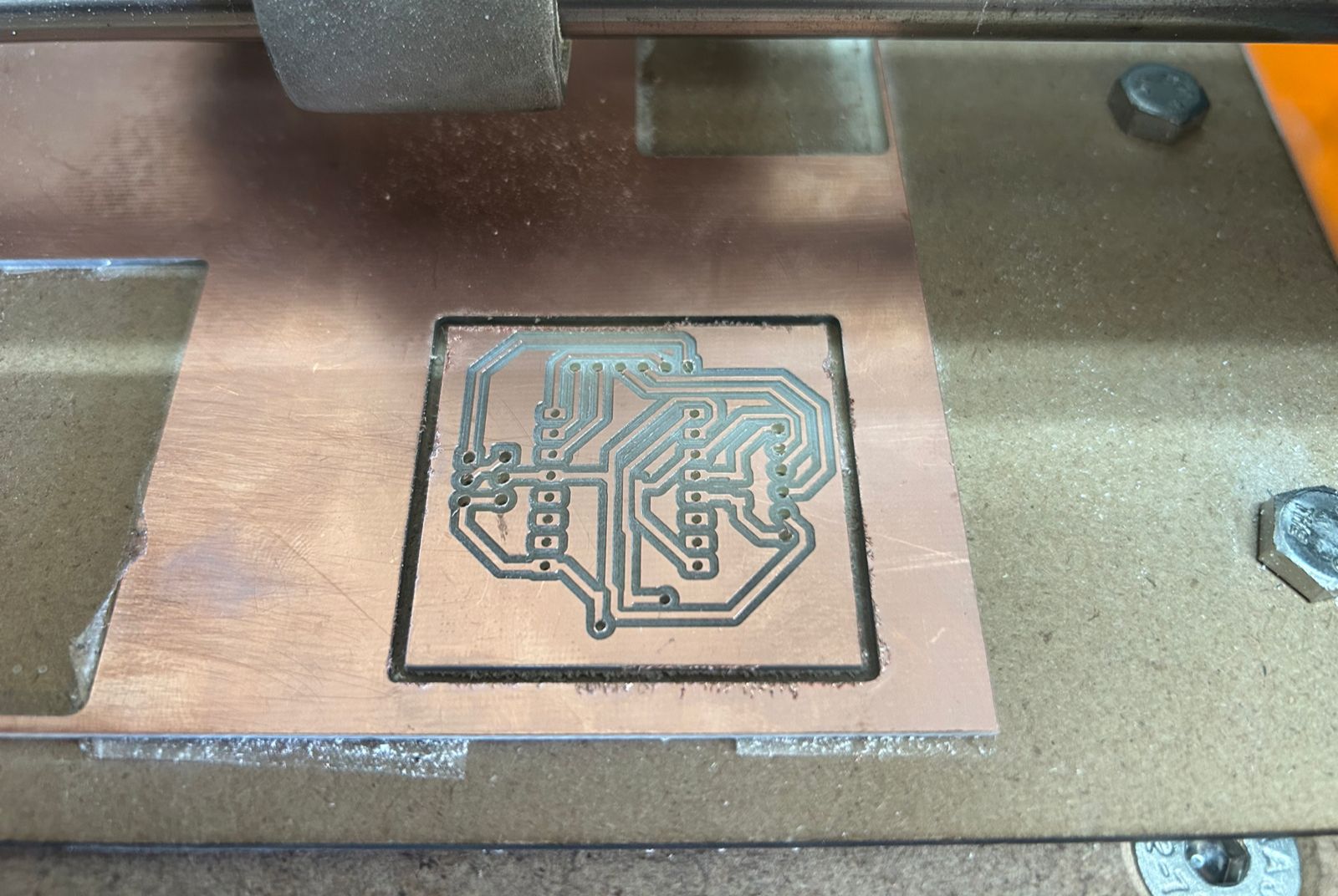
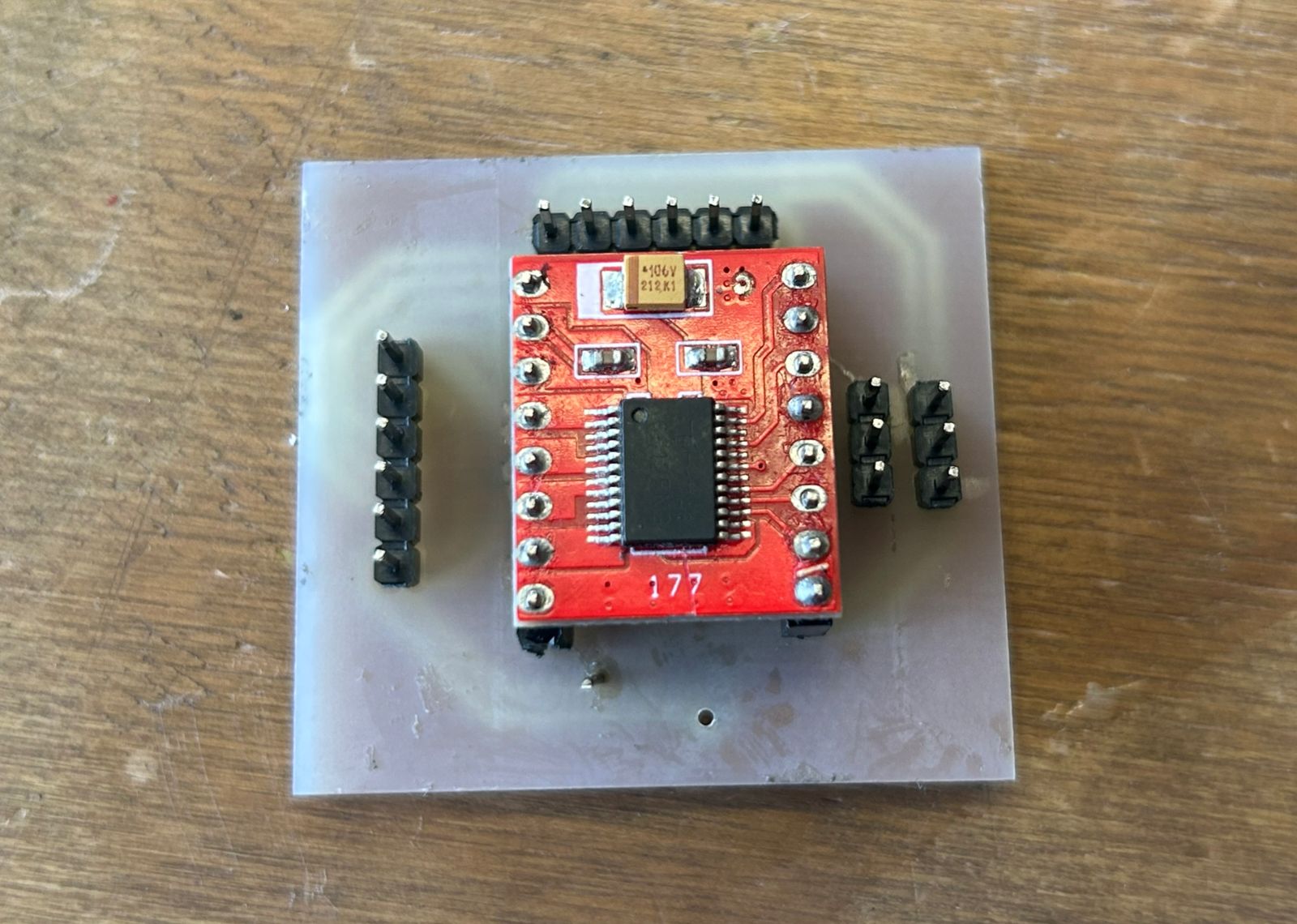
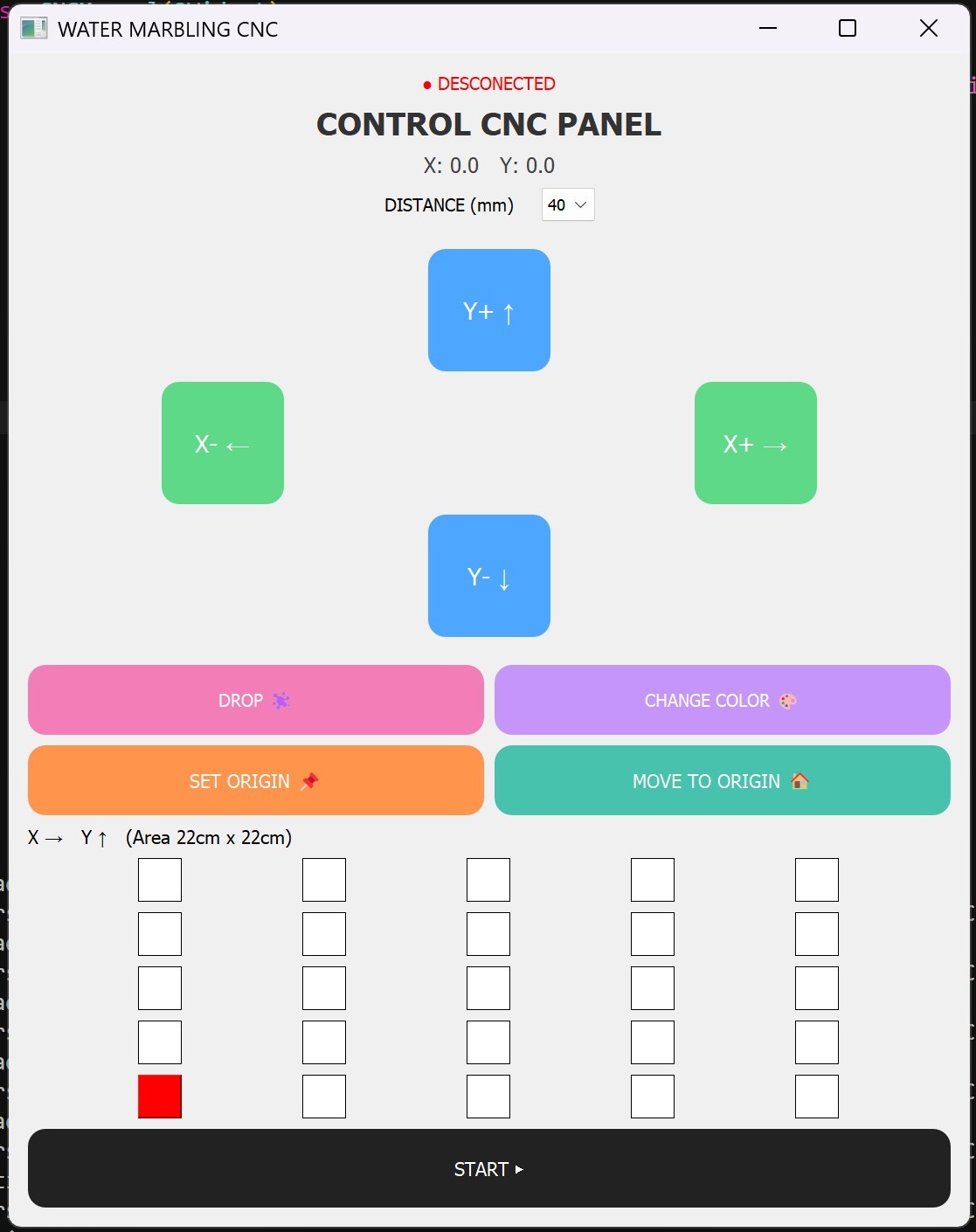
Finally, I designed the user interface to control the CNC in both manual and automatic modes.
import sys
import serial
import time
from PyQt5.QtWidgets import (
QApplication, QWidget, QPushButton, QVBoxLayout,
QHBoxLayout, QLabel, QComboBox, QGridLayout
)
from PyQt5.QtCore import Qt
class CNCManual(QWidget):
def __init__(self):
super().__init__()
self.serial = None
self.pos_x = 0
self.pos_y = 0
try:
self.serial = serial.Serial("COM12", 115200, timeout=1)
print("✅ Conected")
except:
print("❌ Connection error")
self.puntos = []
self.grid_size = 5
self.current_x = 0
self.current_y = 0
self.initUI()
def initUI(self):
self.setWindowTitle("WATER MARBLING CNC")
self.resize(1100, 1200)
main_layout = QVBoxLayout()
self.estado = QLabel("● DESCONECTED")
self.estado.setAlignment(Qt.AlignCenter)
self.estado.setStyleSheet("font-size:20px; color:red;")
if self.serial:
self.estado.setText("● CONECTED")
self.estado.setStyleSheet("font-size:20px; color:green;")
main_layout.addWidget(self.estado)
titulo = QLabel("CONTROL CNC PANEL")
titulo.setAlignment(Qt.AlignCenter)
titulo.setStyleSheet("font-size:36px; font-weight:bold; color:#333;")
main_layout.addWidget(titulo)
self.label_pos = QLabel("X: 0.0 Y: 0.0")
self.label_pos.setAlignment(Qt.AlignCenter)
self.label_pos.setStyleSheet("font-size:24px; color:#444;")
main_layout.addWidget(self.label_pos)
step_layout = QHBoxLayout()
step_label = QLabel("DISTANCE (mm)")
step_label.setStyleSheet("font-size:20px;")
self.step_box = QComboBox()
self.step_box.addItems(["40", "60", "80", "100"])
self.step_box.setStyleSheet("font-size:18px; padding:6px;")
step_layout.addStretch()
step_layout.addWidget(step_label)
step_layout.addSpacing(20)
step_layout.addWidget(self.step_box)
step_layout.addStretch()
main_layout.addLayout(step_layout)
main_layout.addSpacing(20)
grid = QGridLayout()
btn_up = QPushButton("Y+ ↑")
btn_down = QPushButton("Y- ↓")
btn_left = QPushButton("X- ←")
btn_right = QPushButton("X+ →")
for b in [btn_up, btn_down]:
b.setFixedSize(140, 140)
b.setStyleSheet("""
font-size:28px;
background-color:#4da6ff;
color:white;
border-radius:20px;
""")
for b in [btn_left, btn_right]:
b.setFixedSize(140, 140)
b.setStyleSheet("""
font-size:28px;
background-color:#5ed988;
color:white;
border-radius:20px;
""")
btn_up.clicked.connect(lambda: self.jog(0, 1))
btn_down.clicked.connect(lambda: self.jog(0, -1))
btn_left.clicked.connect(lambda: self.jog(-1, 0))
btn_right.clicked.connect(lambda: self.jog(1, 0))
grid.addWidget(btn_up, 0, 1)
grid.addWidget(btn_left, 1, 0)
grid.addWidget(btn_right, 1, 2)
grid.addWidget(btn_down, 2, 1)
main_layout.addLayout(grid)
main_layout.addSpacing(20)
fila1 = QHBoxLayout()
btn_drop = QPushButton("DROP ")
btn_color = QPushButton("CHANGE COLOR 🎨")
btn_drop.setFixedHeight(80)
btn_color.setFixedHeight(80)
btn_drop.setStyleSheet("""
font-size:20px;
background-color:#f27db7;
color:white;
border-radius:20px;
""")
btn_color.setStyleSheet("""
font-size:20px;
background-color:#c595f9;
color:white;
border-radius:20px;
""")
btn_drop.clicked.connect(self.drop)
btn_color.clicked.connect(self.color)
fila1.addWidget(btn_drop)
fila1.addWidget(btn_color)
main_layout.addLayout(fila1)
fila2 = QHBoxLayout()
btn_setzero = QPushButton("SET ORIGIN 📌")
btn_home = QPushButton("MOVE TO ORIGIN 🏠")
btn_setzero.setFixedHeight(80)
btn_home.setFixedHeight(80)
btn_setzero.setStyleSheet("background:#ff944d; color:white; border-radius:20px;")
btn_home.setStyleSheet("background:#47c2ad; color:white; border-radius:20px;")
btn_setzero.clicked.connect(self.set_zero)
btn_home.clicked.connect(self.home)
fila2.addWidget(btn_setzero)
fila2.addWidget(btn_home)
main_layout.addLayout(fila2)
main_layout.addWidget(QLabel("X → Y ↑ (Area 22cm x 22cm)"))
grid_auto = QGridLayout()
self.grid_botones = []
for i in range(self.grid_size):
fila = []
for j in range(self.grid_size):
btn = QPushButton("")
btn.setFixedSize(50, 50)
btn.clicked.connect(lambda _, x=j, y=i: self.toggle(x, y))
grid_auto.addWidget(btn, self.grid_size - 1 - i, j)
fila.append(btn)
self.grid_botones.append(fila)
main_layout.addLayout(grid_auto)
btn_start = QPushButton("START ▶️")
btn_start.setFixedHeight(90)
btn_start.setStyleSheet("background:#222; color:white; border-radius:20px;")
btn_start.clicked.connect(self.ejecutar)
main_layout.addWidget(btn_start)
self.setLayout(main_layout)
self.show()
self.actualizar_grid()
def enviar(self, cmd):
if self.serial:
self.serial.write((cmd + "\n").encode())
def actualizar_label(self):
self.label_pos.setText(f"X: {self.pos_x:.1f} Y: {self.pos_y:.1f}")
def actualizar_grid(self):
for i in range(self.grid_size):
for j in range(self.grid_size):
if (j, i) == (self.current_x, self.current_y):
self.grid_botones[i][j].setStyleSheet("background:red;")
elif (j, i) in self.puntos:
self.grid_botones[i][j].setStyleSheet("background:#4da6ff;")
else:
self.grid_botones[i][j].setStyleSheet("background:white; border:1px solid black;")
def jog(self, dx, dy):
step = int(self.step_box.currentText())
self.pos_x += dx * step
self.pos_y += dy * step
self.current_x += dx
self.current_y += dy
self.current_x = max(0, min(self.grid_size - 1, self.current_x))
self.current_y = max(0, min(self.grid_size - 1, self.current_y))
self.actualizar_grid()
self.actualizar_label()
self.enviar(f"JOG,{dx*step},{dy*step}")
def drop(self):
self.enviar("DROP")
def color(self):
self.enviar("COLOR")
def set_zero(self):
self.pos_x = 0
self.pos_y = 0
self.current_x = 0
self.current_y = 0
self.actualizar_label()
self.actualizar_grid()
self.enviar("SET_ZERO")
def home(self):
self.pos_x = 0
self.pos_y = 0
self.current_x = 0
self.current_y = 0
self.actualizar_label()
self.actualizar_grid()
self.enviar("HOME")
def toggle(self, x, y):
if (x, y) in self.puntos:
self.puntos.remove((x, y))
else:
self.puntos.append((x, y))
self.actualizar_grid()
def ejecutar(self):
tam_celda = int(self.step_box.currentText())
self.enviar("SET_ZERO")
time.sleep(0.5)
for (x, y) in self.puntos:
target_x = x * tam_celda
target_y = y * tam_celda
self.current_x = x
self.current_y = y
self.actualizar_grid()
self.enviar(f"GOTO,{target_x},{target_y}")
time.sleep(1.2)
self.enviar("DROP")
time.sleep(0.8)
if __name__ == "__main__":
app = QApplication(sys.argv)
ventana = CNCManual()
sys.exit(app.exec_())
You can download the files created and used during this week here:
📄 Files.zip