 FAB ACADEMY
FAB ACADEMY
FAB ACADEMY
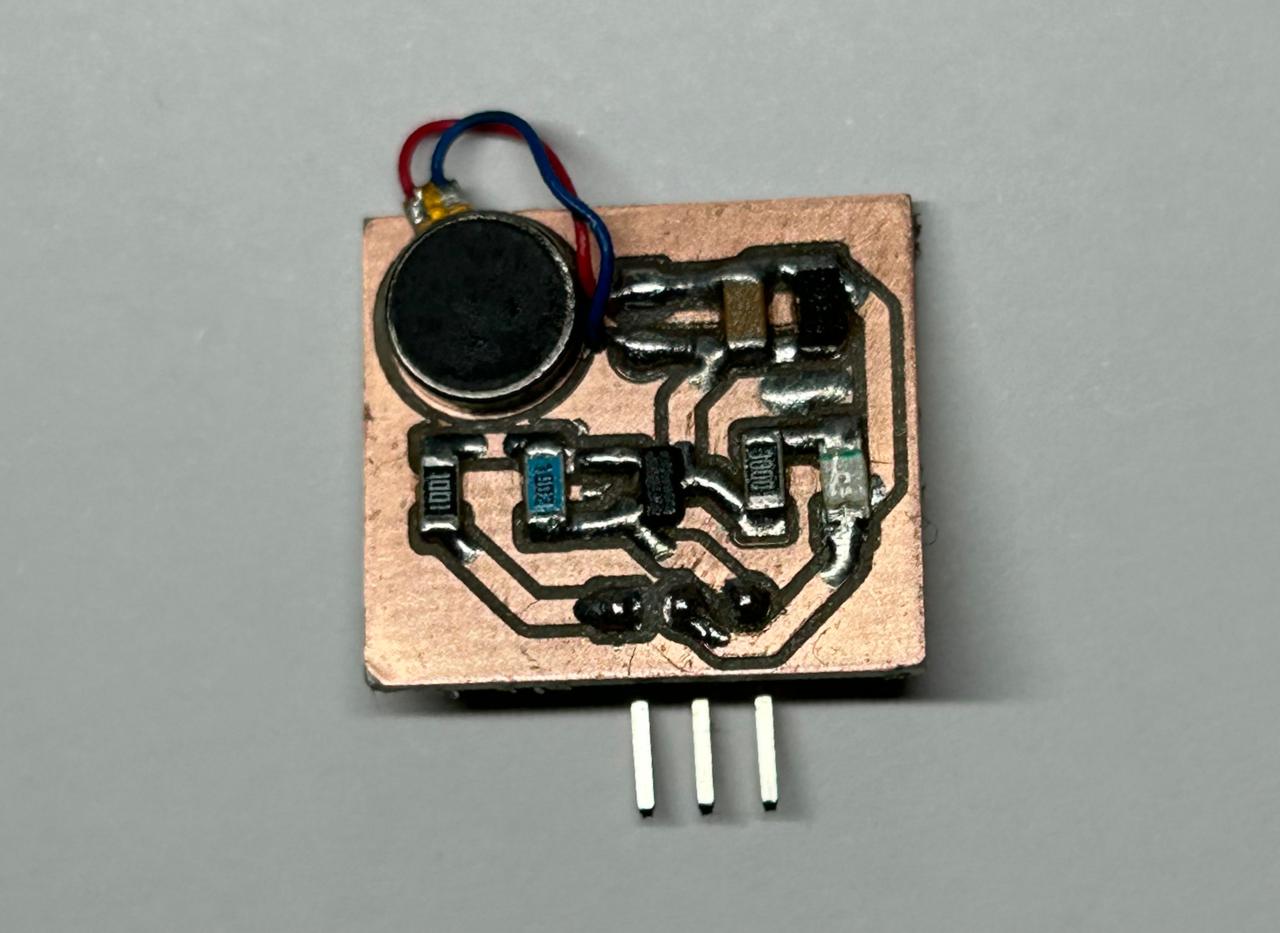
This week's assignment was to add an output device to a microcontroller board designed in a previous week and program it to perform a specific task.I decided to test three different components: a DC motor, an OLED display, and a vibration motor.
An output device is a hardware peripheral that receives electrical signals from a processing unit and converts them into a physical, tangible, or observable effect.
Pulse Width Modulation (PWM) is a technique to simulate an analog output using a digital signal. Since a digital pin can only be fully HIGH (3.3V) or LOW (0V), PWM works by rapidly switching the pin between these two states at a high frequency. The "analog" effect is achieved by adjusting the Duty Cycle, which is the percentage of time the signal remains in the HIGH state during one full cycle. For example, a 50% duty cycle provides an average voltage of 1.65V, allowing you to control the brightness of an LED or the speed of a DC motor.
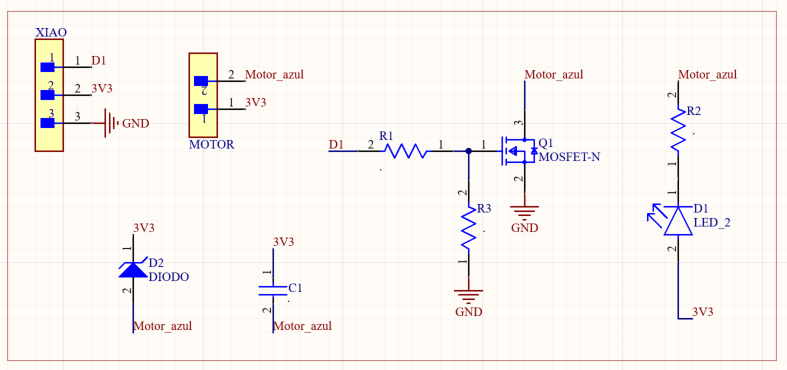
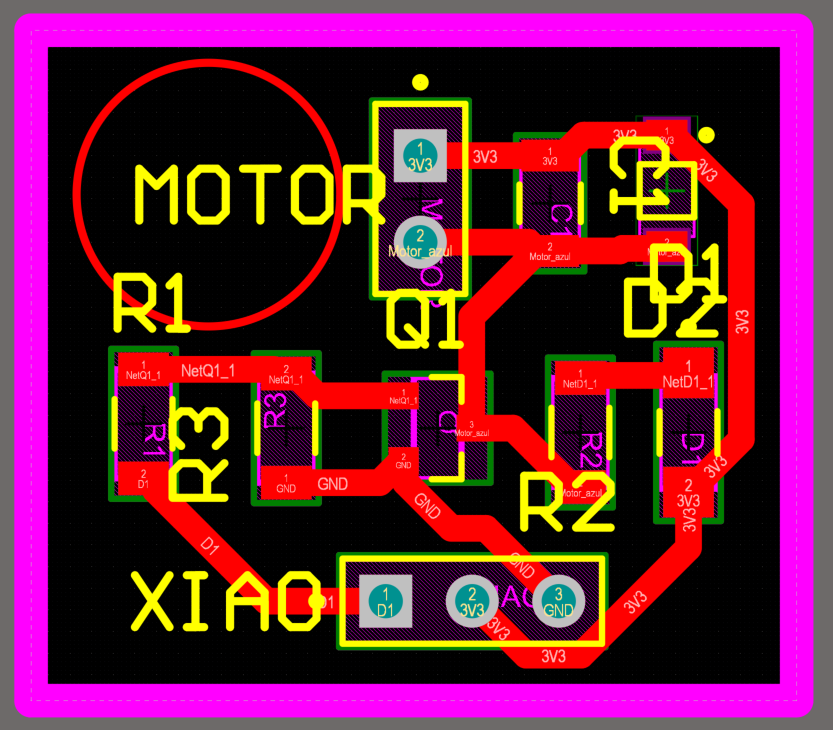
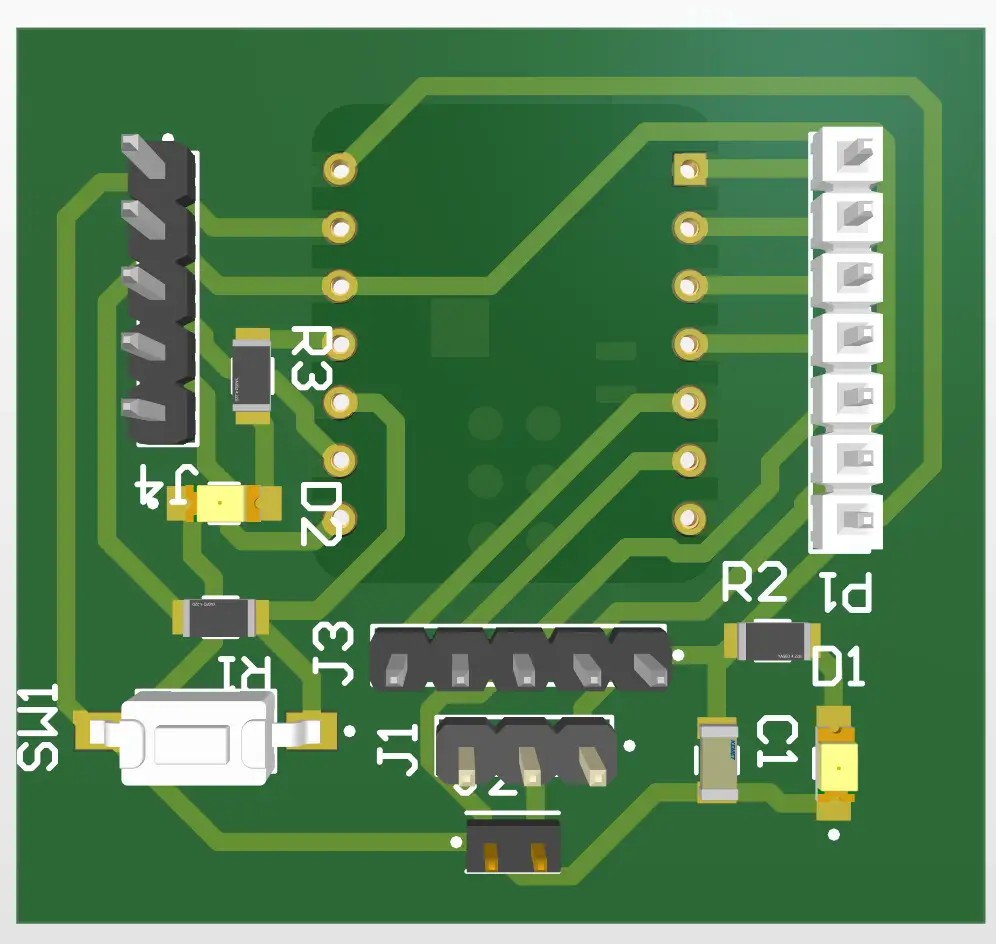
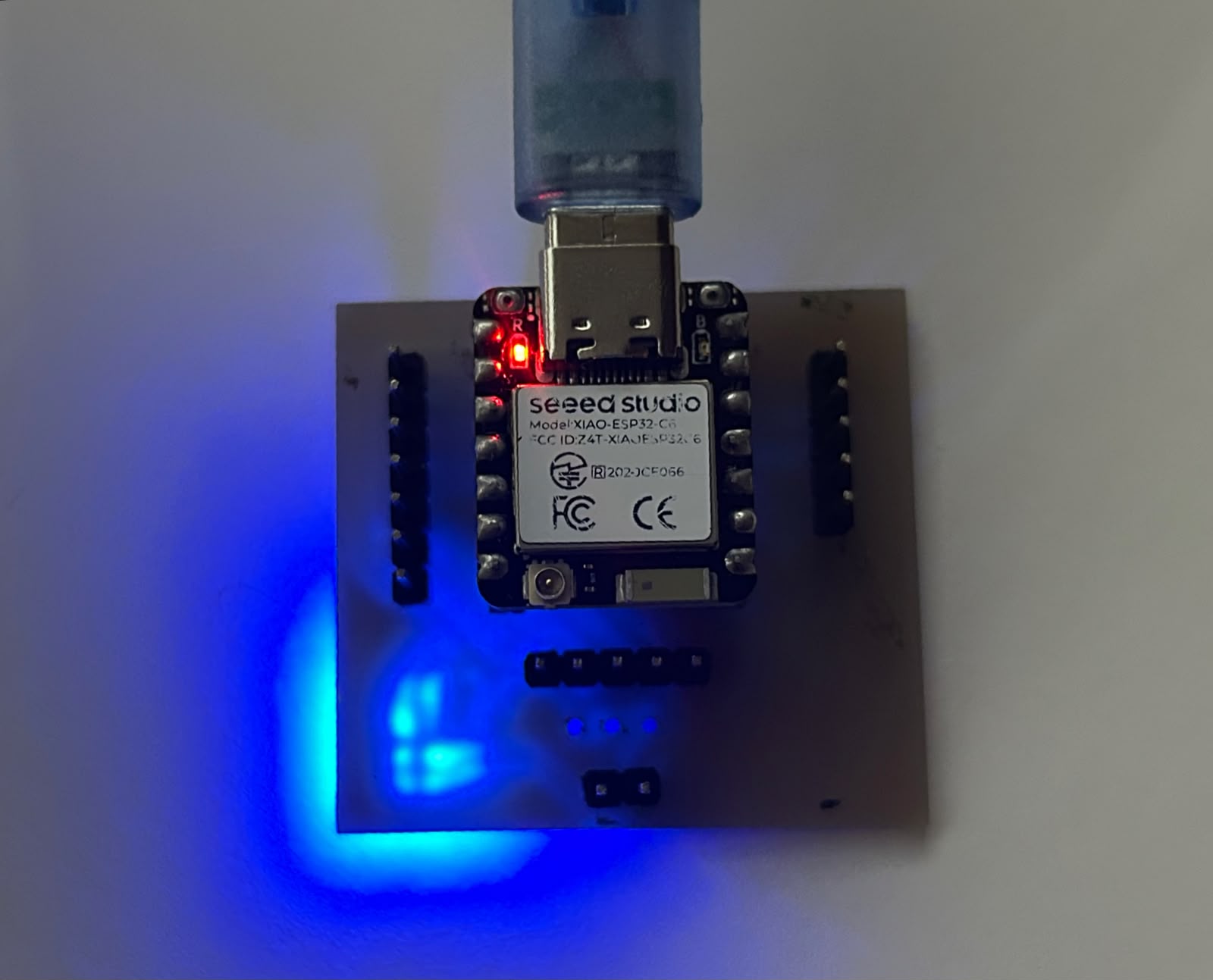
For this week, I designed another prototype PCB with general-purpose outputs to allow me to work with the XIAO ESP32-C6.
The XIAO ESP32-C6 is a compact microcontroller board that integrates Wi-Fi 6, Bluetooth Low Energy (BLE), USB-C connectivity, battery charging support, and multiple GPIO pins for connecting sensors and actuators.
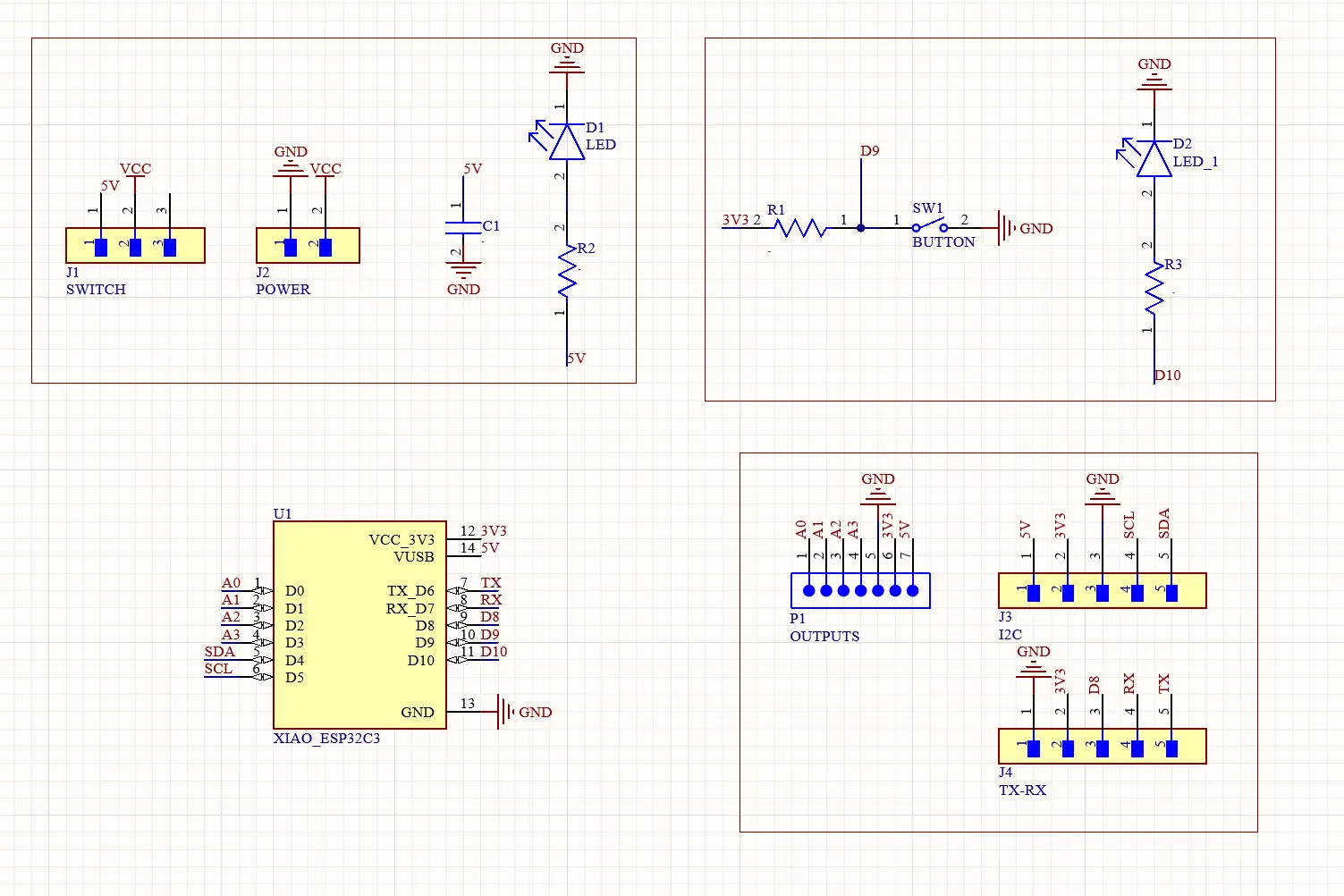
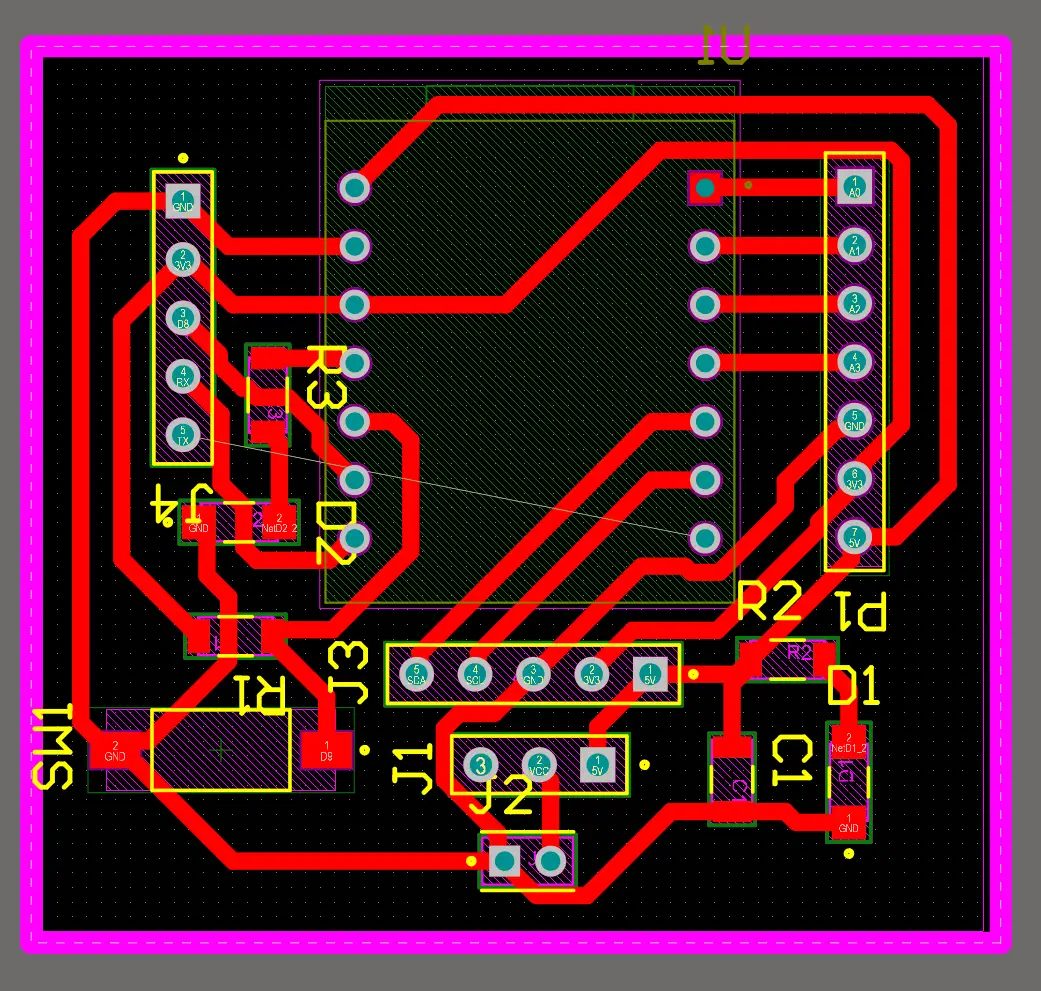
An OLED (Organic Light-Emitting Diode) display is a visual output device that creates images by lighting up individual pixels made of organic compounds.
In the XIAO, these screens communicate via the I2C protocol (using only two pins: SDA and SCL), allowing to display text, icons, and basic animations with very little wiring.
The display is connected to the XIAO ESP32-C6 using pin D4 for SDA and pin D5 for SCL, while VCC is connected to 3.3V and GND to ground.
                    #include
                    #include
                    #include

                    #define SCREEN_WIDTH 128
                    #define SCREEN_HEIGHT 64
                    #define OLED_RESET    -1
                    #define SCREEN_ADDRESS 0x3C

                    Adafruit_SSD1306 display(SCREEN_WIDTH, SCREEN_HEIGHT, &Wire, OLED_RESET);

                    void setup() {
                    Serial.begin(115200);

                    // Initialize the OLED display with the I2C address
                    if(!display.begin(SSD1306_SWITCHCAPVCC, SCREEN_ADDRESS)) {
                        Serial.println(F("SSD1306 allocation failed"));
                        for(;;);
                    }

                    // Clear the internal buffer
                    display.clearDisplay();
                    }

                    void loop() {
                    // Clear the display buffer before drawing new content
                    display.clearDisplay();

                    // Configure text properties: size and color
                    display.setTextSize(1);
                    display.setTextColor(SSD1306_WHITE);

                    // Set position and print the first line of text
                    display.setCursor(12, 5);
                    display.println("FAB ACADEMY 2026");

                    // Update text size and position for the second line
                    display.setCursor(12, 25);
                    display.setTextSize(2);
                    display.println("Hello, Im Selene!");

                    // Push the buffer data to the actual OLED hardware
                    display.display();

                    delay(3000);
                    }
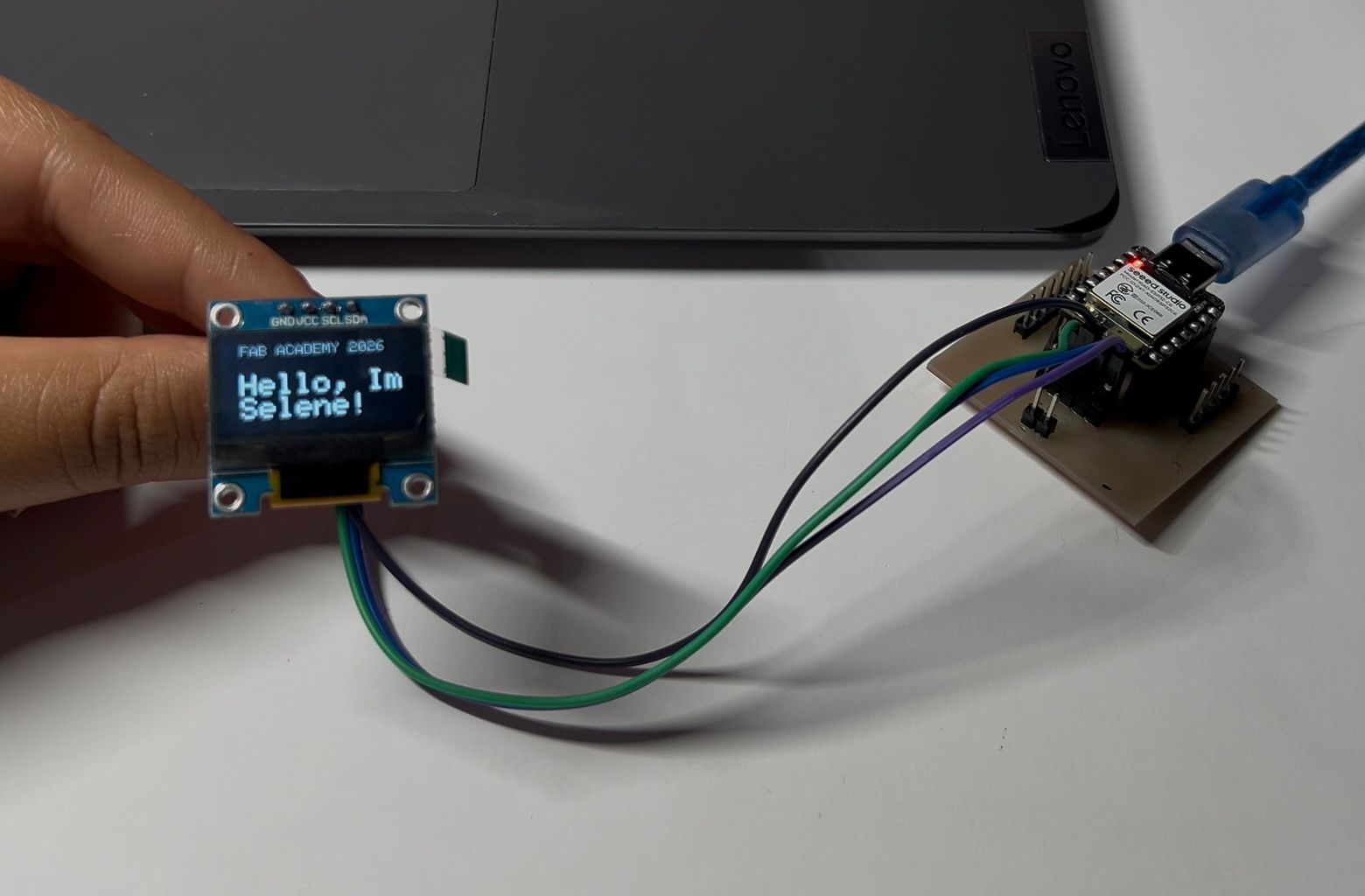
You can download the files created and used during this week here:
📄 Files.zip