Final Project Development


WEEK 01

Note: The links of the following have been shared on my Project Proposal page.

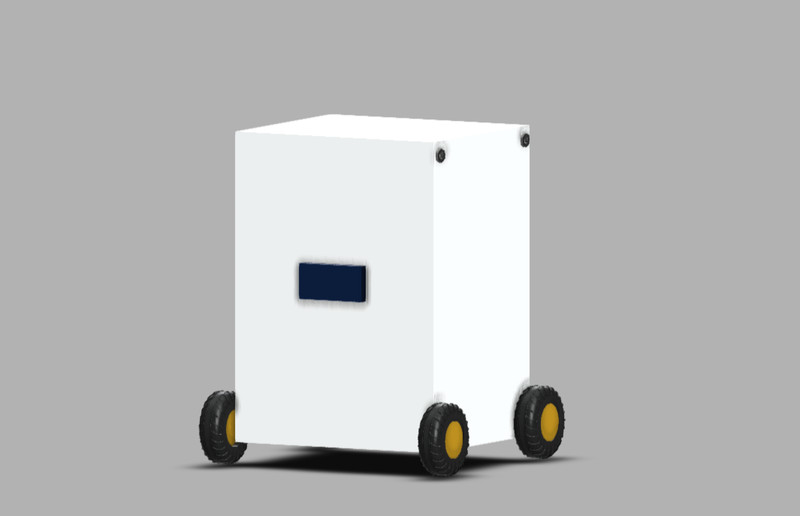
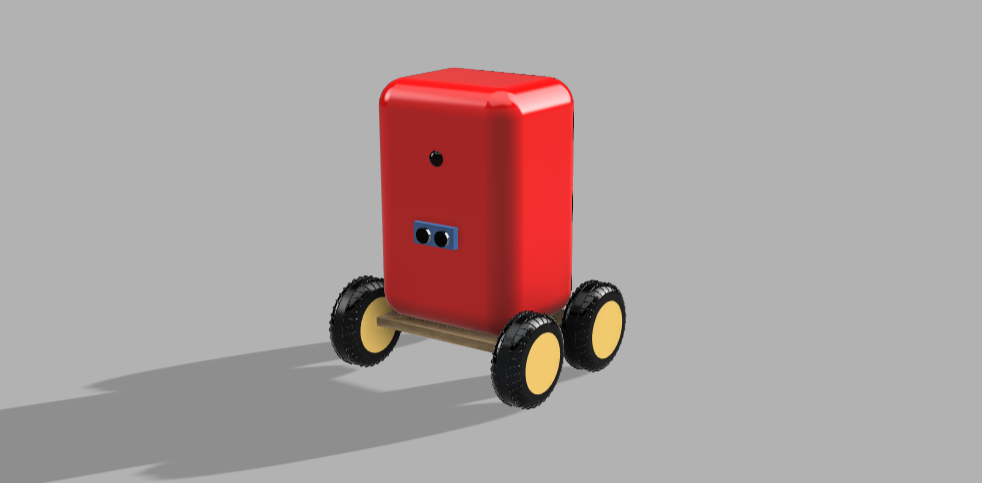
This week, I started by creating a rough design of the backpack on Fusion 360. I had to remake the wheel about 5 times because it wasn't turning out the way I wanted it to. πŸ˜…


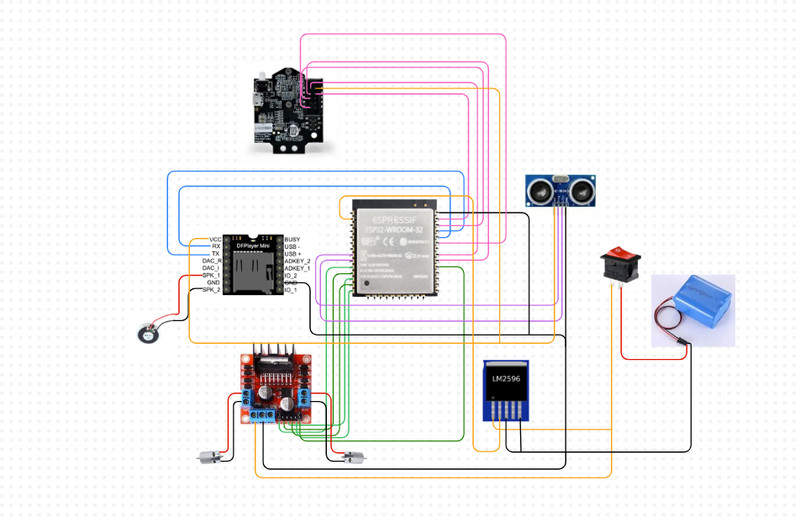
Then I created a rough design (On Canva) of the circuit as well. Since it's the first draft, it might not work. πŸ€·β€β™€οΈ


After I did that, I made a simulation using the same logic as the backpack's function.

Here you can see how the backpack decides on whether to move fast or slow, depending on how far away the owner is.


WEEK 02

Note: I have shared the full design process for Fusion and Onshape on the Week 2 assignment page.

This week, I created a more polished version of the last design that I made on Fusion 360.

I also designed a box in Onshape for my components.


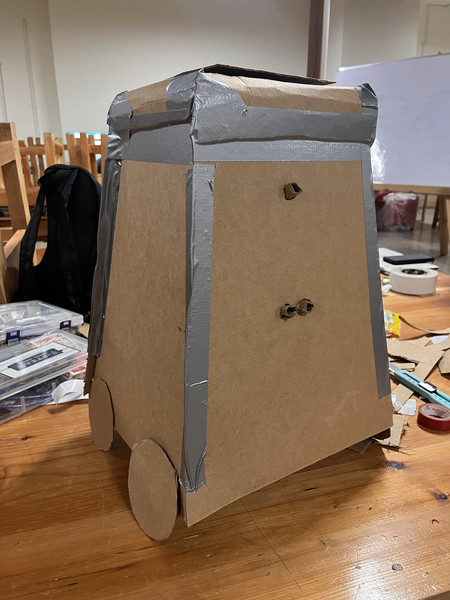
Cardboard Prototype (04/02/2026)

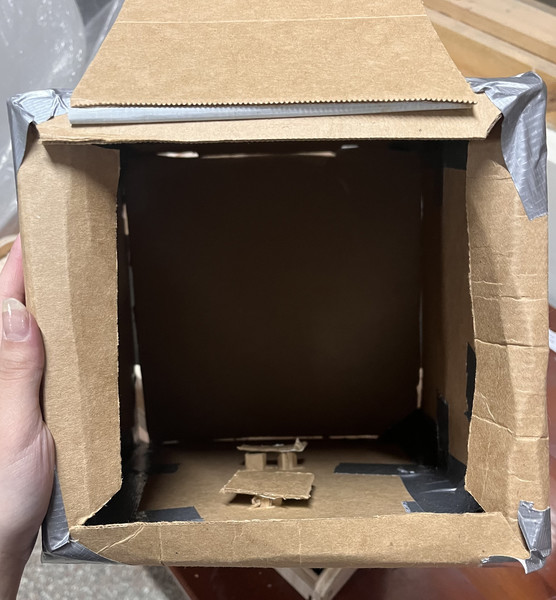
Today we created a cardboard prototype of our final project. This activity made me realize the fact that there were a lot of important details that I hadn't considered. Also the fact that my artistic skills have a long way to go. Ζͺ(˘⌣˘)Κƒ

Here are some of the things that I didn’t pay much attention to:

  • Find another way to access the circuit. So if something goes wrong after everything is done, I can have a way to check.
  • How to protect ultrasonic sensor and the camera so that when the user puts their books and stuff in, nothing is altered with.
  • The wiring part - So that everything is organized and well-hidden.
  • What material should the backpack be made of, so that it actually looks like one.
  • Battery management system!
  • Should look into using two motors and not four.
  • How do I make the backpack light???

Thank you Sir Anith for pointing these out to me! πŸ˜„

Moving forward, here is my plan:

  • I will first start by creating more detailed sketches of my final project.
    • To get a clearer idea of my final project, I am going to start with 3D sketches. The sketches will include both the interior and the exterior.
    • As I go, I will also brainstorm some design ideas.
    • I will then document the process on this page.
  • I will then do more research on Battery Management System.
    • Under this, I will also have to do more research on current, voltage, power and torque as well. πŸ˜‰
    • I will then calculate the runtime of my backpack using this knowledge.
  • Figure out how to tilt the PIxy2 camera at such an angle that it can detect the color marker on the user's back.
    • Even though using a QR code was the initial plan, I found out that a Pixy2 camera isn't capable of that which is why I'll have to do more research.
    • I might also use 3 ultrasonic sensors instead of just one. 🧐
  • Note to self: You have GOT TO go into more detail!

    WEEK 03

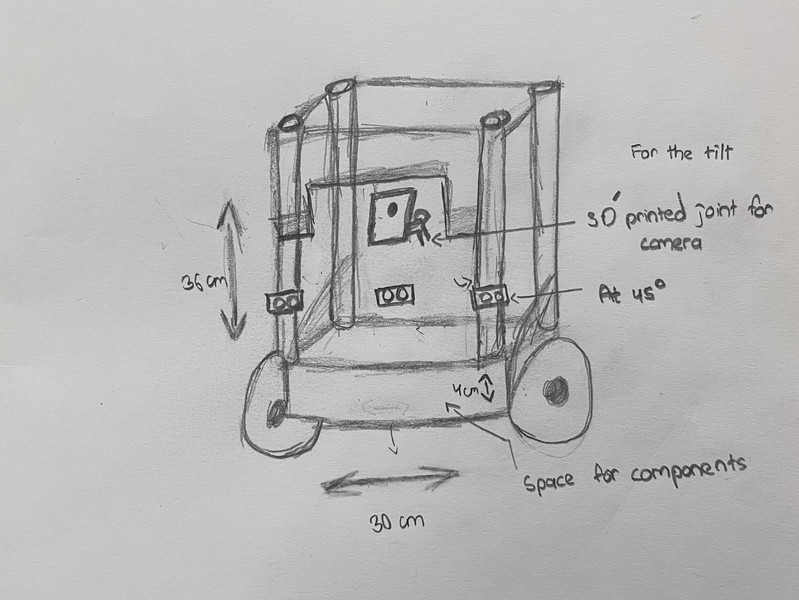
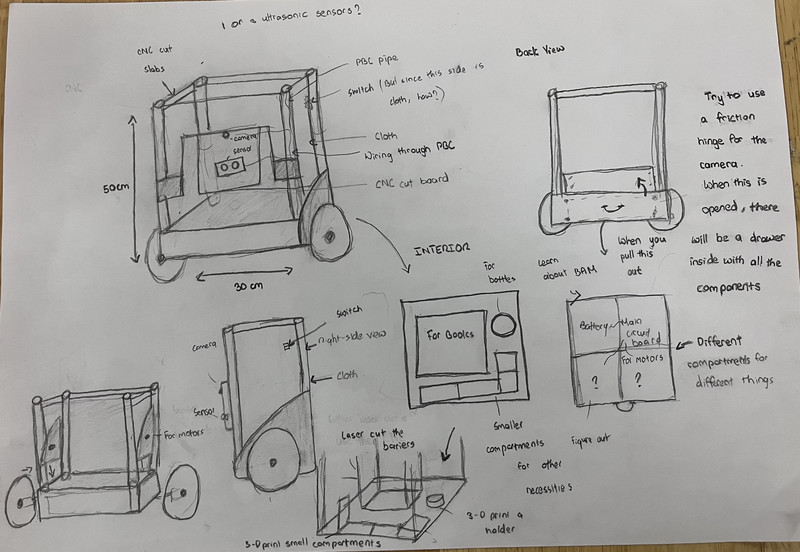
    I worked on a couple of sketches, although there still is a lot that I have to consider.

    WEEK 04

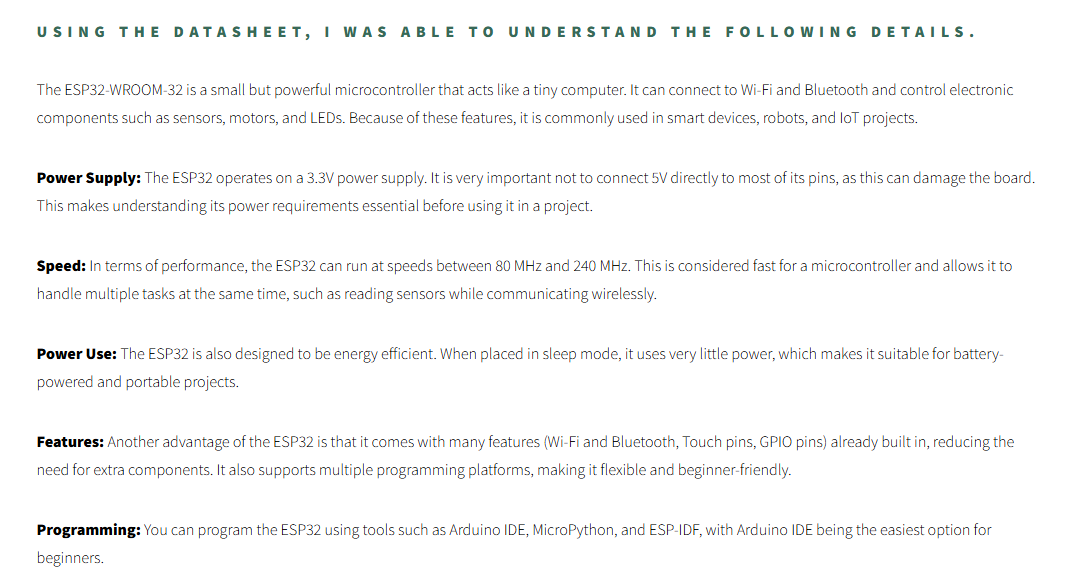
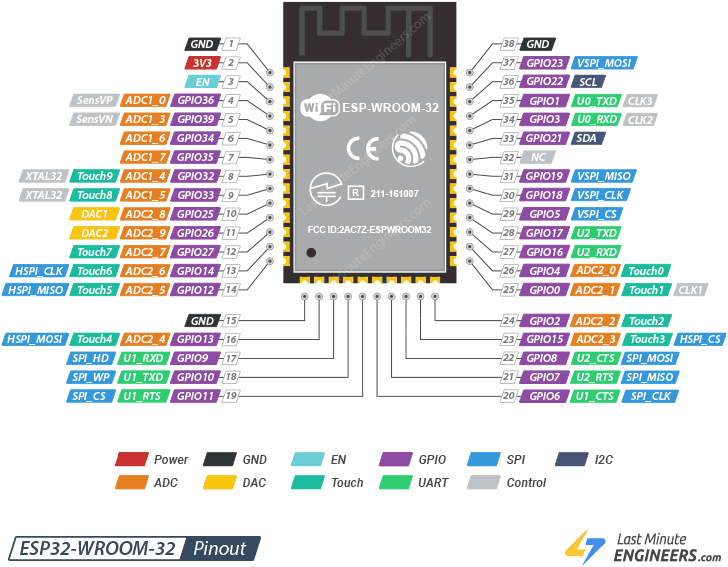
    This week, I went through the datasheet for the ESP32-WROOM-32 and found quite a lot of important details.

    More can be found on my Week 04 page!
    Extracted template files
    Image source

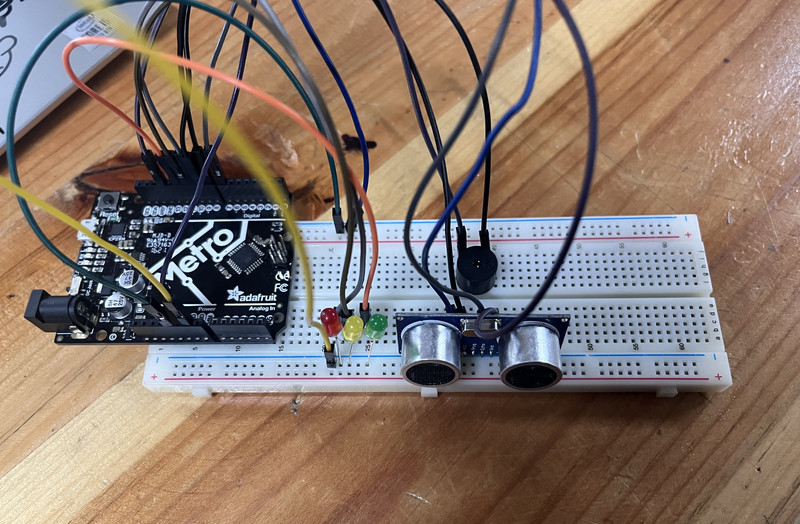
    I then created a simulation on Wokwi that can give visual and audio responses based on how far away the object is.
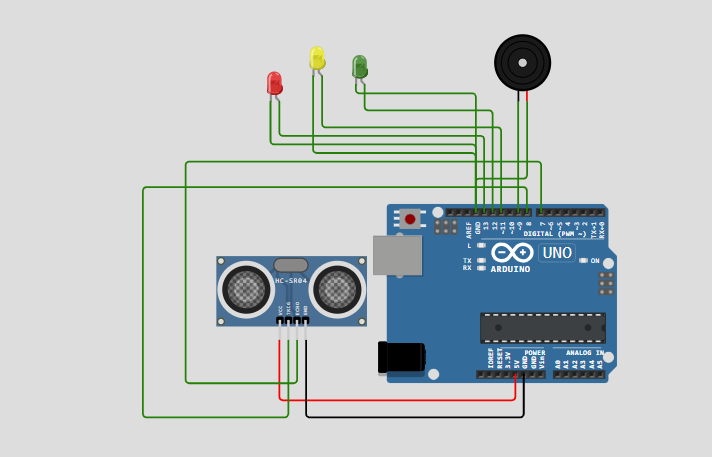
    After that I also assembled the cicuit using components that I could find in the lab. πŸ˜‰

    This is how it works (ο½žοΏ£β–½οΏ£)~


    WEEK 05

    There were still so many things that I hadn't considered. Thank you Sir Rico for pointing them out to me! πŸ˜ƒ

    • Work on using multiple ultrasonic sensors simultaneously.
    • Make the backpack's center of gravity as low as possible - So that when it turns and stuff, it doesn't topple over.
    • How much weight will the backpack be able to carry?
    • Heavier weight = Bigger motor = Larger power supply
    • Focus on one terrain!!!
    • I'm thinking of using a joint to tilt my camera πŸ€”. I don't know if that is a safe option though.
    • I need to make the backpack as light as possible too.

    To lower the center of gravity, here are some of the things I plan to do:

    • Widen the base - Should tweak the design a bit.
    • Keep all heavy components at the base.
    • Maybe attach the wheels a little higher on the frame so that the body hangs lower.
    • Design the internal compartments of the backpack in such a way that the contents are closer to the base. For example: Instead of keeping books vertically upright, they could be kept horizontally.

    WEEK 06: Final Project Board Draft!!!

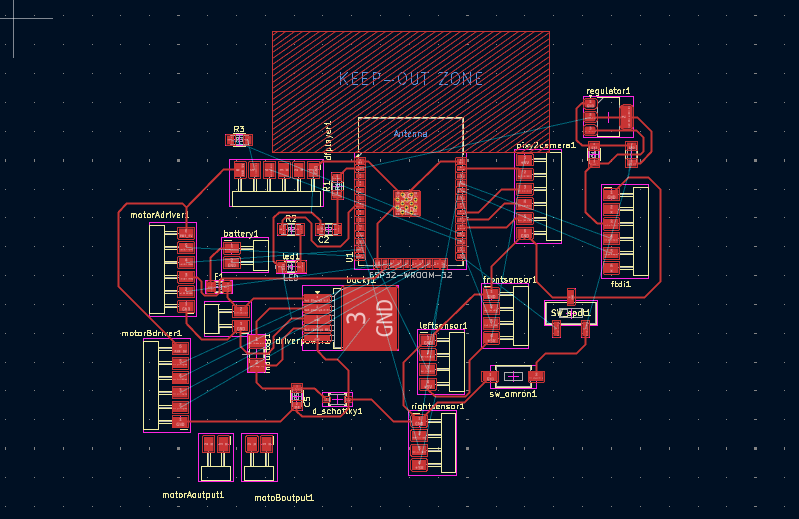
    This week, I designed the first draft of my final project board πŸ€—. Routing the PCB was an absolute nightmare. It took me a really longgggggg time to finish πŸ™‚.

    This was my first attempt. There were still many connections that needed to be fixed by adjusting the placement of the components.
    Extracted template files

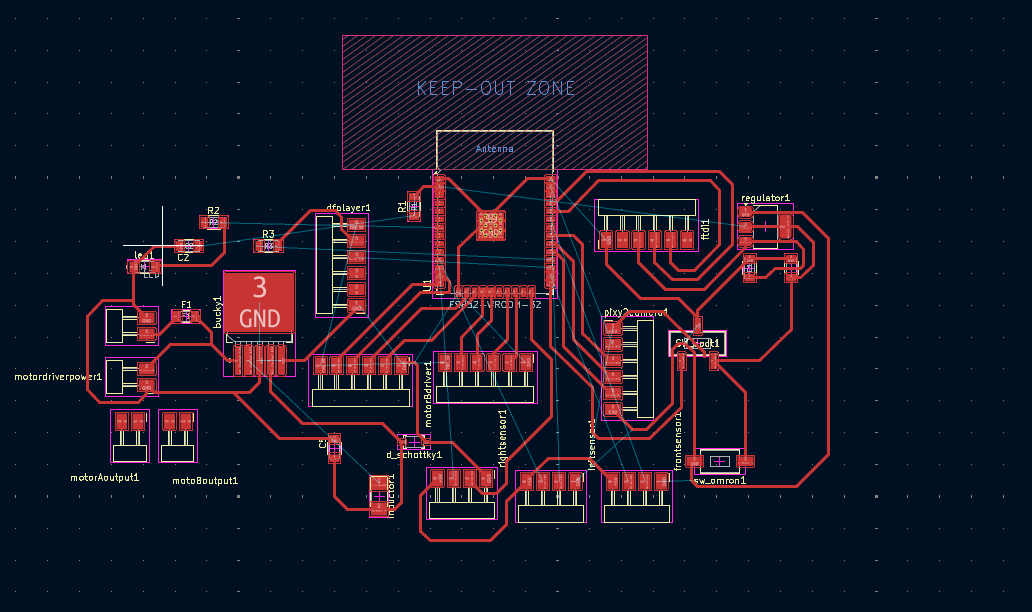
    My second attempt was better than the first, but I still needed to adjust the placement of some components to improve the connections.
    Extracted template files

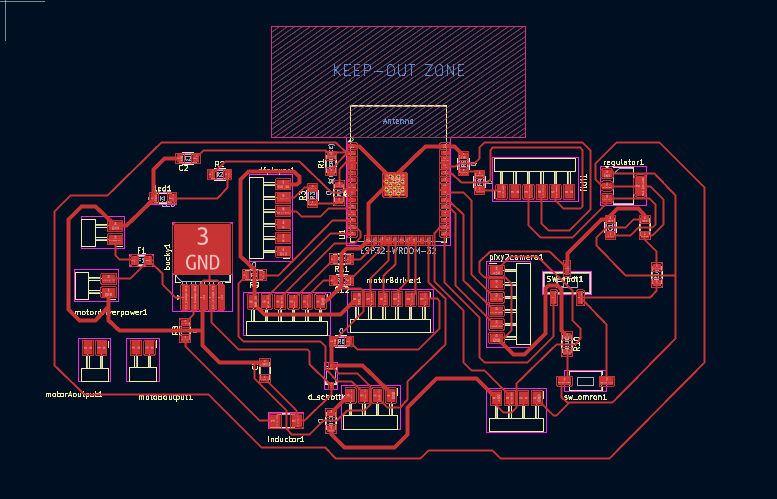
    I think the third attempt turned out pretty well, so here is the final look! I had to use 10 0Ξ© resistors πŸ˜…, so I will definitely need to work on improving this in the coming weeks.
    Extracted template files

    Thursday 05/03/2026

    Today sir Rico suggested that I use one motor and four wheels. I am not really familiar with this concept so I'll have to explore on that. I don't think the ESP32-WROOM-32 is working out for me so if I have fewer components, I might be able to use another microcontroller πŸ€”. Sir Rico also suggested that I could connect the TRIG pins of all my ultrasonic sensors to a single pin so that they trigger and send out waves at the same time (I think I should try this out).


    WEEK 07

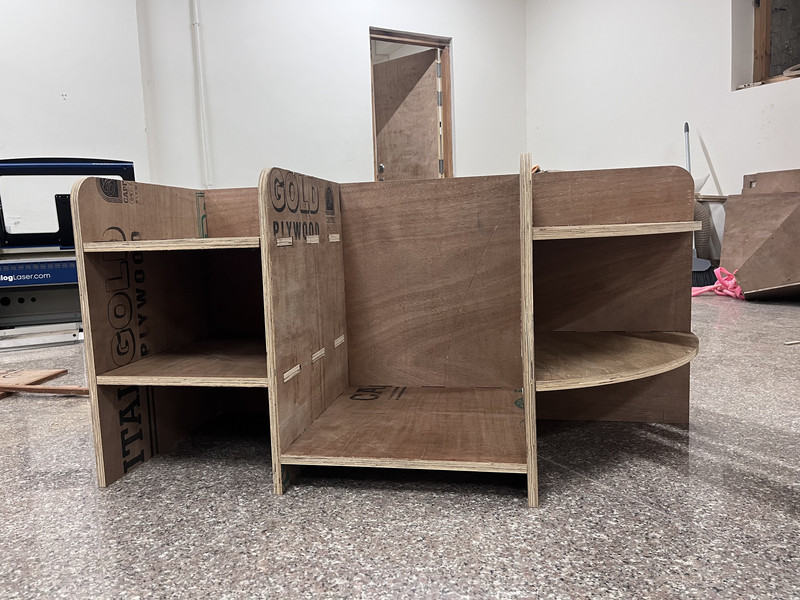
    This week, I designed and made a backpack holder! Since it was CNC cutting week, I chose this as my assignment 😁
    Weekly schedule

    This week, I was also able to get a clearer idea of all of the components that I'll be using. Here is my list for now:
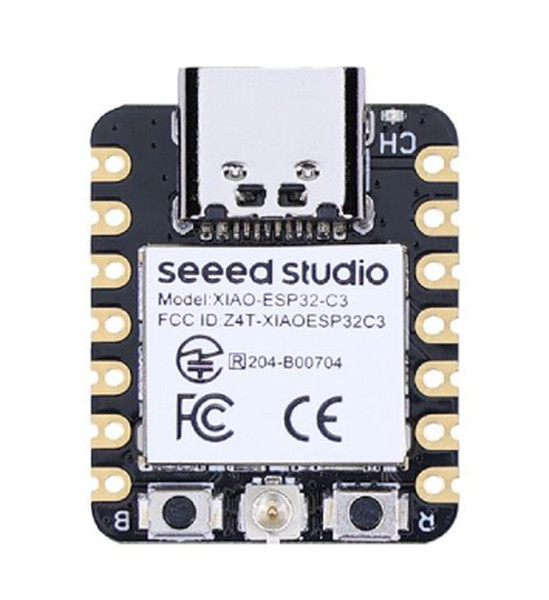
    ESP32

    XIAO ESP32C3

    Image source
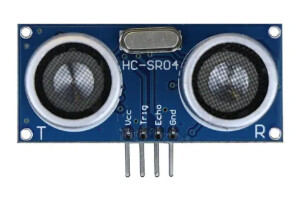
    Ultrasonic Sensor

    HC-SR04 Ultrasonic Sensor

    Image source
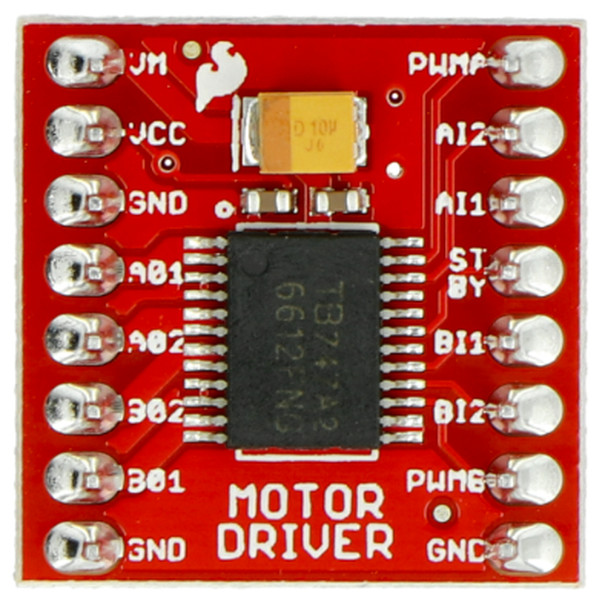
    Motor Driver

    TB6612FNG Motor Driver

    Image source
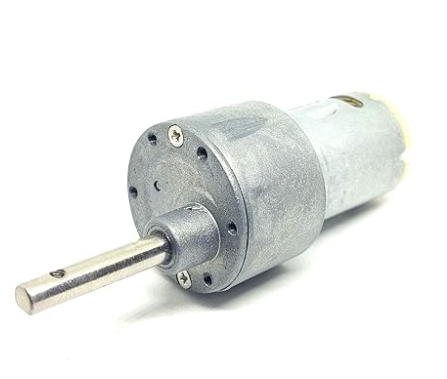
    Gear Motor

    12v Geared DC Motor (15kg cm torque)

    Image source
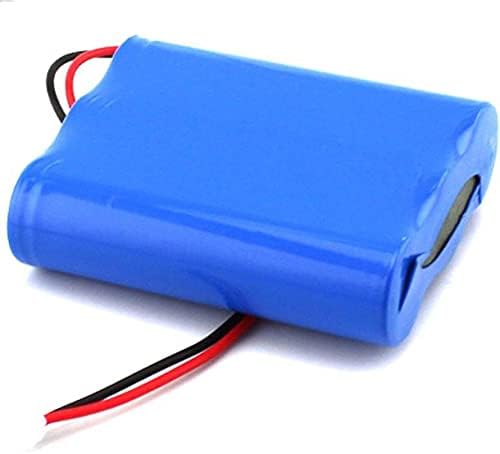
    Battery

    11.1V (3S) LiPo: 2200–3000mAh

    Image source
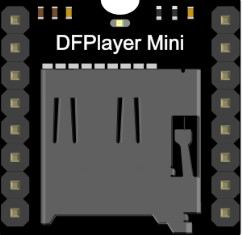
    DFPlayer Mini

    DFPlayer Mini

    Image source
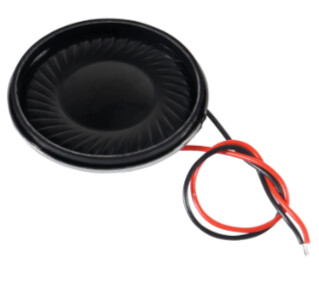
    Speaker

    8-ohm Speaker

    Image source
    Speaker

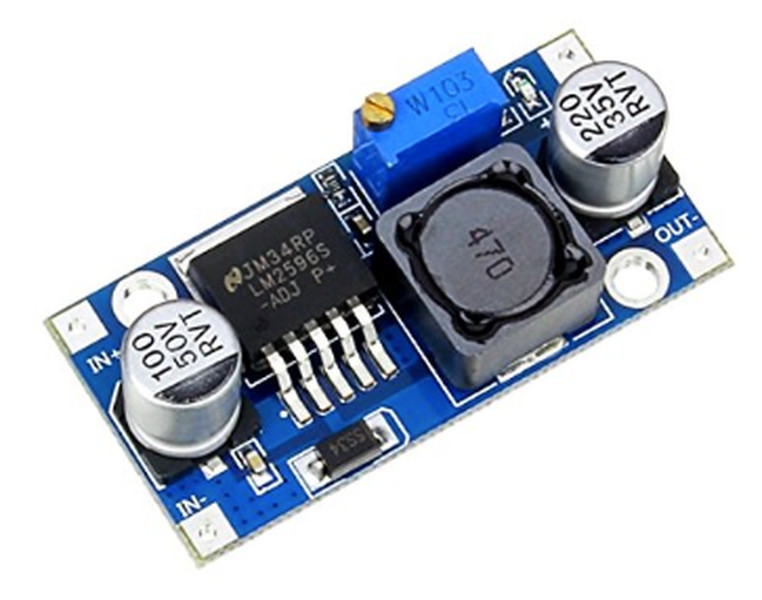
    LM2596 Buck Converter

    Image source


    WEEK 08

    This week I decided to switch my board from the ESP32-WROOM-32 to the XIAO ESP32C3 because I realized that I didn't actually need as many pins as I thought I would.

    Extracted template files
    Image source

    This was my first attempt, and it was nowhere near ready for routing. πŸ₯²

    Extracted template files

    My second try turned out much better than the first, and I thought it might just work. πŸ€”

    Extracted template files

    Here is the final PCB layout! 😁

    Extracted template files

    I was super excited when I finally finished routing, but...., turns out my 1.2β€―mm power traces were too thick, and this caused a bunch of short circuits on the board (big thanks to Sir Anith for helping me spot them πŸ˜„). Also, I’m not entirely a fan of all the empty space between some components. I think the board would look way cleaner if I arranged them better. Sooooooooooo, I might just have to route the whole thing again πŸ€—πŸ™‚ #can't_wait


    WEEK 09

    I got back to working on my PCB ASAP.

    Yayyyyy!! I was finally able to get the wires connected

    Weekly schedule

    The thing is, after I finished routing the PCB, I later came across the **Time-of-Flight sensor** πŸ™‚. The time of flight sensor is a distance sensor that measures how far something is by timing how long light takes to travel to an object and come back. It seems more accurate, so I might end up using it in my project. Because of this, I’ll probably need to modify my PCB design again πŸ€”.

    Weekly schedule
    Image source

    I created and refined this simple pseudocode with the help of ChatGPT.

    A Pseudocode is a simple way to outline a computer program's logic using plain English instead of strict programming synta

    
    FULL SPEED    = 255   (PWM value out of 255)
    MEDIUM SPEED  = 180
    SLOW SPEED    = 100
    STOP          = 0
    
    FRONT_LOST_DISTANCE   = 200cm
    FRONT_FAR_DISTANCE    = 150cm
    FRONT_MID_DISTANCE    = 60cm
    FRONT_CLOSE_DISTANCE  = 20cm
    SIDE_OBSTACLE_LIMIT   = 30cm
    
    LEFT MOTOR  β†’ TB6612FNG AIN1, AIN2, PWMA
    RIGHT MOTOR β†’ TB6612FNG BIN1, BIN2, PWMB
    
    FORWARD  β†’ AIN1 HIGH, AIN2 LOW
    BACKWARD β†’ AIN1 LOW,  AIN2 HIGH
    
    ━━━━━━━━━━━━━━━━━━━━━━━━━━━━━━━━━━━━━━━━━━━━━━━━━━━━━━━━━━━━━━
    SOUND TRACK REFERENCE
    ━━━━━━━━━━━━━━━━━━━━━━━━━━━━━━━━━━━━━━━━━━━━━━━━━━━━━━━━━━━━━━
    
    001.mp3 β†’ "My human! Wait for me!"
    002.mp3 β†’ "I'm right behind you!"
    003.mp3 β†’ "Please slow down!"
    004.mp3 β†’ "Where did you go?!"
    005.mp3 β†’ "Something is in my way!"
    006.mp3 β†’ "I'm ready to go!"
    007.mp3 β†’ "Goodbye!"
    008.mp3 β†’ "I'm completely stuck! Help!"
    
    ━━━━━━━━━━━━━━━━━━━━━━━━━━━━━━━━━━━━━━━━━━━━━━━━━━━━━━━━━━━━━━
    STARTUP
    ━━━━━━━━━━━━━━━━━━━━━━━━━━━━━━━━━━━━━━━━━━━━━━━━━━━━━━━━━━━━━━
    
    BEGIN STARTUP
    
    Initialize switch pin
    
    IF switch is ON THEN
    
      Initialize ToF sensor
      Initialize Ultrasonic LEFT
      Initialize Ultrasonic RIGHT
      Initialize Motor Driver
      Initialize DFPlayer Mini
      Initialize SD card
    
      Wait for DFPlayer to be ready
      Play Track 006 β†’ "I'm ready to go!"
      Set both motors to STOP
    
    ELSE
      Everything stays OFF
      Do nothing
    
    END STARTUP
    
    ━━━━━━━━━━━━━━━━━━━━━━━━━━━━━━━━━━━━━━━━━━━━━━━━━━━━━━━━━━━━━━
    MAIN LOOP
    ━━━━━━━━━━━━━━━━━━━━━━━━━━━━━━━━━━━━━━━━━━━━━━━━━━━━━━━━━━━━━━
    
    LOOP FOREVER
    
    STEP 1: Check switch
    IF switch is OFF THEN
      Play Track 007 β†’ "Goodbye!"
      Set both motors to STOP
      Power down all components
      EXIT program
    
    STEP 2: Read all sensors
    Read frontDistance ← ToF sensor
    Read leftDistance  ← Ultrasonic left
    Read rightDistance ← Ultrasonic right
    
    STEP 3: Decide what to do
    IF leftDistance < 30cm OR rightDistance < 30cm THEN
      CALL ObstacleCheck(leftDistance, rightDistance)
    ELSE
      CALL FollowUser(frontDistance)
    
    END LOOP
    
    ━━━━━━━━━━━━━━━━━━━━━━━━━━━━━━━━━━━━━━━━━━━━━━━━━━━━━━━━━━━━━━
    FUNCTION: FollowUser(frontDistance)
    ━━━━━━━━━━━━━━━━━━━━━━━━━━━━━━━━━━━━━━━━━━━━━━━━━━━━━━━━━━━━━━
    
    IF frontDistance > 200cm THEN
      STOP motors
      Play 004
      Wait 3 seconds
    
      IF still > 200cm THEN
        Play 008
        STOP motors
        EXIT function
    
    ELSE IF frontDistance > 150cm THEN
      FULL SPEED forward
      Play 001
    
    ELSE IF frontDistance > 60cm THEN
      MEDIUM SPEED forward
      Play 002
    
    ELSE IF frontDistance >= 20cm THEN
      SLOW SPEED forward
    
    ELSE IF frontDistance < 20cm THEN
      STOP motors
    
    END FUNCTION
    
    ━━━━━━━━━━━━━━━━━━━━━━━━━━━━━━━━━━━━━━━━━━━━━━━━━━━━━━━━━━━━━━
    FUNCTION: ObstacleCheck(leftDistance, rightDistance)
    ━━━━━━━━━━━━━━━━━━━━━━━━━━━━━━━━━━━━━━━━━━━━━━━━━━━━━━━━━━━━━━
    
    Play 005
    
    IF left < 30cm AND right < 30cm THEN
      STOP
      Play 008
      Move backward 0.5s
    
      IF left > right THEN
        TURN LEFT
      ELSE
        TURN RIGHT
    
    ELSE IF left < 30cm THEN
      LEFT slow, RIGHT medium
    
    ELSE IF right < 30cm THEN
      RIGHT slow, LEFT medium
    
    END FUNCTION
    

    WEEK 10

    This week, I worked out the estimated runtime of my backpack and it came to be around 40–60 minutes. I feel like this duration will prove to be sufficient πŸ˜ƒ.

    Extracted template files

    I also calculated the torque and it came out to be enough! πŸ˜„

    Extracted template files

    WEEK 11

    This week, I worked with the DFplayer. Since I want my backpack to be able to play audio messages in different situations, I will be using the DFPlayer in the future. As I had no prior experience with it, I decided to spend this week testing and becoming familiar with how it works.

    For this, I used a Metro board. I connected the DFPlayer's RX pin to D11 through a 1 kΞ© resistor and connected the TX pin to D10. To output the sound, I used an 8 Ohm 0.25W speaker .

    I needed to make sure that the DFPlayer received 5V power and that the SD card was properly formatted to FAT32.

    Here is how the setup looks like:

    Extracted template files

    For the audio, I used ttmp3 which is a free text-to-speech converting tool. It offers a variety of male and female voice options (Exploring these was really fun πŸ˜„). You can use it through this link

    This was the text I typed in, together with a few instructions.

    Extracted template files

    Here are the results!


    This was my first time working with a DF player, and I can say that I have a much better understanding of how it works now β€” yay! I don’t think I’ll have much trouble when I start using this in my final project later on. πŸ˜ƒ


    WEEK 13

    This week, we finalized our Final Project Components!!!

    Important to note:

  • I've switched to a 12V Li-ion Battery Pack 3200mAh because it provides more capacity and stable voltage for my setup.
  • Instead of one dual motor driver (the TB6612FNG one), I'll be using two BTS7960B Bridge Motor Drivers
  • Instead of one motor driver, I'll be using two BTS7960B Bridge Motor Drivers because the TB6612FNG cannot handle the high current draw of my motors.
  • I've decided to stick with the idea of using PVC pipes for the backpack’s frame because they are lightweight and make wiring the sensors more convenient.
  • The time of flight sensor will be kept at the centre with one ultrasonic sensor on each side. The TOF shoots an infrared laser and measures how long light takes to return. It is responsible for tracking the owner in front. The ultrasonic sensors send out a sound pulse and measure how long it takes to bounce back. They are responsible for detecting side obstacles.
  • Weekly schedule

    You can access the list here - Google Sheets Link


    WEEK 14

    I worked on my Final Project PCB this week!

    I went through Mr. ThΓ©o Gautier’s Fab Academy site (thank you! πŸ˜„) and got the idea of creating two separate boards, one for my motors and one for all the other components (Why didn't I think of this before? 🀯). This would eliminate any noise coming from the motors that could interfere with the sensors and other components. Also since my motor traces needed to be thick, routing everything together would've been inconvenient.

    To do that all I had to do was place two 6 pinheaders and connect one to the XIAO ESP32 C3 pins and the other to the motor driver pins.

    Here is an overview of the process:

    1. This was the final schematic design.

    2. This was after I added the two connectors.

    Editing website in VS Code Editing website in VS Code

    3. I was so happy to see this. πŸ˜„

    Weekly schedule

    4. I then separated the components for the two boards.

    Weekly schedule

    5. This is how both the boards looked like after routing (Would've been my biggest nightmare). πŸ₯³

    Editing website in VS Code Editing website in VS Code

    Note: I added a GND pour to my PCB designs. A GND pour is a big area of copper on a PCB that is all connected to ground. Instead of connecting many GND traces together, everything connects to this one shared ground area. It helps the circuit run more smoothly by reducing noise and keeping signals stable.

    This week, I also created a schedule for completing my Final Project.

    You can access it here

    Weekly schedule

    ]utf-8sws ssss

    WEEK 15

    This week, I milled out both the two boards. πŸ˜„

    w43 Weekly schedule

    I then soldered the available lab components onto both the logic board and the motor controller board.

    Weekly schedule

    Exterior

    I also designed the base of the backpack and the PVC holders. My initial plan was to use the CNC achine for the outer box and th lasercutter for the inner one. But I feel like that will make the base a little too heavy so I've decided to use the lasercutter for both.

    Weekly schedule

    As for the motor mounts, I'm thinking of an L-shaped structure. But since I don't have the motors right now, I'm not really sure of the exact dimensions. 🧐

    Weekly schedule

    The 3D printers in our labs weren't working so I couldn't print out the PVC holders. πŸ™

    Note to self: The first thing to do after coming back is to properly test the Final Project PCB.
  • Connect DFplayer to Final Project PCB and test it out.
  • Before motors arrive, test with the ROINCO Car Kit.
  • 3D print the PVC holders and figure out the most effective way of mounting sensors.
  • Learn how to sew!!! 🀭

  • To Remember (Credit: Sir Rico πŸ˜ƒ):
  • You have less time than you think
  • Start taking pictures and videos of everything final project related
  • Be efficient and productive
  • Avoid time wasting activities