Moulding and Casting
Group Assignment:
1.Review the safety data sheets for each of your molding and casting materials then make and compare test casts with each of them.
2.Compare mold making processes
What is Molding and Casting? 🤨
Molding:
Molding is a manufacturing process where a pliable or liquid material is shaped by being formed inside or around a rigid container called a mold. Once the material hardens or cures, it’s removed and retains the mold’s shape.
Molds can further be classified into two types:
Positive Mold:
A positive mold (also called a male mold) is a solid, raised shape that sticks outward. It has a convex shape.It’s the “original” object you want to copy. You apply material over its outer surface, and that material wraps around the mold to take its shape. The positive mold is used to create the negative mold. You press or form a soft material silicone, or clay around the positive mold. Then you remove the positive mold. What’s left behind is a hollow cavity that matches the positive’s shape in reverse.
Negative Mold:
A negative mold (also called a female mold) is a concave hollow cavity that dips inward. It is the opposite of the positive mold. You pour or press material into this hollow space, and the material takes the shape of the inner walls. What comes out is a solid, exact copy of the original positive mold.
Casting:
Casting is when you take a liquid or melted material like liquid plastic, or wet plaster and pour it into a negative mold. The material flows into every part of the hollow cavity. Once it cools down or hardens, you break open or remove the mold, and out comes a solid object that matches the mold’s shape.Casting lets you make many copies of the same object without having to carve or shape each one by hand. One mold can be used over and over to produce identical pieces.
Molding vs. Casting:
Molding is the broader process of shaping material using a mold. It can involve pressing, pouring, or forming material into or around a mold. The material doesn’t have to be liquid, it can be soft, pliable, or even solid sheets. Casting is a specific type of molding. It always involves pouring a liquid or molten material into a hollow mold (usually a negative mold) and letting it harden.
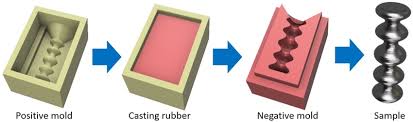
This picture walks through the process involved in copying an object with positive molds, negative molds, and casting.
Important terms:
Base
The base is the main material that makes up most of your mixture. It’s the primary substance that will become the final solid object. By itself, the base won’t harden, it needs something else to trigger the reaction. For example: Liquid silicon rubber
Catalyst (also called hardener or curing agent)
The catalyst is the small amount of material you add to the base to start the hardening process. It triggers a chemical reaction that turns the liquid base into a solid rubber. Without the catalyst, the base would stay liquid forever.
Pot life
Pot life, or working time, is how long you have to use a mixed material like liquid silicone rubber or Hydro Stone while it’s still liquid and easy to work with. Once that time runs out, the material starts to harden and you can’t really shape it anymore. How long the pot life lasts depends on the material itself and things like temperature and humidity.
Cure time
Cure time is how long it takes for a material such as liquid silicone rubber or Hydro Stone to fully harden after you’ve mixed it and applied it. The time can be short or long depending on the type of material, how much you’re using, and surrounding conditions like heat and moisture.
Mix ratio
The specific amounts of two or more parts (like a base and a hardener) that you need to mix together. Getting the ratio wrong can affect pot life, cure time, and final strength.Different materials require different mix ratios with their corresponding hardeners, catalysts, or bases.
By weight vs. by volume :
Some materials need to be measured by weight (using a scale), while others are measured by volume (using cups or graduated markings). Always check the datasheet, mixing by weight when it calls for volume can ruin the batch.
Reviewing Datasheets
For molding we have the Siloczest Liquid Silicone Rubber (LSR 220 Slow), Ferris Machinable Blue Wax Block and Siloczest Liquid Silicone Rubber (LSR 140 Slow) from our lab.
LSR 220 S (Slow Catalyst)
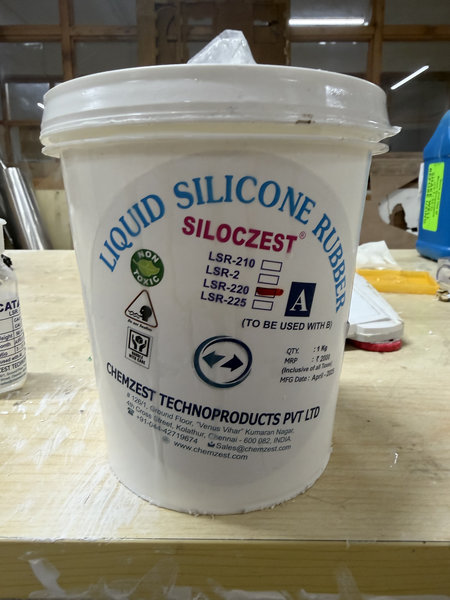
LSR 220 S is a medium-soft silicone rubber that cures slowly, giving more working time for pouring and adjusting molds. It is easy to use since it does not require degassing and is suitable for detailed mold-making applications.
We referred to the official datasheet for Siloczest Liquid Silicone Rubber, where we found the details for LSR 220 (S) listed below.
Product Type: Liquid Silicone Rubber (LSR) : molding grade
Applications: Used for mold making in: Sculptures Arts & crafts Soap and candles Artificial stone molds Wood, POP, clay, and shoe molds
Key Properties: Hardness: 20 Shore A (medium-soft flexibility) Appearance: Milky white Degassing: Not required. (Degassing is the process of removing trapped air bubbles from a liquid material, usually using a vacuum)
Mixing Ratio: 100 : 5 (by weight, base : catalyst)
Curing Time: 5 to 8 hours (slow curing)
2.Ferris Machinable Blue Wax Block
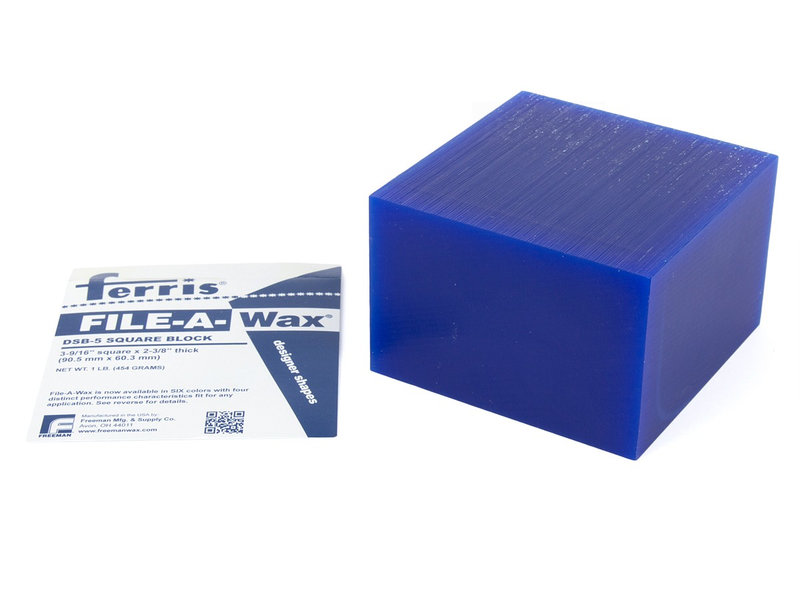
Ferris Machinable Blue Wax Block is a solid, CNC-friendly wax material used for precision machining of molds and prototypes. It can be directly milled using machines like the SRM 20 to produce highly detailed and accurate mold forms with a smooth surface finish. Unlike softer waxes, it holds its shape well during cutting and does not melt or deform easily under normal machining conditions. After milling, the wax pattern can be used as a master to create silicone molds or for direct casting processes.
We have referred the datasheet for the product and listed the information below:
Product Type: Machinable modeling wax block (CNC carving wax)
Applications: Used for precision machining and mold making such as: CNC milling (e.g., SRM-20) Prototype and mold master creation Jewelry, design, and engineering models Silicone mold production (as a master pattern)
Key Properties: Solid wax designed for clean CNC cutting Holds fine details accurately during milling Low melting/deformation during normal machining Produces smooth surface finish after cutting Safe, non-reactive industrial wax material
Processing Method: Can be directly milled using CNC machines like SRM-20 Does not require curing or drying After machining, used as a mold master for casting processes
Finishing Use: Can be used to create silicone molds or casting molds directly after machining Easy to clean and modify if needed
For casting, we have the Smooth-Cast 305 and USG Ultimate Drystone in our lab.
3.LSR-140 (Slow)
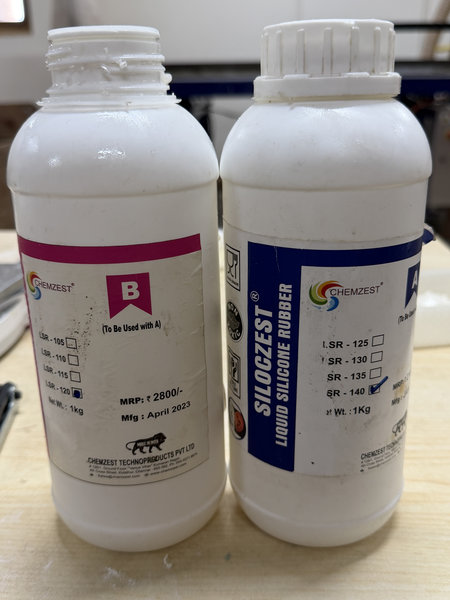 LSR 140 is a medium to hard silicone rubber that offers good durability and strength for mold making. It is suitable for both food grade and jewelry grade applications, making it a versatile choice for detailed and functional molds.
We referred to the product information for Siloczest Liquid Silicone Rubber, where we found the details for LSR 140 listed below.
Product Type: Liquid Silicone Rubber (LSR): molding grade
Applications: Used for mold making in:
- Jewelry and food grade applications
- Components and molds for concrete stone, GRC, and polyurethane products
- Wax and candle decoration
- Rapid prototyping
Key Properties:
- Hardness: 40 Shore A (medium to hard flexibility, firmer than LSR 220 S)
- Appearance: Translucent
- Mixing Ratio: 100 : 5 (by weight, base : catalyst)
- Curing Time: 5 to 8 hours at room temperature (slow curing)
For casting we have Smooth-Cast 305, and USG Ultimate Drystone from our lab.
1.Smooth-Cast 305
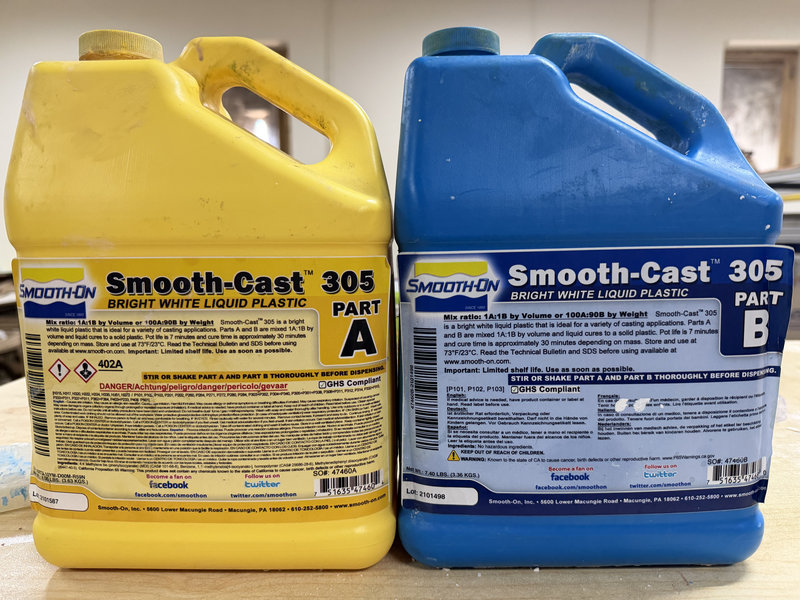
Smooth Cast™ 305 is a part of the well known Smooth-Cast™ 300 Series of liquid plastic resins, designed to produce strong, bright white castings with very low viscosity. This allows the material to flow easily into fine details while naturally reducing air bubble formation, so vacuum degassing is typically not required. The resin is user-friendly and designed for accurate mixing, using a simple 1A:1B ratio by volume or a 100A:90B ratio by weight. This makes it convenient for both beginners and advanced users to achieve consistent and reliable casting results with minimal error.
We have referred the product datasheet for Smooth-Cast 305 where we found the details below:
Product Type: Liquid Polyurethane Casting Resin (Fast Cast Plastic)
Applications: Used for casting rigid, high-detail parts such as: Prototypes and model making Props and decorative objects Figurines and sculptures Rapid production molds Industrial design mockups
Key Properties: Shore Hardness: 70D (rigid plastic ) Viscosity: 80 cps (very low viscosity, flows easily into molds) Appearance: White (can be pigmented with dyes) Degassing: Not required ( low bubble formation in most applications)
Mixing Ratio: 1A : 1B (by volume) 100A : 90B (by weight)
Pot Life: 7 minutes
Demold Time: Approximately 30 minutes
2.USG Ultimate Drystone
USG Ultimate Drystone is a fast setting gypsum casting powder used to make solid models and shapes from molds. We have reviewed the datasheet for the product from which, we have found the details listed below:
Product Type: Gypsum casting powder (fast setting mold material)
Applications: Used to make: Models and sculptures Decorative objects Prototypes and mold parts
Key Properties: Hardens quickly without oven drying Captures fine details well Becomes stronger after drying in air
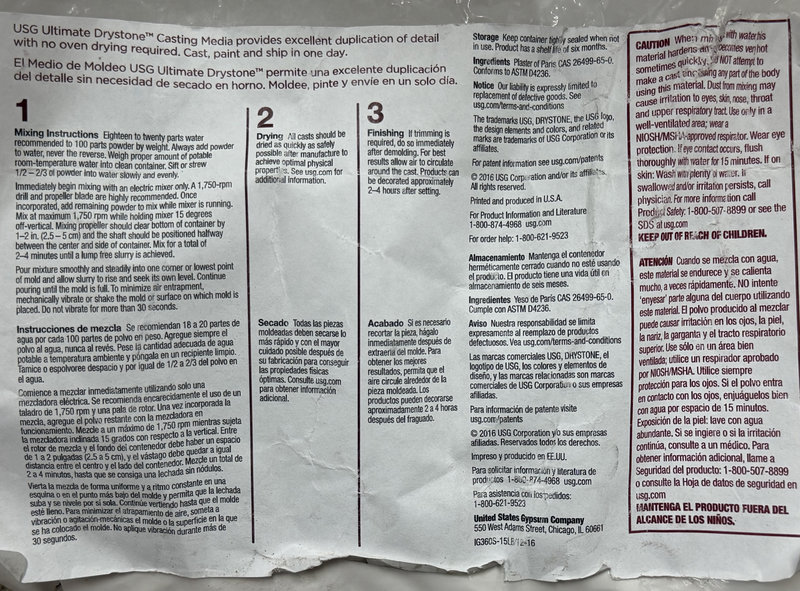
Mixing Ratio (by weight): 100 powder : 18 to 20 water (Always add powder into water)
Mixing Time: 2 to 4 minutes until smooth with no lumps.
Demold Time: Remove after it sets and becomes firm
Finishing: Trim right after removing from mold. Can be decorated after about 2 to 4 hours Fully strengthens after proper air drying
These are the user’s guide at the back of the product from which you can get a lot of information on how to use the casting material:
Making and Comparing test casts:
We had 2 cast materials in our lab, USG Ultimate Drystone™ Casting Media and Smooth-Cast™ 305.
- USG Ultimate Drystone™ Casting Media
To test the USG Ultimate Drystone casting material, we made a silicone mold using one of the wax molds of a Green Tara available in our lab. In Buddhism, Tara is a female enlightened being (a kind of Buddha) who represents compassion and protection.
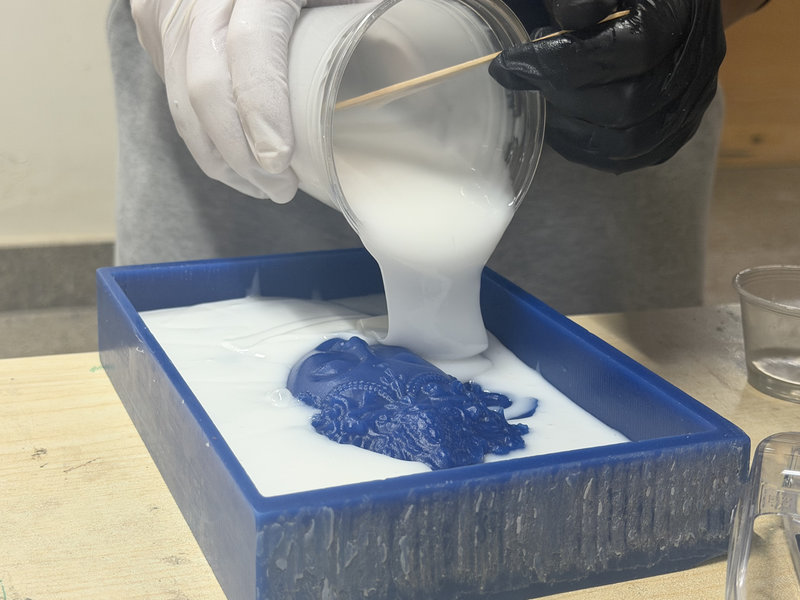
 We used Siloczest Liquid Silicone Rubber (LSR 220 Slow) for the mold and mixed it with the catalyst in a 100:5 ratio by weight. This meant using 420 g of LSR and 21 g of catalyst to fill the Green Tara mold.
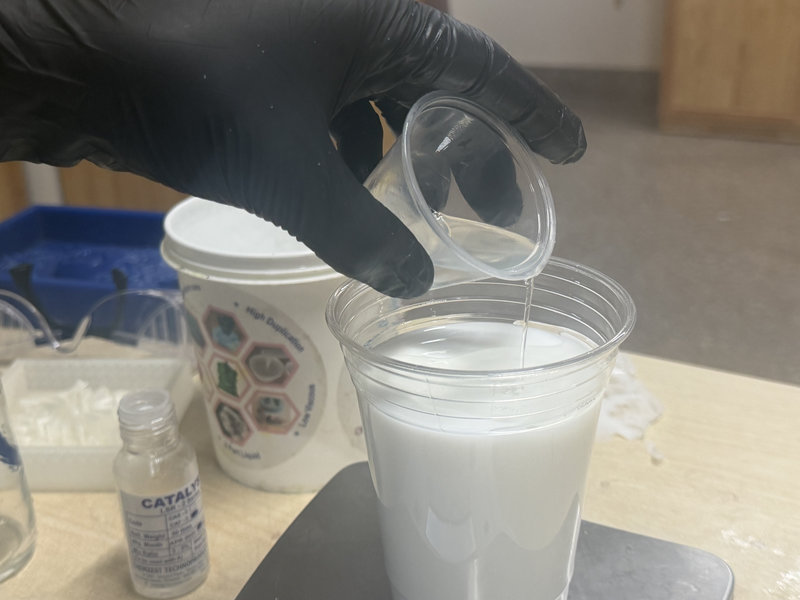
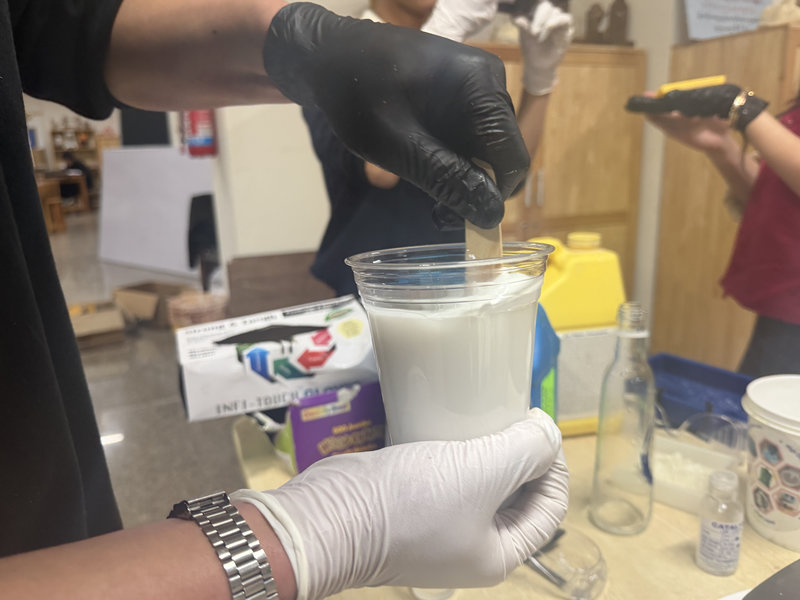
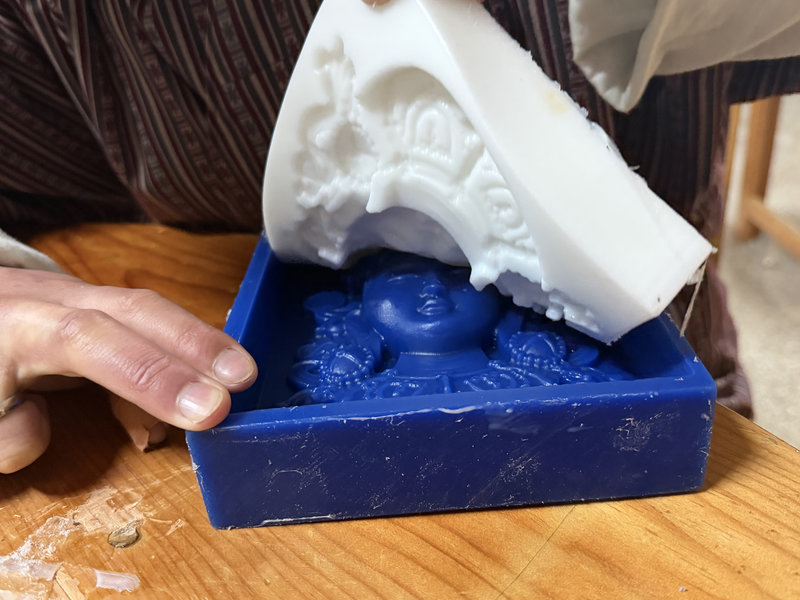
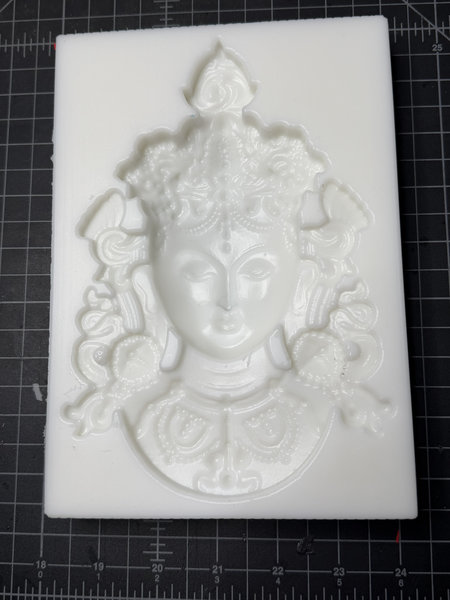
This was the silicon mold after it was fully cured.
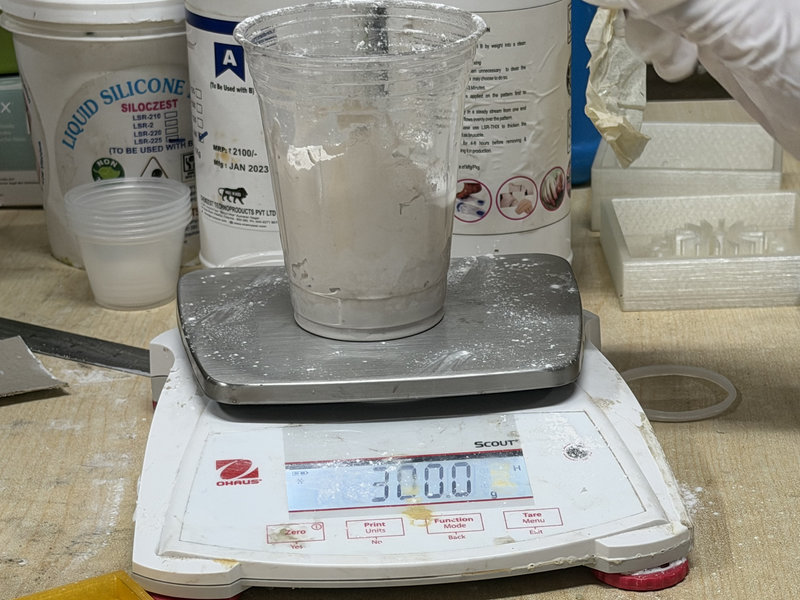
Then we moved on to casting using USG Ultimate Drystone. We first checked the product datasheet to make sure we followed the correct mixing ratios and avoid mistakes. The recommended ratio is 100 parts powder to 18 20 parts water, as shown on the packaging. However, when we used that ratio, the mixture turned out a bit lumpy, so we added more water and adjusted it to about a 100:32 ratio instead. This meant using a 300:96 ratio of USG powder to water.
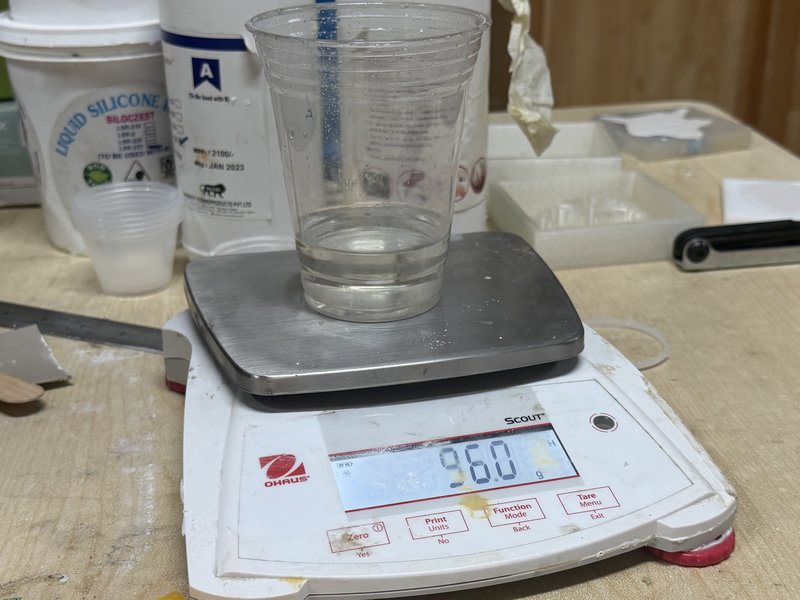
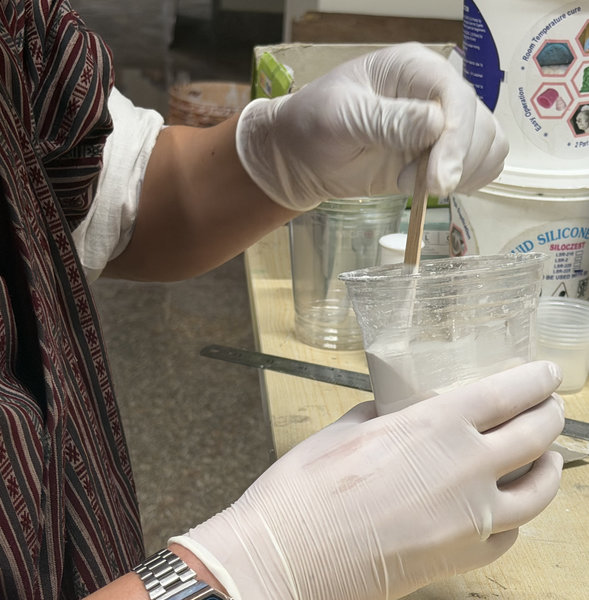
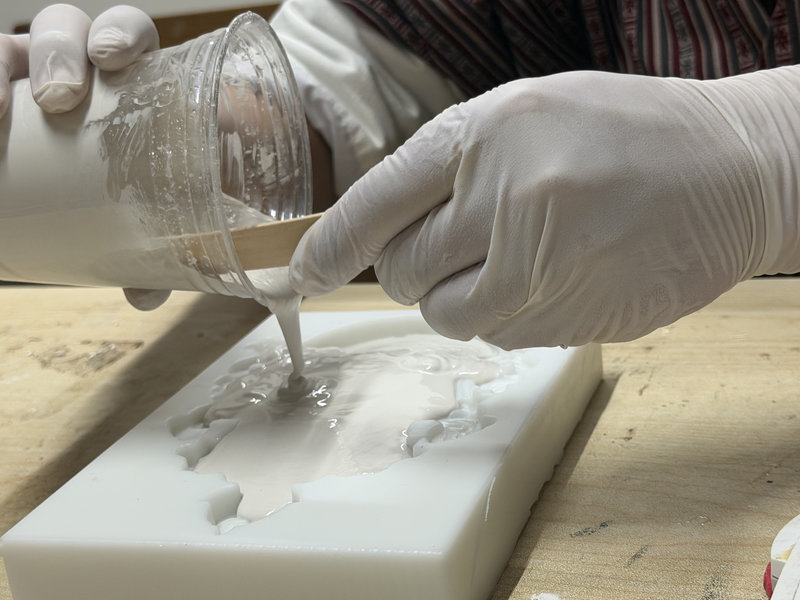
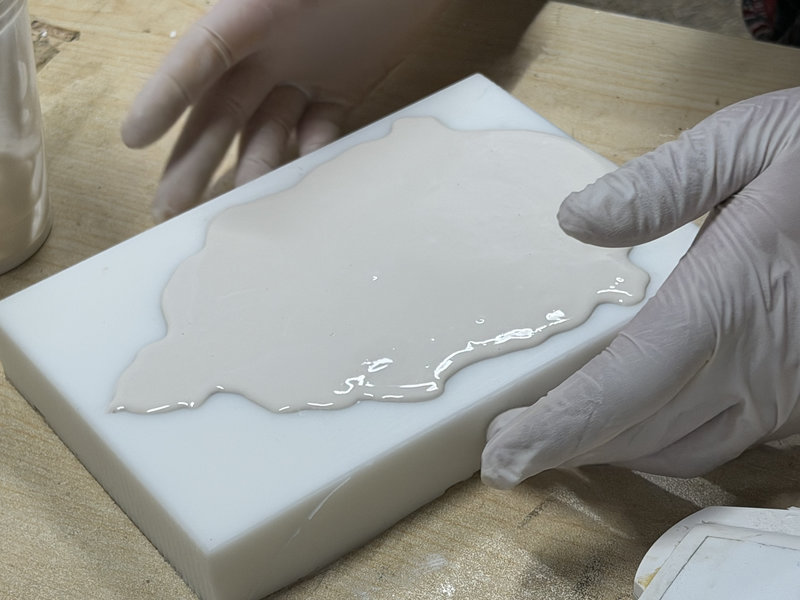
After the USG cast had fully cured, these were the results 😆
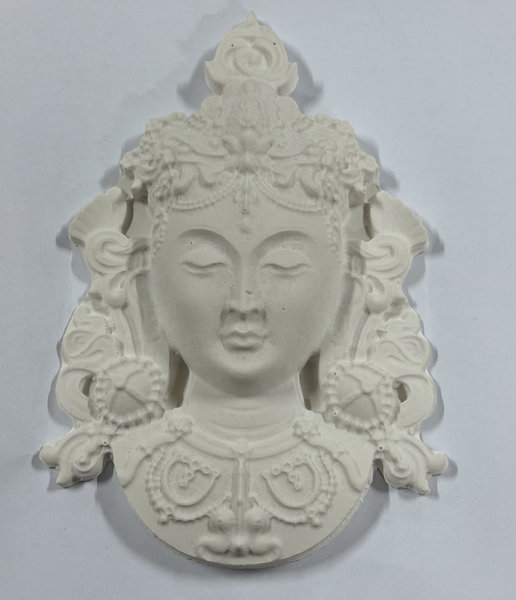 The USG cast was a bit delicate, especially since it was quite large. The middle part was fragile, and small pieces could easily break off, but overall the cast turned out well.
- Smooth-Cast 305
We tested the casting material in one of our silicon molds.
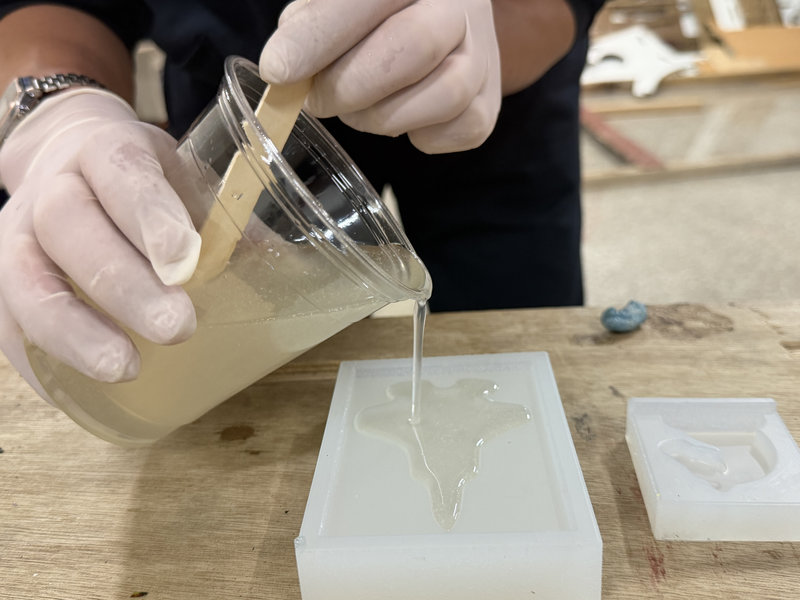
We decided to measure the cast by weight instead of volume.Smooth Cast 305 is mixed in a 100A:90B ratio by weight. For the Jet mold, we followed this ratio and used the calculated amounts needed to fill the mold completely. The cure time is 30 to 40 minutes at room temperature, after which the casting becomes solid and can be demolded.
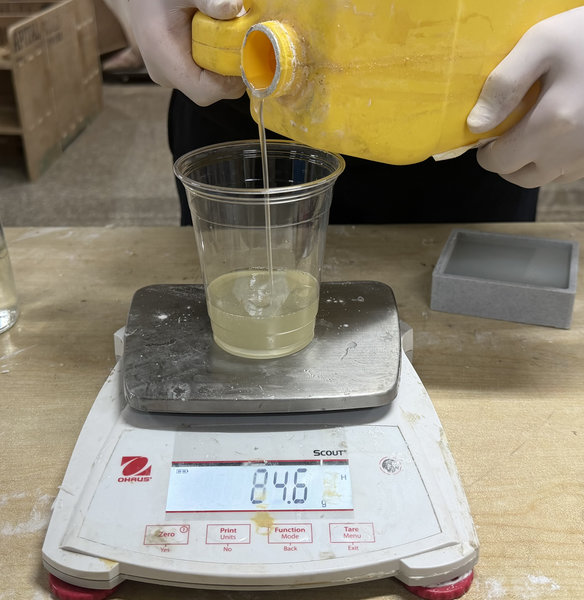
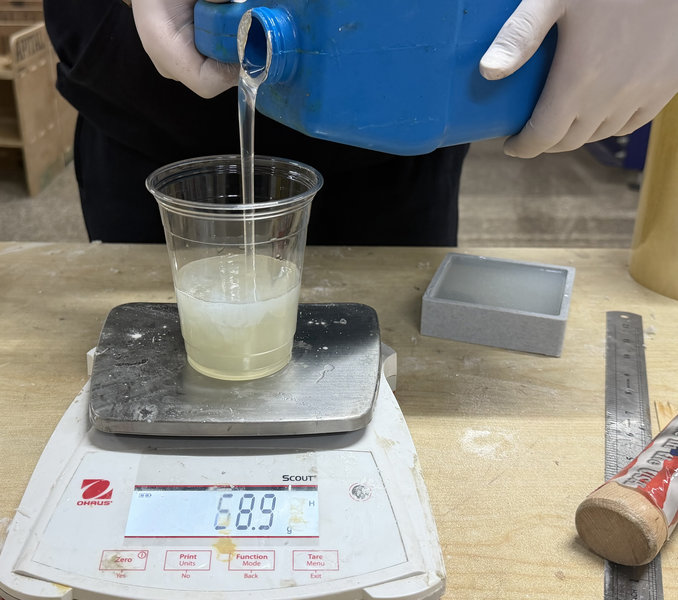
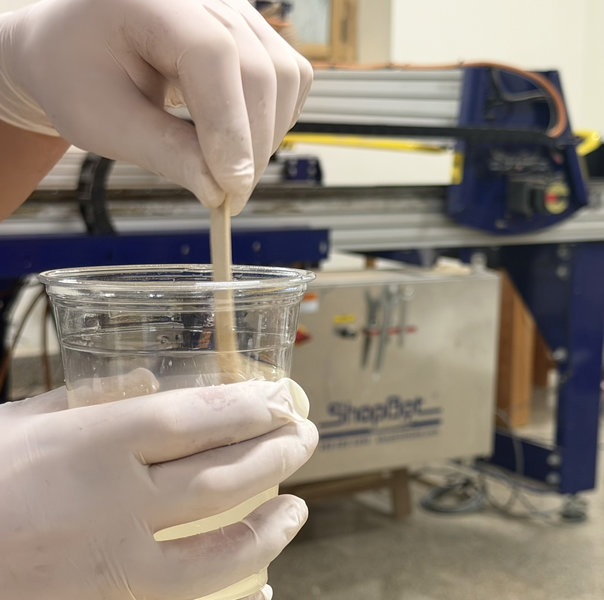
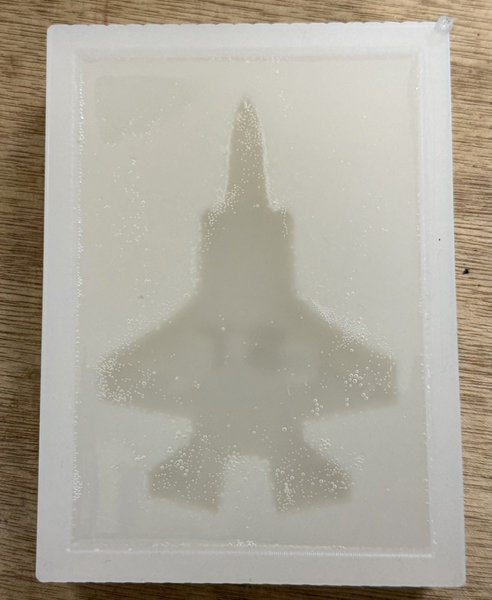 After waiting for the cast to cure, this was the result!
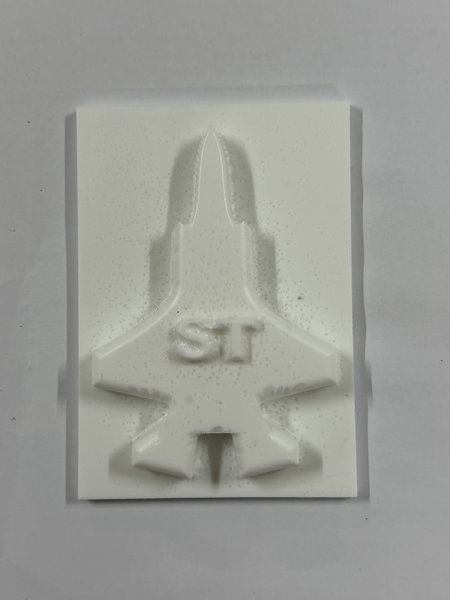
Conclusion
After testing both materials, each had its own strengths and weaknesses:
The USG Ultimate Drystone cast captured fine details very well and produced a clean, sharp cast for the tara mold. However, it was quite fragile, especially in thinner areas, making it better suited for decorative pieces or mass production where durability isn’t as important.
Smooth Cast 305 was much stronger and more durable.Although there were a few small air bubbles on the surface, the overall result was still good. This makes it more suitable for functional parts or projects that need durability.
Thank You!