Group Assignment
1) **Group Assignment**: Explore and document different types of microcontrollers and compare them [Group Assignment](https://fabacademy.org/2026/labs/techworks/week4/week4.html) 2) **Individual Assignment**: Browse through the datasheet for a microcontroller Write and test a program for an embedded system using a microcontroller to interact (with local input &/or output devices) and communicate (with remote wired or wireless connections)
## Overview The goal this week was to program a microcontroller to interact with hardware. I focused on the **Seeed Studio XIAO RP2040** in my individual assignment,and simulated ESP32 on **Wokwi** I also prepared a mockup on Arduino Uno for my individual assignment workflow. This came along with the group assigment requirements to compare various microcontrollers and navigate through their **datasheets**

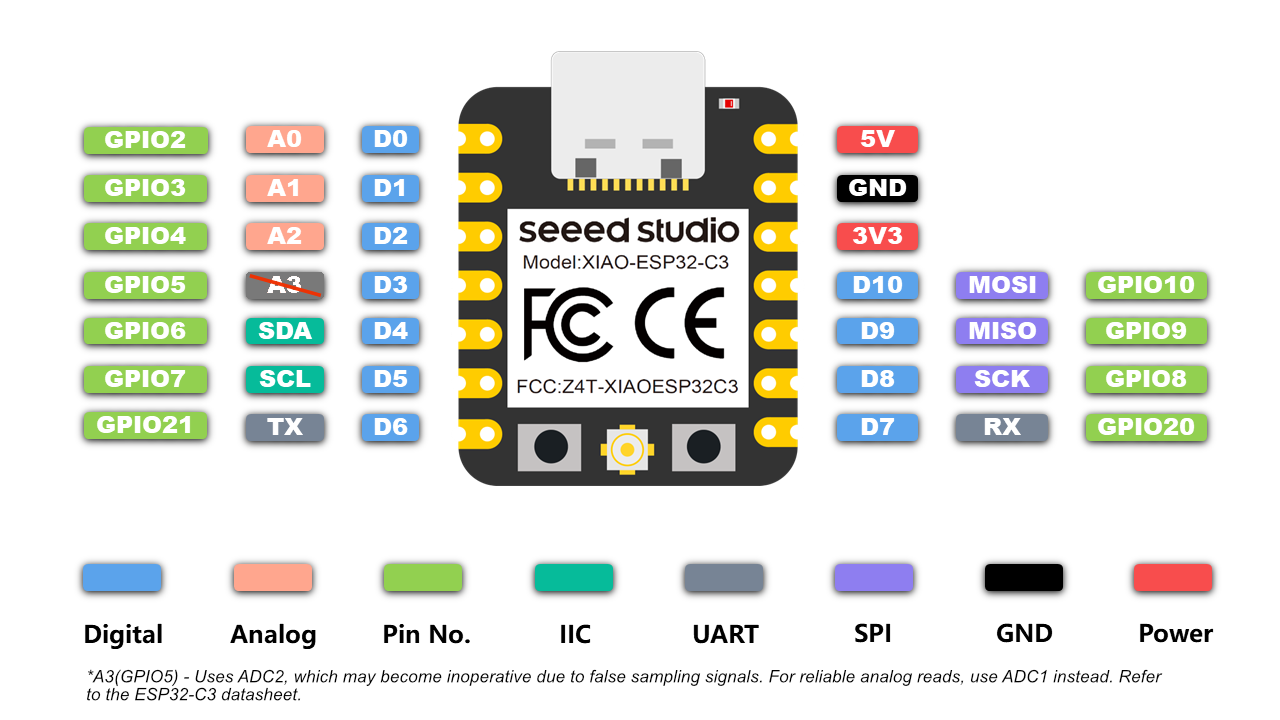
## Understanding Microcontrollers We started by exploring different datasheets for **microcontrollers** and **microprocessors*. A **Microprocessors** is the **brains** of an electronic setup, it only has the CPU while a microcontroller is the chip and it has the CPU,RAM,Input/Output pins (I/O) and is more common in embedded systems. The microcontoller communicates with the **pins** and each pin can serve for different function, generally speaking a pin can be input,output,digital and analoge or all at once. However a microcontroller can be compatible to different **communication protocols**, below is a summary of the terms and abbreviations I encountered while reading the datasheets of **ESP32C** and **RP2040**. | Abbreviation | Description | Example | |:---|:---|:---| | GPIO| General Purpose Input/Output | The pins on ESP32C are all GPIO pins | | D or A | Digital or Analoge | Pins D0->D3 are all **Analoge and Digtial** pins, while pins D3->D10 are only Digital | | SDA| Serial Data pin | This is common in I2C protocol which uses two wires only, Pin D4 in ESP32C3 is compatible with this | | SCL| Serial Clock pin | This is common in I2C protocol too, Pin D5 in ESP32C3 is compatible with this | There also the common/base pins in every microcontrooler which are , **3V3**, **5V**, **GND**. (GND is found in everyone, VCC/3v3/5v) vary according to the microcontroller. A microcontroller can be compatible with more than one communication protocol, and according to its Pinout/Pinmap , one can Identify which pins to use the ESP32C3 is compatible with: - TX/RX (SEND/RECEIVE) communication protocol (Pins D6,D7), which falls under **UART** - MOSI/MISO/SCK , which falls unders **SPI** and the **I2C** protocol which we mentioned in the table as an example.
What is what

It was improtant to me to understand the differences between those protocols in order to understand how to **Select** electornic component to which I concluded, we dont select the protocol we look for the components compatibility, for example if I am connecting an OLED screen which has 4 pins (GND,5V,SDA,SCL) Tthis means I will have to connect to a microcontroller which is compatible with the I2C protocol.

Category Label Typical Use
DigitalD0–D10LEDs, buttons, relays
I2CSDA / SCLOLED, sensors
Power5V / 3V3 / GNDRegulated supply

## Navigating Datasheets /Architecture We used [Wikiseeed Studio](https://wiki.seeedstudio.com/) to explore the data sheets of the two microcontrollers. ### Pin Definition VS Pin Map In the datasheet you'll find the Pin defintion, which is the internal pin mapping of the microcontoller below is a comparison and how to read that table vs the pin diagram:
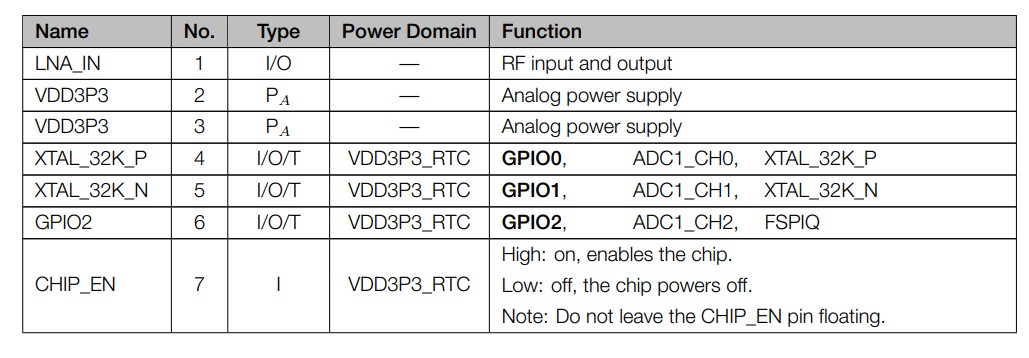
Pin Defintion (GPIO2) shown, notice the functions associated to it. - SEED XIAO ESP32C3
Pin Defintion (GPIO2) shown, notice the functions associated to it
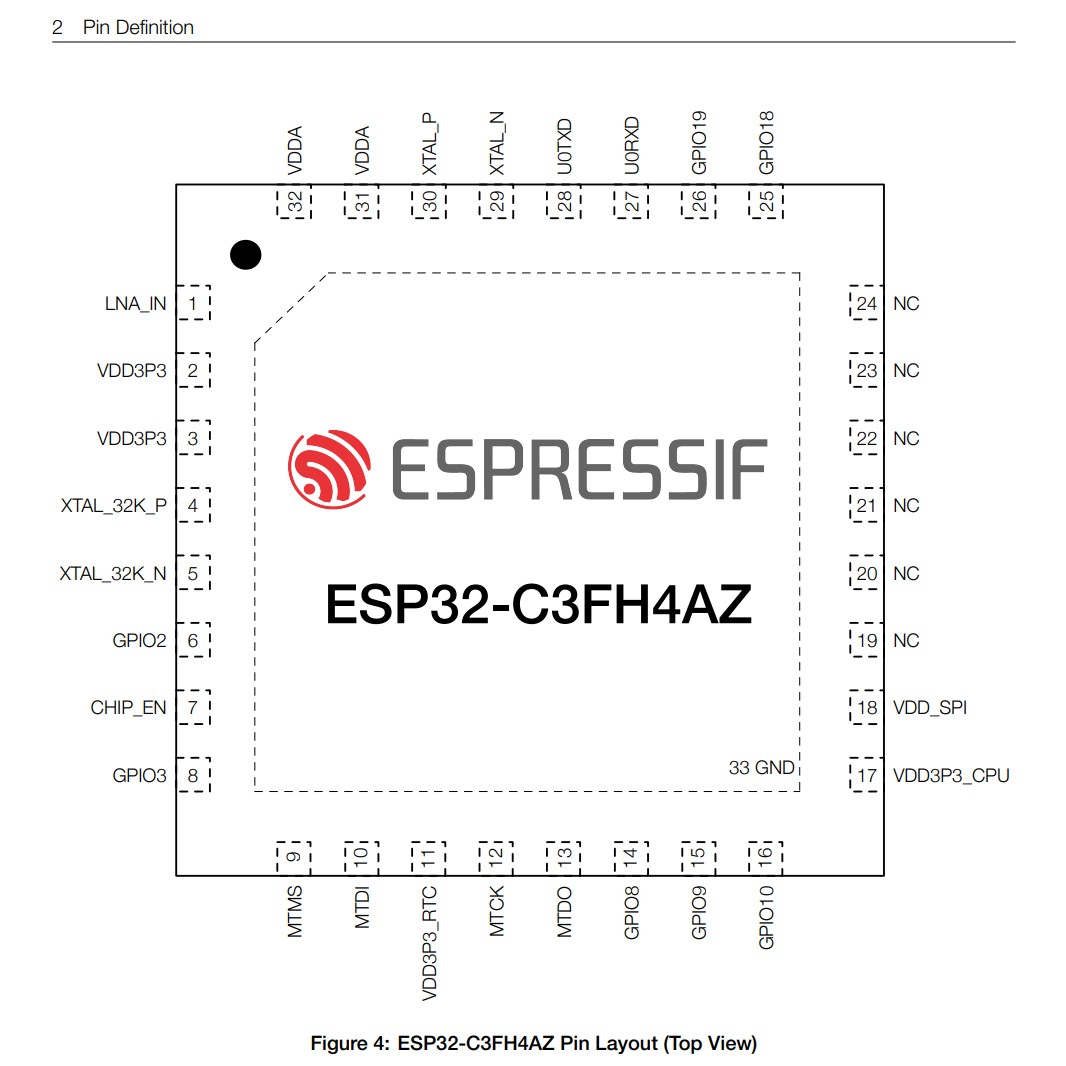
Pin Definition (internal diagram)-- SEED XIAO ESP32C3
Pin Definition (internal diagram) - SEED XIAO ESP32C3
Pin Definition (internal diagram)-- SEED XIAO ESP32C3
Pin Definition (internal diagram) - SEED XIAO ESP32C3
The way to identify the internal pin layout with the physical visual diagram is to read the functions in the pin definiton and cross check them with the ones identified in the visual diagram For example GPIO2 / D0 supports Digital and Analog inputs , looking at the function column it says **GPI02 , ADC1_CH2, FSPIQ** which translates : ADC (Analog to Digital Converter) and FSPIQ which translates into simply put digital, so if there are functions in geneal (more than one) the pin can change its behaviour.
Strapping Pins and Troubleshooting Tip

To enter Bootloader Mode on the XIAO RP2040, hold the B button while plugging it in. Use the R button for a hard reset.

Avoid using strapping pins (like GPIO2, GPIO8, or GPIO9 on the ESP32-C3) for things like buttons or switches if you have other pins available. It saves you a lot of troubleshooting!

A strapping pin is a pin the chip "checks" for a split second at startup to decide which mode to turn on in (like "Run" mode vs. "Update" mode). After that split second, it becomes a normal pin again.


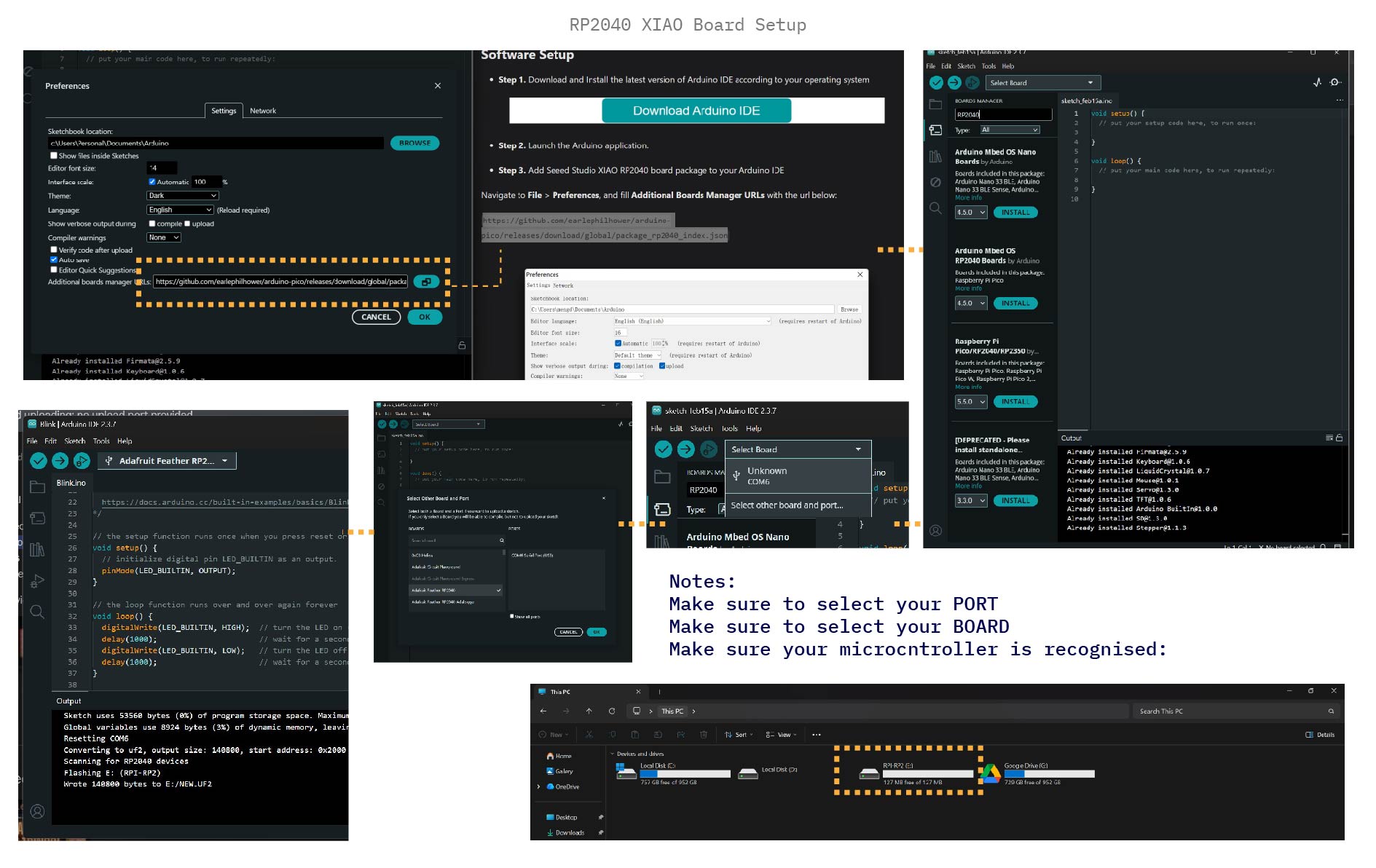
## Project: 4-Bit Binary Counter It is a straight forward procedure to follow from the Seeed Studio XIAO RP2040 doucmentation/data sheet, from downloading Arduino IDE to installing the required packages. So I followed the steps in the board documentation (clickable) to setup my board. The documentation covers both Hardware and Software Setup It also gives you a set of examples to test run, following the guide I used the Blink test to ensure my setup is correct. I also setup this for Arduino UNO first, to test and compare ### The Logic | Decimal | Binary | LED State | |:---|:---|:---| | 1 | 0001 | LED 0 ON | | 3 | 0011 | LED 0 & 1 ON |
week04-4bit-counter.ino
void loop() {
            for (int count = 0; count < 16; count++) {
              digitalWrite(pin2, bitRead(count, 0)); // LSB
              digitalWrite(pin3, bitRead(count, 1));
              digitalWrite(pin4, bitRead(count, 2));
              digitalWrite(pin5, bitRead(count, 3)); // MSB
              delay(1000);
            }
          }
## Testing & Comparison
XIAO RP2040 Setup
Steps

Download the packages for RP2040 (COMPONENT PACKAGES). Following the RP2040 documentation

Download the packages for RP2040 (COMPONENT PACKAGES).

Select PORT and BOARD.

make sure the board is loaded and recognized (it will appear on the browser as device).

Run and upload the code

TIPthe boot/reset functions on the RP2040 helped me troubleshoot and where the first step to diagnose why my code failed to run or not, while holding boot unplug and plug the RP2040, and the PC will re-recognize it and it would solve the problem
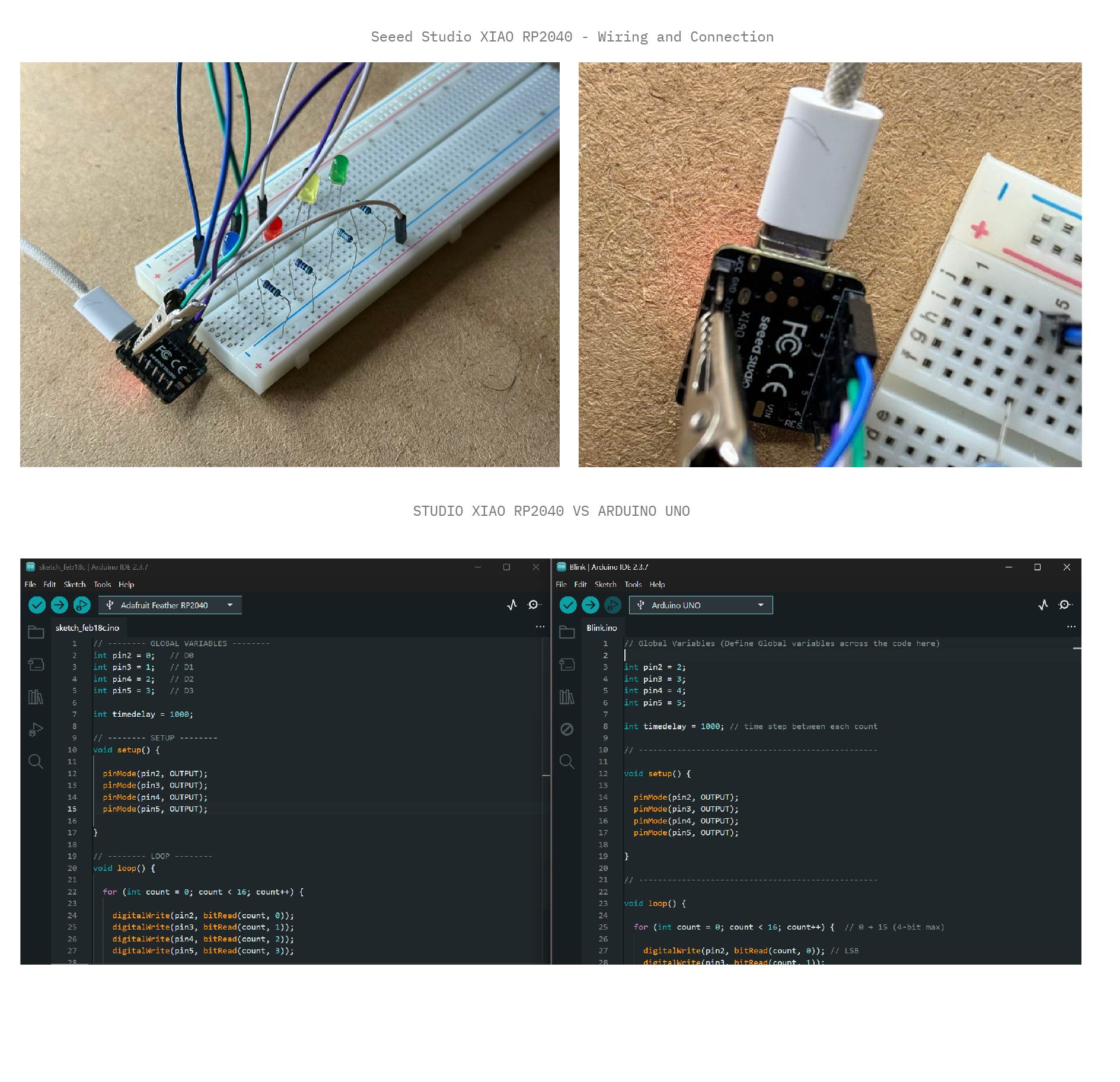
Arduino VS RP2040
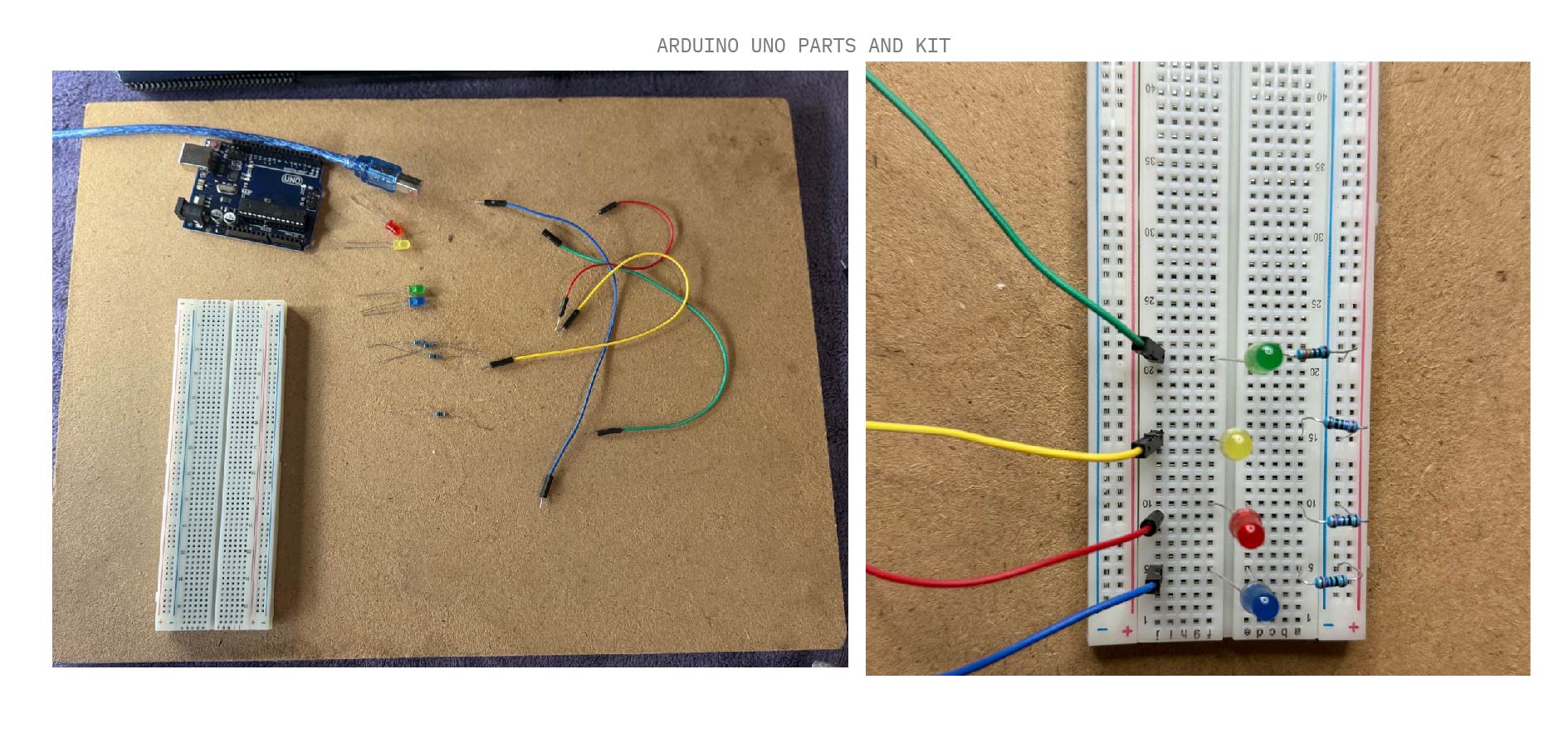
Arduino Uno Setup
## Embedded Concepts
### Microcontroller (MCU) vs Microprocessor (MPU)
- **MCU:** An all-in-one chip (CPU, RAM, Storage). Example: ESP32, RP2040. - **MPU:** Only the CPU. Requires external RAM and storage. Example: Computer CPUs.
### Tool Chain
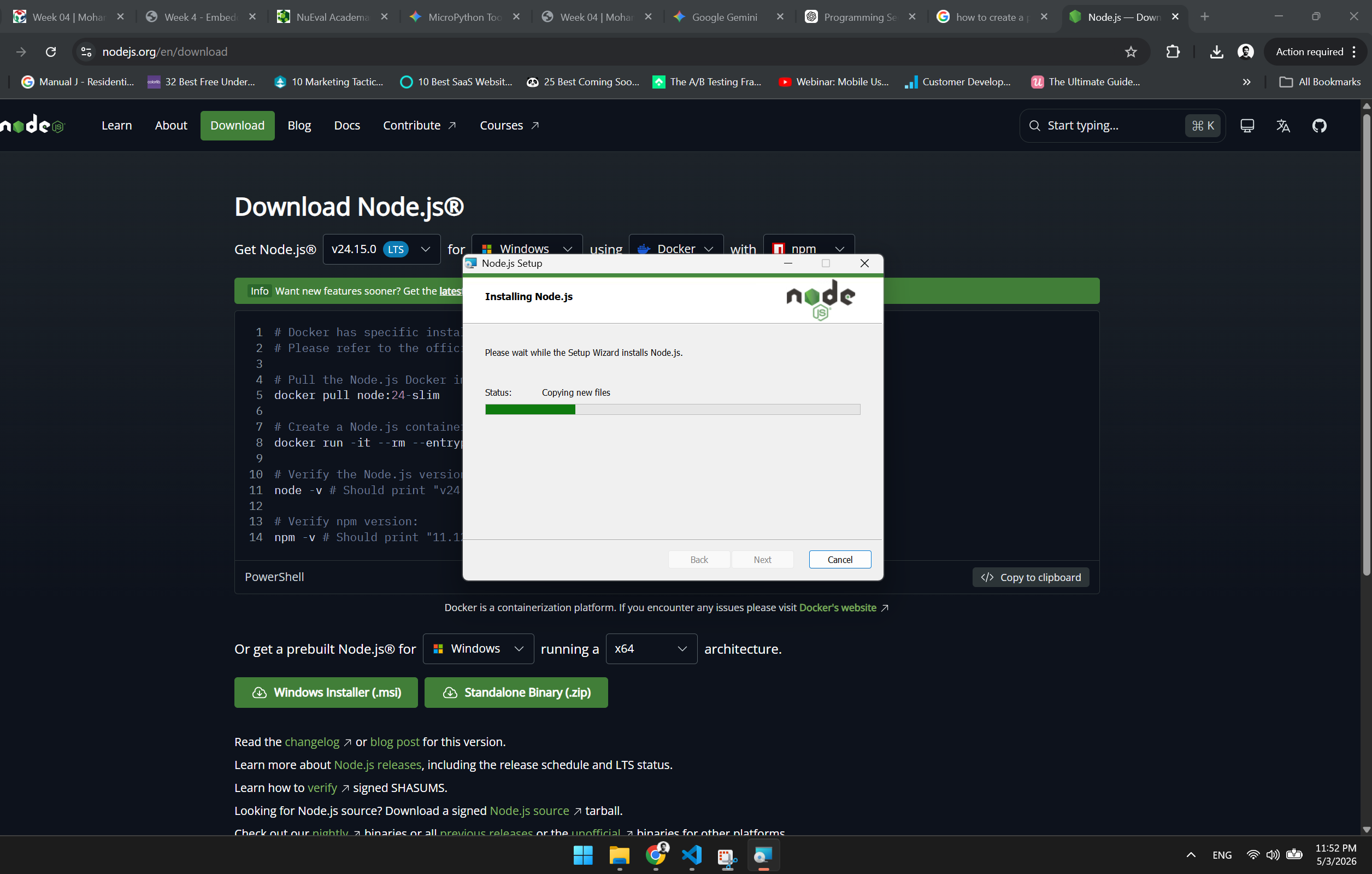
The toolchain as is **The collection of software tools (compiler, linker, debugger, uploader) used to build and program a microcontroller** There are several toolchains, Arduino IDE (Integrated Development Enviroment) To distinguish between the multiple tools I summarised them in to the following table - Programming Language → What you write - Runtime / Firmware → What executes the code on the microcontroller - IDE → Where you develop and upload the code - Simulator → Virtual hardware for testing without physical components ### Toolchain Definitions
| Tool / Environment | Type | Notes | | ------------------------ | ---------------------- | ------------------------------------------------------------------------------------------------------------------------------------ | | **Arduino IDE** | IDE / Compiler | Classic Arduino development environment for writing, compiling, and uploading code. | | **PlatformIO (VS Code)** | IDE / Multi-board | VS Code extension for professional development on multiple boards. | | **Tinkercad** | Simulator / Visual IDE | Online simulator for Arduino; beginner-friendly for testing circuits without hardware. | | **Wokwi** | Simulator / Visual IDE | Advanced online simulator supporting Arduino, ESP32, Raspberry Pi Pico, and more; allows real-time circuit simulation and debugging. | | **MicroPython** | Language Runtime | Python for microcontrollers (ESP32, Raspberry Pi Pico); use with VS Code extensions for uploading and REPL. |
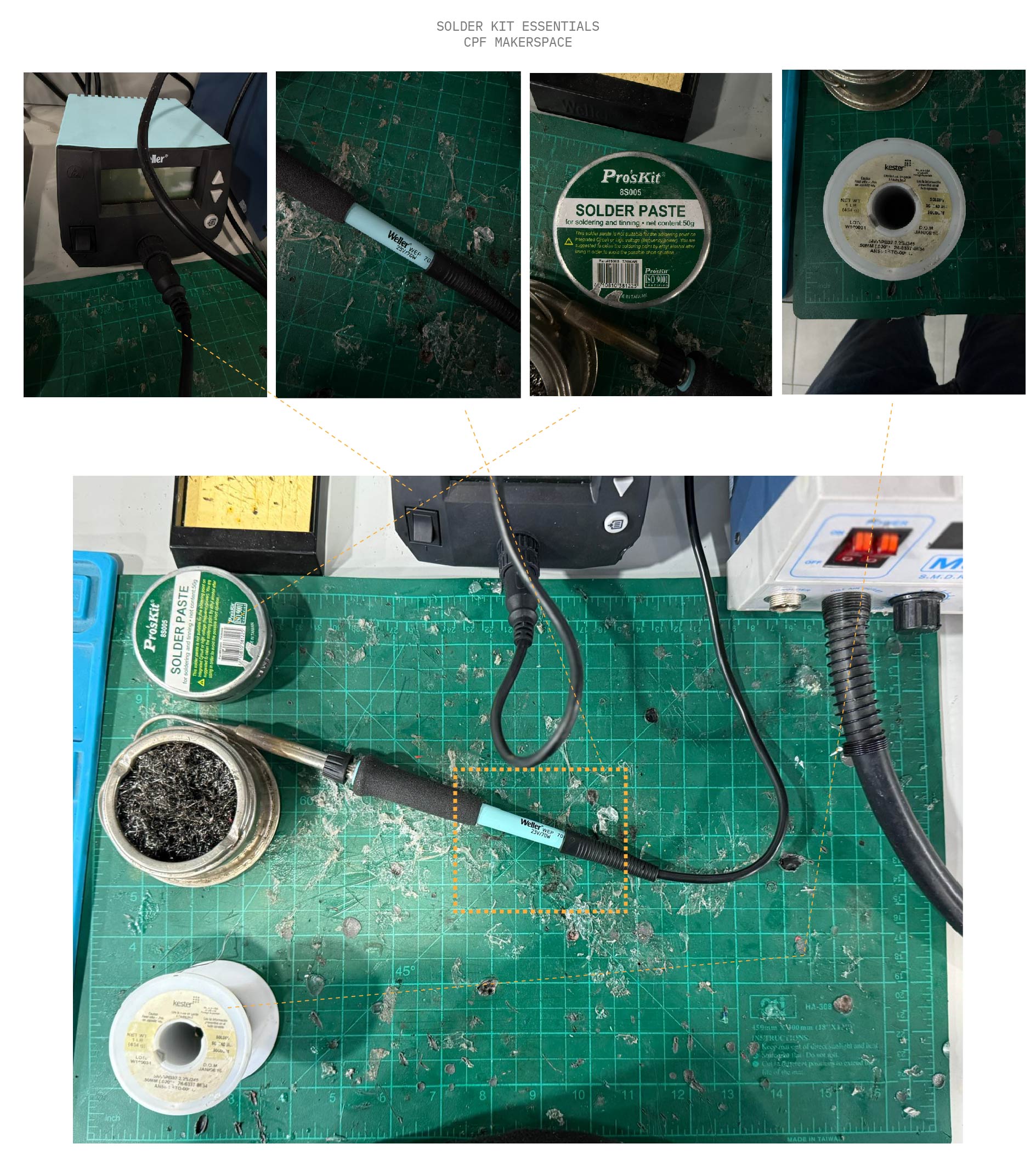
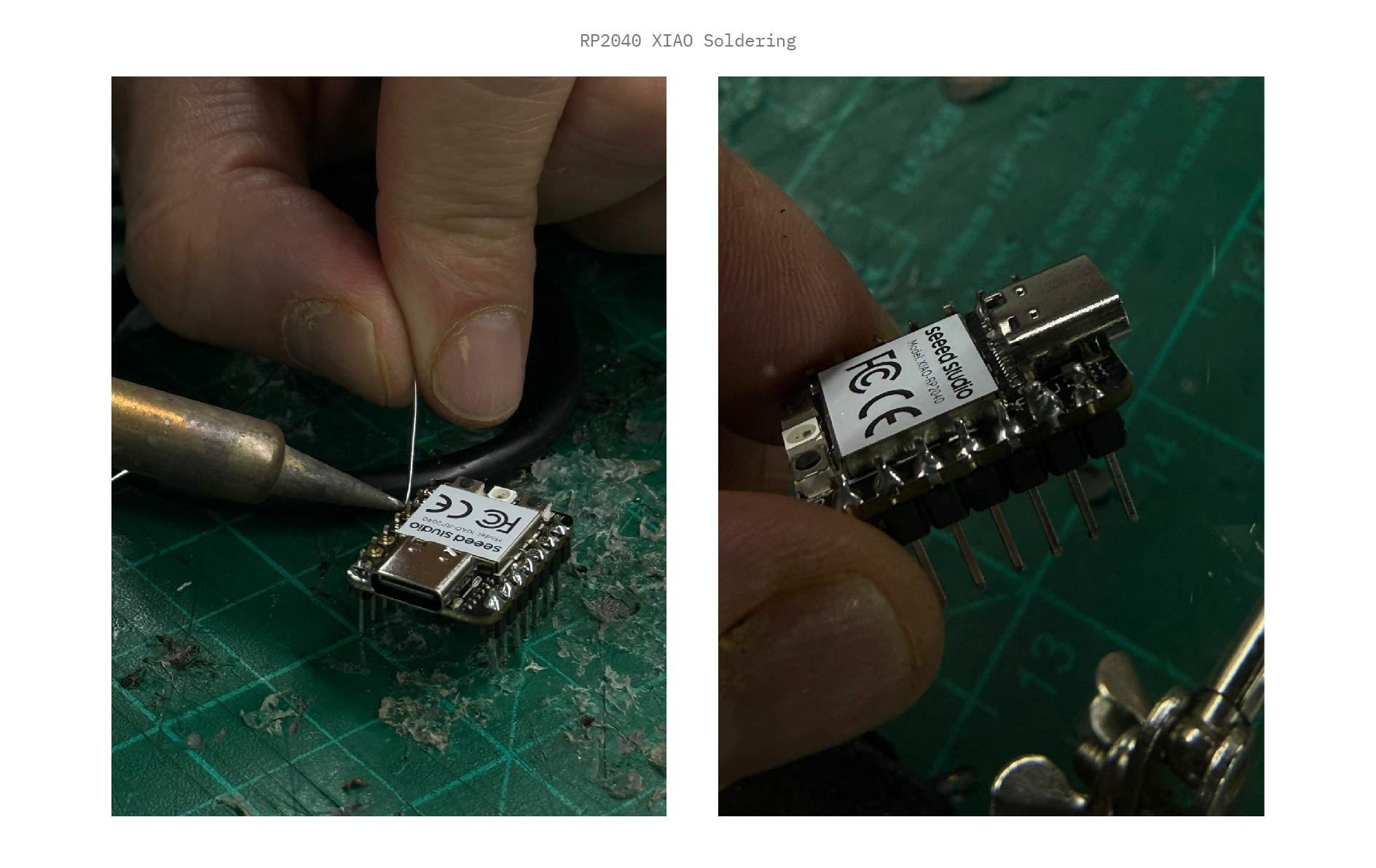
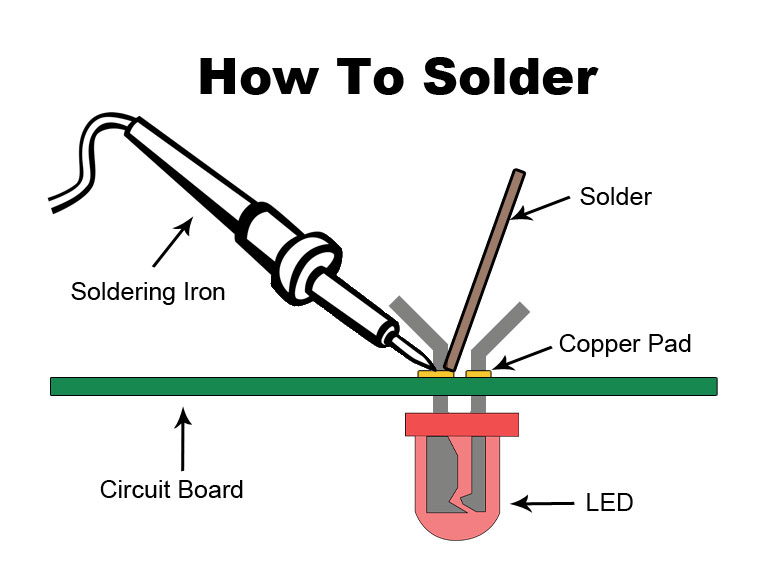
## Soldering Foundations Proper soldering creates both a mechanical and electrical bond. I set up the electronics lab with essential safety gear including fume extractors and heat-resistant mats.
Lab Setup
Soldering Process
How to Solder
Safety First

Always use safety glasses and a fume extractor. Solder contains flux which releases irritating fumes when heated.


Resources & Assets