## Introduction Following to week 6, in this week we produced the PCBs we designed. We learned to distinguish different types of PCB boards, Milling using Roland SRM-20 and understanding toolpath generation,mounting electronic components on PCBs from common components such as headers and specifc "functional" components such as the microcontroller, explored surface mount components and their soldering,prepared toolpaths for holes/drill map, Testing the PCB continuity and troubleshooting, a lot of it. A PCB can be single sided or double sided (mainly), the most common type is the FR class (Fire retardant),this is key to PCBs as they are subject to heat loads and hazards such as electrical sparks, we worked with **FR1** , a single sided copper layered board, all FR boards contain copper layers I did a general comparison search and below is the sumamary: | Feature | FR1 | FR4 | | :--- | :--- | :--- | | **Material** | Paper + Phenolic resin | Fiberglass + Epoxy resin | | **Process** | Punching / Milling | **Chemical Etching** | | **Color** | Tan / Brown | Translucent Green / Yellow | | **Layers** | Single-sided only | Single, Double, & Multi | | **Core Material** | Layers of **Paper** | Woven **Fiberglass** cloth | | **Binder (Glue)** | **Phenolic Resin** (brownish) | **Epoxy Resin** (clear/green) | | **Copper Layer** | Glued to the surface | Heat-pressed into the resin | | **Dust Hazard** | Low (Paper/Resin) | **High** (Glass fibers) |
Etching VS Milling, Why the difference?

(Milling) : Because it is paper-based, it is soft enough for mechanical bits to carve away the copper without ruining the tools.

(Etching) : Because the fiberglass core is so abrasive, industrial manufacturers prefer using chemicals (acid) to "eat" the copper away rather than physically cutting it
### Safety - Always wear safety goggles - Ensure the Lid cover is closed - Make sure you have visibility and control over the controller while changing the end mill and be cautious - Check the machine for any risiduals,and always ensure you're working on a clean surface - Vauum/clean the risdiuals before using the machine while wearing a mask and gloves to avoid enhaling it. - Check the surrounding before working and do not lean/place your weight on the machine while running or when off. ### Toolpath Generation For milling the PCB we generated the following toolpaths: -**Engraving Toolpath**: For the PCB traces, flat endmill used here. -**Cutout**: For finishing the board and cutting through the entire PCB. flat endmill used here. | Operation | Toolpath Type | Mill Used (Common) | mods Program / Setting | | :--- | :--- | :--- | :--- | | **Traces** | **2D Engrave / Isolation** | **1/64"** Flat Endmill | `mill 2D traces` (Depth: ~0.1mm) | | **Holes** | **Drilling** | **1/32"** Endmill or **0.8mm** Drill | `mill 2D holes` (Drill mode) | | **Outlines** | **2D Profile / Cutout** | **1/32"** or **1/16"** Flat Endmill | `mill 2D outline` (Multi-pass) |

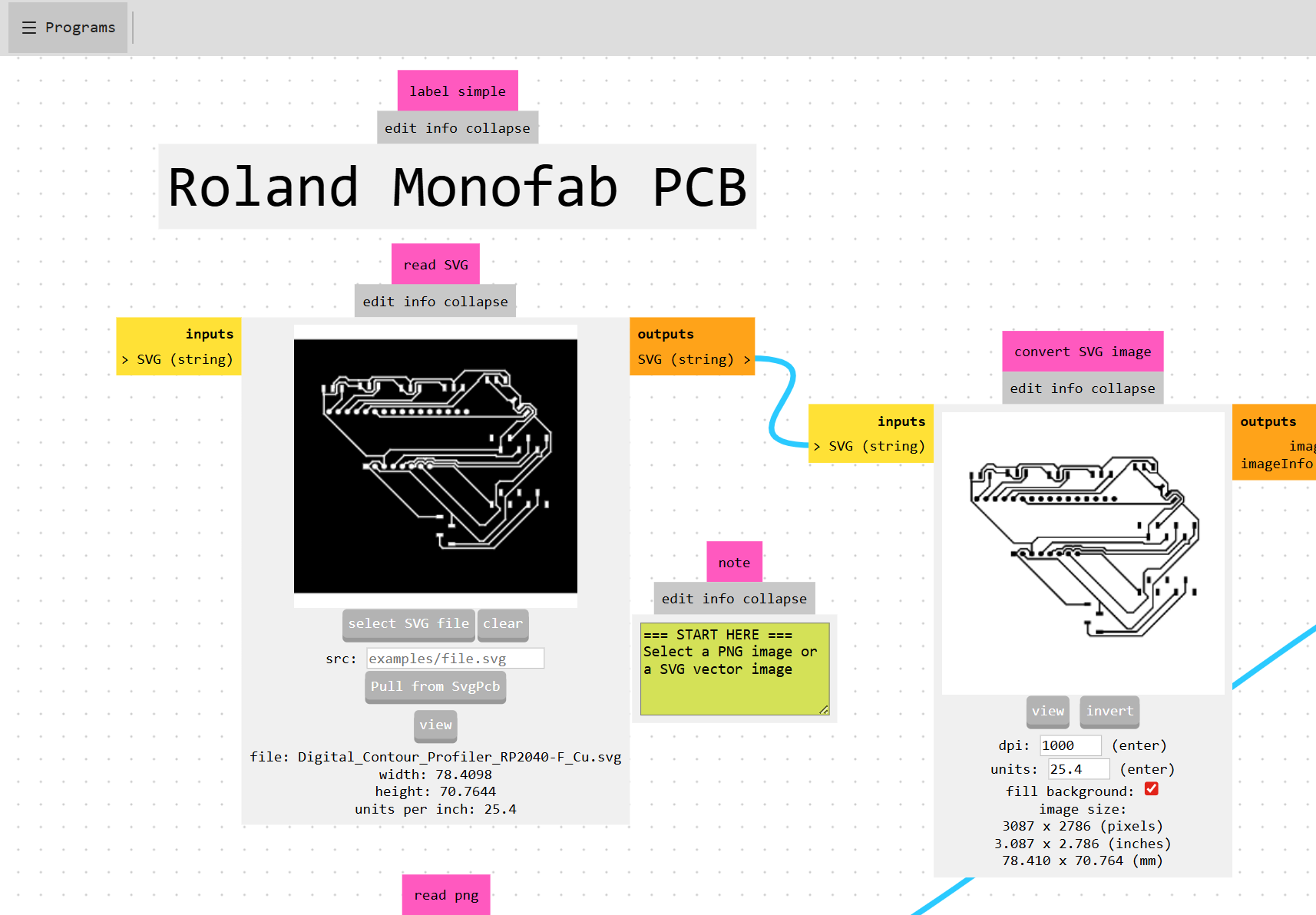
## Preparing the File Following to [Week06](week-six.html) assignment, this week focused on producing the PCB. We used [ModsProject(https://modsproject.org/) opensource platform to prepare the CNC File.
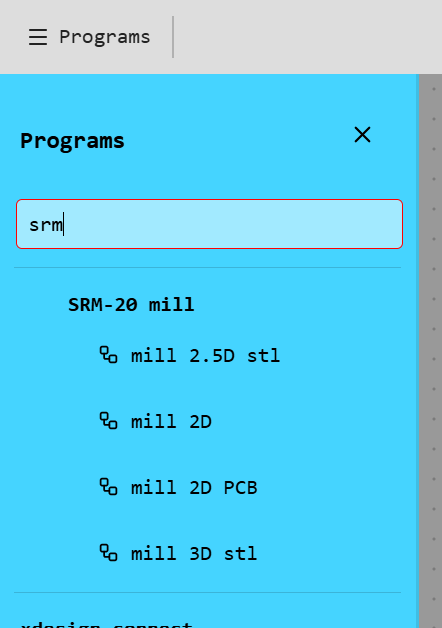
Select SRM-20 mill > PCB
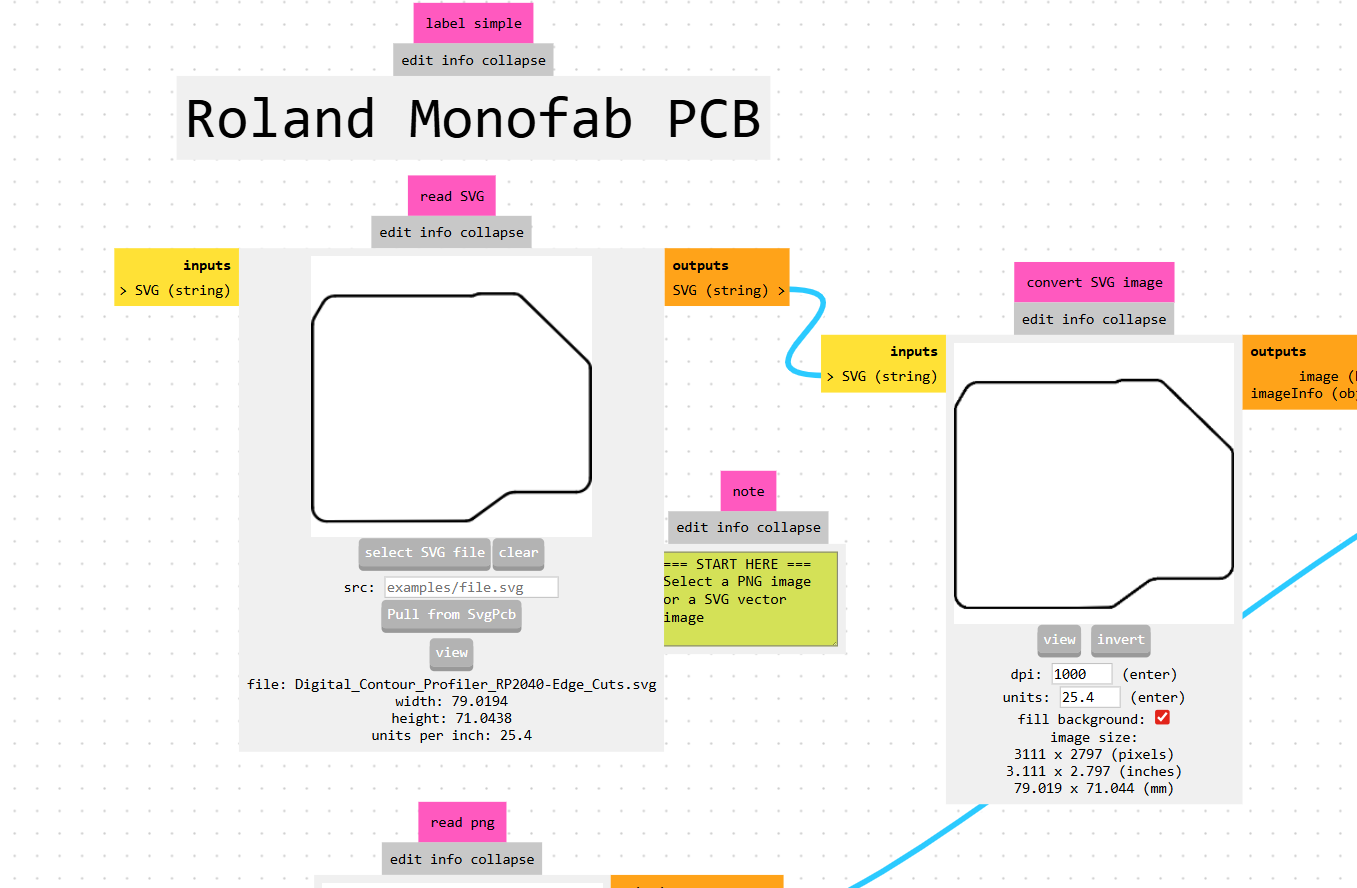
Upload SVG / Notice Invert effect (white is milled/black is kept..good for traces)
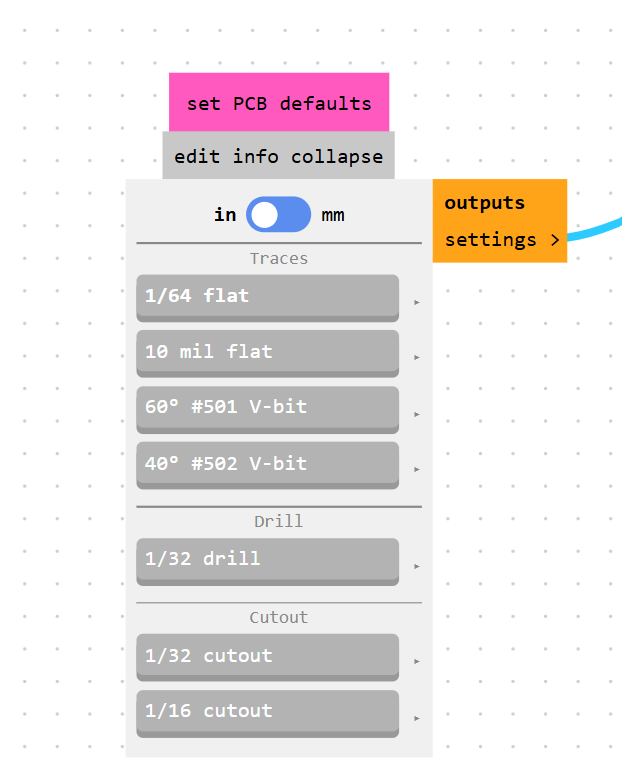
PCB Defaults (1/64 for tracess , 1/32 for edges)
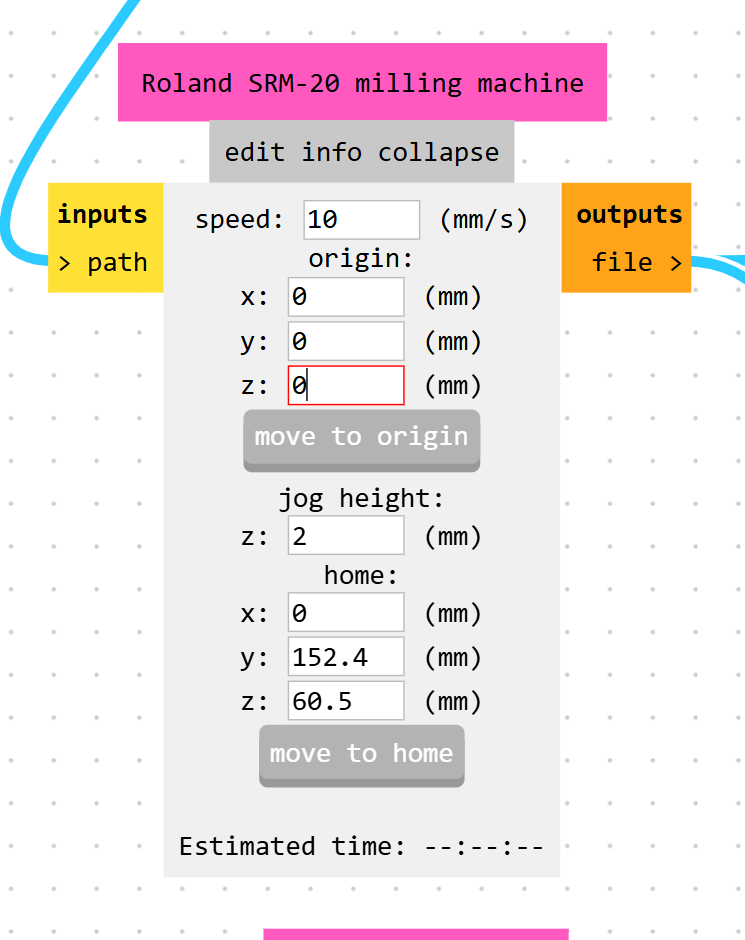
Machine parameters. make sure its 0
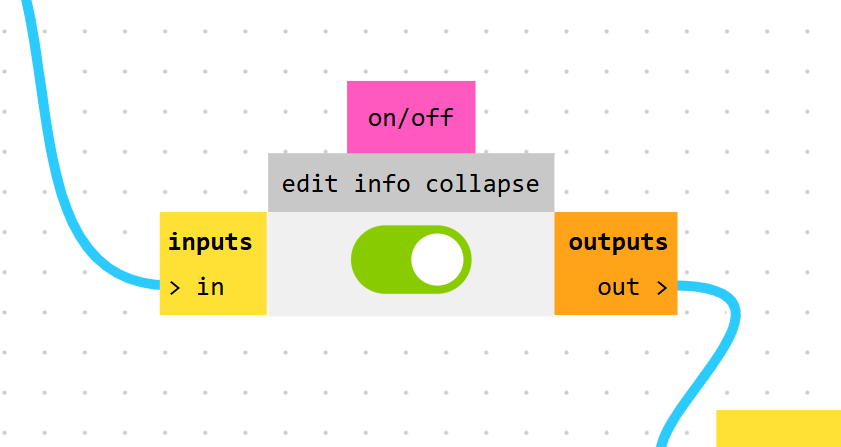
Make sure this is on to get the file saved to your pc
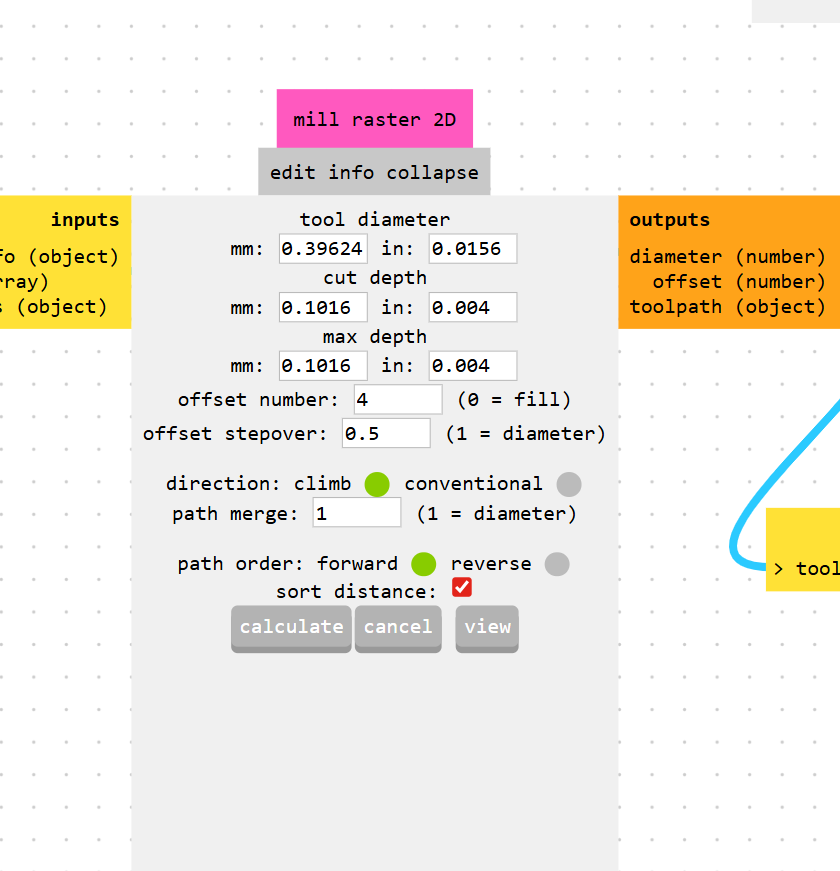
Calculate
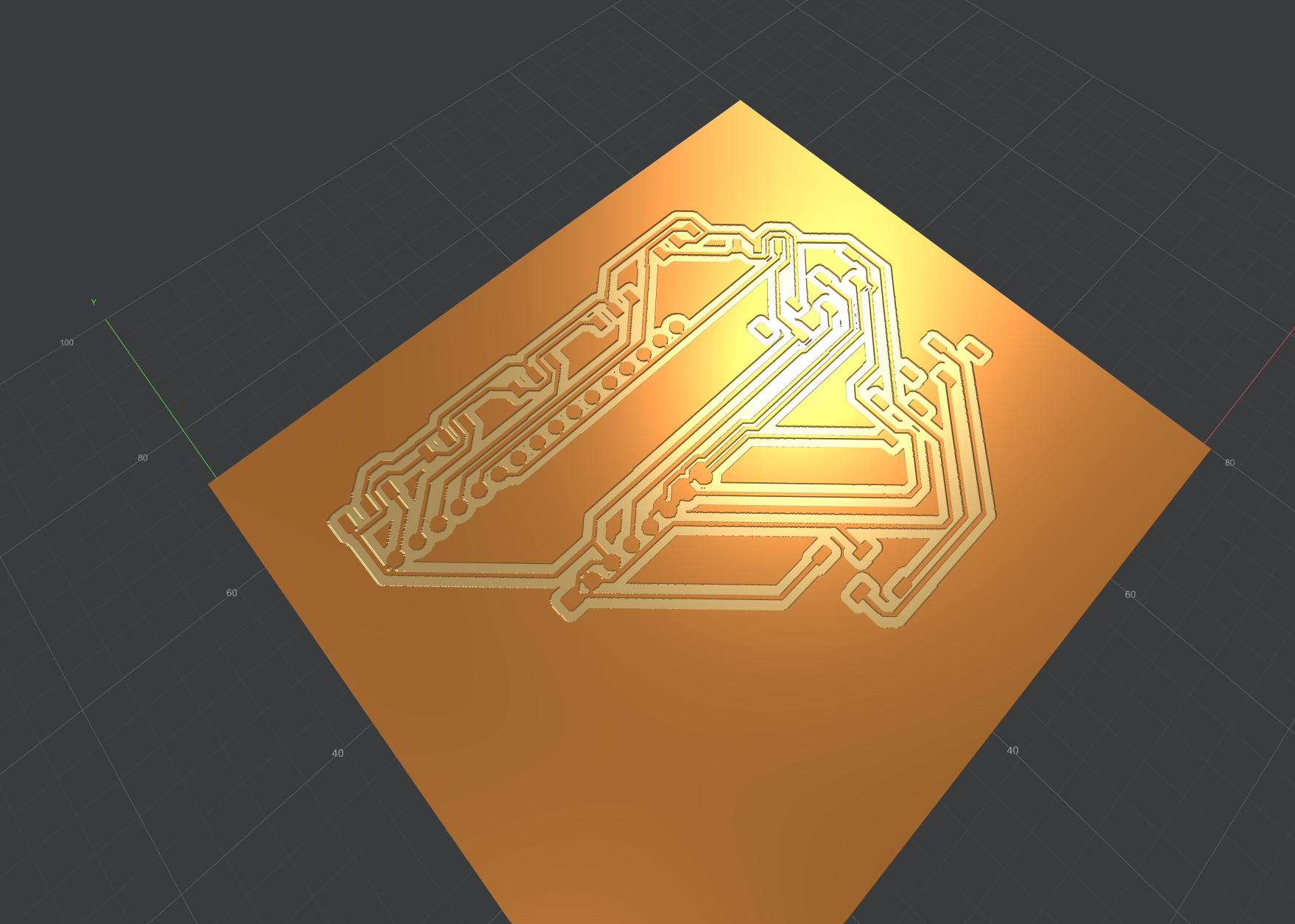
Calculate
Preview
Preview
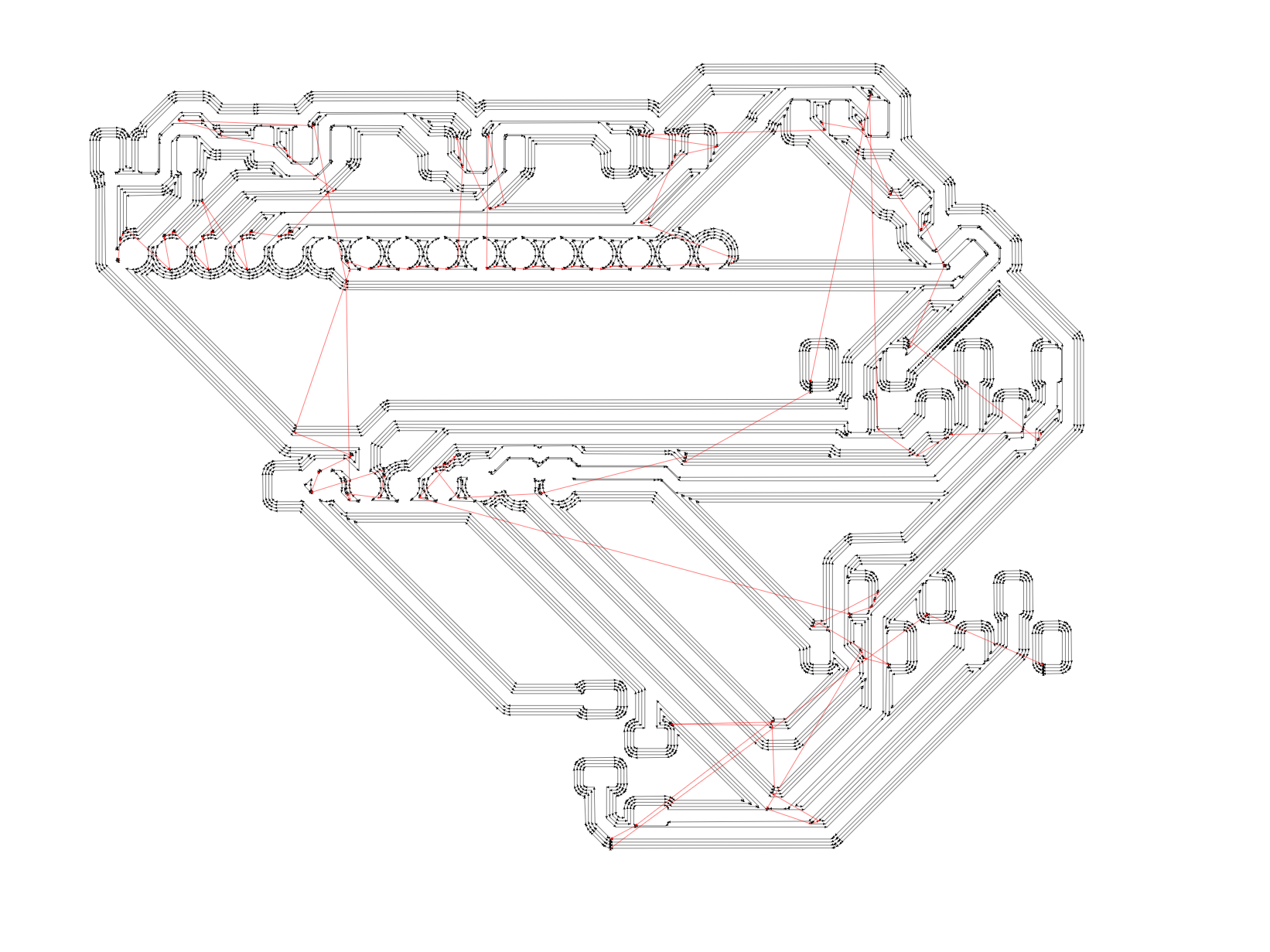
### Traces Toolpath Generation (1/64in (0.4mm) end mill-flat)
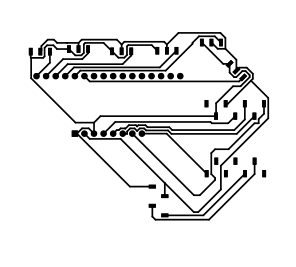
Traces Toolpath Preview
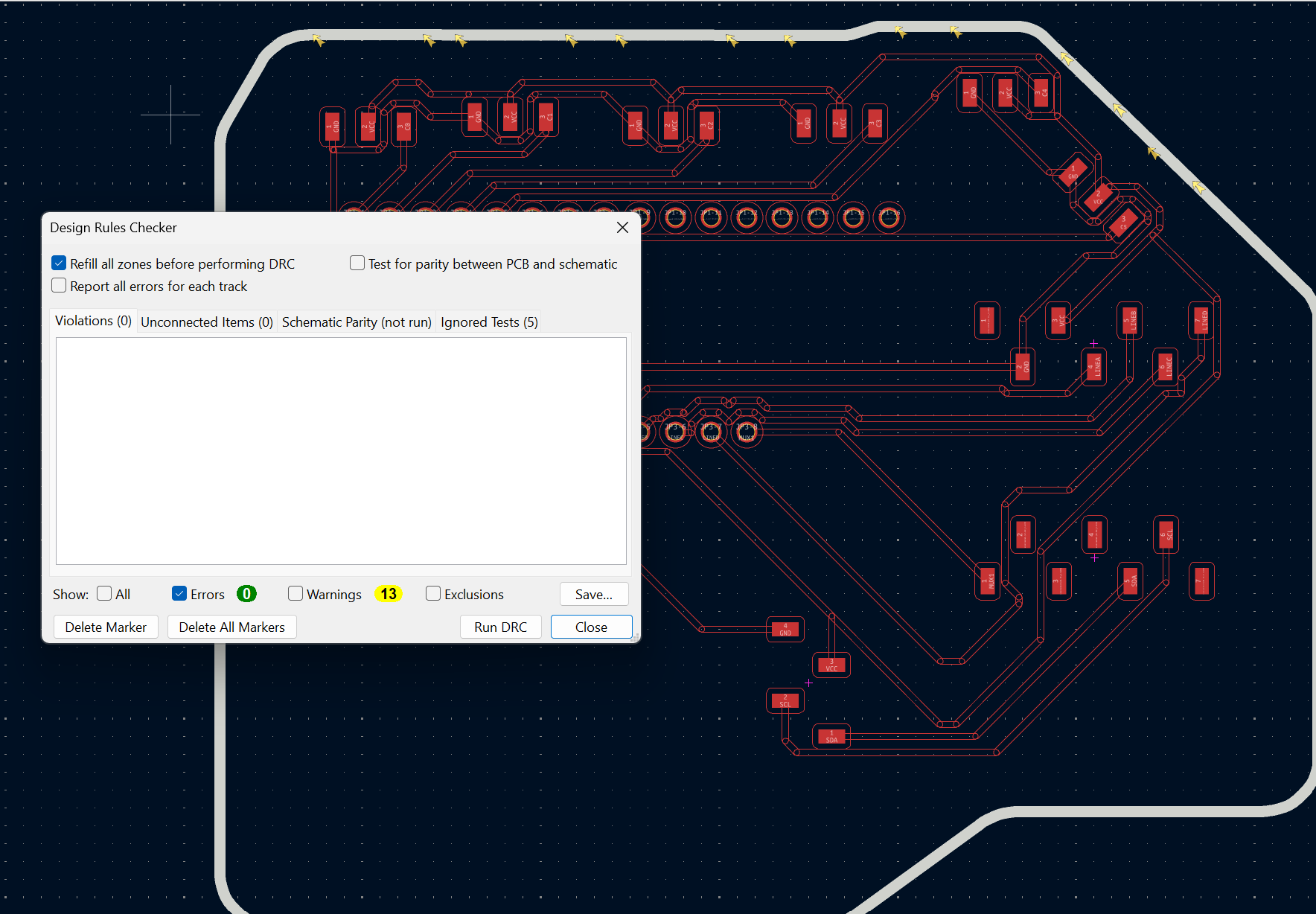
Always run DRC prior to exporting the files from KiCAD, mainly addressing any errors found
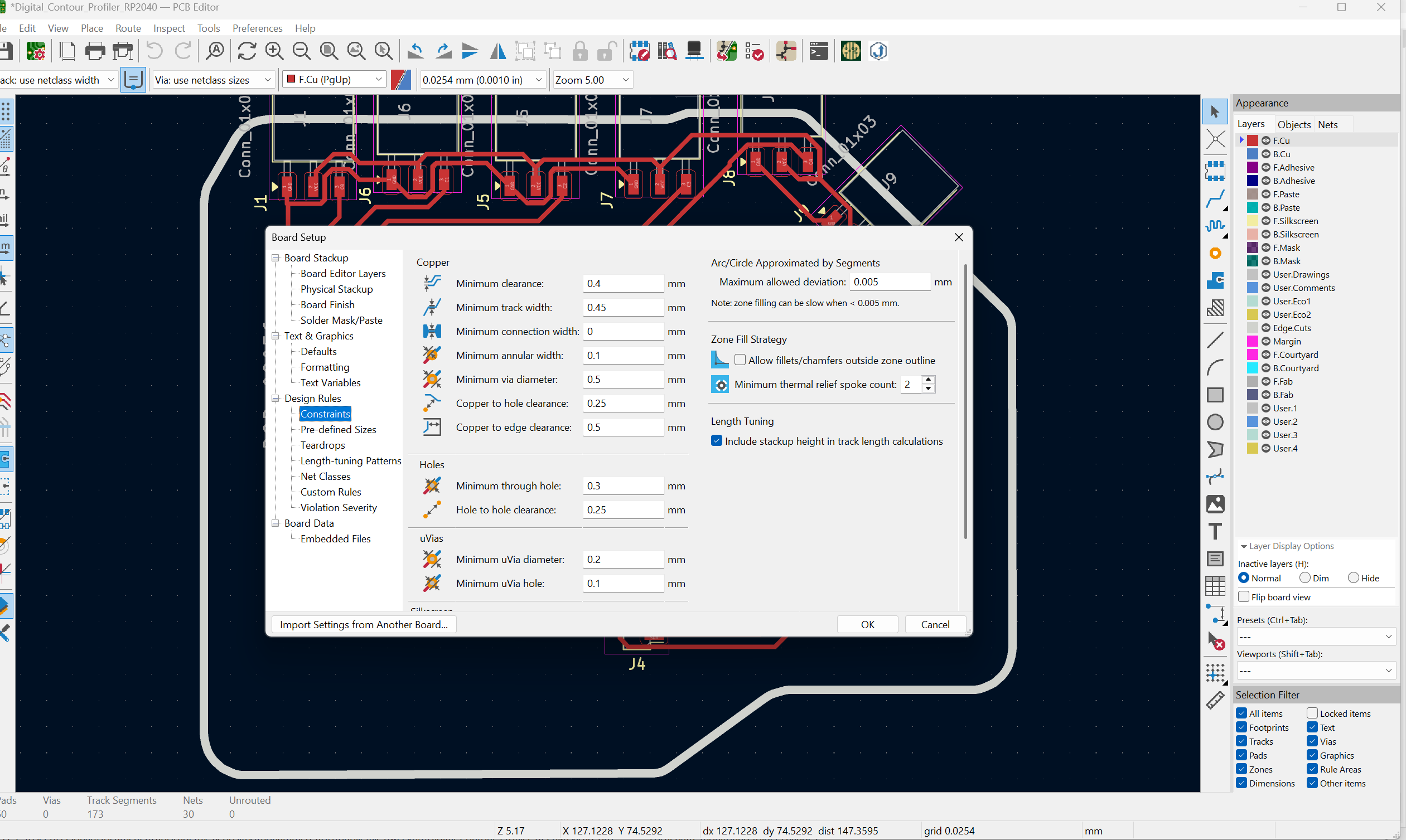
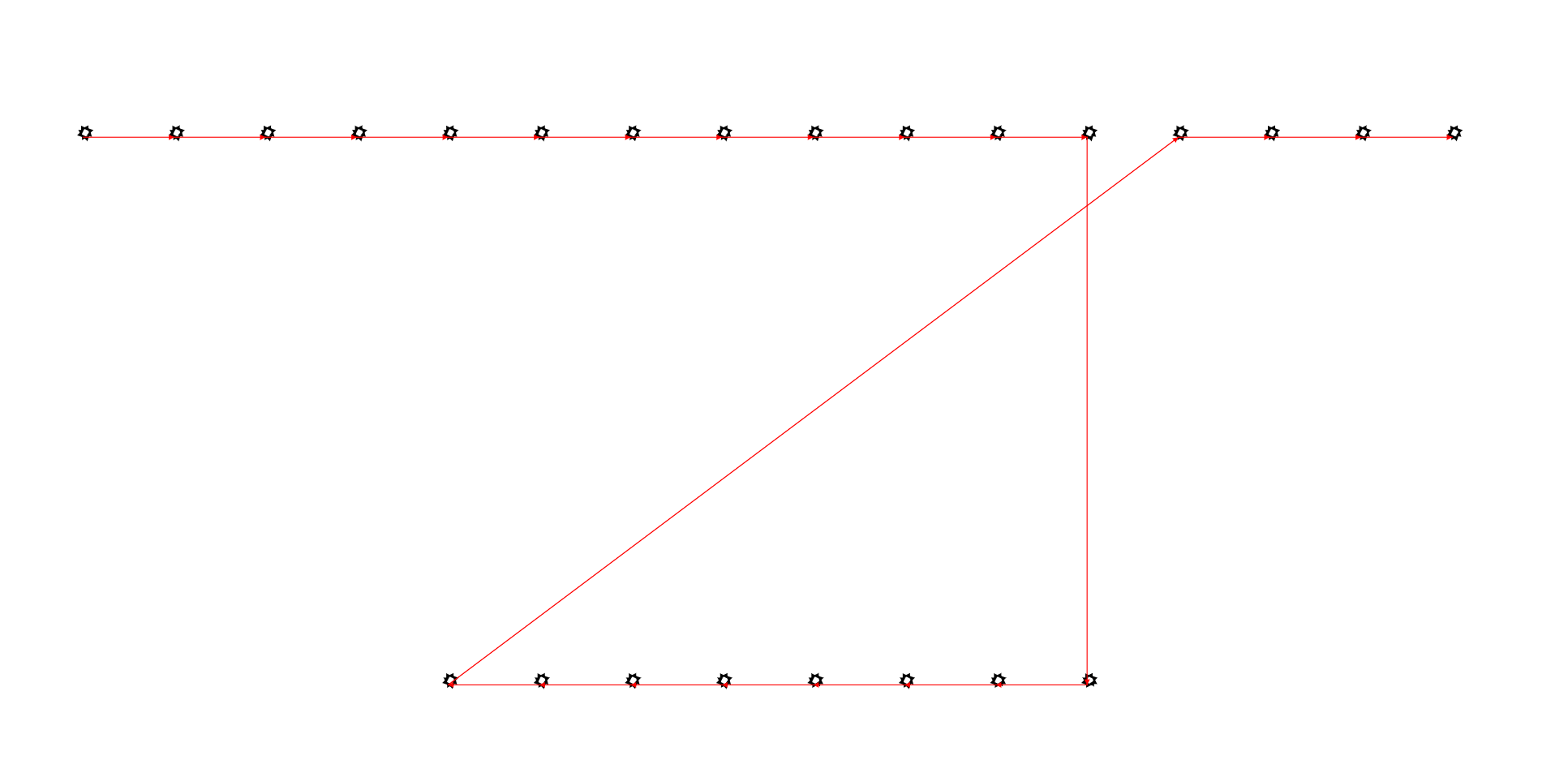
### Holes Toolpath Generation 1/32in (0.8mm) end mill
Hole Toolpath Preview
Pad properties to ensure layer / diamaeter
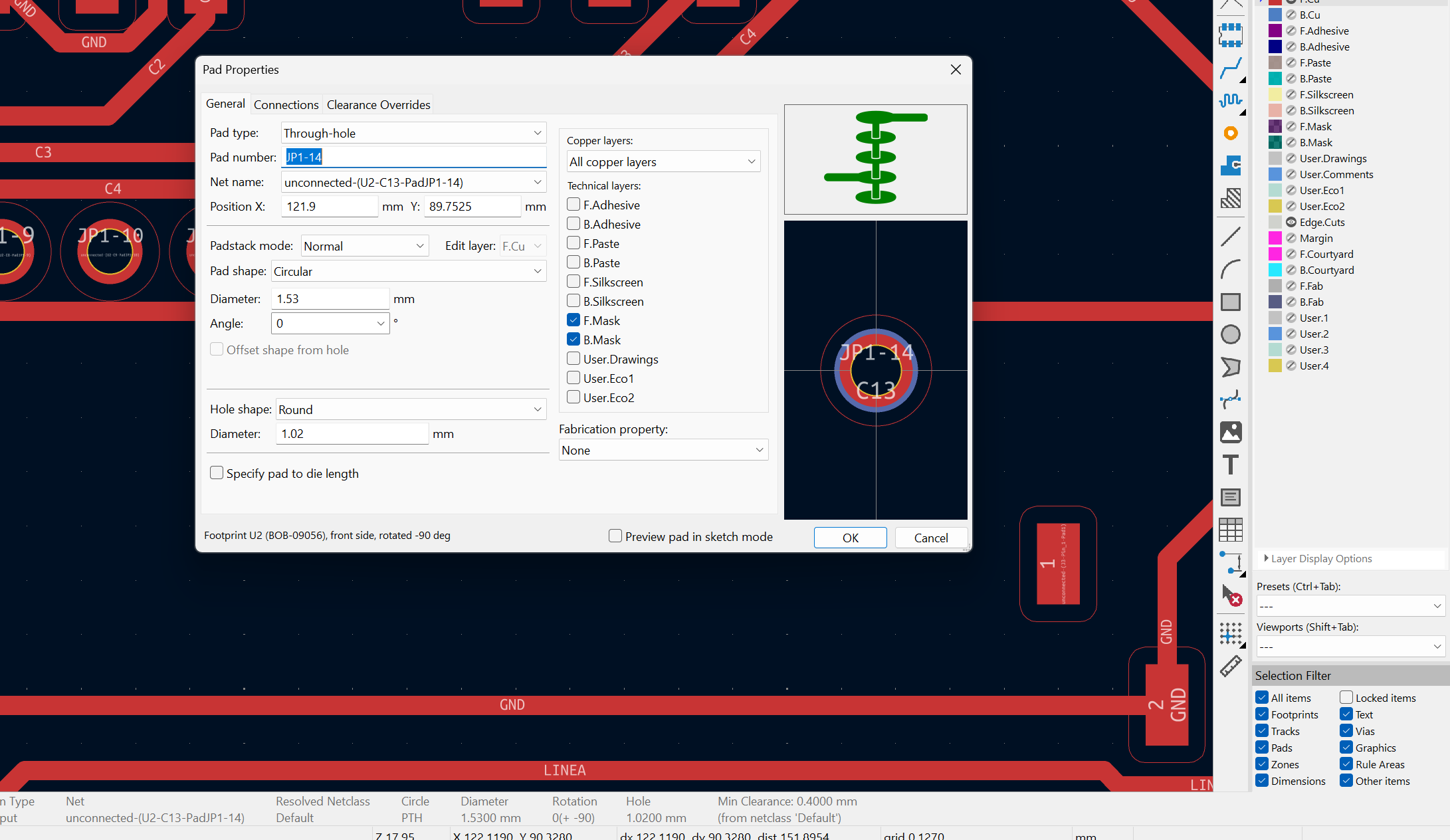
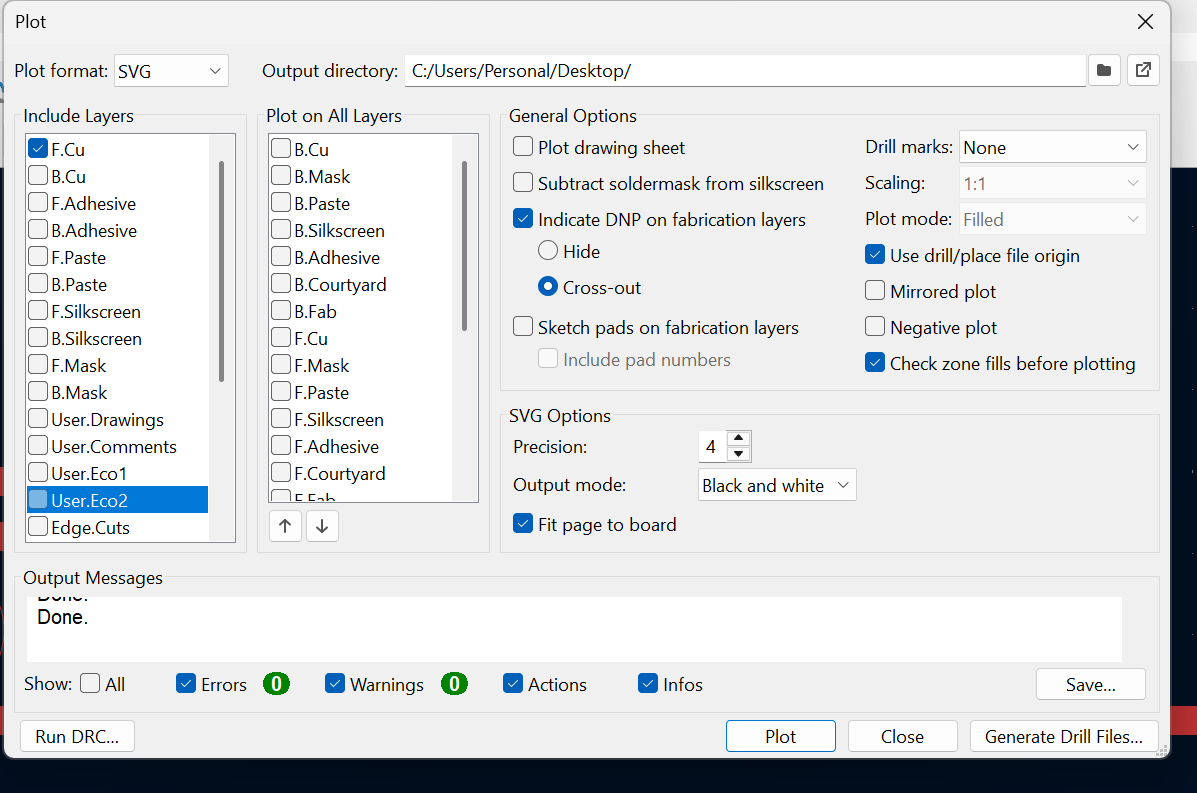
Plot Settings, Note:Use Drill/place file origin and Fit to page,change drill marks to Actual Size
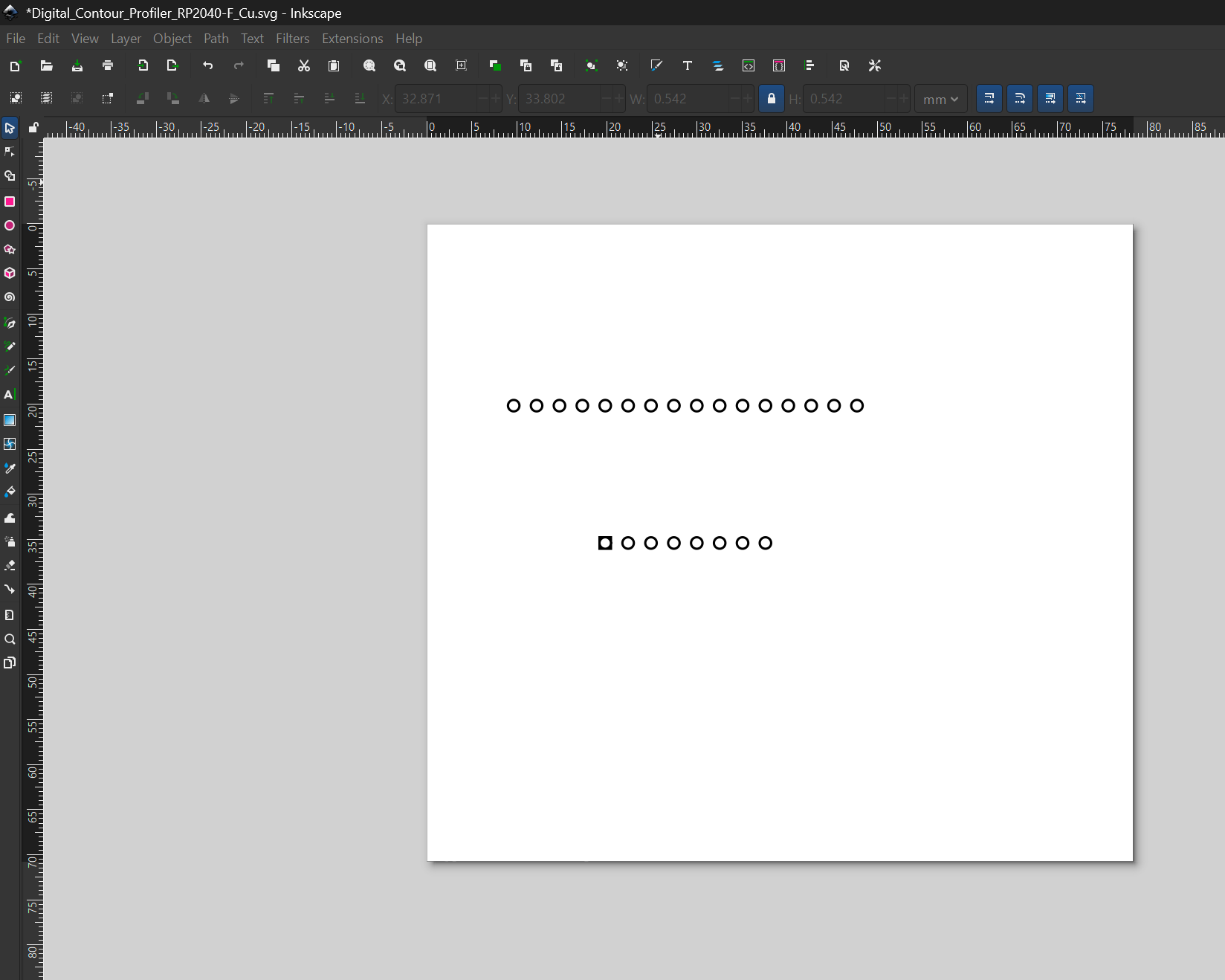
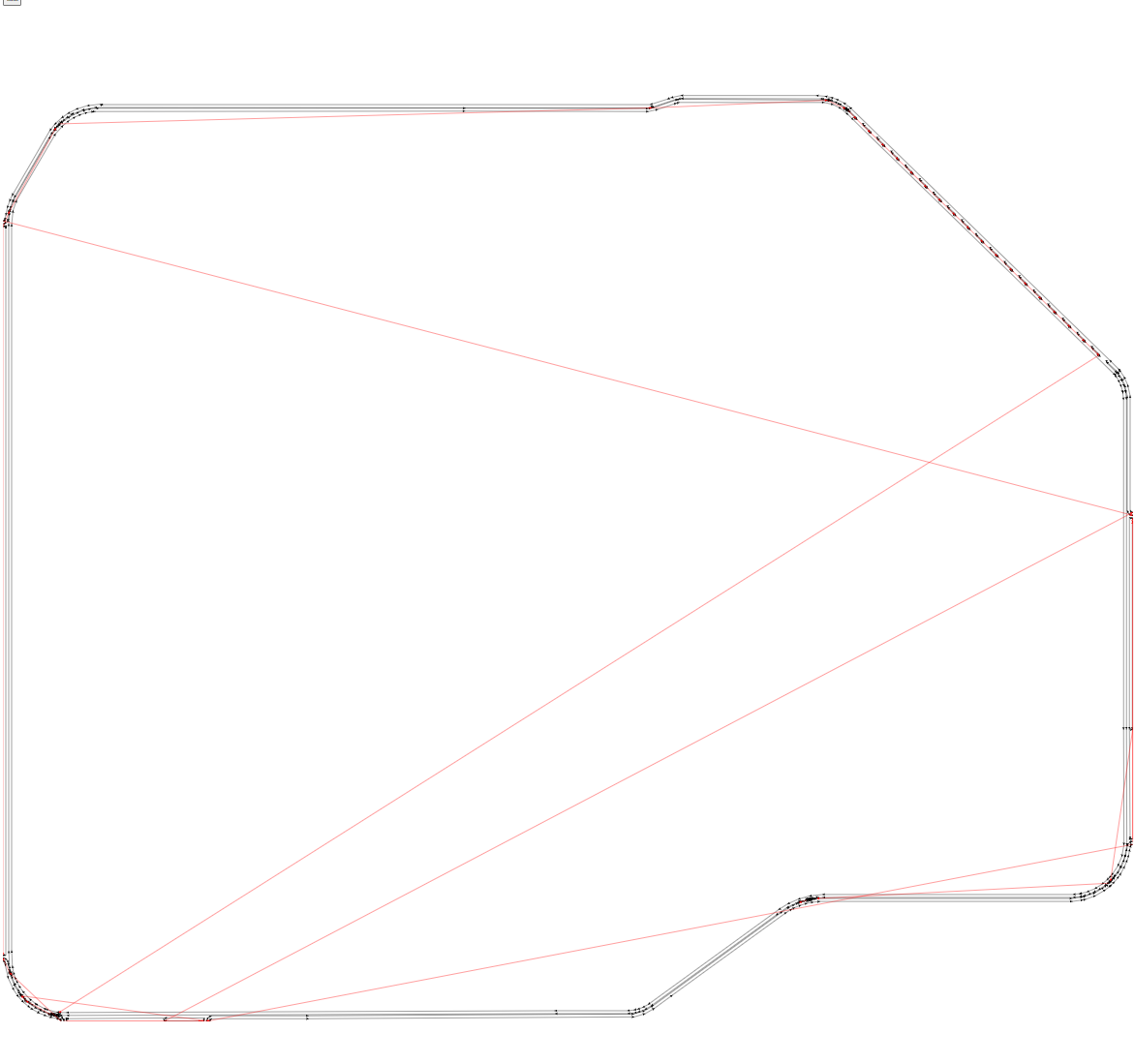
Inkscape post-processing
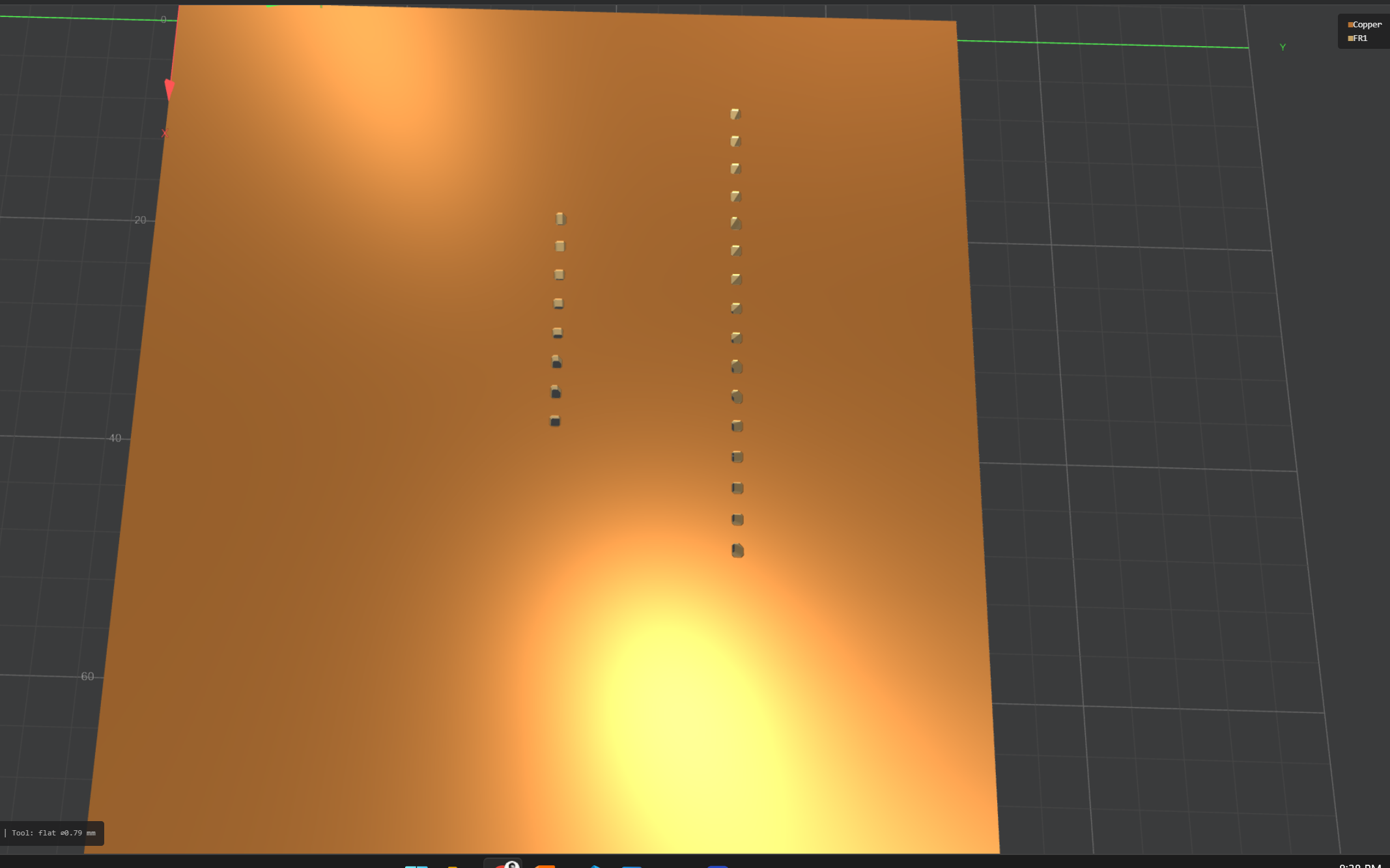
Preview
Preview
### Edge Toolpath Generation 1/32in (0.8mm) end mill
Edge Toolpath Preview
Edge
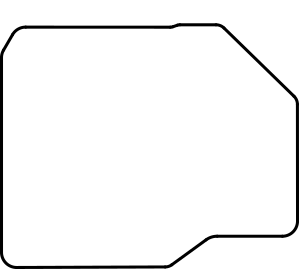
Edge settings , notice no black is cutting, white is left space
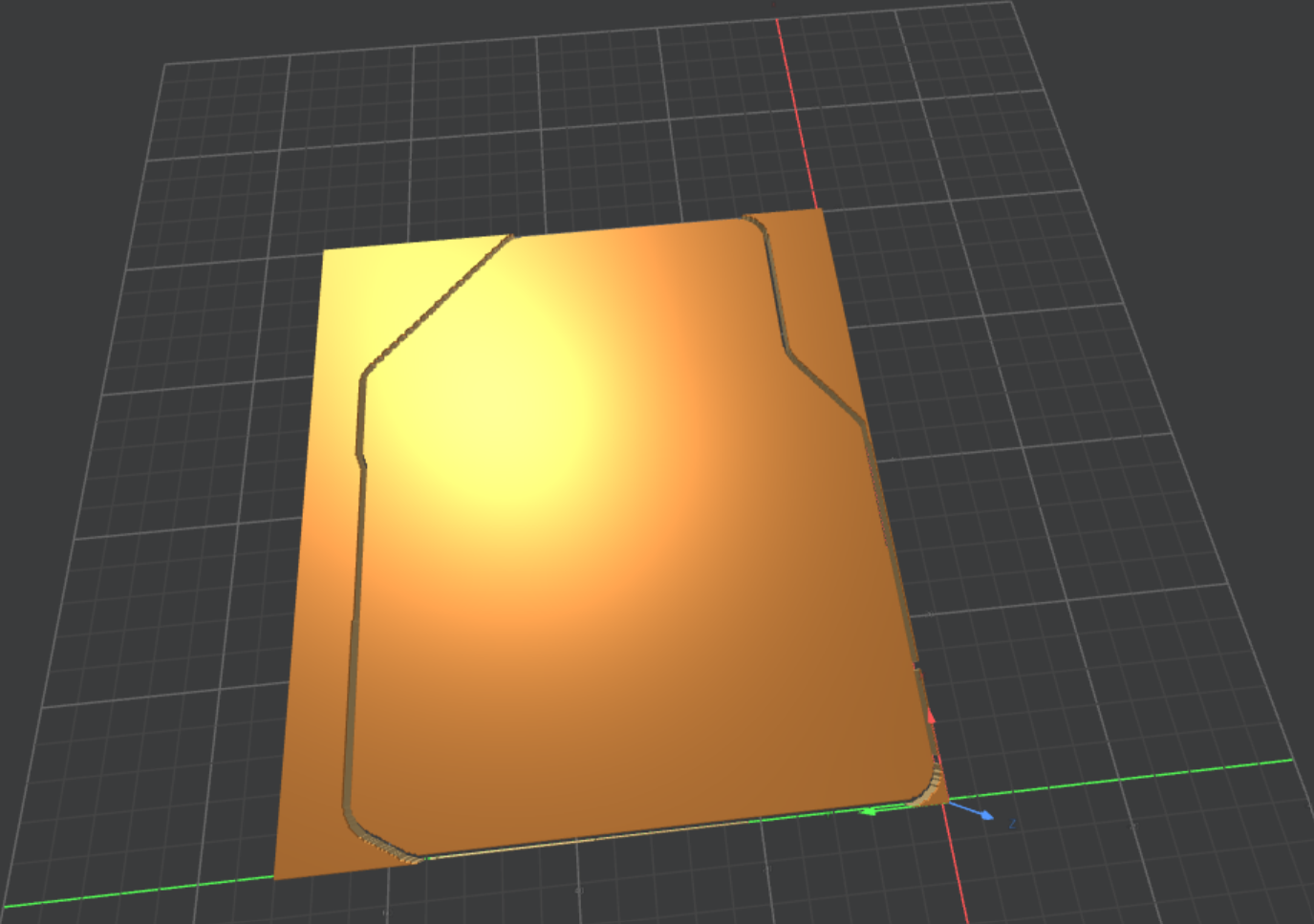
Edge Preview
Edge Preview

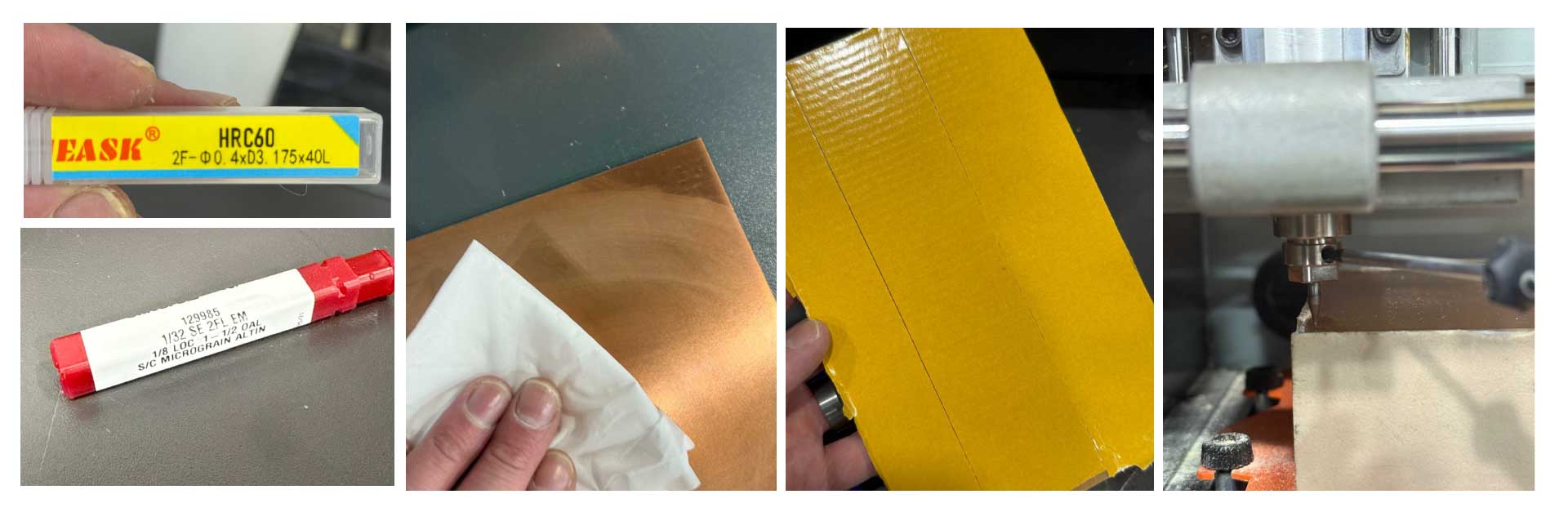
## Working with Roland SRM-20 The roland SRM-20 is mini milling machine, and we learned it is most suitable to mill the traces on a PCB board. A key difference in the world of milling machines, is that the Roland has a fixed spindle, and the bed moves relative to its position, another key difference is that the Roland milling machine is compatible with a finer range of mill ends in this week we used the 1/64in (0.4mm) and the 1/32in (0.8mm) and **HRC6- 2F- D0.4 X D3.175 X40L** ends. #### 1/32 SE 2FL EM , 1/8 LOC 1-1/2 OAL , S/C MICROGRAIN ALTIN | Specification | Breakdown | Description | | :--- | :--- | :--- | | **1/32** | **Cutting Diameter** | The width of the cut (0.03125"). | | **SE** | **Commonly Single End** | Cutting teeth are on one end only. | | **2FL** | **2 Flutes** | Two spiral grooves; provides maximum space for chip evacuation. | | **EM** | **End Mill** | The tool category (used for profile and slot milling). | | **1/8 LOC** | **Length of Cut** | The length of the sharp, fluted cutting edge (0.125"). | | **1-1/2 OAL** | **Overall Length** | The total length of the tool from top to bottom (1.50"). | | **S/C** | **Solid Carbide** | The tool material; provides high rigidity for precision. | | **Micrograin** | **Carbide Grade** | Ultra-fine grain structure that prevents edge chipping. | | **AlTiN** | **Coating** | Aluminum Titanium Nitride; high-heat coating for hard metals. | #### HRC6- 2F- D0.4 X D3.175 X40L | Specification | Breakdown | Description | | :--- | :--- | :--- | | **HRC60** | **Hardness Rating** | Designed to cut materials with a hardness up to **60 Rockwell C** (hardened steels). | | **2F** | **2 Flutes** | Two cutting edges; allows for larger chip clearance in micro-milling. | | **D0.4** | **Cutting Diameter** | The diameter of the cutting tip is **0.4mm** (approx. 0.0157"). | | **D3.175** | **Shank Diameter** | The diameter of the base is **3.175mm** (exactly **1/8"**), standard for most collets. | | **40L** | **Overall Length** | The total length of the tool is **40mm** (approx. 1.57"). | ### Roland SRM-20 Overview | Feature | Specification | | :--- | :--- | | **Workpiece Table Size** | 232.2 (X) x 156.6 (Y) mm (9.14 x 6.17 inches) **This is where the spoiler board is placed** | | **Spoiler Board (Wasteboard)** | Sacrificial MDF/Acrylic protective layer for through-cutting / PCB milling | | **X, Y, Z Operation Strokes** | 203.2 (X) x 152.4 (Y) x 60.5 (Z) mm (8 x 6 x 2.38 inches) | | **Distance (Collet Tip to Table)** | Maximum 130.75 mm (5.15 inches) | | **Loadable Workpiece Weight** | 2 kg (4.4 lbs) | | **Operating Speed** | 6 – 1,800 mm/min (0.24 – 70.87 inches/min) | | **Mechanical Resolution** | 0.000998594 mm/step (0.0000393 inches/step) | | **Software Resolution** | 0.01 mm/step (RML-1) or 0.001 mm/step (NC code) | | **Spindle Rotation Speed** | Adjustable 3,000 – 7,000 RPM | | **Drive System** | Stepping motor | ### Pre-Cutting Process Clean,mount and callibrate the z-axis as shown below, and then start your program following the steps shown.
Hole Toolpath Preview
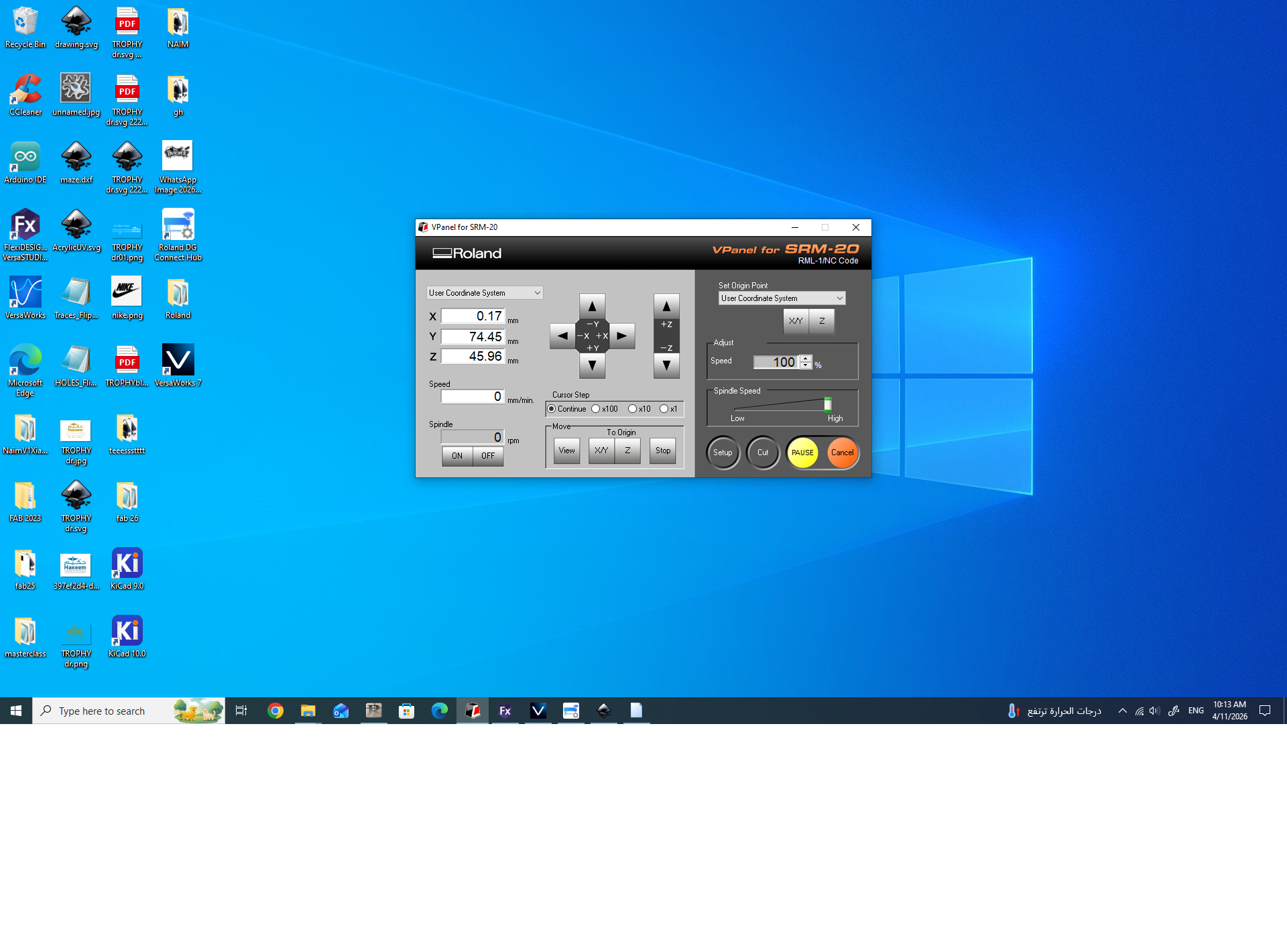
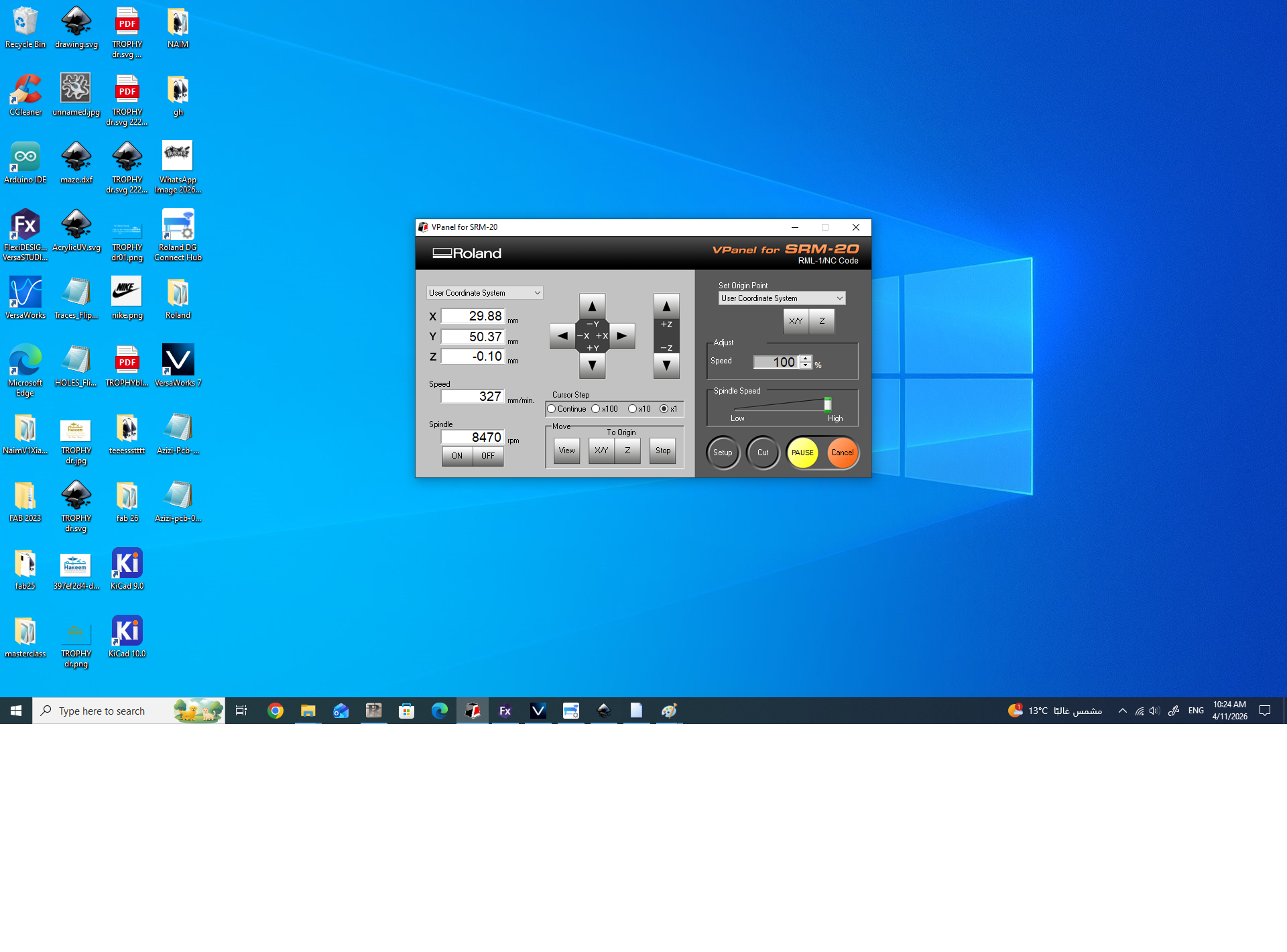
Setting and Defining Zero (xy)-Click on Set to Origin Point
Setting and Defining Zero (xy)-Click on Set to Origin Point,repeat process for Z
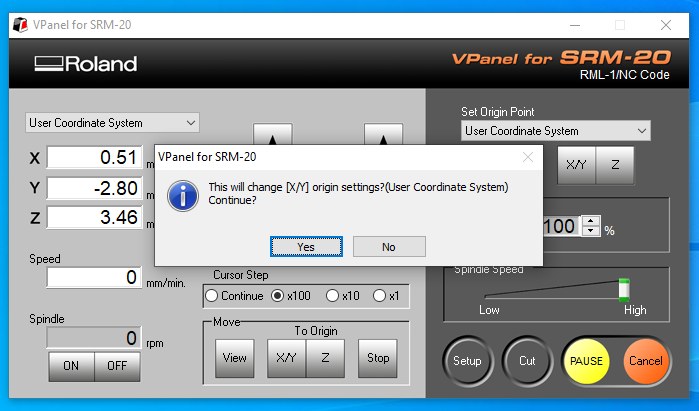
Setting and Defining Zero (xy)-Confirm
Setting and Defining Zero (xy)-Confirm , repeat process for Z
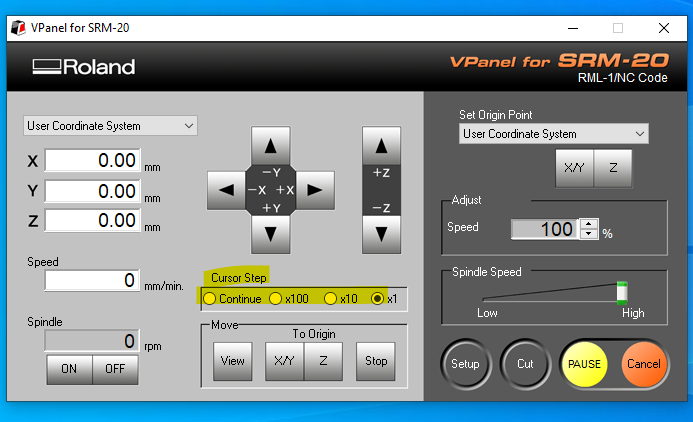
Zeros Set
Zeros Set
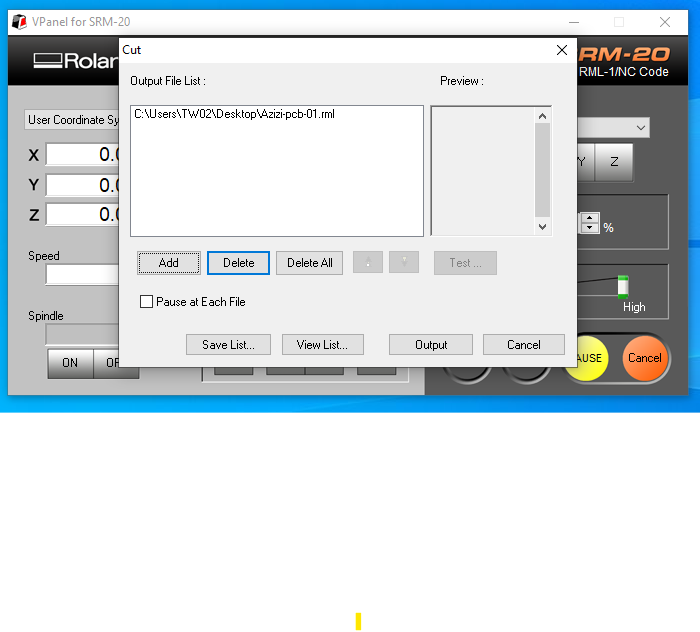
Load the program
Load the program
While Cutting
While Cutting
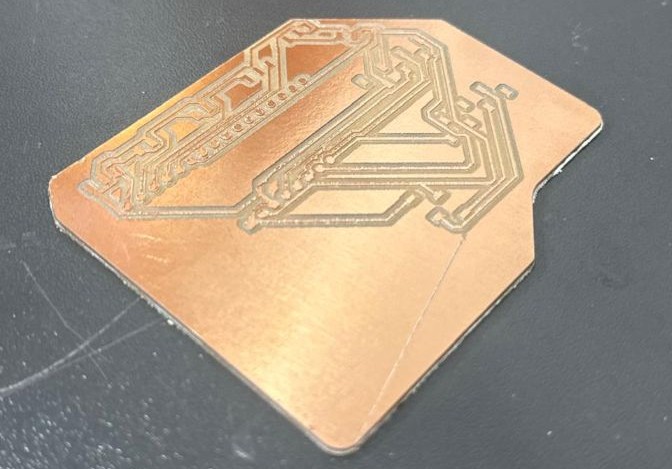
Result

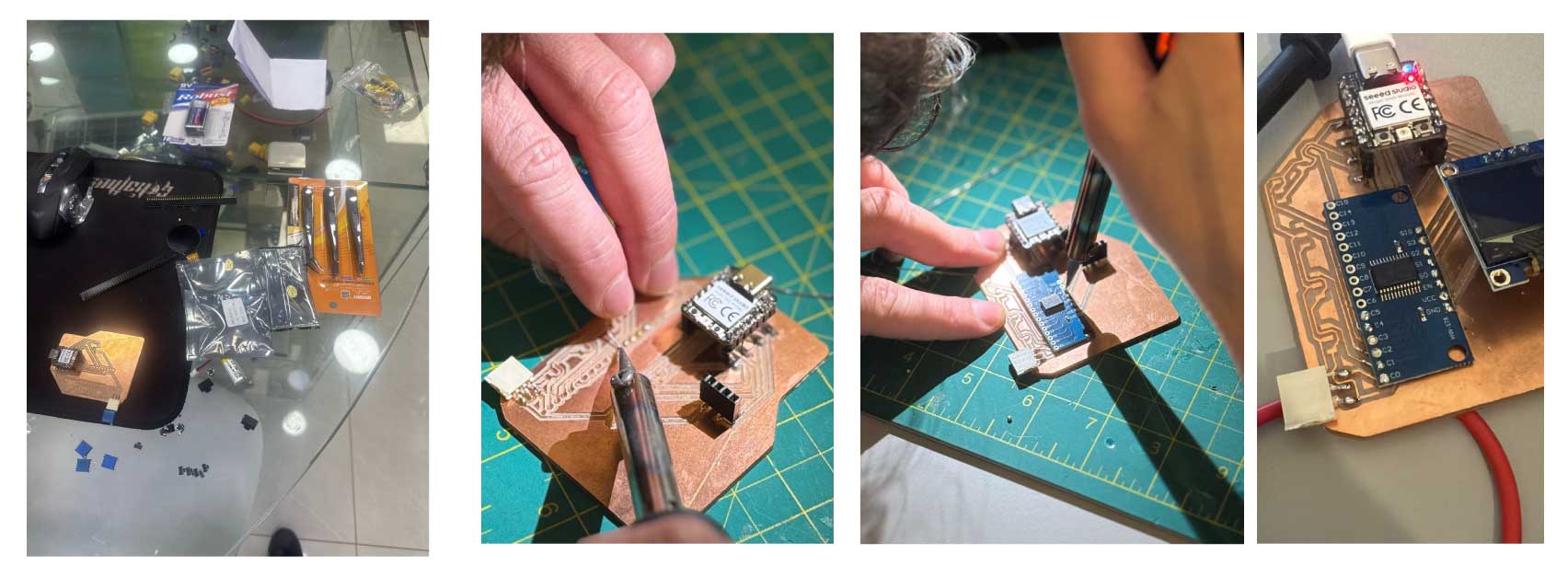
## Assembly & Finishing The first thing I did as soon my PCB was done was I ran a continuity test using the multimeter, please take the PCB off the machine first, I was a bit too overwhelmed to see if it worked or not ! I then proceeded with soldering the components: ## Bill of Materials (BOM) | Item | Component Description | Quantity | Notes / Links | | :--- | :--- | :---: | :--- | | **1** | CD74HC4067 16-Channel Multiplexer | 1 | [Product Link](https://mikroelectron.com/product/me-2912) | | **2** | Seeed Studio XIAO RP2040 | 1 | High-performance MCU | | **3** | 0.96" OLED Display Module (White) | 1 | 128x64 resolution, 4-pin I2C, SSD1306 | | **4** | Female Junction Headers | 2 Rows | 2.54mm pitch (Opposite legs) | | **5** | Horizontal Female Headers | - | For low-profile or side-entry mounting |
Hole Toolpath Preview
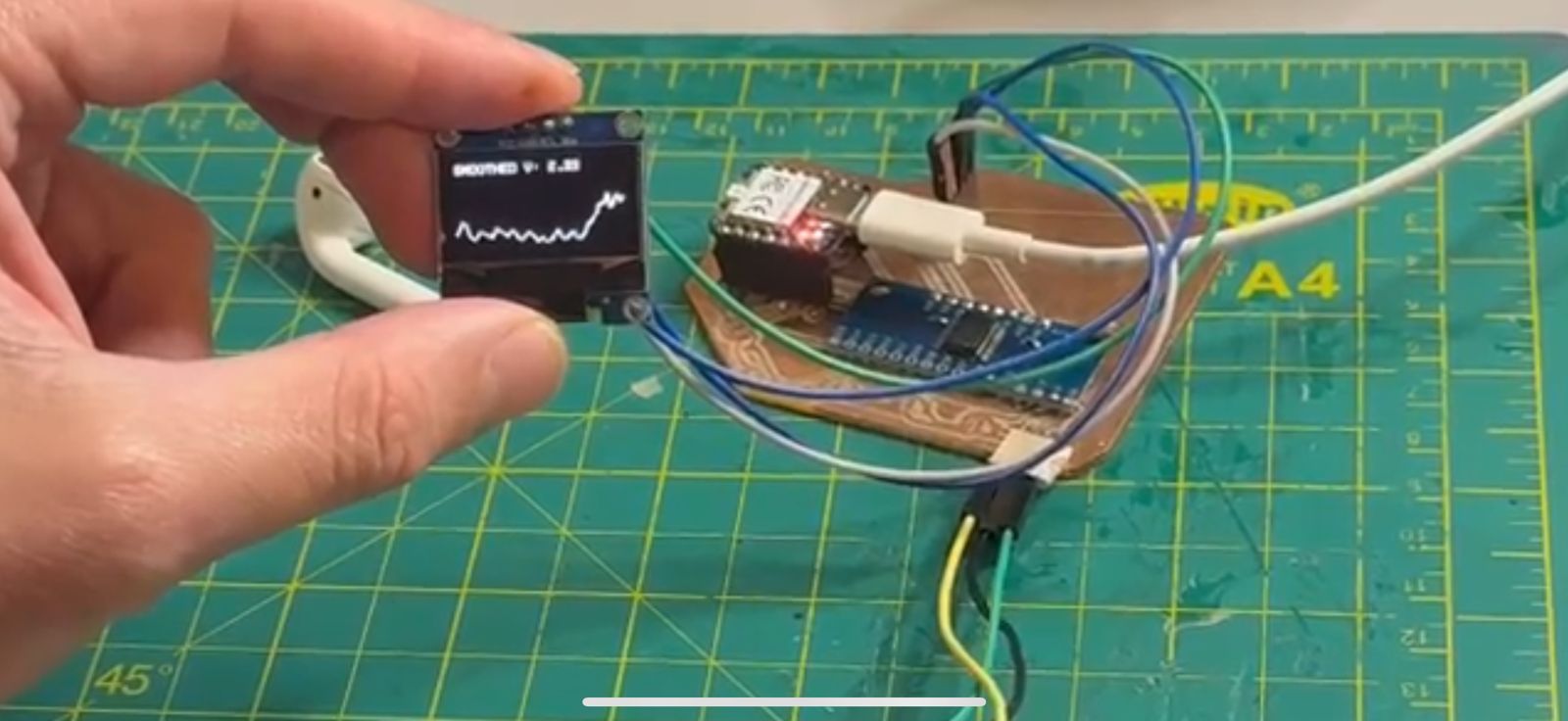
### Testing the Board I connnected a potentiometer to the PCB and tested the ability to plot a graph linearly with time in relation to what Im anticipating to work with in in my [Final Project](../finalproject.html)
Testing Graphs
Group Assignment
(documentation in progress)

Resources & Assets