Introduction
Electronics design is a fundamental skill in embedded systems and digital fabrication, enabling ideas to be transformed into functional hardware. During this week, we studied essential electronic components, resistors, capacitors, diodes, transistors, voltage regulators, microcontrollers, sensors, and actuators, and the electrical principles governing them, including voltage, current, power, and Kirchhoff's laws.
We explored Electronic Design Automation (EDA) tools for schematic capture, PCB layout, simulation, and fabrication. Practical experience was gained using laboratory test equipment: multimeters, regulated power supplies, oscilloscopes, and logic analyzers to observe the behavior of embedded microcontroller systems.
Kirchhoff in plain terms. Kirchhoff's current law says all the current flowing into a node has to flow back out, so a node cannot store charge. Kirchhoff's voltage law says the voltages around any closed loop add up to zero. I used both directly. Current law told me the 3.3V rail had to carry the sum of every part it feeds, so the regulator and its traces had to handle that total. Voltage law is what sizes a current limiting resistor: the 5V supply minus the LED forward voltage is the voltage left across the resistor, and dividing that by the current I want gives the resistor value. Seeing the laws as simple bookkeeping rules made the rest of the design feel like arithmetic instead of guesswork.
Assignments
Group Assignment
Use laboratory test equipment to observe the operation of an embedded microcontroller. Measure voltage and digital signals using a regulated power supply, multimeter, and oscilloscope or logic analyzer to understand how microcontrollers operate in real hardware conditions.You can view our group assignment
The group assignment gave us direct exposure to signal behavior at the hardware level, we could visually confirm clock signals, GPIO toggling, and power rail stability under load.
Individual Assignment
Simulate a circuit. Use an EDA tool to design an embedded microcontroller system using parts from the lab inventory. Check design using ERC and DRC. Extra credit: try another workflow, design a case for the board.
For my individual assignment, I designed a custom ESP32-S based board using KiCad, including power regulation, boot control, and multiple communication interfaces.
Lab Test Equipment
For the group work we put real lab instruments on a running microcontroller board so we could see what the datasheet only describes. The full write up lives on our group assignment page. Here is what I learned from each tool and what I took back into my own design.
The most useful instrument was the logic analyzer. We clipped its probes onto the microcontroller board and watched the digital lines in real time. On the UART pins it showed the start bit, the eight data bits and the stop bit of every byte the board sent, and the captured baud rate matched the 115200 we had configured. On the I2C lines it decoded the start condition, the 7 bit address, the acknowledge bits and the data, so we could confirm the board was actually talking to a sensor and not just toggling a pin. Seeing the protocol decoded next to the raw waveform made it obvious why pull up resistors and clean signal routing matter on a board.
The big lesson was that a board is only as good as the signals you can measure on it. Because the regulated power supply let us set a current limit, we could bring the board up slowly and stop it from frying if something was wrong, which is exactly why I added the multimeter continuity check to my own bring up plan below.
Tools & Software Used
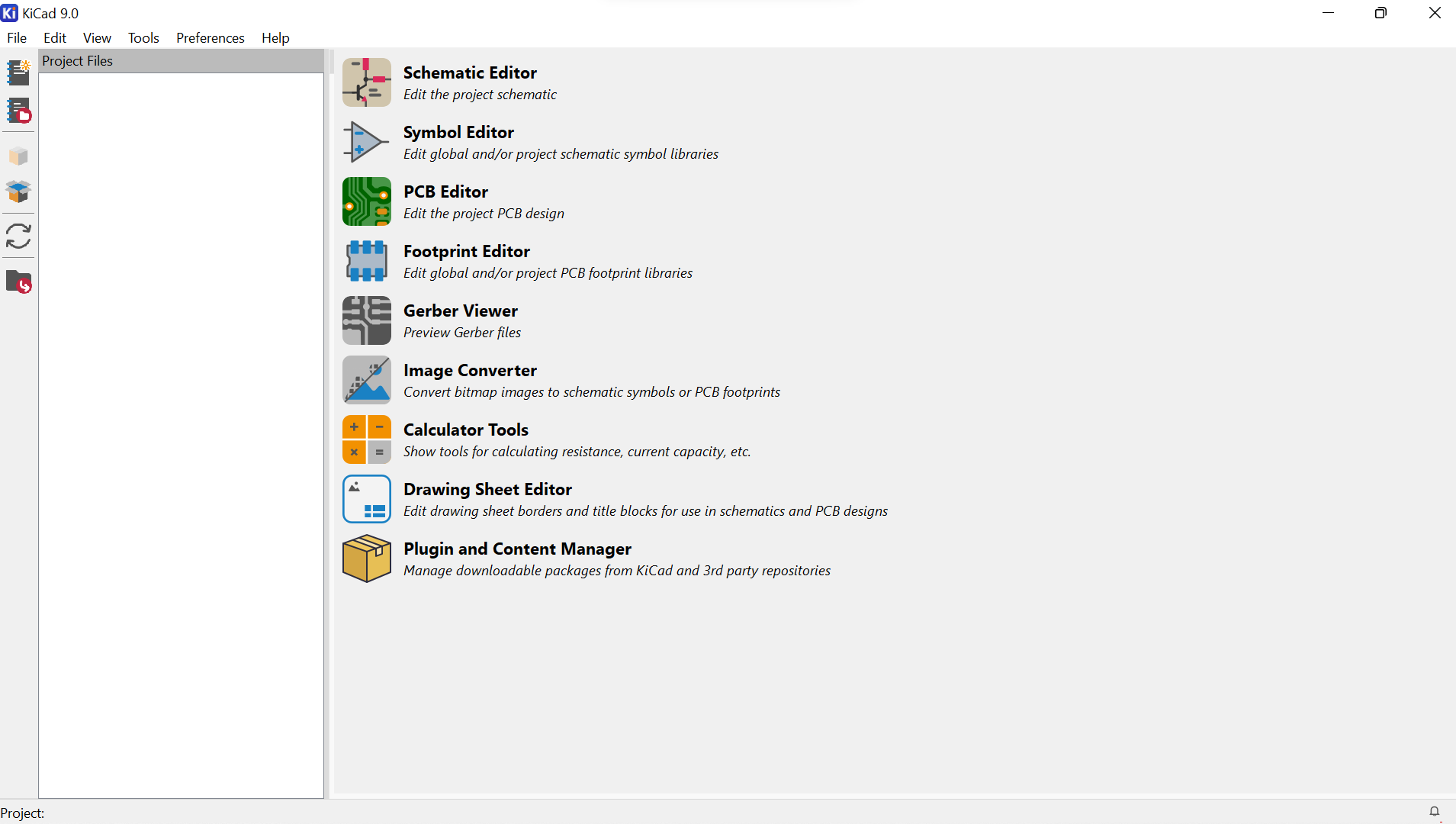
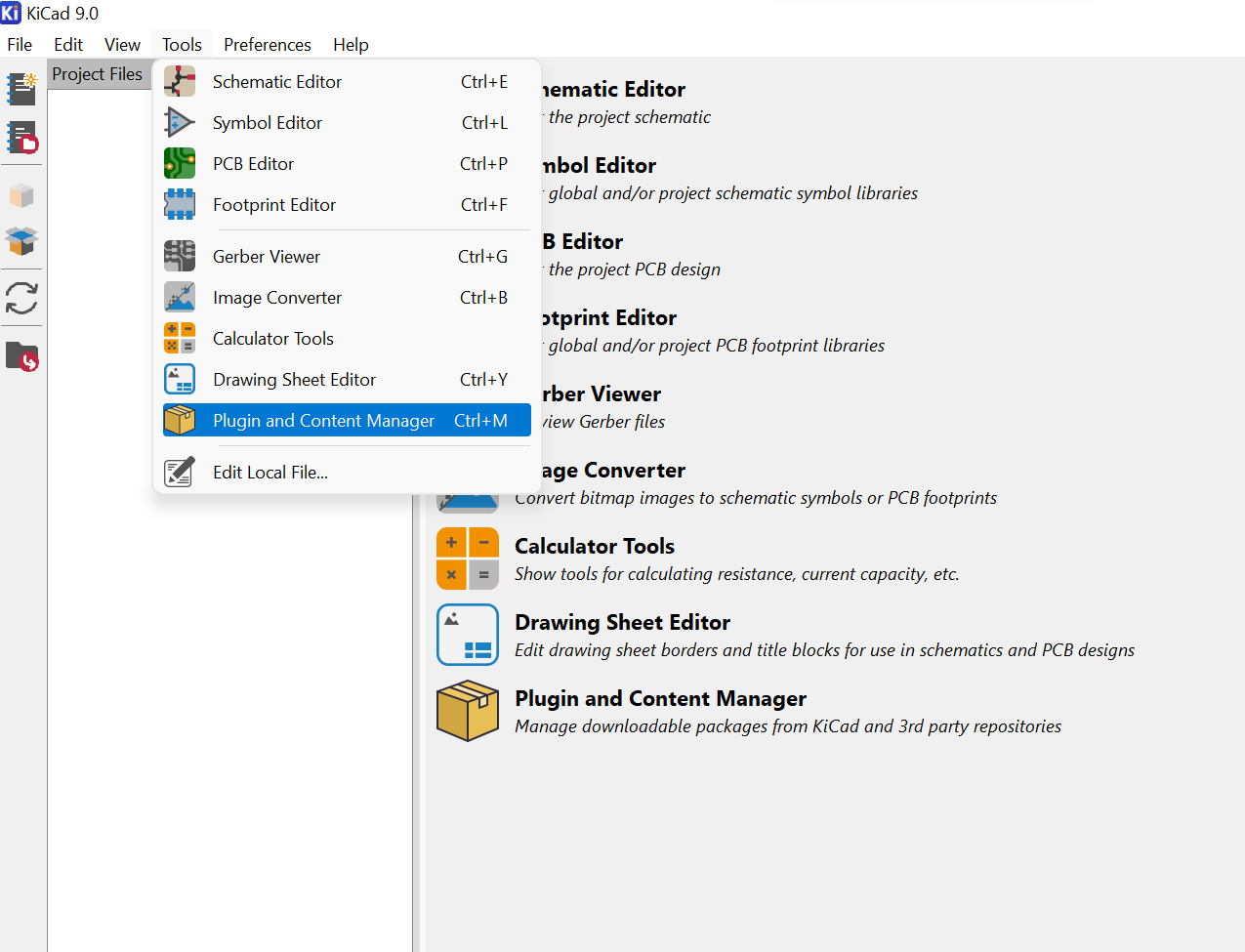
KiCad was the primary EDA platform, a single, unified open-source software that bundles all the tools needed to go from schematic to fabrication-ready files. Its compatibility with the Fab Academy library made it the ideal choice for this week's work.
| KiCad Module | Purpose | Notes |
|---|---|---|
| Schematic Editor | Schematic capture and ERC | Used Fab KiCad library for component symbols |
| PCB Editor | Board layout, trace routing, DRC | Track width set to 0.8 mm throughout |
| 3D Viewer | PCB visualization before fabrication | Verified component orientation and placement |
| Gerber Plot | Export fabrication files | Gerber + drill files generated |
| SPICE Simulator | Circuit simulation | LED + resistor and voltage regulator validation |
Board Functional Blocks
The custom ESP32-S board was organized into four functional blocks, each serving a critical role in making the board reliable, programmable, and extensible.
Step-by-Step Process
The full board design followed a structured workflow, from software setup and library configuration through schematic, layout, verification, and final export.
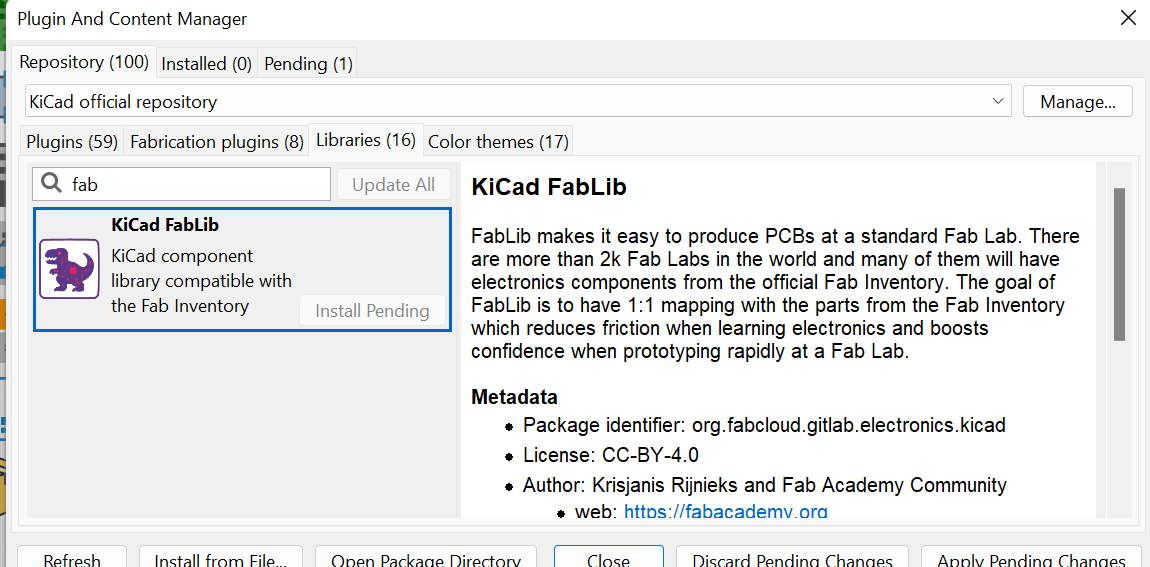
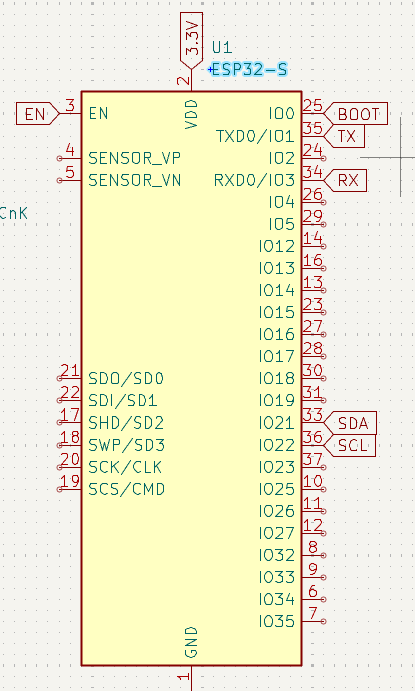
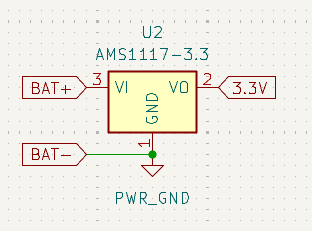
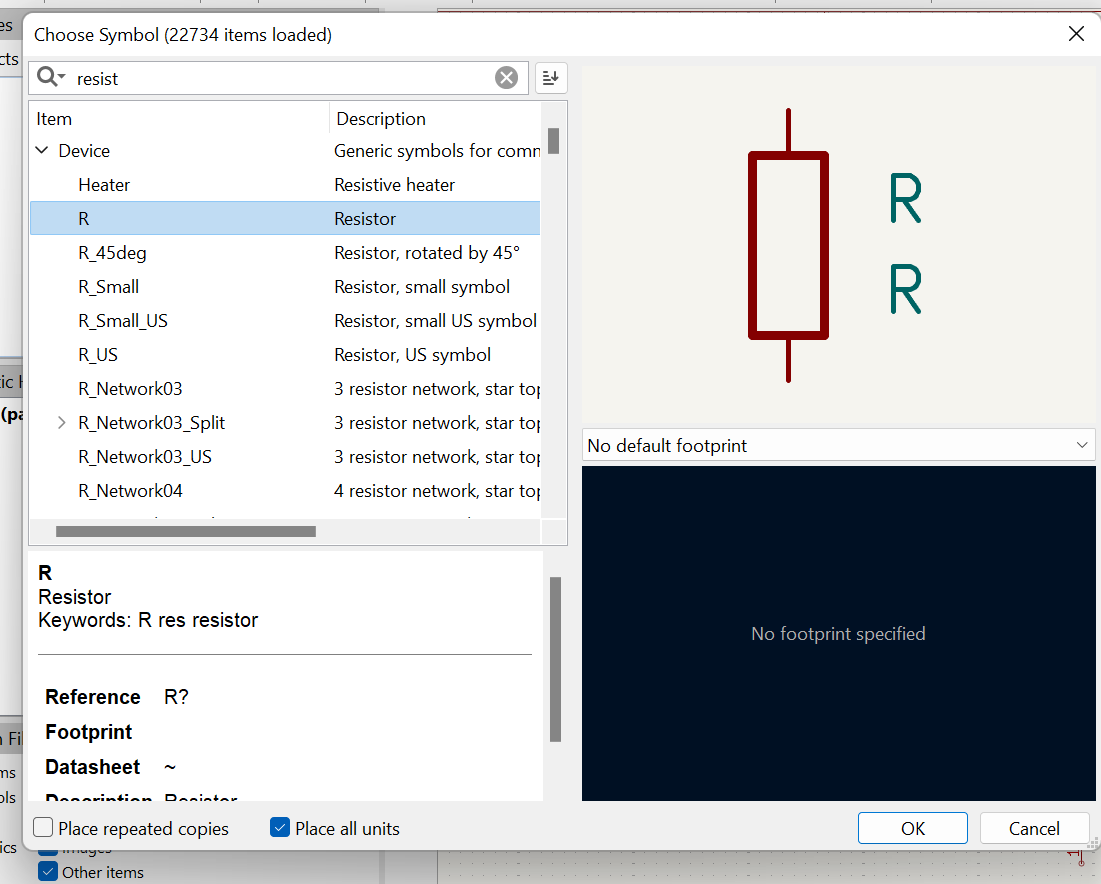
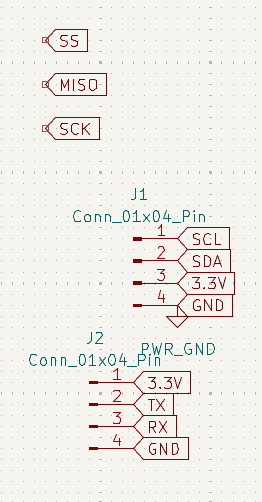
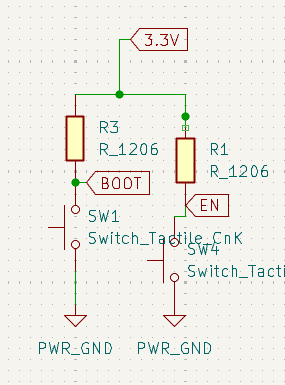
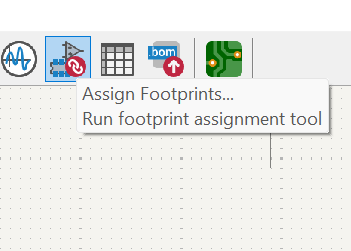
Design Rule: All traces were kept at 0.8 mm minimum width to ensure reliable fabrication on the lab's milling machine. Power traces were kept short and direct to minimize resistance and voltage drop.
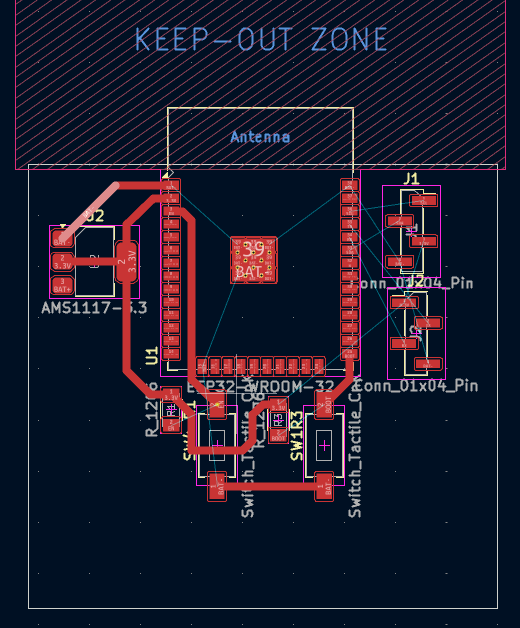
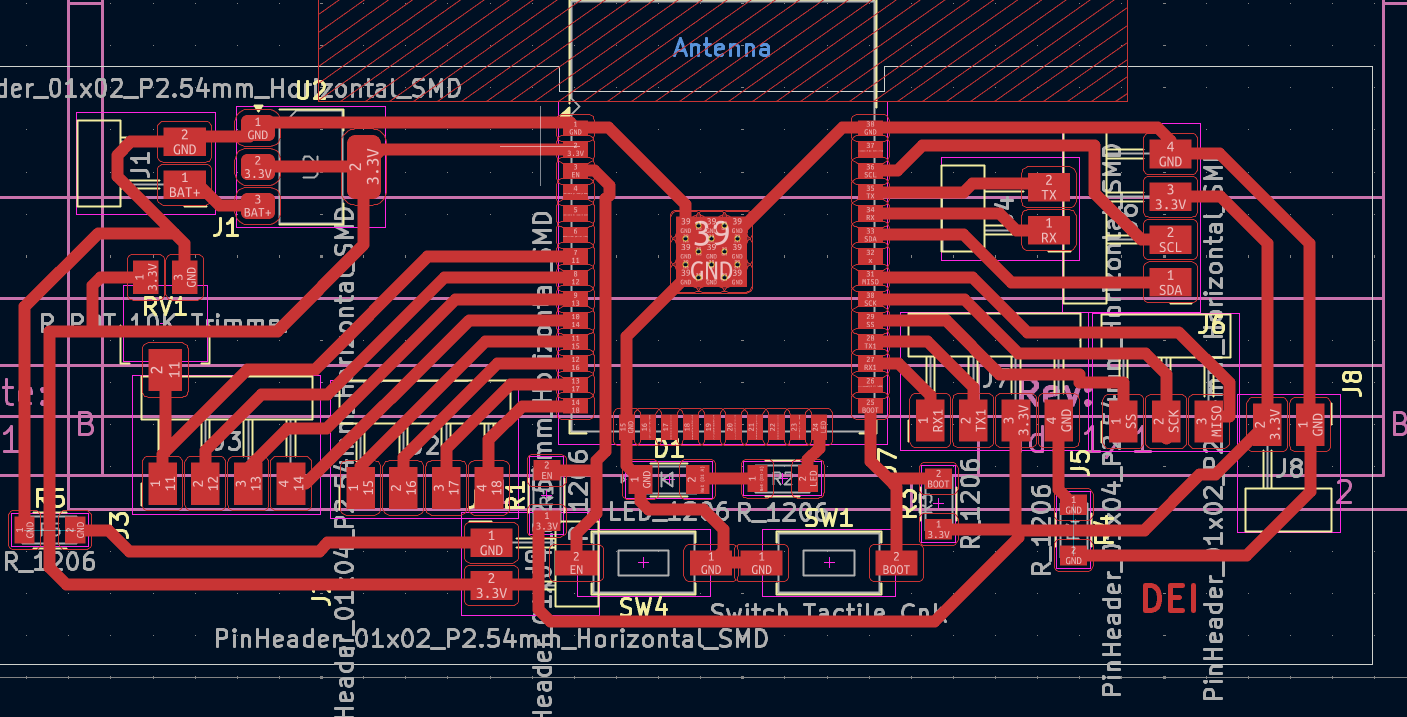
Why this proves the board is fabricable. The milling machine cuts away copper with an endmill of a fixed diameter, so any gap narrower than that tool cannot be cut and would leave two traces shorted together. By setting the clearance rule to match the tool and the track width to 0.8 mm, a clean DRC pass means every gap on my board is wide enough to mill and every trace is wide enough to survive the cut and carry its current.
Problems I hit and how I fixed them:
- Clearance violations near the header pins. Two traces ran too close to the GPIO header pads, leaving a gap smaller than the milling clearance. I rerouted those traces to take a wider path around the pads and nudged the header slightly so the gaps opened up above the minimum.
- A track pinched between two pads. One signal squeezed between a regulator pad and a capacitor pad with no room for the bit. I moved the capacitor a little and rerouted the track on a cleaner angle so it kept full clearance on both sides.
- Missing courtyard on one component. A footprint had no courtyard, so KiCad could not check it for overlap. I swapped it for the matching Fab library footprint that includes a courtyard, then confirmed it did not collide with its neighbors.
- Unrouted and unconnected items. DRC flagged a couple of nets that were not fully routed. I traced each one back in the ratsnest and completed the missing connection.
After these fixes the DRC reported zero errors and zero warnings, which is what gave me confidence to export fabrication files.
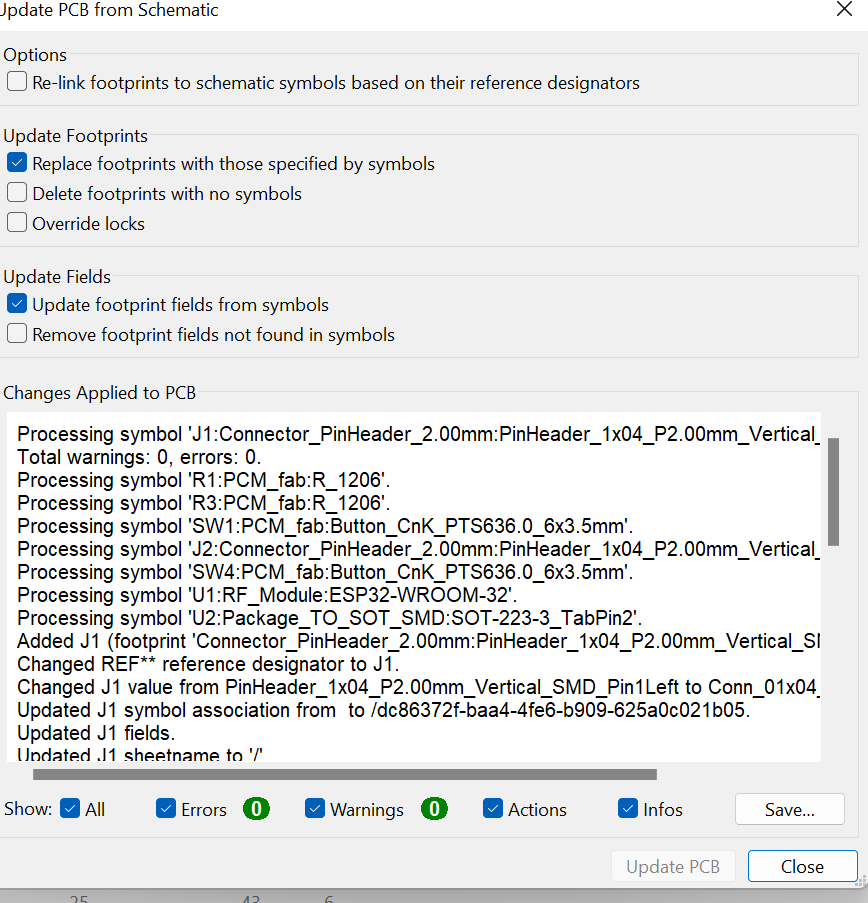
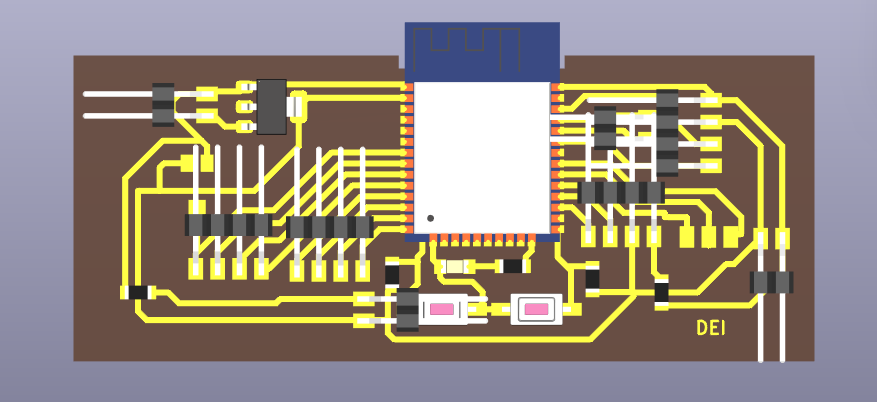
  Files exported:
  ├── board-F_Cu.gbr       (Front copper layer)
  ├── board-B_Cu.gbr       (Back copper layer)
  ├── board-F_SilkS.gbr    (Silkscreen)
  ├── board-Edge_Cuts.gbr  (Board outline)
  └── board-PTH.drl        (Drill file)
Conclusion
Through this assignment, I gained hands-on experience in electronics design from the ground up, software installation and library configuration, through schematic creation, PCB layout, simulation, and design rule verification.
Designing a custom ESP32-S board with power regulation, boot control, and multiple communication interfaces deepened my understanding of embedded systems and manufacturable PCB design. Manually routing all traces while respecting clearances built practical intuition for real-world board design constraints.
My design files
These are the original KiCad files for the board so anyone can open, check or remix it.