Invention, Intellectual Property, and Income
The State of My Project
Today is May 28th, which means that I have around 10 days to finish my final project before presentations start. As of right now, I’m in the homestretch of this project’s development, with just a few tasks remaining to complete. This tasks are:
- Solving my camera issues.
- 3D printing my final pieces.
- Assembling and testing.
My main concern at the moment is the 3D printing part, printing my final pieces will require a quite some time, and the size of my prints requires me to use or Lab’s Prusa XL, which is being used at the moment. Plus, I still have a whole week assignment to complete and some corrections to address. I have enough time, but even then I’m still feeling a tad bit worried.
This week’s assignment is a good opportunity to slow down and take a look back at my project’s development. It is important to keep track of what has worked, what has not, what would I do different on future projects, etc. During Neil’s recitation for this week, he explained a concept called “ready, shoot, aim”, which refers to the process of preparing for a task, initiate the task and then gather information of that initial progress to better focus the following processes. I realized that, at least for me and my context, this whole final project works as the “shoot” part of the process. Whatever I learn from this will be used for future projects of this nature.
What Has Worked
AI
The first part that worked flawlessly was the whole AI dimension of the project. For a moment I thought it was “too easy to be true”. The reality is that I not only have programming experience, I also have background knowledge on the topic, an instructor who especializases in AI development and research and a wide variety of tools, like AI, at my disposal. It is not that this part of the project was the easiest because it “is easy”. It was the easiest because it is the easiest for me. Someone else, with a different background than mine, might find that the mechanics and 3D design part where the easiest to accomplish, and the AI part the hardest.
As a whole, the only thing that could hold back the AI part of this and future projects is the device its hosted on. The Raspberry Pi 5 I used for my project worked great with smaller, less powerful models. For bigger models, a Raspberry Pi 5 might be limited, needing to sacrifice other hosted functionalities (like my person tracking system also hosted on the Raspberry Pi 5). Using a Raspberry Pi AI Hat, or even a more powerful single-board computer like a Jetson Nano might allow for better AI models to be hosted whilst also allowing other services to be hosted as well.
The other route I could recommend is externally managing the AI, not processing it directly inside the robot. Using a computer to process the AI, leaving input and output devices inside the robot, will allow the robot to have more complex mechanical and electrical systems inside of it. For example, the articulated tentacles with servo motors needed to be scrapped in part for powering issues. The Raspberry Pi 5 needed its own power supply, essentially separating the “brain” and “muscle” into two entities that communicate with one another. Removing the Raspberry Pi 5 from the insides of the robot meant that a single power supply could now power everything inside of it (with the correct amperage calculation obviously). This is just a vague example of the things that could be made if only the Raspberry Pi 5 wasn’t inside the robot. Then again, this requires an extra device to work. For some applications, like a stationary robot, this should not be a problem. But if we want to give the robot autonomous movement, this wouldn’t be an option.
The other thing that could be implemented is a custom trained LLM. As of right now, our robot uses pre-trained models thanks to Ollama. Creating a custom LLM would be time consuming, and will require a big amount of data and resources. But if you want the robot to behave exactly as you want, this is the way. Training a LLM should only be considered for professional projects, and it is something a maker shouldn’t be worrying about.
Planetary Gear System
A 360 rotating base powered by a stepper motor and a planetary gear system is really good at achieving precise movement. The only consideration I would have to point out is the sound aspect. It turns out that these planetary gear systems can get quite loud when moving. My theory is that this is most likely a problem with tolerances and materials, considering that mi gears are 3D printed in PLA, with a considerable amount of wiggle room. This problem should be solved with more precise machining processes and better quality materials.
The planetary gear system is great for precision. However, for speed first applications I would consider using another type of gear arrangement. Plus, if you need to pass something through the center of your base (perhaps with a slip ring) a planetary gear system is not your option, as the center reserved for the motor that powers it.
To be honest, I did not expect my gears to work just fine the very first attempt. I needed to print them multiple times, yes, but as a whole the system worked fine without me needing to adjust values or rations for the gears. This was thanks to the BOSL2 OpenSCAD library I used. All of its gear creating functions already do the complex math needed to calculate the exact dimensions of any gear. I cannot thank enough the existence of this library. It makes OpenSCAD into a really competent CAD software for 3D design, specially for us with programming backgrounds.
Extra Things To Point Out
-
The XTool F1 Ultra: This machine became my favorite machine out of all the ones I had the possibility to try. The possibilities it has for PCB production are endless. All the PCBs I produced with this machine had excellent quality, even allowing me to perforate and cut them.
-
ESP-Now: Even though it didn’t make it into the project, I researched and tested how to use ESP-Now for a system I had planned (direct communication between the Xiao Senes and ESP32s3 on the rotating base PCB). ESP-Now turned out to be a really easy to implement and fast wireless communication protocol between ESP micro-controllers. I couldn’t use this protocol for this project, but hopefully I will find a project where I can use it.
What Did Not Work
This section will include more entries than the previous one. It turns out that a lot of things did not work as planned. It is important to be mature enough to admit when something did not work, after all failure is the best teacher. Having a long list of things that failed or couldn’t be added into my project is not a signed that my project was a “failure”. It is a sign that I’m just starting my maker journey and I’m still gaining experience. Remember, I’m in the “shoot” part of the process. Things are meant to go sideways. You shouldn’t be discouraged if something did not work as planned. You need to keep on moving, learn from that outcome and find a new solution for the problem.
It turns out that most of the things that went wrong with my project can be fixed and implemented in future versions.
Articulated Tentacles / Slip Ring
The very first thing that had to go where the articulated tentacles, powered by small servo motors on their base. It turns out that powering 6 servo motors is not as straight forward as it seemed. The thing that hold me back for this proposal was the great amount of amperage that 6 servo motors would consume when working at the same time. I initially intended to use a slip ring to pass power from the base into the robot’s casing (before deciding to use the planetary gear system). The small size of the cables from the slip ring I got meant that the correct way to pass the power needed for the servo motors would be with multiple cables. A single cable could burn out from the amperage pull. Plus, servo motors emit electrical noise, and in a closed space where wireless communications needed to be sent, this noise could have caused problems. In the end, I scrapped the idea because including it required a lot of rethinking of the whole robot and probably acquiring a new slip ring.
Noise Direction Detection
I proposed that my robot should spin to the direction of the voice that activated it. The idea was that this movement would place the camera on the overall direction of the person, triggering the person tracking system to follow them until the conversation was over. On my final projects development page, under the DOA Algorithm section, I explained that implementing a 4 MEMS microphone array to detect the direction of the sound wasn’t as straight forward as I thought. Mainly because it required processing the audio in a way I was not familiar with, implementing complex mathematical algorithms, storing sound direction until a wake word was detected, and distinguishing between voices and ambient sound. Implementing it should be possible, but would require a lot of research and testing. With the time frame we where given for this project’s development and my experience on the topic, it was not possible.
The one solution I though of was changing the MEMS microphones for a more simple “sound sensor”. These sound sensors usually only tell you the intensity of a sound, with an analogue signal. This means that our DOA algorithm would be simplified, as we only needed to compare the intensity of the sounds detected in each sensor and calculate the angle of arrival, without needing extra audio conversion and processing like with the MEMS microphones. This is something I will test going forward.
Eye Screens
Originally I proposed to use a Raspberry PI 5 compatible LCD screen, those that attach directly into the GPIO pins of the board. I was told pretty early on that using these kinds of screen modules was not allowed for FAB Academy projects. Instead of the whole screen, I proposed the use of two separate OLED mini screens for each eye. This would give my robot a charismatic face whilst keeping it “FAB friendly”. The problem came with the screens I had available at our Lab. I couldn’t make them work in a python setting. The only library available had no documentation and no information online, meaning that I couldn’t debug why my screen turned on but nothing was showing on it. Using these screens would’ve required me to add an extra micro-controller running an Arduino script, and a way to connect this new micro-controller to the Raspberry Pi 5.
The obvious solution was changing the screen type. My Lab’s screens used a st7789 driver to work. I could use I2C screens instead, for easier connections and implementations. The only problem with that is that there where no I2C screens available on my Lab, which means that I would’ve had to import them. There was no time to import these screens, so the whole idea needed to be scrapped. For future developments I will be trying to use these I2C screens.
Raspberry Pi Camera
The final camera module I used for my project was the Xiao Sense. I was not completely happy with this decision, as the Xiao Sense camera drastically under performed. Under the Xiao Sense section of my final project development page there is the whole process on how I converted the Xiao Sense from the person detection model host to a webcam that streamed into a new person tracking script on the Raspberry PI 5. In that section I also explained how a Raspberry Pi Camera was an option to replace the Xiao Sense, not as “FAB friendly” as the Xiao Sense option, but probably the more professional and real-life solution of them both. Sadly, I couldn’t get the camera working on time. I still don’t know why. It might be a camera / cable issue, or something to do with the change of its library’s name on the Raspberry Pi OS. If I’m able to get this camera rolling, I would definitively use it for future project. If not, a new solution needs to be found, as the Xiao Sense just doesn’t cut it.
Extra Things That Did Not Make It
-
LED array for eyes: This idea was proposed by my instructor, and involved using 4 LEDs in a line for the eyes, powering them with a small amount of delay to mimic a “blinking” motion. I decided not to include them as it required redesigned my already final casing.
-
Ideas to articulate the tentacles: Also proposed by my instructor, it involved using a gear or pulley mechanism to provide the tentacles with some movement. I tried designing some of those solutions into my project, but I failed. This was mostly an skill issue, as I’m not well-versed in these types of mechanical systems.
-
Capacitive sensor for play features: This idea involved using a capacitive sensor on the top of the robot’s head to detect when a hand was above it. This would send a signal to activate a play feature, changing the robot’s face to a happy one and moving the tentacles up and down to simulate “petting” the robot. As the servo motors for the tentacles where removed, this system was given a lesser priority and ultimately left behind.
Disseminating My Project
As I’ve explained before in multiple occasions, like in my week’s 17 assignment, this project serves as a “beta” for further projects involving this kind of AI powered robots. My final project, as is, should be used as a “starting point” for mine and others projects. Any other future project I develop following this line of research could be more likely to include plans for dissemination, including packaging, documentation, promotion, etc.
For this reason my dissemination plan involves sharing everything I discovered and developed during not only my final project’s development, but also everything I learned on this FAB Academy 2026 with others. Software engineering students here at Ibero Puebla often skip over bringing project to life simply because our degree’s syllabus does not involve digital fabrication courses. My project will be the first 100% locally fabricated software engineering project here at Rafa’s Cave (LIARE). I hope that more and more of my friends can join in into the development of future versions of this project, or even be inspired to create their own following my documentation on this project and all other of my assignment pages.
Hopefully this project, or future versions, can also attract the attention of my university and receiving funds and exhibition for my project, allowing me to boost my possibilities and create something even greater. I’m not trying to “sell” this project per se, but sharing it with the world is something that is on my priority list. I’m a big advocate for opensource projects, and releasing my project to the world will hopefully lead to better and better projects that can benefit us all.
This project strongest advantages is that it can only be upgraded further, which means that its future possibilities are endless. The next logical step is addressing everything listed on this page to create a better version of this robot. Then, with everything learned from this projects, new project can be created and newer version can be created. I would really like for this robot to be right there with the top project coming out of Ibero Puebla’s LIARE and something future students can see and get inspired from. As time passes my skill and experience will only grow further, allowing me to create better and better projects.
Creatives Common License
The Creatives Common is a global non-profit organization with the purpose of facilitating sharing knowledge and culture with the world. CC gives creators copyrights for their work, securing it from malicious attempts of using that work. CC comes in different types, with different permission levels. To use a CC License, simply choose the license you want to give to your work and add it to it. In our FAB documentation web pages, we can simply add the symbol or image to, say, the footer of the page. With only this step you have already protected you work!
Personally, my goals for this project involve (eventually) releasing it to the public, allowing for others to learn and base their projects from, following the opensource project philosophy. For this reason I choose the CC BY-NC-SA License:
- BY states that credits should be given to the original creator, me.
- NC states that any remix, adaptation or build upon works should only be created for noncommercial purposes.
- SA states that all remixes, adaptions or build upon works should be shared under the same terms.
This selection of License ensures my project will help other projects, and said projects will help even more projects. The noncommercial part of the license was added to prevent other to profit from the development of others, as the purpose is for everyone to benefit from all the resulting projects, not only one entity.
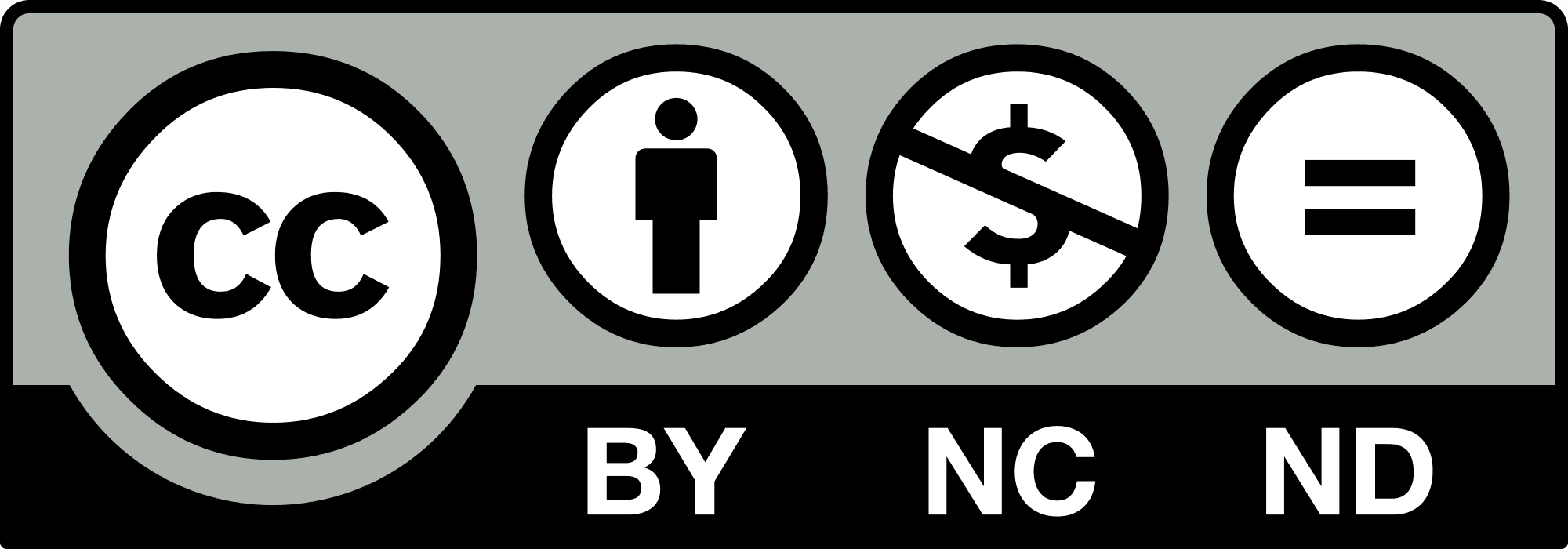
With that, my project is safely secured and ready to be disseminated to the world!