AI promts and usage
I am adding the promts or how I have used AI during Fab Academy.
Reflection box- class ChatGPT
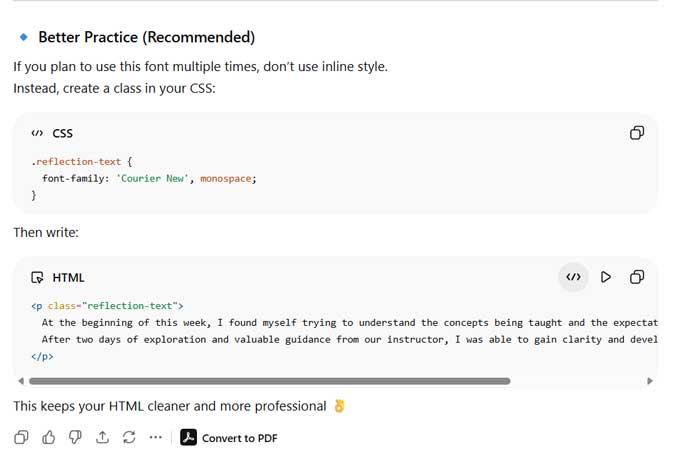
promt-1 : font-family: 'Courier New', monospace;
can you add this font to
<p>
At the beginning of this week, I found myself trying to understand the concepts being taught and the expectations of the assignment.
After two days of exploration and valuable guidance from our instructor, I was able to gain clarity and develop the work presented below.
</p>
promt-2 : add this inside a box to make it like a note
.reflection-box {

    border-left: 5px solid #2A1458;

    background-color: hsla(28, 100%, 92%, 0.5);

    padding: 15px 20px;

    margin: 20px 0;

    font-family: 'Courier New', monospace;

    border-radius: 6px;

}
the above is the reflection-box class created.
Slideshow Gallery
I am inspired by this page: JS Slideshow Gallery W3schools.com
Promt + code 1: : Hi there, i wanted to add slideshow gallery into my html page, i am new to javascript. i would like to follow a smilar style of slide show so i can have uliplt galleris in 1 page. can you create a template for it so i can cop thata edit it and use it. also teach me what to add, what to keep in mind and change . creatw teh html, javascript and css styles seprates.
<!DOCTYPE html>
<html>
<meta name="viewport" content="width=device-width, initial-scale=1">
<style>
body {
  font-family: Arial;
  margin: 0;
}

* {
  box-sizing: border-box;
}

img {
  vertical-align: middle;
}

/* Position the image container */
.container {
  position: relative;
}

/* Hide the images by default */
.mySlides {
  display: none;
}
</style>

<body>

<h2 style="text-align:center">Slideshow Gallery</h2>

<div class="container">
  <div class="mySlides">
    <div class="numbertext">1 / 6</div>
    <img src="img_woods_wide.jpg" style="width:100%">
  </div>

  <a class="prev" onclick="plusSlides(-1)">❮</a>
  <a class="next" onclick="plusSlides(1)">❯</a>
</div>

<script>
let slideIndex = 1;
showSlides(slideIndex);

function plusSlides(n) {
  showSlides(slideIndex += n);
}
</script>

</body>
</html>
Promt + the styles I was using : theese are the styles I have till now, also i wan the images to have teh styel of img-box.
Code received
Download Slideshow_Gallery.html fileDownload Slideshow_Gallery.css file
Download Slideshow_gallery.js file
After saving these in the folder, I linked the JavaScript file to each html page that uses the javascript. Add it within but at the end of the head tag. I have saved my js file as "galley.js" fro the attached files it is "Slideshow_gallery.js". Add the contents inside slideshow_gallery.css to your styles file or link it to your html
  <link rel="stylesheet" href="../ai-use/slideshow_gallery.css"/>

  <script src="../ai-use/Slideshow_gallery.js" defer> </script >
USE
I usually type the image path and the explaination along with it, in VScode. Then I paste it along with the "slideshow_gallery.html" Gallery and apply the promt
Promt : Convert the above images and caption to match the skeleton of the below gallery.(the slideshow_gallery.html)
Video under 1mb
Promt : can you change the file such that it can compress the videos to under 1mb
I also uploaded the preset file shared to us to compress the final project video under 25 mb.
The preset file to compress videos to under 1mb, use this in handbrake software.
1mb Preset25mb Preset
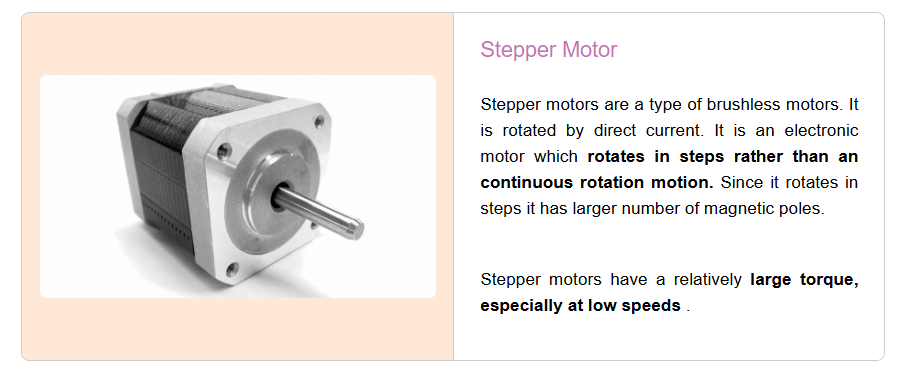
Created this box style using Claude