Vocabularies and Softwares
I asked Deepseek to generate a list of important git terminologies, ssh key commands and other important terms with breif explainations and this is what it generated:
Git Commands:
- git config --global user.name "Your Name" - Set your Git username
- git config --global user.email "your@email.com" - Set your Git email
- git init - Initialize a new Git repository
- git clone [url] - Clone a repository to your local machine
- git status - Check status of changes
- git add [file] - Stage changes for commit
- git add . - Stage all changes
- git commit -m "message" - Commit changes with a message
- git push - Upload changes to remote repository
- git pull - Download changes from remote repository
- git branch - List all branches
- git checkout [branch] - Switch to a branch
- git merge [branch] - Merge branches
- git log - View commit history
- git remote -v - List remote repositories
SSH Key Commands:
- ssh-keygen -t rsa - Generate SSH key pair
- cat ~/.ssh/id_rsa.pub - View public SSH key
- ssh -T git@gitlab.fabcloud.org - Test SSH connection
Basic Terminal Commands:
- pwd - Print working directory (show where you are)
- ls - List files and directories
- cd [directory] - Change directory
- cd .. - Go up one directory
- mkdir [name] - Create new directory
- touch [filename] - Create new file
- cp [source] [destination] - Copy file
- mv [source] [destination] - Move/rename file
- rm [file] - Remove file
- rm -r [directory] - Remove directory and contents
Important Concepts:
- Version Control - Tracking changes to files over time
- Repository (Repo) - Project folder with Git tracking
- Local Repository - Repository on your computer
- Remote Repository - Repository on server (GitLab/GitHub)
- Commit - Save point in Git history
- Branch - Parallel version of repository
- Merge - Combine changes from different branches
- Clone - Copy repository from remote to local
- Push - Upload local changes to remote
- Pull - Download remote changes to local
- SSH Key - Secure way to authenticate without password
- Public Key - Shared key for authentication
- Private Key - Secret key kept on your computer
- Markdown (.md) - Simple text formatting language
- HTML - HyperText Markup Language for web pages
- CSS - Cascading Style Sheets for website styling
Software Used:
- Git Bash - Command line interface for Git on Windows
- Visual Studio Code (VS Code) - Code editor with Git integration
Useful Keyboard Shortcuts (VS Code):
- Ctrl + S - Save file
- Ctrl + C - Copy
- Ctrl + V - Paste
- Ctrl + Z - Undo
- Ctrl + Y - Redo
- Ctrl + F - Find in file
- Ctrl + Shift + F - Find in all files
- Ctrl + ` - Open/close terminal
- Ctrl + Shift + V - Open Markdown preview
- Ctrl + / - Comment/uncomment line
Week 02: Computer-Aided Design (CAD)
To ensure my descriptions were technically precise for this documentation, I used an AI tool to help with the accurate explanations of each software's capabilities and vocabularies.
GIMP (GNU Image Manipulation Program)
- It is a completely free and open-source application primarily used for editing and manipulating photographs and raster-based images.
- The software supports various image formats and offers tools for photo retouching, image composition, and image authoring.
- Personally, I found myself having a lot of fun exploring its various filters and tools to see how they could alter my pictures.
Inkscape
- This is a professional, free vector graphics editor that allows you to create and modify scalable illustrations and designs using paths rather than pixels.
- The interface presented a bit of a learning curve at first, but I quickly discovered that it becomes quite user-friendly once you understand the basics of vector paths and node editing.
- I found an online tutorial that was particularly helpful for grasping the bezier curve tools and path operations like union, difference, and intersection.
Fusion 360
- A cloud-based integrated software platform used for industrial and mechanical design, 3D modeling, simulation, and CAD/CAM (Computer-Aided Manufacturing). The software enables the creation of assemblies, and technical drawings for fabrication.
Blender
- A powerful, free, and open-source 3D creation suite that supports the entirety of the 3D pipeline, including modeling, rigging, animation, simulation, rendering, compositing, and motion tracking.
- It operates primarily with mesh based geometry rather than parametric solids, offering different modeling strategies like subdivision surfaces and sculpting.
- It is widely used for artistic projects, game assets, and creating realistic visual effects.
Onshape
- Unlike installed software, Onshape is a web based design platform that enables users to create precise 2D sketches and complex 3D models directly within a browser using cloud native architecture. It is a common choice for collaborative engineering projects due to its real time multi-user editing capabilities and automatic version control.
Tinkercad
- A browser based, entry-level 3D design tool that uses a block building approach similar to digital LEGO construction.
- It is particularly accessible for beginners and educational settings, offering a gentle introduction to 3D modeling concepts before advancing to more complex software.
- The platform also includes basic electronic circuit simulation and code-block programming capabilities.
FFmpeg
- For compressing my video documentation to meet upload requirements and manage file sizes efficiently, I utilized FFmpeg.
- It is a leading, open-source multimedia framework designed to handle video, audio, and other media files, typically operated through a command-line interface.
- The software supports a vast array of codecs and formats, allowing for precise control over compression parameters, bitrates, and resolution.
Week 03: Computer-Controlled Cutting
This week focused on the practical parameters of digital fabrication, specifically laser cutting and vinyl cutting.
Laser Cutting Terminology
- Focus: The process of adjusting the distance between the laser head and material to achieve the optimal beam concentration for precise cutting or engraving.
- Kerf: This refers to the small amount of material that is actually removed or vaporized by the laser beam as it cuts along a path. Precisely measuring and compensating for the kerf is critical for achieving accurate dimensions and creating strong press-fit joints.
- Raster / Engrave: A process where the laser head scans back and forth across the material, similar to an inkjet printer, to etch, mark, or shade the surface without cutting through it.
- Vector Cut: The method in which the laser follows a continuous, defined line or outline to slice completely through the material in a single pass or multiple passes.
- Power: This setting controls the intensity or strength of the laser beam. A higher power level will generally produce a deeper cut or a darker, more pronounced engraving.
- Speed: This determines the velocity at which the laser head moves across the material. A slower speed allows the laser to dwell longer, resulting in deeper cuts or darker engraved lines.
- Frequency / Pulse Rate: How quickly the laser pulses on and off while cutting, measured in hertz (Hz). This affects the smoothness of the cut edge and can help reduce charring on certain materials.
- Resolution: In the context of engraving, resolution dictates the level of detail and sharpness measured in dots per inch (DPI). A higher resolution setting allows the laser to produce much finer details and smoother gradients.
- Calibrate: The essential process of adjusting the machine's settings and focus to ensure the laser cuts and engraves with the highest possible accuracy and fidelity to the design file.
- Exhaust: The ventilation system integrated into the cutter that actively removes smoke, fumes, and particulates generated during the cutting process, which is a key safety requirement for operation.
- Compressor / Air Assist: A system that blows a focused stream of air onto the cutting point. This helps to cool the material, clear debris, and reduce flame charring, resulting in a cleaner cut edge.
- Joint Clearance: The intentional gap or allowance designed into mating parts to account for material thickness and kerf, ensuring proper fit without being too loose or too tight.
- Press-fit joint: A construction technique where parts are designed to be pushed together tightly. The joint is held together solely by the friction between the two components, requiring no glue or mechanical fasteners.
- Parametric Design: A modeling approach where dimensions are controlled by variables and equations, allowing the entire design to update automatically when parameters like material thickness or kerf are modified.
Vinyl Cutting Terminology
- Vinyl Cutter / Plotter: A computer-controlled device that uses a sharp blade to cut vector designs from sheets or rolls of adhesive vinyl material.
- Cutting Blade: The interchangeable tool that actually performs the cut, available in different angles (30°, 45°, 60°) suited for different material thicknesses and types.
- Blade Angle: The tip angle of the cutting blade; 30-degree blades are used for very thin materials, 45-degree for general purpose vinyl, and 60-degree for thicker materials like magnetic sheet or copper.
- Cutting Force: The downward pressure applied to the blade, measured in grams or newtons, which must be adjusted based on material thickness and type.
- Origin: The reference point where the cutter begins cutting, typically set at the bottom right or top left corner depending on the machine configuration.
- Weeding: The process of removing excess vinyl material from around the cut design, leaving only the desired graphics on the backing paper.
- Transfer Tape: A transparent adhesive film used to lift the cut vinyl design from its backing and apply it to the final surface.
- Registration Mark: Alignment marks printed on pre-printed graphics that the vinyl cutter senses to precisely cut around existing printed designs (contour cutting).
Week 04: Embedded programming
This week, there were a lot of words thrown at me and a lot of many concepts to comprehend so, I tried my best to understand everything and these are all the terminologies I came across this week. I used Claude AI, to give a clear and simple expkaination for each word.
Embedded system
A computer (computer as in, has a processor, memory, and runs code) built into a device to perform one specific task, running a single program permanently stored in memory. When we say a computer, unlike a laptop, it has no keyboard or screen, it just runs. An embedded system typically runs a single program permanently stored in its memory, designed to perform one specific job reliably and repeatedly. Examples include the microcontroller inside a washing machine that manages cycle timing, or the chip in a traffic light that controls switching. In Fab Academy, the boards we design and program are embedded systems: small microcontroller based circuits made to perform a specific interactive task.
Wokwi
-
Wokwi is a free, browser-based electronics simulator that lets you design and test circuits virtually without any physical hardware.
- It supports a wide range of microcontrollers including Arduino, ESP32, and Raspberry Pi Pico, along with common components like LEDs, sensors, displays, and motors.
- You can write and upload code directly in the simulator, see your circuit run in real-time, and debug everything before building it in real life — making it especially useful for learning, prototyping, and testing ideas when you don't have components on hand.
Arduino IDE
- Arduino IDE is a free, open source integrated development environment that makes it easy to write, compile, and upload code to Arduino compatible microcontrollers.
- It uses a simplified version of C++ with built-in functions that handle low level hardware details, making embedded programming accessible for beginners while still powerful enough for advanced users.
- Octopart: a search engine that queries multiple distributors at once. The fastest way to check stock and pricing.
- Digi-Key and Mouser: the two largest global electronics distributors, primary sources for chips and passive components in Fab Academy.
- Newark / Farnell: major distributors strong in the UK and Europe (same parent company).
- SparkFun and Adafruit: maker oriented shops selling breakout boards, modules, and components with extensive beginner tutorials.
- LiteRT (by Google): runs a compressed ML model directly on the device
- ESP-DL: Espressif's library specifically for running ML models on ESP32 chips
- Edge Impulse: a platform where you train a model on your computer and then deploy it onto your microcontroller
- Microchip Studio: Microchip's official Windows IDE for AVR and SAM chips. Write, compile, upload, and debug code all in one place.
- Eclipse: An open-source editor used as the foundation for many embedded tools.
- VS Code: A free lightweight code editor by Microsoft. Becomes a full embedded development environment when extended with plugins like PlatformIO.
- Thonny: A beginner-friendly editor built specifically for MicroPython and CircuitPython. Includes a built-in REPL — executes Python commands on your microcontroller instantly without uploading a full program.
- Codebra: A browser-based embedded development environment. No installation required.
- Arduino: The most beginner-friendly embedded development ecosystem. It bundles together everything you need in one place — a simplified version of C++ that is easier to write, a large library of pre-written code for common tasks, an IDE to write and upload code, and board definitions that tell the tools how to work with specific chips. Instead of dealing with low-level hardware setup yourself, Arduino handles it for you so you can focus on writing your program logic.
- XIAO (Seeed Studio): compact thumb-sized modules for RP2040, ESP32-C3, SAMD21, and others — a Fab Academy standard.
- Adafruit, Pololu, Olimex, Micro:bit, BeagleBone, Raspberry Pi: other board families at various capability levels.
- Fab-community boards — Quentorres, Fab-Xiao, SAMDino, Adrianino: custom boards designed within Fab Academy, built around XIAO or SAMD chips.
- D11C devkit / D21E devkit: minimal custom boards around the ATSAMD11C and ATSAMD21E chips.
- PrusaSlicer is a free and open-source slicing software developed by Prusa Research. It converts 3D models into instructions (G-code) that 3D printers can understand. PrusaSlicer offers advanced features such as customizable print settings, support generation, multiple infill patterns, and layer height adjustments. It supports a wide range of 3D printers, not just Prusa models, making it versatile for both beginners and experienced users.
- Building a model by adding material layer by layer, which is exactly what 3D printing does.
- The opposite of additive, where you start with a solid block and cut material away to get the final shape, like CNC machining.
- Fused Filament Fabrication / Fused Deposition Modeling, the most common type of 3D printing where plastic filament is melted and deposited layer by layer.
- The file language that tells the 3D printer exactly where to move, how fast, and how much material to deposit.
- The internal structure inside a 3D print, measured in percentage. Higher percentage means more solid, lower means more hollow.
- Temporary printed structures that hold up overhanging parts of a model during printing and are removed afterwards.
- Any part of a model that extends outward without anything directly below it to support it during printing.
- When the printer prints horizontally between two supported points across an open gap.
- The technique used by apps like Kiri Engine to create 3D models by stitching together multiple photos taken from different angles.
- The most common 3D printing material, plant based, easy to print and beginner friendly.
-
KiCad
A free and open-source EDA (Electronic Design Automation) software used to design PCBs. It has two main stages: the schematic editor, where you place symbols and define electrical connections, and the PCB editor, where you assign footprints, route traces, and prepare the board for fabrication. KiCad also includes a built-in DRC (Design Rule Check) to catch errors before exporting.
-
Mods CE
A browser-based CAM (Computer-Aided Manufacturing) software used to convert PCB design files (SVG or PNG) into machine-readable RML files for CNC milling. It processes the image by reading black and white areas to determine where to mill, and allows you to configure toolpaths for both trace milling and edge cuts before generating the final output file.
- RML File: A machine-readable file containing movement commands sent to a CNC milling machine to physically cut your PCB.
- Routing: The process of drawing copper traces on a PCB to connect components according to the schematic.
- Schematic: A diagram that shows the logical connections between electronic components using symbols, before any physical layout is done.
- PCB (Printed Circuit Board): The physical board that holds and electrically connects electronic components through copper traces.
- Symbols: Abstract graphical representations of electronic components used in schematics (e.g. a rectangle with pins for a chip).
- Footprints: The physical layout of a component on the PCB, defining the pad size and spacing that matches the real-world part.
- Vertical Pin Headers: Connectors with pins pointing straight up, used to attach wires or other boards perpendicularly.
- Male Pin Headers: Connectors with exposed metal pins that plug into female headers or sockets.
- Chip Module vs. Actual Chip Symbol: A chip module symbol represents a pre-assembled board (e.g. an ESP32 dev board), while an actual chip symbol represents the bare integrated circuit itself.
- PWR Symbol: A special schematic symbol used to denote power connections like VCC, VDD, or GND without drawing long wires across the schematic.
- Labels: Text tags placed on schematic wires to name nets, allowing connections to be made across the schematic without drawing physical wire lines between them.
- Zero Ohm Resistor: A resistor with no resistance, used as a wire jumper on PCBs to bridge connections or serve as placeholders during testing.
-
ShopBot Control Software (SB3)
ShopBot Control Software (SB3) is a free and easy to use CNC application used to drive ShopBot tools by interpreting design files. It enables users to position the spindle through a virtual keypad, zero the axes, run and simulate toolpaths in 3D. It works alongside CAD/CAM software like VCarve, making it ideal for cutting, carving, and drilling various materials.
-
VCarve Pro
VCarve Pro is a popular software program used to design and create toolpaths for CNC routers. It acts as a bridge between your computer and your machine, taking a design and converting it into instructions (G-code) that the CNC understands.
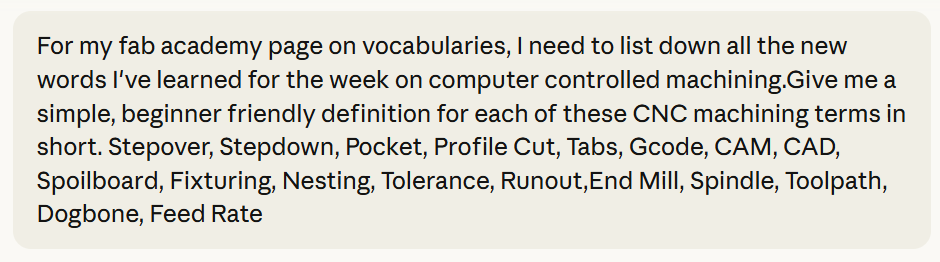
- CNC (Computer Numerical Control):A manufacturing method where machines are operated automatically using pre-programmed computer commands instead of manual control.
- Computer Controlled Machining:The process of using software driven machines to cut, shape, or carve material by removing parts of it (subtractive manufacturing).
- Toolpath:The programmed route a cutting tool follows to shape the material, calculated by CAM software.
- End Mill:A rotating cutting tool used in CNC machines, similar to a drill bit but designed to cut sideways as well as downward.
- Spindle:The motorized rotating shaft that holds and spins the cutting tool at high speed.
- Runout:The wobble of a spinning tool from its true center axis. Excessive runout causes poor cut quality and tool wear.
- Dogbone:A small circular relief cut placed at interior corners of a pocket, allowing square cornered parts to fit together despite the round shape of the end mill.
- Feed Rate:The speed at which the cutting tool moves through the material, usually measured in mm/min or in/min.
- Plunge Rate:The speed at which the cutting tool moves downward (Z-axis) into the material.
- RPM (Revolutions Per Minute):The rotational speed of the spindle; different materials require different RPM settings.
- Stepover:The horizontal distance the tool moves between each cutting pass, affecting surface finish and machining time.
- Stepdown (Depth of Cut):How deep the tool cuts into the material in each pass.
- Pocket:A cavity cut into the surface of the material without cutting all the way through like a cup.
- Profile Cut:A cut that follows the outline of a shape, typically used to cut parts out from a sheet.
- Tabs:Small uncut bridges of material that hold a part in place on the stock sheet during cutting, preventing it from flying loose.
- G code:The standard programming language used to control CNC machines, consisting of coordinate and motion commands.
- CAM (Computer Aided Manufacturing):Software that converts a 3D design into machine instructions (toolpaths and G code).
- CAD (Computer Aided Design):Software used to create the 2D or 3D designs that are then sent to CAM for machining.
- Spoilboard:A sacrificial flat board placed on the CNC bed to protect the machine surface and allow cutting slightly past the material's bottom.
- Fixturing:The method of securing the workpiece to the machine bed to prevent movement during cutting.
- Nesting:Arranging multiple parts efficiently within the stock material sheet to minimize waste.
- Tolerance:The acceptable range of dimensional variation between the designed and actual cut dimensions.
-
VPanel for SRM-20
VPanel is a free control software provided by Roland DG specifically for operating the MonoFab SRM-20 milling machine. It provides a simple and beginner friendly interface that allows users to manually move the machine along the X, Y, and Z axes, set the origin point, control the spindle speed, and send milling files to the machine. It is the main software used to set up and run the milling process for our PCB boards in the lab.
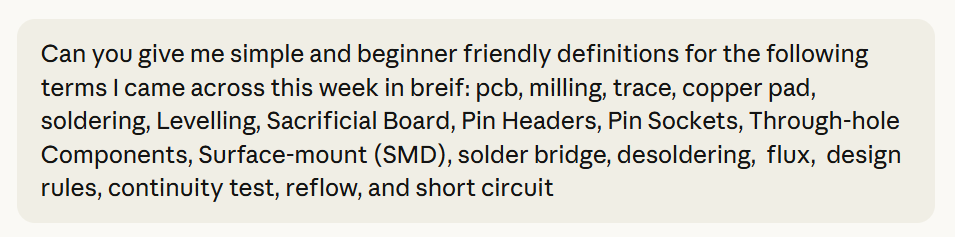
- PCB (Printed Circuit Board): A flat board with copper traces that connects electronic components together electrically.
- Milling: Using a machine like the SRM-20 to cut away copper from a board to create traces and a board outline.
- Trace: A thin copper line on a PCB that connects components together, acting like a wire.
- Copper Pad: A small flat area of exposed copper on a PCB where a component is soldered onto the board.
- Soldering: The process of melting solder wire using a hot iron to join electronic components onto a PCB.
- Levelling: Adjusting the sacrificial board or base plate of the SRM-20 to ensure the surface is perfectly flat and even before milling begins.
- Sacrificial Board: A disposable board placed underneath the PCB to protect the machine bed during the milling process.
- Pin Headers: Small metal pins arranged in a row on a PCB, used to connect modules or components.
- Pin Sockets: The female counterpart to pin headers,components or modules plug directly into these.
- Through hole Components: Components with leads that pass through holes drilled in the PCB and are soldered on the opposite side.
- Surface mount (SMD): Smaller components that are soldered directly onto the surface of the PCB without going through holes.
- Cold Solder Joint: A faulty solder joint that appears dull and grainy, meaning the solder did not melt and bond to the pad properly.
- Solder Bridge: When excess solder accidentally connects two pads that should not be connected, causing a short circuit.
- Desoldering: The process of removing solder or a component from a PCB using tools like solder wick, tweezers, or hot air.
- Flux: A chemical used during soldering that helps the solder flow smoothly and bond cleanly to the copper pad.
- Design Rules: The minimum trace width and spacing that a milling machine or board house can reliably produce without errors.
- Continuity Test: A multimeter test that checks whether two points on a circuit are properly connected by producing a beep when a complete path is detected.
- Reflow: A soldering technique where solder paste is applied to pads and then heated using a hot plate or oven to melt and bond the components.
- Short Circuit: When two points in a circuit that should not be connected accidentally make contact, causing a fault or damage to components.
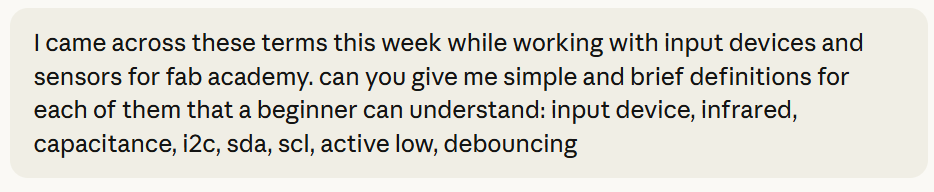
- Input Device: Any sensor or module that collects information from the physical world and sends it to a microcontroller to be processed.
- Infrared (IR): A type of light that sits just beyond what the human eye can see. We experience it mostly as heat, like the warmth from the sun or a fire. It is also used in TV remotes to send signals.
- Capacitance: The ability of two conductive surfaces to store a small electrical charge between them. In touch sensors, your finger and the sensor pad act like a capacitor, and the sensor detects the change in capacitance when you touch it.
- I2C: A communication protocol that allows a microcontroller to talk to multiple sensors or modules using just two wires, SDA for data and SCL for the clock signal.
- SDA: Stands for Serial Data. It is one of the two wires used in I2C communication and is responsible for carrying the actual data between the microcontroller and the sensor.
- SCL: Stands for Serial Clock. It is the second wire in I2C communication and keeps the timing in sync between the microcontroller and the sensor.
- Active Low: A sensor or module that outputs a LOW signal when it is triggered and HIGH when it is not. The IR obstacle sensor I used is active low.
- Debouncing: A technique used in code to prevent a button or sensor from triggering multiple times from a single press by adding a short delay after the first trigger is detected.
- Output Device: A component that receives a signal from a microcontroller and produces a physical result, like light, movement, or text on a screen.
- OLED: A display where each pixel lights up on its own, meaning no backlight is needed, giving sharp visuals and low power use.
- LCD: A display that needs a backlight to show content, with liquid crystals acting like shutters to block or let light through.
- SSD1306: The chip inside most small OLED modules that controls which pixels turn on and off.
- PWM (Pulse Width Modulation): A way of sending signals by varying the length of pulses, used to control things like servo position or LED brightness.
- Micro Servo: A small motor that rotates to a specific angle based on a PWM signal from the microcontroller.
- I2C Address: A unique number assigned to each device on an I2C line so the microcontroller knows which device it is talking to.
- Backlight: The light source behind an LCD screen that makes it visible, unlike OLED which lights itself.
- Driver IC: A chip that sits between the microcontroller and a display or motor, translating signals into commands the device understands.
- Bus: A shared wire that multiple devices are all connected to at the same time.
- Library: Pre-written code that makes it easier to control specific hardware without writing everything from scratch.
- Sweep: A servo movement where it rotates back and forth continuously between two angles.
Architecture
In computing, the internal design blueprint of a processor — how it processes instructions, stores data, and moves information. Architecture defines the rules and layout that all software running on that processor must follow. Two major historical architecture designs are von Neumann (fetching instructions and then fetching data shares one memory path) and Harvard (separate paths for instructions and data which is faster and is used by most microcontrollers). Instruction philosophy: RISC (few simple instructions, each runs in one clock cycle) vs. CISC (fewer but more complex instructions, each takes multiple cycles). Most chips in Fab Academy are RISC + Harvard.
Von Neumann: one path, instructions and data take turns
Harvard: two separate paths, instructions and data travel simultaneously
Microprocessor
A microprocessor is a single integrated circuit that contains only the central processing unit (CPU) — the logic that reads instructions and performs computations. It requires external chips for memory, storage, and input/output functions. Your laptop's CPU is a microprocessor. In embedded contexts, a microprocessor alone is rarely sufficient; it must be paired with additional components to function.
Microcontroller
A microcontroller is a single chip that integrates a processor core, RAM, flash memory (for program storage), and a collection of input/output peripherals, all in one package. This makes it self-contained and immediately usable in a circuit without needing additional chips. Almost everything you will program in Fab Academy is a microcontroller: chips like the ATtiny412, RP2040, and ESP32 all include memory and peripherals on the same die as the processor. Microcontrollers are designed for embedded work — they run one program continuously, operate at lower clock speeds than desktop CPUs, and are optimized for low power consumption and direct hardware control.
Multi-core
A chip with two or more independent processor cores on the same die, able to run code simultaneously. The RP2040 is dual core — both cores can execute different tasks at the same time.
GPU / Embedded GPU
A GPU (Graphics Processing Unit) is a specialized processor designed to run thousands of small calculations simultaneously, in parallel. It was originally built to render graphics — a screen has millions of pixels, each needing its own calculation to display color and light. A regular CPU would do this one pixel at a time, which is too slow. A GPU handles all of them at the same time. In embedded contexts, chips like NVIDIA Jetson bring GPU-level parallel processing to edge devices, mainly for machine learning inference.
FPGA
FPGA stands for Field Programmable Gate Array. It is a type of integrated circuit that can be programmed by the user after manufacturing to perform specific tasks. Unlike traditional logic devices such as application-specific integrated circuits (ASICs), FPGAs are designed to be reprogrammable, making them highly versatile and adaptable for various applications. Instead of running software, you define hardware behavior directly. Tools like TinyFPGA (a small FPGA board), IceStorm, and Symbiflow support open source FPGA workflows. SiliconCompiler automates the process of turning a hardware description into a chip layout. Spatial architectures arrange computation physically in space for large parallel workloads.
Memory
Memory in a microcontroller refers to the various types of storage available on the chip, each serving a different purpose and operating at a different speed.
Registers
A register is not a physical component you can hold like a resistor or a capacitor. It is a tiny storage location built directly inside the processor core itself. This makes registers the smallest and fastest storage locations, typically 8 or 32 bits wide. They hold the values the CPU is actively working with right now — for example, the current instruction being executed, or two numbers being added.
SRAM
SRAM stands for Static Random Access Memory. Fast, volatile working memory. Stores variables and the program stack while running. Contents are erased when power is removed.
DRAM
DRAM (Dynamic RAM) is slower than SRAM but physically smaller and cheaper per bit, making it suitable for larger memory needs, for example: Raspberry Pi. Requires periodic electrical refresh to retain data.
EEPROM
EEPROM (Electrically Erasable Programmable Read Only Memory) is a type of memory that remembers its contents even when the power is off (non-volatile). You use it to save small pieces of data that need to survive a reboot — for example, a brightness setting the user adjusted, or a calibration value your sensor calculated. When the device powers back on, that data is still there exactly as it was left. Unlike SRAM which loses everything when power is removed, EEPROM holds onto its data permanently until you deliberately change it.
Flash
Flash is non-volatile memory where your program code lives. When you upload code to a microcontroller, it writes to flash. The program persists through power cycles.
Fuse Bits
Fuse bits (or simply fuses) are special configuration bits in a microcontroller that control fundamental hardware behaviors — such as which clock source to use, whether the reset pin is active, or whether certain memory regions are protected — and are set once during programming. They are a small set of special bits separate from your program memory. Each bit controls one specific hardware setting — a 0 or 1 in that bit turns a behavior on or off.
Peripherals
Peripherals are the extra built-in hardware modules inside a microcontroller that extend its capability beyond pure computation so you don't need external chips for common functions. A processor on its own can only do one thing — calculate. It can add numbers, compare values, and execute logic. That's pure computation. But computation alone is useless if the chip can't interact with the real world — it needs to read a button, measure a voltage, send data to another device, control an LED, keep track of time, and so on. So peripherals are the built-in hardware that lets the chip do all of that. Instead of needing a separate chip for each function (one chip for timing, another for serial communication, another for reading analog sensors) the microcontroller has all of those circuits already built inside it. They are called peripherals because they sit around the processor core, each handling a specific job, all on the same chip.
A simple example may be: Say you want your microcontroller to read the voltage from a temperature sensor. Voltage is analog — it's a continuous value, not a 0 or 1. The processor can only work with numbers. So something needs to convert that voltage into a number first. That something is the ADC (Analog to Digital Converter), a peripheral built right into the chip. Without it you would need a completely separate external chip just to do that conversion.
Ports
A port is just a group of pins bundled together. Instead of the processor dealing with each pin individually, pins are organized into groups called ports, typically 8 pins per port on AVR chips. The processor controls an entire port through one register (a register is a storage location inside the chip). Writing a value to that register sets the state of all 8 pins at once.
Binary
Binary is the numbering system that makes digital signals useful. Because a digital signal only has two states — on or off, 1 or 0 — computers represent all information using only those two digits. This is called binary (bi meaning two). Every number, letter, color, sound, or instruction inside a computer is ultimately stored and processed as a sequence of 1s and 0s. A single 1 or 0 is called a bit. Eight bits grouped together is called a byte.
Digital Signal
A signal that can only be one of two values: high (1) or low (0), voltage present or no voltage. No "in between", no gradual change. It is either on or off. This is the language computers and microcontrollers naturally speak — everything inside a chip is binary. A button press, an LED state, a logic output — these are all digital signals.
Analog Signal
A continuous signal that can be any value within a range. It flows and varies smoothly with no steps or jumps. The physical world is entirely analog: temperature doesn't jump instantly from 20°C to 21°C, it rises gradually through every value in between. A microphone output, a temperature sensor voltage, a light sensor — all produce analog signals. On a microcontroller, analog signals are read through the ADC pins.
A/D Converter
Analog-to-Digital. Reads a continuous voltage (like from a sensor) and converts it to a number the CPU can process.
Comparator
Compare two voltages and outputs which are higher. Sometimes you don't need to know the exact value of a voltage, you just need to know whether it has crossed a certain point. For example: you have a battery and you want to know when it is running low. You don't care exactly what the voltage is at every moment, you just need to know: is it above or below 3.5V? That's a yes or no question. Above = 1, below = 0. Digital output.
D/A Converter
Digital to Analog. Converts a numeric value into an analog voltage output — the reverse of A/D.
Timer / Counter / PWM
A hardware module that counts clock cycles independently of the CPU, meaning the timer/counter peripheral is a circuit that simply counts those pulses on its own, without the CPU doing anything. Used for precise timing, event counting, and PWM (Pulse Width Modulation) which is a technique for simulating an analog output using a digital pin. Since a digital pin can only be fully on (1) or fully off (0), PWM works by switching the pin on and off repeatedly at a fixed rate, so fast it happens hundreds or thousands of times per second. By controlling how long the pin stays on versus off in each cycle, you control the effective power delivered to whatever is connected (for example: LED dimming, motor speed).
USART
USART stands for Universal Synchronous/Asynchronous Receiver Transmitter. It's a hardware for serial communication (sending/receiving data one bit at a time). Used for UART, SPI-adjacent, and similar protocols.
USB
Universal Serial Bus. On-chip hardware that lets the microcontroller communicate directly with a computer or USB device and is used for programming, serial debugging, and data transfer.
Word Size
How many bits a processor handles in one operation. An 8-bit processor works with values 0 to 255 at a time — low power, simple, sufficient for basic control (AVR ATtiny series). A 16-bit processor handles values up to 65,535. A 32-bit processor (ARM, RP2040, ESP32) handles values up to ~4 billion, accesses more memory, and runs more complex tasks. A 64-bit processor (laptop/desktop CPUs) handles enormous values and address spaces. Bigger word size = more capability but also more complexity and power draw.
Processor Families
Groups of related chips sharing the same architecture, instruction set, and tools but varying in memory size, pin count, and features. Knowing the family tells you which compiler, programmer, and libraries to use.
Megaprocessor / MOnSter 6502
These are educational representations of processor architecture at human-visible scale, not chips you will use in practice. The Megaprocessor is a physically large (room sized) computer built from individual transistors and logic gates, constructed to make the internal workings of a CPU directly visible. The MOnSter 6502 is a similarly oversized recreation of the classic MOS 6502 processor. These exist to demonstrate that all silicon chips are ultimately composed of the same basic building blocks (logic gates made from transistors) just miniaturized to microscopic scale. To know more about the MOnSter 6502, click here.
MSP / MSPM0C1104
Mixed Signal Processor — 16-bit RISC microcontrollers by Texas Instruments, engineered for ultra-low power consumption. Ideal for battery-powered or energy-harvesting devices. The MSPM0C1104 is a compact current-generation member of this family.
AVR
An 8-bit RISC microcontroller family by Microchip (originally Atmel). Designed from the start to run compiled C efficiently. Operates at 1.8–5.5V, up to 20 MHz. The primary family used in introductory Fab Academy work. Key chips: ATtiny10 (6-pin, SOT23-6 package, minimal); ATtiny45V / ATtiny44A (older, well-established prior generation); ATtiny412 / 1614 / 3216 (modern 1-series — single-cycle instructions, UPDI one-pin programming, low pin-count packages); ATtiny1624 (2-series — adds programmable gain amplifier); AVR128DB32 (advanced — 24 MHz, analog signal conditioning, level shifting, hardware multiplier).
ARM
A 32-bit processor architecture designed by Arm Holdings and licensed to many manufacturers. More powerful than AVR — higher clock speeds, richer peripherals, more complex toolchains. Key chips in Fab Academy: ATSAMD11C / D11D (48 MHz, used in programmer boards like Free-DAP); ATSAMD21E (48 MHz, Arduino Zero-compatible); ATSAMD51 (high-performance SAMD); STM32 by STMicroelectronics (8–265 pins, strong software support); RP2040 / RP2350 by Raspberry Pi Foundation (RP2040: dual-core, 133 MHz, 264 KB SRAM, programmable peripherals — very common in Fab Academy via XIAO RP2040).
Xtensa / ESP8266 / ESP32
Espressif's ESP chip line uses the Xtensa processor architecture. Their defining feature is integrated RF hardware: ESP8266 has built-in WiFi; ESP32 adds Bluetooth. The go-to choice for any project requiring wireless connectivity. Runs at 80 to 240 MHz, programmable via Arduino or ESP-IDF.
RISC-V
An open-source processor architecture — the instruction set is free for anyone to implement without licensing fees. Growing rapidly in open hardware. Espressif uses RISC-V cores in the ESP32-C3 and ESP32-C6, which retain the WiFi/Bluetooth of the broader ESP32 platform.
PSoC / xCORE / Propeller / Lattice / NVIDIA
Specialized or parallel processor families. PSoC (Cypress) combines a microcontroller with configurable analog/digital hardware blocks. Parallax Propeller uses multiple simultaneous processor cores. xCORE targets real-time multi-channel processing. Lattice makes FPGAs for parallel logic. NVIDIA Jetson brings GPU-level parallel inference to embedded AI applications.
Vendors
Distributors and shops where electronic components are purchased.
Packages
A package (also called a component package or IC package) describes the physical housing of an integrated circuit — the shape, size, material, and arrangement of its electrical connection points (pins or pads). The package determines how the chip physically mounts to a circuit board and how its connections are made. The same chip often comes in multiple packages.
Embedded Languages
Embedded languages are the programming languages used to write software that runs directly on a microcontroller, without an operating system mediating between the code and the hardware. The code is compiled or interpreted into binary instructions that the chip executes directly.
Assembly
The lowest-level human-readable language — each statement maps to one machine instruction (opcode). Mnemonics are short readable names for opcodes (e.g., LDI, RJMP). Directives control the assembler. The output is a .hex file — a text-encoded representation of the binary program loaded into flash. avr-as is the GNU assembler for AVR. Inline assembly embeds assembly code within C/C++ for hardware-critical sections.
First, understand what compiling means.
When you write code in C or C++, before it can run on a microcontroller it goes through a process called compiling. The compiler takes your entire code, translates it all at once into binary machine code the chip can execute, and produces a single file that gets uploaded to the chip. The chip then runs that binary directly. This happens once before the program runs.
C / C++
C and C++ are the dominant languages for embedded systems programming. C is a compiled, low-level language that provides direct access to memory and hardware registers while remaining far more readable than assembly. C++ extends C with object-oriented features and is the basis of Arduino-style programming. Both compile to highly efficient machine code.
Rust
Rust is a modern systems programming language designed to deliver the performance of C/C++ while preventing entire categories of common bugs at compile time — specifically memory leaks, memory overruns and race conditions (unsafe concurrent access to shared data).
MicroPython / CircuitPython
Python is normally too large and too slow to run on a tiny microcontroller with limited memory. MicroPython is a stripped down version of Python 3 rebuilt specifically to fit and run on microcontrollers. It is an interpreter (instead of translating everything in advance, an interpreter reads your code one line at a time and executes each line immediately as it reads it — no compilation step beforehand). It lives on the chip and reads your Python code line by line and executes it. CircuitPython is Adafruit's version of MicroPython, modified to be even easier to use.
AI in Embedded Programming
Tools like ChatGPT, GitHub Copilot, Cursor, and DeepSeek can read your description in plain English and generate code for you. For example you could type "write me an Arduino program that blinks an LED every 500 milliseconds" and the tool produces working code instantly. However there are real risks when using these tools for hardware programming specifically: they can produce plausible but incorrect code (hallucination), may reproduce copyrighted code, and require human verification, especially for hardware-level code where errors can damage components.
AI in embedded systems
AI in embedded systems is a completely separate idea — not using AI to write your code, but actually running an AI model as the program on your microcontroller.
A machine learning model is a program trained to recognize patterns — for example recognizing a spoken word, detecting a gesture, or identifying an object in a camera image. Normally these models are large and run on powerful computers or servers. But there is a growing field focused on shrinking these models down small enough to run directly on a microcontroller with very limited memory and processing power. This is called TinyML (Tiny Machine Learning).
The frameworks that make this possible are:
An example: a microcontroller with a microphone running a TinyML model that recognizes the word "go" and triggers an action. All processed locally on the chip itself, no internet connection needed.
In-System Development
The ability to talk to a microcontroller through its pins while it is already living inside its circuit — uploading code, reading its state, and fixing problems without ever removing it like the olden days.
Development Environments
A development environment (also called an IDE which stands for Integrated Development Environment) is the software used to write, compile, and upload code to a microcontroller.
Development Boards
A development board is a pre-assembled printed circuit board containing a microcontroller plus supporting components (voltage regulator, USB interface, programming circuitry, indicator LEDs, pin headers) to make the chip immediately usable for prototyping without designing a custom PCB.
Clocks
A clock generates the regular electrical pulse that synchronizes all operations inside a microcontroller — in simple terms, its heartbeat.
Week 5: 3D Scanning & Printing
Softwares:
Prusa Slicer
Additive Manufacturing
Subtractive Manufacturing
FFF/FDM
G-code
Infill
Supports
Overhang
Bridging
Photogrammetry
PLA
Week 6: Electronics Design
Softwares Used:
Week 7:Computer Controlled Machining
New Sofwares used:
Vocabularies:
These are all the terms I came across this week and I used Claude AI to help me understand the new terminologies and generate the defiantions of the words listed below.This was the prompt I used:
Week 8:Electronics Production
New Softwares used:
Vocabularies:
These are all the terms I came across this week and I used Claude AI to help me understand the new terminologies and generate the definitions of the words listed below. This was the prompt I used:
Week 9:Input Devices
Vocabularies:
These are all the terms I came across this week and I used Claude AI to help me understand the new terminologies and generate the definitions of the words listed below with the prompt:
Week 10:Output Devices
Vocabularies:
These are all the terms I encountered this week. I used Claude AI to help me understand and define them with the prompt:
"List the key vocabulary terms related to output devices from this week, such as OLED, LCD, servo motors, and I2C communication, along with simple, easy to understand definitions for each."