The Banana

(Fab Academy Masterpiece Execution)
Rewiew
Featured project in Fab 16 yeayyeee skip to 3:15:10
Final presentation LINK.
Introduction
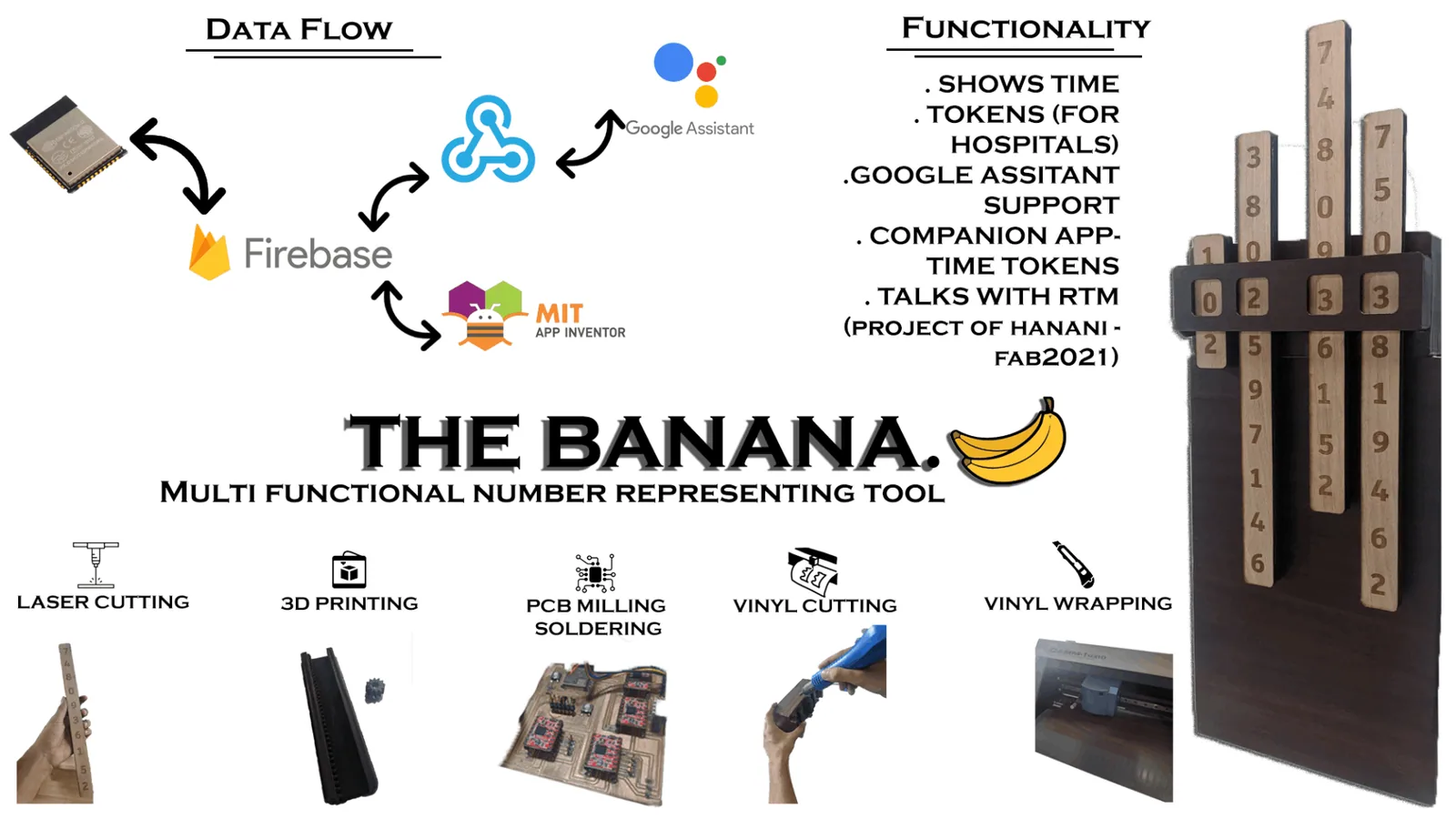
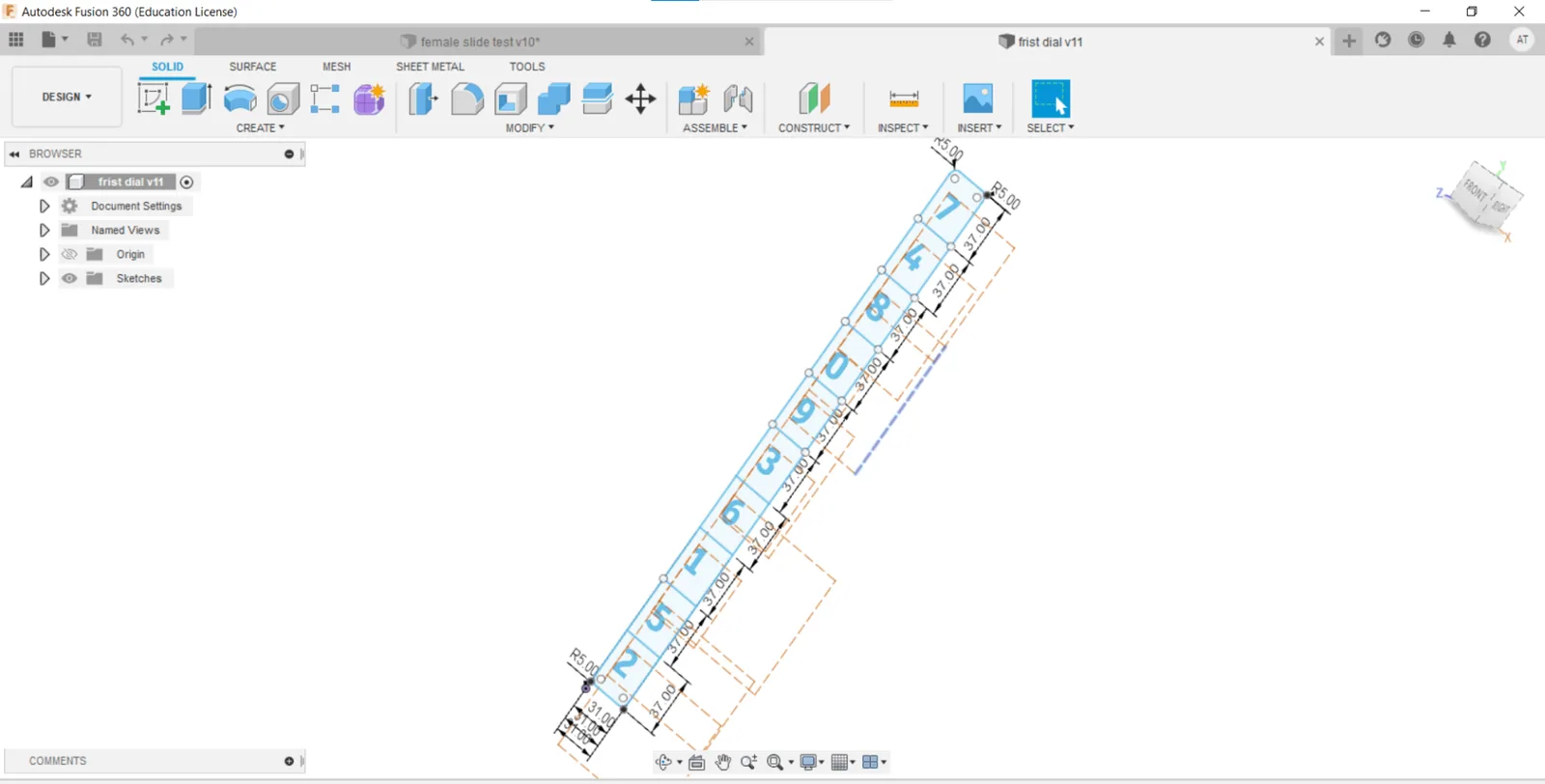
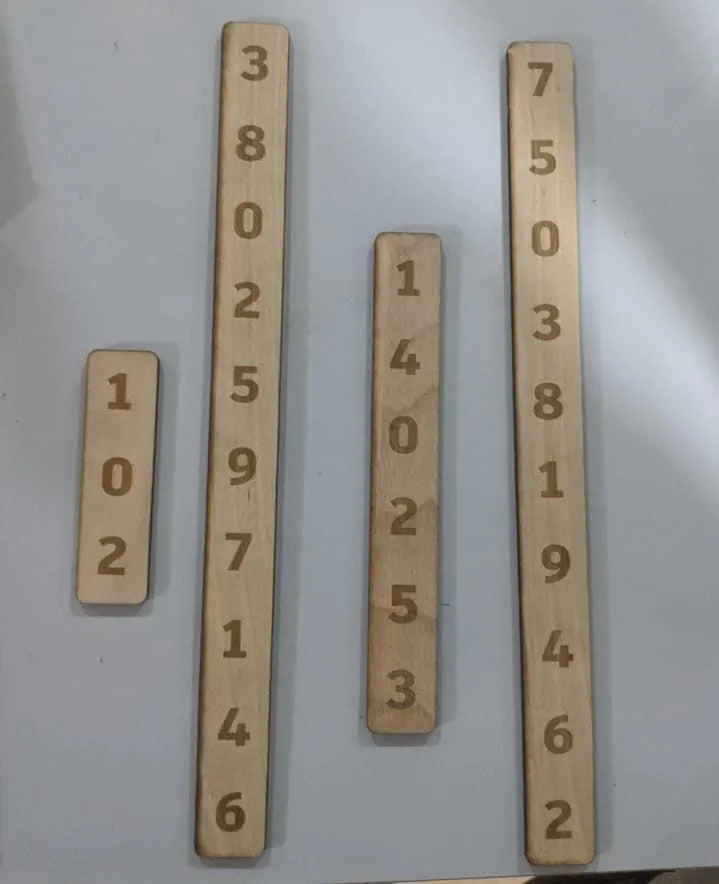
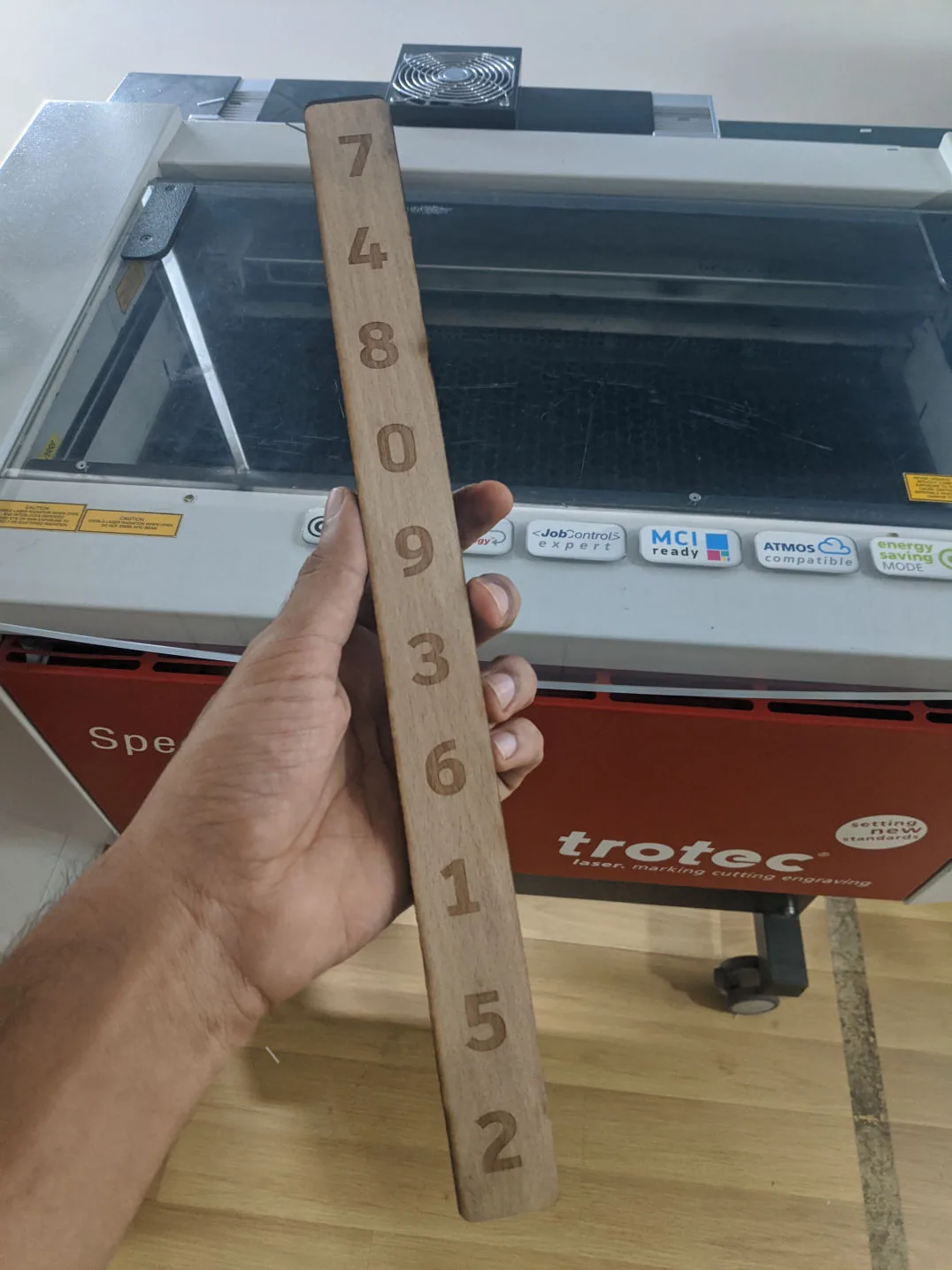
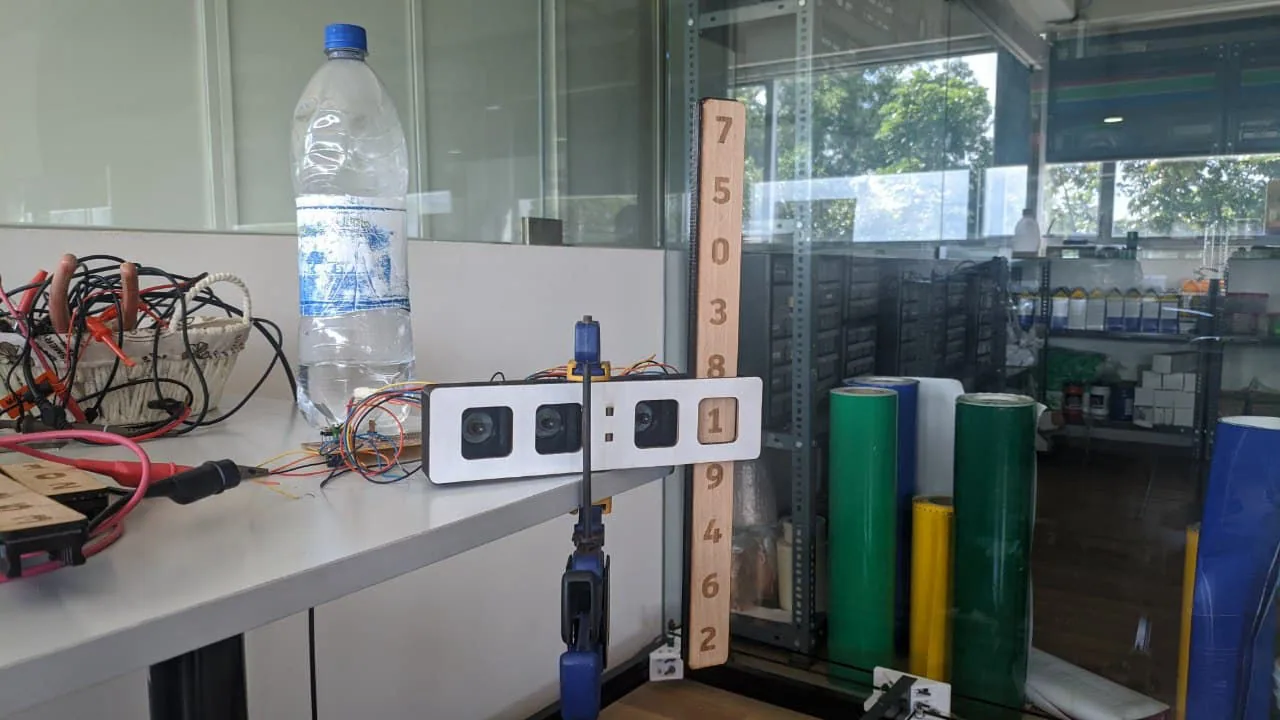
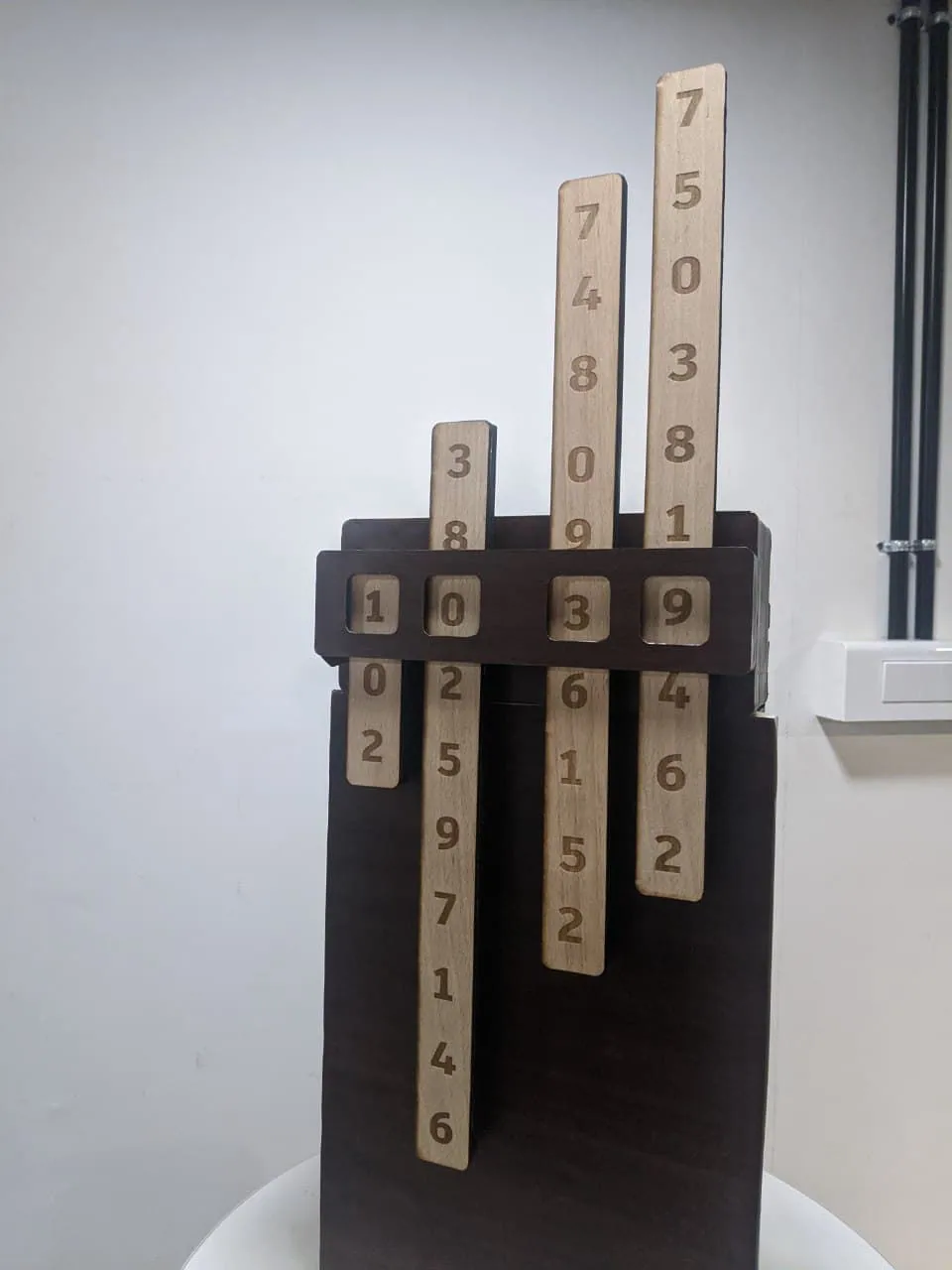
Its a multi functional number representing tool .This uses 4 vertical slides that contain the numbers. Four stepper motors position the slides .and i like to add more functionality to it (thinking).
Electronics Design
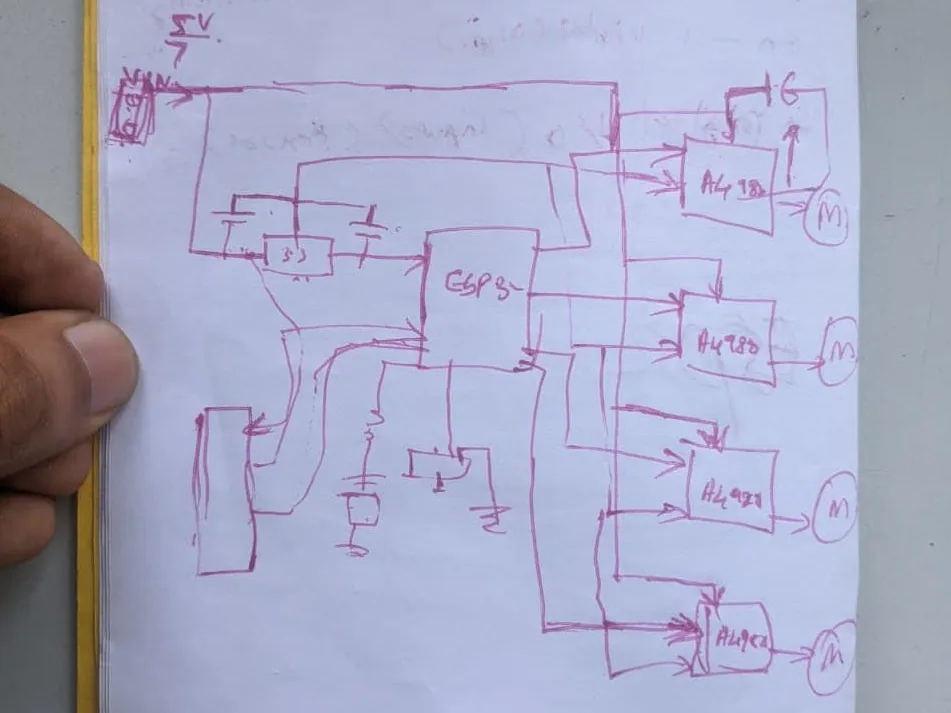
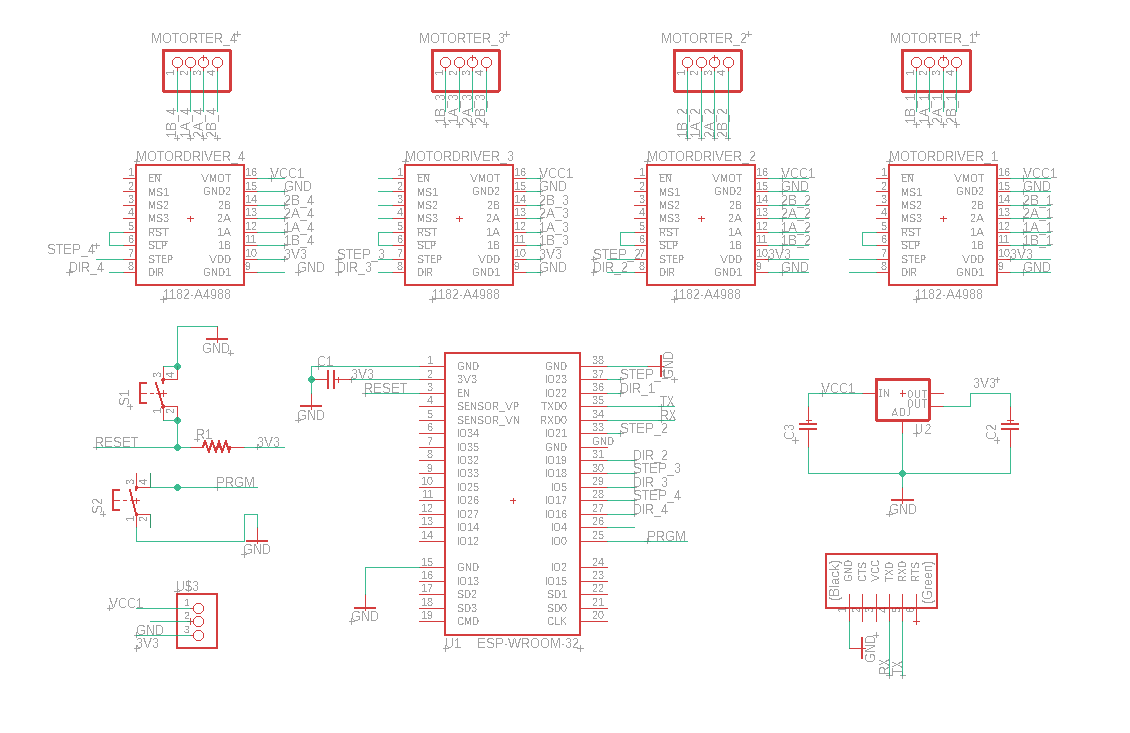
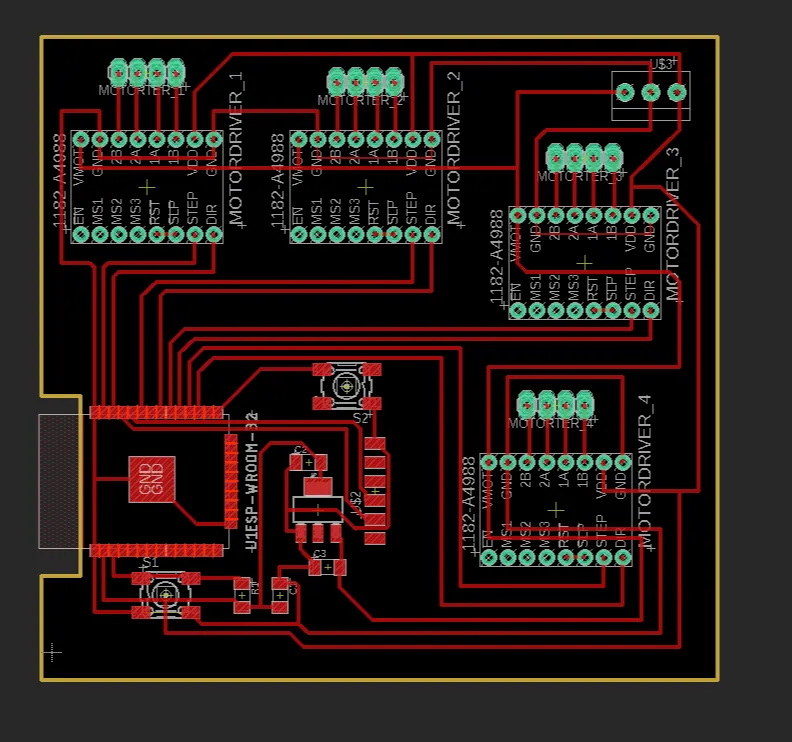
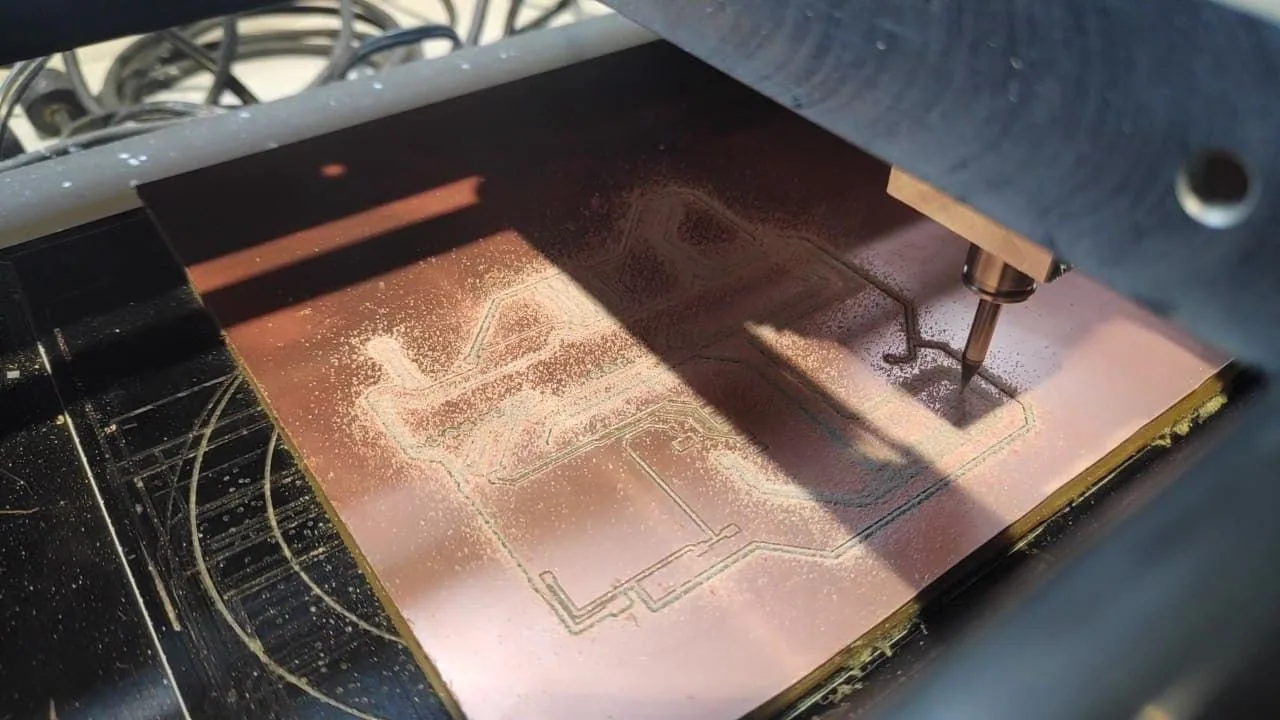
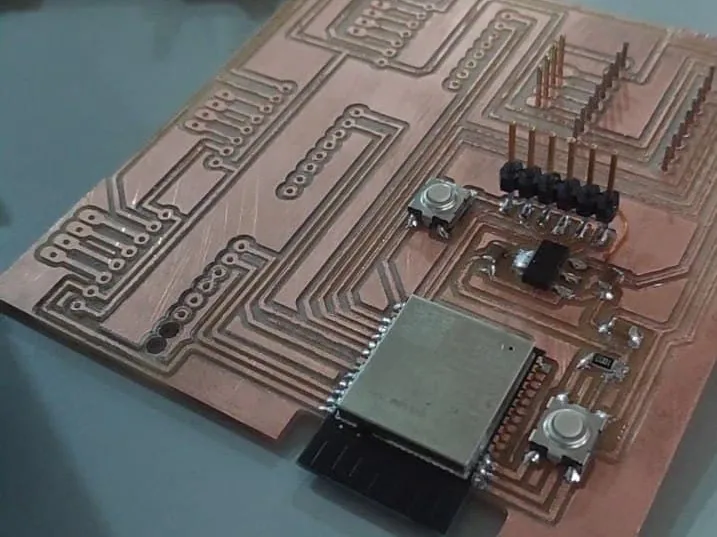
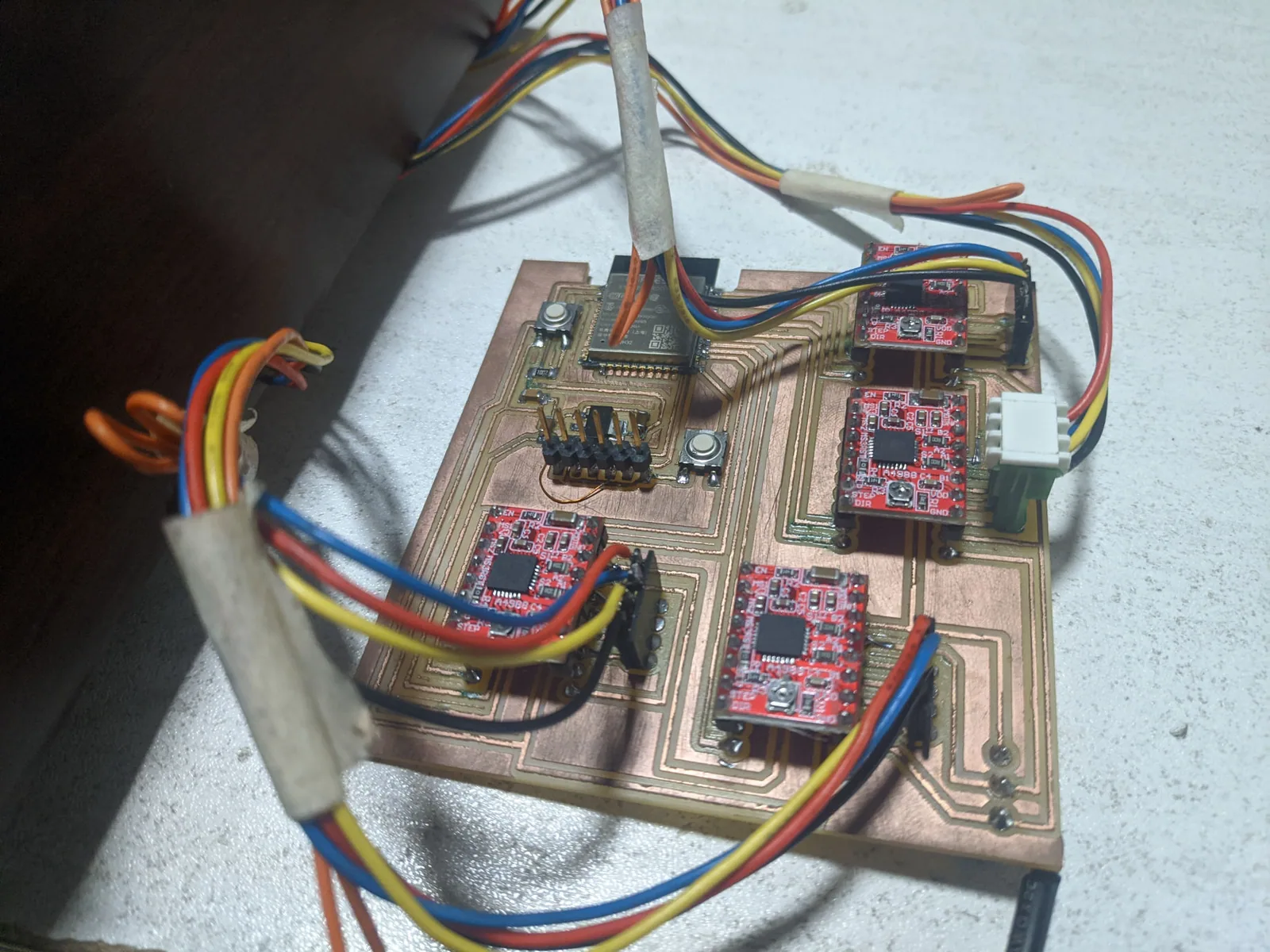
I started with electronics since i have less experience in it .used Esp32 Neil's basic board and coupled with a4988 stepper driver pin out. the main out from micro controller was Step and direction to stepper driver.I used Autodesk Eagle To design the Schematic and Board.
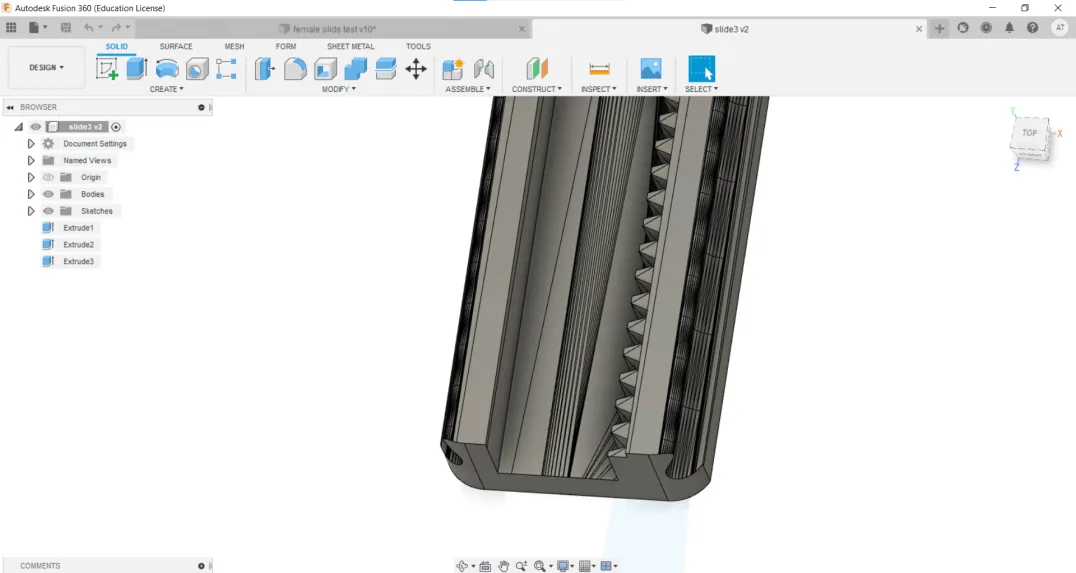
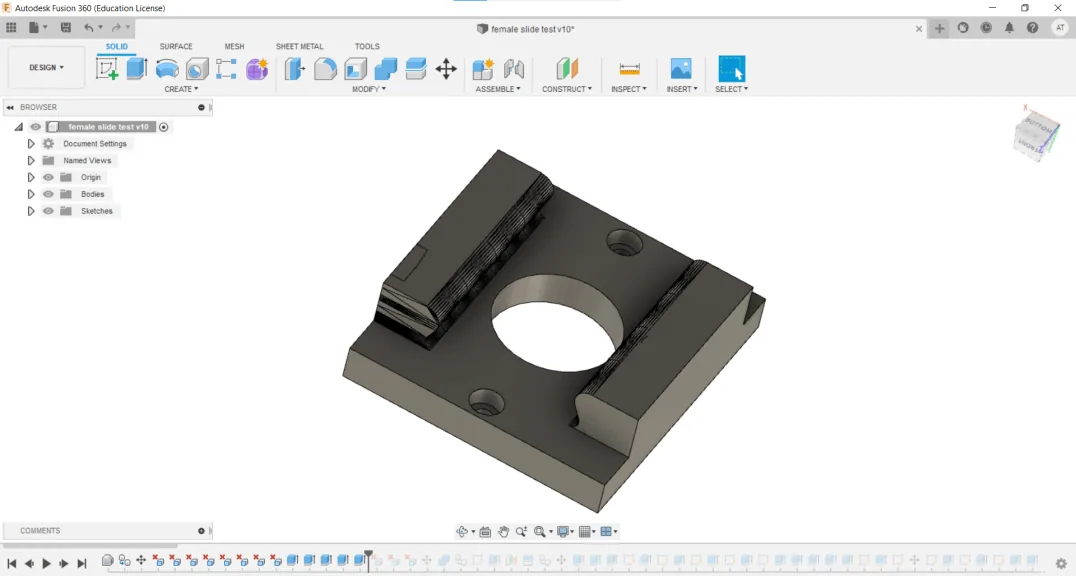
3D design of Silde and Rack
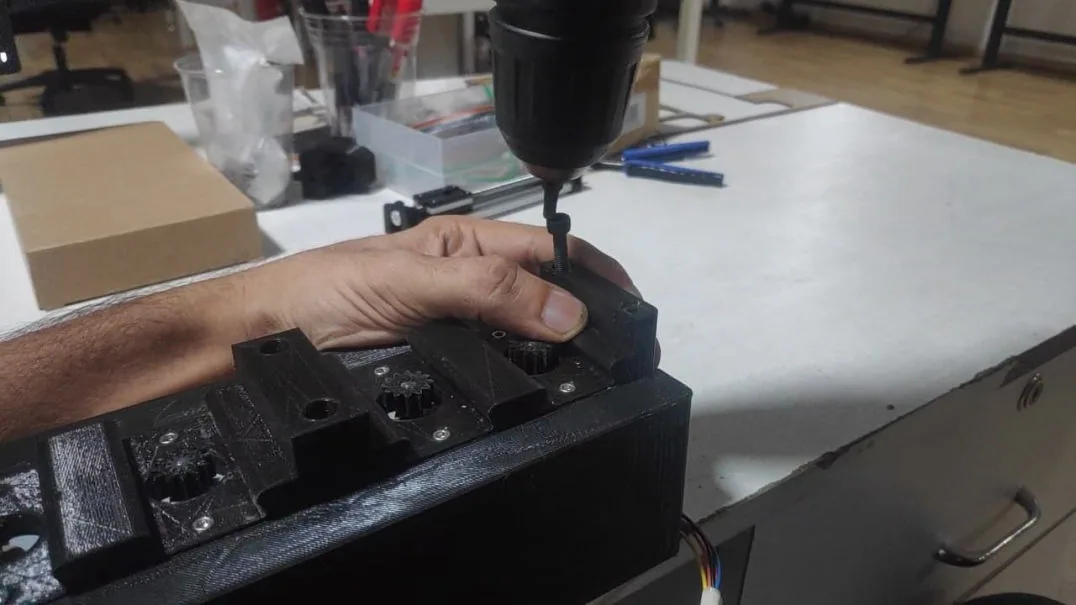
he rack and pinion system was derived from this linear motion device made by Trigubovich on Thingiverse. I used B rep Functionary;ty to convert .stl to step file.Messy but useful
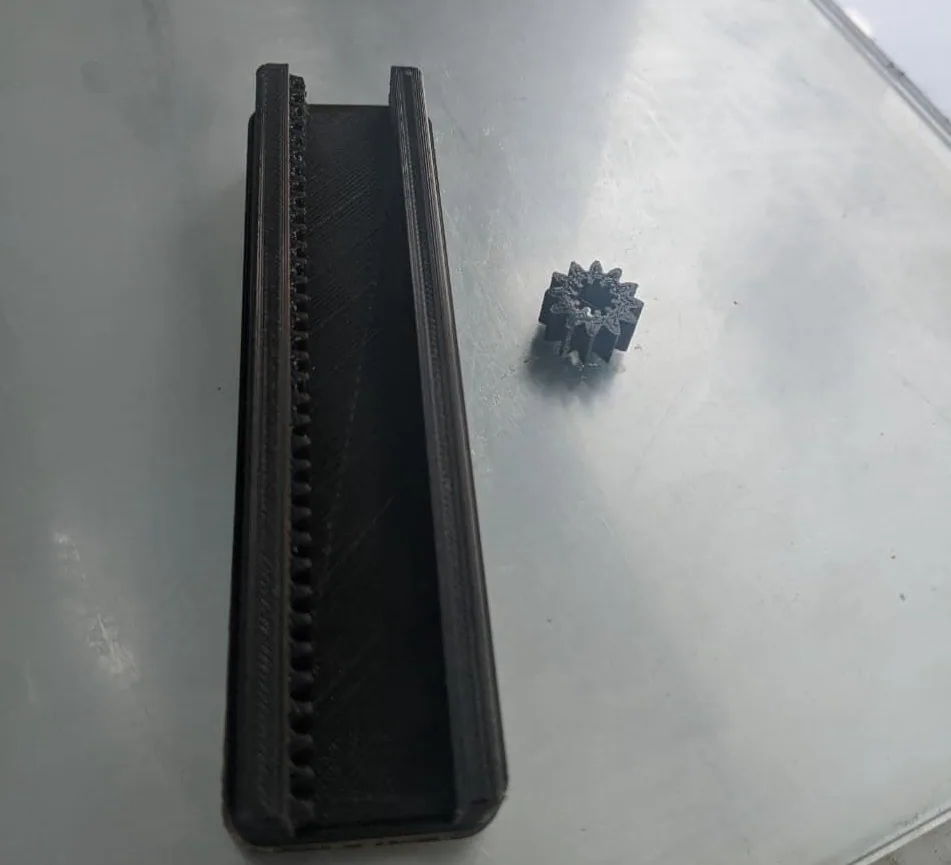
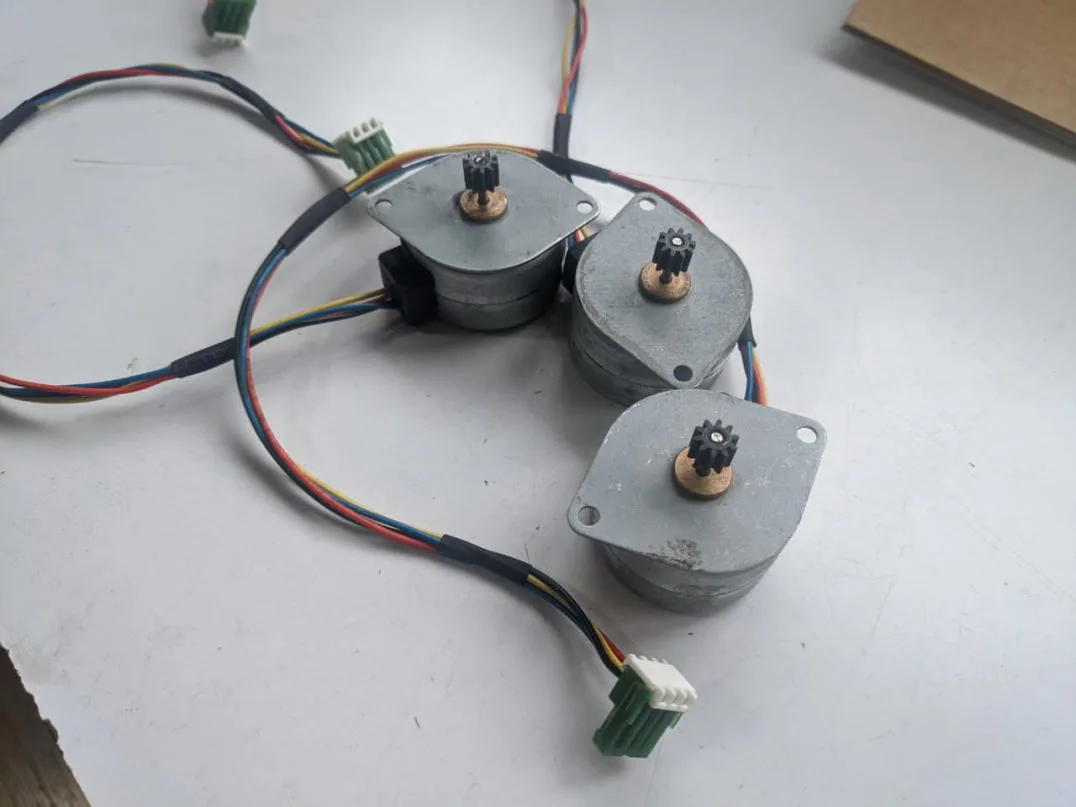
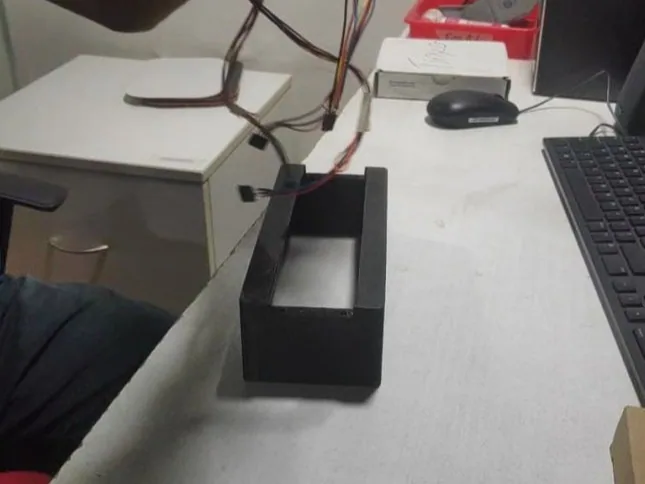
Tested if Slides are working using Developed board.
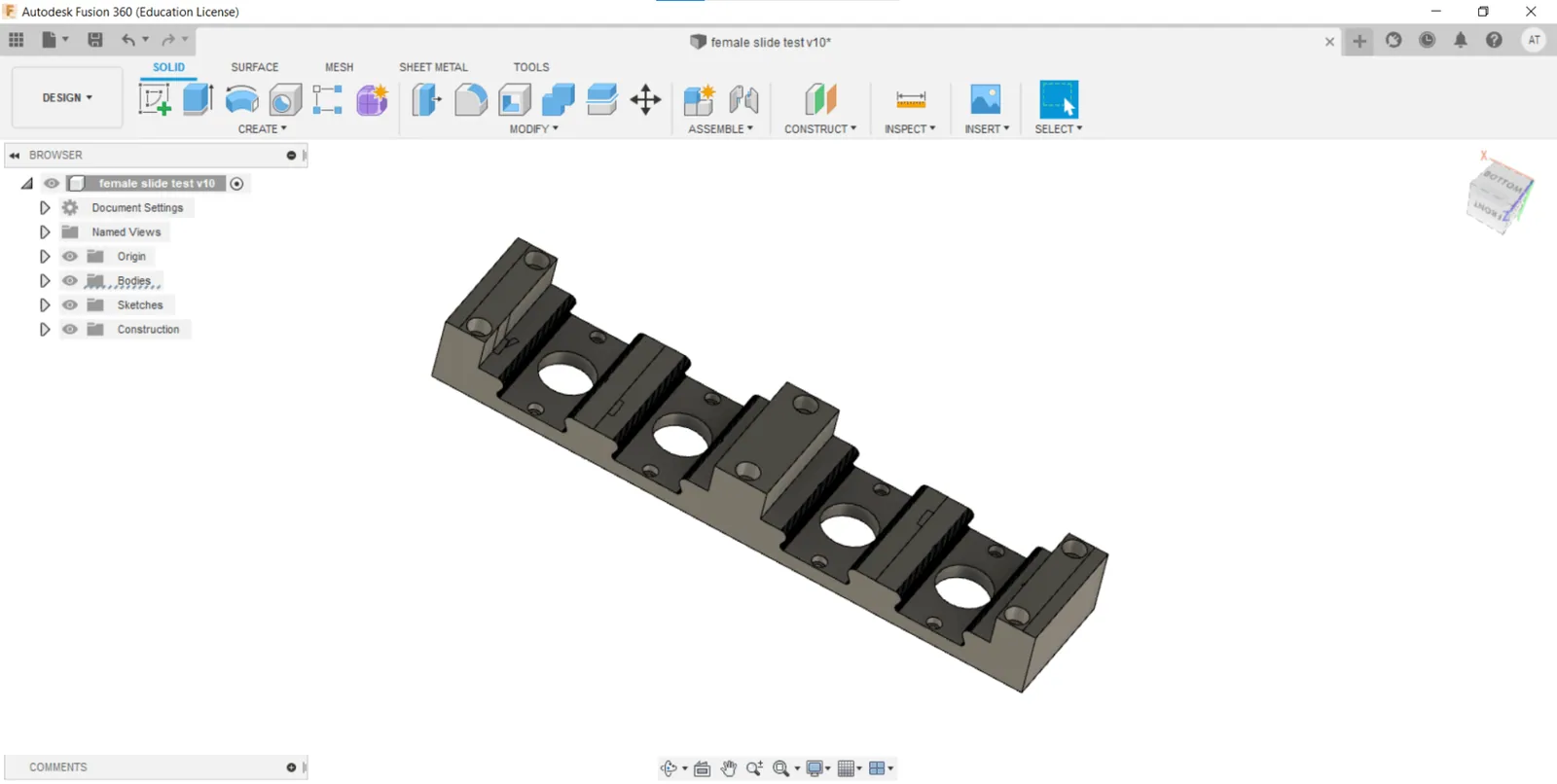
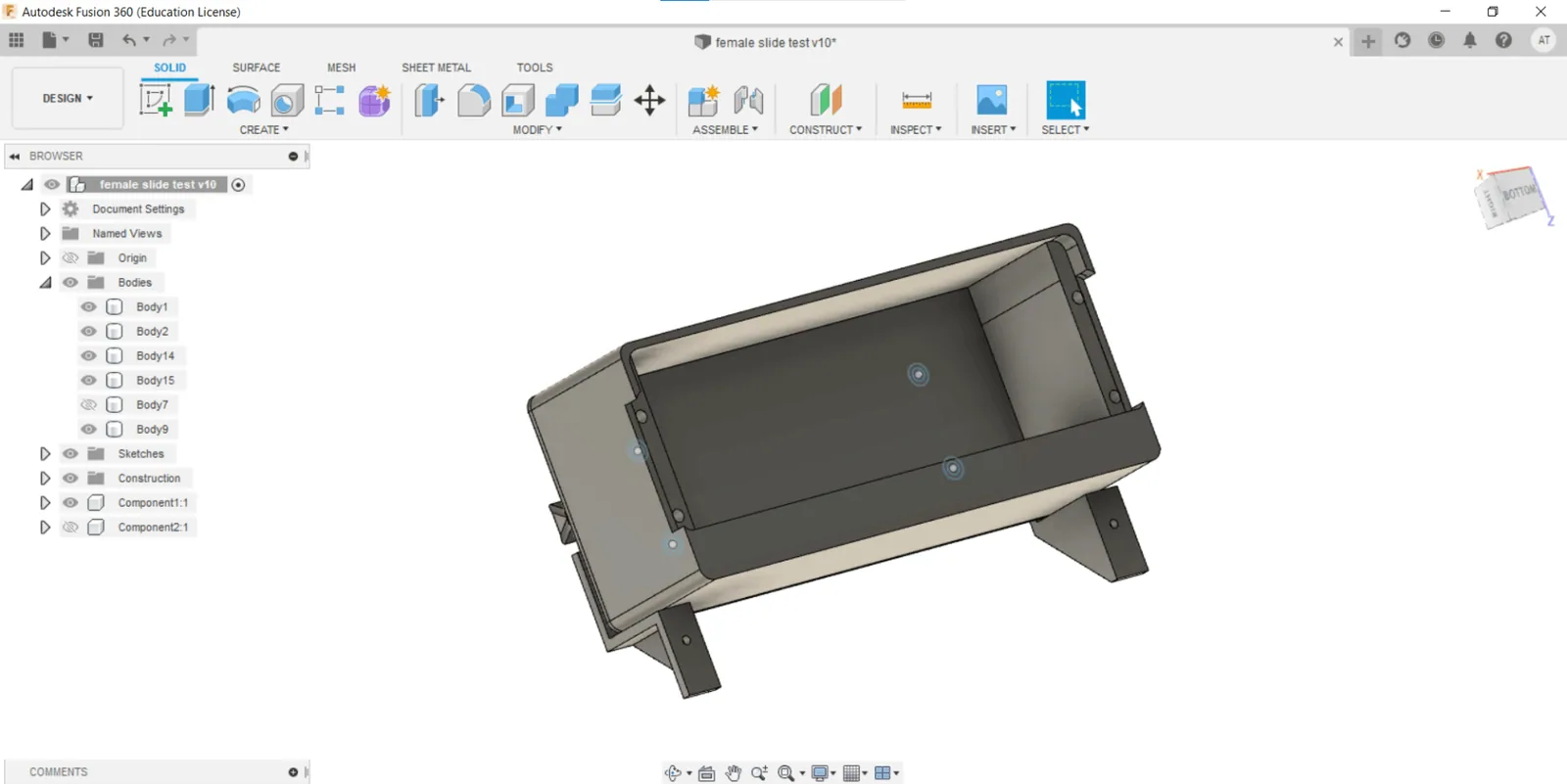
Programing
So my data flow is connected to internet
This must do
1. connect to wi fi
2.get time from ntp server
3.Ask fire base for number to display
I will be using accylstepper Library for moving my stepper motors synchronously. Most of work Already done in interfacing week.link
.Ino
//.........................................................................................WiFi
#include
#include
#include
#include
//.........................................................................................Stepper
#include
#include
//.........................................................................................firebase
#include
#define FIREBASE_HOST "https://token-59dc3-default-rtdb.firebaseio.com/"
#define FIREBASE_AUTH "90nSEClld40nzKFu3O2lDBIxOiJPZd01OkdrSq5J"
FirebaseData firebaseData;
//.........................................................................................Time
#include "time.h"
//......................................................................................... WiFi Settings
const char* ssid = "abelwifi"; //WiFi Name
const char* password = "123456789"; // WiFi Password
WiFiUDP ntpUDP;
NTPClient timeClient(ntpUDP, "1.asia.pool.ntp.org", 19800);
// .........................................................................................Stepper Settings
#define acc 100
#define spd 100
//
AccelStepper motor1(AccelStepper::DRIVER, 23, 22);
AccelStepper motor2(AccelStepper::DRIVER, 21, 19);
AccelStepper motor3(AccelStepper::DRIVER, 18, 5);
AccelStepper motor4(AccelStepper::DRIVER, 17, 16);
MultiStepper steppers;
//
//.........................................................................................comulative step positions from Home
#define POS_0 -24
#define POS_1 -72
#define POS_2 -120
#define POS_3 -168
#define POS_4 -216
#define POS_5 -264
#define POS_6 -312
#define POS_7 -360
#define POS_8 -408
#define POS_9 -456
//......................................................................................... Absolute location in steps for each digit 0-9
const long m4[10] = {
POS_7, // digit 0
POS_4, // digit 1
POS_0, // digit 2
POS_6, // digit 3
POS_2, // digit 4
POS_8, // digit 5
POS_1, // digit 6
POS_9, // digit 7
POS_5, // digit 8
POS_3 // digit 9
};
// Absolute location in steps for each digit 0-5
const long m3[10] = {
POS_6, // digit 0
POS_2, // digit 1
POS_0, // digit 2
POS_4, // digit 3
POS_8, // digit 4
POS_1, // digit 5
POS_3, // digit 6
POS_9, // digit 7
POS_7, // digit 8
POS_5 // digit 9
};
// Absolute location in steps for each digit 0-9
const long m2[10] = {
POS_7, // digit 0
POS_2, // digit 1
POS_6, // digit 2
POS_9, // digit 3
POS_1, // digit 4
POS_5, // digit 5
POS_0, // digit 6
POS_3, // digit 7
POS_8, // digit 8
POS_4 // digit 9
};
// Absolute location in steps for each digit 0-2
const long m1[3] = {
POS_1, // digit 0
POS_2, // digit 1
POS_0 // digit 2
};
long positions_now[4];
void FindHomePosition()
{
motor1.setCurrentPosition(0);
motor2.setCurrentPosition(0);
motor3.setCurrentPosition(0);
motor4.setCurrentPosition(0);
positions_now[0] = 144;
positions_now[1] = 480;
positions_now[2] = 480;
positions_now[3] = 480;
steppers.moveTo(positions_now);
steppers.runSpeedToPosition();
motor1.setCurrentPosition(0);
motor2.setCurrentPosition(0);
motor3.setCurrentPosition(0);
motor4.setCurrentPosition(0);
}
void setup()
{
Serial.begin(115200);
//connect to WiFi
Serial.printf("Connecting to %s ", ssid);
WiFi.begin(ssid, password);
while (WiFi.status() != WL_CONNECTED)
{
// delay(500);
Serial.print(".");
}
Serial.println(" CONNECTED");
steppers.addStepper(motor1);
steppers.addStepper(motor2);
steppers.addStepper(motor3);
steppers.addStepper(motor4);
motor1.setMaxSpeed(acc);
motor1.setAcceleration(spd);
motor2.setMaxSpeed(acc);
motor2.setAcceleration(spd);
motor3.setMaxSpeed(acc);
motor3.setAcceleration(spd);
motor4.setMaxSpeed(acc);
motor4.setAcceleration(spd);
Firebase.begin(FIREBASE_HOST, FIREBASE_AUTH);
FindHomePosition();
}
void loop()
{
Firebase.begin(FIREBASE_HOST, FIREBASE_AUTH);
Firebase.reconnectWiFi(true);
if (Firebase.getString(firebaseData, "on"))
{
String i = (firebaseData.stringData());
int len;
len = i.length();
Serial.println(i.substring(2, len - 2));
i = i.substring(2, len - 2);
if (i == "time")
{
//.........................................................................................timeeee
timeClient.update();
int h = timeClient.getHours();
int m = timeClient.getMinutes();
int hr2 = h % 10;
int hr1 = (h - hr2) / 10;
int mit2 = m % 10;
int mit1 = (m - mit2) / 10;
Serial.print(hr1);
Serial.print(hr2);
Serial.print(":");
Serial.print(mit1);
Serial.println(mit2);
positions_now[0] = m1[hr1];
positions_now[1] = m2[hr2];
positions_now[2] = m3[mit1];
positions_now[3] = m4[mit2];
steppers.moveTo(positions_now);
steppers.runSpeedToPosition();
}
else if (i == "index")
{
//.........................................................................................tokennnnnnnnnnnnnnnnnnnnnnnnnnnnnn
if (Firebase.getString(firebaseData, "numbers"))
{
String greeting = (firebaseData.stringData());
//removing kuttu and coma from firebase-------------------------------------
int o;
o = greeting.length();
Serial.println(greeting.substring(2, o - 2));
int a = greeting.substring(2, o - 2).toInt();
int k = 0;
int j, r;
positions_now[0] = m1[0];
positions_now[1] = m2[0];
positions_now[2] = m3[0];
positions_now[3] = m4[0];
while (a != 0)
{
// Extract the last digit of a
r = a % 10;
switch (k)
{
case 0 :
{ positions_now[3 - k] = m4[r];
} break;
case 1 :
{ positions_now[3 - k] = m3[r];
} break;
case 2 :
{ positions_now[3 - k] = m2[r];
} break;
};
k++;
// Update a to a/10 to extract
// next last digit
a = a / 10;
}
positions_now[0] = m1[0];
steppers.moveTo(positions_now);
steppers.runSpeedToPosition();
}
}
else if (i == "height")
{
//
// Serial.println("Entered initial Height Loop");
//.........................................................................................height
if (Firebase.getInt(firebaseData, "height"))
{
// Serial.println("Entered Height Loop");
int height = (firebaseData.intData());
int a = height;
Serial.println(a);
int k = 0;
int j, r;
positions_now[0] = m1[0];
positions_now[1] = m2[0];
positions_now[2] = m3[0];
positions_now[3] = m4[0];
while (a != 0)
{
// Extract the last digit of a
r = a % 10;
switch (k)
{
case 0 :
{ positions_now[3 - k] = m4[r];
} break;
case 1 :
{ positions_now[3 - k] = m3[r];
} break;
case 2 :
{ positions_now[3 - k] = m2[r];
} break;
};
k++;
// Update a to a/10 to extract
// next last digit
a = a / 10;
}
positions_now[0] = m1[0];
steppers.moveTo(positions_now);
steppers.runSpeedToPosition();
}
}
}
}
Download design Files.Click here.
Project 2(Not yet named)
I used to update Tech by seeing MKBHD videos on YouTube. 2 months back he rewed Boston dynamics robot dog video and the stunning engineering of the art.I always wanted to make one of that and test it out and for an Indian average human its too costly.And later on April 1(April Fool) he reviewed his dog Mac and i connected that nature have its cheaper option and i wanted to control it.
Check List What my Dog Already Have.(Intersection Dynamics Robot Dog)
1.They're pretty sturdy
and well built
2.There's dual monochrome
sensors with autofocus assist(Eyes)
3. Middle sensor that the
same way that laser autofocus does
meaning it just helps the main sensors.(Nose)
4.here's a pair of
microphones one on either side for audio
processing(Ears) for voice commands so all these sensors put together to navigate
surroundings and
not bump into things that moves around.
5.One you need to charge by the end
of the day(Fooddd)
6.Built-in auto docking feature where it
automatically returns to the charging
pad(Bed) when the battery gets low and the
sensors turn off the software Shut Down to (sleep).
7.Works so it's programmed to identify.
8.Voice controls.
Things were my Dog Excels.
1.One of one colorway which is it's kind
of this unique thing.(Limited Edition).Every unit sold is a unique colorway
lot of them look like pretty
similar but there was lots of small
details on each unit
that would be just a little bit.
2.Its development for a couple years now through several software
updates.(It already know the world better).
3.First get them they actually
have way less features and then you sort
of get to evolve them over time.
4.Best friend security guard features.
5.Water proof.
6.Huge slider(Tail) on the back acts as a
digital well-being indicator so
basically the faster it's moving
the happier the Dog is.
So what is the Add-on.
Sometimes the
sensors will lock on to one thing(Food) and then throw off the whole rest of the
autofocus system sometimes if you give
it the wrong type of energy too many
times
the ai learns and it basically
prioritizes
all those false positives.
Taking this vulnerability the make the dog walk through the desired path.